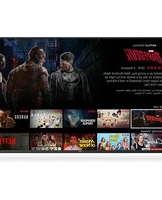
SC5500US - Television Seiki - Free user manual and instructions
Find the device manual for free SC5500US Seiki in PDF.


Pick your language and provide your email: we'll send you a specifically translated version.
| Product Type | LCD TV |
| Screen Size | 55 inches (diagonal) |
| Resolution | 1920 x 1080 (Full HD) |
| Refresh Rate | 60 Hz |
| Dimensions (with stand) | 49.6 x 31.1 x 9.8 inches |
| Dimensions (without stand) | 49.6 x 28.7 x 3.1 inches |
| Weight (with stand) | 33.1 lbs |
| Weight (without stand) | 30.4 lbs |
| Power Supply | AC 120V, 60Hz |
| Power Consumption (Typical) | 100 W |
| Standby Power | < 0.5 W |
| Inputs | 3 x HDMI, 1 x USB, 1 x Component, 1 x Composite, 1 x RF, 1 x LAN |
| Outputs | 1 x Optical Audio, 1 x Headphone |
| Built-in Tuner | ATSC / NTSC |
| Smart TV | No (basic TV) |
| VESA Mount Pattern | 400 x 200 mm |
| Stand Included | Yes |
| Remote Control | Yes (batteries included) |
| Cleaning Instructions | Wipe screen with a soft, dry cloth. Do not use harsh chemicals. |
| Safety Warnings | Do not expose to rain or moisture. Unplug during lightning storms. |
| Spare Parts Availability | Contact Seiki customer support for replacement parts. |
| Warranty | 1 year limited warranty |
Frequently Asked Questions - SC5500US Seiki
How do I connect my cable box to the TV?
Connect the cable box to the TV using an HDMI cable. Plug one end into the cable box's HDMI output and the other into one of the TV's HDMI inputs. Then select the corresponding HDMI input using the Source button on the remote.
How do I perform a factory reset?
Press the Menu button on the remote, navigate to Settings > System > Reset, and confirm. Enter the default password 0000 if prompted.
What should I do if the TV won't turn on?
Check that the power cord is securely plugged into an outlet. Try a different outlet. If the TV still doesn't turn on, press and hold the Power button on the TV itself for 10 seconds to reset.
Can I mount this TV on a wall?
Yes, the TV is VESA compatible with a 400 x 200 mm mount pattern. Use a wall mount rated for at least 50 lbs.
How do I update the TV's firmware?
This TV does not have internet connectivity. Firmware updates are not available.
Why is there no sound when I connect external speakers?
Ensure the speakers are powered on and the volume is up. Check the audio output setting: press Menu > Audio > Speaker and select External.
How do I clean the screen?
Turn off the TV and let it cool. Gently wipe the screen with a soft, dry microfiber cloth. Do not use any liquids or abrasive cleaners.
What is the default input for the cable/antenna?
The default input for over-the-air channels is TV. Connect the antenna to the RF input and scan for channels via Menu > Channel > Auto Scan.
How do I adjust the picture settings?
Press the Menu button, go to Picture. You can adjust Brightness, Contrast, Color, and Sharpness. Choose from presets like Standard, Movie, or Vivid.
Does this TV support Bluetooth?
No, the Seiki SC5500US does not have Bluetooth functionality. Use wired connections for audio devices.
User questions about SC5500US Seiki
0 question about this device. Answer the ones you know or ask your own.
Ask a new question about this device
No questions yet. Be the first to ask one.
Download the instructions for your Television in PDF format for free! Find your manual SC5500US - Seiki and take your electronic device back in hand. On this page are published all the documents necessary for the use of your device. SC5500US by Seiki.
USER MANUAL SC5500US Seiki


Manual assistant
Powered by Anthropic
Waiting for your message
Product information
Brand : Seiki
Model : SC5500US
Category : Television