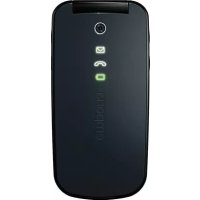
TH21AB - Phone EMPORIA - Free user manual and instructions
Find the device manual for free TH21AB EMPORIA in PDF.


Pick your language and provide your email: we'll send you a specifically translated version.
| Product Type | Mobile Phone |
| Brand | Emporia |
| Model | TH21AB |
| Dimensions | 110 x 55 x 15 mm |
| Weight | 100 g |
| Battery | Li-Ion 800 mAh |
| Display | Color TFT, 2.4 inches |
| Storage | MicroSD card slot (up to 32 GB) |
| Key Features | Large buttons, SOS button, FM radio, torch, handsfree speaker |
| Network | 2G (GSM 900/1800) |
| Charging | Micro USB |
| Warranty | 2 years |
| Languages | English, German, French, Italian, Spanish |
| Box Contents | Phone, battery, charger, user manual |
Frequently Asked Questions - TH21AB EMPORIA
How to insert the SIM card?
Turn off the phone, remove the back cover and battery. Insert the SIM card into the slot with the gold contacts facing down, then replace the battery and cover.
How to charge the battery?
Connect the charger to a wall socket and plug the micro USB cable into the phone. The battery icon will animate during charging. A full charge takes about 2-3 hours.
How to set the date and time?
From the main menu, select Settings > Phone Settings > Date & Time. You can set manually or enable auto-update from network.
How to use the SOS button?
Slide the SOS switch on the back of the phone. A countdown will start, and after it finishes, the phone will send an SMS and call the preset emergency numbers. You can program up to 5 numbers in the SOS Settings menu.
How to save a contact?
Go to Contacts > Add New. Enter the name and number, then press Save. You can also save contacts to the SIM card by selecting Save to SIM.
How to turn on the torch?
Press and hold the # key on the keypad for about 2 seconds. The LED flash will light up. Press again to turn off.
Can I use a microSD card?
Yes, the phone supports microSD cards up to 32 GB. Insert the card into the slot under the battery. The phone can store photos, music, and contacts on the card.
How to activate the radio?
Connect the headphones as antenna, then go to FM Radio from the menu. Press Auto Scan to find stations. You can save favorites using the Save option.
The phone screen is dim, what can I do?
Adjust the screen brightness in Settings > Display > Brightness. Also check if the battery is low; low battery can reduce screen brightness automatically.
How to reset the phone to factory settings?
Go to Settings > Phone Settings > Restore Factory Settings. Enter the password (default is 0000) and confirm. This will erase all user data.
User questions about TH21AB EMPORIA
0 question about this device. Answer the ones you know or ask your own.
Ask a new question about this device
No questions yet. Be the first to ask one.
Download the instructions for your Phone in PDF format for free! Find your manual TH21AB - EMPORIA and take your electronic device back in hand. On this page are published all the documents necessary for the use of your device. TH21AB by EMPORIA.
USER MANUAL TH21AB EMPORIA


Manual assistant
Powered by Anthropic
Waiting for your message
Product information
Brand : EMPORIA
Model : TH21AB
Category : Phone