
SRX5308 - Firewall NETGEAR - Free user manual and instructions
Find the device manual for free SRX5308 NETGEAR in PDF.


Pick your language and provide your email: we'll send you a specifically translated version.
| Product Type | Firewall |
| Brand | NETGEAR |
| Model | SRX5308 |
| Form Factor | 1U Rackmount |
| Dimensions (W x D x H) | 440 mm x 260 mm x 44 mm |
| Weight | 4.5 kg |
| Power Supply | 100-240 V AC, 50-60 Hz, 70 W max |
| Ethernet Ports | 8 Gigabit LAN, 2 Gigabit WAN |
| VPN Support | IPsec, SSL, PPTP, L2TP |
| Firewall Throughput | 1 Gbps |
| VPN Throughput | 500 Mbps |
| Concurrent Sessions | 200,000 |
| Main Functions | Stateful firewall, VPN, QoS, VLAN, routing, IDS/IPS |
| Maintenance | Clean with a soft, dry cloth; avoid liquid cleaners |
| Safety Instructions | Operate in a well-ventilated area, avoid moisture, do not disassemble |
| Spare Parts | Power adapter, rackmount kit, replacement fan |
| Repairability | Limited user-serviceable parts; contact NETGEAR support for repairs |
| General Information | Business-class firewall with advanced security features |
Frequently Asked Questions - SRX5308 NETGEAR
How do I factory reset the NETGEAR SRX5308?
Press and hold the Reset button on the front panel for at least 10 seconds until the lights flash. This restores factory defaults.
What is the default IP address and login?
Default IP is 192.168.1.1, username admin, password password (case-sensitive). Change after first login.
How do I set up VPN on the SRX5308?
Go to VPN > IPsec VPN or SSL VPN and configure policies. Refer to manual for step-by-step.
Can I use the SRX5308 as a router?
Yes, it supports routing with static and dynamic protocols (RIP, OSPF). It also performs NAT and DHCP.
How do I update the firmware?
Download the latest firmware from NETGEAR support. Go to Administration > Firmware Upgrade and upload the file.
What is the maximum concurrent connections?
The SRX5308 supports up to 200,000 concurrent sessions for high traffic environments.
How do I configure Quality of Service (QoS)?
Navigate to QoS settings and set bandwidth limits or priority rules for traffic types like VoIP or video.
Does the SRX5308 support VLAN?
Yes, it supports 802.1Q VLAN tagging and can manage multiple VLANs for network segmentation.
How do I enable remote management?
Go to Administration > Remote Management and enable HTTPS or SSH access from specific IP addresses.
What should I do if the device overheats?
Ensure proper ventilation, check that fans are working, and clean dust from vents. Avoid stacking hot equipment.
User questions about SRX5308 NETGEAR
0 question about this device. Answer the ones you know or ask your own.
Ask a new question about this device
No questions yet. Be the first to ask one.
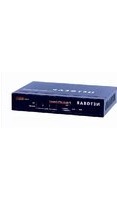
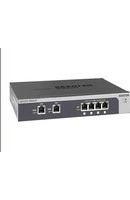
Download the instructions for your Firewall in PDF format for free! Find your manual SRX5308 - NETGEAR and take your electronic device back in hand. On this page are published all the documents necessary for the use of your device. SRX5308 by NETGEAR.
USER MANUAL SRX5308 NETGEAR



Manual assistant
Powered by Anthropic
Waiting for your message
Product information
Brand : NETGEAR
Model : SRX5308
Category : Firewall