B201W - Weather Station Baldr - Free user manual and instructions
Find the device manual for free B201W Baldr in PDF.


| Product Type | Weather Station |
| Brand | Baldr |
| Model | B201W |
| Display Type | LCD |
| Indoor Temperature Range | 0°C to 50°C (32°F to 122°F) |
| Outdoor Temperature Range | -20°C to 60°C (-4°F to 140°F) |
| Indoor Humidity Range | 20% to 95% RH |
| Outdoor Humidity Range | 20% to 95% RH |
| Barometric Pressure Range | 800 hPa to 1100 hPa |
| Weather Forecast Function | Yes (icons: sunny, partly cloudy, cloudy, rainy, snowy) |
| Time/Date Display | Yes (12/24 hour format) |
| Alarm Function | Yes (with snooze) |
| Wireless Outdoor Sensor | Included (up to 3 sensors supported) |
| Transmission Frequency | 433 MHz |
| Transmission Range | Up to 100 meters (open area) |
| Power Supply Main Unit | 2 x AAA batteries (not included) |
| Power Supply Sensor | 2 x AAA batteries (not included) |
| Dimensions Main Unit | 150 x 100 x 20 mm |
| Dimensions Sensor | 60 x 40 x 20 mm |
| Weight Main Unit | 200 g |
| Weight Sensor | 50 g |
| Color | White/Black |
| Mounting | Table stand or wall mount |
| Package Contents | Main unit, outdoor sensor, user manual |
| Certifications | CE, RoHS |
Frequently Asked Questions - B201W Baldr
User questions about B201W Baldr
0 question about this device. Answer the ones you know or ask your own.
Ask a new question about this device
Download the instructions for your Weather Station in PDF format for free! Find your manual B201W - Baldr and take your electronic device back in hand. On this page are published all the documents necessary for the use of your device. B201W by Baldr.
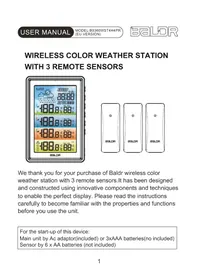
USER MANUAL B201W Baldr
Weather Station with Thermometer and humidity

We thank you for your purchase of BALDR Weather Station with Thermometer and Humidity. It has been
temperature and humidity by this device. Please read the instructions carefully to become familiar with the properties and functions before you use the unit.
For the start-up of this device you require: Main unit by 2xAAA batteries Sensor by 2xAAA batteries
OVERVIEW
MAIN UNIT


LCD DISPLAY

- Weather Forecast
- Outdoor Temperature
- Indoor Temperature
- Current Time
- Outdoor Sensor Channel
- Outdoor Humidity
- Indoor Humidity
- Calendar and Moon Phase
- Touch Buttons
OUTDOOR SENSOR

FEATURES
- Indoor and outdoor temperature (°C/°F Selectable)
- Indoor and outdoor humidity range: 20%\~95%
- Records max/min temperature and humidity (in and out)
- Weather forecast for 5 modes: Sunny, Sunny To Cloudy, Cloudy, Rainy, Stormy
- RF Channel For Outdoor Sensor
- Alarm and snooze function
- Time display in 12/24H
- White backlight lasts for 10 seconds after pressing the "Snooze/Light" button
- 100 meters wireless transmitter in open area
- Moon phase and calendar function
GETTING STARTED
MAIN UNIT INSTALLATION
- Remove the battery compartment cover.
- Insert 2x AAA batteries matching the polarity (+and-).
SENSOR INSTALLATION
- Remove the battery compartment cover.
- Insert 2xAAA batteries matching the polarity (+and-).
Initialize
After power on, LCD will full display for 1 second, and in the meanwhile hygrometer will detect indoor temperature & humidity, and then it will start to receive outdoor signal which lasts for max 3 minutes
FUNCTION BUTTONS
| FunctionOperation | MEM/▼ | AL/SET | CH/▲ | SNOOZE/LIGHT | |
| Standard Time Mode | Press | Check Max/Min Record | Switch to Alarm Time Mode | Switch channel | Backlight on |
| Hold | ---- | Enter Into Time Set Mode | RF re-registration | ---- | |
| Alarm Time Mode | Press | Alarm on/off | Switch to Standard Time Mode | Switch channel | Backlight on |
| Hold | ---- | Enter Into Alarm Time Set Mode | RF re-registration | ---- | |
| Time Set Mode | Press | Decrease 1 step | Confirm and go next | Increase 1 step | Backlight on |
| Hold | Decrease in 8 steps | ---- | Increase in 8 steps | ---- | |
| Alarm Time Set Mode | Press | Decrease 1 step | Confirm and go next | Increase 1 step | Backlight on |
| Hold | Decrease in 8 steps | ---- | Increase in 8 steps | ---- | |
| Alarm Mode | Press | Alarm off Alarm | off Alarm off Snooze | Function | |
| Hold | ---- | Alarm off | |||
TIME SET
- Press and hold "AL/SET" button to enter into time setting; the setting data will be flashing in 1Hz.
- There are 7 languages selectable for weekday display: FR, NE, ES, DR, EN, GE, IT (French, Dutch, Spanish, Danish, English, German, Italian)
- If no operation for 20 seconds, it will automatically save and exit setting.
ALARM SET
- On normal time display mode, press "AL/SET" button to switch to alarm display mode.
- Press and hold "AL/SET" button to enter into alarm time setting mode.
- If no operation for 20 seconds, it will automatically save and exit setting.
ALARM AND SNOOZE
- When alarm is ringing, press "SNOOZE/LIGHT" button to activate snooze function. And the alarm will ring again in 5 minutes.
- Press and hold "SNOOZE/LIGHT" button for more than 3 seconds will stop the alarm; or press any other button to stop the alarm. And the alarm will restart next day.
- The ascending "Bibi" alarm sound will last for 2 minutes if no operation.
MAX AND MIN RECORD
will display 5 seconds.
midity, the value will display 5 seconds.
the memory.
- Normally, the Max and Min record will update every 24 hours on 0:00.
OUTDOOR CHANNEL
- Hygrometer will auto receive outdoor signal after power on, the receiving status will last for max 3 minutes, the receiving antenna signal will flash, if no signal received in 3 minutes, will not exist and stop receiving outdoor signal
- The setting order is CH1 --> CH2--> CH3 --> Channel scan (from CH1 to CH2 to CH3, 10 seconds intervals)
will exit RF registration
-
The current outdoor temperature and humidity data will be cleared during re-registration status
-
Remark: if hygrometer has received outdoor data successfully before, in next 60 minutes if lost signal, the hygrometer outdoor area will display “--.--”
WEATHER FORECAST
The weather forecast icon will show after power on. There are 5 kinds of weather modes: Sunny, Sunny To Cloudy, Cloudy, Rainy, Stormy.
The weather icon displays are based on the hourly calculation of indoor/outdoor temperature and humidity data.
The forecast is for next 12-24 hours.
MOON PHASE
The moon phase will be changed when calendar changes:

PRECAUTIONS
- Do not clean any part of the product with benzene, thinner or other solvent chemicals. When necessary, clean it with a soft cloth.
- Never immerse the product in water. This can cause electrical shock and damage the product.
- Do not subject the product to extreme force, shock, or fluctuations in temperature or humidity.
- Do not tamper with the internal components.
- Do not mix new and old batteries or batteries of different types.
- Do not mix alkaline, standard or rechargeable batteries with this product.
- Remove the batteries if storing this product for a long period of time.
- Do not dispose of this product as unsorted municipal waste. Collection of such waste separately for special treatment is necessary.
WARRANTY
BALDR provides a 1-year limited warranty on this product against manufacturing defects in materials and workmanship.
Warranty service can only be performed by our authorized service center. The original dated bill of sale must be presented upon request as proof of purchase to us, or our authorized service center.
The warranty covers all defects in material and workmanship with the following specified exceptions:(1) damage caused by accident, unreasonable use or neglect (including the lack or reasonable and necessary maintenance); (2) damage occurring during shipment (claims must be presented to the carrier); (3) damage to, or deterioration of any accessory or decorative surface;(4) damage resulting from failure to follow instructions contained in your owner's manual.
This warranty covers only actual defects within the product itself, and does not cover the cost of installation or removal from a fixed installation, normal set-up or adjustments, claims based on misrepresentation by the seller or performance variations resulting from installation-related circumstances.
To receive warranty service, the purchaser must contact with BALDR nominated service center for the problem determination and service procedure. Thank you for choosing BALDR products!
BALDR
www.baldr.com
service@baldr.com
Brand : Baldr
Model : B201W
Category : Weather Station