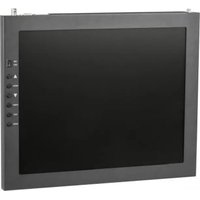
PT17-SDI - Display screen Ikan - Free user manual and instructions
Find the device manual for free PT17-SDI Ikan in PDF.


Pick your language and provide your email: we'll send you a specifically translated version.
| Product Type | Professional Field Monitor |
| Screen Size | 17 inches |
| Resolution | 1920 x 1080 (Full HD) |
| Panel Type | IPS LCD |
| Brightness | 300 cd/m² |
| Contrast Ratio | 1000:1 |
| Video Inputs | 2x 3G-SDI, 1x HDMI |
| Video Outputs | 1x 3G-SDI Loop-out |
| Audio | Built-in speakers, headphone jack |
| Power Input | DC 12V (AC adapter included) |
| Power Consumption | ~30W |
| Battery Plate | V-Mount or Gold Mount (optional) |
| Dimensions (W x H x D) | 16.5 x 11.2 x 2.5 inches (419 x 284 x 64 mm) |
| Weight | 9.2 lbs (4.2 kg) |
| Mounting | VESA 100x100 mm |
| Operating Temperature | 32°F to 104°F (0°C to 40°C) |
| Waveform / Vectorscope | Yes (built-in) |
| False Color / Focus Assist | Yes |
| 3D LUT Support | Yes (via USB) |
| Included Accessories | AC adapter, sun hood, manual |
| Warranty | 1 year limited |
Frequently Asked Questions - PT17-SDI Ikan
What video formats does the Ikan PT17-SDI support?
The monitor supports SD/HD/3G-SDI and HDMI signals up to 1080p at 60Hz. It can handle common formats like 1080i, 720p, and NTSC/PAL.
Can I power the PT17-SDI via battery?
Yes, the monitor has an optional V-Mount or Gold Mount battery plate. It can run on 12V DC batteries for field use.
How do I calibrate the display?
You can calibrate using the on-screen menu adjustments for brightness, contrast, color temperature, and RGB gain. For precise calibration, use a probe and software via the USB port.
Does it have a sun hood?
Yes, a sun hood is included in the box to reduce glare in bright environments.
Can I mount the PT17-SDI on a camera rig?
Yes, it has VESA 100x100mm mounting holes, compatible with many monitor arms and rigs.
What is the latency of the monitor?
The monitor has low latency (typically less than one frame) suitable for live production and critical focus.
How do I update the firmware?
Download the latest firmware from the Ikan website, copy it to a USB drive, and insert it into the monitor's USB port. Follow the on-screen instructions.
Does it support 3D LUTs?
Yes, you can load custom 3D LUTs via USB for color grading previews.
What tools are available for focus assistance?
It includes focus assist (peaking), magnification, and false color to help achieve sharp focus.
Can I use it as a computer monitor?
Yes, it has an HDMI input, so you can connect a computer. However, it is optimized for video production, not text readability.
User questions about PT17-SDI Ikan
0 question about this device. Answer the ones you know or ask your own.
Ask a new question about this device
No questions yet. Be the first to ask one.
Download the instructions for your Display screen in PDF format for free! Find your manual PT17-SDI - Ikan and take your electronic device back in hand. On this page are published all the documents necessary for the use of your device. PT17-SDI by Ikan.
USER MANUAL PT17-SDI Ikan
Manual assistant
Powered by Anthropic
Waiting for your message
Product information
Brand : Ikan
Model : PT17-SDI
Category : Display screen