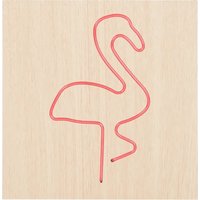
CBLNEONFLAMS - Docking Station BIGBEN - Free user manual and instructions
Find the device manual for free CBLNEONFLAMS BIGBEN in PDF.


Pick your language and provide your email: we'll send you a specifically translated version.
| Product Type | Docking Station for Electronic Devices |
| Brand | Bigben |
| Model | CBLNEONFLAMS |
| Dimensions (L x W x H) | Approximately 10 x 8 x 3 cm |
| Weight | Approximately 150 g |
| Main Material | ABS Plastic |
| Color | Neon Flamingo Pink (depending on range) |
| Power Supply | USB-C port, 5V / 2A (cable included) |
| Connectivity | 1 x USB-C (input), 1 x USB-A (output) |
| Main Functions | Fast charging, data synchronization, desktop stand |
| Compatibility | Smartphones, tablets, Bluetooth headphones, USB-C accessories |
| Maximum Charging Speed | Up to 15 W (depending on device) |
| LED Indicator | Light indicator: charging (blue), charging complete (green) |
| Maintenance and Cleaning | Unplug before cleaning. Use a soft dry cloth. Do not use abrasive products. |
| Safety | Overcurrent, overheating, and short-circuit protection |
| Spare Parts and Repairability | Replaceable USB-C cable. For any other repairs, contact Bigben after-sales service. |
| Warranty | 2 years |
| Package Contents | Docking station, USB-C cable, user manual |
Frequently Asked Questions - CBLNEONFLAMS BIGBEN
How to connect the CBLNEONFLAMS docking station?
Connect the provided USB-C cable to the docking station, then plug the other end into a power adapter or a computer USB port. The LED then lights up blue.
Which devices can I charge with this station?
This docking station is compatible with most smartphones, tablets and accessories with a USB-C port, including recent models from Samsung, Xiaomi, Sony, as well as Bluetooth headphones.
Is the docking station compatible with fast charging?
Yes, it supports fast charging up to 15 W if the device and power adapter are compatible with Power Delivery (PD) or Quick Charge (QC).
What does the station's light indicator mean?
The blue light indicates a device is charging; when it turns green, charging is complete. If it blinks, it may signal an anomaly (overheating or short circuit).
Can I synchronize data via the docking station?
Yes, the USB-C port also allows data transfer. Connect your device to a computer via the station to synchronize photos, music, or files.
How to clean the docking station?
Always unplug the station before cleaning. Use a soft, dry or slightly damp cloth, without detergent. Avoid any contact with liquids.
What to do if the station no longer charges my device?
First check that the USB-C cable is properly connected. Try another power adapter. If the problem persists, test with another device. If unsuccessful, contact Bigben customer service.
Is the docking station supplied with a power adapter?
No, the package contains only the station and a USB-C cable. The power adapter must be purchased separately (5V / 2A recommended).
Can I use the docking station with a thick case?
Yes, the station is designed to accommodate devices with a standard case, but very thick cases (>2 mm) may interfere with the connection. Remove the case if necessary.
Where to find spare parts for this station?
The USB-C cable is replaceable through standard retailers. For other parts, please contact Bigben after-sales service (details in the manual).
User questions about CBLNEONFLAMS BIGBEN
0 question about this device. Answer the ones you know or ask your own.
Ask a new question about this device
No questions yet. Be the first to ask one.
Download the instructions for your Docking Station in PDF format for free! Find your manual CBLNEONFLAMS - BIGBEN and take your electronic device back in hand. On this page are published all the documents necessary for the use of your device. CBLNEONFLAMS by BIGBEN.
USER MANUAL CBLNEONFLAMS BIGBEN


Manual assistant
Powered by Anthropic
Waiting for your message
Product information
Brand : BIGBEN
Model : CBLNEONFLAMS
Category : Docking Station