B43M D 790 B - TV BEKO - Free user manual and instructions
Find the device manual for free B43M D 790 B BEKO in PDF.


Pick your language and provide your email: we'll send you a specifically translated version.
| Product Type | LED Television |
| Screen Size | 43 inches (109 cm) |
| Resolution | 1920 x 1080 (Full HD) |
| Aspect Ratio | 16:9 |
| Refresh Rate | 60 Hz |
| Smart TV | Yes (Android TV 11) |
| Wi-Fi | Built-in 802.11ac |
| Bluetooth | Version 5.0 |
| HDMI Inputs | 3 x HDMI 2.0 |
| USB Ports | 2 x USB 2.0 |
| Tuner | DVB-T2/C/S2 |
| Power Consumption (Max) | 75 W |
| Standby Power | <0.5 W |
| Dimensions (With Stand) | 965 x 615 x 210 mm |
| Dimensions (Without Stand) | 965 x 565 x 85 mm |
| Weight (With Stand) | 7.8 kg |
| VESA Mount | 300 x 200 mm |
| Audio Output | 2 x 8 W speakers |
| Operating System | Android TV |
| Energy Class | F (EU) |
Frequently Asked Questions - B43M D 790 B BEKO
How do I turn on the TV for the first time?
Connect the power cord and press the power button on the remote or the joystick on the back of the TV. Follow the on-screen setup wizard to select language, network, and channel tuning.
How can I connect external devices like a game console?
Use an HDMI cable to connect your console to any HDMI port on the TV. Then press the Source button on the remote and select the corresponding HDMI input.
What should I do if the remote control stops working?
First, replace the batteries with new ones (AAA). Check for obstacles between the remote and the TV sensor. If still not working, try pairing the remote again via Bluetooth (see manual).
How do I clean the TV screen safely?
Turn off the TV and unplug it. Use a soft, dry microfiber cloth to gently wipe the screen. Do not use water, alcohol, or abrasive cleaners. For stubborn spots, slightly dampen the cloth with water.
Can I mount this TV on the wall?
Yes, the TV supports VESA 300x200 mm wall mounts. Use appropriate screws and ensure the wall can support the weight (approx. 7.8 kg). Follow the installation guide in the manual.
How do I perform a factory reset?
Go to Settings > Device Preferences > Reset. Enter the PIN if prompted (default is 0000). Confirm the reset to restore factory settings. This erases all personal data.
Why is there no sound from the TV?
Check that the volume is not muted or very low. Ensure the audio output is set to TV speakers in settings. If using external speakers, verify connections. Try restarting the TV.
How do I connect to Wi-Fi?
Press the Home button, go to Settings > Network & Internet > Wi-Fi. Select your network and enter the password. The TV supports 2.4GHz and 5GHz bands.
What file formats are supported via USB?
The TV can play video formats like MP4, AVI, MKV; audio formats like MP3, WAV; and image formats like JPEG, PNG. Use a USB 2.0 drive, max 1TB.
How do I enable subtitles while watching TV?
Press the Subtitle button on the remote (if available) or go to Settings > Accessibility > Subtitles. Select your preferred language. Subtitles depend on broadcast availability.
User questions about B43M D 790 B BEKO
0 question about this device. Answer the ones you know or ask your own.
Ask a new question about this device
No questions yet. Be the first to ask one.
Download the instructions for your TV in PDF format for free! Find your manual B43M D 790 B - BEKO and take your electronic device back in hand. On this page are published all the documents necessary for the use of your device. B43M D 790 B by BEKO.
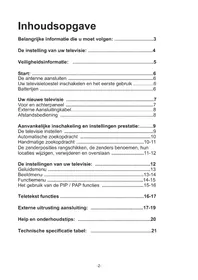
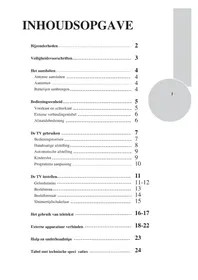
USER MANUAL B43M D 790 B BEKO
Manual assistant
Powered by Anthropic
Waiting for your message
Product information
Brand : BEKO
Model : B43M D 790 B
Category : TV