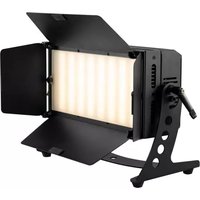
LED PLL-384 - Lamp Eurolite - Free user manual and instructions
Find the device manual for free LED PLL-384 Eurolite in PDF.


Pick your language and provide your email: we'll send you a specifically translated version.
| Product Type | LED PAR Luminaire |
| Model | LED PLL-384 |
| Dimensions (L x W x H) | 330 x 260 x 230 mm |
| Weight | 2.5 kg |
| Power Supply | AC 100-240V, 50/60Hz |
| Power Consumption | 120 W |
| LED Source | 384 LEDs (RGB) |
| Beam Angle | 15° |
| Color Temperature | Not applicable (RGB) |
| DMX Channels | 4 or 8 (selectable) |
| Control Modes | DMX, Master/Slave, Sound-Active, Auto |
| IP Rating | IP20 |
| Cooling | Passive convection |
| Mounting | Floor standing or hanging bracket |
| Housing Material | Metal and plastic |
| Cleaning Instructions | Use a dry, soft cloth. Do not use solvents. |
| Safety Warning | Do not stare directly into beam. Keep away from flammable materials. |
| Spare Parts | Available through authorized dealers |
| Repair Service | Contact Eurolite support or qualified service center |
| Energy Efficiency Class | Not specified |
| Operating Temperature | -10°C to 40°C |
| Fuse Rating | 2A (refer to manual) |
| Compliance | CE, RoHS |
Frequently Asked Questions - LED PLL-384 Eurolite
How do I connect the LED PLL-384 to a DMX controller?
Use a 3-pin XLR cable to connect the DMX IN port of the fixture to the controller. Ensure the fixture is set to the correct DMX address using the menu buttons.
Can I use this fixture outdoors?
No, the LED PLL-384 has an IP20 rating, meaning it is only suitable for indoor use. Keep it away from moisture and rain.
How do I clean the LED PLL-384?
Disconnect power and use a dry, soft cloth to clean the housing and lens. Do not use any solvents or abrasive cleaners.
What should I do if the fixture does not turn on?
Check the power cable and fuse. Ensure the mains supply is active. If the problem persists, contact Eurolite support.
How do I set the DMX address?
Press the Menu button to enter settings, navigate to 'DMX Address', use the Up/Down buttons to set the desired address, then press Enter to save.
Can I use the fixture in sound-activated mode?
Yes, select Sound-Active mode via the menu. The fixture will respond to music via the built-in microphone.
How do I reset the fixture to factory defaults?
Go to the menu and select Factory Reset. Confirm by pressing Enter. This will restore all settings to default.
What is the maximum number of fixtures I can daisy-chain?
You can daisy-chain up to 32 fixtures in a single DMX universe. Use proper termination at the end of the chain.
How do I replace the fuse?
Disconnect power, locate the fuse holder near the power input, open it and replace with a fuse of the same rating (2A). Always use a fuse of the specified type.
What are the available DMX channel modes?
The fixture offers 4-channel and 8-channel modes. Select the mode via the menu to match your controller setup.
User questions about LED PLL-384 Eurolite
0 question about this device. Answer the ones you know or ask your own.
Ask a new question about this device
No questions yet. Be the first to ask one.
Download the instructions for your Lamp in PDF format for free! Find your manual LED PLL-384 - Eurolite and take your electronic device back in hand. On this page are published all the documents necessary for the use of your device. LED PLL-384 by Eurolite.
USER MANUAL LED PLL-384 Eurolite

Manual assistant
Powered by Anthropic
Waiting for your message
Product information
Brand : Eurolite
Model : LED PLL-384
Category : Lamp