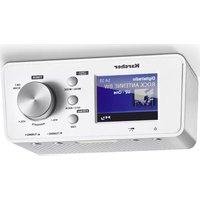
RA 2035D - Radio KARCHER - Free user manual and instructions
Find the device manual for free RA 2035D KARCHER in PDF.


Pick your language and provide your email: we'll send you a specifically translated version.
| Product Type | Portable DAB/DAB+/FM Radio |
| Brand | Kärcher |
| Model | RA 2035D |
| Dimensions (approx) | 200 x 130 x 60 mm |
| Weight | 0.5 kg |
| Power Supply | AC adapter (230V) or 6x AA batteries (not included) |
| Radio Bands | DAB/DAB+ (Band III), FM (87.5-108 MHz) |
| Display | LCD screen with backlight |
| Preset Stations | 20 presets (10 DAB, 10 FM) |
| Alarm Function | Dual alarm with snooze |
| Sleep Timer | Yes, adjustable 15-90 minutes |
| Audio Output | Built-in speaker (3W RMS) |
| Headphone Jack | 3.5 mm stereo |
| Additional Features | Clock, auto-scan, volume control, telescopic antenna |
| Cleaning and Maintenance | Wipe with a soft, dry cloth; do not use abrasive cleaners |
| Safety Precautions | Keep away from water and moisture; do not disassemble |
| Spare Parts and Repairability | Contact Kärcher service center; no user-serviceable parts inside |
Frequently Asked Questions - RA 2035D KARCHER
How do I set the clock on the Kärcher RA 2035D?
Press and hold the Clock button for 2 seconds. Use the Tune/Select knob to set hours, press to confirm, then set minutes and confirm.
Can I use batteries instead of the AC adapter?
Yes, the radio can be powered by 6x AA batteries (not included). Insert them following the polarity markings inside the battery compartment.
How do I preset my favorite radio stations?
Tune to the desired station, press and hold one of the Preset buttons (1-5, then press again for 6-10) until the display shows 'Preset stored'.
What should I do if the radio does not turn on?
Check the AC adapter connection or battery condition. Ensure the power cord is not damaged. If using batteries, replace them. If still not working, contact Kärcher support.
How to set the alarm?
Press the Alarm button. Use the Tune/Select knob to set the hour and minute. Press Alarm again to enable and select wake-up source (buzzer or radio).
How can I improve FM reception?
Fully extend the telescopic antenna. For better reception, try moving the radio near a window or away from electronic devices.
What is the sleep timer function?
Press the Sleep button repeatedly to set the timer (15, 30, 45, 60, 90 minutes). The radio will automatically turn off after that time.
Can I connect headphones?
Yes, plug a 3.5 mm headphone into the Headphone jack on the side of the radio. The internal speaker will mute automatically.
How do I perform a full reset?
Press and hold the Menu button for 5 seconds while the radio is on. Select 'Factory Reset' from the menu and confirm. All presets and settings will be erased.
What should I do if the display is dim or blank?
Adjust the contrast via the Menu settings. If still dim, check if the backlight is set to low or off. If using batteries, low power can cause dimming; replace batteries or use AC power.
User questions about RA 2035D KARCHER
0 question about this device. Answer the ones you know or ask your own.
Ask a new question about this device
No questions yet. Be the first to ask one.
Download the instructions for your Radio in PDF format for free! Find your manual RA 2035D - KARCHER and take your electronic device back in hand. On this page are published all the documents necessary for the use of your device. RA 2035D by KARCHER.
USER MANUAL RA 2035D KARCHER


Manual assistant
Powered by Anthropic
Waiting for your message
Product information
Brand : KARCHER
Model : RA 2035D
Category : Radio