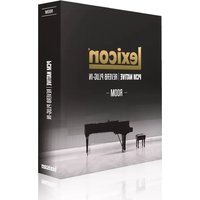
PCM Native Room - Audio Mixer LEXICON - Free user manual and instructions
Find the device manual for free PCM Native Room LEXICON in PDF.


Pick your language and provide your email: we'll send you a specifically translated version.
| Product Type | Audio Plugin (Reverb) |
| Brand | Lexicon |
| Model | PCM Native Room |
| Category | Software Plugin |
| Compatibility | VST, AU, AAX (64-bit) |
| Operating Systems | Windows 7+, macOS 10.9+ |
| Sample Rates | Up to 192 kHz |
| Reverb Algorithms | Lexicon PCM native algorithms (Hall, Plate, Room, etc.) |
| Number of Presets | Over 300 |
| User Interface | Resizable GUI with real-time visualization |
| CPU Usage | Optimized for modern multi-core processors |
| Installation | Download and activate via iLok or computer authorization |
| License | Single user, perpetual |
| Updates | Free updates for registered users |
| Support | Lexicon customer support and online knowledge base |
| Dimensions (Software) | N/A (digital product) |
| Weight | N/A (digital product) |
| Power | Powered by host computer via USB or AC |
| Maintenance | Regular software updates via manufacturer website |
| Safety | No physical hazards; use in well-ventilated area |
| Spare Parts / Repair | Not applicable; software replacement via download |
Frequently Asked Questions - PCM Native Room LEXICON
What is Lexicon PCM Native Room?
Lexicon PCM Native Room is a professional reverb plugin that emulates the classic Lexicon PCM reverb algorithms. It offers authentic room, hall, plate, and ambient reverbs for music production and post-production.
How do I install PCM Native Room?
Download the installer from your Lexicon account. Run the installer and follow the on-screen instructions. You will need to authorize the plugin using iLok (hardware or cloud) or computer-based activation.
Which DAWs are supported?
PCM Native Room supports all major DAWs that accept VST, AU, or AAX plugins, including Ableton Live, Pro Tools, Logic Pro, Cubase, and FL Studio.
Can I use PCM Native Room on multiple computers?
Your license allows installation on up to two computers, provided you are the sole user. For simultaneous use on multiple machines, consider a multi-seat license.
What are the system requirements?
Windows: Windows 7 or later, 64-bit. macOS: macOS 10.9 or later, 64-bit. Minimum 4GB RAM, Intel or AMD multi-core processor. An internet connection is required for activation.
How can I access the presets?
After installation, presets are loaded directly from the plugin interface. You can browse, save, and organize presets using the built-in preset manager. Additional preset packs are available online.
Is there a demo version?
Yes, a fully functional 14-day trial is available on the Lexicon website. The trial includes all features but may have periodic audio muting.
How do I transfer my license?
License transfers must be initiated through your Lexicon account. A transfer fee may apply. Once approved, the license is moved to the new user's iLok account.
What should I do if the plugin crashes?
First, check for updates on the Lexicon website. If the issue persists, reinstall the plugin and ensure your DAW is up to date. Contact Lexicon support with your system details for further assistance.
Can I use PCM Native Room in surround sound?
PCM Native Room supports up to 5.1 surround configurations. Select the appropriate channel setup in your DAW and use multi-channel instances of the plugin.
User questions about PCM Native Room LEXICON
0 question about this device. Answer the ones you know or ask your own.
Ask a new question about this device
No questions yet. Be the first to ask one.
Download the instructions for your Audio Mixer in PDF format for free! Find your manual PCM Native Room - LEXICON and take your electronic device back in hand. On this page are published all the documents necessary for the use of your device. PCM Native Room by LEXICON.
USER MANUAL PCM Native Room LEXICON



Manual assistant
Powered by Anthropic
Waiting for your message
Product information
Brand : LEXICON
Model : PCM Native Room
Category : Audio Mixer