
Watch Series 8 - Smartwatch APPLE - Free user manual and instructions
Find the device manual for free Watch Series 8 APPLE in PDF.


| Product Type | Smartwatch |
| Model | Watch Series 8 |
| Brand | Apple |
| Case Sizes | 41 mm and 45 mm |
| Dimensions (41 mm) | 41 x 35 x 10.7 mm |
| Dimensions (45 mm) | 45 x 38 x 10.7 mm |
| Weight (41 mm aluminum) | Approx. 38.8 g |
| Weight (45 mm aluminum) | Approx. 51.5 g |
| Display | Always-On Retina LTPO OLED |
| Processor | Apple S8 SiP |
| Operating System | watchOS 9 |
| Water Resistance | WR50 (50 meters) |
| Battery Life | Up to 18 hours (36 hours in Low Power Mode) |
| Charging | Magnetic fast charger (USB-C) |
| Connectivity | Bluetooth 5.3, Wi-Fi, LTE (optional), GPS, GLONASS |
| Sensors | Heart rate, ECG, blood oxygen, temperature, accelerometer, gyroscope |
| Health Features | Fitness tracking, sleep tracking, fall detection, crash detection |
| Compatibility | iPhone 8 or later with iOS 16 or later |
| Cleaning and Care | Wipe with a soft, lint-free cloth; avoid soaps and abrasive materials |
| Safety | Water-resistant, wear properly to avoid skin irritation |
| Spare Parts and Repairability | Battery service available; other repairs through Apple or authorized providers |
Frequently Asked Questions - Watch Series 8 APPLE
User questions about Watch Series 8 APPLE
0 question about this device. Answer the ones you know or ask your own.
Ask a new question about this device
Download the instructions for your Smartwatch in PDF format for free! Find your manual Watch Series 8 - APPLE and take your electronic device back in hand. On this page are published all the documents necessary for the use of your device. Watch Series 8 by APPLE.
USER MANUAL Watch Series 8 APPLE
Everything you need to know about Apple Watch
Contents
Introducing Apple Watch 7
Your Apple Watch 7
Get started 13
Stay fit with Apple Watch 15
Track important health information with Apple Watch 17
Stay connected with Apple Watch 20
What's New 22
What's new 22
Set up and get started 26
Apple Watch gestures 26
Set up and pair your Apple Watch with iPhone 27
The Apple Watch app 32
Charge Apple Watch 33
Turn on and wake Apple Watch
Lock or unlock Apple Watch
Change language and orientation on Apple Watch
Remove, change, and fasten Apple Watch bands
Set up Apple Watch for a family member
Set up a family member's Apple Watch
Get started with Schooltime
Play music
Add and play podcasts
See health and activity reports
Use Apple Cash Family
Basics
Apps on Apple Watch
Open apps
Organize apps
Get more apps 65
Tell time 66
Status icons 67
Control Center 69
Use Focus 76
Adjust brightness, text size, sounds, and haptics 78
See and respond to notifications 81
Change notification settings 83
Manage your Apple ID 86
Use shortcuts 88
Set up Handwashing 89
Connect Apple Watch to a Wi-Fi network 90
Connect to Bluetooth headphones or speakers 91
Hand off tasks from Apple Watch 92
Unlock your Mac with Apple Watch 93
Unlock your iPhone with Apple Watch 94
Use Apple Watch without its paired iPhone 95
Use your Apple Watch with a cellular network 97
Apple Watch safety features 98
Safety features on Apple Watch 98
Set up and view your Medical ID 99
Contact emergency services 100
Manage Fall Detection 102
Manage Crash Detection 103
Siri 104
Use Siri 104
Listen and respond to incoming notifications 107
Announce calls with Siri 108
Apple Watch faces 109
Explore the Face Gallery 109
Customize the watch face
Share Apple Watch faces
Faces and features
Apple Fitness+
All about Apple Fitness+
Subscribe to Apple Fitness+
Set up Apple Fitness+ on Apple TV
Browse Fitness+ workouts and meditations
Start a Fitness+ workout
Work out together using SharePlay
Change what's on the screen during a Fitness+ workout or meditation
Download a Fitness+ workout
Apps
Activity
Alarms
Audiobooks 172
Blood Oxygen 175
Calculator 177
Calendar 178
Camera Remote 182
Compass 184
Contacts 188
Cycle Tracking 190
ECG 193
Find People, Devices, and Items 194
Heart Rate 202
Home 206
Mail 209
Maps 215
Medications 221
Memoji 223
Messages 225
Mindfulness 234
Music 237
News 244
Noise 246
Now Playing 248
Phone 249
Photos 255
Podcasts 259
Reminders 263
Remote 266
Sleep 269
Stocks 274
Stopwatch 276
Timers 278
Tips 280
Voice Memos 281
Walkie-Talkie 282
Wallet and Apple Pay 284
Weather 301
Workout 304
World Clock 320
Accessibility and related settings 322
VoiceOver 322
Set up Apple Watch using VoiceOver 325
Apple Watch basics with VoiceOver 326
Apple Watch Mirroring 327
Control nearby devices 327
AssistiveTouch 328
Use a braille display 331
Use a Bluetooth keyboard 332
Zoom 333
Tell time with haptic feedback 334
Adjust text size and other visual settings 335
Adjust motor skills settings 336
Set up and use RTT 337
Accessibility audio settings 339
Use accessibility features with Siri 340
The Accessibility Shortcut 340
Restart, erase, recover, restore, and update 341
Restart Apple Watch 341
Erase Apple Watch 342
Recover Apple Watch 343
Restore Apple Watch from a backup 343
Update Apple Watch software 344
If you forget your passcode 344
Get help 345
Sell, give away, or protect a lost Apple Watch 345
Get information about Apple Watch 347
Other ways to view this user guide 348
Apple Watch Support site 348
Learn more, service, and support 349
Safety and handling 350
Important safety information 350
Important handling information 354
Unauthorized modification of watchOS 357
Band care information 358
FCC compliance statement 359
ISED Canada compliance statement 360
Ultra Wideband information 360
Disposal and recycling information 361
Apple and the environment 362
Copyright 363
Introducing Apple Watch
Your Apple Watch
Welcome to Apple Watch, the versatile wrist-worn companion that can help motivate you to be more active, track important health information, stay in touch with those who matter most to you, and so much more—with or without your iPhone.
This guide helps you discover all the amazing things Apple Watch can do with watchOS 9.4, which is compatible with the following models:
Apple Watch Series 8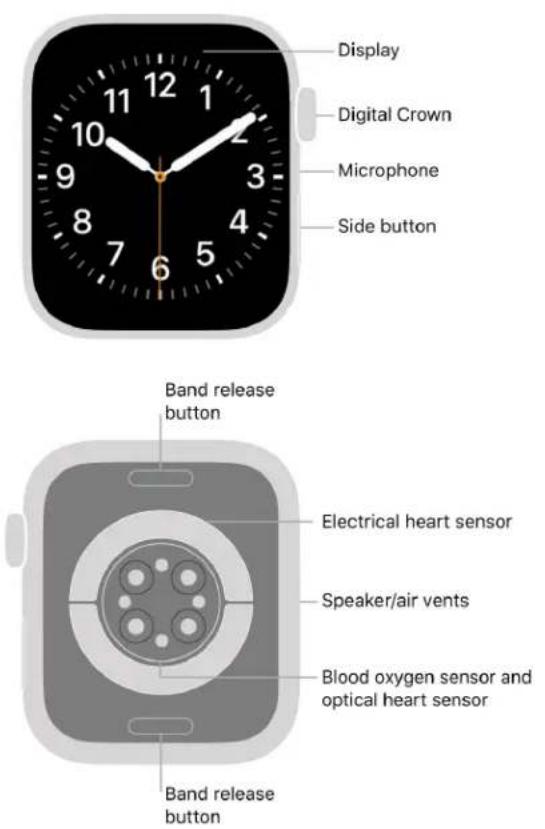
Apple Watch SE (2nd Generation)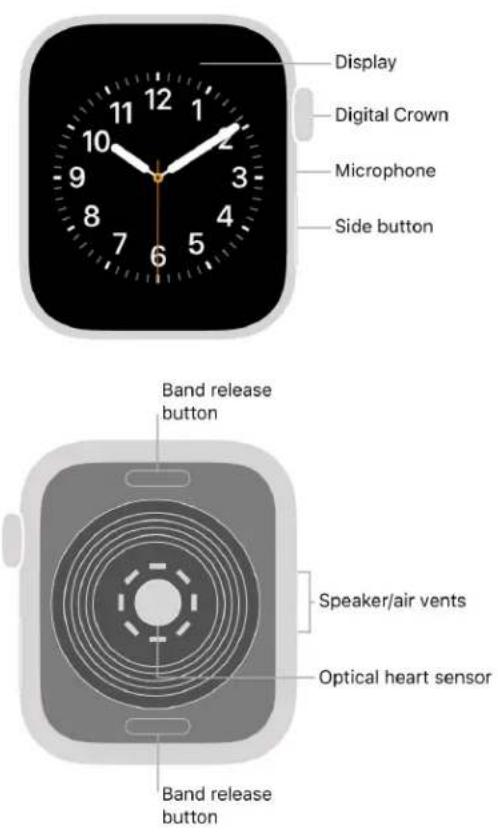
Apple Watch Series 7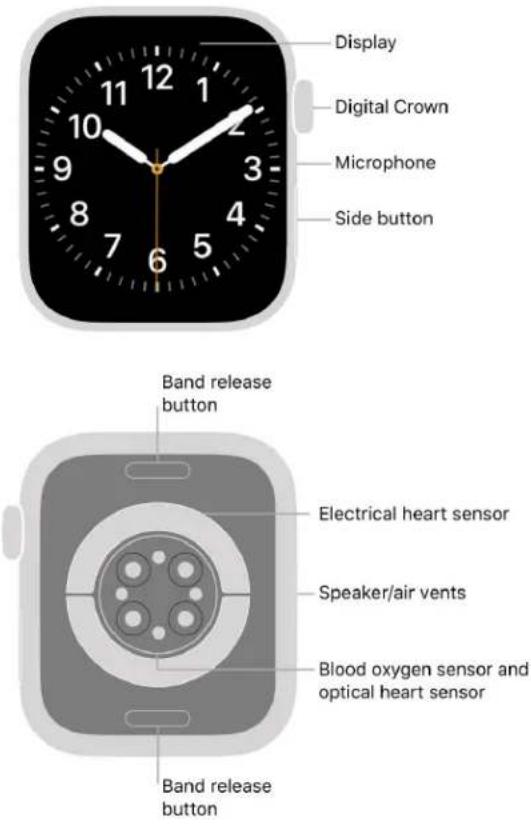
Apple Watch Series 6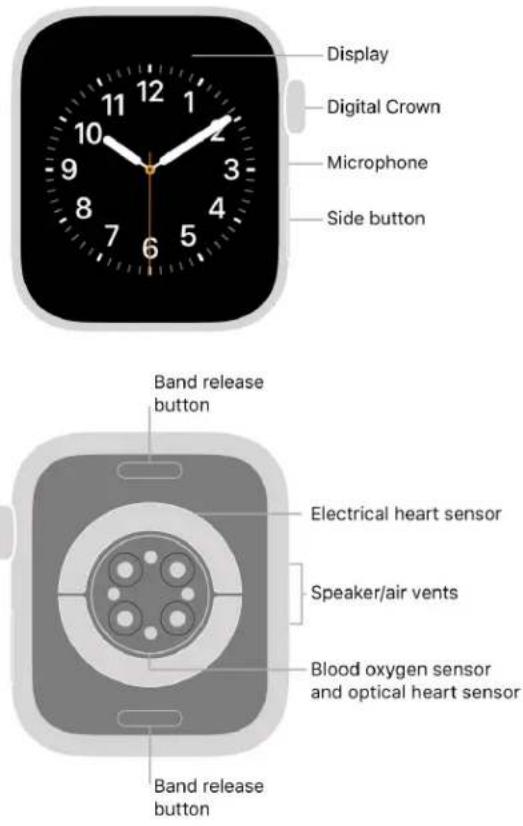
Apple Watch SE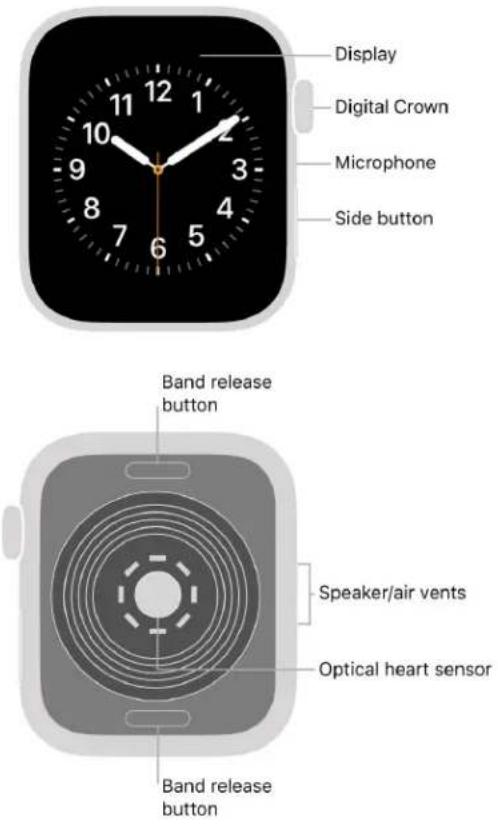
Apple Watch Series 4 and Apple Watch Series 5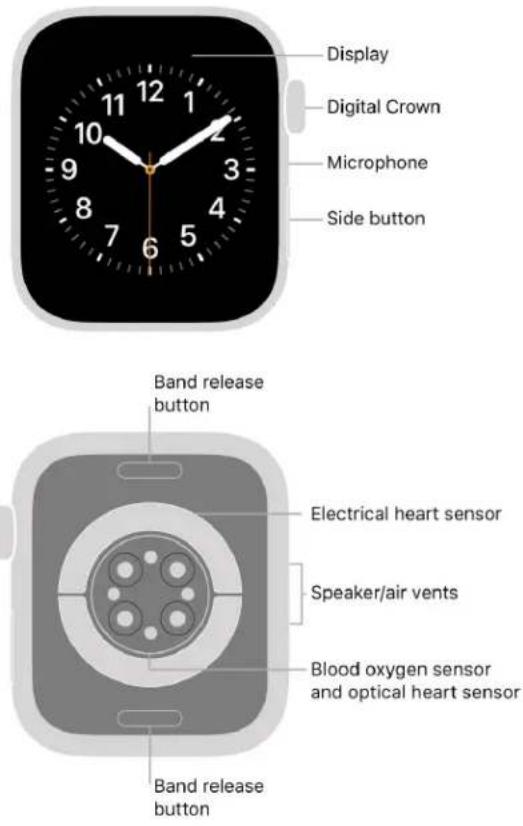
Note: See the Apple Watch manuals webpage to learn about earlier Apple Watch models.
Get started
It takes just a few minutes to get up and running with Apple Watch.
Pair Apple Watch with your iPhone
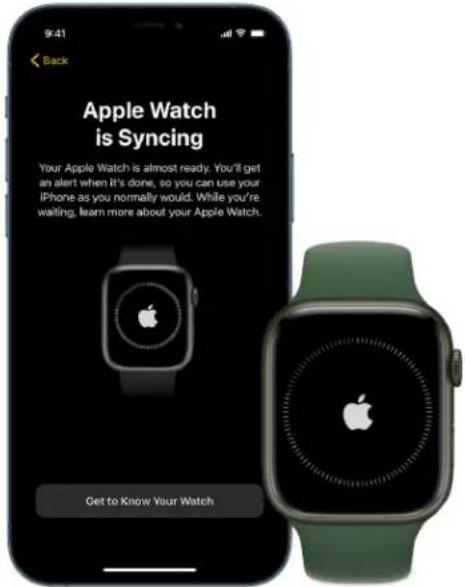
To set up your Apple Watch, put it on your wrist snugly, then press and hold the side button to turn it on. Bring your iPhone near your watch, then follow the onscreen instructions. To prepare an Apple Watch for a person in your family who doesn't have an iPhone, tap Set Up for a Family Member.
Choose a watch face
Apple Watch comes with many attractive and useful watch faces. To switch to a different face, swipe left or right across the screen. To see even more available faces, touch and hold the display, swipe left until you see the search button, tap the button, then scroll through the faces. Tap Add, customize the watch face if you choose to, then press the Digital Crown to use it.

Open an app
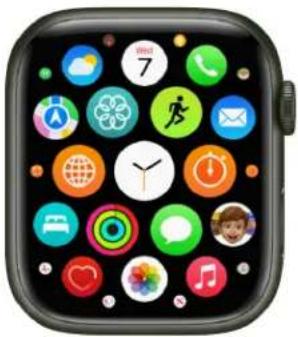
Your Apple Watch comes with a variety of apps for staying on top of your health, working out, and keeping in touch. To open an app, press the Digital Crown, then tap the app. To return to the Home Screen, press the Digital Crown again. You can download more apps from the App Store on Apple Watch.
Quickly change settings
Control Center gives you instant access to silent mode, Do Not Disturb, Wi-Fi, flashlight, and more—just like on iPhone. To open Control Center, touch and hold the bottom of the display, then swipe up.
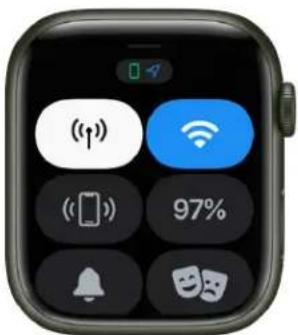
Want to learn more? Start with Set up and pair your Apple Watch with iPhone, Set up Apple Watch for a family member, Explore the Face Gallery, Faces and features, Open apps from the Home Screen, and Open apps.
Stay fit with Apple Watch
Apple Watch can track your activity and workouts, and encourage you to lead a more active life through gentle reminders and friendly competitions.
Close each ring
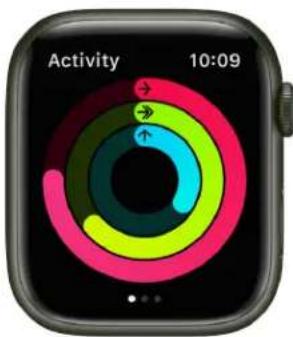
Your Apple Watch tracks how much you move, how often you stand up, and how long you exercise each day. Set goals in the Activity app then check your progress throughout the day. Scroll down for more details like your total steps and distance. Apple Watch lets you know when you've completed a goal.
Start a workout
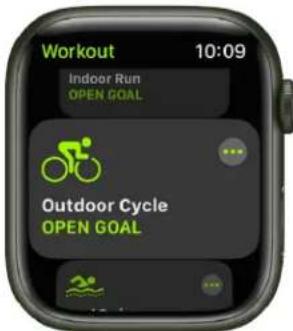
Open the Workout app, then tap the type of workout you want—a daily workout like a run or swim, or a multisport workout when you take on your next triathlon. Customize your workout view so the metrics you want to track are just a glance away. If you forget to start a workout before performing some common types of workout (walking, running, swimming, and more), don't worry—Apple Watch can remind you to record a workout and give you credit for the exercise you've already done.
How are you doing?
Your recent activity statistics look great, but how do they compare to last year? The Trends feature can tell you. Open the Fitness app on your iPhone, tap the Summary tab, and swipe up to see where your activity metrics are headed so you can keep it going or turn it around.

To learn more about Apple Watch as a fitness partner, see Track daily activity with Apple Watch, Start a workout, Metrics for Outdoor Run workouts, and Check your trends.
Track important health information with Apple Watch
Your Apple Watch can help you meet your sleep goals, track important information related to your heart, log your medications, encourage you to wash your hands, and track your menstrual cycle.
Prioritize your sleep
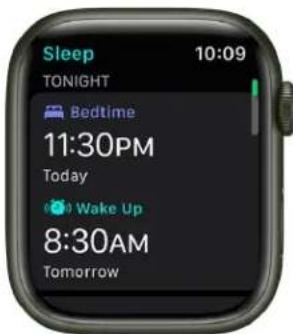
With the Sleep app on Apple Watch, you can create a sleep schedule, set a sleep duration goal, and review your recent sleep history. You can even see estimates of how much time you spent in REM, Core, or Deep sleep, as well as when you might have woken up.
While you sleep, Apple Watch also tracks metrics like blood oxygen, heart rate, time asleep, respiratory rate, and on Apple Watch Series 8, wrist temperature. To get started, open the Sleep app on your Apple Watch and follow the onscreen instructions. Then wear your watch to bed and Apple Watch does the rest.
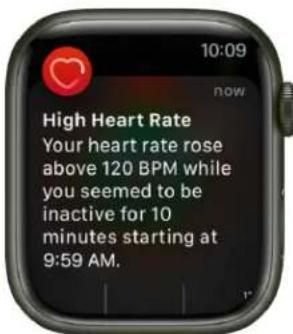
Get heart health notifications
You can enable notifications from the Heart Rate app on your Apple Watch to alert you to high or low heart rates, as well as irregular heart rhythms that may be suggestive of atrial fibrillation (AFib). If you have already been diagnosed with AFib, you can turn on AFib History to see an estimate of how frequently your heart is in this arrhythmia. You can also turn on alerts for low cardio fitness.
Stay on top of your medications
The Medications app helps you keep track of your medications, vitamins, and supplements. Just add your medications to the Health app on your iPhone and log them on your Apple Watch.
Wash your hands thoroughly
Turn on Handwashing, and your Apple Watch encourages you to keep going for 20 seconds, the time recommended by global health organizations. Your watch can also notify you if you haven't washed your hands within a few minutes of returning home.

Track your menstrual cycle
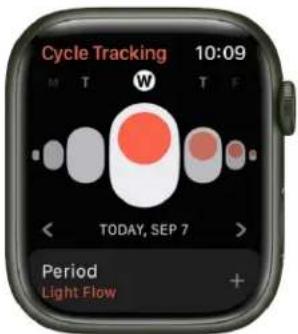
Use the Cycle Tracking app to log daily information about your menstrual cycle. Your Apple Watch uses that information to provide period and fertile window predictions. In addition to data you've logged, Cycle Tracking can use heart rate data to improve predictions. If you wear Apple Watch Series 8 to sleep each night, the app can use wrist temperature to improve period predictions and provide retrospective ovulation estimates.
Note: The retrospective ovulation estimates feature is not available in all regions.
Want to learn more? Start with Track your sleep with Apple Watch, Check your heart rate, Track your medications on Apple Watch, Set up Handwashing, and Use Cycle Tracking on Apple Watch.
Not all features are available in all areas and on all models. For more information, see watchOS Feature Availability.
Stay connected with Apple Watch
Apple Watch makes it easy to communicate with friends, family, and coworkers, even when your iPhone isn't with you.
Send a message, right from your wrist
Quickly respond to a message with Siri. When Apple Watch is connected to Wi-Fi or cellular, just raise your wrist and say, "Tell Julie I'll be there in five minutes." Or touch and hold the message to give your friend a thumbs up with a Tapback reply.

Make a call
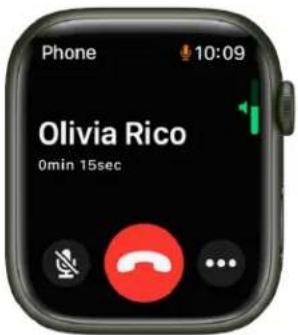
Use Siri to help you make a quick call. With an Apple Watch with a cellular or Wi-Fi connection, raise your wrist and say "Call Mom." If you have a Wi-Fi connection, a simple "FaceTime Mom" does the trick.
Announce your departure
Meeting a friend? Apple Watch can let them know you're on your way. Open the Find People app 🎯 and tap your friend. Scroll down, tap Notify [your friend's name], then choose to notify your friend when you leave your location.

Care to share?
You can share any photo on your Apple Watch—a favorite photo you've synced from iPhone or one of several images from a memory. Just select a photo, tap then share via Messages or Mail.

For more information, see Send messages, Make phone calls, Get directions or contact a friend, and Share a photo.
Not all features are available in all areas.
What's New
What's new in Apple Watch and watchOS 9
Apple Watch Series 8. With a new high-g accelerometer and improved gyroscope, the latest Apple Watch can help detect severe car crashes and automatically alert emergency services. It also features a new temperature sensor that enables advanced cycle tracking features including retrospective ovulation estimates.
Note: The retrospective ovulation estimates feature is not available in all regions.
Apple Watch SE (2nd Generation). Like Apple Watch Series 8, Apple Watch SE (2nd Generation) offers severe car crash detection, a high-g accelerometer, and improved gyroscope.
Workout enhancements. Create workouts that best fit your training style in the Workout app. During each workout, Apple Watch presents the analytics you need to make the most of your activity. New features include Heart Rate Zones; customizable workouts; a Multisport workout that automatically switches between any sequence of swimming, biking, and running; Race Route, which lets you compete against your best time running or biking a familiar route; automatic track detection; Running Form metrics; Running Power; a more expansive workout summary on iPhone, and more. See Work out with Apple Watch.

A more complete Compass. On Apple Watch SE and Apple Watch Series 6 and later, add Compass Waypoints, get the heading to waypoints you've created, and retrace your steps using Backtrack. See Create and display Compass Waypoints and Retrace your steps.

Explore new watch faces. Switch things up with new watch faces for Apple Watch—Metropolitan, a type-driven watch face that features custom-designed numbers that dynamically change; Lunar, which depicts the relationship of the date and time to the phases of the moon; and Playtime, a playful watch face offered as part of the Apple Watch Artist series. The Astronomy watch face has been remastered and reflects realtime cloud cover around the world. See Faces and features.
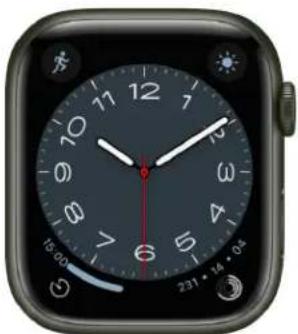
Crash detection. If your Apple Watch Series 8 or Apple Watch SE (2nd Generation) detects a severe car crash, it can automatically dial emergency services and notify your emergency contacts. See Manage Crash Detection.
Medication logging and reminders. Let your Apple Watch remind you when it's time to take your medications, vitamins, and supplements. Maintain a log with just a tap. See Track your medications on Apple Watch.

View your sleep stages. Wear your Apple Watch to bed and learn approximately how much time you spent in REM, Core, or Deep sleep, as well as when you might have woken up. See View your recent sleep history.

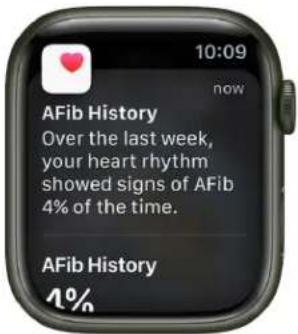
Get your AFib History. If you've been diagnosed with atrial fibrillation, track an estimate of the amount of time your heart shows signs of AFib. In the Health app on iPhone, identify lifestyle factors that may influence your condition. See Heart Health.
Track temperature changes. Wear Apple Watch Series 8 to bed to track nightly changes in your wrist temperature, which can provide insight into your well-being. The Cycle Tracking app can use wrist temperature data to improve period predictions and provide retrospective ovulation estimates. See Track your nightly wrist temperature and Receive retrospective ovulation estimates.
Note: The retrospective ovulation estimates feature is not available in all regions.
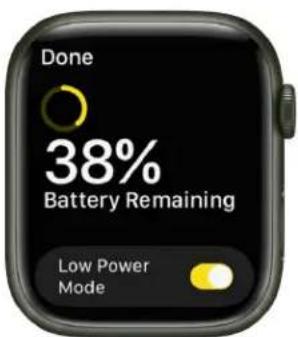
Extend your charge with Low Power Mode. Save battery life by turning on Low Power Mode. See Save power.
A more accessible Apple Watch. With quick actions, you can double-pinch to start a workout, take a photo, and more. Control your Apple Watch from your iPhone through Apple Watch Mirroring or turn on Control Nearby Devices to control your iPhone or iPad with Apple Watch. See Use quick actions, Apple Watch Mirroring, and Control nearby devices.
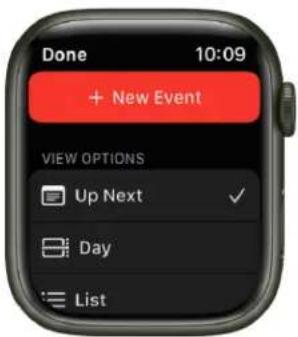
Create events in Calendar. In watchOS 9 you can create new events directly from your Apple Watch and easily navigate to specific days or weeks. See Add an event.
Add details to reminders. In the Reminders app, you can now add or edit key details such as date and time, location, tags, and notes. See Edit a reminder.

Type in more languages. The QWERTY keyboard on Apple Watch Series 7 and Apple Watch Series 8 supports more languages—French, German, Italian, Japanese, Portuguese, and Spanish.
Do more on a managed Apple Watch. Family members can now discover, follow, and listen to podcasts on their managed Apple Watch, and access email from even more services. See Set up a family member's Apple Watch.
Not all features are available in all areas and on all models. For more information, see watchOS Feature Availability.
Set up and get started
Apple Watch gestures
You use several basic gestures to interact with Apple Watch.

Tap: Touch one finger lightly on the screen.

Swipe: Move one finger across the screen—up, down, left, or right.

Drag: Move one finger across the screen without lifting.
Set up and pair your Apple Watch with iPhone
To use your Apple Watch with watchOS 9, you need to pair your watch with an iPhone 8 or later with iOS 16 or later. Setup assistants on your iPhone and Apple Watch work together to help you pair and set up your watch.
If you have difficulty seeing your Apple Watch or iPhone, VoiceOver or Zoom can help—even during setup. See Set up Apple Watch using VoiceOver or Zoom.
WARNING: To avoid injury, read Important safety information before using your Apple Watch.
Turn on, pair, and set up your Apple Watch
- Put your Apple Watch on your wrist. Adjust the band or choose a band size so your Apple Watch fits closely but comfortably on your wrist. For information about changing the band on your Apple Watch, see Remove, change, and fasten Apple Watch bands.
- To turn on your Apple Watch, press and hold the side button until you see the Apple logo.
- Bring your iPhone near your Apple Watch, wait for the Apple Watch pairing screen to appear on your iPhone, then tap Continue. Or open the Apple Watch app on your iPhone, then tap Pair New Watch.
- Tap Set Up for Myself.
- When prompted, position your iPhone so that your Apple Watch appears in the viewfinder in the Apple Watch app. This pairs the two devices.
- Tap Set Up Apple Watch, then follow the instructions on your iPhone and Apple Watch to finish setup.
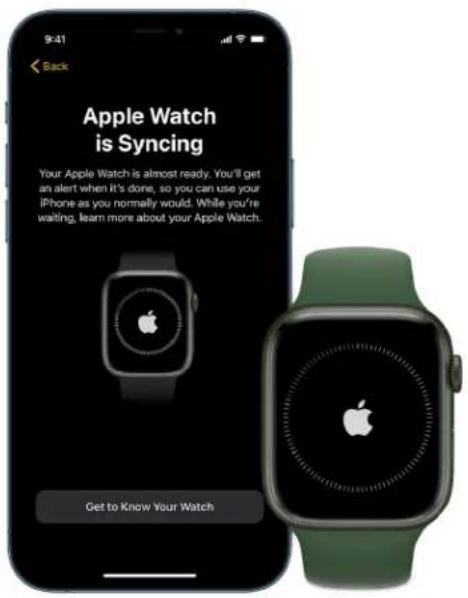
To learn more about your Apple Watch while it's syncing, tap Get to Know Your Watch. You can learn what's new, view Apple Watch tips, and read this user guide, right on your iPhone. After your Apple Watch is set up, you can find this information by opening the Apple Watch app on your iPhone, then tapping Discover.
Activate cellular service
You can activate cellular service on your Apple Watch during setup. If you don't wish to, you can activate it later in the Apple Watch app on your iPhone. See Use your Apple Watch with a cellular network.
Your iPhone and Apple Watch must use the same cellular carrier. However, if you set up an Apple Watch for someone in your Family Sharing group, that watch can use a cellular carrier different from the one used on the iPhone you manage it with.
Cellular service not available in all regions.
Trouble pairing?
- If you see a watch face when you're trying to pair: Your Apple Watch is already paired to an iPhone. You need to first erase all Apple Watch content and reset settings.
- If the camera doesn't start the pairing process: Tap Pair Apple Watch Manually at the bottom of the iPhone screen, and follow the onscreen instructions.
- If Apple Watch isn't pairing with iPhone: See the Apple Support article If your Apple Watch isn't connected or paired with your iPhone.
Unpair Apple Watch
- Open the Apple Watch app on your iPhone.
- Tap My Watch, then tap All Watches at the top of the screen.
- Tap ⓘ next to the Apple Watch you want to unpair, then tap Unpair Apple Watch.
Pair more than one Apple Watch
You can pair another Apple Watch in the same way you paired your first one. Bring your iPhone near your Apple Watch, wait for the Apple Watch pairing screen to appear on your iPhone, then tap Pair. Or follow these steps:
- Open the Apple Watch app on your iPhone.
- Tap My Watch, then tap All Watches at the top of the screen.
- Tap Add Watch, then follow the onscreen instructions. See the Apple Support article Use more than one Apple Watch with your iPhone.
To learn how to set up a watch for someone in your Family Sharing group, see Set up Apple Watch for a family member.
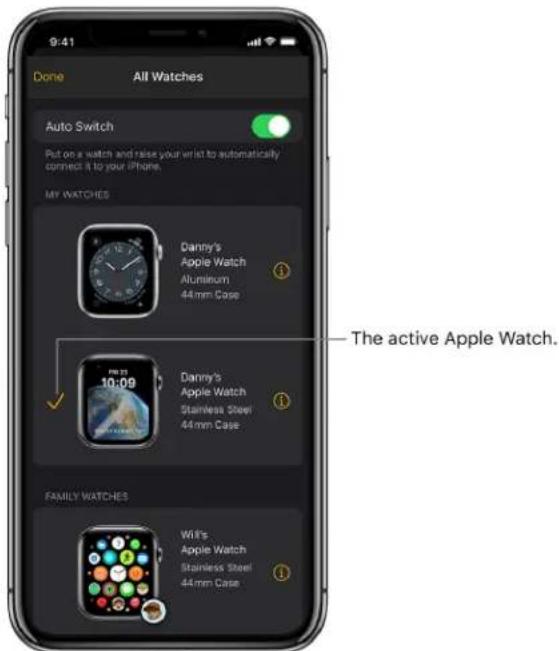
Quickly switch to a different Apple Watch
Your iPhone detects the paired Apple Watch you're wearing and automatically connects to it. Just put on a different Apple Watch and raise your wrist.
You can also choose an Apple Watch manually:
- Open the Apple Watch app on your iPhone.
- Tap My Watch, then tap All Watches at the top of the screen.
- Turn off Auto Switch.
To see if your Apple Watch is connected to your iPhone, touch and hold the bottom of the watch screen, swipe up to open Control Center, then look for the Connected status icon.
Pair Apple Watch to a new iPhone
If your Apple Watch is paired to your old iPhone and you now want to pair it with your new iPhone, follow these steps:
- Use iCloud Backup to back up the iPhone currently paired to your Apple Watch (see the iPhone User Guide for more information).
- Set up your new iPhone. On the Apps & Data screen, choose to restore from an iCloud backup, then select the latest backup.
- Continue iPhone setup and, when prompted, choose to use your Apple Watch with your new iPhone.
When iPhone setup completes, your Apple Watch prompts you to pair it to the new iPhone. Tap OK on your Apple Watch, then enter its passcode.
For more information, see the Apple Support article How to pair your Apple Watch with a new iPhone.
Transfer an existing cellular plan to a new Apple Watch
You can transfer your existing cellular plan from your Apple Watch with cellular to another Apple Watch with cellular by following these steps:
- While wearing your Apple Watch, open the Apple Watch app on your iPhone.
- Tap My Watch, tap Cellular, then tap ① next to your cellular plan.
- Tap Remove [name of carrier] Plan, then confirm your choice.
You may need to contact your carrier to remove this Apple Watch from your cellular plan.
- Remove your old watch, put on your other Apple Watch with cellular, tap My Watch, then tap Cellular.
Follow the instructions to activate your watch for cellular.
For more information about setup and pairing, see the Apple Support article Set up your Apple Watch.
If you need to charge your Apple Watch before setup, see Charge Apple Watch.
The Apple Watch app
Use the Apple Watch app on your iPhone to customize watch faces, adjust settings and notifications, configure the Dock, install apps, and more. For information about getting more apps from the App Store, see Get more apps.
Open the Apple Watch app
- On your iPhone, tap the Apple Watch app icon.
- Tap My Watch to see the settings for your Apple Watch.
If you have more than one Apple Watch paired with your iPhone, you see the settings for your active Apple Watch.
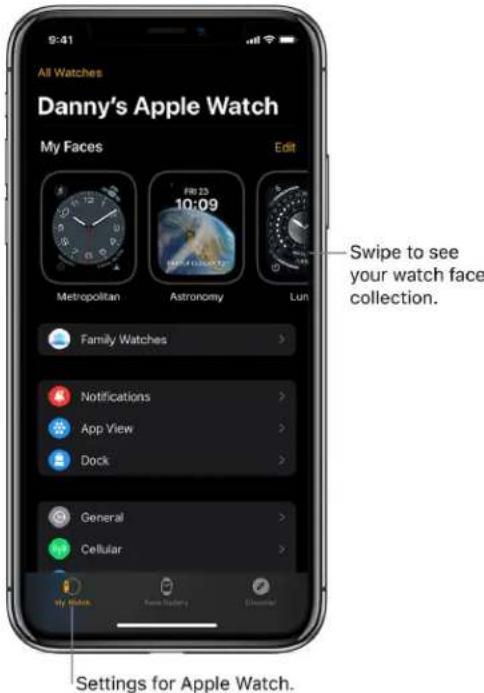
Learn more about Apple Watch
The Discover tab in the Apple Watch app includes links to Apple Watch tips, a helpful overview of your Apple Watch, and this user guide, all viewable on iPhone.
Charge Apple Watch
Set up the charger
- In a well-ventilated area, place your charger or charging cable on a flat surface.
Your Apple Watch comes with the Apple Watch Magnetic Fast Charger to USB-C Cable (Apple Watch Series 7 and Apple Watch Series 8 only) or the Apple Watch Magnetic Charging Cable (other models). You can also use a MagSafe Duo Charger or Apple Watch Magnetic Charging Dock (sold separately).
- Plug the charging cable into the power adapter (sold separately).
- Plug the adapter into a power outlet.
Note: Fast charging is not available in all regions.
Begin charging Apple Watch
Place the Apple Watch Magnetic Fast Charger to USB-C cable (included with Apple Watch Series 7 or later) or Apple Watch Magnetic Charging Cable (included with earlier models) on the back of your Apple Watch. The concave end of the charging cable magnetically snaps to the back of your Apple Watch and aligns it properly.
Apple Watch plays a chime when charging begins (unless your watch is in silent mode) and a charging symbol shows on the watch face. The symbol is red when Apple Watch needs power and turns green when it's charging. When Apple Watch is in Low Power Mode, the charging symbol is yellow.
You can charge your Apple Watch in a flat position with its band open, or on its side.
- If you're using the Apple Watch Magnetic Charging Dock or MagSafe Duo Charger: Lay your Apple Watch on the dock.
- If your battery is very low: You may see an image of the Apple Watch Magnetic Fast Charger to USB-C Cable or Apple Watch Magnetic Charging Cable and the low battery symbol ♣ on the screen. For more information, see the Apple Support article If your Apple Watch won't charge or it won't turn on.
Apple Watch Series 8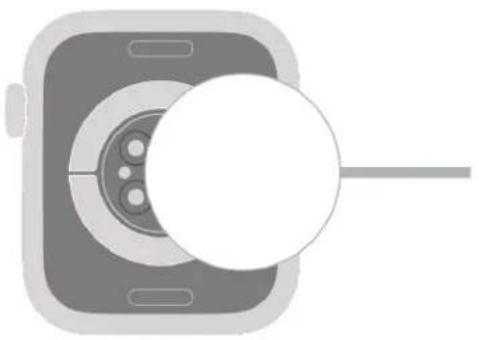
Apple Watch SE (2nd Generation)
Apple Watch Series 7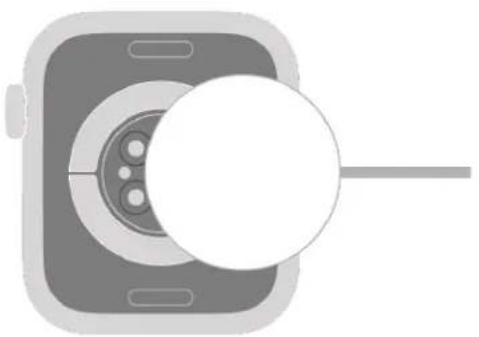
Apple Watch Series 6
Apple Watch SE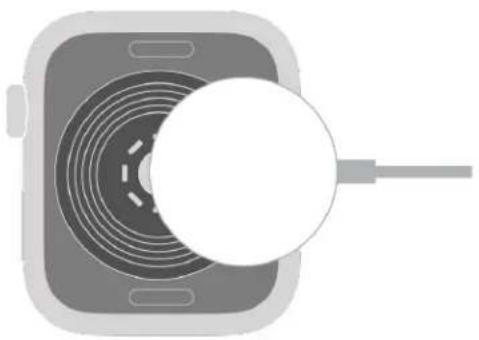
Apple Watch Series 4 and Apple Watch Series 5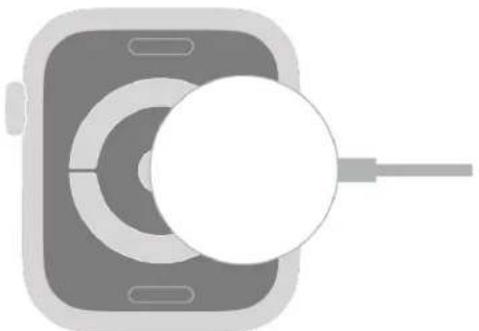
WARNING: For important safety information about the battery and charging Apple Watch, see Important safety information.
Check remaining power
To see remaining power, touch and hold the bottom of the screen, then swipe up to open Control Center. To more quickly check the remaining power, add a battery complication to the watch face. See Customize the watch face.

Save power
You can save battery life by turning on Low Power Mode. Doing so turns off Always On Display, background heart rate and blood oxygen measurements, and heart rate notifications. Other notifications may be delayed, emergency alerts may not arrive, and certain cellular and Wi-Fi connections are limited. Cellular is turned off until you require it—when you stream music or send a message, for example.
Note: Low Power Mode will be turned off when the battery is charged to 80%.
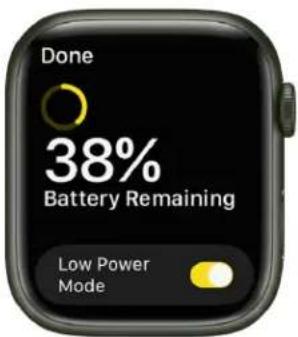
- Touch and hold the bottom of the screen, then swipe up to open Control Center.
- Tap the battery percentage, then turn on Low Power Mode.
- To confirm your choice, scroll down, then tap Turn On Low Power Mode.
You can tap Turn On For, then choose On for 1 Day, On for 2 Days, or On for 3 Days.
Tip: If you have battery-powered devices such as AirPods connected to your Apple Watch through Bluetooth, their remaining charge appears on this screen.
When battery charge drops to 10 percent or lower, your Apple Watch alerts you and gives you the opportunity to enter Low Power Mode.
For more information about Low Power Mode, see the Apple Support article Use Low Power Mode on your Apple Watch.
Tip: For tips on maximizing battery life, see Maximizing Battery Life and Lifespan at the Apple website.
Return to normal power mode
- Touch and hold the bottom of the screen, then swipe up to open Control Center.
- Tap the battery percentage, then turn off Low Power Mode.
Check time since the last charge
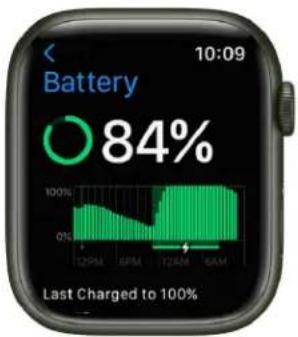
- Open the Settings app on your Apple Watch.
- Tap Battery.
The Battery screen shows the remaining battery percentage, a graph that details the recent history of the battery charge, and information about when the battery was last charged.
Check battery health
You can find out the capacity of your Apple Watch battery relative to when it was new.
- Open the Settings app on your Apple Watch.
- Tap Battery, then tap Battery Health.
Apple Watch alerts you if battery capacity is significantly reduced, allowing you to check your service options.
Prevent apps from refreshing in the background
When you switch to a new app, the app you were using doesn't remain open or take up system resources, but it may still "refresh"—check for updates and new content—in the background.
Refreshing apps in the background can use power. To maximize battery life, you can turn this option off.
- Open the Settings app on your Apple Watch.
- Go to General > Background App Refresh.
- Turn off Background App Refresh to prevent all apps from refreshing. Or scroll down, then turn off refresh for individual apps.
Note: Apps with complications on the current watch face will continue to refresh, even when their background app refresh setting is off.
Turn on and wake Apple Watch
Turn your Apple Watch on and off
- Turn on: If your Apple Watch is off, press and hold the side button until the Apple logo appears (you might see a black screen for a short time first).
The watch face appears when Apple Watch is on.
- Turn off: Normally, you'll leave your Apple Watch on all of the time, but if you need to turn it off, press and hold the side button until the sliders appear, tap at the top right, then slide the Power Off slider to the right.
When your Apple Watch is turned off, you can press and hold the Digital Crown to see the time.
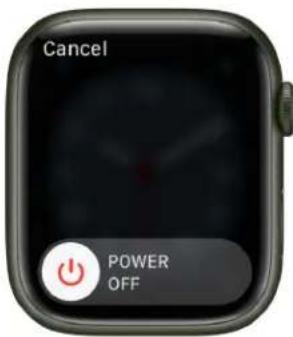
Tip: You can't turn off your Apple Watch while it's charging. To turn off your Apple Watch, first disconnect it from the charger.
Always On

On a compatible Apple Watch, Always On lets your watch display the watch face and time, even when your wrist is down. When you raise your wrist, Apple Watch functions fully.
Note: When your Apple Watch is in Low Power Mode, Always On is turned off. To see the watch face, tap the display.
Always On is available on Apple Watch Series 5, Apple Watch Series 6, Apple Watch Series 7, and Apple Watch Series 8.
- Open the Settings app on your Apple Watch.
- Tap Display & Brightness, then tap Always On.
- Turn on Always On, then tap the following options to configure them:
- Show Complication Data: Choose the complications that show data when your wrist is down. • Show Notifications: Choose the notifications that are visible when your wrist is down. • Show Apps: Choose the apps that are visible when your wrist is down.
Wake the Apple Watch display
By default, you can wake the Apple Watch display in these ways:
- Raise your wrist. Your Apple Watch sleeps again when you lower your wrist.
- Tap the display or press the Digital Crown. • Turn the Digital Crown upward.
If you don't want your Apple Watch to wake when you raise your wrist or turn the Digital Crown, open the Settings app on your Apple Watch, go to Display & Brightness, then turn off Wake on Wrist Raise and Wake On Crown Rotation.

Tip: To temporarily prevent your Apple Watch from waking when you raise your wrist, use theater mode.
If your Apple Watch doesn't wake when you raise your wrist, make sure you selected the proper wrist and watch orientation. If your Apple Watch doesn't wake when you tap the display or press or turn the Digital Crown, it may need charging.
Return to the clock face
You can choose how long before Apple Watch returns to the clock face from an open app.
- Open the Settings app on your Apple Watch.
- Go to General > Return to Clock, then scroll down and choose when you want your Apple Watch to return to the clock face: Always, After 2 minutes, or After 1 hour.
- You can also return to the clock face by pressing the Digital Crown.
By default, the setting you select applies to all apps, but you can choose a custom time for each app. To do so, tap an app on this screen, tap Custom, then choose a setting.
Wake to your last activity
For some apps, you can set Apple Watch to return you to where you were before it went to sleep. These apps include Audiobooks, Maps, Mindfulness, Music, Now Playing, Podcasts, Stopwatch, Timers, Voice Memos, Walkie-Talkie, and Workout.
- Open the Settings app on your Apple Watch.
- Go to General > Return to Clock, scroll down and tap an app, then turn on Return to App.
To return to the clock face, just stop what you're doing in the app—for example, stop a podcast, end a route in Maps, or cancel a timer.
You can also open the Apple Watch app on your iPhone, tap My Watch, then go to General > Return to Clock.
Keep the Apple Watch display on longer
You can keep the display on longer when you tap to wake your Apple Watch.
- Open the Settings app on your Apple Watch.
- Tap Display & Brightness, tap Wake Duration, then tap Wake for 70 Seconds.
Lock or unlock Apple Watch
Unlock Apple Watch
You can unlock Apple Watch manually, by entering the passcode, or set it to unlock automatically when you unlock your iPhone.
- Enter the passcode: Wake Apple Watch, then enter the watch passcode.
- Unlock Apple Watch when you unlock your iPhone: Open the Apple Watch app on your iPhone, tap My Watch, tap Passcode, then turn on Unlock with iPhone.
Your iPhone must be within normal Bluetooth range (about 33 feet or 10 meters) of your Apple Watch to unlock it. If Bluetooth is off on Apple Watch, enter the passcode on your watch to unlock it.
Tip: Your Apple Watch passcode can be different from your iPhone passcode—in fact, it's better to use different passcodes.
Change your passcode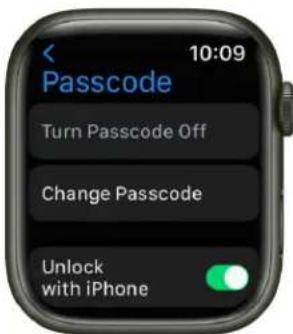
You can change the passcode you created when you first set up your Apple Watch by following these steps:
- Open the Settings app on your Apple Watch.
- Tap Passcode, then tap Change Passcode and follow the onscreen prompts.
You can also open the Apple Watch app on your iPhone, tap My Watch, tap Passcode, then tap Change Passcode and follow the onscreen prompts.
Tip: To use a passcode longer than four digits, open the Settings app on your Apple Watch, tap Passcode, then turn off Simple Passcode.
Turn off the passcode
- Open the Settings app on your Apple Watch.
- Tap Passcode, then tap Turn Passcode Off.
You can also open the Apple Watch app on your iPhone, tap My Watch, tap Passcode, then tap Turn Passcode Off.
Note: If you disable your passcode, you can't use Apple Pay on your Apple Watch.
Lock automatically
By default, your Apple Watch locks automatically when you're not wearing it. To change the wrist detection setting, do the following.
- Open the Settings app on your Apple Watch.
- Tap Passcode, then turn Wrist Detection on or off.
Turning off wrist detection affects these Apple Watch features:
- When you use Apple Pay on your Apple Watch, you'll be prompted to enter your passcode when you double-click the side button to authorize the payment.
- Some Activity measurements are unavailable. • Heart rate tracking and notifications are turned off.
- Apple Watch will no longer automatically lock and unlock.
- Apple Watch won't automatically make an emergency call even after it has detected a hard impact fall.
Lock manually
- Touch and hold the bottom of the screen, then swipe up to open Control Center.
- Tap 🔒
Note: To manually lock your Apple Watch, you must turn off wrist detection. (Open the Settings app on your Apple Watch, tap Passcode, then turn off Wrist Detection.)
You must enter your passcode the next time you try to use your Apple Watch.
You can also lock your screen to avoid accidental taps during a workout. While using the Workout app on your Apple Watch, just swipe right, then tap Lock. When you start a swimming workout, your Apple Watch automatically locks the screen with Water Lock.
If you forget your passcode
If you forget your passcode, you must erase your Apple Watch. You can do so in these ways:
- Unpair your Apple Watch from your iPhone to erase your watch settings and passcode, then pair again.
- Reset your Apple Watch and pair it again with your iPhone.
For more information, see If you forget your passcode.
Erase Apple Watch after 10 unlock attempts
To protect your information if your watch is lost or stolen, you can set Apple Watch to erase its data after 10 consecutive attempts to unlock it using the wrong passcode.
- Open the Settings app on your Apple Watch.
- Tap Passcode, then turn on Erase Data.
If you have a Mac running macOS 10.12 or later, you can unlock your computer with your Apple Watch.
Change language and orientation on Apple Watch
Choose language or region
If you've set up your iPhone to use more than one language, you can choose the language that appears on your Apple Watch.
- Open the Apple Watch app on your iPhone.
- Tap My Watch, go to General > Language & Region, tap Custom, then choose a language.

Switch wrists or Digital Crown orientation
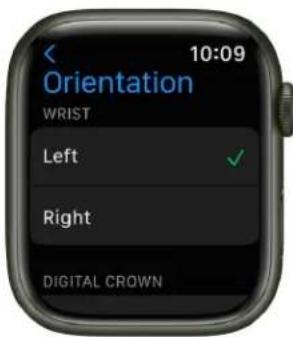
If you want to move your Apple Watch to your other wrist or prefer the Digital Crown on the other side, adjust your orientation settings so that raising your wrist wakes your Apple Watch, and turning the Digital Crown moves things in the direction you expect.
- Open the Settings app on your Apple Watch.
- Go to General > Orientation.
You can also open the Apple Watch app on your iPhone, tap My Watch, then go to General > Watch Orientation.
Remove, change, and fasten Apple Watch bands
Follow these general instructions for removing, changing, and fastening bands.
Make sure that you use a band that corresponds to your Apple Watch case size. You can use a band that's designed for Apple Watch (1st generation) or Apple Watch Series 1, 2, and 3 with Apple Watch Series 4, Apple Watch Series 5, Apple Watch SE, Apple Watch Series 6, Apple Watch Series 7, Apple Watch SE (2nd Generation), and Apple Watch Series 8 as long as the sizes are compatible. Bands for 38mm, 40mm, and 41mm cases are compatible with each other, and bands for 42mm, 44mm, and 45mm cases are compatible with each other.
Most bands designed for Apple Watch Series 4, Apple Watch Series 5, Apple Watch SE, Apple Watch Series 6, Apple Watch Series 7, Apple Watch SE (2nd Generation), and Apple Watch Series 8 are compatible with any previous version of Apple Watch. The Solo Loop and Braided Solo Loop bands are designed specifically for Apple Watch Series 4, Apple Watch Series 5, Apple Watch SE, Apple Watch Series 6, Apple Watch Series 7, Apple Watch SE (2nd Generation), and Apple Watch Series 8. Bands designed for early Apple Watch models also are compatible with Apple Watch Series 4, Apple Watch Series 5, Apple Watch SE, Apple Watch Series 6, Apple Watch Series 7, Apple Watch SE (2nd Generation), and Apple Watch Series 8.
Remove and change bands
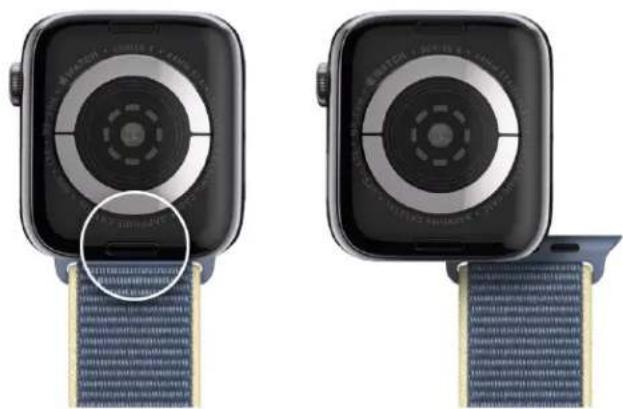
- Hold down the band release button on your Apple Watch.
- Slide the band across to remove it, then slide the new band in.
Never force a band into the slot. If you're having trouble removing or inserting a band, hold down the band release button again.
Fasten a band
For optimal performance, your Apple Watch should fit closely on your wrist.
The back of your Apple Watch needs skin contact for features like wrist detection, haptic notifications, and the heart rate sensor. Wearing your Apple Watch with the right fit—not too tight, not too loose, and with room for your skin to breathe—keeps you comfortable and lets the sensors do their job. In addition, the sensors work only when you wear your Apple Watch on the top of your wrist.
For more information, see the Apple Support articles Wearing your Apple Watch and Change your Apple Watch band.
Set up Apple Watch for a family member
Set up a family member's Apple Watch
You can set up and manage Apple Watch for someone who doesn't have their own iPhone—your school-aged child or parent, for example. To do so, you must be the family organizer or parent/guardian in your Family Sharing group.
The iPhone you use to initially pair and set up the Apple Watch must be within normal Bluetooth range (about 33 feet or 10 meters) of the Apple Watch to manage settings and update the software. The person you set up Apple Watch for must be part of your Family Sharing group and have a cellular-capable Apple Watch SE or Apple Watch Series 4 or later. (Your family member's watch doesn't have to use the same cellular carrier as the iPhone you manage it with.) See the iPhone User Guide for information about setting up Family Sharing.
Note: Family setup is not available in all regions.
Using the Apple Watch app and Screen Time on your iPhone, you can manage the following:
• Communications limits and safety - A schedule for time away from the screen - Schooltime—a feature that limits certain Apple Watch features during school hours - Mail and calendar settings for iCloud, Gmail, and other services - Restriction settings for explicit content, purchases, and privacy
In addition, you can view Activity, Health, and Location information for the managed Apple Watch based on how it's set up.
Note: An Apple Watch set up for a family member is limited in some of its interactions with the iPhone used to set it up. For example, you can't unlock a paired iPhone from an Apple Watch you set up for a family member, nor can you hand off tasks from the managed Apple Watch to the iPhone. If you delete an app from an Apple Watch set up for a family member, it's not also removed from the iPhone used to set it up.
Set up your family member's Apple Watch
Setting up an Apple Watch for a family member is similar to setting up a watch for yourself. Before you pair and set up a watch for your family member, erase the watch to ensure that it doesn't have any content.
- Have your family member put on their Apple Watch. Adjust the band or choose a band size so the Apple Watch fits closely but comfortably on their wrist.
For information about changing the band on your Apple Watch, see Remove, change, and fasten Apple Watch bands.
- To turn on Apple Watch, press and hold the side button until the Apple logo appears.
- Bring your iPhone near the Apple Watch, wait for the Apple Watch pairing screen to appear on your iPhone, then tap Continue.
Or open the Apple Watch app on your iPhone, tap My Watch, tap All Watches, then tap Add Watch.
- Tap Set Up for a Family Member, then tap Continue on the next screen.
- When prompted, position your iPhone so that the Apple Watch appears in the viewfinder in the Apple Watch app. This pairs the two devices.
- Tap Set Up Apple Watch. Follow the instructions on your iPhone and Apple Watch to finish setup.
For more information about setting up and pairing Apple Watch, see Set up and pair your Apple Watch with iPhone and the Apple Support article Set up Apple Watch for a family member.
Manage a family member's Apple Watch
- Open the Apple Watch app on the iPhone used to manage the watch.
- Tap My Watch, tap Family Watches, tap a watch, then tap Done.
When you tap My Watch for a managed watch, you see a variety of settings, including the following:
Setting Options
| General Check for updates, change language and region, and reset Apple Watch. | |
| Cellular | Set up cellular if you haven't. See Add Apple Watch to your cellular plan. |
| Accessibility Configure accessibility settings. | |
| Emergency SOS Turn on or off the option to hold the side button to call emergency services, and add and change emergency contacts. | |
| Schooltime | Set up a Schooltime schedule. See Get started with Schooltime. |
| Screen Time Manage parental controls, get insights about your family member's screen time, and set limits. | |
| Activity Manage a fitness experience made for younger users. | |
| Contacts Choose trusted contacts. | |
| Find My Choose notification settings. | |
| Handwashing Manage restrictions, and turn the handwashing timer on or off. | |
| Health Add or edit health details and Medical ID, view the health data (with the proper permissions and settings) of the person who uses the managed Apple Watch, request to share health data, and choose to stop receiving health data. | |
| Heart View the heart data (with the proper permissions and settings) of the person who uses the managed Apple Watch, including heart rate, heart rate variability, resting heart rate, and walking heart rate average. | |
| Mail & Calendar | Add a family member's account—Gmail or Outlook, for example. Also choose how often Apple Watch fetches calendar updates. |
| Messages | Choose dictation options, and edit smart replies. |
| Noise | Turn Environmental Sound Measurements on or off, and set the noise threshold. |
| Photos | Select a photo album from the iPhone used to manage the watch, and choose the number of photos Apple Watch can display. |
| Wallet & Apple Pay | Set up Apple Cash and Express Transit cards. |
Note: Not all features on an Apple Watch you set up for yourself are available on a managed Apple Watch. See the Apple Support article Set up Apple Watch for a family member.
Set up Screen Time
Use Screen Time to configure controls for a family member's Apple Watch. With Screen Time you can schedule time away from the screen, and limit both contacts and the apps your family member can use to communicate with those contacts. You can also impose limits on iTunes Store and app purchases, explicit content, and location information.
To set up Screen Time, follow these steps:
- Open the Apple Watch app on the iPhone used to manage the watch.
- Tap My Watch, tap Family Watches, tap a watch, then tap Done.
- Tap Screen Time, tap Screen Time Settings, then tap Turn On Screen Time.
- On the following screens, configure options for allowable content, communication safety, time away from screens, and app and website limits.
- Create a Screen Time passcode.

Alternatively, you can open the Settings app on your iPhone, tap Screen Time, tap your family member's name under the Family heading, tap Turn On Screen Time, then configure Screen Time settings.
For more information about Screen Time, see the iPhone User Guide.
Get started with Schooltime on Apple Watch

Schooltime limits Apple Watch features during school hours, allowing a family member to focus.
Set up Schooltime
- Open the Apple Watch app on the iPhone used to manage the watch.
- Tap My Watch, tap Family Watches, then tap a watch.
- Tap Done, then tap Schooltime.
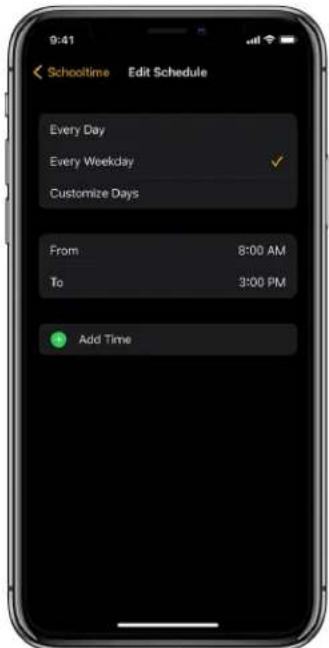
- Turn on Schooltime, then tap Edit Schedule.
- Choose the days and times you want Schooltime to be active on the watch.
- Tap Add Time if you want to set up multiple schedules during a day—from 8:00 a.m. to noon and then 1:00 p.m. to 3:00 p.m., for example.
Exit Schooltime
Your family member can temporarily exit Schooltime—to check their activity rings, for example.
Tap the display, press and hold the Digital Crown, then tap Exit.
If you exit Schooltime during scheduled hours, the Schooltime watch face returns when you lower your wrist. During non-scheduled hours, Schooltime remains inactive until the next scheduled start time, or until you tap in Control Center.
See when Schooltime was unlocked
When your family member exits Schooltime, you receive a report that tells you the time they exited and for how long. To see the report, follow these steps:
- Open the Apple Watch app on the iPhone used to manage the watch.
- Tap My Watch, tap Family Watches, then tap a watch.
- Tap Done, then tap Schooltime to see reports for the days, times, and durations Schooltime was unlocked.
The report also appears on the Apple Watch. To see it, open the Settings app on the Apple Watch, then tap Schooltime.
Schooltime turns on again when the display goes to sleep.
Tip: When Schooltime isn't active, your family member can turn it on—for example, if they've joined an after-school study group that falls outside scheduled hours and don't want to be distracted. Just touch and hold the bottom of the screen, swipe up, and tap in Control Center. To exit Schooltime, press and hold the Digital Crown, then tap Exit. Schooltime will turn on again when it's scheduled or turned on in Control Center.
Play music on a managed Apple Watch
If you're part of a Family Sharing group that has an Apple Music family subscription, you can listen to Apple Music on your managed Apple Watch as long as you have a Wi-Fi or cellular connection.
- Open the Music app on your managed Apple Watch, then do any of the following.
- Tap Listen Now to see music chosen for you based on your listening habits.
- Tap Radio to listen to Apple Music Radio and genre stations.
- Tap Library to browse music saved on Apple Watch.
- Tap Search, then type (Apple Watch Series 7 and Apple Watch Series 8 only), dictate, or scribble an artist, album, or playlist.
Note: Scribble is not available in all languages.
- Tap a playlist created for kids and teens by Apple Music editors.
Tap albums or playlists you've added to Apple Watch.
- Use the music controls in the Music app and Now Playing app to play and choose music.
To learn how to add or remove music on your Apple Watch, see Add music and Remove music.
Add and play podcasts on a managed Apple Watch
You can follow and stream podcasts directly on a managed Apple Watch.
Play podcasts with Siri
Say something like "Hey Siri, play the podcast Wild Things." Your Apple Watch plays the podcast's latest episode.
Search for a podcast
- Open the Podcasts app on your managed Apple Watch.
- Tap Search, enter the name of a podcast, then tap the show.
To follow the show, tap Follow. Tap an episode to play it.
See activity and health reports for family members
After setting up daily activity goals, you can see how active your family member was each day. With your family member's permission, you can also view their health information.
Set up activity goals for a family member
For children with a managed Apple Watch, move goals are based on move minutes instead of active calories. The exercise goal focuses on minutes of brisk activity (such as running, jumping, and playing), and outdoor run, walk, and cycle workouts are tailored to children under 13.
If you manage an Apple Watch for a family member, you can change from an under-13 to over-13 fitness experience, regardless of the family member's actual age.
- On the iPhone used to manage the watch, open the Apple Watch app.
- Tap My Watch, tap Family Watches, then tap a watch.
- Tap Done, tap Activity, then turn "Under 13 years old" off or on.
The family member can also do this on their Apple Watch by opening the Settings app on their Apple Watch, tapping Activity, then turning "Under 13 years old" on or off.
See an activity report
- After setting up activity goals for your family member, open the Health app on your iPhone.
- Tap Sharing, then tap the name of your family member under Sharing With You.
- Tap Activity.
- Tap the timeline to see how active your family member was up to that time of day.
You can view activity information by day, week, month, or year.
See health information
If your family member has allowed you to, you can see additional information about their activity as well as hearing health and heart rate information.
- Open the Health app on your iPhone, then tap Sharing.
- Tap the name of your family member under Sharing With You.
- Tap Health Categories, then tap a category.
Add health details and Medical ID
If you didn't enter your family member's health details during setup, follow these steps:
- Open the Apple Watch app on the iPhone used to manage the watch.
- Tap My Watch, tap Family Watches, then tap a watch.
- Tap Done, tap Health, then do any of the following.
- Tap Health Details to enter or edit information such as birthdate, height, and weight.
- Tap Medical ID, then tap Edit to add emergency contacts and more.
You can see health details and Medical ID on the iPhone used to manage the Apple Watch and on the watch.
- On your iPhone: Open the Health app, tap Sharing, tap your family member's name, then tap Profile.
- On the managed Apple Watch: Open the Settings app Ⓧ on the Apple Watch, then tap Health.
Use Apple Cash Family on a family member's Apple Watch
If you're the organizer for a Family Sharing group, you can set up Apple Cash so the children and teens in your family group can use their Apple Watch to make purchases and send and receive money in Messages. You can even limit who your child can send money to, get notified when they make transactions, and lock their account.
For more information about system requirements and how to manage Apple Cash accounts, see the Apple Support article Set up and use Apple Cash Family.
Note: Apple Cash isn't available in all regions and is supported on iPhone SE and iPhone 6 and later. See the iPhone User Guide for details on using Apple Pay and Apple Cash.
Set up Apple Cash Family
To set up Apple Cash Family, you must be the family organizer, and the family members you want to set up Apple Cash for must be under the age of 18.
- On your iPhone, go to Settings > [your name] > Family Sharing.
- Tap Apple Cash, then choose a child or teen.
- Tap Set Up Apple Cash, then follow the onscreen instructions to set up their account.
In the U.S., your family member can send, receive, and request money and use Apple Pay for purchases.
Manage Apple Cash on a family member's Apple Watch
- Open the Wallet app on the iPhone used to manage the watch.
- Tap your Apple Cash card, then tap ...
- Tap a name under Family.
- Set up the following options:
- Choose who your family member can send money to.
- Choose to be notified when your family member makes a transaction.
- Tap Send Money to open the Messages app and send money with Apple Pay.
Tap Lock Apple Cash to prevent the family member from making payments with Apple Pay or sending and receiving money in the Messages app.
To see a family member's transactions, tap Transactions on this screen, or open the Wallet app on your iPhone, then tap your Apple Cash card. Your family member's transactions appear under Latest Transactions and when you tap Transactions in [year].
Basics
Apps on Apple Watch
Your Apple Watch comes with a collection of helpful apps. They include:
App icon App name For more information
 | Activity | See Track daily activity with Apple Watch. |
 | Alarms See Alarms. | |
 | App Store | See Get apps from the App Store on Apple Watch. |
 | Audiobooks See Add audiobooks. | |
 | Blood Oxygen (not available in all regions, Apple Watch Series 6, Apple Watch Series 7, and Apple Watch Series 8 only) | See Set up Blood Oxygen. |
 | Calculator See Calculator. | |
 | Calendar See Calendar. | |
 | Camera Remote See Camera Remote. | |
 | Compass (Apple Watch SE and Apple Watch Series 5 and later only) | See Compass. |
 | Contacts | See See contacts on your Apple Watch. |
 | Cycle Tracking | See Use Cycle Tracking. |
App icon App name For more information

ECG See ECG.

Find Devices See Find devices.

Find Items See Locate an AirTag.

Find People: See Find People.

Heart Rate: See Heart Rate.

Home: See Control your home.

Mail: See Read mail and Write and reply to mail.

Maps: See Maps.

Medications: See Medications.

Memoji: See Memoji.

Messages See Read messages and Send messages.

Mindfulness See Practice mindfulness.

Music See Add music.

News (not available in all regions) See News.

Noise See Noise.

Now Playing See Now Playing.

Phone See Phone and Make phone calls.
App icon App name For more information

Photos: See View photos.

Podcasts: See Add podcasts.

Reminders: See Reminders.

Remote: See Control Apple TV.

Settings: Look for this icon for references to relevant settings throughout the guide.

Shortcuts: See Use shortcuts.

Sleep: See Track your sleep.

Stocks: See Stocks.

Stopwatch: See Stopwatch.

Timers: See Quickly set a timer.

Tips: See View tips on Apple Watch.

Walkie-Talkie (not available in all regions): See Walkie-Talkie.

Wallet: See About Wallet and Apple Pay.

Weather: See Weather.

Workout: See Work out with Apple Watch.

World Clock: See World Clock.
Open apps on Apple Watch
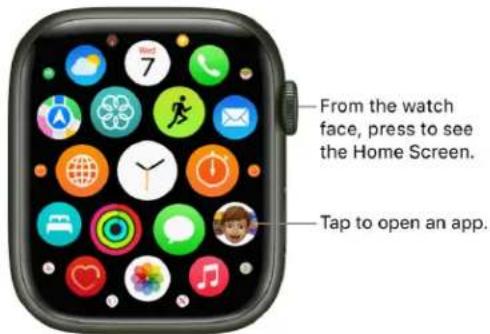
The Home Screen lets you open any app on your Apple Watch. The Dock gives you quick access to the apps you use the most. You can add up to 10 apps to the Dock to keep your favorites handy.
Display your apps on a grid or in a list
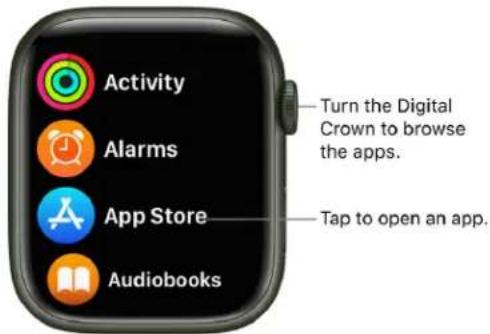
The Home Screen can display apps in a grid or list view. To choose one, follow these steps:
- Touch and hold the Home Screen.
- Choose Grid View or List View.

Open apps from the Home Screen
How you open an app depends on which view you choose.
- Grid view: Tap the app icon. If you're already looking at the Home Screen, you can turn the Digital Crown to open the app that's in the center of the display.
- List view: Turn the Digital Crown, then tap an app.
To return to the Home Screen from an app, press the Digital Crown once, then press it again to switch to the watch face (or, in grid view, tap on the Home Screen).
To quickly open the last app you used while viewing another app or the watch face, double-click the Digital Crown.
Open an app from the Dock
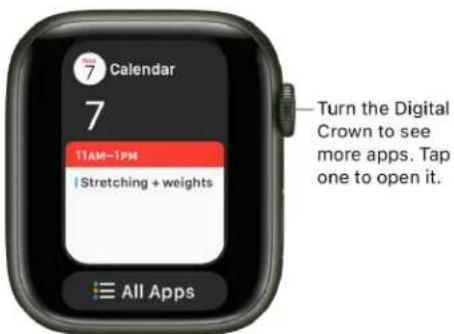
- Press the side button, then turn the Digital Crown to scroll through the apps in the Dock.
- Tap an app to open it.
Choose which apps appear in the Dock
You can choose to show the most recently used apps in the Dock or up to 10 of your favorite apps.
- See recently used apps: Open the Settings app on your Apple Watch, tap Dock, then tap Recents. The most recently used app appears at the top of the Dock with other apps below, in the order they were last opened.
You can also open the Apple Watch app on your iPhone, tap My Watch, tap Dock, then tap Recents.
- See your favorite apps: Open the Apple Watch app on your iPhone, tap My Watch, then tap Dock. Select Favorites, tap Edit, then tap next to the apps you want to add. Drag to adjust their order. Tap Done when you're finished.
- Remove an app from the Dock: Press the side button, then turn the Digital Crown to the app you want to remove. Swipe left on the app, then tap X.

- Switch from the Dock to the Home Screen: Scroll to the bottom of the Dock, then tap All Apps.
Note: Apps that are currently running a session—a Maps navigation session or a Workout session, for example—appear at the top of the list of apps, regardless of whether you've chosen to show Recents or Favorites.
Organize apps on Apple Watch
Rearrange your apps in grid view
- On your Apple Watch, press the Digital Crown to go to the Home Screen.
If the screen is in list view, touch and hold the Home Screen, then tap Grid View. Or open the Settings app on your Apple Watch, tap App View, then tap Grid View.
- Touch and hold an app, then tap Edit Apps.
- Drag the app to a new location.
- Press the Digital Crown when you're done.
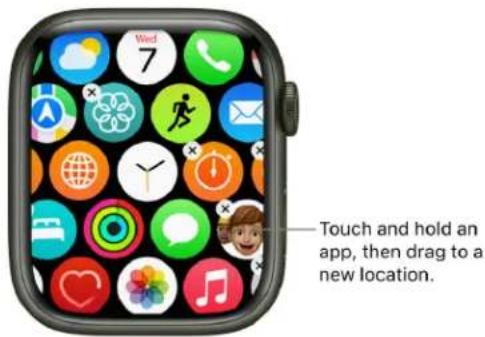
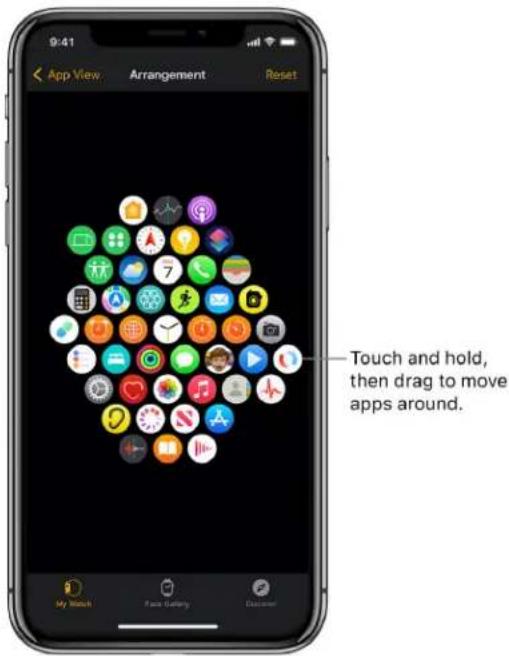
Or open the Apple Watch app on your iPhone, tap My Watch, tap App View, then tap Arrangement. Touch and hold an app icon, then drag it to a new location.
Note: In list view, apps are always arranged in alphabetical order.
Remove an app from Apple Watch
Touch and hold the Home Screen, tap Edit Apps, then tap the X to remove the app from your Apple Watch. It remains on your paired iPhone, unless you delete it there, too.
In list view, you can also swipe the app left, then tap 📋 to remove it from your Apple Watch.
If you remove an app from your iPhone, that app is also deleted from your Apple Watch. If you want to restore an app, including built-in Apple apps, you can download it from the App Store on your iPhone or Apple Watch.
Note: Not all apps can be removed from your Apple Watch.
Adjust app settings
- Open the Apple Watch app on your iPhone.
- Tap My Watch, then scroll down to see apps you installed.
- Tap an app to change its settings.
Some restrictions you set on your iPhone in Settings > Screen Time > Content & Privacy Restrictions affect your Apple Watch also. For example, if you disable Camera on your iPhone, the Camera Remote icon is removed from the Apple Watch Home Screen.
Check storage used by apps
You can learn how the storage space is being used on your Apple Watch—the total amount of storage used, the amount remaining, and how much storage each app uses.
- Open the Settings app on your Apple Watch.
- Go to General > Storage.
You can also open the Apple Watch app on your iPhone, tap My Watch, then go to General > Storage.
Get more apps on Apple Watch
Your Apple Watch includes apps for a variety of communication, health, fitness, and timekeeping tasks. You can also choose to install third-party apps you have on your iPhone, and get new apps from the App Store, either on Apple Watch or from your iPhone. All your apps are on a single Home Screen.
Note: To automatically download the companion iOS version of an app you've added to your Apple Watch, go to Settings on your Apple Watch, tap App Store, then turn on Automatic Downloads. To get the most recent versions of your Apple Watch apps, make sure Automatic Updates is also turned on.
Get apps from the App Store on Apple Watch
- Open the App Store app on your Apple Watch.
- Turn the Digital Crown to browse featured apps.
Tap a category or tap See All below a collection to see more apps.
- To get a free app, tap Get. To buy an app, tap the price.
If you see instead of a price, you've already purchased the app and you can download it again without a charge. Some apps require that you also have the iOS version of the app on your iPhone.
To find a specific app, tap the Search field at the top of the screen, then type (Apple Watch Series 7 and Apple Watch Series 8), or use dictation or Scribble to enter the name of the app. You can also browse trending categories of apps by tapping a category.
To use Scribble on Apple Watch Series 7 and Apple Watch Series 8, swipe up from the bottom of the screen, then tap Scribble.
Note: When using Apple Watch with cellular, cellular data charges may apply. Scribble is not available in all languages.

Install apps you already have on iPhone
By default, apps on your iPhone that have a watchOS app available are automatically installed and appear on the Home Screen. To instead choose to install specific apps, follow these steps:
- Open the Apple Watch app on your iPhone.
- Tap My Watch, tap General, then turn off Automatic App Install.
- Tap My Watch, then scroll down to Available Apps.
- Tap Install next to the apps you want to install.
Tell time on Apple Watch
There are several ways to tell time with your Apple Watch.
- Raise your wrist: The time appears on the watch face, in the clock in grid view, and in the top-right corner of most apps.
- Hear the time: Open the Settings app on your Apple Watch, tap Clock, then turn on Speak Time. Hold two fingers on the watch face to hear the time. Apple Watch can also play chimes on the hour. In the Settings app on Apple Watch, tap Clock, then turn on Chimes. Tap Sounds to choose Bells or Birds.
- Feel the time: To feel the time tapped out on your wrist when Apple Watch is in silent mode, open the Settings app on your Apple Watch, tap Clock, tap Taptic Time, turn on Taptic Time, then choose an option. See Use Taptic Time.
Note: If Taptic Time is disabled, Apple Watch might be set to always speak the time. To be able to use Taptic Time, first go to Settings > Clock, then turn on Control With Silent Mode under Speak Time.
- Use Siri: Raise your wrist and say "What time is it?"
The Apple Watch status icons
Status icons at the top of the screen give you information about your Apple Watch.
Status icon What it means
 | You have an unread notification. Swipe down on the watch face to read it. |
 | Apple Watch is charging. |
 | Apple Watch battery is low. |
 | Low Power Mode is on. |
 | Apple Watch is locked. Tap to enter the passcode and unlock. |
 | Water Lock is on, and the screen doesn't respond to taps. Press and hold the Digital Crown to unlock. |
 | Do Not Disturb is turned on. Calls and alerts won't sound or light up the screen, but alarms are still in effect. |
 | Personal Focus is turned on. |
 | Work Focus is turned on. |
 | Sleep Focus is turned on. |
 | Airplane mode is turned on. Wireless is turned off but non-wireless features are still available. |
 | Theater mode is turned on. Apple Watch is silenced and its display won't light up when you raise your wrist. |
 | You have a workout in progress. To end the workout, see End and review your workout. |
 | Apple Watch with cellular has lost the connection to a cellular network. See Use your Apple Watch with a cellular network. |
| [3518] | Apple Watch has lost the connection with its paired iPhone. This happens when Apple Watch isn't close enough to iPhone, or when airplane mode is enabled on iPhone. For more information, see the Apple Support article If your Apple Watch isn't connected or paired with your iPhone. |
Status icon What it means
 | Apple Watch is connected to its paired iPhone. |
 | An app on Apple Watch is using location services. |
 | Apple Watch is connected to a known Wi-Fi network. |
 | There's wireless activity or an active process happening. |
 | The microphone is on. |
 | Apple Watch is connected to a cellular network. The number of green bars indicates signal strength. |
 | You've made yourself available to be reached on Walkie-Talkie. Tap the icon to open the Walkie-Talkie app. |
For more information, see the Apple Support article Status icons and symbols on Apple Watch.
Use Control Center on Apple Watch
Control Center gives you an easy way to check your battery, silence your watch, choose a Focus, turn your Apple Watch into a flashlight, put your Apple Watch in airplane mode, turn on theater mode, and more.
Open or close Control Center
- Open Control Center: From the watch face, swipe up. From other screens, touch and hold the bottom of the screen, then swipe up.
Note: You can't open Control Center from the Home Screen on your Apple Watch. Instead, press the Digital Crown to go to the watch face or open an app, then open Control Center.
- Close Control Center: Swipe down from the top of the screen, or press the Digital Crown.

Touch and hold the bottom, then swipe up to open Control Center.
Icon Description For more information
 | Turn cellular on or off—Apple Watch models with cellular only. | See Use your Apple Watch with a cellular network. |
 | Disconnect from Wi-Fi. | See Disconnect from Wi-Fi. |
 | Turn on Schooltime—managed Apple Watch models only. | See Set up Schooltime. |
 | Ping your iPhone. See Locate your iPhone. | |
| 100% | Check your battery percentage. | See Charge Apple Watch. |
 | Silence Apple Watch. | See Turn on silent mode. |
Icon Description For more information
 | Lock your watch with a passcode. | See Lock or unlock Apple Watch. |
 | Turn on theater mode. | See Use theater mode on Apple Watch. |
 | Make yourself available for Walkie-Talkie. | See Walkie-Talkie. |
 | Choose a Focus/Do Not Disturb. | See Create a Focus schedule. |
 | Turn off Personal Focus. | See Create a Focus schedule. |
 | Turn off Work Focus. | See Create a Focus schedule. |
 | Turn off Sleep Focus. | See Track your sleep. |
| [18C4] | Turn on the flashlight. | See Use the flashlight on Apple Watch. |
 | Turn on airplane mode. | See Turn on airplane mode. |
| [X7ZX] | Turn on Water Lock. See Go for a swim. | |
| [82ZX] | Choose audio output. | See Connect to Bluetooth headphones or speakers. |
| [7XXG] | Check headphone volume. | See Connect to Bluetooth headphones or speakers. |
 | Change text size. | See Adjust brightness and text on Apple Watch. |
| [CTWT] | Turn Accessibility Shortcuts on or off. | See Set the Accessibility Shortcut. |
| [TKGZ] | Turn Announce Notifications on or off. | See Listen and respond to incoming notifications. |
Check Control Center status
Icons at the top of Control Center give you information about the status of common settings on your Apple Watch. For example, a series of small icons may indicate that your Apple Watch is connected to your iPhone, Airplane mode is on, and your location has been requested by an app.
To get details, just tap the group of icons at the top of Control Center.
Rearrange Control Center
You can rearrange the buttons in Control Center by following these steps:
- Touch and hold the bottom of the screen, then swipe up to open Control Center.
- Scroll to the bottom of Control Center, then tap Edit.
- Touch and hold a button, then drag it to a new location.
- Tap Done when you're finished.
Remove Control Center buttons
You can remove the buttons in Control Center by following these steps:
- Touch and hold the bottom of the screen, then swipe up to open Control Center.
- Scroll to the bottom of Control Center, then tap Edit.
- Tap in the corner of the button you want to remove.
- Tap Done when you're finished.
To restore a button you've removed, open Control Center, tap Edit, then tap in the corner of the button you want to restore. Tap Done when you're finished.
Turn on airplane mode
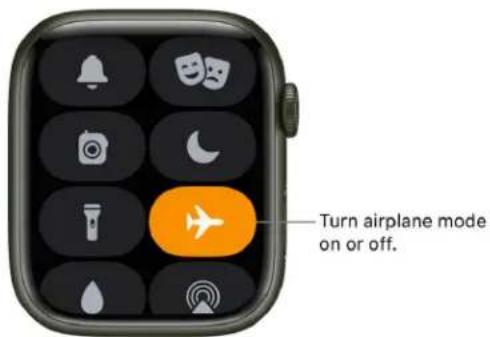
Some airlines let you fly with your Apple Watch (and iPhone) turned on if you put them in airplane mode. By default, turning on airplane mode turns off Wi-Fi and cellular (on Apple Watch models with cellular) and keeps Bluetooth turned on. However, you can change which settings are turned on and off when you turn on airplane mode.
- Turn on airplane mode on Apple Watch: Touch and hold the bottom of the screen, swipe up to open Control Center, then tap
Ask Siri. Say something like: "Turn on airplane mode."
- Put both your Apple Watch and iPhone in airplane mode in one step: Open the Apple Watch app on your iPhone, tap My Watch, go to General > Airplane Mode, then turn on Mirror iPhone. When your iPhone and Apple Watch are within normal Bluetooth range of each other (about 33 feet or 10 meters), any time you switch to airplane mode on one device, the other switches to match.
- Change which settings are turned on or off in airplane mode: On Apple Watch, open the Settings app, tap Airplane Mode, then choose whether to turn Wi-Fi or Bluetooth on or off by default when you turn on airplane mode.
To turn Wi-Fi or Bluetooth on or off while your Apple Watch is in airplane mode, open the Settings app, then tap Wi-Fi or Bluetooth.
When airplane mode is on, appears at the top of the screen.
Note: Even with Mirror iPhone turned on, you must turn off airplane mode separately on your iPhone and Apple Watch.
Use the flashlight on Apple Watch
Use the flashlight to light a darkened door lock, alert others when you're out for an evening run, or light nearby objects while preserving your night vision.
- Turn on the flashlight: Touch and hold the bottom of the screen, swipe up to open Control Center, then tap 📋 Swipe left to choose a mode—steady white light, flashing white light, or steady red light.
- Turn off the flashlight: Press the Digital Crown or side button, or swipe down from the top of the watch face.
Use theater mode on Apple Watch
Theater mode prevents the Apple Watch display from turning on when you raise your wrist, so it stays dark. It also turns on silent mode and makes your Walkie-Talkie status unavailable, but you still receive haptic notifications.
Touch and hold the bottom of the screen, swipe up to open Control Center, tap, then tap Theater Mode.
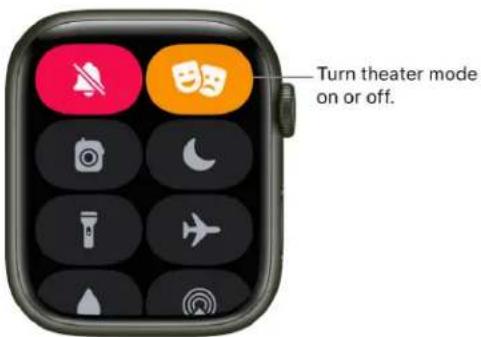
When theater mode is on, you see at the top of the screen.
To wake Apple Watch when theater mode is on, tap the display, press the Digital Crown or side button, or turn the Digital Crown.
Disconnect from Wi-Fi
You can temporarily disconnect from a Wi-Fi network and, on Apple Watch models with cellular, use an available cellular connection instead—right from Control Center.
Touch and hold the bottom of the screen, swipe up to open Control Center, then tap in Control Center.

Your Apple Watch temporarily disconnects from the Wi-Fi network. If you have an Apple Watch with cellular, the cellular connection activates if you have coverage. When you leave and later return to the place where you were connected to Wi-Fi, your Apple Watch automatically joins that network again unless you've forgotten it on your iPhone.
Tip: To quickly open Wi-Fi settings on your Apple Watch, touch and hold the Wi-Fi button in Control Center.
Turn on silent mode
Touch and hold the bottom of the screen, swipe up to open Control Center, then tap 📄.
Note: If your Apple Watch is charging, alarms and timers will still sound even in silent mode.
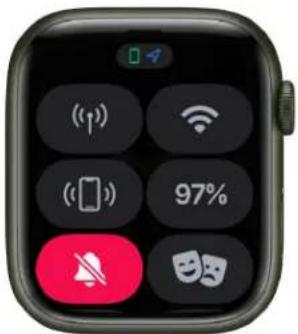
You can also open the Apple Watch app on your iPhone, tap My Watch, tap Sounds & Haptics, then turn on silent mode.
Tip: When you get a notification, you can quickly mute your Apple Watch by resting the palm of your hand on the watch display for at least three seconds. You'll feel a tap to confirm that mute is on. Make sure you turn on Cover to Mute on your Apple Watch—open the Settings app, tap Sounds & Haptics, then turn on Cover to Mute.
Locate your iPhone
Your Apple Watch can help you find your iPhone if it's nearby.
Touch and hold the bottom of the screen, swipe up to open Control Center, then tap the Ping iPhone button. Your iPhone makes a tone so you can track it down.
Tip: In the dark? Touch and hold the Ping iPhone button and iPhone flashes as well. If your iPhone isn't in range of your Apple Watch, try using Find My from iCloud.com.

Find your Apple Watch
If you lost your watch, use Find My to find it.
- Open the Find My app on your iPhone.
- Tap Devices, then tap your watch in the list.
You can play a sound on your watch, tap Directions to see directions to it in Maps, mark it as lost, or erase it.
You can also track your Apple Watch using Find My and iCloud. See Locate your Apple Watch and the Apple Support article If your Apple Watch is lost or stolen.
Use Focus on Apple Watch
Focus helps you stay in the moment when you want to concentrate on an activity. Focus can reduce distractions—allowing only notifications you want to receive (ones that match your focus)—and lets other people and apps know you're busy.
You can choose from provided Focus options—Personal, Sleep, and Work. Or you can create a custom Focus on your iPhone, choosing who is allowed to contact you, which apps can send you notifications, and whether or not you receive time-sensitive notifications.
Note: To have your Focus settings shared across all your devices where you're signed in with the same Apple ID, open Settings on your iPhone, tap Focus, then turn on Share Across Devices.
Turn a Focus on or off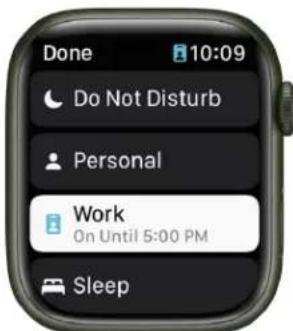
- Touch and hold the bottom of the screen, then swipe up to open Control Center.
- Touch and hold the current Focus button, then tap a Focus.
If no Focus is on, Control Center shows the Do Not Disturb button.
- Choose a Focus option—On, On for 1 hour, On until this evening/On until tomorrow morning, or On until I leave.
To turn off a Focus, just tap its button in Control Center.
When a Focus is active, its icon appears at the top of the watch face, next to the time in apps, and in Control Center.
Create your own Focus
- On your iPhone, go to Settings ➤ Focus.
- Tap + choose a Focus, then follow the onscreen instructions.
If you create a custom focus, you can choose a color and an icon to represent it, and enter a name for it.
Choose a Focus watch face
You can choose a different watch face to display when each Focus is active. For example, when Work Focus is active, your Apple Watch can display the Simple watch face.
- On your iPhone, go to Settings > Focus.
- Tap Set Up next to a Focus or create a new Focus, tap Customize Focus, then tap Choose below the Apple Watch image.
- Select a watch face, then tap Done.
Create a Focus schedule
On Apple Watch you can schedule when each Focus occurs—you can even choose to have a Focus start at different times of the day. For example, you could schedule the Work Focus to start at 9 AM and end at noon, Monday through Friday. From noon to 1 PM you may have no Focus or have a Personal Focus take over. Then, start the Work Focus again from 1 PM until 5 PM, Monday through Thursday.
- Open the Settings app on your Apple Watch.
- Tap Focus, tap a Focus—Work, for example—then tap "Add new."
- Tap the From and To fields and enter the times you want the Focus to begin and end.
- Scroll down, then choose days when the Focus will be active.
- Tap < in the top-left corner to save the Focus.
- Repeat this process to add other events to the Focus.
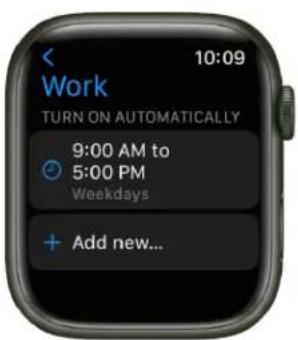
Disable or delete a Focus schedule
To disable or delete a Focus schedule, do either of the following:
- Disable a Focus schedule: Open the Settings app on your Apple Watch, tap Focus, then tap a Focus. Tap a schedule, scroll down, then turn off Enabled.
Turn on Enabled when you want the schedule to be active again.
- Delete a Focus schedule: Open the Settings app on your Apple Watch, tap Focus, then tap a Focus. Tap a schedule, scroll down, then tap Delete.
For more information about Focus, see the iPhone User Guide.
Adjust brightness, text size, sounds, and haptics on Apple Watch
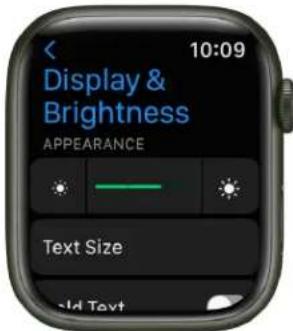
Adjust brightness and text on Apple Watch
Open the Settings app on your Apple Watch, then tap Display & Brightness to adjust the following:
- Brightness: Tap the Brightness controls to adjust, or tap the slider, then turn the Digital Crown. • Text size: Tap Text Size, then tap the letters or turn the Digital Crown. • Bold text: Turn on Bold Text.
You can also make these adjustments on your iPhone. Open the Apple Watch app on your iPhone, tap My Watch, tap Display & Brightness, then adjust brightness and text.
Adjust sound
- Open the Settings app on your Apple Watch.
- Tap Sounds & Haptics.
- Tap the volume controls under Alert Volume or tap the slider, then turn the Digital Crown to adjust.
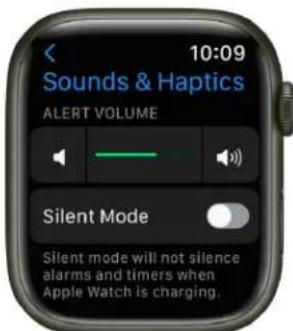
Or, on your iPhone, open the Apple Watch app, tap Sounds & Haptics, then drag the Alert Volume slider.
You can also reduce loud sounds coming from headphones connected to your Apple Watch. In the Settings app go to Sounds & Haptics > Headphone Safety, then turn on Reduce Loud Sounds.
Adjust haptic intensity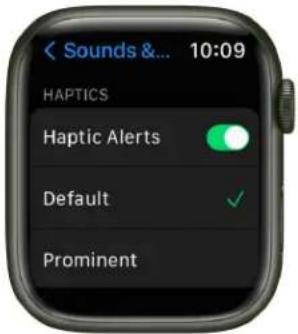
You can adjust the strength of the haptics—or wrist taps—Apple Watch uses for notifications and alerts.
- Open the Settings app on your Apple Watch.
- Tap Sounds & Haptics, then turn on Haptic Alerts.
- Choose Default or Prominent.
Or, on your iPhone, open the Apple Watch app, tap My Watch, tap Sounds & Haptics, then choose Default or Prominent.
Turn Digital Crown haptics off or on
On Apple Watch you feel clicks when you turn the Digital Crown to scroll. To turn these haptics off or on, follow these steps:
- Open the Settings app on your Apple Watch.
- Tap Sound & Haptics, then turn Crown Haptics off or on. You can also turn system haptics off or on.
Or, on your iPhone, open the Apple Watch app, tap My Watch, tap Sounds & Haptics, then turn Crown Haptics off or on.

Use Taptic Time
When Apple Watch is in silent mode, it can tap out the time on your wrist with a series of distinct taps.
- Open the Settings app on your Apple Watch.
- Tap Clock, scroll down, then tap Taptic Time.
- Turn on Taptic Time, then choose a setting—Digits, Terse, or Morse Code.
- Digits: Apple Watch long taps for every 10 hours, short taps for each following hour, long taps for every 10 minutes, then short taps for each following minute.
- Terse: Apple Watch long taps for every five hours, short taps for the remaining hours, then long taps for each quarter hour.
- Morse Code: Apple Watch taps each digit of the time in Morse code.
You can also configure Taptic Time on iPhone. Open the Apple Watch app on iPhone, tap My Watch, go to Clock > Taptic Time, then turn it on.
Note: If Taptic Time is disabled, Apple Watch might be set to always speak the time. To be able to use Taptic Time, first go to Settings > Clock, then turn on Control With Silent Mode under Speak Time.
See and respond to notifications on Apple Watch
Apps can send notifications to keep you informed—meeting invitations, messages, noise alerts, and Activity reminders are just a few examples. Your Apple Watch can display notifications as they arrive, but if you don't read one right away, it's saved so you can check it later.
WARNING: For important information about avoiding distractions that could lead to dangerous situations, see Important safety information.
Respond to a notification when it arrives
- If you hear or feel a notification, raise your wrist to view it.
How the notification looks depends on whether the display is active or idle.
• Active display: A small banner appears at the top of the display. - Idle display: A full screen notification appears.
- Tap the notification to read it.
- To clear a notification, swipe down on it. Or scroll to the bottom of the notification, then tap Dismiss.
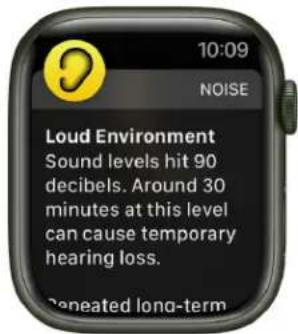
See notifications you haven't responded to
If you don't respond to a notification when it arrives, it's saved in Notification Center. A red dot at the top of your watch face shows you have an unread notification.
To view it, follow these steps:
- From the watch face, swipe down to open Notification Center. From other screens, touch and hold the top of the screen, then swipe down. Note: You can't open Notification Center when viewing the Home Screen on your Apple Watch. Instead, press the Digital Crown to go to the watch face or open an app, then open Notification Center.
- Swipe up or down or turn the Digital Crown to scroll the notifications list.
- Tap the notification to read or respond to it.
Tip: Siri can read the notifications in Notification Center to you—either through the Apple Watch speaker or headphones connected through Bluetooth. Just say "Read my notifications."
To clear a notification from Notification Center without reading it, swipe it to the left, then tap X. To clear all notifications, scroll to the top of the screen, then tap Clear All.
If you use group notifications, tap a group to open it, then tap a notification.
Tip: To keep the red dot from appearing on the watch face, open the Settings app on your Apple Watch, tap Notifications, then turn off Notifications Indicator.

Silence all notifications on Apple Watch
Touch and hold the bottom of the screen, swipe up to open Control Center, then tap.
You still feel a tap when a notification arrives. To prevent sound and taps, follow these steps:
- Touch and hold the bottom of the screen, then swipe up to open Control Center.
- Tap or the active Focus.
- Tap Do Not Disturb, then choose an option—On, On for 1 hour, On until this evening/On until tomorrow morning, or On until I leave.
Tip: When you get a notification, you can quickly mute your Apple Watch by resting the palm of your hand on the watch display for at least three seconds. You'll feel a tap to confirm that mute is on. Make sure you turn on Cover to Mute—open the Settings app on your Apple Watch, tap Sounds & Haptics, then turn on Cover to Mute.
Change notification settings on Apple Watch
By default, the notification settings for the apps on an Apple Watch that you set up for yourself mirror the settings on your iPhone. But you can customize how some apps display notifications.
Note: Mirrored settings don't apply to an Apple Watch you manage for a family member.
Choose how apps send notifications
- Open the Apple Watch app on your iPhone.
- Tap My Watch, then tap Notifications.
- Tap the app (for example, Messages), tap Custom, then choose an option. Options may include:
- Allow Notifications: The app displays notifications in Notification Center.
- Send to Notification Center: Notifications are sent directly to Notification Center without your Apple Watch making a sound or displaying the notification.
- Notifications Off: The app sends no notifications.
- Notification grouping: Choose how notifications for the app are grouped.
Options include:
- Off: Notifications aren't grouped.
- Automatically: Your Apple Watch uses information from the app to create separate groups. For example, News notifications are grouped by the channels you follow—CNN, Washington Post, and People.
- By App: All the app's notifications are grouped.
Tip: Some apps let you choose the specific kind of notifications you receive.
For example, for Calendar, you can allow notifications only for certain things, like when you get an invitation or someone changes a shared calendar. For Mail, you can choose which email accounts are allowed to send notifications.
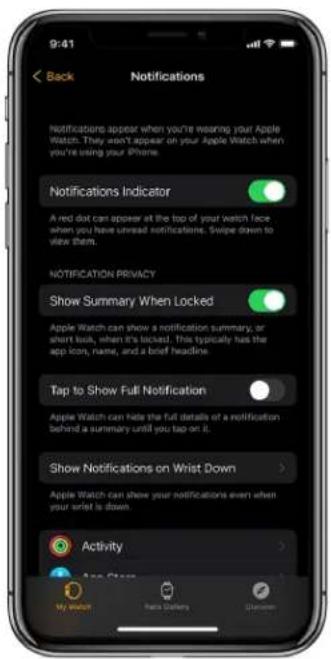
Change notification settings directly on Apple Watch
You can manage other notifications preferences directly on your Apple Watch by swiping left on a notification and tapping ••Options may include:
- Mute 1 hour or Mute for Today: For the next hour or for the rest of the day, notifications are sent directly to Notification Center without your Apple Watch making a sound or displaying the notification. To see and hear these notification alerts again, swipe left on a notification, tap , then tap Unmute.
- Add to Summary: Future notifications from the app appear in the Notification Summary on your iPhone. To have the app once again notify you immediately, open the Settings app on your iPhone, tap Notifications, tap the app, then tap Immediate Delivery.
- Turn off Time Sensitive: Time-sensitive notifications are always delivered immediately, even if you're using a Focus that delays most notifications. However, if you want to prevent this app from delivering even time-sensitive notifications immediately, tap this option.
- Turn off: The app sends no notifications. To reenable notifications from the app, open the Apple Watch app on your iPhone, tap My Watch, tap Notifications, tap the app you want to adjust, then tap Allow Notifications.
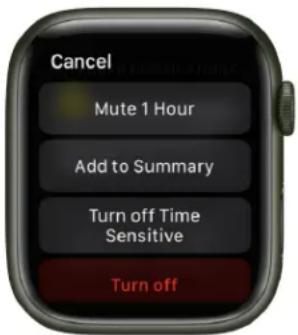
Show notifications on the lock screen
You can choose how notifications appear on the lock screen of your Apple Watch.
- Open the Settings app on your Apple Watch.
- Tap Notifications.
- Choose the following options:
• Show Summary When Locked: With this open, you see a notification summary—or short look—when your wrist is raised. It shows the app's name and icon along with a summary. - Tap to Show Full Notification: When you raise your wrist to see a notification, you see a quick summary, then full details a few seconds later. For example, when a message arrives, you see who it's from first, then the message appears. Turn on this option to stop the full notification from appearing unless you tap it. - Show Notifications on Wrist Down: By default, notifications don't appear on your Apple Watch when your wrist is down. Turn on this option to make notifications appear, even when your Apple Watch is turned away from you.
Manage your Apple ID settings on Apple Watch
You can view and edit information associated with your Apple ID. You can add and edit your contact information, change your password, add a trusted phone number, and more.
Edit contact information
- Open the Settings app on your Apple Watch.
- Tap [your name].
- Tap Name, Phone Numbers, Email, then do any of the following:
- Edit your name: Tap your name, then tap First, Middle, or Last. • View, edit, and add contact information: Tap a phone number or email address under Reachable At. To remove an email address, tap it, then tap Remove Email Address.
- Add email addresses and phone numbers: Tap Add Email or Phone Number, choose to add an email address or phone number, tap Next, enter the information, then tap Done.
- Hide your email address: Tap Forward To.
This option allows apps to contact you without revealing your real email address. When you choose this option, Apple creates a unique, random email address for you, and any email sent from the app to this address is forwarded to the personal address you choose.
- Change your birthday: Tap Birthday, then enter a new date.
- Get announcements, recommendations, or the Apple News newsletter: Under Subscriptions, you can turn on Announcements; recommendations for apps, music, TV, and more; or opt in to the Apple News Newsletter.
Manage Apple ID password and security
- Open the Settings app on your Apple Watch.
- Tap [your name].
- Tap Password & Security, then do any of the following:
- Change your Apple ID password: Tap Change Password, then follow the onscreen instructions.
- Change "Sign in with Apple" settings for an app or website: Tap Apps Using Your Apple ID, then choose an app. Tap Stop Using Apple ID to disassociate your Apple ID from the app. (You may be asked to create a new account the next time you try to sign in with the app.)
- Edit or add a trusted phone number: Tap your current trusted phone number, verify when prompted, then tap Remove Phone Number—if you have only one trusted number, you must enter a new one before you can delete the current number. To add an additional trusted phone number, tap Add a Trusted Phone Number.
- Get a verification code to sign in on another device or at iCloud.com: Tap Get Verification Code.
View and manage subscriptions
- Open the Settings app on your Apple Watch.
- Tap [your name].
- Tap Subscriptions, then tap a subscription to see information about it—its cost and length, for example.
- Tap Cancel Subscription to end your subscription.
Note: Some subscriptions must be canceled on your iPhone.
View and manage your devices
- Open the Settings app on your Apple Watch.
- Tap [your name].
- Scroll down, then tap a device to display information about it.
- Tap Remove from Account if you don't recognize the device.
Use shortcuts on Apple Watch
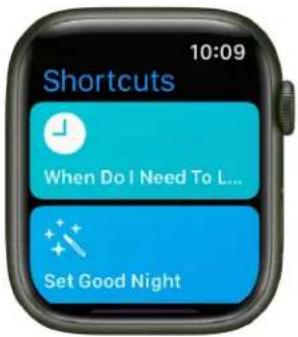
The Shortcuts app on Apple Watch lets you trigger tasks with just a tap. With the shortcuts you create on your iPhone, you can quickly get directions home, create a top 25 playlist, and more. You can run shortcuts from the Shortcuts app or add them as complications to your watch face.
Note: Not all shortcuts on iPhone are compatible with Apple Watch.
Run a shortcut
- Open the Shortcuts app on your Apple Watch.
- Tap a shortcut.
Add a shortcut complication
- Touch and hold the watch face, then tap Edit.
- Swipe left to the Complications screen, then tap a complication.
- Scroll to Shortcuts, then choose a shortcut.
Add more shortcuts to Apple Watch
- Open the Shortcuts app on your iPhone.
- Tap • in the top-right corner of a shortcut.
- Tap ⓘ on the shortcut screen, then turn on Show on Apple Watch.
See the Shortcuts User Guide for information about creating and using shortcuts.
Set up Handwashing on Apple Watch
Your Apple Watch can detect when you start washing and encourage you to keep going for 20 seconds, the time recommended by global health organizations. Your Apple Watch can also notify you if you haven't washed your hands within a few minutes of returning home.
Turn on Handwashing
- Open the Settings app on your Apple Watch.
- Tap Handwashing, then turn on Handwashing Timer.
When Apple Watch detects that you've started washing your hands, it starts a 20-second timer. If you stop washing in fewer than 20 seconds, you're encouraged to finish the job.
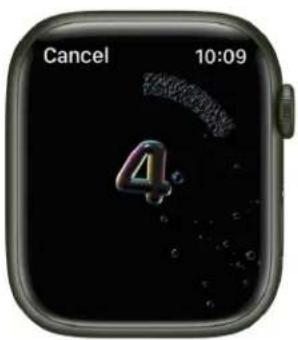
Receive Handwashing notifications
Apple Watch can remind you to wash your hands shortly after returning home.
- Open the Settings app on your Apple Watch.
- Tap Handwashing, then turn on Handwashing Reminders.
Note: On an Apple Watch set up for a family member, you can also turn on handwashing reminders. Open the Settings app on the managed Apple Watch, tap Handwashing, turn on Handwashing Timer, then turn on Handwashing Reminders.
To receive handwashing reminders, you must set a home address in your My Card in the Contacts app on iPhone.
To see a report of your average handwashing times, open the Health app on your iPhone, go to Browse > Other Data, then tap Handwashing.
Connect Apple Watch to a Wi-Fi network
By connecting your Apple Watch to a Wi-Fi network, you can continue to use many of its features, even when you don't have your iPhone with you.
Choose a Wi-Fi network
- Touch and hold the bottom of the screen, then swipe up to open Control Center.
- Touch and hold, then tap the name of an available Wi-Fi network.
Wi-Fi networks compatible with Apple Watch are 802.11b/g/n 2.4GHz.
- If the network requires a password, do one of the following:
- Use the keyboard on Apple Watch to enter the password (not available in all languages, Apple Watch Series 7 and Apple Watch Series 8 only).
- Use your finger to scribble the password characters on the screen. Use the Digital Crown to choose uppercase or lowercase characters.
- Tap, then choose a password from the list.
- Use the keyboard on your iPhone to enter the password.
- Tap Join.
Use a private network address on Apple Watch
To help protect your privacy, your Apple Watch uses a unique private network address, called a media access control (MAC) address, on each Wi-Fi network it joins. If a network can't use a private address (for example, to provide parental controls or to identify your Apple Watch as authorized to join), you can stop using a private address for that network.
- Touch and hold the bottom of the screen, then swipe up to open Control Center.
- Touch and hold, then tap the name of the network you joined.
- Turn off Private Address.
Important: For better privacy, leave Private Address turned on for all networks that support it. Using a private address helps reduce tracking of your Apple Watch across different Wi-Fi networks.
Forget a network
- Touch and hold the bottom of the screen, then swipe up to open Control Center.
- Touch and hold, then tap the name of the network you joined.
- Tap Forget This Network.
If you rejoin that network at a later time, you must reenter its password if it requires one.
For more information, see the Apple Support article Connect your Apple Watch to Wi-Fi.
Connect Apple Watch to Bluetooth headphones or speakers
Play audio from Apple Watch on Bluetooth headphones or speakers without your iPhone nearby.
Tip: If you have AirPods that you set up with your iPhone, they're ready to use with your Apple Watch—just press play.
Pair Bluetooth headphones or speakers
You need Bluetooth headphones or speakers to listen to most audio on your Apple Watch (Siri, phone calls, voicemail, and voice memos play through the speaker on Apple Watch). Follow the instructions that came with the headphones or speakers to put them in discovery mode. When the Bluetooth device is ready, follow these steps:
- Open the Settings app on your Apple Watch, then tap Bluetooth.
- Tap the device when it appears.
You can also tap on the play screens of the Audiobooks, Music, Now Playing, and Podcasts apps to open the Bluetooth setting.

Choose an audio output
- Touch and hold the bottom of the screen, then swipe up to open Control Center.
- Tap , then choose the device you want to use.
For important information about avoiding hearing loss, see Important safety information.
Monitor your headphone volume
- Touch and hold the bottom of the screen, then swipe up to open Control Center.
- While listening to your headphones, tap
A meter shows the current headphone volume.
Reduce loud sounds
Apple Watch can limit the loudness of your headphone audio to a set decibel level.
- Open the Settings app on your Apple Watch.
- Go to Sounds & Haptics > Headphone Safety, then tap Reduce Loud Sounds.
- Turn on Reduce Loud Sounds, then set a level.
View loud headphone audio notifications
If you listen to loud audio through your headphones for long enough that it could affect your hearing, Apple Watch sends you a headphone notification and automatically turns down the volume to a more moderate level to protect your hearing.
To view details about headphone notifications on your iPhone, open the Health app, tap Browse, tap Hearing, tap Headphone Notifications, then tap a notification.
Hand off tasks from Apple Watch
Handoff lets you move from one device to another without losing focus on what you're doing. For example, even though you can reply to email using the Mail app on your Apple Watch, you might want to switch to your iPhone so you can reply using the onscreen keyboard. Handoff is available on an Apple Watch you set up for yourself, but not an Apple Watch you set up for a family member. Follow these steps to use Handoff.
- Unlock your iPhone.
- On an iPhone with Face ID, swipe up from the bottom edge and pause to show the App Switcher. (On an iPhone with a Home button, double-click the Home button to show the App Switcher.)
- Tap the button that appears at the bottom of the screen to open the same item on your iPhone.
Tip: If you don't see a button in App Switcher, make sure Handoff is turned on for your iPhone in Settings > General > AirPlay & Handoff.
Handoff is on by default. To disable it, open the Apple Watch app on your iPhone, tap My Watch, tap General, then turn off Enable Handoff.
Handoff works with Activity, Alarm, Calendar, Home, Mail, Maps, Messages, Music, News, Phone, Podcasts, Reminders, Settings, Siri, Stocks, Stopwatch, Timers, Wallet, Weather, and World Clock. For Handoff to work, your Apple Watch must be connected to your paired iPhone.
If you have a Mac with OS X 10.10 or later installed, you can also hand off from your Apple Watch to your Mac. For information about supported Mac models, see the Apple Support article System requirements for Continuity on Mac, iPhone, iPad, iPod touch, and Apple Watch.
Unlock your Mac with Apple Watch
If you have a Mac (mid-2013 or later) with macOS 10.13 or later, your Apple Watch can instantly unlock your Mac when it wakes from sleep. You need to be signed in to iCloud using the same Apple ID on both your Mac and Apple Watch.
Tip: To find the model year of your Mac, click the Apple menu in the top-left corner of your computer screen, then choose About This Mac. The year your Mac was made is listed next to the model—for example, "MacBook Pro (15-inch, 2018)."
Turn on Auto Unlock
- Make sure that your devices are set up as follows:
- Your Mac has Wi-Fi and Bluetooth turned on.
- Your Mac and Apple Watch are signed in to iCloud with the same Apple ID, and your Apple ID is using two-factor authentication.
- Your Apple Watch is using a passcode.
- Do one of the following:
- If you're using macOS 13 or later, choose Apple menu > System Settings, then click Login Password.
- If you're using macOS 12 or earlier, choose Apple menu > System Preferences, click Security & Privacy, then click General.
- Select "Use Apple Watch to unlock apps and your Mac."
If you have more than one Apple Watch, select the watches you want to use to unlock your apps and Mac.
If you don't have two-factor authentication turned on for your Apple ID, follow the onscreen instructions, then try selecting the checkbox again. See the Apple Support article Two-factor authentication for Apple ID.
Unlock your Mac
While wearing your watch, just wake up your Mac—no need to type in your password.

Tip: Make sure your Apple Watch is on your wrist and unlocked and you're near your Mac.
Unlock your iPhone with Apple Watch
To allow Apple Watch to unlock your iPhone for Siri requests or when an obstruction prevents Face ID from recognizing your face, do the following:
- On iPhone, go to Settings > Face ID & Passcode, then enter your passcode.
- Scroll down to Unlock With Apple Watch, then turn on the setting for your watch. If you have more than one watch, turn on the setting for each one.
- To unlock your iPhone, make sure you're wearing your Apple Watch, wake your iPhone, then glance at its screen.
Apple Watch taps your wrist to let you know that your iPhone has been unlocked.
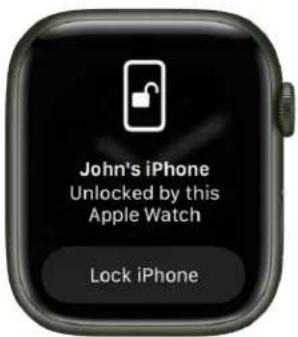
Note: To unlock your iPhone, your Apple Watch must have a passcode, be unlocked and on your wrist, and be close to your iPhone.
Use Apple Watch without its paired iPhone
Use your Apple Watch without your iPhone nearby
With Apple Watch with cellular and an activated cellular plan, you can stay connected even when away from your iPhone. For all other models of Apple Watch, there are still things you can do even when you are away from your iPhone and not connected to Wi-Fi.
- Play music
- Play podcasts
- Play audiobooks • Record and play voice memos • Use transit cards and use your student ID card • Find people, find devices, and find items • Use the watch, world clock, alarms, timers, and the stopwatch • Display photos from synced photo albums • Make store purchases with Apple Pay • See calendar events
- Track your activity and workout • Measure sound levels around you and from your headphones
- Check your heart rate, edit your sleep schedule, measure your blood oxygen levels, track menstrual cycles, and relax and breathe mindfully
Apple Watch has a built-in GPS that allows you to get more accurate distance and speed information during an outdoor workout without your paired iPhone. Apple Watch also has a built-in barometric altimeter to get more accurate elevation gain/descent information.
The always-on altimeter in Apple Watch SE, Apple Watch Series 6, and later is even more accurate, showing your current elevation in real time.
If your Apple Watch is connected to Wi-Fi
When your Apple Watch is connected to a Wi-Fi network, you can still do the following (even if your iPhone is turned off):
• Get apps from the App Store • Send messages • Make phone calls (if you have Wi-Fi calling enabled or want to make a FaceTime audio call and you're within range of a Wi-Fi network) • Use Walkie-Talkie • Stream music, podcasts, and audiobooks to your Apple Watch • Add music • Check current weather conditions • Track your stocks • Control your home • Use third-party apps that support Wi-Fi connectivity
Your Apple Watch uses Bluetooth® wireless technology to connect to its paired iPhone and uses the iPhone for many wireless functions. Your Apple Watch can configure Wi-Fi networks on its own, and also connect to Wi-Fi networks you've set up or connected to using the paired iPhone. For more information, see the Apple Support article About Bluetooth, Wi-Fi, and cellular on your Apple Watch.
Use Apple Watch with a cellular network
With Apple Watch with cellular and a cellular connection to the same carrier used by your iPhone, you can make calls, reply to messages, use Walkie-Talkie, stream music and podcasts, receive notifications, and more, even when you don't have your iPhone or a Wi-Fi connection.
Note: Cellular service not available in all areas or with all carriers.
Add Apple Watch to your cellular plan
You can activate cellular service on your Apple Watch by following the instructions during the initial setup. To activate service later, follow these steps:
- Open the Apple Watch app on your iPhone.
- Tap My Watch, then tap Cellular.
Follow the instructions to learn more about your carrier service plan and activate cellular for your Apple Watch with cellular. See the Apple Support article Set up cellular on your Apple Watch.
Turn cellular off or on
Your Apple Watch with cellular uses the best network connection available to it—your iPhone when it's nearby, a Wi-Fi network that you've connected to previously on your iPhone, or a cellular connection. You can turn cellular off—to save battery power, for example. Just follow these steps:
- Touch and hold the bottom of the screen, then swipe up to open Control Center.
- Tap (q) then turn Cellular off or on.
The Cellular button turns green when your Apple Watch has a cellular connection and your iPhone isn't nearby.
Note: Turning on cellular for extended periods uses more battery power (see the Apple Watch General Battery Information website for more information). Also, some apps may not update without a connection to your iPhone.
Check cellular signal strength
Try one of the following when connected to a cellular network:
- Use the Explorer watch face, which uses green dots to show cellular signal strength. Four dots is a good connection. One dot is poor.
- Open Control Center. The green bars at the top show the cellular connection status.
- Add the Cellular complication to the watch face.
Check cellular data usage
- Open the Settings app on your Apple Watch.
- Tap Cellular, then scroll down to see the amount of data you've used during the current period.
Apple Watch safety features
Safety features on Apple Watch
Your Apple Watch can be helpful in a variety of emergency situations.
- Show important medical information on Apple Watch: You can create a Medical ID that appears on the lock screen of your Apple Watch. Should you need emergency help, those attending you can see such details as your age, blood type, medical conditions, and any allergies you may have. See Set up and view your Medical ID.
- Contact emergency services: Press and hold the side button on your Apple Watch to call emergency services or use Siri or Messages to make contact. Add emergency contacts to alert your friends and family to an emergency. See Contact emergency services.
- Alert emergency services when a hard fall has been detected: With Fall Detection turned on, your Apple Watch can help connect you to emergency services. See Manage Fall Detection.
- Alert emergency services when a severe car crash has been detected: If your Apple Watch Series 8 or Apple Watch SE (2nd Generation) detects a severe car crash, it can help alert emergency services. See Manage Crash Detection.
Set up and view your Medical ID on Apple Watch
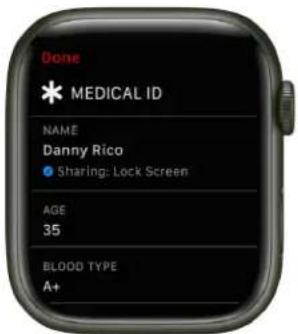
A Medical ID provides information about you that may be important in an emergency, like allergies and medical conditions. When you set up your Medical ID in the Health app on your iPhone, that information is also available on your Apple Watch. If you share your Medical ID, your Apple Watch can send your medical information to emergency services when you call or text 911 or use Emergency SOS (U.S. and Canada only).
Your Apple Watch can display your Medical ID so that it's available to someone attending to you in an emergency.
To learn how to set up your Medical ID on iPhone, see Set up and view your Medical ID in the iPhone User Guide.
To view your Medical ID on your Apple Watch, follow these steps:
- Press and hold the side button until the sliders appear.
- Slide the Medical ID slider to the right.
- Tap Done when you're finished.
You can also open the Settings app on your Apple Watch, then go to SOS > Medical ID.
Contact emergency services with Apple Watch
In case of an emergency, use your Apple Watch to quickly call for help.
Contact emergency services
Do one of the following:
- Press and hold the side button until the sliders appear, then drag the Emergency Call slider to the right.

Your Apple Watch calls the emergency services in your region—for example, 911. (In some regions, you may be required to press a keypad number to complete the call.)
- Press and keep holding the side button until your Apple Watch issues a warning sound and starts a countdown. When the countdown ends, your Apple Watch calls emergency services. The Apple Watch makes the warning sound even if it's in silent mode, so if you're in an emergency situation where you don't want to make noise, use the Emergency Call slider to call emergency services without a countdown.
If you don't want your Apple Watch to automatically start the emergency countdown when you press and hold the side button, turn off Automatic Dialing. Open the Settings app on your Apple Watch, tap SOS, tap Hold Side Button, then turn off Hold Side Button. (Or open the Apple Watch app on your iPhone, tap My Watch, tap Emergency SOS, then turn off Hold Side Button to Dial.) You can still make an emergency call with the Emergency Call slider.
- Say "Hey Siri, call 911."
- Open the Messages app on your Apple Watch, tap New Message, tap Add Contact, tap the number pad button, then type 911. Tap Create Message, enter your message, then tap send.
If Fall Detection is enabled and you have been immobile for about a minute after Apple Watch detects a hard fall, it will attempt to make a call to emergency services automatically. See Manage Fall Detection.
If your Apple Watch detects a severe car crash, it will display an alert and can initiate an emergency phone call after 20 seconds. See Manage Crash Detection.
You can use Apple Watch Series 5 (GPS + Cellular), Apple Watch SE (GPS + Cellular), Apple Watch Series 6 (GPS + Cellular), Apple Watch Series 7 (GPS + Cellular), or Apple Watch Series 8 to make an emergency call in many locations, provided that cellular service is available. Some cellular networks may not accept an emergency call from your Apple Watch Series 5, Apple Watch SE, Apple Watch Series 6, Apple Watch Series 7 (GPS + Cellular), or Apple Watch Series 8 if your Apple Watch isn't activated, if it isn't compatible with or configured to operate on a particular cellular network, or if it isn't set up for cellular service.
You can also add emergency contacts. After an emergency call ends, your Apple Watch alerts your emergency contacts with a text message, unless you choose to cancel. Your Apple Watch sends your current location, and for a period of time after you enter SOS mode, your emergency contacts receive updates when your location changes. To learn how to add emergency contacts on iPhone, see Set up and view your Medical ID in the iPhone User Guide.
When you start an Emergency SOS call while abroad, your watch connects to local emergency services, but it doesn't send your location or a text message to your emergency contacts. In some countries and regions, international emergency calling works even if you haven't set up cellular service on the watch. See the watchOS Feature Availability website to learn which countries and regions are supported.
Cancel an emergency call
If you started an emergency call by accident, tap 📷 then tap End Call to cancel.
Update your emergency address
If emergency services can't locate you, they go to your emergency address.
- Open the Settings app on your iPhone.
- Go to Phone > Wi-Fi Calling, tap Update Emergency Address, then enter your emergency address.
Manage Fall Detection on Apple Watch
With Fall Detection enabled, if Apple Watch detects a hard fall, it can help connect you to emergency services and send a message to your emergency contacts. If Apple Watch detects a hard fall and that you have been immobile for about a minute, it will tap your wrist, sound an alarm, and then attempt to call emergency services.
To call emergency services, your Apple Watch or nearby iPhone needs a cellular connection, or needs to have Wi-Fi calling turned on and Wi-Fi coverage available.
If cellular and Wi-Fi coverage are not available, and your iPhone 14 or iPhone 14 Pro or later is near your Apple Watch, Fall Detection will use your iPhone to send the notification using Emergency SOS via satellite, where Emergency SOS via satellite is available. See the Apple Support article Use Emergency SOS via satellite on your iPhone 14.
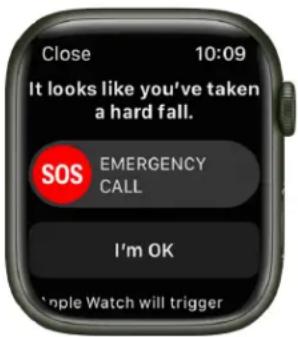
If the birthdate you enter when setting up your Apple Watch (or adding it to the Health app on iPhone) indicates that you're 55 or older, Fall Detection is turned on automatically. If you're between age 18 and 55, you can turn on Fall Detection manually by doing the following:
- Open the Settings app on your Apple Watch.
- Go to SOS > Fall Detection, then turn on Fall Detection.
You can also open the Apple Watch app on your iPhone, tap My Watch, tap Emergency SOS, then turn on Fall Detection.
Note: If you turn off wrist detection, Apple Watch won't automatically attempt to call emergency services even after it has detected a hard impact fall.
- Choose "Always on" to have Fall Detection on at all times, or "Only on during workouts" to have Fall Detection on only when you've started a workout.
If you're between age 18 and 55, and setting up a new Apple Watch with watchOS 8.1 or later, Fall Detection during workouts is turned on automatically. If you upgrade your existing Apple Watch from an earlier version of watchOS, you must turn on the feature to detect hard falls only during workouts.
For more information, see the Apple Support article Use Fall Detection with Apple Watch.
Note: Apple Watch cannot detect all falls. The more physically active you are, the more likely you are to trigger Fall Detection due to high-impact activity that can appear to be a fall.
Manage Crash Detection on Apple Watch
If your Apple Watch Series 8 or Apple Watch SE (2nd Generation) detects a severe car crash, it can help connect you to emergency services and notify your emergency contacts.
When your Apple Watch detects a severe car crash, it will display an alert and automatically initiate an emergency phone call after 20 seconds unless you cancel. If you are unresponsive, it will play an audio message for emergency services, which informs them that you've been in a severe car crash and gives them your latitudinal and longitudinal coordinates with an approximate search radius.
To call emergency services, your Apple Watch or nearby iPhone needs a cellular connection, or needs to have Wi-Fi calling turned on and Wi-Fi coverage available.
If cellular and Wi-Fi coverage are not available, and your iPhone 14 or iPhone 14 Pro or later is near your Apple Watch, Crash Detection notifications to emergency services may be communicated by the Emergency SOS via satellite system, where Emergency SOS via satellite is available. See the Apple Support article Use Emergency SOS via satellite on your iPhone 14.
Note: When a severe car crash is detected, Crash Detection won't override any existing emergency calls placed by other means.
Turn Crash Detection on or off
Crash Detection is on by default. You can turn off alerts and automatic emergency calls from Apple after a severe car crash by following these steps:
- Open the Settings app on your Apple Watch.
- Go to SOS > Crash Detection, then turn off Call After Severe Crash.
For more information, see the Apple Support article Use Crash Detection on iPhone or Apple Watch to call for help in an accident.
Note: Apple Watch cannot detect all car crashes.
Siri
Use Siri on Apple Watch
Useful Siri commands
You can use Siri to perform tasks and get answers right on your Apple Watch. For example, use Siri to translate what you say into another language, identify a song and provide an instant Shazam result, or, after you ask a general question, display the first few search results along with a brief excerpt from each page. Just tap Open Page to view the page on Apple Watch. Try using Siri to do things that usually take you a couple of steps.
Siri is not available in all regions and languages. See the Apple Support article watchOS Feature Availability.
Ask Siri. Say something like:
• "How do you say 'How are you?' in Chinese?" • "Start a 30-minute outdoor run" • "Tell Kathleen I'm almost finished" • "Open the Sleep app" • "What song is this?" • "What causes rainbows?" • "What's my update?" • "What kinds of things can I ask you?"

How to use Siri
To make a Siri request, do any of the following:
- Raise your wrist and speak into your Apple Watch. To turn off the Raise to Speak feature, open the Settings app on your Apple Watch, tap Siri, then turn off Raise to Speak.
- Say "Hey Siri" followed by your request. To turn off "Hey Siri," open the Settings app on your Apple Watch, tap Siri, then turn off Listen for "Hey Siri."
- Tap the Siri button on the Siri watch face.
- Press and hold the Digital Crown until you see the listening indicator, then speak your request.
To turn off the Press Digital Crown feature, open the Settings app on your Apple Watch, tap Siri, then turn off Press Digital Crown.
Tip: After you activate Siri, you can lower your wrist. You'll feel a tap when there's a response.
To reply to a question from Siri or to continue the conversation, hold down the Digital Crown and speak.
Siri can speak responses to you, as it does on iOS, iPadOS, and macOS. You can also hear Siri responses through a Bluetooth headset or speakers connected to your Apple Watch.
Note: To use Siri, Apple Watch must be connected to the internet. Cellular charges may apply.
Choose how Siri responds
Siri can speak responses on your Apple Watch. Open the Settings app on your Apple Watch, tap Siri, tap Siri Responses, then choose from the following:
• Always On: Siri speaks responses, even when your Apple Watch is in silent mode. • Control With Silent Mode: Siri responses are silenced when your Apple Watch is set to silent mode. • Headphones Only: Siri only speaks responses when your Apple Watch is connected to Bluetooth headphones.
To change the language and voice used for Siri, open the Settings app on your Apple Watch, tap Siri, then tap Language or Siri Voice. When you tap Siri Voice you can choose a different variety or voice.
Note: The option to change Siri Voice is not available in all languages.
Display captions and transcriptions of your Siri requests
Your Apple Watch can display Siri captions and transcriptions of your Siri requests and Siri's responses. To change either option, open the Settings app on your Apple Watch, tap Siri, then turn Always Show Siri Captions and Always Show Speech on or off.
Type to Siri and Siri Pause Time
If you have difficulty speaking, you can type Siri requests or ask Siri to wait longer for you to finish speaking.
- Open the Settings app on your Apple Watch.
- Go to Accessibility > Siri, then turn on Type to Siri.
- If you want Siri to wait longer for you to finish speaking, tap Longer or Longest under Siri Pause Time.
Delete Siri history
When you use Siri or dictation, your requests are stored for six months on Apple servers to help improve Siri responses to you. Your requests are associated with a random identifier, not with your Apple ID or email address. You can delete these interactions from the server at any time.
- Open the Settings app on your Apple Watch.
- Tap Siri, tap Siri History, then tap Delete Siri History.
For more information, see the Apple Support article Ask Siri, Dictation & Privacy.
Listen and respond to incoming notifications with AirPods and Beats headphones on Apple Watch
Siri can read out incoming notifications from many apps without having to unlock your iPhone when you're using supported AirPods and Beats headphones. Siri avoids interrupting you and listens after reading notifications so you can reply without saying "Hey Siri."
Turn on Announce Notifications
- Put your paired headphones in or on your ears, depending on the kind of headphones you have.
- Pair them with Apple Watch.
- Open the Settings app on your Apple Watch.
- Go to Siri > Announce Notifications, then turn on Announce Notifications.
You can also open the Settings app on your iPhone, go to Notifications > Announce Notifications, then turn on Announce Notifications.
Tip: Siri can also read your unread notifications in Notification Center—either through the Apple Watch speaker or headphones connected through Bluetooth. Just say "Read my notifications."
Choose apps for notifications
You can choose the apps that are allowed to announce notifications.
- Put your paired headphones in or on your ears, depending on the kind of headphones you have.
- Open the Settings app on your Apple Watch.
- Go to Siri > Announce Notifications, scroll down, then tap the apps you want audio notifications from.
Temporarily turn off Announce Notifications

- Touch and hold the bottom of the screen, then swipe up to open Control Center.
- Tap
Tap again to turn it on.
Note: The Announce Notifications button is disabled when you remove AirPods.
Reply to a message
Say something like "Reply that's great news."
Siri repeats what you said, then asks for confirmation before sending your reply. (To send replies without waiting for confirmation, open the Settings app on your Apple Watch, go to Siri > Announce Notifications, scroll to the bottom, then turn on Reply without Confirmation.)
Stop Siri from reading a notification
You can do any of the following:
- Say something like "Stop" or "Cancel."
- Press the Digital Crown (AirPods Max).
Note: While listening to a notification, you can turn the Digital Crown to change the volume.
- Press either Force Sensor (AirPods Pro and AirPods 3rd generation).
- Double-tap either of your AirPods (2nd generation).
- Remove one of your AirPods (AirPods Pro and AirPods 2nd and 3rd generation).
If you didn't turn on Announce Notifications when you set up your AirPods, open the Settings app on your Apple Watch, go to Siri > Announce Notifications, then turn on Announce Notifications.
Announce calls with Siri on Apple Watch
With Announce Calls, Siri identifies incoming phone calls and FaceTime calls, which you can accept or decline using your voice. Announce Calls also works with supported third-party apps.
- Open the Settings app on your Apple Watch.
- Tap Siri, then turn on Announce Calls.
- When a call comes in, the caller is identified and you're asked if you want to answer the call. Say "yes" to accept the call or "no" to decline it.
Apple Watch faces
Explore the Face Gallery on Apple Watch
The Face Gallery in the Apple Watch app is the easiest way to see all of the available watch faces. When you find one that looks interesting, you can customize it, choose complications, then add the face to your collection—all from the gallery.
Open the Face Gallery
Open the Apple Watch app on your iPhone, then tap Face Gallery at the bottom of the screen.
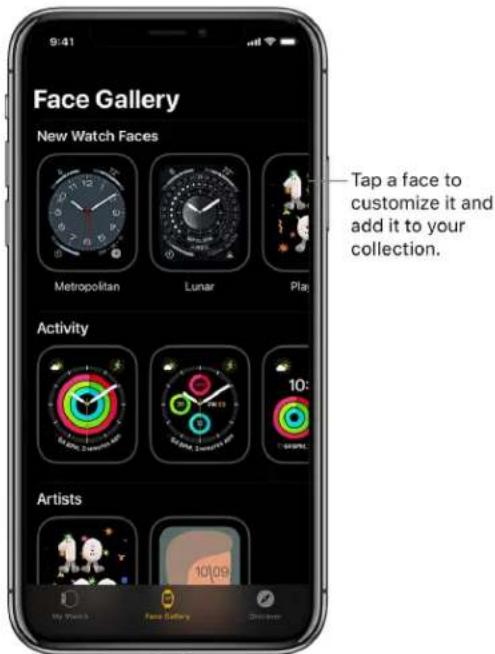
Choose features for a face
In the Face Gallery, tap a face, then tap a feature such as color or style.
As you play around with different options, the face at the top changes so you can make sure the design is just right.
Add complications in the Face Gallery
- In the Face Gallery, tap a face, then tap a complication position, such as Top Left, Top Right, or Bottom.
- Swipe to see which complications are available for that position, then tap the one you want.
- If you decide you don't want a complication in that position, scroll to the top of the list and tap Off.
For a complete list of available complications for each watch face, see Faces and features.
Add a face
- After you customize a face in the Face Gallery, tap Add.
- To switch to the new face on your Apple Watch, swipe left across the watch face until you see it.
Customize the watch face
Personalize your Apple Watch face so it looks the way you want and provides the functions you need. Choose a design, adjust colors and features, then add it to your collection. Switch faces at any time to see the right timekeeping tools—or to shake things up.
The Face Gallery in the Apple Watch app is the easiest way to see all of the available watch faces, customize one, and add it to your collection. But, if your iPhone isn't handy, you can customize the face right on your watch. For more information, see Faces and features.
Choose a different watch face
- Swipe edge to edge across the watch face to see other faces in your collection. • To see all available watch faces, touch and hold the watch face, swipe to the one you want, then tap it.
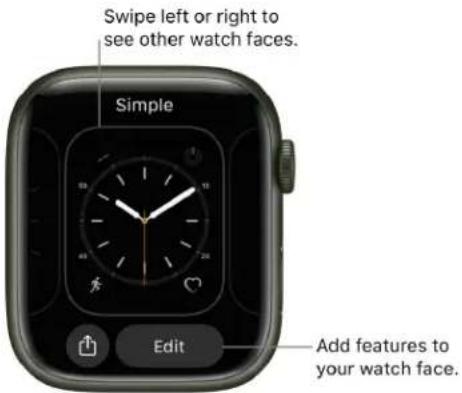
Add complications to the watch face
You can add special features—called complications—to some watch faces, so you can instantly check things like stock prices, the weather report, or information from other apps you installed.
- With the watch face showing, touch and hold the display, then tap Edit.
- Swipe left all the way to the end.
If a face offers complications, they're shown on the last screen.
- Tap a complication to select it, then turn the Digital Crown to choose a new one—Activity or Heart Rate, for example.
- When you're finished, press the Digital Crown to save your changes, then tap the face to switch to it.

Some apps you get from the App Store also include complications.
Add a watch face to your collection
Create your own collection of custom faces—even variations of the same design.
- With the current watch face showing, touch and hold the display.
- Swipe left all the way to the end, then tap the New button (+).
- Turn the Digital Crown to browse watch faces, then tap Add.
Tip: Tap a collection such as New in watchOS to browse a specific category of watch faces.
After you add it, you can customize the watch face.

View your collection
You can see all your watch faces at a glance.
- Open the Apple Watch app on your iPhone.
- Tap My Watch, then swipe through your collection below My Faces.
To rearrange the order of your collection, tap Edit, then drag next to a watch face up or down.
Delete a face from your collection
- With the current watch face showing, touch and hold the display.
- Swipe to the face you don't want, then swipe it up and tap Remove.
Or, on your iPhone, open the Apple Watch app, tap My Watch, then tap Edit in the My Faces area. Tap next to the watch faces you want to delete, then tap Remove.
You can always add the watch face again later.
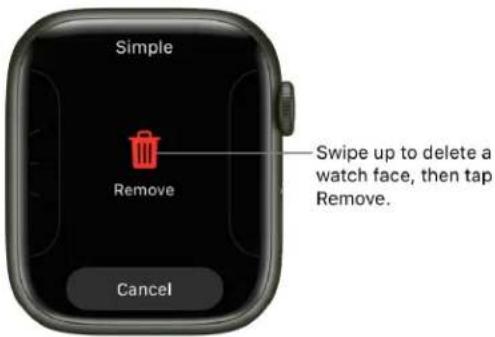
Set the watch ahead
- Open the Settings app on your Apple Watch.
- Tap Clock.
- Tap +0 min, then turn the Digital Crown to set the watch ahead by as much as 59 minutes.
This setting changes only the time shown on the watch face—it doesn't affect alarms, times in notifications, or any other times (such as World Clock).
Share Apple Watch faces
You can share watch faces with friends. Shared faces can include the complications included in watchOS as well as those created by third parties.
Note: The recipient of the watch face must also have an Apple Watch with watchOS 7 or later.
Share a watch face
- On Apple Watch, show the watch face you want to share.
- Touch and hold the display, then tap
- Tap the name of the watch face, then tap "Don't include" for any complications that you don't want to share.
- Tap a recipient, or tap Messages or Mail.
If you tap Messages or Mail, add a contact, subject (Mail), and message.
- Tap Send.
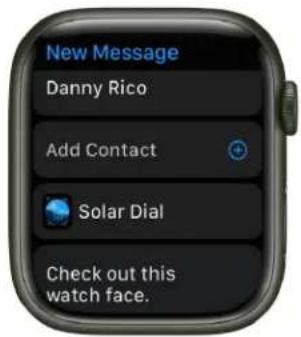
You can also open the Apple Watch app, tap a watch face from your collection or Face Gallery, tap 📁 then choose a sharing option.
Receive a watch face
You can receive shared watch faces sent to you in Messages or Mail, or by clicking a link online.
- Open a text, email, or link that contains a shared watch face.
- Tap the shared watch face, then tap Add.
If you receive a watch face with a complication from a third-party app, tap the price of the app or Get to download the app from the App Store. You can also tap Continue Without This App to get the watch face without the third-party complication.
For more information, see the Apple Support article Share Apple Watch faces.
Apple Watch faces and their features
Your Apple Watch comes with a variety of watch faces, most of which you can customize. See Customize the watch face to learn more.
Look for software updates; the set of watch faces that follows might differ from what you see on your Apple Watch. Not all watch faces available in all regions or on all models. To see the latest set of watch faces, make sure your software is up to date.
Activity Analog
This watch face shows your Activity progress, superimposed over a traditional analog clock. You can choose to see your Activity rings in the familiar stacked design or as subdials.
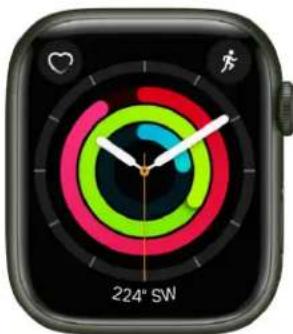
- Customizable features: Color • Style (Rings, Subdials)
• Available complications: Activity • Alarms • Astronomy (Moon Phase) • Audiobooks • Blood Oxygen • Calculator • Calendar (Today's Date, Your Schedule) • Camera Remote • Compass (Compass, Compass/Elevation, Elevation, Level) • Compass Waypoints • Contacts • Controls (Battery, Cellular) • ECG • Find Devices • Find Items • Find People • Heart Rate • Home • Mail • Maps (Maps, Nearby Transit) • Medications • Messages • Mindfulness • Music • News • Noise (Sound Levels) • Now Playing • Phone • Podcasts • Reminders • Shortcuts • Sleep • Stocks • Stopwatch • Timer • Tips • Voice Memos • Walkie-Talkie • Weather • Workout • World Clock (Sunrise/Sunset)
Activity Digital
With large, uniform fonts, this watch face shows the time in a digital format, along with your Activity progress.
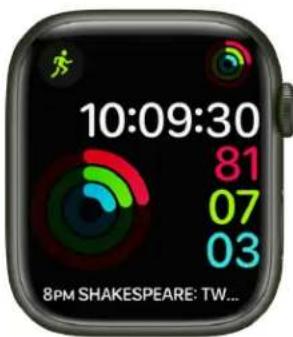
- Customizable features: Color · Seconds time • Available complications: Activity • Alarms • Astronomy (Moon Phase) • Audiobooks • Blood Oxygen • Calculator • Calendar (Today's Date, Your Schedule) • Camera Remote • Compass (Compass, Compass/Elevation, Elevation, Level) • Compass Waypoints • Contacts • Controls (Battery, Cellular) • Cycle Tracking • ECG • Find Devices • Find Items • Find People • Heart Rate • Home • Mail • Maps (Maps, Nearby Transit) • Medications • Messages • Mindfulness • Music • News • Noise (Sound Levels) • Now Playing • Phone • Podcasts • Reminders • Remote • Shortcuts • Sleep • Stocks • Stopwatch • Timer • Tips • Voice Memos • Walkie-Talkie • Weather • Workout • World Clock (Sunrise/Sunset)
Artist
This visually engaging face algorithmically changes every time you tap the display, and there are millions of combinations.

Astronomy
This watch face shows a continuously updating 3D model of the earth, moon, or solar system.

- Customizable features: Font · View (Earth, Moon, Solar System, Random) · Style (Full, Random) • Available complications: Activity • Alarms • Astronomy (Moon Phase) • Audiobooks • Calendar (Today's Date, Your Schedule) • Compass (Compass, Compass/Elevation, Elevation, Level) • Controls (Battery) • Heart Rate • Medications • Messages • Music • News • Noise • Now Playing • Podcasts • Reminders • Shortcuts • Stocks • Stopwatch • Timer • Weather • Workout • World Clock (Sunrise/Sunset)
Tip: When you add the Moon complication to a corner of a watch face that includes it, you can see the time of the next moonrise or moonset. For example, 11:44 PM, 12H 4M indicates that, at your location, the moon will set below the horizon at 11:44 in the evening, which is 12 hours and 4 minutes from the current time.
Breathe
This watch face encourages you to relax and breathe mindfully. Just tap the display to begin.
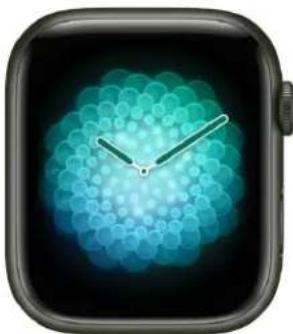
- Customizable features: Style (Classic, Calm, Focus) • Available complications: Activity • Alarms • Astronomy (Moon Phase) • Audiobooks • Blood Oxygen • Calculator • Calendar (Today's Date, Your Schedule) • Camera Remote • Compass (Compass, Elevation, Level) • Compass Waypoints • Contacts • Controls (Battery, Cellular) • Cycle Tracking • ECG • Find Devices • Find Items • Find People • Heart Rate • Home • Mail • Maps (Maps, Nearby Transit) • Medications • Messages • Mindfulness • Music • News • Noise (Sound Levels) • Now Playing • Phone • Podcasts • Reminders • Remote • Shortcuts • Sleep • Stocks • Stopwatch • Timer • Tips • Voice Memos • Walkie-Talkie • Weather • Workout • World Clock (Sunrise/Sunset)
California
This watch face features a mix of Roman and Arabic numerals.
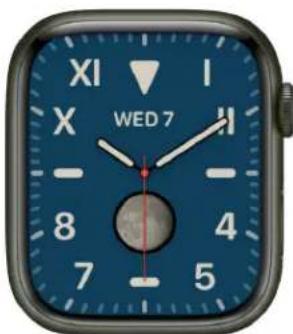
- Customizable features: Color • Numerals (Pills, Roman, California, Arabic, Arabic Indic, Devanagari) • Dial (Full Screen, Circular) • Available complications: Activity • Alarms • Astronomy (Earth, Moon, Moon Phase, Solar, Solar System) • Audiobooks • Blood Oxygen • Calculator • Calendar (Today's Date, Your Schedule) • Camera Remote • Compass (Compass, Elevation, Level) • Compass Waypoints • Contacts • Controls (Battery, Cellular) • Cycle Tracking • ECG • Find Devices • Find Items • Find People • Heart Rate • Home • Mail • Maps (Maps, Nearby Transit) • Medications • Messages • Mindfulness • Monogram • Music • News • Noise (Sound Levels) • Now Playing • Phone • Podcasts • Reminders • Remote • Shortcuts • Sleep • Stocks • Stopwatch • Time (Analog Seconds, Analog Time, Digital Seconds, Digital Time) • Timer • Tips • Voice Memos • Walkie-Talkie • Weather • Workout • World Clock (Sunrise/Sunset)
Chronograph
This watch face measures time in precise increments, like a classic analog stopwatch. It includes a stopwatch that can be activated right from the face.
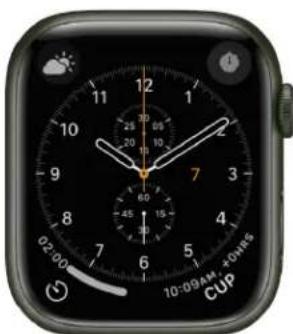
- Customizable features: Color · Timescale
• Available complications: Activity • Alarms • Astronomy (Moon Phase) • Audiobooks • Blood Oxygen • Calculator • Calendar (Today's Date, Your Schedule) • Camera Remote • Compass (Compass, Elevation, Level) • Compass Waypoints • Contacts • Controls (Battery, Cellular) • Cycle Tracking • ECG • Find Devices • Find Items • Find People • Heart Rate • Home • Mail • Maps (Maps, Nearby Transit) • Medications • Messages • Mindfulness • Music • News • Noise (Sound Levels) • Now Playing • Phone • Podcasts • Reminders • Remote • Shortcuts • Sleep • Stocks • Stopwatch • Timer • Tips • Voice Memos • Walkie-Talkie • Weather • Workout • World Clock (Sunrise/Sunset)
Chronograph Pro
Tap the bezel surrounding the main 12-hour dial on this watch face, and it transforms into a chronograph. Record time on scales of 60, 30, 6, or 3 seconds. Or select the tachymeter timescale to measure speed based on time travel over a fixed distance.
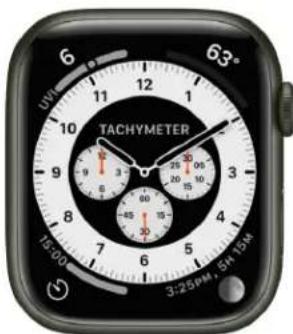
- Customizable features: Color · Timescale • Available complications: Activity • Alarms • Astronomy (Moon) • Audiobooks • Blood Oxygen • Calculator • Calendar (Today's Date, Your Schedule) • Camera Remote • Compass (Compass, Elevation, Level) • Compass Waypoints • Contacts • Controls (Battery, Cellular) • Cycle Tracking • ECG • Find Devices • Find Items • Find People • Heart Rate • Home • Mail • Maps (Maps, Nearby Transit) • Medications • Messages • Mindfulness • Music • News • Noise (Sound Levels) • Phone • Podcasts • Reminders • Remote • Shortcuts • Sleep • Stocks • Stopwatch • Timer • Tips • Voice Memos • Walkie-Talkie • Weather • Workout • World Clock (Sunrise/Sunset)
Color
This watch face displays the time and any features you add in your choice of bright colors.

- Customizable features: Color • Style (Circular or Dial. Includes a full-screen facet) • Monogram • Available complications: Activity • Alarms • Astronomy (Moon Phase) • Audiobooks • Blood Oxygen • Calculator • Calendar (Today's Date, Your Schedule) • Camera Remote • Compass (Compass, Elevation, Level) • Compass Waypoints • Contacts • Controls (Battery, Cellular) • Cycle Tracking • ECG • Find Devices • Find Items • Find People • Heart Rate • Home • Mail • Maps (Maps, Nearby Transit) • Medications • Messages • Mindfulness • Music • News • Noise (Sound Levels) • Phone • Podcasts • Reminders • Remote • Shortcuts • Sleep • Stocks • Stopwatch • Timer • Tips • Voice Memos • Walkie-Talkie • Weather • Workout • World Clock (Sunrise/Sunset)
Contour (Apple Watch Series 7 and Apple Watch Series 8 only)
This watch face gradually changes to highlight the current hour. The numerals are a custom font designed to fit into the edge of the display and move seamlessly from one hour to the next.
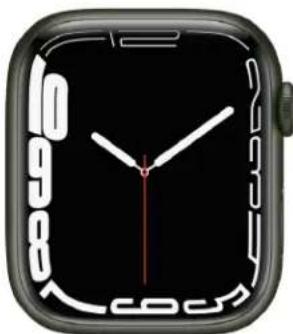
- Customizable features: Color • Style (Regular, Rounded) • Dial Color • Available complications: Activity • Alarms • Astronomy (Earth, Moon, Solar, Solar System) • Audiobooks • Blood Oxygen • Calculator • Calendar (Today's Date) • Camera Remote • Compass (Compass, Elevation, Level) • Compass Waypoints • Contacts • Controls (Battery, Cellular) • Cycle Tracking • ECG • Find Devices • Find Items • Find People • Heart Rate • Home • Mail • Maps (Maps, Nearby Transit) • Medications • Messages • Mindfulness • Monogram • Music • News • Noise (Sound Levels) • Phone • Podcasts • Reminders • Remote • Shortcuts • Sleep • Stocks • Stopwatch • Time (Analog Seconds, Analog Time, Digital Seconds, Digital Time) • Timer • Tips • Voice Memos • Walkie-Talkie • Weather • Workout • World Clock (Sunrise/Sunset)
Count Up
This watch face can be used to track elapsed time.
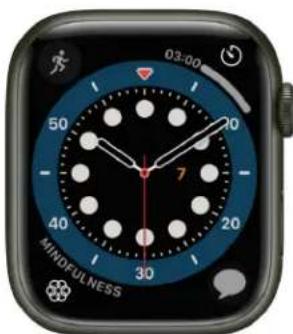
- Customizable features: Color • Available complications: Activity • Alarms • Astronomy (Moon) • Audiobooks • Blood Oxygen • Calculator • Calendar (Today's Date, Your Schedule) • Camera Remote • Compass (Compass, Elevation, Level) • Compass Waypoints • Contacts • Controls (Battery, Cellular) • Cycle Tracking • ECG • Find Devices • Find Items • Find People • Heart Rate • Home • Mail • Maps (Maps, Nearby Transit) • Medications • Messages • Mindfulness • Monogram • Music • News • Noise (Sound Levels) • Phone • Podcasts • Reminders • Remote • Shortcuts • Sleep • Stocks • Stopwatch • Timer • Tips • Voice Memos • Walkie-Talkie • Weather • Workout • World Clock (Sunrise/Sunset)
To start timing, tap the main 12-hour dial to align the marker on the outer bezel with the minute hand, turn the Digital Crown to set the length of time, then tap Start. To return the face to its default state, tap the red elapsed time button.
Explorer
The Explorer watch face (available on Apple Watch with cellular) prominently features green dots, which indicate cellular signal strength.
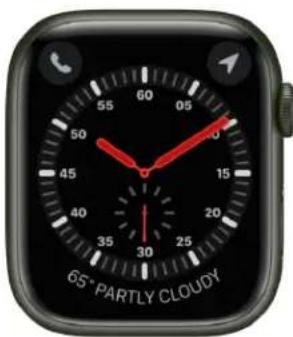
- Customizable features: Color of the hands • Style • Available complications: Activity • Alarms • Astronomy (Moon Phase) • Audiobooks • Blood Oxygen • Calculator • Calendar (Today's Date, Your Schedule) • Camera Remote • Compass (Compass, Compass/Elevation, Elevation, Level) • Compass Waypoints • Contacts • Controls (Battery, Cellular) • Cycle Tracking • ECG • Find Devices • Find Items • Find People • Heart Rate • Home • Mail • Maps (Maps, Nearby Transit) • Medications • Messages • Mindfulness • Music • News • Noise (Sound Levels) • Now Playing • Phone • Podcasts • Reminders • Remote • Shortcuts • Sleep • Stocks • Stopwatch • Timer • Tips • Voice Memos • Walkie-Talkie • Weather • Workout • World Clock (Sunrise/Sunset)
Fire and Water
This watch face animates whenever you raise your wrist or tap the display.
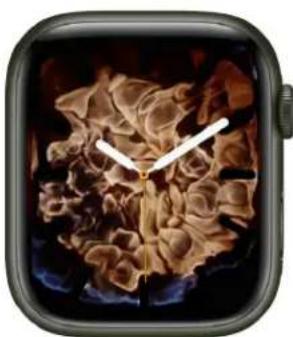
- Customizable features: Color (Fire, Water, Fire & Water) • Style (Includes a full-screen facet) • Available complications (Circular style only): Activity • Alarms • Astronomy (Moon Phase) • Audiobooks • Blood Oxygen • Calculator • Calendar (Today's Date, Your Schedule) • Camera Remote • Compass (Compass, Compass/Elevation, Elevation, Level) • Compass Waypoints • Contacts • Controls (Battery, Cellular) • Cycle Tracking • ECG • Find Devices • Find Items • Find People • Heart Rate • Home • Mail • Maps (Maps, Nearby Transit) • Medications • Messages • Mindfulness • Music • News • Noise (Sound Levels) • Now Playing • Phone • Podcasts • Reminders • Remote • Shortcuts • Sleep • Stocks • Stopwatch • Timer • Tips • Voice Memos • Walkie-Talkie • Weather • Workout • World Clock (Sunrise/Sunset)
GMT
This watch face has two dials: a 12-hour inner dial that displays local time, and a 24-hour outer dial that lets you track a second time zone.

- Customizable features: Color
• Available complications: Activity • Alarms • Astronomy (Moon) • Audiobooks • Blood Oxygen • Calculator • Calendar (Today's Date, Your Schedule) • Camera Remote • Compass (Compass, Elevation, Level) • Compass Waypoints • Contacts • Controls (Battery, Cellular) • Cycle Tracking • ECG • Find Devices • Find Items • Find People • Heart Rate • Home • Mail • Maps (Maps, Nearby Transit) • Medications • Messages • Mindfulness • Music • News • Noise (Sound Levels) • Phone • Podcasts • Reminders • Remote • Shortcuts • Sleep • Stocks • Stopwatch • Timer • Tips • Voice Memos • Walkie-Talkie • Weather • Workout • World Clock (Sunrise/Sunset)
To set a second time zone, tap the watch face, then turn the Digital Crown to choose a time zone. Tap to confirm your choice and return to the watch face. The red hand shows you the hour in the second time zone.
Gradient
This watch face features gradients that move with the time.
- Customizable features: Color • Style • Dial (Full Screen, Circular) • Available complications: Activity • Alarms • Astronomy (Moon, Moon Phase) • Audiobooks • Blood Oxygen • Calculator • Calendar (Today's Date, Your Schedule) • Camera Remote • Compass (Compass, Compass/Elevation, Elevation, Level) • Compass Waypoints • Contacts • Controls (Battery, Cellular) • Cycle Tracking • ECG • Find Devices • Find Items • Find People • Heart Rate • Home • Mail • Maps (Maps, Nearby Transit) • Medications • Messages • Mindfulness • Music • News • Noise (Sound Levels) • Now Playing • Phone • Podcasts • Reminders • Remote • Shortcuts • Sleep • Stocks • Stopwatch • Timer • Tips • Voice Memos • Walkie-Talkie • Weather • Workout • World Clock (Sunrise/Sunset)
Infograph
This watch face features up to eight rich, full-color complications and subdials.

- Customizable features: Color
• Available complications: Activity • Alarms • Astronomy (Earth, Moon, Solar, Solar System) • Audiobooks • Blood Oxygen • Calculator • Calendar (Today's Date, Your Schedule) • Camera Remote • Compass (Compass, Elevation, Level) • Compass Waypoints • Contacts • Controls (Battery, Cellular) • Cycle Tracking • ECG • Find Devices • Find Items • Find People • Heart Rate • Home • Mail • Maps (Maps, Nearby Transit) • Medications • Messages • Mindfulness • Monogram • Music • News • Noise (Sound Levels) • Phone • Podcasts • Reminders • Remote • Shortcuts • Sleep • Stocks • Stopwatch • Time (Digital Time) • Timer • Tips • Voice Memos • Walkie-Talkie • Weather • Workout • World Clock (Sunrise/Sunset)
Kaleidoscope
Select a photo to create a watch face with evolving patterns of shapes and colors. Turn the Digital Crown to change the pattern.

- Customizable features: Image • Style (Includes a full-screen facet) • Available complications (Facet, Radial, and Rosette styles): Activity • Alarms • Astronomy (Moon Phase) • Audiobooks • Blood Oxygen • Calculator • Calendar (Today's Date, Your Schedule) • Camera Remote • Compass (Compass, Compass/Elevation, Elevation, Level) • Compass Waypoints • Contacts • Controls (Battery, Cellular) • Cycle Tracking • ECG • Find Devices • Find Items • Find People • Heart Rate • Home • Mail • Maps (Maps, Nearby Transit) • Medications • Messages • Mindfulness • Music • News • Noise (Sound Levels) • Now Playing • Phone • Podcasts • Reminders • Remote • Shortcuts • Sleep • Stocks • Stopwatch • Time (Digital Time) • Timer • Tips • Voice Memos • Walkie-Talkie • Weather • Workout • World Clock (Sunrise/Sunset)
Liquid Metal
This watch face animates whenever you raise your wrist or tap the display.
- Customizable features: Color • Style (Includes a full-screen facet) • Available complications: Activity • Alarms • Astronomy (Moon Phase) • Audiobooks • Blood Oxygen • Calculator • Calendar (Today's Date, Your Schedule) • Camera Remote • Compass (Compass, Compass/Elevation, Elevation, Level) • Compass Waypoints • Contacts • Controls (Battery, Cellular) • Cycle Tracking • ECG • Find Devices • Find Items • Find People • Heart Rate • Home • Mail • Maps (Maps, Nearby Transit) • Medications • Messages • Mindfulness • Music • News • Noise (Sound Levels) • Now Playing • Phone • Podcasts • Reminders • Remote • Shortcuts • Sleep • Stocks • Stopwatch • Timer • Tips • Voice Memos • Walkie-Talkie • Weather • Workout • World Clock (Sunrise/Sunset)
Lunar
This watch face depicts the relationship of the date and time to the phases of the moon.
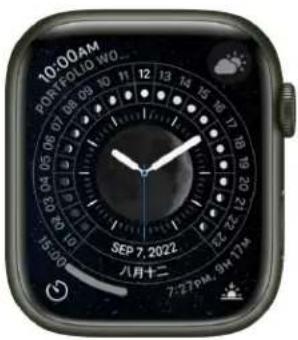
- Customizable features: Color • Calendar (Chinese, Hebrew, Islamic) • Time (Analog, Digital) • Available complications: Activity • Alarms • Astronomy (Moon) • Audiobooks • Blood Oxygen • Calculator • Calendar (Today's Date, Your Schedule) • Camera Remote • Compass (Compass, Elevation, Level) • Compass Waypoints • Contacts • Controls (Battery, Cellular) • Cycle Tracking • ECG • Find Devices • Find Items • Find People • Heart Rate • Home • Mail • Maps • Medications • Messages • Mindfulness • Music • News • Noise (Sound Levels) • Phone • Podcasts • Reminders • Remote • Shortcuts • Sleep • Stocks • Stopwatch • Timer • Tips • Voice Memos • Walkie-Talkie • Weather • Workout • World Clock (Sunrise/Sunset)
Memoji
This watch face features Memoji you've created and all the Memoji characters.
- Customizable features: Character
• Available complications: Activity • Alarms • Astronomy (Moon Phase) • Audiobooks • Calendar (Today's Date, Your Schedule) • Compass (Compass, Compass/Elevation, Elevation, Level) • Compass Waypoints • Controls (Battery) • Heart Rate • Medications • Messages • Music • News • Noise (Sound Levels) • Now Playing • Podcasts • Reminders • Shortcuts • Stocks • Stopwatch • Timer • Weather • Workout • World Clock (Sunrise/Sunset)
Meridian
This full-screen watch face features a classic look with four subdials.
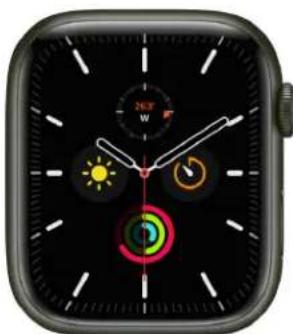
- Customizable features: Color · Dial (Black, White) • Available complications: Activity • Alarms • Astronomy (Earth, Moon, Solar, Solar System) • Audiobooks • Blood Oxygen • Calculator • Calendar (Today's Date) • Camera Remote • Compass (Compass, Elevation, Level) • Compass Waypoints • Contacts • Controls (Battery, Cellular) • Cycle Tracking • ECG • Find Devices • Find Items • Find People • Heart Rate • Home • Mail • Maps (Maps, Nearby Transit) • Medications • Messages • Mindfulness • Monogram • Music • News • Noise (Sound Levels) • Phone • Podcasts • Reminders • Remote • Shortcuts • Sleep • Stocks • Stopwatch • Time (Analog Seconds, Analog Time, Digital Seconds, Digital Time) • Timer • Tips • Voice Memos • Walkie-Talkie • Weather • Workout • World Clock (Sunrise/Sunset)
Metropolitan
This classic, type-driven watch face features custom-designed numbers that dynamically change in style and weight as you turn the Digital Crown. The numerals rotate to become pills when your wrist is down.
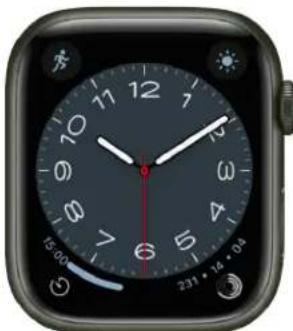
- Customizable features: Color · Style · Dial • Available complications: Activity • Alarms • Astronomy (Moon Phase) • Audiobooks • Calculator • Calendar (Today's Date, Your Schedule) • Camera Remote • Compass (Compass, Elevation, Level) • Compass Waypoints • Contacts • Controls (Battery, Cellular) • Cycle Tracking • ECG • Find Devices • Find Items • Find People • Heart Rate • Home • Mail • Maps • Medications • Messages • Mindfulness • Music • News • Noise (Sound Levels) • Phone • Podcasts • Reminders • Remote • Shortcuts • Sleep • Stocks • Stopwatch • Timer • Tips • Voice Memos • Walkie-Talkie • Weather • Workout • World Clock (Sunrise/Sunset)
Mickey Mouse and Minnie Mouse
Let Mickey Mouse or Minnie Mouse give you a whimsical view of the time—their arms rotate to indicate the hours and minutes, while their feet tap out each second.

- Customizable features: Color · Character • Available complications: Activity • Alarms • Astronomy (Moon Phase) • Audiobooks • Blood Oxygen • Calculator • Calendar (Today's Date, Your Schedule) • Camera Remote • Compass (Compass, Compass/Elevation, Elevation, Level) • Compass Waypoints • Contacts • Controls (Battery, Cellular) • ECG • Find Devices • Find Items • Find People • Heart Rate • Home • Mail • Maps (Maps, Nearby Transit) • Medications • Messages • Mindfulness • Music • News • Noise (Sound Levels) • Now Playing • Phone • Podcasts • Reminders • Shortcuts • Sleep • Stocks • Stopwatch • Timer • Tips • Voice Memos • Walkie-Talkie • Weather • Workout • World Clock (Sunrise/Sunset)
To hear Mickey Mouse or Minnie Mouse tell you the time, open the Settings app on your Apple Watch, tap Clock, then turn on Speak Time. Raise your wrist, then place two fingers on the watch face to hear the time.
Modular
This watch face has six complication slots in an easy-to-read typographic interface.
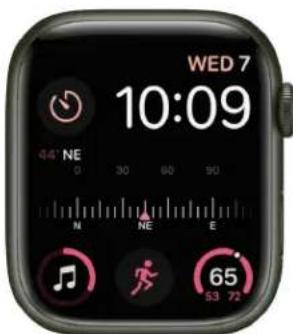
- Customizable features: Color · Background • Available complications: Activity • Alarms • Astronomy (Earth, Moon, Solar, Solar System) • Audiobooks • Blood Oxygen • Calculator • Calendar (Today's Date, Your Schedule) • Camera Remote • Compass (Compass, Elevation, Level) • Compass Waypoints • Contacts • Controls (Battery, Cellular) • Cycle Tracking • ECG • Find Devices • Find Items • Find People • Heart Rate • Home • Mail • Maps • Medications • Messages • Mindfulness • Music • News • Noise (Sound Levels) • Now Playing • Phone • Podcasts • Reminders • Remote • Shortcuts • Sleep • Stocks • Stopwatch • Time • Timer • Tips • Voice Memos • Walkie-Talkie • Weather • Workout • World Clock (Sunrise/Sunset)
Modular Compact
With this watch face, you can choose up to three complications as well as a digital or analog dial.
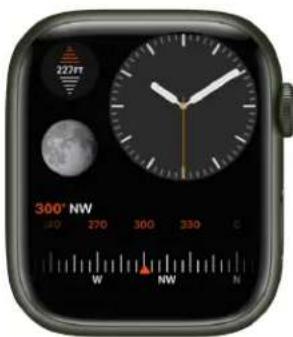
- Customizable features: Color · Dial (Analog, Digital) • Available complications: Activity • Alarms • Astronomy (Earth, Moon, Solar, Solar System) • Audiobooks • Blood Oxygen • Calculator • Calendar (Today's Date, Your Schedule) • Camera Remote • Compass (Compass, Elevation, Level) • Compass Waypoints • Contacts • Controls (Battery, Cellular) • Cycle Tracking • ECG • Find Devices • Find Items • Find People • Heart Rate • Home • Mail • Maps (Maps, Nearby Transit) • Medications • Messages • Mindfulness • Music • News • Noise (Sound Levels) • Now Playing • Phone • Podcasts • Reminders • Remote • Shortcuts • Sleep • Stocks • Stopwatch • Time (Analog Seconds, Analog Time, Digital Seconds, Digital Time) • Timer • Tips • Voice Memos • Walkie-Talkie • Weather • Workout • World Clock (Sunrise/Sunset)
Modular Duo (Apple Watch Series 7 and Apple Watch Series 8 only)
This watch face features digital time and up to three complications. Two of them are large, rectangular options that let you see more details in the complications you care about most.

- Customizable features: Color
• Available complications: Activity • Alarms • Astronomy (Earth, Moon, Solar, Solar System) • Audiobooks • Blood Oxygen • Calculator • Calendar (Today's Date, Your Schedule) • Camera Remote • Compass (Compass, Elevation, Level) • Compass Waypoints • Contacts • Controls (Battery, Cellular) • Cycle Tracking • ECG • Find Devices • Find Items • Find People • Heart Rate • Home • Mail • Maps (Maps, Nearby Transit) • Medications • Messages • Mindfulness • Music • News • Noise (Sound Levels) • Now Playing • Phone • Podcasts • Reminders • Remote • Shortcuts • Sleep • Stocks • Stopwatch • Time (Analog Seconds, Analog Time, Digital Seconds, Digital Time) • Timer • Tips • Voice Memos • Walkie-Talkie • Weather • Workout • World Clock (Sunrise/Sunset)
Motion
This watch face displays a beautiful animated theme.
- Customizable features: Animated object (Butterflies, Flowers, Jellyfish)
• Available complications: Activity • Alarms • Astronomy (Moon Phase) • Audiobooks • Calendar (Today's Date, Your Schedule) • Compass (Compass, Compass/Elevation, Elevation) • Controls (Battery) • Heart Rate • Medications • Messages • Music • News • Noise (Sound Levels) • Now Playing • Podcasts • Reminders • Shortcuts • Stocks • Stopwatch • Timer • Weather • Workout • World Clock (Sunrise/Sunset)
Nike Analog
Designed in partnership with Nike, this analog-style watch face prominently displays the time in large numerals.
- Customizable features: Color · Style
• Available complications: Activity • Alarms • Astronomy (Moon) • Audiobooks • Blood Oxygen • Calculator • Calendar (Today's Date, Your Schedule) • Camera Remote • Compass (Compass, Elevation, Level) • Compass Waypoints • Contacts • Controls (Battery, Cellular) • Cycle Tracking • ECG • Find Devices • Find Items • Find People • Heart Rate • Home • Mail • Maps (Maps, Nearby Transit) • Medications • Messages • Mindfulness • Music • News • Nike Run Club App • Noise (Sound Levels) • Now Playing • Phone • Podcasts • Reminders • Remote • Shortcuts • Sleep • Stocks • Stopwatch • Timer • Tips • Voice Memos • Walkie-Talkie • Weather • Workout • World Clock (Sunrise/Sunset)
Nike Bounce
This watch face moves with you. The digital numerals react to every step, jump, or move of your wrist. You can tap the display or turn the Digital Crown to also set things in motion.
- Customizable features: Color · Background
Nike Compact
Based on Modular Compact, this face features a custom dial with three designs. Each design lets you choose up to three complications.
- Customizable features: Color · Style • Available complications: Activity • Alarms • Astronomy (Earth, Moon, Solar, Solar System) • Audiobooks • Blood Oxygen • Calculator • Calendar (Today's Date, Your Schedule) • Camera Remote • Compass (Compass, Elevation, Level) • Compass Waypoints • Contacts • Controls (Battery, Cellular) • Cycle Tracking • ECG • Find Devices • Find Items • Find People • Heart Rate • Home • Mail • Maps (Maps, Nearby Transit) • Medications • Messages • Mindfulness • Music • News • Nike Run Club App • Noise (Sound Levels) • Now Playing • Phone • Podcasts • Reminders • Remote • Shortcuts • Sleep • Stocks • Stopwatch • Time (Analog Seconds, Analog Time, Digital Seconds, Digital Time) • Timer • Tips • Voice Memos • Walkie-Talkie • Weather • Workout • World Clock (Sunrise/Sunset)
Nike Digital
Designed in partnership with Nike, this digital-style face prominently displays the time and includes a permanent complication for launching the Nike Run Club app.
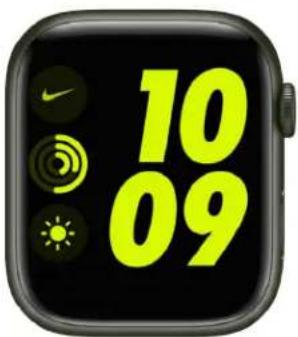
- Customizable features: Color • Available complications: Activity • Alarms • Astronomy (Earth, Moon, Solar, Solar System) • Audiobooks • Blood Oxygen • Calculator • Calendar (Today's Date, Your Schedule) • Camera Remote • Compass (Compass, Elevation, Level) • Compass Waypoints • Contacts • Controls (Battery, Cellular) • Cycle Tracking • ECG • Find Devices • Find Items • Find People • Heart Rate • Home • Mail • Maps (Maps, Nearby Transit) • Medications • Messages • Mindfulness • Music • News • Nike Run Club App • Noise (Sound Levels) • Now Playing • Phone • Podcasts • Reminders • Remote • Shortcuts • Sleep • Stocks • Stopwatch • Time (Analog Seconds, Analog Time, Digital Seconds, Digital Time) • Timer • Tips • Voice Memos • Walkie-Talkie • Weather • Workout • World Clock (Sunrise/Sunset)
Nike Hybrid
This watch face features analog, digital, and Windrunner-inspired designs. It's customizable in a variety of ways and includes up to five complications.
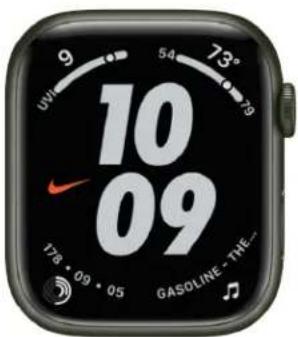
- Customizable features: Color · Time · Dial • Available complications: Activity • Alarms • Astronomy (Moon, Moon Phase) • Audiobooks • Blood Oxygen • Calculator • Calendar (Today's Date, Your Schedule) • Camera Remote • Compass (Compass, Elevation, Level) • Compass Waypoints • Contacts • Controls (Battery, Cellular) • Cycle Tracking • ECG • Find Devices • Find Items • Find People • Heart Rate • Home • Mail • Maps (Maps, Nearby Transit) • Medications • Messages • Mindfulness • Music • News • Nike Run Club App • Noise (Sound Levels) • Now Playing • Phone • Podcasts • Reminders • Remote • Shortcuts • Sleep • Stocks • Stopwatch • Time (Analog Seconds, Analog Time, Digital Seconds, Digital Time) • Timer • Tips • Voice Memos • Walkie-Talkie • Weather • Workout • World Clock (Sunrise/Sunset)
Numerals
This watch face displays the time with analog hands over a large hour marker. You can choose from seven different typefaces and countless colors for the perfect combination.
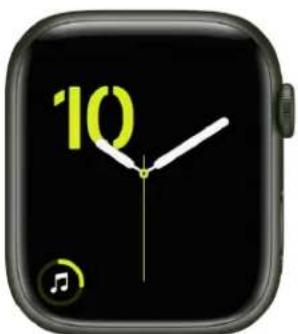
- Customizable features: Color · Symbols • Available complications: Activity • Alarms • Astronomy (Moon Phase) • Audiobooks • Blood Oxygen • Calculator • Calendar (Today's Date, Your Schedule) • Compass (Compass, Elevation, Level) • Compass Waypoints • Controls (Battery) • Heart Rate • Medications • Messages • Music • News • Noise (Sound Levels) • Now Playing • Podcasts • Reminders • Shortcuts • Stocks • Stopwatch • Timer • Tips • Weather • Workout • World Clock (Sunrise/Sunset)
Numerals Duo
This watch face displays large numbers in an Apple-designed font made specifically for Apple Watch.
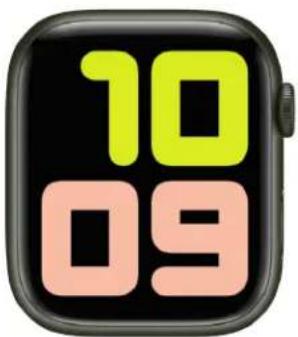
- Customizable features: Colors • Symbols (Arabic, Arabic Indic, Devanagari) • Style (Filled, Hybrid, Outline)
Numerals Mono
This watch face displays large numbers in an Apple-designed font made specifically for Apple Watch.
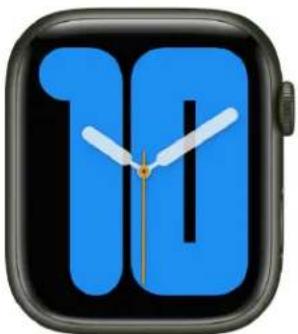
- Customizable features: Color • Symbols (Arabic, Arabic Indic, Devanagari, Roman) • Style (Filled, Outline)
Photos
This watch face displays a new photo every time you raise your wrist or tap the display. Choose an album, Memory, or up to 24 custom photos.
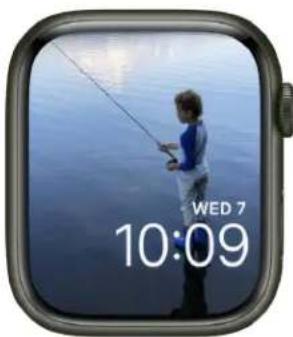
- Customizable features: Color filters · Content (Synced Album, Favorites, Photos, Dynamic) · Time Position
• Available complications: Activity • Alarms • Astronomy (Moon Phase) • Audiobooks • Calendar (Today's Date, Your Schedule) • Compass (Compass, Compass/Elevation, Elevation) • Controls (Battery) • Heart Rate • Medications • Messages • Music • News • Noise (Sound Levels) • Now Playing • Podcasts • Reminders • Shortcuts • Stocks • Stopwatch • Timer • Weather • Workout • World Clock (Sunrise/Sunset)
Create a Photos face on your Apple Watch: With the current watch face showing, touch and hold the display, swipe all the way to the right, tap the New button (+), then tap Photos. Or, while browsing in the Photos app on your Apple Watch, tap scroll to the bottom of the screen, then tap Create Face.
Create a Photos face on your iPhone: Open the Photos app on your iPhone, tap a photo, swipe up, then tap Create Watch Face. Choose to create a Portraits watch face, Photos watch face, or a Kaleidoscope watch face.
Add a color filter: On Apple Watch, touch and hold a Photos watch face, tap Edit, then turn the Digital Crown to choose a color filter. To choose from a wider selection of colors, scroll to the bottom of the list, tap "Tap to add more colors," choose a color, then tap Done.
On iPhone, open the Apple Watch app, go to Face Gallery > Photos, then choose a color filter. Tap to choose from a wider selection of colors.
If you're not seeing photos, make sure the photos are in your synced album. For help, see Choose a photo album and manage storage.
Playtime
This watch face is a dynamic piece of art that's unique to Apple Watch. Rotating the Digital Crown changes the background, and the characters react when you tap on the face.

Portraits
The Portraits watch face uses photos from the photo library on your iPhone. Layer effects are applied to photos of people, dogs, cats, and landscapes. You can choose from three different type styles and select up to 24 photos. A new photo appears each time you raise your wrist or tap the display.

- Customizable features: Color · Style (Background, Duotone) · Font • Available complications: Activity • Alarms • Astronomy (Moon Phase) • Audiobooks • Calendar (Today's Date, Your Schedule) • Compass (Compass, Compass/Elevation, Elevation) • Controls (Battery) • Heart Rate • Medications • Messages • Music • News • Noise (Sound Levels) • Now Playing • Podcasts • Reminders • Shortcuts • Stocks • Stopwatch • Timer • Weather • Workout • World Clock (Sunrise/Sunset)

Tip: Turn the Digital Crown to zoom in on the photo's subject.
Pride Analog
This face is inspired by the rainbow flag. The threads of color move when you tap the face or turn the Digital Crown.
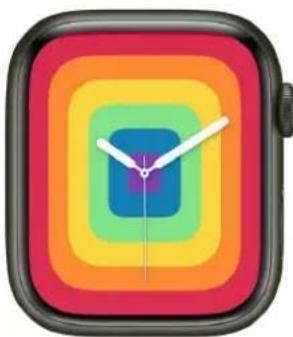
- Customizable features: Style (Includes a full-screen facet)
• Available complications (complications available only with Circular style): Activity • Alarms • Astronomy (Moon Phase) • Audiobooks • Blood Oxygen • Calculator • Calendar (Today's Date, Your Schedule) • Camera Remote • Compass (Compass, Elevation, Level) • Compass Waypoints • Contacts • Controls (Battery, Cellular) • Cycle Tracking • ECG • Find Devices • Find Items • Find People • Heart Rate • Home • Mail • Maps (Maps, Nearby Transit) • Medications • Messages • Mindfulness • Music • News • Noise (Sound Levels) • Phone • Podcasts • Reminders • Remote • Shortcuts • Sleep • Stocks • Stopwatch • Timer • Tips • Voice Memos • Walkie-Talkie • Weather • Workout • World Clock (Sunrise/Sunset)
Pride Digital
This face is inspired by the rainbow flag. The threads of color move when you tap the face or turn the Digital Crown.
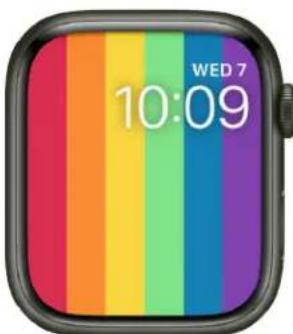
- Customizable features: Style (I, II, III)
• Available complications: Activity • Alarms • Astronomy (Moon Phase) • Audiobooks • Calendar (Today's Date, Your Schedule) • Compass (Compass, Compass/Elevation, Elevation) • Controls (Battery) • Heart Rate • Medications • Messages • Music • News • Noise (Sound Levels) • Now Playing • Podcasts • Reminders • Shortcuts • Stocks • Stopwatch • Timer • Weather • Workout • World Clock (Sunrise/Sunset)
Pride Threads
This face is inspired by the rainbow flag. The threads of color shimmer when you tap the face or turn the Digital Crown.
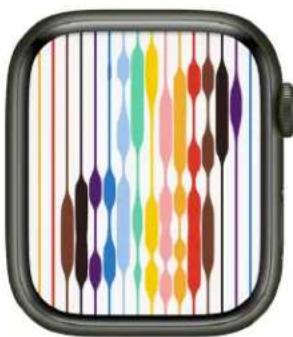
- Customizable features: Background (Light, Dark)
Pride Woven
This face is inspired by the rainbow flag. The threads of color move when you turn the Digital Crown.
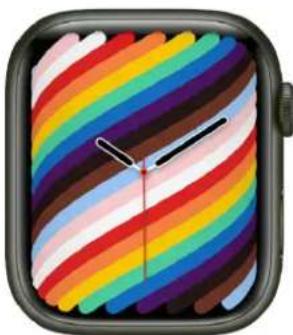
- Customizable features: Style (Full Screen, Circle)
• Available complications (complications available only with Circular style): Activity • Alarms • Astronomy (Moon) • Audiobooks • Blood Oxygen • Calculator • Calendar (Today's Date, Your Schedule) • Camera Remote • Compass (Compass, Elevation, Level) • Compass Waypoints • Contacts • Controls (Battery, Cellular) • Cycle Tracking • ECG • Find Devices • Find Items • Find People • Heart Rate • Home • Mail • Maps (Maps, Nearby Transit) • Medications • Messages • Mindfulness • Music • News • Noise (Sound Levels) • Phone • Podcasts • Reminders • Remote • Shortcuts • Sleep • Stocks • Stopwatch • Timer • Tips • Voice Memos • Walkie-Talkie • Weather • Workout • World Clock (Sunrise/Sunset)
Simple
This minimalistic and elegant watch face lets you add detail to the dial and features to the corners.
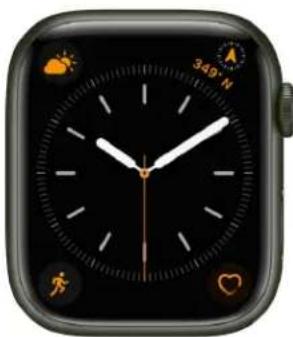
- Customizable features: Color · Style (I, II, III, IV)
• Available complications: Activity • Alarms • Astronomy (Moon) • Audiobooks • Blood Oxygen • Calculator • Calendar (Today's Date, Your Schedule) • Camera Remote • Compass (Compass, Elevation, Level) • Compass Waypoints • Contacts • Controls (Battery, Cellular) • Cycle Tracking • ECG • Find Devices • Find Items • Find People • Heart Rate • Home • Mail • Maps (Maps, Nearby Transit) • Medications • Messages • Mindfulness • Music • News • Noise (Sound Levels) • Phone • Podcasts • Reminders • Remote • Shortcuts • Sleep • Stocks • Stopwatch • Timer • Tips • Voice Memos • Walkie-Talkie • Weather • Workout • World Clock (Sunrise/Sunset)
Siri
This face displays information that's timely and helpful. It might be your next appointment, the traffic on your way home, or the time the sun sets, and you can tap to get more information. You can also turn the Digital Crown to scroll through your day.
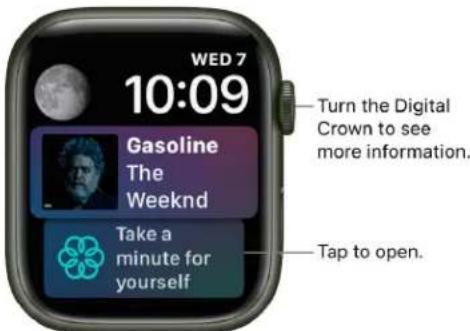
- Customizable features: Color
• Available complications: Activity • Alarms • Astronomy (Moon Phase) • Audiobooks • Blood Oxygen • Calculator • Calendar (Today's Date, Your Schedule) • Camera Remote • Compass (Compass, Elevation, Level) • Compass Waypoints • Contacts • Controls (Battery, Cellular) • Cycle Tracking • ECG • Find Devices • Find Items • Find People • Heart Rate • Home • Mail • Maps (Maps, Nearby Transit) • Medications • Messages • Mindfulness • Music • News • Noise (Sound Levels) • Phone • Podcasts • Reminders • Remote • Shortcuts • Siri • Sleep • Stocks • Stopwatch • Timer • Tips • Voice Memos • Walkie-Talkie • Weather • Workout • World Clock (Sunrise/Sunset)
Solar Dial
This watch face features a 24-hour, circular dial that tracks the sun as well as an analog or digital dial that moves opposite to the sun's path.
Tip: Tap the watch face to see the day's length.

- Customizable features: Dial (Analog, Digital)
• Available complications: Activity • Alarms • Astronomy (Moon) • Audiobooks • Blood Oxygen • Calculator • Calendar (Today's Date, Your Schedule) • Camera Remote • Compass (Compass, Elevation, Level) • Compass Waypoints • Contacts • Controls (Battery, Cellular) • Cycle Tracking • ECG • Find Devices • Find Items • Find People • Heart Rate • Home • Mail • Maps (Maps, Nearby Transit) • Medications • Messages • Mindfulness • Music • News • Noise (Sound Levels) • Phone • Podcasts • Reminders • Remote • Shortcuts • Sleep • Stocks • Stopwatch • Timer • Tips • Voice Memos • Walkie-Talkie • Weather • Workout • World Clock (Sunrise/Sunset)
Solar Graph
Based on your current location and time of day, the Solar Graph watch face displays the sun's position in the sky, as well as the day, date, and current time.

• Available complications: Activity • Alarms • Astronomy (Moon Phase) • Audiobooks • Calendar (Today's Date, Your Schedule) • Camera Remote • Compass (Compass, Compass/Elevation, Elevation) • Controls (Battery) • Heart Rate • Medications • Messages • Music • News • Noise (Sound Levels) • Now Playing • Podcasts • Reminders • Shortcuts • Stocks • Stopwatch • Timer • Weather • Workout • World Clock (Sunrise/Sunset)
Stripes
On this watch face you can select the number of stripes you want, choose colors, and rotate the angle.
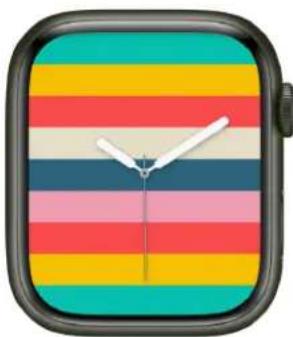
- Customizable features: Style · Number of stripes · Color of stripes • Available complications (complications available only with Circular style): Activity • Alarms • Astronomy (Moon) • Audiobooks • Blood Oxygen • Calculator • Calendar (Today's Date, Your Schedule) • Camera Remote • Compass (Compass, Elevation, Level) • Compass Waypoints • Contacts • Controls (Battery, Cellular) • Cycle Tracking • ECG • Find Devices • Find Items • Find People • Heart Rate • Home • Mail • Maps (Maps, Nearby Transit) • Medications • Messages • Mindfulness • Music • News • Noise (Sound Levels) • Phone • Podcasts • Reminders • Remote • Shortcuts • Sleep • Stocks • Stopwatch • Timer • Tips • Voice Memos • Walkie-Talkie • Weather • Workout • World Clock (Sunrise/Sunset)
Timelapse
This watch face shows a timelapse video of a natural setting or cityscape of your choice.
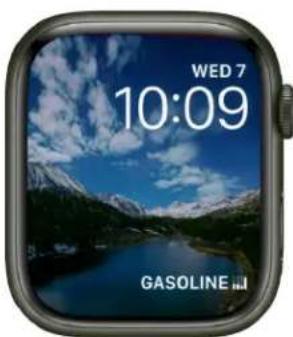
- Customizable features: Location (Mack Lake, New York, Hong Kong, London, Paris, Shanghai) • Available complications: Activity • Alarms • Astronomy (Moon Phase) • Audiobooks • Calendar (Today's Date, Your Schedule) • Compass (Compass, Compass/Elevation, Elevation) • Controls (Battery) • Heart Rate • Medications • Messages • Music • News • Noise (Sound Levels) • Now Playing • Podcasts • Reminders • Shortcuts • Stocks • Stopwatch • Timer • Weather • Workout • World Clock (Sunrise/Sunset)
Toy Story
Your favorite Toy Story characters come to life with a raise of the wrist.

- Customizable features: Character (Toy Box, Buzz, Jessie, Woody) • Available complications: Activity • Alarms • Astronomy (Moon Phase) • Audiobooks • Calendar (Today's Date, Your Schedule) • Compass (Compass, Compass/Elevation, Elevation) • Controls (Battery) • Heart Rate • Medications • Messages • Music • News • Noise (Sound Levels) • Now Playing • Podcasts • Reminders • Shortcuts • Stocks • Stopwatch • Timer • Weather • Workout • World Clock (Sunrise/Sunset)
Typography
This watch face features three custom fonts.

- Customizable features: Color · Dial · Style · Symbols • Available complications (complications available only with Dial II): Date • Monogram • Stopwatch • Digital Time • Timer
Unity
This watch face is inspired by the colors of the Pan-African Flag. The shapes change as you move, creating a face that's unique to you.
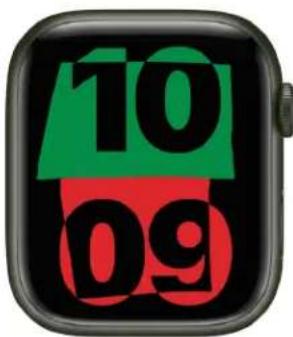
- Customizable features: Color • Available complications: Activity • Alarms • Astronomy (Moon Phase) • Audiobooks • Calendar (Today's Date, Your Schedule) • Compass (Compass, Compass/Elevation, Elevation) • Controls (Battery) • Heart Rate • Medications • Messages • Music • News • Noise (Sound Levels) • Now Playing • Podcasts • Reminders • Shortcuts • Stocks • Stopwatch • Timer • Weather • Workout • World Clock (Sunrise/Sunset)
Unity Lights
This watch face is inspired by Afrofuturism—a philosophy that explores the experience of the African diaspora through science, technology, and self-empowerment.

- Customizable features: Color · Dial · Style (Rectangle, Circle) • Available complications (complications available only with Circular style): Activity • Alarms • Astronomy (Moon Phase) • Audiobooks • Blood Oxygen • Calculator • Calendar (Today's Date, Your Schedule) • Camera Remote • Compass (Compass, Elevation, Level) • Compass Waypoints • Contacts • Controls (Battery, Cellular) • Cycle Tracking • ECG • Find Devices • Find Items • Find People • Heart Rate • Home • Mail • Maps • (Maps, Nearby Transit) • Medications • Messages • Mindfulness • Music • News • Noise (Sound Levels) • Phone • Podcasts • Reminders • Remote • Shortcuts • Sleep • Stocks • Stopwatch • Timer • Tips • Voice Memos • Walkie-Talkie • Weather • Workout • World Clock (Sunrise/Sunset)
Utility
This watch face is practical and functional; add up to three complications to display what you want to see at a glance.

- Customizable features: Color · Style · Typeface • Available complications: Activity • Alarms • Astronomy (Moon Phase) • Audiobooks • Blood Oxygen • Calculator • Calendar (Today's Date, Your Schedule) • Camera Remote • Compass (Compass, Elevation, Level) • Compass Waypoints • Contacts • Controls (Battery, Cellular) • Cycle Tracking • ECG • Find Devices • Find Items • Find People • Heart Rate • Home • Mail • Maps (Maps, Nearby Transit) • Medications • Messages • Mindfulness • Music • News • Noise (Sound Levels) • Phone • Podcasts • Reminders • Remote • Shortcuts • Sleep • Stocks • Stopwatch • Timer • Tips • Voice Memos • Walkie-Talkie • Weather • Workout • World Clock (Sunrise/Sunset)
Vapor
This watch face animates whenever you raise your wrist or tap the display.

- Customizable features: Color • Style (Includes a full-screen facet) • Available complications (Circular style only): Activity • Alarms • Astronomy (Moon Phase) • Audiobooks • Blood Oxygen • Calculator • Calendar (Today's Date, Your Schedule) • Camera Remote • Compass (Compass, Compass/Elevation, Elevation, Level) • Compass Waypoints • Contacts • Controls (Battery, Cellular) • Cycle Tracking • ECG • Find Devices • Find Items • Find People • Heart Rate • Home • Mail • Maps (Maps, Nearby Transit) • Medications • Messages • Mindfulness • Music • News • Noise (Sound Levels) • Now Playing • Phone • Podcasts • Reminders • Remote • Shortcuts • Sleep • Stocks • Stopwatch • Timer • Tips • Voice Memos • Walkie-Talkie • Weather • Workout • World Clock (Sunrise/Sunset)
World Time
This watch face lets you track the time in 24 time zones at once. The locations around the outer dial represent the different time zones, while the inner dial shows the current time in each location. Tapping the globe centers it to the time zone you're in, which is also noted by the arrow at 6 o'clock.
The sun and moon icons represent sunrise and sunset where you are, and the light and dark zones on the globe reflect night and day moving across the earth.
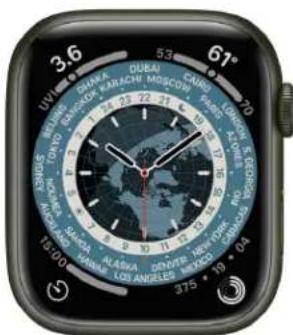
- Customizable features: Analog or digital time
Available complications: Activity • Alarms • Astronomy (Moon Phase) • Audiobooks • Blood Oxygen • Calculator • Calendar (Today's Date, Your Schedule) • Camera Remote • Compass (Compass, Elevation, Level) • Compass Waypoints • Contacts • Controls (Battery, Cellular) • Cycle Tracking • ECG • Find Devices • Find Items • Find People • Heart Rate • Home • Mail • Maps (Maps, Nearby Transit) • Medications • Messages • Mindfulness • Music • News • Noise (Sound Levels) • Phone • Podcasts • Reminders • Remote • Shortcuts • Sleep • Stocks • Stopwatch • Timer • Tips • Voice Memos • Walkie-Talkie • Weather • Workout • World Clock (Sunrise/Sunset)
X-Large
For when you need the largest available display. When you add a complication, it fills the screen.

- Customizable features: Color • Available complications: Activity • Alarms • Astronomy (Earth, Moon, Solar, Solar System) • Audiobooks • Blood Oxygen • Calculator • Calendar (Today's Date, Your Schedule) • Camera Remote • Compass (Compass, Elevation, Level) • Compass Waypoints • Contacts • Controls (Battery, Cellular) • Cycle Tracking • ECG • Find My (Find People) • Heart Rate • Home • Mail • Maps (Maps, Nearby Transit) • Messages • Mindfulness • Music • News • Noise (Sound Levels) • Phone • Podcasts • Reminders • Remote • Shortcuts • Sleep • Stocks • Stopwatch • Timer • Tips • Voice Memos • Walkie-Talkie • Weather • Workout • World Clock (Sunrise/Sunset)
Apple Fitness+
All about Apple Fitness+
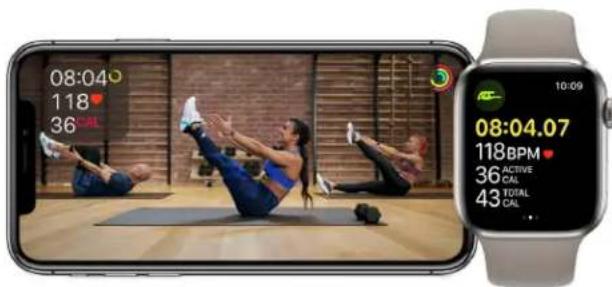
When you subscribe to Apple Fitness+, you get access to a catalog of workouts, including HIIT, Yoga, Core, Cycling, Strength, Treadmill (running and walking), Dance, and more. When you wear your Apple Watch during a workout, metrics, like heart rate and calories burned, are shared to your iPhone, iPad, or Apple TV while you work out, and sync with your daily activity data when you finish a workout.
With iOS 16.1 or later, you don't need an Apple Watch to use Apple Fitness+. Just open the Fitness app on iPhone 8 or later with iOS 16.1 or later, tap Fitness+, then choose a workout. For more information about Apple Fitness+ on iPhone, see Get started with Apple Fitness+ on iPhone in the iPhone User Guide.
Note: Workouts you perform without an Apple Watch won't display some personal metrics, such as heart rate and calories.
You can also participate in guided meditations designed to help you improve your overall sense of well-being.
To start an Apple Fitness+ workout on Apple Watch, you need Apple Watch Series 3 or later using watchOS 7.2 or later paired with iPhone 6s or later with iOS 14.3 or later. When performing workouts with your compatible Apple Watch and iPhone, you can also use Apple Fitness+ on iPad with iPadOS 14.3 or later, or Apple TV 4K or Apple TV HD with tvOS 14.3 or later.
To get the newest features, use Apple Fitness+ with Apple Watch Series 4 or later with watchOS 9 paired with iPhone 8 or later with iOS 16, iPad with iPadOS 16, and Apple TV 4K or Apple TV HD with tvOS 16.
Note: Apple Fitness+ isn't available in all countries or regions.
Choose a workout
When it's time to work out, you have lots of options. To help you pick, you can see details for every workout, like its playlist and music genre, whether the workout has closed captions, as well as any equipment you might need for the workout, such as dumbbells or a mat (most workouts do not require equipment). You can also preview the workout before you get started.
Find a trainer
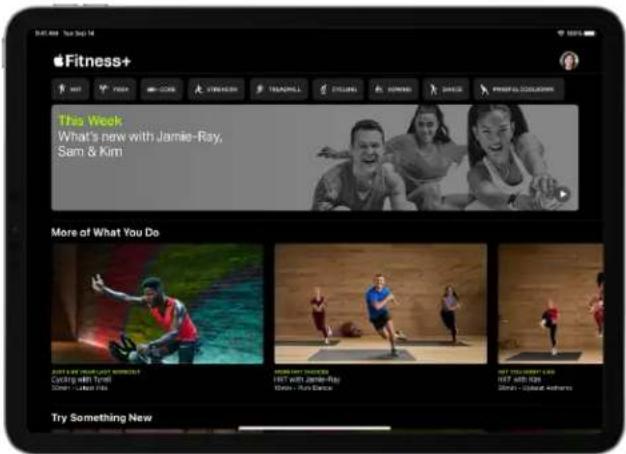
Each of the Apple Fitness+ trainers bring their unique personality, taste in music, and training style to their workouts. You can read a bio for each trainer and see a list of every trainer's workouts in the Fitness app.
See your stats
During your workout, track your progress for each of your rings. When working out with your Apple Watch, you can additionally check out your heart rate and calories burned, right on your iPhone, iPad, or Apple TV.
With watchOS 9, Fitness+ workouts now show onscreen guidance in addition to trainer coaching to help you get the most out of workouts. Onscreen stats include Intensity for HIIT, Cycling, Rowing, and Treadmill; Strokes per Minute (SPM) for Rowing; Revolutions per Minute (RPM) for Cycling; and Incline for walkers and runners in Treadmill.
Cycling, HIIT, Rowing, and Treadmill workouts also display the Burn Bar, which shows how your metrics compare to others who have done the workout before. The more calories you burn, the higher you land on the Burn Bar. Your position on the Burn Bar is saved in your workout summary along with your other metrics.
To get started, see Subscribe to Apple Fitness+, Browse Fitness+ workouts and meditations, and Start a Fitness+ workout.
Subscribe to Apple Fitness+
You can choose to bundle your Apple Fitness+ subscription with other Apple services by subscribing to Apple One Premier. See the Apple Support article Bundle Apple subscriptions with Apple One.
Note: Apple Fitness+ and Apple One Premier aren't available in all countries or regions. See the Apple Support article Availability of Apple Media Services.
Get the Fitness app
To use Apple Fitness+, you need the Fitness app on your iPhone, iPad, or Apple TV. If you don't have the Fitness app on your device, you can download it from the App Store.
Subscribe to Apple Fitness+
- Open the Fitness app on iPhone, iPad, or Apple TV. Then, if you're on your iPhone, tap Fitness+.
- Select the free trial button, then follow the onscreen instructions to sign in with your Apple ID and confirm your subscription.
Cancel your Apple Fitness+ subscription
- Do one of the following:
- On iPhone or iPad: Open the Fitness app, then, if you're on your iPhone, tap Summary. Tap your profile picture, tap [account name], then tap Apple Fitness+.
- On Apple TV: Open the Settings app, go to Users and Accounts > [account name] > Subscriptions, then select Apple Fitness+.
- Follow the onscreen instructions to change or cancel your subscription.
If you subscribe to Apple Fitness+ as part of an Apple One Premier subscription and want to cancel your subscription, see the Apple Support article How to cancel a subscription from Apple.
Share your Apple Fitness+ subscription with Family Sharing
When you subscribe to Apple Fitness+ or Apple One Premier, you can use Family Sharing to share your subscription with up to five other family members. Your family group members don't need to do anything—Apple Fitness+ is available to them the first time they open the Fitness app after your subscription begins, as long as they have an Apple Watch Series 3 or later. If a family member has an Apple Watch, but no iPhone (because their Apple Watch was set up by a family member), they can still use Apple Fitness+ with Apple TV or with an iPad.
Note: To stop sharing your Apple Fitness+ subscription with a family group, you can remove a member from a Family Sharing group. See Add or remove Family Sharing members in the iPhone User Guide.
Set up Apple Fitness+ on Apple TV

Your Apple Watch syncs with the Fitness app on Apple TV 4K or Apple TV HD with tvOS 14.3 or later, so you can work out with Apple Fitness+ at home, in the office, or while you're traveling.
Connect your Apple Watch to Apple TV
To use Apple Fitness+ with Apple TV, you need to connect your Apple Watch.
- Open the Fitness app on Apple TV.
- Select your name, or select Other if you don't see your name. If no one is signed in on your Apple TV, you may need to choose Sign In in the Fitness app first.
- On your Apple Watch, tap Connect.
Note: You may need to open the Workout app on your Apple Watch before you can tap Connect.
- If prompted, tap Continue, then enter the code from Apple TV on your Apple Watch.
Note: To start a workout on Apple TV, your Apple Watch must be updated to watchOS 7.2 or later, be unlocked, and have Bluetooth turned on.
Choose who is working out
If you use Family Sharing, you can easily switch between family members in the Fitness app on Apple TV. Friends or family outside of your Family Sharing group who are Apple Fitness+ subscribers can also work out using your Apple TV.
- Open the Fitness app on your Apple TV.
- Select your name, or select Other if you don't see your name. If no one is signed in on your Apple TV, you may need to select Sign In in the Fitness app first.
- To switch to another family member or guest, select the account icon in the top left corner of the Fitness app, select Sign out, then select another user.
Apple Fitness+ isn't available in all countries or regions.
Browse Apple Fitness+ workouts and meditations
Apple Fitness+ can help you find a workout, meditation, or routine that works for you. You can browse for individual workouts or meditations, start a program with multiple episodes, sort and filter workouts of a specific type, or choose a recommended workout based on your activity. Mindful Cooldown workouts begin at five minutes and all other workout types start at ten minutes, with new workouts added every week. Meditations can be five, ten, or twenty minutes.
Browse workouts and get recommendations
Apple Fitness+ recommends workouts based on the things you typically do with the Workout app on Apple Watch, as well as your favorite apps that work with the Health app. Apple Fitness+ will even suggest new trainers and workouts to help you round out your routine.
- Open the Fitness app on iPhone, iPad, or Apple TV. Then, if you're on your iPhone, tap Fitness+.
- Explore workouts and trainers:
- Browse by workout type: Navigate left or right to browse the workout types at the top of the screen.
- Time to Walk and Time to Run (iPhone only): Choose audio workouts to play on your Apple Watch.
Tap the Add button to add a Time to Walk or Time to Run episode to Apple Watch. When you're ready to listen to an episode you've added, open the Workout app on Apple Watch, tap Audio Workouts, scroll down, tap Library, then tap the workout. To browse other episodes, scroll down, tap Time to Walk or Time to Run, then turn the Digital Crown to scroll through past episodes.
You can also listen to Time to Walk and Time to Run episodes directly on your iPhone with iOS 16.
- Browse featured workouts: Navigate down to a category such as New Workouts, New Meditations, Workouts for Beginners, Popular, or Simple and Quick.
- Browse by trainer: Navigate down to the row of trainers, then navigate left or right and select a trainer to see their workouts and filter workouts by type, length, and music genre.
On iPhone or iPad, tap Show All to see a list of all trainers.
- More of What You Do: Browse workouts with trainers you often work out with, and workout types you typically do with your Apple Watch or in other fitness apps that work with the Health app.
- Try Something New: Explore workouts similar to what you already do, but with different trainers and suggested workout types to balance your routine.
- My Library (iPhone and iPad only): Workouts added to My Library from the workout detail or workout summary screen. My Library can be used to keep a list of your favorite workouts, build a workout routine, or save workouts for playing offline.
Browse and start meditations
- Open the Fitness app on iPhone, iPad, or Apple TV. Then, if you're on your iPhone, tap Fitness+.
- Tap Meditation at the top of the screen.
- Do one of the following:
- Tap a meditation session, then tap Let's Begin to start the session.
- Tap Filter; choose a specific trainer, time, or theme; tap Done; tap a session; then tap Let's Begin.
During the meditation, your Apple Watch shows the elapsed time of the meditation as well as your current heart rate. Swipe right to find buttons to pause, resume, and end the meditation.
Tap the Workout button to start a workout while the meditation continues to play. Swipe left to show play controls similar to those in the Music app.
Tip: If you subscribe to Apple Fitness+ you can listen to guided meditations in the Mindfulness app on your Apple Watch.
Try a workout or meditation program with multiple episodes
- Open the Fitness app on iPhone, iPad, or Apple TV. Then, if you're on your iPhone, tap Fitness+.
- Choose a program.
Each program tile shows the workout types and number of episodes.
- Do any of the following:
- Preview the program: Tap Watch the Film to watch a video about the goals of the program and the kind of workouts you'll do. You can also read about the program to learn more.
- Add episodes to My Workouts: Tap + next to the episode you want to add, or tap + ADD ALL to add all episodes to My Workouts.
- Start an episode from the program: Select an episode from the list, then tap the button that begins the workout.
To help you keep your place after completing an episode, the next episode is automatically displayed under Next Workout, but you can choose any episode at any time.
Sort and filter workouts
To make it easier to find the workout you're looking for, you can sort and filter specific types of workouts (like Rowing or Dance) by trainer, length of the workout, music genre, and more.
- Open the Fitness app on iPhone, iPad, or Apple TV. Then, if you're on your iPhone, tap Fitness+.
- Select a workout type, then do any of the following:
- Sort workouts: Tap Sort, then select an option like Trainer or Time. • Filter workout: Tap Filter, then select the filter(s) you want to apply.
If you can't select a filter, there are no workouts that apply to that filter.
When you're browsing, workouts you've taken before have √ on the thumbnail.
Apple Fitness+ isn't available in all countries or regions.
Start an Apple Fitness+ workout
You can start an Apple Fitness+ workout from your iPhone, iPad, or Apple TV.
Apple Fitness+ workouts are for all levels, so you can challenge yourself whether you're just starting out or repeating your favorite workouts. After starting a workout, you can pause and resume at any time, and review the workout after it ends.
Start a workout on iPhone or iPad
- Open the Fitness app. Then, if you're on your iPhone, tap Fitness+.
If you don't have the Fitness app on your device, you can download it from the App Store.
- Select a workout type at the top of the screen, then select a workout, or select a workout from one of the categories (like Popular or Guest Trainer Series).
To learn more about workout programs, smart suggestions, and more, see Browse Fitness+ workouts and meditations.
- Do any of the following:
- Add the workout to My Workouts: Tap + ADD.
- Preview the workout: Tap Preview.
You can also see the playlist for the workout. If you subscribe to Apple Music, tap Listen in Music to open the playlist in Apple Music.
Start the workout: Tap the button that begins the workout, then tap ▶ on iPhone, iPad, or Apple Watch. If you're starting a Treadmill workout, choose Run or Walk to get the most accurate metrics.
If you're not wearing your Apple Watch, you can still start the workout, but your metrics (like calories burned) aren't collected. Tap Work Out Without Watch to start the workout.
To stream your workout to an AirPlay 2.0 compatible device such as a TV or HomePod, tap the screen during a workout, tap 📷 then choose a destination.
You can also start a workout on Apple TV. See the task below to learn more.
In all workouts, additional trainers demonstrate modifications of the exercises to help you make the workout easier or more advanced. Trainers may also offer directions on how to modify an exercise, such as doing the movement with bodyweight instead of a dumbbell.
Start a workout on Apple TV
- Open the Fitness app, then choose who is working out.
To learn more, see Set up Apple Fitness+ on Apple TV.
- Select a workout type, then choose a workout, or choose a workout from one of the categories.
To learn more about workout programs, smart suggestions, and more, see Browse Fitness+ workouts and meditations.
- Do any of the following:
- Preview the workout: Select Preview.
- Start the workout: Select the free trial button if you haven't subscribed, or click the button to begin the workout if you're a subscriber. If you're starting a Treadmill workout, choose Run or Walk to get the most accurate metrics.
- Play featured songs from the workout in Music: Navigate down to the list of songs, then select a song to open the workout playlist in the Music app (Apple Music subscription required).
- Browse related workouts: Navigate down to the Related Workouts row, then navigate left or right to browse another workout.
Pause and resume a workout
You can pause a workout from the device playing the workout, or your Apple Watch.
- On Apple Watch, do any of the following:
- Pause a workout: Press the side button and the Digital Crown at the same time. You can also swipe left or right, then tap the Pause button.
- Resume a workout: Press the side button and the Digital Crown at the same time, swipe right and tap Resume, or swipe left and tap the Play button.
- On iPhone or iPad, do any of the following:
- Pause a workout: Tap the screen, then tap the Pause button.
- Resume a workout: Tap the Play button ▶.
- On Apple TV:
- Pause or resume a workout: Press the clickpad center (second-generation Siri Remote) or the touch surface (first-generation Siri Remote). On the Siri Remote, press the Play/Pause button ▶.
End and review a workout
You can end a workout from the device playing the workout, or your Apple Watch.
- On Apple Watch: Swipe right, then tap End.
Your workout summary is displayed. Tap Done to return to the Workout app.
- On iPhone or iPad: Tap , then tap End Workout.
Your workout summary is displayed. Tap + ADD to add the workout to My Workouts, tap ↑ to share your workout, tap Mindful Cooldown to choose a cooldown workout, or tap Done to return to Apple Fitness+.
- On Apple TV: Press the MENU button on the Siri Remote/Apple TV Remote, then select End Workout.
Your workout summary is displayed. Select Mindful Cooldown to choose a cooldown workout, or select Done to return to Apple Fitness+.
You can view your workout summary again later in the Fitness app on iPhone.
After you've taken a class, it appears in the list of workouts with ▼ on the thumbnail.
Apple Fitness+ isn't available in all countries or regions.
Work out together using SharePlay
Group Workouts, powered by SharePlay, let you and up to 32 of your favorite people work out together. You can start a FaceTime call on your iPhone or iPad, then start a Group Workout in the Fitness app on iPhone, iPad, or Apple TV.
The workout plays in sync with everyone on the call, and everyone can control playback from their devices—so you and your friends can cheer each other on, see when someone closes an Activity ring, and get notifications when someone moves ahead of the pack on the Burn Bar during HIIT, Treadmill, Cycling, and Rowing workouts.
Group Workouts with Apple Fitness+ requires one of the following Apple devices: iPhone with iOS 15.1 or later, iPad with iPadOS 15.1 or later, or iPod touch with iOS 15.1 or later. Playback on Apple TV requires tvOS 15.1 or later. Playback on Mac requires macOS Monterey 12.1 or later. FaceTime, some FaceTime features, and other Apple services may not be available in all countries or regions, and features may vary by area. To use Apple Watch during a workout, you must have an Apple Watch Series 4 or later with watchOS 8.1 or later.
To learn how to set up SharePlay on iPhone or iPad, see the iPhone User Guide or the iPad User Guide.
Use FaceTime to start a Group Workout on iPhone or iPad
- Start a FaceTime call.
- Open the Fitness app on iPhone or iPad. Then, if you're on your iPhone, tap Fitness+. If you don't have the Fitness app on your device, you can download it from the App Store.
- Select a workout, start the workout, then tap SharePlay to begin the workout with everyone on the call. (To participate in the Group Workout, others on the call may have to tap Open when prompted to use SharePlay.) For everyone on the call who has access, the workout starts playing at the same time. Those who don't have access are asked to get access (through a subscription or a free trial, if available). Everyone can use playback controls on their respective devices (including Apple Watch) to play or pause the workout.
To end a workout before it completes, tap X in the top-left corner of the iPhone or iPad screen. On Apple Watch, swipe right, then tap End.
Start a Group Workout in the Fitness app on iPhone or iPad
- Open the Fitness app on iPhone or iPad. Then, if you're on your iPhone, tap Fitness+.
If you don't have the Fitness app on your device, you can download it from the App Store.
- Select a workout, tap, then tap SharePlay.
- In the To field, enter the contacts you want to work out with, then tap FaceTime.
- When the FaceTime call connects, tap Let's Begin.
The recipient must tap the workout title at the top of the FaceTime controls, then tap Open to participate in the workout. For everyone on the call who has access, the workout starts playing at the same time. Those who don't have access are asked to get access (through a subscription or a free trial, if available).
Everyone can use playback controls on their respective devices (including Apple Watch) to play or pause the workout.
To end a workout before it completes, tap X in the top-left corner of the iPhone or iPad screen. On Apple Watch, swipe right, then tap End.
Join a Group Workout on Apple TV
You can join a Group Workout using SharePlay on Apple TV.
Note: SharePlay controls appear only when a user is signed in with the same Apple ID on both Apple TV and FaceTime on an iPhone or iPad. To switch users on Apple TV, press and hold the TV button on the Siri Remote to open Control Center, then select or add a new user.
- Start a FaceTime call on an iPhone or iPad.
Apple TV detects when a FaceTime call is in progress, and a SharePlay indicator appears in the upper-right corner of the Home Screen on Apple TV.
- Open the Fitness app on Apple TV, then do either of the following:
- Start a workout, then select SharePlay when prompted and confirm on your iPhone or iPad.
- Press and hold the TV button on the Siri Remote to open Control Center, select the SharePlay button, select Join, then confirm on your iPhone or iPad.
- If you haven't already, browse to a workout in Fitness, then start it.
The workout plays in sync on Apple TV and on all the devices on the FaceTime call. Everyone can use playback controls on their respective devices to play or pause in real time.
To learn how to send your workout from another device to Apple TV and stop a Group Workout on Apple TV, see the Apple TV User Guide.
Change what's on the screen during an Apple Fitness+ workout or meditation
Change onscreen metrics
During your workout, you can track your progress onscreen for each of your rings, all shown in real time on your device. If you wear your Apple Watch during the workout, you can also track your heart rate and calories burned.

Some workouts also display the Burn Bar, which shows how your metrics compare to others who have done the workout before. The more calories you burn, the higher you land on the Burn Bar. Your position on the Burn Bar is saved in your workout summary along with your other metrics.
You can change the metrics from Apple Watch that you see on the screen during a workout. Metrics settings sync in the Fitness app on all your devices where you're signed in with your Apple ID.
Note: Fitness+ subscribers who use AirPlay to see their workouts can now get real-time personal metrics from their Apple Watch on compatible displays.
1. During a workout, tap
If you're working out with Apple TV, use these gestures:
- Siri Remote (2nd generation): Press down on the clickpad ring or swipe down on the clickpad to show the Info pane, then navigate to the Metrics pane.
- Siri Remote (1st generation): Swipe down on the touch surface to show the Info pane, then navigate to the Metrics pane.
2. Do one of the following:
- Turn off all metrics: Turn off Show Metrics.
Your metrics are still collected, but they aren't displayed on the screen.
- Change how time is displayed: Select Off, Show Time Elapsed, or Show Time Remaining.
Turning off Time still shows the timer for intervals in your workout.
• Turn off the Burn Bar: Turn off Burn Bar.
If you turn off the Burn Bar, your workouts don't contribute to the community burn bar and you won't see your position at the end of your workout.
Turn on captions and subtitles
All Apple Fitness+ workouts and meditations support standard captions, as well as subtitles for the deaf and hard of hearing (SDH). After you choose a workout, you can see if it includes closed captions and SDH below the length, music genre, and date added.
- On iPhone or iPad: During a workout, tap ..., tap Subtitles, then choose a language.
- On Apple TV: During a workout, do one of the following, depending on the remote you have:
- Siri Remote (2nd generation): Press down on the clickpad ring or swipe down on the clickpad to show the Info pane, then navigate to the Subtitles pane and choose a language.
- Siri Remote (1st generation): Swipe down on the touch surface to show the Info pane, then navigate to the Subtitles pane and choose a language.
Apple Fitness+ isn't available in all countries or regions.
Download an Apple Fitness+ workout or meditation on iPhone or iPad
You can download workouts and meditations to your iPhone or iPad so you can work out even when you're offline.
- Open the Fitness app. Then, if you're on your iPhone, tap Fitness+.
- Do any of the following:
- Download a workout or meditation to your device: Choose a workout or meditation, tap + ADD the workout to My Workouts, then tap.
- View all downloaded workouts: Scroll to the bottom of the Fitness+ tab, then tap Downloaded.
To start a downloaded workout, tap the one you want, then tap the button to begin the workout.
- Remove a downloaded workout from your device: Tap the downloaded workout, tap, then tap Remove Download.
Note: The Burn Bar isn't available during downloaded workouts.
Apple Fitness+ isn't available in all countries or regions.
Apps
Activity
Track daily activity with Apple Watch
The Activity app on your Apple Watch keeps track of your movement throughout the day and encourages you to meet your fitness goals. The app tracks how often you stand, how much you move, and how many minutes of exercise you do. Three rings in different colors summarize your progress. The goal is to sit less, move more, and get some exercise by completing each ring every day.
The Fitness app on your iPhone keeps a record of your activity. If you've tracked at least six months of activity, it displays daily trend data for active calories, exercise minutes, stand hours, stand minutes, walk distance, cardio fitness, walking pace, and more. In the Fitness app on iPhone, tap Summary, then scroll to Trends to see how you're doing compared to your average activity.
Note: Your Apple Watch is not a medical device. For important information about using the wellness apps safely, see Important safety information.
Get started
When you set up your Apple Watch, you're asked if you'd like to configure the Activity app. If you choose not to, you can do so later when you open the Activity app for the first time.
- Open the Activity app on your Apple Watch.
- Swipe left to read the Move, Exercise, and Stand descriptions, then tap Get Started.
- Use the Digital Crown to set your sex, age, height, weight, and whether you use a wheelchair.
- Choose an activity level and start moving.
Check your progress
Open the Activity app on your Apple Watch at any time to see how you're doing. The Activity app displays three rings.
- The red Move ring shows how many active calories you've burned.
- The green Exercise ring shows how many minutes of brisk activity you've done.
- The blue Stand ring shows how many times in the day you've stood and moved for at least one minute per hour.
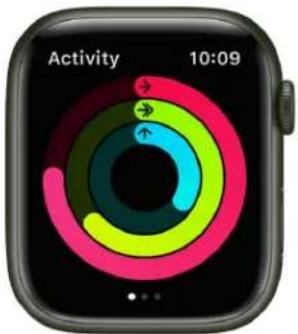
If you specified that you use a wheelchair, the blue Stand ring becomes the Roll ring and shows how many times in the day you've rolled for at least one minute per hour.
Turn the Digital Crown to see your current totals—keep scrolling to see your progress as a graph, your total steps, total distance, workouts, and flights climbed.
An overlapping ring means you exceeded your goal. Turn the Digital Crown, then tap Weekly Summary to see how you're doing for the week.
See your weekly summary
- Open the Activity app on your Apple Watch.
- Turn the Digital Crown to scroll to the bottom of the screen, then tap Weekly Summary. The summary includes a week's totals for calories, average calories, steps, distance, flights climbed, and active time.
Change your goals
If you find your activity goals either too challenging or not challenging enough, you can change them.
- Open the Activity app on your Apple Watch.
- Turn the Digital Crown to scroll to the bottom of the screen, then tap Change Goals.
- Tap - or + to adjust a goal, then tap Next.
Every Monday, you're notified about the previous week's achievements, and you can adjust your goals for the next week. Your Apple Watch suggests goals based on your previous performance.
Check your activity history
- Open the Fitness app on your iPhone, then tap Summary.
- Tap the Activity area, tap, then tap a date.
Check your trends
In the Fitness app on iPhone, the Trends area shows you daily trend data for active calories, exercise minutes, stand hours, walking distance, stand minutes, cardio fitness, walking pace, and running pace. Trends compares your last 90 days of activity to the last 365.
To see how you're trending, follow these steps:
- Open the Fitness app on your iPhone, then tap Summary.
- Swipe up to see trends.
- To learn how to turn a trend around, tap Show More.
- To see the history of a specific trend, tap it.
If the Trend arrow for a particular metric points up, then you're maintaining or improving your fitness levels. If an arrow points down, your 90 day average for that metric has started to decline. To help motivate you to turn the trend around, you'll receive coaching—"Walk an extra quarter of a mile a day," for example.
See your awards
You can earn awards for personal records, streaks, and major milestones using your Apple Watch. To see all your awards, including Activity Competition awards and awards you're making progress towards, follow these steps:
- Open the Activity app on your Apple Watch.
- Swipe left two times to view the Awards screen.
- Scroll down to see your awards. Tap an award to learn more about it.
You can also open the Fitness app on your iPhone, tap the Summary tab, then swipe up to see Awards at the bottom of the screen.
See Compete with your friends for more information about competitions.
Control activity reminders
Reminders can help when it comes to meeting goals. Your Apple Watch lets you know if you're on track or falling behind your activity goals. To choose which reminders and alerts you'd like to see, follow these steps:
- Open the Settings app on your Apple Watch.
- Tap Activity, then configure the notifications.
You can also open the Apple Watch app on your iPhone, tap My Watch, then tap Activity.
Suspend daily coaching
To turn off activity reminders, follow these steps:
- Open the Settings app on your Apple Watch.
- Tap Activity, then turn off Daily Coaching.
You can also open the Apple Watch app on your iPhone, tap My Watch, tap Activity, then turn off Daily Coaching.
Share your activity from Apple Watch
Keep your fitness routine on track by sharing your activity with your family and friends—you can even share with a trainer or coach. You can get notifications when your friends meet their goals, finish workouts, and earn achievements.
Add or remove a friend
If you've never shared activity before, open the Fitness app on your iPhone, then tap Sharing. Tap Get Started, then follow these steps:
- Open the Activity app on your Apple Watch.
- Swipe left, then turn the Digital Crown to scroll to the bottom of the screen.
- To add a friend, tap Invite a Friend, then tap a friend.
To remove a friend, tap a friend you're sharing with, then tap Remove Friend.
After a friend accepts your invitation, you can see their activity and they can see yours. If a friend hasn't accepted an invitation, tap their name in the Invited area of the Sharing screen, then tap Invite Again.
To add a friend, you can also open the Fitness app on your iPhone, tap Sharing, tap then tap to send an email invitation, or tap to send an invitation with Messages.
Note: If you're using a managed Apple Watch, just open the Activity app, swipe left, tap Add Friends, then tap a name.
Check your friends' progress
- Open the Activity app on your Apple Watch.
- Swipe left, then turn the Digital Crown to scroll your friends list.
- Tap friends to see their stats for the day.
Compete with your friends
Stay motivated with a little healthy competition. You can challenge a friend to a competition in which you earn points based on the percentage of your Activity Rings that you close.
You get a point for every percent you add to your rings each day. The competition lasts 7 days and you can earn up to 600 points a day for a maximum of 4,200 points for the week. The person with the most points at the end of the competition wins. During a competition, alerts tell you if you're ahead of or falling behind your competitor—along with the score.
- Open the Activity app on your Apple Watch.
- Swipe left, tap a friend, then tap Compete.
- Tap Invite [your friend's name], then wait for your friend to accept.
Or, when you receive an Activity sharing notification—your friend just closed their rings or doubled their move goal, for example—you can scroll down and tap Compete.
You can also open the Fitness app on your iPhone, tap Sharing, tap a friend, then tap Compete with [your friend's name].
Change your friend settings
You can easily adjust friend settings. Just open the Activity app on your Apple Watch, swipe left, tap a friend, scroll down, then do any of the following:
- Mute notifications for the friend: Tap Mute Notifications.
- Hide your activity from the friend: Tap Hide my Activity.
- Remove the friend: Tap Remove Friend.
For more information, see the Apple Support article Share your Activity and compete with friends on your Apple Watch.
Alarms
Add an alarm on Apple Watch
Use the Alarms app to play a sound or vibrate your Apple Watch at a set time.
Ask Siri. Say something like: "Set repeating alarm for 6 a.m."
Set an alarm on Apple Watch
- Open the Alarms app on your Apple Watch.
- Tap Add Alarm.
- Tap AM or PM, then tap the hours or minutes.
This step is unnecessary when using 24-hour time.
- Turn the Digital Crown to adjust, then tap √
- To turn the alarm on or off, tap its switch. Or tap the alarm time to set repeat, label, and snooze options.
Tip: To create an alarm that taps your wrist, but doesn't make a sound, turn on silent mode.
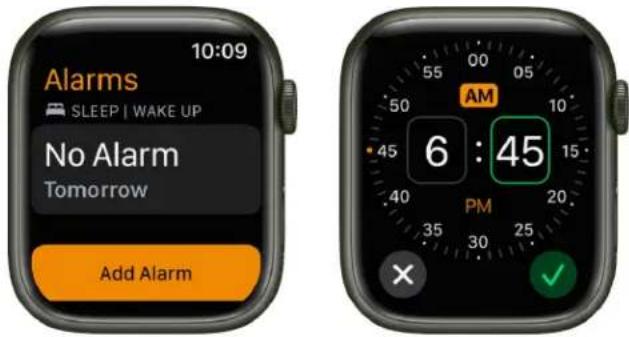
Don't let yourself snooze
When an alarm sounds, you can tap Snooze to wait several minutes before the alarm sounds again. If you don't want to allow snooze, follow these steps:
- Open the Alarms app on your Apple Watch.
- Tap the alarm in the list of alarms, then turn off Snooze.
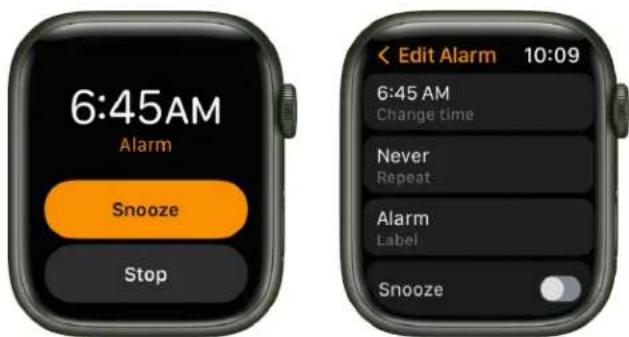
Delete an alarm
- Open the Alarms app on your Apple Watch.
- Tap the alarm in the list.
- Scroll to the bottom, then tap Delete.
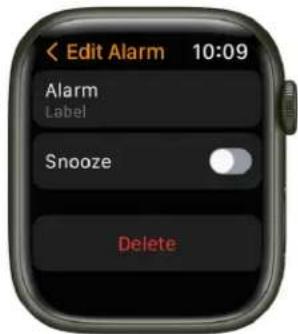
Skip a wake-up alarm
If you have a wake-up alarm that's part of your sleep schedule, you can skip it for just that evening.
- Open the Alarms app on your Apple Watch.
- Tap the alarm that appears under Sleep | Wake Up, then tap Skip for Tonight.
To learn how to create a sleep schedule, which includes wake-up alarms, see Set up Sleep on Apple Watch.
See the same alarms on both iPhone and Apple Watch
- Set the alarm on your iPhone.
- Open the Apple Watch app on your iPhone.
- Tap My Watch, tap Clock, then turn on Push Alerts from iPhone.
Your Apple Watch alerts you when an alarm goes off so you can snooze or dismiss the alarm. (You aren't alerted on your iPhone when your Apple Watch alarms go off.)
Set up Apple Watch as a nightstand clock with alarm
- Open the Settings app on your Apple Watch.
- Go to General > Nightstand Mode, then turn on Nightstand Mode.
When you connect your Apple Watch to its charger with nightstand mode turned on, it displays charging status, the current time and date, and the time of any alarm you've set. To see the time, tap the display or lightly nudge your Apple Watch. Even nudging or tapping the table might work.
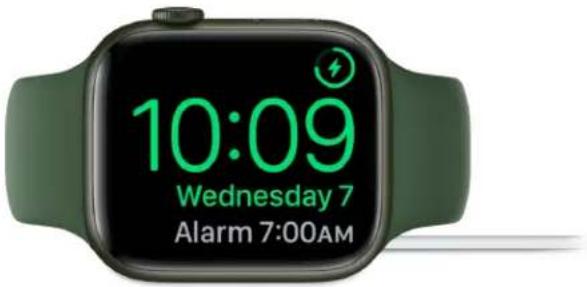
If you set an alarm using the Alarms app, your Apple Watch in nightstand mode will gently wake you with a unique alarm sound.
When the alarm sounds, press the side button to turn it off, or press the Digital Crown to snooze for another 9 minutes.
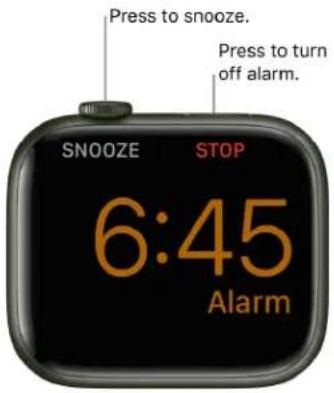
Audiobooks
Add audiobooks to Apple Watch
Apple Watch can sync audiobooks from Apple Books.
Note: Audiobooks from other sources aren't synced to Apple Watch.
- Open the Apple Watch app on your iPhone.
- Tap My Watch, then tap Audiobooks.
- Tap Add Audiobook, then select audiobooks to add them to your Apple Watch.
If there's available storage space, the entire contents of the audiobook you're currently listening to—as well as the one listed below Want to Read—are automatically synced to your Apple Watch. Five hours from each audiobook you add is also downloaded to your Apple Watch when there's available space. Audiobooks sync to Apple Watch when it's connected to power.
Play audiobooks on Apple Watch
You can use the Audiobooks app to play audiobooks from Apple Books on your Apple Watch.
Play audiobooks stored on Apple Watch
- After you Connect to Bluetooth headphones or speakers, open the Audiobooks app on your Apple Watch.
- Turn the Digital Crown to scroll through the artwork.
- Tap an audiobook to play it.

Play audiobooks from your library
If your Apple Watch is near your iPhone or connected to a Wi-Fi network (or a cellular network, for Apple Watch models with cellular), you can stream audiobooks from your audiobooks library to your Apple Watch.
- Open the Audiobooks app on your Apple Watch.
- Tap Library, then tap an audiobook to play it.

You can also play audiobooks purchased from Apple Books by members of your Family Sharing group. On the Audiobooks screen, tap My Family, then tap an audiobook. See the iPhone User Guide for information about Family Sharing.
Use Siri to play audiobooks
Use Siri to play an audiobook in your library.
"Play the audiobook 'In the Time of the Butterflies.'"
Control playback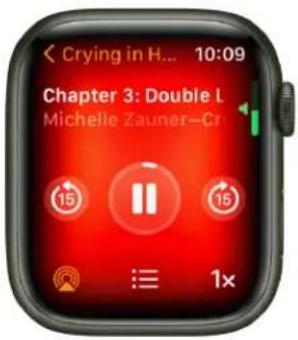
Turn the Digital Crown to adjust volume. Use these controls to play audiobooks:
| Play the audiobook. | |
| Pause playback. | |
| Skip ahead 15 seconds. | |
| Skip back 15 seconds. | |
| Playback speed. Options include 1x, 1 1/4x, 1 1/2x, 1 3/4x, 2x, and 3/4x. | |
| Choose a track or chapter. |
Blood Oxygen
Measure blood oxygen levels on Apple Watch
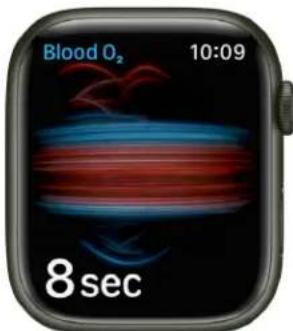
Use the Blood Oxygen app on Apple Watch Series 6 or later to measure the percentage of oxygen your red blood cells carry from your lungs to the rest of the body. Knowing how well oxygenated your blood is can help you understand your overall health and wellness.
Note: The Blood Oxygen app is not available in all regions. Blood Oxygen app measurements are not intended for medical use.
Set up Blood Oxygen
- Open the Settings app on your Apple Watch.
- Tap Blood Oxygen, then turn on Blood Oxygen Measurements.
Turn off background measurements when the Sleep Focus or theater mode is active
Blood oxygen measurements use a bright red light that shines against your wrist, which may be more visible in dark places. You can turn off measurements if you find the light distracting.
- Open the Settings app on your Apple Watch.
- Tap Blood Oxygen, then turn off In Sleep Focus and In Theater Mode.
Measure your blood oxygen level
The Blood Oxygen app periodically measures your blood oxygen level throughout the day if background measurements are turned on, but you can also take an on-demand measurement at any time.
- Open the Blood Oxygen app on your Apple Watch.
- Rest your arm on a table or in your lap, and make sure your wrist is flat, with the Apple Watch display facing up.
- Tap Start, then hold your arm very still during the 15-second countdown.
- At the end of the measurement, you receive the results. Tap Done.
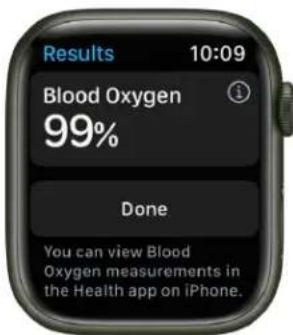
Note: The back of your Apple Watch needs skin contact. Wearing your Apple Watch not too tight or too loose, with room for your skin to breathe, helps ensure successful Blood Oxygen measurements. For more information, see the Apple Support article How to use the Blood Oxygen app on Apple Watch.
View your Blood Oxygen measurements history
- Open the Health app on your iPhone.
- Tap Browse, tap Respiratory, then tap Blood Oxygen.
Calculator
Use Calculator on Apple Watch
In the Calculator app you can perform basic arithmetic calculations. You can also quickly calculate a tip and split the check.
Ask Siri. Say something like: "What's 73 times 9?" or "What's 18 percent of 225?"
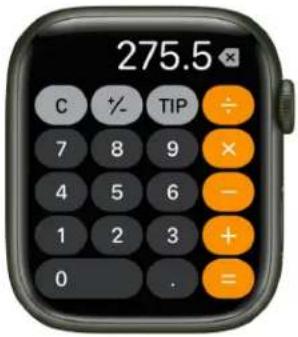
Perform a quick calculation
- Open the Calculator app on your Apple Watch.
- Tap numbers and operators to get a result.
Split the check and calculate a tip
- Open the Calculator app on your Apple Watch.
- Enter the total amount of the bill, then tap Tip.
- Turn the Digital Crown to choose a tip percentage.
- Tap People, then turn the Digital Crown to enter the number of people sharing the bill.
You see the tip amount, the total amount, and how much each person owes if the bill is split evenly.
Note: The Tip feature is not available in all regions.
Note: If you remove the Calculator app from your iPhone, it's also removed from Apple Watch.
Calendar
Check and update your calendar on Apple Watch
The Calendar app on your Apple Watch shows events you've scheduled or been invited to in the past six weeks and for the next two years (in List and Day view). Your Apple Watch shows events for all calendars on your iPhone or just those calendars you choose. See the iPhone User Guide for information about setting up the Calendar app on your iPhone.
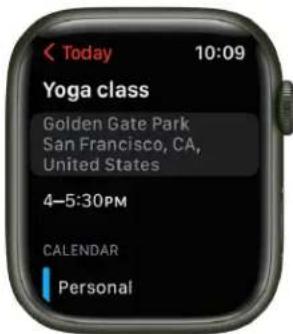
Ask Siri. Say something like: "What's my next event?"
See calendar events on Apple Watch
- Open the Calendar app on your Apple Watch, or tap the date or a calendar event on the watch face.
- Turn the Digital Crown to scroll through upcoming events.

- Tap an event to see details about it, including time, location, invitee status, and notes.
Tip: To return to the next event, tap < in the top-left corner.
You can also see your events by week or month.
Change how you view events
To switch views, open the Calendar app on your Apple Watch, tap , then tap an option.
- Up Next: Shows your upcoming events for the week. • Day: Shows just the events for this day.
• List: Shows all your events from the last two weeks through the next two years.
To see another day, swipe left or right if you're in Day view; if you're in List view or Up Next view, turn the Digital Crown.
To jump back to the current day and time, tap the current time in the top-right corner of the display.
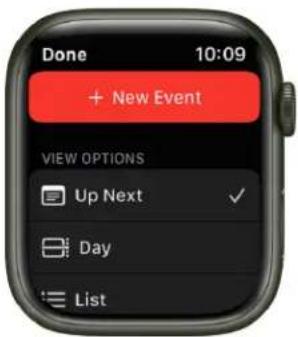
View weeks and months
While viewing events in Day or List view, you can navigate to week and month views. Open the Calendar app on your Apple Watch, then do any of the following:
• Show the current week: Tap < in the top-left corner. • Show a different week: Swipe left or right. • Show events in a particular week: Tap a day on the weekly calendar. • Show the current month: While showing the current week, tap < in the top-left corner. • Show a different month: Turn the Digital Crown. • Select a week in the monthly calendar: Tap the week.
Add an event
By default, events you add to the Calendar app on your iPhone are synced to your Apple Watch. You can also create events right on your watch.
- Use Siri: Say something like "Create a calendar event titled FaceTime with Mom for May 20 at 4 p.m."
- Use the Calendar app on Apple Watch: While viewing events in Up Next, Day, or List view, tap, then tap New Event. Add event details such as title, description, date and time, invitees, and choose the calendar you want to add the event to, then tap Add.
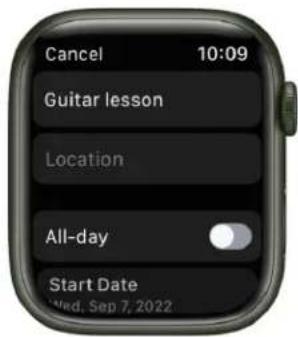
Delete or change an event
- Delete an event you created: Tap an event, tap Delete, then tap Delete again. If this is a recurring event, you can delete this event only, or all future events.
- Change an event: Use the Calendar app on your iPhone.
Respond to a Calendar invitation
You can respond on your Apple Watch to event invitations when you receive them, or later.
- If you see the invitation when it arrives: Scroll to the bottom of the notification, then tap Accept, Decline, or Maybe.
- If you discover the notification later: Tap it in your list of notifications, then scroll and respond. • If you're already in the Calendar app: Tap the event to respond.
To contact an event organizer, tap the organizer's name in the event details, then tap the phone, message, email, or Walkie-Talkie button.
Get directions to an event
If an event includes a location, your Apple Watch can provide directions to it.
- Open the Calendar app on your Apple Watch.
- Tap an event, then tap the address. For more information about directions, see Get directions.
Change "leave now" alerts
If an event includes a location, you automatically get a "leave now" alert on your Apple Watch based on estimated travel time and traffic conditions. To choose a specific time interval such as two hours before the event, do the following:
- Open the Calendar app on your iPhone.
- Tap the event.
- Tap Alert, then choose a different interval.
Adjust calendar settings
To change the kind of calendar notifications you receive and choose specific calendars to appear on Apple Watch, follow these steps:
- Open the Apple Watch app on your iPhone.
- Tap My Watch, then tap Calendar.
- Tap Custom under Notifications or Calendars.
Camera Remote
Use Camera Remote and timer on Apple Watch
If you want to position your iPhone for a photo and then take the photo from a distance, you can use your Apple Watch to view the iPhone camera image and take the photo. You can also use your Apple Watch to set a shutter timer—this gives you time to lower your wrist and raise your eyes when you're in the shot.
To function as a camera remote, your Apple Watch needs to be within normal Bluetooth range of your iPhone (about 33 feet or 10 meters).
Ask Siri. Say something like: "Take a picture."
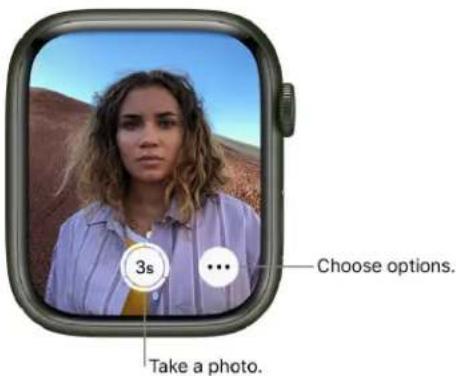
Take a photo
- Open the Camera Remote app on your Apple Watch.
- Position your iPhone to frame the shot using your Apple Watch as a viewfinder.
- To zoom, turn the Digital Crown.
- To adjust exposure, tap the key area of the shot in the preview on your Apple Watch.
- To take the shot, tap the Shutter button.
The photo is captured in Photos on your iPhone, but you can review it on your Apple Watch.
Review your shots
Use the following actions to review your shots on your Apple Watch.
• View a photo: Tap the thumbnail in the bottom left. • See other photos: Swipe left or right. • Zoom: Turn the Digital Crown. • Pan: Drag on a zoomed photo. • Fill the screen: Double-tap the photo. • Show or hide the Close button and the shot count: Tap the screen.
When you're finished, tap Close.
Choose a different camera and adjust settings
- Open the Camera Remote app on your Apple Watch.
- Tap, then choose from among these options:
- Timer (3-second timer on or off)
- Camera (front or rear)
- Flash (auto, on, or off) • Live Photo (auto, on, or off)
To see which devices support Live Photos, see the iPhone User Guide.
HDR (on or off)
Compass
Use the Compass app on Apple Watch
The Compass app shows the direction your Apple Watch SE or Apple Watch Series 5 or later is facing, as well as your current location and elevation. On Apple Watch SE and Apple Watch Series 6 and later, you can create Compass Waypoints and then find the distance and direction between them, and use Backtrack to retrace your steps.
Note: If you remove the Compass app from your iPhone, it's also removed from Apple Watch.
See your bearings, elevation, incline, and coordinates
Your bearing is shown at the center of the watch face. Scroll the Digital Crown to see your incline, elevation, and coordinates in the inner ring of the compass. Continue scrolling to show the location of waypoints you created.
To see details in a list in any compass view, tap: at the top left.
- Open the Compass app on your Apple Watch.
- To add a bearing, tap scroll down, tap Bearing, turn the Digital Crown to the bearing, then tap Done.
To edit the bearing, tap scroll down, tap Bearing, turn the Digital Crown to the new bearing, then tap Done.
- To clear the bearing, tap scroll down, then tap Clear Bearing, then tap Done.
Note: Coordinates may not be available in all regions.
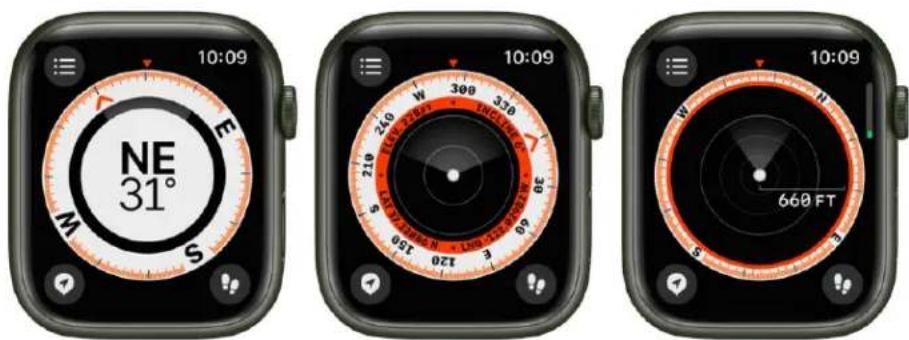
Use true north
To use true north rather than magnetic north, do the following:
- Open the Settings app on your Apple Watch.
- Tap Compass, then turn on Use True North.
You can also choose a grid system—DMS, decimal degrees, MGRS/USNG or UTM—on the Compass settings screen.
Create and display Compass Waypoints
On an Apple Watch SE or Apple Watch Series 6 and later with watchOS 9, you can add your current location as a waypoint in the Compass app. You can then see the distance and direction to each Compass Waypoint you create.
- Open the Compass app on your Apple Watch.
- Tap to add a waypoint.
- Enter waypoint information such as label, color, or symbol (car or home, for example), then tap Done.
- To view a Compass Waypoint, tap a waypoint on any of the three Compass screens, turn the Digital Crown to select a waypoint, then tap Select.
The distance and direction to the waypoint appear on the screen—"3.7 miles to your left," for example.
- Tap the bottom of the screen to show the waypoint on a map, along with its coordinates.
To edit information about a selected waypoint, tap on the waypoint screen.
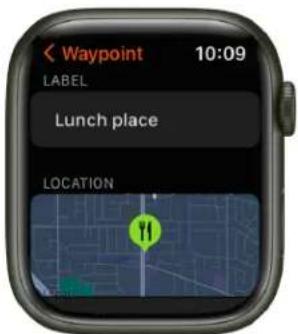
Add Compass Waypoint complications to the watch face (Apple Watch SE and Apple Watch Series 6 and later only)
With the help of a Compass Waypoint complication, you can quickly navigate to waypoints you've created, the last waypoint you viewed in the Compass app, or your parked car.
- With the watch face showing, touch and hold the display, then tap Edit.
- Swipe left all the way to the end. If a face offers complications, they're shown on the last screen.
- Tap a complication to select it, turn the Digital Crown to Compass Waypoints, then do one of the following.
- Tap one of the first three listed waypoints to add it as a complication.
- Tap More, then tap a waypoint, Last Viewed Waypoint, or Parked Car Waypoint.
- Press the Digital Crown to save your changes, then tap the face to switch to it.
- Tap the complication to show the waypoint in the Compass app.
Retrace your steps
On an Apple Watch SE or Apple Watch Series 6 and later with watchOS 9, you can use the Compass app to track your route and then help you retrace your steps in case you get lost.
Note: Backtrack is for use in remote settings—away from familiar places like your home or workplace—and outside densely populated areas without Wi-Fi.
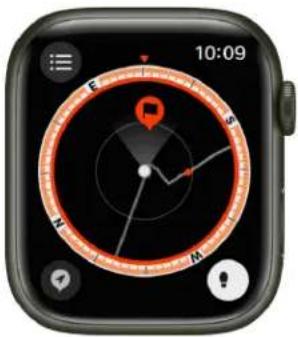
- Open the Compass app on your Apple Watch.
- Tap then tap Start to begin recording your route.
- To retrace your steps, tap then tap Retrace Steps.
The location where you first tapped appears on the compass.
- Follow the path back to return to where you first turned on Backtrack.
- When you're finished, tap , then tap Delete Steps.
Add the elevation complication to the watch face (Apple Watch SE and Apple Watch Series 6 and later only)
The always-on altimeter on Apple Watch SE and Apple Watch Series 6 and later lets you track your current elevation in real time. Add the elevation complication to the watch face to see your elevation with a glance.
- With the watch face showing, touch and hold the display, then tap Edit.
- Swipe left all the way to the end.
If a face offers complications, they're shown on the last screen.
- Tap a complication to select it, turn the Digital Crown to Compass, then choose Elevation.
- Press the Digital Crown to save your changes, then tap the face to switch to it.
If you see a red spinning radar screen
If a red spinning radar screen appears when you open the Compass app, it may be caused by any of the following:
- Apple Watch may be in a poor magnetic environment: Compass can be affected by magnetic materials in some watch bands. See the Apple Support article Use the compass on Apple Watch.
- Location Services is turned off: To turn Location Services on or off, open the Settings app on your Apple Watch, tap Privacy, then tap Location Services.
- Compass Calibration is disabled: To turn Compass Calibration on or off, open the Settings app on your iPhone, go to Privacy & Security > Location Services, then tap System Settings.
Contacts
Contacts
In the Contacts app, you can view, edit, and share contacts from other devices that use the same Apple ID. You can also create contacts and set up a contact card with your own information.

See contacts on your Apple Watch
- Open the Contacts app on your Apple Watch.
- Turn the Digital Crown to scroll through your contacts.
- Tap a contact to view information and notes.

If you have an image associated with the contact, tap it to enlarge the image.
Communicate with contacts
You can call, text, email, or begin a Walkie-Talkie conversation directly from the Contacts app.
- Open the Contacts app on your Apple Watch.
- Turn the Digital Crown to scroll through your contacts.
- Tap a contact, then do any of the following:
- Tap to see the contact's phone numbers. Tap a phone number to call.
- Tap to open an existing message thread or begin a new one.
- Tap to create an email message.
- Tap 📷 to invite the person to Walkie-Talkie or—if they've already accepted your invitation and they have Walkie-Talkie turned on—begin a Walkie-Talkie conversation.
Create a contact
- Open the Contacts app on your Apple Watch.
- Swipe down, then tap New Contact.
- Enter the contact's name and, optionally, company.
- Add a phone number, email, and address, then tap Done.
Share, edit, or delete a contact
- Open the Contacts app on your Apple Watch.
- Turn the Digital Crown to scroll through your contacts.
- Tap a contact, scroll down, then tap Share Contact, Edit, or Delete Contact.
Cycle Tracking
Use Cycle Tracking on Apple Watch
Use the Cycle Tracking app to log details about your menstrual cycle. You can add flow information and record symptoms such as headaches or cramps. Using information you've logged, the Cycle Tracking app can alert you when it predicts that your next period or fertile window is about to start. In addition to data you've logged, Cycle Tracking can use heart rate data to improve predictions. If you wear Apple Watch Series 8 to sleep each night, the app can use wrist temperature to improve period predictions and provide retrospective ovulation estimates. For more information, see the iPhone User Guide and the Apple Support article Track your period with Cycle Tracking.
Note: The Health app is designed to protect your information and enable you to choose what to share. Learn more about how the Health app is built to keep your data secure and protect your privacy.
Set up Cycle Tracking
- Open the Health app on your iPhone.
- Tap Browse at the lower right to display the Health Categories screen.
- Tap Cycle Tracking.
- Tap Get Started, then follow the onscreen instructions to set notifications and other options.
To add or remove options after setting up Cycle Tracking, open the Health app on your iPhone, tap Browse, tap Cycle Tracking, then tap Options next to Cycle Log.
Log your cycle on Apple Watch
- Open the Cycle Tracking app on your iPhone.
- Tap the buttons and choose options that describe your period—for example, your flow level and symptoms.
The observations you provide appear in the Cycle log on iPhone. If you've turned on Period Notifications and Fertility Notifications in the Health app on iPhone, you will receive notifications on Apple Watch about upcoming periods, fertile window predictions, and, on Apple Watch Series 8, retrospective ovulation estimates.
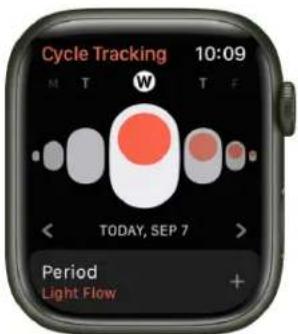
On iPhone, you can also log factors in the Health app that could impact your cycle, such as pregnancy, lactation, and contraceptive use. Depending on the factors you select, your period predictions, fertile window predictions, and, on Apple Watch Series 8, retrospective ovulation estimates may be turned off on iPhone and Apple Watch. For more information, see the iPhone User Guide.
Important: The Cycle Tracking app should not be used as a form of birth control. Data from the Cycle Tracking app should not be used to diagnose a health condition.
Receive retrospective ovulation estimates with Apple Watch Series 8
When worn to sleep each night, your Apple Watch Series 8 can track temperature changes and use this data to help improve period predictions and provide retrospective ovulation estimates (not available in all regions*).
Important: The Cycle Tracking app should not be used as a form of birth control. Data from the Cycle Tracking app should not be used to diagnose a health condition.
Set up wrist temperature tracking
- Set up Cycle Tracking and Sleep.
- To establish a temperature baseline, ensure the Sleep Focus is on, then wear your Apple Watch while sleeping. Wrist temperature data will be available after about five nights.
- To view wrist temperature data, open the Health app on your iPhone, tap Browse, tap Body Measurements, then tap Wrist Temperature.
Retrospective ovulation estimates should be available after about two menstrual cycles of wearing your Apple Watch to sleep each night.
Note: Your body temperature naturally fluctuates, and can vary from night to night due to a number of variables. Wrist temperature can also be impacted by external factors like your sleep environment.
Turn off wrist temperature for Cycle Tracking
- Open the Health app on your iPhone, tap Browse, then tap Cycle Tracking.
- Tap Options, then turn off Use Wrist Temperature. If you turn off wrist temperature tracking, you'll no longer receive retrospective ovulation estimates and wrist temperature data will not be used for period predictions.
For more information, see the Apple Support article Track your nightly wrist temperature changes with Apple Watch.
*For information about the availability of the retrospective ovulation estimates feature, see watchOS Feature Availability.
ECG
Record an electrocardiogram with the ECG app on Apple Watch
Apple Watch Series 4 and later has an electrical heart rate sensor that, along with the ECG app, allows you to take an electrocardiogram (or ECG). To use the ECG app, update your iPhone 8 or later to the latest version of iOS and Apple Watch to the latest version of watchOS. The ECG app is not available on Apple Watch SE and not available in all regions.
- Open the Health app on your iPhone, then follow the onscreen steps to set up ECG. If you don't see a prompt to set up, tap Browse at the bottom right, tap Heart, then tap Electrocardiogram (ECG).
- Open the ECG app on your Apple Watch.
- Rest your arm on a table or in your lap.
- With the hand opposite your watch, hold your finger on the Digital Crown, then wait while Apple Watch records the ECG.
You don't need to press the Digital Crown during the session.
At the end of the recording, you receive a classification. You can then tap Add Symptoms and choose your symptoms. Tap Save to note any symptoms, then tap Done. To view your results on iPhone, open the Health app on iPhone, tap Browse at the bottom right, then tap Heart > Electrocardiograms (ECG).
Important: To ensure the best reading after swimming, showering, heavy perspiration, or washing your hands, clean and dry your Apple Watch. It may take one hour or more for your Apple Watch to completely dry. ECG is designed to function between 32° and 95° F (0° and 35° C).
For more information about the ECG app, see the Apple Support article Taking an ECG with the ECG app on Apple Watch Series 4 or later, and the document ECG App Instructions for Use (IFU).
Find People, Devices, and Items
Find People
View a friend's location with Apple Watch
The Find People app is a great way to find people who are important to you and share your location with them. If friends and family members use iPhone, iPad, iPod touch, Apple Watch SE, or Apple Watch Series 4 or later, and share their locations with you, they appear on a map, so you can quickly see where they are. You can set notifications to alert you when friends or family members leave from or arrive at various locations. See the iPhone User Guide for information about setting up the Find My app on your iPhone.

Add a friend
- Open the Find People app on your Apple Watch.
- Scroll down, then tap Share My Location.
- Tap the Dictation, Contacts, or Keypad button to choose a friend.
- Select an email address or phone number.
- Choose how long to share your location—for one hour, until the end of the day, or indefinitely.
Your friend receives a notification that you've shared your location. They can choose to also share their location with you. After your friend agrees to share their location, you can see where they are in a list or on a map in the Find My app on iPhone, iPad, iPod touch, and Mac, or the Find People app on Apple Watch.
To stop sharing your location with a friend, tap your friend's name on the Find People screen, then tap Stop Sharing.
To stop sharing your location with everyone, open the Settings app on your Apple Watch, go to Privacy & Security > Location Services, then turn off Share My Location.
Find out where your friends are
- Open the Find People app on your Apple Watch to see a list of your friends, with each friend's approximate location and distance from you. Turn the Digital Crown to see more friends.
- Tap a friend to see their location on a map and an approximate address.
- Tap < in the top-left corner to return to your friends list.
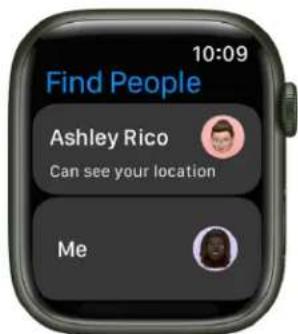
Or use Siri. Say something like, "Where is Julie?"
Note: If your friend is wearing an Apple Watch with cellular and is sharing their location, but they don't have their iPhone with them, their location will be tracked using their Apple Watch.
Notify a friend of your departure or arrival
- Open the Find People app on your Apple Watch.
- Tap a friend, scroll down, then tap Notify [name of friend].
- Turn on Notify [name of friend] on the next screen, then choose to notify your friend when you leave your location or arrive at their location.
Get a notification about your friend's location
- Open the Find People app on your Apple Watch.
- Tap your friend, scroll down, then tap Notify Me.
- Turn on Notify Me, then choose to be notified when your friend leaves their location or arrives at your location.
Use Apple Watch to get directions or contact a friend
Use Find People to quickly get directions to a friend.
Get directions to a friend
- Open the Find People app on your Apple Watch.
- Tap your friend, scroll down, then tap Directions to open the Maps app.
- Tap the route to get step-by-step directions from your current location to your friend's location.
Contact a friend
- Open the Find People app on your Apple Watch.
- Tap your friend, scroll down, then tap Contact to call, email, or send a message to your friend.
Find Devices
Find misplaced devices with Apple Watch
The Find Devices app on Apple Watch can help you locate Apple devices you've lost or misplaced. To find your Apple devices you must connect them to your Apple ID. See the Apple Support article Set up Find My on your iPhone, iPad, iPod touch, or Mac to learn how.
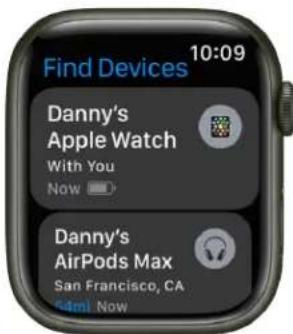
See the location of a device
If your device is online, you can see its location in the Find Devices app. For supported devices, Find Devices can locate the device even if it's powered off, in Low Power Mode, or if airplane mode is turned on.
Open the Find Devices app on your Apple Watch, then tap a device.
- If the device can be located: It appears on the map so you can see where it is. The device's approximate distance, time it last connected to Wi-Fi or cellular, and charge level appears above the map. An approximate location appears below the map.
- If the device can't be located: You see "No location" under the device's name. Under Notifications, turn on Notify When Found. You receive a notification once it's located.
Play a sound on your iPhone, iPad, iPod touch, Mac, or Apple Watch
- Open the Find Devices app on your Apple Watch, then tap a device.
- Tap Play Sound.
- If the device is online: A sound starts after a short delay and gradually increases in volume, then plays for about two minutes. The device vibrates (if applicable). A Find My [device] alert appears on the device's screen.
A confirmation email is also sent to your Apple ID email address.
- If the device is offline: You see Sound Pending. The sound plays the next time the device connects to a Wi-Fi or cellular network.
Play a sound on your AirPods or Beats headphones
If your AirPods or Beats headphones are paired with your Apple Watch, you can play a sound on them using Find Devices.
For supported AirPods models, you can even play a sound on your AirPods if they are in their case.
- Open the Find Devices app on your Apple Watch, then tap a device.
- Tap Play Sound. If your AirPods or AirPods Pro are separated, you can mute one by tapping Left or Right to find them one at a time.
• If the device is online: It plays a sound immediately for two minutes.
A confirmation email is also sent to your Apple ID email address.
- If the device is offline: You receive a notification the next time your device is in range of your Apple Watch.
Get directions to a device
You can get directions to a device's current location in the Maps app on your Apple Watch.
- Open the Find Devices app on your Apple Watch, then tap a device you want directions to.
- Tap Directions to open Maps.
- Tap the route to get directions from your current location to the device's location.
Receive a notification when you've left a device behind
To help keep you from misplacing your device, you can receive a notification when you've left your device behind. You can also set Trusted Locations—locations where you can leave your device without receiving a notification.
- Open the Find Devices app on your Apple Watch.
- Tap the device you want to set up a notification for.
- Below Notifications, tap Notify When Left Behind, then turn on Notify When Left Behind.
You can also open the Find My app on your iPhone, tap Devices, tap the device you want to set up a notification for, then tap Notify When Left Behind. Turn on Notify When Left Behind, then follow the onscreen instructions.
If you want to add a Trusted Location, you can choose a suggested location, or tap New Location, select a location on the map, then tap Done.
Mark a device as lost
If your device is lost or stolen, you can turn on Lost Mode for your iPhone, iPad, iPod touch, or Apple Watch, or lock your Mac.
- Open the Find Devices app on your Apple Watch, then tap a device.
- Tap Lost Mode, then turn on Lost Mode.
When you mark a device as lost, the following occurs:
- A confirmation email is sent to your Apple ID email address.
- A message indicating the device is lost and how to contact you appears on the device's Lock Screen.
- Your device doesn't display alerts or make noise when you receive messages or notifications, or if any alarms go off. Your device can still receive phone calls and FaceTime calls.
- Apple Pay is disabled for your device. Any credit or debit cards set up for Apple Pay, student ID cards, and Express Transit cards are removed from your device. Credit, debit, and student ID cards are removed even if your device is offline. Express Transit cards are removed the next time your device goes online. See the Apple Support article Manage the cards that you use with Apple Pay.
- For an iPhone, iPad, iPod touch, or Apple Watch, you see your device's current location on the map as well as any changes in its location.
Find Items
Locate an AirTag or other item in Find Items
You can use the Find Items app on your Apple Watch to locate a missing AirTag or third-party item that you've registered to your Apple ID.
See the iPhone User Guide to learn how to set up an AirTag on your iPhone and add or update a third-party item in Find My on iPhone.

See the location of an item
Open the Find Items app on your Apple Watch, then tap an item you want to find.
- If the item can be located: It appears on the map so you can see where it is. The device's approximate distance, time it last connected to Wi-Fi or cellular, and charge level appears above the map. An approximate location appears below the map.
- If the item can't be located: You see where and when it was last located. Under Notifications, tap Notify When Found, then turn on Notify When Found. You receive a notification once it's located again.
Play a sound
If the item is nearby, you can play a sound on it to help you find it.
Note: If you can't play a sound on an item, you won't see the Play Sound button.
- Open the Find Items app on your Apple Watch, then tap the item you want to play a sound on.
- Tap Play Sound. To stop playing the sound before it ends automatically, tap Stop Sound.
Get directions to an item
You can get directions to an item's current or last known location in the Maps app on your Apple Watch.
- Open the Find Items app on your Apple Watch, then tap the item you want to get directions to.
- Tap Directions to open Maps.
- Tap the route to get directions from your current location to the item's location.
Receive a notification when you've left an item behind
To help keep you from misplacing your items, you can receive a notification when you've left them behind. You can also set Trusted Locations—locations where you can leave your item without receiving a notification.
- Open the Find Items app on your Apple Watch.
- Tap the item you want to set up a notification for.
- Tap Notify When Left Behind, then turn on Notify When Left Behind.
You can also open the Find My app on your iPhone, tap Items, tap the item you want to set up a notification for, then tap Notify When Left Behind. Turn on Notify When Left Behind, then follow the onscreen instructions.
If you want to add a Trusted Location, you can choose a suggested location, or tap New Location, select a location on the map, then tap Done.
Mark an AirTag or other item as lost in Find Items on Apple Watch
Mark a device as lost
If you lose an AirTag or third-party item registered to your Apple ID, you can use the Find Items app to mark it as lost.
- Open the Find Items app on your Apple Watch, then tap an item.
- Tap Lost Mode, then turn on Lost Mode.
If someone finds your item, they can learn more about it by connecting to it. For more information, see View details about an unknown item in Find My on iPhone in the iPhone User Guide.
Turn off Lost Mode for an item
When you find your lost item, turn off Lost Mode.
- Open the Find Items app on your Apple Watch, then tap the item.
- Tap Lost Mode, then turn off Lost Mode.
Heart Rate
Check your heart rate on Apple Watch
Your heart rate is an important way to monitor how your body is doing. You can check your heart rate during a workout; see your resting, walking, workout, and post-workout heart rates, and your heart rate during a Breathe session; or take a new reading at any time.
Note: Make sure that your wrist and your Apple Watch are clean and dry. Water and sweat can cause a poor recording.
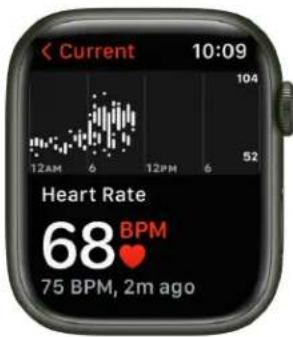
See your heart rate
Open the Heart Rate app on your Apple Watch to view your current heart rate, resting rate, and walking average rate.
Your Apple Watch continues measuring your heart rate as long as you're wearing it.
See a graph of your heart rate data
- Open the Heart Rate app on your Apple Watch.
- Tap Current, Resting Heart Rate, or Walking Average to show your heart rate throughout the day.
To see your heart rate data over a longer period of time, open the Health app on your iPhone, tap Browse, tap Heart, then tap an entry. You can show heart data for the last hour, day, week, month, or year.
Turn on heart rate data
By default, your Apple Watch monitors your heart rate for the Heart Rate app, workouts, and Breathe and Reflect sessions. If you've turned off heart rate data, you can turn it back on.
- Open the Settings app on your Apple Watch.
- Go to Privacy & Security > Health.
- Tap Heart Rate, then turn on Heart Rate.
You can also open the Apple Watch app on your iPhone, tap My Watch, tap Privacy, then turn on Heart Rate.
Note: The back of your Apple Watch needs skin contact for features like wrist detection, haptic notifications, blood oxygen level measurements (Apple Watch Series 6, Apple Watch Series 7, and Apple Watch Series 8 only), and the heart rate sensor. Wearing your Apple Watch with the right fit—not too tight, not too loose, and with room for your skin to breathe—keeps you comfortable and lets the sensors do their job. For more information, see the Apple Support articles Wearing your Apple Watch and Monitor your heart rate with Apple Watch.
For more information about Irregular Rhythm Notifications, see the Apple Support article Heart health notifications on your Apple Watch, and the document Irregular Rhythm Notification Instructions for Use (IFU).
Heart Health
Your Apple Watch can tune in to your heart and send notifications when something out of the ordinary occurs. For example, your Apple Watch can notify you if your heart rate remains above a chosen threshold or below a chosen threshold after you've been inactive for at least 10 minutes.
You can turn on heart rate notifications when you first open the Heart Rate app, or at any time later.
You can also receive a notification if your Apple Watch has identified an irregular heart rhythm that appears to be atrial fibrillation (AFib). If you have already been diagnosed with AFib, your Apple Watch can help you understand how frequently your heart is in this arrhythmia. You can also track lifestyle factors that may influence your condition.
Receive high or low heart rate notifications
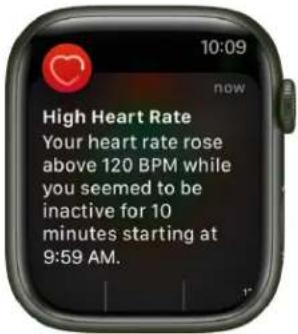
- Open the Settings app on your Apple Watch, then tap Heart.
- Tap High Heart Rate Notifications or Low Rate Notifications, then set a heart rate threshold.
You can also open the Apple Watch app on your iPhone, tap My Watch, then tap Heart. Tap High Heart Rate or Low Heart Rate, then set a threshold.
Receive irregular heart rhythm notifications (not available in all regions)
You can receive a notification if Apple Watch has identified an irregular heart rhythm that appears to be atrial fibrillation (AFib).
- Open the Settings app on your Apple Watch.
- Tap Heart, then turn on Irregular Rhythm Notifications.
You can also open the Apple Watch app on your iPhone, tap My Watch, tap Heart, then turn on Irregular Rhythm.
Show AFib history (not available in all regions)

- If you have been diagnosed with AFib, open the Health app on your iPhone, then tap Browse.
- Tap Heart, scroll down to Get More From Your Health, tap Set Up under AFib History, then follow the onscreen instructions.
- To show your AFib history, open the Health app, tap Browse, tap Heart, then tap AFib History.
Every Monday, if you have worn your watch for at least 5 of 7 days (12 hours a day), you may receive a notification with an estimate of the time you spent in AFib during the previous calendar week.
For more information, see the Apple Support article Track your AFib History with Apple Watch and AFib History Instructions for Use (IFU).
Receive low cardio fitness notifications
Apple Watch can provide you with cardio fitness estimates by measuring how hard your heart is working during an outdoor walk, run, or hike, and send you a notification when it's low. Depending on your age and sex, your cardio fitness will fall into one of four ranges:
Low, Below Average, Above Average, or High. If your cardio fitness level falls in the "Low" range, you'll receive a notification on your Apple Watch. If it stays low, you'll receive a notification every four months.
- Open the Settings app on your Apple Watch.
- Tap Heart, tap Cardio Fitness Notifications, then turn on Cardio Fitness Notifications.
You can also open the Apple Watch app on your iPhone, tap My Watch, tap Heart, then turn on Cardio Fitness Notifications.
Look in the Cardio Fitness section of the Health app to see your cardio fitness measurements and the range they fall into. Tap Show All Cardio Fitness Levels for more information.
Home
Control your home with Apple Watch
The Home app provides a secure way to control HomeKit-enabled accessories, such as lights, locks, smart TVs, thermostats, window shades, and smart plugs. You can also send and receive Intercom messages on supported devices and view the video streams of HomeKit Secure Video cameras. With your Apple Watch, all your controls are right on your wrist.
The first time you open the Home app on your iPhone, the setup assistant helps you create a home. Then you can define rooms, add HomeKit-enabled accessories, and create scenes. Accessories, scenes, and rooms that you add on your iPhone are available on your Apple Watch. See the iPhone User Guide for information about setting up the Home app on your iPhone.
Ask Siri. Say something like: "Turn off the lights in the office."
View your home status
The Home app shows you the status of accessories you're currently using—for example, the temperature registered by your thermostat or an unlocked front door. Just tap a button to control the accessory or learn more.
- Open the Home app on your Apple Watch.
- Tap any of the round buttons that appear just below your home's name.
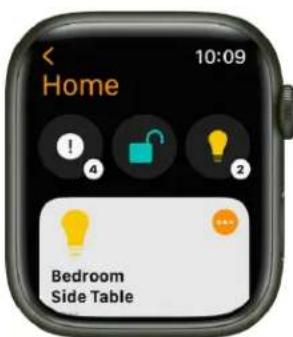
When multiple accessories appear in a status, tapping the status lets you control each device or set of grouped devices. For example, if all the lights are on in the living room and bedroom, you can tap the status, then turn off just the lights in the living room.
Control smart home accessories and scenes
In the Home app on your Apple Watch, the relevant scenes and accessories for that moment appear near the top of the screen. For example, a coffee maker may appear in the morning and be replaced by your bedside lamp at night.
You can see the rest of your accessories by scrolling up, then tapping Cameras, Favorites, or a room.

To control an accessory, do any of the following:
- Turn an accessory on or off: Tap the accessory—a light, for example—or, if you want to unlock a compatible lock, a home key.
- Adjust an accessory's settings: Tap 😊 for an accessory. Tap Done to return to the list of accessories.
The available controls depend on the type of accessory. For example, with some lightbulbs, there are controls for both brightness and changing colors. Swipe left to see additional controls.
- Control favorite accessories or accessories in a room: Tap Favorites or a room, then tap an accessory or tap to adjust the accessory's settings.
- View a camera's video stream: Tap Cameras, then tap a camera.
To run a scene, open the Home app on your Apple Watch, then tap the scene.
View a different home
If you have more than one home set up, you can choose which one to view on your Apple Watch.
Open the Home app on your Apple Watch, then do one of the following:
• If the Home Screen is showing, tap a home. - If a specific home is showing, tap <, then tap a different home.
Send and receive Intercom messages from Apple Watch
Using the Home app on Apple Watch, you can send an Intercom message to all members of your home. You can also send Intercom messages to specific rooms or zones.
- Open the Home app on your Apple Watch.
- Swipe down, then tap the Intercom button.
- Say something like "Who ate the last piece of pizza?"
- Tap Done.
A recording of your voice is sent to all the HomePod speakers in your home, and to the iOS, iPadOS, and watchOS devices of all members of your home who can send and receive Intercom messages.
To send a message to a HomePod in a specific room or zone, raise your Apple Watch and say something like "Hey Siri, tell the office 'The movie is starting'" or "Hey Siri, announce upstairs 'I'm going to the store.'"
Remotely access your smart home accessories from Apple Watch
If you have an Apple TV (3rd generation or later) or HomePod in your home, you can remotely access HomeKit-enabled accessories from your iPhone and your paired Apple Watch. The Apple TV or HomePod acts as a home hub that lets you communicate with your accessories when you're away from home.
Allow remote access
On your iPhone, go to Settings > [your name] > iCloud, then turn on Home. Make sure you're signed in using the same Apple ID on all the devices.
If you have an Apple TV and you're signed in using the same Apple ID as your iPhone, it will be paired automatically.
Read mail on Apple Watch
Read mail on your Apple Watch, then reply using the QWERTY and QuickPath keyboard (not available in all languages, Apple Watch Series 7 and Apple Watch Series 8 only), dictation, Scribble, emoji, or a prepared response, or switch to your iPhone to type a response.
WARNING: For important information about avoiding distractions that could lead to dangerous situations, see Important safety information.
Read mail in a notification
- To read a new message, just raise your wrist when the notification arrives.
- To dismiss the notification, swipe down from the top or tap Dismiss at the end of the message. If you miss the notification, swipe down on the watch face later to see unread notifications, then tap it there.
To control email notifications on your Apple Watch, open the Apple Watch app on your iPhone, tap My Watch, then go to Mail > Custom.
Read mail in the Mail app
- Open the Mail app on your Apple Watch.
- Turn the Digital Crown to scroll the message list.
- Tap a message to read it.
- To jump to the top of a long message, turn the Digital Crown, or tap the top of the screen.

Messages are formatted to be viewed on your Apple Watch. Most text styles are preserved, and you can tap website links in Mail and view web-formatted content optimized for Apple Watch. Double-tap to zoom in on the content.
Website links may not be available in all regions.
Tip: You can make a call, open a map, or view web-formatted content from a mail message—just tap a phone number, address, or link.
Switch to iPhone
When you receive a message you want to read on your iPhone, follow these steps:
- Wake your iPhone.
- On an iPhone with Face ID, swipe up from the bottom edge and pause to show the App Switcher. (On an iPhone with a Home button, double-click the Home button to show the App Switcher.)
- Tap the button at the bottom of the screen to open Mail.
Write and reply to mail on Apple Watch
Create a message
- Open the Mail app on your Apple Watch.
- Use the Digital Crown to scroll to the top of the screen, then tap New Message.
- Tap Add Contact to add a recipient, tap From to choose an account to send from, tap Add Subject to create a subject line, then tap Create Message.
If you've set up your Apple Watch to use more than one language, tap Language, choose a language, then tap the Create Message field.
Compose a message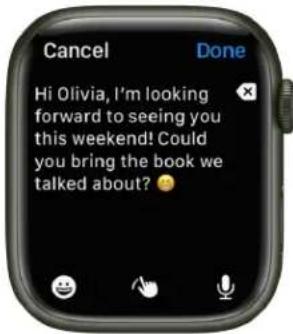
You can compose a message in a variety of ways—most of them on a single screen. Tap the Create Message field, then do one or a combination of the following:
- Use the QWERTY and QuickPath keyboard: (Not available in all languages, Apple Watch Series 7 and Apple Watch Series 8 only) Tap characters to enter them or use the QuickPath keyboard to slide from one letter to the next without lifting your finger. To end a word, lift your finger.
Suggested words appear as you type. You can also tap a finished or unfinished word to highlight it, then turn the Digital Crown to see suggested words. Stop turning the Digital Crown to enter the highlighted suggestion.
If you don't see the keyboard, swipe up from the bottom, then tap the Keyboard button.
- Use Scribble: Use your finger to write your message. To edit your message, turn the Digital Crown to move the cursor into position, then make your edit. To use Scribble on Apple Watch Series 7 and Apple Watch Series 8, swipe up from the bottom of the screen, then tap Scribble.
To use predictive text, tap a finished or unfinished word to highlight it, then turn the Digital Crown to see suggested words. Stop turning the Digital Crown to enter the highlighted suggestion.
Tip: If you've set up your Apple Watch to use more than one language, you can choose a different language when using Scribble. Just swipe up from the bottom of the screen, then choose a language.
Scribble is not available in all languages.
- Dictate text: Tap ↓, say what you want to say, then tap Done. You can speak punctuation, too—for example, "did it arrive question mark."
To return to using Scribble, turn the Digital Crown or tap
- Include emoji: Tap 😊, tap a frequently used emoji or a category at the bottom of the screen, then scroll to browse available images. When you find the right symbol, tap it to add it to your message.
- Enter text with your iPhone: When you start composing a message and your paired iPhone is nearby, a notification appears on the iPhone, offering to let you enter text using the iOS keyboard. Tap the notification, then type the text on your iPhone.
Reply to a message on Apple Watch
Scroll to the bottom of a message you've received in the Mail app, then tap Reply. If there are multiple recipients, tap Reply All. Tap Add Message, then do either of the following:
- Send a smart reply: Scroll to see a list of handy phrases that you can use—just tap one to send it.
To add your own phrase, open the Apple Watch app on your iPhone, tap My Watch, go to Mail > Default Replies, then tap Add reply. To customize the default replies, tap Edit, then drag to reorder them or tap to delete one.
If the smart replies aren't in the language you want to use, scroll down, tap Languages, then tap a language. The available languages are those you enabled on your iPhone in Settings > General > Keyboard > Keyboards.
- Compose a reply: Tap the Add Message field, then compose a reply.
Open the email on iPhone
- If you prefer to reply on your iPhone, wake your iPhone, then open the App Switcher. (On an iPhone with Face ID, swipe up from the bottom edge and pause; on an iPhone with a Home button, double-click the Home button.)
- Tap the button that appears at the bottom of the screen to open the email in Mail.
Manage mail on Apple Watch
Choose which mailboxes appear on Apple Watch

- Open the Apple Watch app on your iPhone.
- Tap My Watch, then go to Mail > Include Mail.
- Tap the accounts you want to see on your Apple Watch under Accounts. You can specify multiple accounts—for example, iCloud and the account you use at work.
- If you want, tap an account, then tap specific mailboxes to see their contents on your Apple Watch.
By default you see messages from all inboxes. You can also choose to view messages from VIPs, flagged messages, unread messages, and more.
You can also choose the accounts and mailboxes you see, right on Apple Watch. Open the Mail app, scroll down, tap Edit, then tap an account or mailbox.
View specific accounts on Apple Watch
- Open the Mail app on your Apple Watch.
- Tap < in the top-left corner to see a list of accounts and special mailboxes, such as Flagged and Unread.
- Tap an account or mailbox to view its contents. To see your email from all accounts, tap All Inboxes.
Delete, mark as unread or read, or flag a message
Open the Mail app on your Apple Watch, open a mail message, then scroll to the bottom to:
- Mark a message unread or read: Tap "Mark as Unread" or "Mark as Read."
If you're looking at the message list, swipe right on the message, then tap the Read or Unread button.
- Delete a message: Tap Trash Message.
If you're looking at the message list, swipe left on the message, then tap the trash icon.
- Flag a message: Tap Flag. (You can also unflag a message that's already been flagged.)
If you're looking at the message list, swipe left on the message, then tap the flag icon.
If you swipe on a message thread, the action you choose (Trash, Flag, Read, or Unread) applies to the entire thread.
Customize alerts
- Open the Apple Watch app on your iPhone.
- Tap My Watch, go to Mail > Custom, tap an account, then turn on Show Alerts from [name of account].
- Turn Sound and Haptic on or off.
You can also be alerted when an important message arrives when you're wearing your Apple Watch, but away from your iPhone. Open the Apple Watch app on your iPhone, tap My Watch, tap Mail, then turn on Email Notifications under When Not Connected to iPhone.
Shorten your message list
To make your mail list more compact, reduce the number of preview text lines shown for each email in the list.
- Open the Apple Watch app on your iPhone.
- Tap My Watch, tap Mail, then tap Message Preview.
- Choose to show only 1 or 2 lines, or none.
Load remote images
Some emails can contain links that point to online images. If you allow remote images to load, those images appear in the email. To allow these images, follow these steps:
- Open the Apple Watch app on your iPhone.
- Tap My Watch, tap Mail, tap Custom, then turn on Load Remote Images.
Note: Loading remote images can cause email to download more slowly to your Apple Watch.
Organize by thread
To see all responses to an email combined in one thread, follow these steps:
- Open the Apple Watch app on your iPhone.
- Tap My Watch, tap Mail, tap Custom, then turn on Organize By Thread.
Maps
Find places and explore with Apple Watch
Your Apple Watch has a Maps app for exploring your surroundings and getting directions.
Ask Siri. Say something like:
- "Where am I?"
• "Find coffee near me."
WARNING: For important information about avoiding distractions that could lead to dangerous situations, see Important safety information.
Search the map
- Open the Maps app on your Apple Watch.
- Tap Search, then tap to dictate or to scribble. On Apple Watch Series 7 and Apple Watch Series 8 you can also use the QWERTY and QuickPath keyboard (not available in all languages).
To use Scribble on Apple Watch Series 7 and Apple Watch Series 8, swipe up from the bottom of the screen, then tap Scribble.
Note: Scribble is not available in all languages.
Find a nearby service
- Open the Maps app on your Apple Watch.
- Tap, then tap a category such as Restaurants or Parking.
- Tap a result, then turn the Digital Crown to scroll the information.
- Tap < in the top-left corner to return to the list of results.
Note: Nearby suggestions aren't available in all areas.

View a guide
- Open the Maps app on your iPhone, tap the search field, swipe up, then do any of the following:
- Tap a cover that appears below City Guides or Guides We Love.
- Tap Explore Guides, browse the guides, then tap a cover.
- Tap an entry below Browse by Publisher, then tap a cover.
- Swipe up, then tap + next to a location's name—the name of a park or restaurant, for example.
- Choose the guide you want to add the location to or tap New Guide.
- Open the Maps app on your Apple Watch, scroll down, then tap the guide you added the location to.
Note: Guides are not available in all regions.
See the iPhone User Guide for information about setting up and saving guides in Maps.
See and search your current location and surroundings
- Open the Maps app on your Apple Watch.
- Tap Location.
- To search around your location, tap •, then tap Search Here.
Tap Transit Map to see nearby transit options.
Note: Transit Map is not available in all regions.
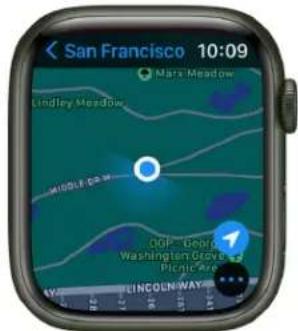
On Apple Watch SE and Apple Watch Series 5 and later, a blue cone on the map shows the direction your watch is facing.
Pan and zoom
- Pan the map: Drag with one finger.
- Zoom the map in or out: Turn the Digital Crown.
You can also double-tap the map to zoom in on the spot you tap.
Go back to your current location: Tap at the bottom right.
Get info about a landmark or marked location
- Tap the location marker on the map.
- Turn the Digital Crown to scroll the information.
- Tap < in the top-left corner to return to the map.
Tip: To call a location, tap the phone number in the location info. To switch to your iPhone, open the App Switcher. (On an iPhone with Face ID, swipe up from the bottom edge and pause; on an iPhone with a Home button, double-click the Home button.) Tap the button at the bottom of the screen to open Phone.
Drop, move, and remove map pins
- Drop a pin: Touch and hold the map where you want the pin to go, wait for the pin to drop, then let go. To drop a pin at your current location, tap the blue dot, then tap Mark My Location.
- Move a pin: Touch and hold the pin, then drag it, or drop a new pin in the new location.
- Remove a pin: Tap it to see address information, turn the Digital Crown to scroll, then tap Remove Marker.

Tip: To find the approximate address of any spot on the map, drop a pin on the location, then tap the pin to see address info.
See recent locations
- Open the Maps app on your Apple Watch.
- Scroll down, then tap a location listed below Recents. Recents can also include guides you recently viewed on your iPhone.
Get directions on Apple Watch
Ask Siri. Say something like:
- "Directions to the nearest gas station?" • "Get directions home" • "How far to the airport?"
Get directions
- Open the Maps app on your Apple Watch.
- Turn the Digital Crown to scroll to Favorites, Guides, and Recents.
- Tap an entry to get driving, walking, transit, and cycling directions. Note: Not all transportation modes are available in all locations.
- Tap a mode to see suggested routes, then tap a route to begin your trip and to see an overview of it—with turns, distance between turns, and street names. Look in the top-left corner to see your estimated arrival time. Tap the arrival time to see how long it will be until you reach your destination.

Tip: When you choose Cycling, you see an overview of elevation changes along the route. Tap to learn about the kind of roads you'll ride—whether they have a bike path, are a side or main road, or require you to dismount your bike and walk.
See transportation options
With suggested routes showing in the Maps app, you can select various options before you begin.
- Choose an alternate route: If alternate routes appear, tap one to take it.
- Switch to a driving, walking, transit, or cycling route: Tap Walking, Driving, Transit, or Cycling.
- Avoid tolls or highways: With a driving route showing, tap > next to the destination's address, then turn on an option.
- Avoid hills or busy roads: With a cycling route showing, tap > next to the destination's address, then turn on an option.
- Choose preferred public transit: With a transit route showing, tap >, then choose the kinds of public transit you prefer—bus, subway & light rail, commuter rail, and ferry, for example.
Get directions to a landmark or map pin
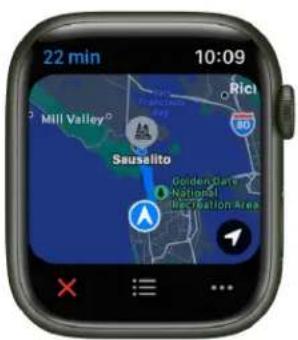
- Open the Maps app on your Apple Watch.
- Tap Location, then tap the destination landmark or map pin.
- Scroll the location information until you see Directions, then choose walking, driving, transit, or cycling directions.
- When you're ready to go, tap a route, then follow the directions.

Ask Siri. Say something like, "How long will it take me to get home?"
Use Maps while en route
Your Apple Watch has many ways to help keep you on the right path. Choose these options as you travel:
- See turn-by-turn directions: When you start your journey, Apple Watch displays a list of each turn you'll take, complete with street and highway names. Turn the Digital Crown to see upcoming turns, then tap the top of the display to return to the next turn you'll take.
Note: Location services must be turned on to use turn-by-turn directions. On Apple Watch, go to Settings > Privacy & Security > Location Services to turn location services on or off.
- Open a map: When viewing a list of turn-by-turn directions, tap the document icon to open a map that shows the turn's location. Turn the Digital Crown to zoom in and out on the map. Tap the list icon to return to the turn-by-turn list.
- Listen for directions: After you head off on your first leg, your Apple Watch uses sounds and taps to let you know when to turn. A low tone followed by a high tone (tock tick, tock tick) means turn right at the intersection you're approaching; a high tone followed by a low tone (tick tock, tick tock) means turn left. Not sure what your destination looks like? You'll feel a vibration when you're on the last leg, and again when you arrive.
You can choose the transportation modes that provide alerts. Open the Apple Watch app on your iPhone, tap My Watch, tap Maps, then turn on the alerts you want to receive—Driving, Driving with CarPlay, Walking, and Cycling.
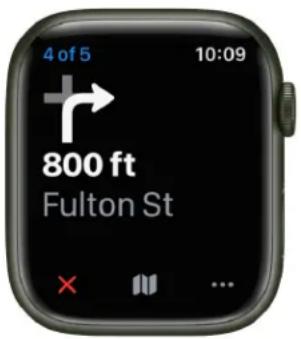
To end directions before you get there, tap the X in the bottom left of the display. Or tap the ellipsis icon, scroll down, then tap End.
Medications
Track your medications on Apple Watch
You can manage the medications, vitamins, and supplements you take in the Health app on your iPhone. In the Medications app on your Apple Watch, you can keep track of your medications and log them with reminders.
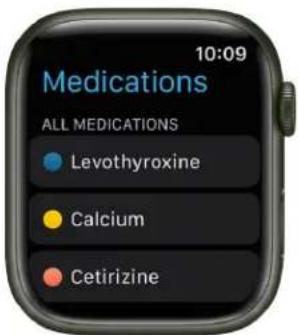
Note: The Medications feature should not be used as a substitute for professional medical judgment. Additional information is available on the labels of your medications, but please consult your healthcare provider prior to making any decisions related to your health.
Set up a medication schedule on iPhone
- Open the Health app on your iPhone, tap Browse at the bottom right, then tap Medications.
- Tap Add Medication (to start your list) or Add a Medication (to add to your list).
- To identify the medication, do one of the following:
• Type the name: Tap the search field, enter the name, then tap Add. In the U.S. only, suggestions appear as you begin typing. You can select a suggestion, or finish typing the name, then tap Add. - Use the camera: (U.S. only; on iPhone SE (2nd generation and later), iPhone Xs, iPhone XR, and later) Tap next to the search field, then follow the onscreen instructions. If a match isn't found, tap Search by Name, then type the name (as described above).
- Follow the onscreen instructions to optionally create a visual identifier, set a schedule, and help identify possible interactions.
Log your medications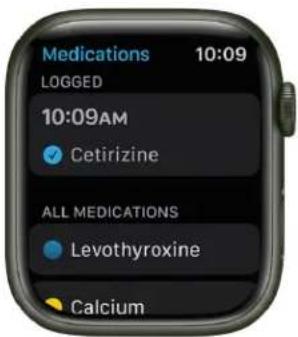
By default, your Apple Watch will remind you when it's time to take your medications based on the schedule you've created in the Health app on iPhone. To log your medications, follow these steps.
- If you've received a notification to log your medications, tap the notification. Otherwise, open the Medications app on your Apple Watch.
- Tap the current medications schedule—the medications you take in the morning, for example.
- Tap Log All as Taken.
Apple Watch records the dosage, the number of units taken, and the time you took the medication.
- To log individual medications, scroll down, tap a medication under Your Medications, then tap Log.
The medication's name and time logged appears under Logged.
- To change the status of a logged medication, tap it, tap Taken or Skipped, then tap Done.
To view the log and your medication history on your iPhone, open the Health app, tap Browse, then tap Medications.
See Track your medications in Health in the iPhone User Guide.
Memoji
Use Memoji on Apple Watch
With the Memoji app you can design your own personalized Memoji—choose skin color and freckles, hairstyle and color, facial features, headwear, glasses, and more. You can create multiple Memoji for different moods.
Create Memoji
- Open the Memoji app on your Apple Watch.
- If you're using the Memoji app for the first time, tap Get Started.
If you've already made a Memoji, scroll down, then tap + to add a new one.
- Tap each feature and scroll the Digital Crown to choose the options you want for your Memoji. As you add features such as hairstyle and eyewear, your character comes to life.
- Tap Done to add the Memoji to your collection.
Memoji you create can be used as Memoji stickers in Messages.
To create another Memoji, tap + then add features.
Edit Memoji and more
Open the Memoji app on your Apple Watch, tap a Memoji, then choose an option:
- Edit a Memoji: Tap features such as eyes and headwear, then turn the Digital Crown to choose a variation.
• Create a Memoji watch face: Scroll down, then tap Create Watch Face.
Return to the watch face and swipe left to see your new Memoji watch face. The watch face is also added to the watch face collection in the Apple Watch app on iPhone.
- Duplicate a Memoji: Scroll down, then tap Duplicate.
- Delete a Memoji: Scroll down, then tap Delete.
Messages
Read messages on Apple Watch
Read incoming text messages right on your Apple Watch, then reply using the QWERTY and QuickPath keyboard (not available in all languages, Apple Watch Series 7 and Apple Watch Series 8 only), dictation, Scribble, or a prepared response, or switch to your iPhone to type a response.
WARNING: For important information about avoiding distractions that could lead to dangerous situations, see Important safety information.
Read a message on Apple Watch
- When you feel a tap or hear an alert sound telling you that a message has arrived, raise your Apple Watch to read it.
- Turn the Digital Crown to scroll to the bottom of the message.
- To jump to the top of the message, tap the top of the screen.
Tip: You can tap a website link within a message to view web-formatted content optimized for Apple Watch. Double-tap to zoom in on the content.
If the message arrived a while ago, touch and hold the top of the screen, swipe down on the display to see the message notification, then tap it. To mark the message as read, scroll down, then tap Dismiss. To dismiss the notification without marking the message as read, press the Digital Crown.
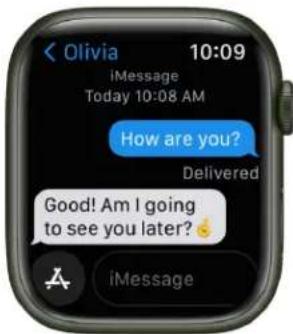
See when messages were sent
Tap a conversation in the Messages conversation list, then swipe left on a message in the conversation.
Mute or delete a conversation
- Mute a conversation: Swipe left on the conversation in the Messages conversation list, then tap the mute icon.
- Delete a conversation: Swipe left on the conversation in the Messages conversation list, then tap the delete icon.
Access photos, audio, music, and video in a message
Messages can contain photos, audio, and videos. To access them from your Apple Watch, follow these steps:
- Photo: Tap the photo to view it, double-tap it to fill the screen, and drag it to pan. When you're finished, tap the back arrow in the top-left corner to return to the conversation. If you want to share the photo, tap it, tap the share button, then tap a sharing option—choose people you often exchange messages with, or tap Messages or Mail. To save the image to the Photos app on your iPhone, scroll past the sharing options, then tap Save Image. Or tap Create Watch Face to create a Kaleidoscope or Photos watch face with the image.
• Audio clip: Tap the clip to listen.
The clip is deleted after two minutes to save space—if you want to keep it, tap Keep below the clip. The audio remains for 30 days, and you can set it to remain longer on your iPhone: Go to Settings, tap Messages, scroll to Audio Messages, tap Expire, then tap Never.
- Music: If someone has shared music from Apple Music via Messages, tap the song, album, or playlist in the message to open and play it in the Music app on Apple Watch. (Apple Music subscription required.)
- Video: Tap a video in a message to start playing the video full-screen. Tap once to display the playback controls. Double-tap to zoom out and turn the Digital Crown to adjust the volume. Swipe or tap the Back button to return to the conversation.
To save the video, open the message in the Messages app on your iPhone, and save it there.
Decide how to be notified
- Open the Apple Watch app on your iPhone.
- Tap My Watch, then tap Messages.
- Tap Custom to set options for how you want to be notified when you receive a message.
You won't receive a notification if you're using a Focus that doesn't allow Messages notifications.
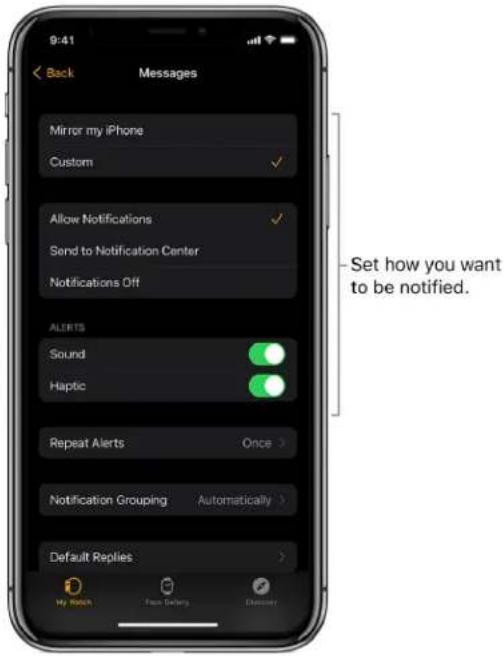
Send messages from Apple Watch
In the Messages app on your Apple Watch, you can compose and send messages that contain not only text, but also images, emoji, Memoji stickers, and audio clips. You can also send money through Apple Pay and let people know where you are by including your location in a message.
Create a message on Apple Watch
- Open the Messages app on your Apple Watch.
- Scroll to the top of the screen, then tap New Message.
- Tap Add Contact, tap a contact in the list of recent conversations that appears, or choose an option:
- Tap to search for someone in your contacts or to dictate a phone number.
- Tap to choose from your full list of contacts.
- Tap to enter a phone number.
- Tap Create Message.
- If you've set up your Apple Watch to use more than one language, tap Language, then choose a language.
Compose a text message
You can compose a message in a variety of ways—most of them on a single screen. After creating a message, tap the Create Message field, then do one or a combination of the following:
- Use the QWERTY and QuickPath keyboard: (Not available in all languages, Apple Watch Series 7 and Apple Watch Series 8 only) Tap characters to enter them or use the QuickPath keyboard to slide from one letter to the next without lifting your finger. To end a word, lift your finger.
Suggested words appear as you type. You can also tap a finished or unfinished word to highlight it, then turn the Digital Crown to see suggested words. Stop turning the Digital Crown to enter the highlighted suggestion.
If you don't see the keyboard, swipe up from the bottom, then tap the Keyboard button.
- Use Scribble: Use your finger to write your message. To edit your message, turn the Digital Crown to move the cursor into position, then make your edit. To use Scribble on Apple Watch Series 7 and Apple Watch Series 8, swipe up from the bottom of the screen, then tap Scribble.
To use predictive text, tap a finished or unfinished word to highlight it, then turn the Digital Crown to see suggested words. Stop turning the Digital Crown to enter the highlighted suggestion.
Tip: If you've set up your Apple Watch to use more than one language, you can choose a different language when using Scribble. Just swipe up from the bottom of the screen, then choose a language.
Scribble is not available in all languages.
- Dictate text: Tap ↓, say what you want to say, then tap Done. You can speak punctuation, too—for example, "did it arrive question mark."
To return to using Scribble, turn the Digital Crown or tap
- Include emoji: Tap 😊, tap a frequently used emoji or tap a category, then scroll to browse available images. When you find the right symbol, tap it to add it to your message.
- Enter text with your iPhone: When you start composing a message and your paired iPhone is nearby, a notification appears on the iPhone, offering to let you enter text using the iOS keyboard. Tap the notification, then type the text using the iPhone keyboard.
Send a smart reply, Memoji sticker, sticker, GIF, or audio clip
You can also compose messages without entering a single character. Try one of these options after creating a message:
- Send a smart reply: Scroll to see a list of handy phrases that you can use—tap one, then tap Send.
To add your own phrase, open the Apple Watch app on your iPhone, tap My Watch, go to Messages > Default Replies, then tap Add Reply. To customize the default replies, tap Edit, then drag to reorder them or tap to delete one.
If the smart replies aren't in the language you want to use, scroll down, tap Languages, then tap a language. The available languages are those you enabled on your iPhone in Settings > General > Keyboard > Keyboards.
- Send a Memoji sticker: Tap 📄, tap 🔒, tap an image in the Memoji Stickers collection, tap a variation, then tap Send.
- Send a sticker: Tap 🎥, tap ⚙️, scroll to the bottom, then tap More Stickers. Tap one, then tap Send. To create new stickers or see all your stickers, use Messages on your iPhone.
- Send a GIF: Tap 📄, tap 🔒, tap a GIF, then tap Send. To search for an appropriate GIF, tap the Search field, enter a search term, tap a resulting GIF, then tap Send.
- Send an audio clip: Tap 📄, tap 🔊, record what you want to say, tap Done, then tap Send.
Use Apple Cash to send and receive money
- In a conversation, tap next to the iMessage field.
- Tap Cash
- Select an amount to send using the Digital Crown, then tap Send.
- Double-click the side button to send.
See Send, receive, and request money with Apple Watch.
Note: Apple Cash is not available in all regions.
Send a sketch from Apple Watch
You can use Digital Touch to send sketches to friends who have an Apple Watch or iPhone with iOS 10 or later.
To see a sketch someone has sent you, tap the notification.
- Create a message, then tap
- Tap to open the drawing canvas.
- Use your finger to draw on the screen.
- Tap the dot in the top-right corner to choose a different color.
- Tap Done when you're finished sketching, then tap Send.
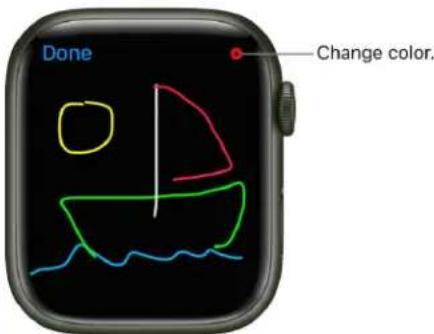
Express your feelings with a Digital Touch
You can use Digital Touch to send taps, a kiss, or your heartbeat to friends who have an Apple Watch or iPhone with iOS 10 or later.
To see (or feel) a tap or heartbeat someone has sent you, tap the notification.
- Create a message, then tap
- Tap 🤒 to open the drawing canvas, then use gestures to send any of the following:
- Tap: Tap the screen to send a single tap or tap repeatedly to send a tap pattern.
- Kiss: Tap two fingers on the display one or more times. Stop tapping to send.
- Heartbeat: Place two fingers on the display until you feel your heartbeat and see it animated on the screen.
- Heartbreak: Place two fingers on the display until you feel your heartbeat, then drag them down to send.
- Fireball: Touch and hold one finger on the display until you see a flame. Lift to send.
Share your location
To send someone a map showing your current location, scroll down, then tap Send Location.
On your paired iPhone, make sure Share My Location is turned on in Settings > [your name] > Find My > Share My Location. Or, on your Apple Watch with cellular, open the Settings app, go to Privacy > Location Services, then turn on Share My Location.
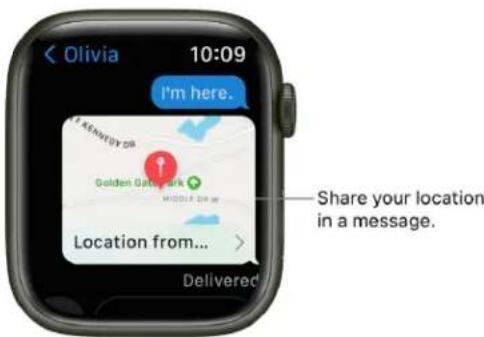
Contact the person you're messaging
- While viewing a conversation, scroll down.
- Tap Details, then tap the phone, message, or video icons.
Scroll down and tap Share Contact to share the contact with others.
Reply to messages on Apple Watch
Reply to a message
Turn the Digital Crown to scroll to the bottom of the message, then choose how to reply.
To quickly respond with a Tapback, touch and hold a specific message in a conversation, then choose a Tapback—like thumbs-up or a heart.
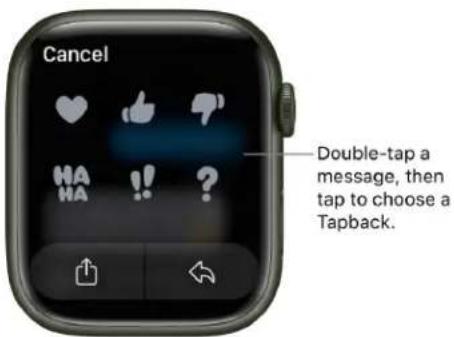
Reply directly to one message in a conversation
In a group conversation, you can respond to a specific message inline to help keep conversations organized.
- In a Messages conversation, touch and hold a specific message to reply to, then tap the reply icon.
- Create your response, then tap Send.
Only the person you reply to sees the message.
Share a message
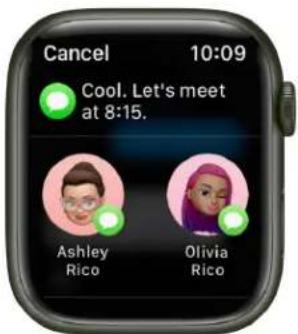
Friends often include information and sentiments in their messages that you want to share with others. To share a message, follow these steps:
- In a Messages conversation, touch and hold a specific message, then tap ↗.
- Choose people you often exchange messages with, or tap Messages or Mail.
- If you've chosen Messages or Mail, add contacts and, if you're sending an email, a subject.
- Tap Send.
Mindfulness
Use Apple Watch to practice mindfulness
The Mindfulness app 📊 on your Apple Watch encourages you to set aside a few minutes a day to focus, center, and connect as you breathe. With an Apple Fitness+ subscription, you can listen to guided meditations on Apple Watch.
Start a Reflect or Breathe session
Open the Mindfulness app on your Apple Watch, then do one of the following:
• Reflect: Tap Reflect, read the theme, focus your attention, then tap Begin. - Breathe: Tap Breathe, inhale slowly as the animation grows, then exhale as it shrinks. To end a session before it completes, swipe right, then tap End.
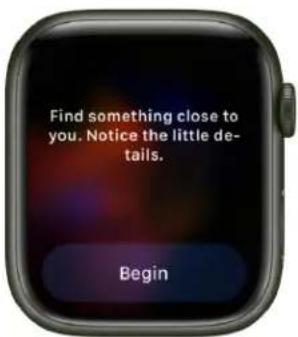
Set the duration of a session
- Open the Mindfulness app on your Apple Watch.
- Tap •, tap Duration, then choose a duration.
You can choose a time between one and five minutes.

Adjust mindfulness settings
You can change how frequently you get mindfulness reminders, mute mindfulness reminders for the day, change your breath rate, and choose haptics settings.
Open the Settings app on your Apple Watch, tap Mindfulness, then do any of the following:
- Set mindfulness reminders: Under Reminders, turn Start of Day and End of Day on or off; tap Add Reminder to create additional reminders.
- Get or stop a weekly summary: Turn Weekly Summary on or off.
- Mute mindfulness reminders: Turn on "Mute for today."
- Change your breathing rate: Tap Breath Rate to change the number of breaths per minute.
- Choose haptics settings: Tap Haptics, then choose None, Minimal, or Prominent.
- Get new meditations: Turn on Add New Meditations to Watch to download new meditations when your Apple Watch is connected to power. Meditations you've completed are deleted automatically.
You can also open the Apple Watch app on your iPhone, tap My Watch, tap Mindfulness, then adjust a setting.
See your heart rate during mindfulness sessions
Complete a Reflect or Breathe session. Your heart rate appears in the Summary screen.
You can also review your heart rate later. Open the Health app on your iPhone, tap Browse, tap Heart, then tap Heart Rate. Tap Show More Heart Rate Data, swipe up, then tap Breathe.
Use the Breathe watch face
Add the Breathe watch face to get quick access to mindfulness sessions.
- With the current watch face showing, touch and hold the display.
- Swipe left all the way to the end, then tap the New button (+).
- Turn the Digital Crown to select Breathe, then tap Add.
- Tap the watch face to open the Mindfulness app.
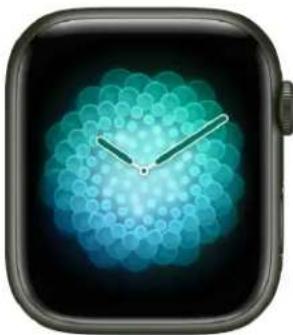
Listen to guided meditations on Apple Watch (Apple Fitness+ subscription required)
If you subscribe to Apple Fitness+, you can listen to guided meditations with your Apple Watch when it's paired with AirPods or other Bluetooth headphones or speakers.
Note: Apple Fitness+ isn't available in all countries or regions.
Start a guided meditation
- Open the Mindfulness app on your Apple Watch.
- Tap Fitness+ Audio Meditations.
- Scroll to browse through the meditation.
The theme, trainer, and duration of the meditation appear near the bottom of each episode.
- Tap ⓘ to learn more about the meditation, add it to your library, or play its playlist in the Music app.
- Tap a meditation to begin.
As the meditation plays, its elapsed time and your current heart rate appear on Apple Watch.
To pause or end a guided meditation, swipe right as the meditation plays, then tap Pause or End. To begin a workout while the meditation continues to play, tap Workout, then choose a workout.
Browse your completed meditations.
When you complete most or all of a meditation, it appears in My Library, which you can find on your Apple Watch and in the Fitness app on your iPhone.
- Open the Mindfulness app on your Apple Watch.
- Tap Fitness+ Audio Meditations.
- Scroll to the bottom of the screen, then tap My Library to show any meditations you've played.
- Tap ⓘ to learn more about the meditation, download it, remove it from your library, or play its playlist in the Music app.
- Tap a meditation to play it again.
You can also browse My Library on your iPhone, iPad, or Apple TV. Open the Fitness app on your device (tap Fitness+ on iPhone), then go to My Library.
Music
Add music to Apple Watch
When you add music to your Apple Watch, you can listen to it wherever you go, even when you don't have your iPhone with you.
You can add specific playlists and albums to your Apple Watch using the Apple Watch app on your iPhone. If you're an Apple Music subscriber, you can also add music with the Music app directly on your Apple Watch.
You don't have to choose specific music to add to your Apple Watch if you're an Apple Music subscriber. Music you've recently listened to is added automatically. (If you haven't listened to anything, music recommended by Apple Music is added.)
Note: If you're an Apple Music Voice subscriber, you can add music you've purchased to your Apple Watch. To add songs, albums, and playlists from Apple Music, upgrade to a full Apple Music subscription.
Add music using your iPhone
- Open the Apple Watch app on your iPhone.
- Tap My Watch, then tap Music.
- Below Playlists & Albums, tap Add Music.
- Select albums and playlists to sync to your Apple Watch.
In watchOS 9.1 and later, music is added when Apple Watch is placed near your iPhone. In earlier versions of watchOS, your Apple Watch must also be connected to power.
Tip: Use the Music app on your iPhone to create playlists specifically for music you want to listen to on your Apple Watch—music that motivates you during a workout, for example. See the Apple Support article How to make a playlist in the Apple Music app.
Add music using your Apple Watch
If you're an Apple Music subscriber, you can add music using your Apple Watch.
Note: Adding music isn't available in the Apple Music Voice Plan. For more information, see the Apple Support article About Apple Music Voice.
- Open the Music app on your Apple Watch.
- Tap Listen Now or Search, then navigate to music you want to add.
- Tap a playlist or album, tap •, then tap Add to Library.
A message confirms that the item was added.
Note: You can stream music you add to Apple Watch when you have an internet connection. To play music when you're not connected to the internet, you must first download it.
- To download the music to Apple Watch, tap • again, then tap Download.
Add a workout playlist to Apple Watch
You can add a playlist from your music library that plays automatically when you start a workout in the Workout app on Apple Watch.
- Open the Apple Watch app on your iPhone.
- Tap My Watch, then tap Workout.
- Tap Workout Playlist, then choose a playlist.
The playlist is added to My Watch > Music in the Apple Watch app on your iPhone.
Note: A workout playlist won't play if you're currently listening to other music or audio.
Remove music from Apple Watch
If you're running out of room to store music on your Apple Watch, you may want to remove the music that was automatically added to your watch or music that you no longer listen to.
Note: To see how much music is stored on your Apple Watch, open the Settings app on your Apple Watch, then go to General > Storage. You can also open the Apple Watch app on your iPhone, tap My Watch, then go to General > Storage.
Remove music using your iPhone
- Open the Apple Watch app on your iPhone.
- Tap My Watch, tap Music, then do any of the following:
- For music you've added: Tap Edit, then tap - next to the items you want to remove.
- For music that was automatically added: Turn off Recent Music or other music automatically added to your Apple Watch.
Note: Music you've recently played won't be automatically added to Apple Watch until you turn on Recent Music again.
Music you remove from your Apple Watch remains on your iPhone.
Remove music using your Apple Watch
If you're an Apple Music subscriber, you can remove music directly on Apple Watch, whether it was added automatically or you chose to add it.
- Open the Music app on your Apple Watch.
- Tap Library, scroll down, tap Downloaded, then tap Playlists or Albums.
- Swipe left on a playlist or album, tap, then tap Remove.
- Tap Delete.
The music is removed from your Apple Watch and from all other devices that use the same Apple ID.
Note: You can also remove individual songs. If you swipe left on a song, tap ▪, tap Remove, then tap Delete, the song is removed from your Apple Watch and from all other devices that use the same Apple ID.
Play music on Apple Watch
Use the Music app to choose and play music on Apple Watch. You can play music stored on Apple Watch, control music on your iPhone, and stream music from Apple Music and Apple Music Voice if you're a subscriber.
Note: Not all features are available in the Apple Music Voice Plan. For more information, see the Apple Support article About Apple Music Voice.
Ask Siri. Say something like:
• "Play 'enough for you' by Olivia Rodrigo" • "Play more songs from this album" • "Play my workout playlist" • "Play Apple Music Country" • "Play cool jazz" • "Play the dinner party playlist" • "Play a playlist to help me relax" • "Play more like this"
Play music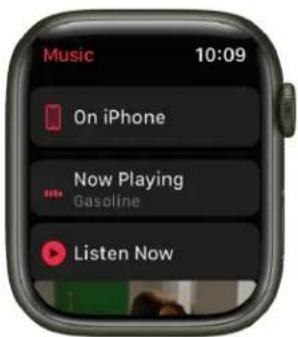
After you connect Apple Watch to Bluetooth headphones or speakers, open the Music app on your Apple Watch, then do any of the following:
- Play music on your Apple Watch: Turn the Digital Crown to scroll through album artwork, then tap a playlist or album to play it. Use the Apple Watch app on your iPhone to choose which songs to add to Apple Watch.
- Play music from iPhone (Bluetooth pairing not required): Scroll to the top of the screen, tap On iPhone, then tap a playlist, artist, album, or song to play it.
- Play music from your music library: Tap Library, then tap a playlist, artist, album, or song. To play music downloaded to your Apple Watch, tap Downloaded, then choose music.
- Request music from Apple Music (Apple Music or Apple Music Voice subscription required): Raise your wrist, then request an artist, album, song, genre, or portion of a song lyric.
Play music for you
If you're an Apple Music subscriber, you can play music chosen just for you.
- Open the Music app on your Apple Watch.
- Scroll to the top of the screen, then tap Listen Now to view a curated feed of playlists and albums based on your likes and dislikes.
- Tap a category, tap an album or playlist, then tap
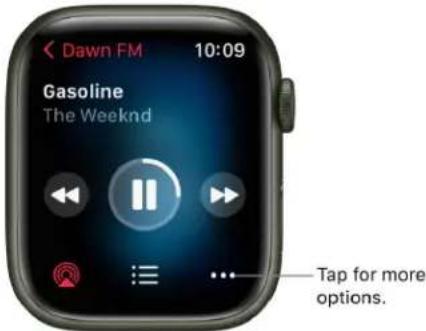
Open the queue
When playing music, you can see a list of upcoming songs in the queue.
- Open the Music app on your Apple Watch.
- Play an album or playlist, then tap :
- To play a track in the queue, tap it.
By default, Auto Play adds music to the end of the queue that's similar to what you're playing. To turn off Auto Play, tap∞
Note: When you turn off Auto Play on a device that uses your Apple ID—your Apple Watch, for example—it's turned off only for that device. Other devices will continue to use Auto Play until you turn it off on each one.
To add music you choose to the queue, swipe left on a song, playlist, or album; tap then tap Play Next or Play Last. Music you choose to play last is added to the end of the queue.
Control playback
Turn the Digital Crown to adjust volume. Use these controls to play music on your Apple Watch and iPhone:
| Play the current song. | |
| Pause playback. | |
| Skip to the next song. | |
| Skip to the beginning of the song; double-tap to skip to the previous song. |
Shuffle or repeat music
- Shuffle albums, songs, artists, from the Music screen: Tap an album, artist, or playlist, then tap ✘
- Shuffle or repeat music from the playback screen: While viewing the playback screen, tap, then tap or
Tap Repeat twice to repeat a song.
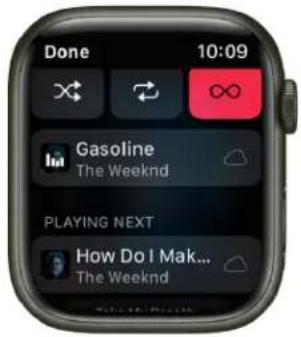
Do more with Music on Apple Watch
Tell Music what you like, add music to the library, and more
On Apple Watch you can add music to your library, remove songs, mark what you do and don't like, add songs to the queue, browse an artist's music, and view the contents of albums and playlists. Do any of the following:
• View options from the Now Playing screen: While playing music, tap •••, then choose an option. - View options in Listen Now and Library: Swipe left on a song, playlist, or album; tap •••; then choose an option. Tap – to add the item to your library.
Note: Not all features are available in the Apple Music Voice Plan. For more information, see the Apple Support article About Apple Music Voice.
Share music
You can share playlists, albums, and songs if you're an Apple Music subscriber.
- Open the Music app on your Apple Watch.
- Tap On iPhone, Listen Now, or Library.
- Tap Playlists, Albums, or Songs.
- Swipe left on a playlist, album, or song, tap ..., then tap Share [Playlist, Album, Song].
- Choose a sharing option.
To share a song from the Now Playing screen, tap * then choose Share Song. If you're listening to a song from a radio station, you can also choose Share Station.
Choose cellular connection settings
To listen to music over cellular, you must be using Apple Watch with cellular.
- On your iPhone go to Settings > Music, then turn on Cellular Data.
- Tap Audio Quality, tap Cellular Streaming, then choose a quality.
Note: Higher quality settings consume significantly more data.
Listen to radio on Apple Watch
In the Music app on Apple Watch, Radio is the home of Apple Music 1, Apple Music Hits, and Apple Music Country—three Apple Music stations that feature the latest music from a variety of genres as well as exclusive interviews. You can also listen to broadcast radio and featured stations crafted by music experts.
No subscription is required to listen to Apple Music 1, Apple Music Hits, or Apple Music Country.
Listen to Apple Music radio
To listen to Apple Music radio, make sure your Apple Watch is near your iPhone or connected to a Wi-Fi network—or a cellular network, if you have an Apple Watch with cellular.
- Open the Music app on your Apple Watch.
- Tap Radio, then tap Apple Music 1, Apple Music Hits, or Apple Music Country.
Listen to a featured or genre station
- Open the Music app on your Apple Watch.
- Tap Radio, then turn the Digital Crown to scroll through stations and genres created by music experts.
- Tap a genre to see its stations, then tap a station to play it.
Listen to broadcast radio
You can listen to thousands of broadcast radio stations on your Apple Watch.
Ask Siri. Say something like "Play Wild 94.9" or "Tune in to ESPN Radio."
You can ask for stations by name, call sign, frequency, and nickname.
Note: You don't need a subscription to Apple Music to listen to broadcast radio. Broadcast radio isn't available in all countries or regions. Not all stations are available in all countries or regions.
News
Read news stories on Apple Watch
The News app on your Apple Watch helps keep you up to date with current events, presenting stories selected with your interests in mind.
Note: The News app is not available in all countries or regions.
View stories in the News app
You can view news stories in several ways:
- Open the News app on your Apple Watch.
- Tap the News complication on a watch face.
- Tap a news item on the Siri watch face.
- Tap a notification from News.
Read a news story
- Open the News app on your Apple Watch.
- Scroll through the story summary by turning the Digital Crown.
- To read the story on your iPhone, iPad, or Mac, scroll to the bottom of the story, then tap Save for Later.
- To open the story on your compatible device, do one of the following:
- iPhone: Open the News app on an iPhone, tap Following, tap Saved Stories, then tap the story.
- iPad: On an iPad, open the News app, tap Saved Stories in the sidebar, then tap the story.
- Mac: On a Mac, open the News app, click Saved Stories in the sidebar, then click the story.
To read stories from just the channels you follow, open the Settings app on your iPhone, tap News, then turn on Restrict Stories in Today.
Note: Restricting stories significantly limits the variety of stories that appear in Today and all other feeds. For example, if you restrict stories and follow only one entertainment-related channel, your Entertainment topic feed will contain stories only from that channel. When you restrict stories, you won't see Top Stories and Trending Stories.
Go to the next or previous news story
- Open the News app on your Apple Watch.
- Swipe left to read the next story, if one is available.
- Swipe right to see the previous story.
If you've scrolled to read the summary, tap Next Story at the bottom of the screen.
Open news stories on iPhone
- Open the News app on your Apple Watch.
- Wake iPhone, then open the App Switcher. (On an iPhone with Face ID, swipe up from the bottom edge and pause; on an iPhone with a Home button, double-click the Home button.)
- Tap the button that appears at the bottom of the screen to open News.
Noise
Measure noise levels with Apple Watch
The Noise app measures the ambient sound levels in your environment using the microphone and duration of exposure. When Apple Watch detects that the decibel level has risen to a point where hearing could be affected, it can notify you with a tap on the wrist.
Note: The Noise app uses the microphone to sample and measure the sound levels in your environment. Your Apple Watch doesn't record or save any sounds to measure these levels.

Set up the Noise app
- Open the Noise app on your Apple Watch.
- Tap Enable to turn on monitoring.
- To measure the environmental noise around you in the future, open the Noise app or use the Noise complication.
Get noise notifications
- Open the Settings app on your Apple Watch.
- Go to Noise > Noise Notifications, then choose a setting.
You can also open the Apple Watch app on your iPhone, tap My Watch, then go to Noise > Noise Threshold.
Turn off noise measuring
- Open the Settings app on your Apple Watch.
- Go to Noise > Environmental Sound Measurements, then turn off Measure Sounds.
You can also open the Apple Watch app on your iPhone, tap My Watch, tap Noise, then turn off Environmental Sound Measurements.
Monitor your environmental noise exposure with Apple Watch
When you pair Apple Watch with your iPhone and set up the Noise app on Apple Watch, environmental sound levels are automatically sent from Apple Watch to the Health app on iPhone (watchOS 6 or later required).
View the details about a noise notification
When noise in your environment reaches a level that might affect your hearing, you can get a notification from Apple Watch on your iPhone.
To view the details about a notification, do the following:
- On your iPhone, open the Health app, then tap Summary at the bottom left.
- Tap the notification near the top of the screen, then tap Show More Data.
See your exposure to environmental noise levels over time
- On your iPhone, open the Health app, tap Browse at the bottom right, then tap Hearing.
- Tap Environmental Sound Levels, then do any of the following:
- View exposure levels over a time period: Tap the tabs at the top of the screen. (All levels are measured in decibels.)
- Learn about the sound level classifications: Tap ⓘ.
- Change the time span displayed in the graph: Swipe the graph left or right.
- See details about a moment in time: Touch and hold the graph, then drag to move the selection.
• View details about average exposure: Tap Show More Data, then tap Daily Average.
• View a line representing average exposure: Tap Exposure below the graph.
• View the high and low range: Tap Show More Data, then tap Range.
Now Playing
Use Now Playing on Apple Watch
Now Playing lets you control audio playback on Apple Watch, iPhone, and other devices.
Open Now Playing
You can open Now Playing in the following ways:
- Open the Now Playing app on your Apple Watch.
- Press the side button, then tap Now Playing, which appears as the first item in the Dock.
- Tap the Now Playing complication if you've added it to the watch face.
Control music, podcasts, or audiobooks on iPhone

- Open the Music, Podcasts, or Books app on your iPhone, then start playing a song, podcast, or audiobook.
- Open Now Playing on your Apple Watch and use its controls to play, pause, and more.
- Turn the Digital Crown to adjust volume.
Use Now Playing with a different device
If more than one device is available to play audio—an Apple Watch, iPhone, and HomePod for example—the name of the device you currently control appears in the top-left corner.
Tap < to see a list of devices, then tap one to control it.
Phone
Answer phone calls on Apple Watch
WARNING: For important information about avoiding distractions that could lead to dangerous situations, see Important safety information.
Answer a call
When you hear or feel the call notification, raise your wrist to see who's calling.
- Send a call to voicemail: Tap the red Decline button in the incoming call notification. • Answer on your Apple Watch: Tap the Answer button to talk using the built-in microphone and speaker or a Bluetooth device paired with your Apple Watch.
- Answer using your iPhone or send a text message instead: Tap ..., then tap an option. If you tap Answer on iPhone, the call is placed on hold and the caller hears a repeated sound until you answer on your paired iPhone.
If you can't find your iPhone, touch and hold the bottom of the screen, swipe up, then tap on your Apple Watch.
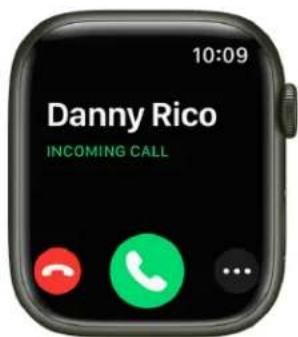
While you're on a call
If you're on a call that doesn't use FaceTime audio, you can switch a call to your iPhone, adjust the call volume, enter numbers using the keypad, and switch the call to another audio device.
- Switch a call from your Apple Watch to your iPhone: While talking on your Apple Watch, unlock your iPhone, then tap the green button or bar at the top of the screen.
You can quickly silence an incoming call by pressing the palm of your hand on the watch display for three seconds. Just make sure you have Cover to Mute turned on—open the Settings app on your Apple Watch, tap Sounds & Haptics, then turn on Cover to Mute.
- Adjust call volume: Turn the Digital Crown. Tap the mute icon to mute your end of the call (if you're listening on a conference call, for example).
- Enter additional digits during a call: Tap the more button, tap Keypad, then tap the digits.
- Switch the call to an audio device: Tap the more button, then choose a device.
During a FaceTime Audio call, you can adjust the volume, mute the call by tapping the mute icon, or tap the more button and choose an audio destination.
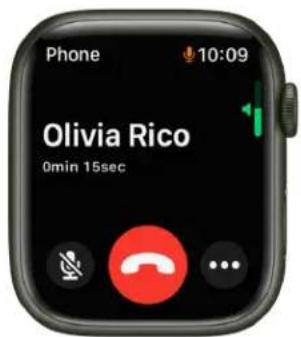
Listen to voicemail
If a caller leaves voicemail, you get a notification—tap the Play button in the notification to listen. To listen to voicemail later, open the Phone app on your Apple Watch, then tap Voicemail.
On the voicemail screen you have these options:
- Adjust volume with the Digital Crown
- Start and stop playback
- Skip ahead or back five seconds
- Call back
- Delete the voicemail
Make phone calls on Apple Watch
Ask Siri. Say something like:
- "Call Max" • "Dial 555 555 2949"
- "Call Pete FaceTime audio"
Make a call
- Open the Phone app on your Apple Watch.
- Tap Contacts, then turn the Digital Crown to scroll.
- Tap the contact you want to call, then tap the phone button.
- Tap FaceTime Audio to start a FaceTime audio call, or tap a phone number.
- Turn the Digital Crown to adjust volume during the call.
Tip: To call someone you've recently spoken with, tap Recents, then tap a contact. To call a person you've designated as a favorite in the Phone app on your iPhone, tap Favorites, then tap a contact.
Enter a phone number on Apple Watch
- Open the Phone app on your Apple Watch.
- Tap Keypad, enter the number, then tap 📋.
You can also use the keypad to enter additional digits during a call. Just tap, then tap the Keypad button.
Make calls over Wi-Fi
If your cellular carrier offers Wi-Fi calling, you can use your Apple Watch to make and receive calls over Wi-Fi instead of the cellular network—even when your paired iPhone isn't with you or is turned off. Your Apple Watch just has to be within range of a Wi-Fi network that your iPhone has connected to in the past.
To see if your carrier offers Wi-Fi calling, see the Apple Support article "Make a call with Wi-Fi calling," and enable Wi-Fi calling on your iPhone.
- On your iPhone, go to Settings > Phone, tap Wi-Fi Calling, then turn on both Wi-Fi Calling on This iPhone and Add Wi-Fi Calling For Other Devices.
- Open the Phone app on your Apple Watch.
- Choose a contact, then tap.
- Select the phone number or FaceTime address you want to call.
Note: You can make emergency calls over Wi-Fi, but when possible, use your iPhone over a cellular connection instead—your location information is more accurate. You can do this on your Apple Watch by temporarily disconnecting from Wi-Fi.
See call info on Apple Watch
While you're talking on your iPhone, you can view call information on your Apple Watch in the Phone app. You can also end the call from your Apple Watch (for example, if you're using earphones or a headset).
Use Dual SIM iPhone with Apple Watch
If you set up multiple cellular plans using an iPhone with Dual SIM, you can add multiple lines to your Apple Watch with cellular, then choose the one your watch uses when it connects to cellular networks.
Note: Each iPhone cellular plan must be provided by a supported carrier and must support Apple Watch with cellular.
Set up multiple carrier plans
You can add one plan when you set up your watch for the first time. You can set up a second plan later in the Apple Watch app by following these steps:
- Open the Apple Watch app on your iPhone.
- Tap My Watch, then tap Cellular.
- Tap Set Up Cellular or Add a New Plan, then follow the steps to choose the plan you want to add to your Apple Watch.
You can add multiple lines to your Apple Watch, but your Apple Watch can connect to only one line at a time.
Switch between plans
- Open the Settings app on your Apple Watch.
- Tap Cellular, then choose the plan you want your watch to use.
You can also open the Apple Watch app on your iPhone, tap My Watch, then tap Cellular. Your plan should automatically switch. If it doesn't switch, tap the plan you want to use.
How Apple Watch receives calls when using multiple cellular plans
- When Apple Watch is connected to your iPhone: You can receive calls from both lines. Your watch shows a badge that tells you which cellular line you received a notification from—H for Home, and W for Work, for example. If you respond to a call, your watch automatically responds from the line that received the call.
- When Apple Watch is connected to cellular and your iPhone isn't nearby: You receive calls from the line you've chosen in the Apple Watch app. If you respond to a call, your watch automatically calls back from the line you've chosen in the Apple Watch app. Note: If the line you've chosen in the Apple Watch app isn't available when you try to return a call, your watch asks if you want to respond from another available line that you've added.
How Apple Watch receives messages when using multiple plans
- When Apple Watch is connected to your iPhone: You can get messages from both plans. If you respond to a message, your watch automatically responds from the line that received the message.
- When your Apple Watch is connected to cellular and away from your iPhone: You can get SMS messages from your active plan. If you respond to an SMS message, your Apple Watch automatically texts back from the line that received the message.
- When your Apple Watch is connected to cellular or Wi-Fi and your iPhone is turned off: You can send and receive iMessage texts as long as your Apple Watch has an active data connection to a Wi-Fi or cellular network.
For more information about Dual SIM and iPhone, see the Apple Support article Use Dual SIM with Apple Watch GPS + Cellular models and the iPhone User Guide.
Photos
Choose a photo album and manage storage on Apple Watch
With the Photos app on your Apple Watch, you can view photos from the iPhone album of your choice, featured photos, and Memories.
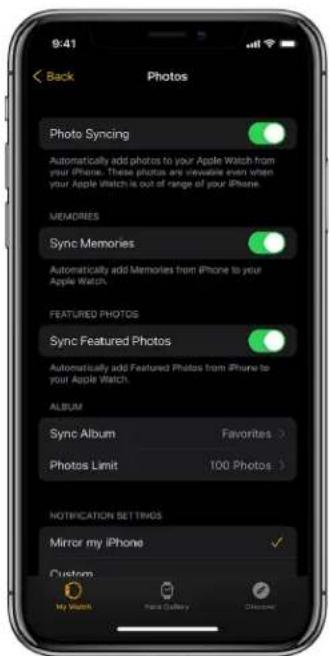
Choose the album to store on Apple Watch
When you first get an Apple Watch, it's set to display photos from your Favorites album—photos you tagged as favorites—but you can change the album it uses.
- Open the Apple Watch app on your iPhone.
- Tap My Watch, go to Photos > Sync Album, then choose the album. To remove a photo from Apple Watch, open the Photos app on your iPhone, then remove the image from the album you've synced.
To create a new album for Apple Watch photos, use the Photos app on your iPhone.
Show featured photos and Memories on Apple Watch
Your Apple Watch can automatically sync featured photos and Memories from the photos library on your iPhone.
- Open the Apple Watch app on your iPhone.
- Tap My Watch, tap Photos, then turn on Sync Memories and Sync Featured Photos.
Stop photo syncing
If you don't want your iPhone to sync Memories, featured photos, or photos from an album you've chosen, follow these steps:
- Open the Apple Watch app on your iPhone.
- Tap My Watch, tap Photos, then turn off Photo Syncing.
Limit photo storage on Apple Watch
The number of photos stored on your Apple Watch depends on available space. To save space for songs or other content, you can limit the number of photos stored on it.
- Open the Apple Watch app on your iPhone.
- Tap My Watch, then go to Photos > Photos Limit. To see how many photos are on your Apple Watch, do one of the following:
- Open the Settings app on your Apple Watch, then go to General > About.
- Open the Apple Watch app on your iPhone, tap My Watch, then go to General > About.
To see how much space is used for your photos, open the Settings app on your Apple Watch, then go to General > Storage. To do this on your iPhone, open the Apple Watch app, tap My Watch, then go to General > Storage.
Take a screenshot of Apple Watch
- Open the Settings app on your Apple Watch, go to General > Screenshots, then turn on Enable Screenshots.
- Press the Digital Crown and the side button at the same time to take a picture of the screen.
Screenshots are saved in Photos on your iPhone.
View photos and Memories on Apple Watch
On Apple Watch, browse your photos in the Photos app and show a photo on your watch face.
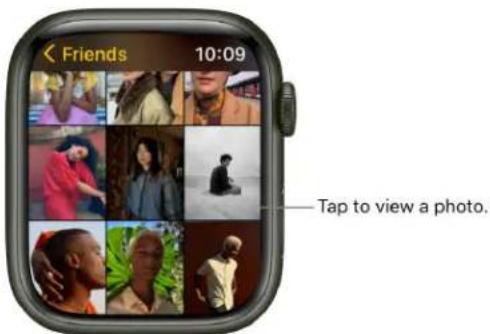
Browse photos in the Photos app on Apple Watch
Open the Photos app on your Apple Watch and use these actions to browse your photos.
- Tap a memory, Featured Photos, or an album you've synced to your Apple Watch.
- Tap a photo to view it.
- Swipe left or right to see other photos.
- Turn the Digital Crown to zoom, or drag to pan a photo.
- Zoom all the way out to see the entire photo album.
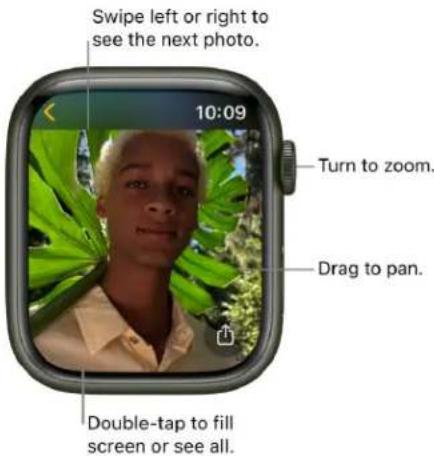
View a memory on the watch face
In addition to viewing Memories in the Photos app on your Apple Watch, you can view them on the Siri and Photos watch faces.
- See a recent memory from the Siri watch face: Choose the Siri watch face, then tap a memory. • See photos from Memories on the Photos watch face: Open the Apple Watch app on your iPhone, tap Face Gallery, tap the Photos watch face, then tap Dynamic. The Dynamic watch face displays photos from your recent Memories, and it updates when you have new ones.
View a Live Photo on Apple Watch
Look for the Live Photo symbol in the bottom-left corner of a photo, then touch and hold the photo.
For more information about Live Photos, see the iPhone User Guide.
Share a photo
While viewing a photo in the Photos app on your Apple Watch, tap, then choose a sharing option.
Create a photo watch face
While viewing a photo in the Photos app on your Apple Watch, tap , scroll down, then tap Create Face. You can also create a Kaleidoscope watch face based on the photo, or add a new Photos watch face in the Apple Watch app on your iPhone. See Customize the watch face.
Tip: You can easily create a watch face on your iPhone. Open the Photos app on your iPhone, tap a photo, tap 📋 swipe up, tap Create Watch Face, then choose to create a Portraits, Photos, or Kaleidoscope watch face.
To learn how to choose a different photo album, see Choose a photo album and manage storage.
Podcasts
Add podcasts to Apple Watch
When you add podcasts to your Apple Watch, you can listen to them wherever you go, even when you don't have your iPhone with you. You can add podcast episodes to your Apple Watch using the Apple Watch app on your iPhone, or add episodes directly on your Apple Watch.
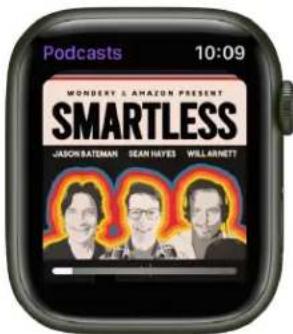
Add podcasts using your iPhone
When you follow shows and create stations in the Podcasts app on your iPhone, recent episodes of those shows are available to download to your Apple Watch when it's connected to power. See the iPhone User Guide for more information about following podcasts and creating stations.
- Open the Apple Watch app on your iPhone.
- Tap My Watch, tap Podcasts, then do any of the following:
- Add episodes from stations: Under Add Episodes From, tap Up Next, Saved, or a station, then choose the number of episodes to download to your Apple Watch.
- Add episodes from podcasts you follow: Under Shows, tap Add Shows, tap next to shows you want to add, then tap Done.
By default, three episodes of each show are added to your Apple Watch when it's connected to power. To change the number of episodes, tap a show, then choose the number of episodes you want to add.
Follow and unfollow podcasts using your Apple Watch
You can follow podcasts directly from your Apple Watch.
- Open the Podcasts app on your Apple Watch.
- Do any of the following:
- Tap Listen Now, tap You Might Like, tap a show, then tap Follow.
- Tap Search, enter the name of a podcast, tap the show, then tap Follow.
- Tap •••, then choose a number of episodes to download when your Apple Watch is connected to power.
To unfollow a show, tap Library, tap the show, tap ↓, then tap Unfollow Show.
See downloaded podcasts
- Open the Podcasts app on your Apple Watch.
- Tap Library, then tap Downloaded.
Play podcasts on Apple Watch
Play podcasts stored on Apple Watch
- After you connect Apple Watch to Bluetooth headphones or speakers, open the Podcasts app on your Apple Watch.
- Do any of the following.
- Turn the Digital Crown to scroll through the artwork, then tap a podcast to play it.
- Tap Library, tap Downloaded, then tap a podcast to play it.
Play podcasts from iPhone
- Open the Podcasts app on your Apple Watch.
- Tap On iPhone.
- Tap a category, navigate to an episode, then tap it.
Stream podcasts to your Apple Watch
If your Apple Watch is near your iPhone or connected to a Wi-Fi network (or a cellular network, for Apple Watch models with cellular), you can stream podcasts to your Apple Watch.
Open the Podcasts app on your Apple Watch, then do one of the following:
- Stream from your podcast library: Tap Library, tap a show, tap See All, then tap an episode.
- Stream a suggested podcast: Tap Listen Now, scroll down, tap a category such as More to Discover, then tap an episode.
- Search for a podcast to stream: Tap Search, enter the name of a podcast, tap Search, tap a result, then tap an episode.
Play podcasts with Siri
Say something like "Hey Siri, play the podcast Wild Things." Your Apple Watch plays the podcast's latest episode.
Mark episodes as played or unplayed
- Open the Podcasts app on your Apple Watch.
- Navigate to a list of episodes—go to Library > Latest Episodes, for example.
- Swipe left on an episode, then tap the checkmark to mark an unplayed episode as played or the circle to mark a played episode as unplayed.
Control playback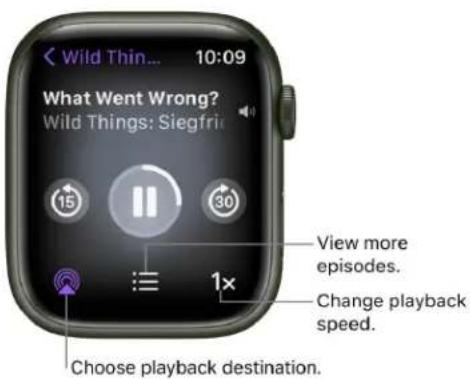
Turn the Digital Crown to adjust volume. Use these controls to play podcasts on your Apple Watch:
| Play the current podcast. | |
| Pause playback. | |
| Skip ahead 30 seconds. | |
| Skip back 15 seconds. | |
| Playback speed. Options include 1x, 1 1/2x, 2x, and 1/2x. | |
| Choose an episode of the currently playing podcast. |
Change Podcasts settings
You can change a number of Podcasts settings, right on your Apple Watch.
- Open the Settings app on your Apple Watch.
- Tap Podcasts, where you can adjust these settings:
- Up Next: Choose the number of episodes downloaded to your Apple Watch from Up Next when your Apple Watch is syncing.
- Saved: Choose the number of episodes not downloaded from Saved when your Apple Watch is syncing.
- Continuous Playback: Turn on to play another episode after the current episode ends.
- Skip buttons: Choose the time interval used when tapping the Skip Forward or Skip Back buttons.
- External Controls: Tap Next/Previous or Forward/Back to choose the behavior of headphone controls.
- Reset Identifier: Reset the identifier used to report aggregate app usage statistics to Apple.
Reminders
Set and respond to reminders on Apple Watch
Your Apple Watch notifies you of reminders you create in the Reminders app on your Apple Watch or iPhone—and on any other iOS device, iPad, or Mac where you're signed in with your Apple ID. See the iPhone User Guide for information about setting up the Reminders app on your iPhone.
See your reminders
- Open the Reminders app on your Apple Watch.
- Tap a list to open it.
- Tap ○ on the left side of an item to mark it as completed or tap the reminder, then tap Mark as Completed.
- Tap < in the top-left corner to return to your list view.
- To see the completed reminders in a list, tap the list, tap View Options, then tap Show Completed. To see all completed reminders, tap the All list, tap View Options, then tap Show Completed.
To change the order of your lists, open the Reminders app on your iPhone, tap Edit, then drag the list to a new location.
You can share a list and collaborate with people who use iCloud. Shared lists show who a reminder has been assigned to. On Apple Watch you can join a shared list, but you can't share a list from Apple Watch. See the iPhone User Guide for information about shared reminder lists.
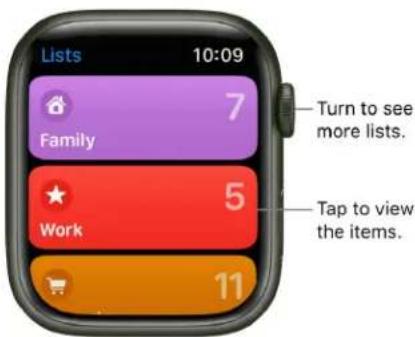
Respond to a reminder notification
- If you see the reminder notification when it arrives: Tap the notification, swipe (or turn the Digital Crown to scroll) the reminder, then tap Mark as Completed, or choose a time to be reminded.
- If you discover the notification later: Tap it in your list of notifications, then scroll and respond.
Create a reminder
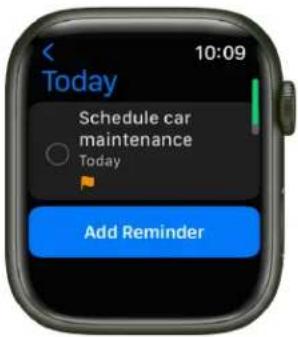
• Use Siri: Say something like: "Remind me to pick up my dry cleaning at 5 PM."
You can also use Siri to create a list on Apple Watch.
- Create a reminder in the Reminders app: Scroll to the bottom of any list, then tap Add Reminder.
Delete a reminder
- Open the Reminders app on your Apple Watch.
- Tap a list to open it, then do one of the following:
- Swipe left on the reminder, then tap.
- Tap the reminder, scroll down, then tap Delete.
Edit a reminder
You can manage and edit reminders on an Apple Watch that you set up for yourself.
- Open the Reminders app on your Apple Watch.
- Tap a list, tap a Reminder, tap Edit, then do any of the following:
- Rename the reminder: Tap the name of the reminder, then enter a new name using the QWERTY and QuickPath keyboard (not available in all languages, Apple Watch Series 7 and Apple Watch Series 8 only), dictation, Scribble, or emoji.
To use Scribble on Apple Watch Series 7 and Apple Watch Series 8, swipe up from the bottom of the screen, then tap Scribble.
Note: Scribble is not available in all languages.
- Add a note: Tap Add Notes, then enter the note.
- Add a date and time: Tap Date, then choose a date. Tap Time, tap AM or PM, tap the hours or minutes, then turn the Digital Crown to choose a time. If you add a date and time, you can also choose to repeat the reminder.
- Add a tag: Tap Tags, then choose an existing tag or tap Create New.
- Add a location: Tap Location, then choose where you want to be reminded—for example, when you arrive home or get into a car with a Bluetooth connection to your Apple Watch.
- Flag a reminder: Turn on Flag.
- Choose a priority: Tap Priority, then tap Low, Medium, or High.
- Assign the reminder to a different list: Tap List, then tap a list.
Remote
Use Apple Watch to control music on a Mac or PC
Use the Remote app on your Apple Watch to play music on a computer that's on the same Wi-Fi network.
Add a music library
- Open the Remote app on your Apple Watch.
- Tap Add Device.
- If you're using the Music app on a Mac with macOS 10.15 or later: Open Apple Music and select your device from the list of devices shown with your library.
- If you're using iTunes on your Mac or PC: Click the Remote button near the top left of the iTunes window.
- Enter the 4-digit code displayed on your Apple Watch.
Control playback from Apple Watch
Do any of the following:
- Use the playback controls in the Remote app
- Turn the Digital Crown to adjust volume.
- Tap, then choose an audio destination.
Choose a media library to play from
- If you added more than one library: Tap the one you want when you open the Remote app on your Apple Watch.
- If you're already playing music: Tap < at the top left of the playback controls, then tap the library.
Remove a media library
- Open the Remote app on your Apple Watch.
- Touch and hold a device.
- When the device icon jiggles, tap X to remove it, then tap Remove.
Control Apple TV with Apple Watch
You can use Apple Watch as a remote control for an Apple TV when you're connected to the same Wi-Fi network.
Pair your Apple Watch with Apple TV
If your iPhone has never joined the Wi-Fi network that the Apple TV is on, join it now, then follow these steps:
- Open the Remote app on your Apple Watch.
- Tap your Apple TV. If you don't see it listed, tap Add Device.
- On the Apple TV, go to Settings > Remotes and Devices > Remote App and Devices, then select Apple Watch.
- Enter the passcode displayed on your Apple Watch.
When the pairing icon appears next to Apple Watch, it's ready to control the Apple TV.
Use your Apple Watch to control Apple TV
Make sure the Apple TV is awake, then follow these steps:
- Open the Remote app on your Apple Watch.
- Choose your Apple TV, then swipe up, down, left, or right to move through the Apple TV menu options.
- Tap to choose the selected item.
- Tap the Play/Pause button to pause or resume playback.
- Tap the Menu button to go back, or touch and hold it to return to the main menu.

To start the screen saver, go to the top-left corner of the Home Screen on your Apple TV, then tap the Menu button.
Unpair and remove Apple TV
- On the Apple TV, go to Settings > Remotes and Devices > Remote App and Devices.
- Tap your Apple Watch under Remote App, then tap Unpair Device.
- Open the Remote app on your Apple Watch and, when the "lost connection" message appears, tap Remove.
Sleep
Track your sleep with Apple Watch
With the Sleep app on Apple Watch, you can create bedtime schedules to help you meet your sleep goals. Wear your watch to bed, and Apple Watch can estimate the time you spent in each sleep stage—REM, Core, and Deep—as well as when you might have woken up. When you wake up, open the Sleep app to learn how much sleep you got and see your sleep trends over the past 14 days.
If your Apple Watch is charged less than 30 percent before you go to bed, you're prompted to charge it. In the morning, just glance at the greeting to see how much charge remains.
Note: Apple Watch tracks your sleep based on the sleep schedule you create. Apple Watch can also track your sleep when you manually turn on Sleep Focus. To receive sleep data from Apple Watch, it must track your sleep for at least four hours each night.
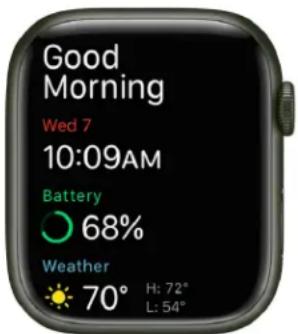
You can create multiple schedules—for example, one for weekdays and another for weekends. For each schedule, you can set up the following:
• A sleep goal (how many hours of sleep you want to get) • What time you want to go to bed and wake up • An alarm sound to wake you up • When to turn on the Sleep Focus, which limits distractions before you go to bed and protects your sleep after you're in bed • Sleep tracking, which uses your motion to detect sleep when you wear Apple Watch to bed and the Sleep Focus is active
Tip: To turn off the Sleep Focus, press and hold the Digital Crown to unlock. Then swipe up to open Control Center and tap the moon icon.
Set up Sleep on Apple Watch
- Open the Sleep app on your Apple Watch.
- Follow the onscreen instructions.
You can also open the Health app on iPhone, tap Browse, tap Sleep, then tap Get Started (under Set Up Sleep).
Change or turn off your next wake-up alarm
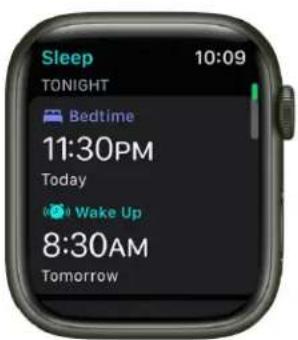
- Open the Sleep app on your Apple Watch.
- Tap your current bedtime.
- To set a new wake-up time, tap the wake-up time, turn the Digital Crown to set a new time, then tap the checkmark.
If you don't want your Apple Watch to wake you in the morning, turn off Alarm.
You can also open the Health app on your iPhone, tap Browse, tap Sleep, then tap Edit below Your Schedule to change your schedule.
The changes apply only to your next wake-up alarm, after which your normal schedule resumes.
Note: You can also turn off the next wake-up alarm in the Alarms app. Just tap the alarm that appears under Sleep | Wake up, then tap Skip for Tonight.
Change or add a sleep schedule
- Open the Sleep app on your Apple Watch.
- Tap Full Schedule, then do one of the following:
- Change a sleep schedule: Tap the current schedule.
- Add a sleep schedule: Tap Add Schedule.
- Change your sleep goal: Tap Sleep Goal, then set the amount of time you want to sleep.
- Change Wind Down time: Tap Wind Down, then set the amount of time you want the Sleep Focus to be active before bedtime.
The Sleep Focus turns off the watch display and turns on Do Not Disturb to reduce distractions before your scheduled bedtime.
- Do any of the following:
- Set the days for your schedule: Tap your schedule, then tap Active On. Choose days, then tap <.
- Adjust your wake time and bedtime: Tap your schedule, tap Wake Up or Bedtime, turn the Digital Crown to set a new time, then tap √
- Set the alarm options: Tap your schedule, then turn Alarm off or on and tap Sound & Haptics to choose an alarm sound.
- Remove or cancel a sleep schedule: Tap your schedule, then tap Delete Schedule (at the bottom of the screen) to remove an existing schedule, or tap Cancel (at the top of the screen) to cancel creating a new one.
Change sleep options
- Open the Settings app on your Apple Watch.
- Tap Sleep, then adjust these settings:
- Turn On at Wind Down: By default, the Sleep Focus begins at the wind down time you set in the Sleep app. If you'd prefer to control the Sleep Focus manually in Control Center, turn this option off.
- Sleep Screen: Your Apple Watch display and iPhone Lock Screen are simplified to reduce distractions.
- Show Time: Show the date and time on your iPhone and Apple Watch while the Sleep Focus is active.
- Turn Sleep Tracking and Charging Reminders on or off.
When Sleep Tracking is on, your Apple Watch tracks your sleep and adds sleep data to the Health app on your iPhone.
Turn on Charging Reminders to have your Apple Watch remind you to charge your watch before your wind down time and notify you when your watch is fully charged.
You can also change these sleep options on your iPhone. Open the Apple Watch app on your iPhone, tap My Watch, then tap Sleep.
View your recent sleep history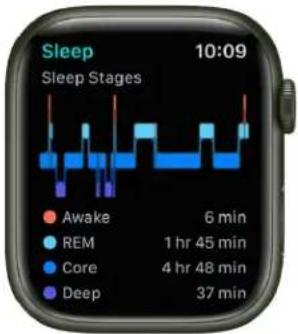
- Open the Sleep app on your Apple Watch.
- Scroll down to see the amount of sleep you got the night before, the time spent in each sleep stage, and your sleep average over the last 14 days.
To see your sleep history on iPhone, open the Health app on iPhone, tap Browse, then tap Sleep. For more details—the average time you spent in each sleep stage, for example—tap Show More Sleep Data.
Review your sleeping respiratory rate
Your Apple Watch can help track your breathing rate as you sleep, which can give you greater insight into your overall health. After wearing your watch to bed, follow these steps:
- Open the Health app on your iPhone, tap Browse, then tap Respiratory.
- Tap Respiratory Rate, then tap Show More Respiratory Rate Data.
The Sleep entry shows the range of your respiratory rate as you've slept.
Note: Respiratory Rate measurements are not intended for medical use.
For more information about Sleep on iPhone, see the iPhone User Guide.
Track your nightly wrist temperature with Apple Watch Series 8
Wear Apple Watch Series 8 to bed to track nightly changes in your wrist temperature, which can provide insight into your well-being. In addition, Cycle Tracking can use wrist temperature data to improve period predictions and provide retrospective ovulation estimates.
To establish your temperature baseline, wear your Apple Watch to bed with Sleep Tracking turned on.
Important: The temperature sensing feature is not a medical device, and is not intended for use in medical diagnosis, treatment, or for any other medical purpose.
Set up wrist temperature tracking
- Set up Sleep with Track Sleep with Apple Watch turned on.
- To establish a temperature baseline, ensure the Sleep Focus is on, then wear your Apple Watch while sleeping.
Wrist temperature data will be available after about five nights.
Note: Your body temperature naturally fluctuates, and can vary from night to night due to a number of variables. Wrist temperature can also be impacted by external factors like your sleep environment.
Review your wrist temperature
- Open the Health app on your iPhone, then tap Browse.
- Tap Body Measurements, then tap Wrist Temperature.
- To show sample details, tap a point on the chart.
Turn off wrist temperature tracking
- Open the Apple Watch app on your iPhone.
- Tap My Watch, tap Privacy, then turn off Wrist Temperature.
Stocks
Track stocks on Apple Watch
Use the Stocks app on Apple Watch to see info on the stocks you follow on your iPhone. See the iPhone User Guide for more information about using the Stocks app on your iPhone.

Ask Siri. Say something like: "What was today's closing price for Apple stock?"
Add and remove stocks
Your Apple Watch displays the stocks found in the Stocks app on your iPhone, but you can add and remove stocks right on your Apple Watch. Just open the Stocks app on your Apple Watch to:
- Add a stock: Scroll to the bottom of the screen, then tap Add Stock. Type the stock name (Apple Watch Series 7 and Apple Watch Series 8 only), or use Scribble or dictation to enter the stock name. Tap the name of the stock in the list.
To use Scribble on Apple Watch Series 7 and Apple Watch Series 8, swipe up from the bottom of the screen, then tap Scribble.
Note: Scribble is not available in all languages.
- Remove a stock: Swipe left on the stock you want to remove, then tap X.
To reorder stocks on your Apple Watch, touch and hold a stock, then drag it to a different position.
You can also open the Stocks app on your iPhone, tap •, tap Edit Watchlist, drag a stock into your preferred position, then tap Done.
When you change the order on one device, it changes on the other to match.
See stock data on Apple Watch
- Open the Stocks app on your Apple Watch.
- Tap a stock in the list.
- Tap < in the top-left corner to return to the stocks list, or turn the Digital Crown to scroll to the next stock in the list.
Choose the stock shown on the Siri watch face
- Open the Settings app on your Apple Watch.
- Go to Stocks > Selected Stock, then choose a stock.
Choose data metrics
You can choose the data metrics that appear in the Stocks app, in Stocks complications, and on the Siri watch face. Do the following:
- Change the data metric in the Stocks app: Open the Stocks app on your Apple Watch, tap Viewing, then choose Points, Market Cap, or Percentage.
- Change the data metric for Stocks complications and the Siri watch face: Open the Settings app on your Apple Watch, tap Stocks, tap Data Metric, then choose a metric.
You can also open the Apple Watch app on your iPhone, tap My Watch, tap Stocks, then choose a metric.
Switch to Stocks on iPhone
- Open the Stocks app on your Apple Watch.
- On iPhone, open the App Switcher. (On an iPhone with Face ID, swipe up from the bottom edge and pause; on an iPhone with a Home button, double-click the Home button.)
- Tap the button that appears at the bottom of the screen to open Stocks.
Stopwatch
Time events with a stopwatch on Apple Watch
Time events with accuracy and ease. Apple Watch can time full events (up to 11 hours, 55 minutes) and keep track of lap or split times, then show the results as a list, a graph, or live on your watch face. The Chronograph and Chronograph Pro watch faces have the stopwatch built in.
Open and choose a stopwatch
- Open the Stopwatch app on your Apple Watch, or tap the stopwatch on your watch face (if you've added it or you're using the Chronograph or Chronograph Pro watch face).
- Choose Analog, Digital, Graph, or Hybrid on the Stopwatch screen.
- To choose a different format while viewing a stopwatch, tap <, then choose a format.
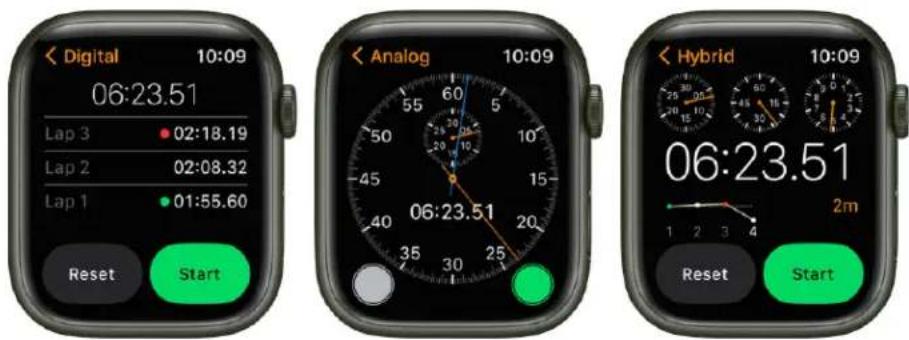
Start, stop, and reset the stopwatch
Open the Stopwatch app on your Apple Watch, choose a format, then do any of the following:
- Start: Tap the Start button (the green button on the analog stopwatch).
- Record a lap: Tap the Lap button (the white button on the analog stopwatch).
- Record the final time: Tap the Stop button (the red button on the analog stopwatch).
- Reset the stopwatch: With the stopwatch stopped, tap the Reset button (the white button on the analog stopwatch).
The timing continues even if you switch back to the watch face or open other apps.
Review results on the display you used for timing, or change displays to analyze your lap times and fastest/slowest laps (marked with green and red) in the format you prefer. If the display includes a list of lap times, turn the Digital Crown to scroll.
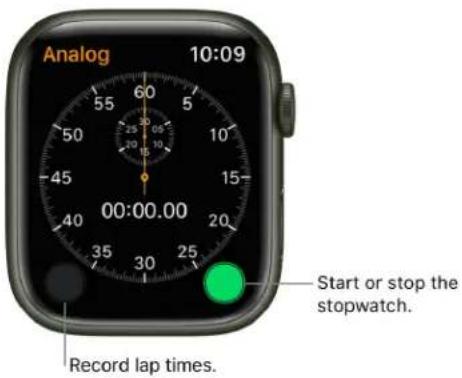
Timers
Set timers on Apple Watch
The Timers app on Apple Watch can help you keep track of time. You can set multiple timers that track time for up to 24 hours.
Ask Siri. Say something like: "Set a timer for 20 minutes."
Quickly set a timer
- Open the Timers app on your Apple Watch.
- To quickly start a timer, tap a duration (like 1, 3, or 5 minutes) or tap a timer you've recently used below Recents. To create a custom timer, swipe down, then tap Custom.
When a timer goes off, you can tap 🕒 to start a timer of the same duration.

Pause or end a timer
- With a timer running, open the Timers app on your Apple Watch.
- Tap | to pause, tap to resume, or tap to end.
Create a custom timer
- Open the Timers app on your Apple Watch.
- Scroll to the top of the screen, then tap Custom.
- Tap hours, minutes, or seconds; turn the Digital Crown to adjust.
- Tap Start.

Create multiple timers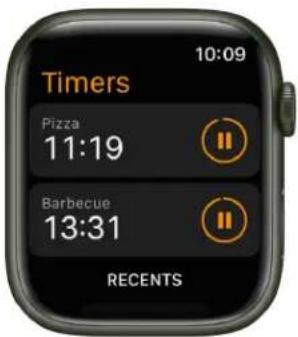
- Open the Timers app on your Apple Watch.
- Create and start a timer.
Tip: To assign a label such as "Pizza" to a timer, use Siri to create the timer. Raise your Apple Watch, then say something like "Set a 12 minute pizza timer."
- Tap < to return to the Timers screen, then create and start another timer.
All your running timers appear on the Timers screen. Tap | to pause a timer, and tap to resume.
To delete a running or paused timer that appears on the Timers screen, swipe left, then tap X.
Save a timer as a favorite
- Open the Timers app on your Apple Watch.
- Swipe left on a recent timer, then tap ★ The timer appears under the Favorites heading.
Tips
Tips
In the Tips app, see collections of tips that help you get the most from your Apple Watch.
Get Tips
Use the Tips app on your Apple Watch to discover new features in watchOS, learn how to customize your watch, and much more.
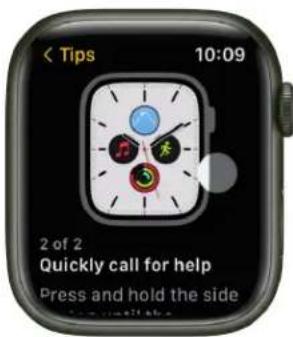
View tips on Apple Watch
- Open the Tips app on your Apple Watch.
- Tap a tips collection, then scroll down to read the tip.
If a tip is animated, tap to replay the animation.
- If a tip includes a Try It button, tap the button to see how the tip works on your Apple Watch.
- Swipe left to see the next tip.
Voice Memos
Record and play voice memos on Apple Watch
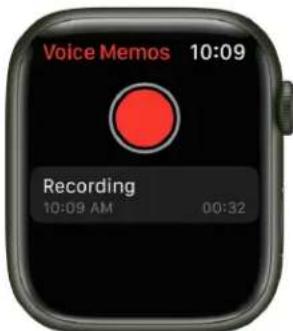
Use the Voice Memos app on Apple Watch to record personal notes.
Record a voice memo
- Open the Voice Memos app on your Apple Watch.
- Tap
- Tap to end the recording.
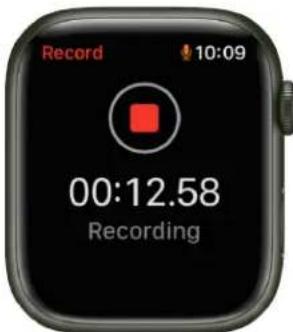
Play a voice memo
- Open the Voice Memos app on your Apple Watch.
- Tap a recording on the Voice Memos screen, then tap ▶ to play it.
- To edit the name of the recording or delete the recording, tap ..., then tap Edit Name or Delete.
Voice memos you record on your Apple Watch automatically sync to your Mac, iPad, and any iOS devices where you're signed in with the same Apple ID.
Walkie-Talkie
Use Walkie-Talkie on Apple Watch
Walkie-Talkie is a fun, simple way to connect with another user with a compatible Apple Watch. Like using a real walkie-talkie, press a button to talk, and release to listen when you're ready for them to reply. Walkie-Talkie requires that both participants have connectivity—through a Bluetooth connection to the iPhone, Wi-Fi, or cellular.
Note: Walkie-Talkie is not available in all regions.

Invite a friend to use Walkie-Talkie
- Open the Walkie-Talkie app on your Apple Watch for the first time.
- Scroll through the list of contacts, then tap a name to send an invitation.
When your contact accepts the invitation, you can start a Walkie-Talkie conversation when both of you are available.
To add another contact, tap Add Friends on the Walkie-Talkie screen, then choose a contact.
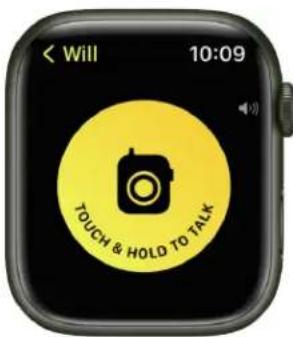
Have a Walkie-Talkie conversation
- Open the Walkie-Talkie app on your Apple Watch.
- Tap your friend's name.
- Touch and hold the Talk button, then speak.
If your friend has made themselves available, Walkie-Talkie opens on their Apple Watch and they'll hear what you said.
To adjust the volume while you're talking, turn the Digital Crown.
Talk with a single tap
If you have difficulty keeping your finger pressed on the Talk button, you can use a single tap to talk.
- Open the Settings app on your Apple Watch.
- Tap Accessibility, then, below Walkie-Talkie, turn on Tap to Talk.
When this is on, tap once to talk, then tap again when you're finished talking.
You can also open the Apple Watch app on your iPhone, tap My Watch, tap Accessibility, then, below Walkie-Talkie, turn on Tap to Talk.
Remove contacts
In the Walkie-Talkie app on your Apple Watch, swipe left on a contact, then tap X.
Make yourself unavailable
- Touch and hold the bottom of the screen, then swipe up to open Control Center.
- Scroll down, then tap
Or, in the Walkie-Talkie app on your Apple Watch, scroll to the top of the screen, then turn off Walkie-Talkie.
Turning on theater mode also makes you unavailable for Walkie-Talkie.
For more information, see the Apple Support article Use Walkie-Talkie on your Apple Watch.
Wallet and Apple Pay
About Wallet on Apple Watch
Use the Wallet app to keep your cards and passes in one place for easy access. Wallet can store the following and more:
- Cards for Apple Pay, such as Apple Card and Apple Cash; see Set up Apple Pay
- Transit cards; see Ride transit • Digital keys; see Use digital keys
- Driver's license or state ID; see Use your driver's license or state ID
- Employee badges; see Access your workplace
- Student ID cards; see Use a contactless pass or student ID card
- Rewards cards, boarding passes, and event tickets; see Use Wallet for passes • Vaccination records; see Use COVID-19 vaccination cards
Apple Pay on Apple Watch
Apple Pay offers an easy, secure, and private way to pay on your Apple Watch. With your cards stored in the Wallet app on your iPhone and added to Apple Watch, you can use Apple Pay in the following ways:
- Contactless payments and apps: Use the credit, debit, and prepaid cards you add to the Wallet app to make purchases in stores that accept contactless payments, and in apps that support Apple Pay. Once you set up Apple Pay in the Apple Watch app on your iPhone, you're ready to make store purchases—even when you don't have your iPhone with you. (Apple Pay isn't available in all regions.)
- Person to person payments: In watchOS 4 and later you can easily and securely send and request money, right in Messages or by using Siri.
- Transit cards: You can add transit cards; they appear at the top of the collection in the Wallet app, above your passes.
For information about Apple Pay availability and current card issuers, go to the Apple Support article Apple Pay participating banks.
Note: You can't use Apple Pay, and any cards you added to Wallet are removed, if you unpair your Apple Watch or turn off your passcode. If you turn off wrist detection, you must enter your passcode each time you use Apple Pay.
Set up Apple Pay on Apple Watch
Add a card to Apple Watch with your iPhone
- Open the Apple Watch app on your iPhone.
- Tap My Watch, then tap Wallet & Apple Pay.
- If you have cards on your other Apple devices, or cards that you recently removed, tap Add next to a card you want to add, then enter the card's CVV.
- For any other card, tap Add Card, then follow the onscreen instructions.
Your card issuer may require additional steps to verify your identity.

Add a card on Apple Watch
You can add Apple Account, credit, debit, and transit cards, right on Apple Watch.
- Open the Wallet app on your Apple Watch.
- Scroll to the bottom of the screen, then tap Add Card.
- Choose Apple Account, Debit or Credit Card, or Transit Card; then follow the onscreen instructions.
Choose your default card
- Open the Apple Watch app on your iPhone.
- Tap My Watch, tap Wallet & Apple Pay, tap Default Card, then select the card.
Reorder payment cards
Open the Wallet app on your Apple Watch, touch and hold a card, then drag it to a new position.
On a managed Apple Watch, you can touch and drag both payment cards and passes.
Remove a card from Apple Pay
- Open the Wallet app on your Apple Watch.
- Tap to select a card.
- Scroll down, then tap Remove.
You can also open the Apple Watch app on your iPhone, tap My Watch, tap Wallet & Apple Pay, tap the card, then tap Remove Card.
Find the Device Account Number for a card
When you make a payment with your Apple Watch, the Device Account Number of the card is sent with the payment to the merchant. To find the last four digits of this number, follow these steps:
- Open the Wallet app on your Apple Watch.
- Tap to select a card, then tap Card Information.
Note: If you select an Apple Card, you must enter your Apple Watch passcode before you can see the card details.
You can also open the Apple Watch app on your iPhone, tap My Watch, tap Wallet & Apple Pay, then tap the card.
Change your default transaction details
You can change your in-app transaction details—including default card, shipping address, email, and phone number.
- Open the Apple Watch app on your iPhone.
- Tap My Watch, tap Wallet & Apple Pay, then scroll down to show Transaction Defaults.
- Tap an item to edit it.
If your Apple Watch is lost or stolen
If your Apple Watch is lost or stolen, you can:
- Put your Apple Watch in lost mode to suspend the ability to pay from your Apple Watch.
- Sign in to appleid.apple.com using your Apple ID and remove the ability to pay using your credit and debit cards in Wallet.
In the Devices area, choose the device, then click Remove All under Apple Pay.
Call the issuers of your cards.
Make purchases with Apple Watch
Pay for a purchase in a store with Apple Watch
- Double-click the side button.
- Scroll to choose a card.
- Hold your Apple Watch within a few centimeters of the contactless card reader, with the display facing the reader.
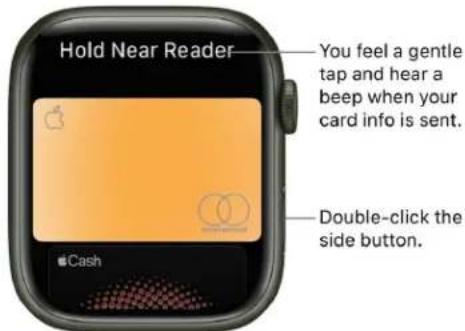
A gentle tap and beep confirm that the payment information was sent. You receive a notification in Notification Center when the transaction is confirmed.
For cards that support it, you also receive a notification for purchases made with any card you've added to Wallet, even if you didn't make it with your Apple Watch, iPad, or an iOS device.
You can turn off notifications and history for individual cards within Wallet. Just open the Apple Watch app on your iPhone, tap My Watch, go to Wallet & Apple Pay, tap a card, tap Transactions, then turn Show History and Allow Notifications on or off.
Make a purchase within an app
- When you're shopping in an app on your Apple Watch, choose the Apple Pay option during checkout.
- Review the payment, shipping, and billing information, then double-click the side button to pay with your Apple Watch.
Send, receive, and request money with Apple Watch (U.S. only)
In addition to using Apple Cash to make purchases in stores, you can use it to send money to friends and family. It's as simple as sending a message or using Siri. You can request and receive money just as easily.
Note: Apple Cash isn't available in all regions and is supported on iPhone SE and iPhone 6 and later. See the iPhone User Guide for details on using Apple Pay and Apple Cash.
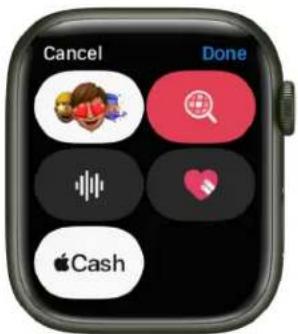
Send a payment from Apple Watch
Ask Siri. Say something like "Send Claire \$25." If you have more than one Claire among your contacts, you're asked to choose one.
- Open the Messages app on your Apple Watch.
- Start a new conversation or select an existing conversation, tap A, then tap ⊖.
- Turn the Digital Crown or tap the plus or minus button to select a whole dollar amount. To send an amount not in whole dollars—\$10.95, for example—tap the dollar amount, tap after the decimal, then turn the Digital Crown to choose a value.
- Tap Send, confirm the payment, then double-click the side button to send.

When the payment is complete, a confirmation message appears.
The payment first draws from your Apple Cash balance. If your Apple Cash balance is insufficient, the remaining balance is paid with a debit card.
Cancel a payment
You can cancel a payment as long as the recipient hasn't already accepted it.
- Open the Wallet app on your Apple Watch.
- Tap to select a card, then scroll the list of transactions.
- Tap the unpaid transaction, then tap Cancel Payment.
You can also open the Apple Watch app on your iPhone, tap My Watch, tap Wallet & Apple Pay, then tap your Apple Cash card. Tap Transactions, tap the unpaid transaction, then tap Cancel Payment.
Request a payment from Apple Watch
You can request payment with Siri or a message.
- Use Siri: Say something like "Ask Nisha to send me $30."
- Send a message: Open Messages on your Apple Watch, start a new conversation or select an existing conversation, tap the document icon, then tap the dollar sign. Swipe left on the Send button, enter an amount, then tap Request.
When you use Apple Cash for the first time, you must agree to the terms and conditions on your iPhone before accepting the payment. Subsequent payments are automatically accepted unless you choose to manually accept each payment. To change this setting, open Wallet on your iPhone, tap the Apple Cash card, tap the three dots, then tap Manually Accept Payments.
Respond to a payment request on Apple Watch
- Tap the Send button that appears in the payment request in Messages. Turn the Digital Crown or tap buttons on the screen to change the amount, if desired.
- Tap Send, then double-click the side button to make the payment.
See transaction details on Apple Watch
- See transactions in Messages: Open the Messages app on your Apple Watch, then tap an Apple Pay message to view a transaction summary.
- See transactions in Wallet: Open the Wallet app on your Apple Watch, tap a card, then scroll to see a list of transactions. Tap a transaction for details.
To view all your Apple Cash transactions on your iPhone, open the Apple Watch app on your iPhone, tap My Watch, then tap Wallet & Apple Pay. Tap your Apple Cash card, then tap Transactions. To receive a PDF statement of your Apple Cash transaction history by email, tap your Apple Cash card, tap Transactions, swipe to the bottom, then tap Request Transaction Statement.
Manage Apple Cash with Apple Watch (U.S. only)
When you're sent money with Apple Cash, it's added to your Apple Cash card in Wallet. You can use Apple Cash right away wherever you would use Apple Pay—in stores, in apps, and on the web. You can also transfer your Apple Cash balance to your bank account.
If you're the organizer for your family sharing group, you can set up Apple Cash Family for family members.
Manage Apple Cash payment features
Open the Apple Watch app on your iPhone, tap My Watch, then tap Wallet & Apple Pay. There you can do the following:
- Tap the Apple Cash card to set up Apple Cash
Tip: If you already have Apple Cash set up on another device, it will be ready to use on your Apple Watch without further setup.
- Enable or disable the Apple Cash card, and the ability to send and receive money, on this device
• See your suggested PIN
You can also see your suggested PIN on your Apple Watch. Open the Wallet app, tap your Apple Cash card, scroll to the bottom, then tap Card Information.
Apple Cash doesn't require a PIN because every payment is authenticated by Face ID, Touch ID, or a secure passcode. However, some terminals may still require you to enter a four-digit code to complete the transaction.
• View your Apple Cash balance
Tip: To view your Apple Cash balance on your Apple Watch, open the Wallet app, then tap the Apple Cash card. Or double-click the side button, then scroll to the Apple Cash card.
- Manage Apple Cash Family for family members under 18.
Note: Person to person payments with Apple Pay and Apple Cash are not available in all regions.
Apple Cash and sending and receiving payments through Apple Pay are services provided by Green Dot Bank, member FDIC.
Add and use passes in Wallet on Apple Watch
Use the Wallet app on your Apple Watch to keep your boarding passes, event tickets, coupons, student ID cards, and more in one place for easy access. Passes in Wallet on your iPhone automatically sync to your Apple Watch. Use a pass on your Apple Watch to check in for a flight, redeem a coupon, or get into your dorm.
Set options for your passes
- Open the Apple Watch app on your iPhone.
- Tap My Watch, then tap Wallet & Apple Pay.
Add a pass
To add a pass, do one of the following:
- Follow the instructions in the email sent by the issuer.
- Open the pass issuer's app, if they have one.
- Tap Add in the notification.
- Tap a pass sent to you in Messages.
Use a pass
You can use a variety of passes on your Apple Watch.
- If a notification for a pass appears on your Apple Watch: Tap the notification to display the pass. You might have to scroll to get to the barcode.
- If you have a barcode pass: Double-click the side button, scroll to your pass, then present the barcode to the scanner. You can also open the Wallet app on your Apple Watch, select the pass, then scan it.
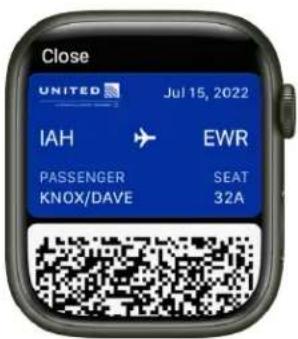
If a pass changes—for example, the gate on your boarding pass—your pass updates on both iPhone and Apple Watch.
Get pass information
To get more information about a pass—a flight's departure and arrival time, for example—do the following:
- Open the Wallet app on your Apple Watch.
- Tap a pass, scroll down, then tap Pass Information.
Use a contactless pass or student ID card
With a contactless pass or student ID card, you can use your Apple Watch to present your pass or card at a contactless reader.
- If you have a contactless pass and a notification appears: Tap the notification. If there's no notification, double-click the side button, and hold your Apple Watch within a few centimeters of the reader, with the display facing the reader.
- If you have a student ID card: On supported campuses, hold your Apple Watch within a few centimeters of the reader, with the display facing the reader, until Apple Watch vibrates; there's no need to double-click the side button.
For more information about contactless passes and student ID cards, see the iPhone User Guide.
Reorder passes
On an Apple Watch that you set up for yourself, open the Wallet app, then touch and drag transit, access, and payment cards and passes to arrange them. The payment card you drag to the top position becomes the default payment card.
On a managed Apple Watch, you can touch and drag all pass types to reorder them.
Remove a pass you're finished with
- Double-click the side button, then tap the pass.
- Scroll down, then tap Delete.
You can also open the Wallet app on your iPhone, tap the pass, tap •, then tap Remove Pass.
When you remove a pass from one device, it's also removed from the other.
See expired passes
To keep clutter under control, your Apple Watch hides passes that have expired. You can view expired passes by following these steps:
- Open the Wallet app on your Apple Watch.
- Scroll to the bottom of the screen, then tap View [number] Expired Passes.
- Tap a pass, then view its details.
You can also choose to unhide, share, or delete it.
To always show expired passes, open the Settings app on your Apple Watch, tap Wallet & Apple Pay, then turn off Hide Expired Passes.
Use rewards cards on Apple Watch
If you have a rewards card from a supporting merchant, you can add it to Wallet, then present it to a contactless reader as part of your transaction using your Apple Watch.
Add a rewards card to Apple Watch
You can add a rewards card from an email or website link, a message, or from a notification sent to your iPhone.
- Email or website link: Look for an "Add to Apple Wallet" link. Tap the link to add the rewards card to Wallet.
- Notification: After paying with Apple Pay and providing your rewards card information, you may get a notification on your iPhone that lets you add that card as a rewards card. Tap the notification, then tap Add.
- Message: Tap a card sent to you in Messages.
Use a rewards card on Apple Watch
When you're prompted to provide your rewards information (and you see the Apple Pay logo), follow these steps:
- Double-click the side button.
- Hold your Apple Watch within a few centimeters of the contactless reader, with the display facing the reader. By default, Apple Watch displays the rewards card so you don't need to scroll to it.
Pay with Apple Watch on Mac
On websites that support Apple Pay, you can start a purchase in Safari on your Mac and complete the payment with your Apple Watch.
To confirm payments on your Apple Watch, you need to be signed in to iCloud with the same Apple ID on your iPhone and your Mac. Your Apple Watch and Mac need to be near each other and connected to Wi-Fi.
Shop on your Mac and pay on Apple Watch
- When you're shopping online in Safari on your Mac, choose the Apple Pay option during checkout.
- Review the payment, shipping, and billing information on your Mac and ensure that it displays "Confirm with Apple Watch."
- If it does, double-click the side button to pay with your Apple Watch. If it doesn't, from your Mac, choose a card you use on your Apple Watch.
Turn off Apple Pay payments on Mac
By default, you can use your Apple Watch to confirm Apple Pay payments made on your Mac. If you don't want to confirm payments with your Apple Watch, follow these steps:
- Open the Apple Watch app on your iPhone.
- Tap My Watch, tap Wallet & Apple Pay, then turn off Allow Payments on Mac.
Use transit cards with Apple Watch
On your Apple Watch, you can use a transit card with Apple Pay where accepted to pay your fare. See the Apple Support article Ride transit with Apple Pay.
Note: Apple Pay may not be available in all areas, and Apple Pay features may vary by area.
If a preferred card is not required by a transit system, you can use a payment card in Wallet to pay for transit without double-clicking the side button. To choose a card for Express Transit and use it to pay for transit, follow these steps:
- Open the Settings app on your Apple Watch.
- Tap Wallet & Apple Pay, then tap Express Mode.
- Tap the card you want to use, then enter your Apple Watch passcode.
- As you approach a fare gate or board the bus, make sure your Apple Watch is turned on (it doesn't need to be connected to a network).
- Hold your Apple Watch display within a few centimeters of the middle of the contactless reader until you feel a vibration. You see Done and a checkmark on the display.
You can also open the Apple Watch app on your iPhone, tap My Watch, tap Wallet & Apple Pay, then tap Express Transit Card. Under Payment Cards, tap the card you want to use, then enter the Apple Watch passcode on your watch.
Use your driver's license or state ID in Wallet on iPhone and Apple Watch (U.S. only)
You can easily and securely add your driver's license or state ID to the Wallet app, then use your iPhone or Apple Watch to present your license or ID at select TSA security checkpoints. (The driver's license or state ID must be issued by a participating state.)
See IDs in Wallet on the Apple website.
Add your license or ID to iPhone and Apple Watch
- Open the Wallet app on your iPhone.
- Tap the Add button +
- Tap Driver's License or State ID, then choose your state. If your state isn't listed, it might not participate yet.
- Choose whether you want to add your license or ID to your iPhone only, or to both your iPhone and paired Apple Watch.
- Follow the onscreen instructions to scan the front and back of your license or ID.
If you want to add your license or ID to your Apple Watch later, open the Apple Watch app on your iPhone, tap My Watch, then tap Wallet & Apple Pay. Find your license or ID listed below Other Cards on Your iPhone. Tap the Add button next to it, then follow the onscreen instructions.
Note: You can add only one license or ID to one iPhone and one paired Apple Watch at a time. Only one license or ID can be associated with any Apple ID at a time.
Present your license or ID on Apple Watch
- Hold the display of your Apple Watch near the identity reader.
- Review the information to be shared.
- Double-click the side button on your Apple Watch to present your license or ID.
A checkmark appears when you successfully present your license or ID.

To use your license or ID on your Apple Watch, you must unlock your iPhone using Face ID or Touch ID each time you put on your watch. You can then use your license or ID without authenticating until you take the watch off again.
Note: You must use the same Face ID or Touch ID you used when you first set up the ID on your iPhone. For example, if you've enrolled five fingers in Touch ID and you used your index finger when setting up your ID, you must unlock your iPhone with that finger.
Access your car, home, workplace, and hotel room with keys in Wallet on Apple Watch
In the Wallet app on your Apple Watch, you can store keys to your car, home, and hotel room.
Unlock and start your car
With a compatible car and a digital car key in Apple Wallet, you can unlock, lock, and start your car using your iPhone or Apple Watch (Series 6 and later). Ultra Wideband provides precise spatial awareness, ensuring that you can't lock your iPhone or Apple Watch in your car or start your vehicle when iPhone or Apple Watch is left outside.
See the Apple Support article Add your car key to Apple Wallet on your iPhone or Apple Watch.
Unlock your home
With some HomeKit-compatible smart locks, you can unlock your door with a home key in Apple Wallet on a supported iPhone or Apple Watch. You add a home key to Apple Wallet with the Home app on your iPhone.
When you have a home key on your iPhone or Apple Watch, just place your device near the lock to unlock it. You can use the Home app to share access with other people.
To set up a home key, follow these steps:
- Add a supported lock to the Home app on your iPhone.
- Choose an unlocking option.
- Express Mode: Unlock the door just by holding your iPhone or Apple Watch near the lock.
- Require Face ID or Passcode: Hold your device near the lock, then use Face ID or Touch ID to unlock it.
- Choose automations such as Lock After Door Closes and Lock When Leaving Home.
If the lock you add supports HomeKit, all residents of your household receive the home key automatically.
See Unlock your door with a home key on iPhone in the iPhone User Guide.
Access your workplace
If you work at a participating corporate office, you can add your corporate access badge to the Wallet app. To access locations where your badge is accepted, place your iPhone or Apple Watch near the badge reader.
See an administrator for setup instructions, or see the Apple Support article Add an employee badge to Apple Wallet.
Unlock your hotel room
At participating hotels, you can add your room key to Apple Wallet from the hotel provider's app, check in without going to the lobby, and use your iPhone or Apple Watch to unlock your room.
See the Apple Support article Add a hotel room key to Apple Wallet on your iPhone.
Use COVID-19 vaccination cards in Wallet on Apple Watch
With iOS 15 or later, you can securely download verifiable COVID-19 vaccination and lab records and store them in the Health app on your iPhone. Once downloaded, you can easily add the vaccination record to the Wallet app on iPhone. That vaccination record is then automatically added to your Apple Watch (iOS 15.1 and watchOS 8.1 and later; supported by certain healthcare providers and authorities). Present the card when you need to show proof of vaccination.
For more information, see Download verifiable COVID-19 vaccination and test result records on iPhone in the iPhone User Guide.
Show a vaccination card
On your Apple Watch, double-click the side button, scroll to the vaccination card, tap it, then present the QR code to the reader. You may be asked to verify your identity by showing a photo ID, such as your driver's license.
Note: Your vaccination card may contain sensitive information such as your birthdate. To review the information stored on your card, scroll down, then tap Pass Information.
Remove a vaccination card
- Double-click the side button, then tap the vaccination card.
- Tap Remove.
Note: Removing a vaccination card from Apple Watch also removes it from the Wallet app on your iPhone. However, it doesn't remove the corresponding vaccination record from the Health app on iPhone.
Weather
Check the weather on Apple Watch
Ask Siri. Say something like: "What's tomorrow's forecast for Honolulu?"
Check weather conditions
- See the current temperature and conditions for the day: Open the Weather app 📄 on your Apple Watch. Tap a city, then tap the display to cycle through hourly forecasts of rain, conditions, or temperature.
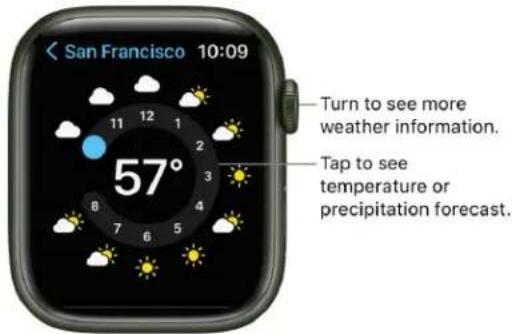
- See air quality, UV index, wind speed, humidity, and visibility information, and a 10-day forecast: Tap a city, then scroll down.
Tap < in the top-left corner to return to the list of cities.

Note: Air quality readings not available in all regions.
Add a city
- Open the Weather app on your Apple Watch.
- Scroll to the bottom of the list of cities, then tap Add City.
- Type the city name (Apple Watch Series 7 and Apple Watch Series 8 only), or use Scribble or dictation to enter the city name.
To use Scribble on Apple Watch Series 7 and Apple Watch Series 8, swipe up from the bottom of the screen, then tap Scribble.
- Tap Search, then tap the city name in the list of results.
The Weather app on your iPhone shows the same cities, in the same order, that you add to the Weather app on your Apple Watch. See the iPhone User Guide for information about setting up the Weather app on your iPhone.
Remove a city
- Open the Weather app on your Apple Watch.
- In the list of cities, swipe the city you want to remove to the left, then tap X.
Change weather metrics
When viewing the list of cities in the Weather app, you can choose a different metric to display below each city.
- Open the Weather app on your Apple Watch.
- At the top of the screen, tap Viewing.
- Choose Conditions, Precipitation, or Temperature.

Choose your default city
- Open the Settings app on your Apple Watch.
- Tap Weather, tap Default City, then choose from the list of cities you added on your iPhone or Apple Watch.
You can also open the Apple Watch app on your iPhone, tap My Watch, then go to Weather > Default City.
Conditions for that city are shown on the watch face, if you've added weather to the face.
See weather advisories
When a significant weather event is predicted, a notification may appear at the top of the Weather app. To learn more about the event, tap Learn More.
Workout
Work out with Apple Watch
The Workout app on your Apple Watch gives you tools to manage your individual workout sessions. You can set specific goals, such as time, distance, or calories.
Your Apple Watch tracks your progress, nudges you along the way, and summarizes your results. You use the Fitness app on your iPhone to review your complete workout history.
watchOS 9 offers several new Workout enhancements. They include the following:
- Heart Rate Zones: Monitor the intensity of a workout by viewing Heart Rate Zones on your Apple Watch. Heart Rate Zones are automatically calculated and personalized using your health data, or you can create them manually.
- New workout views: See important metrics for different training experiences. Turn the Digital Crown for new views of metrics like Activity rings, Heart Rate Zones, Running Power, Elevation, Splits, and segments.
- New running metrics: (Apple Watch SE and Apple Watch Series 6 and later) Running form metrics, including Stride Length, Ground Contact Time, and Vertical Oscillation, can be added as metrics in Workout Views.
- Custom workouts: Tailor work and recovery intervals to suit your training style. Receive alerts for pace, heart rate, cadence, and power.
- Multisport workout: For triathlons, or activities with any sequence of swim, bike, and run, the Multisport workout uses auto-detection to easily switch between workouts. Details of the different workouts are automatically recorded, along with the transition times between them.
- Running power: (Apple Watch SE and Apple Watch Series 6 and later) Apple Watch measures the effort you put into your run, displays the amount of power you're expending (measured in watts), and helps you stay at a sustainable level.
- Race Route (watchOS 9.2): If you routinely run or cycle the same route, you can race against your last or best result in an Outdoor Run or Outdoor Cycle workout.
- Automatic track detection (watchOS 9.2): When you're at a track and start an Outdoor Run workout, you're prompted to begin a Track workout, where you choose a lane to run in and, optionally, receive lap alerts that show distance, time, and pace as you complete each lap.
- Swimming enhancements: Kickboard detection has been added as a new stroke type for Pool Swim workouts. Also, swimmers can now track their efficiency with a SWOLF score—a stroke count combined with the time, in seconds, it takes to swim one length of the pool.
See Calibrate your Apple Watch for improved Workout and Activity accuracy for information on how your Apple Watch is calibrated.
Start a workout on Apple Watch
Start a workout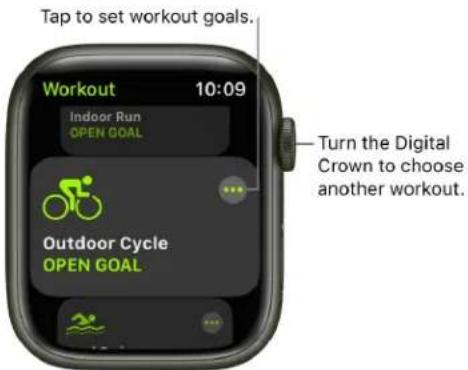
- Open the Workout app on your Apple Watch.
- Turn the Digital Crown to the workout you want to do. Tap Add Workout at the bottom of the screen for sessions like kickboxing or surfing.
- When you're ready to go, tap the workout.
As you use the app and choose workouts, the order of workouts reflects your preferences.
For more information about the types of workouts you can do with Apple Watch, see the Apple Support article About Workout Types.

Ask Siri. Say something like:
- "Start a 30-minute run"
- "Go for a 5-mile walk" • "Start a 300-calorie bike ride"
Set a pace for an outdoor run workout

Choose a target pace for an outdoor run, and your Apple Watch shows if you're ahead or behind that pace.
- Open the Workout app on your Apple Watch.
- Turn the Digital Crown to scroll to Outdoor Run, then tap ...
- Tap Create Workout, then tap Pacer.
- Adjust the distance—5 miles, for example—then tap Next.
- Adjust the target time for running that distance, then tap Done.
During your run, your Apple Watch shows your average pace and your current pace, and a graph shows whether you are ahead or behind your chosen pace.
Your Apple Watch remembers your target pace across workouts. To change it, choose Outdoor Run, tap, tap in the Pacer tile, tap Distance · Time, then edit the distance and time.
Use Race Route to race your last or best time
When running or cycling a route you do often, you can race against your last or best time. Routes are automatically generated and are available to you after you've repeated the same route with little to no deviation at least two or more times.
- Open the Workout app on your Apple Watch.
- Tap • next to an Outdoor Run or Outdoor Cycle workout.
- Tap the Race Route tile, then select Last or Personal Best.
During the workout, your Apple Watch shows how far ahead or behind you are compared to the route you're racing as well as the remaining distance. If you deviate from the route, "Proceed To Route" appears on the screen until you return to the original route.
Available Race Routes appear as a suggested workout when you're close to the starting point of a route you've previously run. You can view all available routes by tapping Suggested, then selecting Route.
Combine multiple activities in a single workout
- Open the Workout app on your Apple Watch.
- Begin your first workout—an outdoor run, for example.
- When you're ready to start a different activity—like an outdoor bike ride—swipe right, tap, then choose the workout.
- When you finish all your activities, swipe right, then tap End.
- Turn the Digital Crown to scroll through the results summary.
- Scroll to the bottom and tap Done to save the workout.
Tip: When you do an outdoor workout, you can leave your iPhone at home—the built-in GPS gives you accurate distance measurements.
Create a Multisport workout
In a Multisport workout, you can combine running, cycling, and swimming workouts and your Apple Watch automatically recognizes when you've switched between them.

- Open the Workout app on your Apple Watch.
- Do one of the following:
- If this is your first multisport workout: Tap the Multisport workout, then tap Create Workout.
- If you've done a multisport workout previously: Tap •••, then tap Create Workout.
- Tap Add, then tap an activity—Outdoor Run, for example.
- Continue adding activities by tapping Add for each activity.
- When you've added all the activities, tap each one to configure the alerts you receive, and the order of that activity.
You can also drag activities to reorder them.
- Tap Workout Views to choose the metrics you see for each activity.
- Tap Untitled under Custom Title, then enter a name for your workout.
- Tap Transitions to choose automatic or manual transitions between each activity.
- Tap Create Workout to save the workout.
- When you're ready to begin a multisport workout, open the Workout app, scroll to the Multisport workout, tap, then tap a workout.
To delete a Multisport workout, tap • in the Multisport workout tile, tap next to the workout you want to delete, scroll down, tap Delete Workout, then tap Delete.
Adjust Apple Watch during a workout
Your Apple Watch can be an active partner even during your workout. While working out you can do the following:
- Check your progress: Raise your wrist to see your workout stats, including your goal completion ring, elapsed time, average pace, distance covered, calories burned, and heart rate. (There's no goal ring if you haven't set a goal.) Turn the Digital Crown to see additional Workout Views, which can include Segment, Power, and Elevation. You can also receive voice feedback for key alerts and progress against your Activity rings. To turn Voice Feedback on or off, open the Settings app on your Apple Watch, tap Workouts, then tap Voice Feedback.
- Pause and resume the workout: To pause the workout at any time, press the side button and the Digital Crown at the same time. For all workouts except swimming workouts you can also swipe right on the workout screen, then tap Pause. To continue, tap Resume.
- Mark a segment of your workout: Double-tap the display to indicate a segment of your workout. You briefly see the stats for that segment. To see all your segment stats after the workout, open the Fitness app on your iPhone, tap Workouts, tap the workout, then scroll down.
- Rock out while you work out: During a workout, swipe left to the Now Playing screen to choose music and control the volume on your Bluetooth headphones. To choose a playlist that plays automatically when you begin a workout, open the Apple Watch app on your iPhone, then tap My Watch. Tap Workout, tap Workout Playlist, then choose a playlist. See Add a workout playlist to Apple Watch.
Note: Music or other audio you're already listening to when you begin your workout continues to play.
For more information, see the Apple Support article Work out with your Apple Watch.
Automatic track workouts on Apple Watch
With watchOS 9.2, your Apple Watch automatically detects when you arrive at a track. When you start an Outdoor Run workout, your watch offers to start a Track workout.
Begin a Track workout
- Open the Workout app on your Apple Watch.
- Tap Outdoor Run.
If your Apple Watch detects that you're at a track, you're prompted to choose a lane.
- Tap Choose Lane, use the plus or minus button to choose a lane, then tap Confirm.
- If this is the first time you've performed a Track workout, choose a measurement unit (Miles or Meters), then tap Confirm.
To change the measurement unit later, open the Settings app go to Workout > Units of Measure, then choose a unit below Track Workouts.
If you leave a track during your workout, your Apple Watch displays an alert telling you so. Similarly, if you arrive at a track during an Outdoor Run workout, you'll be prompted to choose your lane.
Turn on lap alerts
To receive an alert that shows your distance, time, and pace when completing a lap around the track, follow these steps.
- Tap • next to Outdoor Run, then tap next to any goal.
- Tap Alerts, turn the Digital Crown up, tap Track Lap, then turn on Lap Alert.
Adjust your lane during a workout
If you change lanes while you're working out, swipe right on the watch face, tap Lane, then enter your new lane.
End and review your workout on Apple Watch
End the workout on Apple Watch
When you reach your goal, you hear a tone and feel a vibration. If you're feeling good and want to continue, go ahead—your Apple Watch continues to collect data until you tell it to stop. When you're ready to end your workout:
- Swipe right, then tap End.
- Turn the Digital Crown to scroll through the results summary, then tap Done at the bottom.
Tip: The heart rate sensor stays active for three minutes after you end a workout to measure your heart rate recovery. After completing a workout, you can tap the heart icon on your workout summary to view your recovery in real time.
Review your workout history
- Open the Fitness app on your iPhone.
- Tap Summary, then tap a workout.
The summary includes workout details, splits, heart rate, and route. You can see more detail about each by tapping Show More next to each item.
To see the route you must turn on route tracking. You can turn on route tracking when you set up your Apple Watch, or at any time later:
- On your Apple Watch: Open the Settings app ⚙️, go to Privacy > Locations Services, tap Apple Watch Workout, then tap While Using the App.
- On your iPhone: Go to Settings > Privacy > Location Services, tap Apple Watch Workout, then tap While Using the App.
Tip: To see a particular type of workout—Walking or Swimming, for example—tap Show More next to Workouts, tap All Workouts, then tap a workout type. To return to all workouts, tap the workout name in the top-right corner, then tap All Workouts in the list that appears.
Customize workouts on Apple Watch
You can customize workouts on your Apple Watch to support your fitness goals. Modify time, calorie, and distance goals; add warmup and cooldown times; and add work and recovery intervals.
Change workout goals on your Apple Watch
In watchOS 9, you can modify existing workouts and create just the workout you want.
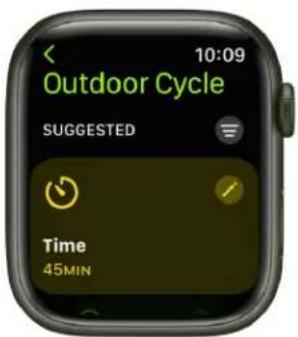
- Open the Workout app on your Apple Watch.
- Turn the Digital Crown to the workout you want to do.
- Tap, then tap Create Workout.
- Tap a goal such as Calories, Distance, or Time; choose a value; then tap Done.
- Tap the edited goal to begin the workout.
You can also tap < to save the edited workout, then tap the workout when you're ready to begin.
To remove edited goals from a workout, scroll to the workout, tap •, tap next to the edited goal, scroll down, tap Delete Workout, then tap Delete.
Add warmup, work, recovery, and cooldown intervals
You can tailor your workouts to include a warmup period, repeating work and recovery intervals, and a time to cool down.
- Open the Workout app on your Apple Watch.
- Turn the Digital Crown to the workout you want to do.
- Tap •• scroll to the bottom, then tap Create Workout.
- Tap Custom, where you can do the following:
- Add a warmup period: Tap Warmup, then tap Time, Distance, or Open. You can also add a heart rate alert to the warmup period.
- Add work and recovery intervals: Tap Add, tap Work or Recovery, then choose Time, Distance, or Open.
You can add multiple work and recovery intervals.
- Add a cooldown period: Tap Cooldown, then tap Time, Distance, or Open. When you choose Open, you can also add a heart rate alert.
- Name the workout: Tap Untitled below Custom Title, then enter a name.
Note: If you're doing a stationary workout—Elliptical or Pilates, for example—Distance isn't an option.
- Tap Create Workout.
The Create Workout button is active only if you've added a work or recovery interval.
To remove warmup or cooldown periods, tap next to the workout, tap in the Custom tile, tap Warmup or Cooldown, then tap Skip. To remove a work or recovery interval, tap it, then tap Delete Interval.
Custom workouts are available in all workout types except Multisport, Pool Swim, and Open Water Swim.
Add alerts to a workout
You can receive a variety of alerts during a workout. For example, for an Outdoor Run workout, you can be alerted when your heart rate falls within 133 – 141 beats per minute.
To set up alerts, follow these steps.
- Open the Workout app on your Apple Watch.
- Turn the Digital Crown to the workout you want to do.
- Tap •, tap a tile's edit button, then tap Alerts.
- Tap an alert you want to receive, then configure the alert.
Alerts you add are used whenever you do that workout.
View Heart Rate Zones on Apple Watch
In watchOS 9, you can learn about the intensity level of your cardio-focused workout by viewing Heart Rate Zone information on your Apple Watch. Heart Rate Zones are a percentage of your maximum heart rate and are automatically calculated and personalized using your health data. On Apple Watch, Heart Rate Zones are presented in five segments—estimated effort levels from light to increasingly harder. By monitoring your Heart Rate Zone, you can make your workout more efficient and challenge yourself to improve your fitness.
Note: Heart Rate Zones are calculated only if you've entered your date of birth in the Health app on your iPhone.
View your Heart Rate Zone during a workout
- Open the Workout app on your Apple Watch.
- Begin a cardio-focused workout—an outdoor run, for example.
- Turn the Digital Crown to the Heart Rate Zone workout view.
The screen shows your Heart Rate Zone, heart rate, time in the current zone, and your average heart rate.

Review Heart Rate Zone data
- Open the Fitness app on your iPhone.
- Tap a workout, then tap Show More next to Heart Rate.
A graph details the estimated time spent in each zone.
Edit Heart Rate Zones
By default, Heart Rate Zones are calculated for you based on your health data, but you can manually edit those zones.
- Open the Settings app on your Apple Watch.
- Go to Workout > Heart Rate Zones.
- Tap Manual, tap zone 2, 3, or 4, then enter lower and upper limits.
You can also open the Apple Watch app on your iPhone, tap My Watch, go to Workout > Heart Rate Zones, tap Manual, tap zone 2, 3, or 4, then enter lower and upper limits.
View and edit workout metrics on Apple Watch
During a workout, Apple Watch displays information (or metrics) such as active calories, heart rate, and distance to help you monitor your progress. Each workout type displays a set of default metrics appropriate for that activity, which you can modify.
Switch workout views during a workout
Start a workout, then turn the Digital Crown to scroll through workout views.
Personalize workout views
The workout views you see depend on the kind of workout you're doing. Cardio-focused workouts have more workout views by default, but you can edit some of them to suit your workout style.
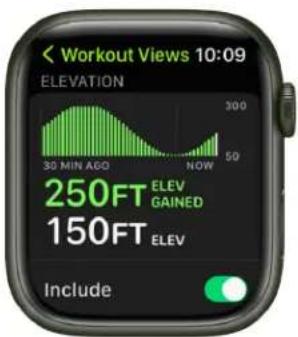
- Open the Workout app on your Apple Watch.
- Turn the Digital Crown to the workout you want to do.
- Tap, tap in any tile, then tap Workout Views.
- Tap Edit Views, scroll through the workout views, then tap Include next to the metrics you want to appear during the workout.
- To select the metrics that appear in the first two workout views, tap ☑ in the Metric 1 or Metric 2 set, tap a metric, then choose a different metric.
Outdoor run metrics on Apple Watch
About running form and running power
In watchOS 9, Apple Watch can help measure and display elements of your running form. They include the following:
- Vertical oscillation: The amount your torso moves vertically with each step while running, measured in centimeters (cm).
- Ground contact time: The length of time your foot is in contact with the ground when running, measured in milliseconds (ms). • Stride length: The distance covered per running step, measured in meters (m).
Apple Watch can also help measure your running power during an Outdoor Run workout. Running power measures the output of the work you're doing when you run, measured in watts.
Metrics for Outdoor Run workouts
The Outdoor Run workout includes these metrics:
• Metric 1: Current heart rate, rolling mile, average page, distance • Metric 2: Running cadence, stride length, ground contact time, vertical oscillation • Heart Rate Zones: Current heart rate, time in zone, heart rate average - Split: Split number, split pace, split distance, current heart rate • Segment: Segment number, segment pace, segment distance, current heart rate • Elevation: Elevation profile over the last 30 minutes, elevation gained, current elevation • Power: Power profile over the last 30 minutes, current power, average power • Activity rings: Move, exercise, stand
Go for a swim with Apple Watch
In watchOS 9, kickboard detection has been added as a new stroke type for Pool Swim workouts. Also, swimmers can now track their efficiency with a SWOLF score—a stroke count combined with the time, in seconds, it takes to swim one length of the pool.
Start a swimming workout
- Open the Workout app on your Apple Watch.
- Choose Open Water Swim or Pool Swim.
To pause or resume your swim, press the Digital Crown and side button at the same time.
When you start a swimming workout, your Apple Watch automatically locks the screen with Water Lock to avoid accidental taps. When you're out of the water to rest or because you've finished your workout, press and hold the Digital Crown to unlock the screen and clear any water from the speaker. You hear sounds and may feel some water on your wrist.
The Apple Watch Series 1 and Apple Watch (1st generation) aren't suitable for swimming. See Important handling information.
View your swimming workout summary
Unlock your Apple Watch, then tap End.
The pool swim workout automatically tracks your sets and when you rest. The summary on your Apple Watch displays the kinds of strokes you used and the total distance you swam. You can find the pace for each set in the workout summary on your iPhone.
Manually clear water after swimming
- Touch and hold the bottom of the screen, swipe up to open Control Center, then tap the speaker icon.
- Press and hold the Digital Crown to unlock the screen and clear water from the speaker.
Use gym equipment with Apple Watch
Your Apple Watch can pair and sync data with compatible cardio equipment such as treadmills, ellipticals, indoor bikes, and more, providing you with more accurate information about your workout.

Pair your Apple Watch with gym equipment
- Check if the equipment is compatible—you'll see "Connects to Apple Watch" or "Connect to Apple Watch" on the equipment.
- Make sure your watch is set to detect gym equipment—open the Settings app on your Apple Watch, tap Workout, then turn on Detect Gym Equipment.
- Hold your Apple Watch within a few centimeters of the contactless reader on the gym equipment, with the display facing the reader.
A gentle tap and beep confirm that your Apple Watch is paired.
If Detect Gym Equipment is off in Settings on your Apple Watch, open the Workout app then hold your Apple Watch near the contactless reader on the gym equipment, with the display facing the reader.
Start and end a workout
Press Start on the gym equipment to begin. Press Stop on the equipment to end the workout.
When you end your workout, data from the equipment appears in the workout summary in the Activity app on your Apple Watch and the Fitness app on iPhone.
Adjust the workout settings on Apple Watch
Update your height and weight
- Open the Apple Watch app on your iPhone.
- Tap My Watch, go to Health > Health Details, then tap Edit.
- Tap Height or Weight, then adjust.
Your Apple Watch uses the information you provide about your height, weight, sex, age, and wheelchair status to calculate how many calories you burn, how far you travel, and other data. The more you run with the Workout app, the more your Apple Watch learns your fitness level—and the more accurately it can estimate the calories you burned during aerobic activity.
Your iPhone GPS allows your Apple Watch to achieve even more distance accuracy. For example, if you carry your iPhone while using the Workout app on a run, your Apple Watch uses the iPhone GPS to calibrate your stride. Then later, if you're not carrying your iPhone, or if you're working out where GPS is unavailable (for example, indoors), your Apple Watch uses the stored information about your stride to measure distance.
Apple Watch may use the built-in GPS to calibrate your movement.
Change measurement units
If you prefer meters to yards or kilojoules to calories, you can change the measurement units the Workout app uses.
- Open the Settings app on your Apple Watch.
- Tap Workout, scroll down, then tap Units of Measure.
You can change units for energy, pool length, cycling workouts, and walking and running workouts.
Pause running and cycling workouts automatically
- Open the Settings app on your Apple Watch.
- Tap Workout, then turn on Auto-Pause.
Your Apple Watch automatically pauses and resumes your outdoor running and cycling workouts—for example, if you stop to cross the street or get a drink of water. You can manually pause your workouts by pressing the side button and Digital Crown at the same time.
Turn workout reminders on or off
For walking, running, swimming, and other workouts, your Apple Watch senses when you're moving and alerts you to start the Workout app. It even gives you credit for the exercise you've already done. It will also remind you to end your workout, in case you get distracted when you're cooling down. Follow these steps to turn workout reminders on or off.
- Open the Settings app on your Apple Watch.
- Tap Workout, then change the Start Workout Reminder and End Workout Reminder settings. (Workout reminders are on by default.)
You can also open the Apple Watch app on your iPhone, tap My Watch, tap Workout, then change the workout reminder settings.
Avoid accidental taps
If the exercise you're doing or the gear you're wearing causes accidental taps on your Apple Watch, lock the screen so your workout record isn't interrupted.
- Lock the screen: Swipe right, then tap Lock.
- Dismiss a notification: Press the Digital Crown.
- Unlock the screen: Press and hold the Digital Crown.
Conserve power during a workout
You can extend battery life during Apple Watch workouts.
- Open the Settings app on your Apple Watch.
- Tap Workout, then turn on Low Power Mode.
During workouts, Low Power Mode turns off Always On Display, background heart rate and blood oxygen measurements, and heart rate notifications. Other notifications may be delayed, emergency alerts may not arrive, and certain cellular and Wi-Fi connections are limited.
Tip: To extend battery life even further while performing walking, running, and hiking workouts on Apple Watch Series 8 and Apple Watch SE (2nd Generation), turn on Low Power Mode, then turn on Fewer GPS and Heart Rate Readings. Doing so reduces the frequency of GPS and heart rate readings, and turns off alerts, splits, and segments.
For more information, see the Apple Support article Get the most accurate measurements using your Apple Watch.
World Clock
Use World Clock on Apple Watch to check the time in other locations
Use the World Clock app on your Apple Watch to check the time in cities around the globe.
Ask Siri. Say something like: "What time is it in Auckland?"
Add and remove cities in World Clock
- Open the World Clock app on your Apple Watch.
- Tap Add City.
- Type the city name (Apple Watch Series 7 and Apple Watch Series 8 only), or use Scribble or dictation to enter the city name. To use Scribble, swipe up from the bottom of the screen, then tap Scribble. Note: Scribble is not available in all languages.
- Tap the city name to add it to World Clock.
To remove a city, swipe left on its name in the city list, then tap X.
The cities you add on your iPhone also appear in World Clock on your Apple Watch.
Check the time in another city
- Open the World Clock app on your Apple Watch.
- Turn the Digital Crown or swipe the screen to scroll the list.
- To see more information about a city, including time of sunrise and sunset, tap the city in the list. While you're viewing info about a city, you can scroll to see the previous or next city in your list.
- When you're finished, tap < in the top-left corner, or swipe right to return to the city list. If there's a city whose time you'd always like to see, you can add a World Clock complication to your watch face and choose the city to display.

Change city abbreviations
To change a city abbreviation used on your Apple Watch, follow these steps:
- Open the Apple Watch app on your iPhone.
- Tap My Watch, then go to Clock > City Abbreviations.
- Tap any city to change its abbreviation.
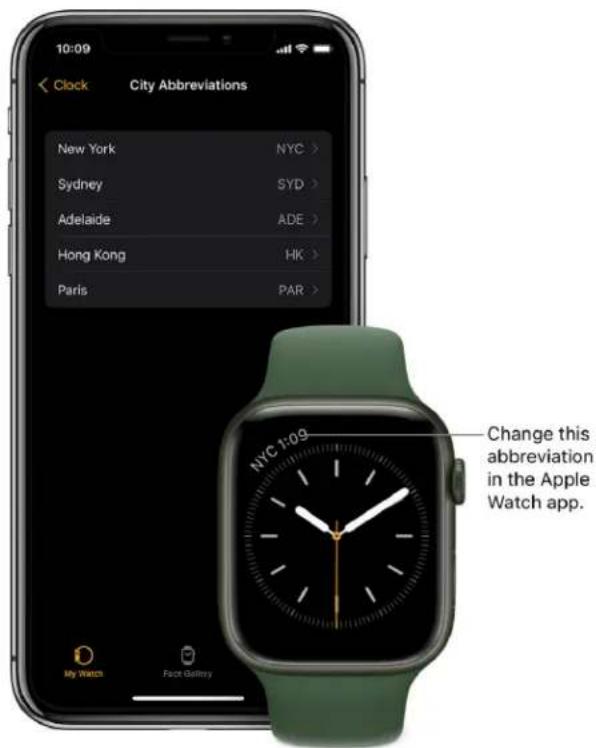
Accessibility and related settings
Use VoiceOver on Apple Watch
VoiceOver helps you use your Apple Watch even if you can't see the display. Use simple gestures to move around the screen and listen as VoiceOver speaks each item you select.
Turn VoiceOver on or off
- Open the Settings app on your Apple Watch.
- Go to Accessibility > VoiceOver, then turn on VoiceOver.
To turn VoiceOver off, double-tap the VoiceOver button.
Ask Siri. "Turn VoiceOver on" or "Turn VoiceOver off."
You can also use your iPhone to turn on VoiceOver for your Apple Watch—open the Apple Watch app on your iPhone, tap My Watch, go to Accessibility, then tap the VoiceOver option. Or, use the Accessibility Shortcut.
Use VoiceOver for setup
VoiceOver can help you set up your Apple Watch—triple-click the Digital Crown during setup. For step-by-step instructions, see Set up Apple Watch using VoiceOver.
VoiceOver gestures
Use these gestures to control your Apple Watch with VoiceOver.
Note: VoiceOver supports the Always On Display. Tap the dimmed display and VoiceOver focuses on the element under your finger.
- Explore the screen: Move your finger around on the display and listen as the name of each item you touch is spoken. You can also tap with one finger to select an item, or swipe left or right with one finger to select an adjacent item. Swipe left or right, up or down with two fingers to see other pages.
- Go back: If you've gone down a path you didn't expect, do a two-finger scrub: use two fingers to trace a "z" shape on the display.
- Act on an item: With VoiceOver on, use a double tap instead of a single tap to open an app, switch an option, or perform any action that would normally be done with a tap. Select an app icon, list item, or option switch by tapping it or swiping to it, then double-tap to perform its action. For example, to turn VoiceOver off, select the VoiceOver button, then double-tap anywhere on the display.
- Perform additional actions: Some items offer several actions—listen for "actions available" when you select an item. Swipe up or down to choose an action, then double-tap to perform it.
- Pause reading: To have VoiceOver stop reading, tap the display with two fingers. Tap again with two fingers to resume.
- Adjust VoiceOver volume: Double-tap and hold with two fingers, then slide up or down. Or, open the Apple Watch app on your iPhone, tap My Watch, then go to Accessibility > VoiceOver and drag the slider.
Use the VoiceOver rotor
You can use the rotor to change VoiceOver settings and jump from one item to the next on the screen. On Apple Watch, you can use the rotor to choose Words, Characters, Actions, Headings, Volume, and Speaking Rate.
When VoiceOver is turned on, rotate two fingers on your screen as if you're turning a dial. VoiceOver speaks the rotor setting. Keep rotating your fingers to hear more settings. Stop rotating your fingers when you hear the setting you want.
Use these gestures with the rotor.
Action Gesture
| Choose a rotor setting Rotate two fingers | |
| Move to the previous item or increase (depending on the rotor setting) | Swipe up |
| Move to the next item or decrease (depending on the rotor setting) | Swipe down |
Adjust VoiceOver settings
You can adjust VoiceOver behaviors from your Apple Watch. Open the Settings app on your Apple Watch, go to Accessibility > VoiceOver, then do any of the following:
- Turn off VoiceOver
- Adjust the speaking rate
- Adjust VoiceOver volume
- Set Speech options
Tap Speech, then choose options for voice, pitch, and rotor languages.
- Turn Haptics on or off
- Set Braille options
Tap Braille, then choose options for Braille output, Braille input, word wrap, alert display duration, and Braille tables.
- Set Keyboards options (for Apple Watch Series 7 and Apple Watch Series 8)
Pair a Bluetooth keyboard to Apple Watch, tap Keyboards, then choose options for phonetic feedback, typing feedback, modifier keys, keyboard interaction time, and devices.
- Turn off VoiceOver hints
- Navigate with the Digital Crown
- Choose to hear the name of the highlighted item when you raise your wrist
- Turn on Screen Curtain, which turns off the display for privacy when using VoiceOver
- Speak seconds
- Configure Hand Gestures
You can find these same options on your iPhone. Open the Apple Watch app, tap My Watch, then go to Accessibility > VoiceOver.
Set up Apple Watch using VoiceOver
VoiceOver can help you set up your Apple Watch and pair it with your iPhone. To have VoiceOver speak, touch and hold the display, then move your finger around or swipe left or right. Double-tap to activate the highlighted item. For information about using VoiceOver with your Apple Watch, see VoiceOver.
Set up Apple Watch using VoiceOver
- If your Apple Watch isn't on, turn it on by holding down the side button (below the Digital Crown).
- On your Apple Watch, turn on VoiceOver by triple-clicking the Digital Crown.
- Bring your iPhone near your Apple Watch.
- On your iPhone, select Continue, then double-tap.
- On your iPhone, tap Set Up Apple Watch, then double-tap.
- To try automatic pairing, point the iPhone camera at the watch from about 6 inches away.
When you hear the pairing confirmation, follow the spoken prompts. If you have difficulty, you can try manual pairing; follow steps 7 through 13.
- On your iPhone, select Pair Apple Watch Manually, then double-tap.
- On your Apple Watch, select the Info button in the bottom-right corner, then double-tap.
- On your Apple Watch, select your Apple Watch ID near the top of the screen. You hear the unique identifier for your Apple Watch—it's something like "Apple Watch 52345".
- On your iPhone, select this same identifier, then double-tap.
- Select the six-digit pairing code on your Apple Watch to hear it.
- Enter the pairing code from your Apple Watch on your iPhone using the keyboard.
When pairing succeeds, you feel a tap from Apple Watch and you hear "Your Apple Watch is paired." If pairing fails, tap to respond to the alerts. Your Apple Watch and the Apple Watch app on your iPhone reset so you can try again.
- On your iPhone, choose Restore from Backup or Set Up as New Apple Watch, then double-tap.
- Follow the spoken prompts to continue setting up your Apple Watch.
When you've completed setup, Apple Watch syncs with your iPhone. This takes a few moments—tap Sync Progress on your iPhone to hear progress. When you hear "sync complete" your Apple Watch is ready to use, displaying the watch face. Swipe left or right to explore watch face features.
Apple Watch basics with VoiceOver
With VoiceOver on your Apple Watch, you can perform many functions with a press, swipe, or turn of the Digital Crown. Try the following while viewing the current watch face.
- Change the watch face: Swipe left or right with two fingers to browse available faces.
- Customize a watch face: Triple-tap the display, swipe down to choose Edit, then double-tap. Swipe left or right with two fingers to browse the customizable features. Turn the Digital Crown to customize the selected feature. When you finish, press the Digital Crown, then double-tap the face to save your changes.
- Check notifications from the watch face: Swipe down with two fingers. To check notifications from most other screens, tap the time in the top-right of the display, then swipe down with two fingers.
- Open Control Center from the watch face: Swipe up with two fingers. To open Control Center from most other screens, tap the time in the top-right of the display, then swipe up with two fingers.
- Open the Dock: Press the side button, then turn the Digital Crown to scroll through your favorite apps. Double-tap an app to open it.
- Open any app in Grid View: Press the Digital Crown once to go to the Home Screen. Swipe left or right, tap, or drag your finger to highlight an app, then double-tap to open it. Or use Siri to open it: hold down the Digital Crown until you feel the double tap, then say "launch" followed by the app name (for example, "launch Mail").
- Read mail: Press the Digital Crown once to go to the Home Screen. Swipe to highlight the Mail app, then double-tap (or hold down the Digital Crown to use Siri, then say "launch Mail"). When the Mail app opens, turn the Digital Crown to navigate messages, then double-tap a message to read it. Navigate through the message with the Digital Crown.
- Navigate with the Digital Crown: Triple-tap with two fingers, then turn the Digital Crown to select an item. Triple-tap with two fingers to turn off Digital Crown Navigation.
Control Apple Watch with your iPhone
People with physical and motor disabilities may find it easier to control their Apple Watch from the larger screen on their paired iPhone. With Apple Watch Mirroring, users can control Apple Watch using iPhone's assistive features like Voice Control and Switch Control, and use inputs including voice commands, sound actions, head tracking, or external Made for iPhone switches as alternatives to tapping the Apple Watch display.
Apple Watch Mirroring is available on Apple Watch Series 6, Apple Watch Series 7, and Apple Watch Series 8.
- Open the Settings app on the paired iPhone.
- Go to Accessibility > Apple Watch Mirroring, then turn on Apple Watch Mirroring.
An image that mirrors your Apple Watch display appears on your iPhone. Use gestures on the mirrored image.
- Scroll: Swipe the display up or down.
- Swipe between screens: Swipe the display left or right.
- Press the Digital Crown: Tap the Digital Crown on the display.
- Press the side button: Tap the side button on the display.
- Use Siri: Touch and hold the Digital Crown on the display.
Control nearby devices with your Apple Watch
Just as you can control your Apple Watch with your iPhone, you can also control your iPhone or iPad with your Apple Watch.
- Open the Settings app on your Apple Watch.
- Go to Accessibility > Control Nearby Devices. Your iPhone or iPad must be signed in to iCloud with the same Apple ID and be on the same network.
- Choose a device if more than one is nearby, then tap a button.
Buttons replicate the controls on your device and include the following:
- Home button
- App Switcher
- Notifications Center
- Control Center
- Siri
- Options (includes media play controls and customizable hand gestures)
When VoiceOver is enabled on your Apple Watch and you control a nearby device, VoiceOver will also be enabled on that device, and the VoiceOver gestures that you use on your Apple Watch are performed on the device.
Similarly, when Switch Control is enabled on your nearby device, Switch Control buttons appear on your watch (for example, Move, Next, and Select buttons).
Use AssistiveTouch on Apple Watch
AssistiveTouch helps you use Apple Watch if you have difficulty touching the screen or pressing the buttons. The built-in sensors on Apple Watch can help you answer calls, control an onscreen pointer, and launch a menu of actions—all through hand gestures.
Using gestures with AssistiveTouch, you can perform these and other actions:
- Tap the display
- Press and turn the Digital Crown
- Swipe between screens
- Hold the side button
- Access Notification Center, Control Center, and the Dock
- Show apps
- Use Apple Pay
- Confirm double-clicks of the side button
- Activate Siri
- Run a Siri shortcut
Set up AssistiveTouch
- Open the Settings app on your Apple Watch.
- Go to Accessibility > AssistiveTouch, then turn on AssistiveTouch.
- Tap Hand Gestures, then turn on Hand Gestures.
Tip: To learn how to use hand gestures, tap "Learn more" below the Hand Gestures switch, then tap each gesture. When you tap a gesture, an interactive animation shows you how to perform and perfect the gesture.
You can also open the Apple Watch app on your iPhone, tap My Watch, go to Accessibility > AssistiveTouch, then turn on AssistiveTouch.
Use AssistiveTouch with Apple Watch
With AssistiveTouch and Hand Gestures turned on, navigate your Apple Watch using the following default gestures:
- Pinch: Forward
- Double-pinch: Back
- Clench: Tap
Double-clench: Show the Action Menu
For example, with the Meridian watch face showing, use AssistiveTouch with the Weather app by following these steps:
- Double-clench to activate AssistiveTouch. A highlight appears around the Calendar complication.
- Pinch to move to the Temperature complication, then clench to tap it.
- When the Weather app opens, clench once to move from temperature to weather conditions.
- Pinch once to scroll down to Air Quality, then pinch once again to see UV Index.
- Double-pinch to move back to Air Quality.
- Double-clench to show the Action Menu. Pinch to move forward through the actions; double-pinch to move back.
- Select the Press Crown action, then clench once to return to the watch face.
Use the Motion Pointer
In addition to pinching and clenching, with the Motion Pointer you can control your Apple Watch by tilting the watch up and down and side to side. For example, use the Motion Pointer to navigate the Activity app by following these steps:
- With the watch face showing and Apple Watch in list view, double-clench to activate AssistiveTouch.
- Double-clench again to show the Action Menu, pinch to move to the Press Crown action, then clench to tap it.
- If it's not already selected, pinch or double-pinch to move forward or back to the Activity app, then clench to open it.
- Double-clench to show the Action Menu, continue pinching until you select the Interaction action, then clench to tap it. Motion Pointer should be selected.
- Clench to turn on the Motion Pointer.
A cursor appears on the screen.
- Tilt the watch to place the cursor at the bottom edge of the screen to scroll down. To swipe to the Sharing screen, place the cursor on the right edge.
- To tap a button, just hold the cursor over it for a short time.
- To return to the watch face, double-clench to show the Action Menu, pinch to select the Press Crown action, then clench to tap it.
Use quick actions
Quick actions help you respond when your Apple Watch shows an alert. For example, when you have an incoming call, a prompt lets you know that you can double-pinch to answer it. You can also use quick actions to snooze an alarm or stop a timer, start a workout when Apple Watch detects workout-like activity, and take a photo when the viewfinder and shutter button are showing in the Camera app. To turn quick actions on or off, follow these steps.
- Open the Settings app on your Apple Watch.
- Go to Accessibility > Quick Actions, then choose an option.
You can choose to have quick actions available at all times, available only when AssistiveTouch is enabled, or off. You can also choose Full appearance (a banner appears and the action button is highlighted) or Minimal appearance (the action button is highlighted with no banner).
Tip: To practice the quick actions gesture, tap "Try it out."
Adjust AssistiveTouch settings
You can change the actions assigned to pinch, clench, and the Motion Pointer gestures, as well as adjust the sensitivity of the Motion Pointer.
Open the Settings app on your Apple Watch, go to Accessibility > AssistiveTouch, then do any of the following:
- Customize gestures: Tap Hand Gestures, tap a gesture, then choose an action or a Siri shortcut.
- Customize the Motion Pointer: Tap Motion Pointer, then adjust settings for sensitivity, activation time, movement tolerance, and hot edges.
- Scanning style: Choose between Automatic scanning, where actions are automatically highlighted one after the other, or Manual, where you use gestures to move between actions.
- Appearance: Turn on High Contrast to make the highlight bolder. Tap Color to choose a different highlight color.
- Customize Menu: Add favorite actions, adjust the position and size of the Action Menu, and change autoscroll speed.
- Confirm with AssistiveTouch: Turn on to use AssistiveTouch to confirm payments with the passcode or any time double-clicking the side button is required.
You can also open the Apple Watch app on your iPhone, tap My Watch, then go to Accessibility > AssistiveTouch.
For more information about AssistiveTouch on Apple Watch, see the Apple Support article Use AssistiveTouch on your Apple Watch.
Use a braille display with VoiceOver on Apple Watch
Apple Watch supports many international braille tables and refreshable braille displays. You can connect a Bluetooth wireless braille display to read VoiceOver output, including contracted and uncontracted braille. When you edit text, the braille display shows the text in context, and your edits are automatically converted between braille and printed text. You can also use a braille display with input keys to control your Apple Watch when VoiceOver is turned on.
For a list of supported braille displays, see the Apple Support article Braille displays supported by Apple Watch.
Connect a braille display
- Turn on the braille display.
- On Apple Watch, go to Settings > Accessibility > VoiceOver > Braille, then choose the display.
- To see the braille commands for controlling Apple Watch, tap More Info, then tap Braille Commands.
See the Apple Support article Common braille commands for VoiceOver on your Apple Watch.
Change the braille display settings
- On Apple Watch, go to Settings > Accessibility > VoiceOver > Braille.
- Set any of the following:
Setting Description
| Output Set the braille display output to uncontracted six-dot, uncontracted eight-dot, or contracted braille. |
Input: Choose the input method for entering braille on the
| display—uncontracted six-dot, uncontracted eight-dot, or contracted braille. You can also turn on Automatic Translation. |
Word Wrap: Wrap words to the next line.
| Alert Display Duration Adjust the duration that an alert is visible on your braille display. |
Braille Tables: Add tables to the Braille Table rotor.
Use a Bluetooth keyboard with VoiceOver on Apple Watch
You can connect a Bluetooth keyboard to control VoiceOver output. Hold down the keyboard's modifier keys and type to navigate Apple Watch using VoiceOver.
Connect a Bluetooth keyboard
- Open the Settings app on your Apple Watch.
- Go to Accessibility > VoiceOver > Keyboards.
- Put the keyboard in pairing mode, scroll to the bottom of the screen, then tap the keyboard under Devices.
Change the keyboard settings
- Open the Settings app on your Apple Watch.
- Go to Accessibility > VoiceOver > Keyboards.
- Set any of the following:
Setting Description
| Phonetic feedback Choose to hear characters and phonetics or phonetics only. |
| Typing feedback Choose to hear characters, words, or characters and words as you type on the Bluetooth keyboard. |
| Modifier keys Choose the modifier keys that must be pressed on a hardware keyboard to activate VoiceOver key commands. Options are Control + Option and Caps Lock. |
| Keyboard interaction time Set the amount of time to wait before VoiceOver can start Slide to Type or make use of alternative keys on the software keyboard. Use the plus and minus buttons to adjust interaction time from zero to four seconds. |
Navigate using a keyboard
Use the following keys to navigate with a Bluetooth keyboard.
Setting Action
| Right Arrow key Move to next item. | |
| Left Arrow key Move to previous item. | |
| Modifier key + Down Arrow key Read out character or phonetics of selected item from left to right. | |
| Modifier key + Up Arrow key | Read out character or phonetics of selected item from right to left. |
| Modifier key + Space bar | Tap selected item. |
Use Zoom on Apple Watch
Use Zoom to magnify what's on the Apple Watch display.
Turn on Zoom
- Open the Settings app on your Apple Watch.
- Go to Accessibility > Zoom, then turn on Zoom.
You can also use your iPhone to turn on Zoom for your Apple Watch—open the Apple Watch app on your iPhone, tap My Watch, tap Accessibility, then tap Zoom. Or, use the Accessibility Shortcut; see The Accessibility Shortcut.
Controlling Zoom
Once you've turned on Zoom, you can perform these actions on your Apple Watch.
- Zoom in or out: Double-tap the Apple Watch display with two fingers.
Tip: Double-tap with two fingers while setting up your Apple Watch to get a better look.
- Move around (pan): Drag the display with two fingers. You can also turn the Digital Crown to pan over the entire page, left-right and up-down. The small Zoom button that appears shows you where you are on the page.
- Use the Digital Crown normally instead of panning: Tap the display once with two fingers to switch between using the Digital Crown to pan and using the Digital Crown the way it works without Zoom on (for example, to scroll a list or zoom a map).
- Adjust magnification: Double-tap and hold with two fingers, then drag your fingers up or down on the display. To limit magnification, tap the plus or minus button on the Maximum Zoom Level slider.
Tell time with haptic feedback on Apple Watch
When it's in silent mode, Apple Watch can tap out the time on your wrist with a series of distinct taps. Do the following:
- Open the Settings app on your Apple Watch.
- Tap Clock, scroll down, then tap Taptic Time.
- Turn on Taptic Time, then choose a setting—Digits, Terse, or Morse Code. Hours and minutes are indicated in the following ways:
- Digits: Apple Watch long taps for every 10 hours, short taps for each following hour, long taps for every 10 minutes, then short taps for each following minute.
- Terse: Apple Watch long taps for every five hours, short taps for the remaining hours, then long taps for each quarter hour.
- Morse Code: Apple Watch taps each digit of the time in Morse code.
- To feel a haptic version of the time, touch and hold two fingers on the watch face.
Taptic Time also works when the Always On Display is dimmed.
You can also configure Taptic Time on iPhone. Open the Apple Watch app on iPhone, tap My Watch, go to Clock > Taptic Time, then turn it on.
Note: Taptic Time is disabled if Apple Watch is set to always speak the time. To be able to use Taptic Time, first go to Settings > Clock, then turn on Control With Silent Mode under Speak Time.
Adjust text size and other visual settings on Apple Watch
You can adjust text size and other settings to make it easier to interact with items on the screen.
Adjust text size
- Touch and hold the bottom of the screen, then swipe up.
- Tap A, then turn the Digital Crown to adjust.
Choose how text and other items appear
You can make text bold, use grayscale, and set other options to change the appearance of items on the screen. Open the Settings app on your Apple Watch, tap Accessibility, then turn the following options on or off:
- On/Off Labels
Turn on button labels to see an additional position indicator. With labels on, you see a one (1) on any option that is on, and a zero (0) on options that are turned off.
- Grayscale
- Reduce transparency
Reducing transparency increases legibility with some backgrounds.
- Bold text
You can also open the Apple Watch app on your iPhone, tap My Watch, tap Accessibility, then change an option.
Note: Restart your Apple Watch for changes in bold text and grayscale to take effect.
Limit animation
You can limit the motion you see on the Home Screen and when apps open and close.
- Open the Settings app on your Apple Watch.
- Go to Accessibility > Reduce Motion, then turn on Reduce Motion.
You can also open the Apple Watch app on your iPhone, tap My Watch, go to Accessibility > Reduce Motion, then turn on Reduce Motion.
Tip: When you turn on Reduce Motion and choose grid view for the Home Screen, all the app icons are the same size.
Adjust motor skills settings on Apple Watch
If you have trouble using the touchscreen, you can adjust settings to change how the screen responds to touches.
Set the side button speed
- Open the Settings app on your Apple Watch.
- Go to Accessibility > Side Button Click Speed, then choose a speed.
You can also open the Apple Watch app on your iPhone, tap My Watch, then go to Accessibility > Side Button Click Speed.
Use Touch Accommodations
- Open the Settings app on your Apple Watch.
- Go to Accessibility > Touch Accommodations to do any of the following:
- Respond to touches of a certain duration: Turn on Hold Duration, then tap the plus or minus buttons to adjust the duration.
To perform swipe gestures without waiting for the specified hold duration, tap Swipe Gestures, then turn on Swipe Gestures. You can choose the amount of required movement before a swipe gesture begins.
- Ignore multiple touches: Turn on Ignore Repeat, then tap the plus or minus buttons to adjust the amount of time allowed between multiple touches. Then, if you touch the screen several times quickly, your Apple Watch treats the touches as a single touch.
- Respond to the first or last place you touch: Choose Use Initial Touch Location or Use Final Touch Location.
If you choose Use Initial Touch Location, your Apple Watch uses the location of your first tap—when you tap an app on the Home Screen, for example. If you choose Use Final Touch Location, your watch registers the tap where you lift your finger. Apple Watch responds to a tap when you lift your finger within a certain period of time. Tap the plus or minus buttons to adjust the timing. Your device can respond to other gestures, such as drags, if you wait longer than the gesture delay.
You can also open the Apple Watch app on your iPhone, tap My Watch, then go to Accessibility > Touch Accommodations.
Set up and use RTT on Apple Watch
Real-time text (RTT) is a protocol that transmits audio as you type text. If you have hearing or speech difficulties, Apple Watch with cellular can communicate using RTT when you're away from your iPhone. Apple Watch uses built-in Software RTT that you configure in the Apple Watch app—it requires no additional devices.
Important: RTT is not supported by all carriers or in all regions. When making an emergency call in the U.S., Apple Watch sends special characters or tones to alert the operator. The operator's ability to receive or respond to these tones can vary depending on your location. Apple doesn't guarantee that the operator will be able to receive or respond to an RTT call.
Turn on RTT
- Open the Apple Watch app on your iPhone.
- Tap My Watch, go to Accessibility > RTT, then turn on RTT.
- Tap Relay Number, then enter the phone number to use for relay calls using RTT.
- Turn on Send Immediately to send each character as you type. Turn off to complete messages before sending.
Start an RTT call
- Open the Phone app on your Apple Watch.
- Tap Contacts, then turn the Digital Crown to scroll.
- Tap the contact you want to call, scroll down, then tap the RTT button.
- Scribble a message, tap a reply from the list, or send an emoji.
Note: Scribble is not available in all languages.
Text appears on Apple Watch, much like a Messages conversation.
Note: You're notified if the other person on the phone call doesn't have RTT enabled.
Answer an RTT call
- When you hear or feel the call notification, raise your wrist to see who's calling.
- Tap the Answer button, scroll down, then tap the RTT button.
- Scribble a message, tap a reply from the list, or send an emoji. Note: Scribble is not available in all languages.
Edit default replies
When you make or receive an RTT call on Apple Watch, you can send a reply with just a tap. To create additional replies of your own, follow these steps:
- Open the Apple Watch app on your iPhone.
- Tap My Watch, go to Accessibility > RTT, then tap Default Replies.
- Tap "Add reply," enter your reply, then tap Done.
Tip: Typically, replies end with "GA" for go ahead, which tells the other person that you're ready for their reply.
To edit or delete existing replies, or change the order of replies, tap Edit in the Default Replies screen.
Accessibility audio settings on Apple Watch
If you prefer to hear a combined left+right audio signal out of both audio channels on speakers or headphones connected to your Apple Watch, turn on Mono Audio. You can also adjust the left-right balance of your Apple Watch audio, whether stereo or mono. And you can change AirPods settings to be more accessible.
Change mono audio and balance settings
Open the Settings app on your Apple Watch, tap Accessibility, then, under Hearing, do any of the following:
- Switch from stereo to mono audio: Turn on Mono Audio.
- Adjust the audio balance: Tap the L or R button below Mono Audio.
You can also open the Apple Watch app on your iPhone, tap My Watch, tap Accessibility, then turn on Mono Audio and adjust the audio balance.
Change AirPods settings
You can change press speed and press-and-hold duration settings for the AirPods you use with your Apple Watch. You can also turn on noise cancellation on AirPods Pro for when you have one of your AirPods in only one ear.
- Open the Settings app on your Apple Watch.
- Go to Accessibility > AirPods, select your AirPods, then choose settings.
You can also open the Apple Watch app on your iPhone, tap My Watch, then go to Accessibility > AirPods.
Show HomePod transcriptions
Apple Watch can show transcriptions for any HomePod announcements when both devices use the same Apple ID.
- Open the Settings app on your Apple Watch.
- Go to Accessibility, then turn on Show Audio Transcriptions.
Use accessibility features with Siri on Apple Watch
Siri is often the easiest way to start using accessibility features with your Apple Watch. With Siri, you can open apps, turn many settings on or off, or use Siri for what it does best—acting as your intelligent personal assistant.
Ask Siri. Say something like: "Turn on VoiceOver" or "Turn off VoiceOver."
See Use Siri.
Siri knows when VoiceOver is on, so will often read more information back to you than appears on the screen. You can also use VoiceOver to read what Siri shows on the screen.
Set how long Siri waits for you to finish speaking
- Open the Settings app on your Apple Watch.
- Go to Accessibility > Siri, scroll down, then tap Default, Longer, or Longest below Siri Pause Time.
Type instead of speaking to Siri
You can use Siri without speaking. Follow these steps to type rather than speak Siri requests.
- Open the Settings app on your Apple Watch.
- Go to Accessibility > Siri, then turn on Type to Siri.
The Accessibility Shortcut on Apple Watch
You can set the Digital Crown to turn these accessibility features on or off with a triple-click: AssistiveTouch, Control Nearby Devices, Left/Right Balance, Reduce Motion, Reduce Transparency, Touch Accommodations, VoiceOver, or Zoom.
Set the Accessibility Shortcut
- Open the Settings app on your Apple Watch.
- Go to Accessibility > Accessibility Shortcut, then choose one or more options. You can also open the Apple Watch app on your iPhone, tap My Watch, go to Accessibility > Accessibility Shortcut, then choose an option.
Use the shortcut
- Press the Digital Crown quickly three times. If you've set up the shortcut to turn more than one feature on or off, choose a feature, then tap Done.
- Triple-click the Digital Crown again to turn off the accessibility feature.
Restart, erase, recover, restore, and update
Restart Apple Watch
If something isn't working right, try restarting your Apple Watch and its paired iPhone.
Restart Apple Watch
- Turn off your Apple Watch: Press and hold the side button until the sliders appear, tap then drag the Power Off slider to the right.
- Turn on your Apple Watch: Hold down the side button until the Apple logo appears.

Note: You can't restart your Apple Watch while it's charging.
Restart the paired iPhone
- Turn off your iPhone: For models with Face ID, press and hold the side button and a volume button, then drag the slider to the right. For models without Face ID, press and hold the side or top button until the slider appears, then drag the slider to the right. With any model, you can also go to Settings > General > Shut Down. • Turn on your iPhone: Hold down the side or top button until the Apple logo appears.
Force Apple Watch to restart
If you can't turn off your Apple Watch or if the problem continues, you may need to force your Apple Watch to restart. Do this only if you're unable to restart your Apple Watch.
To force restart, hold down the side button and the Digital Crown at the same time for at least ten seconds, until the Apple logo appears.
Erase Apple Watch
In some cases, you may need to erase your Apple Watch—if you forgot your passcode, for example.
Erase Apple Watch and settings
- Open the Settings app on your Apple Watch.
- Go to General > Reset, tap Erase All Content and Settings, then enter your passcode. If you have an Apple Watch with a cellular plan, you're offered two options—Erase All and Erase All & Keep Plan. To completely erase your Apple Watch, choose Erase All. If you want to erase and then restore it with your cellular plan in place, choose Erase All & Keep Plan.
You can also open the Apple Watch app on your iPhone, tap My Watch, go to General > Reset, then tap Erase Apple Watch Content and Settings.
If you can't access the Settings app on your Apple Watch because you've forgotten your passcode, put your Apple Watch on its charger, then press and hold the side button until the sliders appear. Press and hold the Digital Crown, then tap Reset.
Note: When you erase Apple Watch this way, Activation Lock is enabled. Activation Lock is a feature designed to prevent anyone else from using your Apple Watch if it's ever lost or stolen. See the Apple Support article About Activation Lock on your Apple Watch.
After the reset finishes and your Apple Watch restarts, you need to pair your Apple Watch with your iPhone again—open the Apple Watch app on your iPhone, then follow the instructions shown on your iPhone and Apple Watch.
Remove your cellular plan
If you have an Apple Watch with cellular, you can remove the cellular plan at any time.
- Open the Apple Watch app on your iPhone.
- Tap My Watch, tap Cellular, then tap the info button (i) next to your cellular plan.
- Tap Remove [name of carrier] Plan, then confirm your choice.
You may need to contact your carrier to remove this Apple Watch from your cellular plan.
Recover Apple Watch
If your Apple Watch displays an animation showing a watch and iPhone being brought close together, follow these steps:
- Place your iPhone near your Apple Watch.
Your iPhone needs to have iOS 15.4 or later, be connected to Wi-Fi with Bluetooth turned on, and be unlocked.
- Put your Apple Watch on its charger.
- Double-click the side button on your Apple Watch, then follow the steps that appear on the iPhone.
For more information, see the Apple Support article "If your Apple Watch shows an iPhone and a watch or a red '!'."
Restore Apple Watch from a backup
Your Apple Watch is backed up automatically to your paired iPhone, and you can restore it from a stored backup. Apple Watch backups are included when you back up your iPhone—either to iCloud, or to your Mac or PC. If your backups are stored in iCloud, you can't view the information in them.
Back up and restore Apple Watch
- Back up your Apple Watch: When paired with an iPhone, Apple Watch content is backed up continuously to the iPhone. If you unpair the devices, a backup is performed first. For more information, see the Apple Support article Back up your Apple Watch.
- Restore your Apple Watch from a backup: If you pair your Apple Watch with the same iPhone again, or get a new Apple Watch, you can choose Restore from Backup and select a stored backup on your iPhone.
An Apple Watch that's managed for a family member backs up directly to the family member's iCloud account when the watch is connected to power and a Wi-Fi network. To disable iCloud backups for that watch, open the Settings app on the managed Apple Watch, go to [account name] > iCloud > iCloud Backups, then turn off iCloud Backups.
Update Apple Watch software
You can update your Apple Watch software by checking for updates in the Apple Watch app on your iPhone.
Check for and install software updates
- Open the Apple Watch app on your iPhone.
- Tap My Watch, go to General > Software Update, then, if an update is available, tap Download and Install. You can also open the Settings app on your Apple Watch, then go to General > Software Update.
For more information, see the Apple Support article Update your Apple Watch.
If you forget your Apple Watch passcode
If your Apple Watch is disabled because you forgot your passcode or entered an incorrect passcode too many times, you can use the Apple Watch app on your iPhone to allow you to enter the passcode again. If you still can't remember your passcode, you can reset your Apple Watch and set it up again. See the Apple Support article If you forgot your Apple Watch passcode.
Important: If Erase Data is turned on, the data on your Apple Watch is erased after 10 failed passcode attempts.
Get help
Sell, give away, or protect a lost Apple Watch
Before you sell or give away your Apple Watch, be sure to unpair it from your iPhone. This erases its contents, including payment cards, and removes Activation Lock (which prevents someone else from activating it). If you lose your Apple Watch, you can put it in lost mode.
Unpair Apple Watch and remove Activation Lock
- Open the Apple Watch app on your iPhone.
- Tap My Watch, then tap All Watches.
- Tap next to your watch, then tap Unpair Apple Watch.
Your Apple Watch is erased and removed from your iCloud account, and Activation Lock is removed. For more information, see the Apple Support article About Activation Lock on your Apple Watch.
Locate your Apple Watch
- Open the Apple Watch app on your iPhone.
- Tap My Watch, then tap All Watches.
- Tap next to your watch, then tap Find My Apple Watch.
- In the Find My app on your iPhone, tap your watch to see its location on a map.
If the map tells you your Apple Watch is at your location, tap Play Sound.
Mark your Apple Watch as lost
When you mark your Apple Watch as lost, your watch is locked with a passcode so that others can't access your personal information, and the ability to pay with Apple Pay using credit or debit cards in Wallet is suspended.
- Open the Apple Watch app on your iPhone.
- Tap My Watch, then tap All Watches.
- Tap next to your watch, then tap Find My Apple Watch.
- In the Find My app on your iPhone, tap Activate under Mark As Lost, then tap Continue.
- Enter a phone number if you want the person who finds your Apple Watch to contact you.
- Tap Next, then enter a message that will be shown on your Apple Watch when someone finds it.
- Tap Enable to mark Apple Watch as lost.
When you find your Apple Watch, either enter your passcode on the watch or, on your iPhone, open Find My, tap Devices, tap your Apple Watch, tap Activated, then tap Turn Off Mark As Lost.
Erase a lost Apple Watch
Before you erase your device, try to locate it or play a sound on it. After you erase it, you can't use Find My to do either.
- Open the Apple Watch app on your iPhone.
- Tap My Watch, then tap All Watches.
- Tap next to your watch, then tap Find My Apple Watch.
- In the Find My app on your iPhone, tap your watch, then tap Erase This Device.
Remove payment cards using a web browser
If your Apple Watch is lost or stolen, you can sign in to appleid.apple.com using your Apple ID and remove your cards.
- In the Devices area, choose the device.
- Click "Remove all cards" under Apple Pay.
You can also call the issuers of your cards. For more information, see the Apple Support article If your Apple Watch is lost or stolen.
If your iPhone and Apple Watch are no longer connected, or if one of them isn't functioning as expected, erase the contents of your Apple Watch first, and then unpair it using the Apple Watch app on your iPhone (if available).
For more information, see the Apple Support article What to do before you sell, give away, or trade in your Apple Watch, or buy one from someone else.
Get information about Apple Watch
See information about Apple Watch
On your Apple Watch, open the Settings app, then go to General > About. The items you can view include:
- Name
- Software version
- Model number
- Serial number, number of songs, photos, and apps
- Capacity and available storage space
- Network, Carrier (Apple Watch with cellular only)
- IMEI, ICCID, MEID • MAC and Bluetooth addresses
- Modem firmware—Apple Watch with cellular only
- SEID and EID
- Legal Info
To view regulatory marks, open the Settings app 📷 then go to General > Regulatory.
You can also view this information on the paired iPhone—open the Apple Watch app on your iPhone, tap My Watch, then go to General > About. Scroll to the bottom and tap Legal to view Legal Notices, License, information on where to find the Warranty, and RF Exposure information.
Other ways to view the Apple Watch User Guide
You can view the Apple Watch User Guide on your iPhone in the Apple Watch app, Safari, or Books.
View the user guide from the Apple Watch app
- Open the Apple Watch app on your iPhone.
- Tap Discover at the bottom-right, then tap Apple Watch User Guide.
View the user guide in Safari
Go to support.apple.com/guide/watch/welcome/watchos.
- Add an icon for the user guide to the iPhone Home Screen: Tap ⚙, then tap Add to Home Screen.
View the user guide in Apple Books
To download the Apple Watch User Guide and view it in the Books app, visit Apple Books.
Apple Watch Support site
Comprehensive support information is available online at support.apple.com/watch.
To contact Apple for personalized support, see support.apple.com/contact (not available in all areas).
Learn more, service, and support
Refer to the following resources to get more Apple Watch-related safety, software, and service information.
• Using your Apple Watch safely: See Important safety information. • Apple Watch service and support, tips, forums, and Apple software downloads: Go to support.apple.com/watch. • The latest information about your Apple Watch: Go to apple.com/watch. • Managing your Apple ID account: Go to appleid.apple.com. • Using iCloud: See the iCloud User Guide. • Finding your Apple Watch serial number: You can find your Apple Watch serial number on the Apple Watch packaging. Or, on your Apple Watch, open the Settings app, then go to General > About. To learn more, see the Apple Support article How to find the serial number or IMEI for your Apple Watch. • Obtaining warranty service: First follow the advice in this guide. Then go to support.apple.com/watch. • Viewing Apple Watch regulatory information: On your Apple Watch, open the Settings app, then go to General > Regulatory. • Battery service: Go to the Battery Service and Recycling website and the Apple Watch Service and Repair website.
Safety and handling
Important safety information for Apple Watch
WARNING: Failure to follow these safety instructions could result in fire, electric shock, injury, or damage to Apple Watch or other property. Read all the safety information below before using Apple Watch.
Handling: Handle Apple Watch with care. Apple Watch cases are made of various materials that include the following:
- Aluminum Apple Watch case—7000 series aluminum, Ion-X glass (strengthened glass), composite back (plastic)
- Stainless Steel Apple Watch case—Stainless steel, sapphire crystal, ceramic back. Titanium Apple Watch case—Titanium, sapphire crystal, ceramic back.
- Ceramic Apple Watch case—Ceramic, sapphire crystal, ceramic back
Apple Watch contains sensitive electronic components and can be damaged if dropped, burned, punctured, or crushed. Apple Watch cases made of ceramic may chip or crack if dropped or subjected to forceful impact. Don't use a damaged Apple Watch, such as one with a cracked screen or case, visible liquid intrusion, or a damaged band, as it may cause injury. Avoid heavy exposure to dust or sand.
Repairing: Don't open Apple Watch and don't attempt to repair Apple Watch yourself. Disassembling Apple Watch may damage it, result in loss of water resistance, and may cause injury to you. If Apple Watch is damaged or malfunctions, contact Apple or an Apple Authorized Service Provider. You can find more information about getting service at support.apple.com/watch/repair/service.
Battery: Don't attempt to replace the Apple Watch battery yourself—you may damage the battery, which could cause overheating and injury. The lithium-ion battery in Apple Watch should be serviced only by Apple or an authorized service provider. You may receive a replacement Apple Watch (in place of your original device) when ordering battery service. Batteries must be recycled or disposed of separately from household waste. Don't incinerate the battery. For information about battery service and recycling, see apple.com/batteries/service-and-recycling.
Distraction: Using Apple Watch in some circumstances can distract you and may cause a dangerous situation (for example, avoid reading a text message while driving a car). Observe rules that prohibit or restrict the use of mobile devices.
Navigation: Maps, directions, and location-based apps depend on data services.
These data services are subject to change and may not be available in all areas, resulting in maps, directions, or location-based information that may be unavailable, inaccurate, or incomplete. Some Maps features require Location Services. Compare the information provided on Apple Watch to your surroundings and defer to posted signs to resolve any discrepancies. Do not use these services while performing activities that require your full attention. Always comply with posted signs and the laws and regulations in the areas where you are using Apple Watch, and always use common sense.
Charging: Charge Apple Watch with an Apple Watch magnetic charging accessory and an Apple-branded compatible power adapter (each sold separately). You may also charge Apple Watch with other third-party power adapters that are compliant with USB 2.0 or later and with applicable country regulations and international and regional safety standards. Other adapters may not meet applicable safety standards, and charging with such adapters could pose a risk of death or injury.
Using damaged cables or chargers, or charging when moisture is present, can cause fire, electric shock, injury, or damage to Apple Watch or other property. When you use an Apple Watch magnetic charging accessory with a power adapter to charge Apple Watch, make sure the cable or dock is fully inserted into the power adapter before you plug the adapter into a power outlet. It's important to keep Apple Watch, the Apple Watch magnetic charging accessory, and the power adapter in a well-ventilated area when in use or charging.
Prolonged heat exposure: Apple Watch, Apple Watch magnetic charging accessories, and the power adapter comply with required surface temperature limits defined by applicable country regulations and international and regional safety standards. However, even within these limits, sustained contact with warm surfaces for long periods of time may cause discomfort or injury. Apple Watch, Apple Watch magnetic charging accessories, and the power adapter will become warm when plugged in to a power source. Use of cellular on Apple Watch Series 3 (GPS + Cellular), Apple Watch Series 4 (GPS + Cellular), Apple Watch Series 5 (GPS + Cellular), Apple Watch SE (GPS + Cellular), Apple Watch Series 6 (GPS + Cellular), Apple Watch Series 7 (GPS + Cellular), Apple Watch SE (2nd Generation, GPS + Cellular), or Apple Watch Series 8 (GPS + Cellular) may make the device feel warm. Use common sense to avoid situations where your skin is in contact with Apple Watch, Apple Watch magnetic charging accessories, or the power adapter for long periods of time when they're plugged in. For example, while Apple Watch is charging or while Apple Watch magnetic charging accessories or the power adapter are plugged in to a power source, don't sleep on them or place them under a blanket, pillow, or your body. Take special care if you have a physical condition that affects your ability to detect heat against the body. Remove Apple Watch if it becomes uncomfortably warm.
Hearing loss: Listening to sound at high volumes may damage your hearing. Background noise, as well as continued exposure to high volume levels, can make sounds seem quieter than they actually are. Turn on audio playback and check the volume before inserting a Bluetooth connected headset in your ear. For more information about hearing loss, go to the Sound and Hearing website.
WARNING: To prevent possible hearing damage, do not listen at high volume levels for long periods.
Radio frequency exposure: Apple Watch uses radio signals to connect to wireless networks. For information about radio frequency (RF) energy resulting from radio signals and steps you can take to minimize exposure, open the Apple Watch app on iPhone, tap My Watch, then tap General > About > Legal > RF Exposure or visit apple.com/legal/rfexposure.
Radio frequency interference: Observe signs and notices that prohibit or restrict the use of electronic devices. Although Apple Watch and Apple Watch magnetic charging accessories are designed, tested, and manufactured to comply with regulations governing radio frequency emissions, such emissions from Apple Watch and Apple Watch magnetic charging accessories can negatively affect the operation of other electronic equipment, causing them to malfunction. Unplug Apple Watch magnetic charging accessories, and turn off Apple Watch or use airplane mode when use is prohibited, such as while traveling in aircraft, or when asked to do so by authorities.
Medical device interference. Apple Watch, some of the bands, and Apple Watch magnetic charging accessories contain magnets as well as components and/or radios that emit electromagnetic fields. These magnets and electromagnetic fields might interfere with medical devices.
Consult your physician and medical device manufacturer for information specific to your medical device and whether you need to maintain a safe distance of separation between your medical device and Apple Watch, some of the bands, and Apple Watch magnetic charging accessories. Manufacturers often provide recommendations on the safe use of their devices around wireless or magnetic products to prevent possible interference. If you suspect Apple Watch, some of the bands, and Apple Watch magnetic charging accessories are interfering with your medical device, stop using these products.
Medical devices such as implanted pacemakers and defibrillators may contain sensors that respond to magnets and radios when in close contact. To avoid any potential interactions with these devices, keep your Apple Watch, some of the bands, and Apple Watch magnetic charging accessories a safe distance away from your device (greater than 6 inches/15 cm, but consult with your physician and your device manufacturer for specific guidelines).
Not a medical device. Apple Watch is not a medical device and should not be used as a substitute for professional medical judgment. It is not designed or intended for use in the diagnosis of disease or other conditions, or in the cure, mitigation, treatment, or prevention of any condition or disease. Please consult your healthcare provider prior to making any decisions related to your health.
Medical conditions. Before starting or modifying any exercise program using Apple Watch, consult your physician. Be careful and attentive while exercising. Stop exercising immediately if you feel pain, or feel faint, dizzy, exhausted, or short of breath. By exercising, you assume all associated inherent risks including any injury that may result from such activity. If you have any medical condition that you believe could be affected by Apple Watch (for example, seizures, blackouts, eyestrain, or headaches), consult with your physician prior to using Apple Watch.
Explosive and other atmospheric conditions. Charging or using Apple Watch in any area with a potentially explosive atmosphere, such as areas where the air contains high levels of flammable chemicals, vapors, or particles (such as grain, dust, or metal powders), may be hazardous. Exposing Apple Watch to environments having high concentrations of industrial chemicals, including near evaporating liquified gasses such as helium, may damage or impair Apple Watch functionality. Obey all signs and instructions.
High-consequence activities. Apple Watch is not intended for use where the failure of the device could lead to death, personal injury, or severe environmental damage.
Choking hazard: Some Apple Watch bands may present a choking hazard to small children. Keep these bands away from small children.
Skin sensitivities: Some people may experience reactions to certain materials used in jewelry, watches, and other wearable items that are in prolonged contact with their skin. This can be due to allergies, environmental factors, extended exposure to irritants like soap, sweat, or other causes. You may be more likely to experience irritation from any wearable device if you have allergies or other sensitivities. If you have known skin sensitivities, please take special care when wearing Apple Watch. You may be more likely to experience irritation from Apple Watch if you wear it too tightly. Remove Apple Watch periodically to allow your skin to breathe. Keeping Apple Watch and the band clean and dry will reduce the possibility of skin irritation. If you experience redness, swelling, itchiness, or any other irritation or discomfort on your skin around, or beneath, your Apple Watch, please remove Apple Watch and consult your physician before resuming wear. Continued use, even after symptoms subside, may result in renewed or increased irritation.
Apple Watch models with a stainless steel or aluminum case, the stainless steel portions of some Apple Watch bands, the metallic portions of Hermès bands, and the magnets in the watch and bands contain some nickel. Nickel exposure from these materials is unlikely, but customers with known nickel allergies should be attentive when wearing them until they can determine they are not experiencing an allergic reaction.
The Apple Watch case and the Apple Watch bands contain trace amounts of acrylates and methacrylates. Acrylates and methacrylates are found in many consumer products that come in contact with the skin, such as adhesive bandages. Some people may be sensitive to them, or may develop sensitivities over time. Apple Watch and its bands are designed so that parts containing acrylates and methacrylates are not in direct contact with your skin.
The materials used in Apple Watch and the Apple Watch bands meet the standards set for jewelry by the U.S. Consumer Product Safety Commission, applicable European regulations, and other international standards.
Important handling information for Apple Watch
Exposure to liquid: Apple Watch is water resistant but not waterproof. You may, for example, wear and use Apple Watch during exercise (exposure to sweat is OK), in the rain, and while washing your hands. If water splashes onto the watch, wipe it off with a nonabrasive, lint-free cloth. Try to minimize exposing Apple Watch to perfume, soap, solvents, detergent, acids or acidic foods, soapy water, insect repellent, lotions, sunscreen, oil, or hair dye. Follow the instructions below in the "Cleaning and care" section if Apple Watch comes into contact with them.
Apple Watch Series 3, Apple Watch Series 4, Apple Watch Series 5, Apple Watch SE, Apple Watch Series 6, Apple Watch Series 7, Apple Watch SE (2nd Generation), and Apple Watch Series 8 have a water resistance rating of 50 meters under ISO standard 22810:2010. This means that they may be used for shallow water activities like swimming in a pool or ocean. However, Apple Watch Series 3, Apple Watch Series 4, Apple Watch Series 5, Apple Watch SE, Apple Watch Series 6, Apple Watch Series 7, Apple Watch SE (2nd Generation), and Apple Watch Series 8 should not be used for scuba diving, water skiing, or other activities involving high velocity water or submersion below shallow depth.
Apple Watch Series 7 and Apple Watch Series 8 are also rated IP6X dust resistant.
Water resistance is not a permanent condition and may diminish over time. Apple Watch cannot be rechecked or resealed for water resistance. The following may affect the water resistance of Apple Watch in particular and should be avoided:
- Dropping Apple Watch or subjecting it to other impacts.
- Exposing Apple Watch to soap or soapy water, for example while showering or bathing.
- Exposing Apple Watch to perfume, solvents, detergent, acids or acidic foods, insect repellent, lotions, sunscreen, oil, or hair dye.
- Exposing Apple Watch to high velocity water, for example while water skiing.
- Wearing Apple Watch in the sauna or steam room.
Not all bands are appropriate for water use. For example, the stainless steel and leather bands are not water resistant and should not be exposed to liquids.
Cleaning and care Keep Apple Watch clean and dry. Clean and dry Apple Watch, the band, and your skin after workouts or heavy sweating. Dry Apple Watch and the band thoroughly if they are exposed to fresh water. Clean Apple Watch if it comes in contact with anything that may cause stains or other damage, such as dirt or sand, makeup, ink, soap, detergent, acids or acidic foods, or comes in contact with liquids other than fresh water, including those that may lead to skin irritation such as sweat, salt water, soapy water, pool water, perfume, insect repellent, lotions, sunscreen, oil, adhesive remover, hair dye, or solvents. The Apple Watch and band colors may vary or fade over time.
After swimming with Apple Watch Series 3, Apple Watch Series 4, Apple Watch Series 5, Apple Watch SE, Apple Watch Series 6, Apple Watch Series 7, Apple Watch SE (2nd Generation), and Apple Watch Series 8, gently rinse it with warm tap water.
How to clean Apple Watch:
- Turn off Apple Watch. Press and hold the side button, then drag the Power Off slider to the right.
- Depress the band release buttons and remove the band. See Remove, change, and fasten Apple Watch bands.
- Wipe Apple Watch clean with a nonabrasive, lint-free cloth. If necessary, you can also lightly dampen the cloth with fresh water.
- Dry Apple Watch with a nonabrasive, lint-free cloth.
To help avoid damaging Apple Watch, observe the following:
- Don't clean Apple Watch while it's charging.
- Don't dry Apple Watch or the bands using any external heat source (for example, a hair dryer).
- Don't use cleaning products, ultrasonic cleaners, or compressed air when cleaning your Apple Watch.
The front of Apple Watch is made of Ion-X glass (strengthened glass) or sapphire crystal, each with a fingerprint-resistant oleophobic (oil repellent) coating. This coating wears over time with normal usage. Cleaning products and abrasive materials will further diminish the coating, and may scratch the glass or the sapphire crystal.
Using buttons, Digital Crown, connectors, and ports Never apply excessive pressure to a button or the Digital Crown on Apple Watch, or force a charging connector into a port, because this may cause damage that is not covered under the warranty. If the connector and port don't join with reasonable ease, they probably don't match. Check for obstructions and make sure that the connector matches the port and that you have positioned the connector correctly in relation to the port.
Certain usage patterns can contribute to the fraying or breaking of cables. The cable attached to a charging unit, like any other metal wire or cable, is subject to becoming weak or brittle if repeatedly bent in the same spot. Aim for gentle curves instead of angles in the cable. Regularly inspect the cable and connector for any kinks, breaks, bends, or other damage. Should you find any such damage, discontinue use of the cable.
Apple Watch magnetic charging accessories Discoloration of the charging surface of Apple Watch magnetic charging accessories may occur after regular use due to dirt and debris that come in contact with the magnetic surface. This is normal. Cleaning the magnetic charging surface may reduce, or prevent, such discoloration, and will help to prevent damage to your charger and Apple Watch. To clean the charging surface, disconnect the charger from both Apple Watch and the power adapter and wipe with a damp, nonabrasive cloth. Dry with a nonabrasive, lint-free cloth before resuming charging. Do not use cleaning products when cleaning the charging surface.
Operating temperature Apple Watch is designed to work best in ambient temperatures between 32° and 95° F ( 0° and 35° C) and be stored in temperatures between -4° and 113° F ( -20° and 45° C). Apple Watch can be damaged and battery life shortened if stored or operated outside of these temperature ranges. Avoid exposing Apple Watch to dramatic changes in temperature or humidity. If the interior temperature of Apple Watch exceeds normal operating temperatures (for example, in a hot car or in direct sunlight for extended periods of time), you may experience the following as it attempts to regulate its temperature:
- Charging may slow or stop.
- The display may dim.
- A temperature warning screen may appear.
- Some data transfer may be paused or delayed.
- Some apps may close.
- On Apple Watch Series 3 (GPS + Cellular), Apple Watch Series 4 (GPS + Cellular), Apple Watch Series 5 (GPS + Cellular), Apple Watch SE (GPS + Cellular), Apple Watch Series 6 (GPS + Cellular), Apple Watch Series 7 (GPS + Cellular), Apple Watch SE (2nd Generation, GPS + Cellular), or Apple Watch Series 8 (GPS + Cellular) you might not have a cellular connection or you might not be able to make or receive calls. Normal cellular functionality resumes after Apple Watch cools. However, you can still make emergency calls.
Important: You may not be able to use Apple Watch while the temperature warning screen is displayed. If Apple Watch can't regulate its internal temperature, it goes into Low Power Mode or a deep sleep mode until it cools. Move Apple Watch to a cooler location out of direct sunlight and wait a few minutes before trying to use Apple Watch again. For more information, see the Apple Support article Keep Apple Watch within acceptable operating temperatures.
Magnets Keep key cards and credit cards away from Apple Watch, the bands, and Apple Watch magnetic charging accessories.
Unauthorized modification of watchOS
watchOS is designed to be reliable and secure from the moment you turn on your device. Built-in security features help protect against malware and viruses and secure user access to personal information and corporate data. Unauthorized modifications to watchOS (also known as "jailbreaking") bypass security features and can cause numerous issues such as security vulnerabilities, instability, and shortened battery life to the hacked Apple Watch.
- Security vulnerabilities. Jailbreaking your device eliminates security layers designed to protect your personal information and your Apple Watch. With this security removed from your Apple Watch, hackers may steal your personal information, damage your device, attack your network, or introduce malware, spyware, or viruses.
- Instability. Unauthorized modifications can cause frequent and unexpected crashes of the device, crashes and freezes of built-in apps and third-party apps, and loss of data.
- Shortened battery life. Hacked software can cause an accelerated battery drain that shortens the operation of Apple Watch on a single battery charge.
- Unreliable voice and data. Unauthorized modifications can cause dropped calls, slow or unreliable data connections, and delayed or inaccurate location data.
- Disruption of services. Services such as iCloud, iMessage, FaceTime, Apple Pay, Visual Voicemail, Weather, and Stocks may be disrupted or no longer work on the device. Additionally, third-party apps that use the Apple Push Notification Service may experience difficulty receiving notifications or may receive notifications intended for a different device. Other push-based services, such as iCloud and Exchange, may experience problems syncing data with their respective servers.
- Inability to apply future software updates. Some unauthorized modifications may cause damage to watchOS that is not repairable. This can result in the hacked Apple Watch becoming permanently inoperable when a future Apple-supplied watchOS update is installed.
Apple strongly cautions against installing any software that modifies watchOS. It is also important to note that unauthorized modification of watchOS is a violation of the watchOS Software License Agreement and because of this, Apple may deny service for an Apple Watch that has any unauthorized software installed.
Information about products not manufactured by Apple, or independent websites not controlled or tested by Apple, is provided without recommendation or endorsement. Apple assumes no responsibility with regard to the selection, performance, or use of third-party websites or products. Apple makes no representations regarding third-party website accuracy or reliability. Contact the vendor for additional information.
Band care information for Apple Watch
Many third parties make accessory bands for Apple Watch. Such bands may not fit properly; may interfere with the Apple Watch Wrist Detect feature; may interfere with Compass on Apple Watch Series 5, Apple Watch SE, Apple Watch Series 6, Apple Watch Series 7, Apple Watch SE (2nd Generation), and Apple Watch Series 8; may contain materials that cause skin sensitivities or other health concerns; and may even damage Apple Watch. For best results, use only Apple-branded or Apple-authorized bands.
How to clean Apple-branded bands Remove the band from Apple Watch before cleaning. See Remove, change, and fasten Apple Watch bands.
Note: This cleaning information applies to Apple-branded bands only. For all other bands, follow the care information provided with the band.
For the leather portions of the bands, wipe them clean with a nonabrasive, lint-free cloth, lightly dampened with fresh water (if necessary). After cleaning, let the band air dry thoroughly before re-attaching to Apple Watch. Don't store leather bands in direct sunlight, at high temperatures, or in high humidity. Don't soak leather bands in water. Leather bands are not water resistant.
For all other bands and clasps, wipe them clean with a nonabrasive, lint-free cloth, lightly dampened with fresh water (if necessary). Dry the band thoroughly with a nonabrasive, lint-free cloth before re-attaching to Apple Watch. Stainless steel bands are not water resistant.
FCC compliance statement
For Apple Watch and Apple Watch magnetic charging accessories
This device complies with part 15 of the FCC Rules. Operation is subject to the following two conditions: (1) This device may not cause harmful interference, and (2) this device must accept any interference received, including interference that may cause undesired operation.
Note: This equipment has been tested and found to comply with the limits for a Class B digital device, pursuant to part 15 of the FCC Rules. These limits are designed to provide reasonable protection against harmful interference in a residential installation.
This equipment generates, uses, and can radiate radio frequency energy and, if not installed and used in accordance with the instructions, may cause harmful interference to radio communications. However, there is no guarantee that interference will not occur in a particular installation.
If this equipment does cause harmful interference to radio or television reception, which can be determined by turning the equipment off and on, the user is encouraged to try to correct the interference by one or more of the following measures:
- Reorient or relocate the receiving antenna.
- Increase the separation between the equipment and receiver.
- Connect the equipment to an outlet on a circuit different from that to which the receiver is connected.
- Consult the dealer or an experienced radio/TV technician for help.
Changes or modifications to this product not authorized by Apple could void the electromagnetic compatibility (EMC) and wireless compliance and negate your authority to operate the product.
This product has demonstrated EMC compliance under conditions that included the use of compliant peripheral devices and shielded cables between system components. It is important that you use compliant peripheral devices and shielded cables between system components to reduce the possibility of causing interference to radios, televisions, and other electronic devices.
For Apple Watch magnetic charging accessories
The radiated output power of this device meets the limits of FCC/IC radio frequency exposure limits. This device should be operated with a minimum separation distance of 20 cm (8 inches) between the equipment and a person's body.
Responsible party (contact for FCC matters only):
Apple Inc.
One Apple Park Way, MS 911-AHW
Cupertino, CA 95014
USA
apple.com/contact
ISED Canada compliance statement
For Apple Watch and Apple Watch magnetic charging accessories
This device complies with ISED Canada licence-exempt RSS standard(s). Operation is subject to the following two conditions: (1) this device may not cause interference, and (2) this device must accept any interference, including interference that may cause undesired operation of the device.
Operation in the band 5150–5250 MHz is only for indoor use to reduce the potential for harmful interference to co-channel mobile satellite systems.
For Apple Watch magnetic charging accessories
The radiated output power of this device meets the limits of FCC/IC radio frequency exposure limits. This device should be operated with a minimum separation distance of 20 cm (8 inches) between the equipment and a person's body.
Ultra Wideband is available on Apple Watch Series 6, Apple Watch Series 7, and Apple Watch Series 8, and availability varies by region.
Ultra Wideband must be turned off when onboard aircraft, ships, and other prohibited regions by turning on airplane mode. To turn on airplane mode, open Control Center, then tap. You can also turn airplane mode on or off in the Settings app on Apple Watch. When airplane mode is on, appears in the status bar.
Australia: Ultra Wideband transmitters must not be operated within a nominated distance from specified Australian radio-astronomy sites. For further information about nominated distance, please refer to the Radiocommunications (Low Interference Potential Devices) Class Licence 2015 published by the Australian Communications and Media Authority.
Disposal and recycling information for Apple Watch
Apple Watch disposal and recycling
Your Apple Watch and/or battery should not be disposed of with household waste. Dispose of your Apple Watch and/or battery in accordance with local environmental laws and guidelines. For information about the recycling program at Apple and recycling collection points, visit apple.com/recycling. For information about restricted substances and other environmental initiatives at Apple, visit apple.com/environment.

Disposal and Recycling Information
The symbol above means that according to local laws and regulations your product and/or its battery shall be disposed of separately from household waste. When this product reaches its end of life, take it to a collection point designated by local authorities. The separate collection and recycling of your product and/or its battery at the time of disposal will help conserve natural resources and ensure that it is recycled in a manner that protects human health and the environment. For information about Apple's recycling program, recycling collection points, restricted substances, and other environmental initiatives, visit apple.com/environment.
The lithium-ion battery in Apple Watch should be serviced by Apple or an authorized service provider. You may receive a replacement Apple Watch when ordering battery service. Batteries must be recycled or disposed of separately from household waste. For more information about battery service and recycling, go to apple.com/batteries/service-and-recycling.
Australia Battery Disposal
For more information, visit apple.com/au/trade-in.
Battery Charger System Efficiency

Türkiye
Apple and the environment
At Apple, we recognize our responsibility to minimize the environmental impacts of our operations and products. For more information, go to apple.com/environment.
Apple Inc.
© 2023 Apple Inc. All rights reserved.
Apple, the Apple logo, AirPlay, AirPods, AirPods Pro, Apple Books, Apple Music, Apple Pay, Apple TV, Apple Watch, AssistiveTouch, CarPlay, Digital Crown, Face ID, FaceTime, Handoff, HomeKit, HomePod, iMessage, iPad, iPadOS, iPhone, Live Photos, Mac, macOS, MagSafe, Memoji, OS X, Safari, Shazam, Siri, tvOS, and watchOS are trademarks of Apple Inc., registered in the U.S. and other countries and regions.
AirPods Max, AirTag, Apple Watch Edition, and QuickPath are trademarks of Apple Inc.
App Store, Burn Bar, iCloud, and iTunes Store are service marks of Apple Inc., registered in the U.S. and other countries and regions.
Apple Fitness+ is a service mark of Apple Inc.
Apple
One Apple Park Way
Cupertino, CA 95014-2084
apple.com
IOS is a trademark or registered trademark of Cisco in the U.S. and other countries and is used under license.
The Bluetooth® word mark and logos are registered trademarks owned by Bluetooth SIG, Inc. and any use of such marks by Apple is under license.
Other company and product names mentioned herein may be trademarks of their respective companies.
Every effort has been made to ensure that the information in this manual is accurate. Apple is not responsible for printing or clerical errors.
Some apps are not available in all areas. App availability is subject to change.
028-00703


- CONTENTS
- INTRODUCING APPLE WATCH
- WHAT'S NEW
- SET UP AND GET STARTED
- SET UP APPLE WATCH FOR A FAMILY MEMBER
- BASICS
- APPLE WATCH SAFETY FEATURES
- SIRI
- APPLE WATCH FACES
- APPLE FITNESS
- APPS
- ACCESSIBILITY AND RELATED SETTINGS
- RESTART, ERASE, RECOVER, RESTORE, AND UPDATE
- GET HELP
- SAFETY AND HANDLING
- YOUR APPLE WATCH
- GET STARTED
- PAIR APPLE WATCH WITH YOUR IPHONE
- CHOOSE A WATCH FACE
- OPEN AN APP
- QUICKLY CHANGE SETTINGS
- STAY FIT WITH APPLE WATCH
- CLOSE EACH RING
- START A WORKOUT
- HOW ARE YOU DOING
- TRACK IMPORTANT HEALTH INFORMATION WITH APPLE WATCH
- PRIORITIZE YOUR SLEEP
- GET HEART HEALTH NOTIFICATIONS
- STAY ON TOP OF YOUR MEDICATIONS
- WASH YOUR HANDS THOROUGHLY
- TRACK YOUR MENSTRUAL CYCLE
- STAY CONNECTED WITH APPLE WATCH
- SEND A MESSAGE, RIGHT FROM YOUR WRIST
- MAKE A CALL
- ANNOUNCE YOUR DEPARTURE
- CARE TO SHARE
- WHAT'S NEW IN APPLE WATCH AND WATCHOS
- APPLE WATCH GESTURES
- SET UP AND PAIR YOUR APPLE WATCH WITH IPHONE
- TURN ON, PAIR, AND SET UP YOUR APPLE WATCH
- ACTIVATE CELLULAR SERVICE
- TROUBLE PAIRING
- UNPAIR APPLE WATCH
- PAIR MORE THAN ONE APPLE WATCH
- QUICKLY SWITCH TO A DIFFERENT APPLE WATCH
- PAIR APPLE WATCH TO A NEW IPHONE
- TRANSFER AN EXISTING CELLULAR PLAN TO A NEW APPLE WATCH
- THE APPLE WATCH APP
- OPEN THE APPLE WATCH APP
- LEARN MORE ABOUT APPLE WATCH
- CHARGE APPLE WATCH
- SET UP THE CHARGER
- BEGIN CHARGING APPLE WATCH
- CHECK REMAINING POWER
- SAVE POWER
- RETURN TO NORMAL POWER MODE
- CHECK TIME SINCE THE LAST CHARGE
- CHECK BATTERY HEALTH
- PREVENT APPS FROM REFRESHING IN THE BACKGROUND
- TURN ON AND WAKE APPLE WATCH
- TURN YOUR APPLE WATCH ON AND OFF
- ALWAYS ON
- WAKE THE APPLE WATCH DISPLAY
- RETURN TO THE CLOCK FACE
- WAKE TO YOUR LAST ACTIVITY
- KEEP THE APPLE WATCH DISPLAY ON LONGER
- LOCK OR UNLOCK APPLE WATCH
- UNLOCK APPLE WATCH
- TURN OFF THE PASSCODE
- LOCK AUTOMATICALLY
- IF YOU FORGET YOUR PASSCODE
- ERASE APPLE WATCH AFTER 10 UNLOCK ATTEMPTS
- CHANGE LANGUAGE AND ORIENTATION ON APPLE WATCH
- CHOOSE LANGUAGE OR REGION
- SWITCH WRISTS OR DIGITAL CROWN ORIENTATION
- REMOVE, CHANGE, AND FASTEN APPLE WATCH BANDS
- REMOVE AND CHANGE BANDS
- FASTEN A BAND
- SET UP A FAMILY MEMBER'S APPLE WATCH
- SET UP YOUR FAMILY MEMBER'S APPLE WATCH
- MANAGE A FAMILY MEMBER'S APPLE WATCH
- SET UP SCREEN TIME
- GET STARTED WITH SCHOOLTIME ON APPLE WATCH
- SET UP SCHOOLTIME
- EXIT SCHOOLTIME
- SEE WHEN SCHOOLTIME WAS UNLOCKED
- PLAY MUSIC ON A MANAGED APPLE WATCH
- ADD AND PLAY PODCASTS ON A MANAGED APPLE WATCH
- PLAY PODCASTS WITH SIRI
- SEARCH FOR A PODCAST
- SEE ACTIVITY AND HEALTH REPORTS FOR FAMILY MEMBERS
- SET UP ACTIVITY GOALS FOR A FAMILY MEMBER
- SEE AN ACTIVITY REPORT
- SEE HEALTH INFORMATION
- ADD HEALTH DETAILS AND MEDICAL ID
- USE APPLE CASH FAMILY ON A FAMILY MEMBER'S APPLE WATCH
- SET UP APPLE CASH FAMILY
- MANAGE APPLE CASH ON A FAMILY MEMBER'S APPLE WATCH
- APPS ON APPLE WATCH
- APP ICON APP NAME FOR MORE INFORMATION
- OPEN APPS ON APPLE WATCH
- DISPLAY YOUR APPS ON A GRID OR IN A LIST
- OPEN APPS FROM THE HOME SCREEN
- OPEN AN APP FROM THE DOCK
- CHOOSE WHICH APPS APPEAR IN THE DOCK
- ORGANIZE APPS ON APPLE WATCH
- REARRANGE YOUR APPS IN GRID VIEW
- REMOVE AN APP FROM APPLE WATCH
- ADJUST APP SETTINGS
- CHECK STORAGE USED BY APPS
- GET MORE APPS ON APPLE WATCH
- GET APPS FROM THE APP STORE ON APPLE WATCH
- INSTALL APPS YOU ALREADY HAVE ON IPHONE
- TELL TIME ON APPLE WATCH
- THE APPLE WATCH STATUS ICONS
- USE CONTROL CENTER ON APPLE WATCH
- OPEN OR CLOSE CONTROL CENTER
- CHECK CONTROL CENTER STATUS
- REARRANGE CONTROL CENTER
- REMOVE CONTROL CENTER BUTTONS
- TURN ON AIRPLANE MODE
- USE THE FLASHLIGHT ON APPLE WATCH
- USE THEATER MODE ON APPLE WATCH
- DISCONNECT FROM WI-FI
- TURN ON SILENT MODE
- LOCATE YOUR IPHONE
- FIND YOUR APPLE WATCH
- USE FOCUS ON APPLE WATCH
- CREATE YOUR OWN FOCUS
- CHOOSE A FOCUS WATCH FACE
- CREATE A FOCUS SCHEDULE
- DISABLE OR DELETE A FOCUS SCHEDULE
- ADJUST BRIGHTNESS, TEXT SIZE, SOUNDS, AND HAPTICS ON APPLE WATCH
- ADJUST BRIGHTNESS AND TEXT ON APPLE WATCH
- ADJUST SOUND
- TURN DIGITAL CROWN HAPTICS OFF OR ON
- USE TAPTIC TIME
- SEE AND RESPOND TO NOTIFICATIONS ON APPLE WATCH
- RESPOND TO A NOTIFICATION WHEN IT ARRIVES
- SEE NOTIFICATIONS YOU HAVEN'T RESPONDED TO
- SILENCE ALL NOTIFICATIONS ON APPLE WATCH
- CHANGE NOTIFICATION SETTINGS ON APPLE WATCH
- CHOOSE HOW APPS SEND NOTIFICATIONS
- CHANGE NOTIFICATION SETTINGS DIRECTLY ON APPLE WATCH
- SHOW NOTIFICATIONS ON THE LOCK SCREEN
- MANAGE YOUR APPLE ID SETTINGS ON APPLE WATCH
- EDIT CONTACT INFORMATION
- MANAGE APPLE ID PASSWORD AND SECURITY
- VIEW AND MANAGE SUBSCRIPTIONS
- VIEW AND MANAGE YOUR DEVICES
- USE SHORTCUTS ON APPLE WATCH
- RUN A SHORTCUT
- ADD A SHORTCUT COMPLICATION
- ADD MORE SHORTCUTS TO APPLE WATCH
- SET UP HANDWASHING ON APPLE WATCH
- TURN ON HANDWASHING
- RECEIVE HANDWASHING NOTIFICATIONS
- CONNECT APPLE WATCH TO A WI-FI NETWORK
- CHOOSE A WI-FI NETWORK
- USE A PRIVATE NETWORK ADDRESS ON APPLE WATCH
- FORGET A NETWORK
- CONNECT APPLE WATCH TO BLUETOOTH HEADPHONES OR SPEAKERS
- PAIR BLUETOOTH HEADPHONES OR SPEAKERS
- CHOOSE AN AUDIO OUTPUT
- MONITOR YOUR HEADPHONE VOLUME
- REDUCE LOUD SOUNDS
- VIEW LOUD HEADPHONE AUDIO NOTIFICATIONS
- HAND OFF TASKS FROM APPLE WATCH
- UNLOCK YOUR MAC WITH APPLE WATCH
- TURN ON AUTO UNLOCK
- UNLOCK YOUR MAC
- UNLOCK YOUR IPHONE WITH APPLE WATCH
- USE APPLE WATCH WITHOUT ITS PAIRED IPHONE
- USE YOUR APPLE WATCH WITHOUT YOUR IPHONE NEARBY
- IF YOUR APPLE WATCH IS CONNECTED TO WI-FI
- USE APPLE WATCH WITH A CELLULAR NETWORK
- ADD APPLE WATCH TO YOUR CELLULAR PLAN
- TURN CELLULAR OFF OR ON
- CHECK CELLULAR SIGNAL STRENGTH
- CHECK CELLULAR DATA USAGE
- SAFETY FEATURES ON APPLE WATCH
- SET UP AND VIEW YOUR MEDICAL ID ON APPLE WATCH
- CONTACT EMERGENCY SERVICES WITH APPLE WATCH
- CONTACT EMERGENCY SERVICES
- CANCEL AN EMERGENCY CALL
- UPDATE YOUR EMERGENCY ADDRESS
- MANAGE FALL DETECTION ON APPLE WATCH
- MANAGE CRASH DETECTION ON APPLE WATCH
- TURN CRASH DETECTION ON OR OFF
- USE SIRI ON APPLE WATCH
- USEFUL SIRI COMMANDS
- ASK SIRI. SAY SOMETHING LIKE
- HOW TO USE SIRI
- CHOOSE HOW SIRI RESPONDS
- DISPLAY CAPTIONS AND TRANSCRIPTIONS OF YOUR SIRI REQUESTS
- TYPE TO SIRI AND SIRI PAUSE TIME
- DELETE SIRI HISTORY
- LISTEN AND RESPOND TO INCOMING NOTIFICATIONS WITH AIRPODS AND BEATS HEADPHONES ON APPLE WATCH
- TURN ON ANNOUNCE NOTIFICATIONS
- CHOOSE APPS FOR NOTIFICATIONS
- TEMPORARILY TURN OFF ANNOUNCE NOTIFICATIONS
- REPLY TO A MESSAGE
- STOP SIRI FROM READING A NOTIFICATION
- ANNOUNCE CALLS WITH SIRI ON APPLE WATCH
- EXPLORE THE FACE GALLERY ON APPLE WATCH
- OPEN THE FACE GALLERY
- CHOOSE FEATURES FOR A FACE
- ADD COMPLICATIONS IN THE FACE GALLERY
- ADD A FACE
- CUSTOMIZE THE WATCH FACE
- CHOOSE A DIFFERENT WATCH FACE
- ADD COMPLICATIONS TO THE WATCH FACE
- ADD A WATCH FACE TO YOUR COLLECTION
- VIEW YOUR COLLECTION
- DELETE A FACE FROM YOUR COLLECTION
- SET THE WATCH AHEAD
- SHARE APPLE WATCH FACES
- SHARE A WATCH FACE
- RECEIVE A WATCH FACE
- APPLE WATCH FACES AND THEIR FEATURES
- ACTIVITY ANALOG
- ACTIVITY DIGITAL
- ARTIST
- ASTRONOMY
- BREATHE
- CALIFORNIA
- CHRONOGRAPH
- CHRONOGRAPH PRO
- COLOR
- CONTOUR (APPLE WATCH SERIES 7 AND APPLE WATCH SERIES 8 ONLY)
- COUNT UP
- EXPLORER
- FIRE AND WATER
- GMT
- GRADIENT
- INFOGRAPH
- KALEIDOSCOPE
- LIQUID METAL
- LUNAR
- MEMOJI
- MERIDIAN
- METROPOLITAN
- MICKEY MOUSE AND MINNIE MOUSE
- MODULAR
- MODULAR COMPACT
- MODULAR DUO (APPLE WATCH SERIES 7 AND APPLE WATCH SERIES 8 ONLY)
- MOTION
- NIKE ANALOG
- NIKE BOUNCE
- NIKE COMPACT
- NIKE DIGITAL
- NIKE HYBRID
- NUMERALS
- NUMERALS DUO
- NUMERALS MONO
- PHOTOS
- PLAYTIME
- PORTRAITS
- PRIDE ANALOG
- PRIDE DIGITAL
- PRIDE THREADS
- PRIDE WOVEN
- SIMPLE
- SOLAR DIAL
- SOLAR GRAPH
- STRIPES
- TIMELAPSE
- TOY STORY
- TYPOGRAPHY
- UNITY
- UNITY LIGHTS
- UTILITY
- VAPOR
- WORLD TIME
- X-LARGE
- ALL ABOUT APPLE FITNESS
- CHOOSE A WORKOUT
- FIND A TRAINER
- SEE YOUR STATS
- SUBSCRIBE TO APPLE FITNESS
- GET THE FITNESS APP
- CANCEL YOUR APPLE FITNESS+ SUBSCRIPTION
- SHARE YOUR APPLE FITNESS+ SUBSCRIPTION WITH FAMILY SHARING
- SET UP APPLE FITNESS+ ON APPLE TV
- CONNECT YOUR APPLE WATCH TO APPLE TV
- CHOOSE WHO IS WORKING OUT
- BROWSE APPLE FITNESS+ WORKOUTS AND MEDITATIONS
- BROWSE AND START MEDITATIONS
- TRY A WORKOUT OR MEDITATION PROGRAM WITH MULTIPLE EPISODES
- START AN APPLE FITNESS+ WORKOUT
- START A WORKOUT ON IPHONE OR IPAD
- START A WORKOUT ON APPLE TV
- PAUSE AND RESUME A WORKOUT
- END AND REVIEW A WORKOUT
- WORK OUT TOGETHER USING SHAREPLAY
- USE FACETIME TO START A GROUP WORKOUT ON IPHONE OR IPAD
- START A GROUP WORKOUT IN THE FITNESS APP ON IPHONE OR IPAD
- JOIN A GROUP WORKOUT ON APPLE TV
- CHANGE WHAT'S ON THE SCREEN DURING AN APPLE FITNESS+ WORKOUT OR MEDITATION
- CHANGE ONSCREEN METRICS
- DURING A WORKOUT, TAP
- DO ONE OF THE FOLLOWING
- TURN ON CAPTIONS AND SUBTITLES
- DOWNLOAD AN APPLE FITNESS+ WORKOUT OR MEDITATION ON IPHONE OR IPAD
- ACTIVITY
- TRACK DAILY ACTIVITY WITH APPLE WATCH
- CHECK YOUR PROGRESS
- SEE YOUR WEEKLY SUMMARY
- CHANGE YOUR GOALS
- CHECK YOUR ACTIVITY HISTORY
- SEE YOUR AWARDS
- CONTROL ACTIVITY REMINDERS
- SUSPEND DAILY COACHING
- SHARE YOUR ACTIVITY FROM APPLE WATCH
- ADD OR REMOVE A FRIEND
- CHECK YOUR FRIENDS' PROGRESS
- COMPETE WITH YOUR FRIENDS
- CHANGE YOUR FRIEND SETTINGS
- ALARMS
- ADD AN ALARM ON APPLE WATCH
- SET AN ALARM ON APPLE WATCH
- DON'T LET YOURSELF SNOOZE
- DELETE AN ALARM
- SKIP A WAKE-UP ALARM
- SEE THE SAME ALARMS ON BOTH IPHONE AND APPLE WATCH
- SET UP APPLE WATCH AS A NIGHTSTAND CLOCK WITH ALARM
- AUDIOBOOKS
- ADD AUDIOBOOKS TO APPLE WATCH
- PLAY AUDIOBOOKS ON APPLE WATCH
- PLAY AUDIOBOOKS STORED ON APPLE WATCH
- PLAY AUDIOBOOKS FROM YOUR LIBRARY
- USE SIRI TO PLAY AUDIOBOOKS
- BLOOD OXYGEN
- MEASURE BLOOD OXYGEN LEVELS ON APPLE WATCH
- SET UP BLOOD OXYGEN
- TURN OFF BACKGROUND MEASUREMENTS WHEN THE SLEEP FOCUS OR THEATER MODE IS ACTIVE
- MEASURE YOUR BLOOD OXYGEN LEVEL
- VIEW YOUR BLOOD OXYGEN MEASUREMENTS HISTORY
- CALCULATOR
- USE CALCULATOR ON APPLE WATCH
- PERFORM A QUICK CALCULATION
- SPLIT THE CHECK AND CALCULATE A TIP
- CALENDAR
- CHECK AND UPDATE YOUR CALENDAR ON APPLE WATCH
- SEE CALENDAR EVENTS ON APPLE WATCH
- CHANGE HOW YOU VIEW EVENTS
- VIEW WEEKS AND MONTHS
- ADD AN EVENT
- DELETE OR CHANGE AN EVENT
- RESPOND TO A CALENDAR INVITATION
- GET DIRECTIONS TO AN EVENT
- CHANGE "LEAVE NOW" ALERTS
- ADJUST CALENDAR SETTINGS
- CAMERA REMOTE
- USE CAMERA REMOTE AND TIMER ON APPLE WATCH
- TAKE A PHOTO
- REVIEW YOUR SHOTS
- CHOOSE A DIFFERENT CAMERA AND ADJUST SETTINGS
- COMPASS
- USE THE COMPASS APP ON APPLE WATCH
- SEE YOUR BEARINGS, ELEVATION, INCLINE, AND COORDINATES
- USE TRUE NORTH
- CREATE AND DISPLAY COMPASS WAYPOINTS
- ADD COMPASS WAYPOINT COMPLICATIONS TO THE WATCH FACE (APPLE WATCH SE AND APPLE WATCH SERIES 6 AND LATER ONLY)
- RETRACE YOUR STEPS
- ADD THE ELEVATION COMPLICATION TO THE WATCH FACE (APPLE WATCH SE AND APPLE WATCH SERIES 6 AND LATER ONLY)
- IF YOU SEE A RED SPINNING RADAR SCREEN
- CONTACTS
- SEE CONTACTS ON YOUR APPLE WATCH
- COMMUNICATE WITH CONTACTS
- CREATE A CONTACT
- SHARE, EDIT, OR DELETE A CONTACT
- CYCLE TRACKING
- USE CYCLE TRACKING ON APPLE WATCH
- SET UP CYCLE TRACKING
- LOG YOUR CYCLE ON APPLE WATCH
- RECEIVE RETROSPECTIVE OVULATION ESTIMATES WITH APPLE WATCH SERIES
- SET UP WRIST TEMPERATURE TRACKING
- TURN OFF WRIST TEMPERATURE FOR CYCLE TRACKING
- ECG
- RECORD AN ELECTROCARDIOGRAM WITH THE ECG APP ON APPLE WATCH
- FIND PEOPLE, DEVICES, AND ITEMS
- FIND PEOPLE
- VIEW A FRIEND'S LOCATION WITH APPLE WATCH
- ADD A FRIEND
- FIND OUT WHERE YOUR FRIENDS ARE
- NOTIFY A FRIEND OF YOUR DEPARTURE OR ARRIVAL
- GET A NOTIFICATION ABOUT YOUR FRIEND'S LOCATION
- USE APPLE WATCH TO GET DIRECTIONS OR CONTACT A FRIEND
- GET DIRECTIONS TO A FRIEND
- CONTACT A FRIEND
- FIND DEVICES
- FIND MISPLACED DEVICES WITH APPLE WATCH
- SEE THE LOCATION OF A DEVICE
- PLAY A SOUND ON YOUR IPHONE, IPAD, IPOD TOUCH, MAC, OR APPLE WATCH
- PLAY A SOUND ON YOUR AIRPODS OR BEATS HEADPHONES
- GET DIRECTIONS TO A DEVICE
- RECEIVE A NOTIFICATION WHEN YOU'VE LEFT A DEVICE BEHIND
- MARK A DEVICE AS LOST
- FIND ITEMS
- LOCATE AN AIRTAG OR OTHER ITEM IN FIND ITEMS
- SEE THE LOCATION OF AN ITEM
- PLAY A SOUND
- GET DIRECTIONS TO AN ITEM
- RECEIVE A NOTIFICATION WHEN YOU'VE LEFT AN ITEM BEHIND
- MARK AN AIRTAG OR OTHER ITEM AS LOST IN FIND ITEMS ON APPLE WATCH
- TURN OFF LOST MODE FOR AN ITEM
- HEART RATE
- CHECK YOUR HEART RATE ON APPLE WATCH
- SEE YOUR HEART RATE
- SEE A GRAPH OF YOUR HEART RATE DATA
- TURN ON HEART RATE DATA
- HEART HEALTH
- RECEIVE HIGH OR LOW HEART RATE NOTIFICATIONS
- RECEIVE IRREGULAR HEART RHYTHM NOTIFICATIONS (NOT AVAILABLE IN ALL REGIONS)
- SHOW AFIB HISTORY (NOT AVAILABLE IN ALL REGIONS)
- RECEIVE LOW CARDIO FITNESS NOTIFICATIONS
- HOME
- CONTROL YOUR HOME WITH APPLE WATCH
- VIEW YOUR HOME STATUS
- CONTROL SMART HOME ACCESSORIES AND SCENES
- VIEW A DIFFERENT HOME
- SEND AND RECEIVE INTERCOM MESSAGES FROM APPLE WATCH
- REMOTELY ACCESS YOUR SMART HOME ACCESSORIES FROM APPLE WATCH
- ALLOW REMOTE ACCESS
- READ MAIL ON APPLE WATCH
- READ MAIL IN A NOTIFICATION
- READ MAIL IN THE MAIL APP
- SWITCH TO IPHONE
- WRITE AND REPLY TO MAIL ON APPLE WATCH
- CREATE A MESSAGE
- REPLY TO A MESSAGE ON APPLE WATCH
- OPEN THE EMAIL ON IPHONE
- MANAGE MAIL ON APPLE WATCH
- CHOOSE WHICH MAILBOXES APPEAR ON APPLE WATCH
- VIEW SPECIFIC ACCOUNTS ON APPLE WATCH
- DELETE, MARK AS UNREAD OR READ, OR FLAG A MESSAGE
- CUSTOMIZE ALERTS
- SHORTEN YOUR MESSAGE LIST
- LOAD REMOTE IMAGES
- ORGANIZE BY THREAD
- MAPS
- FIND PLACES AND EXPLORE WITH APPLE WATCH
- SEARCH THE MAP
- FIND A NEARBY SERVICE
- VIEW A GUIDE
- SEE AND SEARCH YOUR CURRENT LOCATION AND SURROUNDINGS
- PAN AND ZOOM
- GET INFO ABOUT A LANDMARK OR MARKED LOCATION
- DROP, MOVE, AND REMOVE MAP PINS
- SEE RECENT LOCATIONS
- GET DIRECTIONS ON APPLE WATCH
- GET DIRECTIONS
- SEE TRANSPORTATION OPTIONS
- GET DIRECTIONS TO A LANDMARK OR MAP PIN
- USE MAPS WHILE EN ROUTE
- MEDICATIONS
- TRACK YOUR MEDICATIONS ON APPLE WATCH
- SET UP A MEDICATION SCHEDULE ON IPHONE
- USE MEMOJI ON APPLE WATCH
- MESSAGES
- READ MESSAGES ON APPLE WATCH
- READ A MESSAGE ON APPLE WATCH
- SEE WHEN MESSAGES WERE SENT
- MUTE OR DELETE A CONVERSATION
- ACCESS PHOTOS, AUDIO, MUSIC, AND VIDEO IN A MESSAGE
- DECIDE HOW TO BE NOTIFIED
- SEND MESSAGES FROM APPLE WATCH
- CREATE A MESSAGE ON APPLE WATCH
- COMPOSE A TEXT MESSAGE
- SEND A SMART REPLY, MEMOJI STICKER, STICKER, GIF, OR AUDIO CLIP
- USE APPLE CASH TO SEND AND RECEIVE MONEY
- SEND A SKETCH FROM APPLE WATCH
- EXPRESS YOUR FEELINGS WITH A DIGITAL TOUCH
- SHARE YOUR LOCATION
- CONTACT THE PERSON YOU'RE MESSAGING
- REPLY TO MESSAGES ON APPLE WATCH
- REPLY DIRECTLY TO ONE MESSAGE IN A CONVERSATION
- SHARE A MESSAGE
- MINDFULNESS
- USE APPLE WATCH TO PRACTICE MINDFULNESS
- START A REFLECT OR BREATHE SESSION
- SET THE DURATION OF A SESSION
- ADJUST MINDFULNESS SETTINGS
- SEE YOUR HEART RATE DURING MINDFULNESS SESSIONS
- USE THE BREATHE WATCH FACE
- LISTEN TO GUIDED MEDITATIONS ON APPLE WATCH (APPLE FITNESS+ SUBSCRIPTION REQUIRED)
- START A GUIDED MEDITATION
- BROWSE YOUR COMPLETED MEDITATIONS
- MUSIC
- ADD MUSIC TO APPLE WATCH
- ADD MUSIC USING YOUR IPHONE
- ADD MUSIC USING YOUR APPLE WATCH
- ADD A WORKOUT PLAYLIST TO APPLE WATCH
- REMOVE MUSIC FROM APPLE WATCH
- REMOVE MUSIC USING YOUR IPHONE
- REMOVE MUSIC USING YOUR APPLE WATCH
- PLAY MUSIC ON APPLE WATCH
- PLAY MUSIC FOR YOU
- OPEN THE QUEUE
- CONTROL PLAYBACK
- SHUFFLE OR REPEAT MUSIC
- DO MORE WITH MUSIC ON APPLE WATCH
- TELL MUSIC WHAT YOU LIKE, ADD MUSIC TO THE LIBRARY, AND MORE
- SHARE MUSIC
- CHOOSE CELLULAR CONNECTION SETTINGS
- LISTEN TO RADIO ON APPLE WATCH
- LISTEN TO A FEATURED OR GENRE STATION
- LISTEN TO BROADCAST RADIO
- NEWS
- READ NEWS STORIES ON APPLE WATCH
- VIEW STORIES IN THE NEWS APP
- READ A NEWS STORY
- GO TO THE NEXT OR PREVIOUS NEWS STORY
- OPEN NEWS STORIES ON IPHONE
- NOISE
- MEASURE NOISE LEVELS WITH APPLE WATCH
- SET UP THE NOISE APP
- GET NOISE NOTIFICATIONS
- TURN OFF NOISE MEASURING
- MONITOR YOUR ENVIRONMENTAL NOISE EXPOSURE WITH APPLE WATCH
- VIEW THE DETAILS ABOUT A NOISE NOTIFICATION
- SEE YOUR EXPOSURE TO ENVIRONMENTAL NOISE LEVELS OVER TIME
- NOW PLAYING
- USE NOW PLAYING ON APPLE WATCH
- OPEN NOW PLAYING
- CONTROL MUSIC, PODCASTS, OR AUDIOBOOKS ON IPHONE
- USE NOW PLAYING WITH A DIFFERENT DEVICE
- PHONE
- ANSWER PHONE CALLS ON APPLE WATCH
- ANSWER A CALL
- WHILE YOU'RE ON A CALL
- LISTEN TO VOICEMAIL
- MAKE PHONE CALLS ON APPLE WATCH
- ENTER A PHONE NUMBER ON APPLE WATCH
- MAKE CALLS OVER WI-FI
- SEE CALL INFO ON APPLE WATCH
- USE DUAL SIM IPHONE WITH APPLE WATCH
- SET UP MULTIPLE CARRIER PLANS
- SWITCH BETWEEN PLANS
- HOW APPLE WATCH RECEIVES CALLS WHEN USING MULTIPLE CELLULAR PLANS
- HOW APPLE WATCH RECEIVES MESSAGES WHEN USING MULTIPLE PLANS
- CHOOSE A PHOTO ALBUM AND MANAGE STORAGE ON APPLE WATCH
- CHOOSE THE ALBUM TO STORE ON APPLE WATCH
- SHOW FEATURED PHOTOS AND MEMORIES ON APPLE WATCH
- STOP PHOTO SYNCING
- LIMIT PHOTO STORAGE ON APPLE WATCH
- TAKE A SCREENSHOT OF APPLE WATCH
- VIEW PHOTOS AND MEMORIES ON APPLE WATCH
- BROWSE PHOTOS IN THE PHOTOS APP ON APPLE WATCH
- VIEW A MEMORY ON THE WATCH FACE
- VIEW A LIVE PHOTO ON APPLE WATCH
- SHARE A PHOTO
- CREATE A PHOTO WATCH FACE
- PODCASTS
- ADD PODCASTS TO APPLE WATCH
- ADD PODCASTS USING YOUR IPHONE
- FOLLOW AND UNFOLLOW PODCASTS USING YOUR APPLE WATCH
- SEE DOWNLOADED PODCASTS
- PLAY PODCASTS ON APPLE WATCH
- PLAY PODCASTS STORED ON APPLE WATCH
- PLAY PODCASTS FROM IPHONE
- STREAM PODCASTS TO YOUR APPLE WATCH
- MARK EPISODES AS PLAYED OR UNPLAYED
- CHANGE PODCASTS SETTINGS
- REMINDERS
- SET AND RESPOND TO REMINDERS ON APPLE WATCH
- SEE YOUR REMINDERS
- RESPOND TO A REMINDER NOTIFICATION
- CREATE A REMINDER
- DELETE A REMINDER
- REMOTE
- USE APPLE WATCH TO CONTROL MUSIC ON A MAC OR PC
- ADD A MUSIC LIBRARY
- CONTROL PLAYBACK FROM APPLE WATCH
- CHOOSE A MEDIA LIBRARY TO PLAY FROM
- REMOVE A MEDIA LIBRARY
- CONTROL APPLE TV WITH APPLE WATCH
- PAIR YOUR APPLE WATCH WITH APPLE TV
- USE YOUR APPLE WATCH TO CONTROL APPLE TV
- UNPAIR AND REMOVE APPLE TV
- SLEEP
- TRACK YOUR SLEEP WITH APPLE WATCH
- SET UP SLEEP ON APPLE WATCH
- CHANGE OR TURN OFF YOUR NEXT WAKE-UP ALARM
- CHANGE OR ADD A SLEEP SCHEDULE
- CHANGE SLEEP OPTIONS
- REVIEW YOUR SLEEPING RESPIRATORY RATE
- TRACK YOUR NIGHTLY WRIST TEMPERATURE WITH APPLE WATCH SERIES
- REVIEW YOUR WRIST TEMPERATURE
- TURN OFF WRIST TEMPERATURE TRACKING
- STOCKS
- TRACK STOCKS ON APPLE WATCH
- ADD AND REMOVE STOCKS
- SEE STOCK DATA ON APPLE WATCH
- CHOOSE THE STOCK SHOWN ON THE SIRI WATCH FACE
- CHOOSE DATA METRICS
- SWITCH TO STOCKS ON IPHONE
- STOPWATCH
- TIME EVENTS WITH A STOPWATCH ON APPLE WATCH
- OPEN AND CHOOSE A STOPWATCH
- START, STOP, AND RESET THE STOPWATCH
- TIMERS
- SET TIMERS ON APPLE WATCH
- QUICKLY SET A TIMER
- PAUSE OR END A TIMER
- CREATE A CUSTOM TIMER
- SAVE A TIMER AS A FAVORITE
- TIPS
- GET TIPS
- VIEW TIPS ON APPLE WATCH
- VOICE MEMOS
- RECORD AND PLAY VOICE MEMOS ON APPLE WATCH
- RECORD A VOICE MEMO
- PLAY A VOICE MEMO
- WALKIE-TALKIE
- USE WALKIE-TALKIE ON APPLE WATCH
- INVITE A FRIEND TO USE WALKIE-TALKIE
- HAVE A WALKIE-TALKIE CONVERSATION
- TALK WITH A SINGLE TAP
- REMOVE CONTACTS
- MAKE YOURSELF UNAVAILABLE
- WALLET AND APPLE PAY
- ABOUT WALLET ON APPLE WATCH
- APPLE PAY ON APPLE WATCH
- SET UP APPLE PAY ON APPLE WATCH
- ADD A CARD TO APPLE WATCH WITH YOUR IPHONE
- ADD A CARD ON APPLE WATCH
- CHOOSE YOUR DEFAULT CARD
- REORDER PAYMENT CARDS
- REMOVE A CARD FROM APPLE PAY
- FIND THE DEVICE ACCOUNT NUMBER FOR A CARD
- CHANGE YOUR DEFAULT TRANSACTION DETAILS
- IF YOUR APPLE WATCH IS LOST OR STOLEN
- MAKE PURCHASES WITH APPLE WATCH
- PAY FOR A PURCHASE IN A STORE WITH APPLE WATCH
- MAKE A PURCHASE WITHIN AN APP
- SEND, RECEIVE, AND REQUEST MONEY WITH APPLE WATCH (U.S. ONLY)
- SEND A PAYMENT FROM APPLE WATCH
- CANCEL A PAYMENT
- REQUEST A PAYMENT FROM APPLE WATCH
- RESPOND TO A PAYMENT REQUEST ON APPLE WATCH
- SEE TRANSACTION DETAILS ON APPLE WATCH
- MANAGE APPLE CASH WITH APPLE WATCH (U.S. ONLY)
- MANAGE APPLE CASH PAYMENT FEATURES
- ADD AND USE PASSES IN WALLET ON APPLE WATCH
- SET OPTIONS FOR YOUR PASSES
- ADD A PASS
- USE A PASS
- GET PASS INFORMATION
- USE A CONTACTLESS PASS OR STUDENT ID CARD
- REORDER PASSES
- REMOVE A PASS YOU'RE FINISHED WITH
- SEE EXPIRED PASSES
- USE REWARDS CARDS ON APPLE WATCH
- ADD A REWARDS CARD TO APPLE WATCH
- USE A REWARDS CARD ON APPLE WATCH
- PAY WITH APPLE WATCH ON MAC
- SHOP ON YOUR MAC AND PAY ON APPLE WATCH
- TURN OFF APPLE PAY PAYMENTS ON MAC
- USE TRANSIT CARDS WITH APPLE WATCH
- USE YOUR DRIVER'S LICENSE OR STATE ID IN WALLET ON IPHONE AND APPLE WATCH (U.S. ONLY)
- ADD YOUR LICENSE OR ID TO IPHONE AND APPLE WATCH
- PRESENT YOUR LICENSE OR ID ON APPLE WATCH
- ACCESS YOUR CAR, HOME, WORKPLACE, AND HOTEL ROOM WITH KEYS IN WALLET ON APPLE WATCH
- UNLOCK AND START YOUR CAR
- UNLOCK YOUR HOME
- ACCESS YOUR WORKPLACE
- UNLOCK YOUR HOTEL ROOM
- USE COVID-19 VACCINATION CARDS IN WALLET ON APPLE WATCH
- SHOW A VACCINATION CARD
- REMOVE A VACCINATION CARD
- WEATHER
- CHECK THE WEATHER ON APPLE WATCH
- CHECK WEATHER CONDITIONS
- ADD A CITY
- REMOVE A CITY
- CHANGE WEATHER METRICS
- CHOOSE YOUR DEFAULT CITY
- SEE WEATHER ADVISORIES
- WORKOUT
- WORK OUT WITH APPLE WATCH
- START A WORKOUT ON APPLE WATCH
- SET A PACE FOR AN OUTDOOR RUN WORKOUT
- USE RACE ROUTE TO RACE YOUR LAST OR BEST TIME
- COMBINE MULTIPLE ACTIVITIES IN A SINGLE WORKOUT
- CREATE A MULTISPORT WORKOUT
- ADJUST APPLE WATCH DURING A WORKOUT
- AUTOMATIC TRACK WORKOUTS ON APPLE WATCH
- BEGIN A TRACK WORKOUT
- TURN ON LAP ALERTS
- ADJUST YOUR LANE DURING A WORKOUT
- END AND REVIEW YOUR WORKOUT ON APPLE WATCH
- END THE WORKOUT ON APPLE WATCH
- REVIEW YOUR WORKOUT HISTORY
- CUSTOMIZE WORKOUTS ON APPLE WATCH
- CHANGE WORKOUT GOALS ON YOUR APPLE WATCH
- ADD WARMUP, WORK, RECOVERY, AND COOLDOWN INTERVALS
- ADD ALERTS TO A WORKOUT
- VIEW HEART RATE ZONES ON APPLE WATCH
- VIEW YOUR HEART RATE ZONE DURING A WORKOUT
- REVIEW HEART RATE ZONE DATA
- EDIT HEART RATE ZONES
- VIEW AND EDIT WORKOUT METRICS ON APPLE WATCH
- SWITCH WORKOUT VIEWS DURING A WORKOUT
- PERSONALIZE WORKOUT VIEWS
- OUTDOOR RUN METRICS ON APPLE WATCH
- METRICS FOR OUTDOOR RUN WORKOUTS
- GO FOR A SWIM WITH APPLE WATCH
- START A SWIMMING WORKOUT
- VIEW YOUR SWIMMING WORKOUT SUMMARY
- MANUALLY CLEAR WATER AFTER SWIMMING
- USE GYM EQUIPMENT WITH APPLE WATCH
- PAIR YOUR APPLE WATCH WITH GYM EQUIPMENT
- START AND END A WORKOUT
- ADJUST THE WORKOUT SETTINGS ON APPLE WATCH
- UPDATE YOUR HEIGHT AND WEIGHT
- CHANGE MEASUREMENT UNITS
- PAUSE RUNNING AND CYCLING WORKOUTS AUTOMATICALLY
- TURN WORKOUT REMINDERS ON OR OFF
- AVOID ACCIDENTAL TAPS
- CONSERVE POWER DURING A WORKOUT
- WORLD CLOCK
- USE WORLD CLOCK ON APPLE WATCH TO CHECK THE TIME IN OTHER LOCATIONS
- ADD AND REMOVE CITIES IN WORLD CLOCK
- CHECK THE TIME IN ANOTHER CITY
- CHANGE CITY ABBREVIATIONS
- USE VOICEOVER ON APPLE WATCH
- TURN VOICEOVER ON OR OFF
- USE VOICEOVER FOR SETUP
- VOICEOVER GESTURES
- USE THE VOICEOVER ROTOR
- ADJUST VOICEOVER SETTINGS
- SET UP APPLE WATCH USING VOICEOVER
- APPLE WATCH BASICS WITH VOICEOVER
- CONTROL APPLE WATCH WITH YOUR IPHONE
- CONTROL NEARBY DEVICES WITH YOUR APPLE WATCH
- USE ASSISTIVETOUCH ON APPLE WATCH
- SET UP ASSISTIVETOUCH
- USE ASSISTIVETOUCH WITH APPLE WATCH
- USE THE MOTION POINTER
- USE QUICK ACTIONS
- ADJUST ASSISTIVETOUCH SETTINGS
- USE A BRAILLE DISPLAY WITH VOICEOVER ON APPLE WATCH
- CONNECT A BRAILLE DISPLAY
- CHANGE THE BRAILLE DISPLAY SETTINGS
- USE A BLUETOOTH KEYBOARD WITH VOICEOVER ON APPLE WATCH
- CONNECT A BLUETOOTH KEYBOARD
- CHANGE THE KEYBOARD SETTINGS
- NAVIGATE USING A KEYBOARD
- USE ZOOM ON APPLE WATCH
- TURN ON ZOOM
- CONTROLLING ZOOM
- TELL TIME WITH HAPTIC FEEDBACK ON APPLE WATCH
- ADJUST TEXT SIZE AND OTHER VISUAL SETTINGS ON APPLE WATCH
- ADJUST TEXT SIZE
- CHOOSE HOW TEXT AND OTHER ITEMS APPEAR
- LIMIT ANIMATION
- ADJUST MOTOR SKILLS SETTINGS ON APPLE WATCH
- SET THE SIDE BUTTON SPEED
- USE TOUCH ACCOMMODATIONS
- SET UP AND USE RTT ON APPLE WATCH
- TURN ON RTT
- START AN RTT CALL
- ANSWER AN RTT CALL
- EDIT DEFAULT REPLIES
- ACCESSIBILITY AUDIO SETTINGS ON APPLE WATCH
- CHANGE MONO AUDIO AND BALANCE SETTINGS
- CHANGE AIRPODS SETTINGS
- SHOW HOMEPOD TRANSCRIPTIONS
- USE ACCESSIBILITY FEATURES WITH SIRI ON APPLE WATCH
- SET HOW LONG SIRI WAITS FOR YOU TO FINISH SPEAKING
- TYPE INSTEAD OF SPEAKING TO SIRI
- THE ACCESSIBILITY SHORTCUT ON APPLE WATCH
- SET THE ACCESSIBILITY SHORTCUT
- USE THE SHORTCUT
- RESTART APPLE WATCH
- RESTART THE PAIRED IPHONE
- FORCE APPLE WATCH TO RESTART
- ERASE APPLE WATCH
- ERASE APPLE WATCH AND SETTINGS
- REMOVE YOUR CELLULAR PLAN
- RECOVER APPLE WATCH
- RESTORE APPLE WATCH FROM A BACKUP
- BACK UP AND RESTORE APPLE WATCH
- UPDATE APPLE WATCH SOFTWARE
- CHECK FOR AND INSTALL SOFTWARE UPDATES
- IF YOU FORGET YOUR APPLE WATCH PASSCODE
- SELL, GIVE AWAY, OR PROTECT A LOST APPLE WATCH
- UNPAIR APPLE WATCH AND REMOVE ACTIVATION LOCK
- LOCATE YOUR APPLE WATCH
- MARK YOUR APPLE WATCH AS LOST
- ERASE A LOST APPLE WATCH
- REMOVE PAYMENT CARDS USING A WEB BROWSER
- GET INFORMATION ABOUT APPLE WATCH
- SEE INFORMATION ABOUT APPLE WATCH
- OTHER WAYS TO VIEW THE APPLE WATCH USER GUIDE
- VIEW THE USER GUIDE FROM THE APPLE WATCH APP
- VIEW THE USER GUIDE IN SAFARI
- VIEW THE USER GUIDE IN APPLE BOOKS
- APPLE WATCH SUPPORT SITE
- LEARN MORE, SERVICE, AND SUPPORT
- IMPORTANT SAFETY INFORMATION FOR APPLE WATCH
- IMPORTANT HANDLING INFORMATION FOR APPLE WATCH
- UNAUTHORIZED MODIFICATION OF WATCHOS
- BAND CARE INFORMATION FOR APPLE WATCH
- FCC COMPLIANCE STATEMENT
- FOR APPLE WATCH MAGNETIC CHARGING ACCESSORIES
- ISED CANADA COMPLIANCE STATEMENT
- DISPOSAL AND RECYCLING INFORMATION FOR APPLE WATCH
- DISPOSAL AND RECYCLING INFORMATION
- AUSTRALIA BATTERY DISPOSAL
- APPLE AND THE ENVIRONMENT
Brand : APPLE
Model : Watch Series 8
Category : Smartwatch