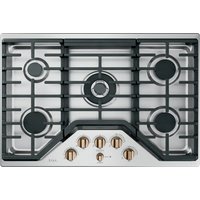
CGP95303MS2 - Cooker Café - Free user manual and instructions
Find the device manual for free CGP95303MS2 Café in PDF.


Pick your language and provide your email: we'll send you a specifically translated version.
| Product type | Cooker |
| Brand | Café |
| Model | CGP95303MS2 |
| Dimensions (W x H x D) | 90 x 85 x 60 cm |
| Weight | 50 kg |
| Fuel | Natural gas / Butane |
| Number of burners | 4 gas burners |
| Burner type | Flame burners |
| Ignition | Automatic integrated ignition |
| Oven type | Convection oven |
| Oven capacity | 65 L |
| Oven functions | Convection, grill, bottom heat, defrost |
| Cleaning | Easy manual cleaning |
| Safety | Child safety, safety thermocouple |
| Energy class (oven) | A+ |
| Total power | 12 kW |
| Voltage (electrical) | 230 V |
| Frequency | 50 Hz |
| Installation type | Freestanding |
| Color | Stainless steel |
| Material | Stainless steel |
| Oven lighting | Yes |
| Oven door | Glass |
| Included accessories | Drip tray, grid, baking sheet |
Frequently Asked Questions - CGP95303MS2 Café
How to clean the burners?
Remove the burners and clean them with a damp sponge and mild soap. Make sure the openings are not clogged. Dry completely before putting them back in place.
Why is the oven not heating?
First check that the gas (or electrical) supply is properly connected and the thermostat is set. If the problem persists, consult the manual to check the fuse or contact customer service.
How to light the oven?
Turn the oven knob to the desired position and push it in while turning. The integrated igniter will produce sparks. Keep it pressed for a few seconds after ignition to activate the thermocouple.
What to do if the flame is yellow?
A yellow flame indicates incomplete combustion. Clean the burners and make sure the openings are not clogged. Ensure that air circulates properly around the appliance. If the problem persists, have the installation checked by a professional.
How to change the oven light bulb?
Unplug the appliance, remove the glass cover of the bulb, unscrew the defective bulb and replace it with a bulb of the same type (heat resistant to 300°C). Screw the cover back on.
The oven makes noise, is that normal?
Yes, the noise may come from the fan motor of the convection oven or from the expansion of materials. If the noise is abnormal (squeaks or clicks), contact technical support.
How to use the grill?
Place the grill in the upper position in the oven, set the thermostat to the grill position (often a wavy line symbol). Leave the oven door ajar as indicated in the manual to let heat escape.
What to do if the ignition does not work?
Check that the burners are dry and clean. If the igniter does not produce sparks, check the power supply and the ignition module. Consult the manual or a professional.
How to set the oven temperature?
Turn the thermostat knob to the desired temperature (usually from 50°C to 250°C). The oven preheats until it reaches the temperature. Use an oven thermometer to check.
Where to find spare parts?
Spare parts (burners, grids, bulbs) are available on the notice-facile.com website or from the Café brand customer service. Have the model CGP95303MS2 ready.
User questions about CGP95303MS2 Café
0 question about this device. Answer the ones you know or ask your own.
Ask a new question about this device
No questions yet. Be the first to ask one.
Download the instructions for your Cooker in PDF format for free! Find your manual CGP95303MS2 - Café and take your electronic device back in hand. On this page are published all the documents necessary for the use of your device. CGP95303MS2 by Café.
USER MANUAL CGP95303MS2 Café
Manual assistant
Powered by Anthropic
Waiting for your message
Product information
Brand : Café
Model : CGP95303MS2
Category : Cooker