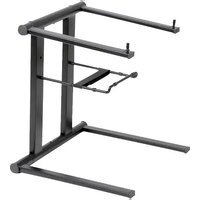
PLPTS35 - Laptop Pyle - Free user manual and instructions
Find the device manual for free PLPTS35 Pyle in PDF.


Pick your language and provide your email: we'll send you a specifically translated version.
| Product Type | Laptop |
| Brand | Pyle |
| Model | PLPTS35 |
| Display Size | 13.3 inches |
| Display Resolution | 1920 x 1080 |
| Processor | Intel Celeron N4020 |
| RAM | 4 GB DDR4 |
| Storage | 64 GB eMMC |
| Operating System | Windows 11 Home |
| Connectivity | Wi-Fi 802.11ac, Bluetooth 4.2 |
| Ports | 2x USB 3.0, 1x HDMI, 1x Audio Jack |
| Battery Type | Lithium-ion 38 Wh |
| Battery Life | Up to 8 hours |
| Dimensions (L x W x H) | 12.7 x 8.9 x 0.8 inches |
| Weight | 3.5 pounds |
| Power Supply | AC 100-240V, 50/60Hz, DC 12V/3A |
| Main Functions | Web browsing, document editing, multimedia streaming, light productivity |
| Care and Cleaning | Wipe with a soft, dry cloth. Avoid liquids and abrasive cleaners. |
| Safety | Keep away from water and heat sources. Do not disassemble. |
| Spare Parts and Repairability | Contact Pyle support. Not user serviceable. |
Frequently Asked Questions - PLPTS35 Pyle
How do I turn on the Pyle PLPTS35 laptop?
Press and hold the power button located on the upper left side of the keyboard for 3 seconds until the screen lights up.
What should I do if the laptop does not charge?
Ensure the power adapter is firmly plugged into both the laptop and a working power outlet. Try a different outlet. If the issue persists, the battery may need replacement.
How can I connect to Wi-Fi?
Click the network icon in the taskbar, select your Wi-Fi network from the list, and enter the password if required.
Why is my laptop running slowly?
Close unnecessary programs, disable startup items, and ensure you have enough free storage. Running a disk cleanup or antivirus scan can also help.
Can I upgrade the RAM on the PLPTS35?
The RAM is soldered and not user-upgradable. Please contact Pyle for service options.
How do I reset the laptop to factory settings?
Go to Settings > Update & Security > Recovery > Reset this PC, then choose 'Remove everything' and follow the prompts.
What is the battery lifespan?
The battery can last up to 8 hours under moderate use. Over time, capacity may decrease; replace if needed.
How do I clean the laptop screen?
Use a soft, lint-free cloth slightly dampened with water. Do not spray any liquid directly on the screen.
The laptop overheats easily. What should I do?
Ensure vents are not blocked. Use on a hard, flat surface. Update drivers and reduce running programs.
Where can I find the user manual?
The manual is available for download on notice-facile.com in PDF format. You can also contact Pyle support.
User questions about PLPTS35 Pyle
0 question about this device. Answer the ones you know or ask your own.
Ask a new question about this device
No questions yet. Be the first to ask one.
Download the instructions for your Laptop in PDF format for free! Find your manual PLPTS35 - Pyle and take your electronic device back in hand. On this page are published all the documents necessary for the use of your device. PLPTS35 by Pyle.
USER MANUAL PLPTS35 Pyle
Manual assistant
Powered by Anthropic
Waiting for your message
Product information
Brand : Pyle
Model : PLPTS35
Category : Laptop