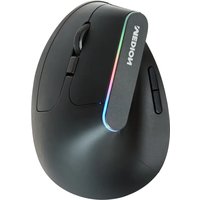
LIFE E81000 (MD 85826) - Mouse MEDION - Free user manual and instructions
Find the device manual for free LIFE E81000 (MD 85826) MEDION in PDF.


Pick your language and provide your email: we'll send you a specifically translated version.
| Product Type | Wireless Mouse |
| Brand | Medion |
| Model | LIFE E81000 (MD 85826) |
| Connectivity | 2.4 GHz Wireless via Nano USB Receiver |
| Buttons | 3 (Left, Right, Middle/Scroll Button) |
| Scroll Wheel | Yes, 2D scrolling | DPI Resolution | 1200 DPI |
| Power Source | 1x AA Battery |
| Battery Life | Up to 12 months (typical use) |
| Dimensions (LxWxH) | 100 x 60 x 30 mm |
| Weight (without battery) | 55 g |
| Operating Range | Up to 10 m |
| Compatible Systems | Windows, macOS, Linux, Chrome OS |
| Sensor Type | Optical |
| Cleaning Instruction | Wipe with a soft, dry cloth. Do not use liquids or abrasive cleaners. |
| Safety Warning | Remove battery if not used for extended periods. Keep away from moisture. |
| Spare Parts & Repairability | Non-user-serviceable. No spare parts available. Recycling recommended at end of life. |
| Included Accessories | Mouse, Nano USB Receiver, 1x AA Battery, Quick Start Guide |
Frequently Asked Questions - LIFE E81000 (MD 85826) MEDION
How do I connect the MEDION LIFE E81000 mouse to my computer?
Insert the included nano USB receiver into an available USB port on your computer. The mouse will automatically pair. If not, press the connect button (if available) or reinsert the battery.
What battery does the mouse use and how long does it last?
The mouse uses one AA battery (included). Battery life is typically up to 12 months depending on usage. A low battery indicator light may flash when the battery is low.
Why is my mouse cursor not moving?
Check if the mouse is turned on (some have an on/off switch). Ensure the battery is inserted correctly and has charge. Reconnect the USB receiver. Try plugging the receiver into a different USB port.
Can I use this mouse on different surfaces?
Yes, the optical sensor works on most non-reflective surfaces like wood, fabric, or a mouse pad. Avoid glass or glossy surfaces.
How do I clean the mouse?
Turn off the mouse and remove the battery. Wipe the exterior with a soft, dry cloth. For stubborn dirt, slightly dampen the cloth with water. Do not use alcohol or abrasive cleaners.
Does the mouse have adjustable DPI?
No, this mouse has a fixed DPI of 1200, which is suitable for most tasks. For DPI adjustment, you may need to use operating system settings.
Can I use the mouse while it is charging?
No, this mouse uses a replaceable AA battery, not a rechargeable built-in battery. You cannot use it while the battery is being recharged externally. Replace the battery when depleted.
The mouse is working intermittently. What should I do?
Replace the battery with a fresh one. Move the USB receiver closer to the mouse. Avoid interference from other wireless devices. Try the receiver in a different USB port.
Is the mouse compatible with Mac or Linux?
Yes, the mouse uses standard HID protocol and works with Windows, macOS, Linux, and Chrome OS without additional drivers.
What do I do if I lose the USB receiver?
The USB receiver is uniquely paired to the mouse. If lost, you cannot use a generic receiver. Contact Medion support for replacement options or consider a new mouse.
User questions about LIFE E81000 (MD 85826) MEDION
0 question about this device. Answer the ones you know or ask your own.
Ask a new question about this device
No questions yet. Be the first to ask one.
Download the instructions for your Mouse in PDF format for free! Find your manual LIFE E81000 (MD 85826) - MEDION and take your electronic device back in hand. On this page are published all the documents necessary for the use of your device. LIFE E81000 (MD 85826) by MEDION.
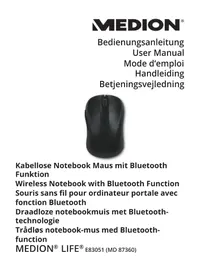
USER MANUAL LIFE E81000 (MD 85826) MEDION

Manual assistant
Powered by Anthropic
Waiting for your message
Product information
Brand : MEDION
Model : LIFE E81000 (MD 85826)
Category : Mouse