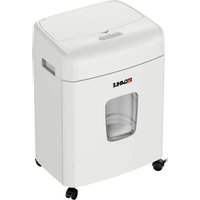
ShredMATIC SM 90 - Shredder Dahle - Free user manual and instructions
Find the device manual for free ShredMATIC SM 90 Dahle in PDF.


Pick your language and provide your email: we'll send you a specifically translated version.
| Product Type | Paper Shredder |
| Brand | Dahle |
| Model | ShredMATIC SM 90 |
| Cut Type | Cross-cut |
| Sheet Capacity | 10 sheets (70 gsm) |
| Bin Capacity | 15 liters |
| Shred Size | 4 x 40 mm (P-4 security level) |
| Shred Speed | 6 m/min |
| Dimensions (W x D x H) | 350 x 200 x 400 mm |
| Weight | 4.0 kg |
| Power Supply | 220-240V, 50/60 Hz |
| Power Consumption | 120 W |
| Noise Level | < 55 dB |
| Safety Features | Overload protection, auto shut-off when bin is open |
| Operating Functions | Auto start/stop, reverse function |
| Maintenance | Oil paper cutter periodically for optimal performance |
| Included Accessories | Manual, warranty card, oiling sheet |
| Warranty | 2 years |
| Repairability | Spare parts available (cutting blades, motor) |
Frequently Asked Questions - ShredMATIC SM 90 Dahle
How do I oil my Dahle ShredMATIC SM 90 shredder?
Apply shredder oil across the paper entry while the device is running. Let the blades run for a few seconds to distribute the oil. Use only approved shredder oil. Repeat every 2-3 months or after each bin emptying.
What should I do if the shredder jams?
First, press the reverse button to clear the jam. If that fails, unplug the device and carefully remove jammed paper using tweezers. Avoid using tools that may damage the blades.
How many sheets can the SM 90 shred at once?
It can shred up to 10 sheets of 70 gsm paper in one pass. For thicker paper or staples, reduce the number to avoid jams.
Can I shred credit cards or staples?
Yes, the SM 90 can shred staples and small paper clips. For credit cards, insert them one at a time through the center of the feed slot. Do not shred CDs or DVDs.
What does the overheating protection do?
If the motor overheats, the shredder automatically shuts down to prevent damage. Let it cool for 30-60 minutes before resuming use.
How do I empty the waste bin?
Pull the bin out from the front of the device. Lift the shredder head slightly if needed. Dispose of shredded paper and reinsert the bin until it clicks into place.
What is the security level of the SM 90?
It offers a P-4 security level, with cross-cut particles of 4 x 40 mm, suitable for confidential business documents.
Can I shred continuous forms or labels?
Continuous forms may be shredded but remove staples if present. Do not shred adhesive labels or sticky materials as they may gum up the blades.
How loud is the shredder during operation?
The noise level is under 55 dB, making it suitable for quiet office environments.
What is the warranty period?
Dahle offers a 2-year warranty on the ShredMATIC SM 90. Keep your proof of purchase for warranty claims.
User questions about ShredMATIC SM 90 Dahle
0 question about this device. Answer the ones you know or ask your own.
Ask a new question about this device
No questions yet. Be the first to ask one.
Download the instructions for your Shredder in PDF format for free! Find your manual ShredMATIC SM 90 - Dahle and take your electronic device back in hand. On this page are published all the documents necessary for the use of your device. ShredMATIC SM 90 by Dahle.
USER MANUAL ShredMATIC SM 90 Dahle

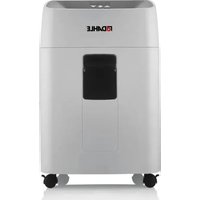
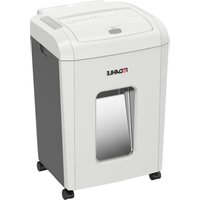
Manual assistant
Powered by Anthropic
Waiting for your message
Product information
Brand : Dahle
Model : ShredMATIC SM 90
Category : Shredder