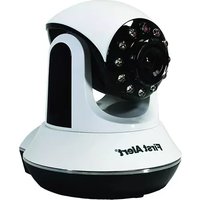
DWIP-720 - Surveillance Camera FIRST ALERT - Free user manual and instructions
Find the device manual for free DWIP-720 FIRST ALERT in PDF.


Pick your language and provide your email: we'll send you a specifically translated version.
| Product Type | Surveillance Camera |
| Brand | First Alert |
| Model | DWIP-720 |
| Resolution | 720p HD (1280 x 720) |
| Night Vision | Up to 30 ft |
| Field of View | 110° diagonal |
| Motion Detection | Yes, with adjustable sensitivity |
| Two-Way Audio | Yes, built-in mic and speaker |
| Connectivity | Wi-Fi 2.4 GHz |
| Power Supply | 12V DC adapter (included) |
| Battery Backup | Optional (not included) |
| Dimensions (H x W x D) | 4.5 x 2.5 x 2.5 in (11.4 x 6.4 x 6.4 cm) |
| Weight | 0.5 lb (227 g) |
| Operating Temperature | -4°F to 122°F (-20°C to 50°C) |
| Weather Rating | IP65 (indoor/outdoor) |
| Storage | MicroSD up to 128GB (not included), cloud storage |
| Mobile App | First Alert Home app (iOS/Android) |
| Installation | Wall mount or tabletop |
| Certifications | FCC, CE, RoHS |
| Warranty | 1 year limited warranty |
| Maintenance | Clean lens with soft, dry cloth; keep vents unblocked |
| Safety Precautions | Do not expose to extreme temperatures; use only included adapter |
| Spare Parts | Replacement power adapter available from First Alert |
| Reparability | User-replaceable microSD card; professional repair for other issues |
Frequently Asked Questions - DWIP-720 FIRST ALERT
How do I reset the DWIP-720 to factory settings?
Press and hold the reset button on the back of the camera for 10 seconds until you hear a voice prompt. The camera will reboot and enter setup mode.
Can I use the DWIP-720 outdoors?
Yes, the DWIP-720 has an IP65 weather rating, making it suitable for outdoor use. However, avoid direct exposure to heavy rain or submersion.
What is the maximum SD card capacity supported?
The camera supports microSD cards up to 128GB. For reliable performance, use a high-speed Class 10 card.
How do I connect the camera to my Wi-Fi?
Download the First Alert Home app, create an account, and follow the in-app instructions. Ensure your phone is on the same 2.4 GHz Wi-Fi network during setup.
Why is my camera offline?
Check if the power adapter is securely connected and the Wi-Fi signal is strong. Try restarting the camera by unplugging it for 10 seconds. If the issue persists, reset the camera and reconfigure.
Does the DWIP-720 have night vision?
Yes, it features infrared night vision with a range of up to 30 ft (9 m), providing clear images in complete darkness.
Can I share access with multiple users?
Yes, you can invite family members via the First Alert Home app. Each user must have their own account and be granted sharing permissions.
How do I clean the camera lens?
Use a soft, lint-free cloth lightly dampened with water or lens cleaner. Avoid abrasive materials or chemicals that may damage the lens coating.
What should I do if the video feed is blurry?
Ensure the lens cover is clean. Adjust the focus ring if available, or reposition the camera to avoid backlight. Also, check your Wi-Fi signal strength.
Is the DWIP-720 compatible with Amazon Alexa or Google Assistant?
Yes, it supports both Alexa and Google Assistant for voice control. Enable the First Alert skill in your smart home app and link your account.
User questions about DWIP-720 FIRST ALERT
0 question about this device. Answer the ones you know or ask your own.
Ask a new question about this device
No questions yet. Be the first to ask one.
Download the instructions for your Surveillance Camera in PDF format for free! Find your manual DWIP-720 - FIRST ALERT and take your electronic device back in hand. On this page are published all the documents necessary for the use of your device. DWIP-720 by FIRST ALERT.
USER MANUAL DWIP-720 FIRST ALERT
Manual assistant
Powered by Anthropic
Waiting for your message
Product information
Brand : FIRST ALERT
Model : DWIP-720
Category : Surveillance Camera