1539FL - Oven Flama - Free user manual and instructions
Find the device manual for free 1539FL Flama in PDF.


Pick your language and provide your email: we'll send you a specifically translated version.
| Brand | Flama |
| Model | 1539FL |
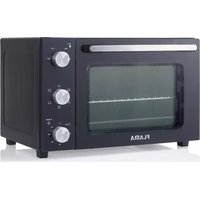
| Product type | Built-in electric oven |
| Dimensions (W x H x D) | 59.5 cm x 59.5 cm x 54.8 cm |
| Capacity | 70 liters |
| Net weight | Approximately 32 kg |
| Power supply | 230 V / 50 Hz, 16 A |
| Total power | 2800 W |
| Heating types | Fan-assisted, natural convection, grill, bottom heat, top heat |
| Main functions | Traditional cooking, fan-assisted cooking, grilling, defrosting, keep warm |
| Thermostat | Range from 50°C to 250°C |
| Timer | Programmable up to 120 minutes with audible signal |
| Interior lighting | Yes, halogen lamp |
| Door | Cool glass, removable for cleaning |
| Cleaning | By pyrolysis (self-cleaning at high temperature) |
| Safety | Door lock during pyrolysis, automatic shut-off, child safety |
| Included accessories | 2 metal grids, 1 drip tray, 1 rotisserie spit (depending on model) |
| Repairability index | 7.7/10 (spare parts available for 3 years) |
| Energy class | A+ |
| Energy consumption | 0.89 kWh (conventional), 0.79 kWh (fan-assisted) |
Frequently Asked Questions - 1539FL Flama
How do I turn on the Flama 1539FL oven for the first time?
Before first use, heat the empty oven at 200°C for 30 minutes to remove manufacturing odors. Then let it cool down and wipe the interior walls with a damp cloth.
How do I use the pyrolysis function?
Remove all accessories then close the door. Select the pyrolysis program (usually at 500°C). The door locks automatically. The cycle lasts about 2 hours. After cooling, wipe off the ashes with a damp cloth.
Why is my oven not heating?
Check the power supply (circuit breaker), that the timer is set, and that the thermostat is not at 0. If the problem persists, contact customer service.
How do I clean the oven door glass?
Use a glass cleaner or a mixture of water and white vinegar. For easy access, the door can be disassembled by unscrewing the side screws (see manual). Avoid abrasive sponges.
What accessories come with the Flama 1539FL oven?
The oven comes with two metal grids, a drip tray, and sometimes a rotisserie spit. Check the list in the packaging or manual.
How do I set the timer?
Turn the timer knob clockwise to select the cooking time (from 0 to 120 minutes). Once the time is up, a beep sounds and the oven turns off automatically.
Can I use aluminum foil in the oven?
Yes, but place it only on the drip tray or at the bottom of the oven, never directly on the heating element. Avoid covering the bottom to prevent blocking heat circulation.
How do I replace the oven light bulb?
Unplug the oven. Remove the protective glass, unscrew the defective bulb (type G9 40W) and replace it with a new one. Screw the glass back on. Refer to the manual for more details.
What should I do if error code E01 appears?
Error code E01 indicates a temperature sensor failure. Turn off the oven, wait 5 minutes, and turn it back on. If the error persists, contact technical support.
Where can I find spare parts for the Flama 1539FL?
You can order parts on specialized websites like Spareka or Adepem. Search using the reference '1539FL' or 'Flama'. Availability is guaranteed for 7 years after purchase.
User questions about 1539FL Flama
0 question about this device. Answer the ones you know or ask your own.
Ask a new question about this device
No questions yet. Be the first to ask one.
Download the instructions for your Oven in PDF format for free! Find your manual 1539FL - Flama and take your electronic device back in hand. On this page are published all the documents necessary for the use of your device. 1539FL by Flama.
USER MANUAL 1539FL Flama
Manual assistant
Powered by Anthropic
Waiting for your message
Product information
Brand : Flama
Model : 1539FL
Category : Oven