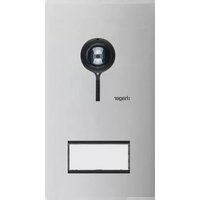
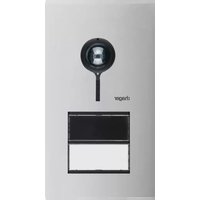
REQ501X - Video Intercom HAGER - Free user manual and instructions
Find the device manual for free REQ501X HAGER in PDF.


Pick your language and provide your email: we'll send you a specifically translated version.
| Type | Programmable time switch |
| Dimensions (HxWxD) | 90 x 72 x 65 mm |
| Weight | 150 g |
| Power supply | 230 V AC, 50/60 Hz |
| Max load | 16 A (resistive) |
| Output type | SPDT relay |
| Number of channels | 1 |
| Programming | Daily/weekly schedule with up to 20 programs |
| Operating temperature | -10°C to +40°C |
| Protection rating | IP20 |
| Mounting | DIN rail |
| Display | Backlit LCD |
| Battery backup | Lithium battery for clock retention |
| Maintenance | Clean with dry cloth; no internal parts user-serviceable |
| Safety features | Overload protection, manual override |
| Spare parts | Available through Hager service centers |
| Repairability | Not designed for field repair; replace unit if faulty |
| Certifications | CE, EN 60730 |
| Country of origin | Germany |
Frequently Asked Questions - REQ501X HAGER
What is the Hager REQ501X?
The Hager REQ501X is a programmable time switch designed for automatic control of electrical loads such as lighting, heating, or ventilation.
How do I install the REQ501X?
Install on a DIN rail in an electrical panel. Connect the power supply (230V AC) and load according to the wiring diagram in the manual. Ensure the device is properly grounded.
What is the maximum load it can switch?
The maximum resistive load is 16 A. For inductive loads, derating may apply; check the manual for specific guidelines.
How do I program the time switch?
Use the backlit LCD and buttons to set the current time and date, then define switching programs with desired on/off times. The device supports up to 20 programs.
Does the REQ501X have battery backup?
Yes, it has a lithium battery that maintains the clock and settings during power outages.
Can I use the REQ501X for outdoor applications?
No, the device has an IP20 rating and should be installed indoors in a dry location.
How do I reset the REQ501X?
Press and hold the reset button (usually behind a small hole) for 5 seconds to restore factory defaults.
What should I do if the display is blank?
Check the power supply and ensure the device is connected. If there is power, the battery may be depleted; replace the internal battery if needed.
Is the REQ501X compatible with smart home systems?
It is a standalone device and does not have direct smart home integration. However, it can be used to control loads in conjunction with other components.
Where can I download the manual for the REQ501X?
The manual is available for free download from notice-facile.com in PDF format. You can also request a translated version via email.
User questions about REQ501X HAGER
0 question about this device. Answer the ones you know or ask your own.
Ask a new question about this device
No questions yet. Be the first to ask one.
Download the instructions for your Video Intercom in PDF format for free! Find your manual REQ501X - HAGER and take your electronic device back in hand. On this page are published all the documents necessary for the use of your device. REQ501X by HAGER.
USER MANUAL REQ501X HAGER

Manual assistant
Powered by Anthropic
Waiting for your message
Product information
Brand : HAGER
Model : REQ501X
Category : Video Intercom