 ManualGo.com
BMR100 - Jobsite Radio MAKITA - Free user manual and instructions
Find the device manual for free BMR100 MAKITA in PDF.



Download the instructions for your Jobsite Radio in PDF format for free! Find your manual BMR100 - MAKITA and take your electronic device back in hand. On this page are published all the documents necessary for the use of your device. BMR100 by MAKITA.
USER MANUAL BMR100 MAKITA
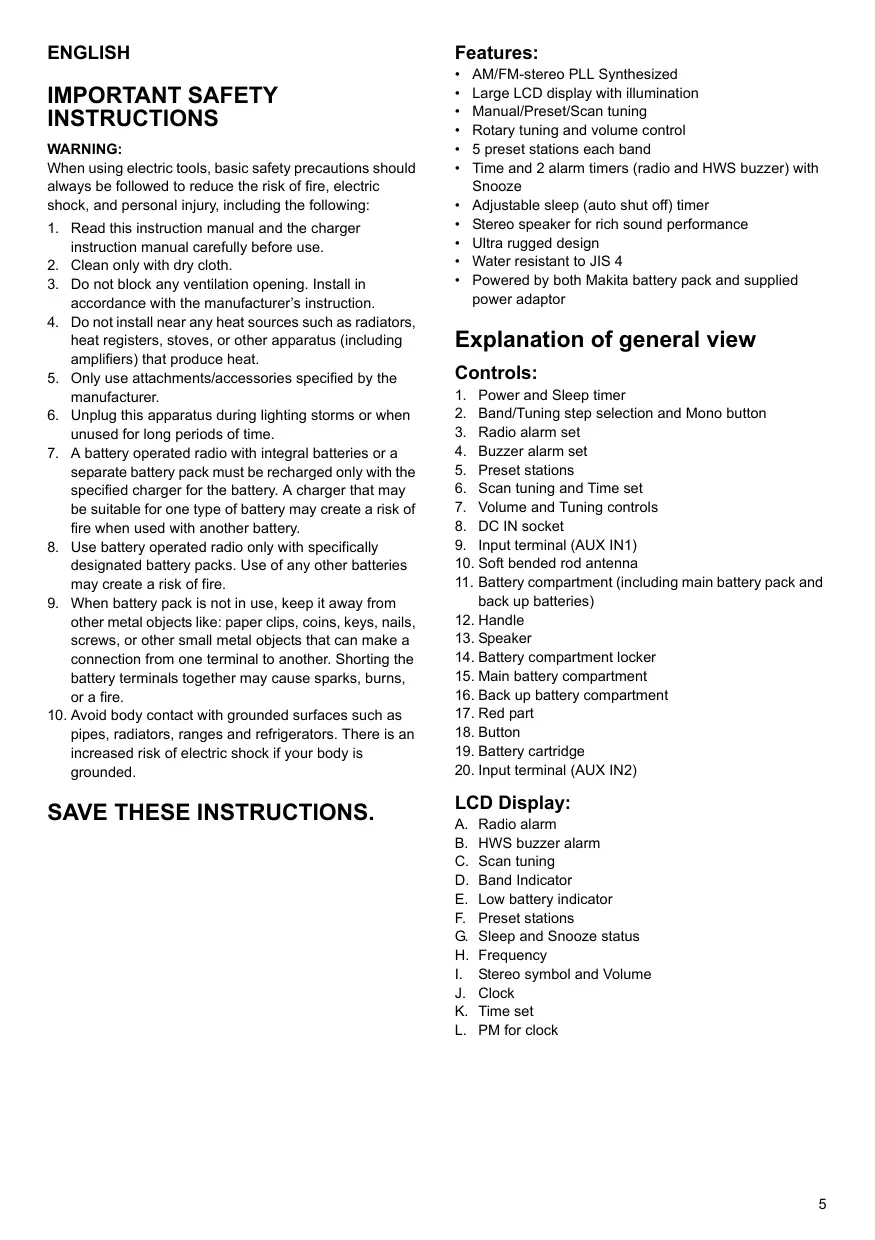
IMPORTANT SAFETY INSTRUCTIONS
WARNING:
When using electric tools, basic safety precautions should always be followed to reduce the risk of fire, electric shock, and personal injury, including the following:
1. Read this instruction manual and the charger
instruction manual carefully before use.
2. Clean only with dry cloth.
3. Do not block any ventilation opening. Install in
accordance with the manufacturer’s instruction.
4. Do not install near any heat sources such as radiators,
heat registers, stoves, or other apparatus (including amplifiers) that produce heat.
5. Only use attachments/accessories specified by the
6. Unplug this apparatus during lighting storms or when
unused for long periods of time.
7. A battery operated radio with integral batteries or a
separate battery pack must be recharged only with the specified charger for the battery. A charger that may be suitable for one type of battery may create a risk of fire when used with another battery.
8. Use battery operated radio only with specifically
designated battery packs. Use of any other batteries may create a risk of fire.
9. When battery pack is not in use, keep it away from
other metal objects like: paper clips, coins, keys, nails, screws, or other small metal objects that can make a connection from one terminal to another. Shorting the battery terminals together may cause sparks, burns, or a fire.
10. Avoid body contact with grounded surfaces such as
pipes, radiators, ranges and refrigerators. There is an increased risk of electric shock if your body is grounded. SAVE THESE INSTRUCTIONS. Features:
AM/FM-stereo PLL Synthesized Large LCD display with illumination Manual/Preset/Scan tuning Rotary tuning and volume control 5 preset stations each band Time and 2 alarm timers (radio and HWS buzzer) with Snooze Adjustable sleep (auto shut off) timer Stereo speaker for rich sound performance Ultra rugged design Water resistant to JIS 4 Powered by both Makita battery pack and supplied power adaptor Explanation of general view Controls:
1. Power and Sleep timer
2. Band/Tuning step selection and Mono button
3. Radio alarm set
4. Buzzer alarm set
5. Preset stations
6. Scan tuning and Time set
7. Volume and Tuning controls
8. DC IN socket
9. Input terminal (AUX IN1)
10. Soft bended rod antenna
11. Battery compartment (including main battery pack and
12. Handle
13. Speaker
14. Battery compartment locker
15. Main battery compartment
16. Back up battery compartment
17. Red part
18. Button
19. Battery cartridge
20. Input terminal (AUX IN2)
Radio alarm HWS buzzer alarm Scan tuning Band Indicator Low battery indicator Preset stations Sleep and Snooze status Frequency Stereo symbol and Volume Clock Time set PM for clock
Battery Installation Note: Keeping back up batteries inside the compartment prevent stored data in preset memories from being lost.
1. Pull out the battery compartment locker to release
battery compartment. There are main battery pack compartment and back up battery compartment. (Fig. 1 & 2)
2. Remove back up battery compartment cover and
insert 2 fresh UM-3 (AA sizes). Make sure the batteries are with correct polarity as shown inside the compartment. Replace the battery cover.
3. After back up batteries are inserted, insert the main
battery pack to power radio. The suitable battery packs for this radio listed as below. Pod Battery: 9.6V: 9135 | 9134 | 9122 | PA09 | 9120 12V: 1235 | 1234 | 1222 | PA12 | 1220 14.4V: 1435 | 1434 | 1422 | PA14 | 1420 18V: The following tables indicate the operating time on a single charge. Battery Cartridge•Voltage Battery Capacity
1.3 Ah
1.5 Ah
9.6V 12V 14.4V PA09 PA12 PA14
2.0 Ah
Approx. 7 hour BL1815
BH2420 Approx. 11 hour
Approx. 16 hour BH1433
BH2433 Approx. 17 hour
3.3 Ah
3.0 Ah
BH9033A BH1233C (At Max. 24V
2.6 Ah
- To insert the battery cartridge, align the tongue on the battery cartridge with the groove in the housing and slip it into place.
- Do not use force when inserting the battery cartridge. If the cartridge does not slide in easily, it is not being inserted correctly.
- To remove the battery cartridge, withdraw it from the Job site radio.
4. Replace battery compartment locker.
5. Reduced power, distortion and a “stuttering sound “or
low battery sign that appears on the display are all the signs that the main battery pack needs to replace.
6. When low battery sign
appears and an “E” keeps on flashing is the time to replace the back up batteries. 3-2. Installing or removing Pod battery cartridge (Fig. 4) Note: The battery pack can't be charged via the supplied AC power adaptor. 1835 | 1834 | 1822 | PA18 Slide Battery: 9.6V: BH9033 | BH9033A | BH9020 | BH9020A 12V:
- To remove the battery cartridge, withdraw it from the tool while sliding the button on the front of the cartridge or pressing the buttons on both sides of the cartridge. Volume)
- Operating time may differ by the type of battery, charging or operating conditions. 3-1. Installing or removing Slide battery cartridge (Fig. 3)
- To insert the battery cartridge, align the tongue on the battery cartridge with the groove in the housing and slip it into place. Always insert it all the way until it locks in place with a little click.
- Do not use force when inserting the battery cartridge. If the cartridge does not slide in easily, it is not being inserted correctly. Installing the Soft bended rod antenna (Fig. 5) Install the Soft bended rod antenna as show in the figure. Using Supplied AC power adaptor (Fig. 6) Remove the rubber protector and insert the adaptor plug into the DC socket on the front side of the radio. Plug the adaptor into a standard mains socket outlet. Whenever the adaptor is used, the battery pack are automatically disconnected. The AC adaptor should be disconnected from the main supply when not in use. Setting the clock
1. Clock can be set either when the radio is power on or
2. Display will show “-: - -” when the back up batteries
3. Long press the time set button
for more than 2 seconds, display will flash time set symbol and also the hour digit, followed by a beep.
4. Rotate Tuning control to set the required hour.
5. Press
button to confirm hour setting, the minute digit will flash.
6. Rotate Tuning control to set the required minute.
7. Press the
button again to complete clock setting. Operating the radio This radio equips with three tuning methods – Scan tuning, Manual tuning and Memory presets recall.
1. Press the Power button to turn on the radio.
2. Select the required waveband by pressing the Band
button. Make sure the rubber bended rod antenna has been well placed for best FM reception. For AM (MW) band, rotate the radio to get best signal. Try to avoid to operate the radio next to computer screen and other equipment which will cause interference to the radio.
3. Press and release Scan button (long press Scan
button more than 2 seconds will activate time setting), LCD display will flash Scan symbol and the radio will up search and stop automatically when it finds a radio station,. Press the Scan button again to pick up the found station. Note: A stereo symbol will appear on the display, if the station found is a stereo station. Note: The radio will continue to search next available stations if you do not press Scan button again when it finds a radio station.
4. Rotate the Volume control to get required sound level.
LCD display will show sound level changes. Note: During operating volume control, you can press in Tuning/Volume control knob to change volume control to tuning control status.
5. To turn off the radio, press the Power button. Display
will show OFF. Manual Tuning
1. Press the Power button to turn on the radio.
2. Select the required waveband by pressing the Band
button. Adjust the antenna as described above.
3. A single rotary to the Tuning control will change the
frequency in the following increment: FM: 50 or 100 kHz AM (MW): 9 or 10 kHz Note: If the radio is in volume control status, press in the tuning/volume control to become Tuning status.
4. Keep on rotating the Tuning control until the required
frequency shown on the display.
5. Rotate the volume control to get required sound level.
6. To turn off the radio, press the Power button. Display
will show OFF. Storing stations in preset memories There are 5 memory presets for each waveband.
1. Press the Power button to turn on the radio.
2. Tune to required station using one of the methods
previously described.
3. Press and hold down the required preset until radio
beeps. The preset number will appear in the display and the station will be stored under chosen preset button.
4. Repeat this procedure for the remaining presets.
5. Stations stored in preset memories can be overwritten
by following above procedures. Recall stations from preset memories
1. Press the power button to turn on the radio.
2. Select the required waveband.
3. Momentarily press the required Preset button, the
preset number and station frequency will appear in the display. Setting the radio alarm When the radio alarm is selected, the radio will turn on and play the chosen radio station at the chosen alarm time. The radio alarm will continue for one hour unless turned off by pressing the Power button. Pressing the Power button whilst the alarm is activated will cancel the alarm for 24 hours. Note: When the radio is in low battery status, the radio alarm can't be activated. a. Setting radio alarm time:
1. The radio alarm can be set either when radio is on or
2. Press and release radio alarm button
, the radio alarm symbol will flash.
3. During radio alarm symbol flashing, press
button for more than 2 seconds followed by a beep.
4. Display Hour will flash, rotate Tuning Control to select
the hour then press button again to confirm hour setting.
5. Follow same procedures of setting hour to set
required minute. Press button to complete alarm time setting. b. Setting radio alarmed station
1. During setting radio alarm time and radio alarm
symbol is flashing, press Band button to activate the radio to select required wake-up band and station by manual tuning and recall the preset stations. Press button to complete radio alarm setting. Display will show
2. When above radio alarm time and station are set,
press and hold down radio alarm button for 2 seconds followed by a beep to switch alarm on or off. Display will show when radio alarm is set. Note: If new radio alarm station is not selected, it will select the last alarm station. Setting the HWS (Humane Wake System) buzzer alarm A beep tone will activate when selecting the HWS buzzer alarm. The alarm beep will become shoter and shoter every 15 seconds for one minute followed by one minute silence before repeating the cycle.
The HWS alarm will sound for one hour until turning off by pressing the Power button. Press the Power button whilst the alarm is activated will cancel the alarm for 24 hours. While radio is switched off, long pressing Step/Band button for more than 2 seconds will first show current FM tuning step.
1. The HWS buzzer alarm can be set either radio is on or
2. Press and release the HWS buzzer alarm button
, the symbol will flash.
3. During the symbol flashes, long pressing the
button for more than 2 seconds followed by a beep and display Hour digit will flash.
4. Rotate Tuning Control to select required alarm hour,
then press time set button again. The minute digit will then flash.
5. Rotate Tuning Control to select required alarm minute,
the press time set button again to complete HWS buzzer alarm setting.
6. Press and hold down buzzer alarm button
for more than 2 seconds followed by a beep to switch on or off the HWS buzzer alarm. Display will appear when buzzer alarm has been set. Continue pressing Step/Band button for approx. another 5 seconds until display FM and 50 kHz (tuning step) flashing followed by a beep. By rotating the Tuning control, you may adjust to 100 kHz per tuning step. Snooze function CAUTION Unplug this apparatus before connecting other audios.
- There are 2 AUX in sockets. AUX 1 is located on the front panel, and AUX 2 is located in the battery compartment.
- Connect a stereo or mono source (i.e. iPod, MP3, or CD player) to either AUX 1 or AUX 2 by audio cord.
- Repeatedly press and release the BAND button until AU1” or “AU2” is displayed, then AUX function is activated.
- AUX can't be activated as alarm source.
1. Whilst the alarm is activated, pressing any buttons
except the Power Button will activate the snooze function. The radio or HWS buzzer alarm will be silenced with interval of 5 minutes.
2. The display will flash both the snooze symbol
and the alarm symbol. The snooze function can be repeatedly during one hour that the alarms are active. Sleep function The sleep timer will automatically switched off the radio after a preset time has elapsed.
1. Press and continue to hold down the Power button for
more than 2 seconds, followed by a beep tone, the display will cycle through the available sleep times in the order 60-45-30-15-120-90-60. Release the Power button when the required sleep time appears in the display. The symbol will appear in the display and the radio will play the last station selected.
2. To cancel the sleep function, press the Power button.
The Symbol will disappear and radio is off. Display illumination Press any buttons or rotate tuning/volume control will illuminate the LCD display for approx. 15 seconds. During scanning stations and alarm activated, will also automatically illuminate the display. Setting tuning step Tuning steps on some countries are different from where you purchase the radio. If you buy the radio in Europe and intend to use in Northern America or some Southern American countries, you may have to adjust tuning step so the radio may continue to serve you well.
After FM tuning step is reset, pressing Step/Band button again, display will show AM (MW) and flash 9 kHz. By rotating Tuning control, you may adjust to 10 kHz per tuning step. Complete the setting by pressing Step/Band button. Change Stereo to Mono When the stereo FM station reception is weak, you can improve it by pressing Mono button for 2 seconds. The sound is no longer in stereo and stereo indicator disappears. How to play other audios Specifications: Power Requirements AC power adaptor DC12V 700mA, center pin positive Battery UM-3 (AA size) x 2 for back up Pod battery: 9.6 - 18V Slide battery: 9.6 - 24 V Frequency coverage FM 87.50 - 108 MHz AM 520 - 1710 kHz (10 kHz/step) Circuit feature Loudspeaker 3 inches 8 ohm Output power 9.6V: 0.8 W x 2, 12V: 1.2 W x 2 14.4V: 2W x 2, 18V: 3W x 2 24V: 5W x 2 Input terminal
3.5 mm dia. (AUX IN1/AUX IN2)
Antenna system FM: soft bended rod antenna AM: bar antenna Dimension (W x H x D) in mm With carry handle retracted 261 (10 - 1/4”) x 304 (12") x 167 (6 - 9/16”) With carry handle raised 261 (10 - 1/4”) x 433 (17") x 167 (6 - 9/16”) Weight
4.2 Kg (9.2 lbs) (without battery)
14,4V: BH1433 | BH1420 | BL1430 18V: BL1830 24V: BH2433 | BH2420 14,4V: 1435 | 1434 | 1422 | PA14 | 1420 18V: Panel indicador LCD:
Makita Corporation Anjo, Aichi, Japan