
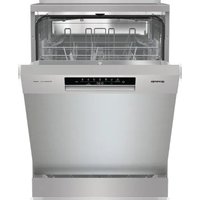
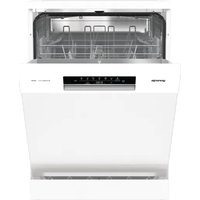
GV673C62 - Dishwasher GORENJE - Free user manual and instructions
Find the device manual for free GV673C62 GORENJE in PDF.


| Product Type | Freestanding Dishwasher |
| Model | GV673C62 |
| Brand | Gorenje |
| Energy Efficiency Class | A++ |
| Place Settings | 13 |
| Noise Level | 44 dB(A) |
| Dimensions (H x W x D) | 815 x 596 x 575 mm |
| Weight | 45 kg |
| Power Supply | 220-240 V, 50 Hz |
| Rated Power | 1900 W |
| Water Consumption per Cycle | 9.5 L |
| Annual Energy Consumption | 269 kWh |
| Drying Efficiency Class | A |
| Number of Programs | 8 |
| Program List | Eco 50°C, Intensive 70°C, Normal 60°C, Quick 30 min, Rinse, Soak, Auto, Glass |
| Additional Functions | Half load, Delay start, Extra dry, Child lock |
| Display Type | LED |
| Water Connection | Cold water only, inlet hose length 1.5 m |
| Drain Hose Length | 1.5 m |
| Maintenance | Clean filters regularly, descale as needed, check spray arms |
| Safety Features | Anti-flood protection, child lock, door lock |
| Spare Parts Availability | Filters, spray arms, racks, detergent dispenser, hoses |
| Repair Index | 6.5 out of 10 (estimated) |
| Warranty | 2 years standard (extendable) |
Frequently Asked Questions - GV673C62 GORENJE
User questions about GV673C62 GORENJE
0 question about this device. Answer the ones you know or ask your own.
Ask a new question about this device
Download the instructions for your Dishwasher in PDF format for free! Find your manual GV673C62 - GORENJE and take your electronic device back in hand. On this page are published all the documents necessary for the use of your device. GV673C62 by GORENJE.
USER MANUAL GV673C62 GORENJE
GV673C62
Contents
Your dishwasher 4
Safety instructions .... 5
Installation 6
Overflow guard 6
Packaging 6
Disposal 6
Symbols on the appliance 6
Before washing for the first time 7
- Water hardness 7
- Basic settings 8
Top up with rinse aid 8
Top up with salt 8
Greener dishwashing 9
Save energy and water 9
Loading the dishwasher 10
Fragile dishes 10
Loading affects the results 10
The dishwasher's baskets 10
Top cutlery tray 10
Upper basket 11
Lower basket 12
Using the dishwasher 13
Add detergent 13
On/Off 14
Select program 14
Select option 15
Start/Stop 16
Status LED Light 16
If you want to load more dishes 17
Power failure 17
Once the program has finished 17
The best drying results 17
Unloading the dishwasher 17
Program chart 18
ConnectLife 19
Connect to a network and pair 19
Remote control the dishwasher 20
Remote start the dishwasher 20
Pair more devices 20
Deactivate/activate WiFi connection 20
Remove devices 20
Settings 21
Care and cleaning 23
Top up with rinse aid 23
Top up with salt 23
Clean the filter 24
Cleaning the spray arms 24
Clean the outside of the dishwasher 25
CLn - Run the Self-clean program 25
Remove blockages 25
Winter storage/transport 26
Troubleshooting 27
General 27
WiFi 32
Installation 33
Safety instructions 33
Setup 33
Drainage connection 34
Connection to water supply 34
Electrical connection 34
Service 35
Number of program cycles 35
Technical data and energy labelling 36
Technical data 36
Information for consumers 36
Information for test institute 36
Declaration of conformity 36
Your dishwasher
Install the dishwasher, see the chapter Installation. Then open the door and press.

The first time the dishwasher is switched on, it is important that you choose the right settings to ensure good dishwashing results. See the chapter Before washing for the first time.

Special program Option Program

eco


Speedwash Eco 55°
Total Dry 1h 65°

Self-clean, Delayed start, Auto 45-65°
Information on the display
See the chapter Care and cleaning.

Connected to the cloud (Flashes when connecting)

Top up with rinse aid

Top up with salt
CLn: Run the Self-clean program

NOTE!
The control panel only reacts to use when the door is open.
Safety instructions
- Read the user manual and keep it in a safe place!
• Number of standard place settings: 16
- Never use the dishwasher for any purpose other than that specified in these operating instructions.
- Do not load the dishwasher door or dishwasher baskets with anything other than dishes.
- Never leave the dishwasher door open as someone may trip on it. Push the baskets in to avoid risking the dishwasher tipping over.
- Use only dishwasher detergent!
- This machine can be used by children aged 8 and upwards, and by people with reduced physical capacity, mental ability, memory loss or lacking experience and knowledge. These individuals must be supervised when using the machine or have instructions on how to use the machine and understand the risks that can occur. Cleaning of the machine must not be carried out by children without supervision.
- Damaged supply cord must only be replaced by the manufacturer's service centre or someone similarly professionally qualified.
- Only use the dishwasher in household-type environments for dishwashing household dishes. All other use is prohibited.
- Never place dishes with solvent residues in the dishwasher due to the risk of explosion. Nor may dishes that contain ash, wax or lubricants be washed in the dishwasher.
- Children must be watched. Do not allow children to use or play with the dishwasher. Be especially vigilant when the door is open. Some detergent may remain inside! After adding detergent, always start the dishwasher immediately.

WARNING!
Knives and other pointed items must be placed horizontally in the dishwasher's special cutlery baskets.

WARNING!
Children must be supervised - dishwasher detergent is corrosive!
Installation
See the chapter Installation.
Overflow guard
The overflow guard starts pumping out the water and turns off the water supply if the water level in the dishwasher exceeds the normal level. If the overflow guard is triggered, F54 (Overfilling water) appears on the display. Turn off the water tap and contact your nearest service centre. (To avoid water leakage outside the dishwasher, do not remove the plug from the wall socket until the water tap on the supply line has been turned off!)
Packaging
The outer packaging protects the product during transport. The packaging material is recyclable. Separate the different packaging materials to help reduce raw material use and waste. Your dealer can take the packaging for recycling or direct you to the nearest recycling centre. The packaging is comprised of:
- Corrugated cardboard made from up to 100% recycled material.
- Expanded polystyrene (EPS) with no added chlorine or fluorine. Supports made from untreated wood.
- Protective plastic made from polyethylene (PE).
Disposal
The dishwasher is manufactured and labelled for recycling. When the dishwasher has reached the end of its service life and is to be disposed of, it should immediately be made unusable. Pull out the power cable and cut it as short as possible. Remove the light source(s).
Contact your local authority for information about where and how your dishwasher should be correctly recycled.
Symbols on the appliance

Read the user manual.

Recycle electrical waste.

Approved in accordance with the relevant EU directives.

Approved in accordance with the relevant UK legal requirements.
Before washing for the first time
1. Water hardness
In order to achieve good dishwashing results, the dishwasher needs soft water (water with low mineral content). Hard water leaves a white coating on dishes and the dishwasher.
Checking water hardness
Water hardness is specified using German degrees of water hardness (°dH), French degrees of water hardness (°fH), English degrees of water hardness (°eH) or millimoles per litre (mmol/l).
A water supply with a water hardness in excess of 5°dH (9°fH/6°eH/0.9 mmol/l) must be softened. This is done automatically with the aid of the built-in water softener. In order for the water softener to function properly, its settings must be adjusted to the hardness of the water supply. Once you have adjusted the water softener settings, add detergent and rinse aid in doses suitable for soft water.
Contact the local waterworks to check the water hardness in your area.
Make a note of the water hardness:
| Recommendedsettingmmol/l°eH°fH°dH | ||||
| 4:000.0-0.90-60-90-5 | ||||
| 4:011.0-1.47-1010-146-8 | ||||
| 4:021.5-2.011-1415-209-11 | ||||
| 4:032.1-2.515-1821-2512-14 | ||||
| 4:042.6-3.419-2426-3415-19 | ||||
| 4:053.5-4.325-3035-4320-24 | ||||
| 4:064.4-5.231-3644-5225-29 | ||||
| 4:075.3-7.037-4953-7030-39 | ||||
| 4:087.1-8.850-6171-8840-49 | ||||
| 4:098.9628950 |
If the water hardness exceeds 50° dH (89° fH/62° eH/8.9 mmol/l), we recommend connecting an external water softener.
Increased consumption during regeneration
The dishwasher's built-in water softener is regularly regenerated to maintain its function. Regeneration extends the dishwashing program and increases energy and water consumption. Just how often the dishwasher's water softener is regenerated depends on the selected setting.
Example: If the Eco55° program is run with a water hardness of 14° dH (25° fH/18° eH/2.5 mmol/l), the water softener is regenerated at regular intervals (after 7 dishwashing cycles), energy consumption increases by 0.015 kWh, and water consumption increases by 2.3 litres, while the program time is extended by 3 minutes. Regeneration takes place during the program's main wash.

WARNING!
Hard water leaves a white coating on dishes and inside the dishwasher. It is therefore important that you select the right setting for the water softener! See Water hardness in the chapter Settings.
Never run the dishwasher with an empty salt compartment if the water supply has a water hardness in excess of 5°dH (9°fH/6°eH/0.9 mmol/l).
2. Basic settings
The first time the dishwasher is switched on, it is important that you choose the right settings to ensure good dishwashing results. See page 21.
Setup:
• Rinse aid • Water hardness • TAB (All-in-one detergent)
3. Top up with rinse aid

Drying is faster and a better result is achieved if you use rinse aid. You will also achieve a better dishwashing result with clear and spotless dishes.
Top up the rinse aid compartment with rinse aid if you have selected Rinse aid 3:01-3:05.
- Open the rinse aid compartment lid.
- 1. Carefully top up with rinse aid to the level marked MAX. 2. Wipe up any splashes of rinse aid around the compartment. 3. Close the lid firmly.
Whether rinse aid needs topping up, the symbol lights on the display.
4. Top up with salt

For a water supply with a hardness above 5°dH (9°fH/6°eH/0.9 mmol/l), fill with salt.
Add salt to the salt compartment if you have selected Water hardness 4:01-4:09.
- Remove the salt compartment lid by turning it anticlockwise.
- 1. Place the funnel supplied with the dishwasher in the salt compartment top-up hole. 2. Before washing for the first time, pour in about 1 liter of water. (Water is only needed the first time.) 3. Add enough salt to fill the salt compartment (max. 750 grams). Use special dishwasher salt.
- Wipe away excess salt and turn the lid clockwise until it is in the closed position.
When the salt needs topping up, the symbol lights on the display.

WARNING!
In order to avoid rust stains, a dishwashing program must be started immediately after adding salt.
Greener dishwashing
Save energy and water
When using a dishwasher in a residential setting, less energy and water are generally used compared to washing the dishes by hand.
Do not rinse under running water
Do not rinse the dishes under running water as this will lead to increased energy and water consumption.
Simply scrape off large food particles before loading the dishwasher.
Choose a green detergent
Read the environmental declaration on the packaging!
Too much detergent, rinse aid, and salt can result in less effective dishwashing and also entail greater environmental impact.
Run a fully loaded dishwasher
Save energy and water by waiting until the dishwasher is full before running a program (see number of standard place settings). Use the 1h 65° program with the Speedwash option to rinse the dishes if there are any unpleasant odours.
Run programs at a lower temperature
If the dishes are only slightly dirty, you can select a program with a low temperature.
Select dishwashing program - Eco 55°
This program is suitable for washing normally soiled dishes and is the most effective program in terms of combined energy and water consumption. This program is used to assess compliance with EU legislation on ecodesign.
The dishwashing program is designed for an effective wash using as little energy and water as possible. The program washes at a low temperature for a long time.
Selection - TotalDry
A shorter dishwashing program and better drying results are achieved if you use the TotalDry option, which automatically opens the dishwasher door. Wait until the dishwasher indicates that the program has ended and the dishes have cooled before unloading the dishwasher. (If the dishwasher is built-in, the surrounding furnishings must be resistant to any condensation from the dishwasher.)
Connect to cold water
Connect the dishwasher to the cold water supply if the building is heated using oil, electricity or gas.
Connect to hot water
Connect the dishwasher to the hot water supply (max. 70°C) if the building is heated using an energy-efficient means such as district heating, solar power or geothermal power. Choosing a hot water connection reduces the dishwasher's energy consumption.

NOTE!
Do not exceed the permitted water supply temperature. Certain materials used in some cookware cannot withstand high heat. See Fragile dishes in the chapter Loading the dishwasher.
Loading the dishwasher
Fragile dishes
Some cookware is not dishwasher safe. This can be for several reasons. Some materials cannot withstand high heat, others can be damaged by dishwasher detergent.
Exercise caution with, for example, handmade items, fragile decoration, crystal/glassware, silver, copper, tin, aluminium, wood and plastic. Look for the "Dishwasher safe" marking.
Loading affects the results
Load the dishes carefully to ensure the best washing and drying results with the lowest possible energy and water consumption. Give your dishwasher the best chance to reach and clean all surfaces, as well as to dry the dishes as thoroughly as possible.
- All dirty surfaces should face inwards and downwards! • Dishes should not be placed in or on each other.
- Angle dishes with hollows, such as cups, so that the rinse water will run off. This is also important for plastic items.
- Make sure small items cannot fall through the dishwasher basket; place them in the top cutlery tray.
The dishwasher's baskets
The dishwasher is equipped with a top cutlery tray, an upper basket and a lower basket.
The appearance of the baskets may differ depending on the dishwasher setup.
Top cutlery tray
The top cutlery tray has space for cutlery, ladles, whisks, serving cutlery and similar items.

The top cutlery tray is comprised of three parts that can be moved sideways to better accommodate the dishes.
Upper basket
Place glasses, cups, bowls, side plates and saucers in the upper basket. All dirty surfaces should face inwards and downwards! Wine glasses are placed on the wine glass shelf and knives are placed in the knife stand on the right.

Raising and lowering the upper basket
1. Pull out the upper basket. 2. Grab the sides of the upper basket with both hands and lift it up. 3. If the upper basket is raised while in the top position, it will drop to the bottom position. Note that both sides of the basket must always be set to the same height.

Adjustable plate supports
The adjustable plate supports can be folded down to make it easier to load pots, bowls, and glasses.

Lower basket
Place plates, side plates, serving dishes, and pots in the lower basket. Cutlery can be placed in the cutlery holder.


Fit the cutlery holder to achieve maximum loading capacity. (Found inside the enclosed plastic bag.)
Adjustable plate supports
The adjustable plate supports can be folded down to make it easier to load pots and bowls.


NOTE!
Check that the spray arms can rotate freely.
Using the dishwasher
Add detergent
Follow the instructions on the detergent packaging. This dishwasher is fitted with a water softener, so use detergent and rinse aid doses suitable for soft water.
Too much detergent can result in less effective dishwashing and also entails greater environmental impact.
Detergent compartment
The detergent compartment must be dry when adding detergent.

If powder or liquid dishwasher detergent is used, add a small amount of the detergent to the compartment for prewash detergent.

NOTE!
Use only dishwasher detergent! Washing-up liquid must not be used as the foam that forms prevents the dishwasher from operating effectively.
All-in-one detergent
There are many types of all-in-one detergents on the market. Read through the directions for these products carefully.
Activate the TAB setting when using an all-in-one detergent that contains rinse aid.
Dishwasher tablets are not recommended for short programs (less than 75 minutes). Use powder or liquid dishwasher detergent instead.

NOTE!
Optimal washing and drying results are achieved by using normal detergent together with separately dispensed rinse aid and salt.
Contact the detergent manufacturer if you have questions about the detergent.


NOTE!
The control panel only reacts to use when the door is open.

On/Off
Open the door and press. Also turn on the water tap if it is turned off.
Select program
Select a program to suit the type of dishes and how dirty they are. Eco 55° is always pre-selected.
Press the desired program until it is activated, which is indicated by an indicator light.

Auto 45-65°
The dishwasher can measure how dirty the dishes are and adjust water consumption and temperature accordingly. When newly installed, the program needs to be run five times before it is fully adapted and can provide the best results.

Eco 55°
This program is suitable for washing normally soiled dishes and is the most effective program in terms of combined energy and water consumption. This program is used to assess compliance with EU legislation on ecodesign.
You can read more about greener dishwashing in the chapter Greener dishwashing.
For heavily soiled dishes with a lot of grease, a program with higher temperatures should be used.

1h 65°
A quick program for slightly dried leftovers. (This program is not intended for burnt food, such as oven dishes.)
The Total Dry option is important for ensuring the best drying results.

Intensive 70°
A program with a high temperature for dissolving grease on very dirty dishes, such as pans, casserole dishes and oven dishes. If these dishes do not completely fill the dishwasher, you can add plates and other dishes.

Glass 40°
Agentle dishwashing program with a low temperature for washing fragile items made of crystal/glass. Remember to use a small amount of detergent and to place items so that they do not touch each other during the wash. See also Fragile dishes in the chapter Loading the dishwasher. Porcelain that has just been used without dried leftovers can also be washed using this program.

Hygiene 70°
This program is ideal to use where demands on hygiene are extra high, e.g. for baby bottles and cutting boards. The temperature is high both in the main wash and in the final rinse.

Night 55°
A quieter dishwashing program, suitable for running at night. The program time is extended.

Remote (WiFi)
You can remote control this dishwasher with your smartphone/tablet. Connect the dishwasher to your wireless network to be able to remote control and start the dishwasher using the ConnectLife app. See the chapter ConnectLife.
To remote start the dishwasher, press and then. APP will flash on the dishwasher's display. Close the door. The status light will flash slowly, indicating that remote start is activated.
In the ConnectLife app, select and start a program.
If the door is not closed within 2 minutes, the machine switches off.

Self-clean
Self-cleaning program for hygienic cleaning of the dishwasher tub, spray arms and spray pipes.
This program should be run (with no dishes in the machine) using normal dishwasher detergent or citric acid. Special dishwasher cleaners are also available on the market. For the removal of limescale deposits, see Dishwasher tub in the chapter Care and cleaning.

NOTE!
The dishwasher will indicate at regular intervals that Self-clean needs to be run.
Selection
Press the options to activate them. (The available options vary between programs.)

Delayed start
When you select Delayed start, the dishwasher will start 1-24 hours after you have pressed and closed the door.
- Press once to activate Delayed start. Press several times, or hold it in, to set the desired number of hours. The time for Delayed start is shown on the display.
- Press. Close the door. The timer counts down and the dishwasher starts after the selected delay.
If you want to cancel the Delayed start option, open the door and then press and hold for three seconds.
Not available for: Self-clean

Speed wash
This option shortens the program time, but uses more energy and water.
Press to activate the option. The program time is updated on the display.
Not available for: Auto 45-65°, Glass 40°, Hygiene 70°, Night 55°, Self-clean

TotalDry
The dishwasher door opens automatically, which shortens the program time and improves the drying results. Wait until the dishwasher indicates that the program has ended and the dishes have cooled before unloading the dishwasher. (If the dishwasher is built-in, the surrounding furnishings must be resistant to any condensation from the dishwasher.)
The drying time of the Total Dry option varies (from 5 to 90 minutes) depending on the model, program and temperature of the final rinse.
Press to activate the option, which is indicated by an indicator light.
The TotalDry option is pre-selected for some programs.
Not available for: Hygiene 70°, Self-clean

NOTE!
For the best drying results, do not close the door before the drying phase has finished and the machine has automatically switched off.

WARNING!
The dishwasher door must not be blocked or closed when opened automatically. Doing so may damage the door lock mechanism. Wait at least 5 minutes before closing the door.

Start/Stop
Press. The display will start to flash, indicating that the dishwasher is ready to start. Close the door properly, otherwise the dishwasher will not start.
To remotely start the dishwasher, see the chapter ConnectLife.
Stopping or changing a program
Open the door. If you want to interrupt or change the program after starting the dishwasher, press and hold for three seconds.
Top up with new detergent if the lid of the detergent dispenser has opened. Then select a new program, press and close the door.
Remaining time
Once you have chosen a program and options, the time the program took when last used is displayed.
Status LED light
The status light on the bottom part of the dishwasher indicates that a program has started.
Flashing light
A flashing light indicates that the door has been opened while a program is in progress. If it flashes when the door is closed, an error has occurred. See the chapter Troubleshooting.

If you want to load more dishes
1)
Open the door. The dishwasher stops automatically. Add the dishes and close the door. After a while, the dishwasher continues the program.
If the dishwashing program was removed, the interrupted program will continue when the door is closed. You can monitor the dishwasher using the ConnectLife app and remotely stop the program, although you will not be able to remotely start it again.
Power failure
If the dishwasher is turned off due to a power failure when a dishwashing program is running, the program continues when power is restored. If the power is cut during drying, the program is interrupted.
If the dishwashing program was removed and has not ended, the program will continue once the power is restored. You can monitor the dishwasher using the ConnectLife app and remotely stop the program, although you will not be able to remotely start it again.
If you opened the door for more than 2 minutes during drying, the program will be interrupted.
Once the program has finished
The end of the program is indicated by one short signal from the buzzer. The chapter Settings describes how to change this function.
Moreover, the end of the program is indicated by the status light turning off.
Once the dishwasher door is opened and the program has finished, "End" appears on the display.
The dishwasher switches off automatically after the program ends. Shut off the water tap after each use (if required by your insurance company).
The best drying results
• Fully load the dishwasher. - Angle dishes with hollows, such as cups, so that the rinse water will run off. This is also important for plastic items. - Top up with rinse aid or increase the rinse aid dosage setting. • Activate the Total Dry option. - Allow the dishes to cool before unloading the dishwasher.
Unloading the dishwasher
Hot porcelain is more fragile. Leave the dishes to cool in the dishwasher before unloading them.
Unload the lower basket first to avoid any water drops from the upper basket falling onto the dishes in the lower basket.
1) You should not load more dishes if the lid of the detergent dispenser has been opened.
Program chart
| OptionDetergent(ml)Program ofprewashes | MainwashNumber | Number ofrinses | Final rinse | Consumptionvalues 1) | ||||
| Dishwashing time (approx.hrs:min) | Energy (approx.kWh) | Watercons. (liter) | ||||||
| 25Auto45-65° | 3) | 11.5-19.00.9-1.42:10-3:1060°C | ||||||
| eco 2) | 25Eco55° | 3) | 9.60.763:2047°C255°C | |||||
| 251h65° | 3) | 15.01.11:0065°C365°C | ||||||
| 16.01.62:5070°C270°C225Intel | ||||||||
| 10.00.71:4050°C240°C20Glass | ||||||||
| 11.01.31:0570°C270°C25Hygie | ||||||||
| 14.01.45:3565°C255°C125Nigf | ||||||||
1) Consumption values vary depending on the temperature of the incoming water, room temperature, load size, selected additional functions and more. The values for the Eco 55° program are accurate, others are indicative only. The dishwasher's built-in water softener is regularly regenerated to maintain its function. Regeneration extends the dishwashing program and increases energy and water consumption. Just how often the dishwasher's water softener is regenerated depends on the selected setting. 2) This program is suitable for washing normally soiled dishes and is the most effective program in terms of combined energy and water consumption. This program is used to assess compliance with EU legislation on ecodesign. 3) TotalDry
ConnectLife
ConnectLife is a smart home platform that connects people, devices and services. The ConnectLife application includes advanced digital services and carefree solutions that allow users to monitor and control appliances, receive notifications from a smartphone, and update software (supported features may vary depending on your appliance and the region/country in which you are located).
To connect your smart device, you need a home Wi-Fi network (only 2.4 GHz networks are supported) and a smartphone equipped with the ConnectLife application.

To download the ConnectLife application, scan the QR code or search for ConnectLife in your favorite app store.
- Install the ConnectLife application and create an account.
- In the ConnectLife application, go to the "Add devices" menu and select the appropriate type of device. Then scan the QR code (it can be found on the serial number plate of the appliance; you can also enter the AUID/SN number manually).
- The application then guides you through the entire process of connecting the appliance to your smartphone.
- After a successful connection, the appliance can be operated remotely via a mobile application.


Connect to a network and pair
- In the ConnectLife application, go to the "Add devices" menu and select the appropriate type of device. Then scan the QR code (it can be found on the serial number plate of the appliance; you can also enter the AUID/SN number manually).
- Open the dishwasher door and press. ①
- On the dishwasher's control panel: Press to activate the Wi-Fi module.
- On the dishwasher's control panel: Press and hold for 3 seconds to start connecting. C appears on the display, after which the display starts counting down.

Network symbol on the display
Flashing 0.5 sec on/off
The dishwasher is ready to be connected to your wireless network or paired with your smartphone/tablet. The dishwasher is connected to your wireless network. Flashing 1.0 sec on/off The dishwasher is connected to your wireless network and the cloud. Glows
Remote control the dishwasher
The dishwasher's network symbol is shown on the display when the dishwasher is paired with a smartphone/tablet. You can use the ConnectLife app to monitor the dishwasher and change settings.

Remote start the dishwasher
To remotely start the dishwasher, press and then. APP will flash on the dishwasher's display. Close the door. The status light will flash slowly, indicating that remote start is activated.
In the ConnectLife app, select and start a program.
If the door is not closed within 2 minutes, the machine switches off.

NOTE!
The dishwasher can always be used without the app. When the dishwasher's control panel is pressed, commands from the ConnectLife app are blocked for 10 seconds.

Pair more devices
Pair more devices/users with the dishwasher.
- In the ConnectLife application, go to the »Add devices« menu and select the appropriate type of device. Then scan the QR code (it can be found on the serial number plate of the appliance; you can also enter the AUID/SN number manually).
- Open the dishwasher door and press. ①
- On the dishwasher's control panel: Press and hold for 4 seconds to start connecting. P appears on the display, after which the display starts counting down.

Deactivate/activate Wi-Fi connection
After connecting the dishwasher to your local network, you can deactivate the Wi-Fi connection. You can then reactivate the Wi-Fi connection to reconnect to the same network.
- On the dishwasher's control panel: Press and hold for 8 seconds to deactivate the Wi-Fi connection. Off appears on the display.
- On the dishwasher's control panel: Briefly press to activate the Wi-Fi connection. The symbol appears on the display.

Remove devices
Remove all connected devices/users.
- On the dishwasher's control panel: Press and hold until P is shown on the display. Once a countdown has begun, press and hold for 3 seconds. The symbol indicates that all devices/users have been erased.
Do you have questions? Please visit us at www.connectlife.io or contact us at hello@connectlife.io.
Settings
- Open the door and press. ①
- To open the dishwasher's settings menu, press and hold and until SEt is shown on the display.
- Press to step through the settings menu.
- Press to step through the alternatives.
- Confirm the selected setting by pressing.
- To exit the menu, step through it or press.

| Alternatives Settings | ||
| Abeepconfirmsthatthecontrolpanelhasbeenpressed.2:00-2:03Sound:Abeepindicateswhenadishwashingprogramhasended.(2:00Off)Errormessagesarealwaysindicatedbyaloudbuzzer. | ||
| Rinseaid | 3:00-3:05(3:00Off) | Settingforrinseaiddosage.Therinseaiddispensercan beadjustedbetween3:00(Off)and3:05(Highdosage).Increasetherinseaiddosage:Ifthedisheshavewatermarks.Decreasetherinseaiddosage:Ifthedisheshaveastickywhite/bluefilm.Ifthedishesarestreaked.Build-upoffoam.Ifyouhaveverysoftwater,therinse aidcanbediluted50:50withwater.Pre-selectedatfactory:3:04 |
| Waterhardness | 4:00-4:09(4:00Off) | Adjustingthewatersoftener.Selectasettingdepending onthehardnessofthewatersupply.Itisimportantthat thissettingiscorrect!See1WaterhardnessinthechapterBeforewashingforthe firsttime.Forawatersupplywithahardnessabove 5° dH( 9° fH/ 6° eH/0.9mmol/l),fillwithsalt.Forawatersupplywithahardnessbelow 6° dH( 10° fH/ 7° eH/1.0mmol/l),select4:00.Thewatersoftenerisdeactivatedandnosaltneedstobeadded.Pre-selectedatfactory:4:04 |
| TAB(All-in-onedetergent) | 5:00(Off)5:01(On) | Activatethissettingwhenusinganall-in-onedetergentthat containsrinseaid.Thissettingreducestherinseaiddosageandaffectshow oftenthedishwasher'sbuilt-insoftenerisregenerated.Pre-selectedatfactory:5:00 |
| Interiorlightwhenthe dishwasherisswitched off | 8:00(Off)8:01(On) | Selectwhethertheinteriorlightistobeswitchedonwhen thedishwasheristurnedoffandthedoorisopened.(Ifthe dishwasheristurnedon,theinteriorlightisalwaysswitched onwhenthedorisopened.) |
| Anyerrormessages.F--ErrorreadoutWhencontactingtheservicedepartment,youmaybeasked toprovidethemostrecenterrormessages. | ||
| faults | Restoresallsettingstothefactorydefaults.rStRestorefactorydeSelectrStandconfirmbypressing. ▶□ | |
| EndExit | Toexitthedishwasher'ssettingsmenu,selectEndand press.○(Themenuclosesautomaticallyafterthreeseconds.) | |
Care and cleaning

Top up with rinse aid
Whether rinse aid needs topping up, the above symbol lights on the display.

- Open the rinse aid compartment lid.
- Carefully top up with rinse aid to the level marked MAX. 3. Wipe up any splashes of rinse aid around the compartment. 4. Close the lid firmly.
After topping up, it may take a while before the symbol goes out.

Top up with salt
When the salt needs topping up, the above symbol lights on the display.

- Remove the salt compartment lid by turning it anticlockwise.
- Place the funnel supplied with the dishwasher into the salt compartment top-up hole. (Water is only needed the first time.) 3. Add enough salt to fill the salt compartment (max. 750 grams). Use special dishwasher salt.
- Wipe up any excess salt so that the lid can be screwed on firmly.
After topping up, it may take a while before the symbol goes out.

WARNING!
In order to avoid rust stains, a dishwashing program must be started immediately after adding salt.
Never pour dishwasher detergent into the salt compartment. This destroys the water softener!
Clean the filter
The filter traps larger food particles, which cannot get past the drainage pump. Empty the filter when necessary. It should be cleaned at regular intervals depending on how often the dishwasher is used.

- Turn the locking ring anticlockwise and lift the filter straight up.
- Empty and clean the filter.
- Refit the filter and turn the locking ring clockwise to its stop position. Check that the edges align properly.

NOTE!
Dishwashing results may be affected if the filter is fitted incorrectly. The dishwasher must not be used without the filter in place!

Cleaning the spray arms
Holes and bearings can sometimes become blocked. Remove any debris using a pin or the like. The spray arms also have holes underneath.

To facilitate cleaning, you can remove the spray arms. Remember to fit them firmly back into place afterwards.
Upper spray arm
• Pull out the upper basket. - Unscrew the spray arm bearings anticlockwise to remove the spray arm from the upper basket.

Lower spray arm
• Pull the lower spray arm straight up to release it.

Clean the outside of the dishwasher
Door and door seal
Open the door. Clean the sides of the door and the door seal regularly with a slightly damp cloth. Clean the door seal at the lower front edge of the dishwasher with a washing-up brush.
Control panel
Keep the control panel clean. If necessary, wipe it with a dry or slightly damp cloth. Never use cleaning products - they may scratch the surface.
CLn - Run the Self-clean program
Dishwasher tub
The dishwasher tub is made of stainless steel and is kept clean through normal use (when used regularly).
If you have hard water, limescale deposits may build up in the dishwasher. If this happens, run the Self-clean program with two tablespoons of citric acid in the detergent compartment (with no dishes in the machine). Special dishwasher cleaners are also available on the market.
Remove blockages
Unblocking the drainage pump
If the dishwasher still contains water after the program has finished, something may be blocking the drainage pump, which results in the error message "Water outlet fault" or "BLDC drain pump fault".
- Turn off the machine using the power button and remove the plug from the wall socket.
- Remove the coarse filter and the fine filter. 3. Scoop out the water from the dishwasher tub.
- In order to inspect the drainage pump, remove the yellow drainage pump stop on the right in the bottom drain. (Use a pair of pliers if necessary.) 5. Turn the pump wheel located behind the drainage pump stop by hand. Carefully remove any sharp items, such as glass.
- Refit the drainage pump stop along with the fine and coarse filters.
7. Plug the machine in again.


NOTE!
Do not forget to refit the drainage pump stop.
Unblocking the inlet hose filter
If the water supply contains small particles, the outer filter on the inlet hose may become blocked, which results in the Water inlet fault error message.
- Turn off the machine using and remove the plug from the wall socket.
- Turn off the water tap.
- Unscrew the inlet hose.
- Carefully remove the outer filter from the inlet hose and clean it.
- Refit the filter and check that the gasket is correctly positioned.
- Screw the inlet hose firmly into place.
- Plug the machine into the wall socket and turn on the water tap. Allow the pressure to settle for a while and check that the connection is watertight.

Winter storage/transport
Store the dishwasher above freezing temperature and avoid long transport distances in very cold weather. Transport the dishwasher upright or laying on its back.
Before transporting a used dishwasher, or before prolonged storage, water must first be removed from the machine.
Troubleshooting
| ActionErrormessages | ||
| OverfillingwaterF10 | Unblockingthedrainagepump.SeethechapterCareandcleaning.Iftheproblempersists,contactyournearestservicecentre. | |
| WateroutletfaultF11 | See"Waterremainsinthedishwasher"under"Problem"inthe tablebelow.Iftheproblempersists,contactyournearestservice centre. | |
| WaterinletfaultF12 | Checkthatthewatertapison.Checkthattheouterfilteronthe inlethoseisnotblocked.SeeUnblockingtheinlethosefilterin thechapterCareandcleaning.Iftheproblempersists,contact yournearestservicecentre. | |
| Turnoffthewatertapandcontactyournearestservicecentre.Inletvalve | ||
| Heaterfault1F41 | Turnoffthewatertap.Removetheplugfromthewallsocketand contactyournearestservicecentre. | |
| Contactyournearestservicecentre.DiverterfaultF45 | ||
| WaterlevelfaultF52 | Cleanthecoarseandfinefilters.Checkthattheouterfilteronthe inlethoseisnotblocked.Iftheproblempersists,contactyour nearestservicecentre. | |
| Turnoffthewatertapandcontactyournearestservicecentre.Overfilling Toavoidwaterleakageoutsidethedishwasher,donotremove theplugfromthewallsocketuntilthewatertaponthesupplyline hasbeenturnedoff! | ||
| Contactyournearestservicecentre.CirculationpumpfaultF56 | ||
| WaterinletfaultF67 | Checkthatthewatertapison.Checkthattheouterfilteronthe inlethoseisnotblocked.SeeUnblockingtheinlethosefilterin thechapterCareandcleaning.Iftheproblempersists,contact yournearestservicecentre. | |
| BLDCdrainpumpfaultF68 | See"Waterremainsinthedishwasher"under"Problem"inthe tablebelow.Iftheproblempersists,contactyournearestservice centre. | |
Press any button to clear the error message.
General
| ActionPossiblecausesProblem | ||
| Thecontrolpaneldoesnotreact Youhavepressedthecontrol paneltoosoonafteropeningthe door. | Waitamomentthentryagain. | |
| Thedoorisclosed. | ||
| Dirtonthecontrolpanel. | ||
| Thecontrolpanelrequirescalibration. | Turnoffthewatertap.Remove theplugfromthewallsocket andwaitfor60seconds.Then plugtheappliancebackinto the wallsocketandturnonthewa-tertap. | |
| Cannotclosedoor. | Thebasketsarenotcorrectly positioned. | Checkthatthebasketsarecor-rectlypositionedhorizontally. |
| Checkthatthedishesarenot blockingthebasketsfromslid-ingproperlyintoplace. | ||
| Thedoorlockdoesnotclickin-toplaceandlock. | Checkthedoorlock.Ifitdoes notclickintoplaceandlock, openthedor. PressandholdTotalDryuntil thedisplaystartscounting down.Waituntilhecountdown ends(60seconds).Closethe door.Checkthatthedoorlock clicksintoplaceandlocks. | |
| Thedishwasherdoesnotstart. | hasnotbeenpressed. | Press.Thedisplaystarts countingdown. |
| Check.Thedoorisnotproperlyclosed. | ||
| Youhaveopenedthedishwash-ertoaddmoredisheswhilea programisinprogress. | Closethedoorandwait.After awhile,thedishwashercontin-uestheprogram. | |
| Thedoorlockhasnotclicked intoplaceandlocked. | Checkthedoorlock.Ifitdoes notclickintoplaceandlock, openthedor. PressandholdTotalDryuntil thedisplaystartscounting down.Waituntilhecountdown ends(60seconds).Closethe door.Checkthatthedoorlock clicksintoplaceandlocks. | |
| CheckwhethertheDelayed startoptionhasbeenselected. | Pressandholdforthree secondsifyouwanttocancel theDelayedstartoption. | |
| wallsocket. | Check.Theplugisnotpluggedinto the | |
| tripped. | Check.Afuse/circuitbreakerhasbeen | |
| Thesprayarmsdonotrotate.Thedis | Cserarktledlishesarenot blockingthesprayarms. | |
| Sprayarmholesorbearings blocked. | Cleanthesprayarms.Seethe chapterCareandcleaning. | |
| Unsuitabledishwashingprogram. | Selectaprogramwithahigh temperaturetodissolvegrease onverydirtydishes,suchasIntensive70°. | |
| Incorrectdetergentdosage. | Doseaccordingtowaterhardness.Fartoomuchorfartoolittledetergentresultsinpoorer dishwashingresults. | |
| perishableproduct. | Avoidlargepackages.Olddetergent.Deterg | |
| Dishesloadedincorrectly. | Donotcoverporcelainwith largebowlsorthelike.Avoid placingverytallglassesinthe cornersofthebaskets.Seethe chapterLoadingthedishwasher. | |
| overduringtheprogram. | Placedishestositsteady.Glassesandcupsh | |
| Cleanthecoarseandfinefilters.Thefiltersarec | ||
| Thefiltersarenotfittedcor-rectly. | Checkthatthefiltersarefitted correctly.SeethechapterCare andcleaning. | |
| Drainagepumpstopmissing. | Checkthattheyellowdrainage pumpstop(ontherightinthe bottomdrain)isinplace.See thechapterCareandcleaning. | |
| Spotsonstainlesssteelorsilver. | Somefoodstuffs,suchasmustard,mayonnaise,lemon,vinegar,saltanddressings,can causespotsonstainlesssteel ifleftfortoolong. | Rinseoffthesetypesoffood-stuffsifnotstartingthedish-washerimmediately.Consider using1h65°withtheSpeed washoption. |
| Allstainlesssteelcancause spotsonsilveriftheycomeinto contactduringdishwashing.Aluminiumcanalsocausespots ondishes. | Inordertoavoidmarksandtar-nishing,separatedishesmade fromdifferentmetals,suchassilver,stainlesssteelandalu-minium. | |
| Spotsorfilmsonthedishes. | ting. | SeethechapterSettings.Incorrectrinseaidd |
| ThesettingTABisactivatedand all-in-onedetergentwithinsuffi-cientdryingeffectisbeingused. | Switchall-in-onedetergentsor deactivatetheTABsettingand topupwithsaltandseparate rinseaid.SeeRinseaidinthe chapterSettings. | |
| Saltcompartmentempty. | Topupwithsalt.Seethe chapterBeforewashingforthe firsttime. | |
| Incorrectwatersoftenersetting. | SeeWaterhardnessinthe chapterSettings. | |
| Thewatersoftenerisleaking salt. | Checkthatthesaltcompartmentlidisproperlytightened. Otherwisecontactyournearest servicecentre. | |
| Toohightemperatureand/or toomuchdetergentcancause etchingoncrystal.Unfortunately,thiscannotberepaired, onlyprevented. | Washcrystalatalowtemperatureandwithaconservative amountofdetergent.Contact thedetergentmanufacturer. | |
| Thedisheshaveasticky white/bluefilm. | Rinseaiddosagesettingtoo high. | Reducethedosage.Seethe chapterSettings.Ifyouhave verysoftwater,youmaywant todilutetherinseaid50:50with water. |
| Spotsleftafterwashing. | Lipstickandtea/coffeestains canbedifficulttoremove. | Useadetergentwithableachingagent. |
| Detergentresidueinthedeter-gentcompartmentafterdish-washing. | Thedetergentcompartment wasdampwhenaddingdeter-gent. | Thedetergentcompartment mustbedrywhenaddingdeter-gent. |
| Thedetergentcompartmenthas beenblocked. | Checkthatthedishesarenot preventingthedetergentcompartmentfromopening. | |
| Rattlingsoundwhendishwashing. | Thedishesarenotcorrectly placedorthesprayarmsarenot rotating. | Checkthatthedishesare placedsecurely.Spinthespray armstomakesuretheycanro-tate. |
| er. | Cleanthecoarseandfinefilters.The | |
| Thefiltersarenotfittedcor-rectly. | Checkthatthefiltersarefitted correctly.SeethechapterCare andcleaning. | |
| Debrisinthedrainagepump. | Cleanthedrainagepump.See thechapterCareandcleaning. | |
| Drainagepumpstopmissing. | Checkthattheyellowdrainage pumpstop(ontherightinthe bottomdrain)isinplace.See thechapterCareandcleaning. | |
| Kinkindrainagehose. | Checkthatthehoseisfreefrom kinksandsharpbends. | |
| Blockeddrainagehose. | Disconnectthedrainagehose whereitconnectstothesink unit'swatertrap.Checkthatno debrisfastenedandthatthe connectionhasaninnerdiamet- erofatleast14mm. | |
| Badodourindishwasher. | Dirtaroundthesealsandin corners. | Cleanwithwashing-upbrush andlowfoamingcleaner. |
| Lowtemperatureprograms havebeenselectedforaprolongedperiod. | Runaprogramwithahightem-peratureonceortwiceamonth.Orrunaself-cleaningprogram.SeeSelf-cleaninthechapterUsingthedishwasher. | |
| Greasedepositsinthedish-washer. | Lowtemperatureprograms havebeenselectedforaprolongedperiod. | Selectaprogramwithahigh temperaturetodissolvegrease onverydirtydishes,suchasIntensive70°.Orrunaself-cleaningprogram.SeeSelf-cleanin thechapterUsingthedishwasher. |
| Thedishesarenotdryenough. | activated. | ActivatetheTotalDryoption.TheTotalDryop |
| loaded. | Fullyloadthedishwasher.Thedishwasher | |
| Rinseaidneedstoppingupor dosageissettoolow. | Topupwithrinseaidorin-creasetherinseaiddosage setting. | |
| ThesettingTABisactivatedand all-in-onedetergentwithinsuffi-cientdryingeffectisbeingused. | Switchall-in-onedetergentsor deactivatetheTABsettingand topupwithsaltandseparate rinseaid.SeeRinseaidinthe chapterSettings. | |
WiFi
| ActionPossiblecausesProblem | ||
| Thedishwasher'snetworksymbol doesnotappearonthe display. | Thedishwasherisnotconnectedtoyourwirelessnetwork. | Connectthedishwashertoyourwirelessnetwork.SeethechapterConnectLife. |
| ated.SeeDeactivate/activateWiFi | ActivatetheWiFiconnection.TheWiFiconnectioninthechapterConnectLife. | |
| WiFiconnectionfailed | Thedishwashercannotaccess yourwirelessnetwork.Ortherouterisnotconnectedtothe internet. | Checkthattherouterisconnectedtotheinternet. |
| Makesureyourwirelessnetworkisusing2.4GHzandis visible.Trymovingtherouter closertothedishwasherifthe signalistooweak. | ||
| Seealsotroubleshootingat www.connectlife.io.Iftheproblempersists,contact yournearestservicecentre. | ||
| Pairingfailed | Yoursmartphone/tabletisnot connectedtoyourwirelessnetwork.Ortherouterisnotconnectedtotheinternet. | Checkthattherouterisconnectedtotheinternet. |
| Checkthatyoursmartphone/tabletisconnectedtoyourwireless network. | ||
| Seealsotroubleshootingat www.connectlife.io.Iftheproblempersists,contact yournearestservicecentre. | ||
| Thedishwasherisshownas disconnectedintheConnectLife app. | ated | ActivatetheWiFiconnection.TheWiFi connectioninthechapterConnectLife. |
| Sealsotroubleshootingat www.connectlife.io.Iftheproblempersists,contact yournearestservicecentre. | ||
| Softwareupdatefailed. | Thenetworkconnectionwas lostorthedishwasherlost powerduetoapowerfailure. | Makesurethatthepowersupplyisnotinterruptedandthat thenetworkconnectionisstable beforetryingagain.Iftheproblempersists,contact your nearestservicecentre. |
Installation
It is important that you read through and follow the instructions and directions below. Conduct installation and connection in accordance with these separate installation instructions.
![598* 680 - 760** 816 - 890 1152 555 662 125 52 109 52** [mm]](/content/2026/06/1406553/images/e08b86bf362d65ff647f27397f7ebcf74370af15e7d66b79a0b7b1ecc8258188.jpg)
*Remove the plastic strips if the recess dimension is 596-598 mm. Exercise caution! The edges may be sharp. Wear protective gloves! **Cover door length. Cover door with slide function fitted, which means the cover door slides upwards/outwards when the dishwasher is opened. Nominal dimensions. Actual measurements may vary.
Safety instructions
- Connections to electricity, water and drainage must be performed by a qualified professional. • Always follow applicable regulations for water, drainage and electricity. • Take care during installation! Wear protective gloves! There must always be two people!
- Place a drip tray on the floor beneath the dishwasher to prevent damage from any water leaks.
- Before screwing the dishwasher into place, test the dishwasher by running the 1h65° program with the Speed wash option. Check that the dishwasher fills with water and drains. Check also that none of the connections leak.

WARNING!
Turn off the water supply when installing the dishwasher!
The plug must be disconnected or power to the socket turned off while the work is carried out!
Setup
- The recess and connection dimensions are included in the separate installation instructions. Check that all dimensions are correct before starting the installation. Note that the height of the cover door can be adjusted to match other fittings.
- Make sure the area on which the dishwasher is to be installed is firm. Adjust the adjustable feet so that the dishwasher is level.
- If the dishwasher is built-in, the surrounding furnishings must be resistant to any condensation from the dishwasher.
- Mount the protective film beneath the worktop and up around the edge. The function of the protective film is to protect the worktop from moisture. (The protective film is in the enclosed plastic bag.)
- Check that the machine is installed such that the door opens freely, otherwise door lock functionality may be disrupted.
- Note that the door springs may need adjusting after a cover door has been fitted. Adjust the left and right door springs equally until the door is evenly balanced.
Drainage connection
This dishwasher is suitable for installing in a raised recess (to attain an ergonomic working height). This means that the dishwasher can be placed so that the drainage hose runs to a lower level than the bottom of the dishwasher, such as by routing it directly to a floor drain.
The drainage hose can also be connected to a connection nipple on the sink unit's water trap. The connection nipple must have an internal diameter of at least 14 mm.
The drainage hose may be extended by a maximum of 3 m (the total length of the drainage hose must not exceed 4.5 m). Any joints and connecting pipes must have an internal diameter of at least 14 mm.
No part of the drainage hose may be more than 950 mm above the bottom of the dishwasher.
Attach the drainage hose with a hose clamp. Ensure that the drainage hose has no kinks.
Connection to water supply
Use only the inlet hose supplied with the dishwasher. Do not re-use old or other spare hoses.
The supply pipe must be fitted with a water tap (stopcock). The water tap must be easily accessible, so that the water can be shut off if the dishwasher has to be moved.
Once the installation is complete, turn on the water tap and allow the pressure to settle for a while. Check that all connections are watertight.
Connection to cold water supply
Connect the dishwasher to the cold water supply if the building is heated using oil, electricity or gas.
Connection to hot water supply
Connect the dishwasher to the hot water supply (max. 70 °C) if the building is heated using an energy-efficient means such as district heating, solar power or geothermal power. Choosing a hot water connection reduces the dishwasher's energy consumption.

NOTE!
Do not exceed the permitted water supply temperature. Certain materials used in some cookware cannot withstand high heat. See Fragile dishes in the chapter Loading the dishwasher.
Electrical connection
Information about the electrical connection can be found on the serial number plate. This specification must match the electricity supply.
The dishwasher must be connected to an earthed socket.
The electric wall socket must be placed outside of the installation area to be easily accessible after installing the dishwasher. Do not use an extension cord!
Service
Read the chapter Troubleshooting before contacting the service centre. If you have encountered a problem that you cannot resolve, please contact your nearest service centre for professional help, see www.gorenje.com. Our website also has information about spare part availability and what you can repair yourself.
When making contact, provide the details on the serial number plate. Include the article number (1) and the serial number (2).
Please note that non-professional repairs may risk user safety and affect the warranty.

Number of program cycles
Press and hold for 3 seconds to show the number of program cycles on the display.
(If the dishwasher has completed more than 999 cycles, the number of thousands is displayed followed by the number of cycles up to 999. For example: 1234 cycles is displayed as 001 followed by 234.)
Technical data and energy labelling
Technical data
| 816-890mmHeight: | |
| 598mmWidth: | |
| 555mmDepth: | |
| Weight: | 30kg 1) |
| Numberofstandardplacesettings: | 16 2) |
| 0.03-1.0MPaWaterpressure: | |
| SeetheserialnumberplateElectricalconnection: | |
| SeetheserialnumberplateRatedpower: |
1) Weight can vary due to different specifications. 2) In accordance with the EN60436 standard.
Information for consumers
Information about your appliance can be found at www.gorenje.com. You can also find information in the EU Product Registration database for Energy Labelling, EPREL. Scan the QR code on the energy label supplied with the dishwasher (or go to https://eprel.ec.europa.eu and search for the model name).
This appliance contains a light source/light sources of energy efficiency class D. Light sources are available as spare parts and can be replaced by your nearest service centre or a qualified professional.
Information for test institute
Information about this product can be found in the European Product Database for Energy Labelling, EPREL, and can also be ordered by e-mail dishwashers@appliance-development.com.
The request should include the details on the serial number plate. Include the article number (1), the serial number (2) and the model name (3).

Declaration of conformity
We hereby declare that this appliance is in conformity with the relevant European directives and the requirements of the relevant standards.
Your notes
Your notes
Your notes
Gorenje
www.gorenje.com

908819-a9
- CONTENTS
- YOUR DISHWASHER
- SAFETY INSTRUCTIONS
- BEFORE WASHING FOR THE FIRST TIME
- GREENER DISHWASHING
- LOADING THE DISHWASHER
- USING THE DISHWASHER
- PROGRAM CHART
- CONNECTLIFE
- SETTINGS
- CARE AND CLEANING
- SPECIAL PROGRAM OPTION PROGRAM
- INFORMATION ON THE DISPLAY
- NOTE
- WARNING
- CHILDREN MUST BE SUPERVISED - DISHWASHER DETERGENT IS CORROSIVE
- INSTALLATION
- OVERFLOW GUARD
- PACKAGING
- DISPOSAL
- SYMBOLS ON THE APPLIANCE
- WATER HARDNESS
- CHECKING WATER HARDNESS
- INCREASED CONSUMPTION DURING REGENERATION
- BASIC SETTINGS
- TOP UP WITH RINSE AID
- TOP UP WITH SALT
- SAVE ENERGY AND WATER
- DO NOT RINSE UNDER RUNNING WATER
- CHOOSE A GREEN DETERGENT
- RUN A FULLY LOADED DISHWASHER
- RUN PROGRAMS AT A LOWER TEMPERATURE
- SELECT DISHWASHING PROGRAM - ECO 55°
- SELECTION - TOTALDRY
- CONNECT TO COLD WATER
- CONNECT TO HOT WATER
- FRAGILE DISHES
- LOADING AFFECTS THE RESULTS
- THE DISHWASHER'S BASKETS
- TOP CUTLERY TRAY
- UPPER BASKET
- RAISING AND LOWERING THE UPPER BASKET
- ADJUSTABLE PLATE SUPPORTS
- LOWER BASKET
- ADD DETERGENT
- DETERGENT COMPARTMENT
- ALL-IN-ONE DETERGENT
- ON/OFF
- SELECT PROGRAM
- AUTO 45-65°
- ECO 55°
- H 65°
- INTENSIVE 70°
- GLASS 40°
- HYGIENE 70°
- NIGHT 55°
- REMOTE (WIFI)
- SELF-CLEAN
- SELECTION
- DELAYED START
- SPEED WASH
- TOTALDRY
- START/STOP
- STOPPING OR CHANGING A PROGRAM
- REMAINING TIME
- STATUS LED LIGHT
- FLASHING LIGHT
- IF YOU WANT TO LOAD MORE DISHES
- POWER FAILURE
- ONCE THE PROGRAM HAS FINISHED
- THE BEST DRYING RESULTS
- UNLOADING THE DISHWASHER
- CONNECT TO A NETWORK AND PAIR
- NETWORK SYMBOL ON THE DISPLAY
- REMOTE CONTROL THE DISHWASHER
- REMOTE START THE DISHWASHER
- PAIR MORE DEVICES
- DEACTIVATE/ACTIVATE WI-FI CONNECTION
- REMOVE DEVICES
- CLEAN THE FILTER
- CLEANING THE SPRAY ARMS
- UPPER SPRAY ARM
- LOWER SPRAY ARM
- CLEAN THE OUTSIDE OF THE DISHWASHER
- DOOR AND DOOR SEAL
- CONTROL PANEL
- CLN - RUN THE SELF-CLEAN PROGRAM
- DISHWASHER TUB
- REMOVE BLOCKAGES
- UNBLOCKING THE DRAINAGE PUMP
- UNBLOCKING THE INLET HOSE FILTER
- WINTER STORAGE/TRANSPORT
- SETUP
- DRAINAGE CONNECTION
- CONNECTION TO WATER SUPPLY
- CONNECTION TO COLD WATER SUPPLY
- CONNECTION TO HOT WATER SUPPLY
- ELECTRICAL CONNECTION
- SERVICE
- NUMBER OF PROGRAM CYCLES
- TECHNICAL DATA AND ENERGY LABELLING
- TECHNICAL DATA
- INFORMATION FOR CONSUMERS
- INFORMATION FOR TEST INSTITUTE
- DECLARATION OF CONFORMITY
- YOUR NOTES
- GORENJE
Brand : GORENJE
Model : GV673C62
Category : Dishwasher