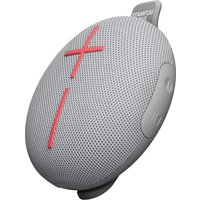
MiniRoll - Loudspeaker ULTIMATE EARS - Free user manual and instructions
Find the device manual for free MiniRoll ULTIMATE EARS in PDF.


| Product Type | Portable Bluetooth Speaker |
| Brand | Ultimate Ears |
| Model | MiniRoll |
| Bluetooth Version | Bluetooth 5.0 |
| Wireless Range | Up to 30 meters |
| Driver | 40 mm |
| Output Power | 2 x 2W stereo |
| Frequency Range | 108 Hz – 20 kHz |
| Water Resistance | IP67 (waterproof and dustproof) |
| Battery Type | Rechargeable lithium-ion |
| Battery Life | Up to 12 hours |
| Charging Time | Approx. 2.5 hours |
| Power Input | 5V / 1A (USB-C) |
| Dimensions | 10.2 x 10.2 x 4.5 cm |
| Weight | Approx. 290 g |
| Color Options | Various (depending on region) |
| Hands-free Calling | Yes (built-in microphone) |
| Pairing | Up to 2 devices simultaneously |
| Controls | Volume, play/pause, skip |
| Cleaning Instructions | Wipe with damp cloth; avoid harsh chemicals |
| Storage Temperature | -20°C to 60°C |
| Compliance | FCC, CE, etc. |
| Warranty | 2 years limited |
Frequently Asked Questions - MiniRoll ULTIMATE EARS
User questions about MiniRoll ULTIMATE EARS
0 question about this device. Answer the ones you know or ask your own.
Ask a new question about this device
Download the instructions for your Loudspeaker in PDF format for free! Find your manual MiniRoll - ULTIMATE EARS and take your electronic device back in hand. On this page are published all the documents necessary for the use of your device. MiniRoll by ULTIMATE EARS.
USER MANUAL MiniRoll ULTIMATE EARS
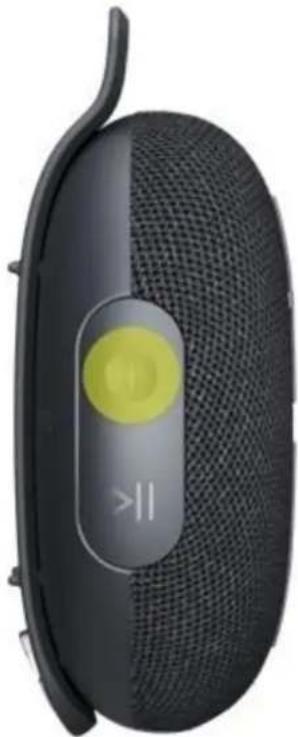
PRESS the power button, located on the side of your speaker, to turn on your MINIROLL. Once powered on, MINIROLL automatically reconnects to the last mobile device it was connected to.
natural_image
Close-up of a black and white portable earless device with a yellow circular button and '||' symbol on the side (no readable text or symbols beyond the icon)2. PAIR YOUR PHONE TO THE SPEAKER
Your speaker comes out of the box ready to pair. The power button will blink rapidly, indicating your speaker is searching for a Bluetooth connection. Go to the Bluetooth settings on your phone and select MINIROLL to connect. Once connected, you'll hear an audible confirmation from your speaker.
If you are pairing your speaker to a new device, PRESS AND HOLD the power button to put your speaker into pairing mode. You will hear a tone and the power button will blink rapidly. Go to the Bluetooth settings
on your phone and select MINIROLL to connect.

natural_image
Close-up of a black and white portable electronic device with a yellow circular button and 'I' symbol, no visible text or labels on the device itself.PLAY MUSIC
Once your MINIROLL is on and connected to your device, press Play to begin streaming your music.
CONTROL MUSIC
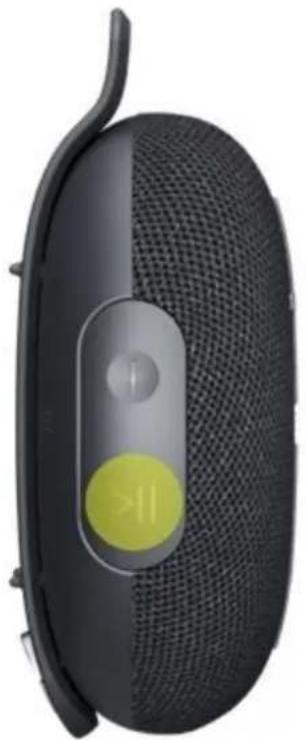
You can control the music directly from your MINIROLL without picking up your phone. To pause the stream, press the Play/Pause button located on the side of the speaker. Press again to resume playing. Double-press the Play/Pause button to skip to the next track. Triple-press to return to the beginning of the track, and triple-press again to return to the previous track.
natural_image
Close-up of a black and white portable electronic device with a yellow circular button (no visible text or symbols)ADJUST VOLUME
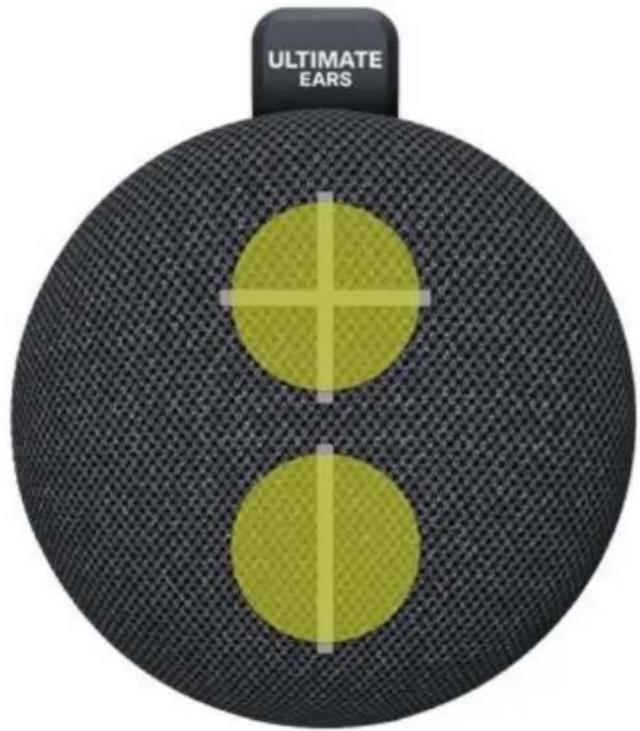
Press the "+" / "-" buttons to increase / decrease volume.
CHARGE YOUR SPEAKER
You can charge your speaker using any standard Type-C cable. The power button will blink to indicate the speaker is charging.
A wet or contaminated Type-C connector may cause excessive heat or melting and may lead to fire damage or personal injury. Always charge your speaker with a clean and dry Type-C connector. If you attempt to charge your MINIROLL while the charging port is wet, a warning tone will sound and your MINIROLL's power button will flash red. Remove the charging cable immediately, and make sure your speaker is completely clean and dry before attempting to charge.

natural_image
Close-up of a black and white electronic device with a yellow circular button and control knob (no visible text or symbols)CHECK BATTERY LEVEL
Simultaneously press the “+” and “−” volume buttons to check your speaker's battery level. An audio message will play to inform you of the current battery level. The
power button will also turn red if the battery level is below 20%.

STRAP IT

natural_image
Black circular device with a vertical tab and 'ULTIMATE EARS' text on its side (no other visible text or symbols)Your MINIROLL comes with a strap on the back. In its standard position, it protects your speaker's bottom case from coming into direct contact with the surface it's placed
on. This prevents any vibrations caused by MINIROLL's powerful sound from disrupting your listening experience.
Unhook the strap and use it to fasten your speaker to any rod-like apparatus, such as a bicycle handle. Make sure the hook is fully inserted back into the speaker so it will not fall. It is recommended that you unstrap your speaker after each use to maintain the durability of the strap.
You can also unhook the strap and rotate it to hang your MINIROLL using the opening in the strap. Make sure to hang your MINIROLL in a stable location so that it will not fall due to sound vibrations. You can also prevent trembling by making sure the speaker's bottom case is not touching the wall or other surface when in a hanging position.
PARTYUP
Connect an unlimited number of MINIROLLs together for a bigger sound. Note that MINIROLL can only PartyUp with other MINIROLLs. You can read more about PartyUp here.
To PartyUp, power on your MINIROLL and pair it to your phone via Bluetooth. Long-press the Play/Pause button on your speaker for three seconds to activate PartyUp. You'll hear a tone indicating your MINIROLL is searching for a connection. This MINIROLL, which is connected to your phone, is the primary MINIROLL in a Party.
To connect additional MINIROLLs to the primary MINIROLL, bring each MINIROLL within 10 meters (32 ft) of the primary MINIROLL and power them on. Long-press the Play/Pause button for three seconds to put them in PartyUp mode. They will scan for nearby primary MINIROLLs to connect to. You do not need to connect these secondary MINIROLLs to your phone.
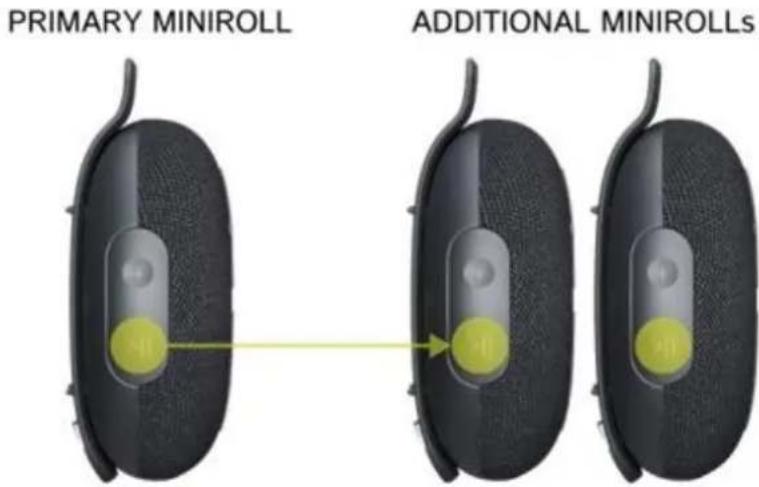
Once the secondary MINIROLLs have successfully entered PartyUp with the primary MINIROLL, the LED in the power button will breathe steadily. You can identify the primary MINIROLL by its LED's double-blink pattern, as opposed to the secondary MINIROLLs' steady breathing. Your music will now be played through all the speakers in the Party.
Long-press the Play/Pause button on your MINIROLL again to leave PartyUp mode. If you power off your speaker, it will also exit PartyUp mode. Please note that if a primary MINIROLL exits PartyUp, all secondary MINIROLLs connected to it will stop playing music as well. If a secondary MINIROLL exits PartyUp, the other speakers remain unaffected.
CONNECT TO MORE DEVICES
Your UE speaker will remember the last eight devices it connected with.
Pairing additional devices
After you pair the first device, here's how to pair additional devices:
- Turn the speaker on.
- Hold down the power button until you hear a tone.
NOTE: The Bluetooth connection button will blink rapidly, indicating that the speaker is ready for pairing. - On your device, go to the Bluetooth menu and scan for devices.
- Select the name of your speaker from the list of devices.
Once paired and connected, you'll hear an audible confirmation from the speaker. Your speaker is now ready to use with the device you added.
Reconnecting to a device
To reconnect a device to your Ultimate Ears speaker after the initial pairing or after pairing another device:
Turn the speaker on.
On your device, go to the Bluetooth menu and select the name of your speaker from the list of devices.
Once reconnected, you'll hear an audible confirmation from the speaker. Your speaker is now ready to use with the device you selected.
MULTI-HOST
MINIROLL can simultaneously connect with up to two Bluetooth mobile devices.
Simply pair and connect each mobile device to your MINIROLL, then you can take turns playing music from each device.


Brand : ULTIMATE EARS
Model : MiniRoll
Category : Loudspeaker