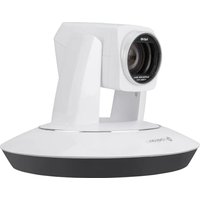
IV-CAM-I12-B - Camera Crestron - Free user manual and instructions
Find the device manual for free IV-CAM-I12-B Crestron in PDF.


Pick your language and provide your email: we'll send you a specifically translated version.
| Product Type | Professional PTZ Camera |
| Model | IV-CAM-I12-B |
| Brand | Crestron |
| Optical Zoom | 12x |
| Maximum Resolution | 1080p @ 60 fps |
| Image Sensor | 1/2.8-inch CMOS |
| Field of View | 72.5° (horizontal) |
| Pan Range | -170° to +170° |
| Tilt Range | -30° to +90° |
| Video Outputs | HDMI, 3G-SDI, USB 2.0 |
| Audio Input | Built-in microphone, line input |
| Power Supply | PoE+ (IEEE 802.3at) or 12V DC |
| Power Consumption | 20W typical |
| Dimensions (W x H x D) | 188 x 180 x 145 mm |
| Weight | 1.6 kg |
| Mounting | Desk, ceiling, or tripod mount |
| Control Protocols | VISCA, IP (Crestron control) |
| Operating Temperature | 0°C to 40°C |
| Storage Temperature | -20°C to 60°C |
| Cleaning Instructions | Use a soft, dry cloth. Avoid solvents. |
| Safety Certification | CE, FCC, UL listed |
| Spare Parts Availability | Contact Crestron authorized resellers |
| Warranty | 3 years limited |
Frequently Asked Questions - IV-CAM-I12-B Crestron
How do I connect the IV-CAM-I12-B to my network?
Connect the camera to your network via an Ethernet cable using PoE+ or a separate power supply. Use the Crestron Toolbox or web interface to configure IP settings.
Can I control the camera remotely?
Yes, the IV-CAM-I12-B supports IP control via Crestron control systems or third-party controllers using VISCA over IP protocol.
What video resolutions are supported?
The camera outputs up to 1080p at 60 fps over HDMI and 3G-SDI, and up to 1080p at 30 fps via USB.
How do I mount the camera on a ceiling?
Use the included mounting bracket to attach the camera to a ceiling mount. Ensure the mounting surface can support the camera's weight (1.6 kg).
Is the camera compatible with Zoom or Microsoft Teams?
Yes, the camera can be recognized as a USB camera and works with most video conferencing software including Zoom, Teams, and Skype.
How do I clean the lens?
Use a soft, lint-free microfiber cloth. Gently wipe the lens in a circular motion. Avoid using liquids or abrasive materials.
What is the power consumption of the camera?
The typical power consumption is 20W when powered via PoE+ or DC adapter.
Can I update the firmware?
Yes, firmware updates are available from Crestron's website. Use Crestron Toolbox to upload the firmware via the network.
What cables are included in the box?
The package includes an HDMI cable, a USB cable, a power adapter (if not using PoE), and mounting hardware.
How do I reset the camera to factory defaults?
Press and hold the reset button on the back of the camera for 5 seconds until the LED blinks. The camera will reboot with default settings.
User questions about IV-CAM-I12-B Crestron
0 question about this device. Answer the ones you know or ask your own.
Ask a new question about this device
No questions yet. Be the first to ask one.
Download the instructions for your Camera in PDF format for free! Find your manual IV-CAM-I12-B - Crestron and take your electronic device back in hand. On this page are published all the documents necessary for the use of your device. IV-CAM-I12-B by Crestron.
USER MANUAL IV-CAM-I12-B Crestron

Manual assistant
Powered by Anthropic
Waiting for your message
Product information
Brand : Crestron
Model : IV-CAM-I12-B
Category : Camera