Alpha 2 Pro - Vacuum Cleaner Viomi - Free user manual and instructions
Find the device manual for free Alpha 2 Pro Viomi in PDF.


Pick your language and provide your email: we'll send you a specifically translated version.
| Product Type | Robot Vacuum Cleaner with Mopping |
| Brand | Viomi |
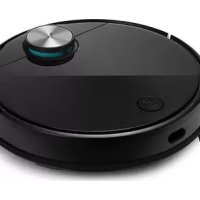
| Model | Alpha 2 Pro |
| Dimensions (L x W x H) | 350 x 350 x 100 mm |
| Weight | 3.5 kg |
| Power Supply | 14.4V Li-ion 5200mAh battery |
| Charging Time | Approx. 4 hours |
| Runtime | Up to 150 minutes in standard mode |
| Navigation System | LiDAR laser navigation |
| Dustbin Capacity | 400 ml |
| Water Tank Capacity | 250 ml (for mopping) |
| Suction Power | 2500 Pa |
| Main Functions | Auto cleaning, spot cleaning, edge cleaning, scheduled cleaning, mopping |
| Smart Features | App control (Viomi Home), voice control (Alexa, Google Assistant), real-time mapping |
| Filter Type | Washable HEPA filter |
| Maintenance | Empty dustbin and clean filter weekly; replace side brushes every 3-6 months; replace mop cloth as needed |
| Safety Features | Cliff sensors, anti-drop, anti-collision, overheating protection |
| Spare Parts | Side brushes, HEPA filter, mop cloth, charging dock |
| Repairability | Modular design; user-replaceable parts available from authorized dealers |
Frequently Asked Questions - Alpha 2 Pro Viomi
How do I set up the Viomi Alpha 2 Pro for the first time?
Charge the robot fully (approx. 4 hours) by placing it on the charging dock. Install the Viomi Home app, create an account, and follow the in-app instructions to connect the robot to your Wi-Fi network (2.4GHz). Once connected, the robot will perform a mapping run.
Can the Alpha 2 Pro clean multiple rooms?
Yes, it uses LiDAR navigation to map your home and can clean multiple rooms. You can set no-go zones and virtual walls in the app to restrict access.
How do I enable mopping mode?
Fill the water tank with clean water, attach the mop cloth holder, and select the mopping mode in the app. The robot will automatically mop while vacuuming. Note: do not use mopping on carpets.
How often should I clean the sensors?
Wipe the LiDAR sensor and cliff sensors with a soft dry cloth every two weeks to ensure accurate navigation.
What should I do if the robot gets stuck?
Check for obstacles such as cords or low furniture. The robot has anti-collision sensors, but it may still get stuck. Remove the obstruction and press the 'Start' button to resume.
How do I replace the side brushes?
Turn the robot upside down. Remove the old side brushes by unscrewing them (counterclockwise). Attach the new brushes and tighten the screws. Replace every 3-6 months for optimal performance.
Can I use the vacuum without the app?
Yes, you can use the physical buttons on the robot: Power button for start/stop, and Dock button for returning to the base. However, advanced features like scheduling and mapping require the app.
How do I clean the HEPA filter?
Remove the filter from the dustbin. Tap it gently to remove dust, or rinse under running water if washable. Let it dry completely for 24 hours before reinserting. Replace every 3-6 months.
Why is the robot not returning to the charging dock?
Ensure the charging dock is placed against a wall on a hard, level surface with clear space on both sides. The robot may have trouble if the dock is moved or if the battery is extremely low. Manually place it on the dock to recharge.
Does the Alpha 2 Pro support voice control?
Yes, it works with Amazon Alexa and Google Assistant. After setting up the Viomi Home app, enable the Viomi skill in your voice assistant app and link your account to use voice commands like 'Alexa, start vacuuming'.
User questions about Alpha 2 Pro Viomi
0 question about this device. Answer the ones you know or ask your own.
Ask a new question about this device
No questions yet. Be the first to ask one.
Download the instructions for your Vacuum Cleaner in PDF format for free! Find your manual Alpha 2 Pro - Viomi and take your electronic device back in hand. On this page are published all the documents necessary for the use of your device. Alpha 2 Pro by Viomi.
USER MANUAL Alpha 2 Pro Viomi
Manual assistant
Powered by Anthropic
Waiting for your message
Product information
Brand : Viomi
Model : Alpha 2 Pro
Category : Vacuum Cleaner