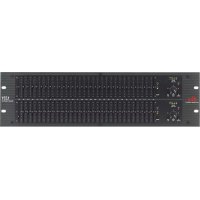
131 - Mixer DBX - Free user manual and instructions
Find the device manual for free 131 DBX in PDF.


Pick your language and provide your email: we'll send you a specifically translated version.
| Product Type | Audio Mixer |
| Brand | DBX |
| Model | 131 |
| Number of Channels | 4 mono + 2 stereo |
| Input Connectors | XLR (mic), 1/4" TRS (line) |
| Output Connectors | Main out (XLR), headphones (1/4") |
| Equalization | 3-band per channel (Hi, Mid, Low) |
| Phantom Power | +48V switchable |
| Frequency Response | 20 Hz - 20 kHz (±0.5 dB) |
| Signal-to-Noise Ratio | >100 dB |
| Total Harmonic Distortion | <0.01% (1 kHz, nominal level) |
| Dimensions (W x D x H) | 9.5" x 7.5" x 2.5" (241 x 191 x 64 mm) |
| Weight | 2.5 lbs (1.1 kg) |
| Power Supply | 12V DC, 500 mA (included adapter) |
| Power Consumption | 6 W max |
| Maintenance | Clean with dry cloth; do not use liquids or solvents. |
| Safety Instructions | Use only supplied power adapter; avoid moisture and extreme temperatures. |
| Spare Parts | Power adapter available from authorized distributors. |
| Repairability | Refer to qualified service personnel; no user-serviceable parts inside. |
| General Information | Compact mixer suitable for home studios, live sound, and portable PA systems. |
Frequently Asked Questions - 131 DBX
What type of power supply does the DBX 131 mixer require?
The mixer requires a 12V DC 500 mA power supply. An adapter is included with the unit.
Does the mixer have phantom power for condenser microphones?
Yes, the DBX 131 provides +48V phantom power that can be switched on/off for each channel as needed.
Can I connect headphones to the mixer?
Yes, there is a dedicated 1/4" headphone output with independent volume control.
How do I connect the mixer to external speakers?
Use the main output XLR connectors to connect to powered speakers or an external amplifier.
What should I do if the mixer produces no sound?
Check all cable connections, ensure the mixer is powered on, verify that input channels are unmuted and gain is set appropriately, and check the main output level.
Is there a built-in effects processor?
No, the DBX 131 does not include built-in effects. You can connect external effects via the send/return loop if available.
How many channels does the DBX 131 have?
The DBX 131 features 4 mono input channels and 2 stereo input channels, allowing up to 6 simultaneous sources.
Can I record directly from the mixer?
Yes, you can connect the main output or an auxiliary (aux) send to a recording device or audio interface.
What is the warranty period for the DBX 131?
DBX typically offers a 1-year limited warranty. Check your local distributor for specific warranty terms.
How should I clean and maintain the mixer?
Use a soft, dry cloth to clean the surface. Avoid liquids and abrasive cleaners. Keep the mixer in a dust-free environment.
User questions about 131 DBX
0 question about this device. Answer the ones you know or ask your own.
Ask a new question about this device
No questions yet. Be the first to ask one.
Download the instructions for your Mixer in PDF format for free! Find your manual 131 - DBX and take your electronic device back in hand. On this page are published all the documents necessary for the use of your device. 131 by DBX.
USER MANUAL 131 DBX

Manual assistant
Powered by Anthropic
Waiting for your message
Product information
Brand : DBX
Model : 131
Category : Mixer