
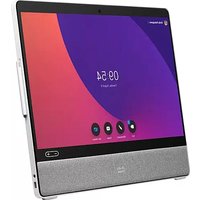
Webex Room 55 - Video Conferencing System CISCO - Free user manual and instructions
Find the device manual for free Webex Room 55 CISCO in PDF.


| Product Type | Video Conferencing System |
| Brand | Cisco |
| Model | Webex Room 55 |
| Dimensions (without stand) | Approximately 1000 x 140 x 120 mm (39.4 x 5.5 x 4.7 inches) |
| Weight | Approximately 12 kg (26.5 lbs) |
| Power Supply | AC 100-240V, 50/60Hz, 2.0A |
| Power Consumption | Typical 150W, max 200W |
| Camera Resolution | Ultra HD (4K) at 30 fps |
| Display Size | 55-inch (diagonal) |
| Built-in Speakers | Stereo, 2x 50W |
| Microphone Array | Integrated, beamforming |
| Connectivity | HDMI (in/out), USB-C, Bluetooth, Wi-Fi, Ethernet |
| Operating System | Cisco RoomOS |
| Mounting Options | Wall mount or table stand (included) |
| Included Accessories | Touch controller, cables, remote control (optional) |
| Cleaning Instructions | Use a dry, soft cloth. Avoid liquids and abrasives. |
| Safety Precautions | Do not block vents; use only provided power adapter; keep away from heat sources. |
| Spare Parts Availability | Contact Cisco or authorized resellers for spare parts. |
| Repair Service | Only authorized technicians should perform repairs. |
Frequently Asked Questions - Webex Room 55 CISCO
User questions about Webex Room 55 CISCO
0 question about this device. Answer the ones you know or ask your own.
Ask a new question about this device
Download the instructions for your Video Conferencing System in PDF format for free! Find your manual Webex Room 55 - CISCO and take your electronic device back in hand. On this page are published all the documents necessary for the use of your device. Webex Room 55 by CISCO.
USER MANUAL Webex Room 55 CISCO
The bridge to possible
Cisco Webex Room 55
Contents
Cisco Webex Room 55 overview 3
Cisco Webex Room 55 features and benefits 4
Cisco Webex Room 55 prominent features/differentiators 5
Cisco Webex Room 55 registration 5
Product specifications 6
Regulatory compliance 10
Warranty information 11
Cisco environmental sustainability 12
Cisco Services and Support 12
Cisco Capital 12
Call to action 13
Cisco Webex Room 55 is a powerful, fully integrated collaboration system that brings more intelligence and usability to your small- to medium-sized meeting rooms, whether registered on-premises or to Cisco Webex.
Cisco Webex Room 55 overview
Cisco Webex™ Room 55 combines an unmatched video and audio experience with a sophisticated, Red Dot-awarded design to create a compelling team collaboration system.
The Room 55, which includes camera, codec, display, speaker system, and microphones integrated in a single device, is optimized for rooms that seat up to seven people. It is an all-in-one, integrated system that's easy to install, use, deploy, and manage. It's crafted with high-quality components: professional 4K display for longevity and minimal latency, powerful digital zoom camera for discreet tracking, sophisticated speaker system and amplifier to deliver rich sound, and a light industrial design that combines aluminum and fabric for a sustainable and humanizing effect.
The Cisco Webex Room 55 has the Cisco Webex Room Kit as its base technology, bringing new capabilities such as speaker tracking, best overview, automatic wake-up, and people count to enable even smarter meetings, smarter presentation capabilities, and smarter room and device integrations. These features and functionalities further remove the barriers to usage and deployment of video in small- to medium-sized meeting rooms. The Room 55 is rich in functionality and experience but is priced and designed to be easily scalable to all of your meeting rooms and spaces, whether registered on-premises or to Cisco Webex.

Figure 1. Cisco Webex Room 55 in medium room scenario
Cisco Webex Room 55 features and benefits
Table 1 summarizes Cisco Webex Room 55 features and benefits.
Table 1. Features and benefits
| Feature | Benefit |
| Award-winning design | Light, sophisticated industrial design is recipient of 2017 Red Dot award for innovation in designCamera innovation: Powerful 5K UltraHD camera and wide-angle lens cover everyone in the roomSound innovationStereo speakers with dedicated center speaker for optimal voice pick-upBuilt-in amplifier to deliver rich soundSpeakers above screen for more equal room coverageScreen innovation: 4K professional-grade screenDesign innovationFabric front for natural and inviting feelAluminium frame for lightness in design and sustainabilityIncreased height over previous generation to accommodate taller tables (10 cm/4 inches taller than MX300)Highly reliable as components and software are designed to work togetherDesigned to minimize latency and echo |
| Smart meetings | Brings intelligent views to smaller rooms with discreet, integrated cameraBest overview: Automatically detects meeting participants and provides ideal framingSpeaker tracking: Detects and switches between active speakers and provides ideal framingGreat audio experience with integrated microphones, speakers, and amplifier; supports room elegance with no wires or microphones on the tableAutomatic noise suppression reduces disruptive sounds coming from the meeting room (e.g., typing, paper rustling)Simplified meeting-join experience with One Button To Push (OBTP) for scheduled devices in a Cisco Webex meeting, whether registered on-prem or to Cisco WebexAutomatic wake-up: System “wakes up” when someone walks into the room and suggests activities for fast and easy meeting startEasily controlled by the Cisco Webex Room Navigator control unit or with a Cisco Proximity or the Cisco Webex appEnd-to-end security |
| Smart presentations | Supports dual screens for video and contentSupports dual content sources for local meetingsView white board content and annotations shared from Cisco Webex Board, Cisco Webex Desk Pro, or Cisco Webex app; participate in white boarding sessions through the Cisco Webex app4K content sharing (local 30 fps, remote 5 fps)Wired or wireless content sharing (only two wires required: power and HDMI) |
| Smart rooms | Metrics: Counts people in the room, enabling analytics for better resource planningSupports Wi-FiIn-room control: Controls peripherals such as lights and blinds through the Webex Room Navigator |
| Built for cloud and premises | Flexibility to register on-premises or to the cloud through Cisco WebexHardware is optimized to run on a cloud platform for great experiences in shared rooms and spaces, with easy access to hosted conferences |
* Supported on devices registered to Cisco Webex only
Cisco Webex Room 55 prominent features/differentiators
Bringing more intelligence to small and medium-sized rooms
The Cisco Webex Room 55 offers video innovation encased in a beautifully designed frame, bringing more sophistication, intelligence, and usability to your small-to-medium team collaboration rooms. While others are still struggling to offer advanced features such as speaker tracking, wireless sharing, and 4K content in their high-end products, Cisco is already bringing these innovations to meeting rooms of all sizes in a cost-effective and simple way. With the Room 55, Cisco is helping customers experience smarter meetings, enable smarter presentations, and create smarter room and device integrations. These features were previously the domain of higher-end video conferencing rooms, but can now be brought to every room and every team. When registered to Cisco Webex, additional functionalities enhance the user experience and team workflow and further simplify deployment:
- Smart meetings: Powerful, integrated cameras deliver intelligent view capabilities, such as automatic framing and speaker tracking; automatic noise suppression reduces meeting disruptions
- Smart presentations: Dual screens, dual content sources, wireless sharing, and 4K content make for great presentations
- Smart rooms: People count for usage metrics and resource allocation; tight integrations with screens to enhance user interactions; APIs and macros allow meeting personalization
- Registration flexibility: Built for both cloud and on-premises deployment, protecting your investment.
Cisco Webex Room 55 registration
Table 2 provides registration information.
Table 2. Registration information
| License level | Term |
| Cisco Webex Device Subscription | Monthly or 1-, 2-, 3-, 4-, or 5-year options |
Product specifications
Table 3 provides product specifications.
Table 3. Specifications
| Specification | Description | |||
| Software compatibility | Cisco Collaboration Endpoint Software Version 9.14.5 or later, and Cisco Webex RoomOS | |||
| Default components in Cisco Webex Room 55 with: | ||||
| Floor stand |  |  |  |  |
| Room Navigator | Network cable, flat, for Room Navigator. 8m/26.2ft | 2x Table Microphone | ||
| [T247] |  |  | ||
| Bumpers 4x | HDMI cable. 8m/26.2ft | Network cable, round. 5m/16.4ft | ||
| Wheel base |  |  |  |  |
| Room Navigator | Network cable, flat, for Room Navigator. 8m/26.2ft | 2x Table Microphone | ||
 |  |  | ||
| HDMI cable. 8m/26.2ft | Network cable, round. 5m/16.4ft | Power cable. 5m/16.4ft | ||
| [xWDD] |  |  | ||
| Cable hook | 2x Wheels with break 2x Wheels without break | |||
| Specification | Description | ||||
| Wall mount |  |  Room Navigator Room Navigator |  Network cable, flat, for Room Navigator. 8m/26.2ft Network cable, flat, for Room Navigator. 8m/26.2ft |  2x Table Microphone 2x Table Microphone |  Power cable. 5m/16.4ft Power cable. 5m/16.4ft |
| Optional hardware components | • Microphone extension cable• HDMI presentation cable 8m/26.2 ft. | ||||
| Bandwidth | • Up to 6 Mbps point-to-point | ||||
| Minimum bandwidth for resolution/frame rate | H.264:• 720p30 from 768 kbps• 720p60 from 1152 kbps• 1080p30 from 1472 kbps• 1080p60 from 2560 kbps | ||||
| Firewall traversal | • Cisco ExpresswayTM technology• H.460.18, H.460.19 firewall traversal | ||||
| Video standards | • H.264• H.265 | ||||
| Video inputs | • Two HDMI input supports formats up to maximum 4K (3840 x 2160) at 30 fps, including HD1080p60; HDMI 2 supports HDCP content for local viewing• Consumer Electronics Control (CEC) 2.0 | ||||
| Video outputs | • One HDMI output supports formats up to 3840 x 2160 at 60 fps (4Kp60)• Live video resolutions (encode and decode) up to 1920 x 1080 at 30, 60 fps (HD1080p)• Consumer Electronics Control (CEC) 2.0 | ||||
| Audio standards | • G.711, G.722, G.722.1, G.729, AAC-LD, and Opus | ||||
| Audio features | • High-quality 20-kHz audio• Prepared for inductive loop (line out)• Automatic Gain Control (AGC)• Automatic noise reduction• Active lip synchronization | ||||
| Audio inputs | • Two microphones, 4-pin minijack• Two audio in from HDMI• Internal microphone | ||||
| Audio outputs (external) | • 1 line out minijack (stereo) | ||||
| Speakers (integrated) | ·High-quality speaker system with left, center, and right channels, plus woofer·Frequency response 70 Hz to 20 kHz·Amplifier power: 80W·Max output level SPL 98 dB | ||||
| Speaker tracking | ·6-element microphone array for accurate speaker tracking | ||||
| Display | ·55 in. (1.4m) LCD monitor, LED backlight·Resolution: 3840 x 2160 (16:9)·Contrast ratio: typical 1100·Viewing angle: +/- 178 degrees·Response time: typical 8 ms·Brightness: typical 500 cd/m2 | ||||
| Dual stream | ·H.239 (H.323) dual stream·Binary Floor Control Protocol (BFCP) (SIP) dual stream·Supports resolutions up to 3840 x 2160 at 5 fps | ||||
| Wireless sharing | ·Cisco Webex app (up to 3840 x 2160 at 5 fps)·Cisco Intelligent Proximity client (up to 1920 x 1080 at 5 fps) | ||||
| Multipoint support | ·4-way embedded SIP/H.323 conferencing capability with MultiSite option | ||||
| MultiSite features (embedded multipoint) (optional upgrade) | ·Adaptive SIP/H.323 MultiSite:·3-way resolution up to 1080p30 + content up to 4Kp5·4-way resolution up to 720p30 + content up to 4Kp5·Full individual audio and video transcoding·H.323/SIP/VoIP in the same conference·Support for presentation (H.239/BFCP) from any participant at resolutions up to 3840 x 2160p5·Best impression (automatic continuous presence layouts)·Encryption and dual stream from any site | ||||
| Protocols | ·H.323·SIP·Cisco Webex | ||||
| Embedded encryption | ·H.323 and SIP point-to-point·Standards-based: H.235 v3 and Advanced Encryption Standard (AES)·Automatic key generation and exchange | ||||
| IP network features | ·DNS lookup for service configuration·Differentiated services (Quality of Service [QoS])·IP-adaptive bandwidth management (including flow control)·Automatic gatekeeper discovery·Dynamic playout and lip-sync buffering·H.245 Dual-Tone Multifrequency (DTMF) tones in H.323·RFC 4733 DTMF tones in SIP·Date and time support using Network Time Protocol (NTP)·Packet loss-based downspeeding·Uniform Resource Identifier (URI) dialing·Dynamic Host Configuration Protocol (DHCP)802.1X network authentication802.1Q virtual LAN802.1p (QoS and Class of Service [CoS])ClearPath | ||||
| Call control | Cisco Unified Communications Manager (CUCM)Native registration with CUCMRequires CUCM Version 10.5.2 or later with device pack for Room 55Cisco ExpresswayNative registration with ExpresswayCisco WebexThird-party H.323 Gatekeepers and standards-based SIP proxies | ||||
| IPv6 network support | Single call stack support for both H.323 and SIPDual-stack IPv4 and IPv6 for DHCP, SSH, HTTP, HTTPS, DNS, DiffServSupport for both static and automatic IP configuration (stateless address auto-configuration) | ||||
| Security features | Management using HTTPS and SSHIP administration passwordMenu administration passwordDisable IP servicesNetwork settings protection | ||||
| Certificate management | Certificate Authority Proxy Function (CAPF) support for additional securityManufacturer-Installed Certificates (MIC)Locally Significant Certificates (LSC)X.509 Digital Certificates (DER encoded binary); both DER and Base-64 formats are acceptable for the client and server certificates; certificates with a key size of 1024, 2048, and 4096 are supported | ||||
| Other interfaces | USB 2.0 port type A, USB 2.0 port type B, μUSB, factory reset pinhole | ||||
| Power | Autosensing power supply100-240 VAC, 1.8-0.8A, 50/60 HzRated: 142W maximumPower consumption: 142W at maximum standardized configurationStandby power consumption: 40W | ||||
| Operating temperature and humidity | 0°C to 40°C (32°F to 104°F) ambient temperature10% to 90% Relative Humidity (RH) | ||||
| Storage and transport temperature | -20°C to 60°C (-4°F to 140°F) at RH 10% to 90% (noncondensing) | ||||
| Physical dimensions (H x W x D) | Cisco Webex Room 55 with:Floor stand: 62.7 x 49 x 30.5 in (1593 x 1245 x 774mm)Wall mount: 32.8 x 49.0 x 5.1 in (832 x 1245 x 130mm)Wheel base: 62.7 x 49.0 x 30.5 in (1651 x 1245 x 774mm) | ||||
| Weight | Cisco Webex Room 55 with (all weight without packaging):Floor stand: 83.8 lb (38kg)Wall mount: 68.3 lb (31kg)Wheel base: 85.1 lb (38.6kg)Main unit only: 66.1 lb (30kg) | ||||
| Physical dimensions and weight of packaging (H x W x D) | Cisco Webex Room 55 package size with:Floor stand: 42.5 x 54.3 x 17.3 in (1080 x 1380 x 440mm)Wall mount: 46.9 x 53.9 x 17.3 in (1190 x 1370 x 440mm)Wheel base: 42.5 x 54.3 x 17.3 in (1080 x 1380 x 440mm)Cisco Webex Room 55 shipping weight with:Floor stand: 110 lb (50kg)Wall mount: 88 lb (40kg)Wheel base: 110 lb (50kg) | ||||
| Camera overview | 5K UltraHD cameraSupports up to 60 fps (max 30 fps with speaker tracking and best overview enabled)15.1 MP image sensor (5184 x 2916 pixels)1/1.7 CMOS3x zoomf/2.0 aperture83° horizontal field of view/51.5° vertical field of viewAuto-framing (audio + face detect)Autofocus, brightness, and white balanceFocus distance 1m to infinity | ||||
Regulatory compliance
Directive 2014/35/EU (Low-Voltage Directive)
Directive 2014/30/EU (EMC Directive) - Class A
Directive 2014/53/EU (Radio Equipment Directive)
Directive 2011/65/EU (RoHS)
Directive 2002/96/EC (WEEE)
NRTL approved (Product Safety)
FCC CFR 47 Part 15B (EMC) - Class A
FCC Listed (Radio Equipment)
For approval documents per country, check the Product Approval Status Database at https://www.ciscofax.com/.
To place an order, contact your local Cisco representative and refer to Table 4.
Table 4. Ordering information
| Product name | Part number | Compliance model number |
| Cisco Webex Room 55: Subscription pricing (MSRP*) | CS-ROOM55-MSRP-K9 | |
| Cisco Webex device with encryption | CS-R55-UNIT-K9+ | TTC60-21 |
| Cisco Touch 10 control unit | CS-T10-TS+ | TTC5-09 |
| Cisco Webex Room 55: Upfront pricing (GPL**) | CS-ROOM55-K9 | |
| Cisco Webex device with encryption | CS-R55-UNIT-K9+ | TTC60-21 |
| Cisco Touch 10 control unit | CS-T10-TS+ | TTC5-09 |
| Cisco Webex Room 55: no radio | CS-ROOM55-NR-K9 | |
| Cisco Webex device no radio | CS-R55-UNIT-NR-K9+ | TTC60-21 |
| Cisco Touch 10 control unit | CS-T10-TS+ | TTC5-09 |
| Cisco Webex Room 55: no radio, no encryption | CS-ROOM55-NR-K7 | |
| Cisco Webex device no radio and no encryption | CS-R55-UNIT-NR-K7+ | TTC60-21 |
| Cisco Touch 10 control unit | CS-T10-TS+ | TTC5-09 |
| Options | ||
| Presentation cable 8m 4kp30 certified | CAB-PRES-2HDMI-GR | |
| Spares | ||
| Floor Stand Kit | CS-ROOM55-FSK= | |
| Wall Mount Kit | CS-ROOM55-WMK= | |
| Wheel Base Kit | CS-ROOM55-WBK= | |
| Wheels Upgrade Kit (With cable hook) | CS-ROOM55-WUK= | |
| Speaker Grille Kit | CS-ROOM55-SGK= | |
| Spare Rear Cover | CS-ROOM55-RC= | |
| Spare Touch 10 control Unit | CS-T10-TS+ | |
| Spare Ethernet cable | CAB-NET-EN5M= | |
| Spare Microphone | CTS-MIC-TABL20= | |
| Spare Main Unit (Service purpose only) | CS-R55-UNIT-K9= | |
| Spare Main Unit Non Radio (Service purpose only) | CS-R55-UNIT-NR-K9= | |
| Spare Main Unit Non Radio and Non Encryption (Service purpose only) | CS-R55-UNIT-NR-K7= | |
*MSRP = manufacturer's suggested retail price
** GPL = global price list
Warranty information
Cisco Webex Room 55 has a 90-day limited liability warranty.
Cisco environmental sustainability
Information about Cisco's environmental sustainability policies and initiatives for our products, solutions, operations, and extended operations or supply chain is provided in the “Environment Sustainability” section of Cisco's Corporate Social Responsibility (CSR) Report.
Reference links to information about key environmental sustainability topics (mentioned in the “Environment Sustainability” section of the CSR Report) are provided in the following table:
| Sustainability topic | Reference |
| Information on product material content laws and regulations | Materials |
| Information on electronic waste laws and regulations, including products, batteries, and packaging | WEEE compliance |
Cisco makes the packaging data available for informational purposes only. It may not reflect the most current legal developments, and Cisco does not represent, warrant, or guarantee that it is complete, accurate, or up to date. This information is subject to change without notice.
Cisco Services and Support
Cisco and our partners provide a broad portfolio of smart, personalized services and support that can help you realize the full business value of your Cisco collaboration investment by increasing business agility and network availability. This portfolio of services accelerates business innovation by harnessing the network as a powerful business platform. For more information about these services, visit https://www.cisco.com/go/collaborationservices.
Cisco Capital
Flexible payment solutions to help you achieve your objectives.
Cisco Capital makes it easier to get the right technology to achieve your objectives, enable business transformation and help you stay competitive. We can help you reduce the total cost of ownership, conserve capital, and accelerate growth. In more than 100 countries, our flexible payment solutions can help you acquire hardware, software, services and complementary third-party equipment in easy, predictable payments. Learn more.
Call to action
- Learn more about Cisco Webex Room 55.
• Download the Cisco Webex app.
Americas Headquarters
Cisco Systems, Inc.
San Jose, CA
Asia Pacific Headquarters
Cisco Systems (USA) Pte. Ltd.
Singapore
Europe Headquarters
Cisco Systems International BV Amsterdam,
The Netherlands
Cisco has more than 200 offices worldwide. Addresses, phone numbers, and fax numbers are listed on the Cisco Website at https://www.cisco.com/go/offices.
Cisco and the Cisco logo are trademarks or registered trademarks of Cisco and/or its affiliates in the U.S. and other countries. To view a list of Cisco trademarks, go to this URL: https://www.cisco.com/go/trademarks. Third-party trademarks mentioned are the property of their respective owners. The use of the word partner does not imply a partnership relationship between Cisco and any other company. (1110R)
Printed In USA C78-739453-06 05/21


- CISCO WEBEX ROOM 55
- CONTENTS
- CISCO WEBEX ROOM 55 OVERVIEW
- CISCO WEBEX ROOM 55 FEATURES AND BENEFITS
- CISCO WEBEX ROOM 55 PROMINENT FEATURES/DIFFERENTIATORS
- BRINGING MORE INTELLIGENCE TO SMALL AND MEDIUM-SIZED ROOMS
- CISCO WEBEX ROOM 55 REGISTRATION
- PRODUCT SPECIFICATIONS
- REGULATORY COMPLIANCE
- WARRANTY INFORMATION
- CISCO ENVIRONMENTAL SUSTAINABILITY
- CISCO SERVICES AND SUPPORT
- CISCO CAPITAL
- FLEXIBLE PAYMENT SOLUTIONS TO HELP YOU ACHIEVE YOUR OBJECTIVES
- CALL TO ACTION
Brand : CISCO
Model : Webex Room 55
Category : Video Conferencing System