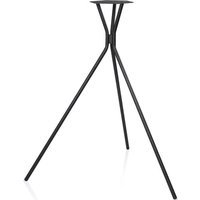
Holist M - Hi-Fi System Teufel - Free user manual and instructions
Find the device manual for free Holist M Teufel in PDF.


| Product Type | Hi-Fi System |
| Brand | Teufel |
| Model | Holist M |
| Dimensions (W x H x D) | 430 x 100 x 330 mm |
| Weight | 5.5 kg |
| Power Output | 2 x 40 W RMS |
| Frequency Range | 20 Hz - 20 kHz |
| Inputs | Bluetooth, AUX (3.5 mm), USB, CD, FM/DAB+ |
| Outputs | Headphone (3.5 mm), Subwoofer pre-out |
| Supported Audio Formats | CD, MP3, WMA, AAC (via USB) |
| Radio | FM with RDS, DAB+ |
| Bluetooth Version | 5.0 |
| Standby Power Consumption | < 0.5 W |
| Power Supply | AC 100-240 V, 50/60 Hz |
| Cleaning Instructions | Wipe with a dry, soft cloth. Do not use solvents. |
| Safety Warnings | Do not expose to water, keep ventilation slots clear, avoid high volume levels to prevent hearing damage. |
| Spare Parts Availability | Contact Teufel customer service for replacement parts |
| Repairability | Serviceable by qualified technicians only |
| Included Accessories | Remote control, FM antenna, power cord, user manual |
| Compliance | CE, RoHS |
Frequently Asked Questions - Holist M Teufel
User questions about Holist M Teufel
0 question about this device. Answer the ones you know or ask your own.
Ask a new question about this device
Download the instructions for your Hi-Fi System in PDF format for free! Find your manual Holist M - Teufel and take your electronic device back in hand. On this page are published all the documents necessary for the use of your device. Holist M by Teufel.
USER MANUAL Holist M Teufel
Technical Description And User Manual

Holist S
360° Speaker with Alexa Integration
Teufel
General Notes And Information......3
Notice ....3
Trademarks ....3
Amazon Alexa privacy and advertising policy ...4
Original packaging .....4
Complaints 4
Contact......5
For Your Safety ...... 6
Proper use ......6
Explanation of terms .....6
Safety notes ......7
Explanation of symbols 12
Overview ...... 13
Unpacking...... 13
Package contents ..... 13
Checking the p ackage contents ..... 13
Controls And Connections ...... 14
Location......16
Location tips ...... 16
Connecting ...... 17
Analogue source ......17
Power supply ......17
Setup......18
Teufel Holist app ..... 18
Amazon Alexa app ..... 19
Teufel Guide ...... 20
Operation......21
Activating and deactivating......21
Selecting a source ..... 21
Adjusting the volume . 22
Bluetooth® Mode ...... 23
Bluetooth® options ......23
Pairing and connecting ....24
Playback......25
Interruption of connection ....26
Terminating the connection....26
Spotify Connect ...... 27
AUX playback 27
Care And Cleaning ..... 28
Troubleshooting ...... 29
Technical Data ...... 32
Holist S ....32
Mains adapter .....32
Declaration of conformity .... 33
Disposal......34
Important information in accordance with the Electrical and Electronic Equipment
Act (Germany: ElektroG)....34
General Notes And Information
Notice
The information in this document may change without prior notice and in no way constitutes any liability on the part of Laut-sprecher Teufel GmbH.
No part of this user manual may be reproduced in any form or be broadcasted in any way electronically, mechanically, by photocopy or recording without the written permission of Laut-sprecher Teufel GmbH.
Version 2.0, January 2022
Trademarks
® All trademarks are the property of their respective owners.

Bluetooth®
The Bluetooth®
word mark and Bluetooth® symbol are registered trademarks of Bluetooth SIG, Inc. and any use by Lautsprecher Teufel is licensed.

The Spotify
Software is subject to third party licenses found here: https://www.spotify.com/connect/third-party-licenses

©2020 Amazon.com, Inc. Amazon, Alexa, and all corresponding brands are brands of http://Amazon.com, Inc. or its associated companies.
Amazon Alexa privacy and advertising policy
Lautsprecher Teufel GmbH is no way affiliated with any of the services on the Amazon Alexa system. We do not record any personal information and do not promote any over air advertisements.
Original packaging
If you wish to exercise your right of return, we ask that you be absolutely sure to hold onto the packaging. We can only accept product returns with the ORIGINAL PACKAGING.
Empty boxes are not available!
Complaints
In case of a complaint we will need the following information to process your enquiry:
1. Invoice number
Can be found on the sales slip (enclosed with the product) or on the order confirmation received as a PDF document.
2. Serial number or batch number
Located on the bottom side of the device.
Thank you for your support!
Contact
Please contact our customer service department with any questions, suggestions, or complaints:
Before operating the product for the first time, please read the safety notes and user manual carefully. This is the only way to use all functions safely and reliably. Store the user manual in a safe place and also be sure to pass it on to any subsequent owner.
Check that all items have been delivered and that nothing is damaged. If you find any damage, do not operate the device; instead contact our customer service department.
For Your Safety
Proper use
The speaker is designed for the playback of music and speech from an external player or the internet.
Only use the speaker as described in this user manual. Any other use will be deemed as not in accordance with the instructions and may lead to damage to property or even persons.
The manufacturer accepts no liability for damage caused by improper use.
The speaker is intended for private use.
Explanation of terms
You can find the following signal terms in this user manual:
WARNING
This signal term indicates a moderate risk, which, if not avoided, may result in severe injury.
CAUTION
This signal term indicates a low risk, which, if not avoided, may result in minor or moderate injury.
NOTICE
This signal term warns you of potential damage.
Safety notes
This chapter contains general safety notes which you should always observe to protect yourself and third parties. Also observe the warning notes in each chapter of this user manual.

WARNING
Touching live parts can result in severe injury or death.
- Make sure that the correct voltage is present. You can find more information about this on the rating plate of the mains adapter.
- Check the device regularly for damage. Immediately disconnect the mains adapter and do not
operate the device if its housing, mains adapter or mains cord is defective or exhibits other visible damages.
- This device is disconnected from the grid by pulling the mains adapter. Thus, make sure that the mains adapter is always easily accessible.
- If the device emits smoke, smells burnt or produces unusual sounds, immediately disconnect it from the mains and do not operate it further.
- Never open the device or the mains adapter housing.
Repairs may only be carried out by an authorised specialist workshop. Only parts that match the original specifications may be used.
- Only use the accessory products specified by the manufacturer.
- Only use the device indoors.
- Do not operate the device in wet rooms and protect it from dripping and splashing water.
Make sure that no vases or other liquid-filled objects are located on or near the device in order to prevent
liquid from penetrating the housing. If water or other debris ends up penetrating the housing, immediately pull the mains adapter. Then send the device to our service address.
- Never modify the device. Unauthorised modifications may affect the safety and functionality.
- Never touch the mains adapter with wet hands.

WARNING
An unsuitable setup location may result in injury and damage.
- Never use the device unmounted in vehicles, in unstable locations, on wobbly tripods or furniture, on insufficiently dimensioned brackets etc. The speaker could tip or fall down and cause injury to persons or be damaged itself.
- Arrange the device so that it cannot be knocked over accidentally and make sure that the cables do not pose a tripping hazard.
- Do not place the device and the mains adapter near heat sources (e. g. heaters, ovens, other heat generating equipment such as amplifiers).
- Do not use the device in environments where there is a risk of explosion.
- Only use the Bluetooth® functions in locations where wireless radio transmission is allowed.

WARNING
Children can become trapped in the plastic wrapping when playing and suffo-cate.
- Do not allow children to play with the
device or the plastic wrapping. There is a danger of suffocation.
- Never allow children to operate electrical equipment unsupervised.

CAUTION
Extended listening at high volumes may lead to hearing loss.
- To avoid damage to health, avoid extended listening at high volumes.
- When the volume is set high, always keep a certain distance from the device and never place your ears directly on the speaker.
- If your amplifier is set to full volume, it may produce very high sound pressure. This may have psychological consequences and also cause physical injury. Children and pets are particularly at risk. Set your signal source device volume to a low setting before turning on the power.

CAUTION
This product contains magnetic material.
- If necessary, consult your physician and ask for effects on implants such as pacemakers or defibrillators.

CAUTION
Improper use may lead to damage or fire.
- Do not place open flames such as burning candles or similar on the device.
- Ensure sufficient ventilation.
- Do not place the device in direct sunlight.
NOTICE
The isolation pads can produce discolouration on sensitive surfaces.
- On parquet, varnished wood and similar surfaces, you should stick felt gliders to the rubber
feet of the device or put a blanket under it. This will prevent discolouration of the floor over the long term.
Explanation of symbols
 | Protection class IIDual insulation |
 | May only be usedindoors |
Unpacking
- Carefully open the box and lift the device out of the box.
- Remove the protective film from the top of the device.
Package contents
(1) 1 × Holist S
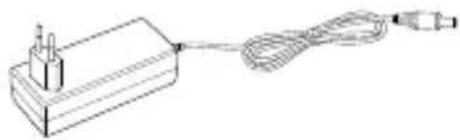
(2) 1× mains adapter
Checking the package contents
- Check that all items have been delivered and that nothing is damaged.
- If the delivery is incomplete or exhibits damage from transport, please contact our service department (see Page 5).
- Do not in any case operate the device if it is damaged.
(1)

(2)
Controls And Connections
Top panel

(3) AUX – select the AUX source
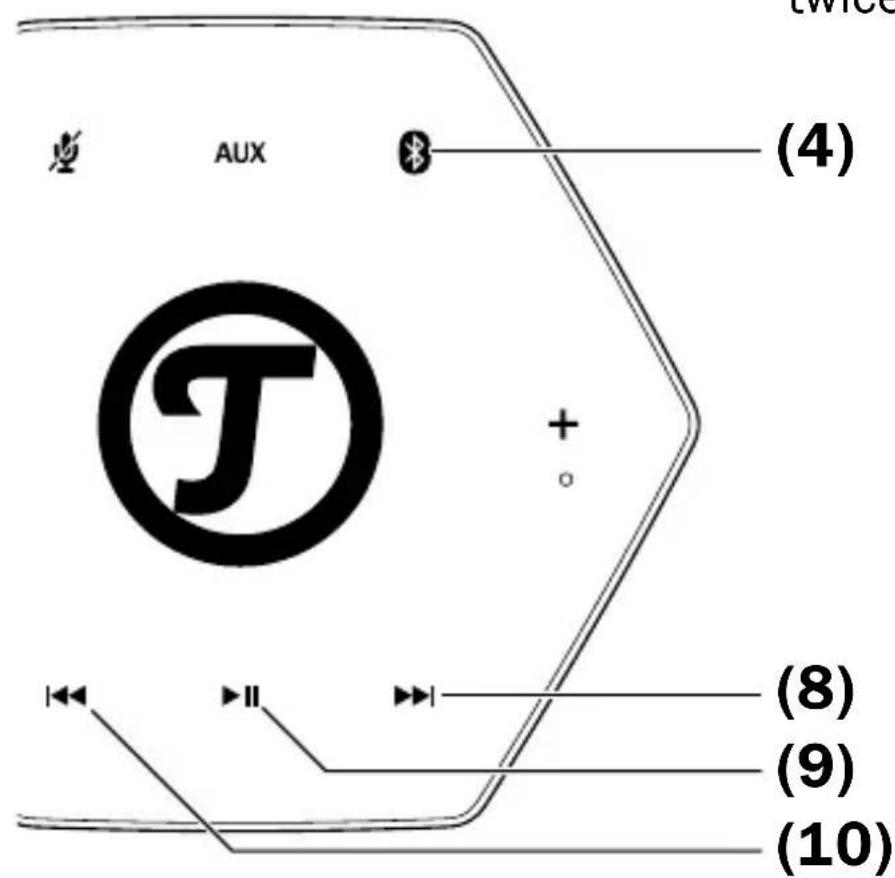
(4) short press: select the Bluetooth® source and initiate auto reconnect; long press: activate pairing
(5) Action Button – short press: activate Alexa functionality (e. g. ends Timer, ...), long press: opening wireless network for configuration.
(6) +increase the volume
(7) Built-in microphones
(8) -skip forward
(9) →start/pause playback
(10) + skip back
(11) —decrease the volume
(12) LED ring
(13) - enable/disable microphone for Alexa commands
Back side

(14) RESET – reset the device
(15) POWER – connector jack for the mains adapter (2)
(16) LED Power indicator
(17) AUX – input jack for analogue audio source device
NOTICE
If the device is subjected to warm temperatures after being cold (e. g. after transport), condensation may occur inside of it.
- In this case, wait approx. 2 hours before you connect and activate it.
The isolation pads can produce discolouration on sensitive surfaces.
- On varnished wood, parquet and similar surfaces, you should stick felt gliders to the rubber feet of the device or put a blanket under it.
This will prevent discolouration of the floor over the long term.
Location tips
- Select a stable, level base.
- Make sure that the environment is clean and free from dust.
- Select a location away from heat sources and direct sunlight.
- Do not place any objects on the cables or the device.
Connecting
CAUTION
Risk of injury/ damage!
- Lay the cables so that they do not pose a tripping hazard.
Analogue source
You can connect a source device with analogue sound (e. g. a CD player or TV set) to the AUX jack (17). You will need a stereo cable with a 3.5-mm jack plug to do so.
Powersupply
- Insert the small plug of the enclosed mains adapter (2) into the POWER jack (15).
- Connect the mains adapter with a mains socket.
The LED ring (12) starts to rotate in red and the LED Power (16) lights in white.


Setup
The setup is done in five major steps:
- Connect and power up the Holist S.
- Download the Teufel Holist app to your smartphone or tablet.
- Connect the Holist S via the Teufel Holist app to your home Wi-Fi.
- Log In via the Teufel Holist App to your Amazon Account to enable Alexa for the Holist S.
- Download the Amazon Alexa App for more skills.
Teufel Holist app
The Teufel Holist app is used for the setup and configuration of the Holist S. After the setup, you can control a lot of functions of the Holist S from the app.
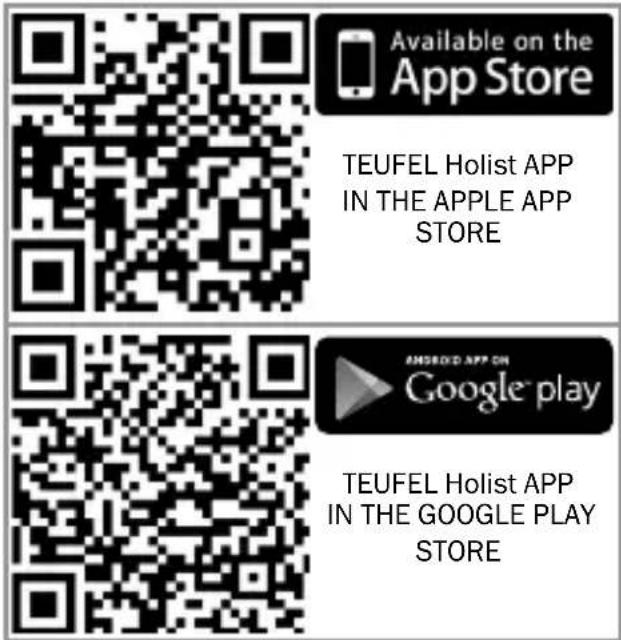
- Load the Teufel Holist app from the Play Store/App Store.
- Make sure that your smartphone or tablet is registered in the same Wi-Fi you want your Holist S to be in.
- Have the Wi-Fi password for your router ready.
- Once you have started the app, the setup wizard will guide you through the setup process.
After connecting to your Wi-Fi network, you can use the Teufel Holist app to setup your Amazon account to use the features of Amazon Alexa.
• Have the username and password for your Amazon account ready.
- In the menu of the Teufel Holist App choose "AMAZON ALEXA".
- Follow the instructions on the screen of your smartphone or tablet.
Amazon Alexa app
You can use the Amazon Alexa app for several smart features of the Holist S and you can change your device's name, device location, time zone and other settings. You can also Group several devices like your Amazon Echo and your Holist together.

Open the Amazon Alexa app and sign in to your existing Amazon account, or create a new account.
If you have set up your Amazon account in the Teufel Holist App, your Holist S will be listed in the device list.

Many of Alexa's services are location based. Therefore you should set the correct location of your Holist S in the Alexa app (see the help menu in the Alexa app).
Teufel Guide
You will find more information and help on our web guide:
https://www.teufelaudio.com/holist

Activating and deactivating
The Holist S is designed to be always active – so you are able to use Alexa Voice commands whenever you want.
- To turn off the Holist S unplug the mains adapter.
- To deactivate the microphone press the button (13). The LED ring (12) will light up in red, indicating the microphones to be turned off.
Selecting a source
- Use the button (4) to select the digital Bluetooth® source directly.
- Use the AUX button (3) to select the analogue source AUX directly.
- All other sources (e. g. streaming services, internet radio) you can select in the Teufel Holist app, the Alexa app or by the Alexa Voice Service.

Teufel
Adjusting the volume

The volume setting of an external player often affects the volume of the Holist S.
- Push the—button (11)
to decrease and the + button (6) to increase the volume.
The LED ring (12) shows the current value while making the setting.
- You can control the volume even with both, the Teufel Holist S app and the Alexa app.
Bluetooth® Mode
Via Bluetooth ® , you can establish a wireless connection between a compatible external player and the Holist S. The audio output of your external player is then emitted by the Holist S.
The Bluetooth® wireless transmission system has a range of approximately 10 metres that is limited by walls and furnishings. If the connection is cut off, the Holist S will attempt to re-establish a connection until you select another source.
NOTICE
- Only use the Bluetooth® function in locations where wireless radio transmission is allowed.
- Please keep in mind that the Bluetooth® behaviour may differ depending on the external player's operating system and settings (e. g. equalizers or effect apps).
Bluetooth® options
Depending on the device type, your external player/smartphone may also have a menu for Bluetooth® options such as media playback. You can find more information about the Bluetooth® options in the user manual for your external player/smart-phone.
Pairing and connecting
To play the audio of your external player on your Holist S via Bluetooth ® , connect (or pair) the devices with each other.
- Turn on the Bluetooth® function on your external player (e.g. smartphone).
- Push the ✕ button (4) to select the “Bluetooth” input on the Holist S.
- Push the button (4) again and hold it down for approx. 3 seconds to start the pairing process. The LED ring (12) shows three blue corners.
-
Let your external player/smartphone scan for Bluetooth® devices. You will find more information about this in the user manual of your external player. After the search run, the “Teufel Holist” should also be present in the list of detected devices.
-
Select "Teufel Holist" from the list of detected devices.
- If your external player asks for a code, enter "0000" (four zeros).
Pairing is now complete. You hear a beep tone and the LED (12) ring will illuminate full white for 1 sec. Your Holist S will now act as a Bluetooth® playback device and will play back all sounds that would otherwise be played by your external player/ smartphone.

Playback

The volume setting of the external player affects the volume of the Holist S.
- Push the ✕ button (4) to select Bluetooth® as the source.
- Turn on the Bluetooth® function on your source device.
- Start playback on your source device.
You can control playback on your source device.
You can also control some functions with the Holist S:
- Pause playback:
- Continue playback:
Push the ▶button (9) again.
- Play next track:
Tap the ▶ button (8).
- Restart the current track:
Tap the I button (10).
- Play previous track: Tap the Hutton (10)
twice.
- If your source device is a smartphone, the Bluetooth® connection will be interrupted in the event of an incoming call and you can make phone calls as usual. After finishing your phone call, the sounds will once again be diverted and played back by your Holist S.
Interruption of connection
If your external player moves out of the range of your Holist S, the Bluetooth® connection will be interrupted. If you are back within range within 120 seconds, the connection will be re-established automatically.
Terminating the connection
To terminate the Bluetooth® connection, deactivate the Bluetooth® function on your external player/smartphone or press the ✉ button (4) shortly again.
Spotify Connect
Use your phone, tablet or computer as a remote control for Spotify.
Go to spotify.com/connect to learn how.
AUX playback
The AUX jack (17) serves to connect an external player using a stereo cable with a 3.5 mm jack plug. You can connect any external players with a line-out jack or headphone jack.

- Push the AUX button (3) to select AUX IN as the source.

The volume setting of the external player affects the volume of the Holist S.
- Start playback on your external AUX player.
- Control all playback functions via the external player.
NOTICE
External influences may damage or destroy the device.
- If the device is to be left unattended for a prolonged period of time (e. g. during a vacation) or if a thunderstorm is forecast, pull the mains adapter out of the socket. Otherwise, sudden overvoltage could cause the device to become defective.
- If possible, only use plain water without any additives. In case of stubborn marks, a mild soap solution may be used.
- Do not use caustic cleaning products, white spirit, thinners, petrol or similar under any circumstances. Such cleaning agents may damage the delicate surface of the housing.
- Ideally, you should remove dust or small amounts of dirt with a dry, smooth leather cloth.
- Use a damp cloth to rub off stubborn dirt. Make sure that no liquid penetrates the housing.
- Then immediately wipe the damp surfaces off with a soft cloth without applying pressure.
Troubleshooting
The following advice should help you to solve problems. If this does not help, you will find useful information in the detailed FAQs on our website. Otherwise, please contact our hotline (see page 5). Take note of the warranty instructions.
| Problem Possible cause, Solution | |
| No function. | No power supply.Check the function of the socket with another device. |
| The small plug of the mains adapter has slipped out.Check the connection of the mains adapter (page 17). | |
| The device doesn’t emit any sound. | The wrong source has been selected.Select the right source (page 21). |
| The volume is set to “0”.Increase the volume. | |
| The volume of the external player has been set too low.Carefully increase the volume of the external player. | |
| No sound with Bluetooth®. | No Bluetooth® connection.Establish a connection (see page 24). |
| Holist S has not been selected as the output device.On the external player, select “Teufel Holist” as the Bluetooth® output device. | |
| Bluetooth® connection impaired by another radio system (e.g. cordless telephone, Wi-Fi). Set up the Holist S and/or external player in another location. Move to another room to test. | |
| The setup via app fails. | Restart your router and your smartphone or tablet.Set up the Holist S near your router and switch any repeaters off for the duration of the setup process. If your router provides guest access, do not use it to connect your Holist S.Read the notes in our online documentation at:https://teufelaudio.com/holist. |
| The Teufel Holist app is not connected or fails to locate the configured device. | Make sure that the Holist S is operated with the Teufel Holist App on the same Wi-Fi. Restart your router. Do not use Guest Network. Briefly disconnect your Holist S from the power supply and then start them again.You can find more information in our online documentation:https://teufelaudio.com/holist. |
| Music playback skips or is interrupted. | It is possible that Holist S does not have a Wi-Fi signal or it is too weak.Place the Holist S closer to the router, try alternative setup locations.As a test, refrain from using repeaters. If applicable, use an audio stream with low resolution.Also visit the website of the router manufacturer for tips on how to improve your Wi-Fi. |
| I would like to reset the device. | Notice: By resetting the device, all system configuration settings will also be reset.Resetting the device: When the device is switched on, use a paper clip that has been bent straight to push the RESET button (14) and hold it down until the device restarts (for at least 8 seconds). |
Holist S
Dimensions (H × D): 227 × 142 mm
Weight: 1.66 kg
Operating voltage: 20 V DC / 2.0 A
Mains adapter
Manufacturer's address: Budapester Straße 44 D-10787 Berlin
Commercial registration
number: HRB198813B
Model identifier: Donguang Becky Electronics
Tech. Co., Ltd.
BQ60A-2002000-E
Input: 100–240 V\~, 50/60 Hz, 1.5 A
Output: 20.0 V DC, 2.0 A, 40.0 W
Average efficiency: 88.8%
Efficiency for 10 % load: 85.3 %
No-load power
consumption: 0.10 W
The following radio frequency bands and radio transmitting powers are used in this product:
| Radio network | Frequency bands in GHz | Transmission power in mW/dBm |
| Bluetooth® | 2.402–2.480 2.5 | /4 |
| Wi-Fi/WLAN 2.4 | 12–2.472 | 40/16 |
| 5.150–5.250 | 25/14 | |
| 5.250–5.350 | 25/14 | |
| 5.500–5.700 | 25/14 | |
| 5.745–5.845 | 25/14 |
You can find further technical data on our website.
Technical changes reserved!
Declaration of conformity
CE Lautsprecher Teufel GmbH declares that this product complies with Directive 2014/53/EU. The full text of the EU Declaration of Conformity
can be found at this web address:
www.teufelaudio.com/declaration-of-conformity
Important information in accordance with the Electrical and Electronic Equipment Act (Germany: ElektroG)
We advise owners of electrical and electronic appliances that old electrical and electronic devices must be handed in separately from municipal waste, in accordance with the applicable regulations. Batteries and rechargeable batteries that are not firmly enclosed in old electrical devices and lamps, and that can be removed from the old device without destroying them, must be separated from them in a non-destructive manner before they are handed to the collection point for their intended disposal.
Please take note of our information on the Batteries Act [Germany: BattG] below for disposing of batteries.
You make an important contribution to returning, recycling and further processing of old devices if you separate your old devices into the correct collection groups for recycling.
The symbol below of a crossed-out dustbin, applied to electrical and electronic appliances, also advises of the duty to separate collections:

Consumer electronics stores and supermarkets are obliged, under certain conditions, to
take back old electrical and electronic devices, in accordance with section 17 of the Electrical and Electronic Equipment Act. Stationary retailers must take back an old electrical device of the same type when a new electrical device is bought (1:1 return). This also applies to home deliveries. These retailers must also take back up to three small old electrical devices ( ≤ 25cm) without this being linked to a new purchase (0:1 return).
In accordance with the Electrical and Electronic Equipment Act, as online retailers of electrical devices and due to our product range, our obligation is limited to 1:1 return of large devices of >50 cm when selling a new electrical or electronic device of the same type. We comply with the obligation of return of devices other than large devices through our service provider. You can find the exact contact data and collection points on our website www.Teufel.de/entsorgung. It is also possible to return old electrical and electronic appliances free of charge at an official delivery point run by the public waste disposal authorities.
Important: For safety reasons we ask that you refrain from sending lighting fixtures (some lamps). For return of lighting fixtures please use the public waste disposal collection points or contact us directly at www.Teufel.de/entsorgung.
As an end-user, you are responsible for deleting any personal data on old electrical appliances before handing it in.
Important: Our appliances can contain batteries/rechargeable batteries. If this is the case, please refer to its attached
product documentation for additional information on the type and chemical make-up of the battery. For products with battery compartments you can directly remove the batteries or rechargeable batteries and dispose of them properly. If the batteries are built in to the product, do not in any case attempt to remove the batteries yourself, instead contact one of our employees or appropriate specialist staff.
Teufel
Please contact our customer service department with any questions, suggestions, or complaints:
Budapester Straße 44 10787 Berlin (Germany)
www.teufelaudio.com
Phone: 00800 200 300 40 (toll-free)
Fax: +49 (0)30 - 300 930 930
Online-support:
www.teufelaudio.com/service
Contact:
www.teufelaudio.com/contact
No responsibility is assumed for the correctness of this information.
Technical changes, typographical errors and other errors reserved.




- TECHNICAL DESCRIPTION AND USER MANUAL
- HOLIST S
- GENERAL NOTES AND INFORMATION......3
- FOR YOUR SAFETY ...... 6
- OVERVIEW ...... 13
- CONTROLS AND CONNECTIONS ...... 14
- LOCATION......16
- CONNECTING ...... 17
- SETUP......18
- OPERATION......21
- CARE AND CLEANING ..... 28
- TROUBLESHOOTING ...... 29
- TECHNICAL DATA ...... 32
- DECLARATION OF CONFORMITY .... 33
- DISPOSAL......34
- GENERAL NOTES AND INFORMATION
- NOTICE
- TRADEMARKS
- BLUETOOTH®
- AMAZON ALEXA PRIVACY AND ADVERTISING POLICY
- ORIGINAL PACKAGING
- COMPLAINTS
- INVOICE NUMBER
- SERIAL NUMBER OR BATCH NUMBER
- CONTACT
- FOR YOUR SAFETY
- PROPER USE
- EXPLANATION OF TERMS
- WARNING
- CAUTION
- SAFETY NOTES
- TOUCHING LIVE PARTS CAN RESULT IN SEVERE INJURY OR DEATH
- AN UNSUITABLE SETUP LOCATION MAY RESULT IN INJURY AND DAMAGE
- EXTENDED LISTENING AT HIGH VOLUMES MAY LEAD TO HEARING LOSS
- THIS PRODUCT CONTAINS MAGNETIC MATERIAL
- EXPLANATION OF SYMBOLS
- UNPACKING
- PACKAGE CONTENTS
- CHECKING THE PACKAGE CONTENTS
- CONTROLS AND CONNECTIONS
- TOP PANEL
- BACK SIDE
- LOCATION TIPS
- CONNECTING
- RISK OF INJURY/ DAMAGE
- ANALOGUE SOURCE
- POWERSUPPLY
- SETUP
- TEUFEL HOLIST APP
- AMAZON ALEXA APP
- TEUFEL GUIDE
- ACTIVATING AND DEACTIVATING
- SELECTING A SOURCE
- ADJUSTING THE VOLUME
- BLUETOOTH® MODE
- BLUETOOTH® OPTIONS
- PAIRING AND CONNECTING
- PLAYBACK
- INTERRUPTION OF CONNECTION
- TERMINATING THE CONNECTION
- SPOTIFY CONNECT
- AUX PLAYBACK
- EXTERNAL INFLUENCES MAY DAMAGE OR DESTROY THE DEVICE
- TROUBLESHOOTING
- MAINS ADAPTER
- DECLARATION OF CONFORMITY
- IMPORTANT INFORMATION IN ACCORDANCE WITH THE ELECTRICAL AND ELECTRONIC EQUIPMENT ACT (GERMANY: ELEKTROG)
- TEUFEL
Brand : Teufel
Model : Holist M
Category : Hi-Fi System