Terminal 97 00 - Clock Dormakaba - Free user manual and instructions
Find the device manual for free Terminal 97 00 Dormakaba in PDF.


| Product Type | Time Clock / Access Terminal |
| Brand | Dormakaba |
| Model | Terminal 97 00 |
| Dimensions (HxWxD) | 120 x 80 x 30 mm |
| Weight | Approx. 200 g |
| Power Supply | 12V DC, 500 mA |
| Display | LCD with backlight |
| Keypad | Membrane keypad with numeric keys |
| Connectivity | RS485, optional TCP/IP (Ethernet) |
| Authentication Methods | PIN code, optional RFID card |
| Event Log Capacity | Up to 10,000 events |
| Clock Accuracy | ±1 second per day |
| Operating Temperature | 0°C to 40°C |
| Mounting | Wall mount (bracket included) |
| Languages Supported | Multiple (configurable via software) |
| Security Features | Tamper detection, password protection |
| Maintenance | Clean with soft dry cloth; avoid solvents |
| Replaceable Parts | Backup battery (CR2032), mounting bracket |
Frequently Asked Questions - Terminal 97 00 Dormakaba
User questions about Terminal 97 00 Dormakaba
0 question about this device. Answer the ones you know or ask your own.
Ask a new question about this device
Download the instructions for your Clock in PDF format for free! Find your manual Terminal 97 00 - Dormakaba and take your electronic device back in hand. On this page are published all the documents necessary for the use of your device. Terminal 97 00 by Dormakaba.
USER MANUAL Terminal 97 00 Dormakaba
natural_image
Two professionals interacting in a modern office environment, one pointing at a wall-mounted device (no visible text or symbols)dormakaba Terminal 97 00
Time and attendance recording and employee communication at its best

natural_image
Woman using a digital wall-mounted device in an office hallway, with another person walking in the background (no visible text or symbols)Terminal 97 00 can be easily integrated into your company – and you'll soon realise that you can't do without it.
We've perfected form and function – for you
Stylish, versatile, practicable – this sums up the customisable high tech terminal 97 00 with proximity sensor. This versatile modular solution combines efficient time and attendance recording with modern employee communication. Everything inside. Everything customised to your company. Everything simply easy.
The user interface can be configured as you like – with your corporate design, for instance. Multimedia content like training films, business apps and employee infos can be easily integrated, and also your own acoustic command signals. Efficient add-on options like biometric card readers or camera systems leave no wish unfulfilled.
Terminal 97 00 sets standards in function and design. It also perfectly adapts to your company's requirements. Experience time and attendance data recording and employee communication at its best. Opt for Terminal 97 00.
High tech with a host of highlights –
Features and benefits overview
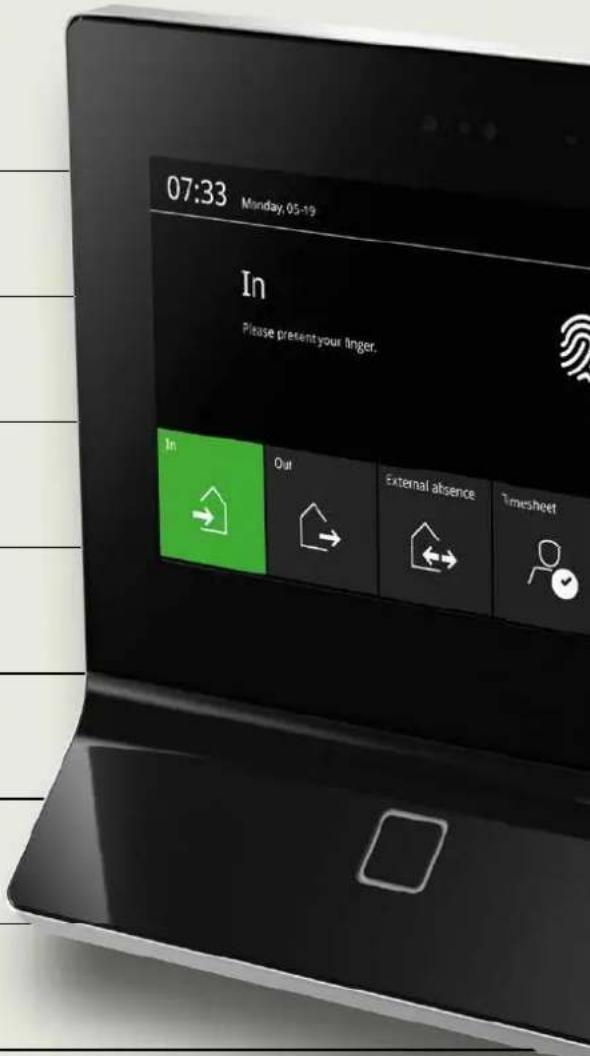
Brilliant 7" touchscreen
for intuitive operation
Sturdy glass front
for a stylish look and enduring quality
Visual aids
the active function is highlighted in colour
Smart proximity sensor
for enhanced energy efficiency
RFID reader
for contactless identification
Freely configurable user interface
for customised icons and content
App integration
for specific corporate requirements with HTML5 support
Optional biometric reader
for convenient clear identification

WLAN and mobile connection
for wireless data transfer
Modern design
for a prestigious corporate image
1-click installation
for fast and easy set-up
CardLink function
for easy integration
of offline door components
Software proven thousandfold
for reliable operation
PoE, 24 V DC or 230 V AC
for universal power supplying
Compatible with predecessor versions
for easy upgrading
Customised signal sounds
for perfect adaptation to surroundings
Speaker and microphone
for accessibility and multimedia content


01
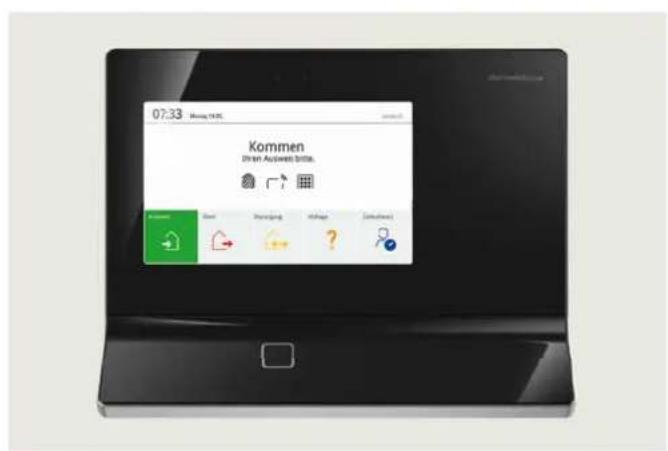
New standard interface (ex works)
02
Interface with white background
03
Interface with company's own background image
04
Customised interface in corporate look
05
Presentation of the company's own image film
Maximum freedom of design - you choose the look and acoustics you want
Terminal 97 00 not only offers elegant looks. The user interface is also a hit with its attractive modern design. Would you rather choose the look and acoustics yourself? No problem at all. You can customise the user interface to suit yourself in a few easy steps for a look as original as your company.
Preset display layouts and standard signal sounds are out: instead you decide how your terminal looks and sounds with your own colours, background images, logo, icons, apps, acoustic signals or multimedia content.
03

natural_image
Black electronic device with orange and white abstract graphics on screen (no visible text or symbols)04

natural_image
Black electronic device with a digital display showing a scenic outdoor scene (no visible text or symbols)05
Ready to go at the turn of hand – thanks to easy assembly and set-up
Just do it
• Network integration via Ethernet interface
• Voltage supply optionally with Power-over-Ethernet (PoE), 24 V DC or 230 V AC
• Supports current RFID media
• Compatible with predecessor versions
natural_image
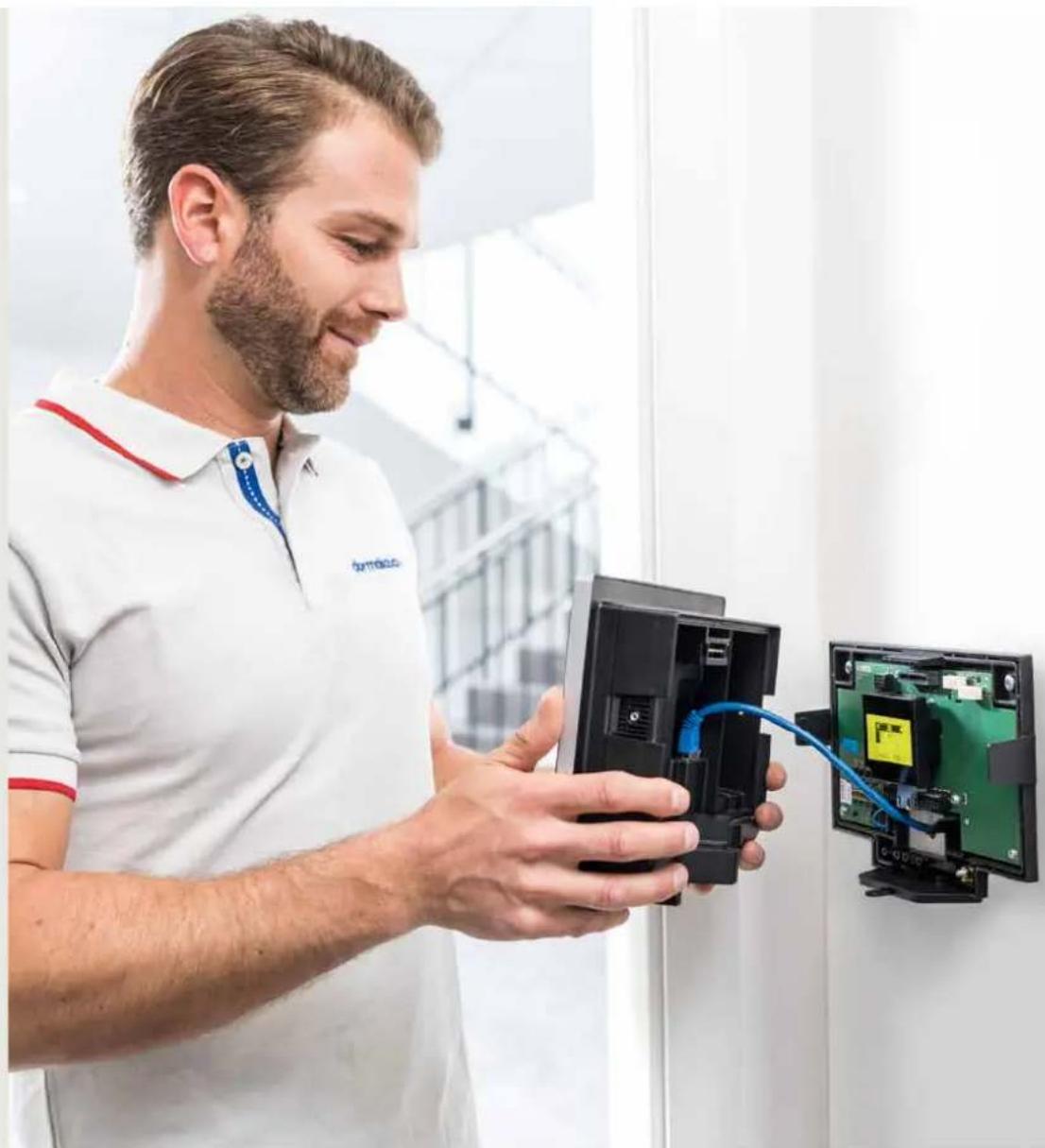
Man in white polo shirt inspecting a small electronic device with blue cable, next to a wall-mounted circuit board (no visible text or symbols)Fast reliable set-up with "1-click installation"
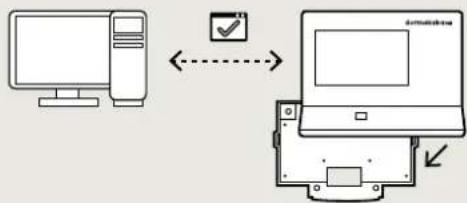
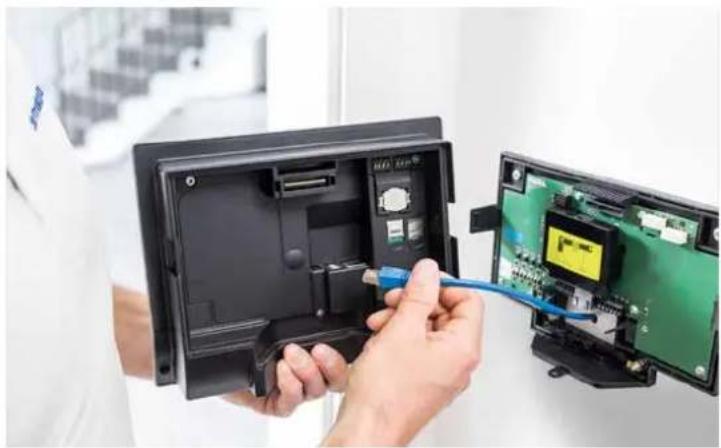
The docking station supplied enables fast, easy and reliable installation. It's as simple as this:
-
Fix docking station on the wall and connect the pre-installed network cable
-
Dock on terminal for automatic network registration
flowchart
graph TD
    A["Computer"] <--> B["Laptop"]
    B --> C["Checkmark"]
    C --> D["Arrow pointing down"]
- User-friendly configuration

flowchart
graph LR
    A["Computer"] -->|连接| B["Laptop"]
natural_image
Person inserting a blue cable into an open electronic device with a green circuit board (no visible text or symbols)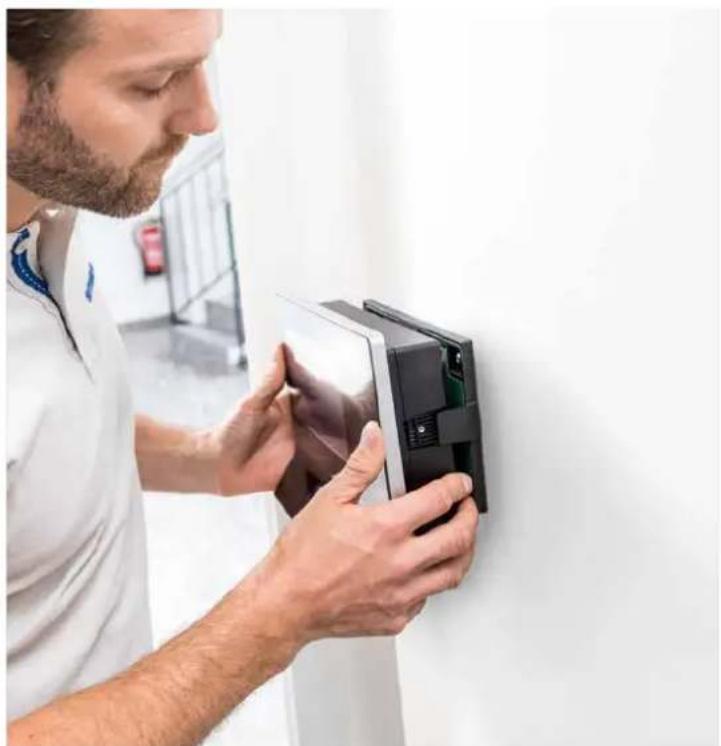
natural_image
Man in lab coat adjusting a digital device on a wall (no visible text or symbols)Tailored to suit down to the last detail – Overview of all options and packages
Terminal 97 00 is available in three different versions and offers the right solution for almost every situation:
Option package 9720
Starter version
Comprehensive reliable time and attendance recording and modern employee communication
Option package 9740
Standard version
Additional use of access control functions (door monitoring and control, linking of offline door components via CardLink, for instance)
Option package 9760
Premium version
Enhanced security and convenience thanks to encrypted data transfer, camera system, uninterruptible power supply and memory capacity for up to 10,000 people

Biometric reader

The optional biometric reader turns your finger into a personal means of identification that is always there. Simply tap with your finger for reliable identification. Tip Biometric identification can be combined with a standard RFID reader or PIN entry for even more security.
- dormakaba Terminal 97 00
- We've perfected form and function – for you
- High tech with a host of highlights –
- Features and benefits overview
- WLAN and mobile connection
- Modern design
- 1-click installation
- CardLink function
- Software proven thousandfold
- PoE, 24 V DC or 230 V AC
- Compatible with predecessor versions
- Customised signal sounds
- Speaker and microphone
- 01
- 02
- 03
- 04
- 05
- Maximum freedom of design - you choose the look and acoustics you want
- Ready to go at the turn of hand – thanks to easy assembly and set-up
- Just do it
- Fast reliable set-up with "1-click installation"
- Tailored to suit down to the last detail – Overview of all options and packages
- Biometric reader
Brand : Dormakaba
Model : Terminal 97 00
Category : Clock