
MEL9 - Guitar effect pedal Electro Harmonix - Free user manual and instructions
Find the device manual for free MEL9 Electro Harmonix in PDF.


| Product Type | Mellotron Emulator Effects Pedal |
| Dimensions | 4.5 x 2.75 x 2 inches |
| Weight | 0.5 lbs (227 g) |
| Power Supply | 9V DC, center negative, 100 mA (adapter included, no battery) |
| Sound Modes | 9 tape-based sounds: 3 Cellos, 3 Violins, 3 Choirs, plus 3 additional via switch |
| Controls | Volume, Blend, Tone, Mode Selector (Choir/Orchestra), Effect On/Off switch (latching or momentary) |
| Input/Output | 1/4" mono input, 1/4" mono output, internal 9V battery snap (not included) or 2.1mm DC jack |
| Current Draw | 100 mA typical |
| Construction | Die-cast zinc alloy chassis, rugged construction |
| Bypass | True bypass (electromechanical relay switching) |
| Indicator | LED on when effect active |
| Compatibility | Works with guitar, bass, keyboards, and other line-level instruments |
| Cleaning | Wipe with dry cloth; avoid liquids and solvents |
| Safety | Use only specified power adapter; do not expose to moisture |
| Warranty | One year limited warranty (US), check local distributor |
| Country of Origin | USA (designed and assembled in New York City) |
Frequently Asked Questions - MEL9 Electro Harmonix
User questions about MEL9 Electro Harmonix
0 question about this device. Answer the ones you know or ask your own.
Ask a new question about this device
Download the instructions for your Guitar effect pedal in PDF format for free! Find your manual MEL9 - Electro Harmonix and take your electronic device back in hand. On this page are published all the documents necessary for the use of your device. MEL9 by Electro Harmonix.
USER MANUAL MEL9 Electro Harmonix
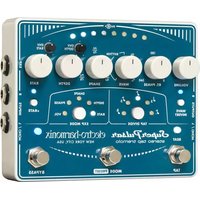
Congratulations on purchasing the Electro-Harmonix MEL9 Tape Replay Machine. Now any electric guitar player can have access to nine magically quirky, dark and unique Mellotron® sounds. No more extra devices such as special and cumbersome 13-pin MIDI pickups! In addition to electric guitar, you can trigger the MEL9 with any instrument that produces an electrical output, such as a keyboard or a bass, down to 55 Hz or A1.
The polyphonic MEL9 has superior tracking; you can create single notes or chords with ease. The MEL9 will follow guitar bends, dive bombs, slurs, and any other guitar expression/performance techniques you can throw at it!
WARNING: Your MEL9 comes equipped with an Electro-Harmonix 9.6DC-200BI power supply (same as used by Boss® & Ibanez®: 9.6 Volts DC 200mA). The MEL9 requires 100mA at 9VDC with a center negative plug. Using the wrong adapter or a plug with the wrong polarity may damage your MEL9 and void the warranty.
GETTING STARTED
Connect the supplied power adapter to the 9V power jack. Plug your instrument into the INPUT jack; connect your amp to the EFFECT OUTPUT jack. Set the DRY knob to minimum (fully counterclockwise) and set the other top row knobs to 12 o'clock. Select a preset ("ORCHESTRA" is a good starting point) and step on the footswitch to turn on the LED. Play your instrument and adjust controls to your liking.
Mellotron is a registered trademark of David Kean, M. Resch AB and Markus Resch.
CONTROLS
DRY VOL KNOB
The DRY VOL knob controls the volume of the untreated instrument level on the EFFECT OUTPUT jack.
EFFECT VOL KNOB
The EFFECT VOL knob controls the overall volume of the selected preset at the EFFECT OUTPUT jack.
ATTACK KNOB
Use the ATTACK knob to set the volume swell speed, or the speed at which the effect begins to be heard. Turn the ATTACK knob down (fully counterclockwise) for a fast attack with minimum swell. Turn the knob up to increase the amount of swell and to have the notes fade in more gradually.
NOTE: When using the BRASS preset, the ATTACK knob adjusts the speed of a filter sweep. This adjustment controls how quickly the BRASS sound gets bright.
SUSTAIN KNOB
The SUSTAIN knob controls the amount of time a sound continues to play after you stop playing. When the SUSTAIN knob is turned down (fully counterclockwise), the fadeout time is at its minimum setting. Turn the knob up to increase the fadeout time.
NOTE: When using the BRASS preset, the SUSTAIN knob adjusts the amount of "lip buzz"—characteristic of brass instruments such as trumpet—heard at the onset of new notes. "Lip buzz" is a subtle addition to the BRASS preset, and at times you may have difficulty hearing the impact on the sound produced by adjusting the SUSTAIN knob.
PRESET KNOB
Turn the white numbered knob to select a preset sound.
DRY OUTPUT JACK
The DRY OUTPUT jack outputs the signal present at the INPUT jack through a buffer circuit. In either EFFECT or BYPASS mode, the dry signal is always present at the DRY OUTPUT jack.
EFFECT OUTPUT JACK
The EFFECT OUTPUT jack sends the mix set by the DRY and EFFECT volume controls.
BYPASS FOOTSWITCH
Press the BYPASS footswitch to toggle the MEL9 OUTPUT jack between buffered BYPASS and EFFECT mode. The status LED lights when you are in EFFECT mode.
PRESET DESCRIPTIONS
-
ORCHESTRA – This sound represents a full orchestra—including an octave below the normal guitar—and produces a gigantic, full sound.
-
CELLO - This sound of a solo cello includes the cello's natural vibrato.
-
STRINGS – Presenting the sound of a small four-piece string section, including natural vibrato.
-
FLUTES – This preset presents the classic solo flute sound heard on many recordings.
-
CLARINET – This sound of a solo clarinet sounds great both as a solo (played monophonically) instrument and when playing chords.
-
SAXOPHONE – This funky vintage British solo saxophone sound is perfect for playing Beatles-like rock lines. It blends great with an overdriven guitar.
-
BRASS – This preset is a trumpet-like sound, and when playing chords it produces a great brass section sound. As noted earlier, the ATTACK and SUSTAIN knobs work differently for this preset than for other presets. The ATTACK knob controls a filter sweep for brass synthesizer sounds and the SUSTAIN knob adds the "lip buzz" characteristic of trumpet/brass sounds.
-
LOW CHOIR – This sound is a full low-voiced choir made up of many voices.
-
HIGH CHOIR – This sound is a higher-voiced choir made up of many voices.
NOTES AND SPECIFICATIONS
- Buffered bypass
- Input impedance: 1MΩ
• Output impedance (for both output jacks): 500Ω
- Current draw: 100mA
TIPS ON GETTING OPTIMUM PERFORMANCE FROM THE MEL9
- The MEL9 is generally best used as the first pedal in an effects chain. Place modulation, delay, and reverb effects after the MEL9. The unit will not perform well if placed in the effects loop of a guitar amp.
- If a guitar's pickup has a weak output, performance can be improved by putting a clean boost or a compressor in front of the MEL9. Avoid placing a distortion or overdrive in front of the MEL9. Placing distortion or overdrive in front of the MEL9 will muddy up the input signal and cause the tracking to be unstable. If you want to add overdrive or distortion, place it after the MEL9.
- The MEL9 tracking response is limited depending on the preset chosen, and the type of electronic instrument you use to trigger the effect. On guitar, the usable range for these sounds goes up to about the 23rd fret on the high-E for some presets, and to only the 16th fret for others. On bass guitar, the MEL9 tracks only about as low as the open A-string.
- The MEL9 imitates Mellotron ^ sounds, so the MEL9 will only sound as real for any of the nine instruments as the Mellotron ^ does. For example, the FLUTE preset is the same as the Mellotron's flute which is a recording of a real flute.
- Pay attention to performance gestures (vibrato, trills, slides, and so on) and the settings for ATTACK and SUSTAIN. If you want to mimic a Mellotron ^® , play pianistically with as little guitar inflection as possible. If you want to simulate an actual sound such as a cello, adapt your performance gestures to help mimic the actual sound. Otherwise, let your creativity guide your approach to playing the MEL9. And that means you should feel free to go wild by combining atypical performance techniques with traditional sounds. So what if an actual clarinet does not let you bend a note up a whole tone or more? Now you can go for it!
- WARRANTY INFORMATION -
Please register online at http://www.ehx.com/product-registration or complete and return the enclosed warranty card within 10 days of purchase. Electro-Harmonix will repair or replace, at its discretion, a product that fails to operate due to defects in materials or workmanship for a period of one year from date of purchase. This applies only to original purchasers who have bought their product from an authorized Electro-Harmonix retailer. Repaired or replaced units will then be warranted for the unexpired portion of the original warranty term.
If you should need to return your unit for service within the warranty period, please contact the appropriate office listed below. Customers outside the regions listed below, please contact EHX Customer Service for information on warranty repairs at info@ehx.com or +1-718-937-8300. USA and Canadian customers: please obtain a Return Authorization Number (RA#) from EHX Customer Service before returning your product. Include—with your returned unit—a written description of the problem as well as your name, address, telephone number, e-mail address, RA#, and a copy of your receipt clearly showing the purchase date.
United States & Canada
EHX CUSTOMER SERVICE
ELECTRO-HARMONIX
c/o NEW SENSOR CORP.
55-01 2ND STREET
LONG ISLAND CITY, NY 11101
Tel: 718-937-8300
Email: info@ehx.com
Europe
JOHN WILLIAMS
ELECTRO-HARMONIX UK
13 CWMDONKIN TERRACE
SWANSEA SA2 0RQ
UNITED KINGDOM
Tel: +44 179 247 3258
Email: electroharmonixuk@virginmedia.com
To hear demos on all EHX pedals visit us on the web at www.ehx.com Email us at info@ehx.com
FCC COMPLIANCE
Note: This equipment has been tested and found to comply with the limits for a Class B digital device, pursuant to part 15 of the FCC Rules. These limits are designed to provide reasonable protection against harmful interference in a residential installation. This equipment generates, uses and can radiate radio frequency energy and, if not installed and used in accordance with the instructions, may cause harmful interference to radio communications. However, there is no guarantee that interference will not occur in a particular installation. If this equipment does cause harmful interference to radio or television reception, which can be determined by turning the equipment off and on, the user is encouraged to try to correct the interference by one or more of the following measures:
• Reorient or relocate the receiving antenna.
- Increase the separation between the equipment and receiver.
- Connect the equipment into an outlet on a circuit different from that to which the receiver is connected.
- Consult the dealer or an experienced radio/TV technician for help.
Modifications not expressly approved by the manufacturer could void the user's authority to operate the equipment under FCC rules.


- GETTING STARTED
- CONTROLS
- DRY VOL KNOB
- EFFECT VOL KNOB
- ATTACK KNOB
- SUSTAIN KNOB
- PRESET KNOB
- DRY OUTPUT JACK
- EFFECT OUTPUT JACK
- BYPASS FOOTSWITCH
- PRESET DESCRIPTIONS
- NOTES AND SPECIFICATIONS
- TIPS ON GETTING OPTIMUM PERFORMANCE FROM THE MEL9
- - WARRANTY INFORMATION -
- United States & Canada
- Europe
- FCC COMPLIANCE
Brand : Electro Harmonix
Model : MEL9
Category : Guitar effect pedal