
Cubase Elements 9.5 - Software License STEINBERG - Free user manual and instructions
Find the device manual for free Cubase Elements 9.5 STEINBERG in PDF.


| Product Type | Digital Audio Workstation (DAW) Software License |
| Brand | Steinberg |
| Model | Cubase Elements 9.5 |
| Category | Music Production Software |
| Platform | Windows 7/8/10, macOS 10.10 and later |
| Version | 9.5 |
| License Type | Perpetual (one-time purchase) |
| Activations per License | 1 (authorizes one computer) |
| Minimum System Requirements | Intel Core i5 or AMD equivalent, 4 GB RAM, 5 GB free disk space, ASIO compatible audio hardware |
| Main Features | Multi-track audio recording, MIDI sequencing, virtual instruments, audio effects, mixing console, score editor, chord pads, and VST support |
| Included Virtual Instruments | HALion Sonic SE, Groove Agent SE, Padshop (lite), Retrologue (lite) |
| Included Audio Effects | Reverb, delay, compressor, EQ, distortion, modulation, and more (over 50 effects) |
| Supported Audio Formats | WAV, AIFF, MP3, FLAC, Ogg Vorbis, and more |
| Supported MIDI Formats | Standard MIDI File (SMF) types 0 and 1 |
| Audio Engine | 64-bit floating point, up to 192 kHz sample rate |
| Track Count | Up to 128 audio tracks, up to 256 MIDI tracks |
| Automation | Full track and parameter automation |
| Import/Export | Export audio stems, MIDI files, and mixdown; import audio from CD |
| Activation Method | Steinberg eLicenser (soft or USB-eLicenser) |
| User Manual | Comprehensive PDF manual (675 pages) included |
| Language Support | English, German, French, Spanish, Japanese, Chinese, and more |
| Updates | Free maintenance updates within version 9.5; paid upgrade for major version |
| Technical Support | Online knowledge base, community forum, and optional paid support |
Frequently Asked Questions - Cubase Elements 9.5 STEINBERG
User questions about Cubase Elements 9.5 STEINBERG
0 question about this device. Answer the ones you know or ask your own.
Ask a new question about this device
Download the instructions for your Software License in PDF format for free! Find your manual Cubase Elements 9.5 - STEINBERG and take your electronic device back in hand. On this page are published all the documents necessary for the use of your device. Cubase Elements 9.5 by STEINBERG.
USER MANUAL Cubase Elements 9.5 STEINBERG
This PDF provides improved access for vision-impaired users. Please note that due to the complexity and number of images in this document, it is not possible to include text descriptions of images.
The information in this document is subject to change without notice and does not represent a commitment on the part of Steinberg Media Technologies GmbH. The software described by this document is subject to a License Agreement and may not be copied to other media except as specifically allowed in the License Agreement. No part of this publication may be copied, reproduced, or otherwise transmitted or recorded, for any purpose, without prior written permission by Steinberg Media Technologies GmbH. Registered licensees of the product described herein may print one copy of this document for their personal use.
All product and company names are trademarks or registered trademarks of their respective owners. For more information, please visit www.steinberg.net/trademarks.
© Steinberg Media Technologies GmbH, 2018.
All rights reserved.
7 Platform-Independent Documentation
7 About the Documentation
8 Conventions
9 Key Commands
10 Setting Up Your System
10 Setting Up Audio
17 Setting Up MIDI
20 Connecting a Synchronizer
21 Audio Connections
21 Audio Connections Window
22 Renaming the Hardware Inputs and Outputs
23 Adding Input and Output Busses
24 Presets for Input and Output Busses
24 About Monitoring
25 Editing the Bus Configurations
26 Project Window
27 Showing/Hiding Zones
27 Project Zone
37 Left Zone
42 Lower Zone
47 Right Zone
51 Keyboard Focus in the Project Window
52 Zooming in the Project Window
56 Snap Function
59 Cross-Hair Cursor
59 Edit History Dialog
61 Project Handling
61 Creating New Projects
62 Hub
63 Project Assistant
63 About Project Files
64 About Template Files
65 Project Setup Dialog
68 Opening Project Files
69 Saving Project Files
70 Reverting to the Last Saved Version
70 Choosing a Project Location
70 Creating Self-Contained Projects
73 Tracks
73 Track Inspector Settings
74 Track Control Settings
76 Audio Tracks
80 Instrument Tracks
85 MIDI Tracks
89 Sampler Tracks (Cubase Elements only)
93 Arranger Track
95 Chord Track
96 FX Channel Tracks
100 Folder Tracks
102 Group Channel Tracks
106 Marker Track
107 Ruler Track
108 Video Track
109 Track Handling
109 Adding Tracks
111 Exporting MIDI Tracks as Standard MIDI File
113 Removing Tracks
113 Moving Tracks in the Track List
113 Renaming Tracks
114 Coloring Tracks
114 Showing Track Pictures
116 Setting the Track Height
117 Selecting Tracks
118 Duplicating Tracks
118 Disabling Tracks (Cubase Elements only)
118 Organizing Tracks in Folder Tracks
119 Handling Overlapping Audio
119 How Events are Displayed on Folder Tracks
119 Modifying Event Display on Folder Tracks
120 Track Presets
125 Parts and Events
125 Events
128 Parts
130 Editing Techniques for Parts and Events
141 Range Editing
141 Creating a Selection Range
142 Editing Selection Ranges
145 Playback and Transport
145 Transport Panel
147 Transport Menu
151 Transport
153 Transport Pop-Up Window
154 Time Display Window
155 Left and Right Locators
156 Setting the Project Cursor Position
157 Auto-Scroll
158 Time Formats
159 Pre-Roll and Post-Roll
159 Punch In and Punch Out
160 Metronome Click
165 Chase
166 On-Screen Keyboard
166 Recording MIDI With the On-Screen Keyboard
167 On-Screen Keyboard Options
168 Recording
168 Basic Recording Methods
171 Monitoring
173 Audio Recording Specifics
177 MIDI Recording Specifics
183 Remaining Record Time
183 Lock Record
184 Importing Audio and MIDI Files
184 Importing Audio Files
190 Importing MIDI Files
193 Quantizing MIDI and Audio
193 Quantize Functions
194 Quantizing MIDI Event Starts
194 Quantizing MIDI Event Lengths
195 Quantizing MIDI Event Ends
195 Quantizing Audio Event Starts
196 Quantize Panel
202 Fades and Crossfades
202 Event-Based Fades
206 Creating Clip-Based Fades
207 Crossfades
209 Auto Fades and Crossfades
213 Arranger Track (Cubase Elements only)
213 Adding Arranger Events on the Arranger Track
214 Arranger Editor
217 Setting up an Arranger Chain and Adding Events
219 Jump Mode
221 Arranging Music to Video
222 Markers
222 Position Markers
222 Cycle Markers
223 Markers Window
226 Marker Track
228 Importing and Exporting Markers
229 MixConsole
229 MixConsole in Lower Zone
230 MixConsole Window
261 Audio Effects
261 Insert Effects and Send Effects
263 Insert Effects
267 Send Effects
271 Dither Effects (Cubase Elements only)
272 Effect Control Panel
273 Effect Presets
278 System Component Information Window
280 Direct Offline Processing
281 Direct Offline Processing Workflow
281 Direct Offline Processing Window
284 Built-In Audio Processes
290 Applying Direct Offline Processing Using Key Commands
291 Time Stretch Algorithms
291 Standard
292 Limitations
293 Audio Functions
293 Detect Silence
295 Spectrum Analyzer
298 Statistics
299 Sample Editor
301 Toolbar
304 Info Line
305 Overview Line
305 Sample Editor Inspector
306 Ruler
307 Waveform Display
308 Range Editing
310 Regions List
312 Snap Point
315 Hitpoints
315 Calculating Hitpoints
318 Locating to Hitpoints in the Project Window
318 Slices
320 Creating a Groove Quantize Map
320 Creating Markers
320 Creating Regions
321 Creating Events
321 Creating MIDI Notes
323 Tempo Matching Audio
323 Algorithm Presets
324 Stretching Audio Events to the Project Tempo
324 Musical Mode
325 Audio Part Editor
327 Toolbar
331 Info Line
331 The Ruler
331 About Lanes
332 Operations
335 Controlling Sample Playback with Sampler Tracks (Cubase Elements only)
335 Loading Audio Samples into Sampler Control
335 Loading MIDI Parts into Sampler Control
336 Creating Sampler Tracks
336 Sampler Control
345 Sample Editing and Playback Functions
347 Transferring Samples from Sampler Control to VST Instruments
348 Pool
348 Pool Window
352 Working with the Pool
365 MediaBay
365 Media Rack in Right Zone (not in Cubase LE)
369 MediaBay Window
386 Working with MediaBay-Related Windows
388 Working with Volume Databases
390 MediaBay Settings
391 MediaBay Key Commands
392 Automation
392 Recording your Actions
392 Automation Curves
393 Static Value Line
393 Write/Read Automation
393 MIDI Part Data vs. Track Automation
394 Writing Automation Data
396 Editing Automation Events
400 Automation Tracks
402 VST Instruments
402 Adding VST Instruments (not in Cubase LE)
403 Creating Instrument Tracks
403 VST Instruments in the Right Zone (not in Cubase LE)
404 VST Instruments Window (not in Cubase LE)
404 VST Instruments Toolbar (not in Cubase LE)
405 VST Instrument Controls (not in Cubase LE)
406 Presets for Instruments
408 Playing Back VST Instruments
409 Latency
410 Import and Export Options
411 VST Quick Controls (not in Cubase LE)
414 Installing and Managing Plug-Ins
414 Installing VST Plug-Ins
414 VST Plug-In Manager
417 Compiling a New Effects Collection
418 Remote Controlling Cubase
418 Setting Up
420 Operations
421 The Generic Remote Device
425 The Remote Control Editor (Cubase Elements only)
431 Apple Remote (macOS only)
433 MIDI Realtime Parameters
433 MIDI Track Parameters
433 MIDI Modifiers
438 Transpose and Velocity on the Info Line
439 Using MIDI devices
439 MIDI devices – general settings and patch handling
446 MIDI Functions
446 Transpose Setup
447 Merging MIDI Events into a New Part
448 Dissolve Part
450 Repeating MIDI Events of Independent Track Loops
450 Extending MIDI Notes
451 Fixing MIDI Note Lengths
451 Fixing MIDI Note Velocities
451 Rendering Sustain Pedal Data to Note Lengths
452 Deleting Overlaps
452 Editing Velocity
453 Deleting Double Notes
453 Deleting Controller Data
453 Deleting Continuous Controller Data
454 Restricting Polyphonic Voices
454 Thinning Out Controller Data
454 Extracting MIDI Automation
455 Reversing the Playback Order of MIDI Events
455 Inverting the Order of Selected MIDI Events
456 MIDI Editors
456 Common MIDI Editor Functions
462 Key Editor
473 Key Editor Operations
489 Score Editor
495 Score Editor Operations
502 Drum Editor
515 Drum Editor Operations
519 Drum Maps
524 Chord Functions
524 Chord Track
525 Chord Events
529 Scale Events
530 Voicings
532 Converting Chord Events to MIDI
533 Controlling MIDI Playback Using the Chord Track
536 Assigning Voices to Notes
536 Extracting Chord Events from MIDI
537 Recording Chord Events with a MIDI Keyboard
538 Chord Pads
538 Chord Pads
541 Functions Menu
541 Preparations
542 Chord Assistant
543 Assigning Chords to Chord Pads
545 Moving and Copying Chord Pads
546 Playing Back and Recording Chords
547 Chord Pad Settings - Remote Control
550 Chord Pad Settings – Players
553 Chord Pad Settings - Pad Layout
553 Chord Pads Presets
554 Creating Events from Chord Pads
555 Editing Tempo and Time Signature
555 Project Tempo Modes
555 Tempo Track Editor
557 Setting up Tempo Changes for Projects
558 Setting up a Fixed Project Tempo
560 Beat Calculator
561 Set Definition From Tempo
562 Time Signature Events
563 Export Audio Mixdown
564 Mixing Down to Audio Files
565 Available Channels for Export
565 File Location
567 File Format
574 Audio Engine Output
575 Import Into Project
576 Post Process
577 Synchronization
577 Background
577 Timecode (positional references)
579 Clock sources (speed references)
580 The Project Synchronization Setup dialog
582 Synchronized operation
583 Working with VST System Link
586 Activating VST System Link
594 Video
594 Video File Compatibility
595 Frame Rates
595 Video Output Devices
596 Preparations for Creating Video Projects
598 Preparations for Video Playback
600 Editing Video
602 ReWire (not in Cubase LE)
602 Introduction
602 Launching and quitting
603 Activating ReWire channels
603 Using the transport and tempo controls
604 How the ReWire channels are handled
604 Routing MIDI via ReWire
605 Considerations and limitations
606 Key Commands
606 Adding Key Commands
607 Searching for Key Commands
607 Removing Key Commands
607 Saving Key Commands Presets
608 Loading Key Command Presets
608 Importing Key Command Settings
608 Resetting Key Commands
609 The Default Key Commands
619 Setting Up Tool Modifier Keys
621 Customizing
621 Using the Setup Options
623 Customizing the Meter Colors
624 Customizing the User Interface Colors
624 Color Selector Pane
624 Coloring Tracks, Parts, or Events Manually
625 Auto Track Color Mode
626 Colorizing Track Controls
627 Project Colors Dialog
629 Where are the Settings Stored?
631 Optimizing
631 Optimizing Audio Performance
635 Preferences
635 Preferences Dialog
637 Editing
643 Editors
643 Event Display
647 General
648 MIDI
652 MediaBay
652 Metering
653 Record
655 Transport
656 User Interface
657 VST
659 Video
660 Index
Introduction
The documentation covers the following Steinberg products: Cubase Elements, Cubase AI, and Cubase LE.
Functions that are only available in Cubase Elements and not in Cubase AI or Cubase LE are clearly indicated. The screenshots are taken from Cubase Elements.
Platform-Independent Documentation
The documentation applies to the operating systems Windows and macOS.
Features and settings that are specific to one of these platforms are clearly indicated. In all other cases, the descriptions and procedures in the documentation are valid for Windows and macOS.
Some points to consider:
• The screenshots are taken from Windows.
- Some functions that are available on the File menu on Windows can be found in the program name menu on macOS.
About the Documentation
The documentation consists of several documents. You can read them online or download them from steinberg.help. To visit steinberg.help, do one of the following:
• Enter www.steinberg.help in the address bar of your web browser.
• In the program, select Help > Cubase Help.
Quick Start Guide
Covers the following areas without going into details:
• System requirements, installation procedure, and license activation.
- Setting up your system.
Operation Manual
The main Cubase reference documentation, with detailed descriptions of operations, parameters, functions, and techniques.
Remote Control Devices
Lists the supported MIDI remote control devices.
Plug-in Reference
Describes the features and parameters of the included VST plug-ins and VST instruments.
HALion Sonic SE
Describes the features and parameters of the included VST instrument HALion Sonic SE.
Groove Agent SE
Describes the features and parameters of the included VST instrument Groove Agent SE.
Conventions
In our documentation, we use typographical and markup elements to structure information.
Typographical Elements
The following typographical elements mark the following purposes.
PREREQUISITE
Requires you to complete an action or to fulfill a condition before starting a procedure.
PROCEDURE
Lists the steps that you must take to achieve a specific result.
IMPORTANT
Informs you about issues that might affect the system, the connected hardware, or that might bring a risk of data loss.
NOTE
Informs you about issues that you should consider.
EXAMPLE
Provides you with an example.
RESULT
Shows the result of the procedure.
AFTER COMPLETING THIS TASK
Informs you about actions or tasks that you can perform after completing the procedure.
RELATED LINKS
Lists related topics that you can find in this documentation.
Markup
Bold text indicates the name of a menu, option, function, dialog, window, etc.
EXAMPLE
To open the Functions menu, click Functions Menu in the top right corner of the MixConsole.
If bold text is separated by a greater-than symbol, this indicates a sequence of different menus to open.
EXAMPLE
Select Project > Add Track.
Key Commands
Many of the default key commands, also known as keyboard shortcuts, use modifier keys, some of which are different depending on the operating system.
When key commands with modifier keys are described in this manual, they are shown with the Windows modifier key first followed by the macOS and the key:
• Windows modifier key/macOS modifier key-Z
EXAMPLE
Ctrl/Cmd-Z means: press Ctrl on Windows or Cmd on macOS, then press Z.
Setting Up Your System
To use Cubase, you must set up your audio, and if required, your MIDI system.
Setting Up Audio
IMPORTANT
Make sure that all equipment is turned off before making any connections.
Simple Stereo Input and Output Setup
If you only use a stereo input and output from Cubase, you can connect your audio hardware, for example, the inputs of your audio card or your audio interface, directly to the input source and the outputs to a power amplifier and speaker.
![graph TD A["Computer"] --> B["USB/FireWire"] B --> C["Multichannel audio interface"] C --> D["Source to be recorded"] C --> E["Ins"] C --> F["Outs"] E --> G["Amplifier and speakers"] F --> G](/content/2026/06/1348291/images/3251d754bfb532d163640d3aab8a2ecc5c84186aa4cc2a78a3a12db1ab42d01c.jpg)
Audio Connections
Your system setup depends on many different factors, for example, on the kind of project that you want to create, on the external equipment that you want to use, or on the computer hardware that is available to you. Therefore, the following sections can only serve as examples.
How to connect your equipment, that is, whether to use digital or analog connections, also depends on your setup.
About Recording Levels and Inputs
When you connect your equipment, make sure that the impedance and levels of the audio sources and inputs are matched. Using the correct type of input is important to avoid distortion or noisy recordings. For microphones, for example, different inputs can be used, such as consumer line level (-10 dBV) or professional line level (+4 dBu).
Sometimes, you can adjust input characteristics on the audio interface or on its control panel. For details, refer to the documentation that came with the audio hardware.
IMPORTANT
Cubase does not provide any input level adjustments for the signals that are coming into your audio hardware, since these are handled differently for each card. Adjusting input levels is either done in a special application that is included with the hardware or its control panel.
Word Clock Connections
If you are using a digital audio connection, you may also need a word clock connection between the audio hardware and external devices. For details, refer to the documentation that came with the audio hardware.
IMPORTANT
Set up word clock synchronization correctly, or you may experience clicks and crackles in your recordings.
Selecting an Audio Driver
By selecting an audio driver, you allow Cubase to communicate with the audio hardware. Normally, when you start Cubase, a dialog opens that prompts you to select a driver, but you can also select your audio hardware driver as described below.
NOTE
On Windows operating systems, we recommend that you access your hardware via an ASIO driver developed specifically for the hardware. If no ASIO driver is installed, contact the manufacturer of your audio hardware for information on available ASIO drivers. If no specific ASIO driver is available, you can use the Generic Low Latency ASIO driver.
PROCEDURE
- Select Studio > Studio Setup.
- In the Devices list, select VST Audio System.
- Open the ASIO Driver pop-up menu and select your audio hardware driver.
- Click OK.
Setting Up Audio Hardware
PREREQUISITE
You have selected a driver for your audio hardware.
PROCEDURE
- Select Studio > Studio Setup.
- In the Devices list, select your audio hardware driver.
- Do one of the following to open the control panel for your audio hardware:
• On Windows, click Control Panel. • On macOS, click Open Config App.
This button is available only for some hardware products. If it is not available in your setup, refer to the documentation of your audio hardware.
The control panel is provided by the manufacturer of your audio hardware and is different for each audio interface brand and model. However, control panels for the Generic Low Latency ASIO Driver (Windows only) are provided by Steinberg.
- Set up your audio hardware as recommended by the manufacturer.
VST Audio System
In the VST Audio System section you can select an ASIO driver for your audio hardware.
To open the VST Audio System section, select Studio > Studio Setup and select VST Audio System in the Devices list.
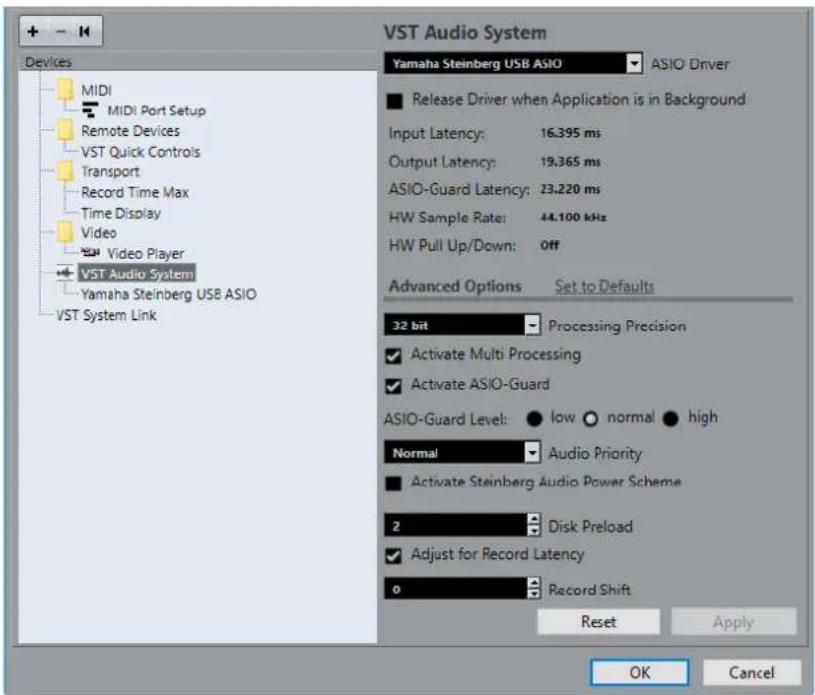
The following options are available:
ASIO Driver
Allows you to select a driver.
Release Driver when Application is in Background
Releases the driver and allows other applications to play back via your audio hardware even though Cubase is running.
Input Latency
Shows the input latency of the audio hardware.
Output Latency
Shows the output latency of the audio hardware.
ASIO-Guard Latency
Shows the ASIO-Guard latency.
HW Sample Rate
Shows the sample rate of your audio hardware.
HW Pull Up/Down
Shows the pull up/down status of the audio hardware.
Set to Defaults
Allows you to restore the default settings.
Processing Precision
Allows you to set the audio processing precision to 64 bit. This way, all channels are processed and mixed in 64-bit floating point.
NOTE
A processing precision of 64 bit can increase CPU load and memory consumption.
VST2 plug-ins and instruments are always processed with 32-bit precision.
To show all plug-ins that support 64-bit processing, open the VST Plug-in Manager and activate Show Plug-ins That Support 64-Bit Processing in the Display Options pop-up menu.
Activate Multi Processing
Allows you to distribute the processing load evenly to all available CPUs. This way, Cubase can make full use of the combined power of multiple processors.
Activate ASIO-Guard
Activates the ASIO-Guard. This is only available if Activate Multi Processing is activated too.
ASIO-Guard Level
Allows you to set the ASIO-Guard level. The higher the level, the higher the processing stability and audio processing performance. However, higher levels also lead to an increased ASIO-Guard latency and memory usage.
Audio Priority (Windows only)
This setting should be set to Normal if you work with audio and MIDI. If you do not use MIDI at all, you can set this to Boost.
Activate Steinberg Audio Power Scheme
If this option is activated, all power safe modes that have an impact on realtime processing are deactivated. Note that this is only effective for very low latencies, and that it increases the power consumption.
Disk Preload
Allows you to specify how many seconds of audio are preloaded into RAM prior to starting playback. This allows for smooth playback.
Adjust for Record Latency
If this is activated, the plug-in latencies are taken to account during recording.
Record Shift
Allows you to shift the recordings by the specified value.
RELATED LINKS
VST Plug-In Manager Window on page 414
ASIO Driver Setup
This section allows you to set up your ASIO driver.
- To open the section where you can set up the ASIO driver, select Studio > Studio Setup and select the audio driver in the Devices list.

The following options are available:
Control Panel
Opens the control panel for the audio hardware.
Input Latency
Shows the input latency of the audio driver.
Output Latency
Shows the output latency of the audio driver.
Clock Source
Allows you to select a clock source.
Externally Clocked
Activate this option if you use an external clock source.
Direct Monitoring
Activate this option to monitor via your audio hardware and to control it from Cubase.
Ports Reset
Allows you to reset all port names and visibilities.
I/O
The port input/output status.
Port System Name
The system name of the port.
Show As
Allows you to rename the port. This name is used in the Input Routing and Output Routing pop-up menus.
Visible
Allows you to activate/deactivate audio ports.
State
The state of the audio port.
Using External Clock Sources
If you are using an external clock source, Cubase must be notified that it receives external clock signals and derives its speed from that source.
PROCEDURE
- Select Studio > Studio Setup.
- In the Devices list, select your audio hardware driver.
- Activate Externally clocked.
RESULT
Cubase now derives its speed from the external source.
NOTE
For proper audio playback and recording, you must set the sample rate of the project to the sample rate of the incoming clock signals.
When a sample rate mismatch occurs, the Record Format field on the status line is highlighted in a different color. Cubase accepts a sample rate mismatch, and playback is therefore faster or slower.
Using Several Audio Applications Simultaneously
You can allow other applications to play back via your audio hardware even though Cubase is running.
PREREQUISITE
Other audio applications accessing the audio hardware are set to release the audio driver.
PROCEDURE
- Select Studio > Studio Setup.
- In the Devices list, select VST Audio System.
- Activate Release Driver when Application is in Background.
RESULT
The application that has the focus gets access to the audio hardware.
Audio Hardware Configuration
Most audio cards provide one or more small applications that allow you to customize your hardware.
The settings are normally gathered on a control panel that can be opened from within Cubase or separately, when Cubase is not running. For details, refer to the audio hardware documentation.
Settings include:
- Selecting which inputs/outputs are active.
- Setting up word clock synchronization. • Turning on/off monitoring via the hardware. • Setting levels for each input.
- Setting levels for the outputs so that they match the equipment that you use for monitoring.
- Selecting digital input and output formats. • Making settings for the audio buffers.
Plug and Play Support for ASIO Devices
The Steinberg UR hardware series supports plug and play in Cubase. These devices can be plugged in and switched on while the application is running. Cubase automatically uses the driver of the UR series and re-maps the Audio Connections accordingly.
Steinberg cannot guarantee that this works with other hardware. If you are unsure of whether your device supports plug and play, refer to the documentation of your device.
IMPORTANT
If a device that does not support plug and play is connected or disconnected while the computer is running, it can get damaged.
Setting Up Input and Output Ports
Once you have selected the driver for your audio hardware and have set it up, you must specify which inputs and outputs to use.
PREREQUISITE
You have selected a driver for your audio hardware.
PROCEDURE
- Select Studio > Studio Setup.
- In the Devices list, select your audio hardware driver.
- Make your settings.
- Click OK.
RELATED LINKS
ASIO Driver Setup on page 14
Audio Bus Setup
Cubase uses a system of input and output busses to transfer audio between the program and the audio hardware.
- Input busses let you route audio from the inputs of your audio hardware into Cubase. This means that audio is always recorded through one or several input busses.
- Output busses let you route audio from Cubase to the outputs of your audio hardware. This means that audio is always played back through one or several output busses.
Once you have set up the internal input and output busses, you can connect your audio source, for example a microphone, to your audio interface and start recording, playing back, and mixing.
RELATED LINKS
Audio Connections on page 21
Monitoring
In Cubase, monitoring means listening to the input signal while recording.
The following ways of monitoring are available.
- Externally by listening to the signal before it reaches Cubase.
- Via Cubase. • By using ASIO Direct Monitoring. This is a combination of the other methods.
RELATED LINKS
External Monitoring on page 171
Monitoring via Cubase on page 171
ASIO Direct Monitoring on page 172
Setting Up MIDI
IMPORTANT
Turn off all equipment before making any connections.
PROCEDURE
- Connect your MIDI equipment (keyboard, MIDI interface, etc.) to your computer.
- Install the drivers for your MIDI equipment.
RESULT
You can use your MIDI equipment in Cubase.
MIDI Connections
To play back and record MIDI data from your MIDI device, for example, a MIDI keyboard, you need to connect the MIDI ports.
Connect the MIDI output port of your MIDI device to the MIDI input port of your audio hardware. This way, the MIDI device sends MIDI data to be played back or recorded inside your computer.
Connect the MIDI input port of your MIDI device to the MIDI output port of your audio hardware. This way, you can send MIDI data from Cubase to the MIDI device. For example, you can record
your own playing, edit the MIDI data in Cubase, and then play it back on the keyboard and record the audio that is coming out of the keyboard for a better edited performance.
Showing or Hiding MIDI Ports
You can specify if a MIDI port is listed on the MIDI pop-up menus in the program.
PROCEDURE
- Select Studio > Studio Setup.
- In the Devices list, select MIDI Port Setup.
- To hide a MIDI port, deactivate its Visible column.
- Click OK.
Setting Up All MIDI Inputs
When you record MIDI, you can specify which MIDI input each recording MIDI track should use. However, you can also record any MIDI data from any MIDI input. You can specify which inputs are included when you select All MIDI Inputs for a MIDI track.
PROCEDURE
- Select Studio > Studio Setup.
- In the Devices list, select MIDI Port Setup.
- Activate In 'All MIDI Inputs' for a port.
NOTE
If you have a MIDI remote control unit connected, make sure to deactivate the In 'All MIDI Inputs' option for that MIDI input. This avoids accidental recording of data from the remote control when All MIDI Inputs is selected as input for a MIDI track.
4. Click OK.
RESULT
When you select All MIDI Inputs on the Input Routing menu of a MIDI track in the Inspector, the MIDI track uses all MIDI inputs that you specified in the MIDI Port Setup.
MIDI Port Setup
The MIDI Port Setup page in the Studio Setup dialog displays the connected MIDI devices and allows you to set up their ports.
- To open the MIDI Port Setup page, select Studio > Studio Setup and activate MIDI Port Setup in the Devices list.
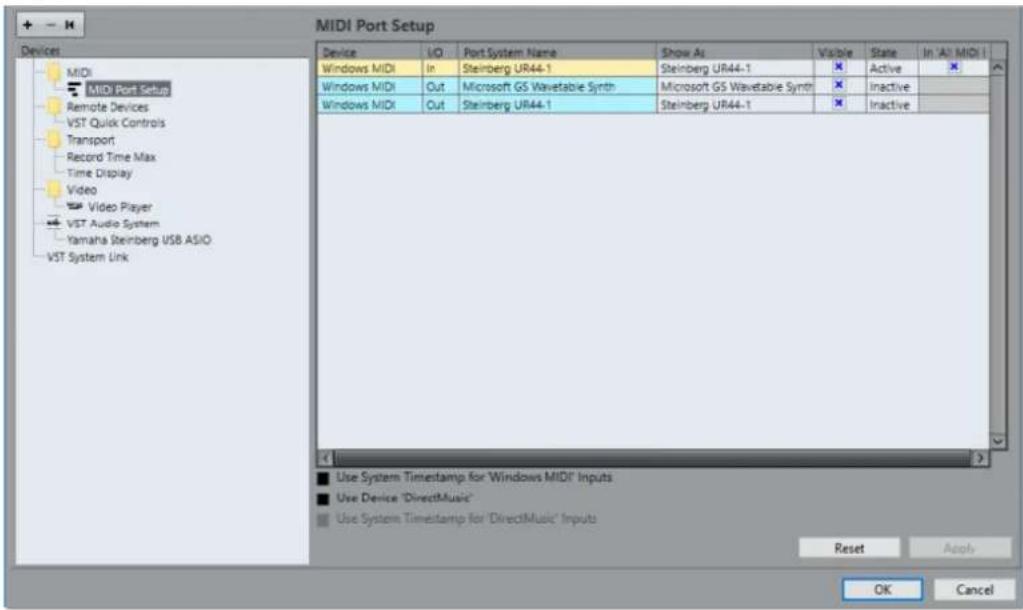
The following columns are displayed:
Device
The connected MIDI devices.
I/O
The port input/output status.
Port System Name
The system name of the port.
Show As
Allows you to rename the port. This name is used in the Input Routing and Output Routing pop-up menus.
Visible
Allows you to activate/deactivate MIDI ports.
State
The state of the MIDI port.
In 'All MIDI Inputs'
Allows you to record MIDI data from all MIDI inputs.
NOTE
Deactivate this option if you use remote control devices.
The following options are available:
Use System Timestamp for 'Windows MIDI' Inputs
Activate this option if you have persistent timing problems such as shifted notes. If this is activated, the system timestamp is used as a time reference.
Use Device 'DirectMusic'
If you do not use a device with a DirectMusic device driver, you can leave this option deactivated. This enhances the system performance.
Use System Timestamp for 'DirectMusic' Inputs
Activate this option if you have persistent timing problems such as shifted notes. If this is activated, the system timestamp is used as a time reference.
Plug and Play Support for USB MIDI Devices
Cubase supports plug and play of USB MIDI devices. These devices can be plugged in and switched on while the application is running.
Connecting a Synchronizer
When using Cubase with external tape transports, you most likely must add a synchronizer to your system.
IMPORTANT
Make sure that all equipment is turned off before making any connections.
For information on how to connect and set up your synchronizer, refer to the documentation of your synchronizer.
RELATED LINKS
Synchronization on page 577
Audio Connections
To play back and record in Cubase, you must set up input and output busses in the Audio Connections window.
The bus types that you need depend on your audio hardware, on your general audio setup, and on the projects that you use.
Audio Connections Window
The Audio Connections window allows you to set up input and output busses.
• To open the Audio Connections window, select Studio > Audio Connections.
Inputs/Outputs Tab
The Input and Output tabs allow you to set up and configure input and output busses.
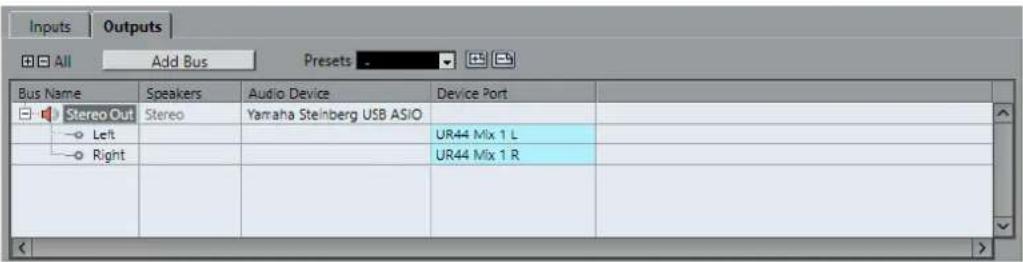
The following options are available above the bus list:
+- All
Expands/Collapses all busses in the bus list.
Add Bus
Opens the Add Input Bus dialog, where you can create a new bus configuration.
Presets
Opens the Presets menu, where you can select bus configuration presets. Store allows you to save a bus configuration as preset. Delete deletes the selected preset.
The following columns are available for the bus list:
Bus Name
Lists the busses. Click the name of a bus to select or rename it.
Speakers
Indicates the speaker configuration (mono, stereo) of each bus.
Audio Device
Shows the selected ASIO driver.
Device Port
Shows which physical inputs/outputs on your audio hardware are used by the bus. Expand the bus entry to show all speaker channels. If the bus entry is collapsed, only the first port that is used by this bus is visible.
The Device Port pop-up menu displays how many busses are connected to a given port. The busses are shown in square brackets next to the port name.
Up to 3 bus assignments can be displayed in this way. If more connections have been made, this is indicated by a number at the end of the port name.
For example, "Adat 1 [Stereo1] [Stereo2] [Stereo3] (+2)" means that the Adat1 port is already assigned to 3 stereo busses plus 2 additional busses.
Renaming the Hardware Inputs and Outputs
Before you set up busses, you should rename the default inputs and outputs of your audio hardware. This allows transferring projects between different computers and setups.
For example, if you move your project to another studio, the audio hardware may be of a different model. But if you and the other studio owner have agreed on identical names for your inputs and outputs, Cubase corrects inputs and outputs for your busses.
NOTE
If you open a project that was created on another computer and the port names do not match or the port configuration is not the same, the Missing Ports dialog appears. This allows you to manually re-route ports that are used in the project to ports that are available on your computer.
PROCEDURE
- Select Studio > Studio Setup.
- In the Devices list, select VST Audio System.
- Open the ASIO Driver pop-up menu and select your audio hardware driver.
- In the Devices list, select your audio hardware driver.
- In the Show As column, click on a port name and enter a new name.
- Repeat the previous step until you have renamed all required ports.
- Click OK.
RELATED LINKS
Re-Routing Missing Ports on page 69
Hiding Ports
You can hide ports that you are not using. Hidden ports are not displayed in the Audio Connections window.
PROCEDURE
- Select Studio > Studio Setup.
- In the Devices list, select your audio hardware driver.
- In the Visible column, deactivate the ports that you want to hide.
- Click OK.
Activating and Deactivating Ports (macOS only)
On macOS you can specify which input and output ports are active. This allows you to use the microphone input instead of the line input or to deactivate the audio card input or output.
NOTE
This function is only available for built-in audio, standard USB audio devices, and a certain number of other audio cards.
PROCEDURE
- Select Studio > Studio Setup.
- In the Devices list, select your audio hardware driver.
- Click Control Panel.
- Activate/Deactivate ports.
- Click OK.
Adding Input and Output Busses
PROCEDURE
- In the Audio Connections dialog, click the Inputs or Outputs tab.
- Click Add Bus.
- In the Add Input Bus dialog, configure the bus.
- Optional: Enter a name for the bus. If you do not specify a name, the bus is named according to the channel configuration.
- Click Add Bus. The new bus is added to the bus list.
- For each of the speaker channels in the bus, click in the Device Port column and select a port of your audio hardware.
Setting the Default Output Bus (Main Mix)
The Main Mix is the default output bus to which each new audio, group, or FX channel is automatically routed. If only one bus is available, this bus is automatically used as the default output bus.
PREREQUISITE
Add an output bus.
PROCEDURE
- In the Audio Connections dialog, right-click the output bus that you want to use as default output bus.
- Select Set as Main Mix.
RESULT
The selected bus is used as default bus. The Main Mix is indicated by a speaker icon next to its name.
Presets for Input and Output Busses
For input and output bus configurations, you can use different kinds of presets.
• A number of standard bus configurations. • Automatically created presets tailored to your specific hardware configuration. On startup, Cubase analyzes the physical inputs and outputs that are provided by your audio hardware and creates a number of hardware-dependent presets. - Your own presets.
NOTE
You can create default presets for input and output bus configurations. If you create a new empty project, these default presets are applied. To create default presets, save your preferred input and output bus configurations under the name Default. If you have not defined default presets, the last used input and output bus configuration is applied when creating a new empty project.
Saving a Bus Configuration Preset
You can save your own input and output bus configuration as presets.
PROCEDURE
- Select Studio > Audio Connections.
- Set up your bus configuration.
- Click Store .
- In the Type in Preset Name dialog, enter a name.
- Click OK.
RESULT
The preset is available in the Presets menu.
Deleting a Bus Configuration Preset
PROCEDURE
- Select Studio > Audio Connections.
- From the Presets menu, select the preset that you want to delete.
- Click Delete.
RESULT
The preset is deleted.
About Monitoring
The default output bus (Main Mix) is used for monitoring. You can adjust the monitoring level in the MixConsole.
RELATED LINKS
Setting the Default Output Bus (Main Mix) on page 23
Editing the Bus Configurations
After you have set up all the required busses for a project, you can edit the names and change port assignments. The bus configuration is saved with the project.
Removing Busses
PROCEDURE
In the Audio Connections window, right-click a bus in the list and select Remove Bus. You can also select the bus and press Backspace.
Changing Port Assignments
You can change the port assignment of busses in the Audio Connections window.
- To change a port assignment, click in the Device Port column of a bus and select a new port.
- To assign different ports to the selected busses, open the Device Port pop-up menu for the first selected entry, press Shift, and select a device port. All subsequent busses are automatically connected to the next available port.
- To assign the same port to all selected busses, open the Device Port pop-up menu for the first selected entry, press Shift-Alt, and select a device port.
Renaming Multiple Busses
You can rename all the selected busses at once using incrementing numbers or letters.
- To use incrementing numbers, select the busses that you want to rename and enter a new name for one of the busses, followed by a number. For example, if you have 8 inputs that you want to be named "In 1, In 2, ..., In 8", you select all the busses and enter the name In 1 for the first bus. All other busses are then renamed automatically.
- To use letters from the alphabet, select the busses that you want to rename and enter a new name for one of the busses, followed by a space and a capital letter.
For example, if you have 3 FX channels that you want to be named "FX A, FX B, and FX C", you select all the channels and enter the name FX A for the first. All other channels are renamed automatically. The last letter that can be used is Z. If you have more selected entries than there are letters available, the remaining entries are skipped.
NOTE
You can begin renaming from any position in the list. The renaming starts from the bus where you edit the name, goes down the list to the bottom, and then continues from the top until all selected busses have been renamed.
Identifying Exclusive Port Assignments
For certain channel types, the port assignment is exclusive.
Once a port has been assigned to such a bus or channel, it must not be assigned to another bus, otherwise the connection to the first bus will be broken.
The corresponding ports are marked in the Audio Connections window on the Device Port pop-up menu.
Project Window
The Project window provides an overview of the project, and allows you to navigate and perform large scale editing.
Each project has one Project window. The Project window is displayed whenever you open or create a new project.
- To open a project, select File > Open.
- To create a new project, select File > New Project.

The Project window is divided into several zones:
1 Left Zone
The left zone shows the Track Inspector for the selected track or the Editor Inspector for the editor in the lower zone.
2 Project Zone
The project zone shows the toolbar, the track list with the tracks, the event display with the parts and events of the project, and the Project window ruler.
On the toolbar, you can activate/deactivate the status line, the info line, the overview line, and the transport.
3 Lower Zone
The lower zone shows the Chord Pads, the Editor, the Sampler Control (Cubase Elements only), and the MixConsole.
4 Right Zone
The right zone shows the VST Instruments rack, and the Media rack (not in Cubase LE).
RELATED LINKS
Project Zone on page 27
Left Zone on page 37
Lower Zone on page 42
Right Zone on page 47
Toolbar on page 28
Showing/Hiding Zones
You can show/hide the zones in the Project window according to your needs.
PROCEDURE
- Do one of the following:
- To show/hide the left zone, click Show/Hide Left Zone on the Project window toolbar.
- To show/hide the lower zone, click Show/Hide Lower Zone ☐ on the Project window toolbar.
- To show/hide the right zone, click Show/Hide Right Zone ☐ on the Project window toolbar.
NOTE
The project zone is always shown.
Project Zone
The project zone is the heart of the Project window and cannot be hidden.
The project zone features the track list and the event display with the ruler. Furthermore, you can activate/deactivate the status line, the info line, the overview line, and the transport for the project zone.

RELATED LINKS
Track List on page 31
Event Display on page 32
Ruler on page 32
Status Line on page 33
Info Line on page 34
Overview Line on page 35
Transport on page 35
Toolbar
The toolbar contains tools and shortcuts for opening other windows and various project settings and functions.
- To show/hide tools, open the toolbar context menu by right-clicking in an empty area of the toolbar and activate the tools that you want to display. To show all tools, select Show All.
NOTE
The number of elements that are shown also depends on the size of the Project window and the screen resolution.
The following options are available:
Activate Project

NOTE
This button is only available if more than one project is open.
Allows you to activate a project.
Project History

Allows you to undo/redo actions in the Project window.
Constrain Delay Compensation

Allows you to minimize the latency effects of the delay compensation.
Left Divider

Allows you to use the left divider. Tools that are placed to the left of the divider are always shown.
Media & MixConsole Windows

These buttons allow you to open or close the MediaBay, the Pool, and the MixConsole.
State Buttons

These buttons show the mute, solo, listen, and automation states.
Auto-Scroll

Allows you to keep the project cursor visible during playback.
Transport Buttons

Shows the main transport controls.
External Sync State
Allows you to activate/deactivate external synchronization and to open the Project Synchronization Setup dialog.
Arranger Controls

Shows the controls for the arranger track.
Tool Buttons

Shows the buttons for editing in the project zone.
Color Menu

Allows you to define the project colors.
Nudge Palette

Allows you to nudge or trim events or parts.
Snap to Zero Crossing

If this option is activated, it finds zero crossings when you split and size audio events.
Snap On/Off

Allows you to activate/deactivate snap to restrict horizontal movement and positioning to certain positions.
Snap Type

Allows you to specify to what positions you want events to snap.
Grid Type

Allows you to specify a grid type for the snap function. This setting only has effect if Snap Type is set to one of the grid options.
Quantize

Allows you to move recorded audio or MIDI to musical relevant positions.
System Performance Meter

Shows the meters for ASIO time usage and hard disk transfer load.
Right Divider

Allows you to use the right divider. Tools that are placed to the right of the divider are always shown.
Window Zone Controls
Allows you to show or hide the left zone, the lower zone, and the right zone of the Project window. The Setup Window Layout pop-up menu allows you to show or hide the status line, the info line, the overview line, and the Transport.
Set Up Toolbar

Opens a pop-up menu where you can set up which toolbar elements are visible.
RELATED LINKS
Left/Right Toolbar Divider on page 30
Snap Types on page 57
Arranger Track (Cubase Elements only) on page 213
Markers on page 222
Automation on page 392
Synchronization on page 577
Left/Right Toolbar Divider
The left and right toolbar dividers allow you to lock the position of specific tools at the left or at the right side of the toolbar, so that they are always shown.
All other items are shown in the center of the toolbar. When you reduce the width of the Project window, these toolbar items are hidden successively. When you increase the width, they are shown again.
Toolbox
The toolbox makes the editing tools from the toolbar available at the mouse pointer position. It can be opened instead of the standard context menus in the event display and editors.

- To activate the toolbox function, activate Pop-up Toolbox on Right-Click in the Preferences dialog (Editing—Tools page).
- To open the toolbox, right-click in the event display or editor.
If Pop-up Toolbox on Right-Click is deactivated, the context menu opens.
- To open the context menu instead of the toolbox, press any modifier key and right-click in the event display or editor.
If Pop-up Toolbox on Right-Click is deactivated, press any modifier key to open the toolbox instead of the context menu.
- To change the number of rows in which the tools are arranged on the toolbox, keep the right mouse button pressed on the toolbox until the mouse pointer changes to a double arrow, and drag to the bottom or right.

Track List
The track list shows the tracks that are used in the project. When a track is added and selected, it contains name fields and settings for this track.

- To decide which controls are visible for each track type, right-click the track list and open the Track Controls Settings dialog.
RELATED LINKS
Track Control Settings on page 74
Dividing the Track List
You can divide the track list into an upper track list and a lower track list. These track lists can have independent zoom and scroll controls.
Dividing the track list is useful if you are working with a video track and multi-track audio, for example. It allows you to place the video track in the upper track list and to scroll the audio tracks separately in the lower track list, so that they can be arranged with the video.
• To divide the track list, select Project > Divide Track List.
You can also click Divide Track List in the top right corner of the Project window below the ruler.

Video, marker, or arranger tracks are automatically moved to the upper track list. All other track types are moved to the lower track list.
- To move any type of track from the lower track list to the upper and vice versa, right-click it in the track list and select Toggle Track List from the context menu.
- To resize the upper part of the track list, click and drag the divider between the track list sections. • To revert to a single track list, click Divide Track List again.
Event Display
The event display shows the parts and events that are used in the project. They are positioned along the timeline.

Ruler
The ruler shows the timeline and the display format of the project.

Initially, the Project window ruler uses the display format that is specified in the Project Setup dialog.
- To select an independent display format for the ruler, click the arrow button to the right of the ruler and select an option from the pop-up menu.
- To set the display format globally for all windows, use the primary display format pop-up on the Transport panel, or hold down Ctrl/Cmd and select a display format in any ruler.
RELATED LINKS
Project Setup Dialog on page 65
Ruler Display Formats
You can select a display format for the ruler.
- To select a new display format for the ruler, click the arrow button to the right of the ruler and select an option from the pop-up menu.

The selection that you make affects the time display formats in the following areas:
- Ruler
- Info line
- Tooltip position values
The following options are available:
Bars+Beats
Bars, beats, sixteenth notes, and ticks. By default, there are 120 ticks per sixteenth note. To change this, adjust the MIDI Display Resolution setting in the Preferences dialog (MIDI page).
Seconds
Hours, minutes, seconds, and milliseconds.
Timecode
Hours, minutes, seconds, and frames. The number of frames per second (fps) is set in the Project Setup dialog with the Frame Rate pop-up menu. To display subframes, activate Show Timecode Subframes in the Preferences dialog (Transport page).
Samples
Samples.
Time Linear
Sets the ruler linear to time.
Bars+Beats Linear
Sets the ruler linear to bars and beats.
Status Line
The status line shows the most important project settings.
To activate the status line, click Set up Window Layout on the toolbar and activate Status Line.

The following information is shown on the status line:
| Audio Inputs | Connected | Audio Outputs | Connected | Max. Record Time | 316 hours 09 mins |
| Record Format | 44.1 kriz - 24 Bit | Project Frame Rate | 30 fps | Project Pan Law | Equal Power |
Audio Inputs/Audio Outputs
These fields are shown if the audio device ports are not connected. Click to open the Audio Connections dialog and connect the ports.
Max. Record Time
Displays the remaining time for recording, depending on your project settings and the available hard disk space. Click in this field to display the remaining record time in a separate window.
Record Format
Displays the sample rate and the bit resolution used for recording. Click in this field to open the Project Setup dialog.
Project Frame Rate
Displays the frame rate used in the project. Click in this field to open the Project Setup dialog.
Project Pan Law
Displays the current pan law setting. Click in this field to open the Project Setup dialog.
Info Line
The info line shows information about the event or part that you selected in the project zone.
| Name | Start | End | Length | Offset | Mute | Transpose | Velocity |
| Groove Agent ONE 01 | 9. 1. 1. 0 | 11. 1. 1. 0 | 2. 0. 0. 0 | -1. 1. 2. 69 | - | 0 | 0 |
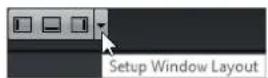
To activate the info line, click Set up Window Layout on the toolbar and activate Info Line.
Editing on the Info Line
You can edit almost all event or part data on the info line using regular value editing.
If you select several events or parts, the info line is shown in another color and only the information about the first item in the selection is displayed. The following rules apply:
- Value changes are applied to all selected elements, relatively to the current values. For example, you have selected two audio events. The first event has a length of 1 bar, the second of 2 bars. If you change the info line value to 3, the first event is resized to 3 bars and the second event to 4 bars.
- Value changes are applied absolutely to the current values if you press Ctrl/Cmd while modifying the value on the info line. In the example above, both events are resized to 3 bars.
NOTE
To change the modifier, select a new modifier in the Info Line category of the Preferences dialog (Editing—Tool Modifiers page).
Overview Line
The overview line allows you to zoom and navigate to other sections in the project.

To activate the overview line, click Set up Window Layout on the toolbar and activate Overview Line.

In the overview line, events and parts are displayed as boxes. A rectangle indicates the section of the project that is displayed in the event display.
- To zoom the event display in or out horizontally, resize the rectangle by dragging the edges.
- To navigate to another section of the event display, drag the rectangle to the left or right, or click in the upper part of the overview.
Transport
The Transport allows you to display the transport functions in an integrated and fixed zone of the Project window.

- To activate the Transport, click Set up Window Layout on the Project window toolbar and activate Transport.

- To show/hide tools, open the Transport context menu by right-clicking in an empty area of the Transport and activate the tools that you want to display. To show all tools, select Show All.
The following options are available:
Constrain Delay Compensation

Allows you to minimize the latency effects of the delay compensation.
Common Record Modes

Punch In/Out
Start at Cursor
Allow you to determine what happens if you click Record during an audio or MIDI recording.
Audio Record Modes

Keep History
Allow you to select what happens when you record over existing audio events.
MIDI Record Modes

AQ New Parts
Allow you to select what happens when you record over existing MIDI parts.
Left Divider

Allows you to use the left divider. Tools that are placed to the left of the divider are always shown.
System Performance Meter

Shows the meters for ASIO time usage and hard disk transfer load.
Locators

Allows you to go to the left or right locator position, and to set the left and right locator position numerically.
Punch Points

Allows you to activate/deactivate Punch In and Punch Out. These points determine the record start and stop positions.
Main Transport

Shows the main transport controls.
Time Displays

Shows the time display options.
Pre-roll & Post-roll

Allows you to activate/deactivate pre-roll and post-roll, and to set the values numerically.
Tempo & Time Signature
Allows you to activate/deactivate the tempo track, and to set the tempo value and the first time signature value numerically.
External Sync State

Allows you to activate/deactivate external synchronization and to open the Project Synchronization Setup dialog.
Click & Count-In

Allows you to activate/deactivate the metronome click and the metronome click in count-in.
Right Divider

Allows you to use the right divider. Tools that are placed to the right of the divider are always shown.
Input/Output Activity

Allows you to monitor the MIDI input/output signals, the audio input/output signals, and allows you to control the output level.
RELATED LINKS
Common Record Modes on page 170
Audio Record Modes on page 175
MIDI Record Modes on page 181
Left/Right Toolbar Divider on page 30
Left Zone
The left zone of the Project window allows you to display the Inspector.
To show/hide the left zone, click Show/Hide Left Zone on the Project window toolbar.

The left zone shows the Inspector.

RELATED LINKS
Inspector on page 38
Inspector
The Inspector allows you to show controls and parameters for either the selected track in the track list or the event or part that is shown in the editor in the lower zone.
The bottom of the left zone features two tabs: Track and Editor.
- Click the Track tab to open the Track Inspector for the selected track.
- Click the Editor tab to open the Editor Inspector for the event or part that is shown in the editor in the lower zone.

RELATED LINKS
Opening the Track Inspector on page 38
Opening the Editor Inspector on page 39
Opening the Editor in the Lower Zone on page 46
Opening the Track Inspector
The Track Inspector shows controls and parameters for the selected track in the track list.
PROCEDURE
- Click Show/Hide Left Zone ☐ on the Project window toolbar to activate the Left Zone.
- At the bottom of the left zone, click the Track tab.
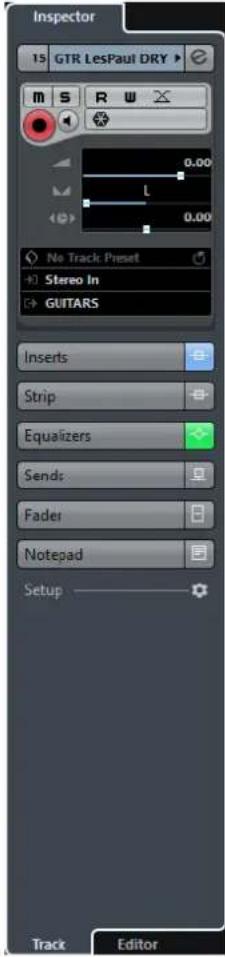
RESULT
The Track Inspector for the selected track in the track list is opened. If more than one track is selected, the controls and parameters for the topmost selected track are shown.
Opening the Editor Inspector
The Editor Inspector shows controls and parameters for the event or part that is shown in the editor in the lower zone.
PREREQUISITE
The Sample Editor, the Key Editor, the Drum Editor or the Score Editor is shown in the lower zone.
PROCEDURE
- Click Show/Hide Left Zone ☐ on the Project window toolbar to activate the Left Zone.
- At the bottom of the left zone, click the Editor tab.

RESULT
The Editor Inspector for the event or part that is shown in the editor in the lower zone is opened.
NOTE
The Editor Inspector only contains information if the lower zone shows an editor. Otherwise, it is empty.
RELATED LINKS
Opening the Editor in the Lower Zone on page 46
Inspector Sections
The Track Inspector and the Editor Inspector are divided into a number of sections that each contain different controls for the track, event or part.
Not all Inspector sections are shown by default. The available sections depend on the type of the selected track, event, or part, and on the settings in the setup dialog for the Track Inspector/Editor Inspector.
• To open/close sections, click their names. Opening one section closes the other sections. • To open a section without closing the other sections, Ctrl/Cmd-click the section name.
RELATED LINKS
Inspector Settings Dialog on page 41
Audio Track Inspector on page 76
Instrument Track Inspector on page 81
MIDI Track Inspector on page 85
Sampler Track Inspector on page 90
Arranger Track Inspector on page 93
Marker Track Inspector on page 106
Video Track Inspector on page 108
Key Editor Inspector on page 471
Drum Editor Inspector on page 511
Sample Editor Inspector on page 305
Inspector Settings Dialog
The Inspector settings dialogs allow you to set up the sections that are available in the Track Inspector and the Editor Inspector.
• To open the Setup dialog for the Track Inspector settings, click Setup Inspector in the Track Inspector, and from the pop-up menu select Setup.

• To open the Setup dialog for the Editor Inspector settings, click Setup Inspector in the Editor Inspector, and from the pop-up menu select Setup.
NOTE
This is only available for the Key Editor, the Drum Editor and the Score Editor.

Hidden Items
Displays sections that are hidden in the Inspector.
Visible Items
Displays sections that are visible in the Inspector.
Pin
If you activate Pin by clicking the column for a section, the open/close status of the selected Inspector section is pinned.
Add
Allows you to move an item selected in the hidden sections list to the list of visible sections.
Remove
Allows you to move an item selected in the visible sections list to the list of hidden sections.
Move Up/Move Down
Allows you to change the order of an item in the list of visible sections.
Presets
Allows you to save Inspector section settings as presets.
Reset All
Allows you to restore the default Inspector section settings.
Lower Zone
The lower zone of the Project window allows you to display specific windows and editors in an integrated and fixed zone of the Project window. This is useful if you work on single screen systems and notebooks, for example.
To show/hide the lower zone, click Show/Hide Lower Zone on the Project window toolbar.
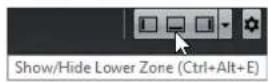
The lower zone features the following tabs: Chord Pads, MixConsole, Sampler Control (Cubase Elements only), and Editor.

To close the lower zone, click Close Lower Zone to the left of the tabs.
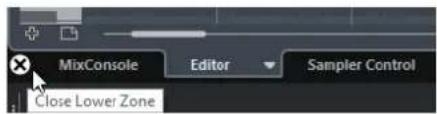
RELATED LINKS
Opening Chord Pads on page 44
Opening MixConsole in the Lower Zone on page 44
Opening Sampler Control (Cubase Elements only) on page 45
Opening the Editor in the Lower Zone on page 46
Setting up the Lower Zone
In the lower zone, the tabs MixConsole, Editor, Sampler Control (Cubase Elements only), and Chord Pads are shown. You can change the order of these tabs, and you can hide tabs that you do not need.
PROCEDURE
- Click Set up Lower Zone in the bottom right of the lower zone.
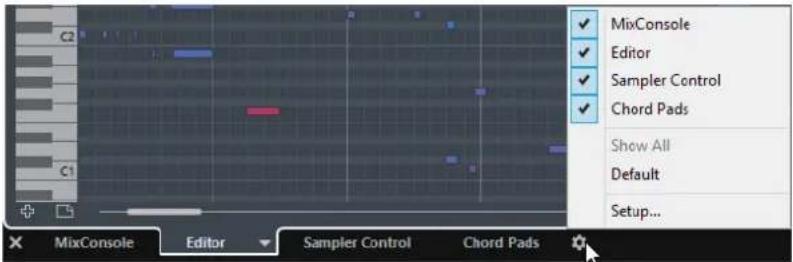
- Do one of the following:
- Activate/Deactivate the options in the pop-up menu to show/hide tabs from the lower zone.
- Select Setup to open a dialog where you can activate/deactivate the tabs and change their position.
NOTE
In the Presets section of this dialog you can also save a preset of your tab configuration.
RESULT
The tabs in the lower zone are shown according to your configuration.
Opening Chord Pads
Chord Pads allow you to play with chords, and to change their voicings and tensions.
PREREQUISITE
The Chord Pads tab is activated in the Lower Zone Setup.
PROCEDURE
- Click Show/Hide Lower Zone ☐ on the Project window toolbar to activate the lower zone.
- At the bottom of the lower zone, click the Chord Pads tab.
RESULT
The Chord Pads are opened.
RELATED LINKS
Chord Pads on page 538
Setting up the Lower Zone on page 43
Opening MixConsole in the Lower Zone
The MixConsole in the lower zone allows you to perform all basic mixing procedures from within the lower zone of the Project window, and at the same time to see the context of your tracks and events.
PROCEDURE
- Click Show/Hide Lower Zone ☐ on the Project window toolbar to activate the lower zone.
- At the bottom of the lower zone, click the MixConsole tab.

RESULT
The MixConsole is opened in the lower zone.
RELATED LINKS
MixConsole in Lower Zone on page 229
Opening Sampler Control (Cubase Elements only)
Sampler Control allows you to display and edit the waveform of an audio sample on a sampler track.
PROCEDURE
- Click Show/Hide Lower Zone ☐ on the Project window toolbar to activate the lower zone.
- At the bottom of the lower zone, click the Sampler Control tab.

RESULT
Sampler Control is opened.
RELATED LINKS
Controlling Sample Playback with Sampler Tracks (Cubase Elements only) on page 335
Opening the Editor in the Lower Zone
The Editor in the lower zone allows you to perform event editing procedures from within the lower zone of the Project window, and at the same time to see the context of your tracks and events.
NOTE
By default, double-clicking an audio event/part or a MIDI part in the event display or selecting it and pressing Return opens the corresponding editor in the lower zone of the Project window. Using a menu command opens a separate editor window. You can change this in the Preferences dialog (Editors page).
PROCEDURE
- Click Show/Hide Lower Zone □ on the Project window toolbar to activate the lower zone.
- At the bottom of the lower zone, click the Editor tab.
- In the event display, do one of the following:
- Select a MIDI part.
• Select an audio event.
- Select an audio part.
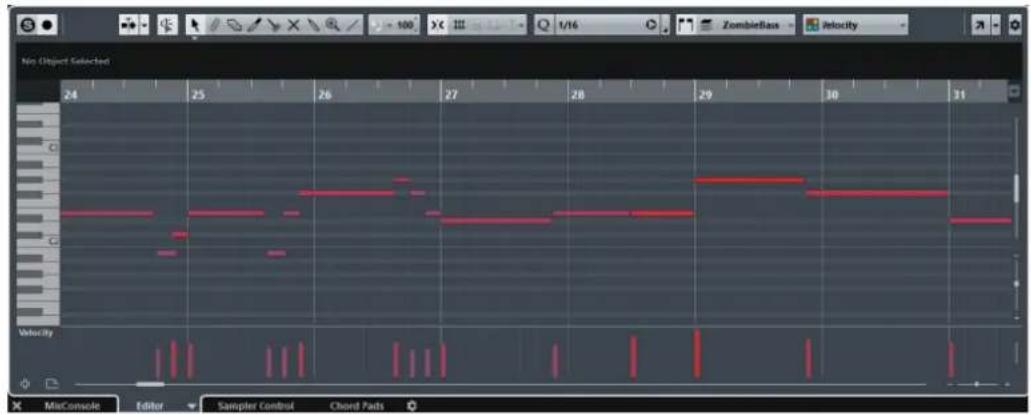
RESULT
Depending on your event or part selection, the lower zone shows either the Audio Part Editor, the Sample Editor, or one of the MIDI Editors.
NOTE
To change the default MIDI editor, select MIDI > Set up Editor Preferences, and select an option from the Default MIDI Editor pop-up menu.
NOTE
If you open the editor and no event or part is selected, the editor in the lower zone is empty.
Selecting a different MIDI Editor
You can display the MIDI part that is opened in the editor in the lower zone in a different MIDI editor. To do this, you do not necessarily need to change the default MIDI editor.
PROCEDURE
- On the Editor tab in the editor in the lower zone, click Select MIDI Editor.
- Select an editor from the pop-up menu.

RESULT
The MIDI part is displayed in the selected editor.
NOTE
This selection is temporary. Next time you open the MIDI part, the default MIDI editor is used.
Right Zone
The right zone of the Project window allows you to display the VSTi rack and the Media rack (not in Cubase LE).
To show/hide the right zone, click Show/Hide Right Zone on the Project window toolbar.

The top of the right zone features the following tabs: VSTi and Media.

NOTE
You can show/hide specific tabs from the right zone by right-clicking a tab header and activating/deactivating the options in the context menu.
RELATED LINKS
VSTi Rack in the Right Zone on page 48
Media Rack in the Right Zone on page 50
Opening the VSTi Rack in the Right Zone (not in Cubase LE)
You can show the VSTi rack in the right zone of the Project window. This allows you to add and edit VST instruments, and at the same time to see the context of your tracks and events.
PROCEDURE
- Click Show/Hide Right Zone ☐ on the Project window toolbar to activate the Right Zone.
- At the top of the right zone, click the VSTi tab.
RESULT
The VSTi rack is opened in the right zone of the Project window.
RELATED LINKS
VSTi Rack in the Right Zone on page 48
VST Instruments on page 402
VSTi Rack in the Right Zone
The VSTi rack in the right zone of the Project window allows you to add and edit VST instruments in the context of the Project window.
The following sections are available:

- Track
Shows the associated VST instrument for an instrument track.
- Rack
Shows a VST instrument.
The following controls are available:

1 Add Track Instrument
Opens the Add Instrument Track dialog that allows you to select an instrument and add an instrument track that is associated with this instrument.
2 Find Instruments
Opens a selector that allows you to find a loaded instrument.
3 Set Remote-Control Focus for VST Quick Controls to Previous/Next Instrument
Allows you to set the remote-control focus to the next/previous instrument.
4 Show/Hide all VST Quick Controls
Shows/Hides the default quick controls for all loaded instruments.
5 Settings
Opens the Settings menu where you can activate/deactivate the following modes:
- Show VST Quick Controls for One Slot Only shows the VST Quick Controls exclusively for the selected instrument.
- MIDI Channel follows track selection ensures that the Channel selector follows the MIDI track selection in the Project window. Use this mode if you work with multitimbral instruments.
- Remote-Control Focus for VST Quick Controls follows track selection ensures that the VST Quick Control remote-control focus follows the track selection.
RELATED LINKS
VST Instruments Window (not in Cubase LE) on page 404
Opening the Media Rack in the Right Zone
You can show the Media rack in the right zone of the Project window. This allows you to see the context of your tracks and events when you drag audio events, MIDI parts, presets, or instruments into the Project window.
PROCEDURE
- Click Show/Hide Right Zone ☐ on the Project window toolbar to activate the Right Zone.
- At the top of the right zone, click the Media tab.

RESULT
The Media rack is opened in the right zone of the Project window.
RELATED LINKS
Media Rack in the Right Zone on page 50
MediaBay on page 365
Media Rack in the Right Zone
The Media rack in the right zone of the Project window allows you to drag audio events, MIDI parts, or instrument presets into the event display. It lists Steinberg factory content and any installed Steinberg content sets.

The Media rack Home page is divided into several sections:
Search
Allows you to search media files by name or by attribute.
Navigation Controls
Allow you to go back to the previous page, to the Home page 📄 or to any subpage.
Show All Items
Shows the Results page for a selected tile. If no tile is selected, all media files are shown.
Instruments Tile
Shows all included VST instruments.
Loops & Samples Tile
Shows audio loops, MIDI loops, or instrument sounds ordered by content set.
Presets Tile
Shows the track presets, strip presets, FX chain presets, and VST FX presets.
User Presets Tile
Shows track presets, strip presets, pattern banks, FX chain presets, VST FX presets, and instrument presets that are listed in the User Content folder.
Shows the track presets, strip presets, FX chain presets, and VST FX presets.
Favorites Tile
Shows your favorite folders and allows you to add new favorites. The folder content is automatically added to the MediaBay database.
File Browser Tile
Shows your file system and the pre-defined folders Favorites, This Computer, VST Sound, Factory Content, and User Content where you can search for media files and access them immediately.
RELATED LINKS
Favorites Section on page 373
Media Rack in Right Zone (not in Cubase LE) on page 365
MediaBay on page 365
Keyboard Focus in the Project Window
The different zones in the Project window can be controlled by using key commands. To make sure that a key command has effect on a specific zone, you must make sure that this zone has the keyboard focus.
The following Project window zones can have the keyboard focus:
- Project zone
- Left zone
- Lower zone
- Right zone
If a zone has the keyboard focus, the border that surrounds it is highlighted in a specific color.
NOTE
You can change the focus color in the Preferences dialog (User Interface—Custom Colors page).
RELATED LINKS
Project Zone on page 27
Left Zone on page 37
Lower Zone on page 42
Right Zone on page 47
Project Window on page 26
Activating Keyboard Focus for a Zone
You can activate the keyboard focus for a zone by clicking with the mouse and by using key commands.
PROCEDURE
Do one of the following:
• To activate any zone, click in it. • To activate the next zone, press Tab. This allows you to cycle forward through the zones. • To activate the previous zone, press Shift-Tab.
NOTE
The editor in the lower zone automatically gets the keyboard focus if you double-click an event or part in the event display, if you select an event or part and press Return, or if you use key commands to open the zone.
RESULT
The keyboard focus is activated for this zone and the border of the zone is highlighted.
NOTE
The project zone and the lower zone have separate toolbars and info lines. If you use the toolbar or the info line for one of these zones, the corresponding zone automatically gets the focus.
RELATED LINKS
Customizing the User Interface Colors on page 624
Zooming in the Project Window
You can zoom in the Project window according to the standard zoom techniques.
NOTE
If screen redraws are slow on your system, consider activating Quick Zoom in the Preferences dialog (Editing page).
Zooming Horizontally
- Select the Zoom tool and click in the event display to zoom in. To zoom out, hold down Alt and click.
- Use the horizontal zoom sliders to zoom in and out.
- Click the lower half of the ruler and drag down to zoom in horizontally. Click the lower half of the ruler and drag up to zoom out horizontally.
- Click H to zoom in horizontally. Click G to zoom out horizontally.
NOTE
If the Grid Type in the Project window toolbar is set to Adapt to Zoom, the horizontal zoom level affects the grid and snap resolution in the event display.
Zooming Vertically
- Select the Zoom tool, click in the event display, and drag a selection rectangle to zoom in vertically and horizontally.
NOTE
For this to work, you must deactivate the Zoom Tool Standard Mode: Horizontal Zooming Only option in the Preferences dialog (Editing—Tools page).
- Use the vertical zoom sliders to zoom in and out. If you have made any individual track height adjustments, the relative height differences are maintained.
- Click Shift-H to zoom in vertically. Click Shift-G to zoom out vertically.
RELATED LINKS
Zoom Submenu on page 54
Zoom Presets on page 54
Zooming In On Cycle Markers on page 55
Zoom History on page 56
Grid Types on page 58
Zooming in on Audio Contents
You can zoom in vertically on the contents of audio parts and events. This is useful when viewing quiet audio passages.
PROCEDURE
- Click the waveform zoom slider in the top right corner of the event display and drag up.

RESULT
The contents of audio parts and events in your project are zoomed in vertically.
AFTER COMPLETING THIS TASK
To get an approximate reading on the level of the audio events by viewing the waveforms, zoom out by dragging the slider all the way down again. Otherwise, zoomed waveforms may be mistaken for clipped audio.
Zoom Submenu
The Zoom submenu contains options for zooming in the Project window.
• To open the Zoom submenu, select Edit > Zoom.
The following options are available:
Zoom In/Out
Zooms in/out one step, centering on the project cursor.
Zoom Full
Zooms out so that the whole project is visible. The whole project means the timeline from the project start to the length set in the Project Setup dialog.
Zoom to Selection
Zooms in horizontally and vertically so that the current selection fills the screen.
Zoom to Selection (Horiz.)
Zooms in horizontally so that the current selection fills the screen.
Zoom to Event
This option is available in the Sample Editor and in some MIDI editors.
Zoom In/Out Vertically
Zooms in/out one step vertically.
Zoom In/Out Tracks
Zooms the selected tracks in/out one step vertically.
Zoom Selected Tracks
This zooms in vertically on the selected tracks and minimizes the height of all other tracks.
Undo/Redo Zoom
These options allow you to undo/redo the last zoom operation.
RELATED LINKS
Zoom Submenu on page 308
Zoom Presets
You can create zoom presets that allow you to set up different zoom settings. For example, one where the whole project is displayed in the Project window and another with a high zoom factor for detailed editing. The Zoom Presets pop-up menu allows you to select, create, and organize zoom presets.
To open the Zoom Presets pop-up menu, click the button to the left of the horizontal zoom control.
The upper part of the menu lists the zoom presets.

- To save the current zoom setting as a preset, open the Zoom Presets pop-up menu and select Add. In the Type In Preset Name dialog that opens, type in a name for the preset and click OK. To select and apply a preset, select it from the Zoom Presets pop-up menu.
- To zoom out so that the whole project is visible, open the Zoom Presets pop-up menu and select Zoom Full. This displays the project from the project start to the length that is set in the Project Setup dialog.
- To delete a preset, open the Zoom Presets pop-up menu and select Organize. In the dialog that opens, select the preset in the list and click Delete.
- To rename a preset, open the Zoom Presets pop-up menu and select Organize. In the dialog that opens, select a preset in the list and click Rename. In the dialog that opens, type in a new name for the preset. Click OK to close the dialogs.
IMPORTANT
Zoom presets are global for all projects. They are available in all projects that you open or create.
Zooming In On Cycle Markers
You can zoom in on the area between cycle markers in the project.
To zoom in on a cycle marker, click the button to the left of the horizontal zoom control to open the Zoom Presets pop-up menu and select a cycle marker.

The middle part of the Zoom Presets pop-up menu lists any cycle markers that you have added to the project.
NOTE
Only the cycle markers that you create in the current project are available on the menu.
If you select a cycle marker, the event display is zoomed in to encompass the marker area.
You cannot edit the cycle markers in the Zoom Presets pop-up menu.
RELATED LINKS
Markers Window on page 223
Zoom History
You can undo and redo zoom operations. This way you can zoom in several steps and then easily go back to the zoom stage at which you started.
You can undo and redo zoom operations in the following ways:
• To undo zoom, select Edit > Zoom > Undo Zoom or double-click with the zoom tool. - To redo zoom, select Edit > Zoom > Redo Zoom or press Alt and double-click with the zoom tool.
Snap Function
The Snap function helps you to find exact positions when editing in the Project window. It does this by restricting horizontal movement and positioning to certain positions. Operations affected by Snap include moving, copying, drawing, sizing, splitting, range selection, etc.
• To activate/deactivate Snap, activate/deactivate the Snap icon on the toolbar.

Setting the Snap Point (Cubase Elements only)
You can set the snap point at any position of the audio event.
PROCEDURE
- Select an event.
- Place the project cursor at a position within the selected audio event.
- Select Audio > Snap Point To Cursor.
RESULT
The snap point is set at the cursor position. The snap point for an event is displayed as a vertical line in the Project window.

NOTE
You can also set the snap point in the Sample Editor.
RELATED LINKS
Adjusting the Snap Point on page 313
Snap to Zero Crossing
When splitting and sizing audio events, sudden amplitude changes can cause pops and clicks. To avoid this, you can activate Snap to Zero Crossing to snap to points where the amplitude is zero.
• To activate Snap to Zero Crossing, activate Snap to Zero Crossing 📁 on the toolbar.
Snap Types
You can select between different snap types to determine the snap point.
- To select a snap type, open the Snap Type pop-up menu.

The following snap types are available:
Grid
If this option is activated, the snap points are set with the Grid Type pop-up menu. The options depend on the display format that is selected for the ruler.
If you select Seconds as ruler format, time-based grid options are available.

If you select Bars+Beats as a ruler format, musical grid options are available.

Grid Relative
If this option is activated, events and parts are not magnetic to the grid. Rather, the grid determines the step size for moving the events. This means that a moved event keeps its original position relative to the grid.
For example, if an event starts at the position 3.04.01, snap is set to Grid Relative and the Grid Type pop-up menu is set to Bar, you can move the event in steps of one bar to the positions 4.04.01, 5.04.01, and so on.
NOTE
This only applies when dragging existing events or parts. When you create new events or parts this snap type works like Grid.
Events
If this option is activated, the start and end positions of other events and parts become magnetic. This means that if you drag an event to a position near the start or end of another event, it is automatically aligned with the start or end of the other event.
For audio events, the position of the snap point is also magnetic. This includes marker events on the marker track.
Shuffle
Shuffle is useful when you want to change the order of adjacent events. If you have two adjacent events and drag the first one to the right, past the second event, the two events will change places.
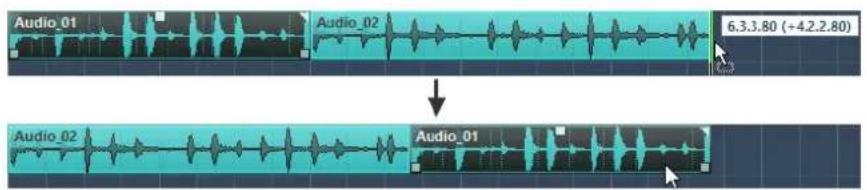
The same principle works when changing the order of more than two events.
Magnetic Cursor
This grid type lets the project cursor become magnetic. Dragging an event near the cursor causes the event to be aligned with the cursor position.
Grid + Cursor
This is a combination of Grid and Magnetic Cursor.
Events + Cursor
This is a combination of Events and Magnetic Cursor.
Events + Grid + Cursor
This is a combination of Events, Grid, and Magnetic Cursor.
Grid Types
Allows you to specify a grid type that determines the grid and snap resolution in the event display.
NOTE
This setting only has an effect if Snap Type is set to one of the grid options.
- To select a grid type, open the Grid Type pop-up menu.

The following grid types are available:
Bar
Sets the grid and snap resolution to bars.
Beat
Sets the grid and snap resolution to beats.
Use Quantize
Sets the grid and snap resolution to the value that is activated in the Quantize Preset pop-up menu.
Adapt to Zoom
Sets the grid and snap resolution to the horizontal zoom level. The more you zoom in on the event display, the finer the resolution. High zoom levels allow you to snap to 64th notes, low zoom levels allow you to snap to bars.
NOTE
Adapt to Zoom is only available if Bars+Beats is set as a ruler display format.
If you activate Time Linear in the ruler context menu, the distances between the grid lines are still constant but based on musical values such as bars and beats.
RELATED LINKS
Snap Types on page 57
Zooming in the Project Window on page 52
Ruler Display Formats on page 33
Cross-Hair Cursor
The cross-hair cursor is displayed when working in the Project window and in the editors, facilitating navigation and editing, especially when arranging large projects.
- You can set up the cross-hair cursor in the Preferences dialog (Editing—Tools page). You can set up the colors for the line and the mask of the cross-hair cursor, and define its width.
The cross-hair cursor works as follows:
- When the Object Selection tool or one of its subtools is selected, the cross-hair cursor appears when you start moving/copying a part/event, or when using the event trim handles.

Cross-hair cursor when moving an event.
- When the Object Selection tool, the Cut tool, or any other tool that makes use of this function is selected, the cross-hair cursor appears as soon as you move the mouse over the event display.
- The cross-hair cursor is only available for tools where such a function is of any use. The Mute tool, for example, does not use a cross-hair cursor, as you have to click directly on an event to mute it.
Edit History Dialog
The Edit History dialog contains a list of all your edits. This allows you to undo all actions in the Project window as well as in the editors.
• To open the Edit History dialog, select Edit > History.

The Action column displays the name of the action while the Time column tells you when this action was performed. In the Details column further details are shown. Here you can enter new text by double-clicking in the column.
- To undo your actions, move the horizontal, colored line upwards to the desired position. You can only undo your actions in reverse order, for example, the last performed action is the first action to be undone.
- To redo an action that was undone previously, move the line down the list again.
NOTE
- You can also undo applied audio processes. However, we recommend to modify or delete these using the Direct Offline Processing window.
RELATED LINKS
Direct Offline Processing on page 280
Setting the Number of Maximum Undo Steps
You can limit the number of maximum undo steps. This is useful if you run out of memory, for example.
PROCEDURE
- In the Preferences dialog, select General.
- Set the number in the Maximum Undo Steps field.
Project Handling
In Cubase, projects are the central documents. You must create and set up a project to work with the program.
Creating New Projects
You can create empty projects or projects that are based on a template.
PROCEDURE
1. Select File > New Project.
Depending on your settings, either the Hub or the Project Assistant dialog opens.
2. In the location options section, select where to store the new project.
• To use the default location, select Use default location. • To choose another location, select Prompt for project location.
3. Do one of the following:
• To create an empty new project, click Create Empty. • To create a new project from a template, select a template and click Create.
RESULT
A new, untitled project is created. If you selected a template, the new project is based on this template and includes the corresponding tracks, events, and settings.
NOTE
If you create an empty project, your default presets for the input and output bus configurations are applied. If you have not defined default presets, the last used configurations are applied.
RELATED LINKS
Presets for Input and Output Busses on page 24
Hub
When you start Cubase or create new projects using the File menu, the Hub opens. The Hub keeps you up to date with the latest information and assists you with organizing your projects. It consists of the News and Tutorials section and the Projects section.

News and Tutorials section
The News and Tutorials section displays Steinberg news, tutorial videos as well as links to the user forum, downloads, and the Help Center.
NOTE
Ensure that you have an active Internet connection to access this material.
Projects section
The Projects section lets you create new projects, which can either be empty or based on a template. It lets you specify where to save the projects. It also allows you to access recently opened projects or projects that are stored in other locations. This section offers the same functionality as the Project Assistant dialog.
Category bar
In this section, the available factory templates are sorted into the predefined categories Recording, Scoring, Production, and Mastering.
The Recent category contains a list of the recently opened projects.
The More category contains the default project template and all templates that are not assigned to any of the other categories.
Template list
When you click on one of the category items, the list below the category bar shows the available templates for this category. Any new templates that you create are added at the top of the corresponding list.
Location options
This section allows you to specify where the project is stored.
Open other
This button allows you to open any project file on your system. This is identical to using the Open command on the File menu.
RELATED LINKS
Project Assistant on page 63
Deactivating the Hub
To start Cubase or to create new projects without the Hub, you can deactivate it.
PROCEDURE
- In the Preferences dialog, select General.
- Deactivate Use Hub.
RESULT
Cubase starts without opening a project and opens the Project Assistant dialog when you create a new project using the File menu. However, you can still open the Hub through the Hub menu.
Project Assistant
When you deactivate the Hub and create new projects, the Project Assistant dialog opens. This dialog offers the same functions as the Projects section in the Hub.
Category bar
In this section, the available factory templates are sorted into the predefined categories Recording, Production, Scoring, and Mastering.
The Recent category contains a list of the recently opened projects.
The More category contains the default project template and all templates that are not assigned to any of the other categories.
Template list
When you click on one of the category items, the list below the category bar shows the available factory templates for this category. Any new templates that you create are added at the top of the corresponding list.
Location options
This section allows you to specify where the project is stored.
Open other
This button allows you to open any project file on your system. This is identical to using the Open command from the File menu.
About Project Files
A project file (extension *.cpr) is the central document in Cubase. A project file contains references to media data that can be saved in the project folder.
NOTE
We recommend to save files only in the project folder, even though you can save them in any other location to which you have access.
The project folder contains the project file and the following folders that Cubase automatically creates when necessary:
- Audio
- Edits
- Images
- Track Pictures
About Template Files
Templates can be a good starting point for new projects. Templates are projects where you can save all settings that you regularly use, such as bus configurations, sample rates, record formats, basic track layouts, VSTi setups, drum map setups, etc.
The following template types are available from within the Hub:
- Factory templates for specific scenarios. These are listed in the Recording, Scoring, Production, or Mastering categories. • The default template. This is listed in the More category. • Any new user templates that you create and save. These are listed in the More category.
Template projects are not saved in project folders and therefore contain no subfolders and no media files.
- To open the location of a specific template, right-click a template in the template list and select Show in Explorer (Windows only) or Reveal in Finder (macOS only).
Saving a Project Template File
You can save the current project as a template. When you create a new project, you can select this template as a starting point for your new project.
PREREQUISITE
Remove all clips from the Pool before you save the project as a template. This ensures that references to media data from the original project folder are deleted.
PROCEDURE
- Set up a project.
- Select File > Save as Template.
- In the New Preset section of the Save as Template dialog, enter a name for the new project template.

- In the Attribute Inspector section, double-click the Value field of the Content Summary attribute to enter a description for the template.
- Click the Value field of the Template Category attribute and select a template category from the pop-up menu.
If you do not select a category, the new template will be listed in the Hub in the More category.
- Click OK to save the template.
Renaming Templates
PROCEDURE
- In the Hub or the Project Assistant, right-click a template and select Rename.
- In the Rename dialog, enter a new name and click OK.
Project Setup Dialog
You can perform general settings for your project in the Project Setup dialog.
• To open the Project Setup dialog, select Project > Project Setup.
- To open the Project Setup dialog automatically when you create a new project, activate the Run Setup on Create New Project option in the Preferences dialog (General page).

IMPORTANT
While most Project Setup settings can be changed at any time, you must set the sample rate directly after creating a new project. If you change the sample rate at a later stage, you must convert all audio files in the project to the new sample rate to make them play back properly.
The following options are available:
Author
Allows you to specify a project author that is written into the file, when you export audio files and activate the Insert iXML chunk option. You can specify a default
author in the Default Author Name field in the Preferences dialog (General—Personalization page).
Company
Allows you to specify a company name that is written into the file, when you export audio files and activate the Insert iXML chunk option. You can specify a default company in the Default Company Name field in the Preferences dialog (General—Personalization page).
Start
Allows you to specify the start time of the project in timecode format. This also determines the sync start position when synchronizing to external devices.
Length
Allows you to specify the length of the project.
Frame Rate
Allows you to specify the timecode standard and frame rate for the project. When synchronizing to an external device, this setting must correspond to the frame rate of any incoming timecode.
Get From Video
Allows you to set the project frame rate to the frame rate of an imported video file.
Display Format
Allows you to specify the global display format that is used for all rulers and position displays in the program, except the ruler tracks. However, you can make independent display format selections for the individual rulers and displays.
Display Offset
Allows you to specify an offset for the time positions that are displayed in the rulers and position displays to compensate for the Start position setting.
Bar Offset
This setting is only used when you select the Bars+Beats display format. It allows you to specify an offset for the time positions that are displayed in the rulers and position displays to compensate for the Start position setting.
Sample Rate
Allows you to specify the sample rate at which audio is recorded and played back.
- If your audio hardware generates the sample rate internally and you select a non-supported sample rate, this is indicated by a different color. In this case, you must set a different sample rate to make your audio files play back properly.
- If you select a sample rate that your audio hardware supports, but that differs from its current sample rate setting, it is automatically changed to the project sample rate.
- If your audio hardware is externally clocked and receives external clock signals, sample rate mismatches are accepted.
Bit Resolution
Allows you to specify the resolution of the audio files that you record in Cubase. Select the record format according to the bit resolution that is delivered by your audio hardware. The available options are 16 Bit, 24 Bit, and 32 Bit float.
NOTE
- When you record with effects, consider setting the bit resolution to 32 Bit Float. This prevents clipping (digital distortion) in the recorded files and
keeps the audio quality absolutely pristine. Effect processing and level or EQ changes in the input channel are done in 32 Bit Float format. If you record at 16 or 24 Bit, the audio will be converted to this lower resolution when it is written to a file. As a result, the signal may degrade. This is independent of the actual resolution of your audio hardware. Even if the signal from the audio hardware has a resolution of 16 Bit, the signal will be 32 Bit Float after the effects are added to the input channel.
- The higher the bit resolution, the larger the files and the more strain is put on the disk system. If this is an issue, you can lower the record format setting.
Record File Type
Allows you to specify the file type of the audio files that you record in Cubase. The following file types are available:
- Wave File
This is the most common file format on the PC platform. Wave files have the extension .wav.
- Wave 64 File
This is a proprietary format developed by Sonic Foundry Inc. Wave 64 files offer the same quality as Wave files, but they can be considerably larger than standard Wave files. They are especially suited for long recordings with file sizes over 2 GB. The files have the extension .w64.
- Broadcast Wave Files
This format is, in terms of audio content, identical with regular Wave files. Broadcast Wave files can contain embedded text strings. The files have the extension .wav.
- AIFF Files
This is an audio file format standard defined by Apple Inc. AIFF files are used on most computer platforms. The files can contain embedded text strings. AIFF files have the extension .aif.
- FLAC File
This is an open source format that reduces the size of audio files by 50 to 60 % compared to regular Wave files. The files have the extension .flac.
NOTE
- For wave file recordings larger than 4 GB, the EBU RIFF standard is used. If a FAT 32 disk is used (not recommended), audio files are split automatically. In the Preferences dialog, you can specify what happens, when your recorded Wave file is larger than 4 GB.
- You can set up embedded strings in the Preferences dialog.
Stereo Pan Law
If you pan a channel left or right, the sum of the left and right side is higher (louder), than if this channel is panned center. These modes allow you to attenuate signals panned center. 0 dB turns off constant-power panning. Equal Power means that the power of the signal remains the same regardless of the pan setting.
Volume Max
Allows you to specify the maximum fader level. By default, this is set to +12 dB. If you load projects that were created with Cubase versions older than 5.5, this value is set to the old default value of +6 dB.
HMT Type (MIDI only) (Cubase Elements only)
Allows you to specify a mode for Hermode tuning of MIDI notes.
HMT Depth (MIDI only) (Cubase Elements only)
Allows you to specify the overall degree of retuning.
RELATED LINKS
Record - Audio on page 653
Opening Project Files
You can open one or several saved project files at the same time.
IMPORTANT
If you open a project saved with a different program version that contains data for functions that are not available in your version, this data may be lost when you save the project with your version.
NOTE
- If you open an external project, the last used view that was saved on your computer is used.
- External projects are automatically connected to the input and output busses. If you open a project that was created on a computer with an ASIO port configuration different from the configuration of your computer, this can result in unwanted audio connections. You can deactivate the automatic connection of input and output busses in the Preferences dialog (VST page).
PROCEDURE
- Select File > Open.
- In the file dialog that opens, select the project that you want to open and click Open.
- If there already is an open project, you are asked if you want to activate the new project. Do one of the following:
• To activate the project, click Activate. • To open the project without activating it, click No. This reduces load times for projects.
Activating Projects
If you have several projects opened at the same time in Cubase, only one project can be active. The active project is indicated by the lit Activate Project button in the upper left corner of the Project window. If you want to work on another project, you have to activate the other project.
PROCEDURE
To activate a project, click Activate Project.

Opening Recent Projects
To open a recently opened project, do one of the following:
In the category bar of the Hub or the Project Assistant dialog, click Recent, select a project from the projects list, and click Open.
Select File > Recent Projects and select a recently opened project.
Re-Routing Missing Ports
If you open a Cubase project that was created on a different system with other audio hardware, Cubase tries to find matching audio inputs and outputs for the input/output busses. If Cubase cannot resolve all audio/MIDI inputs and outputs that are used in the project, the Missing Ports dialog opens.
This allows you to manually re-route any ports specified in the project to ports that are available in your system.
NOTE
To improve the search for matching audio inputs and outputs for the input/output busses, you should use descriptive, generic names for your input and output ports.
RELATED LINKS
Renaming the Hardware Inputs and Outputs on page 22
Saving Project Files
You can save the active project as a project file. To keep your projects as manageable as possible, make sure that you save project files and all related files in the respective project folders.
- To save the project and specify a file name and location, open the File menu and select Save As.
- To save the project with its current name and location, open the File menu and select Save.
About the Auto Save Option
Cubase can automatically save backup copies of all open project files with unsaved changes.
NOTE
Only the project files are backed up. If you want to include the files from the Pool and save your project in a different location, you must use the Back up Project function.
Cubase can automatically save backup copies of all open projects with unsaved changes. To set this up, activate the Auto Save option in the Preferences dialog (General page). The backup copies are named " -xx.bak" where xx is an incremental number. Unsaved projects are backed up in a similar way as "UntitledX-xx.bak", with X being the incremental number for unsaved projects. All backup files are saved in the project folder.
- To specify the time intervals in which a backup copy is created, use the Auto Save Interval setting.
- To specify how many backup files are created with the Auto Save function, use the Maximum Backup Files option. When the maximum number of backup files is reached, the existing files are overwritten, starting with the oldest file.
Saving Project Files As a New Version
You can create and activate a new version of an active project file. This is useful if you are experimenting with edits and arrangements and want to be able to go back to a previous version at any time.
To save a new version of the active project, do one of the following:
- Select File > Save New Version.
- Press Ctrl/Cmd-Alt-S.
The new file is saved with the same name as the original project and an attached incremental number. For example, if your project is called "My Project," new versions are called "My Project-01", "My Project-02", and so on.
Reverting to the Last Saved Version
You can return to the last saved version and discard all changes that have been introduced.
PROCEDURE
- Select File > Revert.
- In the warning message, click Revert.
If you have recorded or created new audio files since the last version was saved, you are prompted to delete or keep the files.
Choosing a Project Location
In the Hub and in the Project Assistant, you can specify where to save a project.

• To create a project in the default project location, select Use default location. In the Project folder field, you can specify a name for the project folder. If you do not specify a project folder here, the project is saved in a folder named Untitled. • To change the default project location, click in the path field. A file dialog opens that allows you to specify a new default location. • To create the project in a different location, select Prompt for project location. In the dialog that opens, specify a location and a project folder.
Creating Self-Contained Projects
If you want to share your work or transfer it to another computer, your project must be self-contained.
The following functions facilitate this task:
- Select Media > Prepare Archive to verify that every clip that is referenced in the project is located in the project folder, and to take actions if that is not the case.
- Select File > Back up Project to create a new project folder where you can save the project file and the necessary work data. The original project remains unchanged.
Preparing Archives
The Prepare Archive function allows you to gather all files that are referenced by your project to ensure that these are in the project folder. This is useful if you want to move or archive your project.
PROCEDURE
- Select Media > Prepare Archive.
If your project references external files, you are prompted if you want to copy them to your working directory. If any processing has been applied, you must decide if you want to flatten edits.
- Click Proceed.
RESULT
Your project is ready to be archived. You can move or copy the project folder to another location.
AFTER COMPLETING THIS TASK
You must copy audio files that reside within the project folder to the Audio folder or save them separately. You must also move your video clips manually, as videos are only referenced and not saved in the project folder.
Backing Up Projects
You can create a backup copy of your project. Backups only contain the necessary work data. All media files except the files from VST Sound archives are included as a copy.
PROCEDURE
- Select File > Back up Project.
- Select an empty folder or create a new one.
- Make your settings in the Back up Project Options dialog and click OK.
RESULT
A copy of the project is saved in the new folder. The original project remains unaffected.
NOTE
VST Sound content provided by Steinberg is copy-protected and will not be included in the backup project. If you want to use a backup copy that uses VST Sound content on a different computer, make sure that the corresponding content is also available on that computer.
Back up Project Options Dialog
This dialog allows you to create a backup copy of your project.
• To open the Back up Project Options dialog, select File > Back up Project.
Project Name
Allows you to change the name of the backed up project.
Keep Current Project Active
Allows you to keep the current project active after clicking OK.
Minimize Audio Files
Allows you to include only the audio file portions that are actually used in the project. This can significantly reduce the size of the project folder if you are using small
sections of large files. It also means that you cannot use other parts of the audio files if you continue working with the project in its new folder.
Freeze Direct Offline Processing
Allows you to flatten all edits and make all processing and applied effects permanent to each clip in the Pool.
Remove Unused Files
Allows you to remove unused files and to back up only the files that are actually used.
Do Not Back up Video
Allows you to exclude video clips on the video track or in the Pool of the current project.
Tracks
Tracks are the building blocks of your project. They allow you to import, add, record, and edit data (parts and events). Tracks are listed from top to bottom in the Track list and extend horizontally across the Project window. Each track is assigned to a particular channel strip in the MixConsole.
If you select a track in the Project window, the controls, settings, and parameters displayed in the Inspector and the track list allow you to control the track.

Track Inspector Settings
For each track type you can configure which Inspector sections are shown. You can also specify the order of the sections.
- To open the Track Inspector Settings dialog, click Setup Inspector, and select Setup from the pop-up menu.


Hidden Items
Displays sections that are hidden in the Inspector.
Visible Items
Displays sections that are visible in the Inspector.
Pin
If you activate Pin by clicking the column for a section, the open/close status of the selected Inspector section is pinned.
Add
Allows you to move an item selected in the hidden sections list to the list of visible sections.
Remove
Allows you to move an item selected in the visible sections list to the list of hidden sections.
Move Up/Move Down
Allows you to change the order of an item in the list of visible sections.
Presets
Allows you to save Inspector section settings as presets.
Reset All
Allows you to restore the default Inspector section settings.
Track Control Settings
For each track type you can configure which track controls are shown in the track list. You can also specify the order of controls and group controls so that they are always shown adjacent to each other.
- To open the Track Controls Settings dialog, right-click a track in the track list and select Track Controls Settings from the context menu, or click Open Track Controls Settings Dialog in the bottom right corner of the track list.

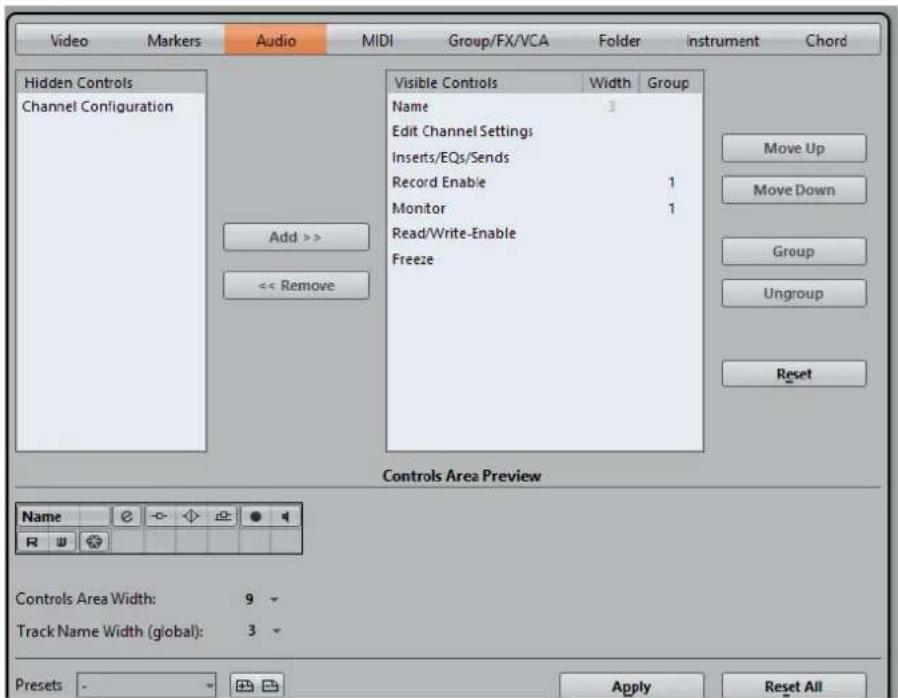
Track Type
Allows you to select the track type to which your settings are applied.
Hidden Controls
Displays controls that are hidden in the track list.
Visible Controls
Displays controls that are visible in the track list.
Width
If you click in this column, you can set the maximum length for the track name.
Group
Displays the group number.
Add
Allows you to move an item selected in the hidden controls list to the list of visible controls.
Remove
Allows you to move an item selected in the visible controls list to the list of hidden controls. All controls can be removed except Mute and Solo.
Move Up/Move Down
Allows you to change the order of an item in the list of visible controls.
Group
Allows you to group two or more controls selected in the visible controls list that are adjacent to each other. This ensures that they are always positioned side by side in the track list.
Ungroup
Allows you to ungroup grouped controls in the visible controls list. To remove an entire group, select the first (topmost) element belonging to this group and click Ungroup.
Reset
Allows you to restore all default track controls settings for the selected track type.
Controls Area Preview
Shows a preview of the customized track controls.
Controls Area Width
Allows you to determine the width of the track control area for the selected track type. In the Controls Area Preview, this area is shown with a frame.
Presets
Allows you to save track controls settings as presets. To recall a preset, click Switch Presets in the bottom right corner of the track list. The name of the selected preset is shown in the left corner.
Track Name Width (global)
Allows you to determine the global name width for all track types.
Apply
Applies your settings.
Reset All
Allows you to restore all default track controls settings for all track types.
Audio Tracks
You can use audio tracks for recording and playing back audio events and audio parts. Each audio track has a corresponding audio channel in the MixConsole. An audio track can have any number of automation tracks for automating channel parameters, effect settings, etc.
• To add an audio track to your project, select Project > Add Track > Audio.
RELATED LINKS
Adding Tracks on page 109
Audio Track Inspector
The Inspector for audio tracks contains controls and parameters that allow you to edit your audio track.
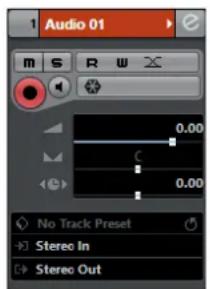
The top section of the audio track Inspector contains the following basic track settings:
Track name
Audio 01
Click once to show/hide the basic track settings section. Double-click to rename the track.
Edit

Opens the Channel Settings window for the track.
Mute

Mutes the track.
Solo

Solos the track.
Read Automation

Allows you to read track automation.
Write Automation

Allows you to write track automation.
Auto Fades Settings

Opens a dialog where you can make separate audio fade settings for the track.
Record enable

Activates the track for recording.
Monitor

Routes incoming signals to the selected output.
Freeze Audio Channel

Allows you to freeze the audio channel.
Volume

Allows you to adjust the level for the track.
Pan

Allows you to adjust the panning of the track.
Delay

Allows you to adjust the playback timing of the track.
Load/Save/Reload Track Preset

Loads or saves a track preset or reverts the default presets.
Input Routing

Allows you to specify the input bus for the track.
Output Routing
Allows you to specify the output bus for the track.
Audio Track Inspector sections
Apart from the basic track settings that are always shown, audio tracks provide other Inspector sections. These are described in the following sections.
Inserts

Allows you to add insert effects to the track.
Strip

Allows you to set up the channel strip modules.
Equalizers

Allows you to adjust the EQs for the track. You can have up to four bands of EQ for each track.
Sends

Allows you to route the track to one or several FX channels.
Fader

Shows a duplicate of the corresponding MixConsole channel.
Notepad
Allows you to enter notes about the track.
Audio Track Controls
The Track List for audio tracks contains controls and parameters that allow you to edit your audio track.

Track name
Audio 01
Double-click to rename the track.
Edit

Opens the Channel Settings window for the track.
Mute

Mutes the track.
Solo

Solos the track.
Read Automation

Allows you to read track automation.
Write Automation

Allows you to write track automation.
Record enable

Activates the track for recording.
Monitor

Routes incoming signals to the selected output.
Bypass Inserts

Bypasses the inserts for the track.
Bypass EQs

Bypasses the equalizers for the track.
Bypass Sends

Bypasses the sends for the track.
Channel Configuration

Shows the channel configuration of the track.
Freeze Channel

Opens the Freeze Channel Options dialog that allows you to set the Tail Size time in seconds.
Instrument Tracks
You can use instrument tracks for dedicated VST instruments. Each instrument track has a corresponding instrument channel in the MixConsole. An instrument track can have any number of automation tracks.
• To add an instrument track to your project, select Project > Add Track > Instrument.
Instrument Track Inspector
The Inspector for instrument tracks contains controls and parameters that allow you to control your instrument track. It shows some of the sections from VST instrument channels and MIDI tracks.

The top section of the instrument track Inspector contains the following basic track settings:
Track name
HALion Sonic SE
Click once to show/hide the basic track settings section. Double-click to rename the track.
Edit
e
Opens the Channel Settings window for the track.
Mute
m
Mutes the track.
Solo
s
Solos the track.
Read Automation
R
Allows you to read track automation.
Write Automation
w
Allows you to write track automation.
Record enable
O
Activates the track for recording.
Monitor
◀
Routes incoming MIDI to the selected MIDI output. For this to work, activate MIDI Thru Active in the Preferences dialog (MIDI page).
Freeze Instrument Channel
*
Allows you to freeze the instrument.
Volume
Allows you to adjust the level of the track.
Pan
Allows you to adjust the panning of the track.
Delay
Allows you to adjust the playback timing of the track.
Load/Save/Reload Track Preset
Loads or saves a track preset or reverts the default presets.
Input Routing
Allows you to specify the input bus for the track.
Activate Outputs
This control is only available if the instrument provides more than one output. It allows you to activate one or more outputs for the instrument.
Edit Instrument

Allows you to open the instrument panel.
Programs

Allows you to select a program.
Drum Map

Allows you to select a drum map for the track.
Instrument Track Inspector Sections
Apart from the basic track settings that are always shown, instrument tracks provide other Inspector sections. These are described in the following sections.
Chords

Allows you to specify how the track follows the chord track.
MIDI Modifiers

Allows you to transpose or adjust the velocity of the MIDI track events in realtime during playback.
Instrument Section

Shows the audio-related controls for the instrument.
Notepad

Allows you to enter notes about the track.
Instrument Track Controls
The Track List for instrument tracks contains controls and parameters that allow you to edit your instrument track.

Mute

Mutes the track.
Solo

Solos the track.
Track name

Double-click to rename the track.
Record enable

Activates the track for recording.
Monitor

Allows you to route incoming MIDI signals to the selected MIDI output. For this to work, activate MIDI Thru Active in the Preferences dialog (MIDI page).
Edit

Opens the Channel Settings window for the track.
Edit Instrument

Allows you to open the instrument panel.
Read Automation

Allows you to read track automation.
Write Automation

Allows you to write track automation.
ASIO Latency Compensation

Moves all recorded events on the track by the current latency.
Programs
Allows you to select a program.
Bypass Inserts

Bypasses the inserts for the track.
Bypass EQs

Bypasses the equalizers for the track.
Bypass Sends

Bypasses the sends for the track.
Instrument

Allows you to select an instrument.
Channel Configuration

Shows the channel configuration of the track.
Drum Map

Allows you to select a drum map for the track.
Freeze Channel

Opens the Freeze Channel Options dialog that allows you to set the Tail Size time in seconds.
MIDI Tracks
You can use MIDI tracks for recording and playing back MIDI parts. Each MIDI track has a corresponding MIDI channel in the MixConsole. A MIDI track can have any number of automation tracks.
• To add a MIDI track to your project, select Project > Add Track > MIDI.
MIDI Track Inspector
The Inspector for MIDI tracks contains controls and parameters that allow you to control your MIDI track. These affect MIDI events in realtime, on playback, for example.

The top section of the MIDI track Inspector contains the following basic track settings:
Track name

Click once to show/hide the basic track settings section. Double-click to rename the track.
Edit

Opens the Channel Settings window for the track.
Mute

Mutes the track.
Solo

Solos the track.
Read Automation

Allows you to read track automation.
Write Automation

Allows you to write track automation.
Record enable

Activates the track for recording.
Monitor

Routes incoming MIDI to the selected MIDI output. For this to work, activate MIDI Thru Active in the Preferences dialog (MIDI page).
MIDI Volume

Allows you to adjust the MIDI volume for the track.
MIDI Pan

Allows you to adjust the MIDI pan for the track.
Delay

Allows you to adjust the playback timing of the track.
Load/Save/Reload Track Preset

Loads or saves a track preset or reverts the default presets.
Input Routing

Allows you to specify the input bus for the track.
Output Routing

Allows you to specify the output bus for the track.
Channel

Allows you to specify the MIDI channel.
Edit Instrument

Allows you to open the instrument panel.
Bank Selector

Allows you to set a bank select message that is sent to your MIDI device.
Program Selector

Allows you to set a program change message that is sent to your MIDI device.
Drum Map

Allows you to select a drum map for the track.
MIDI Track Inspector Sections
Apart from the basic track settings that are always shown, MIDI tracks provide other Inspector sections. These are described in the following sections.
Chords
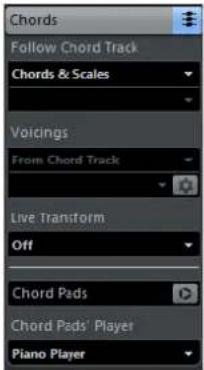
Allows you to specify how the track follows the chord track.
MIDI Modifiers

Allows you to transpose or adjust the velocity of the MIDI track events in realtime during playback.
MIDI Fader Section

Shows a duplicate of the corresponding MixConsole channel.
Notepad

Allows you to enter notes about the track.
MIDI Track Controls
The Track List for MIDI tracks contains controls and parameters that allow you to edit your MIDI track.

The track list for MIDI tracks contains the following controls:
Mute

Mutes the track.
Solo

Solos the track.
Track name

Click once to show/hide the basic track settings section. Double-click to rename the track.
Record enable

Activates the track for recording.
Monitor

Allows you to route incoming MIDI signals to the selected MIDI output. For this to work, activate MIDI Thru Active in the Preferences dialog (MIDI page).
Channel

Allows you to specify the MIDI channel.
Read Automation

Allows you to read track automation.
Write Automation

Allows you to write track automation.
Output

Allows you to specify the output for the track.
Programs

Allows you to select a program.
Edit

Opens the Channel Settings window for the track.
Drum Map

Allows you to select a drum map for the track.
ASIO Latency Compensation

Moves all recorded events on the track by the current latency.
Sampler Tracks (Cubase Elements only)
You can use sampler tracks for controlling the playback of audio samples via MIDI. Each sampler track has a corresponding channel in the MixConsole. A sampler track can have any number of automation tracks.
• To add a sampler track, select Project > Add Track > Sampler.
RELATED LINKS
Creating Sampler Tracks on page 336
Sampler Track Inspector
The Inspector for sampler tracks contains controls and parameters that allow you to edit your sampler track.

The top section of the sampler track Inspector contains the following basic track settings:
Track name
Sampler Track
Click once to show/hide the basic track settings section. Double-click to rename the track.
Edit
e
Opens the Channel Settings window for the track.
Mute
m
Mutes the track.
Solo
S
Solos the track.
Read Automation
R
Allows you to read track automation.
Write Automation
w
Allows you to write track automation.
Record enable
Activates the track for recording.
Monitor
◀
Routes incoming MIDI to the selected MIDI output. For this to work, activate MIDI Thru Active in the Preferences dialog (MIDI page).
Freeze Sampler Channel
Allows you to freeze the sampler track.
Volume
-
Allows you to adjust the level of the track.
Pan

Allows you to adjust the panning of the track.
Delay

Allows you to adjust the playback timing of the track.
Load/Save/Reload Track Preset
Loads or saves a track preset or reverts the default presets.
Input Routing

Allows you to specify the input bus for the track.
Sampler Track Inspector Sections
Apart from the basic track settings that are always shown, sampler tracks provide other Inspector sections. These are described in the following sections.
Chords

Allows you to specify how the track follows the chord track.
MIDI Modifiers

Allows you to transpose or adjust the velocity of the MIDI track events in realtime during playback.
Instrument Section
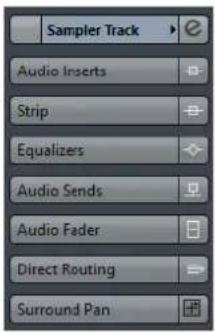
Shows the audio-related controls for the sampler track.
Notepad

Allows you to enter notes about the track.
Sampler Track Controls
The track list for sampler tracks contains controls and parameters that allow you to edit your sampler track.

Mute

Mutes the track.
Solo

Solos the track.
Track name

Double-click to rename the track.
Record enable

Activates the track for recording.
Monitor

Allows you to route incoming MIDI signals to the selected MIDI output. For this to work, activate MIDI Thru Active in the Preferences dialog (MIDI page).
Edit

Opens the Channel Settings window for the track.
Open/Close Sampler
Opens/Closes the Sampler Control in the lower zone.
Read Automation

Allows you to read track automation.
Write Automation

Allows you to write track automation.
ASIO Latency Compensation

Moves all recorded events on the track by the current latency.
Bypass Inserts

Bypasses the inserts for the track.
Bypass EQs

Bypasses the equalizers for the track.
Bypass Sends

Bypasses the sends for the track.
Freeze Channel

Opens the Freeze Channel Options dialog that allows you to set the Tail Size time in seconds.
Arranger Track
You can use the arranger track for arranging your project by marking out sections and determining in which order they are to be played back.
• To add the arranger track to your project, select Project > Add Track > Arranger.
Arranger Track Inspector
The arranger track Inspector displays the lists of available arranger chains and arranger events.

The arranger track Inspector contains the following settings:
Track Name

Double-click to rename the track.
Edit

Opens the Arranger Editor.
Select Active Arranger Chain + Function

Allows you to select the active arranger chain, to rename it, to create a new one, to duplicate or to flatten it.
Current Arranger Chain

Shows the active arranger chain.
Arranger Events

Lists all arranger events in your project. Click the arrow for an arranger event to play it back and start the live mode.
Stop

Allows you to stop the live mode.
Jump mode

Allows you to define how long the active arranger event is played before jumping to the next one.
Arranger Track Controls
The track list for the arranger track contains controls and parameters that allow you to edit the arranger track.

Select Active Arranger Chain

Allows you to select the active arranger chain.
Current Item/Current Repeat
Displays which arranger event and which repeat is active.
Activate Arranger Mode

Allows you to activate and deactivate the arranger mode.
Edit

Opens the Arranger Editor for the track.
Chord Track
You can use the chord track for adding chord and scale events to your project. These can transform the pitches of other events.
• To add the chord track to your project, select Project > Add Track > Chord.
Chord Track Inspector
The chord track Inspector contains a number of settings for the chord events.

The top section of the chord track Inspector contains the following settings:
Track name
Click to show/hide the basic track settings section.
Mute

Mutes the track.
Record enable

Activates the track for recording.
Acoustic Feedback

Allows you to audition the events on the chord track. For this to work, you need to select a track for auditioning in the track list.
Voicing library

Allows you to set up a voicing library for the track.
Voicing library subset

Allows you to select a library subset.
Configure voicing parameters

Allows you to configure your own voicing parameters for a specific voicing scheme.
Adaptive Voicings

If this option is activated the voicings will be set automatically.
Automatic Scales

If this option is activated the program creates scale events automatically.
Mapping Offset
Mapping Offset 0 Ticks
Allows you to specify an offset value to make sure that chord events also affect the MIDI notes that have been triggered too early (enter a negative value) or too late (enter a positive value).
Chord Track Inspector Sections
Apart from the basic track settings that are always shown, the chord track provides other Inspector sections. These are described in the following sections.
Notepad

Allows you to enter notes about the track.
Chord Track Controls
The Track List for the chord track contains controls and parameters that allow you to edit the chord track.

The track list for chord tracks contains the following controls:
Mute

Mutes the track.
Select Track for Auditioning

Allows you to select a track for auditioning the chord events.
Record Enable

Allows you to record chord events.
Resolve Display Conflicts

Allows you to show all chord events on the track properly, even at low horizontal zoom levels.
Show Scales

Allows you to show the scale lane in the lower part of the chord track.
FX Channel Tracks
You can use FX channel tracks for adding send effects. Each FX channel can contain up to eight effect processors. By routing sends from an audio channel to an FX channel, you send audio from the audio channel to the effects on the FX channel. You can place FX channel tracks in a special FX channel folder, or in the track list, outside an FX channel folder. Each FX channel
has a corresponding channel in the MixConsole. An FX channel track can have any number of automation tracks.
• To add an FX channel track to your project, select Project > Add Track > FX Channel.
FX Channel Track Inspector
The Inspector for FX channel tracks shows the settings for the FX channel. When you select the folder track instead, the Inspector shows the folder and the FX channels it contains. You can click one of the FX channels shown in the folder to have the Inspector show the settings for that FX channel.

Track name

Click once to show/hide the basic track settings section. Double-click to rename the track.
Edit

Opens the Channel Settings window for the track.
Mute

Mutes the track.
Solo

Solos the track.
Read Automation

Allows you to read track automation.
Write Automation

Allows you to write track automation.
Volume

Allows you to adjust the level of the track.
Pan

Allows you to adjust the panning of the track.
Output Routing

Allows you to specify the output bus for the track.
FX Channel Track Inspector Sections
Apart from the basic track settings that are always shown, FX channel tracks provide other Inspector sections. These are described in the following sections.
Inserts
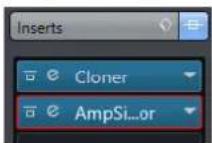
Allows you to add insert effects to the track.
Strip

Allows you to set up the channel strip modules.
Equalizers

Allows you to adjust the EQs for the track. You can have up to four bands of EQ for each track.
Sends

Allows you to route the track to one or several FX channels.
Fader

Shows a duplicate of the corresponding MixConsole channel.
Notepad

Allows you to enter notes about the track.
FX Channel Track Controls
The Track List for FX channel tracks contains controls and parameters that allow you to edit the settings for the effect.
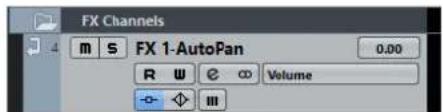
Track name
FX 2-McnoDelay
Click once to show/hide the basic track settings section. Double-click to rename the track.
Edit

Opens the Channel Settings window for the track.
Mute

Mutes the track.
Solo

Solos the track.
Read Automation

Allows you to read track automation.
Write Automation

Allows you to write track automation.
Mute Automation

Deactivates the automation read function for the selected parameter.
Automation parameter

Allows you to select a parameter for automation.
Bypass Inserts

Bypasses the inserts for the track.
Bypass EQs

Bypasses the equalizers for the track.
Bypass Sends

Bypasses the sends for the track.
Channel Configuration

Shows the channel configuration of the track.
Folder Tracks
Folder tracks function as containers for other tracks, making it easier to organize and manage the track structure. They also allow you to edit several tracks at the same time.
• To add a folder track to your project, select Project > Add Track > Folder.
Folder Track Inspector
The Inspector for folder tracks shows the folder and its underlying track, much like a folder structure in the File Explorer/macOS Finder. When you select one of the tracks shown under the folder, the Inspector shows the settings for that track.

Track name

Double-click to rename the track.
Mute

Mutes the track.
Solo

Solos the track.
Record enable

Activates the track for recording.
Monitor

Routes incoming signals to the selected output.
Folder Track Controls
The Track List for folder tracks contains controls and parameters that allow you to edit all tracks in the folder.
Expand/Collapse

Shows/hides the tracks in the folder. Hidden tracks are played back as usual.
Track name

Double-click to rename the track.
Mute

Mutes the track.
Solo

Solos the track.
Record enable

Activates the track for recording.
Monitor

Routes incoming signals to the selected output.
Group Channel Tracks
You can use group channel tracks to create a submix of several audio channels and apply the same effects to them. A group channel track contains no events as such, but displays settings and automation for the corresponding group channel.
All group channel tracks are automatically placed in a special group track folder in the track list, for easy management. Each group channel track has a corresponding channel in the MixConsole. A group channel track can have any number of automation tracks.
• To add a group channel track to your project, select Project > Add Track > Group Channel.
Group Channel Track Inspector
The Inspector for group channel tracks shows the settings for the group channel.

Track name

Click once to show/hide the basic track settings section. Double-click to rename the track.
Edit

Opens the Channel Settings window for the track.
Mute Automation

Deactivates the automation read function for the selected parameter.
Solo

Solos the track.
Read Automation

Allows you to read track automation.
Write Automation

Allows you to write track automation.
Volume
Allows you to adjust the level for the track.
Pan
Allows you to adjust the panning of the track.
Output Routing
Allows you to specify the output bus for the track.
NOTE
When you select the group folder track instead, the Inspector shows the folder and the group channels it contains. You can click one of the group channels shown in the folder, to have the Inspector show the settings for that group channel.

Group Channel Track Inspector sections
Apart from the basic track settings that are always shown, group channel tracks provide other Inspector sections. These are described in the following sections.
Inserts
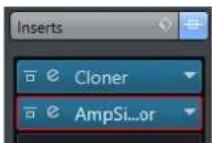
Allows you to add insert effects to the track.
Strip

Allows you to set up the channel strip modules.
Equalizers
Allows you to adjust the EQs for the track. You can have up to four bands of EQ for each track.
Sends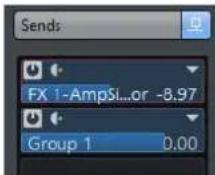
Allows you to route the track to one or several FX channels.
Fader
Shows a duplicate of the corresponding MixConsole channel.
Notepad

Allows you to enter notes about the track.
Group Channel Track Controls
The Track List for group channel tracks contains controls and parameters that allow you to edit the settings for the group.

Track name
Group 1
Double-click to rename the track.
Edit
e
Opens the Channel Settings window for the track.
Mute
m
Mutes the track.
Solo
S
Solos the track.
Read Automation
R
Allows you to read track automation.
Write Automation
W
Allows you to write track automation.
Mute Automation
III
Deactivates the automation read function for the selected parameter.
Automation parameter
Volume -38.2
Allows you to select a parameter for automation.
Bypass Inserts
-
Bypasses the inserts for the track.
Bypass EQs
[NO TEXT]
Bypasses the equalizers for the track.
Bypass Sends

Bypasses the sends for the track.
Channel Configuration

Shows the channel configuration of the track.
Marker Track
You can use the marker track to add and edit markers that help you to locate certain positions quickly.
• To add the marker track to your project, select Project > Add Track > Marker.
Marker Track Inspector
The marker track Inspector displays the marker list.

Track name

Double-click to rename the track.
Edit

Opens the Channel Settings window for the track.
Marker attributes

Shows the markers, their IDs, and time positions. Click in the leftmost column for a marker to move the project cursor to the marker position.
Marker Track Controls
The track list for the marker track contains controls and parameters that allow you to edit the marker track.

Track name

Double-click to rename the track.
Locate

Allows you to move the project cursor to the selected marker position.
Cycle

Allows you to select a cycle marker.
Zoom

Allows you to zoom in a cycle marker.
Add Marker

Allows you to add a position marker at the project cursor position.
Add Cycle Marker

Allows you to add a cycle marker at the project cursor position.
Ruler Track
You can use ruler tracks to show several rulers with different display formats for the timeline. This is completely independent from the main ruler, as well as rulers and position displays in other windows.
• To add a ruler track to your project, select Project > Add Track > Ruler.
Ruler Track Controls
In the track list for ruler tracks you can change the display format for the ruler.
Right-click the ruler to open the display format pop-up menu.

The following display formats are available:
Bars+Beats
Activates a display format of bars, beats, sixteenth notes, and ticks. By default there are 120 ticks per sixteenth note. To adjust this, set the MIDI Display Resolution in the Preferences dialog (MIDI page).
Seconds
Activates a display format of hours, minutes, seconds, and milliseconds.
Timecode
Activates a display format of hours, minutes, seconds, and frames. The number of frames per second (fps) is set in the Project Setup dialog with the Frame Rate pop-up menu. To display subframes, activate Show Timecode Subframes in the Preferences dialog (Transport page).
Samples
Activates a display format of samples.
NOTE
Ruler tracks are not affected by the display format setting in the Project Setup dialog.
Video Track
You can use the video track to play back video events. Video files are displayed as events/clips on the video track, with thumbnails representing the frames in the film.
• To add a video track to your project, select Project > Add Track > Video.
Video Track Inspector
The video track Inspector contains a number of parameters to control the video track.
Mute Video Track

Mutes the track.
Video Track Inspector Sections
Apart from the basic track settings that are always shown, the video track provides an other Inspector section. This is described in the following section.
Notepad

Allows you to enter notes about the track.
Video Track Controls
The track list for the video track contains a number of parameters to control the video track.

Mute Video Track

Mutes the track.
Track Handling
Adding Tracks
You can add tracks via the Project menu, the context menu, or by dragging files from the MediaBay. Tracks can be added with or without track presets.
Add Track Dialog
The Add Track dialog opens when you add audio, MIDI, group/FX channels, or instrument tracks. The available options depend on the track type.
Browse
Expands the dialog and allows you to select a track preset for the track.
Count
Allows you to enter the number of tracks that you want to add.
Effect
Allows you to add a send effect to the track.
Configuration
Allows you to set the channel configuration. Audio-related tracks can be configured as mono or stereo tracks.
Speakers
Shows the speaker names according to the track configuration.
Track Name
Allows you to specify a track name.
Add Track
Adds the track and closes the dialog.
Adding Tracks via the Project Menu
PROCEDURE
- Select Project > Add Track.
- Select a track of a specific type.
- In the Add Track dialog, edit the add track options.
- Click Add Track.
RESULT
The new tracks are added to the project below the selected track.
RELATED LINKS
Add Track Dialog on page 109
Adding Tracks based on Track Presets
You can add tracks based on track presets. Track presets contain sound and channel settings.
PROCEDURE
- Select Project > Add Track.
- Select Using Track Preset. You can also right-click the track list and select Add Track Using Track Preset.
- In the Choose Track Preset dialog, select a track preset. The number and type of the added tracks depend on the selected track preset.
- Click Add Track.
RESULT
The new tracks are added to the project below the selected track.
RELATED LINKS
Add Track Dialog on page 109
Track Presets on page 120
Adding Tracks by Dragging Files from the MediaBay
PREREQUISITE
One of the following prerequisites must apply:
• The MediaBay is open. To open the MediaBay press F5. - The Media rack in the right zone of the Project window is open. Click Show/Hide Right Zone and click the Media tab to open it.
PROCEDURE
- In the MediaBay, select the files that you want to add tracks for.
- Drag the files into the track list.
• The indicator highlights the position at which the new tracks will be added. - If you drag multiple audio files into the track list, choose if you want to place all files on one track or on different tracks. - If you drag multiple audio files into the track list, the Import Options dialog opens that allows you to edit the import options.
RESULT
The new tracks are added at the position that was highlighted by the indicator in the track list.
The audio files are inserted at the cursor position.
RELATED LINKS
MediaBay on page 365
Media Rack in Right Zone (not in Cubase LE) on page 365
Import Options Dialog on page 111
Import Options Dialog

Copy File to Working Directory
Copies the audio file to the Audio folder of the project, and has the clip refer to the copy.
Deactivate this option to have the clip refer to the original file in the original location. In this case, it is marked as "external" in the Pool.
Convert to Project: Sample Rate/Sample Size
Converts the imported file if the sample rate or the sample size differ from the settings in the Project Setup dialog.
Please, don't ask again
Always imports files according to the settings, without opening the dialog again. You can reset this option in the Preferences dialog (Editing—Audio page).
Exporting MIDI Tracks as Standard MIDI File
You can export MIDI tracks as standard MIDI files. This allows you to transfer MIDI material to virtually any MIDI application on any platform.
PROCEDURE
- Select File > Export > MIDI File.
- In the file dialog that opens, specify a location and name for the file.
- Click Save.
- In the Export Options dialog, activate the options for the settings that you want to export, and click OK.
RESULT
The MIDI file is exported. It includes the tempo and time signature events of the Tempo Track Editor or, if the tempo track is deactivated on the Transport panel, the current tempo and time signature.
NOTE
If you want to include other Inspector settings than those specified in the Export Options, use Merge MIDI in Loop to convert these settings to real MIDI events.
RELATED LINKS
Export Options for MIDI Files on page 112
Merging MIDI Events into a New Part on page 447
Export Options for MIDI Files
The Export Options for MIDI files allow you to specify what data is included in the exported MIDI files.

Export Inspector Patch
If this option is activated, the MIDI patch settings in the Inspector - Bank Select and Program Select (used for selecting sounds in the connected MIDI instrument) are included as MIDI Bank Select and Program Change events in the MIDI file.
Export Inspector Volume/Pan
If this option is activated, Volume and Pan settings made in the Inspector are included as MIDI Volume and Pan events in the MIDI file.
Export Automation
If this option is activated, the automation data (just as it is heard during playback) is converted to MIDI controller events and included in the MIDI file. Cubase Elements only: This also includes automation recorded with the MIDI Control plug-in.
Note that if a continuous controller (CC7, for example) has been recorded but the Read button is deactivated for the automation track (that is the automation is effectively switched off for this parameter), only the part data for this controller will be exported.
If this option is deactivated and the Read Automation button is activated, no continuous controllers will be exported. If the Read button is deactivated, the controller data of the MIDI part are exported (these will now be handled like "regular" part data).
It is recommended to activate the "Export Automation" option.
Export Inserts
If this option is activated, any MIDI modifiers that you have added will be included in the MIDI file.
Export Markers
If this option is activated, any markers you have added will be included in the MIDI file as Standard MIDI File Marker events.
Export as Type 0
If this option is activated, the MIDI file will be of Type 0 (all data on a single track, but on different MIDI channels). If you do not check this option, the MIDI file will be of Type 1 (data on separate tracks). Which type to choose depends on what you want to do with the MIDI file (in which application or sequencer it is to be used).
Export Resolution
You can specify a MIDI resolution between 24 and 960 for the MIDI file. The resolution is the number of pulses, or ticks, per quarter note (PPQ) and determines
the precision with which you will be able to view and edit the MIDI data. The higher the resolution, the higher the precision. The resolution should be chosen depending on the application or sequencer with which the MIDI file will be used though, because certain applications and sequencers may not be able to handle certain resolutions.
Export Locator Range
If this option is activated, only the range between the left and right locator will be exported.
Export includes Delay
If this option is activated, any delay settings you have made in the Inspector will be included in the MIDI file.
RELATED LINKS
Automation on page 392
Markers on page 222
MIDI Track Parameters on page 433
Merging MIDI Events into a New Part on page 447
Export Options on page 649
Removing Tracks
You can remove selected or empty tracks from the track list.
- To remove selected tracks, select Project > Remove Selected Tracks or right-click the track that you want to remove, and from the context menu select Remove Selected Tracks.
NOTE
If you delete tracks that are not empty, a warning message is displayed. You can deactivate this message. To reactivate the message, activate Display Warning before Deleting Non-Empty Tracks in the Preferences dialog (Editing page).
• To remove empty tracks, select Project > Remove Empty Tracks.
Moving Tracks in the Track List
You can move tracks up or down in the track list.
PROCEDURE
- Select a track and drag it up or down in the track list.
Renaming Tracks
PROCEDURE
- Double-click the track name and type in a new name for the track.
- Press Return.
If you want all events on the track to get the same name, hold down any modifier key and press Return.
AFTER COMPLETING THIS TASK
If the Parts Get Track Names option is activated in the Preferences dialog (Editing page), and you move an event from one track to another, the moved event will automatically be named according to its new track.
Coloring Tracks
All new tracks are automatically assigned a color according to the Auto Track Color Mode settings. However, you can change the track color manually.
- To change the color for the selected track, use the Select Colors pop-up menu on the toolbar.
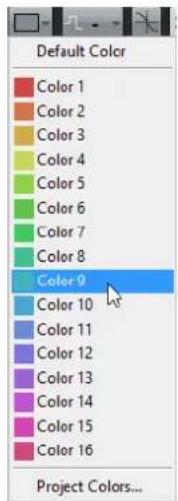
- You can also use the Track Color Selector. In the Inspector, click the arrow to the right of the track name and select a color.

In the track list, Ctrl/Cmd-click in the left area and select a color.

- To control which colors are used for new tracks, edit the Auto Track Color Mode settings in the Preferences dialog (Event Display—Tracks page).
RELATED LINKS
Auto Track Color Mode on page 625
Showing Track Pictures
You can add pictures to tracks to recognize your tracks easily. Track pictures are available for audio, instrument, MIDI, FX channel and group channel tracks.
PREREQUISITE
Adjust the track height to at least 2 rows.
PROCEDURE
- Right-click any track in the track list.
- From the track list context menu, select Show Track Pictures.

If you move the mouse to the left on a track, a highlighted rectangle appears.
AFTER COMPLETING THIS TASK
Double-click the rectangle to open the Track Pictures Browser and set up a track picture.
RELATED LINKS
Track Pictures Browser on page 115
Track Pictures Browser
The Track Pictures Browser allows you to set up and select pictures that can be shown in the track list and in the MixConsole. Track pictures are useful to recognize tracks and channels easily. You can select pictures from the factory content or add new ones to the user library.
- To open the Track Pictures Browser for a track, double-click in the lower left side of the track list.

Factory
Shows the factory content in the pictures browser.
Pictures Browser
Shows the pictures that you can assign to the selected track/channel.
User
Shows your user content in the pictures browser.
Import
Opens a file dialog that allows you to select pictures in bmp, jpeg, or png format and add them to the user library.
Remove Selected Pictures from User Library
Removes the selected picture from the user library.
Reset Current Picture
Removes the picture from the selected track/channel.
Show/Hide Preview
Opens/Closes a section with further color and zoom settings.
Track Picture Preview
Shows the current track picture. When you zoom in the picture, you can drag it with the mouse to change its visible part.
Track Color
Opens the Track Color Selector. Click the rectangle to change the track color.
Intensity
Allows you to apply the track color to the track picture and set the color intensity.
Zoom
Allows you to change the size of the track picture.
Rotate
Allows you to rotate the track picture.
Setting the Track Height
You can enlarge the track height to show the events on the track in detail, or you can decrease the height of several tracks to get a better overview of your project.
- To change the height of an individual track, click its lower border in the track list and drag up or down.
- To change the height of all tracks simultaneously, hold down Ctrl/Cmd, click the lower border of one track, and drag up or down. • To set the number of tracks to view in the Project window, use the track zoom menu.
- To set the track height automatically when you select a track, click Edit > Enlarge Selected Track.
RELATED LINKS
Track Zoom Menu on page 116
Track Control Settings on page 74
Track Zoom Menu
The track zoom menu allows you to set the number of tracks and the track height in the Project window.
To open the track zoom menu in the lower right of the Project window, click the arrow button above the vertical zoom control.

The following options are available:
Zoom Tracks x Rows
Zooms all track heights to show the specified number of rows.
Zoom Tracks Full
Zooms all tracks to fit in the active Project window.
Zoom x Tracks
Zooms the specified number of tracks to fit in the active Project window.
Zoom N Tracks
Allows you to set the number of tracks to fit in the active Project window.
Zoom Tracks Minimal
Zooms all track heights to the minimum size.
Snap Track Heights
Changes the track height in fixed increments when you resize it.
Selecting Tracks
• To select a track, click on it in the track list. • To select several tracks, Ctrl/Cmd-click several tracks. • To select a continuous range of tracks, Shift-click the first and last track in a continuous range of tracks.
Selected tracks are highlighted in the track list.
RELATED LINKS
Track Selection follows Event Selection on page 637
Scroll to selected Track on page 641
Select Channel/Track on Solo on page 641
Select Channel/Track on Edit Settings on page 641
Selecting Tracks with Arrow Keys
You can select tracks and events with the Up Arrow key or the Down Arrow key on the computer keyboard. However, you can make the Up Arrow key and the Down Arrow key exclusively available for selecting tracks.
To make the Up Arrow key and the Down Arrow key exclusively available for selecting tracks, activate "Use Up/Down Navigation Commands for selecting Tracks only" in the Preferences dialog (Editing page).
The following applies:
- If this option is deactivated and no event/part is selected in the Project window, the Up Arrow key and the Down Arrow key are used to step through the tracks in the track list.
- If this option is deactivated and an event/part is selected in the Project window, the Up Arrow key and the Down Arrow key still step through the tracks in the track list – but on the selected track, the first event/part will automatically be selected as well.
- If this option is activated, the Up Arrow key and the Down Arrow key are only used to change the track selection – the current event/part selection in the Project window will not be altered.
Duplicating Tracks
You can duplicate a track with all contents and channel settings.
PROCEDURE
- Select Project > Duplicate Tracks.
RESULT
The duplicated track appears below the original track.
Disabling Tracks (Cubase Elements only)
You can disable audio, instrument, MIDI, and sampler tracks that you do not want to play back or process at the moment. Disabling a track zeroes its output volume and shuts down all disk activity and processing for the track.
PROCEDURE
• Right-click in the track list and select Disable Track from the context menu.
RESULT
The track color changes and the corresponding channel in the MixConsole is hidden.
To enable a disabled track and restore all channel settings, right-click in the track list and select Enable Track.
Organizing Tracks in Folder Tracks
You can organize your tracks in folders by moving tracks into folder tracks. This allows you to perform editing on several tracks as one entity. Folder tracks can contain any type of track including other folder tracks.
- To create a folder track, open the Project menu and in the Add Track submenu select Folder.
• To move tracks into a folder, select them and drag them into the folder track.
• To remove tracks from a folder, select them and drag them out of the folder. - To hide/show tracks in a folder, click the Expand/Collapse Folder button of the folder track. - To hide/show data on a folder track, open the context menu for the folder track and select an option from the Show Data on Folder Tracks submenu. • To mute/solo all tracks in a folder track, click the Mute or Solo button for the folder track.
NOTE
Hidden tracks are played back as usual.
Handling Overlapping Audio
The basic rule for audio tracks is that each track can only play back a single audio event at a time. If two or more events overlap, you will only hear one of them: the one that is actually visible.
If you have a track with overlapping (stacked) events/regions, use one of the following methods to select the event/region that is played back:
- Open the context menu for the audio event in the event display and select the desired event or region from the To Front or Set to Region submenu. The available options depend on whether you performed a linear or a cycle recording and the record mode you used. When recording audio in cycle mode, the recorded event is divided in regions, one for each take.
- Use the handle in the middle of a stacked event and select an entry from the pop-up menu that appears.
How Events are Displayed on Folder Tracks
Closed folder tracks can display data of the contained audio, MIDI, and instrument tracks as data blocks or as events.
When you close folder tracks, the contents of the contained tracks are displayed as data blocks or events. Depending on the folder track height, the display of the events can be more or less detailed.
Modifying Event Display on Folder Tracks
You can modify the event display on folder tracks.
PROCEDURE
- Right-click the folder track.
- On the context menu, select Show Data on Folder Tracks.
You have the following options:
• Always Show Data If this option is activated, data blocks or event details are always displayed.
- Never Show Data
If this option is activated, nothing is displayed.
- Hide Data When Expanded
If this option is activated, the display of events is hidden when you open folder tracks.
• Show Event Details
If this option is activated, event details are displayed. If this option is deactivated, data blocks are displayed.
NOTE
You can change these settings in the Preferences dialog (Event Display—Folders page).
Track Presets
Track presets are templates that can be applied to newly created or existing tracks of the same type.
You can create them from virtually all track types (audio, MIDI, instrument, sampler, group, FX, VST instrument return, input, and output channels). They contain sound and channel settings, and allow you to quickly browse, preview, select, and change sounds, or reuse channel settings across projects.
Track presets are organized in the MediaBay.
Audio Track Presets
Track presets for audio tracks, group tracks, FX tracks, VST instrument channels, input channels, and output channels include all settings that define the sound.
You can use the factory presets as a starting point for your own editing and save the audio settings that you optimized for an artist that you often work with as a preset for future recordings.
The following data is saved in audio track presets:
• Insert effects settings (including VST effect presets) • EQ settings • Volume and pan
NOTE
To access the track presets functions for input and output channels, activate the Write buttons for input and output channels in the MixConsole. This creates input and output channel tracks in the track list.
Instrument Track Presets
Instrument track presets offer both MIDI and audio features and are the best choice when handling sounds of simple, mono-timbral VST instruments.
Use instrument track presets for auditioning your tracks or saving your preferred sound settings, for example. You can also extract sounds from instrument track presets for use in instrument tracks.
The following data is saved in instrument track presets:
• Audio insert effects - Audio EQ • Audio volume and pan • MIDI insert effects • MIDI track parameters
• The VST instrument used for the track - Staff settings • Color settings - Drum map settings
MIDI Track Presets
You can use MIDI track presets for multi-timbral VST instruments (not in Cubase LE).
When creating MIDI track presets you can either include the channel or the patch.
The following data is saved in MIDI track presets:
• MIDI modifiers (Transpose, etc.) • Output and Channel or Program Change • Volume and pan - Staff settings • Color settings - Drum map settings
Multi-Track Presets
You can use multi-track presets, for example, when recording setups that require several microphones (a drum set or a choir, where you always record under the same conditions) and you have to edit the resulting tracks in a similar way. Furthermore, they can be used when working with layered tracks, where you use several tracks to generate a certain sound instead of manipulating only one track.
If you select more than one track when creating a track preset, the settings of all selected tracks are saved as one multi-track preset. Multi-track presets can only be applied if the target tracks are of the same type, number, and sequence as the tracks in the track preset, therefore, they should be used in recurring situations with similar tracks and settings.
Sampler Track Presets
You can use sampler track presets to re-use created sounds in later projects or newly created sampler tracks.
The following data is saved in sampler track presets:
• Audio insert effects - Audio EQ • Audio volume and pan • MIDI track parameters • Color settings
VST Presets
VST instrument presets behave like instrument track presets. You can extract sounds from VST presets for use in instrument tracks.
The following data is saved in VST instrument presets:
• VST instrument • VST instrument settings
NOTE
Modifiers, inserts, and EQ settings are not saved.
VST effect plug-ins are available in VST 3 and VST 2 format.
NOTE
In this manual, VST presets stands for VST 3 instrument presets, unless stated otherwise.
Creating a Track Preset
You can create a track preset from a single track or from a combination of tracks.
PROCEDURE
- In the Project window, select one or more tracks.
- In the track list, right-click one of the selected tracks and select Save Track Preset.
- In the New Preset section, enter a name for the new preset.
NOTE
You can also define attributes for the preset.
- Click OK to save the preset and exit the dialog.
RESULT
Track presets are saved within the application folder in the Track Presets folder. They are saved in default subfolders named according to their track type: audio, MIDI, instrument, and multi.
Creating a Sampler Track Preset (Cubase Elements only)
You can create a sampler track preset from a sampler track or you can use the Sampler Control toolbar.
PROCEDURE
- In the Sampler Control toolbar, click Preset Management ◆.
- Click Save Track Preset.
- In the Save Track Preset dialog, type in a name for the new preset.
- Click OK to save the preset and exit the dialog.
RESULT
The new sampler track preset is saved. It is displayed in the Preset Name field on the info line. Sampler track presets are saved within the application folder in the sampler track presets folder.
RELATED LINKS
Creating a Track Preset on page 122
Applying Track Presets
When you apply a track preset, all the settings that are saved in the preset are applied.
Track presets can be applied to tracks of their own type only. The only exception are instrument tracks: for these, VST presets are also available.
NOTE
- Once a track preset is applied, you cannot undo the changes. It is not possible to remove an applied preset from a track and return to the previous state. If you are not satisfied with the track settings, you have to either edit the settings manually or apply another preset.
- Applying VST presets to instrument tracks leads to removal of modifiers, inserts, or EQs. These settings are not stored in VST presets.
Loading Track, VST, or Sampler Track Presets
PROCEDURE
- In the Project window, select a track.
- Do one of the following:
• In the Inspector, click Load Track Preset. • In the track list, right-click the track and select Load Track Preset. • In the Sampler Control toolbar, click the preset management button next to the preset name field and select Load Track Preset.
- In the preset browser, select a track, VST, or sampler track preset.
- Double-click the preset to load it.
RESULT
The preset is applied.
NOTE
You can also drag and drop track presets from the MediaBay, the File Explorer/macOS Finder onto a track of the same type.
RELATED LINKS
Filters Section on page 382
Loading Multi-Track Presets
PROCEDURE
- In the Project window, select several tracks.
NOTE
Multi-track presets can only be applied if track type, number, and sequence are identical for the selected tracks and the track preset.
- In the track list, right-click the track and select Load Track Preset.
- In the preset browser, select a multi-track preset.
- Double-click the preset to load it.
RESULT
The preset is applied.
Extracting the Sound from an Instrument Track or VST Preset
For instrument tracks, you can extract the sound of an instrument track preset or VST preset.
PROCEDURE
- Select the instrument track to which you want to apply a sound.
- In the Inspector, click VST Sound.
- In the preset browser, select an instrument track preset or VST preset.
- Double-click the preset to load the settings.
RESULT
The VST instrument and its settings (but no inserts, EQs, or modifiers) on the existing track are overwritten with the data of the track preset. The previous VST instrument for this instrument track is removed and the new VST instrument with its settings is set up for the instrument track.
Parts and Events
Parts and events are the basic building blocks in Cubase.
Events
In Cubase, most event types can be viewed and edited on their specific tracks in the Project window.
Events can be added by importing or recording.
RELATED LINKS
Audio Events on page 125
MIDI Events on page 128
Audio Events
Audio events are created automatically when you record or import audio in the Project window.
You can view and edit audio events in the Project window and in the Sample Editor.
An audio event triggers the playback of the corresponding audio clip. By adjusting the Offset and the Length values of the event, you can determine which section of the audio clip is played back. The audio clip itself remains unchanged.
RELATED LINKS
Project Window on page 26
Sample Editor on page 299
Audio Files and Audio Clips on page 126
Basic Recording Methods on page 168
Creating Audio Events
PROCEDURE
- Do one of the following:
- Record some audio.
- Select File > Import > Audio File to import an audio file from your hard disk or any external storage device.
- Select File > Import > Audio CD to import an audio file from an audio CD.
- Select File > Import > Audio from Video File to import the audio from a video file on your hard disk or any external storage device.
- Drag an audio file from the MediaBay, the Audio Part Editor, the Sample Editor or the Find Media window, and drop it in the event display. • Copy an event from a different Cubase project and paste it in the event display.
RELATED LINKS
Basic Recording Methods on page 168
Importing Audio Files on page 184
Importing Audio CD Tracks on page 186
Importing Audio from Video Files on page 189
MediaBay on page 365
Audio Part Editor on page 325
Sample Editor on page 299
Find Media Window on page 357
Creating New Files From Events
An audio event plays a section of an audio clip, which in turn refers to one or more audio files on the hard disk. However, you can create a new file that consists only of the section that is played by the event.
PROCEDURE
- Select one or several audio events.
- Set up fade in, fade out, and event volume.
These settings will be applied to the new file.
- Select Audio > Bounce Selection.
You are asked whether you want to replace the selected event or not.
- Do one of the following:
• To create a new file that only contains the audio in the original event, click Replace. • To create a new file and add a clip for the new file to the Pool, click No.
RESULT
If you clicked Replace, a clip for the new file is added to the Pool, and the original event is replaced by a new event playing the new clip.
If you clicked No, the original event is not replaced.
NOTE
You can also apply the Bounce Selection function to audio parts. In that case, the audio from all events in the part is combined to a single audio file. If you select Replace when asked, the part is replaced with a single audio event playing a clip of the new file.
RELATED LINKS
Event-Based Fades on page 202
Audio Files and Audio Clips
In Cubase, audio editing and processing are non-destructive.
When you edit or process audio in the Project window, the audio file on the hard disk remains untouched. Instead, your changes are saved to an audio clip that is automatically created on import or during recording, and that refers to the audio file. This allows you to undo changes or revert to the original version.
If you apply processing to a specific section of an audio clip, a new audio file that contains only this section is created. The processing is applied to the new audio file only and the audio clip is automatically adjusted, so that it refers both to the original file and to the new, processed file. During playback, the program will switch between the original file and the processed file at the correct positions. You will hear this as a single recording, with processing applied to one section only.
This allows you to undo processing at a later stage, and to apply different processing to different audio clips that refer to the same original file.
You can view and edit audio clips in the Pool.
RELATED LINKS
Pool on page 348
Audio Regions on page 127
Replacing Clips in Events on page 127
Replacing Clips in Events
You can replace the clips in audio events.
PROCEDURE
- Do one of the following:
- Hold down Shift, drag an audio file from the File Explorer/macOS Finder, and drop it on the event.
- Click a clip in the Pool, hold down Shift, and drop it on the event.
RESULT
The clip in the event is replaced. However, the event edits remain unchanged. If the new clip is shorter than the replaced clip, the length of the event is adapted. If the new clip is longer than the replaced clip, the length of the event stays the same.
RELATED LINKS
Inserting Clips into a Project Via Drag and Drop on page 353
Audio Regions
Cubase allows you to create audio regions within audio clips to mark important sections in the audio.
You can view audio regions in the Pool. You can create and edit them in the Sample Editor.
NOTE
If you want to use one audio file in different contexts, or if you want to create several loops from one audio file, convert the corresponding regions of the audio clip to events and bounce them into separate audio files. This is necessary since different events that refer to the same clip access the same clip information.
RELATED LINKS
Pool on page 348
Audio Regions on page 127
Regions List on page 310
Region Operations
Regions are sections within a clip.
Regions are best created and edited in the Sample Editor. However, to access the following options, select Audio > Advanced.
Event or Range as Region
This function is available when one or several audio events or selection ranges are selected. It creates a region in the corresponding clip, with the start and end position
of the region determined by the start and end position of the event or selection range within the clip.
Events from Regions
This function is available if you have selected an audio event whose clip contains regions within the boundaries of the event. The function will remove the original event and replace it with events positioned and sized according to the regions.
RELATED LINKS
Creating Audio Events from Regions on page 312
MIDI Events
MIDI events are created automatically when you record or import MIDI in the Project window.
The In-Place Editor allows you to view and edit MIDI events in the Project window. You can also view and edit MIDI events in the Key Editor, the Drum Editor, List Editor, or the Score Editor.
RELATED LINKS
Project Window on page 26
Key Editor on page 462
Drum Editor on page 502
Score Editor on page 489
Basic Recording Methods on page 168
Creating MIDI Events
PROCEDURE
- Do one of the following:
- Record MIDI.
- Select File > Import > MIDI File to import a MIDI file from your hard disk.
- Drag a MIDI file from the File Explorer/macOS Finder, from one of the MIDI editors, or from the MediaBay, and drop it in the event display. • Copy an event from a different Cubase project and paste it in the event display.
RELATED LINKS
Basic Recording Methods on page 168
Importing MIDI Files on page 191
MIDI Editors on page 456
MediaBay on page 365
Parts
Parts are containers for MIDI or audio events, and for tracks.
RELATED LINKS
Audio Parts on page 129
MIDI Parts on page 129
Folder Parts on page 129
Audio Parts
Audio parts are containers for audio events. If you want to treat several audio events as one unit in the Project window, you can convert them to a part.
You can create audio parts in the following ways:
- Select the Draw tool and draw on the audio track.
- Press Alt, select the Object Selection tool, and draw on the audio track.
- Select the Object Selection tool and double-click on the audio track, between the left and right locator.
- Select several audio events on an audio track and select Audio > Events to Part.
NOTE
To make the events appear as independent objects on the track again, select the part and select Audio > Dissolve Part.
RELATED LINKS
Audio Part Editor on page 325
MIDI Parts
A MIDI part is automatically created when you record. It contains the recorded events.
However, you can also create empty MIDI parts in the following ways:
- Select the Draw tool and draw on the MIDI track.
- Press Alt, select the Object Selection tool and draw on the MIDI track.
- Select the Object Selection tool, and double-click on the MIDI track, between the left and right locator.

Folder Parts
A folder part is a graphic representation of events and parts on the tracks in the folder.
Folder parts indicate the time position as well as the vertical track position. If part colors are used, these are also shown in the folder part.
Any editing that you perform to a folder part affects all the events and parts it contains. Tracks inside a folder can be edited as one entity.
NOTE
If you want to edit the individual tracks within the folder, you can double-click the folder part. This opens the editors for the events and parts that are present on the tracks.
RELATED LINKS
Coloring Notes and Events on page 457
Editing Techniques for Parts and Events
This section describes techniques for editing in the Project window. If not explicitly stated, all descriptions apply to both events and parts, even though we use the term event for convenience.
In the Project window, you can edit events using the following techniques:
- By selecting and using one of the tools in the Project window toolbar.
NOTE
Some editing tools feature additional functions if you press modifier keys. You can customize the default modifier keys in the Preferences dialog (Editing—Tool Modifiers page).
• By opening the Edit menu and selecting one of the functions. • By editing in the info line. • By using a key command.
NOTE
Snap is taken into account.
RELATED LINKS
Editing - Tool Modifiers on page 642
Auditioning Audio Parts and Events
You can audition audio parts and events in the Project window by using the Play tool.
PROCEDURE
- Click Play .

- Click where you want playback to start, and keep the mouse button pressed.
RESULT
The track on which you click is played back, starting at the click position. Playback is stopped when you release the mouse button.
NOTE
When auditioning, the Main Mix bus is used.
Scrubbing
The Scrub tool allows you to locate positions in events by playing back, forwards or backwards.
PROCEDURE
- Click Play .
- Click Play again to open a pop-up menu.
- Select Scrub .
- Click the event and keep the mouse button pressed.
- Drag to the left or right.


RESULT
The project cursor moves correspondingly and the event is played back. The speed and the pitch of the playback depend on how fast you move the mouse.
NOTE
Insert effects are bypassed when scrubbing with the mouse.
Scrub Tool
Scrubbing can be quite a burden on your system. If playback problems occur, open the
Preferences dialog (Transport—Scrub page), and deactivate Use High Quality Scrub Mode.
This lowers the resampling quality, but makes scrubbing less demanding on the processor, especially in large projects.
In the Preferences dialog (Transport—Scrub page), you can also adjust the Scrub volume.
Selecting with the Object Selection Tool
PROCEDURE
- Click Object Selection.
- In the event display, click the events that you want to select.
NOTE
You can also use the Up Arrow, Down Arrow, Left Arrow, Right Arrow keys on the computer keyboard to select the event on the upper or lower track or the previous or next event on the same track.
Select Submenu
If the Object Selection tool is selected, the Select submenu features specific options for selecting events in the Project window.
• To open the Select submenu, select Edit > Select.
All
Selects all events in the Project window.
None
Deselects all events.
Invert
Inverts the selection. All selected events are deselected and all events that were not selected are selected instead.
In Loop
Selects all events that are partly or wholly between the left and right locator.
From Start to Cursor
Selects all events that begin to the left of the project cursor.
From Cursor to End
Selects all events that end to the right of the project cursor.
Equal Pitch all Octaves/same Octave
These functions are available in the MIDI editors and the Sample Editor.
Select Controllers in Note Range
This function is available in the MIDI editors.
All on Selected Tracks
Selects all events on the selected track.
Events under Cursor
Automatically selects all events on the selected tracks that are touched by the project cursor.
Select Event
This function is available in the Sample Editor.
Left/Right Selection Side to Cursor
These functions are only used for range selection editing.
NOTE
When the Range Selection tool is selected, the Select submenu features different functions.
RELATED LINKS
Selection Range Options on page 141
Range Editing on page 308
Removing Events
PROCEDURE
To remove an event from the Project window, do one of the following:
- Select Erase and click the event.
- Select the events and select Edit > Delete.
- Select the events and press Backspace.
Move Events
You can move events using any of the following methods:
• Use the Object Selection tool. • Use Nudge tool. • Select Edit > Move to and select one of the options. • Select the event and edit the start position on the info line.
RELATED LINKS
Moving with the Object Selection Tool on page 132
Moving with the Nudge Buttons on page 133
Move to Submenu on page 133
Moving via the Info Line on page 133
Moving with the Object Selection Tool
PROCEDURE
- Select Object Selection.
- Click the events that you want to move and drag them to a new position.
NOTE
You can only drag events to tracks of the same type. If you hold down Ctrl/Cmd while dragging, you can restrict the movement either horizontally or vertically.
RESULT
The events are moved. If you moved several events, their relative positions are kept.
NOTE
To avoid accidentally moving events when you click them in the Project window, the response when you move an event by dragging is slightly delayed. You can adjust this delay with the Drag Delay setting in the Preferences dialog (Editing page).
Moving with the Nudge Buttons
PROCEDURE
- Right-click the Project window toolbar and activate Nudge Palette. The nudge buttons become available on the toolbar.
- Select the events that you want to move, and click Move Left or Move Right. The selected events or parts are moved.
Move to Submenu
If the Object Selection tool is selected, the Move to submenu features options for moving events to specific positions in the Project window.
• To open the Move to submenu, select Edit > Move to.
The following options are available:
Cursor
Moves the selected event to the project cursor position. If you selected several events on the same track, the following events keep their relative position.
Origin
Moves the selected events to the positions at which they were originally recorded.
Front/Back
Moves the selected events to the front or back, respectively. This is useful if you have overlapping audio events and you want to play back an other event.
Moving via the Info Line
PROCEDURE
- Select the event that you want to move.
- On the info line, double-click the Start field and enter a new value for the event start.
RESULT
The event is moved by the set value.
Renaming Events
PROCEDURE
- Do one of the following:
- Select the events and type in a new name in the Name field on the info line.

- Change the track name, hold down a modifier key, and press Return to rename all events after the track.
Resize Events
You can resize events by moving their start or end positions individually.
To resize events, you can use the Object Selection, the Trim, or the Scrub tools.
IMPORTANT
When resizing events, automation data is not taken into account.
RELATED LINKS
Resizing Events with the Object Selection Tool - Normal Sizing on page 134
Resizing Events with the Object Selection Tool - Sizing Moves Contents on page 135
Resizing Events with the Object Selection Tool - Sizing Applies Time Stretch on page 135
Resizing Events with the Trim Tool on page 135
Resizing Events with the Scrub Tool on page 136
Snap Function on page 56
Resizing Events with the Object Selection Tool - Normal Sizing
You can move the start or end point of the event without changing the content of the event.
PROCEDURE
- Select Object Selection.
- Click the Object Selection tool again, and select Normal Sizing from the pop-up menu.
- Click and drag the lower left or right corner of the event.

RESULT
The event is resized and according to where you dragged, more or less of the content is revealed. If several events are selected, they are all resized in the same way.
Resizing Events with the Object Selection Tool - Sizing Moves Contents
You can move the start or end point of the event and move the content.
PROCEDURE
- Select Object Selection .
- Click the Object Selection tool again, and select Sizing Moves Contents from the pop-up menu.
- Click and drag the lower left or right corner of the event.

RESULT
The event is resized and the content follows. If several events are selected, they are all resized in the same way.
Resizing Events with the Object Selection Tool - Sizing Applies Time Stretch
You can move the start or end point of the event and time stretch the content to fit the new event length.
PROCEDURE
- Select Object Selection .
- Click the Object Selection tool again, and select Sizing Applies Time Stretch from the pop-up menu.
- Click and drag the lower left or right corner of the event.
RESULT
The part is stretched or compressed to fit the new length.
- If you resize MIDI parts, the note events are stretched (moved and resized). Controller data are stretched, too.
- If you resize audio parts, the events are moved, and the referenced audio files are time stretched to fit the new length.
If several events are selected, they are all resized in the same way.
Resizing Events with the Trim Tool
You can move the start or end point of the event by the amount set on the Grid Type pop-up menu.
PREREQUISITE
The Object Selection tool is set to Normal Sizing or to Sizing Moves Contents.
PROCEDURE
- Right-click the Project window toolbar and activate Nudge Palette.
The nudge buttons become available on the toolbar.
- Select the event.
3. Do one of the following:
- Click Trim Start Left
- Click Trim Start Right
- Click Trim End Left
- Click Trim End Right
RESULT
The start or end position of the selected events are moved by the amount set on the Grid Type pop-up menu.
Resizing Events with the Scrub Tool
You can scrub the event when moving the start or end point of the event.
PROCEDURE
- Click Play .
- Click Play again to open a pop-up menu.
- Select Scrub.
- Click and drag the lower left or right corner of the event.


RESULT
The event is resized and you get acoustic feedback while dragging.
Splitting Events
PROCEDURE
- Do one of the following:
- Select Split and click the event that you want to split.
- Select Object Selection, hold down Alt and click the event.
- Move the project cursor to the position where you want to split the events, and select Edit > Functions > Split at Cursor.
NOTE
This splits the selected events at the position of the project cursor. If no events are selected, all events on all tracks that are intersected by the project cursor are split.
- Set up the left and right locators at the position where you want to split the events, and select Edit > Functions > Split Loop.
NOTE
This splits the selected events at the left and right locator positions. If no events are selected, all events on all tracks that are intersected by the locators are split.
RESULT
The events are split.
NOTE
If you split a MIDI part so that the split position intersects one or several MIDI notes and Split MIDI Events is activated in the Preferences dialog (Editing—MIDI page), the intersected notes are split and new notes are created at the beginning of the second part. If it is deactivated, the notes remain in the first part, but stick out after the end of the part.
Gluing Events
In the Project window, you can glue two or more events that are situated on the same track.
PROCEDURE
- Do one of the following:
- Select Glue and click the event that you want to glue to the next event.
- Select Glue 🔔, hold down Alt, and click the event that you want to glue to all following events.
RESULT
The events are glued together.
NOTE
If you first split an audio event and then glue the parts together again, an event is created, in any other case, a part is created.
Pasting Events
You can paste events from the clipboard.
PROCEDURE
- Do one of the following:
- Select the events and select Edit > Functions > Paste at Origin to paste the event at the same position from which you cut or copied it.
- Select the events, select the track where you want to paste them, and select Edit > Functions > Paste Relative to Cursor to paste the event while keeping its relative position to the project cursor.
RESULT
If you paste an audio event, it is inserted on the selected track, positioned so that its snap point is aligned with the cursor position.
If the selected track is of the wrong type, the event is inserted on its original track.
Pasting Events To Matching Track Names
You can copy events in one project and paste them at the first track that matches the exact track name in another project.
PROCEDURE
- Copy the events in one project.
- Activate the project where you want to paste the events.
- Select Edit > Functions > Paste to Matching Track Name.
RESULT
The events are inserted on the track with the name that exactly matches the original track name.
For all events that have no matching track name, new tracks are created.
Duplicating Events
In the Project window, you can duplicate selected events.
PROCEDURE
Select the event and do one of the following:
• Select Edit > Functions > Duplicate. - Hold down Alt and drag the event to a new position.
NOTE
If you hold down Ctrl/Cmd as well, movement direction is restricted to either horizontal or vertical.
RESULT
A copy of the selected event is created and placed after the original. If several events are selected, all of these are copied as one unit, maintaining the relative distance between the events.
NOTE
If you duplicate audio events, the copies always refer to the same audio clip.
Repeating Events
PROCEDURE
- Do one of the following:
- Select the events and choose Edit > Functions > Repeat to open the Repeat Events dialog, which allows you to create a number of real or shared copies of the selected events.
- Select the events, hold down Alt, click the handle in the lower right corner of the last selected event, and drag to the right to create a real copy.
- Move the mouse pointer over the middle of the right event border so that it becomes a pointing hand symbol, then click and drag to the right to create a real copy.
- Select the events, hold down Alt-Shift, and drag to the right to create a shared copy.
- Move the mouse pointer over the middle of the right event border so that it becomes a pointing hand symbol, hold down Shift, then click and drag to the right to create a shared copy.
NOTE
Repeating by dragging only works if the track has a height of at least 2 rows.
Repeat Events Dialog
The Repeat Events dialog allows you to create a number of real or shared copies of the selected events.
• To open the Repeat Events dialog, select Edit > Functions > Repeat.

Count
Allows you to specify how many times you want the event to be repeated.
Shared Copies
Activate this to create a shared copy.
RELATED LINKS
Shared Copies on page 139
Shared Copies
Shared copies are useful if you want to create copies that are automatically edited in the same way as the original event.
You can convert a shared copy to a real copy by selecting Edit > Functions > Convert to Real Copy. This creates a new version of the clip that you can edit independently. The new clip is automatically added to the Pool.
RELATED LINKS
Repeating Events on page 138
Repeat Events Dialog on page 139
Fill Loop
You can create a number of copies between the right and left locators.
- Select Edit > Functions > Fill Loop to create a number of copies starting at the left locator and ending at the right locator.
The last copy is automatically shortened to end at the right locator position.
Sliding the Contents of Events
You can move the contents of an event without changing its position in the Project window.
PROCEDURE
- Hold down Alt-Shift, click the event, and drag to the left or right.
RESULT
The content of the event is moved.
NOTE
You cannot slide an audio event past the start or end of the actual audio clip. If the event plays the whole clip, you cannot slide the audio at all.
Muting Events
You can mute events in the Project window. Muted events can be edited as usual (with the exception of adjusting fades), but are not played back.
PROCEDURE
- Do one of the following:
- Select Mute > and click the events or drag a selection rectangle around them. • Select the events and select Edit > Mute.
RESULT
The events are muted and grayed out.

You can unmute events by selecting them and selecting Edit > Unmute. You can change the mute status of selected events by Shift-clicking them.
Editing in the Project window is not restricted to handling whole events and parts. You can also work with selection ranges, which are independent from the event/part and track boundaries.
Creating a Selection Range
• To make a selection range, drag with the Range Selection tool.
When the Range Selection tool is selected, you can select range selection options via Edit > Select.
- To create a selection range that encompasses an event, double-click on an event with the Range Selection tool.
- To create a selection range that encompasses several events, hold down Shift and double-click several events in a row. • To open an encompassed event for editing in the Sample Editor, double-click it.
RELATED LINKS
Selection Range Options on page 141
Selection Range Options
If the Range Selection tool is selected, the Select submenu features specific options for selecting ranges in the Project window.
- To open the range selection options menu, select the Range Selection tool and select Edit > Select.
All
Makes a selection that covers all tracks, from the start of the project to the end. You can define the track length with the Length setting in the Project Setup dialog.
None
Removes the current selection range.
Invert
Inverts the selection. All selected events are deselected, and all events that were not selected are selected. Only used for event selection.
In Loop
Makes a selection between the left and right locator on all tracks.
From Start to Cursor
Makes a selection on all tracks, from the start of the project to the project cursor.
From Cursor to End
Makes a selection on all tracks, from the project cursor to the end of the project.
Equal Pitch - all Octaves
This function requires that a single note is selected. It selects all notes of this part that have the same pitch in any octave as the selected note.
Equal Pitch - same Octave
This function requires that a single note is selected. It selects all notes of this part that have the same pitch and the same octave as the selected note.
Select Controllers in Note Range
Selects the controllers within the note range.
All on Selected Tracks
Selects all events on the selected track. Only used for event selection.
Events under Cursor
Selects all events on the selected tracks that are touched by the project cursor.
Select Event
This is available in the Sample Editor.
Left Selection Side to Cursor
Moves the left side of the current selection range to the project cursor position.
Right Selection Side to Cursor
Moves the right side of the current selection range to the project cursor position.
RELATED LINKS
Project Setup Dialog on page 65
Selecting with the Object Selection Tool on page 131
Select Submenu on page 131
Selecting Ranges for Several Tracks
You can create selection ranges that cover several tracks. It is also possible to exclude tracks from a selection range.
PROCEDURE
- Create a selection range from the first to the last track.
- Press Ctrl/Cmd and click in the selection range on the tracks that you want to exclude from the selection.
Editing Selection Ranges
Adjusting the Size of Selection Ranges
You can adjust the size of a selection range in the following ways:
• By dragging its edges. The pointer takes the shape of a double arrow when you move it over an edge of the selection range. • By holding down Shift and clicking. The closest selection range edge will be moved to the position at which you clicked.
- By adjusting the selection range start or end position on the info line. • By using the trim buttons on the toolbar. The left trim buttons move the start of the selection range and the right buttons move the end. The edges are moved by the amount specified on the Grid pop-up menu. The trim buttons are located on the Nudge Palette, which is not visible on the toolbar by default. • By using Move Left and Move Right on the toolbar. These move the whole selection range to the left or the right. The amount of movement depends on the selected display format and the value specified on the Grid pop-up menu. The contents of the selection are not moved. Using Move Left/Move Right is the same as adjusting the start and end of the selection range at the same time by the same amount. The move buttons are located on the Nudge Palette, which is not visible on the toolbar by default.
- To crop all events or parts that are partially within the selection range, select Edit > Range > Crop. Events that are fully inside or outside the selection range are not affected.
NOTE
IMPORTANT
NOTE
RELATED LINKS
Setup Context Menus on page 621
Moving and Duplicating Selection Ranges
- To move a selection range, click and drag it to a new position. This will move the contents of the selection range to the new position. If the range intersected events or parts, these are split before moving, so that only the sections within the selection range are affected.
- To duplicate a selection range, hold down Alt and drag. You can also use the duplicate, repeat, and fill loop functions that are available for duplicating events.
RELATED LINKS
Duplicating Events on page 138
Cutting, Copying, and Pasting Selection Ranges
You can cut or copy and paste selection ranges, using the functions on the Edit menu. You can also use the Cut Time and Paste Time options.
Cut
Cuts out the data in the selection range and moves it to the clipboard. The selection range is replaced by empty track space in the Project window, meaning that events to the right of the range keep their positions.
Copy
Copies the data in the selection range to the clipboard.
Paste
Pastes the clipboard data to the start position and track of the current selection.
Existing events on the tracks remain at their original position.
Paste at Origin
Pastes the clipboard data back at its original position. Existing events on the tracks remain at their original position.
This option is available in Edit > Functions.
Cut Time
Cuts out the selection range and moves it to the clipboard. Events to the right of the removed range are moved to the left to fill the gap.
This option is available in Edit > Range.
Paste Time
Pastes the selection range from the clipboard to the start position and track of the current selection. Existing events are moved to make room for the pasted data.
This option is available in Edit > Range.
Paste Time at Origin
Pastes the selection range from the clipboard to its original position. Existing events are moved to make room for the pasted data.
This option is available in Edit > Range.
Global Copy
Copies everything between the left and right locator.
This option is available in Edit > Range.
Deleting Data in Selection Ranges
- To replace data within the deleted selection range with empty track space, select Edit > Delete or press Backspace. Events to the right of the range keep their position.
- To remove the selection range and make the events to the right move to the left to fill the gap, select Edit > Range > Delete Time.
Splitting Selection Ranges
To split any events or parts that are intersected by the selection range, at the positions of the selection range edges, select Edit > Range > Split.
Inserting Silence
You can insert empty track space from the start of the selection range. The length of the silence equals the length of the selection range.
To insert silence, select Edit > Range > Insert Silence.
Events to the right of the selection range start are moved to the right to make room. Events that are intersected by the selection range start are split, and the right section is moved to the right.
Playback and Transport
Cubase offers multiple methods and functions to control playback and transport.
RELATED LINKS
Transport on page 655
Transport Panel
The Transport panel contains the main transport functions as well as many other options related to playback and recording.
To show the transport panel, select Transport > Transport Panel or press F2.
Transport Panel Sections
The Transport panel has different sections that you can show or hide by activating the corresponding options on the transport panel context menu.
- To show all Transport panel sections, right-click anywhere on the Transport panel and select Show All.
The following sections are available:
Performance

Shows the audio processing load and the hard disk transfer rate.
Record Mode

Determines what happens to your recordings and to any existing events on the track when you are recording. This section also contains the automatic MIDI record quantize function.
Locators

Allows you to go to the left or right locator position, and to set the left and right locator position numerically.
Punch Points

Allows you to activate/deactivate Punch In and Punch Out.
Main Transport

Shows the basic transport controls as well as the time display options.
Arranger (Cubase Elements only)
Shows the arranger functions.
Pre-roll & Post-roll

Allows you to activate/deactivate pre-roll and post-roll.
The section to the right of the pre-roll buttons allows you to set the pre-roll values numerically. You can hide/show that section by clicking the points on the divider.
Tempo & Time Signature

Allows you to activate/deactivate the tempo track and the metronome click, and to set the tempo value and the first time signature value numerically.
The section to the right of the value fields allows you to activate/deactivate external synchronization and metronome click in count-in. You can hide/show that section by clicking the points on the divider.
Marker

Shows the basic marker functions.
MIDI Activity

Allows you to monitor the MIDI input and the MIDI output signals.
Audio Activity

Allows you to monitor the audio input and output signals.
Audio Level Control

Shows clipping indicators and allows you to control the output level.
RELATED LINKS
Transport Menu
The Transport menu contains several transport functions as well as many other options related to playback and recording.
Transport Panel
Opens the Transport panel.
Transport
Start
Starts playback.
Stop
Stops playback.
Start/Stop
Starts/Stops playback.
Cycle
Activates/Deactivates cycle mode.
Record
Activates/Deactivates record mode.
Rewind
Moves backward.
Forward
Moves forward.
Fast Rewind
Moves backward at a faster speed.
Fast Forward
Moves forward at a faster speed.
Nudge Cursor Left
Moves the project cursor position to the left.
Nudge Cursor Right
Moves the project cursor position to the right.
Enter Project Cursor Position
Allows you to enter the project cursor position manually.
Enter Tempo
Allows you to enter the tempo manually.
Enter Time Signature
Allows you to enter the time signature manually.
Go to Project Start
Moves the project cursor position to the start of the project.
Go to Project End
Moves the project cursor position to the end of the project.
Exchange Time Formats (Cubase Elements only)
Switches the primary and the secondary time display.
Locators
Go to Left Locator Position
Moves the project cursor position to the left locator.
Go to Right Locator Position
Moves the project cursor position to the right locator.
Set Left Locator to Project Cursor Position
Sets the left locator to the project cursor position.
Set Right Locator to Project Cursor Position
Sets the right locator to the project cursor position.
Enter Left Locator Position
Allows you to enter the position of the left locator manually.
Enter Right Locator Position
Allows you to enter the position of the right locator manually.
Set Locators to Selection Range
Sets the locators to encompass the selection.
Exchange Left & Right Locator Positions
Switches the positions of the left and right locator.
Loop Selection Range
Activates playback from the start of the current selection and keeps starting over again when reaching the selection end.
Punch Points
Activate Punch In
Activates/Deactivates punch in.
Activate Punch Out
Activates/Deactivates punch out.
Go to Punch In Position
Moves the project cursor position to the punch in position.
Go to Punch Out Position
Moves the project cursor position to the punch out position.
Set Punch In to Project Cursor Position
Moves the punch in position to the project cursor position.
Set Punch Out to Project Cursor Position
Moves the punch out position to the project cursor position.
Enter Punch Out Position
Allows you to enter the punch out position manually.
Set Punch Points to Selection Range
Sets the punch in and the punch out position to the selected event range.
Set Project Cursor Position
Locate Selection Start
Moves the project cursor to the beginning of the selection.
Locate Selection End
Moves the project cursor to the end of the selection.
Locate Next Marker
Moves the project cursor to the next marker.
Locate Previous Marker
Moves the project cursor to the previous marker.
Locate Next Hitpoint
Moves the project cursor to the next hitpoint on the selected track.
Locate Previous Hitpoint
Moves the project cursor to the previous hitpoint on the selected track.
Locate Next Event
Moves the project cursor to the next event on the selected track.
Locate Previous Event
Moves the project cursor to the previous event on the selected track.
Play Project Range
Play from Selection Start
Activates playback from the start of the current selection.
Play from Selection End
Activates playback from the end of the current selection.
Play until Selection Start
Activates playback two seconds before the start of the current selection and stops at the selection start.
Play until Selection End
Activates playback two seconds before the end of the current selection and stops at the selection end.
Play until Next Marker
Activates playback from the project cursor and stops at the next marker.
Play Selection Range
Activates playback from the start of the current selection and stops at the selection end.
Use Tempo Track
Activates/Deactivates the tempo track.
Common Record Modes
Punch In/Out
Activates/Deactivates punch in/out.
Re-Record
Activates/Deactivates the re-record mode.
Start Recording at Project Cursor Position
Activates/Deactivates the start of the recording at the project cursor position.
Start Recording at Left Locator/Punch In Position
Activates/Deactivates the start of the recording at the left locator.
Audio Record Mode
These options allow you to select what happens when you record over existing events.
Keep History
Keeps existing events or portions of events.
Cycle History + Replace
Replaces existing events or portions of events with the new recording. In cycle mode, all takes from the current cycle recording are kept.
Replace
Replaces existing events or portions of events with the last take.
MIDI Record Mode
These options allow you to select what happens when you record over existing parts.
New Parts
Keeps existing parts and saves the new recording as a new part.
Merge
Keeps existing events in parts and adds the newly recorded events.
Replace
Replaces existing events in parts with the new recording.
Auto Quantize in Record
Activates automatic quantizing during record.
MIDI Cycle Record Mode
Mix
Adds everything you record to what was previously recorded.
Overwrite
Overwrites all MIDI that you have recorded on previous laps as soon as you play a MIDI note or send any MIDI message.
Keep Last
Replaces previously recorded laps only if the new lap is completed.
Stacked
Turns each recorded cycle lap into a separate MIDI part, and divides the track into lanes for each cycle lap. The parts are stacked above each other, each on a different lane. All takes but the last one are muted.
Mix-Stacked (No Mute)
Same as Stacked, but parts are not muted.
Auto Quantize in Record
Activates automatic quantizing during record.
Retrospective MIDI Record
Allows you to capture MIDI notes that you play in stop mode or during playback. For this to work, you need to enable the Retrospective Record option in the Preferences dialog (Record—MIDI page).
Metronome Setup
Opens the Metronome Setup dialog.
Activate Metronome
Activates/Deactivates the metronome click.
Project Synchronization Setup
Opens the Project Synchronization Setup dialog.
Use External Synchronization
Sets Cubase to be synchronized externally.
RELATED LINKS
Left and Right Locators on page 155
Punch In and Punch Out on page 159
Common Record Modes on page 170
Audio Record Modes on page 175
MIDI Record Modes on page 181
Enabling Retrospective MIDI Record on page 182
Metronome Click on page 160
Transport
The Transport contains all transport functions in an integrated and fixed zone of the Project window.
- To activate the transport, click Setup Window Layout on the Project window toolbar and activate Transport.

- To display all transport elements, right-click in an empty area of the transport and select Show All.
- To show all controls of a section, click the points to the right of the section and drag all the way to the right. To hide the controls again, drag to the left.

RELATED LINKS
Transport on page 35
Transport Sections
The Transport has different sections that you can show or hide by activating the corresponding options on the context menu.

- To activate the Transport, click Set up Window Layout on the Project window toolbar and activate Transport.

- To show/hide tools, open the Transport context menu by right-clicking in an empty area of the Transport and activate the tools that you want to display. To show all tools, select Show All.
The following options are available:
Constrain Delay Compensation

Allows you to minimize the latency effects of the delay compensation.
Common Record Modes

Allow you to determine what happens if you click Record during an audio or MIDI recording.
Audio Record Modes

Allow you to select what happens when you record over existing audio events.
MIDI Record Modes
Allow you to select what happens when you record over existing MIDI parts.
Left Divider

Allows you to use the left divider. Tools that are placed to the left of the divider are always shown.
System Performance Meter
Shows the meters for ASIO time usage and hard disk transfer load.
Locators

Allows you to go to the left or right locator position, and to set the left and right locator position numerically.
Punch Points

Allows you to activate/deactivate Punch In and Punch Out. These points determine the record start and stop positions.
Main Transport

Shows the main transport controls.
Time Displays

Shows the time display options.
Pre-roll & Post-roll

Allows you to activate/deactivate pre-roll and post-roll, and to set the values numerically.
Tempo & Time Signature

Allows you to activate/deactivate the tempo track, and to set the tempo value and the first time signature value numerically.
External Sync State

Allows you to activate/deactivate external synchronization and to open the Project Synchronization Setup dialog.
Click & Count-In

Allows you to activate/deactivate the metronome click and the metronome click in count-in.
Right Divider

Allows you to use the right divider. Tools that are placed to the right of the divider are always shown.
Input/Output Activity

Allows you to monitor the MIDI input/output signals, the audio input/output signals, and allows you to control the output level.
Transport Pop-Up Window
The Transport pop-up window allows you to access specific transport commands if the Transport panel and the Transport are closed.
The following default key commands open the Transport pop-up window:
- Enter Left Locator
Shift-L
- Enter Right Locator
Shift-R
- Enter Project Cursor Position
Shift-P
- Enter Tempo
Shift-T
- Enter Time Signature
Shift-C
- Enter Punch In Position
Shift-I
- Enter Punch Out Position
Shift-O
- Go to Left Locator
Num1
- Go to Right Locator
Num2
Using a specific key command opens the corresponding section of the Transport pop-up window:

Transport pop-up window for entering the left Locator position.
NOTE
To close the Transport pop-up window, press Esc.
Time Display Window
The Time Display window allows you to view the current time position in a separate window. You can adjust its size and specify the time format that you want to display.
• To show the Time Display window, select Studio > More Options > Time Display.

- You can set up the time format by right-clicking the window and selecting an option from the context menu.
The Show Beat Count Only option allows you to show the beat counts. This is useful if you want to use the Time Display window as a visual metronome.

- To adjust the window size to the size of the displayed values, double-click the window. To adjust the size of the displayed values step by step, you can also right-click and select Increase Window Size or Decrease Window Size from the context menu.
- To set the transparency of the window, adjust the Window Transparency slider in the Studio Setup dialog (Time Display page).
RELATED LINKS
Time Signature Events on page 562
Left and Right Locators
The left and right locators are a pair of markers that you can use to set up cycle boundaries, and to specify punch in and punch out positions. Left and right locators are available in the Project window as well as in the editors.

Locators are indicated by the flags in the ruler. The area between the left and the right locator is the locator range. The locator range is highlighted in the ruler and the event display.
NOTE
The event display in the MIDI editors is only highlighted if Show Part Borders is deactivated.
• To activate/deactivate the cycle mode, click the locator range in the upper part of the ruler.

NOTE
If you activate cycle mode, and the right locator is positioned before the left locator, the locator range is skipped during playback.

RELATED LINKS
Cycle Recording on page 169
Setting Locator Ranges
There are several ways to set locator ranges.
To set the locator range, do one of the following:
- Click in the upper part of the ruler and drag to the right.
- Select a range or an event and select Transport > Locators > Set Locators to Selection Range. • Double-click a cycle marker.
- Press P.
To move the locator range, do the following:
- Click, keep the mouse button pressed, and then drag left or right in the upper part of the ruler.
To create a new locator range in a range, do the following:
- Press Ctrl/Cmd-Alt and drag left or right in the upper part of the ruler.
To set both locators to the nearest snap position, do the following:
- Press Ctrl/Cmd-Alt and click at a position in the upper part of the ruler.
Setting Locator Positions
There are several ways to set the locator positions.
To set locator positions, do one of the following:
- Drag the left handle in the upper part of the ruler.
- Drag the right handle in the upper part of the ruler.
- Press Ctrl/Cmd and click at the position in the upper part of the ruler to set the left locator.
- Press Alt and click at the position in the ruler to set the right locator.
- Adjust the Left/Right Locator Position value on the Transport panel.
To set locator positions to the project cursor position, do one of the following:
- Press Ctrl/Cmd, and on the numeric keypad press 1 to set the left locator.
- Press Ctrl/Cmd, and on the numeric keypad press 2 to set the right locator.
- Press Alt and click Go to Left/Right Locator Position on the Transport panel.
Setting the Project Cursor Position
You have several possibilities to set the project cursor position, that is, to locate to specific time positions in the Project window.
• By using the main transport functions. • By holding down Shift-Alt and clicking in the event display. • By clicking or dragging in the lower part of the ruler. • By using the functions in the Set Project Cursor Position submenu of the Transport menu. • By clicking in an empty section in the event display.
NOTE
For this to work you must activate Locate when Clicked in Empty Space in the Preferences dialog (Transport page).
- By using locators.
NOTE
You can use Num1 to set the project cursor to the left locator position, and Num2 to set the project cursor to the right locator position.
- By using markers. • Cubase Elements only: By using the arranger functions. • By using key commands.
RELATED LINKS
Transport Panel Sections on page 145
Ruler on page 32
Transport Menu on page 147
Transport on page 655
Left and Right Locators on page 155
Markers on page 222
Arranger Track (Cubase Elements only) on page 213
Key Commands on page 606
Auto-Scroll
Auto-Scroll allows you to keep the project cursor visible in the window during playback.
If you activate Auto-Scroll on the toolbar of the Project window or one of the editors, the following modes are available in the Switch Auto-Scroll Settings pop-up menu:
Page Scroll

The project cursor moves from the left side to the right side of the window. When the project cursor reaches the right side of the window, the ruler and the project cursor jump to the left side of the window and start over again. This behavior can be compared to turning a page of a book.
Stationary Cursor

The project cursor is kept in the middle of the window and the ruler scrolls continuously to the left.
RELATED LINKS
Toolbar on page 28
Suspend Auto-Scroll When Editing
If you do not want the Project window display to change when editing during playback, activate Suspend Auto-Scroll when Editing.
Suspend Auto-Scroll when Editing is available as an option in the Switch Auto-Scroll Settings pop-up menu to the right of the Auto-Scroll button.
If this option is activated, auto-scrolling is suspended as soon as you click anywhere in the event display during playback until playback stops or you click Auto-Scroll again.
As a visual feedback, the Auto-Scroll button changes its color.
Time Formats
You can set up different time formats.
Selecting the Primary Time Format
On the Transport panel, you can select the primary time format. This is the global display format that is used for all rulers and position displays in the program, except the ruler tracks.
PROCEDURE
- In the main transport section on the Transport panel, click Select Primary Time Format.
- Select a time format from the pop-up menu.

You can also select Project > Project Setup > Display Format to select the primary time format.
RESULT
The time format on the Transport panel and all rulers and position displays are updated.
Independent Time Displays (Cubase Elements only)
You can show time displays that are independent from the global display format.
To select an independent time display, do one of the following:
- In the ruler of the Project window or any editor, click the arrow button to the right of the ruler.
- Select Project > Add Track > Ruler to add a ruler track, and right-click the ruler.
- In the Main Transport section of the Transport panel, click Select Secondary Time Format.
RELATED LINKS
Ruler on page 32
Pre-Roll and Post-Roll
You can activate pre-roll and post-roll with the corresponding buttons in the Pre-roll & Post-roll section on the Transport panel or by selecting Transport > Pre-roll & Post-roll > Use Pre-roll/Use Post-roll.
- By setting a pre-roll value you instruct Cubase to roll back a short section whenever playback is activated.

- By setting a post-roll value you instruct Cubase to play back a short section after automatic punch out before stopping.

NOTE
This only works if Punch Out is activated on the Transport panel, and if Stop after Automatic Punch Out is activated in the Preferences dialog (Record page).
Using Pre-Roll and Post-Roll
PREREQUISITE
PROCEDURE
- Set the locators to where you want to start and end recording.
- On the Transport panel, activate Punch In and Punch Out.
- In the Preferences dialog, select Record.
- Activate Stop after Automatic Punch Out.
- On the Transport panel, activate Pre-roll and Post-roll.

- In the Pre-roll Amount and Post-roll Amount fields, enter the pre-roll and post-roll values.
- Activate Record.
RESULT
The project cursor rolls back by the time specified in the pre-roll value and playback starts. When the cursor reaches the left locator, recording is automatically activated. When the cursor reaches the right locator, recording is deactivated, but playback continues for the specified post-roll value before stopping.
Punch In and Punch Out
The punch in and punch out points are a pair of markers that you can use for punch in and punch out recordings. The punch in position determines the record start position, whereas the punch out position determines the record stop position.
You can activate punch in and punch out by activating the corresponding buttons on the Transport panel.
The punch in position is locked to the left locator position and the punch out position to the right locator position. The punch position fields are unavailable.
RELATED LINKS
Activating Recording Automatically on page 169
Stopping Recording on page 169
Metronome Click
You can use the metronome click as a timing reference for playing along and recording. The two parameters that govern the timing of the metronome are project tempo and the time signature that you can set up in the Transport panel.
- To activate the metronome click, activate Activate Metronome Click on the Transport panel.
You can also select Transport > Activate Metronome or use the corresponding key command.
- To define if the metronome click is played during playback, recording or count-in, select Transport > Metronome Setup and open the General page.
- To set up the sounds for the metronome click, select Transport > Metronome Setup and open the Click Sounds page.
RELATED LINKS
Transport Panel Sections on page 145
Project Tempo Modes on page 555
Metronome Setup
You can make settings for the metronome in the Metronome Setup dialog.
To open the Metronome Setup dialog, do one of the following:
- Select Transport > Metronome Setup.
- On the Transport, open the Click & Count-In section, and click Open Metronome Setup.

RELATED LINKS
General Page on page 162
Click Sounds Page on page 163
The General page allows you to make basic metronome settings.

In the topmost section, the following options are available:
Activate Metronome Click
Activates/Deactivates the metronome click.
In the Click Destinations section, the following options are available:
Use MIDI Click
Activates a MIDI click for the metronome.
Use Audio Click
Activates an audio click for the metronome that is output via the audio hardware.
In the Click Options section, the following options are available:
Click while Recording
Activates the metronome click during recording.
Click while Playing
Activates the metronome click during playback.
Click during Count-In
Activates a musical count-in that is played when you start recording from stop mode.
In the Count-In section, the following options are available:
• Number of Bars in Count-In
Allows you to set the number of bars that the metronome counts in before recording starts.
• Time Signature at Record Start Position
Activate this to let the count-in automatically use the time signature and tempo set at the position where recording starts.
• Time Signature at Project Position
Activate this to let the count-in use the time signature at the project position.
- Use Custom Time Signature
Allows you to set a time signature for the count-in. In this mode, signature changes in the project do not affect the count-in.
Click Sounds Page
The Click Sounds page allows you to set up and audition the MIDI click and the audio click. You can use the default audio or MIDI click, choose from a list of factory preset sounds, or assign your own custom sounds.
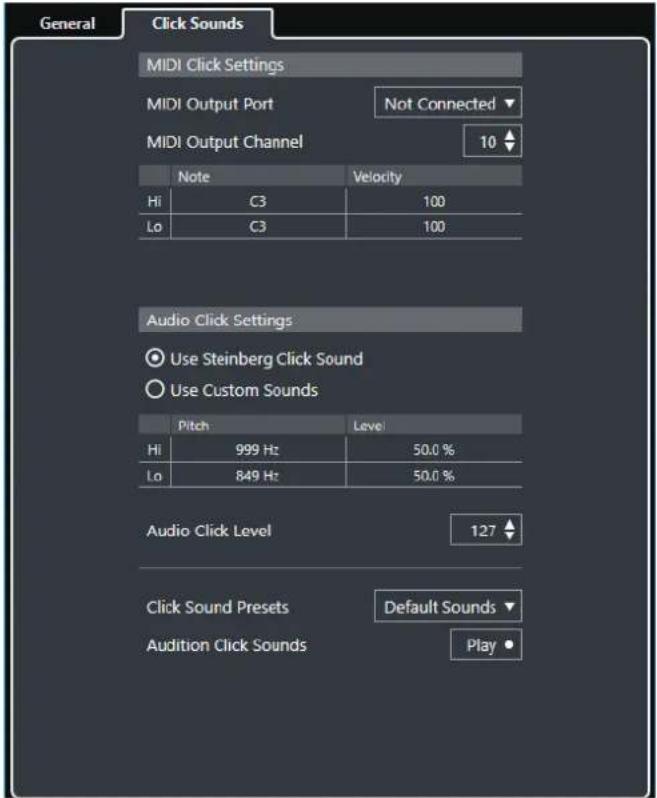
The MIDI Click Settings section allows you to set up the MIDI click that sounds if you activate MIDI Click in the Click Destinations section on the General page.
MIDI Output Port
Allows you to select a MIDI output port for the MIDI click. You can also select a VST instrument previously set up in the VST Instruments window (not in Cubase LE).
MIDI Output Channel
Allows you to select a MIDI output channel for the MIDI click.
Note
Allows you to set the MIDI note number, that is, the pitch from C-2 to G8. Set the note number for the first beat in a bar in the top row, and the note numbers for the other beats in the rows below.
Velocity
Allows you to set the velocity of the MIDI click sound. Set the velocity for the first beat in a bar in the top row, and the velocities for the other beats in the rows below.
The Audio Click Settings section allows you to set up the audio click that sounds if you activate Audio Click in the Click Destinations section on the General page.
Use Steinberg Click Sound
Activates the default sounds for the metronome click.
Pitch
Allows you to set the pitch for the default sounds. Set the pitch for the first beat in a bar in the top row, and the pitches for the other beats in the rows below.
Level
Allows you to set the level for the default sounds. Set the level for the first beat in a bar in the top row, and the levels for the other beats in the rows below.
Use Custom Sounds
Activates custom sounds for the metronome click. For this to work, you must select an audio file for the custom sounds by clicking in the Sound column.
Sound
Allows you to select an audio file for the custom sounds. Select an audio file for the first beat in a bar in the top row, and the audio files for the other beats in the rows below.
Level
Allows you to set the level for the custom sounds. Set the level for the first beat in a bar in the top row, and the levels for the other beats in the rows below.
Audio Click Level
Allows you to adjust the level of the audio click.
Click Sound Presets
Allows you to load one of the click sound presets that supports up to 4 accents.
Amongst other click sounds that are suited for a broad range of applications, you can also select Steinberg Click Sound, the default click sound of Cubase.
You can also create your own presets and save them.
Audition Click Sounds
Click Play to audition the activated click sounds.
Setting Up a Custom Audio Click Sound
PREREQUISITE
In the Metronome Setup dialog on the General page, Activate Metronome is activated. In the Click Destinations section, Use Audio Click is activated.
PROCEDURE
- Open the Click Sounds page, and in the Audio Click Settings section, activate Use Custom Sounds.
- In the Sound column, click the top row.
- In the file dialog, navigate to the audio file that you want to use as a custom sound for the first beat and select it.
- Click Open.
- Click the other rows to select audio files for the other beats.
- Set the level of the sounds by clicking the respective rows in the Audio Click Level column and adjusting the value.
- Optional: Click Play to audition the custom sounds.
RESULT
The metronome uses the defined custom sounds for the audio click.
AFTER COMPLETING THIS TASK
Open the Click Sound Presets pop-up menu and save your custom sounds as a preset.
Chase
Chase is a function that makes sure your MIDI instruments sound as they should when you locate to a new position and start playback. This is accomplished by the program transmitting a number of MIDI messages to your instruments each time that you move to a new position in the project, making sure all MIDI devices are set up correctly with regard to program change, controller messages (such as MIDI Volume), etc.
EXAMPLE
You have a MIDI track with a program change event inserted at the beginning. This event makes a synth switch to a piano sound.
At the beginning of the first chorus you have another program change event which makes the same synth switch to a string sound.
You now play back the song. It begins with the piano sound and then switches to the string sound. In the middle of the chorus you stop and rewind to some point between the beginning and the second program change. The synth now still plays the string sound although in this section it really should be a piano.
The Chase function takes care of that. If program change events are set to be chased, Cubase tracks the music back to the beginning, finds the first program change, and transmits it to your synth, setting it to the correct sound.
The same thing can apply to other event types as well. In the Preferences dialog (MIDI page), the Chase Events settings determine which event types are chased when you locate to a new position and start playback.

RELATED LINKS
Chase Events on page 648
On-Screen Keyboard
The On-Screen Keyboard allows you to play and record MIDI notes by using your computer keyboard or mouse. This is useful if you have no external MIDI instrument at hand and you do not want to draw in notes with the Draw tool.
When the On-Screen Keyboard is displayed, the usual key commands are blocked because they are reserved for the On-Screen Keyboard. The only exceptions are:
- Save: Ctrl/Cmd-S • Start/Stop Record: Num * • Start/Stop Playback: Space • Jump to left locator: Num 1 • Delete: Delete or Backspace • Cycle on/off: Num / • Show/Hide Transport panel: F2 • Show/Hide On-Screen Keyboard: Alt-K
Recording MIDI With the On-Screen Keyboard
PREREQUISITE
You have selected a MIDI or instrument track and activated Record Enable.
PROCEDURE
- Select Studio > On-Screen Keyboard.
- Activate Record.
- Perform one of the following actions to enter some notes:
- Click on the keys of the On-Screen Keyboard. • Press the corresponding key on your computer keyboard.
NOTE
Press several keys simultaneously to enter polyphonic parts. The maximum number of notes that can be played at one time varies between the different operating systems and hardware configurations.
AFTER COMPLETING THIS TASK
Close the On-Screen Keyboard to make all key commands available again.
On-Screen Keyboard Options

1 Note Velocity Level
This slider allows you to adjust the volume of the On-Screen Keyboard. You can also use the Up Arrow key or the Down Arrow key for this.
2 Change On-Screen Keyboard Type
This button allows you to switch between computer keyboard and piano keyboard display mode.
In computer keyboard mode, you can use the two rows of keys that are displayed on the On-Screen Keyboard to enter notes.
The piano keyboard has a wider range of keys. It allows you to enter more than one voice simultaneously. You can also use the Tab key for this.
3 Octave Offset
These buttons allow you to switch the keyboard range to a lower or higher octave. You have seven full octaves at your disposal. You can also use the Left Arrow key or the Right Arrow key for this.
4 Pitchbend/Modulation Sliders
These sliders are only available in piano keyboard mode. The left slider displays pitchbend, the right slider shows modulation changes. To introduce modulation, click on a key and drag upwards or downwards. To introduce pitchbend drag left or right.
Recording
In Cubase, you can record audio and MIDI.
Make the following initial preparations:
• Set up, connect, and calibrate your audio hardware. • Open a project and set up the project setup parameters according to your specifications. Project setup parameters determine the record format, sample rate, project length, etc. that affect the audio recordings that you make during the course of the project. • If you plan to record MIDI, set up and connect your MIDI equipment.
RELATED LINKS
Setting Up Audio on page 10
Setting Up MIDI on page 17
Basic Recording Methods
The basic recording methods apply to audio and MIDI recordings.
Record Enabling Tracks
To be able to record, you must record-enable the tracks on which you want to record.
- To record-enable a track, activate Record Enable in the track list, in the Inspector, or in the MixConsole.
- To record-enable all audio tracks simultaneously, set up a key command for Activate Record Enable for all Audio Tracks in the Mixer category of the Key Commands dialog and use it.
- To record-enable audio or MIDI tracks on selection, activate the Enable Record on Selected Audio Track or the Enable Record on Selected MIDI Track option in the Preferences dialog (Editing—Project & MixConsole page).
NOTE
The exact number of audio tracks that you can record simultaneously depends on your computer CPU and hard disk performance. Activate the Warn on Processing Overloads option in the Preferences dialog (VST page) to show a warning message as soon as the CPU overload indicator lights up during recording.
Related Links
Editing - Project & MixConsole on page 641
VST on page 657
Activating Recording
You can activate recording manually or automatically.
Activating Recording Manually
To activate recording, click Record on the Transport panel or on the toolbar. You can also use the corresponding key command, by default Num-*.
Recording starts from the current cursor position.
Note
When you start recording in Stop mode, you can start recording from the left locator by activating Start Record at Left Locator/Punch In Position on the Transport menu. The metronome count-in will be applied.
Activating Recording Automatically
Cubase can automatically switch from playback to recording at a given position. This is useful if you must replace a section of a recording and want to listen to what is already recorded up to the recording start position.
Procedure
- Set the left locator to the position where you want to start recording.
- Activate Punch In on the Transport panel.
- Activate playback from any position before the left locator.
RESULT
When the project cursor reaches the left locator, recording is automatically activated.
RELATED LINKS
Punch In and Punch Out on page 159
Stopping Recording
- To stop recording and playback, click Stop on the Transport panel or use the corresponding key command, by default Num-0.
- To stop recording and continue playback, click Record or use the corresponding key command, by default Num-*.
- To stop recording automatically when the project cursor reaches the punch out position and continue playback, activate Punch Out on the Transport panel.
RELATED LINKS
Punch In and Punch Out on page 159
Cycle Recording
You can record in a cycle, that is, you can record a selected section repeatedly and seamlessly.
PREREQUISITE
A cycle is set up with the left and right locators.
PROCEDURE
- Click Cycle on the Transport panel to activate cycle mode.
- Activate recording from the left locator, before or within the cycle.
As soon as the project cursor reaches the right locator, it jumps back to the left locator and continues recording a new lap.
RESULT
The results of cycle recording depend on the selected record mode. They also differ for audio and MIDI.
RELATED LINKS
Left and Right Locators on page 155
Recording MIDI on page 179
Recording Audio on page 175
Common Record Modes
The Common Record Modes determine what happens if you click Record during an audio or MIDI recording.
• To access the record modes, select Transport > Common Record Modes.
You can also access the Common Record Modes by clicking the upper part of the Record Modes section in the Transport panel.
Punch In/Out
In this mode, the recording is stopped.
Re-Record
In this mode, the recording is reinitiated, the events are removed and recording is restarted from the exact same position.
Start Recording at Cursor
In this mode, recording starts from the cursor position.
Start Recording at Left Locator/Punch In Position
In this mode, recording starts from the left locator.
RELATED LINKS
Transport Menu on page 147
Transport Panel Sections on page 145
Re-Recording
PROCEDURE
- Activate Transport > Common Record Modes > Re-Record.
- Activate recording.
- Hit Record again to restart recording.
RESULT
The project cursor jumps back to the record start position and recording is reinitiated.
NOTE
The previous recordings are removed from the project and cannot be retrieved using Undo. However, they remain in the Pool.
Monitoring
In Cubase, monitoring means listening to the input signal while preparing to record or while recording.
The following ways of monitoring are available.
- Via Cubase. • Externally by listening to the signal before it reaches Cubase. • By using ASIO Direct Monitoring. This is a combination of both other methods.
Monitoring via Cubase
If you use monitoring via Cubase, the input signal is mixed with the audio playback. This requires an audio hardware configuration with a low latency value.
PROCEDURE
- In the track list, activate Monitor.

- In the MixConsole, adjust the monitoring level and the panning.
You can add effects and EQ to the monitor signal using the track's channel. If you are using plug-in effects with large inherent delays, the automatic delay compensation function in Cubase will increase the latency. If this is a problem, you can use the Constrain Delay Compensation function while recording.
- In the Preferences dialog, select VST.
- Open the Auto Monitoring pop-up menu and select a monitoring mode.
RESULT
The monitored signal will be delayed according to the latency value which depends on your audio hardware and drivers. You can check the latency of your hardware in the Studio Setup dialog (VST Audio System page).
RELATED LINKS
VST on page 657
External Monitoring
External monitoring means listening to the input signal before it is sent into Cubase. It requires an external mixer for mixing the audio playback with the input signal. The latency value of the audio hardware configuration does not affect the monitor signal. When using external monitoring, you cannot control the level of the monitor signal from within Cubase or add VST effects or EQ to the monitor signal.
PROCEDURE
- In the Preferences dialog, select VST.
- Open the Auto Monitoring pop-up menu and select Manual.
- Deactivate Monitor in Cubase.
- On your mixing desk or mixer application for your audio hardware, activate the Thru or Direct Thru mode to send the input audio back out again.
ASIO Direct Monitoring
If your audio hardware is ASIO 2.0 compatible, it may support ASIO Direct Monitoring. This feature may also be available for audio hardware with macOS drivers. In ASIO Direct Monitoring mode, the monitoring is done in the audio hardware, and monitoring is controlled from Cubase. The latency value of the audio hardware configuration does not affect the monitor signal when using ASIO Direct Monitoring.
PROCEDURE
- In the track list, activate Monitor.

- Select Studio > Studio Setup.
- In the Devices list, select your audio hardware driver, and activate Direct Monitoring. If the checkbox is grayed out, your audio hardware (or its driver) does not support ASIO Direct Monitoring. Consult the audio hardware manufacturer for details.
- In the Preferences dialog, select VST.
- Open the Auto Monitoring pop-up menu and select a monitoring mode.
- In the MixConsole, adjust the monitoring level and panning. Depending on the audio hardware, this might not be possible.
AFTER COMPLETING THIS TASK
You can monitor the input levels of audio tracks, that is, you can map the input bus metering to monitor-enabled audio tracks and watch the input levels of your audio tracks when working in the Project window.
- Activate Map Input Bus Metering to Audio Track (in Direct Monitoring) in the Preferences dialog (Metering page).
As the tracks are mirroring the input bus signal you will see the same signal in both places. When using mapped metering, any functions that you apply to the audio track are not reflected in its meters.
NOTE
When using Steinberg hardware (MR816 series) in combination with ASIO Direct Monitoring, monitoring will be virtually latency-free. If you are using RME Audio Hammerfall DSP audio hardware, make sure that the pan law is set to -3 dB in the card's preferences.
RELATED LINKS
VST on page 657
Monitoring MIDI Tracks
You can monitor everything you play and record though the MIDI output and channel that are selected for the MIDI track.
PREREQUISITE
Local Off is activated on your MIDI instrument.
PROCEDURE
- In the Preferences dialog, select MIDI.
- Make sure MIDI Thru Active is activated.
- In the track list, activate Monitor.

RESULT
Incoming MIDI is echoed back out again.
RELATED LINKS
MIDI on page 648
Audio Recording Specifics
Preparations
Selecting a Record File Format
You can set up the record file format, that is, the sample rate, bit resolution, and record file type for new audio files.
PROCEDURE
- Select Project > Project Setup.
- Set up the settings for Sample Rate, Bit Resolution, and Record File Type.
IMPORTANT
The bit resolution and file type can be changed at any time while the sample rate of a project cannot be changed at a later stage.
RELATED LINKS
Creating New Projects on page 61
Setting the Audio Record Folder
Each Cubase project has a project folder containing an Audio folder. By default, this is where recorded audio files are stored. However, you can select record folders independently for each audio track if needed.
PROCEDURE
- In the track list, select all tracks that you want to assign the same record folder.
- Right-click one of the tracks to open the context menu.
3. Select Set Record Folder.
- In the file dialog, navigate to the folder that you want to use as record folder or create a new folder by clicking New Folder.
If you want to have separate folders for different types of material (speech, ambient sounds, music, etc.), you can create subfolders within the project Audio folder and assign different tracks to different subfolders. This way, all audio files will still reside within the project folder, which will make managing the project easier.
Getting the Track Ready for Recording
Creating a Track and Setting the Channel Configuration
PROCEDURE
- Select Project > Add Track > Audio.
- In the Count field, enter the number of tracks that you want to add.
- Open the Configuration pop-up menu and select a channel configuration.
- Optional: Enter a track name.
- Click Add Track.
RELATED LINKS
Add Track Dialog on page 109
RAM Requirements for Recording
Each track on which you record requires a certain amount of RAM, and the memory usage increases the longer the recording lasts. For each audio channel, 2.4 MB of RAM are required for MixConsole settings, etc. The memory usage increases with the length of the recording, the sample rate, and the number of tracks you record. Consider the RAM limitation of your operating system when setting up your project for recording.
Selecting an Input Bus for the Track
Before you can record on your track, you must add and set up the required input busses and specify from which input bus the track will record.
PROCEDURE
- In the Inspector for the audio track, open the Input Routing pop-up menu.

- Select an input bus.
Audio Track Inspector on page 76
Recording Audio
You can record audio using any of the basic recording methods.
When you finish recording, an audio file is created in the Audio folder within the project folder. In the Pool, an audio clip is created for the audio file, and an audio event that plays the whole clip appears on the recording track. Finally, a waveform image is calculated for the audio event. If the recording was very long, this may take a while.
NOTE
The waveform image will be calculated and displayed during the actual recording process. This realtime calculation uses some processing power. If your processor is slow or if you are working on a CPU-intensive project, deactivate Create Audio Images During Record in the Preferences dialog (Record—Audio page).
RELATED LINKS
Basic Recording Methods on page 168
Cycle Recording on page 169
Audio Record Modes
By selecting an Audio Record Mode you decide what happens to your recording and to any existing events on the track where you are recording. This is necessary because you will not always record on an empty track. There may be situations where you record over existing events, especially in cycle mode.
To access the record modes, select Transport > Audio Record Mode.
You can also access the Audio Record Modes by clicking to the right of the audio symbol in the Record Modes section in the Transport panel.
Keep History
Existing events or portions of events that are overlapped by a new recording are kept.
Cycle History + Replace
Existing events or portions of events that are overlapped by a new recording are replaced by the new recording. However, if you record in cycle mode, all takes from the current cycle recording are kept.
Replace
Existing events or portions of events that are overlapped by a new recording are replaced by the last recorded take.
RELATED LINKS
Transport Menu on page 147
Transport Panel Sections on page 145
Recording with Effects
Cubase allows you to add effects and/or EQ directly while recording. This is done by adding insert effects and/or making EQ settings for the input channel in the MixConsole.
IMPORTANT
If you record with effects, the effects become part of the audio file itself. You cannot change the effect settings after recording.
When you are recording with effects, consider using 32-bit float format. This way, the bit resolution will not be reduced, which means there is no risk of clipping at this stage. Also, this preserves the signal quality perfectly. If you record in 16-bit or 24-bit format, the available headroom is lower, which means clipping can occur if the signal is too loud.
Undoing Recording
If you decide that you do not like what you just recorded, you can delete it.
- Select Edit > Undo.
This removes the events that you just recorded from the Project window and moves the audio clips in the Pool to the trash folder. To remove the recorded audio files from the hard disk, open the Pool, right-click the Trash icon and select Empty Trash.
RELATED LINKS
Pool Window on page 348
Recovering Audio Recordings
Cubase allows you to recover audio recordings in two situations: if you specified an audio pre-record time when you hit Record too late and after a system failure during recording.
Specifying an Audio Pre-Record Time
You can capture up to 1 minute of any incoming audio that you play in Stop mode or during playback. This is possible because Cubase can capture audio input in buffer memory, even when not recording.
PROCEDURE
- In the Preferences dialog, select Record > Audio.
- Specify a time (up to 60 seconds) in the Audio Pre-Record Seconds field. This activates the buffering of audio input, making pre-record possible.
- Make sure that an audio track is record-enabled and receives audio from the signal source.
- When you have played some audio material that you want to capture (either in Stop mode or during playback), click Record.
- Stop the recording after a few seconds. This creates an audio event that starts where the cursor position was when you activated recording. If you were in stop mode, and the cursor was at the beginning of the project, you may have to move the event to the right in the next step. If you were playing along to a project, you leave the event where it is.
- Select the Object Selection tool and place the cursor on the bottom left edge of the event so that a double arrow appears. Then click and drag to the left.
RESULT
The event is now extended, and the audio that you played before activating the recording is inserted. This means that if you played along during playback, the captured notes end up exactly where you played them in relation to the project.
RELATED LINKS
Record - Audio on page 653
Recovering Audio Recordings after System Failure
Cubase allows you to recover audio recordings after a system failure, because of a power cut or other mishap, for example.
When you experience a computer crash during a recording, relaunch the system and check the project record folder. By default, this is the Audio subfolder inside the project folder. It should contain the audio file that you recorded, from the moment when you started recording to the time when your computer crashed.
NOTE
- This feature does not constitute an overall guarantee by Steinberg. While the program itself was improved in such a way that audio recordings can be recovered after a system failure, it is always possible that a computer crash, power cut, etc. might have damaged another component of the computer, making it impossible to save or recover any of the data.
- Do not try to actively bring about this kind of situation to test this feature. Although the internal program processes have been improved to cope with such situations, Steinberg cannot guarantee that other parts of the computer are not damaged as a consequence.
MIDI Recording Specifics
Preparations
The preparations described in the following sections mainly focus on external MIDI devices.
MIDI Instruments and Channels
Most MIDI synthesizers can play several sounds at the same time, each on a different MIDI channel. This allows you to play back several sounds (bass, piano, etc.) from the same instrument.
Some devices, such as General MIDI compatible sound modules, always receive on all 16 MIDI channels. If you have such an instrument, there is no specific setting to make in the instrument.
On other instruments, you must use the front panel controls to set up a number of parts, timbres, or similar so that they all receive on one MIDI channel.
For more information, refer to the manual that came with your instrument.
Naming MIDI Ports
MIDI inputs and outputs are often displayed with long and complicated names. In Cubase, you can rename your MIDI ports to more descriptive names.
PROCEDURE
- Select Studio > Studio Setup.
- In the Devices list, select MIDI Port Setup.
The available MIDI inputs and outputs are listed. On Windows, the device to choose depends on your system.
- Click in the Show As column and type in a new name.
- Click OK.
RESULT
The new port names appear on the MIDI Input and Output Routing pop-up menus.
Setting the MIDI Input
In the Inspector, you set the MIDI input for the track.
PROCEDURE
- In the track list, select the track to which you want to assign a MIDI input.
- In the topmost Inspector section, open the Input Routing pop-up menu and select an input.
The available inputs on the menu depend on the type of MIDI interface that you are using. If you hold down Shift-Alt, the selected MIDI input is used for all selected MIDI tracks.
NOTE
If you select All MIDI Inputs, the track will receive MIDI data from all available MIDI inputs.
Setting the MIDI Channel and Output
The MIDI channel and output settings determine where the recorded MIDI is routed during playback. They are also relevant for monitoring MIDI in Cubase. You can select the channel and output in the track list or in the Inspector.
PROCEDURE
- In the track list, select the track to which you want to assign a MIDI channel and output.
- In the topmost Inspector section, open the Output Routing pop-up menu and select an output.
The available outputs on the menu depend on the type of MIDI interface that you are using. If you hold down Shift-Alt, the selected MIDI output is used for all selected MIDI tracks.
- Open the Channel pop-up menu and select a MIDI channel.
NOTE
If you select the Any MIDI channel, the MIDI material is routed to the channels that are used by your MIDI instrument.
Selecting a Sound
You can select sounds from within Cubase by instructing the program to send Program Change and Bank Select messages to your MIDI device.
PROCEDURE
- In the track list, select the track to which you want to assign a sound.
- In the track list or the Inspector, open the Program Selector pop-up menu and select a program.
Program Change messages give access to 128 different program locations.
- If your MIDI instruments have more than 128 programs, you can open the Bank Selector pop-up menu and select different banks, each containing 128 programs.
NOTE
Bank Select messages are recognized differently by different MIDI instruments. The structure and numbering of banks and programs may also vary. Refer to the documentation of your MIDI instruments for details.
RELATED LINKS
MIDI Track Inspector on page 85
Recording in MIDI Editors
You can record MIDI data into the MIDI part that is opened in a MIDI editor.
PREREQUISITE
You have selected Merge or Replace as a MIDI Record Mode.
PROCEDURE
- Click in the MIDI editor so that it gets the focus.
- In the MIDI editor toolbar, activate Record in Editor.
- Do one of the following to activate recording:
- Click Record on the Transport panel.
- Click Record on the toolbar.
RESULT
The MIDI data is recorded into the MIDI part that is opened in the MIDI editor. If you record outside the part borders, the part is automatically enlarged.
RELATED LINKS
Toolbar on page 464
Recording MIDI
You can record MIDI using any of the basic recording methods.
When you finish recording, a part that contains MIDI events is created in the Project window.
NOTE
If you perform a live recording on a VST instrument, you usually compensate the latency of the audio card by playing earlier. In consequence, the timestamps are recorded too early. If you activate ASIO Latency Compensation on the track list, all recorded events are moved by the current latency setting.
The following preferences affect MIDI recording:
• Length Adjustment - Snap MIDI Parts to Bars • MIDI Record Catch Range in ms • ASIO Latency Compensation Active by Default
You can find them in the Preferences dialog on the MIDI and on the Record—MIDI page.
RELATED LINKS
Basic Recording Methods on page 168
MIDI on page 648
Record - MIDI on page 654
Recording Different Types of MIDI Messages
You can record different types of MIDI messages.
- To specify which event types are recorded, deactivate the options for the type of MIDI message that you want to record in the Preferences dialog (MIDI—MIDI Filter page).
RELATED LINKS
MIDI - MIDI Filter on page 651
Recording MIDI Notes
If you press and release a key on your synthesizer or on another MIDI keyboard, the following messages are recorded:
• Note On (key down) • Note Off (key up) - MIDI channel
NOTE
Normally, the MIDI channel information is overridden by the MIDI channel setting for the track. However, if you set the track to the Any MIDI channel, the notes will be played back on their original channels.
Recording Continuous Messages
Pitchbend, aftertouch, and controllers, such as modulation wheel, sustain pedal, volume, etc. are considered as MIDI continuous events, as opposed to the momentary key down and key up messages.
You can record continuous messages together or independently from the notes, that is, afterwards or before.
You can record continuous messages on their own tracks, separately from the notes to which they belong. As long as you set the two tracks to the same output and MIDI channel, it will appear to the MIDI instrument as if you made the two recordings at the same time.
Recording Program Change Messages
When you switch from one program to another on your synthesizer or on another MIDI keyboard, a number corresponding to that program is sent out via MIDI as a Program Change message.
You can record Program Change Messages together or independently from the notes, that is, afterwards or before.
You can record Program Change Messages on their own tracks, separately from the notes to which they belong. As long as you set the two tracks to the same output and MIDI channel, it will appear to the MIDI instrument as if you made the two recordings at the same time.
Recording System Exclusive Messages
System Exclusive (SysEx) messages are special types of MIDI messages that are used to send data that only makes sense to a unit of a certain make and type.
SysEx can be used to transmit a list of the numbers that make up the settings of one or more sounds in a synth.
Reset Function
The Reset function sends out note-off messages and resets controllers on all MIDI channels. This is sometimes necessary if you experience hanging notes, constant vibrato, etc. when punching in and out on MIDI recordings with pitchbend or controller data.
• To perform a MIDI reset manually, select MIDI > Reset. - If you want Cubase to perform a MIDI reset on stop, activate Reset on Stop in the Preferences dialog (MIDI page). - If you want Cubase to insert a reset event at the end of a recorded part, activate Insert Reset Events after Record in the Preferences dialog (MIDI page).
This resets controller data such as sustain, aftertouch, pitchbend, modulation, and breath control. This is useful if a MIDI part is recorded and the sustain pedal is still held after stopping recording. Usually, this would cause all following parts to be played with sustain, as the pedal off command was not recorded.
RELATED LINKS
MIDI on page 648
MIDI Record Modes
By selecting a MIDI Record Mode you decide what happens to any existing parts on the track where you are recording. MIDI tracks can play back all events in overlapping parts. If you record several parts in the same locations or move parts so that they overlap, you will hear the events in all parts.
- To access the record modes, select Transport > MIDI Record Mode.
You can also access the MIDI Record Modes by clicking to the right of the MIDI symbol in the Record Modes section in the Transport panel.
MIDI Record Mode
New Parts
Existing parts that are overlapped by a new recording are kept. The new recording is saved as a new part.
Merge
Existing events in parts that are overlapped by a new recording are kept. The newly recorded events are added to the existing part.
Replace
Existing events in parts that are overlapped by a new recording are replaced.
NOTE
In Merge or Replace mode you can activate Record in Editor to record MIDI data in the editor. For this to work, the editor must have the focus. Otherwise, the data is recorded on the MIDI track in the Project window.
MIDI Cycle Record Mode
When you record MIDI in cycle mode, the result not only depends on the MIDI record mode, but also on the cycle record mode that is selected in the MIDI Cycle Record Mode section.
Mix
For each completed lap, everything you record is added to what was previously recorded. This is useful for building up rhythm patterns. Record a hi-hat part on the first lap, the bass drum part on the second lap, etc.
Overwrite
As soon as you play a MIDI note or send any MIDI message, all MIDI that you have recorded on previous laps is overwritten from that point. Make sure that you stop playing before the next lap begins. Otherwise, you will overwrite the entire take.
Keep Last
Each completed lap replaces the previously recorded lap. If you deactivate recording or press Stop before the cursor reaches the right locator, the previous take will be kept. If you do not play or input any MIDI during a lap, nothing happens, and the previous take will be kept.
Related Links
Transport Menu on page 147
Transport Panel Sections on page 145
Quantizing MIDI Recordings
Cubase can automatically quantize MIDI notes on recording.

To enable automatic quantizing, open the Transport panel and in the Record Mode section, click in the MIDI Record Modes field, and activate Auto Quantize.
The notes that you record are automatically quantized according to the quantize settings.
Related Links
Quantizing MIDI and Audio on page 193
Quantize Panel on page 196
Recovering MIDI Recordings
Cubase allows you to recover MIDI recordings.
Enabling Retrospective MIDI Record
The Retrospective MIDI Record setting allows you to capture any MIDI notes that you play in Stop mode or during playback and turn them into a MIDI part after the fact. This is possible because Cubase can capture MIDI input in buffer memory, even when not recording.
Procedure
- In the Preferences dialog, select Record > MIDI.
- Enable Retrospective Record and specify a Retrospective Record Buffer Size.
This activates the buffering of MIDI input.
- In the MIDI track list, activate Record Enable.
- Play some MIDI material either in Stop mode or during playback.
- Select Transport > Retrospective MIDI Record.
RESULT
The content of the MIDI buffer is turned into a MIDI part on the record-enabled track, and the captured notes end up exactly where you played them in relation to the project.
RELATED LINKS
Record - MIDI on page 654
Remaining Record Time
The Max. Record Time display lets you see how much time you have left for recording.
51h 25min
The available time depends on the current setup, for example, on the amount of tracks that are record-enabled, the sample rate for your project, and the available hard disk space.
• To open the display, select Studio > More Options > Max. Record Time.
NOTE
The remaining record time is also shown in the status line above the track list.
If you use individual record folders to store your tracks on different drives, the time display refers to the medium with the least storage space available.
Lock Record
The Lock Record function prevents you from accidentally deactivating the record mode.
- Select File > Key Commands and in the Transport category, assign key commands to the Lock Record and Unlock Record commands.
If Lock Record is activated and you want to enter Stop mode, a dialog opens in which you need to confirm that you want to stop recording. You can also use the Unlock Record key command first and then enter Stop mode as usual.
NOTE
An automatic punch out at the right locator position will be ignored in Lock Record mode.
Importing Audio and MIDI Files
You can add audio and MIDI files to your project by importing them.
Importing Audio Files
You can import compressed and uncompressed audio files in a variety of different formats. You can also import audio from audio CDs or extract the audio of video files.
Related Links
Importing Media on page 359
Setting Up Audio File Import Options
You can specify how audio files should be handled on import.
Procedure
- In the Preferences dialog, select Editing > Audio.
- Select an option from the On Import Audio Files pop-up menu.

- Click OK.
Result
The import settings are saved and will take effect when you import audio. If you selected Open Options Dialog, the Import Options dialog opens on every import and allows you to make your settings. If you selected Use Settings, the settings specified in the On Import Audio Files section of the Preferences dialog are used.
Related Links
Import Options for Audio Files on page 184
On Import Audio Files Settings on page 185
Import Options for Audio Files
The Import Options dialog allows you to make specific settings for the audio import.
- When you import audio files and Open Options Dialog is activated in the On Import Audio Files section of the Preferences dialog (Editing—Audio page), the Import Options dialog opens.
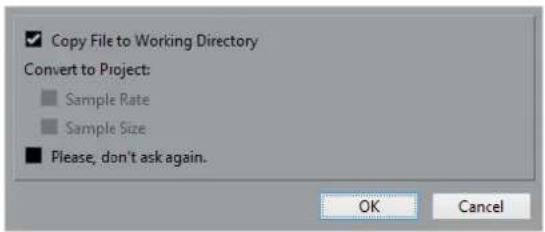
Copy File to Working Directory
Copies the audio file to the Audio folder of the project, and has the clip refer to the copy.
Deactivate this option to have the clip refer to the original file in the original location. In this case, it is marked as "external" in the Pool.
Convert to Project: Sample Rate/Sample Size
Converts the imported file if the sample rate or the sample size differ from the settings in the Project Setup dialog.
Please, don't ask again
Always imports files according to the settings, without opening the dialog again. You can reset this option in the Preferences dialog (Editing—Audio page).
RELATED LINKS
Setting Up Audio File Import Options on page 184
On Import Audio Files Settings
You can set up standard settings that are performed automatically each time you import audio files.

- If you import audio files and Use Settings is activated in the On Import Audio Files section of the Preferences dialog (Editing—Audio page), the following settings are used for importing audio:
Copy File to Working Directory
Copies the audio file to the Audio folder of the project, and has the clip refer to the copy.
Deactivate this option to have the clip refer to the original file in its original location. In this case, it is marked as "external" in the Pool.
Convert to Project: Sample Rate/Sample Size
Converts the imported file if the sample rate or the sample size differ from the settings in the Project Setup dialog.
Importing Audio Files
You can import uncompressed audio and compressed audio in several formats.
PROCEDURE
- Select File > Import > Audio File.
- In the file dialog that opens, locate and select the audio file and click Open.
3. Make your settings in the Import Options dialog.
NOTE
If Use Settings is activated in the Preferences dialog (Editing—Audio page), the corresponding import settings are used.
RESULT
In the Project window, an event referencing the audio file is inserted on the selected track at the project cursor position. If no track was selected, a new track is created.
A new audio clip is created and added to the Pool.
If you chose a compressed audio file other than FLAC, Cubase copies the original compressed file and converts it to wave format (Windows) or AIFF format (macOS).
NOTE
The resulting Wave/AIFF file is significantly larger than the original compressed file.
The imported file is placed in the Audio folder of the project.
RELATED LINKS
Setting Up Audio File Import Options on page 184
Supported Compressed Audio File Formats
EXAMPLE
The following compressed audio file formats are supported:
FLAC File: This is an open source format that reduces the size of audio files by 50 to 60% compared to regular Wave files. The files have the extension .flac. MPEG: This is a family of standards used for encoding audio-visual information such as movies, video, and music in a digital compressed format. Cubase can read MPEG Layer 2 and MPEG Layer 3. MP3 files are highly compressed files that still provide good audio quality. The files have the extension .mp3. Ogg Vorbis File: This is an open source, patent-free audio encoding and streaming technology. The Ogg Vorbis encoder uses variable bit rate encoding. It offers compressed audio files of small size, but with comparatively high audio quality. The files have the extension .ogg. Windows Media Audio File (Windows only): This is an audio file format defined by Microsoft Inc. WMA files can be decreased in size with no loss of audio quality. The files have the extension .wma.
Importing Audio CD Tracks
You can import audio from audio CDs into Cubase projects.
PROCEDURE
- Select File > Import > Audio CD to import the CD tracks into the Project window.
- Activate the Copy column for every audio file you want to import.
- Optional: Set a Default Name and a Destination Folder for the imported audio files.
- Click the Copy button to create a local copy of the audio files or sections.
- Click OK.
RESULT
The copied audio files are imported into the Project window and inserted on new tracks at the project cursor position. By default, imported audio CD tracks are saved as wave files (Windows) or AIFF files (macOS) in the Audio folder of the current project.
New audio clips are created and added to the Pool.
NOTE
You can also import audio files to the Pool only without importing them into the Project window.
RELATED LINKS
Importing Media on page 359
Import From Audio CD
The Import from Audio CD dialog allows you to specify how the CD tracks are imported.

Drive
Opens a pop-up menu that allows you to select the correct CD drive.
Speed
Allows you to select the data transfer speed (Windows only).
NOTE
While you normally want to use the fastest possible speed, you may have to select a slower speed for flawless audio extraction.
Eject CD
Opens the CD drive.
Secure Mode
Activates error checking and correction when reading the CD (Windows only).
Columns
The columns in the dialog have the following functions:
Copy
Activate this option for the tracks that you want to copy/import.
#
Shows the track number.
CD Track
The name of the CD track. On import, this is used as file name. It is provided automatically from CDDB, if available.
To rename a track, click the track name and type in a new name.
Length
The length of the audio CD track in minutes and seconds.
Size
The file size of the audio CD track in MB.
Copy Start
The start of the section that is imported. On the ruler, drag to the right to adjust this.
Copy End
The end of the section that is imported. On the ruler, drag to the left to adjust this.
The Ruler
The ruler has the following functions:

1 Play Tracks
Plays back the selected track from the start to the end or from the left marker to the right marker.
2 Stop Playback
Stops playback.
3 Play from Left Marker
Starts playback at the left marker.
4 Play to Right Marker
Starts playback some moments before the right marker and stops at the right marker.
5 Left Marker
Allows you to set the copy start manually.
6 Right Marker
Allows you to set the copy end manually.
Destination Folder
Allows you to select a folder for the imported files.
Copy
Copies the files.
Copied Files
Lists the files that you copied for import.
Importing Audio from Video Files
You can import the audio from a video file without importing the video itself.
PROCEDURE
- Select File > Import > Audio from Video File.
- In the file dialog that opens, locate and select the video file, and click Open.
RESULT
The audio of the selected video file is extracted and converted to a wave file that is saved in the Audio folder.
A new audio clip is created and added to the Pool. In the Project window, an event referencing the audio file is inserted on the selected track at the project cursor position. If no track was selected, a new track is created.
RELATED LINKS
Extract Audio from Video on page 600
Importing Video Files on page 596
Importing ReCycle Files
You can import REX and REX 2 audio files created by ReCycle from Propellerhead Software. ReCycle slices a loop and creates separate samples of each beat, so that you can tempo match and edit a loop as if it was built of individual sounds.
PREREQUISITE
REX Shared Library is installed on your system.
PROCEDURE
- Select an audio track and move the project cursor to where you want the imported file to start.
- Select File > Import > Audio File.
- In the file dialog, open the file type pop-up menu and select REX File or REX 2 File.
- Select the file you want to import, and click Open.
RESULT
The file is imported and automatically adjusted to the current Cubase tempo.
The imported REX file consists of several events, one for each slice in the loop. The events are automatically placed in an audio part on the selected track and positioned so that the original internal timing of the loop is preserved.
AFTER COMPLETING THIS TASK
Open the part in the Audio Part Editor to edit each slice separately by muting, moving, and resizing events, adding effects and processing, for example.
You can also adjust the tempo and have the REX file automatically follow, provided that its track is set to a musical time base.
NOTE
You can achieve similar results by using Cubase's own loop slicing features.
RELATED LINKS
Slices on page 318
Importing MIDI Files
Cubase can import standard MIDI files. This allows you to transfer MIDI material to and from virtually any MIDI application on any platform.
Import Options for MIDI Files
The Import Options for MIDI files allow you to specify what data is included in imported MIDI files.

Extract First Patch
Converts the first Program Change and Bank Select events for each track to Inspector settings for the track.
Extract First Volume/Pan
Converts the first MIDI Volume and Pan events for each track to Inspector settings for the track.
Import Controller as Automation Tracks
Converts MIDI Controller events in the MIDI file to automation data for the MIDI tracks. If this option is deactivated, controller data for the MIDI parts will be imported.
Import to Left Locator
Aligns the imported MIDI file at the position of the left locator. If this option is deactivated, MIDI files start at the project start position. If you choose to have a new project created automatically, the MIDI file always starts at the project start position.
Import Markers
Imports any markers that have been added.
Import Dropped File as Single Part
Places the file on one track if you drag and drop a MIDI file into the project.
Ignore Master Track Events on Merge
Ignores tempo track data if you import a MIDI file into the current project. The imported MIDI file will play according to the current Tempo track in the project.
If this option is deactivated, the Tempo Track Editor will be adjusted according to the tempo information in the MIDI file.
Auto Dissolve Format 0
Automatically dissolves imported MIDI files of type 0. Each embedded MIDI channel in the file is placed on a separate track in the Project window.
If this option is deactivated, only one MIDI track is created. This track is set to MIDI channel Any, allowing all MIDI events to play back on their original channels. You can also use the Dissolve Part function on the MIDI menu to distribute the events onto different tracks (or lanes) with different MIDI channels at a later stage.
Destination
Allows you to specify what happens when you drag a MIDI file into the project:
- MIDI Tracks creates MIDI tracks for the imported file.
- Instrument Tracks creates instrument tracks for each MIDI channel in the MIDI file and lets the program automatically load appropriate presets.
- HALion Sonic SE multi-timbral creates several MIDI tracks, each routed to a separate instance of HALion Sonic SE in the VST Instruments window, and loads the appropriate presets.
NOTE
In Cubase LE, this is automatically set to MIDI Tracks.
Import Karaoke Lyrics as Text
Converts karaoke lyrics in the MIDI file to text that can be displayed in the Score Editor. If this option is deactivated, lyrics are only shown in the List Editor.
Importing MIDI Files
PROCEDURE
- Select File > Import > MIDI File.
- Optional: If a project is open, choose if you want to create a new project. If you select No, the MIDI file is imported into the current project.
- In the file dialog that opens, locate and select the MIDI file and click Open.
RESULT
The MIDI file is imported. The result depends on the contents of the MIDI file and the setting you made in the Import Options section in the Preferences dialog (MIDI—MIDI File page).
RELATED LINKS
Import Options for MIDI Files on page 190
Markers on page 222
Yamaha XF Format
Cubase supports the Yamaha XF format. XF is an extension of the standard MIDI file format that allows you to save song-specific data with a MIDI file of type 0.
When importing a MIDI file containing XF data, this data is placed in parts on separate tracks called XF Data, Chord Data, or SysEx Data. You can edit such a part in the List Editor to add or change lyrics, for example.
IMPORTANT
Do not change the order of events within the XF data or the event data itself, unless you have a lot of experience with XF data.
Cubase can also export XF data as part of a MIDI file of type 0. If you do not want to export the XF data together with the MIDI data, mute or delete the tracks containing the XF data.
MIDI Loops
In Cubase, you can import MIDI loops.
To import MIDI loops, use the MediaBay. MIDI loops have the file extension .midiloop.
RELATED LINKS
Importing MIDI Loops on page 410
Quantizing MIDI and Audio
Quantizing means moving recorded audio or MIDI and positioning it on the nearest grid position that is musically relevant. Quantizing is designed to correct errors, but you can also use it in a creative way.
You can quantize audio and MIDI to a grid or to a groove.
Audio and MIDI can be quantized at the same time. However, what exactly happens during quantizing differs for audio and MIDI:
• Audio quantizing affects the audio event starts. - MIDI quantizing can affect the starts of MIDI events in a part, the MIDI event lengths, or the MIDI event ends.
NOTE
Quantizing is based on the original position of the events. Therefore, you can freely try out different quantize settings without the risk of destroying anything.
RELATED LINKS
Quantizing Audio Event Starts on page 195
Quantizing MIDI Event Starts on page 194
Quantizing MIDI Event Lengths on page 194
Quantizing MIDI Event Ends on page 195
Quantize Functions
The quantize functions are available in the Edit menu and in the Snap/Quantize section of the Project window toolbar.
Quantize Functions on the Edit Menu
Quantize
Quantizes audio or MIDI event starts.
Reset Quantize
Reverts your audio or MIDI to its original, unquantized state, and resets any length changes that you performed using the Scale Length/Legato slider in the Quantize Panel.
Quantize Panel
Opens the Quantize Panel.
Advanced Quantize
From this submenu you can select the following functions:
• Quantize MIDI Event Lengths
Cuts off the ends of selected MIDI events so that the events match the length quantize value. The start positions are kept.
- Quantize MIDI Event Ends
Moves the ends of MIDI events to the nearest grid positions.
- Freeze MIDI Quantize
Makes the start and end positions of MIDI events permanent. This function is useful in situations where you want to quantize a second time, based on the current quantized positions rather than the original positions.
- Create Groove Quantize Preset
Creates a groove quantize map based on hitpoints that you have created in the Sample Editor.
Quantize Functions on the Project Window Toolbar

1 Iterative Quantize On/Off
Activates/Deactivates iterative quantize.
2 Quantize Presets
Allows you to select a quantize or a groove preset.
3 Apply Quantize
Applies the quantize settings.
4 Open Quantize Panel
Opens the Quantize Panel.
Quantizing MIDI Event Starts
PREREQUISITE
You have set up a quantize grid on the Quantize Presets pop-up menu on the Project window toolbar.
PROCEDURE
- Perform one of the following actions:
• In the Key Editor, select the MIDI events that you want to quantize. • In the Project window, select a MIDI part.
- Select Edit > Quantize.
RESULT
The starts of the selected MIDI events or all events of the selected MIDI part are quantized. Events that do not match exact note positions are moved to the closest grid position. The note lengths are maintained.
Quantizing MIDI Event Lengths
PREREQUISITE
You have set up a length quantize value on the Length Quantize pop-up menu on the Key Editor toolbar.
PROCEDURE
- Perform one of the following actions:
• In the Key Editor, select the MIDI events that you want to quantize. • In the Project window, select a MIDI part.
- Select Edit > Advanced Quantize > Quantize MIDI Event Lengths.
RESULT
The ends of the selected MIDI events are cut off so that the events match the length quantize value. The start positions are kept.
NOTE
If you have selected Quantize Link, the events are resized according to the grid that is set up in the Quantize Presets pop-up menu. The Swing, Tuplet, and Catch Range settings on the Quantize Panel are taken into account.
Quantizing MIDI Event Ends
PREREQUISITE
You have set up a quantize grid on the Quantize Presets pop-up menu on the Project window toolbar.
PROCEDURE
- Perform one of the following actions:
• In the Key Editor, select the MIDI events that you want to quantize. • In the Project window, select a MIDI part.
- Select Edit > Advanced Quantize > Quantize MIDI Event Ends.
RESULT
The ends of the MIDI events are moved to the nearest grid positions.
Quantizing Audio Event Starts
PREREQUISITE
You have set up a quantize grid on the Quantize Presets pop-up menu on the Project window toolbar.
PROCEDURE
- In the Project window, select an audio event, a sliced loop, or an audio part.
- Select Edit > Quantize.
RESULT
The event snap point, or, if not available, the start of the audio event, is quantized. Event starts that do not match exact note positions are moved to the closest grid positions.
NOTE
If you use the Quantize function on an audio part, the starts of the events inside the part are quantized.
Quantize Panel
The Quantize Panel allows you to define how to quantize audio or MIDI to the grid or to a groove. Depending on what method you choose, different parameters are shown.
To open the Quantize Panel, perform one of the following actions:
- Click Open Quantize Panel on the toolbar. • Select Edit > Quantize Panel.
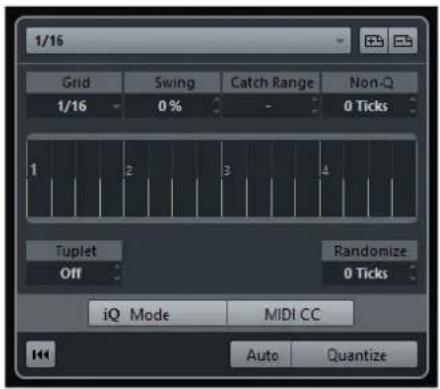
Quantize Presets
To the top of the Quantize Panel the quantize presets are shown. Here, you can load and save presets that include all settings for quantizing.

Select Preset
Allows you to select a preset.
Save Preset
Allows you to save the current settings as a preset, so that they become available on all Quantize Presets pop-up menus.
Remove Preset
Allows you to remove the selected preset.
Rename Preset
Opens a dialog where you can rename the selected preset.
Restore Factory Presets
Allows you to restore the factory presets.
Creating Groove Quantize Presets
You can create a groove quantize map based on hitpoints that you have created in the Sample Editor.
PROCEDURE
- In the Project window, double-click the audio event from which you want to extract the timing.
The Sample Editor opens.
- Open the Hitpoints section.
The hitpoints for the audio event are detected and displayed automatically.
- Click Create Groove.
The groove is extracted.
RESULT
The groove is extracted from the audio event and made available in the Quantize Presets pop-up menu on the Project window toolbar.
AFTER COMPLETING THIS TASK
Open the Quantize Panel and save the groove as a preset.
RELATED LINKS
Creating a Groove Quantize Map on page 320
Quantize Presets on page 196
Options For Quantizing to a Musical Grid
You can use the musical grid to quantize your recorded music.
- To access the options for quantizing to a musical grid, select a musical time format from the Select Preset pop-up menu.
•
The following options become available:
Grid
Allows you to select the basic value for the quantize grid.
Swing
Offsets every second position in the grid, creating a swing or shuffle feel.
NOTE
Swing is only available if Grid is set to a straight value and Tuplet is deactivated.
Catch Range
Allows you to set a value that determines that quantizing affects only audio or MIDI within the set distance from the grid lines. This is reflected in the grid display.
Non-Quantize
Creates a safe zone before and after the quantize positions. If you specify a distance in ticks (120 ticks = one 16th note), events that lie within this zone are not quantized. This way, slight variations are kept.
Grid Display
Shows the quantize grid. Quantized audio or MIDI is moved to the positions indicated by the vertical grid lines.
Tuplet
Creates rhythmically more complex grids by dividing the grid into smaller steps, and thereby creating n-tuplets.
Randomize
Allows you to set a distance in ticks, so that your audio or MIDI is quantized to random positions within the specified distance from the quantize grid. This allows for slight variations and, at the same time, prevents your audio or MIDI from ending up too far away from the grid.
iQ Mode
Applies a loose quantization so that your audio or MIDI moves only part of the way to the closest quantize grid position. The Iterative Strength value to the right determines how close your audio or MIDI moves towards the grid.
NOTE
Iterative quantizing is based on the current, quantized positions and not on the original event positions. You can repeatedly use the iQ mode to gradually move your audio or MIDI closer to the quantize grid until you have found the right timing.
MIDI CC
Moves controllers related to MIDI notes (pitchbend, etc.) automatically with the notes when these are quantized.
Reset Quantize
Resets your audio or MIDI to its original, unquantized state.
IMPORTANT
This function has no effect on an event that was moved manually.
Auto
Applies any changes immediately to the selected parts or events. A way of using this feature is to set up a playback loop and adjust the settings until you are satisfied with the result.
Quantize
Applies your settings.
Options for Quantizing to a Groove
You can generate a timing grid from a MIDI part or an audio loop, and use this groove to quantize your recorded music. This way, you can recreate the rhythmic feel of this specific event or part.
To access the options for quantizing to a groove, select a MIDI part, from an audio loop, an audio event with hitpoints, or sliced audio, and perform one of the following actions:
- Drag the part or event and drop it on the grid display in the middle of the Quantize Panel.
- Select Edit > Advanced Quantize > Create Groove Quantize Preset.

The following options become available:
Position
Determines how much the timing of the groove affects the music.
Velocity (MIDI Only)
Determines how much the velocity values within the groove affect the music.
NOTE
Not all grooves contain velocity information.
Length (MIDI Only)
Allows you to specify how much the lengths of the notes are affected by the groove.
NOTE
For drums, the Length setting is ignored.
Non-Q
Allows you to create a safe zone before and after the quantize positions. If you specify a distance in ticks (120 ticks = one 16th note), events that lie within this zone are not quantized. This way, slight variations are kept.
Grid Display
Shows the quantize grid. Quantized audio or MIDI is moved to the positions indicated by the vertical grid lines.
Pre-Q
Allows you to select a musical grid to which you can quantize your audio or MIDI first. This gets the notes closer to their groove destination.
NOTE
If you apply a shuffle groove to a 16th-note pattern, for example, set up a pre-quantize value of 16 to straighten up the timing before applying the groove quantizing.
Max. Move
Allows you to select a note value to specify a maximum distance that the audio or MIDI is moved.
Orig. Position
Sets the original starting position of the quantized material as starting point of the quantizing. This allows you to synchronize material that does not start from bar 1 of the project.
Randomize
Allows you to set a distance in ticks so that your audio or MIDI is quantized to random positions within the specified distance from the quantize grid. This allows for slight variations and, at the same time, prevents your audio or MIDI from ending up too far away from the grid.
iQ Mode
Applies a loose quantization so that your audio or MIDI moves only part of the way to the closest quantize grid position. The Iterative Strength value to the right determines how close your audio or MIDI moves towards the grid.
NOTE
Iterative quantizing is based on the current, quantized positions and not on the original event positions. You can repeatedly use the iQ mode to gradually move your audio or MIDI closer to the quantize grid until you have found the right timing.
MIDI CC
Moves controllers related to MIDI notes (pitchbend, etc.) automatically with the notes when these are quantized.
Reset Quantize
Resets your audio or MIDI to its original, unquantized state.
IMPORTANT
This function has no effect on an event that was moved manually.
Auto
Applies any changes immediately to the selected parts or events. A way of using this feature is to set up a playback loop and adjust the settings until you are satisfied with the result.
Quantize
Applies your settings.
RELATED LINKS
Creating Groove Quantize Presets on page 197
Fades and Crossfades
Fades allow you to gradually increase or decrease the volume at the start or end of audio events or audio clips, and to create smooth transitions.
You can create the following fades:
- Fade ins/fade outs Fade ins and fade outs allow you to gradually increase or decrease the volume of audio events or audio clips. Fade ins and fade outs can be either event-based or clip-based. Event-based fades are calculated in real time when you play back audio events. You can create different fade curves for several events, even if they refer to the same audio clip.
NOTE
The more event-based fades you apply, the more processing power is used.
Clip-based fades are applied to the audio clip. Events that refer to the same clip will have the same fades.
• Crossfades Crossfades allow you to create smooth transitions for consecutive audio events on the same track. Crossfades are always event-based.
- Auto fades Auto fades allow you to automatically apply short fade ins and fade outs to the events on specific audio tracks. You can also apply them globally on all audio tracks. This creates smooth transitions between events.
RELATED LINKS
Event-Based Fades on page 202
Creating Clip-Based Fades on page 206
Crossfades on page 207
Auto Fades and Crossfades on page 209
Event-Based Fades
You can create event-based fade ins and fade outs. These are calculated in real time when you play back audio events. You can create different fade curves for several events, even if they refer to the same audio clip.
There are several ways to create event-based fades:
• By using the event handles
• By using range selections
You can edit event-based fades in the Fade dialogs.
RELATED LINKS
Creating and Editing Fades with the Handles on page 203
Creating and Editing Fades with the Range Selection Tool on page 204
Fade Dialog for Event-Based Fades on page 205
Creating and Editing Fades with the Handles
You can create and edit event-based fade ins and fade outs using the event handles. This gives you visual feedback and allows you to apply the same fade type to several selected events.
PROCEDURE
- Select the audio events for which you want to create fades and point at one of them with the mouse.
Triangular fade handles become visible in the upper left and right corners.

- Perform one of the following actions:
• Drag the left fade handle to the right to create a fade in.

- Drag the right fade handle to the left to create a fade out.
RESULT
The fade is applied and shown in the event waveform. If you select multiple events, the same fade is applied to all selected events.
NOTE
You can change the length of the fades at any time by dragging the handles.
Event Handles
Audio events have a fade-in and a fade-out handle, as well as a volume handle. These handles provide a quick way to change the fade length or the volume of events in the Project window.
Event handles become visible if you point the mouse at an event or if you select events.
NOTE
To show event handles and fade curves always and not only when you point at events, activate Show Event Volume Curves Always in the Preferences dialog (Event Display—Audio page).

In the upper left and right corners you find triangular fade handles that allow you to change the fade-in or fade-out length. In the top middle you find a square handle that allows you to change the volume.
- To change the fade-in length, drag the fade handle in the upper left to the right or to the left.
- To change the fade-out length, drag the fade handle in the upper right to the left or to the right.
- To change the volume, drag the volume handle in the top middle up or down.
Fade and volume changes are reflected in the event waveform and on the info line.
NOTE
To change the event volume and the fades with the mouse wheel, activate Use Mouse Wheel for Event Volume and Fades in the Preferences dialog (Editing—Audio page). When you press Shift while moving the mouse wheel, and position the mouse pointer somewhere in the left half of the event, the fade in end point is moved. When the mouse pointer is in the right half of the event, the fade out start point is moved.

Creating and Editing Fades with the Range Selection Tool
You can create and edit event-based fades with the Range Selection tool. This allows you to apply a fade in and a fade out at the same time. Using the Range Selection tool is also useful if you want to create fades for multiple audio events on separate tracks.
PROCEDURE
- On the Project window toolbar, select the Range Selection tool.
- Perform one of the following actions:
- To create a fade in that starts at the event start, select a range that starts at the event start.
- To create a fade out that ends at the event end, select a range that ends at the event end. • To create a fade in and a fade out, select a range in the middle of the event.
- To create fades on multiple tracks, select a range that spans multiple audio events on multiple audio tracks.
- Select Audio > Adjust Fades to Range.
Removing Event-Based Fades
You can remove event-based fades for a whole event or for a range.
PROCEDURE
- Perform one of the following actions:
• To remove the fades for an event, select the event with the Object Selection tool. • To remove the fades for a range, select the fade area with the Range Selection tool.
- Select Audio > Remove Fades.
Fade Dialog for Event-Based Fades

To open the dialog for event-based fades, create a fade for one or more audio events, select the events, and select Audio > Open Fade Editor(s).
NOTE
If you select several events, you can adjust the fade curves for all selected events at the same time. This is useful if you want to apply the same type of fade in to more than one event, etc.
The available options are:
1 Spline Interpolation
Applies a spline interpolation to the curve.
2 Damped Spline Interpolation
Applies a damped spline interpolation to the curve.
3 Linear Interpolation
Applies a linear interpolation to the curve.
4 Fade display
Shows the shape of the fade curve. The resulting waveform shape is shown darker, the current waveform shape is shown lighter.
- To add points, click the curve.
- To change the curve shape, click and drag existing points.
- To remove a point from the curve, drag it outside the display.
5 Restore
Click this button to cancel any changes you have made since opening the dialog.
6 Fade Length field
Use this field to enter fade lengths numerically. The format of values displayed here is determined by the time display in the Transport panel.
- If you activate Apply Length, the value entered in the Fade Length value field is used when clicking Apply or OK.
- If you set the current fade as the default fade, the length value is included as part of the default settings.
7 Presets
Allows you to set up presets for fade-in or fade-out curves.
- To apply a stored preset, select it from the pop-up menu.
- To remove a stored preset, select it from the pop-up menu and click Remove.
8 As Default
Click this button to save the current settings as default fade.
9 Shape buttons
Give you quick access to some common curve shapes.
Creating Clip-Based Fades
You can create and edit clip-based fade ins and fade outs using Direct Offline Processing. These fades are applied to the audio clip. Events that refer to the same clip get the same fades.
PROCEDURE
- In the Project window, select one or more audio events or a range for which you want to create a fade. The length of your selection determines the length of the fade area.
- Perform one of the following actions:
• To create a fade in, select Audio > Processes > Fade In. • To create a fade out, select Audio > Processes > Fade Out.
- On the Direct Offline Processing process panel, click the Curve Kind buttons to specify a fade curve, or click and drag with the mouse in the curve display to draw in a curve.
- Optional: Activate Audition to hear the effect of the specified fade on the selected audio event.
RESULT
The fade is applied to the audio.
RELATED LINKS
Direct Offline Processing on page 280
Fade In/Fade Out on page 285
On Processing Shared Clips on page 206
On Processing Shared Clips
If several events refer to the same audio clip, this clip is a shared clip. If you edit one of the events that refer to a shared clip, you can decide if you want to apply the processing to all events referring to this clip.

Continue
Click Continue to apply the processing to all events that refer to the audio clip.
New Version
Click New Version to create a separate, new version of the audio clip for the selected event.
Crossfades
Crossfades allow you to create smooth transitions for consecutive audio events on the same track. Crossfades are always event-based.
You can only create crossfades if the consecutive events or their respective clips overlap.
- If the audio events overlap, a crossfade of the default shape (linear, symmetric) is applied in the overlapping area.

NOTE
You can edit the default crossfade length and shape in the Crossfade editor.
- If the respective audio clips overlap, the two events are resized so that they overlap, and a crossfade of the default length and shape is applied in the overlapping area. • If neither the audio events nor the clips do overlap, a crossfade cannot be created.
RELATED LINKS
Crossfade Editor on page 208
Creating Crossfades
PROCEDURE
- Perform one of the following actions:
- To create a crossfade between two events, select the Object Selection tool, and select two consecutive audio events.
- To create a crossfade to a selected range between two events, select the Range Selection tool, and select a range covering the area where you want to apply a crossfade.
- Select Audio > Crossfade or use the key command X.
RESULT
The crossfade is applied.
Changing the Crossfade Length
PROCEDURE
- Select the Range Selection tool.
- Select a range between two events that covers the length of the crossfade you want to apply.
- Select Audio > Adjust Fades to Range.
RESULT
The crossfade length is adjusted to the selected range.
Crossfade Editor
The Crossfade editor allows you to edit crossfades. It contains fade-in and fade-out curve settings, and common settings.

- To open the Crossfade editor, select one or both crossfaded events, and select Audio > Crossfade, or double-click the crossfade zone.
Fade curve displays
Shows the shape of the fade-out and fade-in curve, respectively.
• To add points, click a curve. - To change the fade shape, click and drag existing points. - To remove a point, drag a point outside the display.
Curve Kind and Shape buttons
Determine whether the corresponding fade curve uses Spline Interpolation (left button), Damped Spline Interpolation (middle button) or Linear Interpolation (right button).

The curve shape buttons give you quick access to some common curve shapes.

Equal Gain
Adjusts the fade curves so that the summed fade-in and fade-out amplitudes are the same all along the crossfade region. This is often suitable for short crossfades.
Equal Power
Adjusts the fade curves so that the energy (power) of the crossfade is constant all along the crossfade region.
Equal Power curves have only one editable curve point. You cannot change the curve shape if this mode is selected.
Play buttons
- To audition the whole crossfade, click Play Crossfade.
- To audition the fade-out part of the crossfade, click Play Fade Out.
- To audition the fade-in part of the crossfade, click Play Fade In.
You can set up key commands for this in the following categories of the Key Commands dialog.
Pre-roll and Post-roll
- To start playback before the fade area, activate Use pre-roll.
- To stop playback after the fade area, activate Use post-roll.
- To adjust the pre-roll time, use the Pre-roll Amount value field.
- To adjust the post-roll time, use the Post-roll Amount value field.
Audition Level
Allows you to set the audition level.
Length
Specifies the length of the crossfade area. Cubase tries to center the crossfade, i.e. the length change will be applied equally to both sides. To be able to resize a crossfade, it must be possible to resize the corresponding event. For example, if the fade out event already plays its audio clip to the end, its end point cannot be moved any further to the right.
Presets
Click Store to the right of the Presets pop-up menu to store the crossfade settings so that you can apply them to other events.
- To remove a preset, select it on the pop-up menu and click Delete.
Default buttons
Click As Default to store the current settings as default. Default settings are used whenever you create new crossfades.
Click Recall Default to apply the curves and settings of the default crossfade to the Crossfade editor.
RELATED LINKS
Key Commands on page 606
Event Handles on page 203
Removing Crossfades
PROCEDURE
- Perform one of the following actions:
- Select the Object Selection tool and select one of the crossfaded events.
- Select the Range Selection tool and select the crossfades you want to remove.
- Select Audio > Remove Fades.
RESULT
The selected crossfades are removed.
NOTE
You can also remove a crossfade by clicking and dragging it outside the track.
Auto Fades and Crossfades
Cubase features an Auto Fade function that can be set both globally and separately for each audio track. Auto fades allow you to create smoother transitions between events by applying fade ins and fade outs with a length between 1 and 500 ms.
IMPORTANT
As event-based fades are calculated in real time during playback, applying auto fades to a higher number of audio events results in a higher demand on the processor.
NOTE
Auto fades are not indicated by fade lines.
Auto Fades Dialog
The Auto Fades dialog allows you to set up auto fades and crossfades for the whole project, or separately for each audio track.

• To open the global Auto Fades dialog, select Project > Auto Fades Settings. - To open the Auto Fades dialog for a track, right-click in the track list and select Auto Fades Settings.
1 Fades
Click this tab to show the settings for auto fades.

The Curve Kind buttons allow you to determine whether the corresponding fade curve uses Spline Interpolation (left button), Damped Spline Interpolation (middle button) or Linear Interpolation (right button).
The curve shape buttons give you quick access to common curve shapes.
2 Crossfades
Click this tab to show the settings for auto crossfades.

Equal Gain allows you to adjust the fade curves so that the summed fade in and fade out amplitudes are the same all along the crossfade region.
Equal Power allows you to adjust the fade curves so that the energy (power) of the crossfade is constant all along the crossfade region.
3 Length
Allows you to specify the length of the auto fades or crossfades.
4 Auto Fade In
Allows you to activate auto fade ins.
5 Auto Fade Out
Allows you to activate auto fade outs.
6 Auto Crossfades
Allows you to activate auto crossfades.
7 As Default
Allows you to save your settings as default.
8 Use Project Settings
This is only available if you opened the Auto Fades dialog for individual tracks. Deactivate this to set up and apply the settings to individual tracks only. If you want a track with individual auto fade settings to use the global settings again, activate Use Project Settings.
Making Global Auto Fade Settings
PROCEDURE
- Select Project > Auto Fades Settings.
This opens the Auto Fades dialog for the project.
- Set up the auto fades as desired.
- Click OK.
RELATED LINKS
Fade Dialog for Event-Based Fades on page 205
Crossfade Editor on page 208
Making Auto Fade Settings for Individual Tracks
As auto fades use computing power, you might consider to turn auto fades off globally and activate them only for individual tracks.
PROCEDURE
- Perform one of the following actions:
- Right-click the track in the track list, and from the context menu, select Auto Fades Settings.
- Select the track, and in the Inspector, click Auto Fades Settings.
The Auto Fades dialog for the track opens.
- Deactivate Use Project Settings.
Any settings you now make are applied to the track only.
- Set up the auto fades.
- Click OK.
Arranger Track (Cubase Elements only)
The arranger functions in Cubase allow you to work in a non-linear fashion. Using an arranger track allows you to specify how and when specific sections are played back, even in live performances. This way, you do not need to move, copy, and paste events in the Project window.
NOTE
There can be only one arranger track in a project.
To use the arranger functions, you must add an arranger track and define arranger events. Arranger events can be of any length. They can overlap and are not bound to the start or end of existing events and parts. You can order them in a list, and add repeats as desired.

You can edit arranger events using the standard techniques. Copies from arranger events are independent from the original event.
You can create several arranger chains that allow you to save different versions of a song within the project.
You can flatten arranger chains to convert them into a linear project.
RELATED LINKS
Adding Arranger Events on the Arranger Track on page 213
Setting up an Arranger Chain and Adding Events on page 217
Flattening the Arranger Chain on page 218
Adding Arranger Events on the Arranger Track
On the arranger track, you can add arranger events that define specific sections of the project.
PREREQUISITE
Snap is activated, and Snap Type is set to Events.
PROCEDURE
- Select Project > Add Track > Arranger. The arranger track is added.
- Select the Draw tool and draw an arranger event on the arranger track. An arranger event is added.
- Draw as many events as you need.
RESULT
The arranger events are added to your project.
AFTER COMPLETING THIS TASK
Use the functions of the Arranger Editor to arrange the events.
RELATED LINKS
Setting up an Arranger Chain and Adding Events on page 217
Snap Function on page 56
Snap Types on page 57
Renaming Arranger Events
When you add arranger events, they are automatically named in alphabetical order. You can change the names so that they reflect the structure of your project, such as Intro, Chorus, Bridge, for example.
PROCEDURE
- Select the arranger event that you want to rename.
- Perform one of the following actions:
• Select the event name on the info line. - Hold down Alt and double-click the name in the arranger chain.
- Enter a new name.
Arranger Editor
The Arranger Editor allows you to set up arranger chains.
To open the Arranger Editor, click e in the Inspector or in the track list.

Shows the transport buttons, the arranger transport buttons, and the arranger tools.
2 Current Arranger Chain
NOTE
Initially, the arranger chain is empty. To fill it up, you must add events from the Arranger Events list.
Shows the order in which the events are played back, from top to bottom, and how many times they are repeated.
3 Arranger Events
Lists the available arranger events in the order they appear on the timeline.
Arranger Controls
The Arranger Controls are shown in the Arranger Editor.
NOTE
Some of these controls are also available in the Arranger Controls section of the Project window toolbar, and on the Transport panel.

1 Stop/Play
Stops/Starts playback.
2 Previous Chain Step
Navigates to the previous entry in the current arranger chain list.
3 Next Chain Step
Navigates to the next entry in the current arranger chain list.
4 First Repeat of Current Chain Step
Navigates to the first repeat of the current entry in the current arranger chain list.
5 Last Repeat of Current Chain Step
Navigates to the last repeat of the current entry in the current arranger chain list.
6 Activate Arranger Mode
Activates playback in arranger mode.
7 Select Active Chain
Allows you to select and activate an arranger chain.
8 Rename Current Chain
Allows you to rename the current arranger chain.
9 Create New Chain
Creates a new, empty arranger chain.
10 Duplicate Current Chain
Creates a duplicate of the current arranger chain, containing the same events.
11 Remove Current Chain
Removes the selected arranger chain. This is only available if you have created more than one arranger chain.
12 Flatten
Converts the current arranger chain into a linear project.
13 Flatten (with Options & Preferences)
Allows you to set up the flatten options.
Arranger Chain Repeat Modes
The Arranger Editor features a function that allows you to repeat and loop your arranger events. This way, you can create a sketch of a song structure.
To select one of the repeat modes, click the Mode column in the Current Arranger Chain list.
1 Normal
Plays back the arranger chain exactly the way you set it up.
2 Repeat forever
Repeats the current arranger event in a loop until you click another event in the Arranger Editor or until you click Play once again.
3 Pause after Repeats
Pauses playback after all repeats of the current arranger event have been played back.
NOTE
During playback, the Counter column indicates which repetition of the event is playing.
Flattening Options & Preferences
To activate the flattening options, click Flatten (with Options & Preferences).
![graph LR A["Source"] --> B["Current Chain"] A --> C["Checked Chains ..."] A --> D["All Chains"] B --> E["Arranger Chain 1"] B --> F["Arranger Chain 2"] B --> G["Arranger Chain 3"] H["Destination"] --> I["Current Project"] H --> J["New Project"] H --> K["Append Chain Name"] H --> L["Use Chain Name"]…](/content/2026/06/1348291/images/15bb5b1706d9fb56e38716d095a381d2c3234449a1f477eb9e781283a67413e9.jpg)
In the Source section, you can specify which arranger chains are flattened.
Current Chain
Flattens the current chain only.
Checked Chains
Opens a list of the available arranger chains where you can activate the arranger tracks that you want to flatten.
All Chains
Flattens all arranger chains of the current project.
The Destination section allows you to choose where the result of the flattening is saved.
Current Project
This is only available if Source is set to Current Chain. Activate this option if you want to save the flattened chain in the current project.
New Project
Allows you to flatten one or more chains in a new project with the following naming options:
- Append Chain Name
Appends the chain names to the project name.
- Use Chain Name
Names the new projects after the current arranger chains.
- Add Number
Names the new projects after the old ones and adds a number.
The Options section contains further settings.
Keep Arranger Track
Keeps the arranger track after flattening. Activate Rename Arranger Events to append numbers to the events.
Make Real Event Copies
Allows you to create real copies of the arranger track instead of shared copies.
Don't Split Events
Excludes MIDI notes that start before or are longer than the arranger event. Only MIDI notes that begin and end inside the arranger event are taken into account.
Open New Projects
Creates a new project for every flattened arranger chain. If you activate Cascade New Projects, the opened projects are cascaded.
RELATED LINKS
Flattening the Arranger Chain on page 218
Setting up an Arranger Chain and Adding Events
In the Arranger Editor you can set up arranger chains and add events to them.
PROCEDURE
- Click e to open the Arranger Editor.
- Activate Activate Arranger Mode.

- Perform one of the following actions to add arranger events to the arranger chain:
• Double-click an event in the Arranger Events list. - Select one or more events in the Arranger Events list, right-click, and select Append Selected In Arranger Chain. - Drag an arranger event from the Arranger Events list and drop it in the Current Arranger Chain list. - Drag an arranger event from the Project window and drop it in the Current Arranger Chain list.
- Click Play.
RESULT
The arranger events are played back in the order that you specified in the arranger chain.
RELATED LINKS
Arranger Chain Repeat Modes on page 216
Adding a New Arranger Chain
You can create several arranger chains in order to set up alternative versions for playback.
PREREQUISITE
Arranger Mode is activated.
PROCEDURE
- Open the Arranger Editor.
- Click Create New Chain.
RESULT
A new, empty arranger chain is activated. This is reflected by a new name in the Select Active Chain pop-up menu and a new, empty Current Arranger Chain list.
Editing Arranger Events in the Arranger Chain
In the Current Arranger Chain list, you can edit your arranger events.
You can perform the following actions:
• To select multiple events, Ctrl/Cmd-click or Shift-click them. • To move events in the list, drag them up or down. • To copy events, select them, hold Alt and drag. • To repeat events, click in the Repeats column and enter the number of repeats. • To specify how the event is repeated, click in the Mode column and select a Repeat Mode from the pop-up menu. • To move the playback position to the start of an event, click the arrow to the left of the event. • To remove an event from the list, right-click on it, and from the context menu, select Remove Touched. • To remove several events, select them, right-click, and from the context menu, select Remove Selected.
RELATED LINKS
Arranger Chain Repeat Modes on page 216
Flattening the Arranger Chain
When you have set up an arranger chain that you like, and you are sure that you do not want to edit it any more, you can convert it to a linear project.
PREREQUISITE
You have saved a copy of the project before flattening the arranger chain.
NOTE
Flattening the arranger chain may remove events and parts from the project. Only use Flatten when you know you do not want to edit the arranger track/chain any more. If in doubt, save a copy of the project before flattening the arranger chain.
PROCEDURE
- Select the arranger chain that you want to convert into a linear project.
- Optional: Click Flatten (with Options & Preferences)

- Optional: Activate the desired flattening options.
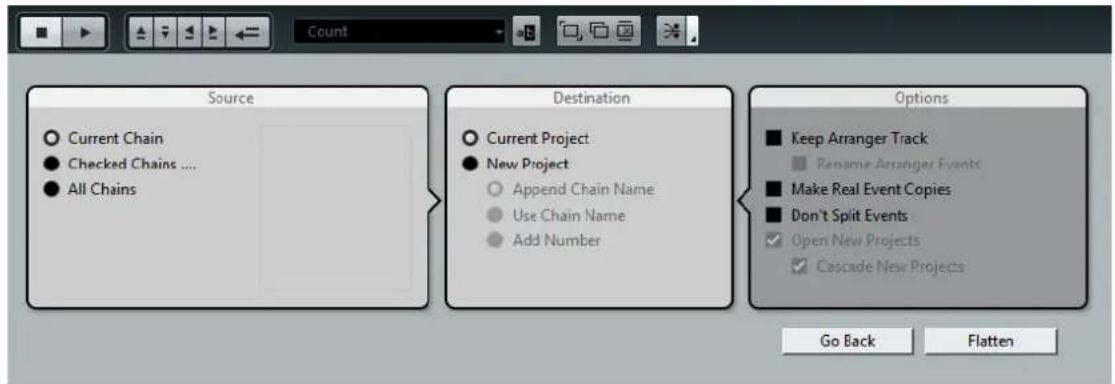
NOTE
If you realize that you want to do further adjustments, click Go Back. The activated flatten options are kept.
- Click Flatten.
RESULT
The events and parts in the project are reordered, repeated, resized, moved and/or deleted, so that they correspond exactly to the arranger chain.
Jump Mode
If you have set up an arranger track and play it back, you have live access to the playback order. This way, you can loop your arranger events with more flexibility regarding the length of the playback.
PREREQUISITE
An arranger chain is set up and the arranger mode is activated.
PROCEDURE
- Click Play to play back your project.
- In the lower part of the Inspector, open the Jump Mode pop-up menu, and select an option from the pop-up menu.

This determines how long the active arranger event is played, before jumping to the next one.
- In the Arranger Events list of the Inspector, click the arrow to the left of the arranger event that you want to trigger.
RESULT
The arranger event is looped according to your settings, until you click another arranger event.
NOTE
You can assign key commands to trigger arranger events in the Arranger category of the Key Commands dialog.
AFTER COMPLETING THIS TASK
• To stop Jump Mode, click Stop.
- To continue playback from a specific arranger event, click the arranger event in the Current Arranger Chain list.
RELATED LINKS
Jump Mode Options on page 220
Jump Mode Options
The Jump Mode pop-up menu allows you to define how long the active arranger event is played before jumping to the next one.

The following options are available:
None
Jumps to the next section immediately.
4 bars, 2 bars
Jumps to the next arranger event after 2 or 4 bars. If the current arranger event is shorter than 2 or 4 bars, playback jumps to the next arranger event at the event end.
1 bar
Jumps to the next section at the next bar line.
1 beat
Jumps to the next section at the next beat.
End
Plays the current section to the end, then jumps to the next section.
Arranging Music to Video
When you compose music for video, you can use arranger events to fill a specific video section with music. Here is an example on how you could do that.
PREREQUISITE
You have connected and set up an external sync master device to your computer. You have created a new, empty project and added a MIDI track.
PROCEDURE
- Create a MIDI part that starts at position 00:00:00:00 and ends at position 00:01:00:00.
- Create a MIDI part that starts at position 00:01:00:00 and ends at position 00:02:00:00.
- Create a MIDI part that starts at position 00:02:00:00 and ends at position 00:03:00:00.
- On the Transport panel, activate Sync.
- Select Project > Add Track > Arranger.
- Add arranger events at the positions of the MIDI parts.
- Set up the arranger chain A-A-B-B-C-C.
- Activate Arranger mode and click Play.
- On your external sync master device, start external timecode at position 00:00:10:00. In your project, the position 00:00:10:00 is located, and arranger part A is played back.
- Start your external sync master device at a position that does not match the Project Start time, for example, 00:01:10:00. In your project, the position 00:01:10:00 is located, and arranger part A is played back.
RESULT
If you position the external sync master device to a position that does not match the project start time, Cubase automatically jumps to the right position in the arranger track.
NOTE
The reference for the external timecode can be MIDI or any other timecode that can be interpreted by Cubase.
Markers
Markers are used to locate certain positions quickly. There are two types of markers: position markers and cycle markers.
If you often find yourself jumping to a specific position within a project, you should insert a marker at this position. You can also use markers to make range selections or for zooming.
Markers are located on the marker track.
Position Markers
Position markers allow you to save a specific position.
Position markers on the marker track are shown as marker events: vertical lines with the marker description (if assigned) and number beside it. If you select a marker track, all its markers are shown in the Inspector.
Cycle Markers
By creating cycle markers you can save any number of left and right locator positions as start and end positions of a range and recall them by double-clicking on the corresponding marker.
Cycle markers are shown on a marker track as two markers bridged by a horizontal line. Cycle markers are ideal for saving sections of a project.
By defining cycle markers for sections of a song, e.g. intro, verse, and chorus, you can quickly navigate to the song sections and repeat the section by activating Cycle on the Transport panel.
Setting the Locators Using Cycle Markers
Cycle markers represent ranges in your project. You can use them for moving the left and right locators.
PROCEDURE
- To set the left locator to the cycle marker start and the right locator to the cycle marker end, perform one of the following actions:
• Double-click on a cycle marker. • From the Cycle pop-up menu in the track list, select a cycle marker.
RESULT
The left and right locators are moved to encompass the cycle marker.
AFTER COMPLETING THIS TASK
Now you can move the project cursor position to the start or the end of the cycle marker by moving it to the corresponding locator or use cycle markers to export specific ranges of your project with the Export Audio Mixdown dialog.
Editing Cycle Markers
When editing cycle markers on a marker track, snap is taken into account.
• To add a cycle marker, press Ctrl/Cmd click and drag on the marker track. • To change the start/end position of a cycle marker, drag the start/end handle. • To move a cycle marker to another position, drag the upper border. • To delete a cycle marker, click with the Erase tool. If you hold down Alt when you click, all consecutive markers are deleted. • To cut a range in a cycle marker, select a range in the cycle marker and press Ctrl/Cmd-X. - To set the marker start/end of the selected cycle marker to the cursor position, select Project > Markers to open the Markers window, and select Functions > Set Marker Start/End to Cursor. • To set the left and right locators, double-click a cycle marker. • To zoom in on a cycle marker, press Alt and double-click the cycle marker.
Markers Window
In the Markers window, you can view and edit markers. The markers on the marker track are displayed in the marker list in the order in which they occur in the project.
To open the Markers window, you have the following possibilities:
- Select Project > Markers.
- On the Transport panel in the marker section, click Show.
- Use a key command (by default Ctrl/Cmd-M).
![functions Type: All- ID Position End Length Description [1] 1. 1. 1. 0 5. 1. 1. 0 4. 0. 0. 0 1 2. 1. 1. 0 > 2 3. 1. 1. 0 ①②③④⑤⑥](/content/2026/06/1348291/images/a647e40ecf3407e0ccbb360c57cc1b80c54bc6befc7ef9c6649c42d147ba29af.jpg)
1 Locate arrow
Indicates which marker is at the project cursor position.
2 Functions menu
Lists all functions available in the Marker window.
3 Marker type
Allows you to specify which marker type is shown in the marker list.
4 Auto-Scroll with Project Cursor
Allows you to keep track of the locate arrow, even if your project contains a large number of markers. If this option is activated, the Marker window is automatically scrolled to keep the locate arrow visible.
5 Markers list
Shows the markers in the order in which they occur in the project.
6 Marker Settings
Shows the marker settings.
Editing in the Markers Window
In the Markers window, you can select, edit, add, move, and remove markers.
• To select or edit a marker, click on it. Select multiple markers by Shift or Ctrl/Cmd-clicking them. • To add a position marker at the cursor position, select Functions > Insert Marker. A position marker is added at the current project cursor position on the marker track. • To add a cycle marker at the cursor position, select Functions > Insert Cycle Marker. This adds a cycle marker between the left and right locators on the marker track. • To move a marker to the cursor position, select the marker and select Functions > Move Markers to Cursor. You can also enter the new position numerically in the Position column. If a cycle marker is selected, the move operation affects the cycle marker start position. • To remove a marker, select it and select Functions > Remove Marker.
Navigating in the Marker List
You can navigate in the marker list using your computer keyboard and select entries by pressing Enter. This is a quick and easy way to jump to markers during playback or recording.
• To move to the previous/next marker in the list, press the Up Arrow/Down Arrow keys. • To jump to the first/last marker, press the Page Up/Page Down keys.
Sorting and Reordering the Marker List
You can customize the display of the marker attributes in the marker list by sorting or reordering the columns.
• To sort the marker list by a specific attribute, click on the corresponding column header. • To reorder the marker attributes, drag and drop the corresponding column headers. • To adjust the width of a column, place the mouse pointer between two column headers and drag left or right.
NOTE
No matter by which attribute you sort, the second sort criterion will always be the position attribute.
Marker Settings
You can access the marker settings by clicking the corresponding button in the bottom left corner of the Markers window.

Cycle follows when locating to Markers
This sets the left and right locators automatically to a position or cycle marker, when locating to this marker. This is useful if you need to set the locators on the fly during recording for Punch In/Punch Out, for example.
Show marker IDs on marker track
If this option is activated, the marker IDs are shown on the marker track.
Sync Selection
If this option is activated, the Markers window selection is linked to the selection in the Project window.
Marker Attributes
The following marker attributes are shown in the marker list of the Marker window:
Locate
An arrow indicates which marker is at the project cursor position (or closest to the project cursor). If you click in this column, the project cursor is moved to the corresponding marker position. This column cannot be hidden.
ID
This column shows the marker ID numbers.
Position
In this column, you can view and edit the markers' time positions (or start positions for cycle markers). This column cannot be hidden.
End
In this column, you can view and edit the end positions of cycle markers.
Length
In this column, you can view and edit the length of cycle markers.
Description
Here you can enter names or descriptions for markers.
RELATED LINKS
Marker IDs on page 226
Cycle Markers on page 222
Editing Attributes
- To edit a marker attribute, select the corresponding marker, click in the desired attribute column, and make your settings.
- To change the attributes of several markers, select the markers and click the checkbox for the desired attribute. All selected markers will change their attributes accordingly. Note that this does not work when clicking on a timecode value or a text field.
NOTE
To navigate in the list of marker attributes, you can also use the Tab key and the Up Arrow, Down Arrow, Left Arrow, and Right Arrow keys.
Sorting and Reordering Columns
You can customize the display of the marker attributes in the marker list by sorting or reordering the columns.
• To sort the marker list by a specific attribute, click on the corresponding column header.
NOTE
No matter by which attribute you sort, the second sort criterion will always be the position attribute.
• To reorder the marker attributes, drag and drop the corresponding column headers. - To adjust the width of a column, place the mouse pointer between two column headers and drag left or right.
Marker IDs
Each time you add a marker, it is automatically and sequentially assigned an ID number, starting from 1.
IDs for cycle markers are shown in brackets and start from 1. ID numbers can be changed at any time – this allows you to assign specific markers to key commands.
Reassigning Marker IDs
Sometimes, especially when setting markers on the fly, you may forget or miss to set a marker. When added later, this marker's ID will not correspond to its position on the marker track. Therefore, it is possible to reassign the IDs for all markers on a track.
PROCEDURE
- Open the Markers window.
- Open the Functions pop-up menu and select either Reassign Position Marker IDs or Reassign Cycle Marker IDs.
RESULT
The marker IDs of the selected type are reassigned to match the order of markers on the marker track.
Marker Track
A marker track is used for adding and editing markers.

1 Add Marker
Adds a position marker at the cursor position.
2 Add Cycle Marker
Adds a cycle marker at the cursor position.
3 Locate pop-up menu
If you select a position or a cycle marker in this pop-up menu, the corresponding marker in the event display or in the Markers window is selected.
4 Cycle pop-up menu
If you select a cycle marker in this pop-up menu, the left and right locators are set to the corresponding cycle marker.
5 Zoom pop-up menu
If you select a cycle marker in this pop-up menu, the view zooms to the corresponding cycle marker.
6 Marker event (inactive)
Shows an inactive marker event.
7 Marker event (active)
Shows an active marker event.
8 Cycle marker event (inactive)
Shows an inactive cycle marker event.
9 Cycle marker event (active)
Shows an active cycle marker event.
Adding, Moving, and Removing the Marker Track
• To add a marker track to the project, select Project > Add Track > Marker. • To move a marker track to another position in the track list, click and drag it up or down. • To remove the marker track, right-click it in the track list and select Remove Selected Tracks. • To remove an empty marker track, select Project > Remove Empty Tracks.
This also removes any other tracks that are empty.
Editing Markers on the Marker Track
• To add a position marker, click Add Marker or use the Draw tool. • To add a cycle marker, click Add Cycle Marker or use the Draw tool. • To select a marker, use the standard techniques. - To resize a cycle marker, select it and drag the handles. You can also do this numerically on the info line. • To move a marker, select it and drag it. You can also edit marker positions on the info line. • To remove a marker, select it and press Delete or use the Erase tool.
Using Markers to Select Ranges
Markers can be used in conjunction with the Range Selection tool to make range selections in the Project window. This is useful if you quickly want to make a selection that spans all tracks in the project.
PROCEDURE
- Set markers at the start and end of the section that you want to move or copy.
- Select the Range Selection tool and double-click on the marker track between the markers.
Everything in the project within the marker boundaries is selected. Any functions or processing you perform now affect the selection only.
- Click on the marker track in the selected range and drag the range to a new position.
If you hold down Alt while you drag the range, the selection in the Project window is copied instead.
Importing and Exporting Markers
Markers and marker tracks can be imported and exported.
The following files can contain markers:
- MIDI files
Importing Markers via MIDI
You can import position markers by importing MIDI files containing markers. This is useful if you want to use your marker tracks in other projects or if you want to share them with other Cubase users. Any markers you have added are included in the MIDI file as standard MIDI file marker events.
- Activate Import Markers in the Preferences dialog (MIDI—MIDI File page). The following settings are imported: • The start position of position markers and cycle markers
RELATED LINKS
Importing MIDI Files on page 191
Exporting Markers via MIDI
You can export your markers as part of a MIDI file.
- To include any markers in the MIDI file, activate Export Markers in the Export Options dialog.
The following settings are exported:
• The start position of position markers and cycle markers
NOTE
To be able to export markers via MIDI export, your project must contain a marker track.
RELATED LINKS
Exporting MIDI Tracks as Standard MIDI File on page 111
MixConsole
The MixConsole provides a common environment for producing mixes in stereo. It allows you to control level, pan, solo/mute status, etc. for audio and MIDI channels. Furthermore, you can set up the input and output routing for multiple tracks or channels at the same time.
You can open the MixConsole in a separate window or in the lower zone of the Project window.
While the MixConsole in the lower zone of the Project window features the key functions for mixing, the separate MixConsole window gives you access to additional functions and settings.
RELATED LINKS
MixConsole in Lower Zone on page 229
MixConsole Window on page 230
MixConsole in Lower Zone
You can show a MixConsole in the lower zone of the Project window. This is useful if you want to access the most important MixConsole functions from within a fixed zone of the Project window. The MixConsole in the lower zone of the Project window is a separate MixConsole that does not follow any visibility changes you perform in the MixConsole window.
Do one of the following to open a MixConsole in the lower zone of the Project window:
- Press Alt+F3.
- Select Studio > MixConsole in Project Window.
The MixConsole in the lower zone of the Project window is divided into the following sections:

1 Toolbar
The toolbar shows tools and shortcuts for settings and functions in the MixConsole.
2 Fader Section
The fader section is always visible and shows all channels in the same order as in the track list.
3 Page Selector
Allows you to select what page is displayed in the fader section: the channel faders, the insert effects for a channel, or the send effects. The top button allows you to show/hide the toolbar.
RELATED LINKS
Fader Section on page 239
Inserts on page 249
Sends on page 259
Filtering Channel Types on page 235
Linking Channels on page 237
Functions Menu on page 238
MixConsole Window
You can open the MixConsole in a separate window.
Do one of the following to open the MixConsole:
- Press F3.
- Select Studio > MixConsole.
- On the Project window toolbar, click Open MixConsole

NOTE
This is only visible on the toolbar if the section Media & MixConsole Windows is activated.
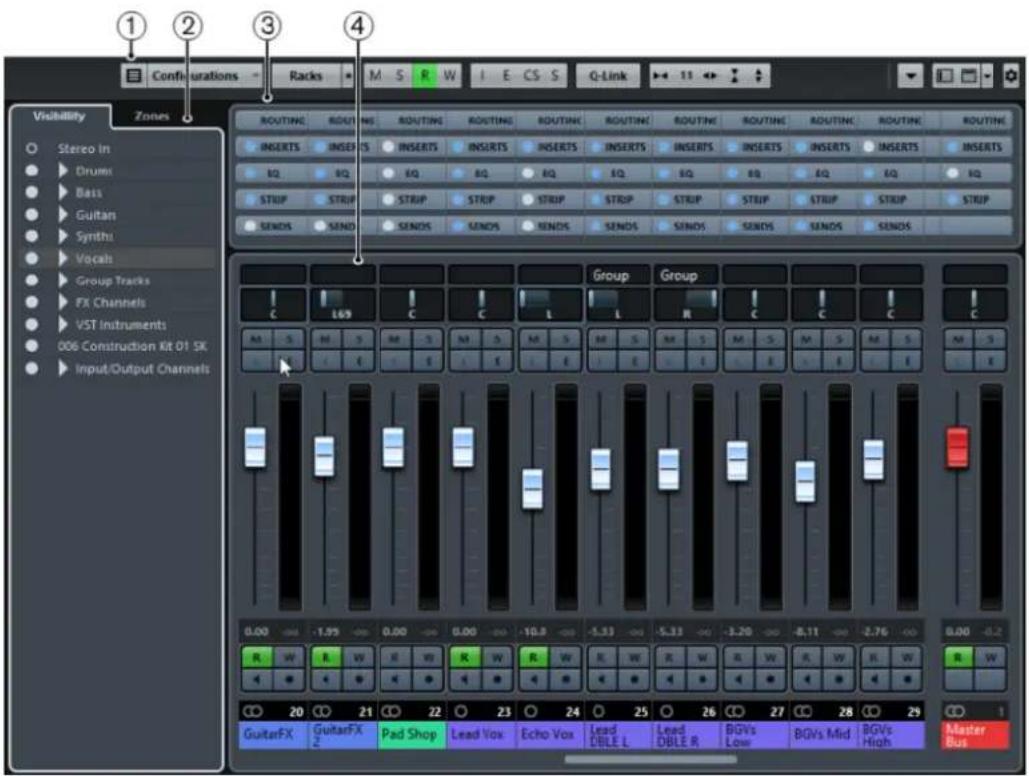
The main MixConsole sections are:
1 Toolbar
The toolbar shows tools and shortcuts for settings and functions in the MixConsole.
2 Channel Selector
Allows you to set up the visibility of channels in the fader section.
3 Channel Racks (Upper Zone)
Allows you to show additional channel controls as needed.
4 Fader Section
The fader section is always visible and shows all channels in the same order as in the track list.

Apart from the main sections, you can also access the following sections from within the MixConsole window:
1 Meter Bridge
Allows you to monitor the levels of your channels.
2 Equalizer Curve
Allows you to draw an EQ curve. Click in the curve display to open a larger view where you can edit the curve points.
3 Pictures
Opens the Pictures section that allows you to add a picture to the selected channel. Pictures can help you identify your MixConsole channels quickly.
4 Notepad
In the Notepad section, you can enter notes and comments about a channel. Each channel has its own notepad.
RELATED LINKS
Channel Selector on page 232
MixConsole Toolbar on page 233
Fader Section on page 239
Channel Racks on page 236
Track Pictures Browser on page 115
Adding Notes to a MixConsole Channel on page 259
Channel Selector
The channel selector contains the Visibility tab that lists all channels contained in your project.
Visibility Tab
The Visibility tab allows you to determine which channels are shown in the MixConsole. This is particularly helpful if you organize your tracks in folder or group tracks.

- To show/hide channels, check/uncheck them by clicking to the left of the channel name.
- To collapse/expand groups and folders, click the group or folder name.
NOTE
The MixConsole in the lower zone of the Project window does not follow any visibility changes you perform in the MixConsole window and vice versa.
MixConsole Toolbar
The toolbar contains tools and shortcuts for settings and functions in the MixConsole.
NOTE
The toolbar of the lower zone MixConsole contains a limited set of tools. This includes: Channel Filter Types, Link Group, Zoom Palette, Mixer Functions Menu, and Window Zone Controls. You can show/hide the toolbar by clicking Show/Hide MixConsole Toolbar in the lower zone.
Left Divider

Allows you to use the left divider. Tools that are placed to the left of the divider are always shown.
Channel Filter Types

Opens the channel filter that allows you to show/hide all channels of a certain channel type.
Channel Visibility Configurations

Allows you to create configurations that are useful for switching quickly between different visibility setups.
Select Rack Types

Opens the rack selector that allows you to show/hide specific racks.
Rack Settings

Opens a pop-up menu with settings for the racks.
Go to Left/Right Locator Position

Allows you to go to the left/right locator positions.
Left/Right Locator Position

Shows the left/right locator positions.
Transport Buttons

Shows the transport controls.
Time Display

Shows the position of the project cursor in the selected time format.
Markers

Allows you to set and locate marker positions.
State Buttons

Allows you to set mute, solo, listen, and automation states. Here you can also bypass inserts, EQs, channel strips, and sends.
Link Group

Allows you to link channels.
Zoom Palette

Allows you to increase/reduce the channel width and the rack height. You can change the width for all channels from viewable (narrow) to editable (wide) by using the default key commands G and H.
System Performance Meter

Shows the meters for ASIO time usage and hard disk transfer load.
Right Divider

Allows you to use the right divider. Tools that are placed to the right of the divider are always shown.
Mixer Functions Menu

Opens the Functions Menu that allows you to make settings in the MixConsole.
Window Zone Controls

Allows you to show or hide the left zone and the upper zone of the MixConsole. The Setup Window Layout pop-up menu allows you to show or hide the status line, the info line, and the overview line.
Filtering Channel Types
The channel types filter on the MixConsole toolbar allows you to determine which channel types are shown.
PROCEDURE
1. Click Filter Channel Types.
This opens the channel types filter.

- Click to the left of a channel type to uncheck it and hide all channels of that type.
RESULT
Channels of the filtered type are removed from the fader section and the color of the Filter Channel Types button changes to indicate that a channel type is hidden.
Channel Visibility Configurations
The Channel Visibility Configurations button on the MixConsole toolbar allows you to create configurations that are useful for switching quickly between different visibility setups.
The button displays the name of the active configuration. A list of configurations is shown as soon as you create at least one configuration. To load a configuration, select it from this list. Channel visibility configurations are saved with the project.
Add Configuration
Opens the Add Configuration dialog that allows you to save the configuration and enter a name for it.
Update Configuration
If you change the active configuration, this is indicated by an asterisk after the configuration name. Use this function to save changes to the active configuration.
Rename Configuration
Opens the Rename Configuration dialog that allows you to rename the active configuration.
Delete Configuration
Allows you to delete the active configuration.
Move Configuration to Position
This function becomes available if 2 or more configurations exist. It allows you to change the position of the active configuration on the menu. This is useful as you can assign key commands to the first 8 configurations in the Channel & Track Visibility category of the Key Commands dialog.
Saving Configurations
To quickly switch between different channel setups, you can save configurations. The configurations contain visibility settings as well as the show/hide status of channel types and racks.
PROCEDURE
- Set up the configuration that you want to save.
- On the toolbar, click Configurations.
- From the pop-up menu, select Add Configuration.
- In the Add Configuration dialog, enter a name for the configuration.
- Click OK.
RESULT
The configuration is saved and you can return to it at any time.
Rack Selector
The rack selector allows you to activate specific MixConsole functions that are organized in racks, such as routing, insert, or send handling.
Channel Racks
You can activate and deactivate the different channel racks in the MixConsole.
- To open the rack selector, click Select Racks.

Depending on the channel type, you can activate/deactivate the following racks:
Hardware
Allows you to control your audio hardware effects. This rack is only available if supported by your hardware.
Routing
Allows you to set up the input and output routing. For MIDI, you can also select the MIDI channel.
Pre (Filters/Gain/Phase) (Cubase Elements only)
Contains input filter controls along with Phase and Gain controls for audio-related channels.
Inserts
Allows you to select insert effects for your channel.
Equalizers (audio-related channels only)
Allows you to set the channel EQ.
Channel Strip (audio-related channels only)
Allows you to integrate channel strip modules, such as Gate, Compressor, EQ, Transformer, Saturator, and Limiter that allow you to enhance your sound.
Sends
Allows you to select send effects for your channel.
Rack Settings
The Rack Settings pop-up menu allows you to make settings for the racks.
- To open the Rack Settings pop-up menu, click Rack Settings.

Exclusive Expanded Rack
Shows the selected rack exclusively and collapses the other racks.
Fixed Number of Slots
Shows all available slots for the Inserts, Sends, Cues, and Quick Controls racks.
Link Racks to Configurations
If this option is activated, the rack status is taken into account when you save and load a configuration.
Show Pre/Filters as (Cubase Elements only)
Select Combined Label & Setting if you want to show the label and the setting in one line.
Select Separate Label & Setting if you want to show the label and the setting in separate lines.
Show Inserts as
Select Plug-in Names if you want to show the plug-in names only.
Select Plug-in & Preset Names if you want to show the plug-in and the preset names.
Show All Channel Strip Controls
Shows all available controls on the Channel Strip rack.
Show One Channel Strip Type
Shows only one channel strip type at a time.
Show Sends as
Select Combined Destination & Gain if you want to show the destination and the gain in one line.
Select Separate Destination & Gain if you want to show the destination and the gain in separate lines.
Linking Channels
You can link selected channels temporarily. Any change that is applied to one channel is mirrored by all linked channels.
Using Quick Link
You can activate the Temporary Link Mode to synchronize all touched parameters of selected channels.
PROCEDURE
- Select the channels that you want to link.
- On the MixConsole toolbar, activate Q-Link.
NOTE
You can also press Shift-Alt to temporarily link channels. In that case, the link is only active as long as you press the keys.
- Change the parameters for one of the selected channels.
RESULT
The changes are applied to all selected channels until you deactivate Q-Link.
Functions Menu
The Functions Menu contains tools and shortcuts for settings and functions in the MixConsole.
To open the Functions Menu, click Functions Menu in the top right corner of the MixConsole.
Scroll to Selected Channel
If this option is activated and you select a channel in the Visibility tab, the selected channel is automatically displayed in the Fader section.
Copy First Selected Channel's Settings
Copies the settings of the first selected channel.
Paste Settings to Selected Channels
Pastes the settings to the selected channels.
Zoom
Opens a submenu where you can increase or reduce the channel width and the rack height.
Open Audio Connections
Opens the Audio Connections window.
Constrain Delay Compensation
Allows you to activate/deactivate the Constrain Delay Compensation that keeps all channels in perfect sync and automatically compensates any delay inherent in VST plug-ins during playback.
EQ/Filter Transition
Allows you to change the EQ/Filter Transition mode from Soft to Quick.
Save Selected Channels
Saves the settings for the selected channels.
Load Selected Channels
Loads the settings for the selected channels.
Global Meter Settings
Opens a submenu where you can set up the global meter settings.
Reset MixConsole Channels
Allows you to reset EQ, insert, and send effect settings for all or selected channels. Solo and mute buttons are deactivated, the volume fader is set to 0 dB, and pan is set to the center position.
Saving MixConsole Settings
You can save MixConsole settings for selected audio-related channels in the MixConsole and load them into any project.
PROCEDURE
- Select the channels with the settings that you want to save.
- Select Functions > Save Selected Channels.
- In the file dialog, specify the file name and location.
- Click Save.
RESULT
The settings for the selected channels are saved with the file extension .vmx. The input/output routing is not saved.
Loading MixConsole Settings
You can load MixConsole settings that have been saved for selected channels.
PROCEDURE
- Select the same number of channels that you selected when you saved your MixConsole settings. The loaded MixConsole settings are applied in the same order as originally saved. For example, if you have saved the settings for channels 4, 6, and 8, and apply these settings to channels 1, 2, and 3, the settings saved for channel 4 are applied to channel 1, the settings saved for channel 6 to channel 2, and so on.
- Select Functions > Load Selected Channels.
- In the Load Selected Channels dialog, select the .vmx settings file and click Open.
RESULT
The channel settings are applied to the selected channels.
NOTE
When you apply loaded MixConsole settings to fewer channels, some of the saved settings are not applied. Since the saved settings are applied from left to right as shown in the MixConsole, the settings for the channels furthest to the right are not applied to any channels.
Fader Section
The fader section is the heart of the MixConsole. It shows input and output channels together with audio, instrument, MIDI, group, FX, and ReWire (not in Cubase LE) channels.
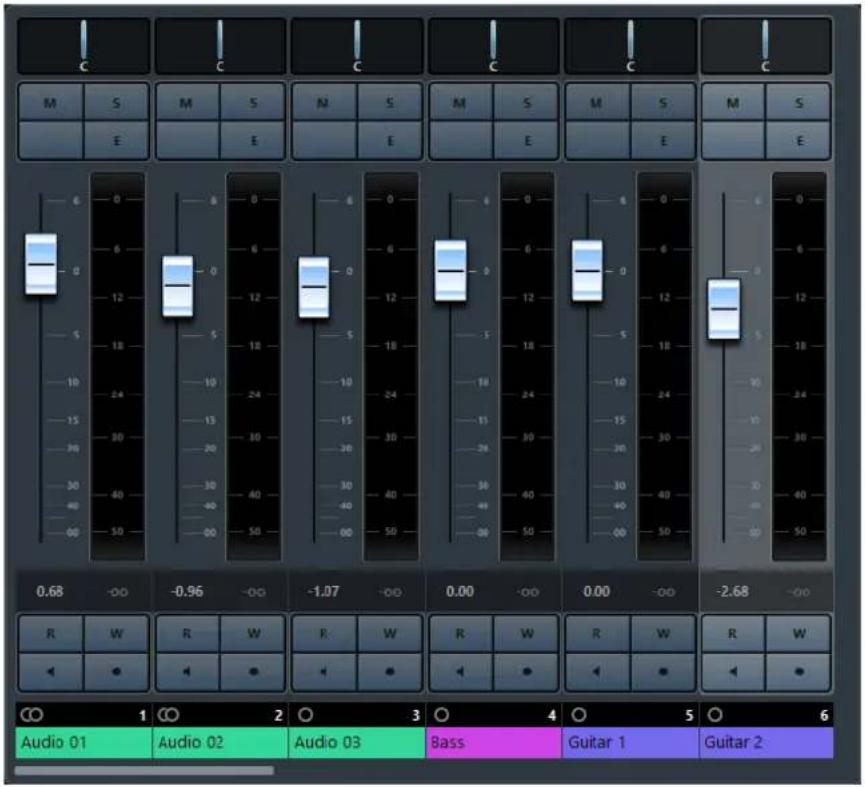
NOTE
If a channel is deactivated in the channel selector or if its channel type is deactivated, it is not shown in the fader section. The MixConsole in the lower zone of the Project window does not follow any visibility changes you perform in the MixConsole window and vice versa. It is linked to the track visibility of the Project window.
The fader section allows you to do the following:
- Set panorama • Activate mute and solo
- Open channel settings
- Set volume
- Enable automation
- Set input levels
NOTE
All fader section functions and settings are also available in the MixConsole in the lower zone of the Project window.
RELATED LINKS
Using Channel Settings on page 242
Write/Read Automation on page 393
Showing/Hiding MixConsole Channels in the Lower Zone
Setting Pan
For each audio-related channel with at least a stereo output configuration, you can find a pan control at the top of the fader section. For MIDI channels, the pan control sends out MIDI pan messages. The result depends on how your MIDI instrument is set to respond to pan.
The pan control allows you to position a channel in the stereo spectrum.
• To make fine adjustments, hold down Shift when you move the pan control. • To select the default center pan position, hold down Ctrl/Cmd, and click the pan control. • To edit the value numerically, double-click the pan control.
RELATED LINKS
Creating New Projects on page 61
Stereo Balance Panner
The stereo balance panner allows you to control the balance between the left and right channels. It is activated by default.

Panning Bypass
You can bypass the panning for all audio-related channels.
- To activate panning bypass, click the button to the left or press Ctrl/Cmd-Alt-Shift and click the pan control. To deactivate panning bypass, press Ctrl/Cmd-Alt-Shift and click again.
When panning is bypassed for a channel, the following happens:
Mono channels are panned center. Stereo channels are panned hard left and right.
Using Solo and Mute
You can silence one or several channels using Solo and Mute.
To silence a channel, click Mute. Click again to deactivate the mute state for the channel. To mute all other channels, click Solo for a channel. Click again to deactivate the solo state. To deactivate the mute or solo states for all channels simultaneously, click Deactivate All Mute States or Deactivate All Solo States. To activate exclusive solo mode, hold down Ctrl/Cmd and click Solo for the channel. The Solo buttons of all other channels are deactivated. To activate solo defeat for a channel, Alt-click Solo.

You can also click and hold Solo to activate solo defeat. In this mode, the channel is not muted when you solo another channel. Alt-click again to deactivate solo defeat.
Using Channel Settings
You can open each MixConsole channel in a separate Channel Settings window. This allows for better overview and editing of the channel settings.
To open the channel settings for a specific channel, click E in the fader section.

The Channel Settings window for audio-related channels is divided into several sections:
- Channel Inserts • Channel Faders
- Channel Sends
The Channel Strip and Equalizer are always available.
The sections are arranged in zones at the left and right of the Channel Settings window.
- To show a pane with options to open or close the sections, position the mouse pointer at one of the edges of the Channel Settings window.
The channel settings are especially suitable for the following actions:
- Moving the channel strip to Pre/Post-Inserts position By default, the inserts are positioned before the channel strip in the signal flow. In the Inserts section, you can change this by clicking the arrow at the top of the Strip tab. The tabs are swapped.
- Making EQ settings The channel settings feature a large EQ curve display with several modes. By default, the equalizer controls are hidden, but you can click the little button at the top right corner to show the equalizer controls or the equalizer knob controls below the EQ curve.

• Showing the output chain
If you click Show Output Chain on the toolbar, the output chain is shown in the Channel Faders section. This allows you to keep track of more complicated output routings.
• Browsing through channels
RELATED LINKS
Equalizer Settings on page 251
Browsing through Channels
Every channel has its own Channel Settings window, but you can view any channel's settings from a single window. This allows you to have a single Channel Settings window open in a convenient position on the screen and use it for all your EQ and channel effect settings.
To select a channel in the Channel Settings window, proceed as follows:
• To show the previous/next channel, click Go to Previous/Next Channel. • To browse through the edited channels, click Go to Last/Next Edited Channel. The buttons are only available if at least 2 channels have been edited. - Select a channel in the MixConsole to select the corresponding channel in the Channel Settings window. This is the default behavior. If this is not what you want, open the Functions menu and deactivate Follow 'e' buttons or selection changes. - Select a track in the Project window to select the corresponding channel in the MixConsole and the Channel Settings window.
Setting Volume
Each channel in the fader section of the MixConsole has a volume fader. The fader levels are displayed below the fader, in dB for audio-related channels and as MIDI volume (0 to 127) for MIDI channels.
• To change the volume, move the fader up or down. • To make fine volume adjustments, press Shift while moving the faders. • To reset the volume to its default value, press Ctrl/Cmd and click a fader.
For audio channels, the volume fader controls the volume of the channel before it is routed to an output bus, directly or via a group channel. For output channels, the volume fader controls the master output level of all audio channels that are routed to an output bus. For MIDI channels, the volume fader controls the volume changes in the MixConsole by sending out MIDI volume messages to the connected instruments that are set to respond to MIDI messages.
Global Meter Setting
You can change the meter characteristics for audio channels using the context menu of the channel meter.
Right-click the channel meter and select one of the following options from the Global Meter Settings menu:
Meter Peak Options - Hold Peaks
The highest registered levels are held and shown as static horizontal lines in the meter.
Meter Peak Options - Hold Forever
If this option is activated, the peak levels are shown until you reset the meters. If this option is deactivated, you can use the Meters' Peak Hold Time parameter in the Preferences dialog (Metering page) to specify for how long the peak levels are held. The peak hold time can be between 500 and 30000 ms.
Meter Position - Input
If this option is activated, the meters show input levels for all audio channels and input/output channels. The input meters are post input gain.
Meter Position - Post-Fader
If this option is activated, the meters show post-fader levels.
Meter Position - Post-Panner
If this option is activated, the meters show post-fader levels and also reflect pan settings.
Reset Meters
Resets the meters.
Level Meters
The channel meters show the level when you play back audio or MIDI. The Meter Peak Level indicator shows the highest registered level.
• To reset the peak level, Alt-click the Meter Peak Level value.
NOTE
Input and output channels have clipping indicators. When they light up, lower the gain or the levels until the indicator is no longer lit.
Input Levels
When recording digital sound, it is important to set the input levels high enough to ensure low noise and high audio quality. At the same time, you must avoid clipping (digital distortion).
Setting Input Levels
PROCEDURE
- Select Functions > Global Meter Settings > Meter Position and activate Input.
In this mode, the input channel level meters show the level of the signal at the input of the bus, before any adjustments, such as input gain, EQ, effects, level, or pan are made. This allows you to check the level of the unprocessed signal coming into the audio hardware.
- Play back the audio and check the level meter for the input channel.
The signal should be as loud as possible without exceeding 0 dB, that is, the clipping indicator for the input bus should not light up.
- If necessary, adjust the input level in one of the following ways:
- Adjust the output level of the sound source or the external mixer.
- If possible, use the audio hardware's own application program to set the input levels. Refer to the documentation for the audio hardware.
- If your audio hardware supports the ASIO control panel function, it may be possible to make input level settings. To open the ASIO control panel, select Studio > Studio Setup and in the Devices list, select your audio card. When this is selected, you can open the control panel by clicking Control Panel in the settings section to the right.
- Optional: Select Functions > Global Meter Settings > Meter Position and activate Post-Fader.
NOTE
This allows you to check the level of the audio being written to a file on your hard disk, which is only necessary if you make any adjustments to the input channel.
- Optional: In the Channel Racks section, in the Inserts rack, click a slot and select an effect, or in the Equalizers rack, make your EQ settings.
For some effects you may want to adjust the level of the signal going into the effect. Use the input gain function for this. Press Shift or Alt to adjust the input gain.
- Play back the audio and check the level meter of the input channel.
The signal should be reasonably loud without exceeding 0 dB, that is, the clipping indicator for the input bus should not light up.
- If necessary, use the input channel fader to adjust the signal level.
Clipping
Clipping typically occurs in the audio hardware when an analog signal is too loud and therefore converted to digital in the hardware's A/D converters.
Working with Channel Racks
The Channel Racks section contains specific MixConsole functions, such as routing, insert, or send handling. These are organized in racks.
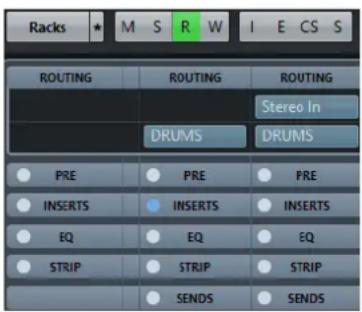
NOTE
The MixConsole in the lower zone of the Project window features the Inserts and the Sends rack only.
RELATED LINKS
Routing on page 246
Pre (Filters/Gain/Phase) (Cubase Elements only) on page 248
Inserts on page 249
Channel Strips on page 253
Sends on page 259
Copying and Moving Rack and Channel Settings
You can use drag and drop to copy or move rack and channel settings.
NOTE
This function is only available in the MixConsole window.
Drag and drop works between different channels or different rack slots on the same channel. When you drag, a visual feedback indicates the sections where you can drop your settings.
The following applies:
- To move the rack settings from one rack to another, drag the rack and drop it on the rack to which you want to move the settings.
- To copy the rack settings from one rack to another, press Alt, drag the rack, and drop it on the rack to which you want to copy the settings.
- To copy the channel settings from one channel to another, drag the channel and drop it on the channel to which you want to copy the settings.
You can copy rack and channel settings between different types of channels, provided that the target channels have corresponding settings.
- For example, copying from input/output channels leaves the sends settings in the target channel unaffected.
Routing
The Routing rack allows you to configure input and output routing, that is, setting up input and output busses.
This channel rack is only available in the MixConsole window.
Input busses are used when you record on an audio track. In this case, you must select from which input bus the audio is received.
The settings that you make for the input channel will be a permanent part of the recorded audio file.
Output busses are used when you play back an audio, group, or FX channel. In this case, you must route the channel to an output bus.
You can route the outputs from multiple audio channels to a group. For example, to control the channel levels using one fader, and to apply the same effects and equalization to all the channels.
Setting up Routing
PREREQUISITE
Set up busses and group channels in the Audio Connections window.
PROCEDURE
- On the MixConsole toolbar, click Racks and activate Routing to show the Routing rack above the fader section.
- Click one of the slots of the Routing rack to open the input or the output routing pop-up menu for a channel.
- In the routing selector, select an entry.
- To set up the routing for multiple selected channels simultaneously, press Shift-Alt and select a bus.
- To set several selected channels to incrementing busses (the second selected channel to the second bus, the third to the third bus, etc.), press Shift and select a bus. • To disconnect input or output bus assignments, select No Bus.
Input Busses
The input routing selector only lists busses that correspond to the channel configuration.
NOTE
If you select a group channel as input for an audio channel, you can record a downmix.
Input Routing Configurations for Mono Channels
• Mono input busses. • Mono output busses, or mono group output busses. These should not lead to feedback.
RELATED LINKS
Routing on page 246
Input Routing Configurations for Stereo Channels
• Mono or stereo input busses. • Mono or stereo output busses, and mono or stereo group output busses. These should not lead to feedback.
RELATED LINKS
Routing on page 246
Output Busses
For output busses any assignment is possible.
Using Group Channels
You can route the outputs from multiple audio channels to a group. This enables you to control the channel levels using one fader, apply the same effects and EQ to all channels, etc. You can also select a group channel as input for an audio track, to record a downmix of separate tracks, for example.
PREREQUISITE
You have created and set up a group channel track in stereo.
PROCEDURE
- Route the group channel track to an output bus.
- Add effects to the group channel as insert effects.
- Route the mono audio track to the group channel.
RESULT
The signal from the mono audio track is sent directly to the group, where it passes through the insert effect, in stereo.
Pre (Filters/Gain/Phase) (Cubase Elements only)
The Pre rack for audio-related channels features a high-cut and a low-cut filter as well as gain and phase settings.
NOTE
This channel rack is only available in the MixConsole window.
NOTE
You cannot edit the Pre rack settings in the EQ curve display.
RELATED LINKS
Equalizer Settings on page 251
Making Filter Settings
Each audio-related channel has separate high-cut and low-cut filters that allow you to attenuate signals with frequencies that are higher or lower than the cutoff frequency.
PROCEDURE
- On the MixConsole toolbar, click Racks and activate Pre (Filters/Gain/Phase) to show the Pre rack above the fader section.
- Click to the left of the high-cut filter to activate the high-cut filter. You have the following options:
- Drag the slider to adjust the cutoff frequency.
The available range spans from 20 kHz to 50 Hz.
- Click Select Filter Slope on the right of the high-cut filter to select a filter slope.
You can choose between 6, 12, 24, 36, and 48 dB. The default value is 12 dB.
- Click to the left of the low-cut filter to activate the low-cut filter. You have the following options:
- Drag the slider to adjust the cutoff frequency. The available range spans from 20 Hz to 20 kHz.
- Click Select Filter Slope on the right of the low-cut filter to select a filter slope. You can choose between 6, 12, 24, 36, and 48 dB. The default value is 12 dB.
RESULT
The changed settings are visible in the curve display. If you deactivate the high-cut and low-cut filters, the filter curves are removed from the display. Bypassed high-cut and low-cut filters are displayed in a different color.
Making Input Gain Settings
The Pre-Gain slider allows you to change the level of a signal before it reaches the EQ and the effects section. This is useful as the level going into certain effects can change the way the signal is affected. A compressor, for example, can be driven harder by raising the input gain. Gain can also be used to boost the level of poorly recorded signals.
PROCEDURE
- On the MixConsole toolbar, click Racks and activate Pre (Filters/Gain/Phase) to show the Pre rack above the fader section.
- Drag the Gain slider to the left or to the right to cut or boost the gain.
Making Phase Settings
Each audio-related channel and input/output channel has a Phase button that allows you to correct the phase for balanced lines and microphones that are wired backwards or that are out of phase due to their positioning.
PROCEDURE
- On the MixConsole toolbar, click Racks and activate Pre (Filters/Gain/Phase) to show the Pre rack above the fader section.
- Activate Phase to invert the phase polarity for the signal.
Inserts
The Inserts rack for audio-related channels features insert effect slots that allow you to load insert effects for a channel. For MIDI channels you can load MIDI inserts.
For further information, see the separate document Plug-in Reference.
RELATED LINKS
Audio Effects on page 261
Adding Insert Effects
PROCEDURE
- On the MixConsole toolbar, click Racks and activate Inserts to show the Inserts rack above the fader section.
- Click one of the insert slots to open the insert selector.
- Click an insert effect to select it.
RESULT
The selected insert effect is loaded and automatically activated. Its plug-in panel opens.
Bypassing Insert Effects
• To bypass all inserts, click Bypass at the top of the Inserts rack. • To bypass a single insert, click the button on the left of the inserts slot. • To deactivate bypass, click the button again.
Saving/Loading FX Chain Presets
You can save and load all insert rack settings using FX chain presets. FX chain presets have the file name extension .fxchainpreset.
PROCEDURE
In the top right corner of the Inserts rack, open the Presets pop-up menu and perform one of the following actions:
- To save the current settings as a preset, select Save FX Chain Preset and name your preset. To load a preset, select Load FX Chain Preset and select a preset.
NOTE
You can also apply inserts together with EQ and channel strip settings from track presets. You can load, tag, and save FX chain presets in the MediaBay.
Equalizers (EQ)
The Equalizers (EQ) rack is only available for audio-related channels. It features a built-in parametric equalizer with up to 4 bands for each audio channel.
NOTE
This channel rack is only available in the MixConsole window.
Activating Equalizer Bands
PROCEDURE
- On the MixConsole toolbar, click Racks and activate Equalizers to show the EQ rack above the fader section.
- Click Activate Band to activate an EQ band.

Equalizer Settings
You can make equalizer settings for the 4 bands. These have different default frequency values and different Q names. However, they all have the same frequency range (20 Hz to 20 kHz). You can specify different filter types for each individual module.

1 Bypass EQ
Click to bypass all EQ bands.
2 Curve Display
Click on the display in a channel to show a larger version. The display is also available in the Equalizers section of the Inspector and in the Channel Settings dialog.
Hovering with the mouse over the display shows a cross-hair cursor. The current mouse position shows the frequency, note value, offset, and level at the top or bottom of the display.
- Click and hold to add a curve point and activate the corresponding EQ band.
- Double-click the curve point to deactivate it.
- Drag the curve point up or down to adjust the gain.
- Press Ctrl/Cmd to edit only the gain.
- Drag left or right to adjust the frequency.
- Press Alt to edit only the frequency.
- Press Shift while dragging to set the Q-factor.
- To invert the EQ curve, open the context menu and select Invert EQ Settings.
The final curve shows the EQ settings as well as active high-cut and low-cut filters of the Pre rack settings. Bypassed filter settings are shown in a different color than the active settings. Disabled filter settings are hidden from the display.
NOTE
You cannot edit the high-cut and low-cut filters in the curve display. To edit the filters, open the Pre rack.
3 Select Preset
Opens a pop-up menu where you can load/save a preset.
4 Activate Band
Click to activate/deactivate an EQ band.
Band Settings

1 Activate Band
Activates the equalizer band.
2 Gain
Set the amount of cut or boost. The range is ±24 dB.
3 Frequency
Sets the center frequency of the frequency range to be cut or boosted. You can set the frequency either in Hz or as a note value. If you enter a note value, the frequency is automatically displayed in Hz. For example, a note value of A3 sets the frequency to 440 Hz. When you enter a note value, you can also enter a cent offset. For example, enter A5 -23 or C4 +49.
NOTE
Ensure that you enter a space between the note and the cent offset. Only in this case, the cent offsets are taken into account.
4 Q-Factor
Determines the width of the affected frequency range. Higher values give narrower frequency ranges.
5 Type
Opens a pop-up menu where you can select an EQ type for the band. Bands 1 and 4 can act as parametric, shelving, or high/low-cut filters. EQ bands 2 and 3 are always parametric filters.
RELATED LINKS
Making Filter Settings on page 248
Saving/Loading EQ Presets
You can save and load EQ presets.
PROCEDURE
- In the top right corner of the EQ rack, open the presets pop-up menu and perform one of the following actions:
• To save the current settings as a preset, select Save Preset and name your preset. • To load a preset, select Load Preset and select a preset.
NOTE
You can also apply EQ together with insert and channel strip settings from track presets. You can load, tag, and save EQ presets in the MediaBay.
Channel Strips
The Channel Strip rack is only available for audio-related channels. It allows you to load built-in processing modules for separate channels.
NOTE
This channel rack is only available in the MixConsole window.
Channel Strip Modules
The channel strips allow you to apply modules directly to specific channels. You can change the position of specific modules in the signal flow via drag and drop.
Gate (Cubase Elements only)
Allows you to silence audio signals below a set threshold level. As soon as the signal level exceeds the set threshold, the gate opens to let the signal through.
Compressor
Allows you to create smooth compression effects. Drag the compressor up or down to change its position in the signal flow.
EQ
Allows you to make EQ settings.
Tools (Cubase Elements only)
Provides various tools.
Sat (Cubase Elements only)
Allows you to add warmth to the sound.
Limit (Cubase Elements only)
Allows you to avoid clipping even at high levels.
Noise Gate (Cubase Elements only)
Noise gating silences audio signals below a set threshold. As soon as the signal level exceeds the threshold, the gate opens to let the signal through.
Threshold (-60 to 0 dB)
Determines the level at which Gate is activated. Signal levels above the set threshold trigger the gate to open, and signal levels below the set threshold close the gate.
Release (10 to 1000 ms or Auto mode)
Sets the time after which the gate closes (after the set Hold time). If Auto Release is activated, Gate automatically finds the best release setting for the audio material.
State LED
Indicates whether the gate is open (LED lights up in green), closed (LED lights up in red), or in an intermediate state (LED lights up in yellow).
Attack (0.1 to 1000 ms)
Sets the time after which the gate opens when it is triggered.
Range
Adjusts the attenuation of the gate when it is shut. If Range is set to gate is completely shut. The higher the value, the higher the level of the signal that passes through the shut gate.
Activate Filter
Activates/Deactivates the internal side-chain and allows you to set up a filter to modify the signal detection.
Filter Frequency (50 to 20000 Hz)
If the internal side-chain is activated, this parameter sets the filter frequency for the signal detection.
Q-Factor (0.01 to 10000)
If the internal side-chain is activated, this parameter sets the resonance of the filter for the signal detection.
Listen Filter
Allows you to monitor the filtered signal.
Compressor
This channel strip module reduces the dynamic range of the audio, making softer sounds louder or louder sounds softer, or both. Open the pop-up menu to select between Standard Compressor, Tube Compressor (Cubase Elements only), and Vintage Compressor (Cubase Elements only).
Standard Compressor
Allows you to create smooth compression effects. Drag the compressor up or down to change its position in the signal flow.
Threshold (-60 to 0 dB)
Determines the level where the compressor kicks in. Only signal levels above the set threshold are processed.
Ratio (1:1 to 8:1)
Sets the amount of gain reduction that is applied to signals above the set threshold. A ratio of 3:1 means that for every 3 dB the input level increases, the output level increases by 1 dB.
Gain Reduction LED
Indicates the amount of compression of the signal.
Attack (0.1 to 100 ms)
Determines how fast the compressor responds to signals above the set threshold. If the attack time is long, more of the early part of the signal passes through unprocessed.
Release (10 to 1000 ms or Auto mode)
Sets the time after which the gain returns to the original level when the signal drops below the threshold. If Auto is activated, the compressor automatically finds the best release setting for the audio material.
Make-up (0 to 24 dB or Auto mode)
Compensates for output gain loss that is caused by compression. If Auto is activated, the knob becomes dark and the output is automatically adjusted for gain loss.
Tube Compressor (Cubase Elements only)
This versatile compressor with integrated tube-simulation allows you to achieve smooth and warm compression effects. The VU meter shows the amount of gain reduction. Tube Compressor features an internal side-chain section that lets you filter the trigger signal.
Input (-24.0 to 48.0 dB)
Determines the compression amount. The higher the input gain, the more compression is applied.
Output (-12.0 to 12.0 dB)
Sets the output gain.
Gain Reduction LED
Indicates the amount of compression of the signal.
Attack (0.1 to 100.0 ms)
Determines how fast the compressor responds. If the attack time is long, more of the initial part of the signal passes through unprocessed.
Release (10 to 1000 ms or Auto mode)
Sets the time after which the gain returns to the original level. If Auto is activated, Tube Compressor automatically finds the best release setting for the audio material.
Drive (1.0 to 6.0)
Controls the amount of tube saturation.
Mix (0 to 100)
Sets the level balance between the dry signal and the wet signal.
VintageCompressor (Cubase Elements only)
VintageCompressor is modeled after vintage type compressors.
Input (-24 to 48 dB)
In combination with the Output setting, this parameter determines the compression amount. The higher the input gain setting and the lower the output gain setting, the more compression is applied.
Output (-48 to 24 dB)
Sets the output gain.
Gain Reduction LED
Indicates the amount of compression of the signal.
Attack (0.1 to 100 ms)
Determines how fast the compressor responds. If the attack time is long, more of the early part of the signal passes through unprocessed.
Punch (On/Off)
If this option is activated, the early attack phase of the signal is preserved, retaining the original punch in the audio material, even with short Attack settings.
Release (10 to 1000 ms or Auto mode)
Sets the time after which the gain returns to its original level. If Auto is activated, Vintage Compressor automatically finds the best release setting for the audio material.
EQ
You can make equalizer settings for the 4 bands. These have different default frequency values and different Q names. However, they all have the same frequency range (20 Hz to 20 kHz). You can specify different filter types for each individual module.

1 Activate Band x
Activates the equalizer band.
2 Select EQ Band x Type
Opens a pop-up menu where you can select an EQ type for the band. Bands 1 and 4 can act as parametric, shelving, or high/low-cut filters. EQ bands 2 and 3 are always parametric filters.
3 Gain
Sets the amount of cut or boost.
4 Freq
Sets the center frequency of the frequency range to be cut or boosted.
Determines the width of the affected frequency range. Higher values give narrower frequency ranges.
Tools (Cubase Elements only)
EnvelopeShaper
This channel strip module can be used to attenuate or boost the gain of the attack and release phase of audio material. You can use the knobs to change parameter values. Be careful with levels when boosting the gain and if needed reduce the output level to avoid clipping.
Attack (-20 to 20 dB)
Changes the gain of the attack phase of the signal.
Release (-20 to 20 dB)
Changes the gain of the release phase of the signal.
Length (5 to 200 ms)
Determines the length of the attack phase.
Output (-24 to 12 dB)
Sets the output level.
Sat (Cubase Elements only)
Allows you to add warmth to the sound. Open the pop-up menu to select between Tape Saturation and Tube Saturation.
Tape Saturation
This channel strip module simulates the saturation and compression of recording on analog tape machines.
Drive
Controls the amount of tape saturation.
Dual Mode
Simulates the use of two tape machines.
Auto Gain
Adjusts the gain automatically.
Output
Sets the output gain.
Drive Amount LED
Indicates the amount of drive of the signal.
Low-Frequency
This is a low shelving filter with fixed frequency.
High-Frequency
This is a Hi Cut filter. Use the frequency fader to reduce harshness of the output signal.
Tube Saturation
This channel strip module simulates the saturation and compression of recording of analogue tube compressors.
Drive
Controls the amount of tube saturation.
Output Gain
Sets the output gain.
Drive Amount LED
Indicates the amount of drive of the signal.
Low-Frequency
This is a low shelving filter with fixed frequency.
High-Frequency
This is a Hi Cut filter. Use the frequency fader to reduce harshness.
Limit (Cubase Elements only)
Allows you to avoid clipping even at high levels. Open the pop-up menu to select between Brickwall Limiter, Maximizer, and Standard Limiter.
Brickwall Limiter
Brickwall Limiter ensures that the output level never exceeds a set limit.
Due to its fast attack time, Brickwall Limiter can reduce even short audio level peaks without creating audible artifacts. However, this channel strip module creates a latency of 1 ms.
Threshold (-20 to 0 dB)
Determines the level where the limiter kicks in. Only signal levels above the set threshold are processed.
Release (ms)
Sets the time after which the gain returns to the original level when the signal drops below the threshold. If Auto is activated, Brickwall Limiter automatically finds the best release setting for the audio material.
Gain Reduction LED
Displays the amount of gain reduction.
Maximizer
This channel strip module raises the loudness of audio material without the risk of clipping.
Optimize
Determines the loudness of the signal.
Output (-24 to 6 dB)
Determines the maximum output level. Set this to 0 dB to avoid clipping.
Gain Reduction LED
Displays the amount of gain reduction.
Mix (0 to 100)
Sets the level balance between the dry signal and the wet signal.
Standard Limiter
This channel strip module is designed to ensure that the output level does not exceed a set output level, to avoid clipping in following devices. Limiter can adjust and optimize the Release parameter automatically according to the audio material, or it can be set manually.
Input (-24 to 24 dB)
Adjusts the input gain.
Output (-24 to 6 dB)
Determines the maximum output level.
Gain Reduction LED
Displays the amount of gain reduction.
Release (0.1 to 1000 ms or Auto mode)
Sets the amount of time it takes for the gain to return to its original level. If Auto is activated, Limiter automatically finds the best release setting for the audio material.
Saving/Loading Strip Presets
You can save and load strip presets. Strip presets have the file name extension .strippreset.
PROCEDURE
- In the top right corner of the Channel Strip rack, open the Presets pop-up menu and perform one of the following actions:
- To save the current settings as a preset, select Save Strip Preset and name your preset. • To load a preset, select Load Strip Preset and select a preset.
NOTE
You can also apply channel strip settings together with insert and EQ settings from track presets. You can load, tag, and save strip presets in the MediaBay.
Sends
The Sends rack for audio-related channels features send effect slots that allow you to load send effects and value sliders that allow you to determine the send level for a channel. For MIDI channels the Sends rack features send effect slots that allow you to load send effects.
Adding Send Effects
PROCEDURE
- On the MixConsole toolbar, click Racks and activate Sends to show the rack above the fader section.
- Click one of the send slots to open the send selector.
- Click a send effect to select it. The selected send effect is loaded.
- Click on the left of the slot to activate the send.
Bypassing Send Effects
• To bypass all sends, click the bypass button at the top of the Sends rack. • To deactivate bypass, click the button again.
Adding FX Channels to a Send
PROCEDURE
- Right-click on the send slot to open the context menu.
- Select Add FX Channel to .
- In the Add FX Channel Track window, select the effect and configuration.
- Click Add Track.
RESULT
The FX channel track is added in the Project window, and the send is automatically routed to it.
Adding Notes to a MixConsole Channel
PROCEDURE
- Position the mouse pointer at the top edge of the MixConsole, and activate Notepad. The Notepad section is shown above the fader section.
- Select the channel for which you want to add notes, click in the notepad section and type in your notes.
- To close the notepad, press Esc, or click in another section of the MixConsole.
Keyboard Focus in the MixConsole
The channel selector section, the channel rack section, and the fader section can be controlled with the computer keyboard.
For this to work, the section must have the focus. If a section has the keyboard focus, the border that surrounds it is highlighted in a specific color.
Activating Keyboard Focus
PROCEDURE
- Click in an empty area of the section to activate the keyboard focus.
- Press Tab to activate the next section. This allows you to cycle forward through the sections.
- Press Shift-Tab to activate the previous section.
Navigating in a Section
Once you have activated the focus for a section, you can control it with the computer keyboard. In the channel racks section and in the fader section, controls that are selected for keyboard control are indicated by a red border.
- To navigate through the controls, use the Up Arrow, Down Arrow, Left Arrow, Right Arrow keys. • To activate or deactivate a switch, press Return.
- To expand or collapse an active rack, to open or close a value field in a slot, or to open the plug-in panel for a loaded plug-in, press Return. • To access the controls in the left zone, press Ctrl/Cmd-Return. • To access the controls in the middle zone, press Return. • To access the controls in the right zone, press Alt-Return. • To close a pop-up menu or a plug-in panel, press Esc. • To enable or disable the loaded plug-in, press Ctrl/Cmd-Alt-Return.
Audio Effects
Cubase comes with a number of included effect plug-ins that you can use to process audio, group, instrument, and ReWire (not in Cubase LE) channels.
This chapter contains general details about how to assign, use, and organize effect plug-ins. The effects and their parameters are described in the separate document Plug-in Reference.
Insert Effects and Send Effects
You can apply effects to audio channels by using insert effects or send effects.
Insert Effects
Insert effects are inserted in the signal chain of an audio channel. This way, the whole channel signal passes through the effect.
In Cubase Elements, you can add up to 8 different insert effects per channel. In Cubase AI and Cubase LE, 4 insert effects per channel are available.
Use insert effects for effects such as distortion, filters, or other effects that change the tonal or dynamic characteristics of the sound.
To add and edit insert effects, you can use the following inserts sections:
- The Inserts section in the Channel Settings window.

- The Inserts section in the Inspector.

Send Effects
Send effects can be added to FX channel tracks, and the audio data to be processed can be routed to the effect. This way, the send effects remain outside the audio channel's signal path.
Each audio channel has 8 sends in Cubase Elements and 4 sends in Cubase AI and Cubase LE, each of which can be freely routed to an effect (or to a chain of effects).
Use send effects in the following cases:
- To control the balance between the dry and wet sound individually for each channel.
- To use the same effect for several different audio channels.
To edit send effects, you can use the following sends sections:
• The Sends rack in the MixConsole.

- The Destinations section in the Channel Settings window.

• The Sends section in the Inspector.

RELATED LINKS
Direct Offline Processing on page 280
VST Standard
Audio effects can be integrated in Cubase thanks to the VST standard. At the moment, the VST 3 and VST 2 standards are supported.
The VST 3 plug-in standard offers improvements, such as smart plug-in processing. Yet it retains full backwards compatibility to VST 2.
Smart Plug-In Processing
Smart plug-in processing is a technology that allows to disengage the processing for plug-ins when no signal is present. This reduces the CPU load on silent passages and allows you to load more effects.
To activate smart plug-in processing, activate Suspend VST 3 plug-in processing when no audio signals are received in the Preferences dialog (VST—Plug-ins page).
NOTE
Check the processor for the passage with the largest number of events playing simultaneously to make sure that your system offers the required performance at every time position.
Plug-In Delay Compensation
Some audio effects, especially dynamics processors that feature a look-ahead functionality, may take a brief time to process the audio fed into them. As a result, the output audio will be slightly delayed. To compensate for this, Cubase provides plug-in delay compensation.
Plug-in delay compensation is featured throughout the entire audio path, maintaining the sync and timing of all audio channels.
VST 3 dynamics plug-ins with look-ahead functionality feature a Live button that allows you to disengage the look-ahead. This minimizes latency during real-time recording. For details, see the separate document Plug-in Reference.
To avoid latency during real-time recording or real-time playback of VST instruments, you can also use Constrain Delay Compensation.
RELATED LINKS
Constrain Delay Compensation on page 410
Tempo Sync
Plug-ins can receive timing and tempo information from Cubase. This is useful to synchronize plug-in parameters, such as modulation rates or delay times, to the project tempo.
Timing and tempo information is provided to plug-ins of the standard VST 2.0 or later.
To set up tempo sync, you must specify a base note value. Straight, triplet, or dotted note values (1/1 to 1/32) are supported.
For details about the included effects, see the separate document Plug-in Reference.
Insert Effects
Insert effects can be inserted in the signal chain of an audio channel. This way, the whole channel signal passes through the effect.
In Cubase Elements, you can add up to 8 different insert effects independently for each audio-related channel (audio track, group channel track, FX channel track, instrument channel, or ReWire channel) or output bus. In Cubase AI and Cubase LE, 4 insert slots are available for audio-related tracks. Also, ReWire channels are not available in Cubase LE.
The signal passes through the insert effects corresponding to their slot position from top to bottom.
You can define post-fader insert slots for any channel. Post-fader insert slots are always post-EQ and post-fader.
NOTE
To show all post-fader slots in the MixConsole, open the Rack Settings and activate Fixed Number of Slots.
Use post-fader slots for insert effects where you want the level to remain unchanged after the effect. Dithering and maximizers are typically used as post-fader insert effects for output busses, for example.
NOTE
If you want to use an effect with identical settings on several channels, set up a group channel and apply your effect as a single insert for this group.
RELATED LINKS
Dither Effects (Cubase Elements only) on page 271
Adding Insert Effects to Group Channels on page 264
Rack Settings on page 237
Adding Insert Effects
If you add insert effects to audio channels, the audio is routed through the insert effects.
PROCEDURE
- Select the audio track.
- In the track list, click Edit Channel Settings. The Channel Settings window for the audio channel opens.
- In the Inserts section, click the first insert slot on the Inserts tab, and select an effect from the selector.

RESULT
The selected insert effect is loaded and activated, and the audio is routed through it. The effect control panel is opened.
RELATED LINKS
Effect Control Panel on page 272
Adding Insert Effects to Busses
If you add insert effects to input busses, the effects become a permanent part of the recorded audio file. If you add insert effects to output busses, all audio routed to that bus is affected. Insert effects that are added to output busses are sometimes referred to as master effects.
PROCEDURE
- Select Studio > MixConsole to open the MixConsole.
- In the fader section, perform one of the following actions:
- Locate the input channel and click Edit Channel Settings to edit the input bus.
- Locate the output channel and click Edit Channel Settings to edit the output bus.
The Channel Settings window for the selected channel opens.
- In the Inserts section, click the first insert slot on the Inserts tab, and select an effect from the selector.
RESULT
The selected insert effect is added to the bus and activated. The effect control panel is opened.
Adding Insert Effects to Group Channels
If you add insert effects to group channels, you can process several audio tracks through the same effect.
PROCEDURE
- Select Project > Add Track > Group Channel to add a group channel track.
- In the Inspector for the group track, open the Output Routing pop-up menu, and select the desired output bus.
- In the Inspector for the group track, open the Inserts section.
- Click the first effect slot and select an effect from the selector.
- In the Inspector for the audio tracks, open the Output Routing pop-up menus and select the group.
RESULT
The signal from the audio track is routed through the group channel and passes through the insert effect.
Copying Insert Effects
You can add insert effects to audio channels by copying them from other audio channels or from other slots of the same audio channel.
PREREQUISITE
You have added at least one insert effect to an audio channel.
PROCEDURE
- Select Studio > MixConsole.
- In the Inserts rack, locate the insert effect that you want to copy.
- Hold down Alt, drag the insert effect, and drop it on an insert slot.
RESULT
The insert effect is copied. If the destination slot already contains an insert effect, it is replaced.
Rearranging Insert Effects
You can change the position of an insert effect in the signal chain of the audio channel by moving it to a different slot of the same channel. You can also move an insert effect to another audio channel.
PREREQUISITE
You have added at least one insert effect to an audio channel.
PROCEDURE
- Select Studio > MixConsole.
- In the Inserts rack, locate the insert effect that you want to rearrange.
- Drag the insert effect and drop it on an insert slot.
RESULT
The insert effect is removed from the source slot and placed on the destination slot. If the destination slot already contains an insert effect, this effect is moved to the next insert slot.
Deactivating Insert Effects
If you want to listen to a track without having it processed by an effect, but do not want to remove this effect completely from the insert slot, you can deactivate it.
PREREQUISITE
You have added an insert effect to an audio channel.
PROCEDURE
- In the track list, select the audio track with the insert effect that you want to deactivate.
- In the Inspector, open the Inserts section, and Alt-click Bypass Insert.
RESULT
The effect is deactivated and all processing is terminated, but the effect is still loaded.

Bypassing Insert Effects
If you want to listen to the track without having it processed by a particular effect, but do not want to remove this effect completely from the insert slot, you can bypass it. A bypassed effect is still processing in the background. This allows for crackle-free comparison of the original and the processed signal.
PREREQUISITE
You have added an insert effect to an audio channel.
PROCEDURE
- In the track list, select the audio track with the insert effect that you want to bypass.
- In the Inspector, open the Inserts section, and click Bypass Insert.

RESULT
The effect is bypassed, but still processing in the background.

Removing Insert Effects
PROCEDURE
- Select the audio track that contains the insert effect you want to remove.
- In the Inspector, click Select Insert.
- In the effect selector, select No Effect.
RESULT
The insert effect is removed from the audio channel.
Freezing Insert Effects
Freezing an audio track and its insert effects allows you to reduce processor power. However, frozen tracks are locked for editing. You cannot edit, remove, or add insert effects to the frozen track.
PREREQUISITE
You have made all settings for the track and are sure that you do not need to edit it anymore.
PROCEDURE
- In the Inspector for the audio track you want to freeze, click Freeze Audio Channel.

- In the Freeze Channel Options dialog, specify a Tail Size in seconds.
This adds time at the end of the rendered file. This way, reverb and delay tails can fully fade out.
RESULT
The output of the track including all pre-fader insert effects is rendered to an audio file.
NOTE
Cubase Elements only: Post-fader inserts cannot be frozen.
The frozen audio track is saved in the Freeze folder that can be found in the following location:
- Windows: within the Project folder
- macOS: User/Documents
In the MixConsole, the frozen audio channel is indicated by a snow flake symbol above the channel name. You can still adjust the level and panning, make EQ settings and adjust the effect sends.
AFTER COMPLETING THIS TASK
To unfreeze a frozen track, click Freeze again.
Send Effects
Send effects are outside the signal path of an audio channel. The audio data that is to be processed must be sent to the effect.
• You can select an FX channel track as routing destination for a send. • You can route different sends to different FX channels. - You can control the amount of signals sent to the FX channel by adjusting the effect send level.
To do this, you must create FX channel tracks.
RELATED LINKS
FX Channel Tracks on page 268
FX Channel Tracks
You can use FX channel tracks as routing destinations for audio sends. The audio is sent to the FX channel and through any insert effects set up for it.
• You can add several insert effects to an FX channel. The signal passes through the effects in series, from the top downward. • You can rename FX channel tracks as any other tracks. • You can add automation tracks to FX channel tracks. This allows for automating various effect parameters. • You can route the effect return to any output bus.
• You can adjust the FX channel in the MixConsole.
This includes adjusting the effect return level, the balance, and the EQ.
When you add an FX channel track, you can select if FX channel tracks are created inside or outside a dedicated folder. If you select Create Inside Folder, FX channel tracks are shown in a dedicated folder.
This allows for better overview and editing of the FX channel tracks.
NOTE
By folding FX channel folders, you can save screen space.
RELATED LINKS
Adding FX Channel Tracks on page 268
Adding FX Channel Tracks
PROCEDURE
- Select Project > Add Track > FX Channel.
- Open the Configuration pop-up menu to select a channel configuration for the FX channel track.
- Open the Effect pop-up menu and select an effect from the selector.
- Open the FX Channels Folder pop-up menu and select if you want to create FX channel tracks inside or outside a dedicated folder.
- Click Add Track.
RESULT
An FX channel track is added to the track list and the selected effect is loaded into the first insert effect slot of the FX channel.
Adding Insert Effects to FX Channel Tracks
You can add insert effects to FX channel tracks.
PREREQUISITE
You have added an FX channel track and set up the correct output bus in the Output Routing pop-up menu.
PROCEDURE
- In the track list for the FX channel track, click Edit Channel Settings. The Channel Settings window for the FX channel track opens.
- In the Inserts section, click an insert slot on the Inserts tab, and select an effect from the selector.
RESULT
The selected effect is added as an insert effect to the FX channel track.
Routing Audio Channels to FX Channels
If you route an audio channel send to an FX channel, the audio is routed through the insert effects that you have set up for the FX channel.
PROCEDURE
- Select the audio track.
- In the track list, click Edit Channel Settings to open the Channel Settings window.
- In the Sends section on the Destinations tab, click Select Destination for an effect slot, and select the FX channel track from the selector.

- On the send slot, click Activate/Deactivate Send.

RESULT
The audio is routed through the FX channel.
AFTER COMPLETING THIS TASK
In the Channel Settings window for the audio channel, you can hold down Alt and double-click to show the send destination. If you have routed the send to an FX channel, the effect control panel is opened.
RELATED LINKS
Adding FX Channel Tracks on page 268
Pre/Post Fader Sends (Cubase Elements only)
You can send the signal from the audio channel to the FX channel before or after the audio channel volume fader.
• Pre-fader sends: The audio channel signal is sent to the FX channel before the audio channel volume fader. • Post-fader sends: The audio channel signal is sent to the FX channel after the audio channel volume fader. - To move a send to pre-fader position, open the Channel Settings window for the audio channel, right-click a send and select Move to Pre-Fader.

The Pre-/Post-Fader button indicates that the send is in pre-fader position.
- To move a send to post-fader position, open the Channel Settings window for the audio channel, right-click a send and select Move to Post-Fader.

The Pre-/Post-Fader button indicates that the send is in post-fader position.

NOTE
If you activate Mute Pre-Send when Mute in the Preferences dialog (VST page), sends in pre-fader mode are muted if you mute their channels.
Setting Level for the Sends
PROCEDURE
- In the track list, select the FX channel track that contains the effect for which you want to set the level.
- Open the Inserts section of the Inspector and click the effect slot to open the effect control panel.
- In the effect control panel, set the Mix control to 100. This allows for full control of the effect level when you use the effect sends to control the signal balance later.
- In the track list, select the audio track that is routed through the effect for which you want to set the level.
- Click Edit Channel Settings to open the Channel Settings window for the audio track.
- In the Sends section on the Destinations tab, locate the effect slot and drag to the left or right to set the send level.

This determines how much of the signal from the audio channel is routed to the FX channel.
RESULT
The effect level is adjusted according to your settings.
NOTE
To determine how much of the signal from the FX channel is sent to the output bus, open the Channel Settings window for the FX channel track and adjust the effect return level.
Dither Effects (Cubase Elements only)
Dither effects allow you to control the noise that is produced by quantization errors that can occur when you mix down to a lower resolution.
Dithering adds a special kind of noise at an extremely low level to minimize the effect of quantization errors. This is hardly noticeable and much preferred to the distortion that otherwise occurs.
NOTE
As Cubase internally uses 32-bit float resolution, all integer resolutions are lower. However, the negative effects are most noticeable when mixing down to 16-bit format or lower.
Applying Dither Effects
PROCEDURE
- Select Studio > MixConsole.
- Open the Rack Settings and activate Fixed Number of Slots.
- Click Edit Channel Settings for the output channel.
- In the Inserts section, click a post-fader effect slot, and select Mastering > UV22HR from the selector.
- In the plug-in control panel, select a resolution. Set this to the resolution of your audio hardware, for playback, or to the desired resolution for the mixdown file you want to create.
RELATED LINKS
Export Audio Mixdown on page 563
Rack Settings on page 237
Effect Control Panel
The effect control panel allows you to set up the parameters of the selected effect. The contents, design, and layout of the control panel depend on the selected effect.
- To open the control panel for a plug-in, double-click the effect slot.
The following controls are available for all effects:

1 Activate Effect
Activates/Deactivates the effect.
2 Bypass Effect
Allows you to bypass the effect.
3 Read/Write Automation
Allows you to read/write automation for the effect parameter settings.
4 Switch between A/B Settings
Switches to setting B when setting A is active, and to setting A when setting B is active.
5 Copy A to B
Copies the effect parameters of effect setting A to effect setting B.
6 Preset browser
Opens the preset browser where you can select another preset.
7 Functions menu
Opens a menu with specific functions and settings.
NOTE
For detailed information about the included effects and their parameters, see the separate document Plug-in Reference.
Fine-Tuning Effect Settings
You can take your effect parameter settings as a starting point for further fine-tuning and then compare the new settings with the original settings.
PREREQUISITE
You have adjusted the parameters for an effect.
PROCEDURE
- On the control panel for the effect, click Switch between A/B Settings.
This copies the initial parameter setting A to setting B.
- Fine-tune the effect parameters.
These parameter settings are now saved as setting B.
RESULT
You can now switch between both settings by clicking Switch between A/B Settings. You can compare them, make further adjustments or just go back to setting A. Settings A and B are saved with the project.
AFTER COMPLETING THIS TASK
You can copy the settings between A and B by clicking Copy A to B. You can take these settings as a starting point for further fine-tuning.
Effect Presets
Effects presets store the parameter settings of an effect. The included effects come with a number of presets that you can load, adjust, and save.
The following effect preset types are available:
• VST presets for a plug-in. These are plug-in parameter settings for a specific effect. - Inserts presets that contain insert effect combinations. These can contain the whole insert effects rack with settings for each effect.
Effect presets are saved in the following location:
- Windows: \Users\<user>\My Documents\VST 3 Presets\<manufacturer>\
- macOS: /Users/<user>/Library/Audio/Presets/<manufacturer>/
RELATED LINKS
Loading Effect Presets on page 274
Loading Insert Presets on page 277
Preset Browser
The preset browser allows you to select a VST preset for the loaded effect.
- To open the preset browser, click the preset browser field in the effect control panel.
NOTE
The preset browser contains the Results and the Previewer sections. To open the Filters and the Location Tree sections, click Set up Window Layout and activate the corresponding options.

1 Location Tree
Shows the folder that is searched for preset files.
2 Filters
Shows the available preset attributes for the selected effect.
3 Results
Lists the available presets for the selected effect.
4 Previewer
Allows you to preview the files shown in the results list.
Loading Effect Presets
Most VST effect plug-ins come with a number of useful presets that you can instantly select.
PREREQUISITE
You have loaded an effect, either as a channel insert or into an FX channel, and the effect control panel is open.
PROCEDURE
- Perform one of the following actions:
- Click the preset browser field at the top of the control panel.
- In the Inspector or the Channel Settings window, open the Inserts section and click Select Preset for the loaded effect.

- In the Results section, select a preset from the list.
- Optional: Activate playback to audition the selected preset and step through the presets until you find the right sound.
NOTE
You can set up cycle playback of a section to make comparisons between different preset settings easier.
- Double-click to load the preset that you want to apply.
RESULT
The preset is loaded.
AFTER COMPLETING THIS TASK
You can return to the preset that was selected when you opened the preset browser by clicking Revert to Last Setting.
Saving Effect Presets
You can save your effect settings as presets for further use.
PROCEDURE
- Open the Preset Management pop-up menu.

- Select Save Preset
The Save Preset pane opens.
- In the New Preset section, enter a name for the new preset.
- Optional: Click New Folder to add a subfolder inside the effect preset folder.
- Optional: Click Show Attribute Inspector in the bottom left corner of the pane and define attributes for the preset.
- Click OK.
RESULT
The effect preset is saved.
Saving Default Effect Presets
You can save your effect parameter settings as default effect preset. This allows you to load your parameter settings automatically, every time you select the effect.
PROCEDURE
- Open the Preset Management pop-up menu.

- Select Save as Default Preset.
You are asked if you want to save the current settings as default preset.
- Click Yes.
RESULT
The effect settings are saved as default preset. Every time you load the effect, the default preset is loaded automatically.
Copying and Pasting Presets Between Effects
You can copy and paste effect presets between different instances of the same plug-in.
PROCEDURE
- Open the control panel for the effect that you want to copy.
- Right-click the control panel and select Copy Setting from the context menu.
- Open another instance of the same effect.
- Right-click the control panel and select Paste Setting from the context menu.
Saving Insert Presets
You can save the inserts of the inserts effect rack for a channel, together with all parameter settings as an inserts preset. Insert presets can be applied to audio, instrument, FX channel, or group tracks.
PREREQUISITE
You have loaded a combination of insert effects and the effect parameters are set up for each effect.
PROCEDURE
- Select the track.
- In the Inspector, open the Inserts section.
- On the Inserts tab, click Preset Management and select Save FX Chain Preset.

- In the Save FX Chain Preset pane, enter a name for the new preset in the New Preset section.
- Click OK.
RESULT
The insert effects and their effect parameters are saved as insert preset.
Loading Insert Presets
You can load insert presets to audio, group, instrument, and FX channels.
PREREQUISITE
You have saved a combination of insert effects as insert presets.
PROCEDURE
- Select the track to which you want to apply the new preset.
- In the Inspector, open the Inserts section.
- On the Inserts tab, click Preset Management and select Load FX Chain Preset.
- Select an insert preset.

- Double-click to apply the preset and close the pane.
RESULT
The effects of the insert effect preset are loaded and any plug-ins that were previously loaded for the track are removed.
Loading Insert Effect Settings from Track Presets
You can extract the effects that are used in a track preset and load them into your inserts rack.
PROCEDURE
- Select the track to which you want to apply the new preset.
- In the Inspector, open the Inserts section.
- On the Inserts tab, click Preset Management and select From Track Preset.
- In the track preset pane, select the preset that contains the insert effects you want to load.
- Double-click to load the effects and close the pane.
RESULT
The effects used in the track preset are loaded.
RELATED LINKS
Track Presets on page 120
System Component Information Window
The System Component Information window lists all the available audio-codec plug-ins, program plug-ins, project import-export plug-ins, and the virtual file system plug-ins.
- To open the System Component Information window, select Studio > More Options > System Component Information.
| Audio-Codec Plug-ins | Program Plug-ins | Project Import-Export Plug-ins | Virtual File System Plug-ins | ||
| A | Instances | Name | Vendor | File | |
| √ | - | Arpache 5 | Steinberg Media Technologies | C:\Program Files\Steinberg\Cubase | |
| √ | - | Arpache SX | Steinberg Media Technologies | C:\Program Files\Steinberg\Cubase | |
| √ | - | Auto LFO | Steinberg Media Technologies | C:\Program Files\Steinberg\Cubase | |
| √ | - | Beat Designer | Steinberg Media Technologies | C:\Program Files\Steinberg\Cubase | |
| √ | - | Chorder | Steinberg Media Technologies | C:\Program Files\Steinberg\Cubase | |
| √ | - | Compressor | Steinberg Media Technologies | C:\Program Files\Steinberg\Cubase | |
| √ | - | Context Gate | Steinberg Media Technologies | C:\Program Files\Steinberg\Cubase | |
| √ | - | Density | Steinberg Media Technologies | C:\Program Files\Steinberg\Cubase | |
| √ | - | Micro Tuner | Steinberg Media Technologies | C:\Program Files\Steinberg\Cubase | |
| √ | - | MIDI Control | Steinberg Media Technologies | C:\Program Files\Steinberg\Cubase | |
| √ | - | MIDI Monitor | Steinberg Media Technologies | C:\Program Files\Steinberg\Cubase | |
The following columns are available:
Active
Allows you to activate or deactivate a plug-in.
Instances
The number of plug-in instances that are used in Cubase.
Name
The name of the plug-in.
Vendor
The manufacturer of the plug-in.
File
The name of the plug-in, including its file name extension.
Path
The path in which the plug-in file is located.
Category
The category of each plug-in.
Version
The version of the plug-in.
SDK
The version of the VST protocol with which the plug-in is compatible.
Managing System Components in the System Component Information Window
- To make a plug-in available for selection, activate the checkbox in the left column. Only the activated plug-ins appear in the effect selectors. • To see where a plug-in is used, click in the Instances column.
NOTE
A plug-in may be in use even if it is not activated in the left column. The left column only determines whether or not the plug-in is visible on the effect selectors.
Exporting System Component Information Files
You can save system component information as an XML file, for example, for archiving purposes or troubleshooting.
- The system component information file contains information on the installed/available plug-ins, their version, vendor, etc.
- The XML file can then be opened in any editor application supporting the XML format.
NOTE
The export function is not available for program plug-ins.
PROCEDURE
- In the System Component Information window, right-click in the middle of the window and select Export.
- In the dialog, specify a name and location for the system component information export file.
- Click Save to export the file.
Direct Offline Processing
Direct Offline Processing allows you to instantly add audio processes to the selected audio events, clips, or ranges, without destructing the original audio.
Applying offline effects is common practice in dialogue editing and sound design. Offline processing has several advantages over applying realtime mixer effects:
- The workflow is clip-based. This allows you to apply different effects to events on the same track.
- The MixConsole can be kept clean from insert effects and parameter changes. This facilitates later mixing by another person, on a different system. • Less CPU load is used.
Direct Offline Processing allows you to undo any changes regarding audio processes. You can always revert to the original version. This is possible because processing does not affect the actual audio files.
If you process an event, a clip, or a selection range, the following happens:
- A new audio file is created in the Edits folder within your project folder. This file contains the processed audio, and the processed section of the audio clip refers to it. • The original file remains unaffected. The unprocessed sections still refer to it.
All applied offline processing is saved with the project and can still be modified after reopening the project. Direct Offline Processing operations on the selected audio are persistent in project backups.
Processing is always applied to the selection. This can be one or multiple events in the Project window or in the Audio Part Editor, an audio clip in the Pool, or a selection range on one or multiple events in the Project window or in the Sample Editor. If a selection is shorter than the audio file, only the selected range is processed.
If you select an event that is a shared copy, and therefore refers to a clip that is used by other events in the project, you can decide how to proceed:
- Select Continue to process all shared copies.
- Select New Version to process the selected event only.
NOTE
This only works if Open Options Dialog is selected for the On Processing Shared Clips setting in the Preferences dialog (Editing—Audio page).
RELATED LINKS
Modifying Processes on page 283
Editing - Audio on page 638
Direct Offline Processing Workflow on page 281
Direct Offline Processing Window on page 281
Direct Offline Processing Workflow
You can perform offline processing operations in the Direct Offline Processing window. The window always shows the processing of the selected audio.
For the Direct Offline Processing window, the following applies:
• Only one instance of the window can be open. • The window size is determined by the displayed process. • The window is non-modal and remains open, even if you edit in the Project window. • The window is always on top of your application. You can change this by activating/deactivating the Always on Top option in the context menu.
When you add or modify offline processing, the following applies:
• All changes are instantly applied to the audio. • If you modify parameters or remove processing, these changes are instantly applied to the audio. • You get visual feedback while a process is running.
NOTE
You can add, modify, or delete audio processes at any time, even if a process is running. A new rendering process is instantly started.
- You can undo and redo all Direct Offline Processing operations by using Ctrl/Cmd-Z or Shift-Ctrl/Cmd-Z.
RELATED LINKS
Direct Offline Processing Window on page 281
Applying Direct Offline Processing Using Key Commands on page 290
Direct Offline Processing Window
The Direct Offline Processing window allows you to add, modify, or delete audio processing instantly for one or multiple events, clips, or selection ranges in one window. Furthermore, you can undo any audio processing.
To open the Direct Offline Processing window, do one of the following:
- Select Audio > Direct Offline Processing.
- Use a key command, by default F7.
- On the Project window toolbar, click Open Direct Offline Processing Window.
- Select Audio > Processes, and from the submenu, select a process.
NOTE
Processes without adjustable parameter settings, for example, Silence, do not open the Direct Offline Processing window.

In the Direct Offline Processing window, the following options and settings are available:
1 Process panel
Shows the last added process and allows you to modify its settings or to delete it.
2 Toolbar
Allows you to add audio processing, to audition the audio with the current edits, and to make global settings for offline processing.
RELATED LINKS
Applying Processing on page 282
Applying Processing to Multiple Events on page 283
Direct Offline Processing Toolbar on page 282
Direct Offline Processing Toolbar
The Direct Offline Processing toolbar allows you to add audio processing, to audition the audio with the current edits, and to make global settings for offline processing.
On the toolbar, the following options and settings are available:
Add Process
Allows you to add a built-in audio process to the selected event or clip.
Audition
Allows you to audition the selected audio with all processing from the top of the process list up to the selected process in the list. All processes below are ignored during playback.
Audition Loop loops the playback until you deactivate the Audition button. The Audition Volume slider allows you to adjust the volume.
Extend Process Range in ms
Allows you to extend the process range over the left and right of the event borders. This allows you to enlarge the event at a later stage with all applied processing.
RELATED LINKS
Extend the Process Range on page 283
Applying Processing
You can add processing to one or multiple events, clips, or ranges in the Direct Offline Processing window. This includes audio processes and Sample Editor operations, such as Cut, Paste, Delete, and using the Draw tool.
PROCEDURE
- Do one of the following:
- Select an event or a range in the Project window. • Select a clip in the Pool. • Select a range in the Sample Editor.
- Select an event or a range in the Audio Part Editor.
- Select Audio > Direct Offline Processing.
- On the Direct Offline Processing toolbar, click Add Process and select an audio process. The selected audio process is added to the process list in the left zone.
- Activate Audition and make your settings on the process panel.
You get visual feedback while a process is running. However, even if the processing is not finished, you can activate Audition at any time.
RESULT
The audio process is rendered into the audio.
In the Project window, the Pool, or the Audio Part Editor, the processed events show a waveform symbol.
Applying Processing to Multiple Events
Direct Offline Processing allows you to add the built-in audio processes to multiple events at once. You can also modify or delete processing on multiple events simultaneously.
To apply audio processes to multiple events at once, select the audio and add, modify, or delete the processing.
NOTE
In the Direct Offline Processing window, you can also edit the audio processing of multiple clips in the Pool simultaneously.
RELATED LINKS
Built-In Audio Processes on page 284
Direct Offline Processing Window on page 281
Extend the Process Range
You can extend the process range over the left and right borders of the audio event.
This setting allows you to enlarge the event even after applying the processing.
- To extend the process range, click Extend Process Range in ms on the Direct Offline Processing toolbar and specify a value in milliseconds.
NOTE
- For this to work, audio must be available outside the event borders. • This setting works globally for all events.
Modifying Processes
You can delete or modify some or all processing from a clip in the Direct Offline Processing window. This includes the audio processes on the Processes menu and Sample Editor operations, such as Cut, Paste, Delete, and drawing with the Draw tool.
PROCEDURE
1. Do one of the following:
- Select the processed event in the Project window or in the Audio Part Editor.
NOTE
In the Project window or in the Audio Part Editor, processed events are indicated by a waveform symbol in the upper right corner.
• Select the processed clip in the Pool.
NOTE
In the Pool, processed clips are indicated by a waveform symbol in the Status column.
• Select the processed range in the Sample Editor.
2. Select Audio > Direct Offline Processing.
3. Do one of the following:
• Activate Audition and modify the settings of the process. - Delete the process by clicking Delete on the process panel.
RELATED LINKS
Direct Offline Processing Window on page 281
Status on page 350
Built-In Audio Processes
Cubase provides several built-in audio processes that can be used for Direct Offline Processing.
Envelope
Envelope allows you to apply a volume envelope to the selected audio.
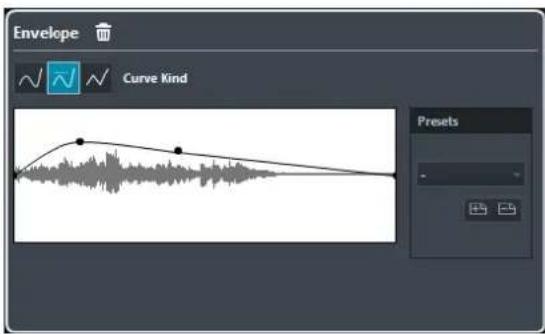
Curve Kind buttons
Determine whether the corresponding envelope uses Spline Interpolation, Damped Spline Interpolation, or Linear Interpolation.
Envelope display
Shows the shape of the envelope. The resulting waveform shape is shown in a dark tone, with the current waveform shape in a light tone.
- To add a curve point, click the curve.
- To move a curve point, click and drag.
- To remove a curve point, click and drag it outside the display.
Presets
Allow you to set up presets that you want to apply to other events or clips.
- To save a preset, click Store, type in a name, and click OK.
- To apply a preset, select it from the pop-up menu.
- To remove a preset, select it from the pop-up menu, and click Remove.
Fade In/Fade Out
Fade In and Fade Out allow you to apply a fade to the selected audio.

Curve Kind buttons
Determine whether the corresponding envelope uses Spline Interpolation, Damped Spline Interpolation, or Linear Interpolation.
Fade display
Shows the shape of the fade curve. The resulting waveform shape is shown in a dark tone, with the current waveform shape in a light tone.
Click the curve to add points, and click and drag existing points to change the shape. To remove a point from the curve, drag it outside the display.
Presets
Allow you to set up presets that you want to apply to other events or clips.
- To save a preset, click Store, type in a name, and click OK.
- To apply a preset, select it from the pop-up menu.
- To remove a preset, select it from the pop-up menu, and click Remove.
Shape buttons
These buttons give you quick access to some common curve shapes.
Gain
Gain allows you to change the gain, that is, the level of the selected audio.

Gain
Allows you to set a gain value between -50 dB and +20 dB.
Clipping Detection text
This text is displayed if you use Audition and the gain setting results in audio levels above 0 dB.
NOTE
In case of clipping, lower the Gain value and use the Normalize audio process instead. This allows you to increase the level of the audio as much as possible without causing clipping.
RELATED LINKS
Normalize on page 286
Normalize
Normalize allows you to raise the level of audio that was recorded at too low an input level.

Normalize
Allows you to set a maximum level for the audio, between -50 dB and 0 dB.
From this maximum level, the current maximum level of the selected audio is subtracted, and the gain is raised or lowered by the resulting amount.
Phase Reverse
Phase Reverse allows you to reverse the phase of the selected audio.
For stereo audio files, a pop-up menu is available. It allows you to specify which channels are phase-reversed: the left channel, the right channel, or both.
Remove DC Offset
Remove DC Offset allows you to remove any DC offset in the audio selection.
If your audio signal contains too large a component of direct current, you may notice that it is not centered around the zero level axis. This is called DC offset.
• To verify if your audio contains DC offsets, select the audio and select Audio > Statistics.
IMPORTANT
DC offset is normally present throughout the entire recording. Therefore, always apply Remove DC Offset to complete audio clips.
There are no adjustable parameters for this audio process.
RELATED LINKS
Statistics on page 298
Resample
Resample allows you to change the length, tempo, and pitch of an event.
If you resample to a higher sample rate, the event gets longer and the audio plays back at a slower speed with a lower pitch. If you resample to a lower sample rate, the event gets shorter and the audio plays back at a faster speed with a higher pitch.

File Sample Rate
Shows the original sample rate of the event.
New Sample Rate
Allows you to resample the event by specifying a sample rate.
Difference
Allows you to resample the event by specifying the difference between the original sample rate and the new sample rate.
Reverse
Reverse allows you to reverse the audio selection so that it sounds as if you play back a tape backwards. There are no adjustable parameters for this audio process.
Silence
Silence allows you to replace the selection with silence. There are no adjustable parameters for this audio process.
Stereo Flip
Stereo Flip allows you to manipulate the left and right channels of stereo audio selections.
In the Mode pop-up menu, the available options are:
Flip Left-Right
Swaps the left and right channel.
Left to Stereo
Copies the left channel sound to the right channel.
Right to Stereo
Copies the right channel sound to the left channel.
Merge
Merges both channels on each side for mono sound.
Subtract
Subtracts the left channel information from the right. This function is typically used for karaoke background as it removes the centered mono material from a stereo signal.
Time Stretch
Time Stretch allows you to change the length and tempo of the selected audio without affecting the pitch.
![graph TD A["Define Bars"] --> B["Original Length"] B --> C["Resulting Length"] C --> D["Seconds Range"] D --> E["Time Stretch Ratio"] E --> F["Output: 105.19"]](/content/2026/06/1348291/images/e0a0a5488f9899067f3b48b0cdc8696532ac8c264ac4cb3cbaa8d50b5fd41085.jpg)
Define Bars
You can set the length of the selected audio and the time signature in this section.
Bars
Allows you to set the length of the selected audio in bars.
Beats
Allows you to set the length of the selected audio in beats.
Signature
Allows you to set the time signature.
Original Length
This section contains information and settings regarding the audio that is selected for processing.
Length in Samples
Shows the length of the selected audio in samples.
Length in Seconds
Shows the length of the selected audio in seconds.
Tempo in BPM
Allows you to enter the actual tempo of the audio in beats per minute. This option allows you to time-stretch the audio to another tempo, without having to compute the actual time stretch amount.
Resulting Length
These values change automatically if you adjust the Time Stretch Ratio to stretch the audio so that it fits within a specific time span or tempo.
Samples
Shows the resulting length in samples.
Seconds
Shows the resulting length in seconds.
BPM
Shows the resulting tempo in beats per minute. For this to work, the Original Length must be specified.
Seconds Range
These settings allow you to set a range for the time stretch.
Arbitrary Range Start Time
Allows you to set a start position for the range.
Arbitrary Range End Time
Allows you to set an end position for the range.
Use Locators
Allows you to set the Range values to the left and right Locator positions, respectively.
Algorithm
Allows you to select a time stretch algorithm.
Time Stretch Ratio
Allows you to set the amount of time stretch as a percentage of the original length. If you use the settings in the Resulting Length section to specify the amount of time stretch, this value changes automatically.
RELATED LINKS
Time Stretch Algorithms on page 291
Applying Direct Offline Processing Using Key Commands
You can apply offline processing by using key commands.
If you add audio processes via key commands, the following applies:
• The current settings are used. - The Direct Offline Processing window opens. This does not apply if the selected process does not feature any adjustable parameters, or if the window is in the background or minimized.
RELATED LINKS
Key Commands for Direct Offline Processing
If the corresponding section in the Direct Offline Processing window has the focus, the following default key commands apply:
| Option Key command | |
| Open/Close Direct Offline Processing window | F7 |
| Set focus within Direct Offline Processing window | Tab |
| Navigate in the process list Up Arrow/Down Arrow | |
| Activate/Deactivate Audition (Playback Toggle triggers Local Preview must be activated in the Preferences dialog) | Space |
| Undo Ctrl/Cmd-Z |
To define key commands for further Direct Offline Processing operations, and for directly adding particular audio processes, use the Key Commands dialog.
RELATED LINKS
Direct Offline Processing Window on page 281
Transport on page 655
Key Commands on page 606
Time Stretch Algorithms
In Cubase, time stretching algorithms are used for operations like for the Time Stretch offline process, or in the Sample Editor.
RELATED LINKS
Time Stretch on page 288
Sample Editor on page 299
Standard on page 291
Limitations on page 292
Standard
The Standard algorithm is optimized for CPU-efficient realtime processing.
The following presets are available:
Standard - Drums
For percussive sounds. This mode does not change the timing of your audio. If you use it with certain tuned percussion instruments, you may experience audible artifacts. In this case, try the Mix mode as an alternative.
Standard - Plucked
For audio with transients and a relatively stable spectral sound character like plucked instruments.
Standard - Pads
For pitched audio with slower rhythm and a stable spectral sound character. This minimizes sound artifacts, but the rhythmic accuracy is not preserved.
Standard - Vocals
For slower signals with transients and a prominent tonal character like vocals.
Standard - Mix
For pitched material with a less homogenous sound character. This mode preserves the rhythm and minimizes the artifacts.
Standard - Custom
Allows you to set the time-stretching parameters manually.
Standard - Solo
For monophonic material like solo woodwind/brass instruments or solo vocals, monophonic synths or string instruments that do not play harmonies. This mode preserves the timbre of the audio.
Custom Warp Settings
If you select the Standard – Custom mode, a dialog opens where you can manually adjust the parameters that govern the sound quality of the time stretching:
Grain Size
Allows you to determine the size of the grains in which the standard time-stretching algorithm splits the audio. Low grain size values lead to good results for material that has many transients.
Overlap
This is the percentage of the whole grain that will overlap with other grains. Use higher values for material with a stable sound character.
Variance
This is a percentage of the whole length of the grains, and sets a variation in positioning, so that the overlapping area sounds smooth. A variance setting of 0 produces a sound akin to time stretching used in early samplers, whereas higher settings produce more rhythmic smearing effects but fewer audio artifacts.
Limitations
Applying time stretching to audio material can lead to a degradation in audio quality and to audible artifacts. The result depends on the source material, the particular stretch operations applied, and the selected audio algorithm preset.
As a rule of thumb, smaller changes in duration cause less degradation. However, there are additional issues one should be aware of when working with time stretching algorithms.
NOTE
In rare cases, editing warped audio events may cause discontinuities at the edit points. You can then try to move the edit point to a different position or bounce the audio event prior to editing.
Reverse Playback and Scrubbing
Most of the algorithms used for time stretching only support forward playback. Reverse playback or scrubbing of warped audio events can lead to recurring artifacts in playback.
Stretch Factor
Some algorithms may put limitations on the maximum degree of time stretching supported.
Audio Functions
Cubase offers particular functions for analyzing the audio in your project.
RELATED LINKS
Detect Silence on page 293
Spectrum Analyzer on page 295
Statistics on page 298
Detect Silence
Detect Silence allows you to search for silent sections in events.
You can split events and remove the silent parts from the project, or create regions corresponding to the non-silent sections.

- To open the Detect Silence dialog, select one or multiple audio events or a range in the Project window or the Audio Part Editor, and select Audio > Advanced > Detect Silence.
NOTE
If you select multiple events, you can process the selected events successively with individual settings or apply the same settings to all selected events simultaneously.
The following options are available:
Waveform Display
Allows you to zoom in on and out of the waveform by using the zoom slider to the right, by clicking in the waveform, and moving the mouse up or down.
You can scroll the waveform by using the scrollbar, or by using the mouse wheel.
You can adjust the Open Threshold and Close Threshold values by moving the squares at the beginning and at the end of the audio file.
Open Threshold
When the audio level exceeds this value, the function opens and lets the sound pass. Audio material below the set level is detected as silence.
Close Threshold
When the audio level drops below this value, the function closes and detects sounds below this level as silence. This value cannot be higher than the Open Threshold value.
Linked
Activate this option to set the same values for Open Threshold and Close Threshold.
Min. Time Open
Determines the minimum time that the function remains open after the audio level has exceeded the Open Threshold value.
NOTE
If your audio contains repeated short sounds, and this results in too many short open sections, try raising this value.
Min. Time Closed
Determines the minimum time that the function remains closed after the audio level has dropped below the Close Threshold value. Set this to a low value to make sure that you do not remove sounds.
Pre-Roll
Causes the function to open slightly before the audio level exceeds the Open Threshold value. Use this option to avoid removing the attack of sounds.
Post-Roll
Causes the function to close slightly after the audio level drops below the Close Threshold value. Use this option to avoid removing the natural decay of sounds.
Add as Regions
Creates regions of the non-silent sections, and allows you to specify a name for them in the Region Name field. A number is appended on each region name, starting with the number specified in the Auto Number Start field.
Strip Silence
Splits the event at the beginning and end of each non-silent section, and removes the silent sections in between.
Process All Selected Events
Applies the same settings to all selected events. This option is only available if you selected more than one event.
Compute
Analyzes the audio event and redraws the waveform display to indicate which sections are considered silent. The number of detected regions is displayed above the Compute button.
Auto
Activate this option to analyze the audio event and update the display automatically every time you change the settings.
NOTE
If you are working with very long files, consider deactivating the Auto option as this may slow down the process.
Removing Silent Sections
The Detect Silence dialog allows you to detect and remove silent sections of your audio.
PROCEDURE
- Select one or multiple audio events with silent sections in the Project window.
- Select Audio > Advanced > Detect Silence.
- In the Detect Silence dialog, make your settings.
- Click Compute to analyze the audio. The audio is analyzed and the waveform redrawn to indicate which sections are considered silent according to your settings. The number of detected regions is displayed.
- Optional: Click Preview to listen to the result. The event is played back and the sections are silenced according to your settings.
- Optional: In the Detection section, readjust the settings until you are satisfied with the result.
- Optional: In the Output section, activate Add as Regions.
- In the Output section, activate Strip Silence.
- Click Process.
RESULT
The event is split and the silent sections are removed.


AFTER COMPLETING THIS TASK
If you have selected more than one event and did not activate Process all selected Events, the Detect Silence dialog opens again after processing, allowing you to make separate settings for the next event.
Spectrum Analyzer
The Spectrum Analyzer analyzes the selected audio, computes the average spectrum, and displays it in a two-dimensional graph, with frequency range on the x-axis and level distribution on the y-axis.
• To open the Spectrum Analyzer, select Audio > Spectrum Analyzer.
Spectrum Analyzer Settings
The Spectrum Analyzer shows the following settings:

Size in Samples
Allows you to set a size for the analysis blocks of the audio. The higher this value, the higher the frequency resolution of the resulting spectrum.
Size of Overlap
Allows you to set the overlap between each analysis block.
Window Used
Allows you to select which window type is used for the fast Fourier transform, the mathematical method used for computing the spectrum.
Normalized Values
Activate this option to scale the resulting level values, so that the highest level is displayed as 1. This corresponds to 0 dB.
From Stereo
Allows you to specify which channel is analyzed.
Process
Starts the analysis of the spectrum and opens the spectrum display.
Spectrum Display
The Spectrum Display shows the following settings:

Frequency Display
Allows you to compare the levels between frequencies. Move the pointer to one of the frequencies, right-click and move the pointer to the second frequency. The difference in level between the positions is displayed and labeled D in the upper right corner.
NOTE
For stereo audio, the display in the upper right corner shows the values for the left channel. To show the right channel values, hold down Shift.
dB
Activate this option to show dB values on the vertical axis. Deactivate this option to show values between 0 and 1.
Freq. Log
Activate this option to display the frequencies on the horizontal axis on a logarithmic scale. Deactivate this option to show a linear frequency axis.
Precision
Indicates the frequency resolution of the graph. This value is governed by the Size in Samples setting in the spectrum analyzer settings.
Frequency (Hz)/Note (C)
Allows you to select if frequencies are displayed in Hertz or with note names.
Min.
Allows you to set the lowest frequency shown in the graph.
Max.
Allows you to set the highest frequency shown in the graph.
Active
Activate this option to open the next Spectrum Analysis dialog in the same window. Deactivate this option to show the next dialog in a separate window.
Analyzing the Audio Spectrum
PROCEDURE
- Select an audio event, clip, or a selection range.
- Select Audio > Spectrum Analyzer.
- Adjust the settings or use the default values. The default values give good results in most situations.
- Click Process.
RESULT
The spectrum is computed and displayed as a graph.
AFTER COMPLETING THIS TASK
Adjust the settings in the spectrum display and move the mouse pointer over the graph to display the frequency/note and level at the current position in the upper right corner.
Statistics
The Statistics function analyzes the selected audio events, clips, or selection ranges.
| Channel | Left | Right |
| Min. Sample Value | -5.14 dB | -5.81 dB |
| Max. Sample Value | -6.39 dB | -7.20 dB |
| Peak Amplitude | -5.14 dB | -5.81 dB |
| True Peak | -5.12 dB | -5.70 dB |
| DC Offset | 0.00 % | 0.00 % |
| -∞ dB | -∞ dB | |
| Resolution | 24 Bit | 24 Bit |
| Estimated Pitch | 643.1Hz/E4 | 681.4Hz/F4 |
| Sample Rate | 48.000 kHz | |
| Average RMS (AES-17) | -69.64 dB | -72.35 dB |
| Max. RMS | -18.35 dB | -18.92 dB |
| Max. RMS All Channels | -18.35 dB | |
| Copy to Clipboard | Close | |
The Statistics window shows the following information:
Channel
Shows the name of the analyzed channel.
Min. Sample Value
Shows the lowest sample value in dB.
Max. Sample Value
Shows the highest sample value in dB.
Peak Amplitude
Shows the largest amplitude in dB.
True Peak
Shows the maximum absolute level of the audio signal waveform in the continuous time domain.
DC Offset
Shows the amount of DC offset as a percentage and in dB.
Resolution
Shows the current calculated audio resolution.
Estimated Pitch
Shows the estimated pitch.
Sample Rate
Shows the sample rate.
Average RMS (AES-17)
Shows the average loudness in accordance with the AES-17 standard.
Max. RMS
Shows the highest RMS value.
Max. RMS All Channels
Shows the highest RMS value of all channels.
RELATED LINKS
Remove DC Offset on page 287
Sample Editor
The Sample Editor provides an overview of the selected audio event. It allows you to view and edit audio by cutting and pasting, removing, or drawing audio data, and by processing audio. Editing is non-destructive so that you can undo modifications at any time.
You can open the Sample Editor in a separate window or in the lower zone of the Project window. This is useful if you want to access the Sample Editor functions from within a fixed zone of the Project window.
To open an audio event in the Sample Editor, do one of the following:
- Double-click an event in the Project window.
- Select an event in the Project window and press Return or Ctrl/Cmd-E.
- Select an event in the Project window and select Audio > Open Sample Editor.
- In the Key Commands dialog in the Editors category, assign a key command for Open Sample Editor. Select an event in the Project window and use the key command.
NOTE
If you select Audio > Set up Editor Preferences, the Preferences dialog opens on the Editors page. Make your settings to specify if you want the Sample Editor to open in a separate window or in the lower zone of the Project window.
The Sample Editor window:
![①②③④⑤⑥ Sample Rate 44100 kHz 16 Resolution bits Length 4.8, 0.96 Processing None Domain Bars+Beats Offline Edits Zoom 403,9695 Selection 2.1, 2.68 [ 2, 1, 1.75 - 4, 2, 4, 23 ] Hitpoints Region 1 Start Region 1 End S Region 1 2.1, 1.75 4. Region 2 4.2, 3.91 5.](/content/2026/06/1348291/images/500d44c988e29ad06cf423628c6b4dc5cd66e75ce4786a4ccb10df893f02d530.jpg)
The Sample Editor in the lower zone of the Project window:

The Sample Editor is divided into several sections:
1 Toolbar
Contains tools for selecting, manipulating, and playing back audio.
2 Info Line
Shows information about the audio.
3 Overview Line
Shows an overview of the whole audio clip and indicates which part of the clip is shown in the waveform display.
4 Inspector
Contains audio editing tools and functions.
NOTE
The Editor Inspector for the lower zone editor is shown in the left zone of the Project window.
5 Ruler
Shows the timeline and the display format of the project.
6 Waveform Display
Shows the waveform image of the edited audio clip.
7 Regions
Allows you to add and edit regions.
NOTE
The info line, the overview line, and the regions can be activated/deactivated by clicking Set up
Window Layout on the toolbar and activating/deactivating the corresponding options.
RELATED LINKS
Opening the Editor in the Lower Zone on page 46
Opening the Editor Inspector on page 39
Toolbar on page 301
Info Line on page 304
Overview Line on page 305
Sample Editor Inspector on page 305
Ruler on page 306
Waveform Display on page 307
Regions List on page 310
Toolbar
The toolbar contains tools for selecting, editing, and playing back audio.
- To show or hide the toolbar elements, right-click the toolbar and activate or deactivate the elements.
The following options are available:
Static Buttons
Solo Editor

Solos the selected audio during playback.
Left Divider
Left Divider

Allows you to use the left divider. Tools that are placed to the left of the divider are always shown.
View Options
Show Audio Event

Highlights the section corresponding to the edited event in the waveform display and the overview line.
NOTE
This button is not available if you opened the audio event from the Pool. You can adjust the start and end of the event in the clip by dragging the event handles in the waveform display.
Show Regions

Opens a section where you can view and edit regions.
Auto-Scroll
Auto-Scroll

Keeps the project cursor visible during playback. The Switch Auto-Scroll Settings pop-up menu allows you to activate Page Scroll or Stationary Cursor and to activate Suspend Auto-Scroll When Editing.
Preview
Audition

Plays back the edited audio. Audition Loop loops the playback until you deactivate the Audition icon. The Audition Volume slider allows you to adjust the volume.
Tool Buttons
Range Selection

Allows you to select ranges.
Zoom

Allows you to zoom in the waveform display. To zoom out, hold Alt while clicking.
Draw

Allows you to edit audio.
Play

Allows you to play back the clip from the position where you click until you release the mouse button.
Scrub

Allows you to locate positions.
Snap
Snap to Zero Crossings

Restricts editing to zero crossings, that is, positions where the amplitude is zero.
Snap

Restricts horizontal movement and positioning to certain positions.
Musical Information
Musical Mode

Locks audio clips to the project tempo by using realtime time stretching.
Musical Information

Displays the estimated length of your audio file, the estimated tempo, the time signature, and the warp algorithm. These values are important for using Musical Mode.
Right Divider
Right Divider

Allows you to use the right divider. Tools that are placed to the right of the divider are always shown.
Window Zone Controls
Open in Separate Window

This button is available in the lower zone editor. It opens the editor in a separate window.
Open in Lower Zone

This button is available in the editor window. It opens the editor in the lower zone of the Project window.
Set up Window Layout

Allows you to activate/deactivate the info line, the overview line, and the regions.
Set up Toolbar

Opens a pop-up menu where you can set up which toolbar elements are visible.
RELATED LINKS
Auto-Scroll on page 157
Suspend Auto-Scroll When Editing on page 158
Locating Positions with the Scrub Tool
The Scrub tool allows you to locate positions in the audio.
PROCEDURE
- On the toolbar, activate the Scrub tool.
- Click in the waveform display and keep the mouse button pressed. The project cursor moves to the position where you clicked.
- Drag to the left or right.
RESULT
The audio is played back, and you can hear at which position the cursor is located.
NOTE
You can determine the speed and pitch of the playback by dragging faster or slower.
Editing Audio Samples with the Draw Tool
You can edit the audio clip at sample level with the Draw tool. This way, you can remove audio clicks manually, for example.
PROCEDURE
- On the audio waveform, locate the sample position that you want to edit and zoom in to the lowest zoom level.
- Select the Draw tool.

- Click at the beginning of the section that you want to correct and draw in the new curve.
RESULT
A range selection covering the edited section is automatically applied.

Info Line
The info line shows information about the audio clip, such as the audio format and the selection range.
| Sample Rate44100 kHz | Resolution24 bits | Length37. 0. 1. 17 | ProcessingNone | ||
| DomainBars+Beats | Offline Edits0 | Zoom1997.1694 | Selection1. 2. 0. 87 [27. 1. 4. 55 - 28. 4. 1. 22] | ||
- To show or hide the info line, click Set up Window Layout on the toolbar and activate or deactivate the Info Line option. The on/off status of the info line in the Sample Editor window and in the lower zone editor are independent of each other.
NOTE
Initially, length and position values are displayed in the format specified in the Project Setup dialog.
Overview Line
The overview line displays the whole clip, and indicates which part of the clip is shown in the waveform display.
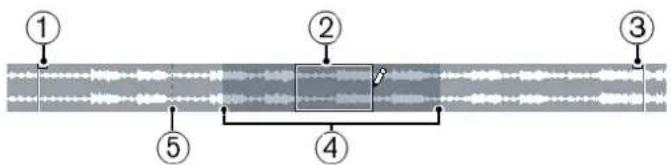
- To show or hide the overview line, click Set up Window Layout on the toolbar and activate or deactivate the Overview Line option.
The on/off status of the overview line in the Sample Editor window and in the lower zone editor are independent of each other.
1 Event Start
Shows the start of the audio event if Show Audio Event is activated on the toolbar.
2 Selection
Shows which section is selected in the waveform display.
3 Event End
Shows the end of the audio event if Show Audio Event is activated on the toolbar.
4 Waveform display
Shows the section of the audio that is displayed in the waveform display.
- You can specify which section of the audio is shown by clicking in the lower half of this display and dragging to the left or right. • You can zoom in or out horizontally by dragging the left or right edge of this display.
- You can show a different section of the audio by clicking in the upper half of this display and dragging a rectangle.
5 Snap Point
Shows the start of the audio event if Show Audio Event is activated on the toolbar.
Sample Editor Inspector
The Inspector shows controls and parameters that allow you to edit the audio event that is opened in the Sample Editor.
- In the Sample Editor window you can show or hide the Inspector by clicking Set up Window Layout on the toolbar and activating or deactivating Inspector.
NOTE
In the lower zone editor, the Inspector is always shown in the left zone of the Project window.
• To open or close the Inspector sections, click their names.

RELATED LINKS
Opening the Editor Inspector on page 39
Hitpoints
The Hitpoints section allows you to edit hitpoints to slice your audio. Here you can create groove quantize maps, markers, regions, and events based on hitpoints.
- To open the Hitpoints section, click its tab in the Inspector.
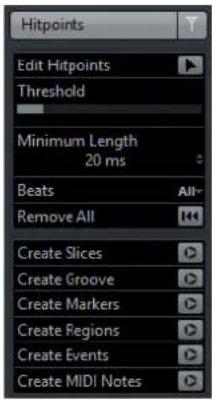
Ruler
The ruler shows the timeline and display format of the project, the project tempo grid.
The ruler is located above the waveform display. It is always shown.

Waveform Display
The waveform display shows the waveform image of the edited audio clip.

1 Level Scale
Indicates the amplitude of the audio.
2 Level Scale options
Allow you to select whether the level is shown as percentage or in dB.
3 Ruler
Shows the project tempo grid.
4 Audio waveform
Shows the waveform image of the selected audio.
5 Half Level Axis
To show the half level axis, open the audio waveform context menu and select Show Half Level Axis.
NOTE
You can set up a wave image style in the Preferences dialog (Event Display—Audio page).
Zooming in the Waveform
You can zoom in the waveform according to the standard zoom techniques.
The following applies:
- The vertical zoom slider changes the vertical scale relative to the height of the Sample Editor.
- The vertical zoom is also affected if Zoom Tool Standard Mode: Horizontal Zooming only is deactivated in the Preferences dialog (Editing—Tools page) and you drag a rectangle with the Zoom tool. • The current zoom setting is shown on the info line as samples per pixel.
NOTE
You can zoom in horizontally to a scale of less than one sample per pixel. This is required for drawing with the Draw tool.
- If you have zoomed in to one sample per pixel or less, the appearance of the samples depends on the Interpolate Audio Waveforms option in the Preferences dialog (Event Display—Audio page).
Zoom Submenu
The Zoom submenu of the Edit menu contains options for zooming in the Sample Editor.
• To open the Zoom submenu, select Edit > Zoom.
The following options are available:
Zoom In
Zooms in one step, centering on the project cursor.
Zoom Out
Zooms out one step, centering on the project cursor.
Zoom Full
Zooms out so that the whole clip is visible in the waveform display.
Zoom to Selection
Zooms in horizontally and vertically so that the current selection fills the waveform display.
Zoom to Selection (Horiz.)
Zooms in horizontally so that the current selection fills the waveform display.
Zoom to Event
Zooms in so that the waveform display shows the section of the clip corresponding to the edited audio event. This is not available if you have opened the Sample Editor from the Pool.
Zoom In Vertically
Zooms in one step vertically.
Zoom Out Vertically
Zooms out one step vertically.
Undo/Redo Zoom
Allows you to undo/redo the last zoom operation.
Range Editing
In the Sample Editor you can edit selection ranges. This is useful if you want to quickly edit a specific section in the audio waveform, or if you want to create a new event or clip.
You can only select one range at a time. The selection is indicated in the Selection field on the Info Line.
RELATED LINKS
Shared Copies on page 139
Selecting a Range
PREREQUISITE
Snap to Zero Crossings is activated on the toolbar. This option ensures that the start and the end of the selection are always at zero crossings.
PROCEDURE
- On the toolbar, activate the Range Selection tool.
- Click at the position in the waveform display where you want the range to start and drag to the position, where you want the range to end.
- Optional: Perform one of the following actions to resize the selection range:
- Drag the left or the right edge of the selection to a new position. • Hold down Shift and click at a new position.
RESULT
The selected range is highlighted in the waveform display.
NOTE
You can also use the functions in the Select menu to select ranges.
RELATED LINKS
Select Menu on page 309
Select Menu
Select Menu on the Edit Menu
If you select Edit > Select, the following functions are available:
All
Selects the whole clip.
None
Deselects everything.
In Loop
Sets the audio between the left and the right locators.
From Start to Cursor
Selects the audio between the clip's start and the project cursor.
From Cursor to End
Selects the audio between the project cursor and the end of the clip. This option is available if the project cursor is positioned between the clip boundaries.
Left Selection Side to Cursor
Moves the left side of the selection range to the project cursor position. This option is available if the project cursor is positioned between the clip boundaries.
Right Selection Side to Cursor
Moves the right side of the selection range to the project cursor position or the end of the clip if the project cursor is positioned to the right of the clip.
Creating Events from Selection Ranges
You can create a new event that contains only the selected range.
PROCEDURE
- Select a range.
- Drag the selection range to an audio track in the Project window.
RELATED LINKS
Selecting a Range on page 308
Creating Clips from Selection Ranges
You can create a new clip that contains only the selected range.
PROCEDURE
- Select a range.
- Right-click the selected range and select Audio > Bounce Selection.
- Perform one of the following actions:
- Click Replace if you want to replace the original.
- Click No if you want to keep the original.
RESULT
A new Sample Editor window opens with the new clip. It refers to the same audio file as the original clip, but it contains the audio corresponding to the selection range only.
Regions List
Regions are sections within an audio clip that allow you to mark important sections in the audio. You can add and edit regions for the selected audio clip in the regions zone.
- To show or hide the Regions, click Set up Window Layout on the toolbar and activate or deactivate Regions.

The following controls are available:
1 Region Start/Region End
Shows the start and end of the region in the audio waveform.
2 Add Region
Allows you to create a region of the current range selection.
3 Remove Region
Allows you to remove the selected region.
4 Select Region
If you select a region in the list and click this button above, the corresponding section of the audio clip is selected (as if you had selected it with the Range Selection tool) and zoomed. This is useful if you want to apply processing to the region only.
5 Play Region
Plays back the selected region.
6 Regions list
Allows you to select and display regions in the audio waveform.
Creating Regions
PREREQUISITE
You have clicked Set up Window Layout on the toolbar and activated the Regions option.
PROCEDURE
- On the Sample Editor toolbar, activate the Range Selection tool and in the waveform display, select the range that you want to convert into a region.
- Perform one of the following actions:
• Above the regions list, click Add Region. - Select Audio > Advanced > Event or Range as Region.
A region is created, corresponding to the selected range.
- Optional: Double-click the region name in the list and enter a new name.
RESULT
The region is added to the regions list.
AFTER COMPLETING THIS TASK
Click the region in the regions list to instantly display it in the Sample Editor.
RELATED LINKS
Creating Regions on page 320
Creating Regions from Hitpoints
You can create regions from hitpoints. This is useful to isolate specific sounds.
PREREQUISITE
The audio event from which you want to create regions is opened in the Sample Editor and the hitpoints are set at the correct positions.
PROCEDURE
• In the Hitpoints section, click Create Regions.
RESULT
Regions are created between two hitpoint positions and shown in the Sample Editor.
Adjusting Start and End Positions of Regions
PREREQUISITE
You have clicked Set up Window Layout on the toolbar and activated the Regions option. You have created regions.
PROCEDURE
- Perform one of the following actions:
- Drag the Region Start or Region End handle in the waveform display.
- Double-click the Start or End field in the regions list and enter a new value.
NOTE
The positions are shown in the display format selected for the ruler and info line, but are relative to the start of the audio clip.
Removing Regions
PREREQUISITE
You have clicked Set up Window Layout on the toolbar and activated the Regions option. You have created regions.
PROCEDURE
- In the regions list, select the region that you want to remove.
- Above the regions list, click Remove Region.
RESULT
The region is removed from the regions list.
Creating Audio Events from Regions
You can create new audio events from regions using drag and drop.
PREREQUISITE
You have clicked Set up Window Layout on the toolbar and activated the Regions option. You have created regions.
PROCEDURE
- Select the region in the regions list.
- Drag the region to the desired position in the Project window.
RESULT
An event is created from the region.
Snap Point
The snap point is a marker within an audio event that can be used as a reference position.
• To show the snap point, activate Show Audio Event on the toolbar.

The snap point is set at the audio event start. But you can move it to another relevant position in the audio.

The snap point is used when Snap is activated on the Project window toolbar and you insert a clip from the Sample Editor in the event display. It is also used when you move or copy events in the event display.
In the Sample Editor, you can edit the following snap points:
• Event Snap Point: This is shown in the Sample Editor if you open a clip from within the Project window. • Clip Snap Point: This is shown in the Sample Editor if you open a clip from the Pool.
NOTE
The clip snap point serves as a template for the event snap point. However, it is the event snap point that is taken into account when snapping.
Adjusting the Snap Point
PREREQUISITE
The audio event is opened in the Sample Editor and Show Audio Event is activated on the toolbar.
PROCEDURE
- Optional: On the Sample Editor toolbar, select the Scrub tool.
This allows you to audition the audio while setting the snap point.
- Move the mouse pointer over the snap point, and drag it to the desired position in the audio event.
The mouse pointer becomes a hand symbol and a tooltip indicates that you can set the snap point.
RESULT
The event snap point is adjusted to the position where you dragged it.
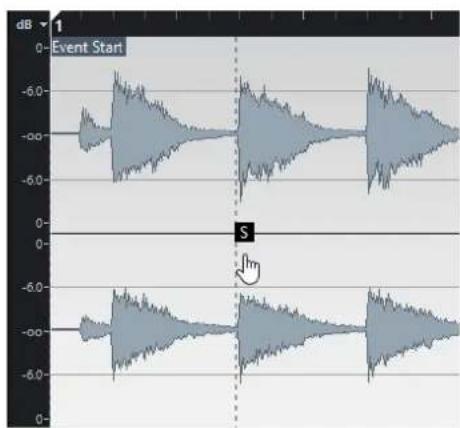
NOTE
You can also adjust the snap point by setting the project cursor at the desired position and selecting Audio > Snap Point To Cursor.
Hitpoints
Hitpoints mark musically relevant positions in audio files. Cubase can detect these positions and create hitpoints automatically by analyzing onsets and melodic changes of the audio.
NOTE
All hitpoint operations can be performed in the Sample Editor window and in the lower zone editor.
When you add an audio file to your project by recording or by importing, Cubase automatically detects hitpoints. In the Project window, hitpoints are shown for the selected event, provided that the zoom factor is high enough.
The hitpoint functions are available in the Hitpoints section of the Sample Editor.
You can use hitpoints for the following purposes:
• Create slices of the audio. Slices allow you to change tempo and timing of the audio without affecting its pitch and quality, or to replace or extract individual sounds from loops. • Quantize audio • Create markers from the audio • Create regions from the audio • Create events from the audio • Create MIDI notes from the audio
NOTE
Hitpoints work best with drums, rhythmic recordings, or loops.
Calculating Hitpoints
When you add an audio file to your project by recording or by importing, Cubase automatically detects hitpoints.
PROCEDURE
- Import or record an audio file.
Cubase automatically detects hitpoints.
NOTE
If your audio file is very long, this may take a while.
- Select the audio event in the Project window and make sure the zoom factor is high enough.
RESULT
The calculated hitpoints for the selected event are shown in the Project window.
NOTE
You can disable automatic hitpoint detection by deactivating Enable Automatic Hitpoint Detection in the Preferences dialog (Editing—Audio page).
Hitpoint Filters
Cubase automatically detects and filters hitpoints. However, you can filter hitpoints manually if the result does not meet your expectations.
- To filter hitpoints, open the audio event in the Sample Editor and open the Hitpoints section.

Threshold
Filters hitpoints by their peaks. This option allows you to discard hitpoints of quieter crosstalk signals, for example.
Minimum Length
Filters hitpoints by their distance between two hitpoints. This option allows you to avoid creating slices that are too short.
Beats
Filters hitpoints by their musical position. This option allows you to discard hitpoints that do not fit within a certain range of a defined beat value.
Editing Hitpoints Manually
It is absolutely crucial for any further editing that the hitpoints are set at the correct positions. Therefore, if the automatic hitpoint detection does not meet your expectations, you can edit hitpoints manually.
PREREQUISITE
The audio event is opened in the Sample Editor and in the Hitpoints section hitpoints are filtered by their peaks, by their distance, or by their musical position.
PROCEDURE
- In the Hitpoints section, activate the Edit Hitpoints tool.

- Move the mouse to the waveform display and click between two hitpoints.
The mouse pointer changes to a speaker icon and the tooltip Play back Slice is shown. The slice is played back from the beginning to the end.

- To disable a hitpoint that you do not need, press Shift and click on the line that represents the hitpoint.
The mouse pointer changes to a cross icon and the tooltip Disable Hitpoint is shown. Disabled hitpoints are not taken into account for further operations.

- Press Tab to navigate to the next slice.
- To insert a hitpoint, press Alt and click at the position where you want to insert the hitpoint. The mouse pointer changes to a draw icon and the tooltip Insert Hitpoint is shown.
- To move a hitpoint, move the mouse pointer on the vertical line that represents the hitpoint, and drag to the left or to the right. The mouse pointer changes to a double arrow and the tooltip Move Hitpoint is shown. Moved hitpoints are locked by default.
- To make sure that a hitpoint is not accidentally filtered out, lock it by pointing at it and clicking. The tooltip Lock Hitpoint is shown.
RESULT
The hitpoints are edited according to your settings.
NOTE
To reset a hitpoint to its original state, press Ctrl/Cmd-Alt until the tooltip Enable/Unlock Hitpoints is shown and click.
RELATED LINKS
Hitpoint Filters on page 316
Locating to Hitpoints in the Project Window
You can navigate through the hitpoints of an audio event in the Project window.
PREREQUISITE
Enable Automatic Hitpoint Detection is activated in the Preferences dialog (Editing—Audio page).
PROCEDURE
- Select the audio track that contains the audio event for which you want to locate hitpoints.
- Perform one of the following actions:
- Press Alt-N to navigate to the next hitpoint.
- Press Alt-B to navigate to the previous hitpoint.
RESULT
The project cursor jumps to the respective hitpoint.
Slices
You can create slices from hitpoints, where each slice ideally represents an individual sound or beat of the audio.
You can use these slices to change tempo and timing of the audio without affecting its pitch and quality.
NOTE
Slices are created in the Sample Editor and edited in the Audio Part Editor.
Audio that meets the following characteristics is suitable:
• Individual sounds have a noticeable attack. • The recording quality is good. • The recording is free of crosstalk signals. • The audio is free of smearing effects like delays, for example.
Slicing Audio
Slicing audio is useful if you want to change tempo and timing of the audio without affecting its pitch and quality.
PREREQUISITE
The audio event is opened in the Sample Editor and the hitpoints are set at the correct positions.
NOTE
When slicing audio, all events referring to the edited clip are also replaced.
PROCEDURE
• Perform one of the following actions:
• In the Hitpoints section, click Create Slices. - Select Audio > Hitpoints > Create Audio Slices from Hitpoints.
RESULT
The areas between the hitpoints are sliced and become separate events. The original audio event is replaced by an audio part containing the slices.

On playback, the audio plays back seamlessly at the project tempo.
AFTER COMPLETING THIS TASK
Change the project tempo. The slices are moved accordingly, keeping their relative positions within the part.
Double-click the sliced audio part and replace or extract individual slices in the Audio Part Editor.
RELATED LINKS
Slices and the Project Tempo on page 319
Audio Part Editor on page 325
Slices and the Project Tempo
The project tempo affects how the sliced audio is played back.
Project Tempo Is Slower Than the Original Audio
If the project tempo is slower than the tempo of the original audio event, there may be audible gaps between the slice events in the part. If this is the case, you have the following options:
- Select Audio > Advanced > Close Gaps (Timestretch).
This applies time stretch to each slice and closes the gaps. Consider activating auto fades for the corresponding audio track. Fade-outs set to 10 ms help eliminate clicks.
- Select Audio > Advanced > Close Gaps (Crossfade).
This applies crossfades to the slices and closes the gaps.
NOTE
If you decide to change the tempo again, undo your actions and use the original, unstretched file.
Project Tempo Is Higher Than the Original Audio
If the project tempo is higher than the tempo of the original audio event, the slice events in the part may overlap.
If this is the case, right-click the track in the track list and from the context menu, select Auto Fades Settings to smooth out the sound.
Furthermore, you can select the overlapping events in the part and select Audio > Advanced > Delete Overlaps.
RELATED LINKS
Musical Mode on page 324
Making Global Auto Fade Settings on page 211
Making Auto Fade Settings for Individual Tracks on page 211
Creating a Groove Quantize Map
You can use hitpoints to create a groove quantize map.
PREREQUISITE
The audio event from which you want to extract the timing is opened in the Sample Editor, and the hitpoints are set at the correct positions.
PROCEDURE
• In the Hitpoints section, click Create Groove.
RESULT
The groove is extracted from the audio event and automatically selected in the Quantize Presets pop-up menu on the Project window toolbar.
AFTER COMPLETING THIS TASK
Open the Quantize Panel and save the groove as a preset.
Creating Markers
You can create markers at hitpoint positions. This allows you to snap to hitpoint positions.
PREREQUISITE
The audio event from which you want to create markers is opened in the Sample Editor, and the hitpoints are set at the correct positions.
PROCEDURE
• In the Hitpoints section, click Create Markers.
RESULT
If your project has no marker track, a marker track is added and activated automatically, and a marker is created at every hitpoint position.
RELATED LINKS
Markers on page 222
Creating Regions
You can create regions at hitpoint positions. This allows you to isolate recorded sounds.
PREREQUISITE
The audio event from which you want to create regions is opened in the Sample Editor, and the hitpoints are set at the correct positions.
PROCEDURE
• In the Hitpoints section, click Create Regions.
RESULT
Regions are created between two hitpoint positions and shown in the Sample Editor.
RELATED LINKS
Creating Regions on page 311
Creating Events
You can create events at hitpoint positions.
PREREQUISITE
The audio event from which you want to create events is opened in the Sample Editor, and the hitpoints are set at the correct positions.
PROCEDURE
• In the Hitpoints section, click Create Events.
RESULT
Events are created between two hitpoint positions.
Creating MIDI Notes
You can export hitpoints to a MIDI part containing a MIDI note for each hitpoint. This allows you to double, replace, or enrich drum hits by triggering sounds of a VST instrument.
PREREQUISITE
The audio event from which you want to create MIDI notes is opened in the Sample Editor, and the hitpoints are set at the correct positions.
PROCEDURE
- In the Hitpoints section, click Create MIDI Notes.
- In the Convert Hitpoints to MIDI Notes dialog, set up the parameters.
- Click OK.
RESULT
A MIDI track is added to your project, and MIDI notes are created at every hitpoint position.
AFTER COMPLETING THIS TASK
Assign a VST instrument to the MIDI track, and select a sound to enrich the audio.
Convert Hitpoints to MIDI Notes
When exporting hitpoints to MIDI notes, you can specify how the hitpoints are converted.

The following options are available:
Velocity Mode
Allows you to select a velocity mode:
- If you want the velocity values of the created MIDI notes to vary according to the peak levels of the corresponding hitpoints, select Dynamic Velocity Value.
- If you want to assign the same velocity value to all created MIDI notes, select Fixed Velocity Value.
Velocity
Sets the Fixed Velocity Value.
Pitch
Sets a note pitch for all created MIDI notes.
Length
Sets a note length for all created MIDI notes.
Destination
Allows you to select a destination:
- To place the MIDI part on the first selected MIDI or instrument track, select First Selected Track.
NOTE
Any MIDI parts from previous conversions on this track will be deleted.
- To create a new MIDI track for the MIDI part, select New MIDI Track.
- To copy the MIDI part to the clipboard, select Project Clipboard.
Tempo Matching Audio
You can tempo match audio to adapt its tempo to the project tempo, for example.
NOTE
All tempo matching operations can be performed in the Sample Editor window and in the lower zone editor.
The following functions are described:
• Stretch to Project Tempo: Stretches the selected event to match the project tempo. - Musical Mode: Applies realtime time stretching to audio clips, so that they match the project tempo. - Manual Adjust: Allows you to manually modify the grid and tempo of your audio file. After that, you can match the audio with the project tempo by using Musical Mode. - Free Warp: Allows you to change the timing of individual positions in your audio.
Algorithm Presets
You can select an algorithm preset that is applied for realtime playback and time stretching.
The Algorithm pop-up menu on the Sample Editor toolbar contains various presets that determine the audio quality of the realtime time stretching.

The algorithm preset affects warp changes in Musical Mode.
RELATED LINKS
Time Stretch Algorithms on page 291
Stretching Audio Events to the Project Tempo
You can stretch audio loops to the project tempo.
PROCEDURE
- Select File > Import > Audio File, select the audio loop that you want to import, and click OK.
- Select the audio loop in the project.
- Select Audio > Advanced > Stretch to Project Tempo.
RESULT
The audio loop is stretched to match the project tempo.
Musical Mode
The Musical Mode allows you to tempo-match audio loops to the project tempo.
If you activate Musical Mode for an audio clip, realtime time stretching is applied to the clip so that it matches the project tempo. The audio events adapt to any tempo changes in Cubase, just like MIDI events.
In the Sample Editor, you can activate Musical Mode on the toolbar.
NOTE
- You can also activate/deactivate Musical Mode from within the Pool by clicking the corresponding checkbox in the Musical Mode column.
- Cubase supports ACID® loops. These loops are standard audio files but with embedded tempo/length information. When ACID® files are imported into Cubase, Musical Mode is automatically activated and the loops will adapt to the project tempo.
Audio Part Editor
The Audio Part Editor provides an overview of the selected audio parts. It allows you to view, audition and edit parts by cutting and pasting, crossfading, drawing level curves, or by processing parts. Editing is non-destructive so that you can undo modifications at any time.
You can open the Audio Part Editor in a separate window or in the lower zone of the Project window. Opening the Audio Part Editor in the lower zone of the Project window is useful if you want to access the Audio Part Editor functions from within a fixed zone of the Project window.
To open an audio part in the Audio Part Editor, do one of the following:
- Double-click an audio part in the Project.
- Select an audio part in the Project window and press Return or Ctrl/Cmd-E.
- Select an audio part in the Project window and select Audio > Open Audio Part Editor.
- In the Key Commands dialog in the Editors category, assign a key command for Open Audio Part Editor. Select an audio part in the Project window and use the key command.
NOTE
If you select Audio > Set up Editor Preferences, the Preferences dialog opens on the Editors page. Make your settings to specify if you want the Audio Part Editor to open in a separate window or in the lower zone of the Project window.
The Audio Part Editor window:

The Audio Part Editor in the lower zone of the Project window:
1 Toolbar
Contains tools for selecting, editing, and playing back audio parts.
2 Info Line
Displays information on the audio parts.
3 Ruler
Displays the timeline and the display format of the project.
RELATED LINKS
Opening the Editor in the Lower Zone on page 46
Opening the Editor Inspector on page 39
Ruler on page 32
Info Line on page 34
Toolbar
The toolbar contains tools for selecting, editing, and playing back audio parts.
- To show or hide the toolbar elements, right-click the toolbar and activate or deactivate the elements.
The following options are available:
Info/Solo
Solo Editor

Solos the selected audio during playback.
Left Divider
Left Divider

Allows you to use the left divider. Tools that are placed to the left of the divider are always shown.
Auto-Scroll
Auto-Scroll

Keeps the project cursor visible during playback. The Switch Auto-Scroll Settings pop-up menu allows you to activate Page Scroll or Stationary Cursor and to activate Suspend Auto-Scroll When Editing.
Preview
Audition

Plays back the edited audio. Audition Loop loops the playback until you deactivate the Audition icon. The Audition Volume slider allows you to adjust the volume.
Tool Buttons
Object Selection

Allows you to select audio parts.
Range Selection

Allows you to select ranges.
Zoom

Allows you to zoom in the waveform display. To zoom out, hold Alt while clicking.
Erase

Allows you to erase events from audio parts.
Split

Allows you to split audio parts.
Mute

Allows you to mute/unmute audio parts.
Comp

Allows you to assemble takes.
Draw

Allows you to edit audio.
Play

Allows you to play back the clip from the position where you click until you release the mouse button.
Scrub

Allows you to locate positions.
Multiple Part Controls
Show Part Borders

Shows/Hides part borders for the active audio part, within the left and right locators.
Edit Active Part Only

Restricts editing operations to the active part.
Currently Edited Part

Lists all parts that were selected when you opened the editor, and allows you to activate a part.
Nudge Palette
Trim Start Left

Increases the length of the selected element by moving its start to the left.
Trim Start Right

Decreases the length of the selected element by moving its start to the right.
Move Left

Moves the selected element to the left.
Move Right

Moves the selected element to the right.
Trim End Left

Decreases the length of the selected element by moving its end to the left.
Trim End Right

Increases the length of the selected element by moving its end to the right.
Snap/Quantize
Snap to Zero Crossings

Restricts editing to zero crossings, that is, positions where the amplitude is zero.
Snap On/Off

Activates/Deactivates the snap function.
Snap Type

Allows you to select one of the following snap types:
- Grid: snaps events to the grid that is selected in the Quantize Presets pop-up menu.
- Grid Relative: keeps the relative positions when snapping events to the grid.
- Events: snaps events to the start or end of other events.
- Shuffle: changes the order of events if you drag one event to the left or right of other events.
- Magnetic Cursor: snaps events to the cursor position.
- Grid + Cursor: snaps events to the quantize grid that is selected in the Quantize Presets pop-up menu or to the cursor position.
- Events + Cursor: snaps events to the start or end of other events or to the cursor position.
- Grid + Events + Cursor: snaps events to the quantize grid that is selected in the Quantize Presets pop-up menu, to the start or end of other events, or to the cursor position.
Iterative Quantize On/Off

Activates/Deactivates iterative quantize.
Quantize Presets

Allows you to select a quantize or a groove preset.
Apply Quantize

Applies the quantize settings.
Open Quantize Panel

Opens the Quantize Panel.
Event Colors
Color Menu

Allows you to define audio part colors.
Independent Track Loop
Independent Track Loop

Activates/Deactivates the independent track loop for the edited part.
Right Divider
Right Divider

Allows you to use the right divider. Tools that are placed to the right of the divider are always shown.
Window Zone Controls
Open in Separate Window

This button is available in the lower zone editor. It opens the editor in a separate window.
Open in Lower Zone

This button is available in the editor window. It opens the editor in the lower zone of the Project window.
Show/Hide Info

Allows you to activate/deactivate the info line.
Set up Toolbar

Opens a pop-up menu where you can set up which toolbar elements are visible.
RELATED LINKS
Auto-Scroll on page 157
Suspend Auto-Scroll When Editing on page 158
Info Line
The info line shows information about the audio part, such as the start, end, length, or the time stretch algorithm.

• To show or hide the info line, activate Show/Hide Info on the toolbar.
The on/off status of the info line in the Audio Part Editor window and in the lower zone editor are independent of each other.
The Ruler
The ruler shows the timeline and the display format of the project.
You can select a separate display format by clicking on the arrow button on the right. Select an option from the pop-up menu.
About Lanes
Lanes can make it easier to work with several audio events in a part. Moving some of the events to another lane can make selecting and editing much easier.
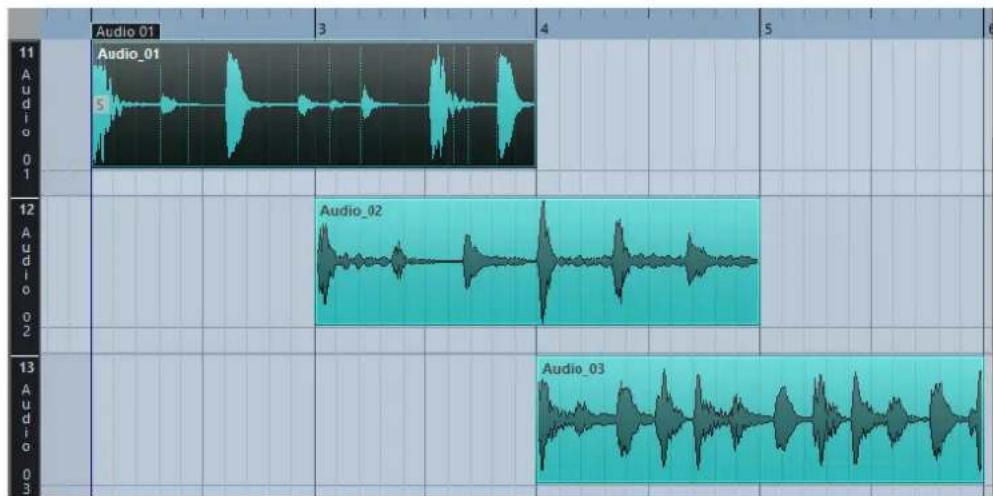
If Snap is deactivated and you want to move an event to another lane without accidentally moving it horizontally, press Ctrl/Cmd while dragging it up or down.
RELATED LINKS
Track Handling on page 109
Operations
All operations can be performed in the Audio Part Editor window and in the lower zone editor.
Zooming, selecting and editing in the Audio Part Editor is done just as in the Project window.
NOTE
If a part is a shared copy, any editing you perform will affect all shared copies of this part.
RELATED LINKS
Project Window on page 26
Shared Copies on page 139
Auditioning in the Audio Part Editor
To audition audio parts, you can use one of the following methods:
Auditioning Using the Audition Tool
You can use the audition tool to directly start a single audition of a selection or loop an audition using the Audition Loop function.
Clicking Audition on the toolbar plays back the edited audio, according to the following rules:
- If you have selected events in the part, only the section between the first and last selected event will be played back. • If you have made a range selection, only this section will be played back.
- If there is no selection, the whole part will be played back. If the project cursor is within the part, playback starts from the current cursor position. If the cursor is outside the part, playback starts from the beginning of the part.
- If Audition Loop is activated, playback will continue until you deactivate Audition. Otherwise, the section will be played back once.
When auditioning with the Speaker tool or Audition icon, audio will be routed directly to the main mix (the default output bus).
Auditioning Using the Speaker Tool
PROCEDURE
- Select Speaker on the toolbar.
- On an audio part, click and hold at the position you want to begin auditioning from.
RESULT
You are auditioning the audio part. The audition will stop at the end of the part you clicked on.
Auditioning Using Regular Playback
To audition from the cursor position, you can use the regular playback controls on the Transport panel. If you activate Solo Editor on the toolbar, only the events in the edited part will be played back.
Setting Up the Independent Track Loop
The independent track loop is a sort of mini-cycle, affecting only the edited part. When the loop is activated, the events in the parts that are within the loop will be repeated continuously and
completely independent – other events (on other tracks) are played back as usual. The only interaction between the loop and the regular playback is that the loop starts every time the cycle starts over again.
PROCEDURE
- Activate Independent Track Loop on the toolbar.
If it is not visible, right-click the toolbar and add the Independent Track Loop Settings section.

- Ctrl/Cmd-click in the ruler to set the start and Alt-click to set the end of the loop.
NOTE
You can also edit the loop start and end positions numerically in the fields next to the Loop button.
RESULT
The loop is indicated in blue in the ruler.
NOTE
The events are looped as long as the Loop button is activated and the Audio Part Editor is open.
RELATED LINKS
Using the Setup Options on page 621
Scrubbing
In the Audio Part Editor, the Scrub tool has a separate icon on the toolbar. Apart from that, scrubbing works exactly as in the Project window.
RELATED LINKS
Scrubbing on page 130
Handling Several Parts
When you open the Audio Part Editor with several parts selected – all on the same track or on different tracks – they might not all fit in the editor window, which can make it hard to get an overview of the different parts when editing.
Therefore, the toolbar features a few functions to make working with multiple parts easier and more comprehensive:
- The Currently Edited Part pop-up menu lists all parts that were selected when you opened the editor, and lets you select which part is active for editing.
When you select a part from the list, it is automatically made active and centered in the display.

NOTE
You can also activate a part by clicking on it with the Object Selection tool.
- Edit Active Part Only lets you restrict editing operations to the active part only.
If you select Edit > Select > All with this option activated, all events in the active part are selected, but not the events in other parts.

- You can zoom in on an active part so that it is displayed in its entirety in the window by selecting Edit > Zoom > Zoom to Event.
- Show Part Borders can be used if you want to see clearly defined borders for the active part.
If this option is activated, all parts except the active one are grayed out, making the borders easily discernible. There are also two markers in the ruler with the name of the active part, marking its beginning and end. These can be moved freely to change the part borders.
- It is possible to cycle between parts, making them active using key commands. In the Key Commands dialog – Edit category, there are two functions: Activate Next Part and Activate Previous Part. If you assign key commands to these, you can use them to cycle between parts.
RELATED LINKS
Key Commands on page 606
Controlling Sample Playback with Sampler Tracks (Cubase Elements only)
The sampler track features allow you to chromatically play back any audio from your audio sample library via MIDI. You can create and edit new sounds based on specific samples, and integrate them into an existing project.
The sampler track features include:
- A sampler track that allows you to control the playback of the audio sample that is loaded in Sampler Control. • Sampler Control that allows you load and edit audio samples.
Loading Audio Samples into Sampler Control
You can load audio samples into Sampler Control by dragging.
Cubase allows you to load mono or stereo samples in .wav or .aiff file format into Sampler Control.
- To load an audio sample, drag it from the MediaBay, the Project window event display, or the File Explorer/macOS Finder and drop it in Sampler Control.
IMPORTANT
If Sampler Control already contains an audio sample, this sample and all its settings are overwritten.
NOTE
- Audio samples that you load into Sampler Control are not copied to the project audio folder. If you want to archive or share your project including all audio samples that you have loaded into Sampler Control, you must create a self-contained project.
- In the Pool, all audio samples that you have loaded into Sampler Control are listed in a dedicated sampler track subfolder in the main audio folder.
RELATED LINKS
Creating Self-Contained Projects on page 70
Pool on page 348
Loading MIDI Parts into Sampler Control
You can load MIDI parts from instrument tracks or MIDI tracks, into Sampler Control by dragging.
NOTE
For this to work, the instrument track or the MIDI track must be routed to a VST instrument.
- To load a MIDI part, drag it from the MediaBay, the Project window event display, or the File Explorer/macOS Finder and drop it in Sampler Control.
IMPORTANT
If Sampler Control already contains MIDI, it is overwritten.
Cubase creates an audio file from the MIDI part. This includes the instrument sound and the channel settings from the VST instrument or the return channel. The audio file is copied to the project audio folder.
RELATED LINKS
VST Instruments on page 402
Instrument Track Inspector on page 81
MIDI Track Inspector on page 85
Creating Sampler Tracks
To create a sampler track, do one of the following:
• In the Project window, select an audio event and select Audio > Create Sampler Track. • In the MediaBay, right-click an audio file and select Create Sampler Track. • In the Inspector of the Sample Editor, open the Range section and click Create Sampler Track.
This creates a sampler track from the selected range. If no range is selected, the entire event is used.
• On the context menu of the track list, select Add Sampler Track.
In this case, Sampler Control is empty and you must load an audio sample by dragging.
Sampler Control
If the sampler track is selected, Sampler Control is available in the lower zone of the Project window. Sampler Control allows you to view, edit, and play back samples or specific sections of the samples.
1 Toolbar
Contains tools that allow you to select and edit the audio sample, to organize track presets, and to transfer the sample with its settings to an instrument.
2 Waveform Display/Envelope Editor
Shows the waveform image of the sample and allows you to define the playback range for the sample and to set a loop.
If the envelope editors for the pitch, filter, or amp section are shown, you can adjust their envelope curve settings here.
3 Sound Parameter Section
Allows you to make settings for time stretching and formant shifting (AudioWarp section), tuning and pitch modulation (Pitch section), filtering (Filter section), or level and panorama (Amp section).
4 Keyboard Section
Allows you to set the key range of the sample, its root key, and the modulation range of the pitchbend wheel. These settings are used if you work with an external MIDI device.
RELATED LINKS
Creating Sampler Tracks on page 336
Waveform Display on page 339
Envelope Editors on page 342
Sound Parameter Section on page 340
Keyboard Section on page 345
Sampler Control Toolbar
The Sampler Control toolbar contains various settings and functions.
Read Automation

Allows you to read track automation.
Write Automation

Allows you to write track automation.
Switch between A/B Settings

Allows you to switch between different parameter settings.
Event Received Indicator

This LED indicates incoming MIDI messages via the selected MIDI input. The LED lights up on receiving note-on and controller messages. This way, you can check if Cubase and your MIDI keyboard are connected to the same MIDI device input.
Snap to Zero Crossing

Restricts sample editing to zero crossings, that is, to positions where the amplitude is zero.
Auto-Scroll

Keeps the project cursor visible during playback.
Preset section

Shows the name of the track preset that is loaded for the sampler track. You can also save and load presets.
Import Audio File

Opens the Import Audio dialog that allows you to load an audio file into Sampler Control.
NOTE
If Sampler Control already contains an audio file, the original file is replaced by the new file.
File Name

Shows the file name of the sample.
Tempo
Tempo 100.00
Shows the tempo of the sample.
Root Key
Root Key C 1
Shows the root key that determines the pitch of the sample. You can change the root key by entering a new value in the value field or by dragging the root key handle on the Sampler Control keyboard.
Loop Mode
Loop Mode No Loop
Allows you to select a loop mode for playback via MIDI.
- If this is set to No Loop, the sample is played once.
- If this is set to Continuous, the sample is played in a continuous loop.
- If this is set to Alternate, the sample is played back in a loop that alternates forward and backward.
- If this is set to Once, the sample is looped once.
- If this is set to Until Release, the sample is looped repeatedly until you release the key on the keyboard.
- If this is set to Alternate Until Release, the loop alternates forward and backward for as long as you hold the key.
One Shot
The sample is played back once from beginning to end, regardless of any loop settings.
MIDI Reset
Stops playback and resets all MIDI controllers to their default values.
This is useful, for example, if you want to stop playback of a long audio sample in One Shot mode.
Fixed Pitch
FIX
If a sample is triggered by a MIDI note other than the one defined by the Root Key setting, the sample is pitched accordingly. If Fixed Pitch is activated, the relation between played note and root key is disregarded and all keys play the sample just as it was recorded.
Reverse Sample
Reverses the sample. This allows you to play back the sample backwards.
Monophonic Mode
Activates monophonic playback. For solo instruments, this usually results in a more naturally sounding performance. If monophonic playback is activated, a note that was stolen by another note is retriggered if you still hold the stolen note when you release the new one. This way, you can play trills by holding one note and quickly and repeatedly pressing and releasing another note, for example.
If this option is deactivated, you can play up to 128 notes simultaneously.
Transfer to New Instrument

Allows you to transfer the audio sample with all its Sampler Control settings to an instrument that is loaded to a new instrument track.
Open in Separate Window

Opens Sampler Control in a separate window.
To close the separate window and open Sampler Control in the lower zone, click
Open in Lower Zone
RELATED LINKS
Setting the Root Key Manually on page 346
Setting up Loops for Audio Samples on page 345
Transferring Samples from Sampler Control to VST Instruments on page 347
Waveform Display
The waveform display shows the waveform of your audio sample. It allows you to define the start and end of the audio sample, of the loop, and of the fade-in/-out.

Sample Start
Defines the sample start. On playback, all audio before the sample start is ignored.
Sample End
Defines the sample stop. On playback, all audio after the sample end is ignored.
Sustain Loop Start
Defines where the sustain loop starts.
Sustain Loop End
Defines where the sustain loop ends. When this marker is reached, playback jumps back to the sustain loop start.
Fade-In Length
Defines the fade-in length.
Fade-Out Length
Defines the fade-out length.
Sustain Loop Crossfade Length
Loop crossfades allow for smoother loops. This marker defines the length for the loop crossfade.
Ruler
The ruler shows the timeline in the specified display format.
- To select the format, click the arrow button to the right of the ruler and select an option from the pop-up menu.
You can display bars and beats, seconds, or samples.
Zooming
- To zoom in/out on the time and level axes, use the horizontal and vertical zoom sliders or the corresponding key commands.
RELATED LINKS
Key Commands on page 606
Sound Parameter Section
In the sound parameter section you can make settings for time stretching and formant shifting (AudioWarp section), tuning and pitch modulation (Pitch section), filtering (Filter section), or level and panorama (Amp section).
AudioWarp
In the AudioWarp section, you can apply time stretching and formant shifting to your samples.

- To activate the AudioWarp settings, click Activate/Deactivate AudioWarp.

AudioWarp Mode
- Solo mode offers parameters for time stretching and formant shifting. This mode is suitable for loops and samples of solo instruments or vocals.
- Music mode offers parameters for time stretching. This mode is suitable for complex material like drum loops and samples of mixed music. It uses considerably more CPU time than Solo mode.
NOTE
The more the sample is stretched, the higher the CPU load.
AudioWarp Sync Mode
Allows you to match the playback speed of the sample to the project tempo.
- If Off is selected, the playback speed is specified manually, in percent.
- If Tempo is selected, the playback speed is calculated using the ratio between the original tempo of the sample and the tempo of the host.
Legato
If this option is deactivated, each note that is played via MIDI starts playback from the Sampler Control position cursor.
If this option is activated, the first note starts playback from the position cursor, and any following notes start from the current playback position for as long as the first note is held.
Speed
If AudioWarp Sync Mode is set to Off, you can adjust the playback speed of the sample.
In Music mode, the minimum playback speed adjustment is 12.5%. Values below this limit have no effect.
Original BPM
If AudioWarp Sync Mode is set to Tempo, you can enter the original tempo of the sample in beats per minute. The playback speed of the sample is adjusted to match the tempo of the host application.
NOTE
This parameter is only available in Solo and in Music mode. In Music mode, the lower limit of the playback speed adjustment is 12.5%. Values below this limit have no further effect.
Formant
Allows you to adjust formant shifting. Formant shifting allows you to avoid so-called Mickey Mouse effects when pitch shifting a sample. This is especially useful with samples of human voices or acoustic instruments.
This parameter is only available in Solo mode.
Pitch
In the Pitch section, you can adjust the tuning and pitch of your audio sample. The pitch envelope allows you to modulate the pitch over time.

Coarse
Sets the pitch of the audio sample in semitone steps.
Fine
Fine-tunes the pitch of the audio sample in cents (hundredths of a semitone).
Glide
Specifies the time needed to bend the pitch of the audio sample from one note to the following note. If you move this control all the way to the left, Glide is deactivated.
Show/Hide Pitch Envelope
Shows the pitch envelope editor.
RELATED LINKS
Envelope Editors on page 342
Filter
In the Filter section, you can adjust the tone color of the sample sound. The filter envelope allows you to control the cutoff frequency to shape the harmonic content over time.

- To activate the filter settings, click Activate/Deactivate Filter.

Cutoff
Controls the cutoff frequency of the filter.
Resonance
Sets the filter resonance.
Drive
Determines the level of the input signal and thus the amount of saturation.
Show/Hide Filter Envelope
Shows the filter envelope editor.
RELATED LINKS
Envelope Editors on page 342
Amp
In the Amp section, you can set volume and pan of the sample. The amplifier envelope allows you to shape the volume over time.
Volume
Sets the level of the sample.
Pan
Sets the position of the sample in the stereo panorama.
Show/Hide Amp Envelope
Shows the amplifier envelope editor.
RELATED LINKS
Envelope Editors on page 342
Envelope Editors
You can adjust the Pitch, Filter, and Amp envelope curves. Each of these envelopes can contain up to 128 nodes.
- Click Show/Hide Envelope at the top right of a section to show the corresponding envelope editor.

Pitch Envelope
Envelope Amount
Determines how much the selected envelope affects the audio. This parameter allows for positive and negative values. If the Envelope Amount is set to 0, the envelope has no effect.
NOTE
This parameter is only available for Filter and Pitch.
Envelope display
Shows the envelope curve. You can adjust it by adding, moving, and deleting nodes. The nodes for attack (A), sustain (S), and release (R) are always shown and cannot be deleted. Next to the release node, the release time of the envelope is shown.
Mode
Determines how the envelope is played back when it is triggered.
- Select Sustain to play the envelope from the first node to the sustain node. The sustain level is held for as long as you play the note. When you release the note, the envelope continues with the stages following the sustain. This mode is suited for looped samples.
- Select Loop to play back the envelope from the first node to the loop nodes. Then, the loop is repeated for as long as the key is held. When you release the note, the envelope continues playing the stages that follow the sustain. This mode is suited for adding motion to the sustain of the envelope.
- Select One Shot to play the envelope from the first to the last node, even if you release the key. The envelope has no sustain stage. This mode is suited for drum samples.
- Select Sample Loop to preserve the natural attack of the sample. The decay of the envelope does not start until the sample has reached the sample loop start.
If you set the second node to the maximum level and use the following nodes to shape the decay during the loop phase of the sample, the envelope only affects the loop phase. The attack of the envelope is still executed.
Velocity
Determines how the velocity affects the level of the envelope.
The level of the envelope depends on the velocity setting and on how hard you hit a key. Higher values increase the level of the envelope the harder you hit a key.
RELATED LINKS
Selecting Nodes on page 344
Adding and Removing Nodes on page 344
Adjusting the Envelope Curve on page 344
Zoom Functions in the Envelope Editors on page 344
Selecting Nodes
You can select single nodes or multiple nodes. Selected nodes are edited together.
- To select a node, click on it in the graphical editor. The Time field at the top of the graphical envelope editor shows the parameters of the selected node.
- To add a node to a selection, Shift-click the node.
- To select multiple nodes, draw a rectangle around them with the mouse. If multiple nodes are selected, the Time field shows the parameters of the node that is indicated by a white border.
- To select all envelope nodes, press Ctrl/Cmd-A.
- If the envelope editor has the keyboard focus, you can select the next or the previous node with the left and right arrow keys.
RELATED LINKS
Keyboard Focus in the Project Window on page 51
Adding and Removing Nodes
You can add up to 128 nodes to an envelope curve.
- To add a node, double-click at the position where you want to add the node.
- To remove a node, double-click it.
- To delete several selected nodes, press Delete or Backspace.
NOTE
• You cannot remove the attack (A), the sustain (S), or the release node (R). - All nodes added after the sustain node always affect the release phase of the envelope.
Adjusting the Envelope Curve
The envelope editor allows you to adjust the envelope curve by dragging.
- To move a node horizontally or vertically, click and drag it.
- To move the envelope curve vertically between two nodes, click and drag it.
Zoom Functions in the Envelope Editors
The vertical axis of the envelope editor displays the level. The horizontal axis displays the time.
- To zoom in or out, click the + or - buttons to the right of the scrollbar below the envelope editor or use the corresponding key commands.
- To zoom in or out at the current position, click in the timeline and drag up or down.
- To zoom to a specific region, hold Alt, click and drag the mouse over the region.
RELATED LINKS
Key Commands on page 606
Keyboard Section
In the keyboard section of Sampler Control you can set the root key and the key range of the sample, and the modulation range of the pitchbend wheel on your MIDI keyboard.

Pitchbend
Determines the maximal modulation that is applied when you move the pitchbend wheel on your MIDI keyboard. You can set the pitchbend range in semitone steps up to 12 semitones.
Keyboard
Determines the root key and the key range of the sample.
RELATED LINKS
Setting the Root Key Manually on page 346
Setting the Key Range on page 346
Sample Editing and Playback Functions
All sample editing in Sampler Control is non destructive.
Setting Sample Start and End
By setting the sample start and end, you can define what range of the sample is played back when you press a key on your MIDI keyboard.
PROCEDURE
- Drag the Set Sample Start handle to the right to adjust the sample start point.
- Drag the Set Sample End handle to the left to adjust the sample end point.
Setting up Loops for Audio Samples
You can set up a loop that is played back when the sample is triggered.
PROCEDURE
- On the toolbar, click Loop Mode and select a loop mode from the pop-up menu.
The Sustain Loop Start/End handles and the green loop range overlay are shown.
- Drag the Set Sustain Loop Start/End handles to adjust the loop start and end points.
To create a smooth loop transition, try to match the shape of the green loop range overlay with the shape of the gray sample waveform.
NOTE
You cannot drag the loop start and end points outside the defined sample range.
Setting the Root Key Manually
The Root Key shows the original pitch of the sample. Sometimes, if the sample does not contain any root key information or if you want the sample to play at a different pitch you must set the root key manually.
NOTE
If you load a sample that does not contain any root key information, the root key is automatically set to C3.
To set the root key manually, do one of the following:
• In the keyboard section of Sampler Control, click and drag the root key handle. - On the toolbar of Sampler Control, double-click in the Root Key field and enter the new root key using your computer keyboard, your mouse wheel, or your MIDI keyboard.
RELATED LINKS
Keyboard Section on page 345
Setting the Key Range on page 346
Setting the Key Range
You can determine the key range for the sample. This is useful for samples that only sound good within a certain key range.
PROCEDURE
- In the keyboard section, adjust the key range by dragging the range handles above the keyboard display.
RESULT
Only keys within the determined key range play a sound when triggered.
RELATED LINKS
Keyboard Section on page 345
Playing Back Samples
After you have loaded an audio sample into Sampler Control, you can play back the sample using an external MIDI keyboard or the On-Screen Keyboard.
PREREQUISITE
You have loaded a sample into Sampler Control and made all sample editing and settings. You have installed and set up your MIDI keyboard.
PROCEDURE
- In the track list, activate Monitor for the sampler track.
- Optional: On the Sampler Control toolbar, activate Fixed Pitch. This allows you to play back the sample in its original pitch and speed.
- Hit some notes on your keyboard or use the On-Screen Keyboard to play back the sample.
RESULT
If Fixed Pitch is deactivated, the sample is played back and the pitch is defined by the notes you play. If you hit lower keys, the sample is played back with a low pitch. If you hit higher keys, the sample is played back with a high pitch.
If Fixed Pitch is activated, the sample is played back in its original pitch.
AFTER COMPLETING THIS TASK
To use the sound of the edited sample in your project, create or record a MIDI event on the sampler track.
RELATED LINKS
On-Screen Keyboard on page 166
Monitoring via Cubase on page 171
MIDI Events on page 128
Basic Recording Methods on page 168
MIDI Editors on page 456
Transferring Samples from Sampler Control to VST Instruments
You can transfer audio samples with all settings that you have made in Sampler Control to specific Steinberg VST instruments.
Transferring audio samples from Sampler Control to a VST instrument creates a new instrument track in the track list. This new track is added below the sampler track. The audio sample and all its settings are loaded in the VST instrument.
You can transfer audio samples from Sampler Control to the following Steinberg VST instruments:
- Groove Agent • Groove Agent SE HALion
Transferring a Sample
PREREQUISITE
You have installed Groove Agent, Groove Agent SE, or HALion. You have loaded an audio sample in Sampler Control.
PROCEDURE
- In the Sampler Control toolbar, click Transfer to New Instrument.
- In the pop-up menu, select the instrument to which you want to transfer the sample.
RESULT
In the track list, a new instrument track is created below the sampler track. The instrument track has the same name as the sampler track. The audio sample and all its settings are loaded in the selected VST instrument.
RELATED LINKS
Transferring a Sample on page 347
Every time that you record on an audio track, a file is created on your hard disk. A reference to this file, a clip, is added to the Pool.
The following rules apply to the Pool:
• All audio and video clips that belong to a project are listed in the Pool. • Every project has a separate Pool.
The way the Pool displays folders and their contents is similar to the way the File Explorer/macOS Finder displays folders and file lists. In the Pool, you can perform operations that affect files on disk and operations that only affect clips.
Operations That Affect Files
- Importing clips (audio files can automatically be copied and/or converted)
- Converting file formats
- Renaming clips (this also renames the referenced files on disk) and regions
- Deleting clips • Preparing file archives for backup
- Minimizing files
Operations That Affect Clips
- Copying clips
- Auditioning clips
- Organizing clips
- Applying audio processing to clips
Pool Window
The Pool window allows you to manage the media files of the active project.
You can open the Pool in the following ways:
- On the Project window toolbar, click Open Pool Window. If this icon is not visible, you must activate the Media & MixConsole Windows option on the toolbar context menu.
- Select Project > Pool.
- Select Media > Open Pool Window.

The content of the Pool is divided into the following folders:
Audio Folder
Contains all audio clips and regions that are in the project.
Cubase Elements only: If the project contains one or more sampler tracks, a dedicated Sampler Track subfolder is created in the audio folder. This subfolder contains all clips of samples that you have loaded into Sampler Control.
Video Folder
Contains all video clips that are in the project.
Trash Folder
Contains unused clips that have been moved here for later permanent removal from the hard disk.
NOTE
You cannot rename or delete these folders, but you can add any number of subfolders.
Toolbar

1 Show Info
Activates/Deactivates the info line.
2 Audition
If this option is activated and you select a clip in the Pool, it is played back.
3 Audition Loop
If this option is activated, the playback of the selected clip is looped.
4 Volume
Lets you specify the playback volume.
5 View/Attributes
Lets you activate/deactivate which attributes are displayed in the Pool window.
6 Open/Close all folders
Opens/Closes all folders.
7 Import
Lets you import media files to the Pool.
8 Search
Lets you search the Pool and connected disks for media files.
9 Project Folder
Displays the path to the folder of the active project.
10 Pool Record Folder
Displays the path to the record folder of the active project. By default, this is the Audio folder. However, you can create a new Audio subfolder and designate this as your Pool record folder.
Pool Window Columns
Various information about the clips and regions can be viewed in the Pool window columns. The columns contain the following information:
Media
Contains the Audio, Video, and Trash folders. If the folders are opened, the clip or region names are shown and can be edited.
Used
Displays how many times a clip is used in the project. If there is no entry in this column, the corresponding clip is not used.
Status
Displays various icons that relate to the current Pool and clip status. The following symbols can be displayed:
- Record folder
Record
Indicates the current Pool record folder.
- Process

Indicates that a clip has been processed.
- Missing

Indicates that a clip is referenced in the project but missing from the Pool.
- External

Indicates that the file the clip is related to is external, for example, located outside the current Audio folder for the project.
- Recorded

Indicates that the clip has been recorded in the open version of the project. This is useful for finding recently recorded clips quickly.
Musical Mode
You can use the musical mode to tempo-match audio loops to the project tempo. The checkbox in this column allows you to activate or deactivate musical mode. If the Tempo column displays "???", you must enter the correct tempo before you can activate Musical Mode.
Tempo
Displays the tempo of audio files if available. If no tempo has been specified, the column displays "???".
Sign
Displays the time signature, for example, "4/4".
Key
Displays the root key if one has been specified for the file.
Algorithm
Displays the algorithm preset that is used if the audio file is processed.
- To change the default preset, click the preset name and select another preset from the pop-up menu.
Info
For audio clips, this column displays the sample rate, bit resolution, number of channels, and length.
For regions, it displays start and end times in frames.
For video clips, it displays the frame rate, resolution, number of frames, and length.
Type
Displays the file format of the clip.
Date
Displays the date when the audio file was last changed.
Origin Time
Displays the original start position where a clip was recorded in the project. As this value can be used as a basis for the Insert into Project option in the Media or context menu, you can change it if the Origin Time value is independent (for example, not for regions).
Cubase Elements only: You can change the value by editing the value in the column, or by selecting the corresponding clip in the Pool, moving the project cursor to the new position and selecting Audio > Update Origin.
Image
Displays waveform images of audio clips or regions.
Path
Displays the path to the location of a clip on the hard disk.
Reel Name
Audio files may include this attribute, which is then shown in this column. The Reel Name describes the reel or tape from which the media was originally captured.
Info Line
The info line displays additional information regarding the files in the pool.
- To activate the info line, click Show Info at the left of the toolbar.
The info line shows the following information:
Audio Files
The number of audio files in the Pool.
Used
The number of audio files in use.
Total Size
The total size of all audio files in the Pool.
External Files
The number of files in the Pool that do not reside in the project folder (for example, video files).
Customizing the View
You can set up which columns are shown or hidden and rearrange the order of the columns in the Pool.
- To specify which columns are shown or hidden, open the View/Attributes menu on the toolbar and activate or deactivate items.
• To rearrange the order of columns, drag a column heading to the left or right.
Working with the Pool
NOTE
Most of the Pool-related main menu functions are also available on the Pool context menu.
Renaming Clips or Regions in the Pool
IMPORTANT
Renaming clips or regions in the Pool also renames the referenced files on disk. It is recommended to rename clips or regions in the Pool. Otherwise, the reference from the clip to the file may get lost.
PROCEDURE
- In the Pool window, select a clip or region, and click the existing name.
- Type in a new name and press Return.
RELATED LINKS
About Missing Files on page 357
Duplicating Clips in the Pool
You can create duplicates of clips and apply different processing methods to them.
NOTE
Duplicating a clip does not create a new file on disk, but a new edit version of the clip that refers to the same audio file.
PROCEDURE
- In the Pool window, select the clip that you want to duplicate.
- Select Media > New Version.
RESULT
A new version of the clip appears in the same Pool folder. The duplicated clip has the same name as the original but with a version number after it. Regions within a clip are also copied, but keep their name.
Inserting Clips into a Project
To insert a clip into a project, you can either use the insert commands on the Media menu or use drag and drop.
Inserting Clips into a Project Via Menu Commands
PROCEDURE
- In the Pool window, select the clips that you want to insert into the project.
- Select Media > Insert into Project and select one of the insert options. If several clips are selected, choose whether to insert them on one track or each on a different track.
NOTE
The clips are positioned so that their snap points are aligned with the selected insert position. If you want to adjust the snap point before inserting a clip, double-click a clip to open the Sample Editor. Here, you can adjust the snap position and then perform the insert options.
RESULT
The clip is inserted on the selected track or on a new audio track. If several tracks are selected, the clip will be inserted on the first selected track.
RELATED LINKS
Adjusting the Snap Point on page 313
Inserting Clips into a Project Via Drag and Drop
You can drag a clip from the Pool into the Project window.
Snap is taken into account if Snap is activated.
If you drag the clip into the Project window, the cross-hair cursor and a tooltip are shown. The tooltip indicates the timeline position where the snap point of the clip is aligned.
If you position the clip in an empty area of the track list, that is, where no track exists, a new track is created for the inserted event.
NOTE
If you press and hold Shift while dragging the clip from the Pool on an event, the clip in this event is replaced.
RELATED LINKS
Adjusting the Snap Point on page 313
Replacing Clips in Events on page 127
Cross-Hair Cursor on page 59
Deleting Clips from the Pool
You can delete clips from the Pool with or without deleting the corresponding file from the hard disk.
Removing Clips from the Pool
PROCEDURE
- In the Pool window, select the clips that you want to remove, and select Edit > Delete. You can also press Backspace or Delete.
- Depending on whether the clips are used by an event, you have the following options:
• If the clips are used by an event, click Remove and then click Remove from Pool. • If the clips are not used by an event, click Remove from Pool.
RESULT
The clips are no longer available in the Pool for this project, but the files still exist on the hard disk and can be used in other projects, etc. This operation can be undone.
Deleting Files from the Hard Disk
To delete a file permanently from the hard disk, you must first move the corresponding clips to the Trash folder in the Pool.
IMPORTANT
Make sure that the audio files that you want to delete are not used in other projects.
PROCEDURE
- In the Pool window, select the clips that you want to delete from the hard disk, and select Edit > Delete.
You can also press Backspace or Delete, or drag the clips into the Trash folder.
NOTE
You can retrieve a clip or region from the Trash folder by dragging it back into an Audio or Video folder.
- Depending on whether the clips are used by an event, you have the following options:
• If the clips are used by an event, click Remove and then click Trash. • If the clips are not used by an event, click Trash.
- Select Media > Empty Trash.
- Click Erase.
RESULT
The files are deleted from the hard disk.
Removing Unused Clips from the Pool
You can find all clips in the Pool that are not used in the project. This allows you to quickly remove all unused clips.
PROCEDURE
- In the Pool, select Media > Remove Unused Media.
- Do one of the following:
• To move the clips to the Trash folder, select Trash. • To remove the clips from the Pool, select Remove from Pool.
Removing Regions from the Pool
PROCEDURE
In the Pool, select a region and select Edit > Delete. You can also press Backspace or Delete.
IMPORTANT
You are not warned if the region is still in use.
Locating Events and Clips
You can quickly display to which clips the selected events belong and to which events the selected clips belong.
Locating Events via Clips in the Pool
You can find out which events in the project refer to a particular clip in the Pool.
PROCEDURE
- In the Pool window, select one or more clips.
- Select Media > Select in Project.
RESULT
All events that refer to the selected clips are now selected in the Project window.
Locating Clips via Events in the Project Window
You can find out which clip belongs to a particular event in the Project window.
PROCEDURE
- In the Project window, select one or more events.
- Select Audio > Find Selected in Pool.
RESULT
The corresponding clips are located and highlighted in the Pool.
Searching for Audio Files
The search functions help you locate audio files in the Pool, on your hard disk, or on other media. This works much like the regular file search, but with extra features.
PROCEDURE
- In the Pool window, click Search on the toolbar.
A search pane appears at the bottom of the window, displaying the search functions.
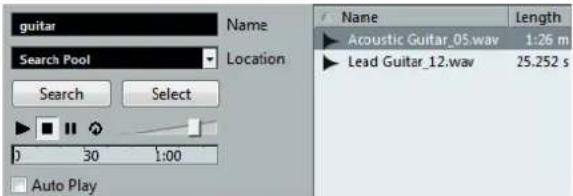
- Specify the files that you search for in the Name field.
You can use partial names or wildcards (*).
NOTE
Only audio files of the supported formats will be found.
- Use the Location pop-up menu to specify where to search.
The pop-up menu lists all your local drives and removable media.
- To limit the search to certain folders, select Select Search Path, and in the dialog that opens, select the folder in which you want to search.
The search will include the selected folder and all subfolders.
NOTE
Folders that you have recently selected using the Select Search Path function appear on the pop-up menu, so that you can quickly select them again.
4. Click Search.
The search is started and Search is labeled Stop.
• To cancel the search, click Stop. When the search is finished, the files that are found are listed on the right.
- To audition a file, select it in the list and use the playback controls to the left (Play, Stop, Pause, and Loop). If Auto Play is activated, selected files are automatically played back.
- To import a file into the Pool, double-click the file in the list or select it and click Import.
- To close the search pane, click Search on the toolbar again.
Using the Extended Search Functionality
Apart from the search criterion Name, additional search filters are available. The extended search options allow for a detailed search, helping you to master even the largest sound database.
PROCEDURE
- In the Pool window, click Search on the toolbar.
The search pane is displayed in the lower part of the Pool window.
- Click the Name text to open the extended search pop-up menu where you can select and define a search criterion.

The menu also contains the Add Filter and Presets submenus.
The search criteria have the following parameters:
• Name: partial names or wildcards (*) - Size: less than, more than, equal, between (two values), in seconds, minutes, hours, and bytes • Bitsize (resolution): 8, 16, 24, 32 • Channels: mono, stereo, and from 3 to 16 • Sample Rate: various values, choose Other for free setting • Date: various search ranges
- Select one of the search criteria in the pop-up menu.
The search criterion changes to the selected criteria.
- Optional: To display more search options, open the extended search pop-up menu, select the Add filter submenu, and select an element.
- Optional: To save your search filter settings as a preset, open the extended search pop-up menu, select Presets > Save Preset, and enter a name for the preset.
Saved presets are added to the Presets submenu.
- Optional: To remove a search filter settings preset, open the extended search pop-up menu, select the preset, and then select Remove Preset.
Find Media Window
The Find Media window is a stand-alone window that offers the same functionality as the Search Media option in the Pool.
• To open the Find Media window, select Media > Search Media. - To insert a clip or region into the project from the Find Media window, select it in the list, select Media > Insert into Project, and select one of the insert options.
RELATED LINKS
Inserting Clips into a Project on page 352
About Missing Files
When you open a project and one or more files are missing, the Resolve Missing Files dialog opens. If you click Close, the project opens without the missing files.
In the Pool, you can check which files are considered missing. This is indicated by a question mark in the Status column.
A file is considered missing under one of the following conditions:
- The file has been moved or renamed outside the program since you last worked with the project, and you ignored the Resolve Missing Files dialog when you opened the project for the current session. • You have moved or renamed the file outside the program during the current session. • You have moved or renamed the folder in which the missing files are located.
Locating Missing Files
PROCEDURE
- Select Media > Find Missing Files.
- In the Resolve Missing Files dialog, decide if you want the program to find the file for you (Search), if you want to find it yourself (Locate), or if you want to specify in which directory the program will search for the file (Folder).
- If you select Search, a dialog opens to let you specify which folder or disk will be scanned by the program. Click Search Folder, select a directory or a disk, and click Start. If found, select the file from the list and click Accept. Afterwards Cubase tries to map all other missing files automatically.
- If you select Locate, a file dialog opens, allowing you to locate the file manually. Select the file and click Open.
- If you select Folder, a dialog opens to let you specify the directory in which the missing file can be found. This might be the preferred method if you have renamed or moved the folder containing the missing file, but the file still has the same name. Once you select the correct folder, the program finds the file and you can close the dialog.
Reconstructing Missing Edit Files
If a missing file cannot be found, this is normally indicated with a question mark in the Status column in the Pool. However, if the missing file is an edit file (a file that is created when you
process audio and stored in the Edits folder within the project folder), it may be possible for the program to reconstruct it by recreating the editing to the original audio file.
PROCEDURE
- In the Pool window, locate the clips for which files are missing.
- Check the Status column. If the status of the files is "Reconstructible", the files can be reconstructed by Cubase.
- Select the reconstructible clips and select Media > Reconstruct.
RESULT
The editing is performed and the edit files are recreated.
Removing Missing Files from the Pool
If the Pool contains audio files that cannot be found or reconstructed, you may want to remove these.
PROCEDURE
• In the Pool window, select Media > Remove Missing Files.
RESULT
All missing files from the Pool and the corresponding events from the Project window are removed.
Auditioning Clips in the Pool
You can audition clips in the Pool using key commands, the Audition button, or by clicking in the waveform image for a clip.
• Use key commands. If you activate the Playback Toggle Triggers Local Preview option in the Preferences dialog (Transport page), you can use Space to audition. This is the same as activating Audition on the toolbar. • Select a clip and activate Audition. The whole clip plays back. To stop playback, click Audition again. - Click in the waveform image for a clip. The clip plays back from the selected position in the waveform until the end. To stop playback, click Audition or anywhere else in the Pool window.
The audio is routed directly to the Main Mix (the default output) bus, bypassing the settings of the audio channel, effects, and EQs.
NOTE
You can adjust the auditioning level with the miniature level fader on the toolbar. This does not affect the regular playback level.
If you have activated Audition Loop before you audition, the following happens:
- When you click Audition to audition a clip, the clip is repeated indefinitely until you stop playback by clicking Audition or Audition Loop again.
- When you click in the waveform image to audition, the section from the selected point to the end of the clip is repeated indefinitely until you stop playback.
Opening Clips in the Sample Editor
The Sample Editor allows you to perform detailed editing on the clip.
- To open a clip in the Sample Editor, double-click a clip waveform icon or a clip name in the Media column.
- To open a certain region of a clip in the Sample Editor, double-click a region in the Pool. You can use this to set a snap point for a clip, for example. When you later insert the clip from the Pool into the project, the defined snap point allows it to be properly aligned.
RELATED LINKS
Adjusting the Snap Point on page 313
Sample Editor on page 299
Importing Media
The Import Medium dialog lets you import files directly into the Pool.
To open the dialog, select Media > Import Medium, or click Import on the Pool toolbar.
This opens a standard file dialog, where you can navigate to other folders, audition files, etc. The following audio file formats can be imported:
• Wave (Normal or Broadcast) • AIFF and AIFC (Compressed AIFF) - REX or REX 2 - FLAC (Free Lossless Audio Codec) • SD2 (Sound Designer II) (macOS only) - MPEG Layer 2 and Layer 3 (MP2 and MP3 files) - Ogg Vorbis (OGG files) - Windows Media Audio (Windows only) - Wave 64 (W64 files)
The following characteristics are possible:
- Stereo or mono
- Any sample rate
NOTE
Files that have a different sample rate than the project sample rate are played back at the wrong speed and pitch.
• 8, 16, 24, or 32 bit float resolution - Various video formats
NOTE
You can also use the commands on the Import submenu of the File menu to import audio or video files into the Pool.
RELATED LINKS
Wave Files on page 568
Importing ReCycle Files on page 189
Supported Compressed Audio File Formats on page 186
Video File Compatibility on page 594
Importing Audio CDs into the Pool
You can import tracks or sections of tracks from an audio CD directly into the Pool. This opens a dialog in which you can specify which tracks are copied from the CD, converted to audio files, and added to the Pool.
• To import an audio CD to the Pool, select Media > Import Audio CD.
RELATED LINKS
Importing Audio CD Tracks on page 186
Import Options Dialog
The Import Options dialog allows you to specify how audio files are imported into the Pool.
- If you select a file in the Import Medium dialog and click Open, the Import Options dialog opens.

Copy File to Working Directory
Copies the audio file to the Audio folder of the project, and has the clip refer to the copy.
Deactivate this option to have the clip refer to the original file in the original location. In this case, it is marked as "external" in the Pool.
Convert to Project: Sample Rate/Sample Size
Converts the imported file if the sample rate or the sample size differ from the settings in the Project Setup dialog.
Please, don't ask again
Always imports files according to the settings, without opening the dialog again. You can reset this option in the Preferences dialog (Editing—Audio page).
RELATED LINKS
Status on page 350
Converting Files on page 363
Conforming Files on page 364
Exporting Regions as Audio Files
If you have created regions within an audio clip, these can be exported as separate audio files. If you have two clips that refer to the same audio file, you can create a separate audio file for each clip.
PROCEDURE
- In the Pool window, select the region that you want to export.
- Select Audio > Bounce Selection.
- Select the folder in which you want the new file to be created and click OK.
- If you are using the Bounce Selection option to create a separate audio file for a clip that refers to the same audio file as another clip, enter a name for the new audio file.
RESULT
A new audio file is created in the specified folder. The file has the name of the region and is automatically added to the Pool.
RELATED LINKS
Creating Audio Events from Regions on page 312
Changing the Pool Record Folder
All audio clips that you record in the project will end up in the Pool Record folder. The Pool Record folder is indicated by the text Record in the Status column and by a dot on the folder itself.
By default, this is the main Audio folder. However, you can create a new Audio subfolder and designate this as your Pool Record folder.
NOTE
The folders that you create in the Pool are only for organizing your files in the Pool. All files are recorded to the folder that you specified as the Pool Record Folder.
PROCEDURE
- In the Pool, select the Audio folder or any audio clip.
NOTE
You cannot designate the Video folder or any of its subfolders as the Pool Record folder.
- Select Media > Create Folder.
- Rename the new folder.
- Select the new folder and choose Media > Set Pool Record Folder, or click in the Status column of the new folder.
RESULT
The new folder becomes the Pool Record folder. Any audio recorded in the project will be saved in this folder.
Organizing Clips and Folders
If you accumulate a large number of clips in the Pool, it can be difficult to quickly find specific items. Organizing clips in new subfolders with names that reflect the content can be a solution. For example, you could put all sound effects in one folder, all lead vocals in another, etc.
PROCEDURE
- In the Pool window, select the type of folder, audio, or video for which you want to create a subfolder.
NOTE
You cannot put audio clips in a video folder and vice versa.
- Select Media > Create Folder.
- Rename the folder.
- Drag the clips to the new folder.
Applying Processing to Clips in the Pool
You can apply audio processing to clips from within the Pool in the same way as to events in the Project window.
PROCEDURE
- In the Pool window, select the clips that you want to process.
- Select Audio > Direct Offline Processing and select a processing method.
RESULT
A waveform symbol indicates that the clips have been processed.
RELATED LINKS
Direct Offline Processing on page 280
Minimizing Files
You can minimize the audio files according to the size of the audio clips referenced in the project. The files that are produced using this option only contain the audio file portions that are actually used in the project.
This can significantly reduce the size of the project if large portions of the audio files are unused. Therefore, the option is useful for archiving purposes after you have completed a project.
IMPORTANT
This operation will permanently change the selected audio files in the Pool. This cannot be undone. If you only want to create the minimized audio files as a copy, leaving the original project untouched, you can use the Back up Project option.
NOTE
Minimizing files clears the entire edit history.
PROCEDURE
- In the Pool window, select the files that you want to minimize.
- Select Media > Minimize File.
- Click Minimize.
After the minimizing is finished, the file references in the stored project have become invalid.
- Do one of the following:
• To save the updated project, click Save Now. • To proceed with the unsaved project, click Later.
RESULT
Only the audio portions that are actually used in the project remain in the corresponding audio files in the Pool Record folder.
RELATED LINKS
Backing Up Projects on page 71
Converting Files
In the Pool, you can convert files to another format.
PROCEDURE
- In the Pool window, select the files that you want to convert.
- Select Media > Convert Files.
- In the Convert Options dialog, make your settings and click OK.
Convert Options Dialog
In this dialog, you can convert audio files in the Pool.
To open the Convert Options dialog, select a clip in the Pool window, and select Media > Convert Files.

Sample Rate
Allows you to convert to another sample rate.
Sample Width
Allows you to convert to 16 bit, 24 bit, or 32 bit float.
Channels
Allows you to convert to Mono or Stereo Interleaved.
File Format
Allows you to convert to Wave, AIFF, Wave 64, or Broadcast Wave format.
Options
You can use the Options pop-up menu to set one of the following options:
- New Files
Creates a copy of the file in the audio folder and converts this new file according to the chosen attributes. The new file is added to the Pool, but all clip references still point to the original, unconverted file.
- Replace Files
Converts the original file without changing clip references. However, the references are saved with the next save action.
- New + Replace in Pool
Creates a new copy with the chosen attributes, replaces the original file with the new one in the Pool and redirects the current clip references from the original file to the new file. Select the latter option if you want your audio clips to refer to the converted file, but want to keep the original file on disk, for example, if the file is used in other projects.
Conforming Files
You can align the file attributes with the project attributes. This is useful if the attributes of the selected files are different from the project attributes.
PROCEDURE
- In the Pool window, select the clips that you want to conform.
- Select Media > Conform Files.
- Select whether to keep or replace the original unconverted files in the Pool.
- If you select the Replace option, files in the Pool and in the Audio folder of the project are replaced.
- If any Keep option is selected, original files remain in the Audio folder of the project and new files are created.
RESULT
The files are conformed. Clip or event references in the Pool are redirected to the conformed files.
Extracting Audio from Video File
You can extract audio from video files. This automatically generates a new audio clip that appears in the Pool Record folder.
NOTE
This function is not available for MPEG-1 video files.
PROCEDURE
- In the Pool window, select Media > Extract Audio from Video File.
- Select the video file from which you want to extract audio and click Open.
RESULT
The audio is extracted from the video file. The audio file gets the same file format and sample rate/width as in the current project, and the same name as the video file.
MediaBay
The MediaBay allows you to manage all your media files and presets from multiple sources.
Media Rack in Right Zone (not in Cubase LE)
You can open the Media rack in the right zone of the Project window. This is useful if you want to access the MediaBay functions from within a fixed zone of the Project window.
To open the Media rack in the right zone, do the following:
- Click Show/Hide Right Zone on the Project window toolbar, and at the top of the right zone, click the Media tab.
The Media rack Home page is divided into the following sections:
Search
Allows you to search media files by name or by attribute.
Navigation Controls
Allows you to go back to the previous page, to the Home page, or to any subpage.
Show All Items
Shows the Results page for a selected tile. If no tile is selected, all media files are shown.
Instruments Tile
Shows all included VST instruments.
Loops & Samples Tile
Shows audio loops, MIDI loops, or instrument sounds ordered by content set.
Presets Tile
Shows the track presets, strip presets, FX chain presets, and VST FX presets.
User Presets Tile
Shows track presets, strip presets, pattern banks, FX chain presets, VST FX presets, and instrument presets that are listed in the User Content folder.
Shows the track presets, strip presets, FX chain presets, and VST FX presets.
Favorites Tile
Shows your favorite folders and allows you to add new favorites. The folder content is automatically added to the MediaBay database.
File Browser Tile
Shows your file system and the pre-defined folders Favorites, This Computer, VST Sound, Factory Content, and User Content where you can search for media files and access them immediately.
RELATED LINKS
Showing/Hiding Zones on page 27
Favorites Section on page 373
Results Section on page 374
Previewer Section on page 378
Filters Section on page 382
Loading Loops and Samples on page 384
Loading Track Presets on page 384
Loading Instrument Presets on page 384
Loading Effect Plug-In Presets on page 385
Loading FX Chain Presets on page 385
Loading Strip Presets on page 386
Results Page
The Results page shows all media files that are found in the selected folder.

1 Select Media Types
Allows you to select the media types that are displayed in the Results list.
2 Shuffle Results
Shuffles the Results list.
3 Reset Attribute Filter
Lights up if an attribute filter is set. Click this button to reset the attribute filter.
4 Show/Hide Attribute Filters
Shows/Hides the Attribute Filters section.
5 Set up Result Columns
Allows you to specify which attribute columns are displayed in the Results list.
6 Attribute Filters
Allows you to view and edit some of the standard file attributes found in your media files.
7 Results List
Shows all media files that are found in the selected location and allows you to select a media file.
8 Previewer
Allows you to preview the selected media file.
RELATED LINKS
Setting Up the Results List Columns on page 374
Results Section on page 374
Previewer Section on page 378
Favorites Page (not in Cubase LE)
The Favorites page allows you to add your own favorite folders to the Media rack.
1 Add Favorite
Opens a file dialog where you can navigate to the location of a folder and add it as a favorite folder.
2 Favorite Folders
The folders that you added as favorites, are shown as tiles on the Favorites page.
- To show the content of a folder, click it.
- To delete a folder from the Favorites page, click its close button.
RELATED LINKS
Adding Favorites Using the Favorites Page (not in Cubase LE) on page 369
Results Page for the File Browser
The Results page for the File Browser shows all media files that are found in the File Browser.

1 File Browser
Allows you to browse and select folders.
2 Results List
Shows all supported media files that are found in the selected folder and allows you to select a media file.
3 Previewer
Allows you to preview the selected media file.
RELATED LINKS
File Browser Section on page 371
Results Section on page 374
Previewer Section on page 378
Working with the Media Rack
The Media rack in the right zone of the Project window allows you to search for supported media files and included VST instruments, and add them to your project.
The controls on the different pages of the Media rack allow you to browse, to filter, select, and to preview your media files.
The Favorites page and the File Browser page allow you to add folders where your media files are located as Favorites. This helps you to quickly browse to these media files.
The tiles and controls on the different pages of the Media rack allow you to browse, filter, select, and preview the content.
Once you have located the media file, the instrument, or the preset that you want to use, and selected it in the Results list, you can insert it into your project by using drag & drop, by using the context menu options, or by double-clicking.
RELATED LINKS
Media Rack in Right Zone (not in Cubase LE) on page 365
Results Page on page 366
Adding Instruments (not in Cubase LE)
You can use the Media rack to add VST instruments to your project. This works only for VST instruments contained in Cubase.
PROCEDURE
- In the Media rack, click the Instruments tile.
- Drag the instrument that you want to load and drop it on the track list.
NOTE
You can also drag a specific instrument preset and drop it on the track list or in the event display.
RESULT
A new instrument track with the selected instrument is added to the track list.
Adding Favorites Using the Favorites Page (not in Cubase LE)
You can add favorite folders to the Favorites page. This allows you to directly access media files in specific folders.
PROCEDURE

- In the Media rack, click the Favorites tile.
- At the top left of the page, click Add Favorite .
- Select the folder that you want to add as a Favorite.
- Click OK.
RESULT
On the Favorites page, a new tile with the specified name is added.
In the File Browser, a new folder with the specified name is added to the Favorites folder.
Adding Favorites Using the File Browser Page
You can add favorite folders using the File Browser page. This allows you to directly access media files in specific folders.
PROCEDURE
- In the Media rack, click the File Browser tile.
- In the File Browser, navigate to the folder that you want to add as a favorite and select it.
- Do one of the following:
• At the top left of the page, click Add Favorite ★ • Right-click the folder, and from the context menu, select Add Favorite.
- In the Set Name dialog that opens, enter a name for the folder.
- Click OK.
RESULT
In the File Browser, a new folder with the specified name is added to the Favorites folder.
On the Favorites page, a new tile with the specified name is added.
MediaBay Window
To open the MediaBay in a separate window, do one of the following:
- Select Media > MediaBay.
- Press F5.

MediaBay
The MediaBay is divided into the following sections:
1 File Browser
Allows you to scan specific folders in your file system, and to add favorites.
2 Favorites
Allows you to switch between the previously defined favorite locations.
3 Filters
Allows you to filter the results list using a logical or an attribute filter.
4 Results
Displays all supported media files. You can filter the list and perform text searches.
5 Previewer
Allows you to preview the files shown in the results list.
RELATED LINKS
File Browser Section on page 371
Favorites Section on page 373
Filters Section on page 382
Results Section on page 374
Previewer Section on page 378
Setting Up the MediaBay on page 371
Setting Up the MediaBay
You can show and hide the different sections of the MediaBay. This saves screen space and enables you to display only the information that you need.
PROCEDURE
- Click Set up Window Layout in the lower left corner of the MediaBay.

- Activate/Deactivate the checkboxes for the sections that you want to show/hide.
- Click outside the pane to exit the setup mode.
Navigation Controls
The MediaBay window features controls that allow you to navigate to files and folders. These controls are always visible, even if you deactivate specific sections of the MediaBay.
The following navigation controls are always available in the MediaBay window:

1 Back/Forward/Up
Up navigates to the parent folder. Back navigates to the previously used folder. Forward navigates to the most recent folder.
2 Include Folders and Subfolders
Activate this to show the content of folders and subfolders.
By default, the Back/Forward/Up controls are shown in the File Browser section of the MediaBay window. If you also hide that section, they are shown in the Favorites section. If you hide that section, they are shown in the Results section.
Accordingly, the Include Folders and Subfolders button is shown in the Favorites section, and if you hide that section, it is shown in the Results section.
This allows you to navigate to files and folders at any time.
File Browser Section
The File Browser section allows you to scan specific folders in your file system and to add favorites.
To show the supported media files in the Results section of the MediaBay, you must scan all folders that you want to include in the search.
You can also add favorite folders. All media files contained in a Favorite are automatically scanned.
RELATED LINKS
Scanning Folders on page 372
Adding Favorites on page 372
Scanning Folders
To include specific folders in the MediaBay search, you must scan them.
PROCEDURE
- In the File Browser section of the MediaBay, navigate to the folder that you want to include in the scan.
- Click the checkbox for the folder to activate the scan.

RESULT
All files that are found in the scanned folder are shown in the Results list. The color of the checkmark helps you to identify which folders and subfolders are scanned:
- Red indicates that a folder is currently being scanned.
- White indicates that all subfolders have been scanned.
- Orange indicates that at least one subfolder is excluded from the scan.
The scan result is saved in a database file.
Adding Favorites
You can add favorite folders using the File Browser section. This allows you to access media files in specific folders.
PROCEDURE
- In the File Browser section, navigate to the folder that you want to add as a favorite, and select it.
- Do one of the following:
- At the top right of the page, click Add Favorite

• Right-click the folder, and from the context menu, select Add Favorite.
- In the Set Name dialog that opens, enter a name for the folder.
4. Click OK.
RESULT
In the File Browser section, a new folder with the specified name is added to the Favorites folder.
In the Favorites section, the added favorite is available in the Select Defined Favorite pop-up menu.
In the Media rack in the right zone of the Project window, a new tile with the specified name is added on the Favorites page.
NOTE
All media files that a Favorite contains are automatically scanned. If you change the files when Cubase is closed, you must update the favorite later by right-clicking the favorite and selecting Update Favorite from the context menu.
AFTER COMPLETING THIS TASK
To remove a Favorite, select it in the Favorites tree of the File Browser section, open the context menu and select Remove Favorite.
Refresh Views
If you added or removed files when Cubase was closed, you must refresh the views. This also applies if you modified attributes of your user content using another program.
If you have made changes to your content and want the changes to be displayed in the MediaBay, you must rescan the corresponding media folders.
- To refresh a folder, in the File Browser section of the MediaBay, right-click a folder, and select Refresh Views.
- To display a new network drive, in the File Browser section of the MediaBay, right-click the parent node, and select Refresh Views. You can then scan the drive for media files.
Favorites Section
In the Favorites section, you can select the Favorites that you specified in the File Browser section. The contents of a Favorite are shown in the Results list.

1 Select Defined Favorite
Open this pop-up menu to select a different Favorite. This allows you to quickly browse to the files you are looking for.
2 Include Folders and Subfolders
If this option is activated, the media files that are located in the folders and subfolders of the selected Favorite are also displayed in the Results list.
RELATED LINKS
Adding Favorites on page 372
Favorites Page (not in Cubase LE) on page 367
File Browser Section on page 371
Results Section
The Results list shows all media files that are found in the selected folder in the File Browser.
NOTE
To show media files in the Results section, you must select a scanned folder in the File Browser section of the MediaBay.

NOTE
You can set the maximum number of files that are displayed in the Results list in the MediaBay Settings.
Setting Up the Results List Columns
For each media type, or for combinations of media types, you can specify the attribute columns that are displayed in the Results list.
PROCEDURE
- In the Results section, select the media types for which you want to make settings.
- Click Set up Result Columns and activate or deactivate the options on the submenus.
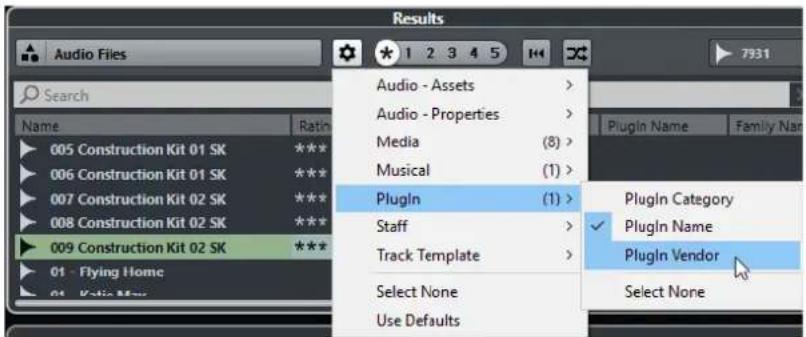
To exclude a particular category, select Select None on the corresponding submenu.
RELATED LINKS
Setting Up the MediaBay on page 371
Managing Media Files in the Results List
- To move or copy a file from the Results list to another location, drag it to another folder in the File Browser section.
- To change the order of the columns in the Results list, click a column header and drag that header to another position.
- To delete a file, right-click it in the list and select Delete. The file is permanently deleted from your computer.
IMPORTANT
If you delete a file using the File Explorer/macOS Finder, it is still displayed in the Results list, although it is no longer available to the program. To remedy this, rescan the corresponding folder.
Shuffling the Results List
You can display the Results list entries in a random order.
• To shuffle the Results list, click Shuffle Results in the MediaBay.
Finding the Location of a File
You can show the location of a file on your system in the File Explorer/macOS Finder.
NOTE
This function is not available for files which are part of a VST Sound archive.
PROCEDURE
• In the Results list, right-click a file, and select Show in Explorer/Reveal in Finder.
RESULT
The File Explorer/macOS Finder opens and the corresponding file is highlighted.
Filtering According to Media Type
You can set up the Results list to display only a particular media type or a combination of media types.
PROCEDURE
- In the Results section, click Select Media Types.
![Audio Files, MIDI Files, Video Files & Projects Select Media Types [!]](/content/2026/06/1348291/images/6bba121ec27c23c9e3949f5c4662185e68dc806442bc82d8394020a582f19c3c.jpg)
- Activate the media types that you want to be displayed in the Results list.
RESULT
The files are filtered by the selected media type.
Show Media Types Selector
You can activate the media types that you want to be displayed in the Results list.

The following media types are available:
Audio Files
If this option is activated, the list shows all audio files. The supported formats are .wav, .w64, .aiff, .aifc, .rex, .rx2, .mp3, .mp2, .ogg, .sd2 (macOS only), .wma (Windows only).
MIDI Files
If this option is activated, the list shows all MIDI files (file name extension .mid).
MIDI Loops
If this option is activated, the list shows all MIDI loops (file name extension .midiloop).
Track Presets
If this option is activated, the list shows all track presets for audio, MIDI, and instrument tracks (file name extension .trackpreset). Track presets are a combination of track settings, effects, and MixConsole settings that can be applied to new tracks of various types.
Plug-in Presets
If this option is activated, the list shows all VST presets for instrument and effect plug-ins. Furthermore, EQ presets that you save in the MixConsole are listed. These presets contain all parameter settings for a particular plug-in. They can be used to apply sounds to instrument tracks and effects to audio tracks.
Strip Presets
If this option is activated, the list shows all strip presets (file name extension .strippreset). These presets contain channel strip effect chains.
FX Chain Presets
If this option is activated, the list shows all effect chain presets (file name extension .fxchainpreset). These presets contain insert effect chains.
Video Files
If this option is activated, the list shows all video files.
Projects
If this option is activated, the list shows all project files (.cpr).
RELATED LINKS
Track Presets on page 120
Saving/Loading Strip Presets on page 258
Saving/Loading EQ Presets on page 252
Saving/Loading FX Chain Presets on page 250
Video File Compatibility on page 594
Filtering According to Rating
With the Rating Filter, you can filter files according to their rating.
NOTE
The Rating Filter is not available in the Media rack in the right zone (not in Cubase LE).
PROCEDURE
In the Results section of the MediaBay, drag the Rating Filter to the left or right, or click the asterisk to display all media files regardless of their rating.

Performing a Text Search
You can perform a text search in the Results list. If you enter text in the text search field, only media files whose attributes match the entered text are displayed.
Click the field and enter the text that you want to find.
For example, if you are looking for all audio loops relating to drum sounds, enter "drum" in the search field. The search results will contain loops called "Drums 01", "Drumloop", "Snare Drum", etc. In addition, all media files with the Drum & Percussion category attribute or any other attribute that contains "drum" are found. You can also add apostrophes to find exact matches for the entered words and use boolean operators.

To reset the text search, delete the text.
Boolean Text Search
You can perform advanced searches, using boolean operators or wildcards.
The following elements can be used:
And [+]
[a and b]
When entering strings separated by "and" (or a plus sign), all files are found that contain both a and b.
[And] is the default setting when no boolean operator is used, for example, you can also enter [a b].
Or [,]
[a or b]
When entering strings separated by "or" (or a comma), files are found that contain either a or b, or both.
Not [-]
[not b]
When entering text preceded by "not" (or a minus sign), all files not containing b are found.
Parentheses [()]
[(a or b) + c]
Using parentheses, you can group text strings. In this example, files are found that contain c and either a or b.
Quotation marks [""]
["example text"]
With quotation marks, you can define sequences of several words. Files are found if they contain this sequence of words.
IMPORTANT
When you are searching for files whose names contain a hyphen, put the search text in quotation marks. Otherwise the program treats the hyphen as the boolean operator "not".
NOTE
These operators can also be used for logical filtering.
Resetting the Results List
You can reset all filter settings and filter results.
• To reset the Results list, click Reset Result Filters in the MediaBay.
Previewer Section
You can preview individual files in the Previewer section to find out which one to use in your project.
The elements visible in this section and their functions depend on the media type.
IMPORTANT
The Previewer section is not available for video files, project files, and audio track presets.
RELATED LINKS
MediaBay Settings on page 390
Previewing Audio Files
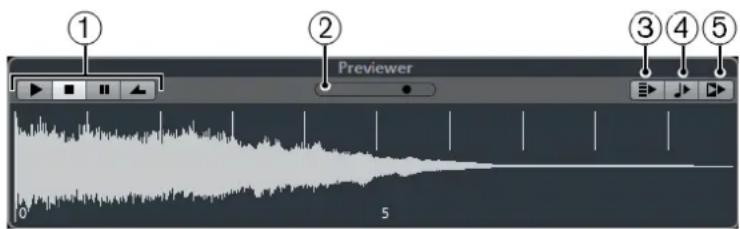
1 Transport Controls
Allow you to start, stop, pause, and cycle the preview.
2 Preview Level Fader
Allow you to specify the preview level.
3 Auto Play New Results Selection
If this option is activated, the selected file is automatically played back.
4 Align Beats to Project
If this option is activated, the selected file is played back in sync with the project, starting at the project cursor position. Note that this can apply realtime time stretching to your audio file.
NOTE
If you import an audio file into your project for which Align Beats to Project is activated in the Previewer, Musical Mode is automatically activated for the corresponding event.
5 Wait for Project Play
If this option is activated, the play and stop functions from the Transport panel are synchronized with the play and stop buttons in the Previewer section.
To use this option to its full extent, set the left locator at the beginning of a bar, then start playing back the project using the Transport panel. The loops that you now select in the Results list start together with the project in perfect sync.
RELATED LINKS
Musical Mode on page 324
Previewing MIDI Files
IMPORTANT
To preview a MIDI file, you must load a VST instrument and select it as output device from the Output pop-up menu.

1 Transport Controls
Allow you to start and stop the preview.
2 Preview Level Fader
Allows you to specify the preview level.
3 Output
Allows you to select the output device.
4 Auto Play New Results Selection
If this option is activated, the selected file is automatically played back.
5 Align Beats to Project
If this option is activated, the selected file is played back in sync with the project, starting at the project cursor position. Note that this can apply realtime time stretching to your MIDI file.
RELATED LINKS
VST Instruments on page 402
Previewing MIDI Loops
NOTE
MIDI loops are always played back in sync with the project.

1 Transport Controls
Allows you to start and stop the preview.
2 Preview Level Fader
Allows you to specify the preview level.
3 Auto Play New Results Selection
If this option is activated, the selected file is automatically played back.
4 Link Playback to Chord Track
If this option is activated, the events of the MIDI loop are transposed to play back in context with the chord track. Note that you need a chord track with chord events for this. If this option is activated, and you insert a MIDI loop into the project, Follow Chord Track is automatically activated for the track.
RELATED LINKS
Using Follow Chord Track on page 533
Previewing VST Presets and Track Presets for MIDI and Instrument Tracks
To preview track presets for MIDI or instrument tracks and VST presets, you need some MIDI notes. These notes can be sent to the track preset via MIDI Input, using a MIDI file, the Memo Recorder mode, or via the computer keyboard.
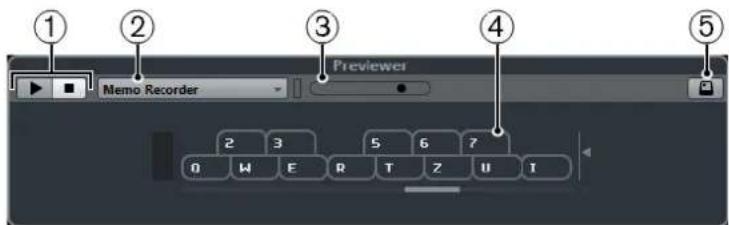
On-Screen keyboard in keyboard display mode
1 Transport Controls
Allows you to start and stop the preview.
2 Previewer Sequence Mode Menu
Allows you to load a MIDI file to apply the selected preset to the MIDI file. You can also select the Memo Recorder mode that continually repeats a given sequence of notes as a loop.
3 Preview Level Fader
Allows you to specify the preview level.
4 On-Screen Keyboard
You can display the On-Screen Keyboard in the keyboard display mode or in the piano display mode.
5 Computer Keyboard Input
If this option is activated, you can use your computer keyboard to preview the presets.
RELATED LINKS
Previewing Presets Using the Memo Recorder Mode on page 381
On-Screen Keyboard on page 166
Previewing Presets Via MIDI Input
MIDI input is always active, for example, when a MIDI keyboard is connected to your computer and set up properly, you can directly start playing the notes to preview the selected preset.
Previewing Presets Using a MIDI File
PROCEDURE
- On the Previewer Sequence Mode pop-up menu, select Load MIDI File.
- In the file dialog that opens, select a MIDI file and click Open.
The name of the MIDI file is displayed on the pop-up menu.
- Click Play to the left of the pop-up menu.
RESULT
The notes received from the MIDI file are played back with the settings of the track preset applied.
NOTE
The recently used MIDI files are kept on the menu for quick access. To remove an entry from this list, select it on the menu and then select Remove MIDI File.
Previewing Presets Using the Memo Recorder Mode
The Memo Recorder mode continually repeats a given sequence of notes as a loop.
NOTE
You cannot use the Memo Recorder mode when previewing presets using a MIDI file.
PROCEDURE
- On the Previewer Sequence Mode pop-up menu, select Memo Recorder.
- Activate Play.
- Play some notes on the MIDI keyboard or on the computer keyboard.
RESULT
The notes are played back with the instrument preset that is selected in the Results section.
When you stop playing notes and wait for 2 seconds, the note sequence that you played until this moment is played back in a continuous loop.
To use another sequence, start entering notes again.
Previewing Presets Via the Computer Keyboard
NOTE
If you activate Computer-Keyboard Input, the computer keyboard is used exclusively for the Previewer section. However, you can still use the following key commands: Ctrl/Cmd-S (Save), Num * (Start/Stop Record), Space (Start/Stop Playback), Num 1 (Jump to left locator), Delete or Backspace, Num / (Cycle on/off), and F2 (Show/Hide Transport panel).
PROCEDURE
- Activate Computer-Keyboard Input.
- Play some notes on the computer keyboard.
Filters Section
The MediaBay allows you to refine your file searches.
Media File Attributes
Media file attributes are sets of meta data providing additional information on the file.
The different types of media files have different attributes. For example, .wav audio files have attributes, such as name, length, size, sample rate, content set, etc., while .mp3 files have additional attributes, such as artist or genre.
Attribute Filter
Assigning attribute values to your files facilitates organizing your media files. The Attribute filter allows you to view and edit some of the standard file attributes that are found in your media files.
The Filters section displays all values that have been specified for the displayed attribute categories. Selecting one of these values displays only the files to which this attribute value is assigned.

1 Attribute column titles
Allow you to select different attribute categories. If the columns are wide enough, the number of files that match this criteria is displayed to the right of the value.
2 Attribute values
Displays the attribute values and how often a certain attribute value is available among your media files.
NOTE
- Some attributes are directly linked to each other. For example, for each category value, there are certain sub-category values available. Changing the value in one of these attribute columns displays different values in the other column.
- Each attribute column displays only the attribute values that are found in the selected location.
Applying an Attribute Filter
With the Attribute filter, you can quickly find tagged media files with certain attributes.
• To apply an Attribute filter, select an attribute value. The Results list is filtered accordingly. Apply more attribute filters to narrow down the result even more. - To find files that match either one or the other attribute, Ctrl/Cmd-click different attribute values in the same column. - To change the displayed attribute values of a column, click the attribute column title and select another attribute.
NOTE
Character attributes always form an AND condition.
Resetting the Filter
PROCEDURE
• To reset the filter, click Reset Filter at the top of the Filters section.
This also resets the Results list.
Working with the MediaBay
When you work with many music files, the MediaBay helps you to find and organize your content. After scanning your folders, all found media files of the supported formats are listed in the Results section.
You can set up Favorites, that is, folders or directories on your system that contain media files. Usually, files are organized in a specific way on your computer. You might have folders reserved for audio content, folders for special effects, folders for combinations of sounds making up the ambience noise that you need for a certain film take, etc. These can all be set as different Favorites in the MediaBay, allowing you to limit the files available in the Results list according to context.
By using the search and filter options, you can narrow down the results.
You can insert the files into your project by using drag & drop, by double-clicking, or by using the context menu options.
Using Media Files
The MediaBay window and the Media rack in the right zone of the Project window (not in Cubase LE) offer you multiple possibilities to search for specific files, loops, samples, presets, and patterns that you can use in your project.
Once you have found the media files that you were looking for, you can load them into your project.
Loading Loops and Samples
PROCEDURE
- Do one of the following:
- In the MediaBay, open the media types selector, click MIDI Files, Audio Files, or MIDI Loops, and select a media file.
- In the Media rack in the right zone (not in Cubase LE), click the Loops & Samples tile, and click the following tiles until you can select the media files in the Results list.
- Do one of the following:
- Double-click a media file to create a new instrument or an audio track with the loaded file.
- Drag the media file and insert it on a track in the event display.
RESULT
The media file is inserted on the new track or at the insert position.
RELATED LINKS
Show Media Types Selector on page 376
Loading Track Presets
PROCEDURE
- Do one of the following:
- In the MediaBay, open the media types selector, click Track Presets, and select a preset.
- In the Media rack in the right zone (not in Cubase LE), click Presets > Track Presets, and click the following tiles until you can select the preset in the Results list.
- Do one of the following:
- Double-click the track preset to create a new track with the loaded preset.
- Drag the track preset and insert it on a track to apply the preset to the track.
RESULT
The preset is applied to the track, and all settings of the preset are loaded.
RELATED LINKS
Show Media Types Selector on page 376
Loading Instrument Presets
PROCEDURE
- Do one of the following:
- In the MediaBay, open the media types selector, click Plug-in Presets, and select a preset for an instrument plug-in.
- In the Media rack in the right zone (not in Cubase LE), click the Instruments tile, and click the following tiles until you can select the preset in the Results list.
- Do one of the following:
- Double-click the instrument preset to create a new instrument track with the loaded instrument preset.
- Drag the instrument preset and drop it on the track list to create a new instrument track with the loaded instrument preset.
- Drag the instrument preset and drop it in the event display to create a new instrument track with the loaded instrument preset.
- Drag the instrument preset and drop it on an instrument track to apply the preset to the track.
RESULT
The instrument is loaded as a track instrument, and the preset is applied to the instrument track.
RELATED LINKS
Show Media Types Selector on page 376
Loading Effect Plug-In Presets
PROCEDURE
- Do one of the following:
- In the MediaBay, open the media types selector, click Plug-in Presets, and select a preset.
- In the Media rack in the right zone (not in Cubase LE), click Presets > VST FX Presets, and click the following tiles until you can select the preset in the Results list.
- In the Project window, select an audio track.
- Drag the plug-in preset from the MediaBay and insert it on the open Inserts section of the Inspector.
RESULT
The effect plug-in preset is applied to the audio track and the settings are loaded.
RELATED LINKS
Show Media Types Selector on page 376
Loading FX Chain Presets
PROCEDURE
- Do one of the following:
- In the MediaBay, open the media types selector, click FX Chain Presets, and select a preset.
- In the Media rack in the right zone (not in Cubase LE), click Presets > FX Chain Presets, and click the following tiles until you can select the preset in the Results list.
- In the Project window, select an audio track.
- Drag the preset from the MediaBay and drop it on the open Inserts section of the Inspector.
RESULT
The FX Chain Preset is applied to the track, and all settings of the preset are loaded. Any inserts that have previously been loaded are overwritten.
RELATED LINKS
Show Media Types Selector on page 376
Loading Strip Presets
PROCEDURE
- Do one of the following:
- In the MediaBay, open the media types selector, click Strip Presets, and select a preset.
- In the Media rack in the right zone (not in Cubase LE), click Presets > Strip Presets, and click the following tiles until you can select the preset in the Results list.
- In the Project window, select an audio track.
- Drag the preset from the MediaBay and drop it on the open Strip section of the Inspector.
RESULT
The strip preset is applied to the track, and all settings of the preset are loaded.
RELATED LINKS
Show Media Types Selector on page 376
Saving/Loading Strip Presets on page 258
Working with MediaBay-Related Windows
The MediaBay concept can be found throughout the program, for example, when you add new tracks or when you choose presets for VST instruments or effects. The workflow in all MediaBay-related windows is the same as in the MediaBay.
Adding Tracks
If you add a track by selecting Project > Add Track, the following dialog opens:

Click Browse to expand the dialog to show the Results list. Only file types that can be used in this context are shown.

Applying Track Presets
You can choose from a variety of track presets.
PROCEDURE
- In the Inspector, click the Preset Management icon on the right of the Inserts section.

- Select From Track Preset.
- In the Results browser, double-click a track preset to apply it.
RELATED LINKS
Track Presets on page 120
Applying Instrument Presets
When working with VST instruments, you can choose from a variety of presets via the Results browser.
PROCEDURE
- In the track list, right-click the instrument track and select Load Track Preset.
- In the Results browser, double-click a preset to apply it.
Instrument Presets Results Browser
The Results browser for instrument track presets allows you to preview VST presets and apply them to your instrument track.
To open the Results browser, right-click an instrument track, and select Load Track Preset.

VST presets for instruments can be divided into the following groups:
Presets
Presets contain the settings of the entire plug-in. For multi-timbral instruments, this includes the settings for all sound slots as well as the global settings.
Programs
Programs contain only the settings for one program. For multi-timbral instruments, this includes only the settings for one sound slot.
Working with Volume Databases
Cubase saves all media file information that is used in the MediaBay, such as paths and attributes, in a local database file on your computer. However, in some cases, it might be necessary to browse and manage this kind of metadata on an external volume.
For example, a sound editor might have to work both at home and in a studio, on two different computers. Therefore, the sound effects are stored on an external storage medium. To be able to connect the external device and directly browse its contents in the MediaBay without having to scan the device, you have to create a volume database for the external device.
Volume databases can be created for your computer drives or for external storage media. They contain the same kind of information about the media files on these drives as the regular MediaBay database.
NOTE
When you launch Cubase, all available volume databases are automatically mounted. Databases that are made available while the program is running have to be mounted manually.
Rescanning Volume Databases
If you have modified the data on your external volume on a different system, you must rescan the MediaBay.
RELATED LINKS
Refresh Views on page 373
Creating a Volume Database
PROCEDURE
- In the File Browser section, right-click the external storage medium, drive, or partition of your computer system for which you want to create a database, and select Create Volume Database.

IMPORTANT
You must select the topmost directory level for this. You cannot create a database file for a lower-level folder.
RESULT
The file information for this drive is written into a new database file. When the new database file is available, this is reflected by the symbol to the left of the drive name.

NOTE
If the drive contains a large amount of data, this process may take some time.
Volume databases are automatically mounted when Cubase is launched. They are shown in the File Browser section and their data can be viewed and edited in the Results list.
Removing a Volume Database
If you have worked on another computer using an external hard disk and return to your own computer and connect the external device again as part of your system setup, you no longer need a separate volume database for it. Any data on this drive can be included in the local database file again, by removing the extra database file.
PROCEDURE
- In the File Browser section, right-click the volume database and select Remove Volume Database.
RESULT
The metadata is integrated in the local MediaBay database file, and the volume database file is deleted.
NOTE
If the drive contains a large amount of data, this process may take some time.
Mounting and Unmounting Volume Databases
Volume databases that are made available while Cubase is running must be mounted manually.
- To mount a volume database manually, right-click the external storage medium, drive, or partition of your computer system that you want to mount and select Mount Volume Database. • To unmount a volume database, right-click it and select Unmount Volume Database.
MediaBay Settings
To open a pane with settings for the MediaBay, click MediaBay Settings in the lower left corner of the MediaBay.

Hide Folders That Are Not Scanned
If this option is activated, all folders that are not scanned for files are hidden. This keeps the tree view in the File Browser less cluttered.
Show Only Selected Folder
If this option is activated, only the selected folder and its subfolders are shown.
Scan Folders Only When MediaBay Is Open
If this option is activated, Cubase only scans for media files when the MediaBay window is open.
If this option is deactivated, the folders are scanned in the background even when the MediaBay window is closed. However, Cubase never scans folders while playing back or recording.
Maximum Items in Results List
Specifies the maximum number of files that are displayed in the Results list. This avoids unmanageably long lists of files.
NOTE
The MediaBay does not warn you if the maximum number of files has been reached. There might be situations where a certain file cannot be found because the maximum number of files was reached.
Show File Extensions in Results List
If this option is activated, file name extensions are displayed in the Results list.
Scan Unknown File Types
When scanning for media files, the MediaBay ignores files with an unknown file extension. If this option is activated, the MediaBay tries to open and scan any file in the search location and ignores those files that cannot be recognized.
MediaBay Key Commands
You can display the available MediaBay key commands from within the MediaBay window. This is useful if you want to get a quick overview over the assigned and the available MediaBay key commands.
- To open the key commands pane, click Key Commands in the lower left corner of the MediaBay.

• To close the key commands pane, click anywhere outside of the pane. • To assign or modify a key command, click the corresponding key command.
RELATED LINKS
Key Commands on page 606
Automation
In essence, automation means recording the values for a particular MixConsole or effect parameter. When you create your final mix, Cubase can adjust this particular parameter control.
Recording your Actions
If the settings in your current project are crucial, you may not want to experiment with automation until you know more about how it all fits together. If so, you can create a new project for the following example. The project does not have to contain any audio events, just a few audio tracks.
PROCEDURE
- On the Project window toolbar, click W to activate write for all tracks.
- Start playback and adjust some volume faders and/or other parameter settings in the MixConsole.
Stop playback when you are done, and return to the position where you started playback.
- Click W to deactivate the write mode and click R to activate read for all tracks.
- Start playback, and watch the MixConsole.
All your actions that were performed during the previous playback are reproduced exactly.
- Select Project > Show All Used Automation to view all recorded automation events.
- To redo anything that was recorded, click W again and start playback from the same position.
NOTE
You can have W and R activated simultaneously, if you want to watch and listen to your recorded MixConsole actions while you are recording fader movements for another channel, etc.
Automation Curves
Within a Cubase project, the changes in a parameter value over time are reflected as curves on automation tracks.
There are different kinds of automation curves:

1 Ramp curves
Ramp curves are created for any parameter that generates continuous multiple values, such as fader or encoder movements.
2 Jump curves
Jump curves are created for on/off parameters, such as mute.
Static Value Line
When you open an automation track for the first time, it does not contain any automation events. This is reflected in the event display as a dotted horizontal line, the static value line. This line represents the current parameter setting.
If you manually added any automation events or used write automation for the corresponding parameter and then disable the reading of automation data, the automation curve is grayed out in the event display and the static value line is used instead.
As soon as Read is enabled, the automation curve is used.
Write/Read Automation
You can automation-enable tracks and MixConsole channels by activating their automation write W and read R buttons.
- If you activate W for a channel, virtually all MixConsole parameters that you adjust during playback for that specific channel are recorded as automation events.
- If R is activated for a channel, all your recorded MixConsole actions for that channel are performed during playback.
The R and W buttons for a track in the track list are the same as the R and W buttons in the MixConsole.
NOTE
R is automatically enabled when you enable W. This allows Cubase to read existing automation data at any time. You can separately deactivate W if you only want to read existing data.
There are also global read and write indicator buttons Activate/Deactivate Read/Write for All Tracks on the MixConsole toolbar and at the top of the track list. These buttons light up as soon as there is an enabled R or W button on any channel/track within your project. Furthermore, they can be clicked to activate or deactivate R/W of all tracks simultaneously.
MIDI Part Data vs. Track Automation
You can enter or record MIDI controller data as automation data on an automation track or as part data in the MIDI part.
- If Read Automation for a track is enabled, controller data is written as automation data on an automation track in the Project window.
- If Read Automation is disabled, the controller data is written in the MIDI part and can be viewed and edited for example in the Key Editor.
Nevertheless, you can end up with both kinds of controller data for a MIDI part if you recorded controller part data in one pass and automation data during another. In this case, these conflicting data types are combined during playback as follows:
- Part automation only begins when the first controller event within the part is reached. At the end of the part, the last controller value is kept until an automation breakpoint is reached on the automation track.
Writing Automation Data
You can create automation curves manually or automatically.
- Manual writing makes it easy to quickly change parameter values at specific points without having to activate playback. • Automatic writing lets you work almost as if you were using a real mixer.
With both methods, any applied automation data is reflected in both the MixConsole (a fader will move for example) and in the corresponding automation track curve.
RELATED LINKS
Manual Writing of Automation Data on page 394
Automatic Writing of Automation Data
Every action that you perform is automatically recorded on automation tracks which you can later open for viewing and editing.
PROCEDURE
- In the track list, click Show/Hide Automation for a track to open its automation track.

- Click W to enable the writing of automation data on this track.
- Start playback.
- Adjust the parameters in the MixConsole, in the Channel Settings window, or in the effect control panel.
The value settings are recorded and displayed as a curve on the automation tracks. When automation data is being written, the color of the automation track changes and the delta indicator in the automation track shows the relative amount by which the new parameter setting deviates from any previously automated value.
- Stop playback and return to the position where you started playback.
- Click W to disable the writing of automation data.
- Start playback.
RESULT
All actions that you recorded are reproduced exactly. When you drag a plug-in to a different insert slot on the same channel, any existing automation data moves with the plug-in. When you drag it to an insert slot on a different channel, any existing automation data is not transferred to the new channel.
Manual Writing of Automation Data
You can add automation events manually by drawing automation curves on an automation track.
PROCEDURE
- In the track list, click Show/Hide Automation for a track to open its automation track.

- Click the automation parameter name and select the parameter from the pop-up menu.
- Select the Draw tool.
- Click on the static value line.
An automation event is added, read automation mode is automatically activated, and the static value line changes to a colored automation curve.
- Click and hold to draw a curve by adding many automation events.
When you release the mouse button, the number of automation events is reduced.
NOTE
To adjust the thinning out of events, open the Automation Panel, click Automation Settings and enter a value for Reduction Level.
- Start playback.
RESULT
The automated parameter changes with the automation curve, and the corresponding fader in the MixConsole moves accordingly.
AFTER COMPLETING THIS TASK
Repeat the procedure if you are not happy with the result. If you draw over existing events, a new curve is created.
Tools for Drawing Automation Data
Apart from the Draw tool, you can use the Object Selection tool and the Line tool to draw automation events. If you click with any of these tools on the automation track, R is activated automatically.
- Object Selection
If you click on an automation track with the Object Selection tool, an automation event is added. If you hold down Alt, you can draw several automation events.
NOTE
Events that are introduced between existing events and do not deviate from the existing curve are removed as soon as you release the mouse button.
To activate the Line tool in any other available mode, click the Line tool and click again to open a pop-up menu where you can select the Line tool mode.

The following Line tool modes are available:
Line mode
If you click on the automation track and drag with the Line tool in Line mode, you can create automation events in a line. This is a quick way to create linear fades, etc.
Parabola mode
If you click and drag on the automation track with the Line tool in Parabola mode, you can create more natural curves and fades.
NOTE
The result depends on the direction from which you draw the parabolic curve.
Sine, Triangle, or Square mode
If you click and drag on the automation track with the Line tool in Sine, Triangle, or Square mode and the Snap Type is set to Grid, the period of the curve (the length of one curve cycle) is determined by the grid setting. If you press Shift and drag, you can set the period length manually, in multiples of the grid value.
NOTE
The Line tool can only be used for ramp type automation curves.
Editing Automation Events
Automation events can be edited much like other events.
NOTE
If you move an event or part on a track and you want the automation events to follow automatically, select Edit > Automation Follows Events. Any automation events at the new position are overwritten.
• You can use the tools on the Project window toolbar to edit automation events. - You can use the automation event editor to edit selected automation events on ramp automation curves.
RELATED LINKS
Toolbar on page 28
Automation Event Editor on page 397
Creating Smooth Transitions Between Automation Events (Bézier Automation Curves)
Cubase supports bézier automation curves that allow you to create smooth transitions between automation events. This way, you can edit linear ramp curves with much more precision, flexibility, and intuition.
PREREQUISITE
The Object Selection tool is active.
PROCEDURE
- Move the mouse pointer on the linear ramp curve segment that you want to edit.
A handle is shown on the curve segment.

NOTE
If the automation events are next to each other on an almost horizontal or vertical line, or if they are too close to each other, the handle is not available.
- Click and drag with the mouse button pressed to modify the shape of the curve segment.

- When you are satisfied with the result, release the mouse button.
RESULT
A smooth transition curve according to your edits is created.
If you are not satisfied with the result and want to start over again from the original linear curve segment, double-click the handle.
AFTER COMPLETING THIS TASK
For even more precise editing, add new automation events to your bézier curve segment.

This creates new segments that you can smoothen as described above.

Selecting Automation Events
• To select an automation event, click it with the Object Selection tool. - To select multiple events, drag a selection rectangle with the Object Selection tool or Shift-click the events. • To select multiple events, select a range with the Range Selection tool or Shift-click the events. - To select all automation events on an automation track, right-click the automation track and select Select All Events from the context menu.
Selected events are indicated by a dark color.
NOTE
If you select several events of a ramp automation curve, the automation event editor becomes available.
RELATED LINKS
Automation Event Editor on page 397
Automation Event Editor
The automation event editor allows you to edit selected events on the automation track. The automation event editor is only available for automation ramp curves.
NOTE
All editing in the automation event editor only affects the automation events that are part of the selection.
To open the automation event editor, do one of the following:
- Activate the Object Selection tool and drag a selection rectangle on a ramp type automation track.
- Activate the Range Selection tool and select a range on a ramp type automation track.
NOTE
If you work with the Range Selection tool, the smart control for Stretch is not available.
The automation event editor features the following smart controls for specific editing modes:
![graph TD A["①"] --> B["②"] B --> C["③"] C --> D["④"] D --> E["⑤"] E --> F["⑥"] F --> G["⑦"] G --> H["⑧"] H --> I["⑨"]](/content/2026/06/1348291/images/b78e4c70f17597e147d0fc3bc9988cf3d1784b5ebdb88179d8432a33e935192c.jpg)
1 Tilt Left
If you click in the upper left corner of the editor, you can tilt the left part of the curve. This allows you to tilt the event values at the start of the curve upwards or downwards.
2 Compress Left
If you Alt-click in the upper left corner of the editor, you can compress the left part of the curve. This allows you to compress or expand the event values at the start of the curve.
3 Scale Vertically
If you click in the middle of the upper border of the editor, you can scale the curve vertically. This allows you to raise or lower the event values of the curve in percent.
4 Move Vertically
If you click on the upper border of the editor, you can move the entire curve vertically. This allows you to raise or lower the values of the event values of the curve.
5 Compress Right
If you Alt-click in the upper right corner of the editor, you can compress or expand the right part of the curve. This allows you to compress or expand the event values at the end of the curve.
6 Tilt Right
If you click in the upper right corner of the editor, you can tilt the right part of the curve. This allows you to tilt the event values at the end of the curve upwards or downwards.
7 Scale Around Relative Center
If you Alt-click in the middle right border of the editor, you can scale the curve relative to its center. This allows you to raise or lower the event values horizontally around the center of the editor.
8 Scale Around Absolute Center
If you click in the middle right corner of the editor, you can scale the curve absolute to its center. This allows you to raise or lower the event values horizontally around the center of the editor.
9 Stretch
If you click on the lower border of the editor, you can stretch the curve horizontally. This allows you to move the event values of the curve to the left or to the right.
NOTE
To edit the automation curves on several tracks simultaneously, select the automation events using the Object Selection tool or the Range Selection tool on the corresponding automation tracks, and hold down Ctrl/Cmd while using the smart controls.
NOTE
If you select automation events using the Range Selection tool, additional automation events are automatically created at the start and the end of the selection. This ensures that the entire selection is edited.
RELATED LINKS
Automation Curves on page 392
Quick Vertical Scaling of Automation Events
You can scale the curve segment between two automation events vertically without any need to select the events first.
PROCEDURE
- Move the mouse pointer to the upper border of the automation track above the linear ramp curve segment that you want to scale. A handle is shown.

- Click and drag up or down with the mouse button pressed.
- When you are satisfied with the result, release the mouse button.
RESULT
The curve segment between the two automation events is scaled.
Moving Automation Events
Moving Single Automation Events
- To move a selected automation event, click it and drag to the left or to the right.
- To restrict the direction of the movement, press Ctrl/Cmd and drag.
NOTE
Snap is taken into account when you move automation curves horizontally. To turn it off temporarily, hold down Ctrl/Cmd and any other modifier, and drag.
Moving Multiple Automation Events
- To move a selection of automation events, click inside the selection rectangle and drag to the left or to the right. If you made a continuous selection of automation events, events at the destination range are overwritten. However, if you move the same selection range past already existing events, they appear again. If a selection range contains automation events that are deselected, dragging is restricted. You cannot move this selection past existing events.
- To copy a continuous selection of automation events, click inside the selection rectangle, hold down Alt, and drag to the left or to the right.
NOTE
If you press Esc while dragging the selection rectangle, the selection jumps back to its original position.
RELATED LINKS
Selecting Automation Events on page 397
Removing Automation Events
• To remove an automation event, click on it with the Erase tool. - To remove multiple automation events, select them and press Backspace or Delete or select Edit > Delete. - To remove all automation events from the automation track and close the automation track, click the automation parameter name in the track list and select Remove Parameter from the pop-up menu.
NOTE
When removing automation events, the curve is redrawn to connect the remaining events.
Automation Tracks
Most of the tracks in your project have automation tracks, one for each automated parameter.
To show automation tracks, you must open them.
Showing/Hiding Automation Tracks
- Position the mouse pointer over the lower left corner of the track and click the arrow icon (Show/Hide Automation) that appears.
- Right-click the track in the track list and select Show/Hide Automation from the context menu.
- To open another automation track, position the mouse pointer over the lower left corner of an automation track and click + (Append Automation Track).
- To show all used automation tracks in the track list, right-click any track and select Show All Used Automation from the context menu.
- To open the corresponding automation track on writing automation parameters, activate Show Automation Track in Project on Writing Parameter in the Preferences dialog (Editing page).
Removing Automation Tracks
- To remove an automation track together with all automation events, click the parameter name, and from the pop-up menu, select Remove Parameter.
- To remove all automation tracks from a track that do not contain automation events, select Remove Unused Parameters from any of its automation parameter name pop-up menus.
Assigning a Parameter to an Automation Track
Parameters are already assigned to automation tracks when you open them, according to their order in the parameter list.
PROCEDURE
- Open an automation track and click on the automation parameter name.
A parameter list is shown. The content depends on the track type.
- From the pop-up menu, select the parameter or select More to open the Add Parameter dialog that lists all parameters that can be automated, and select the parameter there.
RESULT
The parameter replaces the current parameter in the automation track.
NOTE
The replacement of the automation parameter is non-destructive. If the automation track contains any automation data for the parameter that you just replaced, this data is there, although it is not visible. By clicking on the automation parameter name in the track list, you can switch back to the replaced parameter. On the pop-up menu, an asterisk (*) is shown after the parameter name for hidden automation tracks.
Muting Automation Tracks
By muting an automation track, you turn off automation for a single parameter.
• To mute individual automation tracks, click Mute Automation in the track list.
VST Instruments
VST instruments are software synthesizers or other sound sources that are contained within Cubase. They are played internally via MIDI. You can add effects or EQ to VST instruments.
Cubase allows you to make use of VST instruments in the following ways:
- By adding a VST Instrument and assigning one or several MIDI tracks to it (not in Cubase LE). • By creating an instrument track. This is a combination of a VST instrument, an instrument channel, and a MIDI track. You play and record MIDI note data directly for this track.
RELATED LINKS
Instrument Tracks on page 80
Adding VST Instruments (not in Cubase LE)
PROCEDURE
- On the Studio menu, select VST Instruments.
- Right-click on an empty area of the VST Instruments window.
- From the context menu, select one of the following:
- Add Track Instrument • Add Rack Instrument
- From the instrument selector, select an instrument.
- Click Add Track if you chose to add a track instrument.
- Click Create if you chose to add a rack instrument.
RESULT
If you chose Add Track Instrument, the instrument control panel opens, and an instrument track with the name of the instrument is added to your project.
If you chose Add Rack Instrument, the instrument control panel opens, and the following tracks are added to the track list:
- A MIDI track with the name of the instrument. The output of the MIDI track is routed to the instrument.
NOTE
In the Preferences dialog (VST—Plug-ins page), you can specify what happens when you load a VST instrument.
- A folder with the name of the instrument that is added within a VST Instruments folder.
The instrument folder contains two automation tracks: one for the plug-in parameters and one for the synth channel in the MixConsole.
Creating Instrument Tracks
You can create instrument tracks that hold dedicated VST instruments.
PROCEDURE
- Select Project > Add Track > Instrument.
- Open the Instrument pop-up menu and select a VST instrument for the instrument track.
- Click Add Track.
RESULT
The selected VST instrument is loaded for the instrument track. In the MixConsole an instrument channel is added.
VST Instruments in the Right Zone (not in Cubase LE)
The VST Instruments in the right zone of the Project window allow you to add VST instruments for MIDI and instrument tracks.
All instruments that are used in your project are shown. You can access up to 8 quick controls for each added instrument.
To open the VST Instruments in the right zone, click Show/Hide Right Zone ☐ on the Project window toolbar, and at the top of the right zone, click the VST Instruments tab.

NOTE
The VST Instruments in the right zone are just another representation of the VST Instruments window. All features are the same.
RELATED LINKS
Showing/Hiding Zones on page 27
VST Instruments Window (not in Cubase LE)
The VST Instruments window allows you to add VST instruments for MIDI and instrument tracks.
All instruments that are used in your project are shown. You can access up to 8 quick controls for each added instrument.
To open the VST Instruments window, select Studio > VST Instruments.

RELATED LINKS
Instrument Tracks on page 80
VST Instruments Toolbar (not in Cubase LE)
The VST instruments toolbar contains controls that allow you to add and set up VST instruments and VST quick controls.
The following controls are available:

1 Add Track Instrument
Opens the Add Instrument Track dialog that allows you to select an instrument and add an instrument track that is associated to this instrument.
2 Find Instruments
Opens a selector that allows you to find a loaded instrument.
3 Set Remote-Control Focus for VST Quick Controls to Previous/Next Instrument
Allows you to set the remote-control focus to the next/previous instrument.
4 Show/Hide all VST Quick Controls
Shows/Hides the default quick controls for all loaded instruments.
5 Settings
Opens the Settings menu where you can activate/deactivate the following modes:
- Show VST Quick Controls for One Slot Only shows the VST Quick Controls exclusively for the selected instrument.
- MIDI Channel follows track selection ensures that the Channel selector follows the MIDI track selection in the Project window. Use this mode if you work with multitimbral instruments.
- Remote-Control Focus for VST Quick Controls follows track selection ensures that the VST Quick Control remote-control focus follows the track selection.
VST Instrument Controls (not in Cubase LE)
The VST instrument controls allow you to make settings for a loaded VST instrument.
The following controls are available on each instrument:

1 Activate Instrument
Activates/Deactivates the instrument.
2 Edit Instrument
Opens the instrument panel.
3 Freeze Instrument
Freezes the instrument. This allows you to save CPU power.
4 Instrument Selector
Allows you to select another instrument. Double-click to rename the instrument. The name is shown in the VST Instruments window in the Output Routing pop-up menu for MIDI tracks. This is useful when you work with several instances of the same instrument.
5 Preset Browser
Allows you to load or save an instrument preset.
6 Input Options
This lights up when MIDI data is received by the instrument. Click this button to open a pop-up menu that allows you to select, mute/unmute, and solo/unsolo for tracks that send MIDI to the instrument (inputs).
NOTE
If you resize the VST Instruments window, you can access this option by using an Input/Output Options pop-up menu.
7 Activate Outputs
This control is only available if the instrument provides more than one output. It allows you to activate one or more outputs for the instrument.
NOTE
If you resize the VST Instruments window, you can access this option by using an Input/Output Options pop-up menu.
8 Read/Write Automation
Allows you to read/write automation for the instrument parameter settings.
9 Select Quick Control Layer
Allows you to select a program.
RELATED LINKS
Freezing Instruments on page 408
VST Instrument Context Menu
The following functions are available in the instruments context menu:
Copy/Paste Instrument Setting
Allows you to copy the instrument settings and paste them to another instrument.
Load/Save Preset
Allows you to load/save an instrument preset.
Default Preset
Allows you to define and save a default preset.
Switch to A/B Setting
Activates the setting A or B.
Copy A to B
Copies the effect parameters of effect setting A to effect setting B.
Activate Outputs
Allows you to activate one or more outputs for the instrument.
Remote Control Editor
Opens the Remote Control Editor.
Presets for Instruments
You can load and save presets for instruments. These contain all the settings that are required for the sound that you want.
The following presets for instruments are available:
• VST presets include the parameter settings of a VST instrument.
These are available from the VST instruments window, from the instrument control panels, and from the Programs field in the Inspector.
- Track presets include the instrument track settings and the settings for the corresponding VST instrument.
These are available from the Inspector or the track list context menu.
Loading VST Presets
You can load VST Presets from the VST Instruments window, from the instrument panel or from the Inspector.
PROCEDURE
- Do one of the following:
- Select the track that contains the VST instrument and in the Inspector, click the Programs field.
- In the VST Instruments window, click Preset Browser for the instrument, and select Load Preset.
- In the control panel for the VST instrument, click Preset Browser, and select Load Preset.
- In the preset browser, select a preset from the list and double-click it to load it.
RESULT
The preset is applied. To return to the previously loaded preset, open the preset browser again and click Revert to Last Setting.
Saving VST Presets
You can save your settings on VST instruments as VST presets for further use.
PROCEDURE
- Do one of the following:
- In the VST Instruments window, click Preset Browser for the instrument, and select Save Preset.
- In the control panel for the VST instrument, click Preset Browser, and select Save Preset.
- In the Save Preset dialog, enter a name for the preset.
- Optional: Click Show Attribute Inspector and define attributes for the preset.
- Click OK to save the preset and close the dialog.
Loading Track Presets
You can load track presets for instrument tracks from the Inspector.
PROCEDURE
- Do one of the following:
- Select the instrument track and in the Inspector, click the Load Track Preset field.
- Right-click the instrument track and from the context menu, select Load Track Preset.
- In the preset browser, select a preset from the list and double-click it to load it.
RESULT
The track preset is applied. To return to the previously loaded preset, open the preset browser again and click Revert to Last Setting.
Saving Track Presets
You can save your settings on instrument tracks as track presets for further use.
PROCEDURE
- Do one of the following:
- Select the instrument track and in the Inspector, click Save Track Preset.
- Right-click the instrument track and from the context menu, select Save Track Preset.
- In the Save Track Preset dialog, enter a name for the preset.
- Optional: Click Show Attribute Inspector and define attributes for the preset.
- Click OK to save the preset and close the dialog.
Playing Back VST Instruments
After you have added a VST instrument and selected a sound, you can play back the VST instrument using the instrument or MIDI track in your project.
PROCEDURE
- In the track list, activate Monitor for the track that has the VST instrument loaded.
- Press one or more keys on your MIDI keyboard or use the On-Screen Keyboard. The corresponding sounds are triggered on your VST instrument.
- Select Studio > MixConsole to open the MixConsole and adjust the sound, add EQ or effects, assign another output routing, etc.
VST Instruments and Processor Load
VST instruments can consume a lot of CPU power. The more instruments you add, the more likely you will run out of processor power during playback.
If the CPU overload indicator in the Audio Performance window lights up or you get crackling sounds, you have the following options:
• Activate Freeze for instruments. This renders the instrument into an audio file and unloads it. - Activate Suspend VST 3 plug-in processing when no audio signals are received for VST 3 instruments. This ensures that your instruments do not consume CPU power on silent passages.
RELATED LINKS
Freezing Instruments on page 408
Suspend VST 3 plug-in processing when no audio signals are received on page 659
Freezing Instruments
If you are using a moderately powerful computer or a large number of VST instruments, your computer may not be able to play back all instruments in realtime. At this point, you can freeze instruments.
PROCEDURE
- Do one of the following:
• Select Studio > VST Instruments. - Select the instrument track and open the top Inspector section.
- Click Freeze.
- In the Freeze Instrument Options dialog, make your settings.
- Click OK.
RESULT
- The instrument is rendered to an audio file and on playback you hear the same sound as before freezing. • Less CPU load is used. • The Freeze button lights up.
- The MIDI/instrument track controls are grayed out.
- The MIDI parts are locked.
NOTE
To edit the tracks, parameters, or synth channels again, and to delete the rendered file, unfreeze the instrument by clicking Freeze again.
Freeze Instrument Options
The Freeze Instrument Options dialog opens when you click Freeze. It allows you to specify exactly what should happen if you freeze an instrument.
The following controls can be found in the Freeze Instrument Options dialog:
Freeze Instrument Only
Activate this option if you still want to be able to edit insert effects on the synth channel after freezing the instrument.
Freeze Instrument and Channels
Activate this option if you do not need to edit the insert effects on your synth channels.
NOTE
You can still adjust level, pan, sends, and EQ.
Tail Size
Allows you to set a Tail Size time to let sounds complete their normal release cycle.
Unload Instrument when Frozen
Activate to unload the instrument after freezing. This makes the RAM available again.
Latency
The term latency stands for the time it takes for the instrument to produce a sound when you press a key on your MIDI controller. It can be an issue when using VST instruments in realtime. Latency depends on your audio hardware and its ASIO driver.
In the Studio Setup dialog (VST Audio System page), the input and output latency values should ideally be a few milliseconds.
If the latency is too high to allow comfortable realtime VST instrument playback from a keyboard, you can use another MIDI sound source for live playback and recording, and switch to the VST instrument for playback.
RELATED LINKS
Selecting an Audio Driver on page 11
Delay Compensation
During playback Cubase automatically compensates any delay inherent in the VST plug-ins you use.
You can specify a Delay Compensation Threshold in the Preferences dialog (VST page) so that only plug-ins with a delay higher than this threshold setting are affected.
Constrain Delay Compensation
To avoid Cubase to add latency when you play a VST instrument in realtime or record live audio, you can activate Constrain Delay Compensation. This minimizes the latency effects of the delay compensation, while maintaining the sound of the mix as far as possible.
Constrain Delay Compensation is available on the Project window toolbar and in the Transport zone. You can also find it as a menu item in the MixConsole on the Functions menu.
Activating Constrain Delay Compensation turns off VST plug-ins which are activated for VST instrument channels, audio track channels that are record-enabled, group channels, and output channels. VST plug-ins which are activated for FX channels are disregarded. After recording or using a VST instrument Constrain Delay Compensation should be deactivated again in order to restore full delay compensation.
Import and Export Options
Importing MIDI Loops
You can import MIDI loops (file extension .midiloop) in Cubase. These files contain MIDI part information (MIDI notes, controllers, etc.) and all the settings that are saved in instrument track presets. This way, you can reuse instrument patterns in other projects or applications, for example.
PROCEDURE
- Select Media > MediaBay.
- Optional: In the Results section, open the Select Media Types menu, and activate MIDI Loops and Plug-in Presets.

- In the results list, select a MIDI loop and drag it to an empty section in the Project window.
RESULT
An instrument track is created and the instrument part is inserted at the position where you dragged the file. The Inspector reflects all settings that are saved in the MIDI loop, for example, the VST instrument that was used, applied insert effects, track parameters, etc.
NOTE
You can also drag MIDI loops onto existing instrument or MIDI tracks. However, this only imports the part information. This means this part only contains the MIDI data (notes, controllers) that is saved in the MIDI loop, but no inspector settings or instrument parameters.
Filtering According to Media Type on page 375
Exporting MIDI Loops
You can export MIDI loops to save a MIDI part together with its instrument and effect settings. This allows you to reproduce patterns that you created without having to search for the correct sound, style, or effect. MIDI loops have the file extension .midiloop.
PROCEDURE
- Select an instrument part.
- Select File > Export > MIDI Loop.
- In the New MIDI Loop section, enter a name for the MIDI loop.
- Optional: To save attributes for the MIDI loop, click the button below the New MIDI Loop section at the bottom left.
The Attribute Inspector section opens, allowing you to define attributes for your MIDI loop.
- Click OK.
RESULT
MIDI Loop files are saved in the following folder:
Windows:\Users\ \AppData\Roaming\Steinberg\MIDI Loops
macOS: /Users/ /Library/Application Support/Steinberg/MIDI Loops/
The default folder cannot be changed. However, you can create subfolders within this folder to organize your MIDI loops. To create a subfolder, click New Folder in the Save MIDI Loop dialog.
Exporting Instrument Tracks as MIDI File
You can export instrument tracks as standard MIDI files.
NOTE
- As there is no MIDI patch information in an instrument track, this information is missing in the resulting MIDI file.
- If you activate Export Inspector Volume/Pan, volume and pan information of the VST instrument is converted and written into the MIDI file as controller data.
RELATED LINKS
Exporting MIDI Tracks as Standard MIDI File on page 111
VST Quick Controls (not in Cubase LE)
VST Quick Controls allow you to remote-control a VST instrument from within the VST Instruments window.
To show the VST Quick Controls on the VST Instruments window, activate Show/Hide all VST Quick Controls.
The following controls are available on each rack:
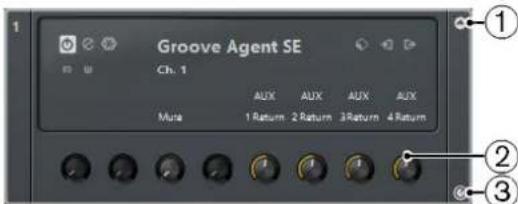
1 Show/Hide VST Quick Controls
Allows you to show/hide the VST Quick Controls for the instrument.
2 VST Quick Controls
Allow you to remote-control the parameters of the instrument.
NOTE
The number of VST Quick Controls that are shown depends on the size of the VST Instruments window.
3 Set Remote-Control Focus for VST Quick Controls
Allows you to activate the VST Quick Controls to remote-control the instrument.
Related Links
Remote Controlling Cubase on page 418
Connecting Quick Controls with Remote Controllers
Quick Controls become powerful when used in combination with a remote controller.
Prerequisite
Your remote device is connected to Cubase via MIDI.
Procedure
- Select Studio > Studio Setup.
- In the Devices list, select Track Quick Controls or VST Quick Controls.
This opens the respective section on the right.
- From the MIDI Input pop-up menu, select the MIDI port on your computer.
If your remote controller has its own MIDI input and supports MIDI feedback, you can connect your computer to the device input. Select the corresponding MIDI port in the MIDI Output pop-up menu.
Alternatively, you can select All MIDI Inputs.
- Click Apply.
- Activate Learn.
- In the Control Name column, select QuickControl 1.
- On your remote control device, move the control that you want to use for the first quick control.
- Select the next slot in the Control Name column and repeat the previous steps.
- Click OK.
NOTE
In addition to using the Learn function to set up the table in the Quick Controls section, you can modify the values manually. The available options are identical to the ones available for the Generic Remote device.
RESULT
The quick controls are now associated with control elements on your external remote controller. If you move a control element, the value of the parameter that is assigned to the corresponding Quick Control changes accordingly.
The remote controller setup for Quick Controls is saved globally, that is, it is independent of any projects. If you have various remote controllers, you can save and load several Quick Control setups by clicking Export and Import.
RELATED LINKS
The Generic Remote Device on page 421
Activating Pick-up Mode for Hardware Controls
Pick-up Mode allows you to change configured Quick Control parameters without accidentally modifying their previous values.
Often, the parameter settings of your Quick Controls are initially different from the settings of your hardware controls, for example, when the hardware controls control different Quick Controls on different tracks. In this case, you will notice that moving a hardware control changes the previous value of a parameter in a way that it is initially set to the zero position, before it is changed. Thus, you always lose your previous setting of the parameter.
To avoid this, you can activate Pick-up Mode. This has the effect that when you move your hardware control, you can only change the parameter once the control reaches the parameter's previous value. The control picks up the parameter at the value to which it was last set.
NOTE
This only applies to hardware controllers whose controls use specific ranges.
PROCEDURE
- Select Studio > Studio Setup.
- In the Devices list, select Track Quick Controls or VST Quick Controls.
- Activate Pick-up Mode.
- Click OK.
Installing and Managing Plug-Ins
Installing VST Plug-Ins
Cubase supports the VST 2 and VST 3 plug-in standards. You can install effects and instruments that comply with these formats.
A plug-in is a piece of software that adds a specific functionality to Cubase. The audio effects and instruments that are used in Cubase are VST plug-ins.
Effect or instrument plug-ins normally have their own installation application. Read the documentation or readme files before installing new plug-ins.
When you scan for newly installed plug-ins or relaunch Cubase, the new effects appear on the effect selectors.
Cubase comes with a number of effect plug-ins included. These effects and their parameters are described in the separate document Plug-in Reference.
VST Plug-In Manager
The VST Plug-in Manager provides lists of the effects and VST instruments that are installed on your computer. These lists are used in the selectors for VST instruments and effects.
The VST Plug-in Manager allows you to do the following:
- You can view lists of all effects and VST instruments that are loaded by Cubase when you launch the program.
The lists of all effects or VST instruments are created automatically every time you start Cubase. You can also initiate a rescan at any time. This ensures that these lists are always up-to-date.
- You can create your own lists of effects or instruments for use in the selectors for effects or instruments. User-defined lists are called collections.
Collections allow you to create sub-sets of the available effects or instruments, for example, to give you a better overview of the effects used in a project.
NOTE
If an installed effect or instrument cannot be loaded by Cubase, it does not appear in the list of all effects or instruments. Also, the effect or instrument is grayed out in any collections in which it is included. For example, this can happen if a copy-protection dongle required to run the effect or instrument is missing, or after uninstalling a plug-in.
VST Plug-In Manager Window
You can manage your effects and VST instruments in the VST Plug-in Manager window.
• To open the VST Plug-in Manager window, select Studio > Plug-in Manager.

The VST Plug-in Manager window shows the following:
VST Effects
This tab lists all VST effects that are loaded in Cubase. You can sort the list by name, vendor, category, etc. by clicking the corresponding column heading.
VST Instruments
This tab lists all VST instruments that are loaded in Cubase. You can sort the list by name, vendor, category, etc. by clicking the corresponding column heading.
Blacklist
This tab lists all VST effects and VST instruments that are installed on your system but not loaded in Cubase. These plug-ins might lead to stability problems or even cause the program to crash. As Cubase does not support 32-bit, all 32-bit plug-ins are shown in this list.
NOTE
You can reactivate a blacklisted 64-bit plug-in by selecting it and clicking Reactivate. This causes Cubase to rescan the plug-in and remove it from the blacklist. To move the plug-in back to the blacklist, you must rescan all plug-ins and restart Cubase.
Collection list
By default, the window section to the right shows the Default collection, which contains all effects or VST instruments loaded by the program. The Default collection cannot be changed.
You can compile your own collections of effects or VST instruments by clicking New Collection and dragging and dropping items from the list of all effects or VST instruments to the collection list.
Collections are shown in the selectors for effects/VST instruments, and all changes made to collections in the VST Plug-in Manager are immediately reflected in the selectors.
Search Field

Enter the name of a plug-in in the search field. The list of all effects or VST instruments is filtered to show only those plug-ins whose names contain the text that you entered.
Display Options

Allows you to choose which plug-ins are shown:
- To show all loaded plug-ins, select Show All Plug-ins.
- To hide all plug-ins that are part of the active collection, select Hide Plug-ins That Are in Active Collection.
- To show all VST 3 plug-ins that support 64-bit processing, select Show Plug-ins That Support 64-Bit Processing.
NOTE
This might take a while since all your plug-ins must be scanned.
New Folder

Allows you to create a new folder in the current collection.
Delete

Allows you to delete the selected item in the current collection.
New Collection

Allows you to create a new collection.
To create a new, empty list, select Empty. To create a new collection based on the list of all effects, select Add All Plug-ins. To create a new collection based on the current collection, select Add Current Collection.
User Collections

Allows you to select a different collection, and to rename or delete the current collection.
To remove unavailable plug-ins from all collections, select Remove Unavailable Plug-ins from All Collections.
Show VST Plug-in Information

Opens a section at the bottom of the window in which more information about the selected item is shown. If you select several plug-ins, the information for the plug-in that you have selected first is shown. In this section, you can also deactivate selected plug-ins. Deactivated plug-ins are no longer available in collections. This is useful if you have plug-ins installed that you do not want to use in Cubase.
VST Plug-in Manager Settings

Opens a section at the bottom of the window in which all current paths to VST 2 plugins are listed. You can add or remove folder locations by using the corresponding buttons. Click Rescan All to rescan your computer for plug-ins.
RELATED LINKS
VST Plug-In Manager on page 414
VST Audio System on page 12
Compiling a New Effects Collection
You can create a new collection of effects or VST instruments for use in the plug-in selectors.
PREREQUISITE
A number of effect plug-ins is correctly installed on your computer, and these plug-ins are listed on the VST Effects tab of the VST Plug-in Manager window.
PROCEDURE
- In the VST Plug-in Manager window, click New Collection and do one of the following:
• To create a new collection based on the list of all effects, select Add All Plug-ins. • To create a new collection based on the current collection, select Copy Current Collection.

- Enter a name for the new collection and click OK.
- Drag items from the list of all effects and drop them to the new collection. A line indicates the drop position.
• Click New Folder to create folders and place items directly in them.
• You can drag items to new positions within the collection.
• Drag items from the collection list to the list of all plug-ins to delete them, or select items and click Delete.
RESULT
The new collection is saved automatically and made available in the plug-in selectors.
The procedure is the same for compiling collections of VST instruments.
Remote Controlling Cubase
It is possible to control Cubase via MIDI.
A large number of MIDI control devices is supported. This chapter describes how to set up Cubase for remote control. The supported devices are described in the separate document Remote Control Devices.
There is also a Generic Remote Device option, allowing you to use any MIDI controller to remote control Cubase.
RELATED LINKS
The Generic Remote Device on page 421
Setting Up
Connecting the remote device
Connect the MIDI output on the remote unit to a MIDI input on your MIDI interface. Depending on the remote unit model, you may also need to connect a MIDI Out on the interface to a MIDI In on the remote unit (this is necessary if the remote unit features feedback devices such as indicators, motorized faders, etc.).
If you are recording MIDI tracks, you do not want any MIDI data from the remote unit to be accidentally recorded as well. To avoid this, you should make the following setting:
PROCEDURE
- Select Studio > Studio Setup.
- In the Devices list, select MIDI Port Setup.
- Check the table on the right and locate the MIDI input to which you have connected the MIDI remote unit.
- Deactivate the checkbox in the 'All MIDI Inputs' column for that input, so that the State column reads Inactive.
- Click OK.
RESULT
Now you have removed the remote unit input from the All MIDI Inputs group. This means that you can record MIDI tracks with the All MIDI Inputs port selected without risking to record the data from the remote unit at the same time.
Selecting a remote device
PROCEDURE
- Select Studio > Studio Setup.
- If you cannot find the remote device you are looking for, click on the plus sign in the top left corner and select the device from the pop-up menu.
The selected device is added to the Devices list.
NOTE
Note that it is possible to select more than one remote device of the same type. If you have more than one remote device of the same type, these will be numbered in the Devices list. For example, to be able to use a Mackie Control Extender, you must install a second Mackie Control device.
- In the Devices list, select your MIDI control device model.
Depending on the selected device, either a list of programmable function commands or a blank panel is shown in the right half of the dialog window.

- Select the correct MIDI input from the pop-up menu.
If necessary, select the correct MIDI output from the pop-up menu.
- Click OK.
RESULT
You can now use the MIDI control device to move faders and knobs, activate Mute and Solo, etc. The exact parameter configuration depends on which external MIDI control device you are using.
A bright stripe in the Project window and in the MixConsole indicates which channels are linked to the remote control device.


IMPORTANT
Sometimes communication between Cubase and a remote device is interrupted or the handshaking protocol fails to create a connection. To re-establish communication with any device
in the Devices list, select it and click the Reset button in the lower part of the Studio Setup dialog. The Send Reset Message to all Devices button at the top left of the dialog next to the + and - buttons will reset every device in the Devices list.
Operations
Global Options for Remote Controllers
In the Studio Setup dialog, on the page for your remote device, some (or all) of the following global functions may be available (depending on your remote device):
Bank Pop-Up Menu
If your remote device contains several banks, you can select the bank you want to use.
The bank you select here is used by default when Cubase is launched.
Smart Switch Delay
Some of the Cubase functions such as Solo and Mute support the so called smart switch behavior: In addition to regular activation/deactivation of a function by clicking a button, you can also activate the function for as long as the button is pressed. Upon releasing the mouse button, the function is deactivated.
This pop-up menu allows you to specify how long a button must be pressed before it goes into smart switch mode. When "Off" is selected, the smart switch function is deactivated in Cubase.
Enable Auto Select
If this option is activated, touching a fader on a touch-sensitive remote control device automatically selects the corresponding channel. On devices without touch-sensitive faders, the channel gets selected as soon as you move the fader.
Writing automation using remote controls
Automating the MixConsole using a remote control device is done in the same way as when you operate on-screen controls in Write mode. In order to replace existing automation data for a control, the computer needs to know how long the user actually "grabbed" or used the control. When doing this "on screen", the program simply detects when the mouse button is pressed and released. When you are using an external remote control device without touch-sensitive controls, Cubase cannot tell whether you "grab and hold" a fader or simply move it and release it.
Therefore, when you are using a device without touch-sensitive controls and want to replace existing automation data, pay attention to the following:
- If you activate Write mode and move a control on the remote control device, all data for the corresponding parameter is replaced from the position where you moved the control, up to the position where playback is stopped.
In other words, as soon as you move a control in Write mode, it remains "active" until you stop playback.
• Make sure that you move only the controller you want to replace.
Assigning remote key commands
For some remote devices, you can assign any Cubase function (to which a key command can be assigned) to generic buttons, wheels, or other controls.
PROCEDURE
- Select Studio > Studio Setup.
- In the Devices list, select your remote device. On the right side of the window you will find a table. This is where you assign commands.
- Use the Button column to locate a remote device control or button to which you want to assign a Cubase function.
- Click in the Category column for the control and select one of the Cubase function categories from the pop-up menu.
- Click in the Command column and select the desired Cubase function from the pop-up menu. The available items on the pop-up menu depend on the selected category.
- Click Apply when you are done. Click Reset to revert to the default settings.
RESULT
The selected function is now assigned to the button or control on the remote device.
A note about remote controlling MIDI tracks
While most remote control devices will be able to control both MIDI and audio channels in Cubase, the parameter setup may be different. For example, audio-specific controls (such as EQ) will be disregarded when controlling MIDI channels.
The Generic Remote Device
If you have a generic MIDI controller, you can use this for remote control of Cubase by setting up the Generic Remote device:
PROCEDURE
- Select Studio > Studio Setup. If the Generic Remote device is not on the Devices list, you need to add it.
- Click the "+" sign in the top left corner and select the "Generic Remote" device from the pop-up menu. When the Generic Remote device is added in the Studio Setup dialog, you can open the corresponding window by selecting "Generic Remote" from the Studio menu.

- Select the Generic Remote device in the Devices list to the left.
The settings for the Generic Remote device are displayed, allowing you to specify which control on your device should control which parameter in Cubase.
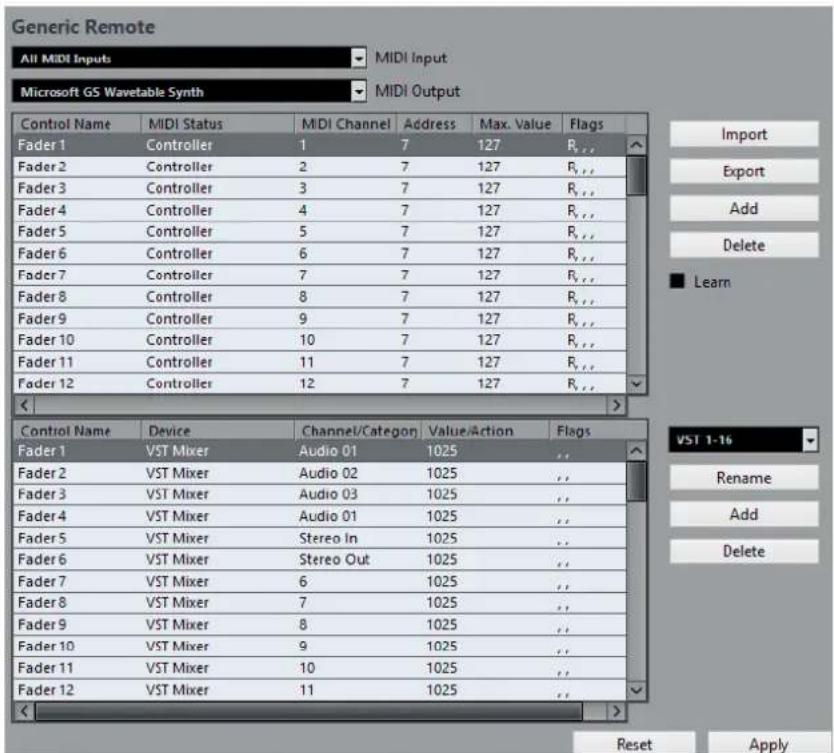
- Use the MIDI Input and Output pop-up menus to select the MIDI ports to which your remote device is connected.
- Use the pop-up menu to the right to select a bank.
Banks are combinations of a certain number of channels, and are used because most MIDI devices can control only a limited number of channels at a time (often 8 or 16). For example, if your MIDI control device has 16 volume faders, and you are using 32 MixConsole channels in Cubase, you would need 2 banks of 16 channels each. When the first bank is selected you can control channel 1 to 16; when the second Bank is selected you can control channel 17 to 32.
- Set up the table at the top according to the controls on your MIDI control device. The columns have the following functionality:
| Column Description | |
| Control Name Double-clicking this field allows you to enter a descriptive name for the control (typically a name written on the console). This name is automatically reflected in the Control Name column in the lower table. | |
| MIDI Status Clicking in this column opens a pop-up menu, allowing you to specify the type of MIDI message sent by the control such as Controller, Prog. Change Trigger.The NRPN and RPN controllers are part of the MIDI specification and present a way to extend the available control messages. The “Ctrl JLCooper” option is a special version of a Continuous Controller where the 3rd byte of a MIDI message is used as address instead of the 2nd byte (a method supported by various JL-Cooper remote devices). For a description of the Ctrl- | |
| Houston status value, see the Steinberg Houston hardware manual. | |
| MIDI Channel Clicking in this column opens a | pop-up menu, allowing you to select the MIDI channel on which the controller is transmitted. |
| Address The Continuous Controller number, | the pitch of a note, or the address of a NRPN/RPN Continuous Controller. |
| Max. Value The maximum value the control will | transmit. This value is used by the program to “scale” the value range of the MIDI controller to the value range of the program parameter. |
| Flags Clicking in this column opens a pop- | up menu, allowing you to activate or deactivate flags:Receive – activate this if the MIDI message should be processed on reception.Transmit – activate this if a MIDI message should be transmitted when the corresponding value in the program changes.Relative – activate this if the control is an “endless” rotary encoder, which reports the number of turns instead of an absolute value. |
- If you find that the table at the top holds too many or too few controls, you can add or remove controls with the Add and Delete buttons to the right of the table.
- If you are uncertain of which MIDI message a certain controller sends, you can use the Learn function.
Select the control in the upper table (by clicking in the Control Name column), move the corresponding control on your MIDI device and click the Learn button to the right of the table. The MIDI Status, MIDI Channel, and Address values are automatically set to those of the moved control.
- If you use the Learn function for a control that sends a Program Change value, the "Prog. Change Trigger" option is automatically selected on the "MIDI Status" pop-up menu. This allows you to use the different values of a Program Change parameter to control different parameters in Cubase.
If this does not give you the result you want, try using the "Prog. Change" value instead.
- Use the table at the bottom to specify which Cubase parameters you want to control.
Each row in the table is associated to the controller in the corresponding row in the first table (as indicated by the Control Name column). The other columns have the following functionality:
| Column Description | |
| Device Clicking in this column opens a pop-up menu, used for determining which | |
| device in Cubase is controlled. The special “Command” option allows you to perform certain command actions by remote control. One example of this is the selection of remote banks. | |
| Channel/Category This is where you select the | channel to be controlled or, if the “Command” Device option is selected, the Command category. |
| Value/Action Clicking in this column opens a | pop-up menu, allowing you to select the parameter of the channel to be controlled (typically, if the “VST Mixer” Device option is selected, you can choose between volume, pan, send levels, EQ, etc.).If the “Command” Device option is selected, this is where you specify the “Action” of the category. |
| Value/Action Clicking in this column opens a | pop-up menu, allowing you to select the parameter of the channel to be controlled (typically, if the “VST Mixer” Device option is selected, you can choose between volume, pan, send levels, EQ, etc.). |
| Flags Clicking in this column opens a pop- | up menu, allowing you to activate or deactivate flags:Push Button - If this flag is activated, the parameter is only changed if the received MIDI message shows a value unequal to 0.Toggle - If this flag is activated, the parameter value is switched between minimum and maximum value each time a MIDI message is received. The combination of Push Button and Toggle is useful for remote controls which do not latch the state of a button. One example is controlling mute status with a device on which pressing the Mute button turns it on, and releasing the Mute button turns it off. If Push Button and Toggle are activated, the Mute status will change between on and off whenever the button is pressed on the console.Not Automated - If this flag is activated, the parameter will not be automated. |
- If necessary, make settings for another bank.
NOTE
Note that you only need to make settings in the bottom table for this bank. The table at the top is already set up according to the MIDI remote device.
If necessary, you can add banks by clicking the Add button below the Bank pop-up menu.
Clicking the Rename button allows you to assign a new name to the selected bank, and you can remove an unneeded bank by selecting it and clicking the Delete button.
- When you are finished, close the Studio Setup dialog.
Now, you can control the specified Cubase parameters from the MIDI remote device. To select another bank, use the pop-up menu in the Generic Remote window (or use a control on the MIDI remote device if you have assigned one for this).
Importing and exporting remote setups
The Export button in the top right corner of the Generic Remote setup page allows you to export the current setup, including the control configuration (the table at the top) and all banks. The setup is saved as a file (with the file extension ".xml"). Clicking the Import button allows you to import saved remote setup files.
NOTE
The last imported or exported remote setup will automatically be loaded when the program starts or the Generic Remote control is added in the Studio Setup dialog.
The Remote Control Editor (Cubase Elements only)
Often, the automatic mapping of plug-in parameters to remote control devices appears rather random, and not very intuitive. The Remote Control Editor allows you to define your own mapping of VST plug-in parameters to the controls of the supported hardware controllers.
- To open the Remote Control Editor, right-click the plug-in panel of the plug-in that you want to remote-control and select "Remote Control Editor".
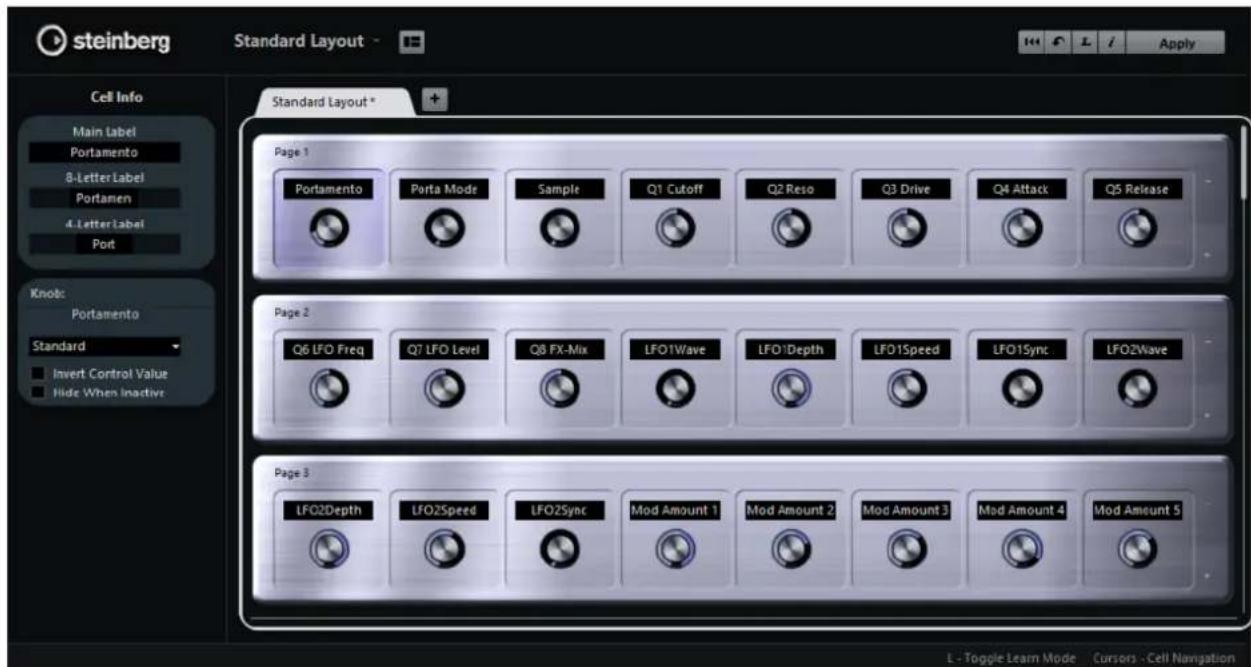
Layout Section
The main area of the editor is the Layout section. Layouts represent the hardware devices that are used to remote-control the plug-in parameters. Like these devices, a layout can have a number of pages. These pages contain a number of cells, which in turn contain controls. The available controls are 1 text label, 1 knob, and 2 switches.

You can perform the following editing operations:
- Change the parameter assignments
- Change the name in the text label
- Set up the cells
- Arrange the order of cells and pages
When you open the editor for the first time, the Standard Layout is shown.
Inspector Section
The Inspector contains the settings and the parameter assignment for the selected cell. The upper section contains settings for the text label. The lower section contains settings for the knob and the switches.

Status Bar
When you position the mouse pointer over an element in the editor window, the status bar shows information on what you can do with this element.

Setting up the Standard Layout

Click the "Set up Cell Layout" button to open the Cell Layout Configuration panel. Here, you can make the following settings:
• Use the pop-up menu to specify the number of cells per page. • In the lower section, select the switch layout that you want to use for the pages. You can specify the number of switches for a cell by activating/deactivating them.
Defining the Controls
You can define the operation for a particular switch or knob. This includes changing the LED ring or changing its behaviour, from continuous value representation to on/off, for example.
Right-click the control and select a new control style in the settings window, or select the control and choose a style in the inspector.
NOTE
- To be able to make settings for a control, it has to be assigned to a function.
- Not all hardware devices support all control type settings.
Control Type Settings for Knobs

The following control types are available for knobs:
Standard
A standard knob with undefined LED style.
Toggle Switch
This is best used for parameters with 2 states, like On/Off buttons.
LED Ring
An LED ring is shown around the knob. The setting increases clockwise.
LED Ring (counter-clockwise)
An LED ring is shown around the knob. The setting increases counter-clockwise from right to left.
Center Width
The LED ring starts at the top center position and when the settings increase, an LED is shown growing in both directions.
Center Neutral
The dial starts at the top center position and can be moved left or right, like a pan control, for example.
Single Dot
As "LED Ring", but showing only a dot to indicate the current value.
Control Type Settings for Switches

The following options are available for switches:
Momentary
The assigned function is active for as long as you keep the switch pressed.
Increasing Stepwise
Pressing the switch steps through the available settings until the maximum is reached.
Decreasing Stepwise
Pressing the switch steps through the available settings in reverse order until the minimum is reached.
Increasing Stepwise (cycle)
Pressing the switch steps through the available settings, starting over with the minimum value when the maximum is reached.
Decreasing Stepwise (cycle)
Pressing the switch steps through the available settings in reverse order, starting over with the maximum value when the minimum is reached.
Smart Switch
This changes between 2 states every time you press the switch, like an On/Off button. Furthermore, if you keep the switch pressed, you enter Momentary mode, that is, the corresponding function stays active for as long as the button is pressed.
Invert Control Value
This inverts the control state/value.
Hide Control When Inactive
Hides plug-in parameters when they are inactive or disabled.
Assigning Parameters to Controls
PROCEDURE
- Click on the toolbar to activate Learn mode for the editor.
- In the editor, select the control that you want to assign to a plug-in parameter.
A colored border around a control shows that this control has the Learn focus.
- Click on a parameter on the plug-in panel.
This assigns that parameter to the control.
You can also double-click on a control in the editor to open the list of available plug-in parameters, and click a parameter to assign it to the control.
- Click on another control to set the Learn focus to that control and assign a parameter to it.
- Press Esc to end Learn mode.
Removing the Parameter Assignment
- To remove the parameter assignment for a cell, activate Learn mode, select the cell, and press Delete or Backspace.
- To remove all assignments, click the "Remove All Assignments" button.
Assignment Status
You can show the current assignment of all cells in a layout by activating the "i" button in the top right corner of the editor. This is useful to get a quick overview of the parameters that are assigned to the available controls.

Editing the Layout
In the Layout section, you can perform a number of editing operations and arrange the pages to your liking.
Making Name Settings for the Cells
The top 3 text fields in the Inspector can be used to specify the names for a cell.
This is useful if you are working with hardware devices that have value fields that only display a limited number of characters, for example. The first text field shows the long name, as it is shown in the cell. In the second field, you can enter a name that can contain up to 8 characters, and up to 4 characters in the third.
Rearranging the Order of a Page or a Cell
- To copy the settings of one cell to another, select a cell, press Alt and drag it to another cell. • To move a cell, drag it to an empty cell.
- To swap the contents of 2 cells, press Ctrl/Cmd and drag one cell to the other.
NOTE
Drag and drop also works between different pages.
Navigating
- You can use the cursor keys to navigate in all directions.
- When Learn mode is active, pressing Shift allows you to step between the controls within the cells. • To step forwards or backwards through the different layouts, use Tab and Shift-Tab.
Adding/Removing Pages
- To add a page to a layout, click the "+" button on the right of a page.
- To remove a page, click the corresponding "-" button.
NOTE
A layout always contains at least one page.
Adding/Removing a New Hardware Layout
- To add a hardware layout for a particular hardware type, click the "+" button to the right of the tabs.
- To remove a hardware layout, click the "x" icon of a tab.
Changing the Settings in a Layout
- To modify an existing layout, save the new settings by clicking the Apply button in the top right corner of the editor.
If the hardware supports this function, the changes are immediately reflected on the hardware controllers.
Resetting the Layout and Copying Layout Settings between Pages
Click in the top right corner of the editor to revert to the default settings for the current layout or to copy the settings of one layout page to another.
Apple Remote (macOS only)
Many Apple computers come with an Apple Remote Control, a small hand-held device akin to TV remote controls. It allows you to remotely control certain features in Cubase.
PROCEDURE
- Open the Studio Setup dialog and select Apple Remote Control from the Add Device pop-up menu.
- In the list on the right, the Apple Remote's buttons are listed. For each button you can open a pop-up menu from which you can select a Cubase parameter. The parameter you select is assigned to the corresponding button on the Apple Remote.
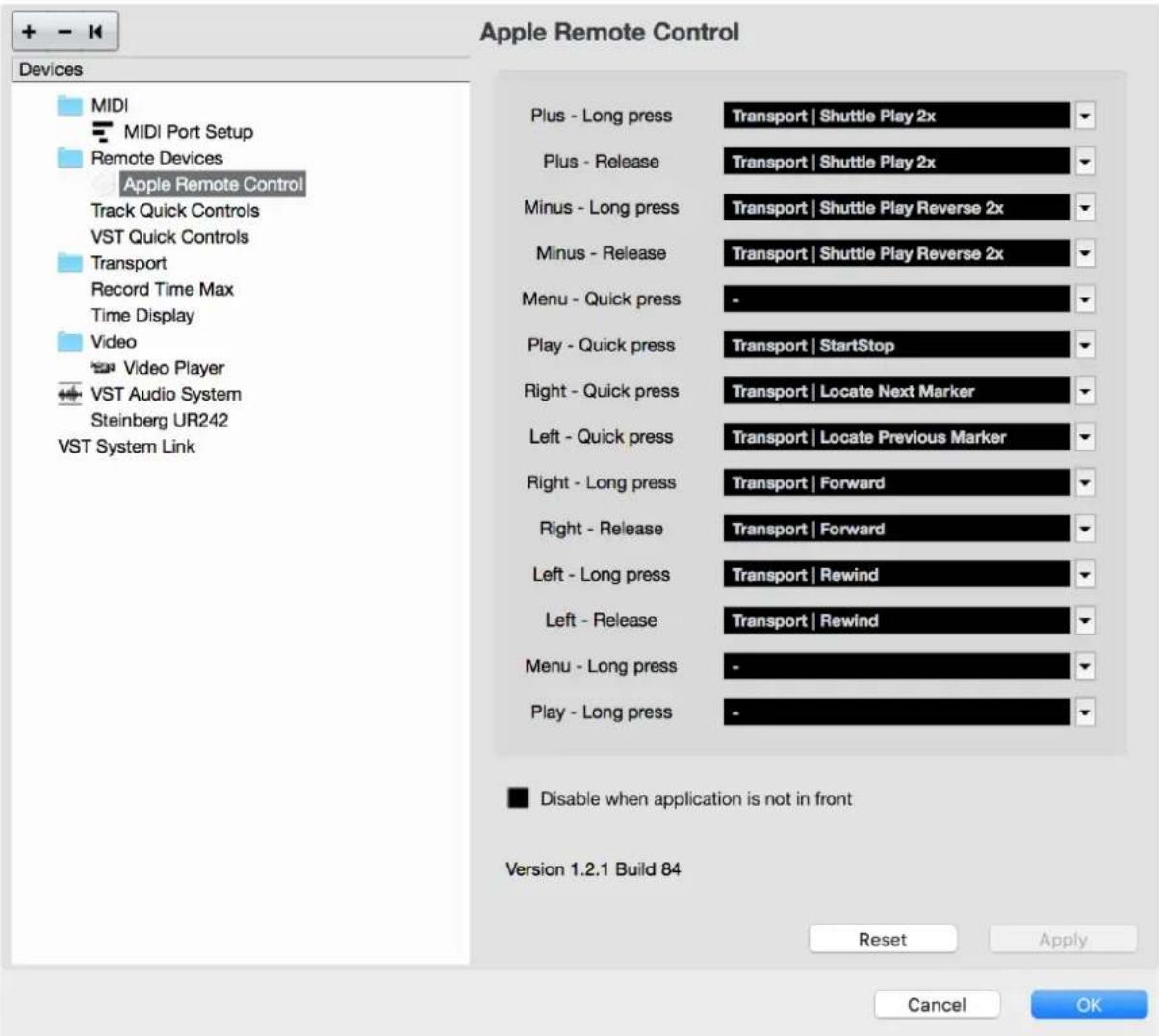
By default, the Apple Remote always controls the application that has the focus on your Macintosh computer (provided that this application supports the Apple Remote).
NOTE
When the "Disable when application is not in front" option is not selected, the Apple Remote will control Cubase even if it does not have the focus.
MIDI Realtime Parameters
MIDI realtime means that you can change or transform MIDI events on MIDI or instrument tracks before they are sent to the MIDI outputs. This allows you to change the way MIDI data is played back.
The actual MIDI events on the track are not affected. Therefore, MIDI real time changes are not reflected in any MIDI editor.
The following functions allow you to change MIDI events in realtime:
• MIDI track parameters - MIDI modifiers • Transpose and Velocity on the info line
NOTE
If you want to convert the track settings to real MIDI events, select MIDI > Freeze MIDI Modifiers or MIDI > Merge MIDI in Loop.
RELATED LINKS
Merging MIDI Events into a New Part on page 447
MIDI Track Parameters
The MIDI track parameters are located in the topmost Inspector section for MIDI and instrument tracks.
These settings either affect the basic functionality for the track (mute, solo, enable record, etc.) or send out additional MIDI data to the connected devices (program change, volume, etc.).
The following track parameters allow you to change MIDI events in real time:
- MIDI Volume • MIDI Pan
- Track Delay
RELATED LINKS
MIDI Track Inspector on page 85
MIDI Modifiers
MIDI modifiers allow you to modify MIDI events during playback.
You can use them for the following purposes:
• To modify already existing MIDI events on MIDI or instrument tracks. • To modify MIDI events that you play live.
NOTE
For live playing, select and record-enable the track, and activate MIDI Thru Active in the Preferences dialog (MIDI page).
MIDI Modifiers Section

NOTE
If you want to compare the result of your modifier settings with the unprocessed MIDI, you can use the bypass button in the MIDI modifiers section. If this button is activated, the MIDI modifiers settings are temporarily disabled.

Transpose
Allows you to transpose all notes on the track in semitones. Extreme transpositions can give rather strange and unwanted results.
Velocity Shift
Allows you to add a velocity value to all notes on the track. Positive values increase the velocity while negative values lower the velocity.
Velocity Compression
Allows you to add a multiplier to the velocity of all notes on the track. The value is set with a numerator and a denominator. This parameter also affects the velocity differences between the notes, thus compressing or expanding the velocity scale.
Values smaller than 1/1 compress the velocity range. Values greater than 1/1 together with negative Velocity Shift values expand the velocity range.
IMPORTANT
Remember that the maximum velocity is always 127, no matter how much you try to expand.
NOTE
Combine this setting with the Velocity Shift parameter.
Length Compression
Allows you to add a multiplier to the length of all notes on the track. The value is set with a numerator and a denominator.
Random
Allows you to introduce random variations to various properties of MIDI notes.
Range
Allows you to specify a pitch or velocity range and either force all notes to fit within this range, or exclude all notes outside this range from playback.
HMT: Follow (Cubase Elements only)
Activate this button to apply Hermode tuning to the notes played on this track.
HMT: Use for Analysis (Cubase Elements only)
Activate this option to use the notes you played on this track to calculate retuning.
Setting up Random Variations
You can set up random variations for position, pitch, velocity, and length of MIDI events using one or two random generators.
PROCEDURE
- Select a MIDI or instrument track.
- In the Inspector, open the MIDI Modifiers section.
- Open the Random pop-up menu and select the note property you want to randomize.
- Specify the limits of the randomization in the two number fields. The values will vary between the left value and the right value. You cannot set the left value higher than the right value.
- Play back the track to hear the randomized events.
RESULT
The corresponding properties are randomized.
NOTE
Depending on the track content, certain changes might not be immediately noticeable or might have no effect at all.
AFTER COMPLETING THIS TASK
Deactivate the random function by opening the Random pop-up menu and selecting OFF.
Setting up Ranges
You can filter out pitches or velocities that do not match a specified range, or force them to fit a specified range.
PROCEDURE
- Select a MIDI or instrument track.
- In the Inspector, open the MIDI Modifiers section.
- Open the Range pop-up menu and select a mode.
- Set the minimum and maximum values with the two fields to the right.
NOTE
You can make independent settings for the two Range functions.
AFTER COMPLETING THIS TASK
To deactivate the function, open the Range pop-up menu and select OFF.
Range Modes
On the Range pop-up menu, you can select different range modes. Values are shown as numbers, from 0 to 127, for the velocity modes and as note numbers, from C-2 to G8, for the pitch modes.
Vel. Limit
Allows you to force all velocity values to fit within the range that you specify with the min and max values. Values below the lower limit are set to the min value, velocity values above the higher setting are set to the max value.
Vel. Filter
Allows you to filter out notes with velocity values below the min value or above the max value.
Note Limit
Allows you to transpose all notes below the min value upwards and all notes above the max value downwards in octave steps.
Note Filter
Allows you to filter out notes that are lower than the min value or higher than the max value.
Applying Hermode Tuning (Cubase Elements only)
Hermode Tuning changes the tuning of notes that you play. It creates clear frequencies for every fifth and third interval, for example. Retuning only affects individual notes and maintains the pitch relationship between keys and notes. The retuning is a continuous process and takes the musical context into account.
PROCEDURE
- Select a MIDI or instrument track.
- In the Inspector, open the MIDI Modifiers section.
- Activate HMT: Follow.
- Activate HMT: Use for Analysis to use the notes you play to calculate retuning.
NOTE
If you use tracks with acoustic piano, activate HMT: Use for Analysis and deactivate HMT: Follow. This excludes the piano from being tuned which would sound unnatural.
- Select Project > Project Setup to open the Project Setup dialog.
- Open the HMT Type pop-up menu and select one of the options.
- Play some notes.
It may take a moment until all notes are recalculated and you hear the results of the retuning.
NOTE
Notes that are produced by MIDI plug-ins are not taken into account.
RESULT
If you use a VST 3 instrument that supports Micro Tuning and Note Expression, notes are retuned dynamically while you play them. For VST instruments that support Note Expression, this also works in MIDI Thru mode.
If you use a track that has a VST 2 instrument loaded, the notes you play are retuned on every keystroke.
RELATED LINKS
Hermode Tuning
You can select different Hermode tuning types.
- To select a Hermode Tuning type, select Project > Project Setup and select an option from the HMT Type pop-up menu.
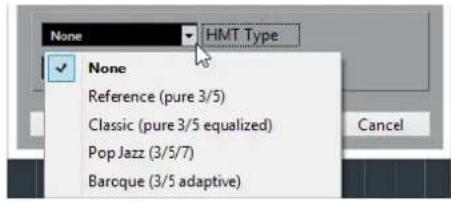
The following options are available:
None
No tuning is applied.
Tunes pure thirds and fifths.
Classic (pure 3/5 equalized)
Tunes pure thirds and fifths. In conflict situations, a slight equalization is applied.
This tuning type is suitable for all kinds of music.
Pop Jazz (3/5/7)
Tunes pure thirds and fifths, and natural sevenths. This tuning type should not be applied to polyphonic music. Try this with pop or jazz.
Baroque (3/5 adaptive)
Tunes pure thirds and fifths. The degree of purity changes according to the sequence of harmonies. This tuning type is suitable for church organ and polyphonic music.
Freezing MIDI Modifiers
You can apply all filter settings permanently to the selected track. The settings are applied to the events on the track, and all modifiers are set to zero.
PROCEDURE
- Select the MIDI track.
- Select MIDI > Freeze MIDI Modifiers.
RESULT
The following settings are frozen:
- Several settings in the top section of the Inspector, such as Delay, Program Selector, and Bank Selector.
- The settings in the MIDI Modifiers section, such as Transpose, Vel. Shift, Vel. Comp., and Len. Comp..
- The info line settings Transpose and Velocity.
RELATED LINKS
MIDI Track Inspector on page 85
Transpose and Velocity on the Info Line
You can edit the transposition and the velocity for selected MIDI parts on the info line. This only affects the notes on playback.
- Use the Transpose field to transpose the selected parts in semitone steps. The value is added to the transposition set for the whole track.
- Use the Velocity Offset field to offset the velocity for the selected parts. The value is added to the velocities of the notes in the parts.
Using MIDI devices
The MIDI Device Manager allows you to specify and set up your MIDI devices, making global control and patch selection easy.
MIDI devices - general settings and patch handling
On the following pages, we will describe how to install and set up preset MIDI devices, and how to select patches by name from within Cubase.
About Program Change and Bank Select
To instruct a MIDI instrument to select a certain patch (sound), you send a MIDI Program Change message to the instrument. Program Change messages can be recorded or entered in a MIDI part like other events, but you can also enter a value in the Program Selector field in the Inspector for a MIDI track. This way, you can quickly set each MIDI track to play a different sound.
With Program Change messages, you are able to select between 128 different patches in your MIDI device. However, many MIDI instruments contain a larger number of patch locations. To make these available from within Cubase, you need to use Bank Select messages, a system in which the programs in a MIDI instrument are divided into banks, each bank containing 128 programs. If your instruments support MIDI Bank Select, you can use the Bank Selector field in the Inspector to select a bank, and then the Program Selector field to select a program in this bank.
Unfortunately, different instrument manufacturers use different schemes for how Bank Select messages are constructed, which can lead to some confusion and make it hard to select the correct sound. Also, selecting patches by numbers this way seems unnecessarily cumbersome, when most instruments use names for their patches nowadays.
To help with this, you can use the MIDI Device Manager to specify which MIDI instruments you have connected by selecting from a vast list of existing devices or by specifying the details yourself. Once you have specified which MIDI devices you are using, you can select to which particular device each MIDI track is routed. It is then possible to select patches by name in the track list or Inspector.
Opening the MIDI Device Manager
Select MIDI Device Manager from the More Options submenu of the Studio menu to bring up the following window:

Installed Devices
List of connected MIDI devices. The first time you open the MIDI Device Manager, this list will be empty.
Install Device/Remove Device
Use these buttons to install/remove devices.
Export Setup/Import Setup
Use these buttons to import/export XML Device setups.
Open Device
This button opens the selected device.
Output
Here you specify to which MIDI output the selected device is connected.
Commands
This pop-up menu lets you edit the selected device (provided that "Enable Edit" is ticked). The patch structure for the selected device is shown on the left side of the dialog.
MIDI Messages
This area on the right side of the dialog shows exactly which MIDI messages are sent out to select the patch highlighted in the list to the left.
When you open the MIDI Device Manager for the first time, it will be empty (because you have not installed any devices yet). On the following pages we describe how to add a pre-configured MIDI device to the list, how to edit the settings and how to define a device from scratch.
Note that there is an important difference between installing a preset MIDI device ("Install Device") and importing a MIDI device setup ("Import Setup"):
- The presets do not include any device mapping of parameters and controls and no graphic panels. They are simply patch name scripts. When you install a preset MIDI device, it is added to the Installed Devices list. For more information about patch name scripts, see the separate document MIDI Devices.
- A device setup can include device mapping and/or patch information. Device setups are also added to the list of installed devices when imported.
Defining a new MIDI device
If your MIDI device is not included in the list of pre-configured devices (and is not a "plain" GM or XG device), you need to define it manually to make it possible to select patches by name.
PROCEDURE
- In the MIDI Device Manager, click the Install Device button. The Add MIDI Device dialog opens.
- Select "Define New..." and click OK. A dialog appears.
- Enter the name of the device and the MIDI channels you would like the device to use and click OK. The device appears in the Installed Devices list.
- Select the device in the list. As you can see, it contains only an Empty Bank item.
- Make sure that the Enable Edit checkbox is activated. Now you can use the functions on the Commands pop-up menu on the left to organize the patch structure of the new device.
Installing a preset MIDI device
PROCEDURE
- Click the Install Device button. A dialog opens listing all pre-configured MIDI devices. For now we assume that your MIDI device is included in this list.
- Locate and select the device in the list and click OK. If your MIDI device is not included in the list but is compatible with the GM (General MIDI) or XG standards, you can select the generic GM or XG Device options at the top of the list. When you select one of these options, a name dialog will appear. Enter a name for the instrument and click OK. The device now appears in the Installed Devices list to the left.
- Make sure that the new device is selected in the list and open the Output pop-up menu.
- Select the MIDI output that the device is connected to.
RESULT
The Patch Banks list in the left half of the window shows the patch structure of the device. This could simply be a list of patches, but it is usually one or several layers of banks or groups containing the patches (much like a folder structure on a hard disk for example).

- You can rename a device in the Installed Devices list by double-clicking and typing – this is useful if you have several devices of the same model, and want to separate them by name instead of by number.
- To remove a device from the Installed Devices list, select it and click Remove Device.
About Patch Banks
Depending on the selected device, you may find that the Patch Banks list is divided in two or more main banks. Typically, these are called Patches, Performances, Drums, etc. The reason for having several patch banks is that different "types" of patches are handled differently in the instruments. For example, while "patches" typically are "regular" programs that you play one at a time, "performances" may be combinations of programs, which could be split across the keyboard, layered, or used for multi-timbral playback, and so on.

Devices with several banks have an additional tab "Bank Assignment". Select this tab to specify for each MIDI channel which bank it should use.
The selection here will affect which bank is displayed when you select programs by name for the device in the track list or Inspector. For example, many instruments use MIDI channel 10 as an exclusive drum channel, in which case you would want to select the "Drums" (or "Rhythm Set", "Percussion", etc.) bank for channel 10 in this list. This would then let you choose between different drum kits in the track list or Inspector.
Selecting a patch for an installed device
If you return to the Project window at this point, you will find that the installed device has been added to the MIDI Output menus (in the track list and the Inspector). Now you can select patches by name, in the following way:
PROCEDURE
- Open the Output menu (in the track list or Inspector) for the track you want to associate the installed device with, and select the device.
This directs the track to the MIDI output specified for the device in the MIDI Device Manager. The Bank and Program Selector fields in the track list and Inspector are replaced by a single Program Selector field that reads "Off".
- Click the Program Selector field to display a pop-up menu, hierarchically listing all the patches in the device.
The list is similar to the one displayed in the MIDI Device Manager. You can scroll the list up and down (if required), click the plus/minus signs to show or hide subgroups, etc.

You can also use a filter function here. For this, enter a search term such as drum in the Filter field, and press Return to display all sounds with drum in the name.
- Click a patch in the list to select it.
This sends the appropriate MIDI message to the device. You can also scroll the program selection up or down, as with any value.
Renaming patches in a device
The pre-configured devices list is based on the factory-preset patches, i.e. the patches included in the device when you first bought it. If you have replaced some of the factory presets with your own patches, you need to modify the device so that the patch name list matches the actual device:
PROCEDURE
- In the MIDI Device Manager, select the device in the Installed Devices list.
Make sure that the Patch Banks tab is selected.
- Activate the Enable Edit checkbox.
When this is turned off (default), you cannot edit the pre-configured devices.
- In the Patch Banks list, locate and select the patch you want to rename.
In many instruments, the user-editable patches are located in a separate group or bank.
- Click on the selected patch in the Patch Banks list to edit its name.
- Type in the new name and press Return.
- Rename the desired patches in this way, and finish by deactivating Enable Edit again (to avoid modifying the device by accident).
NOTE
You can also make more radical changes to the patch structure in a device (adding or deleting patches, groups or banks). For example, this is useful if you expand your MIDI device by adding extra storage media such as RAM cards.
Patch Structure
Patches are structured as follows:
- Banks are the main categories of sounds – typically patches, performances and drums.
- Each bank can contain any number of groups, represented by folders in the list.
- The individual patches, performances or drum kits are represented by presets in the list.
The Commands pop-up menu contains the following items:
Create Bank
Creates a new bank at the highest hierarchical level of the Patch Banks list. You can rename this by clicking on it and typing a new name.
New Folder
Creates a new subfolder in the selected bank or folder. This could correspond to a group of patches in the MIDI device, or just be a way for you to categorize sounds, etc. When you select this item, a name dialog opens, allowing you to name the folder. You can also rename the folder afterwards by clicking it and typing in the list.
New Preset
This adds a new preset in the selected bank or folder.
When the preset is selected, the corresponding MIDI events (Program Change, Bank Select, etc.) are shown in the event display to the right. The default setting for a new preset is Program Change 0 – to change this, proceed as follows:
IMPORTANT
For details on which MIDI events are used for selecting patches in the MIDI device, consult its documentation.
- To change which Program Change value is sent out to select the patch, adjust the number in the Value column for the Program Change event.
- To add another MIDI event such as Bank Select click directly below the last event in the list and select a new event from the pop-up menu.
After adding a new event, you need to set its value in the Value column, as with Program Change.
- To replace an event, click on it and select another event from the pop-up menu.
For example, a MIDI device may require that a Bank Select message is sent first, followed by a Program Change message, in which case you would need to replace the default Program Change message with a Bank Select message and add a new Program Change after that.
- To remove an event, select it and press Delete or Backspace.
IMPORTANT
Different devices use different schemes for Bank Select. When you insert a Bank Select event, you should check the device's documentation to find out whether to choose "CC: BankSelect MSB", "Bank Select 14 Bit", "Bank Select 14 Bit MSB-LSB Swapped" or some other option.
Add Multiple Presets
This opens a dialog, allowing you to set up a range of presets to be added to the selected bank or folder.
Adding Multiple Presets
PROCEDURE
- Add the event types required for selecting a patch in the MIDI device.
This is done just as when editing the settings for a single event: clicking in the event display brings up a pop-up menu from which you can select an event type.
- Use the Range column to set up either a fixed value or a range of values for each event type in the list.
This requires some explanation:
If you specify a single value such as 3, 15 or 127 in the Range column, all added presets will have an event of this type set to the same value.
If you instead specify a value range (a start value and an end value, separated by a dash such as 0–63), the first added preset will have an event set to the start value, the next value will be incrementally raised by one and so on, up to and including the end value.
| MIDI Message Name | MIDI Message Bytes | Valid Range | Range |
| CC: Gen Purp 4 | B0 13 0 | 0 - 127 | 0-127 |
| Program Change | C0 0 | 0 - 127 | 7 |
NOTE
The number of added presets depends on the Range setting.
- Specify a Default Name below the event display.
The added events will get this name, followed by a number. You can rename presets manually in the Patch Banks list later.
4. Click OK.
A number of new presets have now been added to the selected bank or folder, according to your settings.
Other editing functions
- You can move presets between banks and folders by dragging them to the Patch Banks list.
- You can remove a bank, folder or preset by selecting it in the Patch Banks list and pressing Backspace.
- If you specify more than one bank, a Bank Assignment tab is added next to the Patch Banks tab.
RELATED LINKS
About Patch Banks on page 442
MIDI Functions
MIDI functions allow you to permanently edit MIDI events or MIDI parts in the Project window or from within a MIDI editor.
Which events are affected when you use a MIDI function depends on the function, the active window and the current selection:
- In the Project window, the MIDI functions apply to all selected parts, affecting all events of the relevant types in them.
- In the MIDI editors, MIDI functions apply to all selected events. If no events are selected, all events in the edited parts are affected.
NOTE
Some MIDI functions only apply to MIDI events of a certain type. For example, Delete Controllers only applies to MIDI controller events.
RELATED LINKS
MIDI Realtime Parameters on page 433
Transpose Setup
The Transpose Setup dialog contains settings for transposing the selected events.
- Select the MIDI notes that you want to transpose and select MIDI > Transpose Setup to open the Transpose Setup dialog.

The following settings are available:
Semitones
Sets the amount of transposition.
Scale Correction
Transposes the selected notes to the closest note of a specific scale type. This allows you to change the key and the tonality.
- Select a root note and a scale type for the current scale in the Current Scale pop-up menus.
- Select a root note and a scale type for the new scale in the New Scale pop-up menus.
NOTE
If the new root note differs from the current root note, this leads to an entirely different key.
Use Range
Limits the transposition of notes to the note values that you specify with the Low and High settings.
NOTE
Notes that would end up outside the range after transposition are shifted to another octave, keeping the correct transposed pitch if possible. If the range between the upper and lower limit is very narrow, the note will be transposed as far as possible, i.e., to notes specified with the Low and High values. If you set Low and High to the same value, all notes will be transposed to this pitch!
Merging MIDI Events into a New Part
You can merge all MIDI events into a new part, apply MIDI modifiers, and generate a new part.
PROCEDURE
- Do one of the following:
- Mute the tracks or parts that you do not want to include in the merge.
- Solo the track that contains the events that you want to include in the merge.
- Set up the left and right locators to encompass the area that you want to merge.
NOTE
Only events starting within this area will be included.
- Optional: Select a track for the new part.
If you do not select a track, a new MIDI track is created. If several MIDI tracks are selected, the new part is inserted on the first selected track.
- Select MIDI > Merge MIDI in Loop....
- In the MIDI Merge Options dialog, activate the desired options.
- Click OK.
RESULT
A new part is created between the locators on the destination track, containing the processed MIDI events.
RELATED LINKS
MIDI Merge Options Dialog on page 447
Freezing MIDI Modifiers on page 437
MIDI Merge Options Dialog
The following options are available:
Include Inserts
Applies MIDI modifiers.
Erase Destination
Deletes MIDI data between the left and right locators on the destination track.
Include Chase
Includes events placed outside the selected part but relating to it in the processing, for example, a program change right before the left locator.
RELATED LINKS
Chase on page 165
Applying Effects to a Single Part
You can apply MIDI modifiers to a single part.
PROCEDURE
- Set up your MIDI modifiers the way you want them for the part.
- Set the locators to encompass the part.
- In the track list, select the track with the part.
- Select MIDI > Merge MIDI in Loop....
- In the MIDI Merge Options dialog, activate Erase Destination.
- Click OK.
RESULT
A new part is created on the same track, containing the processed events. The original part is deleted.
AFTER COMPLETING THIS TASK
Turn off or reset all MIDI modifiers, so that the track plays back as before.
Dissolve Part
You can separate MIDI events in a part according to channels or pitches and dissolve the part to different tracks or lanes.
- Select the MIDI part you want to dissolve and select MIDI > Dissolve Part to open the Dissolve Part dialog.
The following settings are available:
Separate Channels
Separates MIDI events according to their channel. This is useful for MIDI parts on MIDI channel Any that contain events on different MIDI channels.
Separate Pitches
Separates MIDI events according to their pitch. This is useful for drum and percussion tracks, where different pitches usually correspond to separate drum sounds.
Optimized Display
Automatically removes silent areas of the resulting parts.
NOTE
This option is not available when Dissolve to Lanes is activated.
Dissolve to Lanes
Dissolves the part to lanes.
Dissolving Parts into Separate Channels
You can dissolve MIDI parts that contain events on different MIDI channels and distribute the events into new parts on new tracks, one for each MIDI channel found.
PROCEDURE
- Select the parts that contain MIDI events on different channels.
- Select MIDI > Dissolve Part.
- Activate Separate Channels.
- Click OK.
RESULT
For each MIDI channel used in the selected parts, a new MIDI track is created and set to the corresponding MIDI channel. Each event is copied into the part on the track with the corresponding MIDI channel, and the original parts are muted.
MIDI Channel Setting
Setting a track to MIDI channel Any causes each MIDI event to play back on its original MIDI channel, rather than a channel set for the whole track.
There are two main situations when Any channel tracks are useful:
- When you record several MIDI channels at the same time. You may for example have a MIDI keyboard with several keyboard zones, where each zone sends MIDI on a separate channel. Setting the channel to Any allows you to play back the recording with different sounds for each zone (since the different MIDI notes play back on separate MIDI channels).
- When you have imported a MIDI file of Type 0. MIDI files of Type 0 contain only one track, with notes on up to 16 different MIDI channels. If you were to set this track to a specific MIDI channel, all notes in the MIDI file would be played back with the same sound; setting the track to Any will cause the imported file to play back as intended.
Dissolving Parts into Separate Pitches
You can dissolve MIDI parts that contain events of different pitches and distribute the events into new parts on new tracks, one for each MIDI pitch found. This is useful when the different pitches are used for separating different sounds such as MIDI drum tracks or sampler sound FX tracks. By dissolving such parts, you can work with each sound individually, on a separate track.
PROCEDURE
- Select the parts that contain MIDI events of different pitches.
- Select MIDI > Dissolve Part.
- Activate Separate Pitches.
- Click OK.
RESULT
For each MIDI pitch used in the selected parts, a new MIDI track is created. Each event is copied into the part on the track for the corresponding pitch, and the original parts are muted.
Repeating MIDI Events of Independent Track Loops
You can repeat the MIDI events inside an independent track loop to fill up a MIDI part. This is useful, if you want to convert the events of an independent track loop to actual MIDI events.
PREREQUISITE
You have set up an independent track loop and the Key Editor is open. The part ends after the end of the independent track loop.
PROCEDURE
Select MIDI > Repeat Loop.
RESULT
The events of the independent track loop are repeated to the end of the part. Events that are located to the right of the independent track loop in the part are replaced.
RELATED LINKS
Setting Up the Independent Track Loop on page 332
Extending MIDI Notes
You can extend MIDI notes so that they reach the next notes.
PREREQUISITE
A MIDI part with some note events is open in the Key Editor.
PROCEDURE
- Select the note events that you want to extend to the next notes.
- Select MIDI > Functions > Legato.
RESULT
The selected note events are extended to the start of the next notes.
![graph TD A["Top Block"] --> B["Step 1"] B --> C["Step 2"] C --> D["Bottom Block"]](/content/2026/06/1348291/images/e1c55284b38b7834683a43458e18ab558ece1a844a44b62f79eb8c3c0b96dc98.jpg)
NOTE
To specify a gap or overlap for this, adjust the Legato Overlap setting in the Preferences dialog (Editing—MIDI page).
RELATED LINKS
Key Editor Inspector on page 471
Fixing MIDI Note Lengths
You can set the length of selected MIDI notes to the Length Quantize value.
PREREQUISITE
A MIDI part with some note events is open in the Key Editor.
PROCEDURE
- In the Key Editor toolbar, open the Length Quantize pop-up menu and select the desired note length.

- Select the note events that you want to fix.
- Select MIDI > Functions > Fixed Lengths.
RESULT
The selected note events are set to the specified Length Quantize value.
Fixing MIDI Note Velocities
You can set the velocity of selected MIDI notes to the Insert Velocity value.
PREREQUISITE
A MIDI part with some note events is open in the Key Editor.
PROCEDURE
- In the Key Editor toolbar, open the Insert Velocity pop-up menu and select the desired velocity value.

- Select the note events that you want to fix.
- Select MIDI > Functions > Fixed Velocity.
RESULT
The selected note events are set to the specified Insert Velocity value.
Rendering Sustain Pedal Data to Note Lengths
You can render sustain pedal data into note lengths. This is useful if you recorded MIDI data with a MIDI keyboard and a sustain pedal, and you want to extend the actual MIDI notes for as long as you held the pedal, in order to edit the notes later.
PREREQUISITE
You recorded MIDI using a MIDI keyboard and a sustain pedal. The MIDI part is open in the Key Editor.
PROCEDURE
- Select the note events.
2. Select MIDI > Functions > Pedals to Note Length.
RESULT
The selected notes are lengthened to match the sustain pedal off position, and the sustain controller on/off events are removed.
Deleting Overlaps
You can delete overlaps of notes that have the same or different pitches. This is useful if your MIDI instruments cannot handle overlapping events.
PROCEDURE
- Select the note events.
- Do one of the following:
• Select MIDI > Functions > Delete Overlaps (mono). - Select MIDI > Functions > Delete Overlaps (poly).
RESULT
The overlapping MIDI notes are shortened, so that no note begins before another ends.
Editing Velocity
You can manipulate the velocity of notes.
PROCEDURE
- Select the note events.
- Select MIDI > Functions > Velocity.
- Open the Type pop-up menu and activate the desired option.
- Optional: Enter a Ratio.
- Click OK.
RESULT
The note velocities are changed according to your settings.
RELATED LINKS
Editing Velocity on page 452
Velocity

Add/Subtract
Adds the Amount value to the velocity value. You can enter positive or negative values.
Compress/Expand
Uses the Ratio setting (0 to 300 %) to compress or expand the dynamic range of MIDI notes. A factor higher than 1 (over 100 %) expands the differences between velocity values, while using a factor lower than 1 (under 100 %) compresses them.
- To compress the dynamic range, use ratio values below 100%. After compression, you can add a velocity amount to maintain the average velocity level.
- To expand the dynamic range, use ratio values above 100%. Before expansion, you may adjust the velocity to the middle of the range.
Limit
Limits the velocity values so that they stay between the Lower and the Upper values.
Deleting Double Notes
You can delete double notes of the same pitch on the exact same position from selected MIDI parts. Double notes can occur when recording in cycle mode, after quantizing, for example.
PROCEDURE
- Select the MIDI part that contains the double notes.
- Select MIDI > Functions > Delete Doubles.
RESULT
The double notes are automatically deleted.
Deleting Controller Data
You can delete controller data from selected MIDI parts.
PROCEDURE
- Select the MIDI parts that contain the controller data.
- Select MIDI > Functions > Delete Controllers.
RESULT
The controller data is automatically deleted.
Deleting Continuous Controller Data
You can delete continuous controller data from selected MIDI parts.
PROCEDURE
- Select the MIDI parts that contain the controller data.
- Select MIDI > Functions > Delete Continuous Controllers.
RESULT
The continuous controller data is automatically deleted. However, On/Off events such as sustain pedal events are kept.
Restricting Polyphonic Voices
You can restrict polyphonic voices in selected MIDI notes or parts. This is useful when you have an instrument with limited polyphony and want to make sure all notes are played.
PROCEDURE
- Select the MIDI notes or parts that contain the voices.
- Select MIDI > Functions > Restrict Polyphony.
- Specify how many voices you want to use.
- Click OK.
RESULT
The notes are shortened as required, so that they end before the next note starts.
Thinning Out Controller Data
You can thin out controller data in selected MIDI parts. Use this to ease the load on your external MIDI devices if you have recorded very dense controller curves, etc.
PROCEDURE
- Select the MIDI parts that contain the controllers that you want to thin out.
- Select MIDI > Functions > Thin Out Data.
RESULT
The controller data is thinned out.
Extracting MIDI Automation
You can convert continuous controllers of your recorded MIDI parts into MIDI track automation data, so that you can edit them in the Project window.
PROCEDURE
- Select the MIDI part that contains the continuous controller data.
- Select MIDI > Functions > Extract MIDI Automation.
RESULT
In the Project window, for each of the continuous controllers in the MIDI part an automation track is created.
In the MIDI editors, the controller data is removed from the controller lane.
NOTE
This only works for continuous controllers. Data such as Aftertouch, Pitchbend, or SysEx cannot be converted to MIDI track automation data.
MIDI controller automation is also affected by the Automation Merge Mode.
Reversing the Playback Order of MIDI Events
You can invert the order of the selected events or of all events in a selected parts rhythmically. This causes the MIDI to play backwards. However, this is different from reversing an audio recording. The individual MIDI notes still play as usual, but the playback order changes.
PROCEDURE
- Select the MIDI events or the MIDI part.
- Select MIDI > Functions > Reverse.
RESULT
The playback order of the events is reversed while the individual notes still play as usual in the MIDI instrument. Technically, this function reverses the Note On message of a note within a part or selection.
Inverting the Order of Selected MIDI Events
This function inverts the order of the selected events (or of all events in the selected parts) graphically. Technically, this function turns a Note On message into a Note Off message and vice versa which can lead to rhythmic inaccuracies if the Note Off position of a note has not been quantized.
PROCEDURE
- Select the MIDI events or the MIDI part.
- Select MIDI > Functions > Mirror.
RESULT
The order of the events is inverted while the individual notes still play as usual in the MIDI instrument. Technically, this function turns a Note On message into a Note Off message and vice versa which can lead to rhythmic inaccuracies if the Note Off position of a note has not been quantized.
MIDI Editors
There are several ways to edit MIDI in Cubase. You can use the tools and functions in the Project window for large-scale editing or the functions on the MIDI menu to process MIDI parts in various ways. To manually edit your MIDI data on a graphical interface, you can use the MIDI editors.
- The Key Editor presents notes graphically in a piano roll-style grid. The Key Editor also allows for detailed editing of non-note events such as MIDI controllers.
- The Drum Editor is similar to the Key Editor, but each key corresponds to a separate drum sound.
You can use the Drum Editor to edit drum or percussion parts.
- The Score Editor shows MIDI notes as a musical score and offers basic score editing and printing.
RELATED LINKS
Key Editor on page 462
Drum Editor on page 502
Score Editor on page 489
Common MIDI Editor Functions
You can use the tools and functions within the MIDI editors to process MIDI parts in various ways.
Changing the Display Format for the Ruler
By default, the ruler shows the timeline in the display format that is selected on the transport panel.
You can change the display format for the ruler. Click the arrow button to the right of the ruler and select an option from the pop-up menu.
RELATED LINKS
Ruler Display Formats on page 33
Zooming in MIDI Editors
The MIDI editors provide several zooming options:
• The zoom sliders.

• The Zoom tool. • The Zoom submenu in the Edit menu.
When you use the Zoom tool for zooming, you can determine if you want to zoom horizontally only or both horizontally and vertically at a time.
- To activate/deactivate the corresponding option, activate/deactivate Zoom Tool Standard Mode: Horizontal Zooming Only in the Preferences dialog (Editing—Tools page).
Using Cut and Paste
You can use the Cut, Copy, and Paste options from the Edit menu to move or copy material within a part or between different parts.
- To insert note events at the project cursor position without affecting existing notes, select Edit > Paste.
- To insert note events at the project cursor position, move, and if necessary split the existing note events to make room for the pasted notes, select Edit > Range > Paste Time.

1 Data on clipboard 2 Cursor position 3 Pasted data at cursor position


Handling Note Events
Coloring Notes and Events
You can select different color schemes for the note events in the MIDI editor.
The following options are available on the Event Colors pop-up menu on the toolbar:
Velocity
The note events get different colors depending on their velocity values.
Pitch
The note events get different colors depending on their pitch.
Channel
The note events get different colors depending on their MIDI channel value.
Part
The note events get the same color as their corresponding part in the Project window. Use this option if you are working with 2 or more tracks in an editor, to see which note events belong to which track.
Grid Match
The note events get different colors depending on their time position. For example, this mode enables you to see if the notes of a chord start at the exact same beat.
Voice
The note events get different colors depending on their voice (soprano, alto, tenor, etc.).
Chord Track
The note events get different colors depending on whether they match the current chord, scale, or both.
For all of the options except Part, the pop-up menu also contains a Setup option. This option opens a dialog in which you can specify the colors that are associated with velocities, pitches, or channels.
Selecting Note Events
The selected MIDI editor determines which of the following methods apply.
Do one of the following:
- Use the Object Selection tool to drag a selection rectangle around the note events that you want to select. You can also click individual events.
- Select Edit > Select and select one of the options. • To select the previous or next note event, use the Left Arrow/Right Arrow key. • To select several notes, press Shift and use the Left Arrow/Right Arrow key.
- To select all notes of a certain pitch, press Ctrl/Cmd and click on a key in the keyboard display to the left.
- To select all the following note events of the same pitch/staff, press Shift and double-click a note event.
RELATED LINKS
Selecting Note Events Using the Select Submenu on page 458
Editing on page 637
Selecting Note Events Using the Select Submenu
The Select submenu offers you several options to select note events.
To open the Select submenu, select Edit > Select.
All
Selects all note events in the edited part.
None
Deselects all note events.
Invert
Inverts the selection. All selected note events are deselected and all notes that were not selected are selected instead.
In Loop
Selects all note events that are partially or completely inside the boundaries of the left and right locators (only visible if locators are set).
From Start to Cursor
Selects all note events that begin to the left of the project cursor.
From Cursor to End
Selects all note events that end to the right of the project cursor.
Equal Pitch - all Octaves
Selects all note events of the highlighted part that have the same pitch (in any octave) as the selected note event.
NOTE
This function requires that a single note event is selected.
Equal Pitch - same Octave
Selects all note events of the highlighted part that have the same pitch (same octave) as the selected note event.
NOTE
This function requires that a single note event is selected.
Select Controllers in Note Range
Selects the MIDI controller data within the range of the selected note events.
RELATED LINKS
Deleting Note Events on page 459
Muting Note Events
You can mute individual note events in a MIDI editor. Muting individual notes allows you to exclude note events from playback.
Do one of the following:
- Click on a note event with the Mute tool.
- Drag a rectangle with the Mute tool, enclosing all note events that you want to mute.
- Select the note events and select Edit > Mute.
- To unmute a note event, click it or enclose it with the Mute tool. You can also select a note event and select Edit > Unmute.
Muted notes are dimmed in the note display.
Toggle Selections
- To toggle selected elements within a selection rectangle, press Ctrl/Cmd and enclose the same elements within a new selection rectangle.
Once you release the mouse button, the previous selection is deselected and vice versa.
Deleting Note Events
- To delete note events, click on them with the Erase tool or select them and press Backspace.
Cutting Note Events
The Trim tool allows you to cut off the end or the beginning of note events.
PROCEDURE
- Select the Trim tool on the toolbar.
- Do one of the following:
• To trim the end of a single note event, click on the note event. • To trim the beginning of a single note event, press Alt and click the note event. • To trim several note events, click and drag across the note events. - To set the same start and end time for all edited note events, press Ctrl/Cmd and vertically drag along the note events.
Editing Note Events on the Info Line
You can move, resize, or change the velocity of note events on the info line using regular value editing.
- To apply a value change to all selected note events, press Ctrl/Cmd and change a value on the info line.
- To adjust the pitch or velocity of note events via your MIDI keyboard, click in the Pitch or Velocity fields on the info line, and play a note on your MIDI keyboard.
If you have several note events selected and change a value, all selected events are changed by the set amount.
Duplicating and Repeating Note Events
You can duplicate and repeat note events in the same way as events in the Project window.
- To duplicate the selected note events, hold down Alt and drag the note events to a new position.
If Snap is activated, it determines to which positions you can copy notes.
- To copy the selected note events and place them directly behind the original, select Edit > Functions > Duplicate.
If several note events are selected, all of them are copied as one unit, maintaining the relative distance between the note events.
- To create a number of copies of the selected note events, select Edit > Functions > Repeat, specify the number, and click OK.
You can also press Alt and drag the right edge of the note events to the right to create copies of the note events.

Finding Exact Positions with Snap
The Snap function restricts horizontal movement and positioning to certain positions. This helps you find exact positions in the note display when editing note events in a MIDI editor. Affected operations include moving, duplicating, drawing, sizing, etc.
• To activate/deactivate snap, click Snap >>
If you select the Bars+Beats display format, the snap grid is set by the quantize value on the toolbar. This makes it possible to snap to straight note values and to swing grids that have been set up in the Quantize Panel.
- If you select any of the other display formats, positioning is restricted to the displayed grid.
Setting Velocity Values
When you draw note events in the MIDI editor, the note events get the velocity value that is set in the Insert Velocity field on the toolbar. There are different methods to set the velocity.
- Use the Edit Velocity tool modifier. The cursor changes into a speaker, and next to the note, a field with the Note Velocity slider shows the value. Move the mouse pointer up or down to change the value.

Value changes are applied to all selected notes.
For this, a tool modifier must be assigned for the Edit Velocity action. You can edit the tool modifier in the Preferences dialog (Tool Modifiers page).
- Open the Insert Velocity pop-up menu and select a velocity value.
On this menu, you can also select Setup and specify custom velocity values for the pop-up menu.
• Double-click the Insert Velocity field on the toolbar and enter a velocity value.
- Assign key commands to Insert Velocity 1-5 and use them.
This allows you to quickly switch between different velocity values when you enter note events.
Handling Several MIDI Parts
- To activate a part for editing, open the Currently Edited Part menu and select a part.
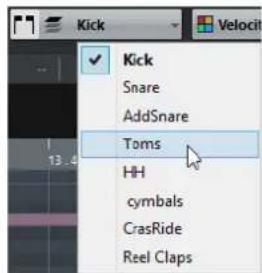
When you select a part from the list, it is automatically active and centered in the note display.
• To zoom in on an active part, select Edit > Zoom > Zoom to Event.
- To display defined borders for the active part, activate Show Part Borders.

If this option is activated, all parts, except the active part, are grayed out.
- To restrict editing operations to the active part, activate Edit Active Part Only.

- To change the size of the part, drag the part borders. The part borders display the name of the active part.
NOTE
If the part that you open for editing is a shared copy, any editing that you perform affects all shared copies of this part. In the Project window, shared copies are indicated by an equal sign in the top right corner of the part.
Looping MIDI Parts
The Independent Track Loop function allows you to loop a MIDI part independent of the project playback.
When you activate the loop, the MIDI events within the loop are repeated continuously while other events on other tracks are played back as usual. Every time the cycle restarts, the independent track loop also restarts.
PROCEDURE
- Activate Independent Track Loop on the toolbar.
If the button is not visible, right-click the toolbar and select Independent Track Loop from the menu.
If you have set up a loop range in the Project window, it is hidden from the ruler in the MIDI editor.
- Ctrl/Cmd-click in the ruler to specify the start of the independent track loop.
- Alt-click in the ruler to specify the end of the independent track loop.
RESULT
The independent loop range is indicated in a different color.
The start and end of the loop range are displayed on the status line.
AFTER COMPLETING THIS TASK
To repeat the events of the loop range and fill up the active MIDI part, select MIDI > Repeat Loop.
Key Editor
The Key Editor is the default MIDI editor. It displays notes graphically in a piano roll-style grid. The Key Editor allows for detailed editing of notes and non-note events, such as MIDI controllers.
You can open the Key Editor in a separate window or in the lower zone of the Project window. Opening the Key Editor in the lower zone of the Project window is useful if you want to access the Key Editor functions from within a fixed zone of the Project window.
To open a MIDI part in the Key Editor, do one of the following:
- Double-click a MIDI part in the Project window.
- Select a MIDI part in the Project window and press Return or Ctrl/Cmd-E.
- Select a MIDI part in the Project window and select MIDI > Open Key Editor.
- In the Key Commands dialog in the Editors category, assign a key command for Open Key Editor. Select a MIDI part in the Project window and use the key command.
NOTE
If you select MIDI > Set up Editor Preferences, the Preferences dialog opens on the Editors page. Make your settings to specify if you want the editors to open in a separate window or in the lower zone of the Project window.
The Key Editor window:

The Key Editor in the lower zone of the Project window:
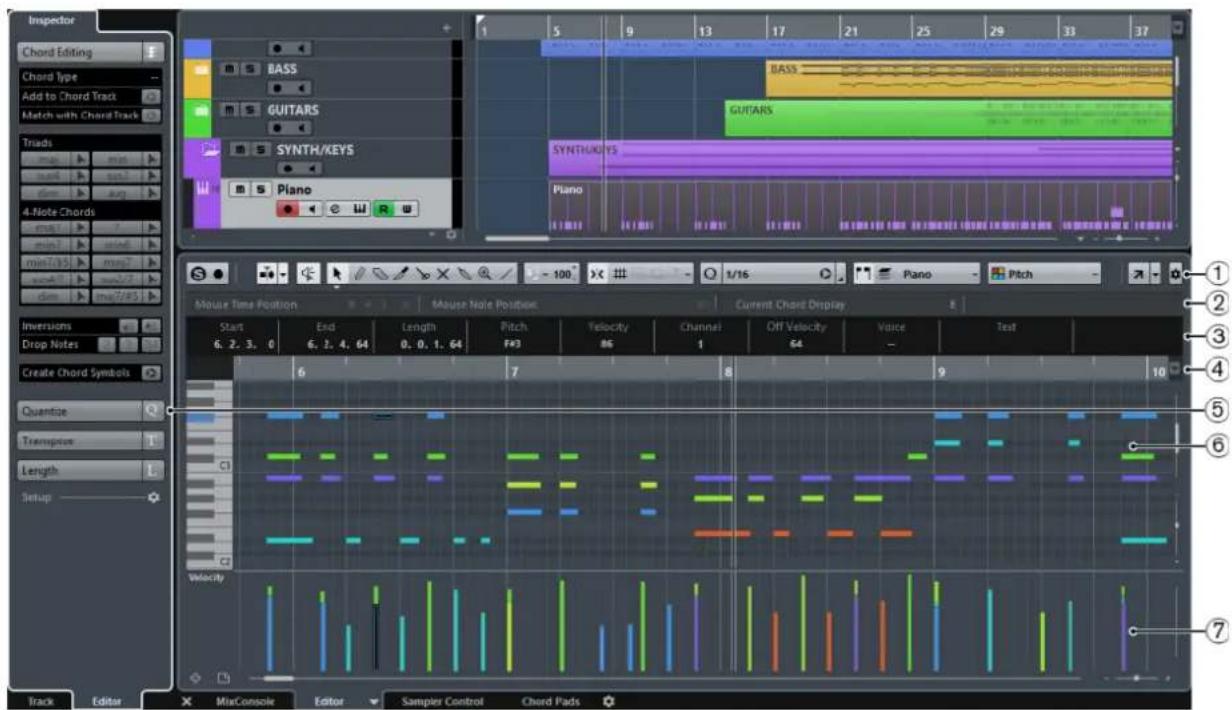
The Key Editor is divided into several sections:
1 Toolbar
Contains tools and settings.
2 Status line
Informs about the mouse time position, the mouse note position, and the current chord.
3 Info line
Displays note event information about a selected MIDI note.
4 Ruler
Displays the timeline.
5 Inspector
Contains tools and functions for working with MIDI data.
6 Note display
Contains a grid in which MIDI notes are displayed as boxes.
7 Controller display
The area below the note display consists of one or multiple controller lanes.
NOTE
You can activate/deactivate the status line, the info line, and the controller lanes by clicking Set up Window Layout on the toolbar and activating/deactivating the corresponding options.
Toolbar
The toolbar contains tools and settings for the Key Editor.
- To show or hide the toolbar elements, right-click the toolbar and activate or deactivate the elements.
Static Buttons
Solo Editor

Solos the editor during playback if the editor has the focus.
Record in Editor

Enables the recording of MIDI data in the editor if the editor has the focus.
NOTE
This only works if MIDI Record Mode is set to Merge or Replace.
Left Divider
Left Divider

Allows you to use the left divider. Tools that are placed to the left of the divider are always shown.
Auto-Scroll
Auto-Scroll

Keeps the project cursor visible during playback. The Switch Auto-Scroll Settings pop-up menu allows you to activate Page Scroll or Stationary Cursor and to activate Suspend Auto-Scroll when Editing.
Switch Auto-Scroll Settings

Allows you to specify the auto-scroll settings.
Tool Buttons
Object Selection

Allows you to select events.
Draw

Allows you to draw events.
Erase

Allows you to delete events.
Trim

Allows you to trim events.
Split

Allows you to split events.
Mute

Allows you to mute events.
Glue

Allows you to glue together events of the same pitch.
Zoom

Allows you to zoom in/out. Hold Alt and click to zoom out.
Line

Allows you to create a series of contiguous events.
Acoustic Feedback
Acoustic Feedback

Automatically plays back events when you move or transpose them, or when you create them by drawing.
Auto Select Controllers
Auto Select Controllers

Automatically selects controller data of the selected MIDI notes.
Independent Track Loop
Independent Track Loop

Activates/Deactivates the independent track loop.
Show Note Expression Data
Show Note Expression Data

Shows note expression data.
Multiple Part Controllers
Show Part Borders

Shows/Hides part borders for the active MIDI part within the left and right locators.
Edit Active Part Only

Restricts editing operations to the active part.
Currently Edited Part

Lists all parts that were selected when you opened the editor, and allows you to activate a part.
Indicate Transpositions
Indicate Transpositions

Allows you to display the transposed pitches of MIDI notes.
Insert Velocity
Insert Velocity

Allows you to specify a velocity value for new notes.
Nudge Palette
Trim Start Left

Increases the length of the selected event by moving its start to the left.
Trim Start Right

Decreases the length of the selected event by moving its start to the right.
Move Left

Moves the selected event to the left.
Move Right

Moves the selected event to the right.
Trim End Left

Decreases the length of the selected event by moving its end to the left.
Trim End Right

Increases the length of the selected event by moving its end to the right.
Transpose Palette
Move Up

Transposes the selected event up by a half note.
Move Down

Transposes the selected event down by a half note.
Move Up More

Transposes the selected event up by an octave.
Move Down More

Transposes the selected event down by an octave.
Snap
Snap On/Off

Activates/Deactivates the snap function.
Snap Type

Allows you to select one of the following snap types:
- Grid ≡ snaps events to the grid that is selected in the Quantize Presets popup menu.
- Grid Relative keeps the relative positions when snapping events to the grid.
- Events snaps events to the start or end of other events.
- Shuffle changes the order of events if you drag one event to the left or right of other events.
- Magnetic Cursor snaps events to the cursor position.
- Grid + Cursor snaps events to the quantize grid that is selected in the Quantize Presets pop-up menu or to the cursor position.
- Events + Cursor snaps events to the start or end of other events or to the cursor position.
- Grid + Events + Cursor snap events to the quantize grid that is selected in the Quantize Presets pop-up menu, to the start or end of other events or to the cursor position.
Grid Type

Allows you to select one of the following grid types:
- Use Quantize activates a grid where events snap to the value that is selected in the Quantize Preset pop-up menu.
- Adapt to Zoom activates a grid where events snap to the zoom level.
Quantize
Iterative Quantize On/Off

Activates/Deactivates iterative quantize.
Quantize Presets

Allows you to select a quantize or a groove preset.
Apply Quantize

Applies the quantize settings.
Open Quantize Panel

Opens the Quantize Panel.
Length Quantize
Length Quantize

Allows you to set a value for quantizing event lengths.
Step/MIDI Input
Step Input

Activates/Deactivates MIDI step input.
MIDI Input/Note Expression MIDI Input

Activates/Deactivates MIDI input and note expression MIDI input.
Move Insert Mode

Moves all note events to the right of the step input position to the right to make room for the inserted event when you insert notes.
NOTE
This only works if Step Input is activated.
Record Pitch

Includes the pitch when you insert notes.
Record NoteOn Velocity

Includes the NoteOn velocity when you insert notes.
Record NoteOff Velocity

Includes the NoteOff velocity when you insert notes.
Event Colors
Event Colors

Allows you to select event colors.
Edit VST Instrument
Edit VST Instrument

Opens the VST Instrument that the track is routed to.
Right Divider
Right Divider

Allows you to use the right divider. Tools that are placed to the right of the divider are always shown.
Window Zone Controls
Open in Separate Window

This button is available in the lower zone editor. It opens the editor in a separate window.
Open in Lower Zone

This button is available in the editor window. It opens the editor in the lower zone of the Project window.
Set up Window Layout

Allows you to set up the window layout.
Set up Toolbar

Opens a pop-up menu where you can set up which toolbar elements are visible.
RELATED LINKS
Zooming in MIDI Editors on page 456
Status Line
The status line shows information about the mouse time position, the mouse note position, and the current chord.
To show or hide the status line, click Set up Window Layout on the toolbar, and activate or deactivate Status Line.
Mouse Time Position 1.3.1.0 Mouse Note Position Side Stick (C#1) Current Chord Display Asus4/7
The on/off status of the status line in the Key Editor window and in the lower zone editor are independent of each other.
Mouse Time Position
Displays the exact time position of the mouse pointer, depending on the selected ruler display format. This lets you edit or insert notes at exact positions.
Mouse Note Position
Displays the exact pitch of the mouse pointer position. This facilitates finding the right pitch when entering or transposing notes.
Current Chord Display
When the project cursor is positioned over notes that form a chord, the chord is displayed here.
RELATED LINKS
Looping MIDI Parts on page 462
Info Line
The info line shows values and properties of the selected events. If several notes are selected, the values for the first note are displayed in color.
To show or hide the info line, click Set up Window Layout on the toolbar, and activate or deactivate Info Line.
| Start | End | Length | Pitch | Velocity | Channel | Off Velocity | Voice | Text |
| 1. 2. 1. 0 | 1. 3. 1. 0 | 0. 1. 0. 0 | A5 | 100 | 1 | 64 | Alto | Project 05 |
Length and position values are displayed in the selected ruler display format.
The on/off status of the info line in the Key Editor window and in the lower zone editor are independent of each other.
RELATED LINKS
Editing Note Events on the Info Line on page 460
Changing the Display Format for the Ruler on page 456
Key Editor Inspector
In a MIDI editor, the inspector is located left of the note display. The inspector contains tools and functions for working with MIDI data.

Chord Editing (Cubase Elements only)
Allows you to enter chords instead of single notes.
Quantize
Allows you to access the main quantize parameters. These are identical with the functions on the Quantize panel.
Transpose
Allows you to access the main parameters for transposing MIDI events.
Length
Contains length-related options, similar to the Functions submenu of the MIDI menu.
- To change the length of the selected MIDI events or all events of the active part if no events are selected, use the Scale Length/Scale Legato slider. At the maximum value, the notes reach the beginning of the next note.
- To make the new length settings permanent, click Freeze MIDI Lengths to the right of the Scale Length/Scale Legato slider.
- To fine-tune the distance between consecutive notes, use the Overlap slider. At 0 Ticks, the Scale Length/Scale Legato slider extends each note so that it reaches the next note exactly. Positive values cause the notes to overlap and negative values allow you to define a small gap between the notes.
- To use the Legato function or slider to extend a note until the next selected note, activate Between Selected. This is identical with activating the Legato Mode: Between Selected Notes Only option in the Preferences dialog.
Setup
Allows you to open a dialog to edit the Inspector settings for the editor. Click Setup Inspector and from the pop-up menu, select Setup.
NOTE
These sections are also featured by the Inspector for the editor in the lower zone.
RELATED LINKS
Quantize Panel on page 196
Opening the Editor Inspector on page 39
Note Display
The note display is the main area in the Key Editor. It contains a grid in which note events are shown as boxes.

The width of a box corresponds to the note length. The vertical position of a box corresponds to the note number (pitch), with higher note events higher up in the grid. The piano keyboard helps you to find the right note number.
Controller Display
The area at the bottom of the Key Editor window is the controller display. It contains the controller events.
To show or hide the controller display, click Set up Window Layout on the toolbar, and activate or deactivate Controller Lanes.
The on/off status of the controller lanes in the Key Editor window and in the lower zone editor are independent of each other.
The controller display consists of one or several controller lanes that show one of the following properties or event types:
• Velocity values of the notes - Pitchbend events • Aftertouch events • Poly Pressure events • Program Change events • System Exclusive events
• Any type of continuous controller event
Velocity values are shown as vertical bars in the controller display. Each velocity bar corresponds to a note event in the note display. Higher bars correspond to higher velocity values.

Events other than velocity values are shown as blocks. The block corresponds to the event values. The beginning of an event is marked by a curve point.
NOTE
Unlike note events, controller events have no length. The value of a controller event in the display is valid until the beginning of the next controller event.
Key Editor Operations
This section describes the principal editing operations within the Key Editor.
Inserting Note Events with the Object Selection Tool
You can insert note events with the Object Selection tool.
PREREQUISITE
You have set up the length for the note events quantize value in the Length Quantize pop-up menu of the toolbar.
PROCEDURE
In the note display, double-click with the Object Selection tool at the position where you want to insert a note.
RESULT
A note is inserted at the position where you double-clicked, with the length that you have set up in the Length Quantize pop-up menu.
Drawing Note Events with the Draw Tool
The Draw tool allows you to insert single note events in the note display.
When you move the cursor inside the note display, its position is indicated on the status line. Its pitch is indicated both on the status line and on the piano keyboard to the left.

- To draw a note, click in the note display. The note event has the length that is set on the Length Quantize pop-up menu.
- To draw longer note events, click and drag in the note display. The length of the note event is a multiple of the Length Quantize value. If Length Quantize is set to Quantize Link, the note value is determined by the quantize grid. The Snap function is taken into account.
NOTE
To temporarily switch from the Object Selection tool to the Draw tool, hold down Alt.
Modifying Note Values while Inserting Notes
When inserting note events, you can modify specific note values on the fly.
• To edit the note velocity, drag upwards or downwards. • To edit the note pitch, hold down Alt and drag upwards or downwards. • To edit the note length, drag to the left or to the right. • To edit the time position, hold down Shift and drag to the left or to the right.
NOTE
You can activate/deactivate Snap temporarily by holding down Ctrl/Cmd.
Drawing Note Events with the Line Tool
In the note display, the Line tool allows you to draw a series of contiguous note events along different line shapes.
• To create contiguous note events, click and drag in the note display. • To restrict movement to horizontal, press Ctrl/Cmd and drag. The notes have the same pitch.
If Snap is activated, the note events and controller events are positioned and sized according to the Quantize and Length Quantize values.
RELATED LINKS
The Line Tool Modes on page 474
The Line Tool Modes
The Line tool allows you to create a series of contiguous note events along different line shapes. You can also edit multiple controller events simultaneously.
To select a different line mode, click Line and select a mode from the menu.

The following line modes are available:
Line
If this option is activated, you can click and drag to insert note events in the note display along a straight line in any angle. Use this option to edit controller data along a straight line in the controller display.
Parabola, Sine, Triangle, Square
These modes insert note events along different curve shapes.
Paint
This mode allows you to insert note events by painting in the note display.
Moving and Transposing Note Events
There are several options to move and transpose note events.
- To move note events in the editor, select the Object Selection tool and drag them to a new position. All selected note events are moved, maintaining their relative positions. Snap is taken into account. • To allow only horizontal or only vertical movement, hold down Ctrl/Cmd while dragging.
- To move note events via the Nudge Palette buttons on the toolbar, select the note events and click a Nudge Palette button. This moves the selected note events by the Snap value in the drum sound list. • To move note events to the project cursor position, select the note events and select Edit > Move to > Cursor.
- To move a note event via the info line, select a note event and edit the Position or Pitch on the info line. • To transpose note events, select the note events and use the Up Arrow/Down Arrow keys.
- To transpose note events via the Transpose Setup dialog, select the note events and select MIDI > Transpose Setup.
- To transpose note events in steps of one octave, press Shift and use the Up Arrow/Down Arrow keys.
NOTE
- When you move selected note events to a different position, any selected controllers for these note events move accordingly.
• You can also adjust the position of note events by quantizing.
RELATED LINKS
Transpose Setup on page 446
Resizing Note Events
Do one of the following:
- To resize the note event, position the Object Selection tool at the start or the end of a note event and drag the mouse cursor to the left or right.
- To move the start or end positions of the selected notes in steps according to the Length Quantize value on the toolbar, use the Trim Start/End buttons on the Nudge palette.
- Select the note and adjust its length on the info line.
- Select Draw and drag left or right within the note display to draw a note. The resulting note event length is a multiple of the Length Quantize value on the toolbar.
- Select Trim and cut off the end or the beginning of note events.
RELATED LINKS
Using the Setup Options on page 621
Editing on the Info Line on page 34
Using the Trim Tool on page 476
Resizing Events with the Object Selection Tool - Sizing Applies Time Stretch on page 135
Using the Trim Tool
The Trim tool allows you to change the length of note events by cutting off the end or the beginning of notes. Using the Trim tool means moving the note-on or the note-off event for one or several notes to a position defined with the mouse.
PROCEDURE
- Select Trim on the toolbar.
The mouse pointer changes to a knife symbol.
- To edit a single note, click on it with Trim.

The range between the mouse pointer and the end of the note will be removed. Use the mouse note info on the status line to find the exact position for the trim operation.
- To edit several notes, click and drag with the mouse across the notes.

By default, the Trim tool cuts off the end of notes. To trim the beginning of notes, press Alt while dragging. When dragged across several notes, a line is displayed. The notes will be trimmed along this line. If you press Ctrl/Cmd while dragging, you will get a vertical trim line, allowing you to set the same start or end time for all edited notes. You can change the Trim tool key commands in the Preferences dialog (Editing—Tool Modifiers page).
Splitting Note Events
- To split the note at the position that you point, click on a note with Split. If several notes are selected, they are all split at the same position. The snap setting is taken into account.
- To split all notes that are intersected by the project cursor position, select Edit > Functions > Split at Cursor.
- To split all notes that are intersected by the left or right locator at the locator positions, select Edit > Functions > Split Loop.
Gluing Note Events
You can glue together note events of the same pitch.
• To glue note events, select Glue and click on a note event.
The note event is glued together with the next note event of the same pitch. The result is a long note event that spans from the start of the first note to the end of the second note. The properties (velocity, pitch, etc.) of the first note event apply.
Changing the Pitch of Chords (Cubase Elements only)
You can use the chord type buttons to change the pitch of chords.
PROCEDURE
- In the Inspector, open the Chord Editing section.
- In the note display, select the notes that you want to edit. If the chord is recognized, the root note, chord type, and tensions are indicated in the Chord Type field. This also works with arpeggiated notes.
- In the Chord Editing section, activate one of the Triads buttons or 4-Note Chords buttons. The selected notes are transposed so that they fit the selected chord type.
- Use the Up Arrow/Down Arrow keys to change the pitch of the chord.
Changing the Voicing of Chords (Cubase Elements only)
PROCEDURE
- In the Inspector, open the Chord Editing section.
- In the note display, select the notes that you want to edit.
- In the Chord Editing section, use the Inversions buttons and the Drop Notes buttons to change the voicing.
RESULT
The selected notes are transposed so that they fit the selected chord type.
Chord Editing Section (Cubase Elements only)
The Chord Editing section in the Inspector allows you to insert and edit chords, and change voicings.

Chord Type
Shows the chord type of the selected chords.
Add to Chord Track
Adds the chord indicated in the Chord Type field to the chord track. The chord event is inserted at the position on the chord track that corresponds to the position of the MIDI notes. Any existing chord events at this position are overwritten.
Match with Chord Track
Applies the chord events from the chord track to the selected notes in the MIDI editor. The chord event that is effective at the position of the first selected note is applied to the selected notes, which are then transposed. Only the basic chord type is applied. Tensions are not taken into account.
Only the first effective chord event is applied.
Triads
Allows you to insert triads to the note display. You can also click one of the Triads buttons to transpose the selected notes so that they fit to the selected chord type.
4-Note Chords
Allows you to insert 4-note chords to the note display. You can also click one of the 4-Note Chords buttons to transpose the selected notes so that they fit to the selected chord type.
Inversions - Move highest note to bottom

Inverts the highest note of a chord. The corresponding notes are transposed by as many octaves as needed.
Inversions - Move lowest note to top

Inverts the lowest note of a chord. The corresponding notes are transposed by as many octaves as needed.
Drop Notes - Move the second highest note an octave lower

Moves the second highest note of a chord down by one octave.
Drop Notes - Move the third highest note an octave lower

Moves the third highest note of a chord down by one octave.
Drop Notes - Move the second and fourth highest notes an octave lower

Moves the second and fourth highest notes of a chord down by one octave.
Create Chord Symbols
Performs a chord analysis of the selected notes. If nothing is selected, the whole MIDI part is analyzed.
Inserting Chords (Cubase Elements only)
You can use the tools in the Chord Editing section of the Inspector to insert and edit chords.
PROCEDURE
- In the Inspector, open the Chord Editing section.
- Select the Insert tool ▶ to the right of the chord type that you want to insert.
- Click in the note display and drag to the left or right to determine the length of the chord. Drag up or down to determine its pitch.
To change the chord type while you insert chords, hold Alt and drag up or down.
If Acoustic Feedback is activated, you hear the chord while dragging. A tooltip indicates the root note and chord type of the inserted chord. Snap and Length Quantize are taken into account.
Applying Chord Events to Note Events
You can apply chord events from the chord track to notes in the MIDI editor.
PREREQUISITE
Create a chord track and add chord events.
PROCEDURE
- Open the MIDI editor.
- In the Inspector, open the Chord Editing section.
- Select Match with Chord Track.
RESULT
The first chord event of the chord track is applied to the selected notes. Only the basic chord type is applied. Tensions are not taken into account.
Drum Map Handling
When a drum map is assigned to a MIDI or instrument track, the Key Editor displays the drum sound names as defined by the drum map. This allows you to use the Key Editor for drum editing, for example, when editing drum note lengths or when editing several parts to identify drum events.
The name of the drum sound is displayed in the following locations:
• On the info line in the Pitch field. • On the status line in the Mouse Note Position field.
• In the note event if the zoom factor is high enough. - When dragging a note event.
Editing Note Events via MIDI Input
You can directly hear your editing results. Editing the properties of note events via MIDI can be a quick way to, for example, set the velocity value of a note event.
PROCEDURE
- In the Key Editor, select the note event that you want to edit.
- Click MIDI Input on the toolbar.
Editing via MIDI is enabled.
- Use the note buttons on the toolbar to decide which properties are changed by the MIDI input.
You can enable editing of pitch, note-on and/or note-off velocity. For example, with the following setting, the edited notes get the pitch and velocity values of the notes input via MIDI, but the note-off velocities remain as they are.

- Play a note on your MIDI instrument.
RESULT
The selected note gets the pitch, note-on velocity and/or note-off velocity of the played note. The next note in the edited part is automatically selected to allow quick editing of a series of notes.
AFTER COMPLETING THIS TASK
To try another setting, select the note again and play a note on your MIDI instrument.
Step Input
Step input, or step recording, allows you to enter note events or chords one at a time without worrying about the exact timing. This is useful, for example, when you know the part that you want to record but are not able to play it exactly as you want it.
PROCEDURE
- On the toolbar, activate Step Input.

- Use the note buttons to the right to determine which properties are included when you insert the note events.
For example, you can include the note-on velocity and/or note-off velocity of the played notes. You can also deactivate the pitch property, in which case all notes get a pitch C3, no matter what you play.
- Click anywhere in the note display to set the start position of the first note event or chord. The step input position is shown as a vertical line in the note display.

- Specify the note event spacing and length with the Quantize and Length Quantize pop-up menus.
The note events that you insert are positioned according to the Quantize value and have the length of the Length Quantize value.
NOTE
If Length Quantize is set to Quantize Link, the note length is also determined by the Quantize value.
- Play the first note event or chord on your MIDI instrument.
The note event or chord appears in the editor and the step input position advances by one quantize value step.
NOTE
If Move Insert Mode is activated, all note events to the right of the step input position are moved to make room for the inserted note event or chord.

- Continue in the same way with the rest of the note events or chords.
You can adjust the Quantize or Length Quantize values to change the timing or note event lengths. You can also move the step input position manually by clicking anywhere in the note display.
To insert a rest, press the Right Arrow key. This advances the step input position by one step.
- When you are done, click Step Input again to deactivate step input.
Using the Controller Display
The Controller Display shows controller events. By default, it has a single lane that displays one event type at a time. However, you can add as many lanes as needed. Using multiple controller lanes allows you to view and edit different controllers simultaneously.
Each MIDI track has its own controller lane setup (number of lanes and selected event types). When you create new tracks, they inherit the last used controller lane setup.

The controller display with lanes.
To add a controller lane, click Create Controller Lane or open the Controller Selection and Functions menu and select Create Controller Lane.

- To remove a controller lane, open the Controller Selection and Functions pop-up menu and select Remove this Lane. This hides the lane from view. It does not affect the events in any way. If you remove all lanes, the controller display is hidden. To bring it back, click Create Controller Lane.
- To show or hide multiple lanes, open the Controller Lane Setup pop-up menu and select Show/Hide Controller Lanes.
- To reset the controller display to show only the velocity lane, open the Controller Lane Setup pop-up menu and select Velocity Only.
- To automatically show all controller lanes with controller data, open the Controller Lane Setup pop-up menu and select Show Used Controllers.
Selecting the Event Type
Each controller lane shows one event type at a time. You can select which event type to display on a controller lane.
To select which type is displayed, open the Controller Selection and Functions pop-up menu and select an event type.

Setting up Available Continuous Controllers
In the MIDI Controller Setup dialog, you can specify which continuous controllers are available for selection.
NOTE
The MIDI Controller Setup dialog can be opened from different areas in the program. The settings are global, that is, the setup you choose here affects all areas of the program where MIDI controllers can be selected.
PROCEDURE
- Select Controller Selection and Functions > Setup.
- In the MIDI Controller Setup dialog, move all the controllers that you need to the list on the left and move the controllers that you do not need to the list on the right.
- Click OK.
Handling Controller Lane Presets
Once you have made up your controller lane setup, you can save it as a controller lane preset. For example, you can have a preset with one velocity lane and another preset with a combination of several controller lanes, such as velocity, pitchbend, or modulation.
Saving a Controller Lane Setup as Preset
You can save a controller lane setup via the Controller Lane Setup pop-up menu.
PROCEDURE
- Click Controller Lane Setup .

- Select Add Preset.
- In the Type In Preset Name dialog, enter a name for the preset.
- Click OK.
RESULT
Your controller lane setup is now available as a controller lane preset.
NOTE
To apply a saved preset, open the Controller Lane Setup pop-up menu and select the preset.
NOTE
To remove or rename a preset, open the Controller Lane Setup pop-up menu and select Organize Presets. A dialog opens, where you can remove and rename presets.
Adding Events in the Controller Display
- To create a new event in the velocity controller display, click with the Draw tool or the Line tool in the event display.
- To create a new event for any other event type, click with the Draw tool or the Line tool in the controller display.
NOTE
In the Key Editor, you can also add modulation controller events (CC1) by copying note events from the event display and pasting them on the controller lane.
Editing Events in the Controller Display
All controller values can be edited with the Draw tool or the Line tool. If you have selected more than one controller event on a controller lane, the controller lane editor is displayed.
- To edit events in the velocity controller display, use the Draw tool or the Line tool and drag the event.
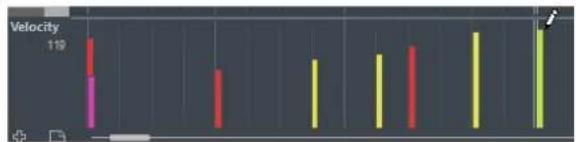
The Object Selection tool automatically switches to the Draw tool when you move the pointer into the controller display.
When you move the pointer in the controller lane, the corresponding event type value is displayed below the event type name.
In velocity mode, no new controller events are added this way.
- To edit the values of any other event type in the controller display, press Alt and drag, or use the Draw tool or the Line tool and drag.

When you move the pointer inside a controller lane, the event type value changes corresponding to the pointer movement. The event type value is displayed below the event type name, left of the controller display.
- If there is more than one note at the same position, their velocity bars overlap on the controller lane. If none of the notes are selected, all notes at the same position are set to the same velocity value when you draw.
To edit the velocity of only one of the notes at the same position, first select the note in the note display.
- To select all events on a controller lane, open the Controller Lane Setup pop-up menu and select the Select all Controller Events option.
- To use the Object Selection tool to select events in the velocity controller display, press Alt.
- To cut, copy, and paste events in the controller display select the event and select Edit > Cut/Copy/Paste.
When pasting events, the events on the clipboard are added, starting at the project cursor position and maintaining their relative distances. If a pasted event ends up at the same position as an existing event of the same type, the old event is replaced.
NOTE
If the speaker icon (Acoustic Feedback) is activated on the toolbar, the notes are played back when you adjust the velocity. This allows you to audition your changes.
RELATED LINKS
Controller Event Editor on page 487
Editing Events in the Controller Display Using the Line Tool
You can draw and edit events in the controller display with the Line tool.
Line Mode
In Line mode, you can draw events in a straight line.
- To draw a straight line in the controller display, click where you want the ramp to start and drag the cursor to where you want the ramp to end.

NOTE
If Snap is activated, the Length Quantize value determines the density of created controller curves. For very smooth curves, use a small Length Quantize value or deactivate Snap. To avoid over-dense controller curves, which can cause MIDI playback to stutter, use a medium-low density.
Parabola Mode
In Parabola mode, you can draw events on a parabola curve. This gives more natural curves and fades. The result depends on the direction from which you draw the parabola.

You can use modifier keys to determine the shape of the parabola curve.
- To reverse the parabola curve, press Ctrl/Cmd.
- To change the position of the whole curve, press Alt.
- To increase or decrease the exponent, press Shift.
NOTE
If Snap is activated, the Length Quantize value determines the density of created controller curves. For very smooth curves, use a small Length Quantize value or deactivate Snap. To avoid over-dense controller curves, which can cause MIDI playback to stutter, use a medium-low density.
Sine, Triangle, and Square Mode
The Sine, Triangle, and Square modes create events with values that are aligned with continuous curves.

In these modes, the quantize value determines the period of the curve that is the length of one curve cycle and the Length Quantize value determines the density of the events. The lower the Length Quantize note value becomes, the smoother the curve gets.
NOTE
If Length Quantize is set to Quantize Link and you enter data in Sine, Triangle or Square mode, the density of the events depends on the zoom factor.
You can use modifier keys to determine the shape of the curve.
- To change the phase of the beginning of the curve, press Ctrl/Cmd. • To change the position of the whole curve, press Alt-Ctrl/Cmd.
- To change the maximum position of the triangle curve or the pulse of the square curve in Triangle and Square mode, press Shift-Ctrl/Cmd. This creates sawtooth curves.
- You can also set the curve period freely by holding down Shift when you insert events in Sine, Triangle, or Square mode. Activate Snap, Shift-click and drag to set the length of one period. The period length will be a multiple of the quantize value.
Paint Mode
In Paint mode, you can draw in multiple notes.
The quantize value determines the density of created controller curves. For very smooth curves, use a small quantize value or deactivate Snap. However, this creates a large number of MIDI events, which can cause MIDI playback to stutter in some situations. A medium-low density is often sufficient.
Editing Events using the Draw Tool
You can draw and edit events in the controller display with the Draw tool. The Draw tool has the same functionality as the Line tool in Paint mode.
- To change the velocity of a single note, click on its velocity bar and drag the bar up or down.
NOTE
When you move the pointer inside a controller lane, the event type value changes corresponding to the pointer movement. The event type value is displayed below the event type name, left of the controller display.
Using Continuous Controllers
When a continuous controller is selected for a controller lane, additional data is displayed on the controller lane. This is due to the fact that MIDI controller data can be recorded or entered either for an automation track or for a MIDI part.
If automation data already exists for a controller, this is indicated by an asterisk that is displayed next to the controller name on the Controller Selection and Functions pop-up menu.

If the automation data is controller data that you have entered in a MIDI editor, the data is displayed on the controller lane. If the controller data was recorded on an automation track in the Project window, no events are displayed on the controller lane.
On the controller lane, you can also see the controller curve that is applied before the part starts. This tells you which controller value is being used at the starting point of the part so that you can choose the start value accordingly.
Poly Pressure Events
Poly Pressure events are events that belong to a specific note number (key). That is, each Poly Pressure event has the following editable values: the note number and the amount of pressure.
When Poly Pressure is selected on the Controller Selection and Functions pop-up menu, value fields for the note number and for the amount are shown to the left of the controller display.
Adding Poly Pressure Events
PROCEDURE
- Open the Controller Selection and Functions pop-up menu and select Poly Pressure.
- Click on the keyboard display to set the note number.
The selected note number is displayed in the upper value field to the left of the controller display.
NOTE
This only works for the topmost lane. If you have selected Poly Pressure for several controller lanes, you have to type in the note number directly in the lower value field to the left of each lane.
- Use the Draw tool to add a new event.
Editing Poly Pressure Events
PROCEDURE
- Open the Controller Selection and Functions pop-up menu and select Poly Pressure.
- Click the arrow button next to the note number to the left of the controller lane.
A pop-up menu appears and lists all note numbers for which there already are Poly Pressure events.
- Select a note number from the pop-up menu.
The Poly Pressure events for the selected note number are shown in the controller lane.
- Use the Draw tool to edit the events.
To edit events without adding new events, press Ctrl/Cmd+Alt while drawing.
Controller Event Editor
The controller event editor allows you to perform additional scaling operations for selection ranges on existing controller curves.
- To open the controller event editor, activate the Object Selection tool and drag a selection rectangle on the controller lane.
The controller event editor features the following smart controls for specific editing modes:

1 Tilt Left
If you click in the upper left corner of the editor, you can tilt the left part of the curve. This allows you to tilt the event values at the start of the curve upwards or downwards.
2 Compress Left
If you Alt-click in the upper left corner of the editor, you can compress the left part of the curve. This allows you to compress or expand the event values at the start of the curve.
3 Scale Vertically
If you click in the middle of the upper border of the editor, you can scale the curve vertically. This allows you to raise or lower the event values of the curve in percent.
4 Move Vertically
If you click on the upper border of the editor, you can move the entire curve vertically. This allows you to raise or lower the values of the event values of the curve.
5 Compress Right
If you Alt-click in the upper right corner of the editor, you can compress or expand the right part of the curve. This allows you to compress or expand the event values at the end of the curve.
6 Tilt Right
If you click in the upper right corner of the editor, you can tilt the right part of the curve. This allows you to tilt the event values at the end of the curve upwards or downwards.
7 Scale Around Relative Center
If you Alt-click in the middle right border of the editor, you can scale the curve relative to its center. This allows you to raise or lower the event values horizontally around the center of the editor.
8 Scale Around Absolute Center
If you click in the middle right corner of the editor, you can scale the curve absolute to its center. This allows you to raise or lower the event values horizontally around the center of the editor.
9 Stretch
If you click on the lower border of the editor, you can stretch the curve horizontally. This allows you to move the event values of the curve to the left or to the right.
Editing Selection Ranges
The controller lane editor allows you to perform additional scaling operations for selection ranges on existing controller curves.
- To open the controller lane editor, use the Object Selection tool to create a selection rectangle on the controller lane, encompassing the controller events that you want to edit. For velocity lanes, press Alt to get the Object Selection tool.
- To switch the controller lane editor to vertical scaling mode, press Shift and click on any of the smart controls.
- To move the whole selection up/down or left/right, click on a controller event inside the editor and drag the curve.
- To restrict the direction to horizontal or vertical movement, depending on the direction in which you start dragging, press Ctrl/Cmd when dragging.
NOTE
Snap is taken into account when moving controller curves horizontally.
Moving Events in the Controller Display
You can move events in a controller lane.
PROCEDURE
- Select the events that you want to move with the Object Selection tool. You can also click and drag to create a selection rectangle that encompasses the events that you want to move.
- Click on a curve point inside the selection and drag the events.
RESULT
The events inside the selection are moved to the new position. Snap is taken into account.
NOTE
If Auto Select Controllers is activated on the Key Editor toolbar, selecting notes also selects the corresponding controller events. Moving events in the note display also moves the corresponding controller events.
RELATED LINKS
Selecting Controllers within the Note Range on page 489
Deleting Events in the Controller Display
IMPORTANT
If there is more than one note at the same position, there is only one visible velocity bar. Make sure that you delete only the notes that you want to delete.
• To delete events, click on them with the Erase tool or select them and press Backspace. You can also delete notes by deleting their velocity bars in the controller display. If there is more than one note at the same position, there may still only be one velocity bar visible. Make sure that you delete only the desired notes!
Selecting Controllers within the Note Range
A note range lasts until the start of the next note or the end of the part. Selected controllers for notes are moved when the corresponding notes are moved.
You can select the controllers within the range of the selected notes.
- To always select the corresponding controllers when you select a note event, activate Auto Select Controllers
- To select the controllers within the note range, select Edit > Select > Select Controllers in Note Range.
For this to work, only 2 notes have to be selected.
Score Editor
The Score Editor shows MIDI notes as a musical score.
You can open the Score Editor in a separate window or in the lower zone of the Project window. Opening the Score Editor in the lower zone of the Project window is useful if you want to access the Score Editor functions from within a fixed zone of the Project window.
To open a MIDI part in the Score Editor, do one of the following:
- Select a MIDI part in the Project window and select MIDI > Scores > Open Score Editor.
- Select a MIDI part in the Project window and press Ctrl/Cmd-R.
NOTE
If you select MIDI > Set up Editor Preferences, the Preferences dialog opens on the Editors page. Make your settings to specify if you want editors to open in a separate window or in the lower zone of the Project window.
The Score Editor window:

The Score Editor in the lower zone of the Project window:

The Score Editor is divided into several sections:
1 Toolbar
Contains tools and settings.
2 Status line
Informs about the mouse time position, the mouse note position, and the current chord.
3 Info line
Displays note event information about a selected MIDI note.
4 Extended toolbar
Contains note value buttons and enharmonic shift buttons.
- To open one or several parts in the Score Editor, select one or several tracks or any number of parts, and select MIDI > Open Score Editor.
If you have selected parts on several tracks, you get one staff for each track. The staves are tied together by bar lines and placed in the order of the tracks in the Project window.
- To rearrange the staves, close the editor and in the Project window, rearrange the tracks. Then reopen the Score Editor.
NOTE
You can activate/deactivate the status line, the info line, the tools, and the filters by clicking Set up Window Layout on the toolbar and activating/deactivating the corresponding options.
Toolbar
The toolbar contains tools and various settings for the Score Editor.
- To show or hide the toolbar elements, right-click the toolbar and activate or deactivate the elements.
Static Buttons
Solo Editor

Solos the editor during playback if the editor has the focus.
Record in Editor

Enables the recording of MIDI data in the editor if the editor has the focus.
NOTE
This only works if MIDI Record Mode is set to Merge or Replace.
Tool Buttons
Object Selection

Allows you to select events.
Erase

Allows you to delete events.
Insert Note

Allows you to insert notes.
Split

Allows you to split events.
Glue

Allows you to glue together events of the same pitch.
Insert Text

Allows you to insert text.
Auto-Scroll
Auto-Scroll

Keeps the project cursor visible during playback.
Insert Velocity
Insert Velocity

Allows you to specify a velocity value for new notes.
Snap
Snap Type

Allows you to select one of the following snap types:
- Grid snaps events to the grid that is selected in the Quantize Presets popup menu.
- Grid Relative keeps the relative positions when snapping events to the grid.
Quantize
Iterative Quantize On/Off

Activates/Deactivates iterative quantize.
Quantize Presets

Allows you to select a quantize or a groove preset.
Apply Quantize

Applies the quantize settings.
Open Quantize Panel

Opens the Quantize Panel.
Length Quantize
Length Quantize
Allows you to set a value for quantizing event lengths.
Step/MIDI Input
Step Input

Activates/Deactivates MIDI step input.
MIDI Input/Note Expression MIDI Input

Activates/Deactivates MIDI input and note expression MIDI input.
Move Insert Mode

Moves all note events to the right of the step input position to the right to make room for the inserted event when you insert notes.
NOTE
This only works if Step Input is activated.
Record Pitch

Includes the pitch when you insert notes.
Record NoteOn Velocity

Includes the NoteOn velocity when you insert notes.
Record NoteOff Velocity

Includes the NoteOff velocity when you insert notes.
Right Divider
Right Divider

Allows you to use the right divider. Tools that are placed to the right of the divider are always shown.
Window Zone Controls
Open in Separate Window

This button is available in the lower zone editor. It opens the editor in a separate window.
Open in Lower Zone

This button is available in the editor window. It opens the editor in the lower zone of the Project window.
Set up Window Layout

Allows you to set up the window layout.
Set up Toolbar

Opens a pop-up menu where you can set up which toolbar elements are visible.
Status Line
The status line is displayed below the toolbar. It shows important information about the mouse position and the chord display. Select the notes that form (compose) the chord to make the status line appear in the Current Chord Display.
To show or hide the status line, click Set up Window Layout on the toolbar, and activate or deactivate Status Line.
| Mouse Time Position | 2. | 1. | 1. | 0 | Mouse Note Position | A3 | Current Chord Display | Ab |
The on/off status of the status line in the Score Editor window and in the lower zone editor are independent of each other.
Mouse Time Position
Displays the exact time position of the mouse pointer, depending on the selected ruler display format. This lets you edit or insert notes at exact positions.
Mouse Note Position
Displays the exact pitch of the mouse pointer position. This facilitates finding the right pitch when entering or transposing notes.
Current Chord Display
When the project cursor is positioned over notes that form a chord, this chord is displayed here.
Info Line
The info line shows values and properties of the selected MIDI notes. If several notes are selected, the values for the first note are displayed in color.
To show or hide the info line, click Set up Window Layout on the toolbar, and activate or deactivate Info Line.
| Start | End | Length | Pitch | Velocity | Channel | Off Velocity | Voice | Text |
| 6. 4. 4. 0 | 7. 1. 1. 0 | 0. 0. 1. 0 | C-2 | 100 | 1 | 64 | Alto | Note |
The on/off status of the info line in the Score Editor window and in the lower zone editor are independent of each other.
RELATED LINKS
Changing the Display Format for the Ruler on page 456
Extended Toolbar
The extended toolbar contains note value buttons and enharmonic shift buttons.
To show or hide the extended toolbar, click Set up Window Layout on the toolbar, and activate or deactivate Tools.
| 。 | J | J | J | J | J | T | · | Enharm.Shift | H | ↓ | off | No | # | × |
Note Value Buttons
Allows you to select a note value for input. The and options are for triplet and dotted note values.
The selected note value is displayed in the Length value field on the toolbar and in the Insert Note tool shape.
To resize all selected notes to the same note value, press Ctrl/Cmd and click one of the note value buttons.
Enharmonic Shift
Allows you to manually select whether a note is displayed with flat or sharp accidentals. The Off button resets the notes to original display. The other options are double flats, flats, No (no accidentals shown, regardless of pitch), sharps, and double sharps.
RELATED LINKS
Enharmonic Shift on page 500
Score Display
The main area of the Score Editor window shows the notes in the edited parts on one or several staves. Parts on different tracks are shown on different staves.

- If you are editing one or several parts on the same track, as much of them as possible is shown on several staves, comparable with a score on paper.
- If you are editing parts on several tracks, they are put on a grand staff. A grand staff is composed of multiple staves that are tied together by bar lines.
- The number of bars that are displayed on the screen depends on the size of the window and the number of notes in each bar.
- The end of the last part is indicated by a double bar line.
All MIDI input is directed to one of the tracks, which is called the active staff. The active staff is indicated by a rectangle to the left of the clef symbol.

- To change the active staff, click on the staff that you want to activate.
Score Editor Operations
This section describes the principal editing operations within the Score Editor.
Improving the Score Display
When you open the Score Editor for a part that was recorded in real time, the score may not look as legible as you expect. The Score Editor can ignore the minor time variances in performance
and make a neater score. To achieve this, the Staff Settings dialog provides settings that determine how the program displays the music.
Staff Settings Dialog
This dialog allows you to change how Cubase displays the music.
IMPORTANT
The settings that you make in this dialog are independent for each staff (track), but common for a piano staff that you have created with the Split option.
To open the Staff Settings dialog, double-click in the area to the left of the staff, or select a staff and select MIDI > Scores > Staff Settings.

NOTE
The time signature follows the time signatures that are set in the Tempo Track editor. These settings are common to all tracks/staves in the score.
Staff Mode
The Staff Mode determines how the staff is shown.
- In Single mode, all notes in the part are shown in the same staff.
- In Split mode, the part is split on the screen into a bass and treble clef, as in a piano score. The Split Point value determines where you want the split to occur. Notes above and including the split note appear on the upper staff, and notes below the split note appear on the lower staff.
Before and after setting a split at C3:
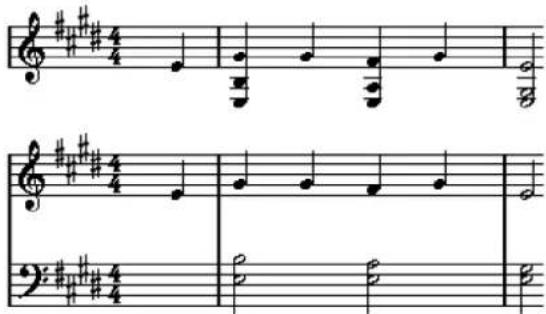
Display Quantize
This section allows you to change the way Cubase displays scores.
IMPORTANT
These display values are only used for the graphical display in the Score Editor. They do not affect the playback.
Notes
Determines the smallest note value to be displayed and the smallest position to be recognized and properly displayed. Set this to the smallest significant note position used in your music.
For example, if you have notes on odd 16th note positions, set this value to 16. The T values are for triplet note values. This setting is partly overridden by Auto Quantize.
Rests
This value is used as a recommendation. Cubase does not display rests smaller than this value, except where necessary. In effect, this setting also determines how the length of notes is displayed. Set this value according to the smallest note value (length) that you want to be displayed for a single note, positioned on a beat.
Auto Quantize
Allows you to make your score look as legible as possible. Auto Quantize allows you to mix straight notes with tuplets (triplets) in a part. However, Auto Quantize also uses the (display) quantize value. If there is no appropriate note value for a certain note or group of notes, it uses the set quantize value to display it.
Generally, only activate this option if your music contains mixed triplets and straight notes. If the part is imprecisely played and/or complex, Auto Quantize may have a problem figuring out exactly what you mean.
Dev.
If this option is activated, triplets/straight notes are detected even if they are not exactly on the beat. However, if you know that your triplets/straight notes are perfectly recorded, either through quantizing or entered by hand, deactivate this option.
This option is only available if Auto Quantize is activated.
Adapt
If this option is activated, the program guesses that when one triplet is found, there are probably more triplets surrounding it. Activate this option if not all of your triplets are detected.
This option is only available if Auto Quantize is activated.
Clef and Key
In this section, you can set the correct clef and key.
Clef/Key Display
Allows you to select the clef or key via the scrollbar.
Lower Staff
Sets the clef and key to the lower staff.
Auto Clef
If this option is activated, Cubase attempts to guess the correct clef, judging from the pitch of the music.
Display Transpose
In this section, you can specify a separate display transpose setting for each staff (track). This transposes the notes in the score without affecting how the notes are played back. This allows
you to record and play back a multi staff arrangement and still score each instrument according to its own transposition.
Semitones
Allows you to manually set a display transpose value.
Instrument
Allows you to select the instrument for which you are scoring.
Interpretation Options
In this section, you can make additional settings on how the score is displayed.
Clean Lengths
If this option is activated, notes that are considered to be chords are shown with identical lengths. Longer notes are displayed shorter than they are. Notes with very short overlaps are also cut off. This is similar to the No Overlap option, but with a more subtle effect.
No Overlap
If this option is activated, one note is never shown as overlapping another, lengthwise. This allows long and short notes that start at the same point to be displayed without ties. The long notes are cut off in the display. This makes the music more legible.
A sample measure with No Overlap deactivated:

A sample measure with No Overlap activated:

Syncopation
If this option is activated, syncopated notes are shown in a more legible way.
A dotted quarter note at the end of a bar when Syncopation is deactivated:

A dotted quarter note at the end of a bar when Syncopation is activated:

Shuffle
If this option is activated and you have played a shuffle beat, the beat is displayed as straight notes, not as triplets. This is very common in jazz notation.
Quantize Value
When you move the mouse pointer over the score, the Mouse Time Position field on the status line tracks your movement and shows the current position in bars, beats, 16th notes, and ticks.
The quantize value controls the positioning on screen. If you set the value to 1/8, you can only insert and move notes to 8th note positions, at quarter notes, at half bars, or at bar positions.
It is recommended to set the quantize value to the smallest note value in the piece. This does not stop you from inputting notes at coarser positions. However, if you set the quantize value to a too small note value, it is easier to make mistakes.

With the quantize value set to 1/8, you can only input notes at 8th note positions.
You can also use the Quantize Panel to create other quantize values, irregular grids, etc.
Creating Notes
In the score display, the Insert Note tool allows you to create notes. However, you must first set the note value (length) and spacing.
PROCEDURE
- Set the note value in one of the following ways:
- Click the note symbols on the extended toolbar.
- Select an option from the Length Quantize pop-up menu on the toolbar.
- Select the Insert Note tool.
If you selected the note value via the extended toolbar buttons, the Insert Note tool is automatically selected.
- Open the Quantize Presets pop-up menu on the toolbar and select a quantize value.
- Move the mouse over the staff to find the correct position.
The position is displayed on the Mouse Time Position display on the status line. The position snaps to the grid that is defined by the quantize value.
- Move the mouse vertically to find the correct pitch.
The Mouse Note Position display on the status line shows the pitch at the pointer position.
- Click in the staff.
RESULT
The note appears in the score. The notes get the insert velocity value that is set in the Insert Velocity field on the toolbar.
NOTE
If the notes that you enter appear to have the wrong note value you may have to adjust the Display Quantize settings. For example, you enter a 1/32 note that is displayed as a 1/16 note.
RELATED LINKS
Setting Velocity Values on page 461
Display Quantize on page 496
Moving and Transposing Notes
PROCEDURE
- Open the Quantize Presets pop-up menu on the toolbar and select a quantize value.
- If you want to hear the pitch of the note while moving, activate Acoustic Feedback on the toolbar.
- Select the notes that you want to move.
- Click one of the selected notes and drag it to a new position and/or pitch. The horizontal movement of the note snaps to the current quantize value. The position boxes on the toolbar show the position and pitch for the dragged note. To restrict moving to one direction, press Ctrl/Cmd while dragging.
Duplicating Notes
PROCEDURE
- Open the Quantize Presets pop-up menu on the toolbar and select a quantize value.
- Select the notes that you want to duplicate.
- Press Alt and drag the notes to their new position. To restrict moving to one direction, press Ctrl/Cmd while dragging.
Changing the Note Length
The displayed note length is not necessarily the actual note length. It also depends on the note values and rest values for Display Quantize in the Staff Settings dialog. This is important to remember when you change the length of a note.
You can change the length of a note in the following ways:
- Select the notes that you want to change and Ctrl/Cmd-click on one of the note icons on the extended toolbar. All the selected notes are assigned to the length of the clicked note.
- Select the notes that you want to change and edit the length values on the info line.
RELATED LINKS
Improving the Score Display on page 495
Editing Note Events on the Info Line on page 460
Splitting and Gluing Note Events
- To split 2 notes that are strung together by a tie, click on the tied note head with the Cut tool. • The note is divided into 2, with the respective length of the main and the tied note. • To glue a note to the next note with the same pitch, click on a note with the Glue tool.
Enharmonic Shift
You can perform an enharmonic shift on notes that are not displayed with the accidentals you wish.
PROCEDURE
- Select the notes that you want to shift.
- Click one of the enharmonic shift buttons on the extended toolbar.
RELATED LINKS
Extended Toolbar on page 494
Flipping Stems
The direction of the note stems is automatically selected according to the note pitches. However, you can change this manually.
PROCEDURE
- Select the notes for which you want to flip the stem direction.
- Select MIDI > Scores > Flip Stems.
Working with Text
You can use the Text tool to add comments, articulation, or instrumentation advice and other text strings anywhere in the score display.
Adding Text
PROCEDURE
- On the toolbar, select the Text tool.

- Click anywhere in the score.
A blinking cursor indicates that you can enter text.
- Enter the text and press Return.
Editing Text
• To edit existing text, double-click it with the Object Selection tool. This opens the text for editing. Use the Up Arrow, Down Arrow, Left Arrow, Right Arrow keys to move the cursor, delete characters with the Delete or Backspace keys, press Return when you are finished. - To delete text blocks, select them with the Object Selection tool and press Backspace or Delete. • To move text blocks, drag them to a new position. • To duplicate text blocks, press Alt and drag them to a new position.
Changing the Text Font, Size, and Style
You can change the font, size, and style of the text that you have added to the score display.
PROCEDURE
- Do one of the following:
- To change the settings for a specific text block, click on the text with the Object Selection tool.
- To set the default settings for all new text blocks, unselect any selected text block and change the settings.
- Select MIDI > Scores > Set Font.
- In the Font Settings dialog, make your settings.
- Click Apply.
- Optional: Select another text block, adjust the settings, and click Apply.
Set Font Dialog
In this dialog, you can change the font, size, and style of the text that you have added to the score display.
To open the Set Font dialog, select MIDI > Scores > Set Font.

Font
Allows you to specify the font for the text. Which fonts are available on the pop-up menu depends on the fonts that you have installed on your computer.
IMPORTANT
Do not use the Steinberg fonts. These are special fonts used by the program, for example, for score symbols, and not suited for common text.
Size
Sets the size of the text.
Frame
Allows you to enclose the text in a rectangular (box) or oval frame.
Font Options
Determine whether the text is formatted bold, italic, and/or underlined.
Printing the Score
PROCEDURE
- Open the parts that you want to print in the Score Editor.
- Select File > Page Setup and make sure that all your printer settings are correct.
IMPORTANT
If you change your setting for paper size, scale, and margins now, the score may change its look.
- Click OK.
- Select File > Print.
- In the Print dialog, make your settings.
- Click Print.
Drum Editor
The Drum Editor is the editor to use when you are editing drum or percussion parts.
You can open the Drum Editor in a separate window or in the lower zone of the Project window. Opening the Drum Editor in the lower zone of the Project window is useful if you want to access the Drum Editor functions from within a fixed zone of the Project window.
To open a MIDI part in the Drum Editor, do one of the following:
- Select a MIDI part in the Project window and select MIDI > Open Drum Editor.
If the MIDI track has a drum map assigned and Editor Content Follows Event Selection and Use Drum Editor when Drum Map is assigned are activated in the Preferences dialog (Editors page), you can do the following to open a MIDI part in the Drum Editor:
- Double-click a MIDI part in the Project window.
- Select a MIDI part in the Project window and press Return or Ctrl/Cmd-E.
- Select a MIDI part in the Project window and select MIDI > Open Drum Editor.
- In the Key Commands dialog in the Editors category, assign a key command for Open Drum Editor. Select a MIDI part in the Project window and use the key command.
NOTE
If you select MIDI > Set up Editor Preferences, the Preferences dialog opens on the Editors page. Make your settings to specify if you want the Drum Editor to open in a separate window or in the lower zone of the Project window.
The Drum Editor window:

The Drum Editor in the lower zone of the Project window:

The Drum Editor is divided into several sections:
1 Toolbar
Contains tools and settings.
2 Status line
Informs about the mouse time position and the mouse note position.
3 Info line
Displays information about the selected event.
4 Inspector
Contains tools and functions for working with MIDI data.
5 Drum sound list
Lists all drum sounds.
6 Drum map
Lets you select the drum map for the edited track or a list of drum sound names.
7 Ruler
Displays the time line.
8 Note display
Contains a grid in which notes are displayed.
9 Controller display
The area below the note display consists of one or multiple controller lanes.
NOTE
You can activate/deactivate the status line, the info line, and the controller lanes by clicking Set up Window Layout on the toolbar and activating/deactivating the corresponding options.
Toolbar
The toolbar contains tools and various settings for the Drum Editor.
- To show or hide the toolbar elements, right-click the toolbar and activate or deactivate the elements.
Static Buttons
Solo Instrument (Requires Drum Map)

Solos the instrument during playback.
NOTE
This only works if there is a drum map assigned.
Solo Editor

Solos the editor during playback if the editor has the focus.
Record in Editor

Enables the recording of MIDI data in the editor if the editor has the focus.
NOTE
This only works if MIDI Record Mode is set to Merge or Replace.
Left Divider
Left Divider

Allows you to use the left divider. Tools that are placed to the left of the divider are always shown.
Drum Sound Visibility
Drum Visibility Agents

Allows you to determine which drum sounds are displayed in the drum sound list.
Auto-Scroll
Auto-Scroll

Keeps the project cursor visible during playback. The Switch Auto-Scroll Settings pop-up menu allows you to activate Page Scroll or Stationary Cursor and to activate Suspend Auto-Scroll when Editing.
Switch Auto-Scroll Settings

Allows you to specify the auto-scroll settings.
Tool Buttons
Object Selection

Allows you to select events.
Drumstick

Allows you to draw events.
Erase

Allows you to delete events.
Zoom

Allows you to zoom in/out. Hold Alt and click to zoom out.
Mute

Allows you to mute events.
Line

Allows you to create a series of contiguous events.
Acoustic Feedback
Acoustic Feedback

Automatically plays back events when you move or transpose them, or when you create them by drawing.
Auto Select Controllers
Auto Select Controllers

Automatically selects controller data of the selected MIDI notes.
Independent Track Loop
Independent Track Loop

Activates/Deactivates the independent track loop.
Multiple Part Controls
Show Part Borders

Shows/Hides part borders for the active MIDI part within the left and right locators.
Edit Active Part Only

Restricts editing operations to the active part.
Currently Edited Part

Lists all parts that were selected when you opened the editor, and allows you to activate a part.
Insert Velocity
Insert Velocity

Allows you to specify a velocity value for new notes.
Notes Length
Insert Length

Allows you to determine a length for newly created notes.
Show Note Length On/Off

Shows drum notes as boxes that display the note length.
Nudge Palette
Trim Start Left

Increases the length of the selected event by moving its start to the left.
Trim Start Right

Decreases the length of the selected event by moving its start to the right.
Move Left

Moves the selected event to the left.
Move Right

Moves the selected event to the right.
Trim End Left

Decreases the length of the selected event by moving its end to the left.
Trim End Right

Increases the length of the selected event by moving its end to the right.
Transpose Palette
Move Up

Transposes the selected event up by a half note.
Move Down

Transposes the selected event down by a half note.
Move Up More

Transposes the selected event up by an octave.
Move Down More

Transposes the selected event down by an octave.
Snap
Snap On/Off

Activates/Deactivates the snap function.
Snap Type

Allows you to select one of the following snap types:
- Grid ≈ snaps events to the grid that is selected in the Quantize Presets popup menu.
- Grid Relative keeps the relative positions when snapping events to the grid.
- Events snaps events to the start or end of other events.
- Shuffle changes the order of events if you drag one event to the left or right of other events.
- Magnetic Cursor snaps events to the cursor position.
- Grid + Cursor snaps events to the quantize grid that is selected in the Quantize Presets pop-up menu or to the cursor position.
- Events + Cursor snaps events to the start or end of other events or to the cursor position.
- Grid + Events + Cursor snap events to the quantize grid that is selected in the Quantize Presets pop-up menu, to the start or end of other events or to the cursor position.
Grid Type

Allows you to select one of the following grid types:
- Use Quantize activates a grid where events snap to the value that is selected in the Quantize Preset pop-up menu.
- Adapt to Zoom activates a grid where events snap to the zoom level.
- Use Snap from Drum Map activates a grid where events snap to the Snap value that is selected in the drum map.
Quantize
Iterative Quantize On/Off

Activates/Deactivates iterative quantize.
Quantize Presets

Allows you to select a quantize or a groove preset.
Apply Quantize

Applies the quantize settings.
Open Quantize Panel

Opens the Quantize Panel.
Step/MIDI Input
Step Input

Activates/Deactivates MIDI step input.
MIDI Input/Note Expression MIDI Input

Activates/Deactivates MIDI input and note expression MIDI input.
Move Insert Mode

Moves all note events to the right of the step input position to the right to make room for the inserted event when you insert notes.

This only works if Step Input is activated.
Record Pitch

Includes the pitch when you insert notes.
Record NoteOn Velocity

Includes the NoteOn velocity when you insert notes.
Record NoteOff Velocity

Includes the NoteOff velocity when you insert notes.
Event Colors
Event Colors

Allows you to select event colors.
Edit VST Instrument
Edit VST Instrument

Opens the VST Instrument that the track is routed to.
Right Divider
Right Divider

Allows you to use the right divider. Tools that are placed to the right of the divider are always shown.
Window Zone Controls
Open in Separate Window

This button is available in the lower zone editor. It opens the editor in a separate window.
Open in Lower Zone

This button is available in the editor window. It opens the editor in the lower zone of the Project window.
Set up Window Layout

Allows you to set up the window layout.
Set up Toolbar

Opens a pop-up menu where you can set up which toolbar elements are visible.
RELATED LINKS
Zooming in MIDI Editors on page 456
Status Line
The status line is displayed below the toolbar. It displays important mouse information.
To show or hide the status line, click Set up Window Layout on the toolbar, and activate or deactivate Status Line.
Mouse Time Position 1. 3. 1. 0 | Mouse Note Position Side Stick (C#1) | Track Loop Start 3. 3. 1. 0 | Track Loop End 1. 1. 1. 0
The on/off status of the status line in the Drum Editor window and in the lower zone editor are independent of each other.
Mouse Time Position
Displays the exact time position of the mouse pointer, depending on the selected ruler display format. This lets you edit or insert notes at exact positions.
Mouse Note Position
Displays the exact pitch of the mouse pointer position. This facilitates finding the right pitch when entering or transposing notes.
Track Loop Start/Track Loop End
If Independent Track Loop is activated on the toolbar and you set up a loop, the start/end position is displayed.
RELATED LINKS
Toolbar on page 505
Info Line
The info line shows values and properties of the selected events. If several notes are selected, the values for the first note are displayed in color.
To show or hide the info line, click Set up Window Layout on the toolbar, and activate or deactivate Info Line.
| Start3. 1. 1. 0 | End3. 1. 2. 0 | Length0. 0. 1. 0 | PitchBass Drum (C1) | Velocity100 |
| Channel9 | Off Velocity64 | Voice-- | Text |
Length and position values are displayed in the selected ruler display format.
The on/off status of the info line in the Drum Editor window and in the lower zone editor are independent of each other.
RELATED LINKS
Editing Note Events on the Info Line on page 460
Drum Editor Inspector
The Inspector is located to the left of the note display. The inspector contains tools and functions for working with MIDI data.

Quantize
Allows you to access the main quantize parameters. These are identical with the functions on the Quantize Panel.
Length
Contains length-related options, similar to the Functions submenu of the MIDI menu.
- To change the length of the selected MIDI events or all events of the active part if no events are selected, use the Scale Length/Scale Legato slider. At the maximum value the notes reach the beginning of the next note.
- To make the new length settings permanent, click Freeze MIDI Lengths to the right of the Scale Length/Scale Legato slider.
- To fine-tune the distance between consecutive notes, use the Overlap slider. At 0 Ticks, the Scale Length/Scale Legato slider extends each note so that it reaches the next note exactly. Positive values cause the notes to overlap and negative values allow you to define a small gap between the notes.
- To use the Legato function or slider to extend a note until the next selected note, activate Between Selected. This is identical with activating the Legato Mode: Between Selected Notes Only option in the Preferences dialog.
Setup
Allows you to open a dialog to edit the Inspector settings for the editor. Click Setup Inspector and from the pop-up menu, select Setup.
NOTE
These sections are also featured by the editor Inspector for the editor in the lower zone.
RELATED LINKS
Quantize Panel on page 196
Opening the Editor Inspector on page 39
Note Display
The note display of the Drum Editor contains a grid in which note events are shown.

The notes are displayed as diamond symbols. If you activate Show Note Length On/Off on the toolbar, notes are displayed as boxes and show the note length.

The vertical position of the notes corresponds to the drum sound list to the left, while the horizontal position corresponds to the note's position in time.
RELATED LINKS
Toolbar on page 505
Controller Display
The area at the bottom of the Drum Editor window is the controller display.
It consists of one or several controller lanes that show one of the following properties or event types:
• Velocity values of the notes - Pitchbend events - Aftertouch events • Poly Pressure events
- Program Change events • System Exclusive events
- Any type of continuous controller event
Velocity values are shown as vertical bars in the controller display. Each velocity bar corresponds to a note in the note display. Higher bars correspond to higher velocity values.

Events other than velocity values are shown as blocks. The block corresponds to the event values. The beginning of an event is marked by a curve point.
When you select a line in the drum sound list, only the velocity controller events that belong to the note events on this line are displayed in the controller display.
If you select more than one line in the drum sound list, the controller lane shows all velocity controller events for all notes on the selected lines. This is useful when you have to adjust the controller values between different drum sounds.
NOTE
Unlike note events, controller events have no length. The value of a controller event in the display is valid until the beginning of the next controller event.
Drum Sound List
The drum sound list lists all drum sounds by name and allows you to adjust and manipulate the drum sound setup in various ways.
| Pitch | Instrument | Snap | Mute | I-Note | O-Not | Chan | Output |
| C1 | Bass Drum | 1/16 | C1 | C1 | 10 | Track | |
| C#1 | Side Stick | 1/16 | C#1 | C#1 | 10 | Track | |
| D1 | Acoustic Snare | 1/16 | D1 | D1 | 10 | Track | |
| D#1 | Hand Clap | 1/16 | D#1 | D#1 | 10 | Track | |
| E1 | Electric Snare | 1/16 | E1 | E1 | 10 | Track | |
| F1 | Low Floor Tom | 1/16 | F1 | F1 | 10 | Track | |
| F#1 | Closed Hi-Hat | 1/16 | F#1 | F#1 | 10 | Track | |
| G1 | High Floor Tom | 1/16 | G1 | G1 | 10 | Track | |
| G#1 | Pedal Hi-Hat | 1/16 | G#1 | G#1 | 10 | Track | |
| A1 | Low Tom | 1/16 | A1 | A1 | 10 | Track |
NOTE
The number of columns in the list depends on whether a drum map is selected for the track or not.
Pitch
Note number of the drum sound.
Instrument
Name of the drum sound.
Snap
This is used when entering and editing notes.
Mute
Allows you to mute drum sounds.
I-Note
Input note for the drum sound. When you play this note, it is mapped to the corresponding drum sound and automatically transposed according to the Pitch setting for the sound.
O-Note
The MIDI output note that is sent out every time the drum sound is played back.
Chan
The MIDI channel on which the drum sound is played back.
Output
MIDI output on which the drum sound is played back.
RELATED LINKS
Muting Notes and Drum Sounds on page 518
Drum Maps on page 519
Drum Sound Visibility
The Drum Visibility Agents on the drum editor toolbar allow you to determine which drum sounds are shown in the drum sound list.

- To open the visibility agents, click Drum Visibility Agents on the toolbar.
Show All Drum Sounds
Shows all drum sounds as defined in the selected drum map.
NOTE
In this mode, you can manually edit the order of the drum sound list.
Show Drum Sounds with Events
Shows only the drum sounds for which events are available in the selected MIDI part.
Show Drum Sounds in use by Instrument
Shows all drum sounds for which a pad, etc., is in use for the instrument. This option is only available if the instrument can provide this information.
Reverse Drum Sound List
Reverses the order of the sounds displayed in the drum sound list.
Drum Map and Names Menus
Below the drum sound list are pop-up menus used for selecting a drum map for the edited track or, if no drum map is selected, a list of drum sound names.

RELATED LINKS
Drum Maps on page 519
Drum Editor Operations
This section describes the general editing operations within the Drum Editor.
Inserting Note Events
You can insert note events with the Object Selection tool or the Drumstick tool.
PREREQUISITE
You have set up the Insert Length on the toolbar to determine the length of the inserted note. If Insert Length is set to Drum-Map Link, the note gets the length of the Snap value set for the sound in the drum sound list. You have activated Snap.
NOTE
If you want to snap positions according to the Quantize Presets setting on the toolbar, activate Use Quantize.
PROCEDURE
Perform one of the following actions:
- Select the Object Selection tool and double-click in the event display.
- Select the Drumstick tool and click in the event display.
NOTE
To temporarily switch from the Object Selection tool to the Drumstick tool, hold down Alt.
RESULT
A note event is inserted.
Inserting Multiple Note Events
You can insert multiple note events of the same pitch with the Object Selection tool or the Drumstick tool.
PREREQUISITE
You have set up the Insert Length on the toolbar to determine the length of the inserted note. If Insert Length is set to Drum-Map Link, the note gets the length of the Snap value set for the sound in the drum sound list. You have activated Snap.
NOTE
If you want to snap positions according to the Quantize Presets setting on the toolbar, activate Use Quantize.
PROCEDURE
• Perform one of the following actions:
- On the toolbar, select the Object Selection tool, double-click in the event display and drag to the right.
- On the toolbar, select the Drumstick tool, click in the event display and drag to the right.
RESULT
The note events are inserted.
RELATED LINKS
Toolbar on page 505
Modifying Note Values While Inserting Notes
When inserting note events, you can modify specific note values on the fly.
• To edit the note velocity, drag upwards or downwards. • To edit the note pitch, hold down Alt and drag upwards or downwards. • To edit the note length, drag to the left or to the right.
NOTE
If you want to edit the note length in the Drum Editor, you must deactivate Snap and activate Show Note Length On/Off. Otherwise, the note is repeated.
• To edit the time position, hold down Shift and drag to the left or to the right.
NOTE
You can activate/deactivate Snap temporarily by holding down Ctrl/Cmd.
Changing the Note Length
You can change the note length in the drum editor with the Object Selection tool or with the Drumstick tool.
PREREQUISITE
You have activated Show Note Length On/Off on the drum editor toolbar.
PROCEDURE
- Move the mouse pointer to the beginning or the end of the note that you want to edit. The mouse pointer turns into a double arrow.
- Drag to the left or to the right to adjust the length. An info box with the current length value is displayed.
- Release the mouse button.
RESULT
The note length is changed. Snap is taken into account.
Deleting Note Events
PROCEDURE
• Perform one of the following actions:
- Select the Erase tool and click the event.
- Select the Object Selection tool and double-click the event.
- Select the Drumstick tool and click the event.
RESULT
The note event is deleted.
Deleting Multiple Note Events
You can delete multiple note events of the same pitch with the Object Selection tool or the Drumstick tool.
PREREQUISITE
To delete multiple note events with the Object Selection tool, Snap must be activated.
PROCEDURE
- Do one of the following:
- On the toolbar, select the Object Selection tool, double-click the first event you want to delete, and drag to the right.
- On the toolbar, select the Drumstick tool, click the first event you want to delete, and drag to the right.
RESULT
The note events are deleted.
Moving and Transposing Note Events
There are several options to move and transpose note events.
- To move note events in the editor, select the Object Selection tool and drag them to a new position. All selected note events are moved, maintaining their relative positions. Snap is taken into account. • To allow only horizontal or only vertical movement, hold down Ctrl/Cmd while dragging.
- To move note events via the Nudge Palette buttons on the toolbar, select the note events and click a Nudge Palette button. This moves the selected note events by the Snap value in the drum sound list.
- To move note events to the project cursor position, select the note events and select Edit > Move to > Cursor.
- To move a note event via the info line, select a note event and edit the Position or Pitch on the info line. • To transpose note events, select the note events and use the Up Arrow/Down Arrow keys.
- To transpose note events via the Transpose Setup dialog, select the note events and select MIDI > Transpose Setup.
- To transpose note events in steps of one octave, press Shift and use the Up Arrow/Down Arrow keys.
NOTE
- When you move selected note events to a different position, any selected controllers for these note events move accordingly. • You can also adjust the position of note events by quantizing.
RELATED LINKS
Transpose Setup on page 446
Muting Notes and Drum Sounds
IMPORTANT
The mute state for drum sounds is part of the drum map. All other tracks using this map are affected.
• To mute individual notes, click or enclose them with the Mute tool, or select Edit > Mute. • To mute a drum sound in a drum map, click in the Mute column for the drum sound.
| Pitch | Instrument | Snap | Mute | I-Note | O-Not | Chan | Output |
| C1 | Bass Drum | 1/16 | C1 | C1 | 10 | Track | |
| C#1 | Side Stick | 1/16 | C#1 | C#1 | 10 | Track | |
| D1 | Acoustic Snare | 1/16 | D1 | D1 | 10 | Track | |
| D#1 | Hand Clap | 1/16 | D#1 | D#1 | 10 | Track |
- To mute all other drum sounds, click Solo Instrument (Requires Drum Map) on the toolbar.
RELATED LINKS
Selecting a Drum Map for a Track on page 522
Drum Maps
A drum kit in a MIDI instrument is most often a set of different drum sounds with each sound placed on a separate key. For example, the different sounds are assigned to different MIDI note numbers. One key plays a bass drum sound, another a snare, and so on.
Different MIDI instruments often use different key assignments. This can be troublesome if you have made a drum pattern using one MIDI device and then want to try it on another. When you switch devices, it is very likely that your snare drum becomes a ride cymbal or your hi-hat becomes a tom, etc., because the drum sounds are distributed differently in the instruments.
To solve this problem and to simplify several aspects of MIDI drum kits, such as using drum sounds from different instruments in the same drum kit, Cubase features drum maps. A drum map is a list of drum sounds with a number of settings for each sound. When you play back a MIDI track for which you have selected a drum map, the MIDI notes are filtered through the drum map before they are sent to the MIDI instrument. The map determines which MIDI note number is sent out for each drum sound and which sound is played on the receiving MIDI device.
When you want to try your drum pattern on another instrument, you simply switch to the corresponding drum map, and your snare drum sound remains a snare drum sound.
If you want to have the same drum maps included in your projects, you can load these into the template.
NOTE
Drum maps are saved with the project files. If you have created or modified a drum map, use the Save function to save it as a separate XML file to make it available for loading into other projects.
RELATED LINKS
Saving a Project Template File on page 64
Drum Map Setup Dialog
This dialog allows you to load, create, modify, and save drum maps.
To open the Drum Map Setup dialog, select Drum Map Setup from the Map pop-up menu or the MIDI menu.
| Functions | Pitch | Instrument | Snap | M | I-Note | O-Note | Chann | Output | |
| Drum Maps | C1 | Bass Drum | 1/16 | C1 | C1 | 10 | Track | ||
| GM Map | C#1 | Side Stick | 1/16 | C#1 | C#1 | 10 | Track | ||
| D1 | Acoustic Snare | 1/16 | D1 | D1 | 10 | Track | |||
| D#1 | Hand Clap | 1/16 | D#1 | D#1 | 10 | Track | |||
| E1 | Electric Snare | 1/16 | E1 | E1 | 10 | Track | |||
| F1 | Low Floor Tom | 1/16 | F1 | F1 | 10 | Track | |||
| F#1 | Closed Hi-Hat | 1/16 | F#1 | F#1 | 10 | Track | |||
| G1 | High Floor Tom | 1/16 | G1 | G1 | 10 | Track | |||
| G#1 | Pedal Hi-Hat | 1/16 | G#1 | G#1 | 10 | Track | |||
| A1 | Low Tom | 1/16 | A1 | A1 | 10 | Track | |||
| A#1 | Open Hi-Hat | 1/16 | A#1 | A#1 | 10 | Track | |||
| B1 | Low Middle Tom | 1/16 | B1 | B1 | 10 | Track | |||
| C2 | High Middle Tom | 1/16 | C2 | C2 | 10 | Track | |||
| C#2 | Crash Cymbal 1 | 1/16 | C#2 | C#2 | 10 | Track | |||
| D2 | High Tom | 1/16 | D2 | D2 | 10 | Track | |||
| D#2 | Ride Cymbal 1 | 1/16 | D#2 | D#2 | 10 | Track | |||
| E2 | Chinese Cymbal 1/16 | ||||||||
| F2 | Rido Ball 1/16 | ||||||||
| F#2 Tambourine 1/16 | |||||||||
The list on the left shows the loaded drum maps. The sounds and settings of the selected drum map are displayed on the right.
NOTE
The settings for the drum sounds are the same as in the Drum Editor.
Output
Allows you to select the output for the drum map sounds.
Drum Sound List
Lists all drum sounds and their settings. To audition a drum sound, click the leftmost column.
NOTE
If you audition a sound in the Drum Map Setup dialog and the sound is set to MIDI output Default, the output that is selected on the Output pop-up menu in the lower left corner is used. When auditioning a default output sound in the Drum Editor, the MIDI output selected for the track is used.
The Functions pop-up menu contains the following options:
New Map
Adds a new drum map to the project. The drum sounds are named "Sound 1, Sound 2, etc." and have all parameters set to default values. The map is named "Empty Map".
To rename the drum map, click the name in the list and type in a new name.
New Copy
Adds a copy of the selected drum map to create a new drum map. You can then change the drum sound settings of the copy and rename the drum map in the list.
Remove
Removes the selected drum map from the project.
Load
Allows you to load drum maps into your project.
Save
Allows you to save the drum map that is selected in the list on disk. Drum map files have the extension .drm.
Edit head pairs
Allows you to customize the note pairs.
RELATED LINKS
Drum Map Settings on page 520
Channel and Output Settings on page 521
Drum Map Settings
A drum map consists of settings for 128 drum sounds, one for each MIDI note number.
- To get an overview of the drum map settings, open the Drum Editor and use the Map pop-up menu below the drum sound list to select the GM Map drum map.

The GM map is set up according to the General MIDI standard.
You can change all drum map settings except the pitch directly in the drum sound list or in the Drum Map Setup dialog. These changes affect all tracks that use the drum map.
RELATED LINKS
Drum Sound List on page 514
Drum Map Setup Dialog on page 519
Importing Drum Maps from Virtual Instruments
You can import your drum map settings to an instrument track that is routed to Groove Agent SE.
PREREQUISITE
To import your drum map settings to an instrument track, the track has to be routed to Groove Agent SE or another drum instrument that supports drum maps.
PROCEDURE
- Load a drum kit in Groove Agent SE.
- In the Inspector for the track, open the Drum Maps pop-up menu and select Create Drum Map from Instrument.
The drum map is created for the kit that is assigned to the MIDI port and channel selected in the Inspector.
- Open the Drum Maps pop-up menu again and select Drum Map Setup.
- In the list on the left, select the kit that you have loaded in the instrument.
RESULT
The sounds and settings of the instrument are displayed in the Drum Map Setup.
NOTE
Instrument and pattern pads are both exported to the drum map. If they share keys, the pattern pads get priority, that is, their settings are included in the drum map.
Channel and Output Settings
You can set separate MIDI channels and/or MIDI outputs for each sound in a drum map. When a drum map is selected for a track, the MIDI channel settings in the drum map override the MIDI channel setting for the track.
You can select different channels and/or outputs for different sounds. This allows you to construct drum kits with sounds from several different MIDI devices, etc.
• To make a drum sound use the channel of the track, set the channel in the drum map to Any.
- To make the sound use the MIDI output that is selected for the track, set the MIDI output for a sound in a drum map to Default.
• To send the sound to a specific MIDI output, select any other option.
- To select the same MIDI channel or MIDI device for all sounds in a drum map, click in the Channel column, press Ctrl/Cmd, and select a channel or output.
- If you make specific MIDI channel and output settings for all sounds in a drum map, you can switch between drum maps to send your drum tracks to another MIDI instrument.
Selecting a Drum Map for a Track
- To select a drum map for a MIDI track, open the Map pop-up menu in the Inspector or in the Drum Editor and select a drum map.
- To deactivate the drum map functionality in the Drum Editor, open the Map pop-up menu in the Inspector or in the Drum Editor and select No Drum Map. Even if you do not use a drum map, you can still separate sounds by name using a name list.
NOTE
Initially, the Map pop-up menu only contains GM Map.
I-Notes, O-Notes and Pitches
Going through the following theory helps you make the most out of the drum map concept - especially if you want to create your own drum maps.
A drum map is a kind of filter that transforms notes according to the settings in the map. It does this transformation twice; once when it receives an incoming note, that is when you play a note on your MIDI controller, and once when a note is sent from the program to the MIDI sound device.
The following example shows a modified drum map with a bass drum sound that has different pitch, I-note, and O-note values.
| Pitch | Instrument | Snap | M | I-Note | D-Note | Chann | |
| C1 | Bass Drum | 1/16 | C1 | C1 | 10 | ||
| C#1 | Side Stick | 1/16 | C#1 | C#1 | 10 | ||
| D1 | Acoustic Snare | 1/16 | D1 | D1 | 10 | ||
| D#1 | Hand Clap | 1/16 | D#1 | D#1 | 10 |
I-Notes (Input Notes)
When you play a note on your MIDI instrument, the program looks for this note number among the I-notes in the drum map. If you play the note A1, the program finds that this is the I-note of the bass drum sound.
This is where the first transformation happens: the note gets a new note number according to the pitch setting for the drum sound. In our case, the note is transformed to a C1 note, because that is the pitch of the bass drum sound. If you record the note, it is recorded as a C1 note.
For example, you can place drum sounds near each other on the keyboard so that they can be easily played together, move sounds so that the most important sounds can be played from a short keyboard, play a sound from a black key instead of a white. If you never play your drum parts from a MIDI controller but draw them in the editor you do not need the I-note setting.
O-Notes (Output Notes)
The next step is the output. This is what happens when you play back the recorded note, or when the note you play is sent back out to a MIDI instrument in real time (MIDI Thru):
The program checks the drum map and finds the drum sound with the pitch of the note. In our case, this is a C1 note and the drum sound is the bass drum. Before the note is sent to the MIDI output, the second transformation takes place: the note number is changed to that of the O-note for the sound. In our example, the note sent to the MIDI instrument is a B0 note.
The O-note settings let you set things up so that the bass drum sound really plays a bass drum. If you are using a MIDI instrument in which the bass drum sound is on the C2 key, you set the O-note for the bass drum sound to C2. When you switch to another instrument (in which the bass drum is on C1) you want the bass drum O-note set to C1. Once you have set up drum maps for all your MIDI instruments, you can select another drum map when you want to use another MIDI instrument for drum sounds.
Setting Pitches of Notes According to their O-Note Settings
You can set the pitch of notes according to their O-note settings. This is useful if you want to convert a track to a regular MIDI track with no drum map and still have the notes play back the correct drum sound.
It is a typical use case to export your MIDI recording as a standard MIDI file. If you first perform an O-note conversion, you make sure that your drum tracks play back as intended when they are exported.
• To perform an O-note conversion, select MIDI > O-Note Conversion.
RELATED LINKS
Exporting MIDI Tracks as Standard MIDI File on page 111
Chord Functions
The chord functions provide you with many possibilities for working with chords.
The chord functions allow you to:
• Build chord progressions by adding chord events to the chord track. • Convert chord events to MIDI. • Use the chord track to control MIDI playback. • Use the chord track voicing to change the pitches of your MIDI. • Extract chord events from MIDI data to get an overview of the harmonic structure of a MIDI file. • Record chord events with a MIDI keyboard.
RELATED LINKS
Chord Editing Section (Cubase Elements only) on page 478
Chord Track
The chord track allows you to add chord events and scale events.
RELATED LINKS
Scale Events on page 529
Chord Events on page 525
Adding the Chord Track
PROCEDURE
• Select Project > Add Track > Chord.
RESULT
The chord track is added to your project.

Chord Events
Chord events are representations of chords that control or transpose playback on MIDI and instrument tracks.
Chord events alter the pitches of MIDI notes if their track is set up to follow the chord track.
Chord events have a specific start position. Their end, however, is determined by the start of the next chord event. They can have a root note, a type, a tension, and a bass note:
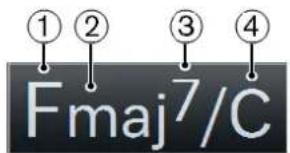
1 Root note 2 Type 3 Tension 4 Bass note
RELATED LINKS
Controlling MIDI Playback Using the Chord Track on page 533
Chord Editor
The Chord Editor allows you to define or change chord events, and to add new chord events.
- To open the Chord Editor, double-click a chord event.
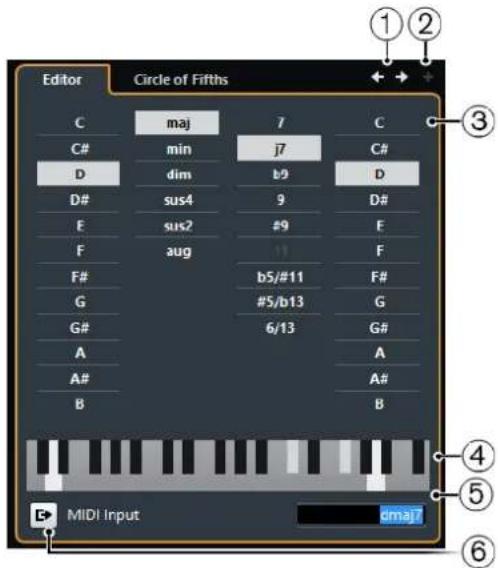
1 Go to Previous Chord/Go to Next Chord
Allow you to select the previous/next chord on the chord track for editing.
2 Add Chord
Adds a new undefined chord event on the chord track.
NOTE
This works only if the last chord event on the chord track is selected.
3 Chord definition buttons
Activate these buttons to define a root note, a chord type, a tension, and a bass note for your chord event.
NOTE
If you do not select a separate bass note, the setting is linked to the root note, so that no extra bass note is heard.
4 Keyboard display
Shows the notes of the chord event, considering the current voicing settings.
5 Define Chord by Text Input
Allows you to define a chord using the computer keyboard.
6 Activate MIDI Input
Allows you to define a chord by playing a chord on your MIDI keyboard. If the chord is recognized, it is reflected by the chord buttons and the keyboard display.
Adding Chord Events
PREREQUISITE
Add the chord track.
PROCEDURE
- Select the Draw tool and click in the chord track. An undefined chord event named X is added.
- Select the Object Selection tool and double-click the chord event.
- In the Editor, select a root note.
- Optional: Select a chord type, tension, and bass note.
- Do one of the following:
• To close the Editor, click anywhere outside the Editor. • To add a new undefined chord event, click Add Chord.
RELATED LINKS
Adding the Chord Track on page 524
Defining Chords By Text Input
In the chord Editor, you can use the text input field to define a chord with the computer keyboard.
PROCEDURE
- Double-click a chord event to open the chord Editor.
- Click in the text input field at the bottom of the Editor.
- Enter a chord by performing the following actions:
- Define a root note, for example, C, D, E.
- Define accidentals, for example, # or b.
- Define the chord type, for example maj, min, dim, sus, or aug.
- Define a chord extension, for example 7, 9, or 13.
NOTE
If you have activated Solfège in the Note Name pop-up menu in the Preferences dialog (Event Display—Chords page), you can also enter chords in this format. You must capitalize the first letter and write "Re" instead of "re", for example. Otherwise, the chord is not recognized.
- Press Tab to add a new chord and define it.
Chord Assistant
The Chord Assistant allows you to use a chord as a starting point to get suggestions for the next chord.
• To open the Chord Assistant, in the Chord Editor, click Circle of Fifths.
![graph TD A["Amin"] --> B["F"] A --> C["G"] A --> D["Dmin"] A --> E["Emin"] A --> F["Bdmin"] A --> G["Bmin"] A --> H["F#min"] A --> I["A"] A --> J["E"] A --> K["Abmin"] A --> L["C#min"] A --> M["Bbmin"] A --> N["Db"] A --> O["Gb"] A --> P["B"] A --> Q["E"] A --> R["Bb"] A --> S["Bmin"] A --> T["C#min…](/content/2026/06/1348291/images/de9667a54fbf205806597ddccbba0538d94d5a906a2be39e23e88c6d4c8d0865.jpg)
Chord Assistant - Circle of Fifths
The Circle of Fifths mode of the Chord Assistant shows the chords in an interactive visualization of the circle of fifths.
The origin chord that defines the current key is shown in the center of the Chord Assistant and is marked as tonic (I).
The outer circle shows the twelve major chords ordered in intervals of fifths.
The inner circle displays the corresponding parallel minor chords.
The roman numerals mark the chords of the current key with their scale degree. You can use these chords to create typical chord progressions or you can use the other chords for more creative results.
![graph TD A["C"] --> B["I"] C["F"] --> D["IV"] E["Dmin"] --> F["II"] G["Amin"] --> H["VI"] I["G"] --> J["V"] K["Emin"] --> L["III"] M["Bdim"] --> N["VII"] O["Emin"] --> P["D"] Q["F#min"] --> R["A"] S["A"] --> T["A"] U["A"] --> V["B"] W["Bb"] --> X["Eb"] Y["Gmin"] --> Z["Cmin"] AA["Fmin"] --> AB["Ab"]…](/content/2026/06/1348291/images/fb64885f3a845489cbc88ab86c175c2bcbc98772b21bd6fe27b86fd2f7ed6f2b.jpg)
• To play a chord and assign it to the selected chord event, click it.
The last 3 chords that you clicked are shown with a highlighted border.
- To define a new key, right-click the chord in the Chord Assistant and select Use as Origin, or use the Rotate Left/Rotate Right controls.
• To select the parallel minor chord and define it as key, click Major/Minor.
Auditioning Chord Events
To hear the chord events on the chord track, you must connect the chord track to the output of an instrument or a MIDI track.
PREREQUISITE
Add the chord track and some chord events.
PROCEDURE
- Do one of the following:
• To add an instrument track, select Project > Add Track > Instrument. • To add a MIDI track, select Project > Add Track > MIDI.
- Assign a VST instrument to your instrument or MIDI track and select a sound.
- In the chord track Inspector, activate Acoustic Feedback.
- From the Select Track for Auditioning pop-up menu, select the track that you want to use for auditioning.

RESULT
The chord events on the chord track now trigger the sound of the assigned instrument on the MIDI or instrument track.
Changing How Chord Events Are Displayed
You can change how chord events are displayed. This is useful if chord events overlap each other at low zoom levels or if you do not like the font type.
PROCEDURE
- On the chord track, activate Resolve Display Conflicts.

- In the Preferences dialog, select Event Display > Chords, and set up the chord font.
Here you can also determine the note name and naming format.
Scale Events
Scale events inform you which chord events fit in a specific sequence of notes that belong to a specific root note.
Cubase automatically creates scale events for your chord events.
• To show the scale events, activate Show Scales on the chord track.

• To audition the notes that belong to a scale event, click it.
However, you can also add and edit scale events manually.
Scale events have a specific start position. Their end is determined by the start of the next scale event.
Editing Scale Events
PREREQUISITE
Add the chord track and chord events. Deactivate Automatic Scales in the chord track Inspector.
PROCEDURE
- On the chord track, activate Show Scales.
The scale lane is displayed.
- Select the chord event.
A scale event is shown on the scale lane.
- Do one of the following:
- Click the first scale event on the chord track, and on the info line, select a Root Key and Type.

- Double-click the scale event, and in the keyboard that appears, select a Root Key and Type of the scale.

The keys that correspond to the scale are highlighted.
Voicings
Voicings determine how chord events are set up. They define the vertical spacing and order of the pitches in a chord, but also the instrumentation and genre of a musical piece.
For example, a C chord can be spread over a wide range of pitches, and a pianist will choose different notes than a guitarist. The pianist may also play completely different pitches for different musical genres.
• You can set up voicing for the entire chord track in the chord track Inspector. - You can set up voicings for individual chord events on the Voicing pop-up menu on the info line.
NOTE
If Adaptive Voicings is activated in the chord track Inspector, you can only change the voicings for the first chord event on the info line.
Setting up Voicings
To set up voicings for the entire chord track, you can use the chord track Inspector.

1 Voicing library
Allows you to select Guitar, Piano, or Basic as a voicing library.
2 Voicing library subset
NOTE
This is only available if Guitar or Piano is set as voicing library.
Allows you to select a preset voicing library subset.
3 Configure voicing parameters
Allows you to configure your own voicing parameters for a specific voicing scheme.
4 Adaptive Voicings
Activate this to let Cubase set the voicings automatically. This prevents the individual voices from jumping too much.
5 Automatic Scales
Activate this to let Cubase set the scales automatically.
6 Mapping Offset
If you enter a negative number of ticks, the chord events will affect the MIDI notes that have been triggered too early.
Configure Voicing Parameters
If you click Configure voicing parameters in the Voicings section of the Inspector, you can configure your own voicing parameters for a specific voicing scheme.
NOTE
The Start Voicing section for piano, guitar, and basic voicings lets you select a start voicing. This is only available for MIDI and instrument tracks, but not for the chord track, and only if you select Voicings in the Follow Chord Track pop-up menu.
In the Style section for Piano voicings, you can set up the following parameters:
Triads
Sets a triad. Chords with more than 3 notes are not changed.
Triads with maj9
Sets a triad with a major ninth, but without root note. Chords with more than 3 notes are not changed.
Triads with maj9 and min9
Sets a triad with a major and a minor ninth, but without root note. Chords with more than 3 notes are not changed.
4-note chords
Sets a 4-note chord without root note. Chords with less than 3 notes are not changed.
4-note chords (Open Jazz)
Sets a 4-note chord without root note and without fifth. Chords with less than 3 notes are not changed.
5-note chords
Sets a 5-note chord with a ninth. Chords with less than 4 notes are not changed.
In the Options section for Piano voicings, you can set up the following parameters:
Add Root Note
Adds a root note.
Duplicate Root
Duplicates the root note.
Fatten up
Duplicates the tenor.
In the Voicing Range section for Piano voicings, you can set up the following parameters:
Lowest Root Note
Sets the limit for the lowest root note.
Lowest Note
Sets the limit for the lowest note, except the root note.
Highest Note
Sets the limit for the highest note, except the root note.
In the Style section for Guitar voicings, you can set up the following parameters:
Triads
Sets a triad with 4, 5 or 6 voices.
4-note chords
Sets a 4-note chord with 4, 5 or 6 voices without tensions.
3-string triads
Sets a 3-string triad.
Modern Jazz
Sets 4-note, 5-note, and 6-note chords, partly without root note, but with tensions.
For Basic voicings only Octave Offset from C3 is available. This allows you to determine an offset value for the octave range.
Converting Chord Events to MIDI
You can convert chord events to MIDI for further editing or for printing a lead sheet in the Score Editor.
PROCEDURE
- Add an instrument track or a MIDI track.
• To add an instrument track, select Project > Add Track > Instrument. • To add a MIDI track, select Project > Add Track > MIDI.
- Do one of the following:
• To convert all chord events to MIDI, select Project > Chord Track > Chords to MIDI. - To convert only selected chords to MIDI, select the chord events and drag them to the MIDI or instrument track.
RESULT
A new MIDI part is created, containing the chords as MIDI events.
Assigning Chord Events to HALion Sonic SE Pads
PREREQUISITE
Create a chord progression on the chord track and add an instrument track with HALion Sonic SE as VST instrument to your project.
PROCEDURE
- On the chord track, select the chord events and drag them to the HALion Sonic SE pads. The first chord event is mapped to the pad where you dropped it and all subsequent chord events are mapped to the following pads.
- Click the corresponding pads on the HALion Sonic SE keyboard to trigger the chords.
Controlling MIDI Playback Using the Chord Track
You can use the chord track to control MIDI playback.
Using Live Transform
Live Transform allows you to transpose the MIDI input live to a chord progression on the chord track. This way, you do not have to worry about what key you hit on your MIDI keyboard as the MIDI input is transposed to match chords or scales on your chord track in real time.
PROCEDURE
- Create a MIDI or an instrument track and activate Record Enable.
- In the Inspector, open the Chords section.
- Open the Live Transform pop-up menu and do one of the following:
• To map the MIDI input to chord events, select Chords. • To map the MIDI input to scale events, select Scales.
- Hit some keys on your MIDI keyboard or on the On-Screen Keyboard.
RESULT
Any key that you hit is mapped in real time to the chord or scale events on the chord track.
Using Follow Chord Track
This allows you to match an existing recording to a chord progression on the chord track.
PROCEDURE
- Select the track that you want to match to the chord track.
- In the Inspector, click Chords.
- Open the Follow Chord Track pop-up menu and select a mode.
NOTE
If this is the first time that you open this pop-up menu for the track, the Follow Chord Track dialog opens.
- In the Follow Chord Track dialog, make your settings.
- Click OK.
RESULT
The events on your track now match the chord progression on the chord track.
NOTE
If you matched your MIDI track to the chord track, some of the original MIDI notes may be muted. To hide these notes in the editors, activate Hide Muted Notes in Editors in the Preferences dialog (Editing—Chords page).
RELATED LINKS
Follow Chord Track Dialog on page 535
Follow Chord Track Modes on page 534
Follow Chord Track Modes
This section of the Inspector allows you to determine how your track follows the chord track.

The following options are available on the Follow Chord Track pop-up menu:
Off
Follow Chord Track is deactivated.
Chords & Scales
This maintains the intervals of the original chord or scale as far as possible.
Chords
This transposes MIDI notes to match the key note and maps them to the current chord.
Scales
This transposes MIDI notes to match the current scale. This allows a bigger variety of notes and a more natural performance.
Root Notes
This transposes MIDI notes to match the root note of the chord event. The effect corresponds to using the transpose track. This option is suitable for bass tracks.
Voicings
This transposes MIDI notes to match the voices of the selected voicing library.
Single Voice
Maps MIDI notes to the notes of a single voice (soprano, tenor, bass, etc.) of the voicing. Use the pop-up menu below to select the desired voice.
NOTE
If you apply this mode to a selection of tracks that contain separate voices, you can set up one track as master and the others as voicing slaves. This way, you can change the voicing of the master, and the slaves will follow automatically.
RELATED LINKS
Assigning Voices to Notes on page 536
Follow Chord Track Dialog
This dialog opens the first time that you select an option from the Follow Chord Track pop-up menu on the Chords section of the Inspector.

Follow Directly
Activate this if your MIDI notes are already in accordance with the chord track. This is the case if you extracted your chords from the MIDI events on the track by selecting Project > Chord Track > Create Chord Symbols, for example.
Synchronize Track Data with Chord Track First
Activate Analyze Chords if the track data has nothing in common with the chord events. This analyzes the MIDI events and matches the found chords to the chord track. This is only available for MIDI.
Activate Apply a Known Chord if the track data has nothing in common with the chord events and if there are no chord changes. Specify Root Note and Chord Type of your events.
Using Map to Chord Track
This allows you to match individual parts or events to a chord progression on the chord track.
PROCEDURE
- In the Project window, select the events or parts that you want to map to the chord track.
- Select Project > Chord Track > Map to Chord Track.
- From the Mapping Mode pop-up menu, select a mapping mode.
NOTE
If you select Voicings and no voices are found, Auto mode is used instead.
- Click OK.
RESULT
The chords and scales of each event or part are analyzed and used for mapping. If no chords are found, Cubase assumes that the performance is in "C". The available mapping modes and voicings correspond to the Follow Chord Track parameters in the Chords section of the Inspector.
RELATED LINKS
Follow Chord Track Modes on page 534
Assigning Voices to Notes
You can transpose MIDI notes to match the voices of a selected voicing library.
PROCEDURE
- Select Project > Chord Track > Assign Voices to Notes.
RESULT
The note pitches now match the voicing of the chord track and you can still edit the MIDI notes. If you now select a note in the Key Editor, you see that Voice on the info line is assigned.

Extracting Chord Events from MIDI
You can extract chords from MIDI notes, parts, or tracks. This is useful if you have a MIDI file and want to show its harmonic structure, and use this file as starting point for further experimenting.
PREREQUISITE
Add the chord track and create MIDI notes that can be interpreted as chords. Drums, monophonic bass, or lead tracks are not suitable.
PROCEDURE
- In the Project window, select a part or one or several MIDI tracks.
You can also select the MIDI tracks, parts, or notes that you want to extract in the Key Editor, Score Editor, or In-Place Editor.
- Select Project > Chord Track > Create Chord Symbols.
- Make your settings and click OK.
RESULT
The chord events are added on the chord track.
RELATED LINKS
Create Chord Symbols Dialog on page 537
Create Chord Symbols Dialog
This dialog allows you to determine which MIDI data should be taken into account when extracting chord events from MIDI.
Include Bass Notes
Activate this if you want your chord events to contain a bass note.
Include Tensions
Activate this if you want your chord events to contain tensions.
Detect Arpeggios
Activate this if you want your chord events to contain arpeggiated chords, that is, chords whose notes are played one after another instead of all at once.
Interpret Sustain Pedal
Activate this if you want your chord events to contain sustain pedal chords, that is, notes that are played while the sustain pedal is held.
Ignore Notes Shorter Than
Allows you to determine the minimum length of the MIDI events that are taken into account.
Recording Chord Events with a MIDI Keyboard
You can use a MIDI keyboard to record chord events on the chord track.
PREREQUISITE
Your project contains an instrument track with Record Enable or Monitor activated.
PROCEDURE
- On the chord track, activate Record Enable.
- On the Transport Panel, activate Record.
- Play some chords on your MIDI keyboard.
RESULT
All recognized chords are recorded as chord events on the chord track.
NOTE
The chord track uses its own voicing settings. The recorded chord events may therefore sound different.
RELATED LINKS
Creating Events from Chord Pads on page 554
Chord Pads
Chord pads allow you to play with chords, and to change their voicings and tensions. In terms of harmonies and rhythms, they allow for a more playful and spontaneous approach to composition than the chord track functions.
You can:
• Perform with chords in real time via a MIDI keyboard. - Record your performance as MIDI events on a MIDI or instrument track or even on the chord track.
NOTE
We assume that you have a MIDI keyboard connected and set up.
RELATED LINKS
Voicings on page 530
Chord Pads
The chord pads in the lower zone of the Project window hold all functions that you need to work with chord pads.
To open the chord pads, select Project > Chord Pads.
NOTE
You can also select a MIDI or instrument track, and in the Inspector, open the Chords section and activate Show/Hide Chord Pads Zone.
The chord pads hold the following controls:

1 Current Player
Shows the current player and opens a menu where you can select another player.
2 Current Mode
Shows the current player mode and opens a menu where you can select another player mode.
3 Chord Pad
Each chord pad can contain a chord symbol. To change it, click the Open Editor control on the left edge of the chord pad.
4 Keyboard
Shows which keys are played when you trigger a chord pad. To zoom the keyboard, click a key and drag up or down. To scroll the keyboard, click and drag to the left or to the right.
5 Pads Remote Range
The keys highlighted in blue on the keyboard correspond to the keys on your MIDI keyboard that trigger the chord pads. You can define the remote range on the Remote Control page of the chord pad Settings.
6 Remote Range for Voicings/Tensions/Transpose
The keys highlighted in green on the keyboard display correspond to the keys on your MIDI keyboard that change the voicings, tensions, and transpose settings of the pads. You can activate and define these remote keys on the Remote Control page of the chord pad Settings.
7 Activate/Deactivate Remote Control for Chord Pads
Allows you to activate/deactivate the chord pads. If you deactivate remote control for chord pads, your MIDI keyboard no longer triggers the pads.
8 Functions Menu
Opens a menu with specific functions and settings for the chord pads.
9 Chord Pads Presets
Allows you to save and load presets for chord pads and players.
10 Show/Hide Chord Assistant
Shows/Hides the Chord Assistant window that shows suggestions of chords that match the chord that you specified as the origin chord.
11 Show/Hide Settings
Shows/Hides the chord settings, where you can configure different players, the pad layout, and the remote assignment.
RELATED LINKS
Chord Pad Settings - Remote Control on page 547
Players and Voicings on page 551
Opening Chord Pads on page 44
Chord Pad Controls
The chord pad controls allow you to edit the chord pads.
- To show the chord pad controls, move the mouse over a chord pad.

1 Open Editor
Opens the chord editor that allows you to select a chord for the chord pad.
2 Voicing Indicators
Shows the voicing used for the chord. Voicing indicators can only be displayed if the horizontal zoom level for the chord pads is high enough.
3 Adaptive Voicing Reference/Use X as Origin for Chord Assistant
When the active chord pad is set as adaptive voicing reference, its borders are shown in yellow. All other chord pads will follow its voicing and are set in a way that they do not get too far away from the reference.
If the chord pad is set as origin for the Chord Assistant window, its borders are shown in blue. This chord pad is used as a basis for the suggestions in the Chord Assistant window.
4 Assigned Chord
Shows the chord symbol that is assigned to the chord pad. Each chord pad can contain one chord symbol. If the name of the assigned chord is too long to display it on the chord pad, it is underlined, and the full chord name is shown in a tooltip.
5 AV (Adaptive Voicing)/L (Lock)
All chord pads follow the adaptive voicing. This is indicated by an AV symbol. If you change the voicing for a pad manually, however, adaptive voicing is deactivated.
An L symbol indicates that the chord pad is locked for editing.
6 Voicing
Allows you to set another voicing for the chord pad.
7 Tensions
Allows you to add/remove tensions for the chord.
Chord Pad Context Menu
- Use X as Origin for Chord Assistant
Sets the chord of the current pad as an origin chord for the chord assistant.
- Assign Pad from MIDI Input
Allows you to assign a chord by pressing keys on your MIDI keyboard.
- Lock
Allows you to lock a chord pad for editing.
- Adaptive Voicing
All chord pads follow the adaptive voicing. This is indicated by a check mark. If you change the voicing for a pad manually, adaptive voicing is deactivated.
- Adaptive Voicings Reference
Sets the current pad as adaptive voicing reference. If set, the automatic voicings for the following pads will be set in a way that they do not get too far away from the reference voicing. Only one pad can be set as adaptive voicing reference.
- Unassign Pad
Removes the chord assignment from the current pad.
Functions Menu

• Show Voicing Indicators
Allows you to activate/deactivate the voicing indicators that can be displayed at the bottom of each chord pad.
- Assign Pads from Chord Track
Assigns the chord events from the chord track to the chord pads in the same order as they appear on the chord track. Chord events that have more than one occurrence are only assigned once.
- Snap Playback to Musical Grid
Allows you to delay the playback of a triggered chord pad to the next defined musical position. This is useful if you work with an arpeggiator or with the Pattern Player.
- Transpose All Pads
Transposes all chord pads by a defined transpose value.
- Lock All Pads
Locks all chord pads for editing.
- Unlock All Pads
Unlocks all chord pads.
- Unassign All Pads
Removes the chord assignment from all pads.
Preparations
Before you can start working with the chord pads, you must add a MIDI or an instrument track with an instrument loaded, and open the chord pads.
PREREQUISITE
You have installed and set up a MIDI keyboard.
PROCEDURE
- Select Project > Add Track > Instrument.
- In the Add Instrument Track dialog, select an instrument, and click Add Track.
- On the instrument track, click Record Enable.
- Select Project > Chord Pads to open the Chord Pads.
RESULT
You can now click the chord pads or press some of the assigned keys on your MIDI keyboard to trigger the preassigned chords.
Chord Assistant
The Chord Assistant allows you to use a chord as a starting point for suggestions for the next chord. It assists you in finding the right chords for creating a chord progression for your song.
- Click Show/Hide Chord Assistant on the left side of the chord pads area to open the Chord Assistant.
![graph TD A["Chord Assistant - Circle of Fifths"] --> B["Chord Assistant"] B --> C1["C"] B --> C2["Amin"] B --> C3["Emin"] B --> C4["G"] B --> C5["Dmin"] B --> C6["F"] B --> C7["Gmin"] B --> C8["Bb"] B --> C9["Eb"] B --> C10["Cmin"] B --> C11["Fmin"] B --> C12["Ab"] B --> C13["Db"] B --> C14["Dbmin"]…](/content/2026/06/1348291/images/99399184562720daf18fb8088c4a2f09aa257627496025733b17f219c748f47f.jpg)
You must define an origin chord as follows:
- Right-click the chord pad with the chord you want to use as origin and select Use X as Origin for Chord Assistant.
The Chord Assistant window shows suggestions for follow-on chords that you can assign to the chord pads.
Chord Assistant - Circle of Fifths Mode
The Chord Assistant window shows the chords in an interactive visualization of the circle of fifths.
The origin chord that defines the current key is shown in the center of the Chord Assistant window. The tonic (I) of that key is displayed above the center. The outer circle shows the twelve major chords ordered in intervals of fifths.
The inner circle displays the corresponding parallel minor chords.
The roman numerals mark the chords of the current key with their scale degree. You can use these chords to create typical chord progressions. However, you can also use the other chords for more creative results.
![graph TD C["Center Node"] --> Amin["Amin"] C --> Bmin["Bmin"] C --> Cmin["Cmin"] C --> Ebmin["Ebmin"] C --> Dbmin["Db"] C --> Gb["Gb"] C --> Fb["Fb"] C --> Gb2["Gb"] C --> Ebmin2[" Ebmin "] C --> Abmin[" Abmin "] C --> Cmin2[" Cmin "] C --> Bmin2["Bmin"] C --> Bb2["Bb"] C --> Ebmin3[" Ebmin "] C -->…](/content/2026/06/1348291/images/67fff0b61a35d6cb710f7cbcf2af48a902c9ea806f06f5aee61fee6bd54db3bd.jpg)
• To play a chord, click it. The last 3 chords that you clicked are shown with a highlighted border. - To assign a chord to the next unassigned chord pad, right-click the suggested chord and select Assign to Pad. You can also drag the suggested chord and drop it on a chord pad. - To assign a suggestion to the next unassigned chord pad and use this chord as origin, right-click the chord and select Assign to Pad and Use as Origin.
NOTE
The Circle of Fifths is also available in the Chord Assistant window for the chord track.
Assigning Chords to Chord Pads
Some chords are preassigned to the chord pads. But you can also assign your own chords.
To assign chords to chord pads, you can use:
• The chord Editor window • The Chord Assistant - Circle of Fifths window - Your MIDI keyboard • The chord events from the chord track
Unassigning Chord Pads
You can clear all chord pads to start from scratch.
PROCEDURE
• To the left of the chord pads, open the Functions Menu and select Unassign All Pads.
Assigning Chords with the Chord Editor
If you know exactly which chord you want to assign to a specific chord pad, you can use the chord editor.
PROCEDURE
- Move the mouse pointer to the left edge of the chord pad, and click Open Editor.
- In the chord Editor window, use the chord definition buttons to define a root note, a chord type, a tension, and a bass note. The new chord is triggered automatically to give an acoustic feedback.
Assigning Chords with the Chord Assistant - Circle of Fifths Mode
If you have a chord that you want to use as a starting point for a chord progression, but you do not know how to create such a progression, you can use the Chord Assistant - Circle of Fifths window.
PROCEDURE
- Right-click the chord pad that you want to use as a starting point and activate Use X as Origin for Chord Assistant.
![graph TD A["C"] --> B["Amin"] A --> C["Gmin"] A --> D["Dmin"] A --> E["Emin"] A --> F["Fmin"] A --> G["Bb"] A --> H["Bmin"] A --> I["Dmin"] A --> J["Emin"] A --> K["Fmin"] A --> L["Bbmin"] A --> M["Abmin"] A --> N["Db"] A --> O["Gb"] A --> P["Bmin"] A --> Q["C#min"] A --> R["C#min"] A --> S["F#min"]…](/content/2026/06/1348291/images/0905ce7545d95b025e01d0c3969980f12e0ed85c8abca492fa536cac0b9f60c9.jpg)
The Chord Assistant window opens, and the borders of the chord pad change their color to indicate that the assigned chord is now used as origin.
The origin chord is displayed in the center, and the chords that belong to the scale are shown above it. The numerals indicate the scale degree of the chords. These help you to create chord progressions.
- In the Chord Assistant window, click the chord symbols to trigger the corresponding chords.
- To assign a chord, drag it from the Chord Assistant window and drop it on the chord pad.
NOTE
If one of the next chord pads is free, you can also right-click the chord in the Chord Assistant window and select Assign to Pad. This assigns the chord to the next free pad.
Assigning Chords with the MIDI Keyboard
If you know which chord you want to assign to a specific chord pad, you can use a MIDI keyboard.
PREREQUISITE
You have selected a MIDI track or an instrument track.
PROCEDURE
- Right-click the chord pad that you want to use for the new chord, and select Assign Pad from MIDI Input.
The borders of the chord pad change their color to indicate that it is now ready for recording.
- On your MIDI keyboard, press the keys for the chord that you want to assign.
The chord and its voicing is assigned to the chord pad, and you hear an acoustic feedback of the chord.
NOTE
The assigned voicing can be changed by the Adaptive Voicing setting. Therefore, if you want to keep the voicing for that specific pad, right-click the chord pad and select Lock from the context menu.
RELATED LINKS
Adaptive Voicing on page 551
Assigning Chords from the Chord Track
You can assign the chord events from the chord track to the chord pads.
PROCEDURE
- To the left of the chord pads, click the Functions Menu button, and select Assign Pads from Chord Track.
If chords are already assigned to the chord pads, a warning message informs you that all previous assignments will be overwritten.
RESULT
The chord events are assigned to the chord pads in the same order as they appear on the chord track.
NOTE
Chord events that have more than one occurrence on the chord track are only assigned once.
Moving and Copying Chord Pads
You can swap the chord assignments between 2 pads or copy a specific chord and its settings from one pad to another.
- To swap the chord pad assignment between 2 pads, click a chord pad and drag it to another chord pad.
While you drag, the border of the destination chord pad changes its color. When you drop the pad on another, the chord assignments are swapped.
- To copy the chord assignment of one chord pad to another pad, Alt-click a chord pad and drag it to another chord pad. While you drag, the border of the destination chord pad changes its color. When you drop the pad on another, the first pad's assignment is copied to the destination chord pad.
NOTE
When you move or copy chord pads, the chord is moved or copied together with its settings, except for the Adaptive Voicings Reference.
Playing Back and Recording Chords
Playing Back Chord Pads with your MIDI Keyboard
PREREQUISITE
You have connected and set up a MIDI keyboard.
PROCEDURE
- Select Project > Add Track > Instrument.
- In the Add Instrument Track dialog, select a VST instrument.
- Click Add Track. An instrument track with the selected VST instrument is added to your project.
- On the instrument track, click Record Enable.
- Select Project > Chord Pads to open the Chord Pads at the bottom of the Project window.
- Press some keys on your MIDI keyboard to trigger the chords that are preassigned to the chord pads.
RELATED LINKS
Chord Pad Settings – Remote Control on page 547
Changing the Pads Remote Range on page 550
Recording Chords on MIDI or Instrument Tracks
You can record the chords that are triggered through the chord pads on MIDI or instrument tracks. This way, you can play back and edit your performance at any time.
PREREQUISITE
You have connected and set up a MIDI keyboard, you have opened and set up the chord pads, and you have added an instrument or a MIDI track for which a VST instrument is loaded to your project.
PROCEDURE
- On the instrument track, click Record Enable.
- On the Transport panel, activate Record.
- On your MIDI keyboard, press the keys that trigger the chord pads.
NOTE
Use the keys that are not assigned to play and record other chords.
RESULT
The triggered chords are recorded on the track. The note events are automatically assigned to different MIDI channels according to their pitches. Note events that correspond to the soprano voice are assigned to MIDI channel 1, alto is assigned to MIDI channel 2, and so on.
AFTER COMPLETING THIS TASK
You can now open the Key Editor and fine-tune your recorded MIDI parts using the chord editing functions, for example. You can also use MIDI > Dissolve Part to dissolve the recorded chords by pitches/channels.
Recording Chords on the Chord Track
You can record the triggered chords on the chord track. This way, you can easily create chord events for a lead sheet, for example.
PREREQUISITE
You have connected and set up a MIDI keyboard, you have opened and set up the chord pads, and you have added an instrument or a MIDI track for which a VST instrument is loaded.
PROCEDURE
- On the instrument track, enable Monitor.
- Select Project > Add Track > Chord to add the chord track.
- In the Inspector for the chord track, click Record Enable.
- On the Transport panel, activate Record.
- On your MIDI keyboard, press the keys that trigger the chord pads.
NOTE
Use the keys that are not assigned to play and record other chords.
RESULT
The chord events are recorded on the chord track.
NOTE
The recorded chord events may sound different from the chord pad playback. This is because the voicing settings for the chord track differ from the chord pad voicings.
RELATED LINKS
Chord Functions on page 524
Voicings on page 530
Chord Pad Settings – Remote Control
On the Remote Control tab in the chord pad Settings, you can change the remote key assignments.
- To the left of the chord pads, click Show/Hide Settings and activate the Remote Control tab.

1 Show/Hide Settings
Opens the settings for the chord pads.
2 Pads Remote Range
The keys that are assigned as remote keys for the chord pads are highlighted in blue.
3 Voicings/Tensions/Transpose
The keys that are assigned as remote keys for voicings, tensions, and transpose control are highlighted in green.
RELATED LINKS
Pads Remote Range on page 548
Pads Remote Range
The pads remote range is the range of remote keys that trigger the chords that are assigned to the chord pads.
- Select Remote Control to open the settings for the pads remote range.

1 Pads Remote Range
Allows you to set the start and end note for the remote range.
By default, Range Start is set to C1 and Range End to B1. This is indicated by the corresponding keys on the keyboard in the chord pads being highlighted in blue. You can trigger the chords that are assigned to the chord pads by hitting the keys that correspond to this note range on your MIDI keyboard.
2 Voicings/Tension/Transpose
Allows you to assign remote keys for changing the voicings, tension, and transposition settings of the last played chord pad. You can also assign continuous controllers to change all chord pads simultaneously.
The remote keys for voicings, tensions, and transpose are highlighted in green.
3 MIDI Learn
Activates/Deactivates the MIDI learn function to assign MIDI input to the pads remote range, and to the parameters for changing voicings, tensions, and transpose.
4 Activate
Activates/Deactivates the remote key assignment for the parameters voicings, tensions, and transpose. If this option is deactivated, only the remote key assignment for the pads remote range is active.
5 Latch Chords
Activate this if you want the chord pad to play back until it is triggered again.
Default Remote Assignment
Default Remote Assignment for Pad Control
By default, the MIDI events C1 to B1 trigger the chords that are assigned to the chord pads. All keys that are not assigned for remote control can be used for regular playback.
You can change the voicing, tension, or transposition of the triggered chord by enabling Activate in the lower part of the Remote Control tab and using the following default remote notes:
| Action Description Remote Note | ||
| Voicings: Previous Plays back the previous voicing of the last played chord. | C2 | |
| Voicings: Next Plays back the next voicing of the last played chord. | C#2 | |
| Voicings for all chord pads The wheel position determines the voicings for the next played chords of all chord pads. | CC 1 Modulation wheel | |
| Tensions: Less Plays back the last played chord with fewer tensions. | D2 | |
| Tensions: More Plays back the last played chord with more tensions. | D#2 | |
| Tensions for all chord pads Allows you to determine the tension level for the next played chord of all chord pads. | CC 16 | |
| Transpose: Down Plays back the last played chord and transposes it downwards. | E2 | |
| Transpose: Up Plays back the last played chord and transposes it upwards. | F2 | |
| Transpose all chord pads The wheel position determines the transposition value for the next played chords of all chord pads. Moving the wheel all the way up or all the way down corresponds to +/-5 semitones. | Pitchbend wheel | |
Remote assignments are saved globally.
NOTE
If you use the remote keys for voicings, tensions, or transposition after releasing the remote key for the chord pad, the next played chord is affected.
Changing the Pads Remote Range
You can widen the pads remote range to access more chord pads. If you want to use a wider key range on your MIDI keyboard for regular playing, you can narrow the pads remote range.
PROCEDURE
- Select Show/Hide Settings > Remote Control to open the remote control assignments.
- Do one of the following:
- Click MIDI Learn so that the button lights up, and on your MIDI keyboard, press the 2 keys that you want to assign as range start and range end. • Enter a new value in the Range Start and Range End fields.
RESULT
On the keyboard, the indication for pads remote range is changed.
Chord Pad Settings – Players
On the Players tab in the chord pad Settings, you can change the voicing that is used for the chord pads. You can select different players with specific voicing settings that are typical for that kind of player. By default, the Piano Player option is active. By selecting Plain Chords or Pattern, you can determine how the notes of a chord are played.
• To the left of the chord pads, click Show/Hide Settings and activate the Players tab.
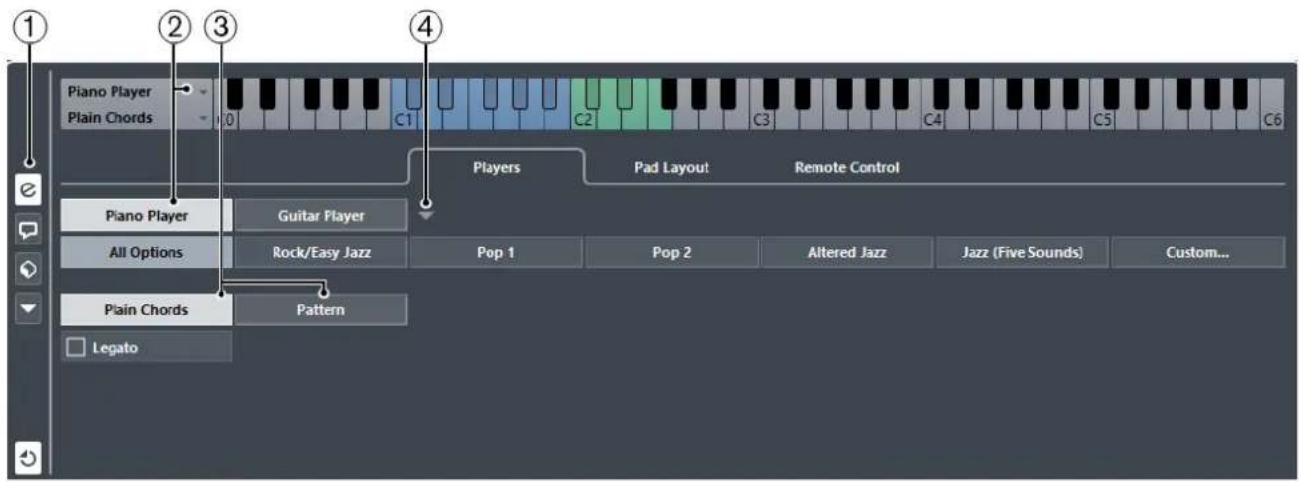
1 Show/Hide Settings
Opens the settings for the chord pads.
2 Player Selection
Selects the player, and uses its voicing for the chord pads.
3 Plain Chords/Pattern
- Select Plain Chords to trigger all notes of a chord simultaneously.
- Select Pattern to break up the chords into their individual notes.
4 Manage Players
Opens a menu where you can select the player that you want to add. From here, you can also rename or remove the current player.
RELATED LINKS
Players and Voicings on page 551
Voicings on page 530
Chord Pad Settings – Players on page 550
Players and Voicings
Different types of instruments and styles have different voicing libraries. These determine how the chords are played back, and which pitches are played. These voicings are referred to as players.
RELATED LINKS
Voicings on page 530
Adaptive Voicing
In Cubase, the adaptive voicing setting ensures that pitches in chord progressions do not change abruptly.
Adaptive voicing is activated and the voicings of the chord pads are determined automatically according to specific voice leading rules.

If you want to set the voicing of a specific chord pad manually, and do not want it changed automatically, you can use the voicing control to the right of a chord pad. When you assign your own voicing, adaptive voicing is deactivated for that chord pad, so that the pad does no longer follow the voice leading rules of the voicing reference. To activate adaptive voicing again, right-click the chord pad and activate Adaptive Voicing.
To lock the voicing for a chord pad, you can right-click the pad and activate Lock. This locks this pad for editing and remote control changes, and deactivates Adaptive Voicing. To unlock the chord pad again, right-click the pad and deactivate Lock.
Pattern Player
The pattern player allows you to break up the triggered chord to individual notes that are played back one after another (arpeggio).
Using the Pattern Player
The pattern player plays the notes that make up the chord one after another (arpeggio).
PROCEDURE
- Select Show/Hide Settings > Players > Pattern.

- Perform one of the following actions:
- Click Import MIDI Loop to select a MIDI loop that you want to use as a pattern. • Drag a MIDI part from the event display to the Drop MIDI Part field.
NOTE
The loop or part must have between 3 and 5 voices. In the MediaBay, the number of voices is indicated in the Voices column of the result list.
The loop or part is taken as a reference and defines how the chord is played. The Drop MIDI Part field displays the name of the selected loop or part.
- In the Velocity from: field, select a velocity source for the notes.
- Activate MIDI Keyboard to determine the velocity values by pressing the keys on your MIDI keyboard harder or softer.
- Activate Pattern to use the velocity values from the MIDI loop or the MIDI part that is selected as a pattern.
AFTER COMPLETING THIS TASK
If you have a pattern that you want to use in other projects, you can save it using the presets section in the pattern player.
RELATED LINKS
Assigning Voices to Notes on page 536
Setting Up the Results List Columns on page 374
Using Different Players on Multiple Tracks
You can set up different players with different sounds on different tracks. If you record-enable these tracks and play the chord pads, each track uses a dedicated player.
PROCEDURE
- Select Project > Add Track > Instrument.
- In the Add Instrument Track dialog, enter the number of tracks in the Count field, and select a VST instrument.
- Click Add Track. The instrument tracks are added to your project.
- Select Project > Chord Pads to open the chord pads.
- To the left of the chord pads, activate Show/Hide Settings and click Players.
- Select the first instrument track, select a sound on the VST instrument, and in the chord pads, select a player. For example, select a piano sound and assign a Piano Player.
NOTE
When setting up the player for a track, make sure that Record Enable or Monitor is only active for this particular track.
- Select the second instrument track, choose a sound on the VST instrument, and set up another player.
For example, select a guitar sound and assign a Guitar Player.
- Select the next instrument track, and proceed as for the other two tracks.
For example, select a string sound and assign a Basic Player.
- Select all instrument tracks, and click Record Enable.
RESULT
You can now play the chord pads and use the remote control parameters for tensions and transpose to change all chord symbols for each player simultaneously. However, if you change the Voicing, only the selected player is affected.
Chord Pad Settings – Pad Layout
The Pad Layout tab in the chord pad Settings allows you to change the layout that is used for the chord pads. By default, the keyboard layout is active, but you can change to a grid layout if you prefer that. After changing the pad layout you may need to adjust the remote setup.
• To the left of the chord pads, click Show/Hide Settings and activate the Pad Layout tab.

1 Show/Hide Settings
Opens the settings for the chord pads.
2 Keyboard
Activate this to show the chord pads in a keyboard layout. You can display 1 or 2 octaves, and you can select if the first chord pad starts with C, A or E.
3 Grid
Activate this to show the chord pads in a grid layout. You can display up to 4 rows and 16 columns.
4 Layout display
Shows how the active chord pad layout is displayed.
Chord Pads Presets
Chord pads presets are templates that can be applied to newly created or to existing chord pads.
Chord pads presets contain the chords that are assigned to the chord pads, as well as the player configurations including any pattern data that you have imported via the MediaBay or by using drag & drop. The chord pads presets allow you to quickly load chords, or reuse player settings. The chord pads presets menu is located to the left of the chord pads. Chord pads presets are organized in the MediaBay, and you can categorize them with attributes.
- To save/load a chord pads preset, select Chord Pads Presets > Save/Load Chord Pads Preset.
You can also load only the assigned chords from a chord pads preset, without loading the player configurations. This is useful if you want to use specific chords that you have saved as a preset, but do not want to alter your current player setting.
- To load only the chords of a chord pads preset, select Chord Pads Presets > Load Chords from Preset.
In the same way, you can also load only the player configurations of a chord pads preset. This is useful if you have saved very complex player settings and want to reuse them on other chord pads without changing the assigned chords.
- To load only the player settings of a chord pads preset, select Chord Pads Presets > Load Players from Preset.
Saving Chord Pads Presets
If you have set up the chord pads, you can save them as chord pads presets.
PROCEDURE
- To the left of the chord pads, select Chord Pads Preset > Save Chord Pads Preset.
- In the New Preset section, enter a name for the new preset.
NOTE
You can also define attributes for the preset.
- Click OK to save the preset and exit the dialog.
Creating Events from Chord Pads
You can use the chords assigned to the chord pads to create chord events or MIDI parts in the Project window.
• To create a chord event, drag a chord pad and drop it on the chord track.
- To create a MIDI part with the length of one bar, drag a chord pad and drop it on a MIDI or instrument track.
RELATED LINKS
Recording Chord Events with a MIDI Keyboard on page 537
Editing Tempo and Time Signature
Project Tempo Modes
For every project you can set a tempo mode, depending on whether your music has a fixed tempo or if it changes throughout the project.
On the Transport panel, you can set the following tempo modes:
• Fixed Tempo Mode
If you want to work with one fixed tempo that does not change throughout the project, deactivate Activate Tempo Track on the Transport panel. You can change the tempo value to set a fixed rehearsal tempo.

- Tempo Track Mode
If the tempo of your music contains tempo changes, activate Activate Tempo Track on the Transport panel. You can change the tempo value to change the tempo at the cursor. If your project does not contain any tempo changes, the tempo is changed at the project start.
RELATED LINKS
Setting up Projects for Tempo Changes on page 557
Tempo Track Editor
The Tempo Track Editor provides an overview of the project tempo settings. It allows you to add and edit tempo events.
• To open the Tempo Track Editor, select Project > Tempo Track, or press Ctrl/Cmd-T.

The Tempo Track Editor is divided into several sections:
1 Tempo scale
Shows the tempo scale in BPM.
2 Toolbar
Contains tools for selecting, adding, and changing tempo and time signature events.
3 Info line
Shows information about the selected tempo or time signature event.
4 Ruler
Shows the timeline and the display format of the project.
5 Time signature display
Shows the time signature events in the project.
6 Tempo curve display
If your project is set to a fixed tempo, only one tempo event and a fixed tempo is shown. If your project is set to tempo track mode, the curve display shows the tempo curve with the tempo events in the project.
Toolbar
The toolbar contains tools for selecting, adding, and changing tempo and time signature events.
The following tools are available:
Activate Tempo Track

Switches the project tempo between fixed tempo mode and tempo track mode.
Show/Hide Info

Opens/Closes the info line.
Tools

Contains tools to select, erase, zoom, and draw.
Auto-Scroll

Allows the tempo event display to scroll during playback, keeping the project cursor visible in the editor.
Snap

Allows you to restrict horizontal movement and positioning of tempo events to certain positions. Time signature events always snap to the beginning of bars.
Type of New Tempo Points

Allows you to select the type of new tempo points. Select Ramp if you want new tempo points to change gradually from the previous curve point to the new one. Select Jump if you want new tempo points to change instantly. Select Automatic if new tempo points should have the same type as the previous curve point.
Current Tempo

In fixed tempo mode, this allows you to change the current tempo.
Setting up Tempo Changes for Projects
If the tempo track is activated, you can set up tempo changes for your project.
NOTE
If you work in tempo track mode, make sure that the display format in the Project window ruler is set to Bars+Beats. Otherwise, you may get confusing results.
If you activate Activate Tempo Track in the Transport panel, the tempo track curve is displayed in the tempo curve display.
You can adjust the tempo value as follows:
• By adding tempo events in the Tempo Track Editor.
RELATED LINKS
Setting up Projects for Tempo Changes on page 557
Setting up Projects for Tempo Changes
When you create a new project, the project tempo is automatically set to fixed tempo mode. If your music contains tempo changes, you must set your project to tempo track mode.
PROCEDURE
- To set your project to tempo track mode, do one of the following:
- On the Transport panel, activate Activate Tempo Track.
- Select Project > Tempo Track and activate Activate Tempo Track.
RESULT
The project tempo is now set up to follow the tempo track.
RELATED LINKS
Tempo Track Editor on page 555
Setting up a Tempo Track by Adding Tempo Changes
PROCEDURE
- Select Project > Tempo Track to open the Tempo Track Editor.
- Open the Type of New Tempo Points pop-up menu and select an option.
- Do one of the following:
- On the toolbar, select the Object Selection tool and click the tempo curve.
- On the toolbar, select the Draw tool, and click and drag in the tempo curve display.
NOTE
If Snap is activated, this determines at which time positions you can insert tempo curve points.
RESULT
The tempo event is added to the tempo curve.
Editing Tempo Events
In the Tempo Track Editor, you can edit selected tempo events.
Use the following methods:
- With the Object Selection tool, click and drag horizontally and/or vertically.
- On the Info Line, adjust the tempo value in the Value field.
NOTE
When editing tempo events on tempo curves, make sure that the display format in the Project window ruler is set to Bars+Beats. Otherwise, you may get confusing results.
Use the following methods to remove tempo events:
• With the Erase tool, click the tempo event. - Select the tempo event and press Backspace.
NOTE
You cannot remove the first tempo event.
Use the following method to change the tempo curve type:
- On the Info Line, adjust the tempo curve type in the Type field.
Setting up a Fixed Project Tempo
If your music does not contain tempo changes, and the tempo track is deactivated, you can set up a fixed tempo for your project.
When the tempo track is deactivated, the tempo track curve is grayed out. The fixed tempo is displayed as a horizontal line in the tempo curve display.
If you know the tempo of your music, you can adjust the tempo value in the following areas:
• Tempo field on the Transport panel • Current Tempo field on the Tempo Track Editor toolbar
If you do not know the tempo of your music, use one of the following tools to calculate and set it:
- Beat Calculator • Set Project Tempo from Loop
RELATED LINKS
Setting the Project Tempo from a Recording on page 559
Setting the Project Tempo from an Audio Loop on page 560
Setting the Project Tempo from a Recording
You can calculate the tempo of freely recorded audio or MIDI material with the Beat Calculator and set it as the project tempo.
PREREQUISITE
The tempo mode is set to Fixed.
PROCEDURE
- On the Project window toolbar, select the Range Selection tool.
- In the event display, make a selection that covers an exact number of beats of the recording.
- Select Project > Beat Calculator.
- In the Beats value field, enter the number of beats that the selection encompasses. The calculated tempo is shown in the BPM field.
- In the Insert Tempo into Tempo Track section, click At Tempo Track Start.
RESULT
The project tempo is set to the tempo calculated from your recording.
RELATED LINKS
Beat Calculator on page 560
Setting the Project Tempo by Tapping
You can set the tempo of freely recorded audio or MIDI material by tapping.
PREREQUISITE
The tempo mode is set to Fixed.
PROCEDURE
- Activate playback.
- Select Project > Beat Calculator.
- Click Tap Tempo.
The Tap Tempo window opens.

- Use Space to tap the tempo of the recording that is played back. In the BPM field, the calculated tempo is updated each time you tap.
- Click OK to close the window.
The tapped tempo is shown in the BPM field of the Beat Calculator.
- Click one of the buttons in the Insert Tempo into Tempo Track section to insert the calculated tempo into the tempo track.
RESULT
The project tempo is set to the tapped tempo.
RELATED LINKS
Setting up a Fixed Project Tempo on page 558
Setting the Project Tempo from an Audio Loop
You can set the project tempo from the tempo of an audio loop.
PREREQUISITE
Your project contains an audio loop that is not in Musical Mode.
PROCEDURE
- In the Project window ruler, set the left locator to the beginning of the audio loop.
- Set the right locator to the end of the last bar.
This does not need to match the end of the audio loop, but its number of bars.
- Select the audio loop.
- Select Audio > Advanced > Set Tempo from Event.
You are asked if you want to set the global project tempo.
- Perform one of the following actions:
- Click Yes to adjust the project tempo globally.
- Click No to adjust the project tempo only in the section of the audio event.
RESULT
The project tempo is set to the tempo calculated for the audio loop.
Beat Calculator
The Beat Calculator is a tool for calculating the tempo of freely recorded audio or MIDI material. It also allows you to set the tempo by tapping.
![graph TD A["1 Beats"] --> B["2 BPM"] B --> C["Tap Tempo..."] D["4 Insert Tempo into Tempo Track"] --> E["5 At Tempo Track Start"] D --> F["6 At Selection Start"] G["Refresh"] --> H["Next Step 4"]](/content/2026/06/1348291/images/ef470482c4d13df2e76fe9cb7b87f34015dddda303d9d6c4a038849a7409f04b.jpg)
- To open the Beat Calculator for an audio or MIDI recording, select Project > Beat Calculator.
1 Beats
Allows you to enter the number of beats for the selected section of your recording.
2 BPM
Shows the tempo calculated for the selection.
3 Tap Tempo
Opens a window where you can specify a tempo by tapping.
4 Insert Tempo into Tempo Track at Tempo Track Start
If your project is in tempo track mode, the calculated tempo is set as the first tempo curve point. If your project is in fixed tempo mode, the calculated tempo is set for the entire project.
5 Insert Tempo into Tempo Track at Selection Start
If your project is in tempo track mode, the calculated tempo is set as a new tempo event at the start of the selection.
6 Refresh
Allows you to recalculate the tempo. This is useful if you adjust the selection, for example.
Set Definition From Tempo
The Set Definition from Tempo dialog allows you to set up freely recorded audio material to follow a specific tempo.

- To open the Set Definition from Tempo dialog for an audio recording, select Audio > Advanced > Set Definition from Tempo.
Save Definition in Project Only
Allows you to save the tempo information in the project file only.
Write Definition to Audio Files
Allows you to write the tempo information to the selected audio files. This is useful if you want to use them in other projects together with the tempo information.
Adjusting the Audio Tempo to the Project Tempo
You can adjust the tempo of freely recorded audio material to the project tempo.
PROCEDURE
- Select the audio events that you want to adjust to the project tempo.
- Select Audio > Advanced > Set Definition from Tempo.
- Optional: Adjust the settings.
- Click OK.
RESULT
The tempo information is copied to the audio and the tracks are set to musical time base. This is achieved by applying warping to the events. Musical Mode is activated for the audio events. The audio tracks now follow any tempo changes in the project.
Time Signature Events
You can set up one or more time signatures for a project.
You can set up the first time signature event of your project on the Transport panel. You can add further time signature events in the Tempo Track Editor.
RELATED LINKS
Toolbar on page 28
Transport on page 35
Adding Time Signature Events in the Tempo Track Editor
PROCEDURE
- Select Project > Tempo Track to open the Tempo Track Editor.
- Select Draw on the toolbar, and in the ruler, click at the time position where you want to insert the time signature event.
- Edit the numerator and the denominator to change the value of the time signature event.
NOTE
You can also select the time signature event and edit the time signature value on the info line.
RESULT
The time signature event is added at the specified time position. The timeline and the event displays for the Project window and the editors reflect the changes.
Export Audio Mixdown
The Export Audio Mixdown function allows you to mix down and export all audio that is contained between the left and right locators of a project.
To open the Export Audio Mixdown dialog, select File > Export > Audio Mixdown.

The Export Audio Mixdown dialog is divided into several sections:
1 Channel Selection
Allows you to select the channel that is mixed down from a list of all output channels that are available in the project.
2 File Location
Allows you to set up the naming scheme and to select a path for the exported file.
3 File Format
Allows you to select a file format and make additional settings for the file to be created. This includes codec settings, metadata, sample rate, bit depth, etc. The available options depend on the selected file format.
4 Audio Engine Output
Allows you to specify a sample rate, a bit depth, and the number of audio channels for the audio output.
5 Import Into Project
Allows you to automatically import the resulting audio file back into your project.
6 Post Process
Allows you to specify what happens after the export process.
RELATED LINKS
Channel Selection on page 565
File Location on page 565
File Format on page 567
Audio Engine Output on page 574
Import Into Project on page 575
Post Process on page 576
Mixing Down to Audio Files
PROCEDURE
- Set up the left and right locators to encompass the section that you want to mix down.
- Set up your tracks so that they play back the way you want.
This includes muting unwanted tracks or parts, making manual MixConsole settings, and/or activating the R (Read) automation buttons for MixConsole channels.
IMPORTANT
The setting of the Output Routing in the corresponding track Inspector determines the channel width of the Export Audio Mixdown export. This means, if no main output bus is selected, the exported audio file only contains silence.
- Select File > Export > Audio Mixdown.
- In the Export Audio Mixdown dialog, make your settings.
- Click Export.
RESULT
The audio file is exported.
IMPORTANT
- If you set the export range in such a way that the effects that are applied to a preceding event, for example reverb, reach into the next, these will be heard in the mixdown even though the event itself is not included. To avoid this, mute the first event.
Available Channels for Export
The Channel Selection section of the Export Audio Mixdown dialog contains a list of channels that you can export as an audio mixdown.
NOTE
MIDI tracks are not available for export. To include MIDI in a mixdown, you must record MIDI to audio tracks.
RELATED LINKS
Audio Connections on page 21
Channel Selection
The Channel Selection section allows you to select the channels that are mixed down.

1 Channels available for export
In the list, activate the channels that you want to include in the mixdown. Only the sound of the activated channels is included in the mixdown. MixConsole settings, record enable, and insert effects are taken into account.
File Location
The File Location section allows you to specify a name and path for the mixdown file.

1 Name
Specifies the name of the mixdown file.
2 Naming Options
Opens a pop-up menu with naming options:
- Set to Project Name inserts the project name into the Name field.
- Auto Update Name adds a number to the file name and increments the number every time you export a file.
3 Path
Opens a dialog that allows you to browse for a file location.
4 Path Options
Opens a pop-up menu with the following options:
- Choose opens a dialog that allows you to browse for a file location.
• Use Project Audio Folder sets the path to the Audio folder of your project. - Recent Paths allows you to select recently selected file locations. - Clear Recent Paths allows you to delete all recently selected file locations.
5 Naming Scheme
Opens a dialog where you can specify a naming scheme for the mixdown file name.
6 Resolve File Name Conflicts
Specifies how file name conflicts with existing files are resolved.
RELATED LINKS
Resolve File Name Conflicts on page 567
Naming Scheme Dialog
The naming attributes that are available in this dialog depend on the channel that you selected for export.

1 Scheme
Allows you to select, create, save, and delete naming schemes.
2 Attributes
Shows the available naming scheme attributes.
3 Result
Allows you to drag and drop attributes to this field and rearrange them by dragging.
4 Settings
Allows you to make separator and counter settings.
5 Preview
Displays a preview of your current naming scheme.
RELATED LINKS
Channel Selection on page 565
Defining Naming Schemes
You can define a naming scheme by combining attributes that determine the structure of the file names for the exported audio files.
PROCEDURE
- Drag and drop up to 5 attributes into the Result section.
You can also double-click an attribute to add it to the Result section.
- In the Settings section, double-click the Separator text field and type in a separator.
The Preview section displays the file name scheme according to your settings.
- Optional: Double-click the text field in the Scheme section and enter a preset name. Press enter to save your settings as a preset.
NOTE
The preset is only available for the channels that are selected in the Channel Selection section of the Export Audio Mixdown dialog.
Resolve File Name Conflicts
Exporting audio can cause name conflicts with existing files that have the same name. You can define how file name conflicts are resolved.
In the Export Audio Mixdown dialog, select one of the following options from the Resolve File Name Conflicts pop-up menu:
Always Ask
Always asks if an existing file should be overwritten or if a new unique file name should be created by adding an incremental number.
Create Unique File Name
Creates a unique file name by adding an incremental number.
Always Overwrite
Always overwrites the existing file.
File Format
The File Format section allows you to select a format and make additional settings for the mixdown file.
The following file formats are available:
- Wave File
This is the most common file format on the PC platform. Wave files have the extension, wav.
- AIFC File
This is an audio file format standard defined by Apple Inc. AIFC files are used on most computer platforms. They support compression ratios as high as 6:1 and contain tags in the header. AIFC files have the extension .aifc.
- AIFF Files
This is an audio file format standard defined by Apple Inc. AIFF files are used on most computer platforms. The files can contain embedded text strings. AIFF files have the extension .aif.
- MPEG
This is a family of standards used for encoding audio-visual information such as movies, video, and music in a digital compressed format. Cubase can read MPEG Layer 2 and MPEG Layer 3. MP3 files are highly compressed files that still provide good audio quality. The files have the extension .mp3.
- Windows Media Audio File (Windows only)
This is an audio file format defined by Microsoft Inc. WMA files can be decreased in size with no loss of audio quality. The files have the extension .wma.
- FLAC File
This is an open source format that reduces the size of audio files by 50 to 60 % compared to regular Wave files. The files have the extension .flac.
- Ogg Vorbis File
This is an open source, patent-free audio encoding and streaming technology. The Ogg Vorbis encoder uses variable bit rate encoding. It offers compressed audio files of small size, but with comparatively high audio quality. The files have the extension .ogg.
- Wave 64 File
This is a proprietary format developed by Sonic Foundry Inc. Wave 64 files offer the same quality as Wave files, but they can be considerably larger than standard Wave files. They are especially suited for long recordings with file sizes over 2 GB. The files have the extension .w64.
Wave Files
Wave files have the extension .wav and are the most common file format on the PC platform.

If you select the Wave File format for the exported file, you can make the following settings:
1 Insert Broadcast Wave Chunk
Activates the embedding of additional file information in Broadcast Wave format.
NOTE
By activating this option, you create a Broadcast Wave file. Some applications may not be able to handle these files. If you get problems using the file in another application, deactivate Insert Broadcast Wave Chunk and export the file again.
2 Edit
Opens the Broadcast Wave Chunk dialog where you can enter information.
3 Don't Use Wave Extensible Format
Deactivates the Wave Extensible format that contains additional metadata, such as the speaker configuration.
4 Insert iXML Chunk
Includes additional project-related metadata, such as project name, author, and project frame rate.
5 Insert Tempo Definition
This option is only available if Insert iXML Chunk is activated. It allows you to include tempo information from the tempo track in the iXML chunk of the exported files.
AIFC Files
AIFC files support compression ratios as high as 6:1 and contain tags in the header. AIFC files have the extension .aifc and are used on most computer platforms.
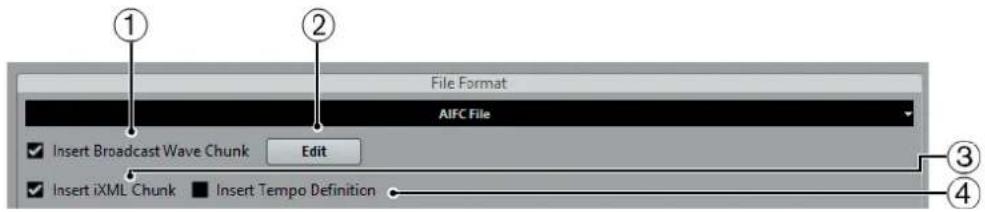
1 Insert Broadcast Wave Chunk
Activates the embedding of additional file information in Broadcast Wave format.
NOTE
By activating this option, you create a Broadcast Wave file. Some applications may not be able to handle these files. If you get problems using the file in another application, deactivate Insert Broadcast Wave Chunk and export the file again.
2 Edit
Opens the Broadcast Wave Chunk dialog where you can enter embedded information.
3 Insert iXML Chunk
Includes additional project-related metadata, such as project name, author, and project frame rate.
4 Insert Tempo Definition
This option is only available if Insert iXML Chunk is activated. It allows you to include tempo information from the tempo track in the iXML chunk of the exported files.
AIFF Files
AIFF stands for Audio Interchange File Format, a standard defined by Apple Inc. AIFF files have the extension .aif and are used on most computer platforms.

1 Insert Broadcast Wave Chunk
Activates the embedding of additional file information.
NOTE
By activating this option, you create a Broadcast Wave file. Some applications may not be able to handle these files. If you get problems using the file in another application, deactivate Insert Broadcast Wave Chunk and export the file again.
2 Edit
Opens the Broadcast Wave Chunk dialog where you can enter embedded information.
3 Insert iXML Chunk
Includes additional project-related metadata, such as project name, author, and project frame rate.
4 Insert Tempo Definition
This option is only available if Insert iXML Chunk is activated. It allows you to include tempo information from the tempo track in the iXML chunk of the exported files.
MP3 (MPEG-1 Layer 3) files
MP3 files are highly compressed files that still provide good audio quality. They have the extension .mp3.

1 Bit Rate
Sets the bit rate for the MP3 file. The higher the bit rate, the better the audio quality and the larger the file. For stereo audio, 128 kBit/s is considered to be providing good audio quality results.
2 Sample Rate
Sets the Sample Rate for the MP3 file.
3 High Quality Mode
Sets the encoder to a different resampling mode. This may give better results depending on your settings. However, it does not allow you to select the Sample Rate.
4 Insert ID3 Tag
Includes ID3 Tag information in the exported file.
5 Edit ID3 Tag
Opens the ID3 Tag dialog that allows you to enter information about the file. This information is embedded in the file and can be displayed by most MP3 playback applications.
MP3 Encoder Upgrade (Cubase AI and Cubase LE only)
Cubase AI and Cubase LE provide a function for exporting your audio mixdown as MP3 files. This function is limited to 20 trial encodings or a trial period of 30 days from the installation date (whichever ends first). After this period, the function is disabled until you purchase the MP3 encoder for Cubase.
- When the MP3 format is selected and you click Export, a window opens showing you how many trial encodings you have left. You can upgrade to an unlimited MP3 export function by clicking Go to Online Shop.
This will take you to Steinberg's online shop where you can purchase the upgrade. Note that a working internet connection is required.
Windows Media Audio Files (Windows only)
The Windows Media Audio format by Microsoft Inc. uses advanced audio codecs and lossless compression. WMA files can be decreased in size with no loss of audio quality. The files have the extension .wma.

- Codec Settings
Opens the Windows Media Audio File Settings dialog.
Windows Media Audio File Settings - General
The General tab in the Windows Media Audio File Settings dialog allows you to specify sample rate, bit rate, and channels for the encoded file.

1 Sample Rate
Allows you to set the sample rate to 44.100, 48.000, or 96.000 kHz. Set this to match the sample rate of the source material or use the closest available value that is higher than the actual value.
2 Bit Depth
Allows you to set the bit depth to 16 bit or 24 bit. Set this parameter to match the bit depth of the source material or use the closest available value that is higher than the actual value.
NOTE
Always keep in mind the intended use of the file. For publication on the Internet, you might not want too high bit rates, for example.
3 Channels
This setting depends on the chosen output. You cannot change it manually.
4 Mode
- Select Constant Bit Rate if you want to limit the file size. To calculate the size of a file that is encoded with a constant bit rate, multiply the bit rate by the duration of the file.
- Select Variable Bit Rate if you want the bit rate to fluctuate depending on the character and intricacy of the material being encoded. The more complex passages in the source material, the higher the bit rate – and the larger the final file.
- Select Lossless to encode the file with lossless compression.
5 Bit Rate/Quality
- Allows you to set the bit rate settings depending on the selected mode and/or output channels. The higher the bit rate or quality you select, the larger the final file.
Windows Media Audio File Settings - Advanced
The Advanced tab in the Windows Media Audio File Settings dialog allows you to specify the dynamic range control, that is, the difference in dB between the average loudness and the peak audio level (the loudest sounds) of the audio for the encoded file.

1 Dynamic Range Control
The dynamic range is automatically calculated during the encoding process. If you activate this option, you can specify the dynamic range manually.
If Dynamic Range Control is activated and the Quiet Mode of the Windows Media Player is set to Medium Difference, the peak level is limited to the peak value that you specified. If Dynamic Range Control is deactivated, the peak level is limited to 12 dB above the average level during playback.
If Dynamic Range Control is activated and the Quiet Mode of the Windows Media Player is set to Little Difference, the peak level is limited to the average value between the peak and average values that you specified. If Dynamic Range Control is deactivated, the peak level is limited to 6 dB above the average level during playback.
2 Peak
Allows you to set a peak value between 0 and -90 dB.
3 Average
Allows you to set a peak value between 0 and -90 dB. However, this affects the overall volume level and can have a negative effect on the audio quality.
Windows Media Audio File Settings - Media
The Media tab in the Windows Media Audio File Settings dialog allows you to enter information about the file.

Use the Title, Author, Copyright, and Description fields to enter a file description of its content that is embedded in the file header. This can be displayed by some Windows Media Audio playback applications.
FLAC Files
Free Lossless Audio Codec files are audio files that are typically 50 to 60% smaller than regular Wave files.

1 Compression Level
Sets the compression level for the FLAC file. Since FLAC is a lossless format, the level has more influence on the encoding speed than on the file size.
Ogg Vorbis Files
Ogg Vorbis is an open source, patent-free audio encoding and streaming technology, offering compressed audio files of small size, but with comparatively high audio quality. Ogg Vorbis files have the extension .ogg.

1 Quality
Sets the quality for the variable bit rate encoding. This setting determines between which limits the bit rate will vary. The higher the value, the higher the sound quality but also the larger the files.
Wave 64 Files
Wave 64 is a proprietary format developed by Sonic Foundry Inc. Wave 64 files have the extension .w64.

NOTE
In terms of audio quality, Wave 64 files are identical to standard Wave files, but in the file headers, Wave 64 files use 64-bit values for addressing where Wave files use 32-bit values. The consequence of this is that Wave 64 files can be considerably larger than standard Wave files. Wave 64 is therefore a good file format choice for long recordings, for example, if the file sizes exceed 2 GB.
1 Insert Broadcast Wave Chunk
Embeds additional file information in Broadcast Wave Format.
NOTE
Activating this option creates a Broadcast Wave file. Some applications may not be able to handle Broadcast Wave files. If you get problems using the file in another application, deactivate Insert Broadcast Wave Chunk and export the file again.
2 Edit
Opens the Broadcast Wave Chunk dialog where you can enter embedded information.
3 Insert iXML Chunk
Includes additional project-related metadata, such as project name, author, and project frame rate.
4 Insert Tempo Definition
This option is only available if Insert iXML Chunk is activated. It allows you to include tempo information from the tempo track in the iXML chunk of the exported files.
Audio Engine Output
The Audio Engine Output section contains all the settings related to the output of the Cubase audio engine.

1 Sample Rate
NOTE
This parameter is only available for uncompressed audio file formats and FLAC files.
Allows you to select the frequency range of the exported audio. If you set the value lower than the project sample rate, the audio quality degrades and the high-frequency content is reduced. If you set the value higher than the project sample rate, the file size increases without increasing the audio quality. For CD burning select 44.100 kHz, because this is the sample rate used on audio CDs.
2 Bit Depth
NOTE
This parameter is only available for uncompressed audio file formats and FLAC files.
Allows you to select 8, 16, 24-bit or 32-bit (float) files. If you plan to re-import the mixdown file into Cubase, select 32-bit (float). This is the resolution used for audio processing in Cubase. 32 bit (float) files are twice the size of 16-bit files. For CD burning, use the 16-bit option, as CD audio is always 16 bit. In this case, we recommend dithering. Cubase Elements only: Activating the UV-22HR dithering plug-in reduces the effects of quantization noise and artifacts when converting the audio to 16 bit. 8-bit resolution results in limited audio quality and should only be used if required.
3 Real-Time Export
Allows you to export the mixdown file in real time. This takes at least the same time as regular playback. Some VST plug-ins, external instruments, and effects require real-time export in order to have enough time to update correctly during the mixdown. Consult the plug-in manufacturers for further information.
NOTE
If the CPU and disk speed of your computer do not allow to export all channels simultaneously in real time, the program stops the process, reduces the number of channels, and starts again. Afterwards, the next batch of files is exported. This is repeated as often as needed to export all selected channels.
4 Mono Downmix
Allows you to downmix the 2 channels of a stereo bus to a single mono file.
5 Split Channels
Allows you to export the 2 channels of a stereo bus as separate mono files.
RELATED LINKS
Dither Effects (Cubase Elements only) on page 271
Import Into Project
This section offers several options for importing the resulting mixdown files back into the existing or into a new project.

NOTE
When you play back the reimported file in the same project, mute the original tracks so that you only hear the mixdown.
1 Pool
Imports the resulting audio file automatically back into the Pool as a clip. Deactivating this option also deactivates the Audio Track option.
2 Audio Track
Creates an audio event that plays the clip on a new audio track, starting at the left locator.
Activating this option also activates the Pool option.
3 Pool Folder
Allows you to specify a Pool folder for the clip.
NOTE
If you activate any of the options in this section, the Import Options dialog opens when the export is complete.
RELATED LINKS
Importing Media on page 359
File Location on page 565
Post Process
In this section, you can select a process that you want to run after mixing down your audio file.

1 Deactivate External MIDI Inputs
Activate this option if MIDI inputs that are performed on external devices should be ignored during the export process.
2 Close Window after Export
Closes the dialog automatically after export.
3 Update Display
Activate this option if you want the meters to be updated during the export process. This allows you to check for clipping, for example.
4 Post Process
If WaveLab 7.0.1 or higher is installed on your computer, you can select Open in WaveLab to open your mixdown file in this application after export.
Select Upload to SoundCloud to launch SoundCloud, connect to your user account, and upload your mixdown.
Synchronization
Background
What is synchronization?
Synchronization is the process of getting 2 or more devices to play back together at the same speed and position. These devices can range from audio and video tape machines to digital audio workstations, MIDI sequencers, synchronization controllers, and digital video devices.
Synchronization basics
There are 3 basic components of audio/visual synchronization: position, speed, and phase. If these parameters are known for a particular device (the master), then a second device (the slave) can have its speed and position “resolved” to the first in order to have the 2 devices play in perfect sync with one another.
Position
The position of a device is represented by either samples (audio word clock), video frames (timecode), or musical bars and beats (MIDI clock).
Speed
The speed of a device is measured either by the frame rate of the timecode, the sample rate (audio word clock) or by the tempo of the MIDI clock (bars and beats).
Phase
Phase is the alignment of the position and speed components to each other. In other words, each pulse of the speed component should be aligned with each measurement of the position for the most accuracy. Each frame of timecode should be perfectly lined up with the correct sample of audio. Put simply, phase is the very precise position of a synchronized device relative to the master (sample accuracy).
Master and slave
In this document, the following terms are used:
- The "timecode master" is the device generating position information or timecode.
- The "timecode slave" is any device receiving the timecode and synchronizing or "locking" to it.
Timecode (positional references)
The position of any device is most often described using timecode. Timecode represents time using hours, minutes, seconds, and frames to provide a location for each device. Each frame represents a visual film or video frame.
Timecode can be communicated in several ways:
- LTC (Longitudinal Timecode) is an analog signal that can be recorded on tape. It should be used for positional information primarily. It can also be used for speed and phase information as a last resort if no other clock source is available.
- VITC (Vertical Interval Timecode) is contained within a composite video signal. It is recorded onto video tape and is physically tied to each video frame.
- MTC (MIDI Timecode) is identical to LTC except that it is a digital signal transmitted via MIDI.
Timecode standards
Timecode has several standards. The subject of the various timecode formats can be very confusing due to the use and misuse of the shorthand names for specific timecode standards and frame rates. The timecode format can be divided into 2 variables: frame count and frame rate.
Frame count (frames per second)
The frame count of timecode defines the standard with which it is labeled. There are 4 timecode standards:
24 fps Film (F)
This frame count is the traditional count for film. It is also used for HD video formats and commonly referred to as 24p. However, with HD video, the actual frame rate or speed of the video sync reference is slower, 23.976 frames per second, so timecode does not reflect the actual realtime on the clock for 24p HD video.
25 fps PAL (P)
This is the broadcast video standard frame count for European (and other PAL countries) television broadcast.
30 fps non-drop SMPTE (N)
This is the frame count of NTSC broadcast video. However, the actual frame rate or speed of the video format runs at 29.97 fps. This timecode clock does not run in realtime. It is slightly slower by 0.1%.
30 fps drop-frame SMPTE (D)
The 30 fps drop-frame count is an adaptation that allows a timecode display running at 29.97 fps to actually show the clock-on-the-wall-time of the timeline by dropping or skipping specific frame numbers in order to catch the clock up to realtime.
Confused? Just remember to keep the timecode standard (or frame count) and frame rate (or speed) separate.
Frame rate (speed)
Regardless of the frame counting system, the actual speed at which frames of video go by in real time is the true frame rate.
Cubase supports the following frame rates:
24 fps
This is the true speed of standard film cameras.
25 fps
This is the frame rate of PAL video.
29.97 fps
This is the frame rate of NTSC video. The count can be either non-drop or drop-frame.
30 fps
This frame rate is not a video standard anymore but has been commonly used in music recording. Many years ago, it was the black and white NTSC broadcast standard. It is equal to NTSC video being pulled up to film speed after a 2-3 telecine transfer.
Frame count vs. frame rate
Part of the confusion in timecode stems from the use of frames per second in both the timecode standard and the actual frame rate. When used to describe a timecode standard, frames per second defines how many frames of timecode are counted before one second on the counter increments. When describing frame rates, frames per second define how many frames are played back during the span of one second of realtime. In other words: Regardless of how many frames of video there are per second of timecode (frame count), those frames can be moving at different rates depending on the speed (frame rate) of the video format. For example, NTSC timecode (SMPTE) has a frame count of 30 fps. However, NTSC video runs at a rate of 29.97 fps. So the NTSC timecode standard known as SMPTE is a 30 fps standard that runs at 29.97 realtime.
Clock sources (speed references)
Once the position is established, the next essential factor for synchronization is the playback speed. Once 2 devices start playing from the same position, they must run at exactly the same speed in order to remain in sync. Therefore, a single speed reference must be used and all devices in the system must follow that reference. With digital audio, the speed is determined by the audio clock rate. With video, the speed is determined by the video sync signal.
Audio clock
Audio clock signals run at the speed of the sample rate used by a digital audio device and are transmitted in several ways:
Word clock
Word clock is a dedicated signal running at the current sample rate that is fed over BNC coaxial cables between devices. It is the most reliable form of audio clock and is relatively easy to connect and use.
AES/SPDIF Digital Audio
An audio clock source is embedded within AES and SPDIF digital audio signals. This clock source can be used as a speed reference. Preferably, the signal itself does not contain any actual audio (digital black), but any digital audio source can be used if necessary.
ADAT Lightpipe
ADAT Lightpipe, the 8-channel digital audio protocol developed by Alesis, also contains audio clock and can be used as a speed reference. It is transmitted via optical cables between devices.
NOTE
Do not confuse the audio clock embedded in the Lightpipe protocol with ADAT Sync, which has timecode and machine control running over a proprietary DIN plug connection.
MIDI clock
MIDI clock is a signal that uses position and timing data based on musical bars and beats to determine location and speed (tempo). It can perform the same function as a positional reference and a speed reference for other MIDI devices. Cubase supports sending MIDI clock to external devices but cannot slave to incoming MIDI clock.
IMPORTANT
MIDI clock cannot be used to synchronize digital audio. It is only used for MIDI devices to play in musical sync with one another. Cubase does not support being a MIDI clock slave.
The Project Synchronization Setup dialog
Cubase's Project Synchronization Setup dialog provides a central place to configure a complex synchronized system. In addition to settings for timecode sources, project setup parameters are available along with basic transport controls for testing the system.
- To open the Project Synchronization Setup dialog, select Transport > Project Synchronization Setup.
The dialog is organized into sections separating related groups of settings. The arrows shown between the various sections of the dialog indicate how settings in one section influence settings in another section. In the following, the available sections are described in detail.
The Cubase Section
At the center of the Project Synchronization Setup dialog is the Cubase section. It is provided to help you visualize the role that Cubase takes in your setup. It shows which external signals enter or leave the application.
Timecode Source
The Timecode Source setting determines whether Cubase is acting as timecode master or slave.

When set to "Internal Timecode", Cubase is the timecode master, generating all position references for any other device in the system. The other options are for external timecode sources. Selecting any of these makes Cubase a timecode slave if "Use External Synchronization" is activated on the Transport menu.
Internal Timecode
Cubase generates timecode based on the project timeline and project setup settings. The timecode will follow the format specified in the Project Setup section.
MIDI Timecode
Cubase acts as a timecode slave to any incoming MIDI timecode (MTC) on the ports selected in the MIDI Timecode section, to the right of the Timecode Source section.

Selecting "All MIDI Inputs" allows Cubase to sync to MTC from any MIDI connection. You can also select a single MIDI port for receiving MTC.
ASIO Audio Device
This option is only available with audio cards that support ASIO Positioning Protocol. These audio cards have an integrated LTC reader or ADAT sync port and can perform a phase alignment of timecode and audio clock.
VST System Link
VST System Link can provide all aspects of sample-accurate synchronization between other System Link workstations.
RELATED LINKS
Working with VST System Link on page 583
Timecode Preferences
When MIDI Timecode is selected, additional options become available in the Cubase section, providing several options for working with external timecode.

Lock Frames
This setting determines how many full frames of timecode it takes for Cubase to try and establish sync or "lock". If you have an external tape transport with a very short start-up time, try lowering this number to make lock-up even faster. This option can only be set to multiples of 2.
Drop Out Frames
This setting determines the amount of missed timecode frames it takes for Cubase to stop. Using LTC recorded on an analog tape machine can result in some amount of drop outs. Increasing this number allows Cubase to "free-wheel" over missed frames without stopping. Lowering this number causes Cubase to stop sooner once the tape machine has stopped.
Inhibit Restart ms
Some synchronizers still transmit MTC for a short period after an external tape machine has been stopped. These extra frames of timecode sometimes cause Cubase to restart suddenly. The "Inhibit Restart ms" setting allows you to control the amount of time in milliseconds that Cubase will wait to restart (ignoring incoming MTC) once it has stopped.
Auto-Detect Frame-Rate Changes
Cubase can notify the user when the frame rate of timecode changes at any point. This is helpful in diagnosing problems with timecode and external devices. This notification will interrupt playback or recording. Deactivating this option will avoid any interruption in playback or recording.
IMPORTANT
If there is a discrepancy between the project frame rate in Cubase and incoming timecode, Cubase might still be able to lock to the incoming timecode. If the user is unaware of these differences, problems can arise later in postproduction.
MIDI Timecode Destinations
Cubase can send MTC to any MIDI port. Use this section to specify the MIDI ports to which MTC is routed. Devices that can lock to MTC will chase Cubase's timecode position.
NOTE
Some MIDI interfaces send MTC over all ports by default. If this is the case, only select one port of the interface for MTC.
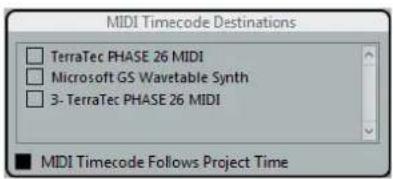
MIDI Timecode Follows Project Time
Activate this option to ensure that the MTC output follows Cubase's time position at all times including looping, locating, or jumping while playing. If not, MTC will continue on without changing locations at a loop or jump point until playback stops.
MIDI Clock Destinations
Some MIDI devices like drum machines can match their tempo and location to incoming MIDI clock. Select any MIDI ports that you want to output MIDI clock.

MIDI Clock Follows Project Position
Activate this option to ensure that the MIDI clock device follows Cubase when looping, locating, or jumping while playing.
NOTE
Some older MIDI devices might not respond well to these positioning messages and could take some time synchronizing to the new location.
Always Send Start Message
MIDI clock transport commands include Start, Stop, and Continue. However, some MIDI devices do not recognize the Continue command. By activating the "Always Send Start Message" option, you can avoid this problem with specific MIDI devices.
Send MIDI Clock in Stop Mode
Activate this option if you are working with a device that needs MIDI clock to run continuously in order to operate arpeggiators and loop generators.
Synchronized operation
Once you have connected all the devices that will be synchronized, it is important to understand how Cubase operates in Sync mode.
• To enable Sync mode, activate Use External Synchronization on the Transport menu.
Sync mode
If you activate "Use External Synchronization" on the Transport menu, the following happens:
- Cubase awaits incoming timecode from the chosen timecode source defined in the Project Synchronization Setup dialog in order to play.
Cubase will detect incoming timecode, locate to its current position, and start playback in sync with the incoming timecode.
Working with VST System Link
VST System Link is a network system for digital audio that allows you to have several computers working together in one large system. Unlike conventional networks it does not require Ethernet cards, hubs, or CAT-5 cables; instead it uses the kind of digital audio hardware and cables you probably already possess in your studio.
VST System Link has been designed to be simple to set up and operate, yet give enormous flexibility and performance gains in use. It is capable of linking computers in a "ring" network (the System Link signal is passed from one machine to the next, and eventually returns to the first machine). VST System Link can send its networking signal over any type of digital audio cable, including S/PDIF, ADAT, TDIF, or AES, as long as each computer in the system is equipped with a suitable ASIO compatible audio interface.
Linking up 2 or more computers gives you vast possibilities:
- Dedicate one computer to running VST instruments while recording audio tracks on another (not in Cubase LE). • If you need lots of audio tracks, you may simply add tracks on another computer.
- You could have one computer serve as a "virtual effect rack", running CPU-intensive send effect plug-ins only.
- Since you can use VST System Link to connect different VST System Link applications on different platforms, you can take advantage of effect plug-ins and VST instruments that are specific to certain programs or platforms.
Requirements
The following equipment is required for VST System Link operation:
• 2 or more computers. These can be of the same type or use different operating systems – it does not matter. For example, you can link an Intel-based PC to an Apple Macintosh without problems. • Each computer must have audio hardware with specific ASIO drivers. • The audio hardware must have digital inputs and outputs. To be able to connect the computers, the digital connections must be compatible (i.e. the same digital formats and connection types must be available). - At least one digital audio cable must be available for each computer in the network. • A VST System Link host application must be installed on each computer. Any VST System Link application can connect to another.
Additionally, use of a KVM switchbox is recommended.
Using a KVM switchbox
Whether you want to set up a multi-computer network or a small network in a limited space, it is a good idea to invest in a KVM (Keyboard, Video, Mouse) switchbox. With one of these you can use the same keyboard, monitor, and mouse to control each computer in the system, and
you can switch between computers very rapidly. If you decide not to go this route, the network will function just the same, but you may end up doing a lot of jumping from one machine to the other while setting up!
Making connections
Below, we assume that you are connecting 2 computers. Should you have more than 2 computers, it is still best to start with 2 and add the others one by one once the system is working – this makes troubleshooting easier if you run into problems. For 2 computers, you will need 2 digital audio cables, one in each direction:
PROCEDURE
- Use the first digital audio cable to connect the digital output of computer 1 to the digital input of computer 2.
- Use the other cable to connect the digital output of computer 2 to the digital input of computer 1. If a card has more than one set of inputs and outputs, choose whichever one that suits you – for simplicity usually the first set is best.
Synchronization
Before you proceed, you need to make sure that the clock signals on your ASIO cards are synchronized correctly. This is essential when cabling any kind of digital audio system, not just VST System Link.
IMPORTANT
All digital audio cables by definition always carry a clock signal as well as audio signals, so you do not have to use a special word clock input and output for this (although you may find that you get a slightly more stable audio system if you do, especially when using multiple computers).
The clock mode or sync mode is set up in the ASIO control panel of the audio hardware.
PROCEDURE
- Select Studio > Studio Setup.
- In the Devices list, select VST Audio System.
- In the ASIO Driver pop-up menu, select your audio hardware driver.
- In the Devices list, select your audio interface.
- Click the Control Panel button.
- Open the ASIO control panel on the other computer as well. If you are using another VST System Link host application on that computer, check its documentation for details on how to open the ASIO control panel.
- Now you need to make sure that one audio card is set to be the clock master and all other cards are set to be clock slaves (i.e., they listen for the clock signal coming from the clock master). The naming and procedure for this differs depending on the audio hardware – consult its documentation if required. If you are using Steinberg Nuendo ASIO hardware, all cards default to the AutoSync setting. In this case, you must set one of the cards (and only one) to Master in the Clock Mode section of the control panel.
RESULT
Typically, the ASIO control panel for an audio card contains some indication of whether or not the card receives a proper sync signal, including the sample rate of that signal.
This is a good indication that you have connected the cards and set up clock sync properly. Check your audio hardware's documentation for details.
IMPORTANT
It is very important that only one card is the clock master, otherwise the network cannot function correctly. Once you have set this up, all the other cards in the network will take their clock signal from this card automatically.
The only exception to this procedure is if you are using an external clock – from a digital mixing desk or a special word clock synchronizer, for example. In that case, you must leave all your ASIO cards in clock slave or AutoSync mode and make sure that each of them is listening for the signal coming from the synchronizer. This signal is usually passed through your ADAT cables or word clock connectors in a daisy chain fashion.
VST System Link and latency
The general definition of latency is the amount of time it takes any system to respond to whatever messages are sent to it. For example, if your system's latency is high and you play VST instruments in realtime, you will get a noticeable delay between when you press a key and when you hear the sound of the VST instrument. Nowadays, most ASIO-compatible audio cards are capable of operating with very low latencies. Also, all VST applications are designed to compensate for latency during playback, making the playback timing tight.
However, the latency time of a VST System Link network is the total latency of all the ASIO cards in the system added together. Therefore, it is extra important to minimize the latency times for each computer in the network.
IMPORTANT
The latency does not affect the synchronization – it is always perfectly in time. But it can affect the time it takes to send and receive MIDI and audio signals, or make the system seem sluggish.
To adjust the latency of a system, you adjust the size of the buffers in the ASIO control panel – the lower the buffer size, the lower the latency. It is best to keep to fairly low latencies (buffer sizes) if your system can handle it – about 12 ms or less is usually a good idea.
Setting up your software
Now it is time to set up your programs. The procedures below describe how to set things up in Cubase. If you are using another program on the other computer, please refer to its documentation.
Setting the sample rate
The projects in both programs must be set to use the same sample rate. Select "Project Setup..." from the Project menu and make sure that the sample rate is the same in both systems.
Streaming digital audio between applications
PROCEDURE
- Create input and output busses in both applications and route these to the digital inputs and outputs.
The number and configuration of the busses depend on your audio hardware and on your needs. If you have a system with 8 digital i/o channels (such as an ADAT connection), you could create several stereo or mono busses, a surround bus together with a stereo bus, or any combination you need. The important thing is that you should have the same configuration in both applications – if you have 4 stereo output busses on computer 1, you want 4 stereo input busses on computer 2, etc.
- Set things up so that computer 1 plays back some audio.
For example, you could import an audio file and play it back in Cycle mode.
- In the Inspector or MixConsole, make sure that the channel containing the audio material is routed to one of the digital output busses.
- On computer 2, open the MixConsole and locate the corresponding digital input bus.
The audio being played back should now "appear" in the program running on computer 2. You should see the input bus level meters moving.
- Reverse this procedure so that computer 2 plays back and computer 1 "listens".
RESULT
Now you have verified that the digital connection works as it should.
NOTE
From this point on in this chapter, we refer to the busses connected to the digital inputs and outputs as "VST System Link busses".
Settings for the audio hardware
When you exchange VST System Link data between computers, it is important that the digital information is not changed in any way between the programs. Therefore, you should open the control panel (or additional application) for your audio hardware and make sure that the following conditions are met:
- If there are additional "format settings" for the digital ports that you use for VST System Link data, make sure that these are turned off. For example, if you are using an S/PDIF connection for VST System Link, make sure that "Professional format", Emphasis, and Dithering are turned off.
- If your audio hardware has a mixer application allowing you to adjust the levels of digital inputs and outputs, make sure that this mixer is disabled or that the levels for the VST System Link channels are set to ±0 dB. • Similarly, make sure no other forms of DSP (pan, effects, etc.) are applied to the VST System Link signal.
Notes for Hammerfall DSP users
If you are using RME Audio Hammerfall DSP audio hardware, the Totalmix function allows for extremely complex signal routing and mixing in the audio hardware. This can in some situations lead to "signal loops" in which case the VST System Link will not work. If you want to make absolutely sure this will not cause any problems, select the default or "plain" preset for the Totalmix function.
Activating VST System Link
Before you proceed, you need to make sure that VST System Link is set as the timecode source in the Project Synchronization Setup dialog and that the desired sync options are activated.
After setting up the inputs and outputs, you now need to define which input/output will carry the actual VST System Link information.
The VST System Link networking signal is carried on only one bit of one channel. This means that if you have an ADAT-based system which normally carries 8 channels of 24-bit audio, once you activate VST System Link you will have 7 channels of 24-bit audio and one channel of 23-bit audio (the least significant bit of this last channel will be used for networking). In practice this makes no discernible difference to the audio quality, since you will still have around 138 dB headroom on this channel.
To set things up, open the VST System Link panel:
PROCEDURE
- Select Studio > Studio Setup.
- In the Devices list, select VST System Link.
The VST System Link settings are shown to the right of the Devices list.

- Use the ASIO Input and ASIO Output pop-up menus to define which channel is the networking channel.
- Activate the Active checkbox at the top left of the panel.
- Repeat the steps above for every computer in the network.
RESULT
As the computers are made active, you should see the Sending and Receiving indicators flashing on each active computer, and the name of each computer should appear in the list at the bottom of the pane. Each computer is assigned a random number – do not worry about this, it is just so the network knows internally which one is which.
- You can double-click on the name in bold (which is the name of the computer you are working on) and set it to whatever other name.
This name will appear in the VST System Link window of every computer on the network.
NOTE
If you do not see the name of each computer appearing once you have made it active, you need to check your settings. Go through the procedure above again and make sure that all ASIO cards are listening to the digital clock signals correctly, and that each computer has the correct inputs and outputs assigned to the VST System Link network.
Putting the network online
After each computer's name you will see whether it is online or not. When a computer is online, it will receive transport and timecode signals, and its sequencer application can be started and stopped by remote control. If it is off-line, it can only be started from its own keyboard - it is effectively an independent machine, although it is still on the network.
NOTE
Note that any computer can control any and all of the others – VST System Link is a peer-to-peer network and there is no absolute “master” computer.
To put all computers online, proceed as follows:
PROCEDURE
- For all computers, activate the Online checkbox on the VST System Link page.
- Start playback on one computer to check that the system is working – all computers should start almost instantly and play perfectly in time, with sample-accurate precision.
- The Offset Samples setting allows you to adjust whether one machine will play slightly ahead or behind the rest. This is normally not needed, but occasionally with some hardware you may find that the lock is a few samples out. For now, leave it set to 0 – it will most likely be what you want.
- The Transfer Bits setting allows you to specify whether you want to transfer 24 or 16 bits. This allows you to use older audio cards which do not support transfer of 24 bits.
RESULT
VST System Link sends and understands all transport commands (such as play, stop, fast forward, rewind, etc.). This allows you to control the entire network from one computer. If you jump to a locator point on one machine, all other machines will also instantly jump to that locator point.
IMPORTANT
Make sure that all computers have their tempos set to the same value, otherwise your synchronization will be seriously skewed.
Scrubbing via VST System Link
You can scrub on one computer and have the video and audio on another computer scrub along. However, the playback on the linked systems may not be perfectly in sync while scrubbing and there are some further restrictions you should bear in mind when scrubbing via VST System Link:
• Use a remote controller for scrubbing. - Always use the system where you started scrubbing to control the scrubbing, e.g. change the scrub speed or stop scrubbing. Changing the scrub speed on a remote system will only change the speed on the local system. • You can start playback on all systems. This stops scrubbing and enters playback on all systems in sync.
Using MIDI
As well as supplying transport and sync control, VST System Link also supplies up to 16 MIDI ports, with 16 channels each.
PROCEDURE
- Use the MIDI Inputs and MIDI Outputs value fields to specify the number of MIDI ports you need.
The default value is 0 MIDI In and 0 MIDI Out ports.
- In the Project window, create a MIDI track and open the Inspector (top section).
- If you now open the Input or Output Routing pop-up menu, you will find the specified System Link ports added to the list of MIDI inputs or outputs.


This allows you to route MIDI tracks to VST instruments running on another computer.
RELATED LINKS
Application examples on page 591
The "Use Selected ASIO Ports for Data only" setting
If you are sending huge amounts of MIDI data at once, there is a small possibility that you might run out of bandwidth on your VST System Link network. This will manifest itself by notes "choking" or timing becoming erratic.
If this happens, you can devote more bandwidth to MIDI by activating Use Selected ASIO Ports for Data only on the VST System Link page of the Studio Setup dialog. When this is activated, the VST System Link information will be sent on the entire channel instead of just one bit, more than enough for all the MIDI you could ever hope to use. The downside is that you can no longer use this ASIO channel for audio transfer (do not connect it to a speaker!), thus leaving you with only 7 audio channels in our ADAT cable example. Depending on how you work, this might be a reasonable compromise.
Hearing the network audio
If you are using an external mixing desk, hearing your audio really is not an issue – just plug the outputs of each computer into the desired channels on the external mixing desk, start playback on one of the computers, and you are good to go.
However, many people prefer to mix internally inside the computer and just use a desk for monitoring (or maybe not use any external mixer at all). In this case you will need to select one computer to be your “main mix computer” and send the audio from your other computers into this.
In the following example, we assume you are using 2 computers, with computer 1 as your main mix computer and computer 2 running 2 additional stereo audio tracks, an FX channel track with a reverb plug-in and a VST instrument plug-in with stereo outputs.
PROCEDURE
- Set things up so that you can listen to the audio playback from computer 1. In other words, you need an unused set of outputs, e. g. an analog stereo output, connected to your monitoring equipment.
- On computer 2, route each of the 2 audio tracks to a separate output bus. These should be busses connected to the digital outputs – let's call them Bus 1 and 2.
- Route the FX channel track to another VST System Link bus (Bus 3).
- Route the VST instrument channel to yet another bus (Bus 4).
- Go back to computer 1 and check the corresponding 4 VST System Link input busses. If you start playback on computer 2, the audio should "appear" on the input busses on computer 1. However, to mix these audio sources you need actual mixer channels.
- Add 4 new stereo audio tracks on computer 1 and route these to the output bus you use for listening, e.g. to the analog stereo outputs.
- For each of the audio tracks, select one of the 4 input busses. Now, each computer 2 bus is routed to a separate audio channel on computer 1.
- Activate monitoring for the 4 tracks.
RESULT
If you now start playback, the audio from computer 2 will be sent "live" to the new tracks on computer 1, allowing you to hear them together with any tracks you play back on computer 1.
Adding more tracks
What if you have more audio tracks than you have VST System Link busses (physical outputs)? Then you just use the computer 2 mixer as a submixer: Route several audio channels to the same output bus and adjust the output bus level if needed.
NOTE
If your audio cards have multiple sets of input and output connections, you can link up multiple ADAT cables and send audio via any of the busses on any of the cables.
Internal mixing and latency
One problem with mixing inside the computer is the latency issue we mentioned earlier. The VST engine always compensates for record latencies, but if you are monitoring through computer 1 you will hear a processing delay while you listen to signals coming from your other computers (not on your recording!). If your audio card in computer 1 supports ASIO Direct Monitoring you should definitely turn this on. You can find the setting on the VST Audio System device panel for
your hardware. Most modern ASIO cards support this function. If yours does not, you may want to change the Offset Samples value on the VST System Link page to compensate for any latency issues.
RELATED LINKS
ASIO Direct Monitoring on page 172
Setting up a larger network
Setting up a larger network is not much more difficult than a 2-computer network. The main thing to remember is that VST System Link is a daisy chain system. In other words, the output of computer 1 goes to the input of computer 2, the output of computer 2 goes to the input of computer 3, and so on around the chain. The output of the last computer in the chain must always go back into the input of computer 1, to complete the ring.
Once you have done this, the transmission of all the transport, sync, and MIDI information to the whole network is handled pretty much automatically. However, where you may run into confusion in a large network is in the transmission of audio signals back to a central mix computer.
If you have lots of hardware inputs and outputs on your ASIO cards, you do not have to send audio via the chain at all, but can transmit it directly to the master mix computer via one or more of its other hardware inputs. For example, if you have a Nuendo Digiset interface or 9652 card on computer 1, you could use ADAT cable 1 for networking, ADAT cable 2 as a direct audio input from computer 2, and ADAT cable 3 as a direct audio input from computer 3.
You can also transmit audio via the ring system if you do not have enough hardware I/Os for direct audio transmission. For example, in a 4-computer scenario you could send audio from computer 2 into a channel in the mixer in computer 3, from there to a channel in the mixer in computer 4, and from there back to the master mixer in computer 1. This can certainly be tricky to set up, so for complex networks it is generally recommended to use ASIO cards with at least 3 separate digital I/Os.
Application examples
Using one computer for VST instruments (not in Cubase LE)
In this example, one computer will be used as main record and playback machine, and another computer as a virtual synth rack.
PROCEDURE
- Record a MIDI track into computer 1.
- Once you have finished recording, route the MIDI output of that track to VST System Link MIDI port 1.
- On computer 2, open up the VST Instruments window and assign an instrument to the first slot in the rack.
- Route the VST instrument channel to the desired output bus. If you are using computer 1 as your main mixing computer, this would be one of the VST System Link output busses, connected to computer 1.
- Create a new MIDI track in the Project window of computer 2 and assign the MIDI output of the track to the VST instrument you created.
- Assign the MIDI input of the track to be VST System Link port 1. Now, the MIDI track on computer 1 is routed to the MIDI track on computer 2, which in turn is routed to the VST instrument.
- Now activate monitoring for the MIDI track on computer 2, so that it will listen and respond to any MIDI commands coming in.
In Cubase, click the Monitor button in the track list or Inspector.
- Start playback on computer 1.
It will now send the MIDI information on the track to the VST instrument loaded on computer 2.
RESULT
Even with a slow computer you should be able to stack a whole bunch of extra VST instruments this way, expanding your sound palette considerably. Do not forget that VST System Link MIDI is also sample-accurate, and thus has much tighter timing than any hardware MIDI interface ever invented!
Creating a virtual effect rack
The effect sends for an audio channel in Cubase can either be routed to an FX channel track or to any activated group or output bus. This allows you to use a separate computer as a "virtual effect rack".
PROCEDURE
- On computer 2 (the machine you will use as effect rack), add a new stereo audio track. You cannot use an FX channel track in this case, since the track must have an audio input.
- Add the desired effect as an insert effect for the track. Let's say you add a high-quality reverb plug-in.
- In the Inspector, select one of the VST System Link busses as input for the audio track. You want to use a separate VST System Link bus, which will only be used for this purpose.
- Route the channel to the desired output bus. If you are using computer 1 as your main mixing computer, this would be one of the VST System Link output busses, connected to computer 1.
- Activate monitoring for the track.
- Go back to computer 1 and select a track to which you want to add some reverb.
- Bring up the effect sends for the track in the Inspector or the MixConsole.
- Open the Send Routing pop-up menu for one of the sends and select the VST System Link bus assigned to the reverb in step 3.
- Use the Send slider to adjust the amount of effect as usual.
RESULT
The signal will be sent to the track on computer 2 and processed through its insert effect, without using any processor power on computer 1.
You can repeat the steps above to add more effects to the "virtual effect rack". The number of effects available this way is only limited by the number of ports used in the VST System Link connection (and of course by the performance of computer 2, but given that it will not have to handle any recording or playback, you should be able to use quite a lot of effects).
Getting extra audio tracks
All computers on a VST System Link network are locked with sample-accuracy. Therefore, if you find that the hard drive on one computer is not fast enough to run as many audio tracks as you need, you can record new tracks on one of the other computers instead. This would create a "virtual RAID system", with several disks all operating together. All tracks will remain locked together just as tightly as if they were all running on the same machine. This means that you effectively have an unlimited track count! Need another 100 tracks? Just add another computer.
Dedicated Video Playback
Playback of high-resolution video can be taxing on a system's CPU. By dedicating one computer for video playback via System Link, you can free up resources on your main CPU for audio and MIDI processing. Since all transport commands will respond on the VST System Link computers, scrubbing video is possible even when it is coming from another computer.
Cubase supports the integration of video files in your project.
You can play back video files in various formats and via different output devices from within Cubase, extract the audio material from a video file, and edit your music to the video.
Video File Compatibility
When working on a project involving a video file, you must make sure that the video file type works on your system.
NOTE
If you are not able to play back a specific video file, use an external application to convert the file into a compatible format.
To find out what video files are supported, refer to the Help Center on the Steinberg web site.
RELATED LINKS
Codecs on page 594
Video Container Formats
Video and other multimedia files come in a container format.
This container holds various streams of information including video and audio, but also metadata such as synchronization information required to play back audio and video together. Data regarding creation dates, authors, chapter markings, and more can also be held within the container format.
The following container formats are supported by Cubase:
MOV
This is a QuickTime movie.
MPEG-4
This format can contain various metadata for streaming, editing, local playback, and interchange of content. Its file extension is .mp4.
AVI
This is a multimedia container format introduced by Microsoft.
Codecs
Codecs are methods of data compression used to make video and audio files smaller and more manageable for computers.
For further details, refer to the Help Center on the Steinberg web site.
Frame Rates
Cubase supports different video and film frame rates.
Frame rate (speed)
Regardless of the frame counting system, the actual speed at which frames of video go by in real time is the true frame rate.
Cubase supports the following frame rates:
24 fps
This is the true speed of standard film cameras.
25 fps
This is the frame rate of PAL video.
29.97 fps
This is the frame rate of NTSC video. The count can be either non-drop or drop-frame.
30 fps
This frame rate is not a video standard anymore but has been commonly used in music recording. Many years ago, it was the black and white NTSC broadcast standard. It is equal to NTSC video being pulled up to film speed after a 2-3 telecine transfer.
Non-Supported Frame Rates
Video files with non-supported frame rates can be played back, but the time displays are not correct in this case and proper positioning is not guaranteed.
Furthermore, audio and video may not be in sync.
NOTE
If you want to use files with frame rates that are not supported by Cubase, we recommend that you use an external application to convert the video file to a suitable frame rate.
Video Output Devices
Cubase supports several video output devices.
Viewing video files onscreen in the Video Player window may work just fine for many applications, but often it is necessary to display video in a large format for viewing small details and so others involved in the session can also see the video. Cubase provides the ability to use several types of video output devices to accomplish this.
Dedicated Video Cards
You can use a dedicated video card.
The following video card is supported:
• Blackmagic Design video output devices
Video is sent directly to the output of this video device.
IMPORTANT
You must install the appropriate driver for the video device and set the video card output to the video file resolution used in your project.
RELATED LINKS
Video Player Setup on page 598
Preparations for Creating Video Projects
Before you can start working with video in Cubase, some basic preparations must be made.
In Cubase, you may work with multiple video files of different formats on the same video track.
NOTE
For proper synchronization of audio and video events, make sure that the project frame rate matches the frame rate of the video file.
RELATED LINKS
Project Setup Dialog on page 65
Importing Video Files
If you have a compatible video file, you can import it into your project.
PROCEDURE
- Select File > Import > Video File.
- In the Import Video dialog, select the video file that you want to import.
- Optional: Activate Extract Audio from Video to import any embedded audio streams.
- Click Open.
RESULT
Cubase creates a video track with a video event. If Extract Audio from Video was activated, an audio track with an audio event is positioned below the video track. The corresponding audio clip is saved in the Pool Record folder.
NOTE
You can also import video files by dragging them from the MediaBay, the File Explorer/macOS Finder and dropping them in your project. If you want Cubase to automatically extract the audio, activate Extract Audio on Import Video File in the Preferences dialog (Video page).
RELATED LINKS
Pool on page 348
Extract Audio from Video on page 600
Adopting the Frame Rate
To ensure that the time display of Cubase corresponds to the actual frames in the video, you must set the project frame rate to the frame rate of the imported video file.
PREREQUISITE
The frame rate of the imported video file differs from the project frame rate.

PROCEDURE
- Select Project > Project Setup.
- In the Project Setup dialog, click Get from Video.
- Click OK.
RESULT
- If Cubase supports the frame rate of the video, the project frame rate is adopted to it. If needed, the project start time is automatically adjusted to reflect the change in frame rate. For example, if the project frame rate is switched from 30 fps to 29.97 fps, the project start time is adopted so that all the events in the project remain at the same positions in relation to real time.
NOTE
If you want the project start time to remain the same, you must manually change it back. In this case, you must snap the video event to the timeline to ensure proper positioning and synchronization within the project.
RELATED LINKS
Non-Supported Frame Rates on page 595
Thumbnail Cache Files
For every imported video, file Cubase automatically creates a thumbnail cache file.
RELATED LINKS
Manually Generating Thumbnail Cache Files on page 597
Manually Generating Thumbnail Cache Files
You can manually generate thumbnail cache files. This is necessary if a thumbnail cache file could not be generated during import because the folder is write-protected, or because you have edited the file with an external video editing application.
PROCEDURE
- Do one of the following:
• In the Pool, right-click the video file and select Generate Thumbnail Cache. - In the Project window, right-click the video event, and select Media > Generate Thumbnail Cache.
NOTE
Refreshing an already existing thumbnail cache file can be done only from within the Pool.
RESULT
The thumbnail cache file is generated in the background so that you can continue working with Cubase.
Preparations for Video Playback
You can play back imported video files from within Cubase by using the transport controls.
For this to work, you must activate and set up a video output device.
IMPORTANT
Your graphics card must support OpenGL 2.0 or higher.
Video Player Setup
The Video Player setup page in the Studio Setup dialog allows you to set up your video player, and to check if your video equipment allows for video playback from within Cubase.
- To open the Video Player page, select Studio > Studio Setup and activate Video Player in the Devices list.
The following options are displayed:
1 Device
Lists the video output devices that are available on your system.
2 Format
Allows you to select an output format.
NOTE
The Onscreen Window device only supports a fixed format.
3 Offset
If the video image does not match the audio, you can enter an offset value in milliseconds to specify how much earlier the video should be delivered. This compensates for the display delay. The offset is only used during playback. It is saved globally for each output device and is independent of the project.
4 Active
Allows you to activate the device that you want to use for playing back video.
Activating a Video Output Device
PROCEDURE
- Select Studio > Studio Setup.
- In the Devices list, activate Video Player.
The available video output devices are listed in the Device column.
- In the Active column, activate the checkbox for the device that you want to use for playing back video.
NOTE
If you have no external device connected, you can use the Onscreen Window device that allows you to play back the video file on your computer monitor.
RELATED LINKS
Video Output Devices on page 595
Video Player Window
The Video Player window provides different size options for video playback on your computer screen. However, the larger the size of the window and the higher the resolution of your video, the more processor load is needed.
• To open the Video Player window, select Studio > Video Player.

Fullscreen Mode
Sets the window to full screen mode. To exit full screen mode, open the context menu and select Exit Fullscreen Mode or press Esc.
Quarter Size
Reduces the window to a quarter of the actual size.
Half Size
Reduces the window to half the actual size.
Actual Size
Sets the window to the size of the video.
Double Size
Enlarges the window to twice the actual size.
Aspect Ratio
You can also drag the borders of the Video Player window to resize it. However, this might lead to a distorted image. To prevent this, you can set an option from the Aspect Ratio pop-up menu.
- If you select None, the aspect ratio of the video is not kept when you resize the window. The image is enlarged/reduced to occupy the whole Video Player window.
- Internal allows you to resize the window freely while keeping the aspect ratio of the video. Borders might be displayed around the video image to fill the window.
- External allows you to resize the window within some limits so that the video image always fills the full window and its aspect ratio is kept.
NOTE
In full screen mode, the aspect ratio of the video is always kept.
Scrubbing Video
You can scrub video events, that is, play them back forwards or backwards.
PROCEDURE
- Select Studio > Video Player.
- Do one of the following:
- Click in the Video Player window and move the mouse to the left or to the right.
• Use a jog wheel on a remote controller.
Editing Video
Video events are created automatically when you import a video file.
You can view and edit video events in the Project window. A video event triggers the playback of the corresponding video clip.
You can copy and trim video events.
You cannot draw, glue, and mute video events, or apply fades or crossfades.
RELATED LINKS
Pool on page 348
Extract Audio from Video
You can extract the audio stream of a video file on import.
To extract audio from a video file, do one of the following:
- Select File > Import > Video File and activate Extract Audio from Video in the dialog.
- Select Media > Extract Audio from Video File, and select the video file in the file dialog.
- Select File > Import > Audio from Video File.
This creates an audio clip in the Pool, but does not add any events to the Project window.
A dialog is displayed allowing you to select different import options.
The extracted audio stream is added to the project on a new audio track and can be edited like all other audio material.
RELATED LINKS
On Import Audio Files Settings on page 185
Importing Video Files on page 596
ReWire (not in Cubase LE)
Introduction
ReWire is a special protocol for streaming audio between two computer applications.
Developed by Propellerhead Software and Steinberg, ReWire provides the following possibilities and features:
• Realtime streaming of up to 48 separate audio channels, at full bandwidth, from the synthesizer application into the mixer application. In this case, the mixer application is of course Cubase. An example of a synthesizer application is Propellerhead Software's Reason. • Automatic, sample accurate synchronization between the audio in the two programs. - The possibility to have the two programs share one audio card and take advantage of multiple outputs on that card. - Linked transport controls that allow you to play, rewind, etc., either from Cubase or from the synthesizer application (provided it has some kind of transport functionality). • Automatic audio mixing functions of separate channels as required. In the case of Reason, for example, this allows you to have separate channels for the different devices. - Additionally, ReWire offers the possibility to route MIDI tracks in Cubase to the other application, for full MIDI control. For each ReWire compatible device, a number of extra MIDI outputs will be made available in Cubase. In the case of Reason, this allows you to route different MIDI tracks in Cubase to different devices in Reason, with Cubase serving as the main MIDI sequencer. - The overall load on your system is much reduced, compared to when using the programs together in the conventional way.
Launching and quitting
When using ReWire, the order in which you launch and quit the two programs is very important.
Launching for normal use with ReWire
PROCEDURE
- First launch Cubase.
- Enable one or several ReWire channels in the ReWire Device dialog for the other application.
- Launch the other application.
It may take slightly longer for the application to start when you are using ReWire.
RELATED LINKS
Activating ReWire channels on page 603
Quitting a ReWire session
When you are finished, you also need to quit the applications in a special order.
PROCEDURE
- First quit the synthesizer application.
- Then quit Cubase.
Launching both programs without using ReWire
We cannot think of any scenario in which you would need to run Cubase and the synthesizer application simultaneously on the same computer without using ReWire, but you can.
PROCEDURE
- First launch the synthesizer application.
- Then launch Cubase.
NOTE
Please note that the two programs now compete for system resources such as audio cards, just as when running with other non-ReWire audio applications.
Activating ReWire channels
ReWire supports streaming of up to 48 separate audio channels. The exact number of available ReWire channels depends on the synthesizer application. Using the ReWire Device panels in Cubase, you can specify which of the available channels you want to use.
PROCEDURE
- Open the Studio menu and select the menu item with the name of the ReWire application. All recognized ReWire compatible applications will be available on the menu. The ReWire panel appears. This consists of a number of rows, one for each available ReWire channel.
- Click on the power buttons to the left to activate/deactivate the desired channels. The buttons light up to indicate activated channels. Please note that the more ReWire channels you activate, the more processing power is required. For information about exactly what signal is carried on each channel, refer to the documentation of the synthesizer application.
- If desired, double-click on the labels in the right column, and type in another name. These labels will be used in the Cubase MixConsole to identify the ReWire channels.
Using the transport and tempo controls
IMPORTANT
This is only relevant if the synthesizer application has some sort of built-in sequencer or similar.
Basic transport controls
When you run ReWire, the transports in the two programs are completely linked. It does not matter in which program you play, stop, fast forward or rewind. However, recording (if applicable) is still completely separate in the two applications.
Loop settings
If there is a loop or cycle facility in the synthesizer application, that loop will be completely linked to the cycle in Cubase. This means that you can move the start and end point for the loop or turn the loop on or off in either program, and this will be reflected in the other.
Tempo settings
As far as tempo goes, Cubase is always the master. This means that both programs will run in the tempo set in Cubase.
However, if you are not using the tempo track in Cubase, you can adjust the tempo in either program, and this will immediately be reflected in the other.
IMPORTANT
If you are using the tempo track in Cubase (i.e. the Tempo button is activated on the Transport panel), you should not adjust the tempo in the synthesizer application, since a tempo request from ReWire will automatically deactivate the tempo track in Cubase.
How the ReWire channels are handled
When you activate ReWire channels in the ReWire Device panels, they will become available as channels in the MixConsole.
The ReWire channels have the following properties:
- ReWire channels may be any combination of mono and stereo, depending on the synthesizer application. • ReWire channels have the same functionality as regular audio channels. This means you can set volume and pan, add EQ, insert effects and sends, and route the channel outputs to groups or busses. However, ReWire channels have no monitor buttons.
• All channel settings can be automated using the Read/Write buttons.
When you write automation, channel automation tracks will automatically appear in the Project window. This allows you to view and edit the automation graphically, just as with VST instrument channels, etc.
- You can mix down the audio from ReWire channels to a file on your hard disk with the Export Audio Mixdown function.
RELATED LINKS
Mixing Down to Audio Files on page 564
Routing MIDI via ReWire
When using Cubase with a ReWire-compatible application, additional MIDI outputs will automatically appear on the MIDI Output pop-up menus for MIDI tracks. This allows you to play the synthesizer application via MIDI from Cubase, using it as one or several separate MIDI sound sources.

The MIDI outputs for a Reason song. Here, each output goes directly to a device in the Reason rack.
• The number and configuration of MIDI outputs depends on the synthesizer application.
Considerations and limitations
Sample rates
Synthesizer applications may be limited to audio playback in certain sample rates. If Cubase is set to a sample rate other than those, the synthesizer application will play back at the wrong pitch. Consult the documentation of the synthesizer application for details.
ASIO drivers
ReWire works well with ASIO drivers. By using the Cubase bus system you can route sounds from the synthesizer application to various outputs on an ASIO compatible audio card.
Key Commands
Key commands are assigned to most of main menus and functions in Cubase. They are stored as global Cubase preferences that are used for all your projects.
You can view and add key commands in the Key Commands dialog. Key command assignments are also shown in the tooltips.

Tooltips that show an exclamation mark at the end have no key command assigned yet.
You can save key commands settings as a key commands file, which is stored separately and can be imported into any project. This way you can quickly and easily recall customized settings, when moving projects between different computers, for example. The settings are saved in an XML file on the hard disk.
RELATED LINKS
Saving Key Commands Presets on page 607
Adding Key Commands
You can add key commands in the Key Commands dialog.
PROCEDURE
- Select File > Key Commands.
- Do one of the following:
- In the Commands list, click the plus sign to open a category folder, and select the function to which you want to assign a key command.
- In the search field, enter the name of the function to which you want to assign a key command.
Assigned key commands are shown in the Keys column as well as in the Keys section to the right.

- Click the Type in Key field and press the keys you want to use as a key command. You can press individual keys or a combination of one or several modifier keys (Alt, Ctrl/Cmd, Shift) plus any key.
- Click Assign. The key command is shown in the Keys section.
- Click OK.
NOTE
You can set up several different key commands for the same function. Adding a key command to a function that already has another key command will not replace the key command previously defined for the function.
Searching for Key Commands
You can search for key commands. This is useful, if you want to know which key command is assigned to a certain function in Cubase.
PROCEDURE
- Select File > Key Commands.
- In the search field, enter the name of the function for which you want to know the key command.
- Click Start/Continue Search.
RESULT
The first matching command is selected and displayed in the Commands list. The Keys column and the Keys list show the assigned key commands, if any.
Removing Key Commands
PROCEDURE
- Select File > Key Commands.
- In the Commands list, click the plus sign to open a category folder, and select the function for which you want to remove a key command.
- Select the key command in the Keys section and click the Delete.
- Click Remove to remove the selected key command.
- Click OK.
Saving Key Commands Presets
You can save key commands settings as presets.
PREREQUISITE
You have set up the key commands to your liking.
PROCEDURE
- In the Presets section, click Save.
- Enter a name for the preset and click OK.
RESULT
Your key commands settings are now available as a preset on the Presets pop-up menu.
Loading Key Command Presets
You can load key commands presets.
PROCEDURE
- In the Presets section, open the pop-up menu and select the preset.
RESULT
The key command preset replaces the current key command settings and macros.
Importing Key Command Settings
You can import key commands settings that you saved with an earlier program version.
PROCEDURE
- Select File > Key Commands.
- In the Presets section, click Import Key Command File.
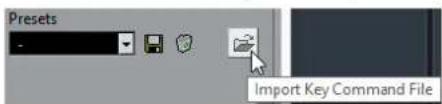
- In the file dialog, select the file that you want to import.
You can import key command files with the .key extension or macro command files with the .mac extension.
- Click Open.
RESULT
The file is imported.
AFTER COMPLETING THIS TASK
You can save the imported file as a preset.
Resetting Key Commands
PROCEDURE
- Select File > Key Commands.
- Do one of the following:
- In the Commands list, select the key command that you want to restore and click Reset.
- Click Reset All.

RESULT
The key commands are reset.
IMPORTANT
Any changes made to the default key commands are lost. If you want to be able to revert to these settings again, make sure to save them first.
The Default Key Commands
The default key commands are arranged in categories.
NOTE
When the On-Screen Keyboard is displayed, the usual key commands are blocked because they are reserved for the On-Screen Keyboard. The only exceptions are: Ctrl/Cmd-S (Save), Num * (Start/Stop Record), Space (Start/Stop Playback), Num 1 (Jump to left locator), Delete or Backspace (Delete), Num / (Cycle on/off), F2 (Show/Hide Transport panel), and Alt-K (Show/Hide On-Screen Keyboard).
Audio Category
| Option Key command | |
| Adjust Fades to Range A | |
| Crossfade X |
Automation Category
| Option Key command | |
| Read Automation for All Tracks On/Off Alt-R | |
| Write Automation for All Tracks On/Off Alt-W |
Chords Category
| Option Key command | |
| Chord Pads Ctrl/Cmd-Shift-C |
Devices (Studio) Category
| Option Key command | |
| Audio Connections F4 | |
| Audio Performance F12 | |
| MixConsole F3 | |
| MixConsole in Project Window Alt-F3 | |
| On-Screen Keyboard Alt-K | |
| Video Player F8 | |
| VST Instruments (not in Cubase LE) F11 |
Direct Offline Processing Category
| Option Key command | |
| Direct Offline Processing F7 |
Edit Category
| Option Key command | |
| Activate/Deactivate Focused Object Alt-A | |
| Auto-Scroll On/Off F | |
| Copy Ctrl/Cmd-C | |
| Cut Ctrl/Cmd-X | |
| Cut Time Ctrl/Cmd-Shift-X | |
| Delete Delete or Backspace | |
| Delete Time Shift-Backspace | |
| Duplicate Ctrl/Cmd-D | |
| Expand/Reduce Alt-E | |
| Insert Silence Ctrl/Cmd-Shift-E | |
| Invert | Alt-F |
| Left Selection Side to Cursor | E |
| Move to Cursor | Ctrl/Cmd-L |
| Move to Front (Uncover) | U |
| Mute M | |
| Mute Events Shift-M | |
| Mute/Unmute Objects Alt-M | |
| Open Ctrl/Cmd-E | |
| Paste Ctrl/Cmd-V | |
| Paste at Origin Alt-V | |
| Paste Relative to Cursor Shift-V | |
| Paste Time Ctrl/Cmd-Shift-V | |
| Primary Parameter: Decrease Ctrl/Cmd-Shift-Down Arrow | |
| Primary Parameter: Increase Ctrl/Cmd-Shift-Up Arrow | |
| Record Enable R | |
| Redo Ctrl/Cmd-Shift-Z | |
| Repeat Ctrl/Cmd-K | |
| Right Selection Side to Cursor D | |
| Secondary Parameter: Decrease Ctrl/Cmd-Shift-Left Arrow | |
| Secondary Parameter: Increase Ctrl/Cmd-Shift-Right Arrow | |
| Select All | Ctrl/Cmd-A |
| Select None | Ctrl/Cmd-Shift-A |
| Snap On/Off | J |
| Solo | S |
| Split At Cursor Alt-X | |
| Split Range | Shift-X |
| Stationary Cursor | Alt-C |
| Undo Ctrl/Cmd-Z | |
| Unmute Events Shift-U | |
| Write W | |
Editors Category
| Option Key command | |
| Open Score Editor Ctrl/Cmd-R | |
| Open/Close Editor Return |
File Category
| Option Key command | |
| Close Ctrl/Cmd-W | |
| New Ctrl/Cmd-N | |
| Open Ctrl/Cmd-O | |
| Quit Ctrl/Cmd-Q | |
| Save Ctrl/Cmd-S | |
| Save As Ctrl/Cmd-Shift-S | |
| Save New Version Ctrl/Cmd-Alt-S |
Media Category
| Option Key command | |
| Open MediaBay F5 | |
| Open/Close Attribute Inspector Ctrl-Alt-Num6 | |
| Open/Close Favorites Ctrl-Alt-Num8 | |
| Open/Close File Browser Ctrl-Alt-Num4 | |
| Open/Close Filters Ctrl-Alt-Num5 | |
| Open/Close Previewer | Ctrl-Alt-Num2 |
| Preview Cycle On/Off Shift-Num / | |
| Preview Start Shift-Enter | |
| Preview Stop Shift-Num 0 | |
| Search MediaBay Shift-F5 |
MIDI Category
| Option Key command | |
| Show/Hide Controller Lanes Alt-L |
Navigate Category
| Option Key command | |
| Add Down:Expand/Undo selection in the Project window to the bottom/ Move selected event in the Key Editor down 1 octave | Shift-Down Arrow |
| Add Left:Expand/Undo selection in the Project window/ Key Editor to the left | Shift-Left Arrow |
| Add Right:Expand/Undo selection in the Project window/ Key Editor to the right | Shift-Right Arrow |
| Add Up:Expand/Undo selection in the Project window to the top/Move selected event in the Key Editor up one octave | Shift-Up Arrow |
| Bottom:Select bottom track in the track list | End |
| Down:Select next in the Project window/Move selected event in the Key Editor one semitone down | Down Arrow |
| Left: Left Arrow | |
| Select previous in the Project window/Key Editor | |
| Right:Select next in the Project window/Key Editor | Right Arrow |
| Toggle Selection Ctrl/Cmd-Space | |
| Top:Select top track in the track list | Home |
| Up:Select next in the Project window/ Move selected event in the Key Editor one semitone up | Up Arrow |
Nudge Category
| Option Key command | |
| End Left Alt-Shift-Left Arrow | |
| End Right Alt-Shift-Right Arrow | |
| Left Ctrl/Cmd-Right Arrow | |
| Right Ctrl/Cmd-Right Arrow | |
| Start Left Alt-Left Arrow | |
| Start Right Alt-Right Arrow |
Project Category
| Option Key command | |
| Open Markers Ctrl/Cmd-M | |
| Open Pool Ctrl/Cmd-P | |
| Open Tempo Track Ctrl/Cmd-T | |
| Remove Selected Tracks Shift-Delete | |
| Setup Shift-S |
Quantize Category
| Option Key command | |
| Quantize Q |
Set Insert Length Category
| Option Key command | |
| 1/1 Alt-1 | |
| 1/2 Alt-2 | |
| 1/4 Alt-3 | |
| 1/8 Alt-4 | |
| 1/16 Alt-5 | |
| 1/32 Alt-6 | |
| 1/64 Alt-7 | |
| 1/128 Alt-8 | |
| Toggle Dotted Alt-. | |
| Toggle Triplet Alt-, |
Tool Category
| Option Key command | |
| Draw Tool 8 | |
| Drumstick Tool 0 | |
| Erase Tool 5 | |
| Glue Tool 4 | |
| Mute Tool 7 | |
| Next Tool F10 | |
| Play Tool 9 | |
| Previous Tool F9 | |
| Range Tool 2 | |
| Select Tool 1 | |
| Split Tool 3 | |
| Zoom Tool 6 |
Transport Category
| Option Key command | |
| Activate Metronome C | |
| Activate Punch In I | |
| Activate Punch Out O | |
| Cycle Num / | |
| Enter Left Locator Shift-L | |
| Enter Project Cursor Position Shift-P | |
| Enter Right Locator Shift-R | |
| Enter Tempo Shift-T | |
| Enter Time Signature Shift-C | |
| Exchange Time Formats . | |
| Fast Forward | Shift-Num + |
| Fast Rewind | Shift-Num - |
| Forward | Num + |
| Go to Left Locator | Num 1 |
| Go to Project Start | Num . or Num , or Num ; |
| Go to Right Locator | Num 2 |
| Insert Marker (Windows only) | Insert |
| Locate Next Event N | |
| Locate Next Hitpoint Alt-N | |
| Locate Next Marker Shift-N | |
| Locate Previous Event B | |
| Locate Previous Hitpoint Alt-B | |
| Locate Previous Marker Shift-B | |
| Locate Selection Start L | |
| Loop Selection Alt-P | |
| Nudge Cursor Left Ctrl/Cmd-Num - | |
| Nudge Cursor Right Ctrl/Cmd-Num + | |
| Panel (Transport panel) F2 | |
| Play Selection Range Alt-Space | |
| Recall Cycle Marker 1 to 9 | Shift-Num 1 to Num 9 |
| Record Num * | |
| Retrospective MIDI Record Shift-Num * | |
| Rewind Num - | |
| Set Left Locator to Project Cursor Position | Ctrl/Cmd-Num 1 |
| Set Locators to Selection Range | P |
| Set Marker 1 | Ctrl/Cmd-1 |
| Set Marker 2 | Ctrl/Cmd-2 |
| Set Marker 3 to 9 | Ctrl/Cmd-Num 3 to 9 or Ctrl/Cmd-3 to 9 |
| Set Right Locator to Project Cursor Position | Ctrl/Cmd-Num 2 |
| Start | Enter |
| Start/Stop | Space |
| Stop Num 0 | |
| To Marker 1 Shift-1 | |
| To Marker 2 Shift-2 | |
| To Marker 3 to 9 | Num 3 to 9 or Shift-3 to 9 |
| Use External Synchronization Alt-Shift-T | |
| Use Tempo Track T |
Window Zones Category
| Option Key command | |
| Show/Hide Left Zone Ctrl/Cmd-Alt-L; Alt-I | |
| Show/Hide Right Zone Ctrl/Cmd-Alt-R | |
| Show/Hide Lower Zone Ctrl/Cmd-Alt-E | |
| Show/Hide Transport Zone Ctrl/Cmd-Alt-T | |
| Show Previous Tab Ctrl/Cmd-Alt-Left Arrow | |
| Show Next Tab Ctrl/Cmd-Alt-Right Arrow | |
| Show Previous Page Ctrl/Cmd-Alt-Shift-Left Arrow; Ctrl/Cmd-Alt-Shift-Up Arrow | |
| Show Next Page Ctrl/Cmd-Alt-Shift-Right Arrow; Ctrl/Cmd-Alt-Shift-Down Arrow | |
| Show/Hide Info Line Ctrl/Cmd-I | |
| Show/Hide Overview Alt-O |
Windows Category
| Option Key command | |
| Inline: Key Commands Shift-F4 | |
| Inline: Settings | Shift-F3 |
| Inline: View Layout | Shift-F2 |
Zoom Category
| Option Key command | |
| Zoom Full Shift-F | |
| Zoom In H | |
| Zoom In Tracks Ctrl/Cmd-Down Arrow | |
| Zoom In Vertically Shift-H | |
| Zoom Out G | |
| Zoom Out Tracks Ctrl/Cmd-Up Arrow | |
| Zoom Out Vertically Shift-G | |
| Zoom to Event Shift-E | |
| Zoom to Selection Alt-S | |
| Zoom Tracks Exclusive Ctrl/Cmd-Alt-Down Arrow |
Setting Up Tool Modifier Keys
You can set up tool modifier keys that allow you to get an alternate function when using a tool.
PROCEDURE
- In the Preferences dialog, select Editing > Tool Modifiers.

- Select an option in the Categories list, and locate the action for which you want to edit the modifier key.
- In the Action list, select the action.
- Hold down the desired modifier keys and click Assign.
NOTE
If the modifier keys you pressed are already assigned to another tool, you will be asked whether you want to overwrite them. If you do, this will leave the other tool without any modifier keys assigned.
- Click OK.
RESULT
The modifier keys for the action are replaced.
Customizing
In Cubase you can organize windows and dialogs in workspaces, set up the appearance of specific elements, customize the colors, and save program settings as profiles.
RELATED LINKS
Using the Setup Options on page 621
Customizing the Meter Colors on page 623
Customizing the User Interface Colors on page 624
Coloring Tracks, Parts, or Events Manually on page 624
Using the Setup Options
You can customize the appearance of the following elements:
- Transport panel
- Status line
- Info line
- Toolbars
- Inspector
Setup Context Menus
Setup context menus are available for the Transport panel, the toolbars, the info lines, or the Inspector.
• To open the setup context menus, right-click the corresponding element.
NOTE
You can also click the corresponding setup buttons to open the context menu.
The following general options are available on the setup context menus:
• Show All makes all items visible. • Reset All resets the interface to the default setting. • Setup opens the setup dialog.
If presets are available, they can be selected on the lower half of the menu.

The info line setup context menu
Setup Dialogs
The setup dialogs allow you to specify which elements are visible/hidden and in what order they are shown. You can save and recall setup presets.
• To open a setup dialog, right-click the element that you want to set up, and select Setup.

The left section of the dialog shows the visible items, the right section shows the hidden items.
- To change the current show/hide status of an item, select it in one section and use the arrow buttons in the middle of the dialog to move it to the other section. • To reorder the items list, select an item in the list of Visible Items and click Move Up or Move Down.
- To name the current configuration and save it as a preset, click Store in the Presets section.
- To remove a preset, select it on the presets pop-up menu and click Delete in the Presets section. • To revert to the standard layout, open the setup context menu and select Reset All.
Customizing the Meter Colors
You can customize the meter colors in Cubase. This helps you to keep an overview of what levels are being reached.
PROCEDURE
- In the Preferences dialog, select Metering > Appearance.

- Do one of the following:
- Click Channel Meter to make settings for the channel meter.
- Click Master Meter to make settings for the master meter.
- Do one of the following:
- Double-click a level position to the right of the meter scale and enter the level (dB) value to specify the level for a color change. To enter dB values less than zero, add a minus sign before the entered number.
- Click a level position and drag it to a specific level, and press Shift for more accurate positioning.
- Click a level position and nudge it up or down with the Up Arrow/Down Arrow keys, and press Shift for faster positioning.
NOTE
You can add level position handles by clicking the Add button. New handles are always added at the top of the meter. You can remove a selected level position handle by clicking the Remove button.
- Click the upper or lower part of a handle so that a frame is shown, and in the color selector, select a color.
- Click OK.
Customizing the User Interface Colors
You can change the color of the Cubase desktop, the track types, the Project window, and the Editor elements.
PROCEDURE
- In the Preferences dialog, select User Interface > Color Schemes.
- Do one of the following:
• Activate a default color scheme by clicking on it.
- Click Choose Custom Color and the color selector pane to select a new color.
RESULT
The color scheme is instantly applied.
RELATED LINKS
Color Selector Pane on page 624
Color Selector Pane
Color Selectors
Allow you to select a color.
Context Menu
Allows you to copy, paste or reset colors.
Current Color/New Color
Shows the current color and the new color.
Hue/Saturation/Brightness
Allows you to edit the colors numerically.
OK
Confirms the color changes.
NOTE
You must restart the application for some changes to take effect.
Coloring Tracks, Parts, or Events Manually
You can apply colors to individual tracks and events/parts for an easier overview in the Project window.
PROCEDURE
- In the Project window, do one of the following:
• To change the color of an event or part, select it. • To change the color of a track, select the track and deselect all its events or parts.
- On the toolbar, select the Color tool, click again, and select a color from the pop-up menu.

RESULT
If you apply a color to a track, the corresponding events and parts are displayed in the same color.
NOTE
If you assign a different color to individual parts or events, they no longer follow color changes of the track.
Resetting the Default Track Color
You can reset the color of a track, part, or event to the default color.
PROCEDURE
- In the Project window, select the track, event or part that you want to reset to the default color.
- On the toolbar, select the Color tool, click again, and select Default Color from the pop-up menu.
Auto Track Color Mode
The Auto Track Color Mode offers you several options for automatically assigning colors to tracks that are added to the project.
- To change the Auto Track Color Mode and in the Preferences dialog, select Event Display >Tracks.

The following options are available:
Use Default Track Color
The default color (gray) is assigned.
Use Previous Track Color
Analyzes the color of the selected track and uses the same color for the new track.
Use Previous Track Color +1
Analyzes the color of the selected track and uses the color that comes next in the color palette for the new track.
Use Last Applied Color
Uses the color that is selected in the Select Colors pop-up menu.
Use Random Track Color
Uses the color palette as a basis to assign track colors randomly.
Colorizing Track Controls
You can apply the track color to the track controls. By default, only the left part of the track in the track list is colorized.
PROCEDURE
- In the Preferences dialog, select Event Display > Tracks.
- Drag the Colorize Track Controls slider to the right.

- On the Project window toolbar, select the Color Tool and click again to select a color.
RESULT
The track controls are colorized.
Colorizing Folder Track Controls Only
You can restrict the effect of the Colorize Track Control function to folder tracks only. This is useful in projects with a large number of tracks and folder tracks.
PROCEDURE
- In the Preferences dialog, select Event Display > Tracks.
- Drag the Colorize Track Controls slider to the right.
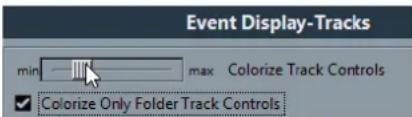
- Activate Colorize Only Folder Track Controls.
- Click OK.
- In the track list, select the folder track that you want to colorize.
- On the Project window toolbar, select the Color Tool and click again to select a color.
RESULT
Only the folder track controls are colorized.
Project Colors Dialog
The Project Colors dialog allows you to set up a different set of colors for the tracks, events or parts.
- To open the Project Colors dialog, select the Color tool on the Project window toolbar. Click again to open a pop-up menu and select Project Colors.

Color fields
Click a field to open a color selector pane that allows you to specify a new color.
The following options are available in the Options pop-up menu:
Append New Color
Adds a new color button at the bottom of the color list.
Insert New Color before Selection
Adds a new color button above the selected color button.
Remove Selected Color
Removes the selected color.
Reset Selected Color
Resets the selected color to the factory settings.
Increase/Reduce Intensity of all Colors
Increases or reduces the intensity of all colors.
Increase/Reduce Brightness of all Colors
Increases or reduces the brightness of all colors.
Save Current Set as Program Defaults
Saves the current set of colors as default.
Load Program Defaults to Current Set
Applies the default set of colors.
Reset Current Set to Factory Settings
Returns to the standard color palette.
Adding and Editing Individual Colors
You can use the Options menu in the Project Colors dialog to fully customize the color palette.

The following options are available:
Append New Color
This adds a new color button at the bottom of the colors list. To define a color, click the color button, and in the color selector pane that opens, define a color.
Insert New Color before Selection
This adds a new color button above the selected color button. To define a color, click the color button, and in the color selector pane that opens, define a color.
Remove Selected Color
This removes the selected color.
Reset Selected Color
This resets the selected color.
Increase Intensity of all Colors
This increases the intensity of all colors.
Reduce Intensity of all Colors
This reduces the intensity of all colors.
Increase Brightness of all Colors
This increases the brightness of all colors.
Reduce Brightness of all Colors
This reduces the brightness of all colors.
Save Current Set as Program Defaults
This saves the current set as default.
Load Program Defaults to Current Set
This applies the default set.
Reset Current Set to Factory Settings
This returns to the standard color palette of Cubase.
Where are the Settings Stored?
There is a large number of ways in which you can customize Cubase. While some of the settings you make are stored with each project, others are stored in separate preference files.
If you need to transfer your projects to another computer (e.g. in another studio), you can bring all your settings along by copying the desired preference files and installing them on the other computer.
NOTE
It is a good idea to make a backup copy of your preference files once you have set things up the way you want! This way, if another Cubase user wants to use his or her personal settings when working on your computer, you can restore your own preferences afterwards.
- On Windows, preference files are stored in the following location: "\Users\ \AppData\Roaming\Steinberg\ \". On macOS, preference files are stored in the following location: "/Library/Preferences/ /" under your home directory. On the Start menu, you will find a shortcut to this folder for easy access. The full path is: "/Users/ /Library/Preferences/ ".
NOTE
The RAMpresents.xml file, which contains various presets settings, is saved when exiting the program.
NOTE
Program functions (e. g. crossfade) or configurations (e. g. panels) not used in the project will not be stored.
Updating from a Previous Version of Cubase
When you are updating from Cubase 6 or higher, most of the customized settings of your previous installation are used for the new Cubase version.
When your previous Cubase version is older than Cubase 6, its settings are discarded, and the default settings of the new version of Cubase are used.
Disabling the Preferences
Sometimes you might experience odd program behaviour that can be due to inconsistent preferences settings. In such a case, you should save your project and relaunch Cubase. You can disable or delete the current preferences settings, and load the factory defaults instead.
PROCEDURE
- Quit Cubase.
- Launch Cubase, and when the splash screen appears, hold down Shift-Ctrl/Cmd-Alt.
- Select one of the following options in the dialog that appears:
• Use current program preferences
Opens the program with the current preference settings.
• Disable program preferences
Disables the current preferences, and opens the program with the factory default settings instead.
- Delete program preferences
Deletes the preferences and opens the program with the factory default settings instead. This process cannot be undone. Note that this affects all versions of Cubase installed on your computer.
RELATED LINKS
Preferences on page 635
Optimizing
Optimizing Audio Performance
This section gives you some hints and tips on how to get the most out of your Cubase system, performance-wise.
NOTE
For details and current information on system requirements and hardware properties refer to the Steinberg web site.
Performance Aspects
Tracks and Effects
The faster your computer, the more tracks, effects, and EQ you are able to play. Exactly what constitutes a fast computer is almost a science in itself, but some hints are given below.
Short Response Times (Latency)
Another aspect of performance is response time. The term "latency" refers to the buffering, that is, the temporary storing of small chunks of audio data during various steps of the recording and playback process on a computer. The more and larger those chunks, the higher the latency.
High latency is most irritating when playing VST instruments and when monitoring through the computer, that is, when listening to a live audio source via the Cubase MixConsole and effects. However, very long latency times (several hundred milliseconds) can also affect other processes like mixing, for example, when the effect of a fader movement is heard only after a noticeable delay.
While Direct Monitoring and other techniques reduce the problems associated with very long latency times, a system that responds fast will always be more convenient to work with.
- Depending on your audio hardware, it may be possible to trim your latency times, usually by lowering the size and the number of buffers.
- For details, refer to the audio hardware documentation.
Audio Hardware and Driver
The hardware and its driver can have some effect on regular performance. A badly written driver can reduce the performance of your computer. But where the hardware driver design makes the most difference is with latency.
NOTE
We recommend that you use audio hardware for which there is a specific ASIO driver.
This is especially true when using Cubase for Windows:
- Under Windows, ASIO drivers written specifically for the hardware are more efficient than the Generic Low Latency ASIO Driver and produce shorter latency times.
- Under macOS, audio hardware with properly written macOS (Core Audio) drivers can be very efficient and produce very low latency times.
However, there are additional features only available with ASIO drivers, such as the ASIO Positioning Protocol.
Settings That Affect Performance
Audio Buffer Settings
Audio buffers affect how audio is sent to and from the audio hardware. The size of the audio buffers affects both the latency and the audio performance.
Generally, the smaller the buffer size, the lower the latency. On the other hand, working with small buffers can be demanding for the computer. If the audio buffers are too small, you may get clicks, pops or other audio playback problems.
Adjusting the Buffer Size
To lower the latency, you can reduce the buffer size.
PROCEDURE
- Select Studio > Studio Setup.
- In the Devices list, select your audio hardware driver.
- Click Control Panel.
- Do one of the following:
• Windows: Adjust the buffer size in the driver dialog that opens. • macOS: Adjust the buffer size in the CoreAudio Device Settings dialog.
Multi Processing
Multi processing distributes the processing load evenly to all available CPUs, allowing Cubase to make full use of the combined power of the multiple processors.
Multi processing is activated by default. You can find the setting in the Studio Setup dialog (VST Audio System page).
Audio Performance Window
This window shows the audio processing load and the hard disk transfer rate. This allows you to verify that you do not run into performance problems when adding effects or plug-ins, for example.
• To open the Audio Performance window, select Studio > Audio Performance.

Average load
Shows how much of the available CPU power is used for audio processing.
Real-time peak
Shows the processing load in the realtime path of the audio engine. The higher this value, the higher the risk that dropouts occur.
Overload indicator
The overload indicator to the right of the real-time peak indicator and the average load indicator displays overloads of the average or real-time indicator.
If it lights up, decrease the number of EQ modules, active effects, and audio channels that play back simultaneously. You can also activate the ASIO-Guard.
Disk
Shows the hard disk transfer load.
Disk overload indicator
The overload indicator to the right of the disk indicator lights up if the hard disk does not supply data fast enough.
If it lights up, use Disable Track to reduce the number of tracks playing back. If this does not help, you need a faster hard disk.
NOTE
You can show a simple view of the performance meter on the Transport panel and on the Project window toolbar. These meters only feature the average and the disk indicator.
ASIO-Guard
The ASIO-Guard allows you to shift as much processing as possible from the ASIO realtime path to the ASIO-Guard processing path. This results in a more stable system.
The ASIO-Guard allows you to preprocess all channels as well as VST instruments that do not need to be calculated in realtime. This leads to fewer dropouts, the ability to process more tracks or plug-ins, and the ability to use smaller buffer sizes.
ASIO-Guard Latency
High ASIO-Guard levels lead to an increased ASIO-Guard latency. When you adjust a volume fader, for example, you will hear the parameter changes with a slight delay. The ASIO-Guard latency, in contrast to the latency of the audio hardware, is independent from live input.
Restrictions
The ASIO-Guard cannot be used for:
• Realtime-dependent signals
• External effects and instruments
NOTE
If you select Studio > VST Plug-in Manager and click Show VST Plug-in Information, you can deactivate the ASIO-Guard option for selected plug-ins.
If you activate the monitoring for an input channel, a MIDI or a VST instrument channel, the audio channel and all dependent channels are automatically switched from ASIO-Guard to realtime processing and vice versa. This results in a gentle fade out and fade in of the audio channel.
Activating the ASIO-Guard
PROCEDURE
- Select Studio > Studio Setup.
- In the Devices list, select VST Audio System.
- Activate the Activate ASIO-Guard option.
NOTE
This option is only available if you activate Multi Processing.
- Select an ASIO-Guard Level.
The higher the level, the higher the processing stability and audio processing performance. However, higher levels also lead to an increased ASIO-Guard latency and memory usage.
Preferences
The Preferences dialog provides options and settings that control the global behavior of the program.
Preferences Dialog
The Preferences dialog is divided into a navigation list and a settings page. Clicking one of the entries in the navigation list opens a settings page.
• To open the Preferences dialog, select File > Preferences.

In addition to the settings, the dialog provides the following options:
Preference Presets
Allows you to select a saved preference preset.
Store
Allows you to save the current preferences as a preset.
Rename
Allows you to rename a preset.
Delete
Allows you to delete a preset.
Store marked preferences only
Allows you to select which pages are included in the preset.
Help
Opens the dialog help.
Defaults
Resets the options on the active page to their default settings.
Apply
Applies any changes that you have made without closing the dialog.
OK
Applies any changes that you have made and closes the dialog.
Cancel
Closes the dialog without saving any changes.
Saving a Preference Preset
You can save complete or partial preference settings as presets.
PROCEDURE
- In the Preferences dialog, make your settings.
- Click Store in the lower left section of the dialog.
- Enter a preset name and click OK.
RESULT
Your settings are now available on the Preferences Presets pop-up menu.
Saving Partial Preferences Settings
You can save partial preferences settings. This is useful when you have made settings that only relate to a certain project or situation, for example. When you apply a saved partial preference preset, you only change the saved settings. All other preferences will be left unchanged.
PROCEDURE
- In the Preferences dialog, make your settings.
- Activate Store marked preferences only.
In the preferences list, a Store column is shown.

- Click in the Store column of the preference pages that you want to save.
- Click Store in the lower left section of the dialog.
- Enter a preset name and click OK.
RESULT
Your settings are now available from the Preferences Presets pop-up menu.
Editing
'Edit Solo'/'Record in MIDI Editors' follow focus
If this option is activated, and Record in Editor or Solo Editor is activated in a MIDI editor, these options follow the focus. That is, if the Project window gets the focus, Record in Editor and Solo Editor are suspended in the MIDI editor.
Display Warning before Deleting Non-Empty Tracks
If this option is activated, a warning message is displayed if you delete tracks that are not empty.
Select Track on Background Click
This allows you to select a track by clicking in the event display background.
Auto Select Events under Cursor
If this option is activated, all events in the Project window or in an editor that are touched by the project cursor are automatically selected. This can be helpful when you rearrange your project, because it allows you to select whole sections (on all tracks) simply by moving the project cursor.
Cycle Follows Range Selection
If this option is activated, range selections that you make in the Sample Editor will be mirrored in the Project window as well. This lets you audition a range in the Sample Editor as a loop with the main transport controls, rather than with the Audition and Audition Loop controls in the Sample Editor.
Delete Overlaps
If this option is activated and you move, size, or nudge an event so that it partly overlaps another event, the other event is automatically resized so that the overlapped (hidden) section is removed. Hold Shift while moving to override this setting.
Parts Get Track Names
If this option is activated and you move an event from one track to another, the moved event will automatically be named according to its new track. Otherwise, the event will retain the name of the original track.
Quick Zoom
If this option is activated, the contents of parts and events will not be continuously redrawn when you zoom manually. Instead, the contents are redrawn once you have stopped changing the zoom – activate this if screen redraws are slow on your system.
Use Up/Down Navigation Commands for Selecting Tracks only
- If this option is deactivated and no event/part is selected in the Project window, the Up Arrow/Down Arrow keys are used to step through the tracks in the track list.
- If this option is deactivated and an event/part is selected in the Project window however, the Up Arrow/Down Arrow keys still step through the tracks in the track list. Only on the selected track, the first event/part will also be selected.
- If this option is activated, the Up Arrow/Down Arrow keys are only used to change the track selection – the current event/part selection in the Project window will not be altered.
Track Selection follows Event Selection
If this option is activated and you select an event in the Project window, the corresponding track is also automatically selected.
Automation Reduction Level
This slider allows you to remove all superfluous automation events. A reduction level value of 0% removes repeated automation points only. A reduction level value between 1 to 100 % smoothens the automation curve. The default value of 50 % should reduce the automation data amount significantly without touching the sound result of the existing automation.
Show Automation Track in Project on Writing Parameter
If you activate this option, the corresponding automation track is revealed on writing automation parameters. This is useful if you want to have a visual control of all parameters changed on writing.
Automation Follows Events
If this option is activated, automation events will automatically follow when you move an event or part on the track.
This facilitates setting up automation that is related to a specific event or part, instead of a specific position in the project. For example, you can automate the panning of a sound effect event (having the sound pan from left to right, etc.) – if you need to move the event, the automation will automatically follow. The rules are:
- All automation events for the track between the start and end of the event or part will be moved. If there are automation events in the position to which you move the part or event, these will be overwritten.
- If you duplicate an event or part, the automation events will be duplicated as well.
- This function also affects copying and pasting.
Drag Delay
When you click and drag an event, this setting determines the delay before the event is moved. This helps you avoid accidentally moving events when you click on them in the Project window.
Editing - Audio
Treat Muted Audio Events like Deleted
If you have 2 overlapping audio events in your project and you mute the top one (the event you hear during playback), playback of the other (obscured) event will still only start at the end of the overlapping section.
If this is not what you want, Treat Muted Audio Events like Deleted allows you to immediately play the obscured event when muting the top event.
Use Mouse Wheel for Event Volume and Fades
- If this option is activated, you can use the mouse wheel to move the event volume curve up or down.
- When you hold down Shift while moving the mouse wheel, the fade curves will be affected. To move the end point of the fade in, position the mouse in the left half of the event. To move the start point of the fade out, position the mouse in the right half of the event.
On Import Audio Files
This setting determines what happens when importing an audio file into a project:
- Open Options Dialog
An Import Options dialog opens when you import, allowing you to select whether you want to copy the file to the audio folder and/or convert it to the project settings.
- Use Settings
Allows you to set standard actions for importing audio.
Enable Automatic Hitpoint Detection
If this option is activated, and you add an audio file to your project by recording or by importing, Cubase automatically detects its hitpoints. This allows you to navigate to hitpoints of an audio file from within the Project window.
Remove Regions/Hitpoints on all Offline Processes
If this option is activated, and you perform offline processing on an audio range that contains regions, these will be removed.
On Processing Shared Clips
This setting determines what happens when you apply processing to a shared clip, that is, a clip that is used by more than one event in the project:
- Open Options Dialog
An Options dialog appears, allowing you to select whether you want to create a new version of the clip or apply the processing to the existing clip.
- Create New Version
A new editing version of the clip is automatically created, and the processing is applied to that version (leaving the original clip unaffected).
- Process Existing Clip
The processing is applied to the existing clip (which means that all events playing that clip will be affected).
Default Warping Algorithm
Determines which warp algorithm is used for new audio clips in the project.
Editing - Chords
'X' Chords Mute Notes on Tracks That are in Follow Chord Track Mode
This determines what happens when you play back a track that follows the chord track and the cursor reaches an undefined chord event (X chord). Activate this option to mute playback. Deactivate this option to continue playback of the last defined chord event.
Disable 'Acoustic Feedback' during Playback
If you activate this option, Acoustic Feedback is automatically disabled on playback.
This ensures that chord events are not triggered twice.
Hide muted Notes in Editors
If you set up a MIDI track to follow the chord track by activating one of the Follow Chord Track options, some of the original MIDI notes may be muted. Activate this option to hide these notes in the editors.
Editing - Controls
Many Cubase parameters are shown as rotary encoders, sliders, and buttons that emulate hardware interfaces. Others are edited numerically in value fields. This page allows you to select the preferred ways of controlling encoders, sliders, and value fields.
Value Box/Time Control Mode
The menu contains the following options:
- Text Input on Left-Click
In this mode, clicking a value box will open it for editing by typing.
- Increment/Decrement on Left/Right-Click
In this mode, you can click with the left or right mouse button to decrease or increase the value. To edit values by typing in this mode, please double-click. Under macOS, right-clicking is the same as Ctrl/Cmd-clicking. We recommend that you use a 2-button mouse and set up the right button to generate a Ctrl/Cmd-click.
- Increment/Decrement on Left-Click and Drag
In this mode, you can click and drag up or down to adjust the value (much like dragging a vertical fader). Double-click to enter values manually.
Knob Mode
The menu contains the following options:
- Circular
To move an encoder, click on it and drag in a circular motion, such as turning a real encoder. When you click anywhere along the encoder's edge, the setting is immediately changed.
- Relative Circular
Works like the Circular option, but clicking does not automatically change the setting. This means you can make adjustments to the current setting by clicking anywhere on an encoder and dragging. There is no need to click on the exact current position.
- Linear
To move an encoder, click on it and drag up or down (or left or right) with the mouse button pressed – as if the encoder was a vertical (or horizontal) slider.
Slider Mode
The menu contains the following options:
- Jump
In this mode, clicking anywhere on a slider will make the slider handle instantly move to that position.
- Touch
In this mode, you have to click on the actual slider handle to adjust the parameter. This reduces the risk of accidentally moving sliders.
- Ramp
In this mode, clicking anywhere on a slider (but not on the actual handle) and keeping the mouse button pressed causes the handle to move smoothly to the new position.
- Relative
In this mode, clicking on a slider will not immediately change the setting. Instead you click and drag up or down – the setting will be changed according to how far you drag, not according to where you click.
Editing - MIDI
Select Controllers in Note Range: Use Extended Note Context
If this option is activated and you move notes together with their controllers, for example, in the Key Editor, the extended note context will be taken into account. This means that controllers between the last selected note and the following note (or the end of the part) will also be moved. If this option is deactivated, only the controllers between the first and the last selected note will be moved.
Legato Overlap
Determines the result of the Legato function on the MIDI menu.
- If Legato Overlap is set to 0 Ticks, the Legato function extends each selected note so that it reaches the next note exactly.
- Setting Legato Overlap to a positive value causes the notes to overlap by the specified number of ticks.
- Setting Legato Overlap to a negative value makes the Legato function leave a slight gap between the notes.
Legato Mode: Between Selected Notes Only
If this option is activated, the length of selected notes will be adjusted so that they reach the next selected note, allowing you to apply Legato only to your bass line, for example.
Split MIDI Events
If you split a MIDI part in the Project window (with the Cut tool or one of the split functions) so that the split position intersects one or several MIDI notes, the result depends on this setting.
- If Split MIDI Events is activated, the intersected notes are split. This creates new notes at the beginning of the second part.
- If Split MIDI Events is deactivated, the notes will remain in the first part, but stick out after the end of the part.
Split MIDI Controllers
If you split a MIDI part containing controllers, the result depends on this setting:
- If Split MIDI Controllers is activated and the part contains a controller with a value other than zero at the split position, a new controller event (of the same type and value) will be inserted at the split position (at the start of the second part).
- If Split MIDI Controllers is deactivated, no new controller events will be inserted.
NOTE
If you just split a part and play back the result, it will sound the same regardless of this setting. However, if you split a part and delete the first half or move the second half to a different position in the project, you may want to activate Split MIDI Controllers to make sure all controllers have the correct value at the beginning of the second part.
Editing - Project & MixConsole
Select Channel/Track on Solo
When you activate this option, a track in the track list or a channel in the MixConsole automatically gets selected if Solo is activated. Deactivating this option always keeps the current selection status, regardless of the solo setting for the tracks.
Select Channel/Track on Edit Settings
When you activate this option, a track in the track list or a channel in the MixConsole automatically gets selected when you click Edit Channel Settings. Deactivating this option always keeps the current track/channel selection.
Scroll to selected Track
If you activate this option, selecting a MixConsole channel automatically scrolls the track list to display the respective track.
Enable Record on Selected MIDI Track
If this option is activated, the selected MIDI tracks are automatically record-enabled.
Enable Record on Selected Audio Track
If this option is activated, selected audio tracks are automatically record-enabled.
Enable Solo on Selected Track
If this option is activated, the selected tracks are automatically soloed.
Enlarge Selected Track
Activate this option to enter a mode where the selected track in the Project window will be enlarged. You can adjust the size directly in the track list if the default enlargement factor does not suit you. When you select another track in the track list, this track is automatically enlarged, and the previously selected track is displayed in its previous size.
Editing - Tool Modifiers
On this page you can specify which modifier keys are used for additional functionality when using tools.
PROCEDURE
- Select an option in the Categories list.
- Select the action for which you want to edit the modifier key in the Action list.
- On your computer keyboard, hold down the modifier keys and click Assign.
RESULT
The current modifier keys for the action is replaced. If this tool already has assigned modifier keys, you will be asked whether you want to replace them.
Editing - Tools
Pop-up Toolbox on Right-Click
If this option is activated, the toolbox opens on right-click in the event display and editors. You can change the number of rows in which the tools are arranged on the toolbox. Keep the right mouse button pressed until the mouse pointer changes to a double arrow and drag to the bottom or right.
- To open the context menu instead of the toolbox, press any modifier key when right-clicking.
Cross Hair Cursor
This allows you to set up a cross-hair cursor when working in the event display and editors, facilitating navigation and editing, especially when arranging in large projects. You can set up the colors for the line and the mask of the cross-hair cursor, and define its width. The cross-hair cursor works as follows:
- If the Selection tool (or one of its subtools) is selected, the cross-hair cursor appears when you start moving or copying a part/event or when you use the event trim handles.
- If the Draw tool, the Cut tool, or any other tool that makes use of this function is selected, the cross-hair cursor appears as soon as you move the mouse over the event display.
- The cross-hair cursor is only available for tools where such a function is of any use.
Zoom Tool Standard Mode: Horizontal Zooming Only
This affects the result when using the Zoom tool.
If this option is activated and you drag a selection rectangle with the Zoom tool, the window is only zoomed horizontally and the track height does not change. If this option is deactivated, the window is zoomed both horizontally and vertically.
Select Tool: Show Extra Info
Activate this to show a tooltip for the Object Selection tool in the Project window event display. This tooltip indicates the current pointer position and the name of the track and event at which you are pointing.
Editors
Use Drum Editor when Drum Map is assigned
If this option is activated, parts on MIDI tracks to which drum maps are assigned are shown with drum note symbols. The parts will automatically open in the Drum Editor on double-click. This overwrites the Default MIDI Editor setting.
Default MIDI Editor
Determines which editor is opened when you double-click a MIDI part or when you select it and press Ctrl/Cmd-E. Note that this setting is overwritten for tracks with drum maps if the Use Drum Editor when Drum Map is assigned option is activated.
Editor Content Follows Event Selection
If this option is activated, the parts or events shown in the open editor will follow the selection that you make in the Project window.
Double-Click opens Editor in a Window/in Lower Zone
Determines where an editor is opened when you double-click an audio event or a MIDI part or when you use the key command assigned to Open/Close Editor.
Open Editor Commands open Editors in a Window/in Lower Zone
Determines where an editor is opened when you use an open command from the Audio or MIDI menu or the corresponding key commands.
Event Display
The Event Display section contains several settings for customizing the display in the Project window.
Show Event Names
Determines whether the names of parts and events are shown.
Hide Truncated Event Names
When zooming or resizing elements, the events can become very small so that the name is no longer completely visible. The name gets truncated. If this option is activated, event names are hidden if they do not fit into the event.
Show Overlaps
When events overlap, this setting allows you to specify when the overlapping areas are displayed.
Grid Overlay Intensity
Increases or decreases the overlay intensity of the displayed grid lines.
Event Handling Opacity
Increases or decreases the opacity of an overlying event background when you move it.
Smallest Track Height To Show Data
Specifies from which track height the track contents are displayed.
Smallest Track Height To Show Name
Specifies from which track height the track names are displayed.
Event Display - Audio
Interpolate Audio Waveforms
If you have zoomed in to one sample per pixel or less, the appearance of the samples depends on this setting. If this option is deactivated, single sample values are drawn as steps. If this option is activated, the sample values are interpolated to form curves.
Show Event Volume Curves Always
If this option is activated, event volume curves, as created by the fade and volume handles, are shown for all events, regardless of whether they are selected or not. If this option is deactivated, volume curves are only shown for selected events. However, note that you can still adjust fades and volumes for events that are not selected, by clicking and dragging the top left, middle, or right edge respectively.
Show Waveforms
If this option is activated, audio waveforms are displayed for audio events.
Show Hitpoints on Selected Events
If this option is activated, hitpoints are displayed for audio events.
Waveform Brightness
Increases or decreases the brightness of the displayed waveforms.
Waveform Outline Intensity
Increases or decreases the intensity of the waveform outline.
Fade Handle Brightness
Increases or decreases the brightness of the set fade lines within audio events.
Background Color Modulation
If this option is activated, the backgrounds of audio waveforms reflect the waveform dynamics. This is especially useful to get an overview when working with small track heights.
Event Display - Chords & Pitches
Pitch Notation
- The Note Name pop-up menu lets you select between 3 ways of displaying chords: English, German, and Solfège.
- The Naming Format pop-up menu lets you determine how MIDI note names (pitches) are displayed in editors, etc. The options are: MIDI, MIDI + MIDI Note Number, and Classic (Helmholtz).
- The options Display 'Bb' as 'B' and Display 'B' as 'H' allow you to change the corresponding pitch names.
- If you activate Enharmonics from Chord Track, and your project contains a chord track with chord events, these chord events determine if the enharmonically equivalent notes in the Key Editor and in the List Editor are displayed as sharp or flat.
Chord Font
Allows you to specify a font for all chord symbols.
Chord Symbols
There are several ways of indicating chord types, for example, major and minor chords. These options allow you to select your preferred display method for major 7th chords, minor chords, half-diminished chords, diminished chords, and augmented chords.
Custom Chord Symbols
You can modify the default chord symbols that are used on the chord track, for the chord pads, and in the Score Editor.

- The New Custom Chord button allows you to add a new custom chord symbol.
- The options to the left allow you to specify the chord for which you want to change the chord symbol.
- Click the Type and Tension fields and enter your custom symbol.
NOTE
You must define custom symbols for each set of tensions.
- The Result field shows how the chord will be displayed.
- The Remove Custom Chord button allows you to remove the custom chord symbol that is selected in the list.
EXAMPLE
To change the appearance of all minor chords from Xmin to X-, click New Custom Chord, activate 5 and min3/#9 to define the chord type and change the symbol in the Type column from min to -.
Event Display - Folders
Show Event Details
If this option is activated, event details are displayed. If this option is deactivated, data blocks are displayed.
This setting depends on the Show Data on Folder Tracks setting.
Show Data on Folder Tracks
Determines in which case data blocks or event details are displayed on folder tracks.
• Always Show Data
If this option is activated, data blocks or event details are always displayed.
- Never Show Data
If this option is activated, nothing is displayed.
- Hide Data When Expanded
If this option is activated, the display of events is hidden when you open folder tracks.
Event Display - MIDI
Part Data Mode
Determines if and how events in MIDI parts are shown: not shown, as lines, as score notes, as drum notes, or as blocks. Note that this setting is overwritten for tracks with drum maps if the Use Drum Editor when Drum Map is assigned option is activated.
Show Controllers
Governs whether non-note events such as controllers, etc. are shown in MIDI parts.
Note Brightness
Increases or decreases the brightness of note events.
Controller Brightness
Increases or decreases the brightness of controller events.
Event Display - Tracks
Colorize Track Controls
This slider allows you to apply the track color to the track controls. Drag the slider to the right to intensify the color.
Colorize Only Folder Track Controls
Activate this to restrict the effect of the Colorize Track Control function to folder tracks only. This is useful in projects with a large number of tracks and folder tracks.
Default Track Name Width
Allows you to determine the default name width for all track types.
Auto Track Color Mode
This offers you several options for automatically assigning colors to tracks that are added to the project:
- Use Default Track Color
New tracks get the default event color.
- Use Previous Track Color
New tracks get the same color as the track above them in the track list.
- Use Previous Track Color + 1
This is similar to the Use Previous Track Color option, except that the new tracks get the next color in the color palette.
- Use Last Applied Color
New tracks get the color that you last applied to an event/part.
- Use Random Track Color
Inserted tracks get random track colors.
General
The General page contains general settings that affect the program user interface. Set these according to your preferred work methods.
Language
Allows you to select which language is used in the program. After switching the language, you must restart the program for the change to take effect.
Auto Save
If this option is activated, Cubase automatically saves backup copies of all open projects with unsaved changes. These are named Name.bak, where name is the name of the project, and are saved in the project folder. Backup copies of unsaved projects are named #UntitledX.bak where X is an incremental number, to allow multiple backup copies in the same project folder.
Auto Save Interval
Allows you to specify how often a backup copy is created.
Maximum Backup Files
Allows you to specify how many backup files will be created with the Auto Save function. When the maximum number of backup files is reached, the existing files will be overwritten (starting with the oldest file).
Show Tips
If this option is activated and you position the pointer over an icon or button in Cubase, an explanatory tooltip is displayed after a second.
Use Edge Hints
If this option is activated, you can position the mouse pointer at one of the Project window edges to show a pane with options to open or close the sections.
Maximum Undo Steps
Allows you to specify the number of undo levels.
Run Setup on Create New Project
If this option is activated, Cubase automatically displays the Project Setup dialog every time you create a new project. This allows you to specify the basic project configuration.
Use Hub
Activate this option to open the Hub when you start Cubase or create a new project using the File menu.
General - Personalization
Default Author Name
Allows you to specify an author name that is used by default for new projects. This will be included as metadata when exporting audio files with an iXML chunk.
Default Company Name
Allows you to specify a company name that is used by default for new projects. This will be included as metadata when exporting audio files with an iXML chunk.
MIDI
This page contains settings that affect MIDI recording and playback.
MIDI Thru Active
If this option is activated, all MIDI tracks that are record-enabled or have monitoring activated will "echo" incoming MIDI data, sending it back out on their respective MIDI outputs and channels. This allows you to hear the correct sound from your MIDI instrument during recording.
NOTE
If you use MIDI Thru, select Local Off mode on your MIDI instrument to prevent each note from sounding twice.
Reset on Stop
If this option is activated, Cubase sends out MIDI Reset messages (including noteoff and controller resets) on stop.
Never Reset Chased Controllers
If this option is activated, controllers are not reset to 0 when you stop playback or move to a new position in the project.
Length Adjustment
This allows you to enter a length adjustment value in ticks by which the notes that have the same pitch and MIDI channel are adjusted. This ensures that there is always a short time between the end of one note and the start of another. By default, there are 120 ticks per 1/16 note, but you can adjust this with the MIDI Display Resolution setting.
Chase Events
Event types for which an option is activated are chased when you locate to a new position and start playback. This makes your MIDI instruments sound as they should when you locate to a new position and start playback.
If Chase not limited to Part Boundaries is activated, MIDI controllers are also chased outside the part boundaries, and the chase is performed on the part touched by the cursor as well as on all the parts to the left of it. Deactivate this for very large projects, as it slows down processes such as positioning and soloing.
MIDI Display Resolution
This allows you to set the display resolution for viewing and editing MIDI data. This only affects how MIDI events are displayed and not how they are recorded.
Extend Playback Range of Notes that start before the Part
This allows you to extend the playback range of MIDI notes that start before the part in ticks. This is useful if MIDI events start shortly before the start of the MIDI part. If you do not extend the playback range, these events are not played. This setting is also taken into account during cycle playback.
Insert Reset Events after Record
If this option is activated, a reset event is inserted at the end of each recorded part. This resets controller data, such as Sustain, Aftertouch, Pitchbend, Modulation, Breath Control. This is useful if you stop recording before the note off command is sent, for example.
MIDI Latency Mode
Allows you to specify the latency of the MIDI playback engine.
Low lowers the latency and increases the responsiveness of the MIDI playback engine. However, this setting might also decrease your computer performance if your project contains lots of MIDI data.
Normal is the default mode and the recommended setting for most workflows.
High increases the latency and the playback buffer. Use this if you work with complex VST Instrument libraries or with projects that have a very high performance level.
MIDI Max. Feedback in ms
This allows you to set the maximum length of the notes when using Acoustic Feedback in MIDI editors.
MIDI - MIDI File
Export Options
These options allow you to specify what data is included in exported MIDI files.

Export Inspector Patch
If this option is activated, the MIDI patch settings in the Inspector - Bank Select and Program Select (used for selecting sounds in the connected MIDI instrument) are included as MIDI Bank Select and Program Change events in the MIDI file.
Export Inspector Volume/Pan
If this option is activated, Volume and Pan settings made in the Inspector are included as MIDI Volume and Pan events in the MIDI file.
Export Automation
If this option is activated, the automation data (just as it is heard during playback) is converted to MIDI controller events and included in the MIDI file. Cubase Elements only: This also includes automation recorded with the MIDI Control plug-in.
Note that if a continuous controller (CC7, for example) has been recorded but the Read button is deactivated for the automation track (that is the automation is effectively switched off for this parameter), only the part data for this controller will be exported.
If this option is deactivated and the Read Automation button is activated, no continuous controllers will be exported. If the Read button is deactivated, the controller data of the MIDI part are exported (these will now be handled like "regular" part data).
It is recommended to activate the "Export Automation" option.
Export Inserts
If this option is activated, any MIDI modifiers that you have added will be included in the MIDI file.
Export Markers
If this option is activated, any markers you have added will be included in the MIDI file as Standard MIDI File Marker events.
Export as Type 0
If this option is activated, the MIDI file will be of Type 0 (all data on a single track, but on different MIDI channels). If you do not check this option, the MIDI file will be of Type 1 (data on separate tracks). Which type to choose depends on what you want to do with the MIDI file (in which application or sequencer it is to be used).
Export Resolution
You can specify a MIDI resolution between 24 and 960 for the MIDI file. The resolution is the number of pulses, or ticks, per quarter note (PPQ) and determines the precision with which you will be able to view and edit the MIDI data. The higher the resolution, the higher the precision. The resolution should be chosen depending on the application or sequencer with which the MIDI file will be used though, because certain applications and sequencers may not be able to handle certain resolutions.
Export Locator Range
If this option is activated, only the range between the left and right locator will be exported.
Export includes Delay
If this option is activated, any delay settings you have made in the Inspector will be included in the MIDI file.
Import Options for MIDI Files
The Import Options for MIDI files allow you to specify what data is included in imported MIDI files.

Extract First Patch
Converts the first Program Change and Bank Select events for each track to Inspector settings for the track.
Extract First Volume/Pan
Converts the first MIDI Volume and Pan events for each track to Inspector settings for the track.
Import Controller as Automation Tracks
Converts MIDI Controller events in the MIDI file to automation data for the MIDI tracks. If this option is deactivated, controller data for the MIDI parts will be imported.
Import to Left Locator
Aligns the imported MIDI file at the position of the left locator. If this option is deactivated, MIDI files start at the project start position. If you choose to have a new project created automatically, the MIDI file always starts at the project start position.
Import Markers
Imports any markers that have been added.
Import Dropped File as Single Part
Places the file on one track if you drag and drop a MIDI file into the project.
Ignore Master Track Events on Merge
Ignores tempo track data if you import a MIDI file into the current project. The imported MIDI file will play according to the current Tempo track in the project. If this option is deactivated, the Tempo Track Editor will be adjusted according to the tempo information in the MIDI file.
Auto Dissolve Format 0
Automatically dissolves imported MIDI files of type 0. Each embedded MIDI channel in the file is placed on a separate track in the Project window.
If this option is deactivated, only one MIDI track is created. This track is set to MIDI channel Any, allowing all MIDI events to play back on their original channels. You can also use the Dissolve Part function on the MIDI menu to distribute the events onto different tracks (or lanes) with different MIDI channels at a later stage.
Destination
Allows you to specify what happens when you drag a MIDI file into the project:
- MIDI Tracks creates MIDI tracks for the imported file.
- Instrument Tracks creates instrument tracks for each MIDI channel in the MIDI file and lets the program automatically load appropriate presets.
- HALion Sonic SE multi-timbral creates several MIDI tracks, each routed to a separate instance of HALion Sonic SE in the VST Instruments window, and loads the appropriate presets.
NOTE
In Cubase LE, this is automatically set to MIDI Tracks.
Import Karaoke Lyrics as Text
Converts karaoke lyrics in the MIDI file to text that can be displayed in the Score Editor. If this option is deactivated, lyrics are only shown in the List Editor.
MIDI - MIDI Filter
This page allows you to prevent certain MIDI messages from being recorded and/or echoed by the MIDI Thru function (thruput).
The page is divided into 4 sections:
Record
Activating any of these options prevents the corresponding type of MIDI message from being recorded. It will, however, be thruput, and if already recorded, it will play back normally.
Thru
Activate any of these options to prevent the corresponding type of MIDI message from being thruput. It will, however, be recorded and played back normally.
Channels
If you activate a Channel button, no MIDI messages on that MIDI Channel will be recorded or thruput. Already recorded messages will however be played back normally.
Controller
Allows you to prevent certain MIDI controller types from being recorded or thruput.
To filter out a controller type, select it from the list at the top of the section and click "Add". It will appear in the list below.
To remove a controller type from the list (allow it to be recorded and thruput), select it in the lower list and click "Remove".
MediaBay
Maximum Items in Results List
This allows you to specify the maximum number of files that are displayed in the Results list. This helps you to avoid unmanageably long lists of files in the Results list.
Show File Extensions in Results List
Activate this to display file name extensions in the Results list.
Scan Folders only when MediaBay is open
Activate this to scan Cubase for media files when the MediaBay window is open. Otherwise, the folders are scanned in the background even when the MediaBay window is closed.
NOTE
During playback or recording no folder scans are performed.
Scan unknown File Types
Activate this to open and scan any file in the search location and ignore files that cannot be recognized.
Metering
Map Input Bus Metering to Audio Track (in Direct Monitoring)
This allows you to map the input bus metering to monitor-enabled audio tracks, giving you the opportunity to watch the input levels of your audio tracks when working in the Project window. For this to work, activate Direct Monitoring in the Studio Setup dialog.
- If this option is activated, audio tracks show the metering signal from the input bus to which they are routed as soon as the track is monitor-enabled. Note that the tracks are mirroring the input bus signal, that is, you will see the same signal in both places. When using mapped metering, any functions, such as trimming, that you apply to the audio track are not reflected in its meters.
- If this option is not activated, metering works as usual.
Meters' Peak Hold Time
This allows you to specify for how long the peak levels are held in the meters. For this to work, deactivate Meters - Hold Forever in the MixConsole.
Meters' Fallback
This allows you to specify how quickly the meters in the MixConsole return to lower values after signal peaks.
Metering - Appearance
On this page you can assign colors to level meter values to quickly identify what levels are reached. You can adjust the colors for the channel meter or the master meter. For the master meter you can only make changes for the Digital Scale scaling mode. Changes take effect when you click Apply or OK.
To adjust the levels and colors, activate the channel meter or master meter option and proceed as follows:
- To specify the level for a color change, double-click a handle to the right of the meter scale and enter the level (dB) value. Note that for dB values less than 0, you must add a minus sign before the entered number. You can also click a handle and drag it to a specific level. Press Shift for more accurate positioning. Alternatively, you can nudge with the Up Arrow/Down Arrow keys. Press Shift for faster positioning.
- To assign a color, click the upper or lower part of a handle, and use the color selector pane to select a color. Selecting the same color for the upper and lower part of the handle results in a meter that changes its colors gradually, while different colors indicate level changes even more precisely.
- To add more color handles, click Add, or Alt-click at a level position to the right of the meter scale. Each new handle is automatically associated with a default color. To remove a handle, select the handle and click Remove, or Ctrl/Cmd-click the handle.
Record
This page contains settings related to audio and MIDI recording. Select one of the available entries.
Deactivate Punch In on Stop
If this option is activated, Punch In on the Transport panel is automatically deactivated whenever you enter Stop mode.
Stop after Automatic Punch Out
If this option is activated, playback will automatically stop after automatic Punch Out (when the Project Cursor reaches the Right Locator and Punch Out is activated on the Transport panel). If the Post-roll value on the Transport panel is set to a value other than zero, playback will continue for the set time before stopping.
Record - Audio
Audio Pre-Record Seconds
This allows you to specify for how many seconds any incoming audio you play is captured in buffer memory during playback or in stop mode.
When Recording Wave Files larger than 4GB
This allows you to specify what happens if you record Wave files that are larger than 4 GB.
- To split the Wave file, activate Split Files. Use this if you work on a FAT32 file system that supports only file sizes up to 4 GB.
- To save the Wave file as RF64 file, activate Use RF64 Format.
RF64 files use the .wav extension. However, they can only be opened with an application that supports the RF64 standard.
Create Audio Images during Record
If this option is activated, Cubase calculates the waveform image and displays it during the actual recording process.
NOTE
This realtime calculation uses some extra processing power.
Record - Audio - Broadcast Wave
This page allows you to specify the Description, Author, and Reference text strings that are embedded in recorded Broadcast Wave files. The settings you make here also appear as default strings in the Broadcast Wave Chunk dialog when you export files to certain formats (not only Broadcast Wave files can contain embedded information, but also Wave, Wave 64, and AIFF files).
Record - MIDI
Record-Enable allows MIDI Thru
Activate this option if you do not want record-enabled MIDI or instrument tracks to echo incoming MIDI data. This prevents hearing doubled notes on record-enabled tracks to which a VST instrument is assigned.
Snap MIDI Parts to Bars
Activate this to lengthen recorded MIDI parts automatically to start and end at whole bar positions. If you are working in a Bars+Beats-based context, this can make editing (Moving, Duplicating, Repeating, etc.) easier.
MIDI Record Catch Range in ms
When you record starting at the left locator, this setting helps you make sure that the very start of the recording is included. If you raise the Record Catch Range, Cubase will catch the events played just before the recording start point, eliminating this problem.
Retrospective Record
If this option is activated, the program captures MIDI input in buffer memory, even when not recording. The contents of the buffer memory can then be retrieved and turned into a MIDI part on a record-enabled MIDI track. This therefore allows you to capture any MIDI notes you play in stop mode or during playback and later turn them into a recorded MIDI part.
Use the Retrospective Record Buffer Size setting to determine how much MIDI data can be captured in the buffer.
ASIO Latency Compensation Active by Default
This determines the initial state of the ASIO Latency Compensation button in the track list for MIDI or instrument tracks.
If you record live on a VST instrument, you usually compensate the latency of your audio card by playing too early. In consequence, the timestamps are recorded too early. By activating this option, all recorded events are moved by the current latency, and playback sounds like during the recording situation.
Replace Recording in Editors
This affects the result of recording in a MIDI editor when Replace Mode is selected (Linear Record Mode on the Transport panel):
- None
Nothing is replaced, even though Replace Mode is selected.
- Controller
Only controller data is replaced, not notes.
• All
Replace mode works as usual - notes and controllers are replaced when recording.
Transport
This page contains options related to playback, recording and positioning.
Playback Toggle triggers Local Preview
If this option is activated, you can use the Space on your keyboard to start/stop "local" playback of the selected file in the Sample Editor or the Pool.
When the Sample Editor is not open or when there is no audio file selected in the Pool, the Space still toggles the "global" project playback.
If this option is deactivated, the Space is used to start/stop playback of the project.
Show Timecode Subframes
If this option is activated, all frame based display formats (“.fps” and “.dfps”) will also show subframes. There are 80 subframes per frame.
Return to Start Position on Stop
If this option is activated and you stop playback, the project cursor automatically returns to the position where recording or playback last started.
If this option is deactivated and you stop playback, the project cursor remains at the position where you stop playback.
If you click Stop again, the project cursor returns to the position where recording or playback last started.
Stop playback while winding
You can use the winding functions during playback. If this option is activated, audio playback is stopped as soon as you click Rewind or Fast Forward on the Transport panel.
If this option is deactivated, audio playback will continue until you release Rewind or Fast Forward.
Wind Speed Options
These options affect the fast forward/rewind speed.
- If Adjust to Zoom is activated, the wind speed will be adapted to the horizontal zoom factor.
If you zoom in very close for detailed editing, you probably do not want to have a high fast forward/rewind speed. Because of this, the Speed Factor does not have any effect in this mode. The Fast Wind Factor still applies though.
- If Fixed is activated, the wind speed will always be the same regardless of the horizontal zoom factor.
- Use the Speed Factor option to set the wind speed. You can set a value between 2 and 50. The higher the value, the faster the wind speed will be. If Adjust to Zoom is activated, this has no effect.
- Use the Fast Wind Factor to set the wind speed multiple for fast winding.
If you press Shift while fast forwarding or rewinding, the wind speed will increase. The increase in speed is a multiple of the Speed Factor. Meaning
that if you set the Fast Wind Factor to 2, the wind speed will be twice as fast. If you set it to 4, the wind speed will be 4 times as fast, etc. You can set a value between 2 and 50.
Cursor Width
Adjusts the width of the Project Cursor line.
Zoom while Locating in Time Scale
If this option is activated, you can zoom in or out by clicking in the Ruler and dragging down or up.
Locate When Clicked in Empty Space
If this option is activated, you can move the Project Cursor by clicking anywhere in an "empty" area of the Project window.
Transport - Scrub
Scrub Volume
This lets you set the playback volume for the Scrub function in the Project window and audio editors.
Use High Quality Scrub Mode
When you activate this option, effects are enabled for scrubbing and the resampling quality is higher. However, scrubbing will be more demanding on the processor.
Use Inserts While Scrubbing
When you activate this option, you can activate insert effects for scrubbing with the shuttle speed control. By default, insert effects are bypassed.
User Interface
This page contains options that allow you to adjust the default user interface colors.
Color Schemes
Allows you to adjust the color scheme for the application and the desktop cover.
- Click one of the colors in the Choose Color Scheme section to apply a predefined color.
- Click the field in the Choose Custom Color section to open the color selector pane and select a custom color.
Custom Colors
Allows you to adjust the colors for the Project window and the editors and their specific elements.
Track Type Default Colors
Allows you to adjust the colors for the different track types.
RELATED LINKS
Color Selector Pane on page 624
VST
This page contains settings for the VST audio engine.
Connect Sends automatically for each newly created Channel
When this option is enabled, creating a new audio or group channel will automatically connect the send routing for existing FX channels. Note that this option is disabled by default to save memory resources.
Instruments use Automation Read All and Write All
If you deactivate this option, the Read and Write automation status in VST instrument panels are not affected by the "Activate/Deactivate Read for All Tracks" and "Activate/Deactivate Write for All Tracks" automation switches.
Mute Pre-Send when Mute
If this option is activated, sends set to "Pre-fader" mode will be muted if you mute their channels.
Default Send Level
This allows you to specify a default level for your send effects.
Group Channels: Mute Sources as well
By default, when you mute a group channel no audio will pass through the group. However, other channels that are routed directly to that group channel will remain unmuted. If any of those channels have cue sends routed to other group channels, FX channels or output busses, those will still be heard.
If Group Channels: Mute Sources as well is activated, muting a group channel will cause all other channels directly routed to it to be muted as well. Pressing mute again will unmute the group channel and all other channels directly routed to it. Channels that were muted prior to the group channel being muted will not remember their mute status and will be unmuted when the group channel is unmuted.
NOTE
Group Channels: Mute Sources as well does not affect how mute automation is written. Writing mute automation on a group channel only affects the group channel and not channels routed to it. When writing the automation you will see the other channels being muted when this option is checked. However, upon playback, only the group channel will respond to the automation.
Delay Compensation Threshold (for Recording)
Cubase features full delay compensation - any delay inherent in the VST plug-ins you use will automatically be compensated for during playback. However, when you play a VST instrument in realtime or record live audio (with monitoring through Cubase activated), this delay compensation may result in added latency. To avoid this, you can click the Constrain Delay Compensation button on the toolbar or the Transport zone of the Project window. This function tries to minimize the latency effects of the delay compensation, while maintaining the sound of the mix as far as possible.
The Delay Compensation Threshold setting is a kind of "tolerance" setting for the Constrain Delay Compensation function - only plug-ins with a delay higher than this threshold setting will be affected by the Constrain Delay Compensation function. By default, this is set to 0.0 ms, which means that all plug-ins will be affected (e.g. turned off) when you activate Constrain Delay Compensation. If you feel that a little latency is acceptable, you can raise this threshold value.
Do not Connect Input/Output Busses When Loading External Projects
Activate this option to load external projects without automatically connecting their input and output busses to the ASIO ports of your system. If you often work with projects created on computers that have ASIO configurations different from the configurations of your own system, this option prevents unwanted audio connections.
Auto Monitoring
Determines how Cubase handles monitoring (listening to the input signal during recording). The following options are available:
- Manual
This option allows you to turn input monitoring on or off by clicking the monitor button in the track list, Inspector, or MixConsole.
- While Record Enabled
With this option you will hear the audio source connected to the channel input whenever the track is record-enabled.
- While Record Running
This option switches to input monitoring only during recording.
- Tapemachine Style
This option emulates standard tapemachine behavior: input monitoring in Stop mode and during recording, but not during playback.
NOTE
The automatic monitoring options apply when you are monitoring through Cubase, or when you are using ASIO Direct Monitoring. If you are monitoring externally (listening to the input signal from an external mixer, for example), select the "Manual" mode and keep all audio monitor buttons turned off in Cubase.
Warn on Processing Overloads
When you activate this option, a warning message is displayed as soon as the CPU overload indicator (on the Transport panel) lights up during recording.
VST - Plug-ins
Warn Before Removing Modified Effects
If this option is activated, a dialog will appear whenever you remove an effect plug-in for which you have made parameter changes, asking for confirmation as to whether you really want to remove the effect.
If you do not want this dialog to appear and modified effects to be removed without confirmation, leave this option deactivated.
Open Effect Editor after Loading it
If this option is activated, loading an effect or VST instrument (e.g. in one of the plug-in slots of the Send or Insert sections) will automatically open the control panel for the plug-in.
Create MIDI track when loading VSTi (not in Cubase LE)
This pop-up menu allows you to specify what happens when you add a VSTi in the VST Instruments window. The following options are available:
• Always
When this is selected, a corresponding MIDI track will always be created when you add a VST instrument.
- Do not
When this is selected, no MIDI track will be created when you add a VSTi in the VST Instruments window. This is the behavior from earlier versions of Cubase.
- Always ask to
When this is selected, you will be asked whether a corresponding MIDI track is created when you add a VSTi in the VST Instruments window.
Synchronize Plug-in Program Selection to Track Selection
If you route multiple MIDI tracks to multi-timbral instruments and activate this option, track selection and plug-in program selection are synchronized.
Suspend VST 3 plug-in processing when no audio signals are received
If this option is activated, VST plug-ins will not consume any CPU power during "silent" passages, i.e. when no audio is passing through them. This can improve system performance noticeably.
NOTE
Note however that this might lead to situations where you loaded more plug-ins in Stop mode than the system will be able to play back simultaneously. As a safety measure, try playing back the part of your project which contains the largest number of audio events to make sure that your computer system can handle the current number of VST plug-ins.
Plug-in Editors "Always on Top"
If this option is activated, the control panels for effect plug-ins and VST instruments will always be shown on top of other windows.
Video
Extract Audio on Import Video File
If this option is activated and you import a video file, the audio data of the video is automatically extracted and saved as a separate audio clip.
Thumbnail Memory Cache Size
The value entered here determines how much memory is available for displaying thumbnails. The image of a video is buffered in the thumbnail memory cache. Whenever you move to another image and there is no memory capacity left, the "oldest" picture in the cache is replaced by the current one. If you have long video clips and/or work with a large zoom factor, you may have to raise this value.
A
ACID® loops 324
Activate Project 68
Activate tempo track 556
Adapt to Zoom 52 Grid type 58
ADAT Lightpipe 579
Add Track 386
Add Track dialog 109
Adding chords 526
AES/SPDIF Digital Audio 579
AIFC files
Exporting 569
AIFF files
Exporting 569
Algorithms
Limitations 292
Time-stretching 291
Aligning file and project attributes Pool 364
All MIDI Inputs 18
Appearance
Colors 656
Metering 653
Archive
Prepare 70
Arranger track
Flattening 216, 218
Inspector 93
Track controls 94
ASIO devices
Plug and play support 16
ASIO Direct Monitoring 17, 172
ASIO Latency Compensation Active by Default 654
ASIO ports
Using for data only 589
ASIO-Guard 633
Aspect ratio
Video Player window 599
Attribute Filter
Applying in the MediaBay 383
MediaBay 382
Attributes
MediaBay 382
Audio
Handling 126
Overlapping 119
Zooming 53
Audio clock
About 579
Audio Connections 21
About 21
Editing 25
Presets 24
Audio effects
Using VST System Link 591
Audio events
About 125
Auditioning 130
Audio files
Previewing in MediaBay 378
Audio Functions 293
Detect Silence 293
Spectrum Analyzer 295
Statistics 298
Audio hardware
Connections 10
Externally clocked 15
Audio Part Editor
Lower zone 46
Audio parts
Auditioning 130
Creating 129
Audio performance
Optimizing 631
Audio Pre-Record Seconds 653
Audio processing
Pool 362
Audio Processing
Direct Offline Processing 280
Audio Recording 175
Pre-Record Time 176
Preparations 174
RAM Requirements 174
Record File Format 173
Record Folder 173
Record Modes 175
Recovering 177
Recovering recordings 176
Undo 176
With Effects 176
Audio regions
About 127
Audio tracks 76
Inspector 76
Track controls 79
Audition chords 528
Auditioning
Audio events 130
Audio parts 130
Using key commands 358
Auto fades
Global settings 211
Track settings 211
Auto Monitoring
Manual 657
Tapemachine Style 657
Auto Save 70, 647
Auto Save Internal 647
Auto Select Events under Cursor 637
Auto Track Color Mode 646
Auto-Scroll 157, 158
Crossfades 208
Suspend 158
Automatic Hitpoint Detection
Enabling 638
Automatic scales 529
Automatic voicings 530
Automatically generating new audio clips Pool 364
Automation
About 392
Bézier curves 396
Data 393
Jump curves 392
Quick scaling 399
Ramp curves 392
Read 393
Recording actions 392
Smooth transitions 396
Static value line 393
Write 392, 393
Automation data
Editing 396
Removing 400
Selecting 397
Automation Event Editor
Compress Left 397
Compress Right 397
Move Vertically 397
Scale Around Absolute Center 397
Scale Around Relative Center 397
Scale Vertically 397
Stretch 397
Tilt Left 397
Tilt Right 397
Automation Follows Events 637
Automation Reduction Level 637
Automation tracks
About 400
Assigning parameters 400
Hiding 400
Muting 401
Removing 400
Showing 400
B
Back up Project 70
Background Color Modulation 644
Bank assignments 442
Basic chord types
Applying to selected notes 479
Beat Calculator 559, 559, 560
Bézier curves
Automation 396
Bounce Selection 126
Broadcast Wave files
Exporting 568
Broadcast Wave Files
Embedded information 654
Buffer
Settings 632
Busses
Adding 23
C
Channel overview
MixConsole 229
Channel racks 236, 245
EQ 250
Filters 248
Gain 249
Inserts 249
Phase 249
Pre 248
Routing 247
Sends 259
Strips 253
Channel settings 242
Copying 246
Channel strip rack 253
Compressor 253
EQ position 253
Gate 253
Limiter 253
Presets 258
Saturation 253
Transformer 253
Channel types
MixConsole 235
Channels
Linking 237
Chase Events 165, 648
Chord Assistant 527, 542
Assigning chords 544
Circle of Fifths 542, 542
Proximity 542
Chord Editor 525
Assigning chords 544
MIDI Input 527
Chord events 525
Adding 526
Adding chords 526
Auditioning 528
Chord type 525
Converting to MIDI 532
Editing 526
Extracting from MIDI 536
Mapping offset 530
Resolving Display Conflicts 529
Tension 525
Voicings 530
Chord Font 644
Chord Pad Controls 540
Chord Pad Settings
Pad layout 553
Players 550
Remote Control 547
Chord Pads 538, 538, 540, 540, 541, 542
Adaptive voicing 551
Assigning chords 544, 544, 545, 545
Context menu 540
Controls 542
Creating events 554
Functions menu 541
Moving and Copying 545
Multiple tracks 552
Pads remote range 548, 550
Pattern player 551
Players 551
Playing back 546
Preparations 541
Presets 553
Recording chords 546, 547
Remote assignment 549
Saving presets 554
Setting up 542
Voicings 551
Zone 542
Chord symbols 644
Chord track 95
About 524
Assign Pads 545
Controlling MIDI or audio playback 533
Inspector 95
Live transform 533
Track controls 96
Chord voicing
Changing 477
Chords
Changing pitch 477
Changing voicing 477
Editing 478
Inserting 479
Cleanup 184
Click Sounds
Custom Sounds 164
Clip editing
Pool 359
Clips
Renaming 352
Clock sources 579
Color Selector Pane 624
Coloring
Note events 457
Tracks 114
Colorize Track Controls 646
Colors
Events 624
Parts 624
Preferences 656
Project 627
Track Controls 626
Tracks 624, 625, 625
User Interface 624
Compress Left
Automation Event Editor 397
Controller Event Editor 487
Compress Right
Automation Event Editor 397
Controller Event Editor 487
Compressor
Strip module 253
Connect Sends automatically for each newly created
Channel 657
Connecting
Audio 10
MIDI 17
Constrain Delay Compensation 410
Continuous controllers
Controller display 482
Controller lane 486
Control link 237
Controller Brightness 646
Controller curves
Smart controls for scaling 487
Controller Data
Thinning Out 454
Controller display 481
Adding events 483
Continuous controllers 482
Deleting events 489
Drum Editor 512
Editing events 483
Editing events with Draw tool 486
Editing events with Line tool 484
Key Editor 472
Moving events 488
Controller Event Editor
Compress Left 487
Compress Right 487
Move Vertically 487
Scale Around Absolute Center 487
Scale Around Relative Center 487
Scale Vertically 487
Stretch 487
Tilt Left 487
Tilt Right 487
Controller lane
Continuous controllers 486
Editor 488
Presets 483, 483
Selecting event types 482
Setting up as preset 483
Controllers
Selecting 489
Showing 646
Convert to Real Copy 139
Converting chord events to MIDI 532
Create Audio Images During Record 653
Create Chord Symbols 536
Create MIDI track when loading VSTi 658
Cross-hair cursor 59, 642
Crossfades
Auto Zoom 208
Auto-Scroll 208
Creating 207
Editing in dialog 208
Equal Gain 208
Equal Power 208
Presets 208
Simple Crossfade Editor 208
Symmetric Fades 208
Cursor
Setting 156
Cursor Width 655
Custom Chord Symbols 644
Customizing
Colors 624
Info line 621
Inspector 621
Meter Colors 623
Toolbars 621
Transport panel 621
User Interface Colors 624
Cycle Follows Range Selection 637
Cycle markers
About 222
Editing with tools 223
Using 222
Zooming 55, 223
Cycle recording 169
D
Data on Folder Tracks
Showing 645
DC Offset
Removing 287
Default MIDI Editor 643
Delay compensation
Constraining 410
Threshold for Recording 657
Delete Overlaps 637
Deleting
Continuous Controllers 453
Controllers 453
Doubles 453
MIDI controllers 453
Deleting Overlaps
Poly (MIDI) 452
Poly (Mono) 452
Designating a new pool record folder
Pool 361
Detect Silence
Audio Functions 293
Device ports
Selecting for busses 23
Direct Offline Processing
About 280
Applying 282
Applying to multiple events 283
Deleting 283
Envelope 284
Extend Process Range 283
Fade In 285
Fade Out 285
Gain 286
Key Commands 290
Modifying 283
Normalize 286
Phase Reverse 286
Pool 362
Remove DC Offset 287
Resample 287
Reverse 288
Silence 288
Stereo Flip 288
Time Stretch 288
Toolbar 282
Using key commands 290
Window 281
Workflow 281
Disable Acoustic Feedback during Playback 639
Disable Track 118
Display format
Ruler 33
Dithering
Applying 271
Effects 271
Divider
Project window toolbar 30
Drag Delay 637
Draw tool
Drawing note events 473
Drum Editor 502
Controller display 512
Info line 511
Lower zone 46
Note display 512
Status line 510
Toolbar 505
Drum maps 519, 522
Key Editor 479
Selecting 515
Setting up 519, 520
Drum sounds 514
Changing the Note Length 517
Setup 514
Visibility 515
Drum Sounds
Settings 520
Drum Visibility Agents 505, 515
Duplicating
Events 138
Tracks 118
E
Edge Hints
Using 647
Edit History dialog 59
Editing
Project window info line 34
Editor Content Follows Event Selection 643
Editor Inspector
Opening 39
Effect Plug-in Presets
Loading in MediaBay 385
Effects
About 261
Comparing settings 272
Control panel 272
Copying presets 276
Direct Offline Processing 280
Dithering 271
Exporting system component information files 279
Extracting insert effect settings from track presets 277
Insert effects 261, 263
Managing system components 279
Pasting presets 276
Plug-in delay compensation 262
Pre/Post fader sends 270
Presets 273
Presets browser 273
Routing 269
Saving insert presets 276
Saving presets 275
Selecting presets 274
Send effects 261, 267
System Component Information window 278
Tempo sync 263
VST 3 262
Enable Record on Selected Audio Track 641
Enable Record on Selected MIDI Track 641
Enable Solo on Selected Track 641
Enable Track 118
Enharmonic shift 500
Enlarge Selected Track 116, 641
Envelope
Direct Offline Processing 284
Envelope editor
Sampler Control 342
EQ
Channel racks 250
Presets 252, 252
EQ position
Strip module 253
Equal Gain
Crossfades 208
Equal Power
Crossfades 208
Equalizer curve
MixConsole 229
Event Details
Showing 645
Event display
About 32
Folder tracks 119
Modifying on folder tracks 119
Event Handling Opacity 643
Event lengths
Changing with Trim tool 476
Event name
Showing 643
Event Volume Curves
Showing 644
Events
About 125
Copying and Pasting 137
Creating new files from events 126
Displaying on folder tracks 119
Duplicating 138
Editing 130
Gluing 137
Move to 133
Moving 132
Moving via Info Line 133
Moving with Nudge 133
Moving with Object Selection 132
Muting 140
Normal resizing 134
Pasting 137
Removing 132
Renaming 134
Repeating 138
Resizing 134
Resizing with Object Selection 134, 135, 135
Resizing with Scrub 136
Resizing with Trim 135
Sizing Applies Time Stretch 135
Sizing Moves Contents 135
Sliding the contents 139
Splitting 136
Export Audio Mixdown 563, 564
AIFC files 569
AIFF files 569
Audio Engine Output section 574
Broadcast Wave files 568
Channel selection 565
Channel selection section 565
Defining Naming Schemes 567
File Format section 567
File Location section 565
File name conflicts 567
Flac files 573
Import Into Project section 575
MP3 files 570
Naming Scheme dialog 566
Ogg Vorbis files 573
Post Process section 576
Real-Time Export 574
Wave 64 files 573
Wave files 568
Windows Media Audio files 570
Exporting
MIDI files 111
External monitoring 171
Extract Audio on Import Video File 659
Extracting
Audio from video 189, 600
MIDI Automation 454
Extracting chord events from MIDI 536
F
Fade Handle Brightness 644
Fade In
Direct Offline Processing 285
Fade Out
Direct Offline Processing 285
Fader section (MixConsole) 239
Fades
Auto fades 209
Editing in dialog 205
Presets 205
With Range Selection tool 204
Favorites
Adding 369, 369, 372
Media rack 368
File Browser
Media rack 368
File Extensions
Showing in results list 652
Fill Loop 139
Fixed lengths 451
Fixed tempo
Mode 555
Fixed Tempo
Mode 558
Setting up 558
Fixed velocity 451
FLAC files
Exporting 573
FLAC files
Importing 186
Flattening
Arranger track 216, 218
Folder parts 129
Folder tracks 100
Displaying events 119
Inspector 101
Modifying event display 119
Track controls 101
Follow Chord Track 534
Auto 534
Chords 534
Directly 535
Scale events 535
Single Voice 534
Synchronizing Track Data 535
Using 533
Frame count 578
Frame rates
Mismatch 597
Synchronization 578
Video 597
Freeze
VST instruments408
Freeze MIDI Modifiers 437
FX chain presets 250
FX Chain Presets
Loading in MediaBay 385
FX channel tracks 96
Adding 268
Inspector 97
Track controls 99
FX Plug-in Presets
Loading in MediaBay 385
G
Gain
Direct Offline Processing 286
Gate
Strip module 253
Generic remote device 421
Gluing
Events 137
Grid Overlay Intensity 643
Grid type
Project window 58
Groove quantizing 197
Group channel tracks 102
Inspector 102
Track controls 105
Group channels
Adding insert effects 264
Routing 248
Group Channels - Mute Sources as well 657
H
Hardware controls
Activating pick-up mode 413
Hardware setup
Control panel 11
Hermode tuning 436
Hide muted Notes in Editors 639
Hide Truncated Event Names 643
High Quality Scrub Mode 656
History
Edit History 59
Project window 28
Hitpoints
About 315
Showing 644
HMT Type
Hermode tuning 437
Hub 62
Deactivating 63
Using 647
I
I-notes (Input notes) 522
Importing
Audio files 185
Audio from video files 189
Compressed audio files 185
FLAC files 186
MIDI files 111, 190
MP3 files 186
MPEG files 186
Ogg Vorbis files 186
REX files 189
Video files 596
WMA files 186
Independent track loop
Audio Part Editor 332
Independent Track Loop
MIDI 462
Info line
Project window 34
Score Editor 494
Input busses
Adding 23
Renaming 22
Routing 247
Input gain
MixConsole 249
Input levels 11
Input ports 16
Inputs
Meter position options 244
Insert effects 261
About 263
Adding to busses 264
Adding to Group channels 264
Routing 264
Insert Reset Events after Record 648
Inserting and finding media
Pool 357
Inserts
FX chain presets 250
MixConsole 249
Using while scrubbing 656
Inspector
About 38
Editor Inspector 39
Settings Dialog 41
Track Inspector 38
Inspector Sections
Showing/Hiding 40
Instrument Freeze 408
Instrument Presets
Applying 387
Loading in MediaBay 384
Results 387
Instrument tracks 80
Inspector 81
Track controls 83
Instruments use Automation Read All and Write All 657
Interpolate Audio Waveforms 644
K
Key commands
About 606
Default 609
Importing 608
Loading 608
Modifying 606
Removing 607
Resetting 608
Saving 607
Searching for 607
Key Editor 462
Controller display 472, 472
Info line 470
Inspector 471
Lower zone 46
Note display 472
Status line 470
Toolbar 464
Keyboard focus
Activating for a zone 52
Zones 51
Keyboard navigation
MixConsole 259
Knob Mode 639
L
Lanes
Audio Part Editor 331
Language (Preferences) 647
Latency
Optimizing 631
VST System Link 585
Left Locator 155
Left zone 37
Inspector 38
Legato 450
Legato Mode - Between Selected Notes Only 640
Legato Overlap 640
Length Adjustment 648
Level meters (MixConsole) 244
Limiter
Strip module 253
Line tool 474
Drawing note events 474
Editing controller display events 484
Link groups 237
Q-Link 238
Live transform
Chord track 533
Loading Multi-Track Presets 123
Locate When Clicked in Empty Space 655
Locators 155, 156
Setting 156
Setting ranges 156
Lock Punch Points to Locators 159
Lock Record 183
Looping
Audio Part Editor 332
Loops and Samples
Loading in MediaBay 384
Loudness
Statistics 298
Lower zone 42
Chord Pads 44
Editor 46
MixConsole 44
Sampler 45
Selecting a MIDI editor 47
Setting up 43
M
macOS
Port activation 23
Port selection 23
Main mix
Setting up 23
Managing media files
Pool 348
Map Input Bus Metering to Audio Track 652
Mapping offset 530
Marker track 106, 226
Inspector 106
Track controls 106
Marker window
About 223
Functions 224
Marker list 224
Markers
About 222
Attributes 225
Cycle markers 222
Exporting 228
Exporting via MIDI 228
IDs 226
Importing 228
Importing via MIDI 228
Position markers 222
Settings 224
Max. Record Time Display 183
Maximum Backup Files 647
Maximum Items in Results List 652
Maximum Undo Steps 647
Media rack
Adding Favorites 369, 369
Favorites 367, 368
File Browser 368
Instruments tile 368
Results 366, 367
Right zone 49, 50
Right Zone 365, 366, 367
MediaBay
About 365
Adding Favorites 372
Attribute Filter 382, 383
Attributes 382
Favorites 373
File Browser 371
Filters 382, 382, 382
Finding file locations 375
Hiding sections 371
Instrument Presets 387, 387
Key commands 391
Media Type Filter 375
Media Types 376
Navigation controls 371
Previewer 378
Rating filter 377
Refresh Views 373
Related windows 386
Reset Filter 383
Results 374, 374, 374, 378
Scanning 372
Scanning operations 371
Select Media Type 375
Settings 390
Show in Explorer/Reveal in Finder 375
Showing sections 371
Shuffle Results 375
Text search 377, 377
Track Presets 387
Using Media Files 383
Volume databases 388, 389, 389, 390
Window 369
MediaBay results
Managing media files 374
Resetting 378
Setting up 374
Shuffling 375
Merge MIDI in Loop 447, 447
Metadata
Author Name 647
Company Name 647
Meter Colors 623
Meter peak options 244
Hold forever 244
Hold peaks 244
Meter position options 244
Input 244
Post-Fader 244
Post-Panner 244
Meters
Settings 244
Meters' Fallback 652
Meters' Peak Hold Time 652
Metronome 160, 162, 163
Setup window 160
Metronome Setup 160
Click Sounds 163
General 162
MIDI channels
Separating for drum map sounds 521
MIDI clock
Destinations 582
Synchronization 579
MIDI devices
Defining new for patch selection 441
Device Manager 439
Editing patches 443
Installing 441
Selecting patches 442
MIDI Display Resolution 648
MIDI editors
Cutting and pasting 457
MIDI events
About 128
MIDI Export Options 649, 649
MIDI files 111, 190
Previewing in MediaBay 379
MIDI Filter 651
MIDI Import Options 649, 650
MIDI Input
Chord Editor 527
MIDI Inputs
Setting up 178
MIDI interface
Connecting 17
MIDI Latency Mode 648
MIDI Loops
Previewing in MediaBay 380
MIDI Max. Feedback in ms 648
MIDI Merge Options 447
MIDI modifiers 433
Hermode tuning 436, 437
Random variations 435
Range 435
MIDI note numbers 520
MIDI notes
Transpose (function) 446
MIDI pan
MIDI track parameters 433
MIDI part data
Automation 393
MIDI parts
Creating 129
Handling several 461
Independent Track Loop 462
Processing 456
MIDI Port Setup 177
MIDI ports
Setting up 17
MIDI Record Catch Range in ms 654
MIDI Record Mode 181
MIDI Recording
Channel and Output 178
Continuous messages 180
Different types of messages 180
Instruments and channels 177
MIDI Input setting 178
Naming MIDI ports 177
Notes 180
Preparations 177
Program Change Messages 180
Record mode 181
Recovering recordings 182
Reset 181
Retrospective Record 182
Sound selection 178
System Exclusive Messages 181
MIDI recordings
Exporting to MIDI file 523
MIDI Thru Active 648
Monitoring 173
MIDI timecode
Destinations 582
MIDI track delay
MIDI track parameters 433
MIDI track parameters 433
MIDI tracks 85
Freezing MIDI Modifiers 437
Inspector 85
Track controls 88
MIDI Velocity
Editing 452
MIDI volume
MIDI track parameters 433
Mirror
MIDI 455
Missing ports
Re-routing 69
MixConsole 229
Channel linking 237
Channel overview 229
Channel racks 236
Channel selector 232
Channel types 235
EQ presets 252
Equalizer curve 229
Fader section 239
FX chain presets 250
Level meters 244
Lower zone 44
Mute 241
Notepad 259
Opening 229
Panning 241
Pre rack 248
Racks 245
Sections 229
Setting volume 243
Solo 241
Solo Defeat 241
Strip presets 258
Visibility tab 232
Zoom tools 233
MixConsole in Project Window 44
Modifier keys 619
Monitoring 171
About 17
ASIO Direct Monitoring 172
External 171
MIDI 173
Via Cubase 171
Mouse Wheel for Event Volume and Fades 638
Move Vertically
Automation Event Editor 397
Controller Event Editor 487
Moving
Events 132
Moving tracks 113
MP3 files
Exporting 570
Importing 186
MPEG files
Importing 186
Multi processing 632
Musical Mode
About 324
Mute
MixConsole 241
Mute Pre-Send when Mute 657
Muting events 140
N
Navigating
MixConsole 259
Never Reset Chased Controllers 648
Normalize
Direct Offline Processing 286
Note Brightness 646
Note display
Drum Editor 512
Enharmonic Shift 500
Key Editor 472
Note events
Adding in controller display 483
Coloring 457
Creating in Score Editor 499
Cutting 460
Deleting 459
Drawing with Draw tool 473
Drawing with Line tool 474
Duplicating 460, 500
Editing 460
Editing via MIDI 480
Excluding from playback 459
Gluing 477, 500
Moving 475, 518
Muting 459
Repeating 460
Resizing 475
Selecting 458
Setting values 499
Setting velocity values 461
Setting with Snap 460
Splitting 476, 500
Transposing 475, 518
Note lengths
Changing 500
Note stems
Flipping the direction 500
Note values
Setting 499
Notepad
MixConsole 259
0
O-notes (Output notes) 522
Ogg Vorbis files
Exporting 573
Importing 186
On Import Audio Files 638
On Processing Shared Clips 638
On-Screen Keyboard
About 166
Computer keyboard 167
Modulation 167
Note velocity level 167
Octave offset 167
Options 167
Piano keyboard 167
Pitchbend 167
Recording MIDI 166
Open Effect Editor after Loading it 658
Organizing files in subfolders
Pool 361
Output busses
Adding 23
Default 23
Renaming 22
Routing 248
Output ports 16
Overlapping Audio 119
Overlaps
Showing 643
Overview line
Project window 35
P
Panning
Bypass 241
MixConsole 241
Part Data Mode 646
Parts
About 125, 128
Editing 130
Folder 129
Sliding the contents 139
Parts Get Track Names 637
Paste at Origin 137
Paste Relative to Cursor 137
Patch Banks 442
Pattern
Chord Pads 550
Pedals
To note length 451
Performance
Aspects 631
Audio performance 632
Optimizing 631
Phase
MixConsole 249
Phase Reverse
Direct Offline Processing 286
Piano voicings 530
Pick-up Mode 413
Pitch
Changing for chords 477
Pitch Notation 644
Plain Chords
Chord Pads 550
Playback
Disable Acoustic Feedback 639
Excluding note events 459
Playback Toggle triggers Local Preview 290, 655
Plug-in delay compensation 262
Plug-in Editors Always on Top 658
Plug-in processing
Suspending 262
Plug-ins
Installing 414
Managing 414
Poly Pressure events 486
Polyphony
Restricting 454
Pool
Aligning file and project attributes 364
Applying different processing methods 352
Audio processing 362
Automatically generating new audio clips 364
Clip editing 359
Designating a new pool record folder 361
Inserting and finding media 357
Key commands 358
Managing large sound databases 356
Managing media files 348
Organizing files in subfolders 361
Reducing the project size 362
Reference file 348
Renaming clips and regions 352
Resolve missing files dialog 357
Sampler track 348
Show/hide columns 351
Pop-up Toolbox on Right-Click 642
Position markers
About 222
Post fader sends 270
Post-roll
Transport panel 159
Pre fader sends 270
Pre-Record time
Audio recording 176
Pre-roll
Transport panel 159
Preferences
Colors 656
Dialog 635
Disabling 629
Saving presets 636
Store marked preferences only 636
Presets
Previewing in MediaBay 381, 381, 381, 382
Previewing using a MIDI file 381
Previewing using the Memo Recorder 381
Previewing via MIDI Input 381
Previewing via the Computer Keyboard 382
Presets browser
Effects 273
Primary Time Format
Selecting 158
Project Assistant 63
Project Colors Dialog 627
Project cursor
Setting 156
Project Setup Dialog 65
Project window
Event display 32
History 28
Info line 34
Inspector 38
Keyboard focus 51
Left zone 37
Lower zone 42, 44, 44, 45, 46
Overview 26
Overview line 35
Project zone 27
Right zone 47
Ruler 32
Showing/Hiding Zones 27
Snap 56
Snap to zero crossings 56
Status line 33
Toolbar 28
Toolbox 31
Track list 31
Transport 35, 151
Transport pop-up window 153
Zoom presets 54
Zoom submenu 54
Zooming 52
Project zone 27
Event display 32
Ruler 32
Toolbar 28
Track list 31
Projects
About project files 63
About template files 64
Activating 68
Back up 70
Creating new 61, 63
Hub 62
Location 70
Missing ports 69
Opening 68
Opening recent 68
Prepare archive 70
Project Assistant 63
Revert 70
Saving 69
Saving templates 64
Setting up 65
Punch In 159
On Stop 653
Punch In/Out
Common Record Modes 170
Punch Out 159
Stop after automatic 653
Punch Points 159
Q
Q-Link 238
Quantize Panel
About 196
Quantizing to a grid 197
Quantizing to a groove 199
Quantize value 498
Quantizing
About 193
Catch Range 197
MIDI event starts 262
Original position 199
Pre-Quantize 199
Swing 197
Tuplets 197
Using groove presets 197
Quick Controls
Connecting with Remote Controllers 412
Quick Zoom 637
R
Rack settings 237
Copying 246
Racks
MixConsole 245
RAM
Recording 174
Range Editing 141
Range Selection tool 141
Creating fades 204
Re-Record
Activating 170
Common Record Modes 170, 170
Read automation 393
Real-Time Export 574
Recent projects 68
Record File Format
Audio 173
Record Folder
Audio 173
Record-Enable allows MIDI Thru 654
Recording
About 168
Activating 169
Common Record Modes 170
Cycle 169
Levels 11
Lock Record 183
Remaining Record Time 183
Stopping 169
With Effects 176
Recovering recordings
Audio 176
MIDI 182
ReCycle files 189
Reducing the project size
Pool 362
Reference file
Pool 348
Refresh Views
MediaBay 373
Regions
About 127
Creating with Detect Silence 295
Event or Range as Region 127
Events from Regions 127
Renaming 352
Remote control
Key commands 421
Setting up 418
Writing automation 420
Remote Controllers
Connecting with Quick Controls 412
Remove DC Offset
Direct Offline Processing 287
Remove Empty Tracks 113
Remove Regions/Hitpoints on all Offline Processes 638
Remove Selected Tracks 113
Removing
Events 132
Silence 295
Renaming
Clips 352
Events 134
Regions 352
Tracks 113
Repeat Events 138
Repeat Loop 450
Replace Recording in Editors 654
Resample
Direct Offline Processing 287
Reset on Stop 648
Resizing events 134
Retrospective Record 654
MIDI 182
Return to Start Position on Stop 655
Reverse
Audio 288
Direct Offline Processing 288
MIDI 455
ReWire
About 602
Activating 603
Channels 604
Routing MIDI 604
REX files 189
Right Locator 155
Right zone 47
Media rack 49, 50, 365, 367
VSTi rack 48, 48
Root Key
Sampler Control 346
Routing
Group channels 248
Input busses 247
MixConsole 247
Output busses 248
Through insert effects 264
Ruler
Display format 33
Project window 32
Timeline 456
Ruler track 107
Track controls 107
Run Setup on Create New Project 647
Sample editing
Sampler Control 345
Sample Editor 307
About 299
Info Line 304
Inspector 305
Lower zone 46
Overview Line 305
Regions 310
Ruler 306
Showing multiple waveforms 307
Snap 312
Toolbar 301
Undo zoom operations 308
Sampler
Lower zone 45
Sampler Control 336
Amp section 342
AudioWarp section 340
Envelope editor 342
Filter section 341
Keyboard section 345
Pitch section 341
Playing back samples 346
Root Key 346
Sample editing 345
Sound parameter section 340
Toolbar 337
Transferring samples to VST instruments 347
Waveform display 339
Sampler track
Inspector 90
Loading Audio Samples 335
Loading MIDI Parts 335
Sampler Control 335
Track controls 92
Transferring Samples to Instruments 347
Sampler tracks 89
Creating 336
Pool 348
Samplerate
Externally clocked 15
Saturation
Strip module 253
Save as Template 64
Save partial preferences settings 636
Save Track Preset 122, 122
Scale Around Absolute Center Automation Event Editor 397 Controller Event Editor 487
Scale Around Relative Center Automation Event Editor 397 Controller Event Editor 487
Scale events About 529
Adding 529
Auditioning 529
Automatic scales 529
Changing 529
Follow Chord Track 535
Showing 529
Scale Vertically
Automation Event Editor 397 Controller Event Editor 487
Scan Folders only when MediaBay is open 652
Scan unknown File Types 652
Scanning MediaBay 372
Score display 495
Score Editor 489 Display 495
Info line 494
Lower zone 46
Staff settings 496
Status line 494
Toolbar 491
Score font Setting 501, 501
Score text Adding 501 Editing 501
Scores Printing 502
Scroll to selected Track 641
Scrub Tool 131
Scrub Volume 656
Scrubbing Scrub tool 130
Secondary Time Format Selecting 158
Sections Chord Pads 550
Select Channel/Track on Edit Settings 641
Select Channel/Track on Solo 641
Select Controllers in Note Range - Use Extended Note Context 640
Select Media Type MediaBay 375
Select Tool - Show Extra Info 642
Select Track for Auditioning 528
Select Track on Background Click 637
Selecting Tracks 117
Selection Ranges Creating 141 Editing 142
Editing in controller lane editor 488
Send effects 261
About 267
Adding FX channel tracks 268 Setting level 270
Send Level 657
Sends MixConsole 259
Shared Copies Convert to Real Copy 139 Creating 139
Show Scales 529
Show/hide columns Pool 351
Silence Detecting 293 Direct Offline Processing 288 Inserting 144 Removing 295
Simple Crossfade Editor 208
Single Voice Follow Chord Track 534
Slices About 315
Slider Mode 639
Smallest Track Height To Show Data 643
Smallest Track Height To Show Name 643
Snap About 56 Sample Editor 312
Snap MIDI Parts to Bars 654
Snap point Setting 56
Snap Point To Cursor 56
Snap to zero crossings About 56
Snap type Project window 57
Solo MixConsole 241
Solo Defeat MixConsole 241
Solo Record in MIDI Editors 654
Spectrum Analyzer 297 Audio Functions 295
Split MIDI Controllers 640
Split MIDI Events 640
Splitting By ranges 144 Events 136
Standard algorithm About 291
Start Recording at Cursor Common Record Modes 170
Start Recording at Left Locator Common Record Modes 170
Static value line Automation 393
Stationary Cursors 655
Status line Project window 33 Score Editor 494
Step recording 480
Stereo Flip
Direct Offline Processing 288
Stop playback while winding 655
Stretch
Automation Event Editor 397
Controller Event Editor 487
Strip presets 258
Strip Presets
Loading in MediaBay 386
Suspend Auto-Scroll when Editing 158
Suspend VST 3 plug-in processing when no audio
signals are received 658
Swing
Quantizing 197
Synchronization
About 577
Operation (Sync mode) 583
Setting up 580
Speed references 579
Timecode 577
Timecode preferences 581
Timecode source 580
Synchronize Plug-in Program Selection to Track
Selection 658
Synchronizing Track Data
Follow Chord Track 535
System component information
Exporting 279
Managing system components 279
System Component Information 278
T
Tap Tempo 559
Tapemachine Style
Monitoring 657
Template projects 64
Templates
Renaming 65
Tempo
Set Definition from Tempo 561
Tempo Editor
Toolbar 556
Tempo Events
Editing 558
Tempo modes
Fixed Tempo 555
Tempo track 555
Tempo track 555
Activate 556
Editor 555
Mode 555
Tempo changes 557
Thumbnail Memory Cache Size 659
Thumbnails
About 597
Thumbnail cache files 597
Tilt Left
Automation Event Editor 397
Controller Event Editor 487
Tilt Right
Automation Event Editor 397
Controller Event Editor 487
Time display 158
Time Display Window 154
Time Format 158
Time Signature Events
Adding 562
Setting up 562
Time Stretch
Algorithms 291
Direct Offline Processing 288
Limitations 292
Timecode
Standards 578
Synchronization 577
Timecode Subframes
Showing 655
Timeline
Ruler 456
Tips
Showing 647
Tool modifier keys 619, 642
Toolbar
Project window 28
Score Editor 491
Toolbar Divider
Project window 30
Toolbox
Project window 31
Track automation data
Automation 393
Track Color
Automatic 625
Resetting 625
Track Controls Settings 74
Track Height 116
Track Inspector
Opening 38
Track list
About 31
Dividing 31
Track Pictures 114
Browser 115
Showing 114
Track Presets
About 120
Applying 122, 387
Audio 120
creating 122
Creating 122
Extracting Sounds 124
Instrument 120
Loading 123
Loading in MediaBay 384
MIDI 121
Multi-Track 121
Previewing in MediaBay 380
VST Presets 121
Track Selection follows Event Selection 637
Track Zoom 116
Tracks
About 73
Audio 76
Chord 95
Coloring 114
Customizing track controls 74
Disabling audio tracks 118
Duplicating 118
Folder 100
FX channel 96
Group Channel 102
Instrument 80
Marker 106
MIDI 85
Moving 113
Removing 113
Renaming 113
Ruler 107
Sampler 89
Selecting 117
Video 108
Transformer
Strip module 253
Transport 151
Overview 152
Project window 35
Sections 152
Transport menu
Functions 147
Transport panel 145
Display format 158
Overview 145
Post-roll 159
Pre-roll 159
Sections 145
Transport pop-up window 153
Transpose
MIDI function 446
Treat Muted Audio Events like Deleted 638
Trim tool
Changing event lengths 476
Tuplets
Quantizing 197
Type of New Tempo Points 556
U
Undoing
Edit History 59
Maximum undo steps 60
Maximum Undo Steps 647
Offline processing 283
Project window 28
Recording audio 176
Zoom operations 308
Use Drum Editor when Drum Map is assigned 643
Use Up/Down Navigation Commands for Selecting
Tracks only 637
V
Value Box/Time Control Mode 639
Velocity
Changing for note events 486
MIDI function 452
Video
Codecs 594
Editing 600
Extracting audio from 600
Formats 594
Importing 596
Output devices 595
Playback 598
Scrubbing 600
Studio Setup 598
Thumbnails 597
Video Player window 599
Aspect ratio 599
Setting window size 599
Video track 108
Inspector 108
Track controls 108
Visibility
MixConsole 232
Voicings 530
Automatic voicings 530
Configuring parameters 530
Library 530
Library subset 530
Octave offset 530
Piano 530
Range 530
Volume
MixConsole 243
Volume databases
Creating in the MediaBay 389
Mounting in the MediaBay 390
Removing from the MediaBay 389
Unmounting in the MediaBay 390
VST
Input ports 16
Output ports 16
VST 2 262
VST 3 262
VST 3
Suspend plug-in processing 408
VST Audio System 11
VST instruments
Freezing 408
Presets 406
Saving presets 407
Setting up 402
Using VST System Link 591
VST Plug-in Manager 414
Collections 414
Window 414
VST plug-ins
Installing 414
VST Presets
Loading 123
Previewing in MediaBay 380
VST System Link
About 583
Activating 586
Connections 584
Latency 585
MIDI 589
Putting computers online 588
Requirements 583
Setting up sync 584
Settings 585
VSTi rack
Right zone 48, 48
W
Warn before removing modified effects 658
Warn on Processing Overloads 657
Wave 64 files
Exporting 573
Wave files
Exporting 568
Waveform Brightness 644
Waveform display 307
Sample Editor 307
Waveform Outline Intensity 644
Waveforms
Showing 644
When Recording Wave Files larger than 4 GB 653
Wind Speed Options 655
Windows Media Audio files
Exporting 570
Importing 186
Word clock
About 579
Working with MIDI data
Tools and functions for 511
Writing automation 393
Automatically 394, 394
Manually 394, 394
Tools 395
Z
Zones
Keyboard focus 51
Left zone 37
Lower zone 42
Project zone 27
Right zone 47
Zoom
Adapt Grid to Zoom 52
Audio Contents 53
Cycle Markers 55
Project window 52
Zoom history
Project window 56
Zoom presets
Project window 54
Zoom Tool Standard Mode - Horizontal Zooming Only
642
Zoom while Locating in Time Scale 655
Zooming
To cycle markers 223
Zooming tracks 116
- SETTING UP YOUR SYSTEM
- AUDIO CONNECTIONS
- PROJECT WINDOW
- PROJECT HANDLING
- TRACKS
- TRACK HANDLING
- PARTS AND EVENTS
- RANGE EDITING
- PLAYBACK AND TRANSPORT
- ON-SCREEN KEYBOARD
- RECORDING
- IMPORTING AUDIO AND MIDI FILES
- QUANTIZING MIDI AND AUDIO
- FADES AND CROSSFADES
- ARRANGER TRACK (CUBASE ELEMENTS ONLY)
- MARKERS
- MIXCONSOLE
- AUDIO EFFECTS
- DIRECT OFFLINE PROCESSING
- TIME STRETCH ALGORITHMS
- AUDIO FUNCTIONS
- SAMPLE EDITOR
- HITPOINTS
- TEMPO MATCHING AUDIO
- AUDIO PART EDITOR
- CONTROLLING SAMPLE PLAYBACK WITH SAMPLER TRACKS (CUBASE ELEMENTS ONLY)
- POOL
- MEDIABAY
- AUTOMATION
- VST INSTRUMENTS
- INTRODUCTION
- PLATFORM-INDEPENDENT DOCUMENTATION
- ABOUT THE DOCUMENTATION
- QUICK START GUIDE
- OPERATION MANUAL
- REMOTE CONTROL DEVICES
- PLUG-IN REFERENCE
- HALION SONIC SE
- GROOVE AGENT SE
- CONVENTIONS
- TYPOGRAPHICAL ELEMENTS
- PREREQUISITE
- PROCEDURE
- IMPORTANT
- NOTE
- EXAMPLE
- RESULT
- AFTER COMPLETING THIS TASK
- RELATED LINKS
- MARKUP
- KEY COMMANDS
- SETTING UP AUDIO
- SIMPLE STEREO INPUT AND OUTPUT SETUP
- ABOUT RECORDING LEVELS AND INPUTS
- WORD CLOCK CONNECTIONS
- SELECTING AN AUDIO DRIVER
- SETTING UP AUDIO HARDWARE
- VST AUDIO SYSTEM
- ASIO DRIVER
- RELEASE DRIVER WHEN APPLICATION IS IN BACKGROUND
- INPUT LATENCY
- OUTPUT LATENCY
- ASIO-GUARD LATENCY
- HW SAMPLE RATE
- HW PULL UP/DOWN
- SET TO DEFAULTS
- PROCESSING PRECISION
- ACTIVATE MULTI PROCESSING
- ACTIVATE ASIO-GUARD
- ASIO-GUARD LEVEL
- AUDIO PRIORITY (WINDOWS ONLY)
- ACTIVATE STEINBERG AUDIO POWER SCHEME
- DISK PRELOAD
- ADJUST FOR RECORD LATENCY
- RECORD SHIFT
- ASIO DRIVER SETUP
- CONTROL PANEL
- CLOCK SOURCE
- EXTERNALLY CLOCKED
- DIRECT MONITORING
- PORTS RESET
- I/O
- PORT SYSTEM NAME
- SHOW AS
- VISIBLE
- STATE
- USING EXTERNAL CLOCK SOURCES
- USING SEVERAL AUDIO APPLICATIONS SIMULTANEOUSLY
- AUDIO HARDWARE CONFIGURATION
- SETTINGS INCLUDE
- PLUG AND PLAY SUPPORT FOR ASIO DEVICES
- SETTING UP INPUT AND OUTPUT PORTS
- AUDIO BUS SETUP
- MONITORING
- SETTING UP MIDI
- MIDI CONNECTIONS
- SHOWING OR HIDING MIDI PORTS
- SETTING UP ALL MIDI INPUTS
- CLICK OK
- MIDI PORT SETUP
- DEVICE
- IN 'ALL MIDI INPUTS
- USE SYSTEM TIMESTAMP FOR 'WINDOWS MIDI' INPUTS
- USE DEVICE 'DIRECTMUSIC
- USE SYSTEM TIMESTAMP FOR 'DIRECTMUSIC' INPUTS
- PLUG AND PLAY SUPPORT FOR USB MIDI DEVICES
- CONNECTING A SYNCHRONIZER
- AUDIO CONNECTIONS WINDOW
- INPUTS/OUTPUTS TAB
- ADD BUS
- PRESETS
- BUS NAME
- SPEAKERS
- AUDIO DEVICE
- DEVICE PORT
- RENAMING THE HARDWARE INPUTS AND OUTPUTS
- HIDING PORTS
- ACTIVATING AND DEACTIVATING PORTS (MACOS ONLY)
- ADDING INPUT AND OUTPUT BUSSES
- SETTING THE DEFAULT OUTPUT BUS (MAIN MIX)
- PRESETS FOR INPUT AND OUTPUT BUSSES
- SAVING A BUS CONFIGURATION PRESET
- DELETING A BUS CONFIGURATION PRESET
- ABOUT MONITORING
- EDITING THE BUS CONFIGURATIONS
- REMOVING BUSSES
- CHANGING PORT ASSIGNMENTS
- RENAMING MULTIPLE BUSSES
- IDENTIFYING EXCLUSIVE PORT ASSIGNMENTS
- LEFT ZONE
- PROJECT ZONE
- LOWER ZONE
- RIGHT ZONE
- SHOWING/HIDING ZONES
- TOOLBAR
- ACTIVATE PROJECT
- PROJECT HISTORY
- CONSTRAIN DELAY COMPENSATION
- LEFT DIVIDER
- MEDIA & MIXCONSOLE WINDOWS
- STATE BUTTONS
- AUTO-SCROLL
- TRANSPORT BUTTONS
- EXTERNAL SYNC STATE
- ARRANGER CONTROLS
- TOOL BUTTONS
- COLOR MENU
- NUDGE PALETTE
- SNAP TO ZERO CROSSING
- SNAP ON/OFF
- SNAP TYPE
- GRID TYPE
- QUANTIZE
- SYSTEM PERFORMANCE METER
- RIGHT DIVIDER
- WINDOW ZONE CONTROLS
- SET UP TOOLBAR
- LEFT/RIGHT TOOLBAR DIVIDER
- TOOLBOX
- TRACK LIST
- DIVIDING THE TRACK LIST
- EVENT DISPLAY
- RULER
- RULER DISPLAY FORMATS
- BARS+BEATS
- SECONDS
- TIMECODE
- SAMPLES
- TIME LINEAR
- BARS+BEATS LINEAR
- STATUS LINE
- AUDIO INPUTS/AUDIO OUTPUTS
- MAX. RECORD TIME
- RECORD FORMAT
- PROJECT FRAME RATE
- PROJECT PAN LAW
- INFO LINE
- EDITING ON THE INFO LINE
- OVERVIEW LINE
- TRANSPORT
- COMMON RECORD MODES
- AUDIO RECORD MODES
- MIDI RECORD MODES
- LOCATORS
- PUNCH POINTS
- MAIN TRANSPORT
- TIME DISPLAYS
- PRE-ROLL & POST-ROLL
- TEMPO & TIME SIGNATURE
- CLICK & COUNT-IN
- INPUT/OUTPUT ACTIVITY
- INSPECTOR
- OPENING THE TRACK INSPECTOR
- OPENING THE EDITOR INSPECTOR
- INSPECTOR SECTIONS
- INSPECTOR SETTINGS DIALOG
- HIDDEN ITEMS
- VISIBLE ITEMS
- PIN
- ADD
- REMOVE
- MOVE UP/MOVE DOWN
- RESET ALL
- SETTING UP THE LOWER ZONE
- OPENING CHORD PADS
- OPENING MIXCONSOLE IN THE LOWER ZONE
- OPENING SAMPLER CONTROL (CUBASE ELEMENTS ONLY)
- OPENING THE EDITOR IN THE LOWER ZONE
- SELECTING A DIFFERENT MIDI EDITOR
- OPENING THE VSTI RACK IN THE RIGHT ZONE (NOT IN CUBASE LE)
- VSTI RACK IN THE RIGHT ZONE
- TRACK
- RACK
- ADD TRACK INSTRUMENT
- FIND INSTRUMENTS
- SET REMOTE-CONTROL FOCUS FOR VST QUICK CONTROLS TO PREVIOUS/NEXT INSTRUMENT
- SHOW/HIDE ALL VST QUICK CONTROLS
- SETTINGS
- OPENING THE MEDIA RACK IN THE RIGHT ZONE
- MEDIA RACK IN THE RIGHT ZONE
- SEARCH
- NAVIGATION CONTROLS
- SHOW ALL ITEMS
- INSTRUMENTS TILE
- LOOPS & SAMPLES TILE
- PRESETS TILE
- USER PRESETS TILE
- FAVORITES TILE
- FILE BROWSER TILE
- KEYBOARD FOCUS IN THE PROJECT WINDOW
- ACTIVATING KEYBOARD FOCUS FOR A ZONE
- ZOOMING IN THE PROJECT WINDOW
- ZOOMING HORIZONTALLY
- ZOOMING VERTICALLY
- ZOOMING IN ON AUDIO CONTENTS
- ZOOM SUBMENU
- ZOOM IN/OUT
- ZOOM FULL
- ZOOM TO SELECTION
- ZOOM TO SELECTION (HORIZ.)
- ZOOM TO EVENT
- ZOOM IN/OUT VERTICALLY
- ZOOM IN/OUT TRACKS
- ZOOM SELECTED TRACKS
- UNDO/REDO ZOOM
- ZOOM PRESETS
- ZOOMING IN ON CYCLE MARKERS
- ZOOM HISTORY
- SNAP FUNCTION
- SETTING THE SNAP POINT (CUBASE ELEMENTS ONLY)
- SNAP TYPES
- GRID
- GRID RELATIVE
- EVENTS
- SHUFFLE
- MAGNETIC CURSOR
- GRID + CURSOR
- EVENTS + CURSOR
- EVENTS + GRID + CURSOR
- GRID TYPES
- BAR
- BEAT
- USE QUANTIZE
- ADAPT TO ZOOM
- CROSS-HAIR CURSOR
- EDIT HISTORY DIALOG
- SETTING THE NUMBER OF MAXIMUM UNDO STEPS
- CREATING NEW PROJECTS
- SELECT FILE > NEW PROJECT
- IN THE LOCATION OPTIONS SECTION, SELECT WHERE TO STORE THE NEW PROJECT
- DO ONE OF THE FOLLOWING
- HUB
- NEWS AND TUTORIALS SECTION
- PROJECTS SECTION
- CATEGORY BAR
- TEMPLATE LIST
- LOCATION OPTIONS
- OPEN OTHER
- DEACTIVATING THE HUB
- PROJECT ASSISTANT
- ABOUT PROJECT FILES
- ABOUT TEMPLATE FILES
- SAVING A PROJECT TEMPLATE FILE
- RENAMING TEMPLATES
- PROJECT SETUP DIALOG
- AUTHOR
- COMPANY
- START
- LENGTH
- FRAME RATE
- GET FROM VIDEO
- DISPLAY FORMAT
- DISPLAY OFFSET
- BAR OFFSET
- SAMPLE RATE
- BIT RESOLUTION
- RECORD FILE TYPE
- WAVE FILE
- WAVE 64 FILE
- BROADCAST WAVE FILES
- AIFF FILES
- FLAC FILE
- STEREO PAN LAW
- VOLUME MAX
- HMT TYPE (MIDI ONLY) (CUBASE ELEMENTS ONLY)
- HMT DEPTH (MIDI ONLY) (CUBASE ELEMENTS ONLY)
- OPENING PROJECT FILES
- ACTIVATING PROJECTS
- OPENING RECENT PROJECTS
- RE-ROUTING MISSING PORTS
- SAVING PROJECT FILES
- ABOUT THE AUTO SAVE OPTION
- SAVING PROJECT FILES AS A NEW VERSION
- REVERTING TO THE LAST SAVED VERSION
- CHOOSING A PROJECT LOCATION
- CREATING SELF-CONTAINED PROJECTS
- PREPARING ARCHIVES
- BACKING UP PROJECTS
- BACK UP PROJECT OPTIONS DIALOG
- PROJECT NAME
- KEEP CURRENT PROJECT ACTIVE
- MINIMIZE AUDIO FILES
- FREEZE DIRECT OFFLINE PROCESSING
- REMOVE UNUSED FILES
- DO NOT BACK UP VIDEO
- TRACK INSPECTOR SETTINGS
- TRACK CONTROL SETTINGS
- TRACK TYPE
- HIDDEN CONTROLS
- VISIBLE CONTROLS
- WIDTH
- GROUP
- UNGROUP
- RESET
- CONTROLS AREA PREVIEW
- CONTROLS AREA WIDTH
- TRACK NAME WIDTH (GLOBAL)
- APPLY
- AUDIO TRACKS
- AUDIO TRACK INSPECTOR
- TRACK NAME
- EDIT
- MUTE
- SOLO
- READ AUTOMATION
- WRITE AUTOMATION
- AUTO FADES SETTINGS
- RECORD ENABLE
- MONITOR
- FREEZE AUDIO CHANNEL
- VOLUME
- PAN
- DELAY
- LOAD/SAVE/RELOAD TRACK PRESET
- INPUT ROUTING
- OUTPUT ROUTING
- AUDIO TRACK INSPECTOR SECTIONS
- INSERTS
- STRIP
- EQUALIZERS
- SENDS
- FADER
- NOTEPAD
- AUDIO TRACK CONTROLS
- BYPASS INSERTS
- BYPASS EQS
- BYPASS SENDS
- CHANNEL CONFIGURATION
- FREEZE CHANNEL
- INSTRUMENT TRACKS
- INSTRUMENT TRACK INSPECTOR
- FREEZE INSTRUMENT CHANNEL
- ACTIVATE OUTPUTS
- EDIT INSTRUMENT
- PROGRAMS
- DRUM MAP
- INSTRUMENT TRACK INSPECTOR SECTIONS
- CHORDS
- MIDI MODIFIERS
- INSTRUMENT SECTION
- INSTRUMENT TRACK CONTROLS
- ASIO LATENCY COMPENSATION
- INSTRUMENT
- MIDI TRACKS
- MIDI TRACK INSPECTOR
- MIDI VOLUME
- MIDI PAN
- CHANNEL
- BANK SELECTOR
- PROGRAM SELECTOR
- MIDI TRACK INSPECTOR SECTIONS
- MIDI FADER SECTION
- MIDI TRACK CONTROLS
- OUTPUT
- SAMPLER TRACKS (CUBASE ELEMENTS ONLY)
- SAMPLER TRACK INSPECTOR
- FREEZE SAMPLER CHANNEL
- SAMPLER TRACK INSPECTOR SECTIONS
- SAMPLER TRACK CONTROLS
- OPEN/CLOSE SAMPLER
- ARRANGER TRACK
- ARRANGER TRACK INSPECTOR
- SELECT ACTIVE ARRANGER CHAIN + FUNCTION
- CURRENT ARRANGER CHAIN
- ARRANGER EVENTS
- STOP
- JUMP MODE
- ARRANGER TRACK CONTROLS
- SELECT ACTIVE ARRANGER CHAIN
- CURRENT ITEM/CURRENT REPEAT
- ACTIVATE ARRANGER MODE
- CHORD TRACK
- CHORD TRACK INSPECTOR
- ACOUSTIC FEEDBACK
- VOICING LIBRARY
- VOICING LIBRARY SUBSET
- CONFIGURE VOICING PARAMETERS
- ADAPTIVE VOICINGS
- AUTOMATIC SCALES
- MAPPING OFFSET
- CHORD TRACK INSPECTOR SECTIONS
- CHORD TRACK CONTROLS
- SELECT TRACK FOR AUDITIONING
- RESOLVE DISPLAY CONFLICTS
- SHOW SCALES
- FX CHANNEL TRACKS
- FX CHANNEL TRACK INSPECTOR
- FX CHANNEL TRACK INSPECTOR SECTIONS
- FX CHANNEL TRACK CONTROLS
- MUTE AUTOMATION
- AUTOMATION PARAMETER
- FOLDER TRACKS
- FOLDER TRACK INSPECTOR
- FOLDER TRACK CONTROLS
- EXPAND/COLLAPSE
- GROUP CHANNEL TRACKS
- GROUP CHANNEL TRACK INSPECTOR
- GROUP CHANNEL TRACK INSPECTOR SECTIONS
- GROUP CHANNEL TRACK CONTROLS
- MARKER TRACK
- MARKER TRACK INSPECTOR
- MARKER ATTRIBUTES
- MARKER TRACK CONTROLS
- LOCATE
- CYCLE
- ZOOM
- ADD MARKER
- ADD CYCLE MARKER
- RULER TRACK
- RULER TRACK CONTROLS
- VIDEO TRACK
- VIDEO TRACK INSPECTOR
- MUTE VIDEO TRACK
- VIDEO TRACK INSPECTOR SECTIONS
- VIDEO TRACK CONTROLS
- ADDING TRACKS
- ADD TRACK DIALOG
- BROWSE
- COUNT
- EFFECT
- CONFIGURATION
- ADD TRACK
- ADDING TRACKS VIA THE PROJECT MENU
- ADDING TRACKS BASED ON TRACK PRESETS
- ADDING TRACKS BY DRAGGING FILES FROM THE MEDIABAY
- IMPORT OPTIONS DIALOG
- COPY FILE TO WORKING DIRECTORY
- CONVERT TO PROJECT: SAMPLE RATE/SAMPLE SIZE
- PLEASE, DON'T ASK AGAIN
- EXPORTING MIDI TRACKS AS STANDARD MIDI FILE
- EXPORT OPTIONS FOR MIDI FILES
- EXPORT INSPECTOR PATCH
- EXPORT INSPECTOR VOLUME/PAN
- EXPORT AUTOMATION
- EXPORT INSERTS
- EXPORT MARKERS
- EXPORT AS TYPE
- EXPORT RESOLUTION
- EXPORT LOCATOR RANGE
- EXPORT INCLUDES DELAY
- REMOVING TRACKS
- MOVING TRACKS IN THE TRACK LIST
- RENAMING TRACKS
- COLORING TRACKS
- SHOWING TRACK PICTURES
- TRACK PICTURES BROWSER
- FACTORY
- PICTURES BROWSER
- USER
- IMPORT
- REMOVE SELECTED PICTURES FROM USER LIBRARY
- RESET CURRENT PICTURE
- SHOW/HIDE PREVIEW
- TRACK PICTURE PREVIEW
- TRACK COLOR
- INTENSITY
- ROTATE
- SETTING THE TRACK HEIGHT
- TRACK ZOOM MENU
- ZOOM TRACKS X ROWS
- ZOOM TRACKS FULL
- ZOOM X TRACKS
- ZOOM N TRACKS
- ZOOM TRACKS MINIMAL
- SNAP TRACK HEIGHTS
- SELECTING TRACKS
- SELECTING TRACKS WITH ARROW KEYS
- DUPLICATING TRACKS
- DISABLING TRACKS (CUBASE ELEMENTS ONLY)
- ORGANIZING TRACKS IN FOLDER TRACKS
- HANDLING OVERLAPPING AUDIO
- HOW EVENTS ARE DISPLAYED ON FOLDER TRACKS
- MODIFYING EVENT DISPLAY ON FOLDER TRACKS
- SHOW EVENT DETAILS
- TRACK PRESETS
- AUDIO TRACK PRESETS
- INSTRUMENT TRACK PRESETS
- MIDI TRACK PRESETS
- MULTI-TRACK PRESETS
- SAMPLER TRACK PRESETS
- VST PRESETS
- CREATING A TRACK PRESET
- CREATING A SAMPLER TRACK PRESET (CUBASE ELEMENTS ONLY)
- APPLYING TRACK PRESETS
- LOADING TRACK, VST, OR SAMPLER TRACK PRESETS
- LOADING MULTI-TRACK PRESETS
- EXTRACTING THE SOUND FROM AN INSTRUMENT TRACK OR VST PRESET
- AUDIO EVENTS
- CREATING AUDIO EVENTS
- CREATING NEW FILES FROM EVENTS
- AUDIO FILES AND AUDIO CLIPS
- REPLACING CLIPS IN EVENTS
- AUDIO REGIONS
- REGION OPERATIONS
- EVENT OR RANGE AS REGION
- EVENTS FROM REGIONS
- MIDI EVENTS
- CREATING MIDI EVENTS
- PARTS
- AUDIO PARTS
- MIDI PARTS
- FOLDER PARTS
- EDITING TECHNIQUES FOR PARTS AND EVENTS
- AUDITIONING AUDIO PARTS AND EVENTS
- SCRUBBING
- SCRUB TOOL
- SELECTING WITH THE OBJECT SELECTION TOOL
- SELECT SUBMENU
- ALL
- NONE
- INVERT
- IN LOOP
- FROM START TO CURSOR
- FROM CURSOR TO END
- EQUAL PITCH ALL OCTAVES/SAME OCTAVE
- SELECT CONTROLLERS IN NOTE RANGE
- ALL ON SELECTED TRACKS
- EVENTS UNDER CURSOR
- SELECT EVENT
- LEFT/RIGHT SELECTION SIDE TO CURSOR
- REMOVING EVENTS
- MOVE EVENTS
- MOVING WITH THE OBJECT SELECTION TOOL
- MOVING WITH THE NUDGE BUTTONS
- MOVE TO SUBMENU
- CURSOR
- ORIGIN
- FRONT/BACK
- MOVING VIA THE INFO LINE
- RENAMING EVENTS
- RESIZE EVENTS
- RESIZING EVENTS WITH THE OBJECT SELECTION TOOL - NORMAL SIZING
- RESIZING EVENTS WITH THE OBJECT SELECTION TOOL - SIZING MOVES CONTENTS
- RESIZING EVENTS WITH THE OBJECT SELECTION TOOL - SIZING APPLIES TIME STRETCH
- RESIZING EVENTS WITH THE TRIM TOOL
- RESIZING EVENTS WITH THE SCRUB TOOL
- SPLITTING EVENTS
- GLUING EVENTS
- PASTING EVENTS
- PASTING EVENTS TO MATCHING TRACK NAMES
- DUPLICATING EVENTS
- REPEATING EVENTS
- REPEAT EVENTS DIALOG
- SHARED COPIES
- FILL LOOP
- SLIDING THE CONTENTS OF EVENTS
- MUTING EVENTS
- CREATING A SELECTION RANGE
- SELECTION RANGE OPTIONS
- EQUAL PITCH - ALL OCTAVES
- EQUAL PITCH - SAME OCTAVE
- LEFT SELECTION SIDE TO CURSOR
- RIGHT SELECTION SIDE TO CURSOR
- SELECTING RANGES FOR SEVERAL TRACKS
- EDITING SELECTION RANGES
- ADJUSTING THE SIZE OF SELECTION RANGES
- MOVING AND DUPLICATING SELECTION RANGES
- CUTTING, COPYING, AND PASTING SELECTION RANGES
- CUT
- COPY
- PASTE
- PASTE AT ORIGIN
- CUT TIME
- PASTE TIME
- PASTE TIME AT ORIGIN
- GLOBAL COPY
- DELETING DATA IN SELECTION RANGES
- SPLITTING SELECTION RANGES
- INSERTING SILENCE
- TRANSPORT PANEL
- TRANSPORT PANEL SECTIONS
- PERFORMANCE
- RECORD MODE
- ARRANGER (CUBASE ELEMENTS ONLY)
- MARKER
- MIDI ACTIVITY
- AUDIO ACTIVITY
- AUDIO LEVEL CONTROL
- TRANSPORT MENU
- ENTER TIME SIGNATURE
- GO TO PROJECT START
- GO TO PROJECT END
- EXCHANGE TIME FORMATS (CUBASE ELEMENTS ONLY)
- GO TO LEFT LOCATOR POSITION
- GO TO RIGHT LOCATOR POSITION
- SET LEFT LOCATOR TO PROJECT CURSOR POSITION
- SET RIGHT LOCATOR TO PROJECT CURSOR POSITION
- ENTER LEFT LOCATOR POSITION
- ENTER RIGHT LOCATOR POSITION
- SET LOCATORS TO SELECTION RANGE
- EXCHANGE LEFT & RIGHT LOCATOR POSITIONS
- LOOP SELECTION RANGE
- ACTIVATE PUNCH IN
- ACTIVATE PUNCH OUT
- GO TO PUNCH IN POSITION
- GO TO PUNCH OUT POSITION
- SET PUNCH IN TO PROJECT CURSOR POSITION
- SET PUNCH OUT TO PROJECT CURSOR POSITION
- ENTER PUNCH OUT POSITION
- SET PUNCH POINTS TO SELECTION RANGE
- SET PROJECT CURSOR POSITION
- LOCATE SELECTION START
- LOCATE SELECTION END
- LOCATE NEXT MARKER
- LOCATE PREVIOUS MARKER
- LOCATE NEXT HITPOINT
- LOCATE PREVIOUS HITPOINT
- LOCATE NEXT EVENT
- LOCATE PREVIOUS EVENT
- PLAY PROJECT RANGE
- PLAY FROM SELECTION START
- PLAY FROM SELECTION END
- PLAY UNTIL SELECTION START
- PLAY UNTIL SELECTION END
- PLAY UNTIL NEXT MARKER
- PLAY SELECTION RANGE
- USE TEMPO TRACK
- PUNCH IN/OUT
- RE-RECORD
- START RECORDING AT PROJECT CURSOR POSITION
- START RECORDING AT LEFT LOCATOR/PUNCH IN POSITION
- AUDIO RECORD MODE
- KEEP HISTORY
- CYCLE HISTORY + REPLACE
- REPLACE
- MIDI RECORD MODE
- NEW PARTS
- MERGE
- AUTO QUANTIZE IN RECORD
- MIDI CYCLE RECORD MODE
- MIX
- OVERWRITE
- KEEP LAST
- STACKED
- MIX-STACKED (NO MUTE)
- RETROSPECTIVE MIDI RECORD
- METRONOME SETUP
- ACTIVATE METRONOME
- PROJECT SYNCHRONIZATION SETUP
- USE EXTERNAL SYNCHRONIZATION
- TRANSPORT SECTIONS
- TRANSPORT POP-UP WINDOW
- TIME DISPLAY WINDOW
- LEFT AND RIGHT LOCATORS
- SETTING LOCATOR RANGES
- SETTING LOCATOR POSITIONS
- SETTING THE PROJECT CURSOR POSITION
- PAGE SCROLL
- STATIONARY CURSOR
- SUSPEND AUTO-SCROLL WHEN EDITING
- TIME FORMATS
- SELECTING THE PRIMARY TIME FORMAT
- INDEPENDENT TIME DISPLAYS (CUBASE ELEMENTS ONLY)
- PRE-ROLL AND POST-ROLL
- USING PRE-ROLL AND POST-ROLL
- PUNCH IN AND PUNCH OUT
- METRONOME CLICK
- ACTIVATE METRONOME CLICK
- USE MIDI CLICK
- USE AUDIO CLICK
- CLICK WHILE RECORDING
- CLICK WHILE PLAYING
- CLICK DURING COUNT-IN
- TIME SIGNATURE AT PROJECT POSITION
- USE CUSTOM TIME SIGNATURE
- CLICK SOUNDS PAGE
- MIDI OUTPUT PORT
- MIDI OUTPUT CHANNEL
- VELOCITY
- USE STEINBERG CLICK SOUND
- PITCH
- LEVEL
- USE CUSTOM SOUNDS
- SOUND
- AUDIO CLICK LEVEL
- CLICK SOUND PRESETS
- AUDITION CLICK SOUNDS
- SETTING UP A CUSTOM AUDIO CLICK SOUND
- CHASE
- RECORDING MIDI WITH THE ON-SCREEN KEYBOARD
- ON-SCREEN KEYBOARD OPTIONS
- NOTE VELOCITY LEVEL
- CHANGE ON-SCREEN KEYBOARD TYPE
- OCTAVE OFFSET
- PITCHBEND/MODULATION SLIDERS
- BASIC RECORDING METHODS
- RECORD ENABLING TRACKS
- ACTIVATING RECORDING
- ACTIVATING RECORDING MANUALLY
- ACTIVATING RECORDING AUTOMATICALLY
- STOPPING RECORDING
- CYCLE RECORDING
- START RECORDING AT CURSOR
- RE-RECORDING
- MONITORING VIA CUBASE
- EXTERNAL MONITORING
- ASIO DIRECT MONITORING
- MONITORING MIDI TRACKS
- AUDIO RECORDING SPECIFICS
- PREPARATIONS
- SELECTING A RECORD FILE FORMAT
- SETTING THE AUDIO RECORD FOLDER
- SELECT SET RECORD FOLDER
- GETTING THE TRACK READY FOR RECORDING
- CREATING A TRACK AND SETTING THE CHANNEL CONFIGURATION
- RAM REQUIREMENTS FOR RECORDING
- SELECTING AN INPUT BUS FOR THE TRACK
- RECORDING AUDIO
- RECORDING WITH EFFECTS
- UNDOING RECORDING
- RECOVERING AUDIO RECORDINGS
- SPECIFYING AN AUDIO PRE-RECORD TIME
- RECOVERING AUDIO RECORDINGS AFTER SYSTEM FAILURE
- MIDI RECORDING SPECIFICS
- MIDI INSTRUMENTS AND CHANNELS
- NAMING MIDI PORTS
- SETTING THE MIDI INPUT
- SETTING THE MIDI CHANNEL AND OUTPUT
- SELECTING A SOUND
- RECORDING IN MIDI EDITORS
- RECORDING MIDI
- RECORDING DIFFERENT TYPES OF MIDI MESSAGES
- RECORDING MIDI NOTES
- RECORDING CONTINUOUS MESSAGES
- RECORDING PROGRAM CHANGE MESSAGES
- RECORDING SYSTEM EXCLUSIVE MESSAGES
- RESET FUNCTION
- QUANTIZING MIDI RECORDINGS
- RECOVERING MIDI RECORDINGS
- ENABLING RETROSPECTIVE MIDI RECORD
- REMAINING RECORD TIME
- H 25MIN
- LOCK RECORD
- IMPORTING AUDIO FILES
- SETTING UP AUDIO FILE IMPORT OPTIONS
- IMPORT OPTIONS FOR AUDIO FILES
- ON IMPORT AUDIO FILES SETTINGS
- MAKE YOUR SETTINGS IN THE IMPORT OPTIONS DIALOG
- SUPPORTED COMPRESSED AUDIO FILE FORMATS
- IMPORTING AUDIO CD TRACKS
- IMPORT FROM AUDIO CD
- DRIVE
- SPEED
- EJECT CD
- SECURE MODE
- COLUMNS
- CD TRACK
- COPY START
- COPY END
- THE RULER
- PLAY TRACKS
- STOP PLAYBACK
- PLAY FROM LEFT MARKER
- PLAY TO RIGHT MARKER
- LEFT MARKER
- RIGHT MARKER
- DESTINATION FOLDER
- COPIED FILES
- IMPORTING AUDIO FROM VIDEO FILES
- IMPORTING RECYCLE FILES
- IMPORTING MIDI FILES
- IMPORT OPTIONS FOR MIDI FILES
- EXTRACT FIRST PATCH
- EXTRACT FIRST VOLUME/PAN
- IMPORT CONTROLLER AS AUTOMATION TRACKS
- IMPORT TO LEFT LOCATOR
- IMPORT MARKERS
- IMPORT DROPPED FILE AS SINGLE PART
- IGNORE MASTER TRACK EVENTS ON MERGE
- AUTO DISSOLVE FORMAT
- DESTINATION
- IMPORT KARAOKE LYRICS AS TEXT
- YAMAHA XF FORMAT
- MIDI LOOPS
- QUANTIZE FUNCTIONS
- QUANTIZE FUNCTIONS ON THE EDIT MENU
- RESET QUANTIZE
- QUANTIZE PANEL
- ADVANCED QUANTIZE
- QUANTIZE MIDI EVENT ENDS
- FREEZE MIDI QUANTIZE
- CREATE GROOVE QUANTIZE PRESET
- QUANTIZE FUNCTIONS ON THE PROJECT WINDOW TOOLBAR
- ITERATIVE QUANTIZE ON/OFF
- QUANTIZE PRESETS
- APPLY QUANTIZE
- OPEN QUANTIZE PANEL
- QUANTIZING MIDI EVENT STARTS
- QUANTIZING MIDI EVENT LENGTHS
- QUANTIZING MIDI EVENT ENDS
- QUANTIZING AUDIO EVENT STARTS
- SELECT PRESET
- SAVE PRESET
- REMOVE PRESET
- RENAME PRESET
- RESTORE FACTORY PRESETS
- CREATING GROOVE QUANTIZE PRESETS
- OPTIONS FOR QUANTIZING TO A MUSICAL GRID
- SWING
- CATCH RANGE
- NON-QUANTIZE
- GRID DISPLAY
- TUPLET
- RANDOMIZE
- IQ MODE
- MIDI CC
- AUTO
- OPTIONS FOR QUANTIZING TO A GROOVE
- POSITION
- VELOCITY (MIDI ONLY)
- LENGTH (MIDI ONLY)
- NON-Q
- PRE-Q
- MAX. MOVE
- ORIG. POSITION
- EVENT-BASED FADES
- CREATING AND EDITING FADES WITH THE HANDLES
- EVENT HANDLES
- CREATING AND EDITING FADES WITH THE RANGE SELECTION TOOL
- REMOVING EVENT-BASED FADES
- FADE DIALOG FOR EVENT-BASED FADES
- SPLINE INTERPOLATION
- DAMPED SPLINE INTERPOLATION
- LINEAR INTERPOLATION
- FADE DISPLAY
- RESTORE
- FADE LENGTH FIELD
- AS DEFAULT
- SHAPE BUTTONS
- CREATING CLIP-BASED FADES
- ON PROCESSING SHARED CLIPS
- CONTINUE
- NEW VERSION
- CROSSFADES
- CREATING CROSSFADES
- CHANGING THE CROSSFADE LENGTH
- CROSSFADE EDITOR
- FADE CURVE DISPLAYS
- CURVE KIND AND SHAPE BUTTONS
- EQUAL GAIN
- EQUAL POWER
- PLAY BUTTONS
- AUDITION LEVEL
- DEFAULT BUTTONS
- REMOVING CROSSFADES
- AUTO FADES AND CROSSFADES
- AUTO FADES DIALOG
- FADES
- AUTO FADE IN
- AUTO FADE OUT
- AUTO CROSSFADES
- USE PROJECT SETTINGS
- MAKING GLOBAL AUTO FADE SETTINGS
- MAKING AUTO FADE SETTINGS FOR INDIVIDUAL TRACKS
- ADDING ARRANGER EVENTS ON THE ARRANGER TRACK
- RENAMING ARRANGER EVENTS
- ARRANGER EDITOR
- STOP/PLAY
- PREVIOUS CHAIN STEP
- NEXT CHAIN STEP
- FIRST REPEAT OF CURRENT CHAIN STEP
- LAST REPEAT OF CURRENT CHAIN STEP
- SELECT ACTIVE CHAIN
- RENAME CURRENT CHAIN
- CREATE NEW CHAIN
- DUPLICATE CURRENT CHAIN
- REMOVE CURRENT CHAIN
- FLATTEN
- FLATTEN (WITH OPTIONS & PREFERENCES)
- ARRANGER CHAIN REPEAT MODES
- NORMAL
- REPEAT FOREVER
- PAUSE AFTER REPEATS
- FLATTENING OPTIONS & PREFERENCES
- CURRENT CHAIN
- CHECKED CHAINS
- ALL CHAINS
- CURRENT PROJECT
- NEW PROJECT
- APPEND CHAIN NAME
- USE CHAIN NAME
- ADD NUMBER
- KEEP ARRANGER TRACK
- MAKE REAL EVENT COPIES
- DON'T SPLIT EVENTS
- OPEN NEW PROJECTS
- SETTING UP AN ARRANGER CHAIN AND ADDING EVENTS
- ADDING A NEW ARRANGER CHAIN
- EDITING ARRANGER EVENTS IN THE ARRANGER CHAIN
- FLATTENING THE ARRANGER CHAIN
- JUMP MODE OPTIONS
- BARS, 2 BARS
- END
- ARRANGING MUSIC TO VIDEO
- POSITION MARKERS
- CYCLE MARKERS
- SETTING THE LOCATORS USING CYCLE MARKERS
- EDITING CYCLE MARKERS
- MARKERS WINDOW
- LOCATE ARROW
- FUNCTIONS MENU
- MARKER TYPE
- AUTO-SCROLL WITH PROJECT CURSOR
- MARKERS LIST
- MARKER SETTINGS
- EDITING IN THE MARKERS WINDOW
- NAVIGATING IN THE MARKER LIST
- SORTING AND REORDERING THE MARKER LIST
- CYCLE FOLLOWS WHEN LOCATING TO MARKERS
- SHOW MARKER IDS ON MARKER TRACK
- SYNC SELECTION
- ID
- DESCRIPTION
- EDITING ATTRIBUTES
- SORTING AND REORDERING COLUMNS
- MARKER IDS
- REASSIGNING MARKER IDS
- LOCATE POP-UP MENU
- CYCLE POP-UP MENU
- ZOOM POP-UP MENU
- MARKER EVENT (INACTIVE)
- MARKER EVENT (ACTIVE)
- CYCLE MARKER EVENT (INACTIVE)
- CYCLE MARKER EVENT (ACTIVE)
- ADDING, MOVING, AND REMOVING THE MARKER TRACK
- EDITING MARKERS ON THE MARKER TRACK
- USING MARKERS TO SELECT RANGES
- IMPORTING AND EXPORTING MARKERS
- IMPORTING MARKERS VIA MIDI
- EXPORTING MARKERS VIA MIDI
- MIXCONSOLE IN LOWER ZONE
- FADER SECTION
- PAGE SELECTOR
- MIXCONSOLE WINDOW
- CHANNEL SELECTOR
- CHANNEL RACKS (UPPER ZONE)
- METER BRIDGE
- EQUALIZER CURVE
- PICTURES
- VISIBILITY TAB
- MIXCONSOLE TOOLBAR
- CHANNEL FILTER TYPES
- CHANNEL VISIBILITY CONFIGURATIONS
- SELECT RACK TYPES
- RACK SETTINGS
- GO TO LEFT/RIGHT LOCATOR POSITION
- LEFT/RIGHT LOCATOR POSITION
- TIME DISPLAY
- LINK GROUP
- ZOOM PALETTE
- MIXER FUNCTIONS MENU
- FILTERING CHANNEL TYPES
- CLICK FILTER CHANNEL TYPES
- ADD CONFIGURATION
- UPDATE CONFIGURATION
- RENAME CONFIGURATION
- DELETE CONFIGURATION
- MOVE CONFIGURATION TO POSITION
- SAVING CONFIGURATIONS
- RACK SELECTOR
- CHANNEL RACKS
- HARDWARE
- ROUTING
- PRE (FILTERS/GAIN/PHASE) (CUBASE ELEMENTS ONLY)
- EQUALIZERS (AUDIO-RELATED CHANNELS ONLY)
- CHANNEL STRIP (AUDIO-RELATED CHANNELS ONLY)
- EXCLUSIVE EXPANDED RACK
- FIXED NUMBER OF SLOTS
- LINK RACKS TO CONFIGURATIONS
- SHOW PRE/FILTERS AS (CUBASE ELEMENTS ONLY)
- SHOW INSERTS AS
- SHOW ALL CHANNEL STRIP CONTROLS
- SHOW ONE CHANNEL STRIP TYPE
- SHOW SENDS AS
- LINKING CHANNELS
- USING QUICK LINK
- SCROLL TO SELECTED CHANNEL
- COPY FIRST SELECTED CHANNEL'S SETTINGS
- PASTE SETTINGS TO SELECTED CHANNELS
- OPEN AUDIO CONNECTIONS
- EQ/FILTER TRANSITION
- SAVE SELECTED CHANNELS
- LOAD SELECTED CHANNELS
- GLOBAL METER SETTINGS
- RESET MIXCONSOLE CHANNELS
- SAVING MIXCONSOLE SETTINGS
- LOADING MIXCONSOLE SETTINGS
- SETTING PAN
- STEREO BALANCE PANNER
- PANNING BYPASS
- USING SOLO AND MUTE
- USING CHANNEL SETTINGS
- BROWSING THROUGH CHANNELS
- SETTING VOLUME
- GLOBAL METER SETTING
- METER PEAK OPTIONS - HOLD PEAKS
- METER PEAK OPTIONS - HOLD FOREVER
- METER POSITION - INPUT
- METER POSITION - POST-FADER
- METER POSITION - POST-PANNER
- RESET METERS
- LEVEL METERS
- INPUT LEVELS
- SETTING INPUT LEVELS
- CLIPPING
- WORKING WITH CHANNEL RACKS
- COPYING AND MOVING RACK AND CHANNEL SETTINGS
- SETTING UP ROUTING
- INPUT BUSSES
- INPUT ROUTING CONFIGURATIONS FOR MONO CHANNELS
- INPUT ROUTING CONFIGURATIONS FOR STEREO CHANNELS
- OUTPUT BUSSES
- USING GROUP CHANNELS
- MAKING FILTER SETTINGS
- MAKING INPUT GAIN SETTINGS
- MAKING PHASE SETTINGS
- ADDING INSERT EFFECTS
- BYPASSING INSERT EFFECTS
- SAVING/LOADING FX CHAIN PRESETS
- EQUALIZERS (EQ)
- ACTIVATING EQUALIZER BANDS
- EQUALIZER SETTINGS
- BYPASS EQ
- CURVE DISPLAY
- ACTIVATE BAND
- BAND SETTINGS
- GAIN
- FREQUENCY
- Q-FACTOR
- TYPE
- SAVING/LOADING EQ PRESETS
- CHANNEL STRIPS
- CHANNEL STRIP MODULES
- GATE (CUBASE ELEMENTS ONLY)
- COMPRESSOR
- TOOLS (CUBASE ELEMENTS ONLY)
- SAT (CUBASE ELEMENTS ONLY)
- LIMIT (CUBASE ELEMENTS ONLY)
- NOISE GATE (CUBASE ELEMENTS ONLY)
- THRESHOLD (-60 TO 0 DB)
- RELEASE (10 TO 1000 MS OR AUTO MODE)
- STATE LED
- ATTACK (0.1 TO 1000 MS)
- RANGE
- ACTIVATE FILTER
- FILTER FREQUENCY (50 TO 20000 HZ)
- Q-FACTOR (0.01 TO 10000)
- LISTEN FILTER
- STANDARD COMPRESSOR
- RATIO (1:1 TO 8:1)
- GAIN REDUCTION LED
- ATTACK (0.1 TO 100 MS)
- MAKE-UP (0 TO 24 DB OR AUTO MODE)
- TUBE COMPRESSOR (CUBASE ELEMENTS ONLY)
- INPUT (-24.0 TO 48.0 DB)
- OUTPUT (-12.0 TO 12.0 DB)
- ATTACK (0.1 TO 100.0 MS)
- DRIVE (1.0 TO 6.0)
- MIX (0 TO 100)
- VINTAGECOMPRESSOR (CUBASE ELEMENTS ONLY)
- INPUT (-24 TO 48 DB)
- OUTPUT (-48 TO 24 DB)
- PUNCH (ON/OFF)
- EQ
- ACTIVATE BAND X
- SELECT EQ BAND X TYPE
- FREQ
- ENVELOPESHAPER
- ATTACK (-20 TO 20 DB)
- RELEASE (-20 TO 20 DB)
- LENGTH (5 TO 200 MS)
- OUTPUT (-24 TO 12 DB)
- TAPE SATURATION
- DUAL MODE
- AUTO GAIN
- DRIVE AMOUNT LED
- LOW-FREQUENCY
- HIGH-FREQUENCY
- TUBE SATURATION
- OUTPUT GAIN
- BRICKWALL LIMITER
- THRESHOLD (-20 TO 0 DB)
- RELEASE (MS)
- MAXIMIZER
- OPTIMIZE
- OUTPUT (-24 TO 6 DB)
- STANDARD LIMITER
- INPUT (-24 TO 24 DB)
- RELEASE (0.1 TO 1000 MS OR AUTO MODE)
- SAVING/LOADING STRIP PRESETS
- ADDING SEND EFFECTS
- BYPASSING SEND EFFECTS
- ADDING FX CHANNELS TO A SEND
- ADDING NOTES TO A MIXCONSOLE CHANNEL
- KEYBOARD FOCUS IN THE MIXCONSOLE
- ACTIVATING KEYBOARD FOCUS
- NAVIGATING IN A SECTION
- INSERT EFFECTS AND SEND EFFECTS
- INSERT EFFECTS
- SEND EFFECTS
- VST STANDARD
- SMART PLUG-IN PROCESSING
- PLUG-IN DELAY COMPENSATION
- TEMPO SYNC
- ADDING INSERT EFFECTS TO BUSSES
- ADDING INSERT EFFECTS TO GROUP CHANNELS
- COPYING INSERT EFFECTS
- REARRANGING INSERT EFFECTS
- DEACTIVATING INSERT EFFECTS
- REMOVING INSERT EFFECTS
- FREEZING INSERT EFFECTS
- ADDING FX CHANNEL TRACKS
- ADDING INSERT EFFECTS TO FX CHANNEL TRACKS
- ROUTING AUDIO CHANNELS TO FX CHANNELS
- PRE/POST FADER SENDS (CUBASE ELEMENTS ONLY)
- SETTING LEVEL FOR THE SENDS
- DITHER EFFECTS (CUBASE ELEMENTS ONLY)
- APPLYING DITHER EFFECTS
- EFFECT CONTROL PANEL
- ACTIVATE EFFECT
- BYPASS EFFECT
- READ/WRITE AUTOMATION
- SWITCH BETWEEN A/B SETTINGS
- COPY A TO B
- PRESET BROWSER
- FINE-TUNING EFFECT SETTINGS
- EFFECT PRESETS
- LOCATION TREE
- FILTERS
- RESULTS
- PREVIEWER
- LOADING EFFECT PRESETS
- SAVING EFFECT PRESETS
- SAVING DEFAULT EFFECT PRESETS
- COPYING AND PASTING PRESETS BETWEEN EFFECTS
- SAVING INSERT PRESETS
- LOADING INSERT PRESETS
- LOADING INSERT EFFECT SETTINGS FROM TRACK PRESETS
- SYSTEM COMPONENT INFORMATION WINDOW
- ACTIVE
- INSTANCES
- NAME
- VENDOR
- FILE
- PATH
- CATEGORY
- VERSION
- SDK
- MANAGING SYSTEM COMPONENTS IN THE SYSTEM COMPONENT INFORMATION WINDOW
- EXPORTING SYSTEM COMPONENT INFORMATION FILES
- DIRECT OFFLINE PROCESSING WINDOW ON PAGE
- DIRECT OFFLINE PROCESSING WORKFLOW
- DIRECT OFFLINE PROCESSING WINDOW
- PROCESS PANEL
- DIRECT OFFLINE PROCESSING TOOLBAR
- ADD PROCESS
- AUDITION
- EXTEND PROCESS RANGE IN MS
- APPLYING PROCESSING
- APPLYING PROCESSING TO MULTIPLE EVENTS
- EXTEND THE PROCESS RANGE
- MODIFYING PROCESSES
- SELECT AUDIO > DIRECT OFFLINE PROCESSING
- BUILT-IN AUDIO PROCESSES
- ENVELOPE
- CURVE KIND BUTTONS
- ENVELOPE DISPLAY
- FADE IN/FADE OUT
- CLIPPING DETECTION TEXT
- NORMALIZE
- PHASE REVERSE
- REMOVE DC OFFSET
- RESAMPLE
- FILE SAMPLE RATE
- NEW SAMPLE RATE
- DIFFERENCE
- REVERSE
- SILENCE
- STEREO FLIP
- FLIP LEFT-RIGHT
- LEFT TO STEREO
- RIGHT TO STEREO
- SUBTRACT
- TIME STRETCH
- DEFINE BARS
- BARS
- BEATS
- SIGNATURE
- ORIGINAL LENGTH
- LENGTH IN SAMPLES
- LENGTH IN SECONDS
- TEMPO IN BPM
- RESULTING LENGTH
- BPM
- SECONDS RANGE
- ARBITRARY RANGE START TIME
- ARBITRARY RANGE END TIME
- USE LOCATORS
- ALGORITHM
- TIME STRETCH RATIO
- APPLYING DIRECT OFFLINE PROCESSING USING KEY COMMANDS
- KEY COMMANDS FOR DIRECT OFFLINE PROCESSING
- STANDARD
- STANDARD - DRUMS
- STANDARD - PLUCKED
- STANDARD - PADS
- STANDARD - VOCALS
- STANDARD - MIX
- STANDARD - CUSTOM
- STANDARD - SOLO
- CUSTOM WARP SETTINGS
- GRAIN SIZE
- OVERLAP
- VARIANCE
- LIMITATIONS
- REVERSE PLAYBACK AND SCRUBBING
- STRETCH FACTOR
- DETECT SILENCE
- WAVEFORM DISPLAY
- OPEN THRESHOLD
- CLOSE THRESHOLD
- LINKED
- MIN. TIME OPEN
- MIN. TIME CLOSED
- PRE-ROLL
- POST-ROLL
- ADD AS REGIONS
- STRIP SILENCE
- PROCESS ALL SELECTED EVENTS
- COMPUTE
- REMOVING SILENT SECTIONS
- SPECTRUM ANALYZER
- SPECTRUM ANALYZER SETTINGS
- SIZE IN SAMPLES
- SIZE OF OVERLAP
- WINDOW USED
- NORMALIZED VALUES
- FROM STEREO
- PROCESS
- SPECTRUM DISPLAY
- FREQUENCY DISPLAY
- DB
- FREQ. LOG
- PRECISION
- FREQUENCY (HZ)/NOTE (C)
- MIN
- MAX
- ANALYZING THE AUDIO SPECTRUM
- STATISTICS
- MIN. SAMPLE VALUE
- MAX. SAMPLE VALUE
- PEAK AMPLITUDE
- TRUE PEAK
- DC OFFSET
- RESOLUTION
- ESTIMATED PITCH
- AVERAGE RMS (AES-17)
- MAX. RMS
- MAX. RMS ALL CHANNELS
- THE SAMPLE EDITOR WINDOW
- REGIONS
- STATIC BUTTONS
- SOLO EDITOR
- VIEW OPTIONS
- SHOW AUDIO EVENT
- SHOW REGIONS
- PREVIEW
- RANGE SELECTION
- DRAW
- PLAY
- SCRUB
- SNAP
- SNAP TO ZERO CROSSINGS
- MUSICAL INFORMATION
- MUSICAL MODE
- OPEN IN SEPARATE WINDOW
- OPEN IN LOWER ZONE
- SET UP WINDOW LAYOUT
- LOCATING POSITIONS WITH THE SCRUB TOOL
- EDITING AUDIO SAMPLES WITH THE DRAW TOOL
- EVENT START
- SELECTION
- EVENT END
- SNAP POINT
- SAMPLE EDITOR INSPECTOR
- LEVEL SCALE
- LEVEL SCALE OPTIONS
- AUDIO WAVEFORM
- HALF LEVEL AXIS
- ZOOMING IN THE WAVEFORM
- ZOOM IN
- ZOOM OUT
- ZOOM IN VERTICALLY
- ZOOM OUT VERTICALLY
- SELECTING A RANGE
- SELECT MENU
- SELECT MENU ON THE EDIT MENU
- CREATING EVENTS FROM SELECTION RANGES
- CREATING CLIPS FROM SELECTION RANGES
- REGIONS LIST
- PLAY REGION
- CREATING REGIONS
- CREATING REGIONS FROM HITPOINTS
- ADJUSTING START AND END POSITIONS OF REGIONS
- REMOVING REGIONS
- CREATING AUDIO EVENTS FROM REGIONS
- ADJUSTING THE SNAP POINT
- CALCULATING HITPOINTS
- HITPOINT FILTERS
- THRESHOLD
- MINIMUM LENGTH
- EDITING HITPOINTS MANUALLY
- LOCATING TO HITPOINTS IN THE PROJECT WINDOW
- SLICES
- SLICING AUDIO
- SLICES AND THE PROJECT TEMPO
- PROJECT TEMPO IS SLOWER THAN THE ORIGINAL AUDIO
- PROJECT TEMPO IS HIGHER THAN THE ORIGINAL AUDIO
- CREATING A GROOVE QUANTIZE MAP
- CREATING MARKERS
- CREATING EVENTS
- CREATING MIDI NOTES
- CONVERT HITPOINTS TO MIDI NOTES
- VELOCITY MODE
- ALGORITHM PRESETS
- STRETCHING AUDIO EVENTS TO THE PROJECT TEMPO
- INFO/SOLO
- OBJECT SELECTION
- ERASE
- SPLIT
- COMP
- MULTIPLE PART CONTROLS
- SHOW PART BORDERS
- EDIT ACTIVE PART ONLY
- CURRENTLY EDITED PART
- TRIM START LEFT
- TRIM START RIGHT
- MOVE LEFT
- MOVE RIGHT
- TRIM END LEFT
- TRIM END RIGHT
- SNAP/QUANTIZE
- EVENT COLORS
- INDEPENDENT TRACK LOOP
- SHOW/HIDE INFO
- ABOUT LANES
- OPERATIONS
- AUDITIONING IN THE AUDIO PART EDITOR
- AUDITIONING USING THE AUDITION TOOL
- AUDITIONING USING THE SPEAKER TOOL
- AUDITIONING USING REGULAR PLAYBACK
- SETTING UP THE INDEPENDENT TRACK LOOP
- HANDLING SEVERAL PARTS
- LOADING AUDIO SAMPLES INTO SAMPLER CONTROL
- LOADING MIDI PARTS INTO SAMPLER CONTROL
- CREATING SAMPLER TRACKS
- SAMPLER CONTROL
- WAVEFORM DISPLAY/ENVELOPE EDITOR
- SOUND PARAMETER SECTION
- KEYBOARD SECTION
- SAMPLER CONTROL TOOLBAR
- EVENT RECEIVED INDICATOR
- PRESET SECTION
- IMPORT AUDIO FILE
- FILE NAME
- TEMPO
- ROOT KEY
- LOOP MODE
- ONE SHOT
- MIDI RESET
- FIXED PITCH
- REVERSE SAMPLE
- MONOPHONIC MODE
- TRANSFER TO NEW INSTRUMENT
- SAMPLE START
- SAMPLE END
- SUSTAIN LOOP START
- SUSTAIN LOOP END
- FADE-IN LENGTH
- FADE-OUT LENGTH
- SUSTAIN LOOP CROSSFADE LENGTH
- ZOOMING
- AUDIOWARP
- AUDIOWARP MODE
- AUDIOWARP SYNC MODE
- LEGATO
- ORIGINAL BPM
- FORMANT
- COARSE
- FINE
- GLIDE
- SHOW/HIDE PITCH ENVELOPE
- FILTER
- CUTOFF
- RESONANCE
- SHOW/HIDE FILTER ENVELOPE
- AMP
- SHOW/HIDE AMP ENVELOPE
- ENVELOPE EDITORS
- ENVELOPE AMOUNT
- MODE
- ZOOM FUNCTIONS IN THE ENVELOPE EDITORS ON PAGE
- SELECTING NODES
- ADDING AND REMOVING NODES
- ADJUSTING THE ENVELOPE CURVE
- ZOOM FUNCTIONS IN THE ENVELOPE EDITORS
- PITCHBEND
- KEYBOARD
- SAMPLE EDITING AND PLAYBACK FUNCTIONS
- SETTING SAMPLE START AND END
- SETTING UP LOOPS FOR AUDIO SAMPLES
- SETTING THE ROOT KEY MANUALLY
- SETTING THE KEY RANGE
- PLAYING BACK SAMPLES
- TRANSFERRING SAMPLES FROM SAMPLER CONTROL TO VST INSTRUMENTS
- TRANSFERRING A SAMPLE
- OPERATIONS THAT AFFECT FILES
- OPERATIONS THAT AFFECT CLIPS
- POOL WINDOW
- AUDIO FOLDER
- VIDEO FOLDER
- TRASH FOLDER
- SHOW INFO
- AUDITION LOOP
- VIEW/ATTRIBUTES
- OPEN/CLOSE ALL FOLDERS
- PROJECT FOLDER
- POOL RECORD FOLDER
- POOL WINDOW COLUMNS
- MEDIA
- USED
- STATUS
- SIGN
- KEY
- INFO
- DATE
- ORIGIN TIME
- IMAGE
- REEL NAME
- AUDIO FILES
- TOTAL SIZE
- EXTERNAL FILES
- CUSTOMIZING THE VIEW
- WORKING WITH THE POOL
- RENAMING CLIPS OR REGIONS IN THE POOL
- DUPLICATING CLIPS IN THE POOL
- INSERTING CLIPS INTO A PROJECT
- INSERTING CLIPS INTO A PROJECT VIA MENU COMMANDS
- INSERTING CLIPS INTO A PROJECT VIA DRAG AND DROP
- DELETING CLIPS FROM THE POOL
- REMOVING CLIPS FROM THE POOL
- DELETING FILES FROM THE HARD DISK
- REMOVING UNUSED CLIPS FROM THE POOL
- REMOVING REGIONS FROM THE POOL
- LOCATING EVENTS AND CLIPS
- LOCATING EVENTS VIA CLIPS IN THE POOL
- LOCATING CLIPS VIA EVENTS IN THE PROJECT WINDOW
- SEARCHING FOR AUDIO FILES
- CLICK SEARCH
- USING THE EXTENDED SEARCH FUNCTIONALITY
- FIND MEDIA WINDOW
- ABOUT MISSING FILES
- LOCATING MISSING FILES
- RECONSTRUCTING MISSING EDIT FILES
- REMOVING MISSING FILES FROM THE POOL
- AUDITIONING CLIPS IN THE POOL
- OPENING CLIPS IN THE SAMPLE EDITOR
- IMPORTING MEDIA
- IMPORTING AUDIO CDS INTO THE POOL
- EXPORTING REGIONS AS AUDIO FILES
- CHANGING THE POOL RECORD FOLDER
- ORGANIZING CLIPS AND FOLDERS
- APPLYING PROCESSING TO CLIPS IN THE POOL
- MINIMIZING FILES
- CONVERTING FILES
- CONVERT OPTIONS DIALOG
- SAMPLE WIDTH
- CHANNELS
- FILE FORMAT
- OPTIONS
- NEW FILES
- REPLACE FILES
- NEW + REPLACE IN POOL
- CONFORMING FILES
- EXTRACTING AUDIO FROM VIDEO FILE
- MEDIA RACK IN RIGHT ZONE (NOT IN CUBASE LE)
- RESULTS PAGE
- SELECT MEDIA TYPES
- SHUFFLE RESULTS
- RESET ATTRIBUTE FILTER
- SHOW/HIDE ATTRIBUTE FILTERS
- SET UP RESULT COLUMNS
- ATTRIBUTE FILTERS
- RESULTS LIST
- FAVORITES PAGE (NOT IN CUBASE LE)
- ADD FAVORITE
- FAVORITE FOLDERS
- RESULTS PAGE FOR THE FILE BROWSER
- WORKING WITH THE MEDIA RACK
- ADDING INSTRUMENTS (NOT IN CUBASE LE)
- ADDING FAVORITES USING THE FAVORITES PAGE (NOT IN CUBASE LE)
- ADDING FAVORITES USING THE FILE BROWSER PAGE
- MEDIABAY WINDOW
- FILE BROWSER
- FAVORITES
- SETTING UP THE MEDIABAY
- BACK/FORWARD/UP
- INCLUDE FOLDERS AND SUBFOLDERS
- FILE BROWSER SECTION
- SCANNING FOLDERS
- ADDING FAVORITES
- REFRESH VIEWS
- FAVORITES SECTION
- SELECT DEFINED FAVORITE
- RESULTS SECTION
- SETTING UP THE RESULTS LIST COLUMNS
- MANAGING MEDIA FILES IN THE RESULTS LIST
- SHUFFLING THE RESULTS LIST
- FINDING THE LOCATION OF A FILE
- FILTERING ACCORDING TO MEDIA TYPE
- SHOW MEDIA TYPES SELECTOR
- MIDI FILES
- PLUG-IN PRESETS
- STRIP PRESETS
- FX CHAIN PRESETS
- VIDEO FILES
- PROJECTS
- FILTERING ACCORDING TO RATING
- PERFORMING A TEXT SEARCH
- BOOLEAN TEXT SEARCH
- AND [+]
- OR [,]
- NOT [-]
- PARENTHESES [()]
- QUOTATION MARKS [""]
- RESETTING THE RESULTS LIST
- PREVIEWER SECTION
- PREVIEWING AUDIO FILES
- TRANSPORT CONTROLS
- PREVIEW LEVEL FADER
- AUTO PLAY NEW RESULTS SELECTION
- ALIGN BEATS TO PROJECT
- WAIT FOR PROJECT PLAY
- PREVIEWING MIDI FILES
- PREVIEWING MIDI LOOPS
- LINK PLAYBACK TO CHORD TRACK
- PREVIEWING VST PRESETS AND TRACK PRESETS FOR MIDI AND INSTRUMENT TRACKS
- PREVIEWER SEQUENCE MODE MENU
- COMPUTER KEYBOARD INPUT
- PREVIEWING PRESETS VIA MIDI INPUT
- PREVIEWING PRESETS USING A MIDI FILE
- PREVIEWING PRESETS USING THE MEMO RECORDER MODE
- PREVIEWING PRESETS VIA THE COMPUTER KEYBOARD
- FILTERS SECTION
- MEDIA FILE ATTRIBUTES
- ATTRIBUTE FILTER
- ATTRIBUTE COLUMN TITLES
- ATTRIBUTE VALUES
- APPLYING AN ATTRIBUTE FILTER
- RESETTING THE FILTER
- WORKING WITH THE MEDIABAY
- USING MEDIA FILES
- LOADING LOOPS AND SAMPLES
- LOADING TRACK PRESETS
- LOADING INSTRUMENT PRESETS
- LOADING EFFECT PLUG-IN PRESETS
- LOADING FX CHAIN PRESETS
- LOADING STRIP PRESETS
- WORKING WITH MEDIABAY-RELATED WINDOWS
- APPLYING INSTRUMENT PRESETS
- INSTRUMENT PRESETS RESULTS BROWSER
- WORKING WITH VOLUME DATABASES
- RESCANNING VOLUME DATABASES
- CREATING A VOLUME DATABASE
- REMOVING A VOLUME DATABASE
- MOUNTING AND UNMOUNTING VOLUME DATABASES
- MEDIABAY SETTINGS
- HIDE FOLDERS THAT ARE NOT SCANNED
- SHOW ONLY SELECTED FOLDER
- SCAN FOLDERS ONLY WHEN MEDIABAY IS OPEN
- MAXIMUM ITEMS IN RESULTS LIST
- SHOW FILE EXTENSIONS IN RESULTS LIST
- SCAN UNKNOWN FILE TYPES
- MEDIABAY KEY COMMANDS
- RECORDING YOUR ACTIONS
- AUTOMATION CURVES
- RAMP CURVES
- JUMP CURVES
- STATIC VALUE LINE
- WRITE/READ AUTOMATION
- MIDI PART DATA VS. TRACK AUTOMATION
- WRITING AUTOMATION DATA
- AUTOMATIC WRITING OF AUTOMATION DATA
- MANUAL WRITING OF AUTOMATION DATA
- TOOLS FOR DRAWING AUTOMATION DATA
- LINE MODE
- PARABOLA MODE
- SINE, TRIANGLE, OR SQUARE MODE
- EDITING AUTOMATION EVENTS
- CREATING SMOOTH TRANSITIONS BETWEEN AUTOMATION EVENTS (BÉZIER AUTOMATION CURVES)
- SELECTING AUTOMATION EVENTS
- AUTOMATION EVENT EDITOR
- TILT LEFT
- COMPRESS LEFT
- SCALE VERTICALLY
- MOVE VERTICALLY
- COMPRESS RIGHT
- TILT RIGHT
- SCALE AROUND RELATIVE CENTER
- SCALE AROUND ABSOLUTE CENTER
- STRETCH
- QUICK VERTICAL SCALING OF AUTOMATION EVENTS
- MOVING AUTOMATION EVENTS
- MOVING SINGLE AUTOMATION EVENTS
- MOVING MULTIPLE AUTOMATION EVENTS
- REMOVING AUTOMATION EVENTS
- AUTOMATION TRACKS
- SHOWING/HIDING AUTOMATION TRACKS
- REMOVING AUTOMATION TRACKS
- ASSIGNING A PARAMETER TO AN AUTOMATION TRACK
- MUTING AUTOMATION TRACKS
- ADDING VST INSTRUMENTS (NOT IN CUBASE LE)
- CREATING INSTRUMENT TRACKS
- VST INSTRUMENTS IN THE RIGHT ZONE (NOT IN CUBASE LE)
- VST INSTRUMENTS WINDOW (NOT IN CUBASE LE)
- VST INSTRUMENTS TOOLBAR (NOT IN CUBASE LE)
- VST INSTRUMENT CONTROLS (NOT IN CUBASE LE)
- ACTIVATE INSTRUMENT
- FREEZE INSTRUMENT
- INSTRUMENT SELECTOR
- INPUT OPTIONS
- SELECT QUICK CONTROL LAYER
- VST INSTRUMENT CONTEXT MENU
- COPY/PASTE INSTRUMENT SETTING
- LOAD/SAVE PRESET
- DEFAULT PRESET
- SWITCH TO A/B SETTING
- REMOTE CONTROL EDITOR
- PRESETS FOR INSTRUMENTS
- LOADING VST PRESETS
- SAVING VST PRESETS
- SAVING TRACK PRESETS
- PLAYING BACK VST INSTRUMENTS
- VST INSTRUMENTS AND PROCESSOR LOAD
- FREEZING INSTRUMENTS
- FREEZE INSTRUMENT OPTIONS
- FREEZE INSTRUMENT ONLY
- FREEZE INSTRUMENT AND CHANNELS
- TAIL SIZE
- UNLOAD INSTRUMENT WHEN FROZEN
- LATENCY
- DELAY COMPENSATION
- IMPORT AND EXPORT OPTIONS
- IMPORTING MIDI LOOPS
- FILTERING ACCORDING TO MEDIA TYPE ON PAGE
- EXPORTING MIDI LOOPS
- EXPORTING INSTRUMENT TRACKS AS MIDI FILE
- VST QUICK CONTROLS (NOT IN CUBASE LE)
- SHOW/HIDE VST QUICK CONTROLS
- VST QUICK CONTROLS
- SET REMOTE-CONTROL FOCUS FOR VST QUICK CONTROLS
- CONNECTING QUICK CONTROLS WITH REMOTE CONTROLLERS
- ACTIVATING PICK-UP MODE FOR HARDWARE CONTROLS
- INSTALLING AND MANAGING PLUG-INS
- INSTALLING VST PLUG-INS
- VST PLUG-IN MANAGER
- VST PLUG-IN MANAGER WINDOW
- VST EFFECTS
- BLACKLIST
- COLLECTION LIST
- SEARCH FIELD
- DISPLAY OPTIONS
- NEW FOLDER
- DELETE
- NEW COLLECTION
- USER COLLECTIONS
- SHOW VST PLUG-IN INFORMATION
- VST PLUG-IN MANAGER SETTINGS
- COMPILING A NEW EFFECTS COLLECTION
- REMOTE CONTROLLING CUBASE
- SETTING UP
- CONNECTING THE REMOTE DEVICE
- SELECTING A REMOTE DEVICE
- GLOBAL OPTIONS FOR REMOTE CONTROLLERS
- BANK POP-UP MENU
- SMART SWITCH DELAY
- ENABLE AUTO SELECT
- WRITING AUTOMATION USING REMOTE CONTROLS
- ASSIGNING REMOTE KEY COMMANDS
- A NOTE ABOUT REMOTE CONTROLLING MIDI TRACKS
- THE GENERIC REMOTE DEVICE
- IMPORTING AND EXPORTING REMOTE SETUPS
- THE REMOTE CONTROL EDITOR (CUBASE ELEMENTS ONLY)
- LAYOUT SECTION
- INSPECTOR SECTION
- STATUS BAR
- SETTING UP THE STANDARD LAYOUT
- DEFINING THE CONTROLS
- CONTROL TYPE SETTINGS FOR KNOBS
- TOGGLE SWITCH
- LED RING
- LED RING (COUNTER-CLOCKWISE)
- CENTER WIDTH
- CENTER NEUTRAL
- SINGLE DOT
- CONTROL TYPE SETTINGS FOR SWITCHES
- MOMENTARY
- INCREASING STEPWISE
- DECREASING STEPWISE
- INCREASING STEPWISE (CYCLE)
- DECREASING STEPWISE (CYCLE)
- SMART SWITCH
- INVERT CONTROL VALUE
- HIDE CONTROL WHEN INACTIVE
- ASSIGNING PARAMETERS TO CONTROLS
- REMOVING THE PARAMETER ASSIGNMENT
- ASSIGNMENT STATUS
- EDITING THE LAYOUT
- MAKING NAME SETTINGS FOR THE CELLS
- REARRANGING THE ORDER OF A PAGE OR A CELL
- NAVIGATING
- ADDING/REMOVING PAGES
- ADDING/REMOVING A NEW HARDWARE LAYOUT
- CHANGING THE SETTINGS IN A LAYOUT
- RESETTING THE LAYOUT AND COPYING LAYOUT SETTINGS BETWEEN PAGES
- APPLE REMOTE (MACOS ONLY)
- MIDI REALTIME PARAMETERS
- MIDI TRACK PARAMETERS
- MIDI MODIFIERS SECTION
- TRANSPOSE
- VELOCITY SHIFT
- VELOCITY COMPRESSION
- LENGTH COMPRESSION
- RANDOM
- HMT: FOLLOW (CUBASE ELEMENTS ONLY)
- HMT: USE FOR ANALYSIS (CUBASE ELEMENTS ONLY)
- SETTING UP RANDOM VARIATIONS
- SETTING UP RANGES
- RANGE MODES
- VEL. LIMIT
- VEL. FILTER
- NOTE LIMIT
- NOTE FILTER
- APPLYING HERMODE TUNING (CUBASE ELEMENTS ONLY)
- HERMODE TUNING
- CLASSIC (PURE 3/5 EQUALIZED)
- POP JAZZ (3/5/7)
- BAROQUE (3/5 ADAPTIVE)
- FREEZING MIDI MODIFIERS
- TRANSPOSE AND VELOCITY ON THE INFO LINE
- USING MIDI DEVICES
- MIDI DEVICES - GENERAL SETTINGS AND PATCH HANDLING
- ABOUT PROGRAM CHANGE AND BANK SELECT
- OPENING THE MIDI DEVICE MANAGER
- INSTALLED DEVICES
- INSTALL DEVICE/REMOVE DEVICE
- EXPORT SETUP/IMPORT SETUP
- OPEN DEVICE
- COMMANDS
- MIDI MESSAGES
- DEFINING A NEW MIDI DEVICE
- INSTALLING A PRESET MIDI DEVICE
- ABOUT PATCH BANKS
- SELECTING A PATCH FOR AN INSTALLED DEVICE
- RENAMING PATCHES IN A DEVICE
- PATCH STRUCTURE
- CREATE BANK
- NEW PRESET
- ADD MULTIPLE PRESETS
- ADDING MULTIPLE PRESETS
- OTHER EDITING FUNCTIONS
- MIDI FUNCTIONS
- TRANSPOSE SETUP
- SEMITONES
- SCALE CORRECTION
- USE RANGE
- MERGING MIDI EVENTS INTO A NEW PART
- MIDI MERGE OPTIONS DIALOG
- INCLUDE INSERTS
- ERASE DESTINATION
- INCLUDE CHASE
- APPLYING EFFECTS TO A SINGLE PART
- DISSOLVE PART
- SEPARATE CHANNELS
- SEPARATE PITCHES
- OPTIMIZED DISPLAY
- DISSOLVE TO LANES
- DISSOLVING PARTS INTO SEPARATE CHANNELS
- MIDI CHANNEL SETTING
- DISSOLVING PARTS INTO SEPARATE PITCHES
- REPEATING MIDI EVENTS OF INDEPENDENT TRACK LOOPS
- EXTENDING MIDI NOTES
- FIXING MIDI NOTE LENGTHS
- FIXING MIDI NOTE VELOCITIES
- RENDERING SUSTAIN PEDAL DATA TO NOTE LENGTHS
- SELECT MIDI > FUNCTIONS > PEDALS TO NOTE LENGTH
- DELETING OVERLAPS
- EDITING VELOCITY
- ADD/SUBTRACT
- COMPRESS/EXPAND
- LIMIT
- DELETING DOUBLE NOTES
- DELETING CONTROLLER DATA
- DELETING CONTINUOUS CONTROLLER DATA
- RESTRICTING POLYPHONIC VOICES
- THINNING OUT CONTROLLER DATA
- EXTRACTING MIDI AUTOMATION
- REVERSING THE PLAYBACK ORDER OF MIDI EVENTS
- INVERTING THE ORDER OF SELECTED MIDI EVENTS
- MIDI EDITORS
- COMMON MIDI EDITOR FUNCTIONS
- CHANGING THE DISPLAY FORMAT FOR THE RULER
- ZOOMING IN MIDI EDITORS
- USING CUT AND PASTE
- HANDLING NOTE EVENTS
- COLORING NOTES AND EVENTS
- PART
- GRID MATCH
- VOICE
- SELECTING NOTE EVENTS
- SELECTING NOTE EVENTS USING THE SELECT SUBMENU
- MUTING NOTE EVENTS
- TOGGLE SELECTIONS
- DELETING NOTE EVENTS
- CUTTING NOTE EVENTS
- EDITING NOTE EVENTS ON THE INFO LINE
- DUPLICATING AND REPEATING NOTE EVENTS
- FINDING EXACT POSITIONS WITH SNAP
- SETTING VELOCITY VALUES
- HANDLING SEVERAL MIDI PARTS
- LOOPING MIDI PARTS
- KEY EDITOR
- THE KEY EDITOR WINDOW
- THE KEY EDITOR IN THE LOWER ZONE OF THE PROJECT WINDOW
- THE KEY EDITOR IS DIVIDED INTO SEVERAL SECTIONS
- NOTE DISPLAY
- CONTROLLER DISPLAY
- RECORD IN EDITOR
- SWITCH AUTO-SCROLL SETTINGS
- TRIM
- GLUE
- LINE
- AUTO SELECT CONTROLLERS
- SHOW NOTE EXPRESSION DATA
- MULTIPLE PART CONTROLLERS
- INDICATE TRANSPOSITIONS
- INSERT VELOCITY
- TRANSPOSE PALETTE
- MOVE UP
- MOVE DOWN
- MOVE UP MORE
- MOVE DOWN MORE
- LENGTH QUANTIZE
- STEP/MIDI INPUT
- STEP INPUT
- MIDI INPUT/NOTE EXPRESSION MIDI INPUT
- MOVE INSERT MODE
- RECORD PITCH
- RECORD NOTEON VELOCITY
- RECORD NOTEOFF VELOCITY
- EDIT VST INSTRUMENT
- MOUSE TIME POSITION
- MOUSE NOTE POSITION
- CURRENT CHORD DISPLAY
- KEY EDITOR INSPECTOR
- CHORD EDITING (CUBASE ELEMENTS ONLY)
- SETUP
- KEY EDITOR OPERATIONS
- INSERTING NOTE EVENTS WITH THE OBJECT SELECTION TOOL
- DRAWING NOTE EVENTS WITH THE DRAW TOOL
- MODIFYING NOTE VALUES WHILE INSERTING NOTES
- DRAWING NOTE EVENTS WITH THE LINE TOOL
- THE LINE TOOL MODES
- PARABOLA, SINE, TRIANGLE, SQUARE
- PAINT
- MOVING AND TRANSPOSING NOTE EVENTS
- RESIZING NOTE EVENTS
- USING THE TRIM TOOL
- SPLITTING NOTE EVENTS
- GLUING NOTE EVENTS
- CHANGING THE PITCH OF CHORDS (CUBASE ELEMENTS ONLY)
- CHANGING THE VOICING OF CHORDS (CUBASE ELEMENTS ONLY)
- CHORD EDITING SECTION (CUBASE ELEMENTS ONLY)
- CHORD TYPE
- ADD TO CHORD TRACK
- MATCH WITH CHORD TRACK
- TRIADS
- NOTE CHORDS
- INVERSIONS - MOVE HIGHEST NOTE TO BOTTOM
- INVERSIONS - MOVE LOWEST NOTE TO TOP
- DROP NOTES - MOVE THE SECOND HIGHEST NOTE AN OCTAVE LOWER
- DROP NOTES - MOVE THE THIRD HIGHEST NOTE AN OCTAVE LOWER
- DROP NOTES - MOVE THE SECOND AND FOURTH HIGHEST NOTES AN OCTAVE LOWER
- CREATE CHORD SYMBOLS
- INSERTING CHORDS (CUBASE ELEMENTS ONLY)
- APPLYING CHORD EVENTS TO NOTE EVENTS
- DRUM MAP HANDLING
- EDITING NOTE EVENTS VIA MIDI INPUT
- USING THE CONTROLLER DISPLAY
- SELECTING THE EVENT TYPE
- SETTING UP AVAILABLE CONTINUOUS CONTROLLERS
- HANDLING CONTROLLER LANE PRESETS
- SAVING A CONTROLLER LANE SETUP AS PRESET
- ADDING EVENTS IN THE CONTROLLER DISPLAY
- EDITING EVENTS IN THE CONTROLLER DISPLAY
- EDITING EVENTS IN THE CONTROLLER DISPLAY USING THE LINE TOOL
- SINE, TRIANGLE, AND SQUARE MODE
- PAINT MODE
- EDITING EVENTS USING THE DRAW TOOL
- USING CONTINUOUS CONTROLLERS
- POLY PRESSURE EVENTS
- ADDING POLY PRESSURE EVENTS
- EDITING POLY PRESSURE EVENTS
- CONTROLLER EVENT EDITOR
- MOVING EVENTS IN THE CONTROLLER DISPLAY
- DELETING EVENTS IN THE CONTROLLER DISPLAY
- SELECTING CONTROLLERS WITHIN THE NOTE RANGE
- SCORE EDITOR
- EXTENDED TOOLBAR
- INSERT NOTE
- INSERT TEXT
- NOTE VALUE BUTTONS
- ENHARMONIC SHIFT
- SCORE DISPLAY
- SCORE EDITOR OPERATIONS
- IMPROVING THE SCORE DISPLAY
- STAFF SETTINGS DIALOG
- STAFF MODE
- DISPLAY QUANTIZE
- NOTES
- RESTS
- AUTO QUANTIZE
- DEV
- ADAPT
- CLEF AND KEY
- CLEF/KEY DISPLAY
- LOWER STAFF
- AUTO CLEF
- DISPLAY TRANSPOSE
- INTERPRETATION OPTIONS
- CLEAN LENGTHS
- NO OVERLAP
- SYNCOPATION
- QUANTIZE VALUE
- CREATING NOTES
- MOVING AND TRANSPOSING NOTES
- DUPLICATING NOTES
- CHANGING THE NOTE LENGTH
- SPLITTING AND GLUING NOTE EVENTS
- FLIPPING STEMS
- WORKING WITH TEXT
- ADDING TEXT
- EDITING TEXT
- CHANGING THE TEXT FONT, SIZE, AND STYLE
- SET FONT DIALOG
- FONT
- SIZE
- FRAME
- FONT OPTIONS
- PRINTING THE SCORE
- DRUM EDITOR
- THE DRUM EDITOR WINDOW
- DRUM SOUND LIST
- SOLO INSTRUMENT (REQUIRES DRUM MAP)
- DRUM SOUND VISIBILITY
- DRUM VISIBILITY AGENTS
- DRUMSTICK
- NOTES LENGTH
- INSERT LENGTH
- SHOW NOTE LENGTH ON/OFF
- TRACK LOOP START/TRACK LOOP END
- DRUM EDITOR INSPECTOR
- I-NOTE
- O-NOTE
- CHAN
- SHOW ALL DRUM SOUNDS
- SHOW DRUM SOUNDS WITH EVENTS
- SHOW DRUM SOUNDS IN USE BY INSTRUMENT
- REVERSE DRUM SOUND LIST
- DRUM MAP AND NAMES MENUS
- DRUM EDITOR OPERATIONS
- INSERTING NOTE EVENTS
- INSERTING MULTIPLE NOTE EVENTS
- DELETING MULTIPLE NOTE EVENTS
- MUTING NOTES AND DRUM SOUNDS
- DRUM MAPS
- DRUM MAP SETUP DIALOG
- NEW MAP
- NEW COPY
- LOAD
- SAVE
- EDIT HEAD PAIRS
- DRUM MAP SETTINGS
- IMPORTING DRUM MAPS FROM VIRTUAL INSTRUMENTS
- CHANNEL AND OUTPUT SETTINGS
- SELECTING A DRUM MAP FOR A TRACK
- I-NOTES, O-NOTES AND PITCHES
- I-NOTES (INPUT NOTES)
- O-NOTES (OUTPUT NOTES)
- SETTING PITCHES OF NOTES ACCORDING TO THEIR O-NOTE SETTINGS
- CHORD FUNCTIONS
- ADDING THE CHORD TRACK
- CHORD EVENTS
- CHORD EDITOR
- KEYBOARD DISPLAY
- DEFINE CHORD BY TEXT INPUT
- ACTIVATE MIDI INPUT
- ADDING CHORD EVENTS
- DEFINING CHORDS BY TEXT INPUT
- CHORD ASSISTANT
- CHORD ASSISTANT - CIRCLE OF FIFTHS
- AUDITIONING CHORD EVENTS
- CHANGING HOW CHORD EVENTS ARE DISPLAYED
- SCALE EVENTS
- EDITING SCALE EVENTS
- VOICINGS
- SETTING UP VOICINGS
- TRIADS WITH MAJ
- TRIADS WITH MAJ9 AND MIN
- NOTE CHORDS (OPEN JAZZ)
- ADD ROOT NOTE
- DUPLICATE ROOT
- FATTEN UP
- LOWEST ROOT NOTE
- LOWEST NOTE
- HIGHEST NOTE
- STRING TRIADS
- MODERN JAZZ
- CONVERTING CHORD EVENTS TO MIDI
- ASSIGNING CHORD EVENTS TO HALION SONIC SE PADS
- CONTROLLING MIDI PLAYBACK USING THE CHORD TRACK
- USING LIVE TRANSFORM
- USING FOLLOW CHORD TRACK
- FOLLOW CHORD TRACK MODES
- OFF
- CHORDS & SCALES
- SCALES
- ROOT NOTES
- SINGLE VOICE
- FOLLOW CHORD TRACK DIALOG
- FOLLOW DIRECTLY
- SYNCHRONIZE TRACK DATA WITH CHORD TRACK FIRST
- USING MAP TO CHORD TRACK
- ASSIGNING VOICES TO NOTES
- EXTRACTING CHORD EVENTS FROM MIDI
- CREATE CHORD SYMBOLS DIALOG
- INCLUDE BASS NOTES
- INCLUDE TENSIONS
- DETECT ARPEGGIOS
- INTERPRET SUSTAIN PEDAL
- IGNORE NOTES SHORTER THAN
- RECORDING CHORD EVENTS WITH A MIDI KEYBOARD
- CHORD PADS
- CURRENT PLAYER
- CURRENT MODE
- CHORD PAD
- PADS REMOTE RANGE
- REMOTE RANGE FOR VOICINGS/TENSIONS/TRANSPOSE
- ACTIVATE/DEACTIVATE REMOTE CONTROL FOR CHORD PADS
- CHORD PADS PRESETS
- SHOW/HIDE CHORD ASSISTANT
- SHOW/HIDE SETTINGS
- CHORD PAD CONTROLS
- OPEN EDITOR
- VOICING INDICATORS
- ADAPTIVE VOICING REFERENCE/USE X AS ORIGIN FOR CHORD ASSISTANT
- ASSIGNED CHORD
- AV (ADAPTIVE VOICING)/L (LOCK)
- VOICING
- TENSIONS
- CHORD PAD CONTEXT MENU
- ADAPTIVE VOICING
- ADAPTIVE VOICINGS REFERENCE
- UNASSIGN PAD
- SHOW VOICING INDICATORS
- ASSIGN PADS FROM CHORD TRACK
- SNAP PLAYBACK TO MUSICAL GRID
- TRANSPOSE ALL PADS
- LOCK ALL PADS
- UNLOCK ALL PADS
- UNASSIGN ALL PADS
- CHORD ASSISTANT - CIRCLE OF FIFTHS MODE
- ASSIGNING CHORDS TO CHORD PADS
- UNASSIGNING CHORD PADS
- ASSIGNING CHORDS WITH THE CHORD EDITOR
- ASSIGNING CHORDS WITH THE CHORD ASSISTANT - CIRCLE OF FIFTHS MODE
- ASSIGNING CHORDS WITH THE MIDI KEYBOARD
- ASSIGNING CHORDS FROM THE CHORD TRACK
- MOVING AND COPYING CHORD PADS
- PLAYING BACK AND RECORDING CHORDS
- PLAYING BACK CHORD PADS WITH YOUR MIDI KEYBOARD
- RECORDING CHORDS ON MIDI OR INSTRUMENT TRACKS
- RECORDING CHORDS ON THE CHORD TRACK
- CHORD PAD SETTINGS – REMOTE CONTROL
- VOICINGS/TENSIONS/TRANSPOSE
- VOICINGS/TENSION/TRANSPOSE
- MIDI LEARN
- ACTIVATE
- LATCH CHORDS
- DEFAULT REMOTE ASSIGNMENT
- DEFAULT REMOTE ASSIGNMENT FOR PAD CONTROL
- CHANGING THE PADS REMOTE RANGE
- CHORD PAD SETTINGS – PLAYERS
- PLAYER SELECTION
- PLAIN CHORDS/PATTERN
- MANAGE PLAYERS
- PLAYERS AND VOICINGS
- PATTERN PLAYER
- USING THE PATTERN PLAYER
- USING DIFFERENT PLAYERS ON MULTIPLE TRACKS
- CHORD PAD SETTINGS – PAD LAYOUT
- LAYOUT DISPLAY
- SAVING CHORD PADS PRESETS
- CREATING EVENTS FROM CHORD PADS
- EDITING TEMPO AND TIME SIGNATURE
- PROJECT TEMPO MODES
- FIXED TEMPO MODE
- TEMPO TRACK MODE
- TEMPO TRACK EDITOR
- TEMPO SCALE
- TIME SIGNATURE DISPLAY
- TEMPO CURVE DISPLAY
- ACTIVATE TEMPO TRACK
- TOOLS
- TYPE OF NEW TEMPO POINTS
- CURRENT TEMPO
- SETTING UP TEMPO CHANGES FOR PROJECTS
- SETTING UP PROJECTS FOR TEMPO CHANGES
- SETTING UP A TEMPO TRACK BY ADDING TEMPO CHANGES
- EDITING TEMPO EVENTS
- SETTING UP A FIXED PROJECT TEMPO
- SETTING THE PROJECT TEMPO FROM A RECORDING
- SETTING THE PROJECT TEMPO BY TAPPING
- SETTING THE PROJECT TEMPO FROM AN AUDIO LOOP
- BEAT CALCULATOR
- TAP TEMPO
- INSERT TEMPO INTO TEMPO TRACK AT TEMPO TRACK START
- INSERT TEMPO INTO TEMPO TRACK AT SELECTION START
- REFRESH
- SET DEFINITION FROM TEMPO
- SAVE DEFINITION IN PROJECT ONLY
- WRITE DEFINITION TO AUDIO FILES
- ADJUSTING THE AUDIO TEMPO TO THE PROJECT TEMPO
- TIME SIGNATURE EVENTS
- ADDING TIME SIGNATURE EVENTS IN THE TEMPO TRACK EDITOR
- EXPORT AUDIO MIXDOWN
- CHANNEL SELECTION
- FILE LOCATION
- AUDIO ENGINE OUTPUT
- IMPORT INTO PROJECT
- POST PROCESS
- MIXING DOWN TO AUDIO FILES
- AVAILABLE CHANNELS FOR EXPORT
- CHANNELS AVAILABLE FOR EXPORT
- NAMING OPTIONS
- PATH OPTIONS
- NAMING SCHEME
- RESOLVE FILE NAME CONFLICTS
- NAMING SCHEME DIALOG
- SCHEME
- ATTRIBUTES
- DEFINING NAMING SCHEMES
- ALWAYS ASK
- CREATE UNIQUE FILE NAME
- ALWAYS OVERWRITE
- AIFC FILE
- MPEG
- WAVE FILES
- AIFC FILES
- INSERT BROADCAST WAVE CHUNK
- INSERT IXML CHUNK
- INSERT TEMPO DEFINITION
- MP3 (MPEG-1 LAYER 3) FILES
- BIT RATE
- HIGH QUALITY MODE
- INSERT ID3 TAG
- EDIT ID3 TAG
- MP3 ENCODER UPGRADE (CUBASE AI AND CUBASE LE ONLY)
- WINDOWS MEDIA AUDIO FILES (WINDOWS ONLY)
- CODEC SETTINGS
- WINDOWS MEDIA AUDIO FILE SETTINGS - GENERAL
- BIT DEPTH
- BIT RATE/QUALITY
- WINDOWS MEDIA AUDIO FILE SETTINGS - ADVANCED
- DYNAMIC RANGE CONTROL
- PEAK
- AVERAGE
- WINDOWS MEDIA AUDIO FILE SETTINGS - MEDIA
- FLAC FILES
- COMPRESSION LEVEL
- OGG VORBIS FILES
- QUALITY
- WAVE 64 FILES
- REAL-TIME EXPORT
- MONO DOWNMIX
- SPLIT CHANNELS
- AUDIO TRACK
- POOL FOLDER
- DEACTIVATE EXTERNAL MIDI INPUTS
- CLOSE WINDOW AFTER EXPORT
- UPDATE DISPLAY
- SYNCHRONIZATION
- BACKGROUND
- WHAT IS SYNCHRONIZATION
- SYNCHRONIZATION BASICS
- PHASE
- MASTER AND SLAVE
- TIMECODE (POSITIONAL REFERENCES)
- TIMECODE STANDARDS
- FRAME COUNT (FRAMES PER SECOND)
- FPS FILM (F)
- FPS PAL (P)
- FPS NON-DROP SMPTE (N)
- FPS DROP-FRAME SMPTE (D)
- FRAME RATE (SPEED)
- FPS
- FRAME COUNT VS. FRAME RATE
- CLOCK SOURCES (SPEED REFERENCES)
- AUDIO CLOCK
- WORD CLOCK
- AES/SPDIF DIGITAL AUDIO
- ADAT LIGHTPIPE
- MIDI CLOCK
- THE PROJECT SYNCHRONIZATION SETUP DIALOG
- THE CUBASE SECTION
- TIMECODE SOURCE
- INTERNAL TIMECODE
- MIDI TIMECODE
- ASIO AUDIO DEVICE
- VST SYSTEM LINK
- TIMECODE PREFERENCES
- LOCK FRAMES
- DROP OUT FRAMES
- INHIBIT RESTART MS
- AUTO-DETECT FRAME-RATE CHANGES
- MIDI TIMECODE DESTINATIONS
- MIDI TIMECODE FOLLOWS PROJECT TIME
- MIDI CLOCK DESTINATIONS
- MIDI CLOCK FOLLOWS PROJECT POSITION
- ALWAYS SEND START MESSAGE
- SEND MIDI CLOCK IN STOP MODE
- SYNCHRONIZED OPERATION
- SYNC MODE
- WORKING WITH VST SYSTEM LINK
- REQUIREMENTS
- USING A KVM SWITCHBOX
- MAKING CONNECTIONS
- VST SYSTEM LINK AND LATENCY
- SETTING UP YOUR SOFTWARE
- SETTING THE SAMPLE RATE
- STREAMING DIGITAL AUDIO BETWEEN APPLICATIONS
- SETTINGS FOR THE AUDIO HARDWARE
- NOTES FOR HAMMERFALL DSP USERS
- ACTIVATING VST SYSTEM LINK
- PUTTING THE NETWORK ONLINE
- SCRUBBING VIA VST SYSTEM LINK
- USING MIDI
- THE "USE SELECTED ASIO PORTS FOR DATA ONLY" SETTING
- HEARING THE NETWORK AUDIO
- ADDING MORE TRACKS
- INTERNAL MIXING AND LATENCY
- SETTING UP A LARGER NETWORK
- APPLICATION EXAMPLES
- USING ONE COMPUTER FOR VST INSTRUMENTS (NOT IN CUBASE LE)
- CREATING A VIRTUAL EFFECT RACK
- GETTING EXTRA AUDIO TRACKS
- DEDICATED VIDEO PLAYBACK
- VIDEO FILE COMPATIBILITY
- VIDEO CONTAINER FORMATS
- MOV
- AVI
- CODECS
- FRAME RATES
- NON-SUPPORTED FRAME RATES
- VIDEO OUTPUT DEVICES
- DEDICATED VIDEO CARDS
- PREPARATIONS FOR CREATING VIDEO PROJECTS
- IMPORTING VIDEO FILES
- ADOPTING THE FRAME RATE
- THUMBNAIL CACHE FILES
- MANUALLY GENERATING THUMBNAIL CACHE FILES
- PREPARATIONS FOR VIDEO PLAYBACK
- VIDEO PLAYER SETUP
- FORMAT
- OFFSET
- ACTIVATING A VIDEO OUTPUT DEVICE
- VIDEO PLAYER WINDOW
- FULLSCREEN MODE
- QUARTER SIZE
- HALF SIZE
- ACTUAL SIZE
- DOUBLE SIZE
- ASPECT RATIO
- SCRUBBING VIDEO
- EDITING VIDEO
- EXTRACT AUDIO FROM VIDEO
- REWIRE (NOT IN CUBASE LE)
- LAUNCHING AND QUITTING
- LAUNCHING FOR NORMAL USE WITH REWIRE
- QUITTING A REWIRE SESSION
- LAUNCHING BOTH PROGRAMS WITHOUT USING REWIRE
- ACTIVATING REWIRE CHANNELS
- USING THE TRANSPORT AND TEMPO CONTROLS
- BASIC TRANSPORT CONTROLS
- LOOP SETTINGS
- TEMPO SETTINGS
- HOW THE REWIRE CHANNELS ARE HANDLED
- ROUTING MIDI VIA REWIRE
- CONSIDERATIONS AND LIMITATIONS
- SAMPLE RATES
- ASIO DRIVERS
- ADDING KEY COMMANDS
- SEARCHING FOR KEY COMMANDS
- REMOVING KEY COMMANDS
- SAVING KEY COMMANDS PRESETS
- LOADING KEY COMMAND PRESETS
- IMPORTING KEY COMMAND SETTINGS
- RESETTING KEY COMMANDS
- THE DEFAULT KEY COMMANDS
- AUDIO CATEGORY
- AUTOMATION CATEGORY
- CHORDS CATEGORY
- DEVICES (STUDIO) CATEGORY
- NUDGE CATEGORY
- PROJECT CATEGORY
- SETTING UP TOOL MODIFIER KEYS
- CUSTOMIZING
- USING THE SETUP OPTIONS
- SETUP CONTEXT MENUS
- SETUP DIALOGS
- CUSTOMIZING THE METER COLORS
- CUSTOMIZING THE USER INTERFACE COLORS
- COLOR SELECTOR PANE
- COLOR SELECTORS
- CONTEXT MENU
- CURRENT COLOR/NEW COLOR
- HUE/SATURATION/BRIGHTNESS
- OK
- COLORING TRACKS, PARTS, OR EVENTS MANUALLY
- RESETTING THE DEFAULT TRACK COLOR
- AUTO TRACK COLOR MODE
- USE DEFAULT TRACK COLOR
- USE PREVIOUS TRACK COLOR
- USE LAST APPLIED COLOR
- USE RANDOM TRACK COLOR
- COLORIZING TRACK CONTROLS
- COLORIZING FOLDER TRACK CONTROLS ONLY
- PROJECT COLORS DIALOG
- COLOR FIELDS
- APPEND NEW COLOR
- INSERT NEW COLOR BEFORE SELECTION
- REMOVE SELECTED COLOR
- RESET SELECTED COLOR
- INCREASE/REDUCE INTENSITY OF ALL COLORS
- INCREASE/REDUCE BRIGHTNESS OF ALL COLORS
- SAVE CURRENT SET AS PROGRAM DEFAULTS
- LOAD PROGRAM DEFAULTS TO CURRENT SET
- RESET CURRENT SET TO FACTORY SETTINGS
- ADDING AND EDITING INDIVIDUAL COLORS
- INCREASE INTENSITY OF ALL COLORS
- REDUCE INTENSITY OF ALL COLORS
- INCREASE BRIGHTNESS OF ALL COLORS
- REDUCE BRIGHTNESS OF ALL COLORS
- WHERE ARE THE SETTINGS STORED
- UPDATING FROM A PREVIOUS VERSION OF CUBASE
- DISABLING THE PREFERENCES
- DISABLE PROGRAM PREFERENCES
- DELETE PROGRAM PREFERENCES
- OPTIMIZING
- OPTIMIZING AUDIO PERFORMANCE
- PERFORMANCE ASPECTS
- TRACKS AND EFFECTS
- SHORT RESPONSE TIMES (LATENCY)
- AUDIO HARDWARE AND DRIVER
- SETTINGS THAT AFFECT PERFORMANCE
- AUDIO BUFFER SETTINGS
- ADJUSTING THE BUFFER SIZE
- MULTI PROCESSING
- AUDIO PERFORMANCE WINDOW
- AVERAGE LOAD
- REAL-TIME PEAK
- OVERLOAD INDICATOR
- DISK
- DISK OVERLOAD INDICATOR
- ASIO-GUARD
- RESTRICTIONS
- ACTIVATING THE ASIO-GUARD
- PREFERENCES
- PREFERENCES DIALOG
- PREFERENCE PRESETS
- STORE
- RENAME
- STORE MARKED PREFERENCES ONLY
- HELP
- DEFAULTS
- CANCEL
- SAVING A PREFERENCE PRESET
- SAVING PARTIAL PREFERENCES SETTINGS
- EDITING
- EDIT SOLO'/'RECORD IN MIDI EDITORS' FOLLOW FOCUS
- DISPLAY WARNING BEFORE DELETING NON-EMPTY TRACKS
- SELECT TRACK ON BACKGROUND CLICK
- AUTO SELECT EVENTS UNDER CURSOR
- CYCLE FOLLOWS RANGE SELECTION
- DELETE OVERLAPS
- PARTS GET TRACK NAMES
- QUICK ZOOM
- USE UP/DOWN NAVIGATION COMMANDS FOR SELECTING TRACKS ONLY
- TRACK SELECTION FOLLOWS EVENT SELECTION
- AUTOMATION REDUCTION LEVEL
- SHOW AUTOMATION TRACK IN PROJECT ON WRITING PARAMETER
- AUTOMATION FOLLOWS EVENTS
- DRAG DELAY
- EDITING - AUDIO
- TREAT MUTED AUDIO EVENTS LIKE DELETED
- USE MOUSE WHEEL FOR EVENT VOLUME AND FADES
- ON IMPORT AUDIO FILES
- OPEN OPTIONS DIALOG
- USE SETTINGS
- ENABLE AUTOMATIC HITPOINT DETECTION
- REMOVE REGIONS/HITPOINTS ON ALL OFFLINE PROCESSES
- CREATE NEW VERSION
- PROCESS EXISTING CLIP
- DEFAULT WARPING ALGORITHM
- EDITING - CHORDS
- X' CHORDS MUTE NOTES ON TRACKS THAT ARE IN FOLLOW CHORD TRACK MODE
- DISABLE 'ACOUSTIC FEEDBACK' DURING PLAYBACK
- HIDE MUTED NOTES IN EDITORS
- EDITING - CONTROLS
- VALUE BOX/TIME CONTROL MODE
- TEXT INPUT ON LEFT-CLICK
- INCREMENT/DECREMENT ON LEFT/RIGHT-CLICK
- INCREMENT/DECREMENT ON LEFT-CLICK AND DRAG
- KNOB MODE
- CIRCULAR
- RELATIVE CIRCULAR
- LINEAR
- SLIDER MODE
- JUMP
- TOUCH
- RAMP
- RELATIVE
- EDITING - MIDI
- SELECT CONTROLLERS IN NOTE RANGE: USE EXTENDED NOTE CONTEXT
- LEGATO OVERLAP
- LEGATO MODE: BETWEEN SELECTED NOTES ONLY
- SPLIT MIDI EVENTS
- SPLIT MIDI CONTROLLERS
- EDITING - PROJECT & MIXCONSOLE
- SELECT CHANNEL/TRACK ON SOLO
- SELECT CHANNEL/TRACK ON EDIT SETTINGS
- SCROLL TO SELECTED TRACK
- ENABLE RECORD ON SELECTED MIDI TRACK
- ENABLE RECORD ON SELECTED AUDIO TRACK
- ENABLE SOLO ON SELECTED TRACK
- ENLARGE SELECTED TRACK
- EDITING - TOOL MODIFIERS
- EDITING - TOOLS
- POP-UP TOOLBOX ON RIGHT-CLICK
- CROSS HAIR CURSOR
- ZOOM TOOL STANDARD MODE: HORIZONTAL ZOOMING ONLY
- SELECT TOOL: SHOW EXTRA INFO
- EDITORS
- USE DRUM EDITOR WHEN DRUM MAP IS ASSIGNED
- DEFAULT MIDI EDITOR
- EDITOR CONTENT FOLLOWS EVENT SELECTION
- DOUBLE-CLICK OPENS EDITOR IN A WINDOW/IN LOWER ZONE
- OPEN EDITOR COMMANDS OPEN EDITORS IN A WINDOW/IN LOWER ZONE
- SHOW EVENT NAMES
- HIDE TRUNCATED EVENT NAMES
- SHOW OVERLAPS
- GRID OVERLAY INTENSITY
- EVENT HANDLING OPACITY
- SMALLEST TRACK HEIGHT TO SHOW DATA
- SMALLEST TRACK HEIGHT TO SHOW NAME
- EVENT DISPLAY - AUDIO
- INTERPOLATE AUDIO WAVEFORMS
- SHOW EVENT VOLUME CURVES ALWAYS
- SHOW WAVEFORMS
- SHOW HITPOINTS ON SELECTED EVENTS
- WAVEFORM BRIGHTNESS
- WAVEFORM OUTLINE INTENSITY
- FADE HANDLE BRIGHTNESS
- BACKGROUND COLOR MODULATION
- EVENT DISPLAY - CHORDS & PITCHES
- PITCH NOTATION
- CHORD FONT
- CHORD SYMBOLS
- CUSTOM CHORD SYMBOLS
- EVENT DISPLAY - FOLDERS
- SHOW DATA ON FOLDER TRACKS
- HIDE DATA WHEN EXPANDED
- EVENT DISPLAY - MIDI
- PART DATA MODE
- SHOW CONTROLLERS
- NOTE BRIGHTNESS
- CONTROLLER BRIGHTNESS
- EVENT DISPLAY - TRACKS
- COLORIZE TRACK CONTROLS
- COLORIZE ONLY FOLDER TRACK CONTROLS
- DEFAULT TRACK NAME WIDTH
- GENERAL
- LANGUAGE
- AUTO SAVE
- AUTO SAVE INTERVAL
- MAXIMUM BACKUP FILES
- SHOW TIPS
- USE EDGE HINTS
- MAXIMUM UNDO STEPS
- RUN SETUP ON CREATE NEW PROJECT
- USE HUB
- GENERAL - PERSONALIZATION
- DEFAULT AUTHOR NAME
- DEFAULT COMPANY NAME
- MIDI
- MIDI THRU ACTIVE
- RESET ON STOP
- NEVER RESET CHASED CONTROLLERS
- LENGTH ADJUSTMENT
- CHASE EVENTS
- MIDI DISPLAY RESOLUTION
- EXTEND PLAYBACK RANGE OF NOTES THAT START BEFORE THE PART
- INSERT RESET EVENTS AFTER RECORD
- MIDI LATENCY MODE
- MIDI MAX. FEEDBACK IN MS
- MIDI - MIDI FILE
- EXPORT OPTIONS
- MIDI - MIDI FILTER
- RECORD
- THRU
- CONTROLLER
- METERING
- MAP INPUT BUS METERING TO AUDIO TRACK (IN DIRECT MONITORING)
- METERS' PEAK HOLD TIME
- METERS' FALLBACK
- METERING - APPEARANCE
- DEACTIVATE PUNCH IN ON STOP
- STOP AFTER AUTOMATIC PUNCH OUT
- RECORD - AUDIO
- AUDIO PRE-RECORD SECONDS
- WHEN RECORDING WAVE FILES LARGER THAN 4GB
- CREATE AUDIO IMAGES DURING RECORD
- RECORD - AUDIO - BROADCAST WAVE
- RECORD - MIDI
- RECORD-ENABLE ALLOWS MIDI THRU
- SNAP MIDI PARTS TO BARS
- MIDI RECORD CATCH RANGE IN MS
- RETROSPECTIVE RECORD
- ASIO LATENCY COMPENSATION ACTIVE BY DEFAULT
- REPLACE RECORDING IN EDITORS
- PLAYBACK TOGGLE TRIGGERS LOCAL PREVIEW
- SHOW TIMECODE SUBFRAMES
- RETURN TO START POSITION ON STOP
- STOP PLAYBACK WHILE WINDING
- WIND SPEED OPTIONS
- CURSOR WIDTH
- ZOOM WHILE LOCATING IN TIME SCALE
- LOCATE WHEN CLICKED IN EMPTY SPACE
- TRANSPORT - SCRUB
- SCRUB VOLUME
- USE HIGH QUALITY SCRUB MODE
- USE INSERTS WHILE SCRUBBING
- USER INTERFACE
- COLOR SCHEMES
- CUSTOM COLORS
- TRACK TYPE DEFAULT COLORS
- VST
- CONNECT SENDS AUTOMATICALLY FOR EACH NEWLY CREATED CHANNEL
- INSTRUMENTS USE AUTOMATION READ ALL AND WRITE ALL
- MUTE PRE-SEND WHEN MUTE
- DEFAULT SEND LEVEL
- GROUP CHANNELS: MUTE SOURCES AS WELL
- DELAY COMPENSATION THRESHOLD (FOR RECORDING)
- DO NOT CONNECT INPUT/OUTPUT BUSSES WHEN LOADING EXTERNAL PROJECTS
- AUTO MONITORING
- MANUAL
- WHILE RECORD ENABLED
- WHILE RECORD RUNNING
- TAPEMACHINE STYLE
- WARN ON PROCESSING OVERLOADS
- VST - PLUG-INS
- WARN BEFORE REMOVING MODIFIED EFFECTS
- OPEN EFFECT EDITOR AFTER LOADING IT
- CREATE MIDI TRACK WHEN LOADING VSTI (NOT IN CUBASE LE)
- ALWAYS
- DO NOT
- ALWAYS ASK TO
- SYNCHRONIZE PLUG-IN PROGRAM SELECTION TO TRACK SELECTION
- SUSPEND VST 3 PLUG-IN PROCESSING WHEN NO AUDIO SIGNALS ARE RECEIVED
- PLUG-IN EDITORS "ALWAYS ON TOP
- VIDEO
- EXTRACT AUDIO ON IMPORT VIDEO FILE
- THUMBNAIL MEMORY CACHE SIZE
- A
- B
- C
- D
- E
- F
- G
- H
- I
- K
- L
- M
- N
- P
- PRESETS BROWSER
- PRIMARY TIME FORMAT
- PROJECT CURSOR
- PUNCH IN
- PUNCH OUT
- Q
- Q-LINK
- QUANTIZING
- QUICK CONTROLS
- R
- RACKS
- RAM
- RECENT PROJECTS
- RECORD FILE FORMAT
- RECORD FOLDER
- T
- U
- V
- W
- Z
Brand : STEINBERG
Model : Cubase Elements 9.5
Category : Software License