
AIBO ERS-110 - Robot SONY - Free user manual and instructions
Find the device manual for free AIBO ERS-110 SONY in PDF.
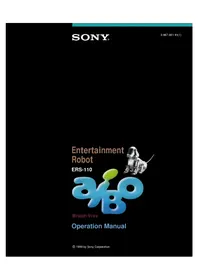


| Product Type | Entertainment Robot |
| Brand | Sony |
| Model | AIBO ERS-110 |
| Dimensions (L x W x H) | 274 mm x 157 mm x 276 mm |
| Weight | Approx. 1.5 kg |
| Power Source | Rechargeable lithium-ion battery (7.4 V, 2.0 Ah) |
| Battery Life | Approx. 1.5 hours of active operation |
| Charging Time | Approx. 2.5 hours |
| Key Functions | Autonomous walking, voice recognition, touch sensors, LED expression, camera vision |
| Connectivity | Memory Stick slot for programming, infrared communication |
| Sensors | Touch sensors (head, chin, back), pressure sensor, infrared distance sensor, camera |
| Output | LED eyes (multicolor), speaker (barking, beeps) |
| Movement | 20 degrees of freedom (20 joints), walking, sitting, lying |
| Cleaning | Wipe exterior with a soft, dry cloth |
| Safety | Do not expose to water or liquids; avoid high surfaces |
| Spare Parts Available | Battery pack (ERA-110B), charger (ERA-110C), legs and sensors |
| Repairability | Self-repair via diagnostic mode, authorized service centers |
| Manual Language | English (original) |
| Manual Pages | 106 |
Frequently Asked Questions - AIBO ERS-110 SONY
User questions about AIBO ERS-110 SONY
0 question about this device. Answer the ones you know or ask your own.
Ask a new question about this device
Download the instructions for your Robot in PDF format for free! Find your manual AIBO ERS-110 - SONY and take your electronic device back in hand. On this page are published all the documents necessary for the use of your device. AIBO ERS-110 by SONY.
USER MANUAL AIBO ERS-110 SONY

MEMORY STICK
Operation Manual
© 1999 by Sony Corporation
Entertainment Robot
"AIBO" ERS-110

Operation Manual
OPEN-R
"OPEN-R" is the standard interface for the entertainment robot system that Sony is actively promoting. This interface expands the capability of the entertainment robot through a flexible combination of hardware and interchangeable software to suit various applications.
"AIBO" ERS-110 conforms to the OPEN-R version 1 (software specifications).
"AIBO" is the name given to the Sony entertainment robot. Developed to encourage human and robot interaction, AIBO creates and introduces you to new pleasures and lifestyles.
The name "AIBO" is coined from the words "A.I. (Artificial Intelligence)," "eye" and "robot." In Japanese, the word "aibou" means "partner" or "pal."

Safety Information
Owner's Record
The model number and serial number are located on the bottom of the station.
Record the serial number in the space provided here.
Refer to the model and serial number when you call your Sony AIBO Customer Link.
Customer Link.
Model Number: ERS-110
Serial Number:
WARNING
- To prevent fire or shock hazard, do not expose the robot to rain or moisture.
- To avoid electrical shock, do not open the cabinet. Refer servicing to qualified personnel only. (Contact the AIBO Customer Link.)
- Parents—Periodically examine the transformer for conditions that may result in the risk of fire, electric shock, or injury to persons (such as damage to the cords, blades, housing) and that in the event of such conditions, the transformer should not be used until properly replaced.
- Not Recommended for Children Under 8 Years.
- Sound controller—Do not mix old and new batteries.
- Do not mix alkaline, standard (carbon-zinc) or rechargeable (nickel-cadmium) batteries.
DISPOSAL OF LITHIUM ION BATTERY
You can return your unwanted lithium ion batteries to your nearest Sony Service Center.
Note
In some areas the disposal of lithium ion batteries in household or business trash may be prohibited.
For the Sony AIBO Customer Link, call 1-800-427-2988 in the United States or contact via email at support@aibosony.com.
! Do not handle damaged or leaking lithium ion batteries. ! Danger of explosion if battery is incorrectly replaced. Replace only with the same or equivalent type recommended by the manufacturer. Discard used batteries according to the manufacturer's instructions. ! The battery pack used in this device may present a fire or chemical burn hazard if mistreated. Do not disassemble, heat above 140 °F (60 °C) or incinerate. Dispose of used battery promptly. Keep away from children.
Regulatory Information
This equipment has been tested and found to comply with the limits for a Class B digital device, pursuant to Part 15 of the FCC Rules. These limits are designed to provide reasonable protection against harmful interference in a residential installation. This equipment generates, uses and can radiate radio frequency energy and, if not installed and used in accordance with the instructions, may cause harmful interference to radio communications.
However, there is no guarantee that interference will not occur in a particular installation. If this equipment does cause harmful interference to radio or television reception, which can be determined by turning the equipment off and on, the user is encouraged to try to correct the interference by one or more of the following measures:
- Reorient or relocate the receiving antenna.
- Increase the separation between the equipment and receiver.
- Connect the equipment into an outlet on a circuit different from that to which the receiver is connected.
- Consult the dealer or an experienced radio/TV technician for help.
- You are cautioned that any changes or modifications not expressly approved in this manual could void your authority to operate this equipment.
- The shielded interface cable recommended in this manual must be used with this equipment in order to comply with the limits for a digital device pursuant to Subpart B of Part 15 of FCC Rules.
How to use this instruction manual
Thank you for purchasing "AIBO" ERS-110. This manual will assist you in building your new relationship with this entertainment robot. Before operating AIBO, please thoroughly read this manual and retain it for future reference.
Getting started
To get AIBO to move
See “Getting started” on page 27. Preparation, basic operation and what you should do after playing are described.
To enjoy AIBO's autonomous activity, its performances or AIBO in a game
See respectively, "Living with AIBO" on page 49, "Enjoying AIBO's performances" on page 62 and "Playing games" on page 66.
Understanding AIBO for a fulfilling partnership
To understand AIBO in detail
See "Introduction to ERS-110 "AIBO" on page 12. You can find out exactly what kind of robot AIBO is.
To communicate with AIBO
See “Features of AIBO” on page 13, “Capabilities of the sound controller” on page 16, “Communicating via touch sensor” on page 52 and “Communicating via objects (the ball)” on page 52. You can understand how to communicate with AIBO through its senses of touch, vision and hearing.
To understand the activity pattern of AIBO
See “AIBO’s motion modes” on page 44. You will be able to find out about AIBO’s other possibilities than as an autonomous robot.
Getting to know the mind of autonomous AIBO
See “A psychological peek into your robot” on page 54. You can understand principle of AIBO’s activity in the autonomous mode.
Additional information
To charge AIBO
See "Charging the battery pack" on page 74.
To search for information
See "List of commands" on page 91, "List of lamps/indicators" on page 95 and "Index" on page 103.
If you wonder, "Is it broken?"
See "Troubleshooting" on page 86.
"AIBO," the AIBO logo, "OPEN-R" and the OPEN-R logo are trademarks of Sony Corporation.
Table of Contents
Chapter 1 Meet AIBO
Introduction to "AIBO" ERS-110.... 12
What is an autonomous robot?......12
Features of AIBO 13
Capabilities of the sound controller 16
Commands 16
Sound controller features ....16
Unpacking 18
AIBO 18
Supplied accessories ....18
Index to parts and controls.... 20
AIBO 20
Station 23
Sound controller ....24
Chapter 2 Getting started
Preparation 28
Preparing AIBO 28
Preparing the station ....30
Preparing the sound controller ....31
Playing for the first time.... 32
Enjoying AIBO's autonomous activity ....32
Performing 34
After playing 37
Placing AIBO on the station....37
Taking AIBO off the station 39
When not playing with AIBO.... 40
When you are going out / going to sleep....40
When going out for long....42
Chapter 3 AIBO's four modes — How to interact with AIBO
AIBO's motion modes 44
About each motion mode....44
The different modes....46
Correlation of motion modes 47
Chapter 4 Living with AIBO — AIBO, an independent roommate
AIBO's autonomous activities 50
Engaging the autonomous mode ....50
Communicating via touch sensor ....52
Communicating via objects (the ball) 52
A psychological peek into your robot.... 54
Emotions 54
Instincts 55
Education 56
Growth 56
Body language 57
Other robotic expressions 59
Naps and bedtime 60
Chapter 5 Playing with remote-controlled AIBO
Enjoying AIBO's performance 62
Setting AIBO to the performance mode 62
Changing the movement style 63
Asking AIBO for a particular performance 64
Playing games 66
Operating AIBO in the game mode 66
Controlling two AIBOs 69
Playing games with AIBO 71
Soccer 71
Labyrinth 72
Stick 72
Chapter 6 Charging and adjustments
Charging the battery pack and adjusting the volume 74
Charging the battery pack 74
Replacing the battery pack ....76
Adjusting the volume....79
Chapter 7 Additional information
Notes on use 82
Troubleshooting 86
AIBO 86
Autonomous mode 87
Performance mode 88
Game mode 89
Station 90
Sound controller 90
List of commands 91
Numeric commands and single sound commands 91
Game commands 94
List of lamps/indicators 95
Lamps on AIBO 95
Indicators on the station 97
Lamps on the sound controller 98
Limited warranty 99
Service procedure 101
Specification 102
Index 104

Meet AIBO
This chapter introduces you to the entertainment robot "AIBO" ERS-110 and its supplied accessories.


Introduction to "AIBO" ERS-110
"AIBO" ERS-110 is Sony's first robot designed for home entertainment. Utilizing advanced technology, this
"entertainment robot" expands on the features of robots which have existed only in the realm of science fiction or in special laboratories.
There have been other robots for entertainment, such as battling robots operated by remote control, stuffed animal robots that giggle when tickled, and robots controlled by computer.
However, the greatest difference between those robots and AIBO is that AIBO is an "autonomous" robot.

What is an autonomous robot?
AIBO was created to encourage human and robot coexistence. It can move around on its own, as it is equipped with all the necessary hardware such as the brain, sensors, and power switch. In addition, its software enables AIBO to have emotions, instincts, learning ability and capacity to mature. Therefore, it requires no external control or human instruction for movement. AIBO is a robot, but one which lives at home and communicates with people, expressing emotions, learning and growing up, and acting under its own judgement—this is an "autonomous robot."
Each AIBO turns out differently, as its behavioral patterns continuously change. This is because AIBO acts based upon its feelings and instincts, then learns from the result of experience, all the while maturing into a full-fledged robot.
When in a bad mood, AIBO will not listen to what people order, whereas in a good mood, it may entertain you with its favorite performance.
The key to get along with AIBO is to understand its autonomous nature, and help it learn and grow.

Features of AIBO
To realize AIBO's greatest feature, the autonomous behavior, AIBO has various functions and capabilities. There are also other ways to enjoy AIBO other than as an autonomous robot.
A four-legged robot
To comfortably coexist with people, AIBO was designed with the four-legged appearance of a dog or cat, animals which usually have long-term, friendly relationships with people. It walks on four legs which are jointed and moves them to sit or lie down. It also uses the legs to express its emotions or entertain you with its favorite performance.
Various senses
AIBO has sensors corresponding to human senses, which allow it to perceive its environments and communicate with people.
- Touch: AIBO's head is the sensor for receiving personal contact by touch. • Audition: AIBO receives sounds through a stereo microphone. AIBO has perfect pitch and responds to certain combinations of musical tones (commands) that deliver instructions to it.
- Vision: AIBO has a built-in color camera and distance sensor which are used to look for its favorite colors or to avoid obstacles. • Balance: Using its acceleration sensor, AIBO maintains its balance and recognizes when it falls.
Communicating with people
AIBO speaks to us by way of musical tones (robot language). It also expresses its joy or desires through body language. The eye lamps are used to express emotions or give a yes or no response. You can also initiate communication by presenting a ball to AIBO. When approving or scolding AIBO, you can pat or hit the touch sensor on its head.


Natural motions
A total of 18 joints (which is technically called “18 degrees of freedom”) enables AIBO to move in a natural, smooth manner. All the joints are cooperatively controlled and allow not only basic movements like walking, sitting or lying down, but also movements like looking around, tilting its head, or waving its paws. AIBO can use more complicated body language, and will even try to show off when in a good mood.
AIBO performance
Other than playing with it as an autonomous robot, you can enjoy pre-programmed performances by switching it to the performance mode. The performances prepared for AIBO can be changed, and new original motions can be added with a separate software (not supplied) called ERF-510 AIBO Performer Kit. This software can enhance AIBO's existing movements, as well as help you create original robot motions.
Playing games
Once switched to the game mode, AIBO loses its autonomy and reacts solely to human commands. In addition to simple movements, such as moving back and forth and changing directions, it can kick, show joy of winning, display sorrow after losing a game, hold something in its mouth and let it go. Using these functions, AIBO can play games such as robot soccer.


A robot in your home
There are still endless possibilities for AIBO and you as partners. From the time of its birth, as it continues to live a life in touch with humans, it will develop as not only a robot, but a companion. We hope you enjoy this new kind of entertainment—home entertainment that is born the moment you decide to begin a life involving AIBO.

Capabilities of the sound controller
AIBO has perfect pitch and can distinguish musical tones. This feature makes it possible to send commands to AIBO through combinations of certain musical tones. This means you can even control AIBO through a musical instrument or by whistling, as long as the combination of notes and pitch are correct. However, it takes some practice to hit just the right sounds that AIBO will recognize. Therefore, a sound controller, which makes it easy to produce sounds AIBO recognizes, is included. This section introduces you to commands and sound controller features. For details on how to use it, see chapters 2, 4 and 5.

Commands
Commands are combinations of specific musical tones. Various commands are assigned to correspond to different note combinations. Use these commands to change AIBO's motion modes (e.g., changing from the autonomous mode to the remote-control mode), or to enter a command for an action in the game mode or the performance mode.
Each command consists of a combination of three individual tones all in the same octave (from C to B) such as "C-D-E" and "F-E-C." AIBO recognizes a total of approximately 40 different commands.
Sound controller features
Sound controller (supplied) has three user-friendly features, including the ability to switch the command transmission method.
(1) Three types of operating commands

Three types of operating commands are provided, geared to different types of play. As described in the following, the functions assigned to the number/symbol buttons (command buttons) change according to the operating command.
- Numeric commands: The entered combination of numbers (command number) is sent as a command such as "Stand up" or "Sit down."
- Single sound commands: Like a musical instrument, individual musical tones are output by the sound controller when the command buttons are pressed. This is useful when you want to hear the tones as you send a command.
- Game commands: Game-only commands such as "Move forward" are assigned to the command buttons. This is useful when playing games such as soccer.
In this operation manual, most of the commands sending procedures are written as numeric commands. When sending commands in the single sound system, refer to "List of commands" on page 91.
(2) Easy switching between command types

The same commands can be sent in two different octaves (command type A and B) with the sound controller. This is useful when there are two AIBOs involved in a game (see page 69), where commands must be distinguished for each robot. You can set the command type using the switch on the side of the sound controller. For details, see "Index to parts and controls" on page 24.
(3) Auto OFF function

You can turn the sound controller on by pressing the "C" button. The power turns off automatically if the sound controller is not operated for three minutes.
Unpacking
Check to make sure that you have the following items:
AIBO
Entertainment Robot "AIBO" ERS-110

Supplied accessories
Station
The station is used to charge AIBO's batteries, and also serves as AIBO's home base.

Sound controller
You can control AIBO by sending commands (musical tones).

Ball
This is AIBO's special toy. You can also use this for robot soccer.

"Memory Stick" and case
The "Memory Stick" stores AIBO-ware (AIBO's operating program). You can also save the data of AIBO's activities with it.

AC adapter
The AC adapter allows AIBO to receive power from an AC power supply when AIBO is mounted on the station. Always keep the station and AC adapter connected to the AC power supply.

AIBO power supply: ERA-110B lithium ion battery pack (2)
AIBO operates only with the ERA-110B battery pack.

Remote controller power: Size AA (R6) battery (2)

Documentation
Operation manual
AIBO logo sticker
Certificate of Authenticity
Index to parts and controls
AIBO
Refer to the pages indicated in parentheses () for relating information.

1 Touch sensor (52)
Allows AIBO to develop tactile relations when a person taps or pets it.
2 Eye lamps (59, 95)
Light up in red or green, and indicate AIBO's emotional state or response to personal contact.
3 Color camera (52)
Allows AIBO to search objects and recognize the color, shape and its movement. AIBO can measure the distance to an object and avoid obstacles using this CCD color camera and the built-in distance sensor.
4 Speaker
Emits combinations of musical tones (robot languages) and sound effects.
5 Mouth (72)
Holds objects, and also indicates AIBO's emotional state.
6 Pause button (28, 32)
Press this button to pause AIBO when changing batteries, if AIBO has an internal trouble or if your hand gets caught between its joints.
7 Chest lamp (59, 96)
Indicates AIBO's state of activity.
8 Air intake port
Takes air into AIBO to prevent internal heat buildup.
9 Stereo microphone (35)
Gathers sound and allows AIBO to distinguish musical tones, and its direction.
10 Shoulder cover
Protects AIBO's joints. If your fingers get caught in the cover, it automatically opens.
11 Exhaust port
Emits air from the internal cooling device.
12 Tail
Shows AIBO's emotional state by wagging.
13 Legs
Allow AIBO to walk and also indicate AIBO's emotional state.
14 Charging terminal
Contacts with that of the station when charging the battery.
Notes
- Do not put a sticker on the color camera or head cover.
- Be sure to keep the shoulder cover closed except in case of an emergency.
- Do not put a sticker on the movable parts or insert anything between them. Doing so may obstruct AIBO's movement.
- Do not block the air intake port or exhaust port with your hand or by putting a sticker on them. Doing so may cause internal heat buildup.
- Do not touch the charging terminal directly with your hand. Doing so may soil the terminal and cause poor contact.
- Pick up AIBO by the body, not by its extremities (see page 29).
Rear of AIBO

1 "Memory Stick" slot (29) 2 "Memory Stick" access lamp (96)
Lights up when loading/saving the data of AIBO's activities in the "Memory Stick."
3 Battery slot (29, 77) 4 Serial number label
The label with your AIBO's serial number.
Station
Refer to the pages indicated in parentheses ( ) for relating information.

1 POWER indicator (30, 74, 97)
Lights up in green when the station is turned on.
2 MAIN indicator (75, 97)
Lights up/flashes in orange (when AIBO is charging) or green (when AIBO is fully charged), indicating the charging condition of AIBO.
3 SUB indicator (75, 97)
Lights up/flashes in orange (when battery is charging) or green (when battery is fully charged), indicating the charging condition of the extra battery pack.
4 Extra battery slot (75)
5 AC IN power supply connector (30)
Connects the AC adapter.
6 Charging terminal
A terminal for charging AIBO on the station.
Note
Do not touch the charging terminal directly with your hand. Doing so may soil the terminal and cause poor contact.
Sound controller
Refer to the pages indicated in parentheses () for relating information.

1 C (ON) button (34)
Press this button to turn the sound controller on or to cancel the entering of the numeric command. The power turns off automatically if the sound controller is not operated for three minutes.
2 Controller operation indicators (34, 98)
Four lamps light up in green or orange (the color depends on the command type), and indicate the operating commands of the sound controller or the state of entering/sending commands.
3 GAME button (66)
When using numeric commands or single sound commands, press this button to set the sound controller to emit game commands and also to set AIBO to the game mode. When you press this button once more, the operating command type is turned to the previous one and AIBO resumes the autonomous mode.
4 VOL button
Press this button to adjust the volume of the sound controller. You can raise and lower the volume in three levels.
5 SEND button (35)
When set for numeric commands, enter the command number and press this button to send a command. When you press this button without entering the command number, the same command as entered just before is sent once more.
6 Command type switch (17, 34)
Selects the command type of the sound controller. Command type A corresponds to the lower octave (C5 to B5: 523.25 - 987.76 Hz), and command type B corresponds to the higher octave (C6 to B6: 1046.5 - 1975.53 Hz).
A: Command type A / numeric commands
B: Command type B / numeric commands
L: Command type A / single sound commands
H: Command type B / single sound commands
7 Command buttons (16, 91, 94)
Press these buttons to enter or send commands. The functions assigned to these buttons change according to the operating command type.
Printed symbols of the command button
Symbol of movements of the game commands

8 Speaker (35)
Emits the musical tones.
9 Battery compartment (31)

Getting started
This chapter introduces you to the basic features of AIBO—the autonomous mode and the remote-control mode by using the sound controller. After playing with AIBO, place it on the station.

Preparation
First of all, get AIBO ready to move.
Preparing AIBO
Install the battery pack and insert the "Memory Stick" into AIBO.
AIBO has been set to the pause mode at the factory (the pause button on its chest is pressed down).
The battery pack is fully charged before it leaves the factory. With normal use, the battery pack should last about an hour. For details on charging the battery pack, see page 74.
1 Make sure that the pause button on the chest is pressed down.
The button is pressed down about 1 mm.

2 Hold securely by the body and open the rear cover.
Slide the unlock button to open the cover.

Notes
- Pick up AIBO by the body, not by its extremities.
- Do not touch the charging terminal on the underside of AIBO directly with your hand. Doing so may soil the terminal and cause poor contact.
3 Insert the supplied "Memory Stick" arrow-wise with the label side up. Insert so that only the colored part of the label is visible.

Note
Do not set the safety switch of the "Memory Stick" to "LOCK" (see page 83). If you do so, you cannot save the data of AIBO's learning and maturation process.
4 Insert the battery pack arrow-wise until it clicks.

5 Close the rear cover, then place AIBO on the floor as shown below. Place it on a flat surface that is not too slippery. Choose a quiet place so that AIBO can hear the musical tones of the controller.

Note
Be sure to place AIBO on the floor as shown above. This will prevent AIBO from moving unexpectedly and being damaged when you press and release the pause button to start AIBO.
Preparing the station
The station should always be connected to the wall outlet with the AC adapter.
1 Connect the AC adapter to the station.

2 Connect the AC adapter to the wall outlet.
The POWER indicator on the station lights up.

Preparing the sound controller
Insert Alkaline batteries into the sound controller.
1 Open the battery cover.

2 Insert two size AA Alkaline batteries.
Matching the + and - on the batteries to the diagram inside the battery compartment, insert the negative (-) end first.

3 Close the battery cover.

Battery life
About 3 months, depending on how much you use the sound controller. When the volume of the sound controller decreases or the sound controller no longer operates AIBO, replace both batteries with new ones.
Playing for the first time
First, enjoy watching AIBO moving around freely. Then make it pose by using the sound controller, and place it on the station.
Enjoying AIBO's autonomous activity
AIBO, an autonomous robot, learns and matures from experience. When you purchase AIBO, think of it as having just been born. AIBO first moves awkwardly, but as it matures, it will be able to move in more various ways.
Push and release the pause button on AIBO's chest.
Pause is canceled. AIBO loads the data of its activities from the "Memory Stick," then starts moving.

Leave AIBO as it is, and enjoy its autonomous activities.
An autonomous robot is capable of moving about on its own without human action.
For example, it will look around, lie down or emit tonal phrases. Sometimes when it is tired, it will start sleeping, or will not budge when in a bad mood. These various and free actions are based on its emotions, instincts, learning ability and capacity to mature. Such actions are the characteristic features of an autonomous robot.

Performing
You can ask AIBO for a particular performance by using the sound controller. Be sure to use the sound controller in a quiet place so that AIBO can hear the musical tones of the controller.
1 Make sure the switch is set to A or B.
With this setting, you can use the controller with the numeric commands (see pages 17, 91).

2 Press the Ⓒ button to turn on the sound controller.
When the power is on, all the controller lamps light up in green (type A) or orange (type B).

3 Press the buttons in order, as shown below.
AIBO will follow the instructions sent by the sound controller. When using the sound controller, be sure to hold the speaker towards AIBO without covering the speaker with your hands.
![graph LR A["8"] --> B["0"] B --> C["SEND"]](/content/2026/06/1341617/images/4c55a5cfbbad8b8480d2e6751395c1968c190da0ed9a02529dff868007c7f75d.jpg)

4 Press the buttons in order, as shown below.
Tap AIBO's touch sensor or wave your hand in front of its color camera. AIBO will start performing for you.
![graph LR A["0"] --> B["2"] B --> C["SEND"]](/content/2026/06/1341617/images/1956815d0954bc8cb0d940b35f754e4d87cf3ec275ae5997006901ac6c17a85f.jpg)

If AIBO does not respond to the tonal commands
Check how you are pointing AIBO's stereo microphone (see page 20), then repeat from step 3 above.
To play with AIBO more
See page 44 and choose other motion modes.
After playing with AIBO
Place AIBO on the station (See page 37).
To pause AIBO immediately
Press the pause button on the chest. To reactivate AIBO, place it on the floor in the proper position (see step 5 on page 29) and press the pause button once more.
When the battery runs out
When AIBO is low on batteries, it will request to be charged by flashing its chest lamp or by sounding a message in robot language, and will show the "charging posture" (see page 38) on its own. Place it on the station or replace the battery pack (see page 76). If AIBO is left uncharged, it will shut itself off. Before changing the battery, be sure to press the pause button. This will prevent AIBO from suddenly moving immediately after installing a new battery pack.
After playing
AIBO lives most of its life on the station, and also charges its battery there. After playing with AIBO, place it on the station. (The station should always be connected to the wall outlet with the AC adapter.) Enjoy AIBO moving on the station if you place it on the station without pressing the pause button.
Placing AIBO on the station
When placing AIBO on the station, be sure to set it to the "charging posture." AIBO lies down on its own and starts saving the data of its activities in the "Memory Stick." If AIBO is sleeping, gently shake it awake (see page 39), then set it in the "charging posture."
1 Make sure the station is connected to the wall outlet with the AC adapter.
The POWER indicator on the station lights up.

Note
When AIBO is on the station, do not place obstacles to its movement.
2 Make sure the switch is set to A or B.
With this setting, you can use the controller with the numeric commands (see page 15).

3 Make sure the sound controller is turned on.
When the power is on, all the controller lamps light up. To turn the power on, press the Ⓒ button.

4 Press the buttons in order, as shown below.
AIBO lies down and starts saving the data of its activities in the "Memory Stick."


5 Place AIBO on the station.
The MAIN indicator on the station lights up in orange, and the charging starts.

Note
If the MAIN indicator flashes, the connectors of AIBO and the station may not be in proper contact with each other. Place AIBO on the station again.
Taking AIBO off the station
To play with AIBO, pick it up from the station and gently shake it awake.
1 Pick up AIBO from the station, then place it on the floor in the manner shown below.

2 Gently shake it awake.
AIBO will wake up in a short time, then start moving autonomously.

When not playing with AIBO
This section describes what you should do when you will not be playing with AIBO for some time.
When you are going out or going to sleep
When not playing with AIBO for a few hours, set it to the sleep mode. The battery discharges slightly while AIBO is sleeping, so place AIBO on the station to keep the battery from running out.
There are two types of sleep modes.
- Sleep 8: AIBO will sleep for eight hours, and automatically transfer to the autonomous mode and wake up. You can also wake it by gently shaking it.
- Sleep: AIBO keeps on sleeping until you wake it up.
Press the buttons as listed below to set AIBO to the sleep mode.
AIBO will bend its head and go to sleep.
Sleep mode Press AIBO sleeps
| Sleep 8 | 8→8→SEND | For eight hours |
| Sleep | 8→9→SEND | Until you wake it up |
Sleeping AIBO:


On the station On the floor
To wake the sleeping AIBO
Pick it up from the station and gently shake it awake (see page 39). Do not shake it on the station as doing so may damage AIBO or the station. The awakened AIBO will move autonomously.
To send commands while AIBO is sleeping
Gently shake it awake, then send the command. AIBO will not listen to any commands while it is sleeping.
If AIBO does not accept the command "Sleep"
When set for the numeric commands, press "8"→"0"→"SEND" to match the command type of AIBO to the same one as that of the sound controller.
To place the sleeping AIBO on the station
Shake it awake, then follow the steps on the previous page.
Notes
Follow the precautions below so that your fingers do not get caught between AIBO's joints.
- Do not touch AIBO other than in case of shaking it awake.
- When you press down the pause button while AIBO is sleeping on the floor (not on the station), be sure it is in the proper position (see step 5 on page 29) before you release the pause button to cancel pause.
When going out for long
When you are going out for a long time, stop AIBO completely and disconnect the station from the wall outlet.
1 Place AIBO on the station (see page 37).
2 Press the pause button on the chest.
AIBO starts saving data of its activities on the "Memory Stick." AIBO's chest lamp flashes and the access lamp beside the "Memory Stick" slot lights up while saving.
3 Unplug the AC adapter from the wall outlet.

When you return
Connect the AC adapter to the wall outlet, then press the pause button on AIBO's chest to cancel the pause mode.
Note
Do not remove the "Memory Stick" or the battery pack while the chest lamp is flashing (see page 76). Doing so may cause damage.

AIBO's four modes
— How to interact with AIBO
This chapter describes AIBO's four different modes of activity.


AIBO's motion modes
The motion mode means AIBO's state of activity. The AIBO in motion is usually in the autonomous mode acting on its own free will. When you change the motion mode, you can control how AIBO moves by using the sound controller (remote-control mode) or can deliberately stop its activity (sleep mode).
Such modes are indicated by AIBO's eye lamps (see page 95) and can be changed with the sound controller.
About each motion mode
The following are quick notes on each motion mode.
Autonomous mode
AIBO acts autonomously. Its emotions, instincts and will, all play important roles in this mode. They help AIBO determine how to interact with its environment, and affect its learning and maturation process. When AIBO feels bored, it will nap a while. To wake up the sleeping AIBO, gently give it a shake.
→ For details, see Chapter 4 (page 50).
Performance mode
(type of remote-control mode)
AIBO will show you all kinds of performances. You can also ask for a particular performance by using the sound controller.
→ For details, see Chapter 5 (page 62).
To change AIBO to this mode, press:![graph LR A["0"] --> B["0"] B --> C["SEND"]](/content/2026/06/1341617/images/40dc4b349f9ed88281da03be5841aedc0742a7a04c8e075df48fccce0b1d845e.jpg)
To change AIBO to this mode, press:![graph LR A["0"] --> B["2"] B --> C["SEND"]](/content/2026/06/1341617/images/bb89c47459ed2cfb9bac429d11ea88023cec94630456c8f0a05beabf369e5b2f.jpg)
Game mode
(type of remote-control mode)
You can control AIBO to move forward, backward, go left or right, kick a ball or take certain poses.
→ For details, see Chapter 5 (page 66).
Sleep mode
You can make it sleep to keep it from moving about for a while. There are two types of sleep.
Sleep 8: AIBO will sleep for eight hours, and automatically transfer to the autonomous mode and wake up. You can also wake it up by gently shaking it.
Sleep: AIBO keeps on sleeping until you wake it up.
→ For details, see Chapter 2 (page 40).
To change AIBO to this mode, press:![graph LR A["0"] --> B["1"] B --> C["SEND"]](/content/2026/06/1341617/images/62860963bd6a0b94fdc37fc8a05e7db0500070b557d0d1c8981b8edfce6d89fb.jpg)
To change AIBO to "sleep 8", press:![graph LR A["8"] --> B["8"] B --> C["SEND"]](/content/2026/06/1341617/images/fa75df08a610afe3dad58d5d687b3de66cd078244e2b1e8a8d4c011fa617abc6.jpg)
To change AIBO to "sleep", press:![graph LR A["8"] --> B["9"] B --> C["SEND"]](/content/2026/06/1341617/images/291859aeae96ee1b54b84510bcc4517970f311d620b0b45427b153e738162a71.jpg)
Note
When AIBO needs to be recharged, it will take the "charging posture" (see page 38) on its own. Place it on the station or replace the battery pack (see page 76). Unless either of the above is done, AIBO will not accept any commands.
The different modes
By changing the mode, you can move your free-willed AIBO as you wish. You can also keep it sleeping.
Sleep
Sleep mode
Action
Autonomous mode
Sleeping

Tracking an object

Playing
Remote-control mode
Chasing a ball Performing

Correlation of motion modes
You can change the motion mode by sending commands or shaking AIBO. When AIBO is set to the remote-control mode (the game mode or performance mode) without being sent commands for a while, AIBO automatically turns itself into the autonomous mode.
![graph TD A["Sleep"] --> B["Sleep 8 Sleep"] B --> C["Action"] C --> D["Autonomous mode"] D --> E["Game mode Performance mode"] E --> F["0-2 SEND"] F --> G["0-1 SEND"] G --> H["0-1 SEND"] H --> I["0-1 SEND"] I --> J["0-1 SEND"] J --> K["0-1 SEND"] K --> L["0-1 SEND"] L --> M["0-1 SEND"] M --> N["0-1 S…](/content/2026/06/1341617/images/f3ca4df62cb9a290818d026b489c922c5d3e92df1e3705c2f895777aa93f7525.jpg)

Living with AIBO
— AIBO, an independent roommate
Communication is the key to having a fulfilling partnership with AIBO. This section describes the nature of this autonomous robot and gives tips on how to communicate with it. A better understanding of AIBO will give you more enjoyment with it.

AIBO's autonomous activities
AIBO, an autonomous robot, was created to have emotions, instincts, learning ability and the capacity to mature. According to its own judgement, it responds to people and movements, sounds or colors of balls. As AIBO is fully active on its own, it can surprise you with unexpected moves, making it a fascinating companion.
You can send messages by touching AIBO or showing it objects. AIBO will try to convey its message by using body language, eye lamps and making different sounds. AIBO will also act autonomously while being charged on the station.

Engaging the autonomous mode
First, set AIBO to the autonomous mode. The remote controlled AIBO will automatically return to this mode and nap when it does not receive any commands for a while. Wake AIBO up in such a case, but when changing the mode with the sound controller, do as follows.
1 Make sure the switch is set to A or B.
With this setting, you can use the sound controller with the numeric commands.
2 Make sure the sound controller is turned on.
When the power is on, all the controller lamps light up. To turn the power on, press the Ⓒ button.
3 Press the buttons in order, as shown below.
AIBO will start moving autonomously. Sometimes the eye lamps light up to show AIBO's emotional state (see page 59).
![graph LR A["0"] --> B["0"] B --> C["SEND"]](/content/2026/06/1341617/images/3a6e846f59e5233d268a1319658c85eb71551d36fecd57c3817fde920d1a2301.jpg)

Changing the sleeping AIBO to autonomous mode
Gently shake AIBO awake. If AIBO is sleeping on the station, first move it to a flat surface and place it properly (see page 39), then shake it awake.
If AIBO does not respond to commands
When set for the numeric commands, press "8"→0"→SEND" to match AIBO's command type to that of the sound controller.
When operating with single sound commands or with musical instruments
See "List of commands" on page 91 and send the appropriate musical tones according to the command number.
Communicating via touch sensor
The touch sensor on its head reacts to three kinds of human touch: Approval, scolding and drawing AIBO's attention. When touching the sensor, press the mark at the center of its head.
- Approving AIBO
Gently press the touch sensor for more than two seconds. AIBO will recognize that it is being approved.
- Scolding AIBO
Quickly press the touch sensor with a little force. AIBO will understand that it is being scolded.
- Drawing AIBO's attention
Gently press the touch sensor for a second. AIBO will understand that you are asking for its attention.
By approving or scolding AIBO, it will learn which behaviour is to be approved or scolded. Such moderate education is good for forming AIBO's character. If you do not educate AIBO for an extended period of time, AIBO may forget the activity that it was scolded about.

Communicating via objects (the ball)
You can communicate with AIBO by waving your hands in front of its color camera or by showing it a ball or colors.
AIBO will be delighted when you show it its favorite color, and it will learn to be more joyful if you do so frequently. If you wave and respond to AIBO asking for attention, AIBO will become satisfied and be happy. On the other hand, if it is not in a playful mood, it may not respond to its favorite color or your waving.

When AIBO cannot get up from a fall
AIBO tries to get up by itself when it falls. When it is not able to stand up, it will ask you for help with the robot language. Give it your hand (Fig. 1) and straighten it up (Fig. 2). AIBO will get up and start to move. If it does not move, wake it up by pressing the touch sensor for more than five seconds.


Fig. 1 Fig. 2
To pause AIBO immediately
Press the pause button on the chest. To reactivate AIBO, place it on the floor properly (see step 5 on page 29) and press the pause button once more.
If AIBO shows the "charging posture" on its own
AIBO is low on batteries. Place it on the station, or press the pause button and replace the battery pack (see page 76).
If AIBO stops moving
When AIBO is picked up from the floor or if your fingers get caught between its joints, AIBO will automatically stop all its motors. To revive AIBO from this state, place it on the floor (see step 5 on page 29) and press the touch sensor for more than 5 seconds. AIBO will resume the performance mode and start moving.
To place the sleeping AIBO on the station
Gently shake it awake. Then press "0"-"8"-"SEND" to set it to the "charging posture" and place it on the station (see page 37).
If the chest and eye lamps flash rapidly or if AIBO sounds for help
AIBO may be experiencing an internal trouble. See page 86.
A psychological peek into your robot
The key to better human-robot communication and better understanding of AIBO's behavior is to be aware of its emotions, instincts, learning ability and maturational process.
Emotions
AIBO is sensitive to and can feel emotions such as joy, sadness, anger, surprise, fear and discontent. These emotions will change in accordance with contributing factors and affect the behavior and maturation of AIBO. Listed below are common scenarios in which AIBO may be seen expressing emotions.
Joy: When AIBO is immersed in a favorite activity, receives approval, finds a favorite color or plays with a ball.
Sadness: When AIBO cannot find anyone to play with, or when it is low on batteries and there is no one to help.
Anger: When AIBO is ignored or neglected, left on the station when ready to resume activity, or when it is scolded.
Surprise: When someone suddenly grabs its attention, or when AIBO hears loud sounds.
Fear: When AIBO finds a large gap on the floor, or when it is unable to get up from a fall.
Discontent: When someone shows a color that it dislikes, or when its anger towards someone escalates.
Emotions are shown through body language, tone language as well as variations in eye lamps. For details, see pages 57 to 59.
![graph TD A["Joy"] --> B["Sadness"] C["Discontent"] --> D["Fear"] E["Anger Surprise"] --> F["Sadness"] G["Descriptive"] --> H["Fear"]](/content/2026/06/1341617/images/ba02fa62ecc4b3909ed22677dad9ec793854f4f63863c9124db1cddd3ad49454.jpg)
Instincts
AIBO has four key instincts which strongly contribute to motives of its actions (love instinct, search instinct, movement instinct and recharge instinct).
Love instinct:
AIBO is naturally inclined to interact with people who will give it care. If left alone for an extended period of time, AIBO will feel an urge to look for someone with whom it may interact or play.
Search instinct:
AIBO is a fun-loving, curious robotic creature who enjoys discovering new things, satisfying its curiosity. If AIBO does not see its favorite colors or if it does not sense any movement in its surroundings for a long period of time, it will become restless and will look for something new.
Movement instinct:
AIBO enjoys moving around, playing and having new experiences. If idle for an extended period of time, AIBO will start to move around on its own.
Recharge instinct:
For survival, AIBO is well aware that it must "eat." Lithium Ion batteries are on the bill of fare for AIBO and batteries are craved almost like clockwork throughout the day between activities. When AIBO is low on batteries, it will request to be charged and show the "charging posture" on its own.
In response to its instincts, AIBO behaves in a manner that will satisfy its particular desires. If a desire is fulfilled, it will be pleased. If a desire is left unsatisfied, emotions such as fear or anger will grow within it.
When AIBO is well satisfied, it will feel tired of playing or moving around and take a rest.

Education
AIBO's education is closely linked to building its personality, character and intelligence. Like humans and other animals, it learns a great deal from experience. Working its many senses, AIBO gauges what is being communicated, what activities of its own are being reinforced, approved, opposed and ultimately what should be learned.
For instance, if AIBO is frequently scolded for looking at an object that it had grown to like, it will learn not to approach this object as often. On the contrary, if AIBO is approved when looking at a particular object, it may take a strong liking for it. This kind of human-robot interaction AIBO experiences will largely shape its personality. AIBO will develop a joyful and cheerful character by being shown its favorite color frequently when in a good mood. In contrast, AIBO will develop a hot-tempered character by being shown something that it dislikes when in a sour mood.
AIBO may start losing what it has learned if it is not educated for a while. It may stop responding to approval or do what it was scolded for in the past. To maintain the personality that AIBO has once developed, it is necessary to provide it with valuable learning experiences.

Growth
Like people and animals, AIBO grows through developmental stages from toddler phase to adult phase. As it matures, AIBO will learn to move with more agility as a result of a better sense of balance and much practice. New tonal expressions will be heard as AIBO becomes more adept with its vocal abilities, and as it reaches new heights in emotional and physical development.
Your participation in fostering good human-robot communication, and frequent interaction through play and educational lessons will radically change the maturity level of the autonomous robot.

Body language
18 degrees of freedom (a total of 18 joints) make AIBO's rich body language possible. AIBO shows its emotions, reactions and will with body languages as shown below.

These movements are just several examples of the emotion shown with AIBO's body language.
AIBO can also show its will to us by using different combinations of body language.
Example: When it wishes to play with a ball, AIBO tells us so by doing as below.

AIBO uses its paws to make the shape of a ball, and shakes both hands up and down, inviting someone to play.
When it gestures to its head or to you with its paw, then shakes both paws up and down, asking for attention, it wishes to be rubbed on the head or wants to play with you.

AIBO will try to convey many more messages by gesturing. Enjoy living with AIBO to understand more of what they mean, eventually creating a great team.
Other robotic expressions
Although body language is the most direct way for AIBO to show its emotions or desires, it has other means of expressing itself. When in the autonomous mode, AIBO is always in one robotic state of mind or another. AIBO shows these states by using robot language or flashing its eye lamps. To express its physical condition, AIBO uses its chest lamp.
Robot language and sound effects
AIBO emits sounds in various situations of its daily life. It emits sounds as if talking to itself when it receives a command, when waking up, when playing, or when it has something to say. When in a better mood or situation, AIBO will emit sounds or play more melodic tonal phrase.

Eye lamps
When you send a command, approve or scold AIBO, it acknowledges by blinking its eye lamps for a second. The lights also indicate changes in its emotional state which may help you detect its current mood.

Joy Anger


Surprise (Flashing alternately)
Chest lamp
AIBO uses the chest lamp to show its physical condition, especially the remaining battery power.

In action
On

Flashing slowly
Sleeping
Flashing
Charging posture
Off
Power off
Flashing rapidly
Internal trouble
Naps and bedtime
AIBO takes a nap for 5 to 30 minutes when not communicating with anyone or when tired of playing. It can be woken up by a gentle shake. Please be aware that AIBO can be offended by the interruption to its nap and may wake up in a sour mood.
When not playing with AIBO for some time, you can set it to the sleep mode with commands (see page 40).


Playing with remote-controlled AIBO
This chapter describes how to control AIBO with commands. When AIBO is set to the performance or game mode, you can control it with the musical tone commands sent by the sound controller or other instruments.

Enjoying AIBO's performance
In the performance mode, AIBO shows you various performances. You can ask for a particular performance by sending commands to AIBO. Furthermore, you can create a new performance by using the ERF-510 AIBO Performer Kit.
Setting AIBO to the performance mode
When AIBO is sleeping, shake it awake. When it is placed on the station, take it from the station and shake it awake (see page 39). Then, set it to the performance mode. AIBO starts performing.
1 Make sure the switch is set to A or B.
With this setting, you can use the controller with the numeric commands.
2 Make sure the sound controller is turned on.
When the power is on, all the controller lamps light up. To turn the power on, press the Ⓒ button.
3 Press the buttons in order as shown below to set AIBO to the performance mode.
The eye lamps flash, and AIBO starts performing.
![graph LR A["0"] --> B["2"] B --> C["SEND"]](/content/2026/06/1341617/images/723cefd5b1ec772c71b4666cd1c41912efbda5a35d301b6264d0dd83decfbfa1.jpg)
If AIBO does not respond to commands
When set for the numeric commands, press "8"→"0"→"SEND" to match AIBO's command type (A, B) to that of the sound controller.
To send commands with single sound commands or with musical instruments
See "Command list" on page 91, and send the musical tones corresponding to each command.
Changing the movement style
AIBO has several preset styles of movement. For example, it can move like a child or an animal. By changing the style, AIBO will make performances based on the characteristics of each movement style.
1 Make sure AIBO is set to the performance mode.
The eye lamps flash.

2 Press the buttons listed below to set to each style.
![graph LR A["1"] --> B["3"] --> C["1"] --> D["SEND"] E["2"] --> F["3"] --> G["2"] --> H["SEND"] I["3"] --> J["3"] --> K["3"] --> L["SEND"] M["4"] --> N["3"] --> O["4"] --> P["SEND"] D --> Q["Preset styles"] H --> Q L --> Q P --> R["You can create this additional style with ERF-510 AIBO Performer Kit.…](/content/2026/06/1341617/images/3eaf6f2c404e54203ee5baeb6d6dd07648a6cb214463c8c9c14c2b8f603365e2.jpg)
Asking AIBO for a particular performance
You can ask for pre-programmed performances by sending commands to AIBO.
1 Make sure AIBO is set to the performance mode.
The eye lamps flash.

2 Press the buttons listed below to ask for a performance.
| To Press | ||
| Stand up | 1→1→SEND | |
| Sit down | 1→2→SEND | |
| Lay down | 1→3→SEND | |
| Show performance 1 | 4→1→SEND | |
| Show performance 2 | 4→2→SEND | |
| Show performance 3 | 4→3→SEND | |
| Show performance 4 | 4→4→SEND | |
| Show performance 5 | 4→5→SEND | |
To end AIBO's performance
Change AIBO's motion mode by sending commands.
To pause AIBO immediately
Press the pause button on the chest. To reactivate AIBO, place it on the floor lying down (see step 5 on page 29) and press the pause button once more.
If you do not send commands for a while
AIBO will automatically return to the autonomous mode and will start to move after a nap.
If AIBO shows the "charging posture" on its own
AIBO is low on batteries. Place it on the station, or press the pause button and replace the battery pack (see page 76).
If AIBO stops moving
When AIBO is picked up from the floor or if your fingers get caught between its joints, AIBO will automatically stop all its motors. To revive AIBO from this state, place it on the floor (see step 5 on page 29) and press the touch sensor for more than 5 seconds. AIBO will resume the performance mode and start moving.
If AIBO falls and cannot get up
Straighten it up as shown on page 53. AIBO will resume the performance mode and start moving.
If the chest and eye lamps flash rapidly or if AIBO sounds for help
AIBO may be experiencing an internal trouble. See page 86.
Playing games
In the game mode, you can control AIBO with commands, and AIBO will do the performance exclusive to this mode.
You can make AIBO carry a light object such as a pen, or engage it in a soccer match with another AIBO. The game-mode-AIBO can be made to track a ball with its color camera.
This section describes how to use the sound controller for the game commands and play games using AIBO. To send commands in other modes, see page 91.
Operating AIBO in the game mode
Set the sound controller for the game commands to send a certain command by simply pressing a single button (each button has a printed symbol indicating how AIBO moves with that button).
When AIBO is sleeping, shake it awake before setting it to the game mode. When it is on the station, put it down on the floor and shake it awake (see page 39).
1 Make sure the sound controller is turned on.
When the power is on, all the controller lamps light up. To turn the power on, press the Ⓒ button.
2 Press the GAME button to set AIBO to the game mode.
The sound controller is set for the game commands and all the controller lamps flash in green (or orange). A command is sent and AIBO is also set to the game mode, shown by its eye lamps flashing in green (or red).

If AIBO does not respond to commands
Match AIBO's command type to that of the sound controller. Press the GAME button to cancel the game commands, then press "8"→"0"→"SEND" (when the controller is set for the numeric commands). (See page 35.)
3 Send commands to AIBO by pressing the command buttons (listed below).
| Printed symbol Command button Movements when the ball tracking function is OFF (ON) | |
| ↑ | 2 Moves forward (toward the ball) |
| ■ | 5 Stops |
| ↓ | 8 Moves backward |
| ☆ | 1 Kicks with the left foot |
| ☆ | 3 Kicks with the right foot |
| ▲ | 4 Turns to the left by 45 degrees |
| ↗ | 6 Turns to the right by 45 degrees |
| PICK UP 7 Bends down, opens the mouth and holds an object put in its mouthSee “Stick” on page 72. | |
| RELEASE 9 Bends down and releases an object | |
| TRACK 0 Turns the ball tracking function on/off | |
| WIN Expresses joy # | |
| LOSE Expresses sadness* | |
To end the game
Hold the sound controller towards AIBO and press the GAME button. AIBO will resume the autonomous mode.
To turn the ball tracking function on/off
Hold the sound controller towards AIBO and press the 0 button. During the game mode, you can turn this function on/off at any time.
While the function is on, AIBO will track the supplied ball with its color camera and wag its tail.
To cancel the game mode
When the sound controller is set for the game commands, hold the sound controller towards AIBO and press the GAME button.
To pause AIBO immediately
Press the pause button on the chest. To reactivate AIBO, place it on the floor lying down (see step 5 on page 29) and press the pause button once more.
If you do not send commands for a while
AIBO will automatically return to the autonomous mode and will start to move after a nap.
If AIBO shows the "charging posture" on its own
AIBO is low on batteries. Place it on the station, or press the pause button and replace the battery pack (see page 76).
When AIBO is picked up from the floor or if your fingers get caught between its joints
AIBO will automatically stop all its motors. To revive AIBO from this state, place it on the floor (see step 5 on page 29) and press the touch sensor on the head for more than 5 seconds. AIBO will resume the game mode and start moving.
If AIBO falls and cannot get up
Straighten it up as shown on page 53. AIBO will resume the game mode and start moving.
If the chest and eye lamps flash rapidly or if AIBO sounds for help
AIBO may be experiencing an internal trouble. See page 86.
Controlling two AIBOs
When controlling two AIBOs at the same time as in a soccer game, the octave (the command type) of the sound controllers should be different from each other. The command types of AIBO and the sound controller must both be set.
1 Set the switch of each sound controller to A and B, respectively.
Each command type is set to A and B.


2 Send the command below to each AIBO by using the corresponding sound controller.
Be careful so that the AIBOs do not hear the other's command.
AIBO's command type is set to that of the sound controller.
![graph TD A["Remote Control Panel A"] -->|8 → 0 → SEND| B["Remote Control Panel B"] B -->|8 → 0 → SEND| C["Final Robot Icon"]](/content/2026/06/1341617/images/35e1e39fd58d3e31a804e23513e546888e6bdb20437daff07574de2de80b4c5e.jpg)
3 For each command type, press the GAME button and set each AIBO to the game mode.
The controller lamps flash in green for command type A and in orange for command type B.
A

B

4 Send commands to AIBO with the command button (see page 67).
Playing games with AIBO
You can enjoy various games with AIBO in the game mode. Below are some examples.
Soccer
You can play soccer using two pairs of AIBO and sound controllers. Prepare a goal post by placing books and empty boxes on a flat floor. See “Controlling two AIBOs” on page 69 to set up AIBO and the controller. Each AIBO should follow only the respective sound controller’s instructions. When playing soccer, set the ball tracking function to ON. Place the supplied soccer ball at the center circle to kick off.
Operate AIBO so that it faces the soccer ball. When AIBO is looking around, it means it is searching for the ball. If the soccer ball is not in front of AIBO or if the soccer ball is moving too fast, AIBO may lose sight of it.
For fun, you can make AIBO express joy after scoring a goal by using the # button. You can also make AIBO do a sad gesture by using the * button.


Labyrinth
Help AIBO escape a maze. Prepare a labyrinth by placing books, blocks, or video-tapes on a flat floor. The path width should be within 8 and 12 in., the radius of a corner within 10 and 12 in. Place AIBO at the starting line and put it in the game mode. Try your skill with the game commands to help AIBO reach the goal: move forward, move backward, stop, turn to the right, and turn to the left. You can compete the goal time with other AIBOs.
Stick
In this game gain as much points as possible by making AIBO carry sticks to the goal within a given time. AIBO can hold sticks the size and weight of pencils, pens and chopsticks. Prepare a goal by placing an empty box on a flat floor. Have a few sticks ready at the starting line. Place AIBO at the starting line and put it in the game mode.
To make AIBO carry a stick, press the ⑦ button of the sound controller. When AIBO opens its mouth and lowers its head, place a stick in its mouth. AIBO will close its mouth and raise its head. Use the same commands as in the labyrinth game to help AIBO reach the goal without dropping the stick. When AIBO reaches the goal, press the ⑨ button to release the stick from its mouth. You can also try combining this game with the maze, or set different points according to the sticks.
Note
Do not make AIBO carry big sticks or heavy objects. This may result in a malfunction or damage.


Charging and adjustments
This chapter describes how to charge the battery pack and how to adjust the volume of the sound AIBO emits.

Charging the battery pack and adjusting the volume
The battery pack will be automatically charged when AIBO (active or paused) is placed on the station. Be sure to keep the station connected to the wall outlet with the AC power adapter, and place AIBO on the station before you play with it.
Charging the battery pack
You can charge the extra battery pack and AIBO on the station at the same time.
1 Make sure the station is connected to the wall outlet with the AC power adapter (see page 30).
The POWER indicator on the left side of the station lights up.

2 Insert the extra battery pack into the station arrow-wise.
Be sure to insert the battery pack until it clicks. The CHARGE indicator lights up in orange and charging begins.
When charging only the extra battery
The SUB indicator lights up in orange. When charging is completed, it will light up in green.

When charging AIBO and the extra battery at the same time
The MAIN indicator lights up in orange. When charging is completed, it will light up in green.

Note
Do not leave a fully-charged, extra battery pack in the station. Doing so may damage the battery.
If the MAIN indicator flashes
There may be a poor contact between the terminals of AIBO and the station, or the battery pack may not be installed in AIBO. Make sure the battery pack is installed and place AIBO on the station again.
If the SUB indicator flashes
There may be a problem with the battery pack or the battery may have reached the end of its lifetime. Replace the battery with a new one.
Replacing the battery pack
AIBO is usually charged on the station with the battery installed. You can also replace AIBO's empty battery with a fully charged battery pack.
1 Press the pause button, and wait until the chest lamp turns off.
AIBO starts saving the data of its activities on the "Memory Stick."

Note
When AIBO shows the "charging posture" and stops moving on its own, the chest lamp does not flash even if you press the pause button. In this case, the data saving on the "Memory Stick" has already been completed. Go on to step 2.
2 Hold securely by its body and open the rear cover.
Slide the unlock button to open the cover.

Notes
- Pick up AIBO by the body, not by its extremities.
- Do not touch the charging terminal on the underside of AIBO directly with your hand. Doing so may soil the terminal and cause poor contact.
3 Unlock and remove the battery pack.

4 Install a fully charged battery pack arrow-wise.
Be sure to install the battery pack until it clicks.

5 Close the rear cover, then place AIBO on the floor.

Note
Be sure to place AIBO on the floor as shown above. This will prevent AIBO from moving unexpectedly and being damaged when you press and release the pause button to start it.
6 Press and release the pause button.
Pause is canceled, and AIBO starts moving autonomously.

Adjusting the volume
There are three volume levels for the musical tones and sound effects that AIBO emits. The volume levels can be adjusted with the sound controller.
1 Make sure the switch is set to A or B.
With this setting, you can use the controller with the numeric commands.
2 Make sure the sound controller is turned on.
When the power is on, all the controller lamps light up. To turn the power on, press the Ⓒ button.
3 Hold the sound controller towards AIBO and press the buttons as listed below to adjust the volume.
| To Press | |
| Raise the volume one level | 8 → 4 → SEND |
| Lower the volume one level | 8 → 6 → SEND |
If AIBO does not respond to commands
When set for the numeric commands, press "8"→"0"→"SEND" to match AIBO's command type to that of the sound controller.

Additional information


Notes on use
To prevent AIBO and its accessories from being damaged, observe the following.
On handling AIBO
- Do not apply excessive force on AIBO with your hand or elbow.
- Do not apply strong physical shock to AIBO or drop it. Doing so may erase the saved data on the “Memory Stick” or cause damage.
- Do not touch the charging terminal directly with your hand. Doing so may soil the terminal and cause poor contact.
- Pick up AIBO by the body, not by its extremities such as the head, ears, tail or legs. Do not swing or twist it.
- Do not leave AIBO in a location subject to excessively high temperatures. Leaving it in hot places such as a car parked in the sun with windows closed may deform or damage it.
- Do not allow foreign matter, such as paper clips, get into AIBO or its joints.
- Do not use AIBO outdoors. Doing so may allow foreign matter to get into it and cause damage.
- Do not subject AIBO to vibration, or use it in an inclined position or in a place where it is possible for AIBO to drop.
- Do not let AIBO get wet.
- Do not touch the lens of the color camera directly with your hand.
- Do not damage the head cover of AIBO.
- Do not put a sticker on the color camera or on the head cover.
- Regardless whether AIBO is turned on or off, do not point the color camera at the sun. Doing so may damage the camera.
- Do not oil movable parts, such as joints, of AIBO.
- Do not put a sticker on the movable parts or insert anything between them. Doing so may obstruct AIBO's movement.
- Be sure to keep the shoulder cover closed except in case of an emergency.
- Do not block the ventilation slots with your hand or by putting stickers on them. Doing so may cause internal heat buildup.
Moisture condensation
If AIBO is brought directly from a cold place to a warm place, moisture may condense inside or on the surface of it and cause it damage. If moisture condensation has occurred, wait for about one hour before operating it.
On handling the station
- When AIBO is on the station, do not place anything that may obstruct AIBO's movement nearby.
- Do not touch the charging terminal directly with your hand. Doing so may soil the terminal and cause poor contact.
- Do not insert anything other than the supplied battery pack into the extra battery slot.
- Do not apply excessive force on the station with your hand or elbow.
- Do not apply strong physical shock to the station or drop it.
- Do not leave the station in a location subject to excessively high temperatures. Leaving the station in places such as a car parked in the sun with its windows closed may alter or damage the station.
- Do not let the station get wet.
On handling the "Memory Stick"
To protect the saved data on the "Memory Stick," observe the following.
- The supplied "Memory Stick" is an accessory of AIBO ERS-110. Using it also for saving data of personal computers or video camera recorders may cause damage to AIBO.
- Do not touch the terminal A with your hand or metal objects.
- Do not set the safety switch B to LOCK. If you do so, AIBO cannot save or erase the data.
- The saved data may be erased or broken:
- When removing the "Memory Stick" or the battery pack from AIBO during data-loading / saving
- When using the "Memory Stick" in a place subject to static electricity or electric noise
- Do not put anything other than the exclusive sticker on C. A sticker has already been put on at the factory.
- Do not bend, drop or apply strong physical shock to the "Memory Stick."
- Do not disassemble or modify the "Memory Stick."
- Do not use or store the "Memory Stick" in places subject to:
- Excessively high temperatures, such as a car parked in the sun
- Direct sunlight
- High humidity or corrosive gas
- When carrying or storing the "Memory Stick," keep it in the supplied case.
What is "Memory Stick"?
The supplied "Memory Stick" corresponds to the entertainment robot "AIBO" ERS-110, and stores AIBO-ware (AIBO's operating program).
"Memory Stick" and "MEMORY STICK" are trademarks of Sony Corporation.

On handling the AC adapter
- Be sure to use the supplied AC adapter. Using any other adapter may cause damage.
- Do not connect the AC adapter to a transformer for tourists traveling abroad. Doing so may cause damage.
On handling the battery pack for AIBO
- Be sure to charge the battery pack as instructed.
- To prevent short circuit accidents, do not allow metal objects such as a necklace to touch the terminals (A).
- Be careful not to let foreign matter like dust or sand get into the terminals (A). If it does, remove it with a soft stick, etc.
- Do not expose the battery pack to temperatures above 140°F (60°C), such as in a car parked in the sun.
- Do not let the battery pack get wet.
- The battery pack heats up just after using it. Before removing the battery pack, wait for a while until it cools.
- Keep the battery pack in a cool place and charge it at room temperature from 50°F to 86°F (from 10°C to 30°C). By doing so, the battery life will be longer.
- The battery life is shorter in a cold environment. When the temperature drops below 50°F (10°C), the battery efficiency will decrease.
- You do not need to discharge the battery before recharging it. You can charge it at any time.
- The battery pack is constantly discharging even when it is not in use. Charge the battery pack right before using AIBO.
- If the battery discharges more quickly than usual, it may have reached the end of its lifetime.


On handling the dry batteries for the sound controller
To avoid possible damage from battery leakage or corrosion, observe the following.
- Be sure to insert the batteries with the + - polarities matched to the + - marks.
- Do not use a new battery with an old one, or use different types of batteries.
- The dry batteries are not rechargeable.
- If you will not use the sound controller for an extended period of time, remove the batteries. If the batteries have leaked, carefully wipe off the liquid in the battery case before inserting new batteries.
On cleaning
- Clean AIBO and the station with a dry, soft cloth.
- Do not use any type of volatile solvent which may damage the finish.
- When cleaning with chemical fabric, see its instructions.
Troubleshooting
If you experience any of the following difficulties, use this troubleshooting guide to help you remedy the problem.
AIBO
| Symptom | Remedy |
| AIBO does not react to release of the pause button. | The battery pack is not installed.→Press the pause button and install the battery pack (see page 28). Restart AIBO by pressing the pause button again. |
| AIBO continues to emit a sad melody and does not move when the pause button is released. | The “Memory Stick” is not inserted.→Press the pause button and insert the “Memory Stick.” Restart AIBO by pressing the pause button again (see page 28). |
| It takes a long time for AIBO to move. | AIBO is loading the data from the “Memory Stick.” Wait for a while. |
| AIBO tries to walk but it does not move forward. | The floor may be too slippery.→Place AIBO on a surface that is not too slippery, such as a carpet with a short nap. |
| AIBO falls often. | The floor may be too slippery, inclined or unstable.→Place AIBO on a flat surface that is not too slippery. |
| AIBO cannot get up after falling. | AIBO sometimes cannot get up by itself. Help it at those times (see page 53). |
| After picking AIBO up, it stops moving. | Press the touch sensor on the top of AIBO’s head for more than five seconds to revive it. |
| AIBO goes back to sleep right after waking it up. | Internal heat may have built up.→Wait for a while until the internal temperature falls, then shake AIBO awake. |
| AIBO does not emit any sounds (musical tones or sound effects). | Adjust the volume by sending commands (see page 79). |
| The chest lamp flashes rapidly. | Install the battery pack again (see page 76). If the lamp still flashes, replace the battery pack with a new one. |
| The eye lamps rapidly flash alternately in two colors. | Remove the battery pack and install it again (see page 76). Then, release the pause button and press it again. |
| AIBO soon asks for charging even with a fully charged battery. | The battery will last a shorter time when AIBO moves in the game and performance modes. |
| The battery usually lasts for one to one-and-a-half hours in the autonomous mode. If the battery continues to have much shorter operating period, the battery may have reached its battery life. Replace it with a new battery (see page 76). |
Autonomous mode
| Symptom | Remedy |
| AIBO does not respond to commands. | In the autonomous mode, AIBO does not accept commands for the performance or game modes. |
| AIBO does not accept commands while it emits sounds. | |
| The sound controller is not set to operate by numeric commands.→ Set the switch of the sound controller to A/B (see page 25) or send single sound commands (see “List of commands” on page 91). | |
| The command type may need to be changed.→ Match AIBO’s command type to that of the sound controller by sending commands (see page 35). | |
| The battery needs to be charged.→ Place AIBO on the station or install a fully charged battery pack (see page 76). | |
| AIBO falls asleep all the time. | When AIBO does not receive much human interaction or when it is simply bored, it will fall asleep (see page 60). |
| AIBO does not chase the supplied ball. | Sometimes AIBO does not feel like chasing the ball. There is also possibility that AIBO has not learned to chase the ball. |
| AIBO is not seeing the ball.→ Place the ball in front of its color camera (see page 20). | |
| The battery needs to be charged.→ Place AIBO on the station or install a fully charged battery pack (see page 76). | |
| AIBO is sleeping.→ Shake it awake (see page 39). | |
| AIBO's environment is too bright, too dim or colored.→ Successful recognition of the ball's pink is achieved in the proper lighting. Adjust the lighting in AIBO's environment. |
Performance mode
| Symptom | Remedy |
| AIBO does not respond to commands. | In the performance mode, AIBO does not accept commands for the game mode. |
| AIBO does not accept commands while it emits sounds. | |
| The sound controller is not set to operate by numeric commands.→ Set the switch of the sound controller to A/B (see page 25) or send single sound commands (see “List of commands” on page 91). | |
| The command type may need to be changed.→ Match AIBO’s command type to that of the sound controller by sending commands (see page 35). | |
| The battery needs to be charged.→ Place AIBO on the station or install a fully charged battery pack (see page 76). | |
| AIBO is sleeping.→ Shake it awake (see page 39). | |
| AIBO moves without giving any commands. | As long as AIBO does not receive specific commands to perform, it will continue to automatically perform in the same style.There may be noise in AIBO’s environment.→ AIBO will react to sound produced by instruments other than the sound controller. Provide a quiet environment for it. |
Game mode
| Symptom | Remedy |
| AIBO does not respond to commands. | In the game mode, AIBO does not accept commands for the performance mode. |
| AIBO does not accept commands while it emits sounds. | |
| The sound controller is not set to operate by numeric commands.→ Set the switch of the sound controller to A/B (see page 25) or send single sound commands (see “List of commands” on page 91). | |
| The command type may need to be changed.→ Match AIBO’s command type to that of the sound controller by sending commands (see page 66). | |
| AIBO is sleeping.→ Shake it awake (see page 39). | |
| The battery needs to be charged.→ Place AIBO on the station or install a fully charged battery pack (see page 76). | |
| AIBO moves even if you have not given it commands. | There may be noise in AIBO’s environment.→ AIBO will react to sounds produced by instruments other than the sound controller. Provide a quiet environment for it. |
| AIBO does not chase the ball. | AIBO’s environment is too bright, too dim or colored.→ Successful recognition of the ball’s pink color is achieved on the proper lighting. Adjust the lighting in AIBO’s environment. |
| The battery needs to be charged.→ Place AIBO on the station or install a fully charged battery pack (see page 76). | |
| The ball tracking function is turned off.→ AIBO can automatically track the ball only when the function is on. | |
| AIBO is sleeping.→ Shake it awake (see page 39). |
Station
| Symptom | Remedy |
| The POWER indicator does not light up. | The connection between the station, the AC adapter and the wall outlet is not correct.→ Connect all of these parts again (see page 30). |
| The MAIN indicator flashes. | The battery pack is not installed inside AIBO.→ Press the pause button, install the battery pack and place AIBO on the station. Then, release the pause button again to cancel pause.There may be a poor contact between the terminals of AIBO and the station.→ Place AIBO on the station again.There may be a problem with the battery pack.→ Replace it with a new one (see page 76). |
| Charging does not end. | There may be a problem with the battery pack.→ Replace it with a new one (see page 76). |
| The SUB indicator flashes. | There may be a problem with the battery pack.→ Replace it with a new one (see page 76). |
Sound controller
| Symptom | Remedy |
| There is no power. | Batteries are not inserted.→ Insert batteries (see page 31). |
| Batteries have run out.→ Replace both batteries with new ones (see page 31). | |
| The polarity is not correct.→ Insert batteries correctly (see page 31). | |
| There is no sound. | When the lamps light up, adjust the volume by pressing the buttons (see page 25). |
| Batteries have run out.→ Replace both batteries with new ones (see page 31). | |
| The lamps do not light up. | Batteries have run out.→ Replace both batteries with new ones (see page 31). |
List of commands
The sound controller can be operated in three ways. The sound controller has three types of operating commands: Numeric commands, single sound commands and game commands. The order of pressing buttons differs depending on the operating commands even when sending the same command.
Numeric commands and single sound commands
In this operation manual, most of the command sending procedures are written for the numeric commands. When sending single sound commands, check the musical tones of each command (see pages 92 and 93) and send them in order. For the length and interval of musical tones, refer to the actual sound emitted in the numeric commands.
How to use buttons
Numeric commands: When setting AIBO to the autonomous mode
![graph TD A["Command number"] --> B["0"] A --> C["0"] D["Send the musical tones"] --> E["SEND"]](/content/2026/06/1341617/images/48010ac5fb9e4fd3108d13fb7dabe624c8e8c39f7d5ab2676f969e2a16370f08.jpg)
Single sound commands: When setting AIBO to the autonomous mode
Single sound Single sound Single sound
![graph LR A["C"] --> B["D"] B --> C["E"]](/content/2026/06/1341617/images/334f09284102652f9b66224de411eb68d2980013e308a862b3ae67b8094a25f7.jpg)
Motion modes in general
| To For the numeric For the single sound | commands, press commands, press | |
| Set AIBO to the autonomous mode (Page 50) | 00 → SEND | CDE |
| Set AIBO to the game mode (Page 66) | 01 → SEND | CED |
| Set AIBO to the performance mode (Page 62) | 02 → SEND | ECD |
| Set AIBO to the “charging posture” (Page 37) | 03 → SEND | EDC |
| Set AIBO to the command type A 81 → SEND GCD | ||
| Set AIBO to the command type B 83 → SEND GDC | ||
| Raise the volume one level (Page 79) | 84 → SEND | CGD |
| Lower the volume one level (Page 79) | 86 → SEND | CDG |
| Set AIBO to the sleep8 mode (Page 40) | 88 → SEND | DEC |
| Set AIBO to the sleep mode (Page 40) | 89 → SEND | DCE |
* Match AIBO's command type to that of the sound controller (Page 35) 80→SEND
Performance mode (See pages 62 to 64)
| To For the numeric For the single sound | commands, press commands, press | |
| Stand up | 11 → SEND | CD#G |
| Sit down | 12 → SEND CGD# | |
| Lay down | 13 → SEND | GD#C |
| Show style 1 | 31 → SEND | CEF |
| Show style 2 | 32 → SEND | CFE |
| Show style 3 | 33 → SEND | FCE |
| Show style 4 | 34 → SEND | FEC |
| Show performance 1 | 41 → SEND | CFG |
| Show performance 2 | 42 → SEND | CGF |
| Show performance 3 | 43 → SEND | GCF |
| Show performance 4 | 44 → SEND | GFC |
| Show performance 5 | 45 → SEND | FCG |
Game mode (See page 67)
| To For the numeric For the single sound | commands, press commands, press | |
| Move forward 52 → SEND CDF | ||
| Stop 55 → SEND D#CF | ||
| Move backward 58 → SEND CFD | ||
| Kick with the left foot 51 → SEND DFC | ||
| Kick with the right foot 53 → SEND DCF | ||
| Turn to the left 54 → SEND FDC | ||
| Turn to the right 56 → SEND FCD | ||
| Turn the ball tracking function on/off | 50 → SEND | D#FC |
| Express joy | 5# → SEND | CD#F |
| Express sadness | 5* → SEND | CFD# |
| Pick up an object | 57 → SEND | FCD# |
| Release an object | 59 → SEND | FD#C |
Game commands
How to use the button
Example: "Move forward."

Game mode (See page 67)
| To Press | |
| Move forward (2) | ↑ |
| Stop | ■ (5) |
| Move backward (8) | ↓ |
| Kick with the left foot | ☆ (1) |
| Kick with the right foot (3) | ☆ |
| Turn to the left | ▲ (4) |
| Turn to the right (6) | ↗ |
| Hold an object PICK UP (7) | |
| Release an object RELEASE (9) | |
| Turn the ball tracking function on/off TRACK (0) | |
| Express joy WIN () | # |
| Express sadness LOSE () | * |
List of lamps/indicators
Lamps on AIBO
Eye lamps
The eye lamps indicate AIBO's current mood and command type.

Color Lamps AIBO's condition
| Off (Lights up Autonomous mode (page 50) depending on its emotion) | ||
| Green | Flashing slowly Charging posture (page 38) | |
| Green | Flashing two times Performance mode (page 62) | |
| Green | Flashing Game mode (Command type A) (page 70) | |
| Red | Flashing Game mode (Command type B) (page 70) | |
| Red and green | Flashing rapidly | Internal trouble (page 86) |
In the autonomous mode
| Color Lamps AIBO's emotion | ||
| Off Normal state | ||
| Green On Joy ( page 59) | ||
| Red On Anger (page 59) | ||
| Red and green | Lighting up alternately | Surprise (page 59) |
Chest lamp
The chest lamp indicates AIBO's states of activity.
It also indicates AIBO's internal trouble together with the sound and eye lamps.

| Lamp AIBO's condition | Notes |
| On In motion | |
| Flashing slowly Sleeping | To wake AIBO up, gently shake it. (page 39) |
| Flashing Charging posture | AIBO may be saving its activities on the “Memory Stick.” Do not replace the battery pack until the lamp goes out. (page 76). |
| Off Pause | When the pause button is pressed down, you can replace the battery pack (see page 76). If the lamp is off even when the pause button is released, place AIBO on the station or replace the battery. |
| Flashing rapidly Internal trouble | For details, see page 86. |
Access lamp for "Memory Stick"
The access lamp indicates that AIBO is loading/saving the data of its activities on the "Memory Stick."

| Lamp Condition of the “Memory Stick” | Notes |
| On Loading/saving data | Do not remove the “Memory Stick” until the chest lamp and access lamp go out. |
| Off Complete | When removing the “Memory Stick” or the battery pack, make sure the chest lamp is off. |
Indicators on the station
You can check the power of the station and the charging status of the batteries.
POWER indicator
| Indicator Condition |
| On Power on (page 74) |
| Off Power off |
MAIN indicator
| Indicator Condition |
| On Charging AIBO (page 75) |
| On Charging completed |
| Flashing Trouble (page 75) |
SUB indicator
| Indicator Condition |
| On Charging the extra battery pack(page 75) |
| On Charging completed |
| Flashing Trouble (page 75) |

Lamps on the sound controller
Four lamps light up in two colors and indicate the operating commands and command type of the sound controller, and the status of inputting commands.

Lamps Operating commands/Condition Command type
Off The power is off.
On ● ● ● ● (● ● ● ●) (B) Numeric commands/Power on (page 34) (A)
On Single sound commands/Power on (L)
Flashing Game commands/Power on (page 69) A Flashing Game commands/Power on (page 69) B
Each lamp brightens up in order. Inputting or sending commands
Limited warranty
SONY ELECTRONICS INC. ("SONY") warrants this Product and its accessories against defects in material or workmanship as follows:
- PRODUCTS: For a period of one (1) year from the date of purchase, SONY will, at its option, either repair or replace the defective parts and/or the Product (i.e., AIBO, station, sound controller and AC adapter) with new or rebuilt replacements. After this one (1) year period, you must pay all parts and labor charges.
- ACCESSORIES: For a period of thirty (30) days from the date of purchase, SONY will, at its option, either repair or replace defective parts and/or accessories (i.e., lithium ion batteries, Memory Stick or CD-ROM media, adapters, etc.) with new or rebuilt replacements. After this thirty (30) day period, you must pay all parts and labor charges.
- REPAIRS: For a period equal to the longer of (a) the remainder of the original limited warranty period on the original Product or accessory, or (b) for 90 days after the date of repair/replacement of Products or for 30 days after the date of repair/replacement of accessories, SONY will repair or replace defective parts, accessories and/or Products used in the repair or replacement of Products or accessories under this Limited Warranty with new or rebuilt replacements.
To obtain warranty service, you must first obtain a return authorization number (RMA) from AIBO Customer Link (see the next page). You will need to return the Product and all accessories to SONY in the original carton, using the original packaging materials. All supplied accessories must be returned with the Product except for the Memory Stick media, which contains data relating to your specific Product. SONY is not responsible for any damage during shipment arising from the failure to properly pack the Product or accessory being returned, or for the loss of any data contained on any media returned to SONY. For information on returning your Product or accessories for warranty repair, please contact the AIBO Customer Link.
This warranty does not cover customer instruction, installation or set up adjustments.
This warranty does not cover cost of removal or reinstallation, cosmetic damage or damage due to acts of God, accident, misuse, abuse, negligence of, or to any part of the Product. This warranty does not cover lost profits, lost sales, loss of use of the Product, or other consequential loss or damage due to improper operation or maintenance, installation, connection to improper voltage supply, or attempted repair by anyone other than a facility authorized by SONY to service the Product. This warranty does not cover Products sold AS IS or WITH ALL FAULTS, or consumables (such as fuses). This warranty does not apply when the malfunction results from use of the Product in conjunction with accessories, products or ancillary or peripheral equipment not manufactured by SONY, and where it is determined by SONY that there is no fault with the Product itself.
SONY will pay shipping charges for all in-warranty service. However, if no trouble is found with the Product or accessory, if the trouble is from a non-covered charge or if it is determined that the warranty period has expired, you will be billed for the cost of shipping and handling.
This warranty is valid only in the United States.
Proof of purchase in the form of a bill of sale or receipted invoice which is evidence that the unit is within the Warranty period must be presented to obtain warranty service.
This warranty is invalid if the factory applied serial number has been altered or removed from the Product.
REPAIR OR REPLACEMENT AS PROVIDED UNDER THIS WARRANTY IS THE EXCLUSIVE REMEDY OF THE CONSUMER. SONY SHALL NOT BE LIABLE FOR ANY INCIDENTAL OR CONSEQUENTIAL DAMAGES FOR BREACH OF ANY EXCESS OR IMPLIED WARRANTY ON THIS PRODUCTS. EXCEPT TO THE EXTENT PROHIBITED BY APPLICABLE LAW, ANY IMPLIED WARRANTY OF MERCHANTABILITY OR FITNESS FOR A PARTICULAR PURPOSE ON THIS PRODUCT IS LIMITED IN DURATION TO THE DURATION OF THIS WARRANTY.
Some states do not allow the exclusion or limitation of incidental or consequential damages, or allow limitations on how long an implied warranty lasts, so the above limitations or exclusions may not apply to you. This warranty gives you specific legal rights, and you may have other rights which vary from state to state.
For your convenience, SONY ELECTRONICS INC. has established telephone numbers for product information regarding the Entertainment Robot. Please call:
AIBO CUSTOMER LINK
1-800-427-2988
or write to:
support@aibosony.com
Other information about AIBO is also available on the internet site at:
www.world.sony.com/robot
Service procedure
- Contact the AIBO Customer Link. Its E-mail address is support@aibosony.com and its toll free number is 1-800-427-2988, 6:00 a.m. to 7:00 p.m. (P.T.), Monday to Friday except holidays.
- If the AIBO Customer Link determines that your unit needs repair, follow the procedure described below.
a. The AIBO Customer Link will give you the RMA (Return Material Authorization) number, which is valid for ten days. b. Following the procedure described on the label attached to the box, put AIBO and the designated accessories into the original box. If you did not keep the original box, the AIBO Customer Link will send a new box to you free of charge within the warranty period. The actual shipping and material cost will be charged to you after the warranty period. c. Mark your RMA number on the top of the box and send it to the designated address. The AIBO Customer Link will designate the shipping method and pay the shipping charges within the warranty period; after the warranty period, you must pre-pay the shipping charges. d. As soon as the repair is completed, your AIBO will be sent back to you. After the warranty period has expired, the actual shipping cost will be charged to you together with the repair cost.
- Please understand that the AIBO Customer Link only accepts credit cards for all the charges of repair, shipping and material after the warranty period has expired.
Specification
AIBO
Movable parts Four legs
Each leg: 3 degrees of freedom
Head: 3 degrees of freedom
Mouth: 1 degree of freedom
Tail: 2 degrees of freedom
External storage Memory Stick
Built-in capabilities CCD color camera
Stereo Microphone
Speaker
Thermometric sensor
Distance sensor Infrared
Acceleration sensor 3 axes
Power requirements Lithium ion battery pack
Battery life Approx. 1.5 hours
(when in the autonomous mode)
Data back-up Lithium battery (1)
Operating temperature
41°F to 95°F (5°C to 35°C)
Operating humidity 10 % to 80 % (not condensed)
(hygrometer reading of less than 84°F (29°C))
Storage temperature -4°F to 140°F (-20°C to 60°C)
Storage humidity 10 % to 90 % (not condensed)
(hygrometer reading of less than 84°F (29°C))
Dimensions: Approx. 6 1/4 × 10 1/2 × 10 7/8
inches
(w/h/d, not including its tail)
Mass: Approx. 3 lb 8 oz (1.6 kg)
Station
Operating temperature
41°F to 95°F (5°C to 35°C)
Operating humidity: 10% to 80% (not condensed)
Storage temperature: -4°F to 140°F (-20°C to 60°C)
Storage humidity: 10% to 90% (not condensed)
Dimensions: Approx. 9 7/8 × 4 1/8 × 12 7/8
inches
(250.8 × 102.5 × 325.7 mm) (w/
h/d)
Mass Approx. 2 lb 6 oz (1,080 g)
Sound controller
Built-in capability Speaker
Power requirements Size AA (R6) batteries (2)
Battery life Approx. 3 months
Operating temperature
41°F to 95°F (5°C to 35°C)
Operating humidity 10 % to 80 % (not condensed)
Storage temperature -4°F to 140°F (-20°C to 60°C)
Storage humidity 10 % to 90 % (not condensed)
Dimensions Approx. 2 7/8 x 4 5/8 x 1 5/16
inches
(70 x 116 x 33 mm) (w/h/d)
Mass Approx. 5 oz (140 g)
including the batteries
Battery pack
Output 7.2 V, 3,000 mAh
Charging time Approx. 4 hours
Operating temperature
41°F to 95°F (5°C to 35°C)
Operating humidity 10% to 80% (not condensed)
Storage temperature -4°F to 140°F (-20°C to 60°C)
Storage humidity 10% to 90% (not condensed)
Dimensions Approx. 5 3/4 · 1 9/16 · 13/16
inches
(145 · 38.5 · 20.5 mm) (w/h/d)
Mass Approx. 7 oz (200 g)
AC adapter
Input 100 - 240 V AC, 50/60 Hz
Power consumption 65 W
Output 19.5 V DC, 3.3 A
Operating temperature
41°F to 95°F (5°C to 35°C)
Operating humidity 10% to 80% (not condensed)
Storage temperature -4°F to 140°F (-20°C to 60°C)
Storage humidity 10% to 90% (not condensed)
Dimensions Approx. 5 1/4 · 2 3/8 · 1 3/16
inches
(133 · 58 · 29 mm) (w/h/d)
Mass Approx. 12 oz (350 g)
Memory Stick
Storage Flash memory, 8 MB
Operating temperature
32°F to 140°F (0°C to 60°C)
Voltage 2.7 - 3.6 V
Current consumption Approx. 45 mA (operating)
Approx. 130 μA (stand-by)
Maximum saving speed
1.5 Mbps
Maximum loading speed
2.45 Mbps
Dimensions Approx.
7/8 · 2 · 1/8 inches
(21.5 · 50 · 2.8 mm) (w/h/d)
Mass Approx. 0.1 oz (4 g)
Supplied accessories
Station (1)
Sound controller (1)
Ball (1)
Memory Stick (1) and case (1)
AC adapter (1)
ERA-110B lithium ion battery pack (2)
Size AA (R6) battery (2)
Documentation
Design and specifications are subject to change without notice.
Index
A
AC adapter 84
Adjusting volume AIBO....79 sound controller....25
AIBO 12,82
AIBO Customer Link ...... 100
AIBO Performer Kit...... 62
Approval 52
Autonomous mode.... 50
Autonomous robot ...... See AIBO
B
Ball tracking function 66
Battery for sound controller 31,85
Battery pack for AIBO changing....76 charging....74 handling....84
Body language 57
C
Charging 74
Charging connector AIBO .... 20 station .... 23
Chest lamp 96
Cleaning 85
Command 16
Command button 16,24
Command type .... 17 higher octave .... 25 lower octave .... 25 switch .... 25
Communication 13,52
Condensation 82
Controlling two AIBOs 69
D
Degree of freedom 14
Drawing attention 52
E
Education 56
Emotion 54
Entertainment robot 12
ERF-510 ..... See AIBO Performer Kit
ERS-110...... See AIBO
Eye lamps....95
G
Games 66
labyrinth....72
soccer 71
stick 72
Game commands ...... 17, 66, 94
Growth 56
I
Indicators 95
Instinct 55
L
Lamps 95
Learning ...... See Education
Lithium ion battery pack ...... See Battery pack
M
Maturation ......See Growth
Melody ...... See Robot language
Memory Stick access lamp .... 96 handling .... 83
Mode......See Motion mode
Motion mode 44
Movement style 63
N
Nap 60
Numeric commands ...... 17, 91
0
Octave...... See Command type
Operating command type ...... 16
P
Pause.... 36
Pause button 20
Performance 62
Power AIBO .... 28 sound controller .... 31 station .... 30
R
Robot ...... See AIBO
Robot language 59
S
Scolding....52
Single sound commands..... 17, 91
Sleep modes Sleep .... 40, 45 Sleep 8 .... 40, 45
Sound controller 16,24
Sound effects 59
Station connection .... 30 indicators .... 97 picking up AIBO .... 39 placing AIBO .... 37
T
Touch sensor 20,52
V
Waking up from fall....53 from pause....53, 65, 68 from sleep....39
Warranty 99
Sony online
http://www.world.sony.com/
Printed on recycled paper

Entertainment Robot


- OPERATION MANUAL
- SAFETY INFORMATION
- OWNER'S RECORD
- WARNING
- DISPOSAL OF LITHIUM ION BATTERY
- NOTE
- REGULATORY INFORMATION
- HOW TO USE THIS INSTRUCTION MANUAL
- GETTING STARTED
- TO GET AIBO TO MOVE
- TO ENJOY AIBO'S AUTONOMOUS ACTIVITY, ITS PERFORMANCES OR AIBO IN A GAME
- UNDERSTANDING AIBO FOR A FULFILLING PARTNERSHIP
- TO UNDERSTAND AIBO IN DETAIL
- TO COMMUNICATE WITH AIBO
- TO UNDERSTAND THE ACTIVITY PATTERN OF AIBO
- GETTING TO KNOW THE MIND OF AUTONOMOUS AIBO
- ADDITIONAL INFORMATION
- TO CHARGE AIBO
- TO SEARCH FOR INFORMATION
- IF YOU WONDER, "IS IT BROKEN
- TABLE OF CONTENTS
- CHAPTER 1 MEET AIBO
- INTRODUCTION TO "AIBO" ERS
- CAPABILITIES OF THE SOUND CONTROLLER
- UNPACKING
- INDEX TO PARTS AND CONTROLS
- CHAPTER 2 GETTING STARTED
- PREPARATION
- PLAYING FOR THE FIRST TIME
- AFTER PLAYING
- WHEN NOT PLAYING WITH AIBO
- CHAPTER 3 AIBO'S FOUR MODES — HOW TO INTERACT WITH AIBO
- AIBO'S MOTION MODES
- CHAPTER 4 LIVING WITH AIBO — AIBO, AN INDEPENDENT ROOMMATE
- AIBO'S AUTONOMOUS ACTIVITIES
- A PSYCHOLOGICAL PEEK INTO YOUR ROBOT
- CHAPTER 5 PLAYING WITH REMOTE-CONTROLLED AIBO
- ENJOYING AIBO'S PERFORMANCE
- PLAYING GAMES
- PLAYING GAMES WITH AIBO
- CHAPTER 6 CHARGING AND ADJUSTMENTS
- CHARGING THE BATTERY PACK AND ADJUSTING THE VOLUME
- CHAPTER 7 ADDITIONAL INFORMATION
- NOTES ON USE
- TROUBLESHOOTING
- LIST OF COMMANDS
- LIST OF LAMPS/INDICATORS
- LIMITED WARRANTY
- SERVICE PROCEDURE
- SPECIFICATION
- INDEX
- MEET AIBO
- WHAT IS AN AUTONOMOUS ROBOT
- FEATURES OF AIBO
- A FOUR-LEGGED ROBOT
- VARIOUS SENSES
- COMMUNICATING WITH PEOPLE
- NATURAL MOTIONS
- AIBO PERFORMANCE
- A ROBOT IN YOUR HOME
- COMMANDS
- SOUND CONTROLLER FEATURES
- THREE TYPES OF OPERATING COMMANDS
- EASY SWITCHING BETWEEN COMMAND TYPES
- AUTO OFF FUNCTION
- AIBO
- SUPPLIED ACCESSORIES
- STATION
- SOUND CONTROLLER
- BALL
- MEMORY STICK" AND CASE
- AC ADAPTER
- AIBO POWER SUPPLY: ERA-110B LITHIUM ION BATTERY PACK (2)
- REMOTE CONTROLLER POWER: SIZE AA (R6) BATTERY (2)
- DOCUMENTATION
- NOTES
- REAR OF AIBO
- C (ON) BUTTON (34)
- CONTROLLER OPERATION INDICATORS (34, 98)
- GAME BUTTON (66)
- VOL BUTTON
- SEND BUTTON (35)
- COMMAND TYPE SWITCH (17, 34)
- COMMAND BUTTONS (16, 91, 94)
- PRINTED SYMBOLS OF THE COMMAND BUTTON
- SPEAKER (35)
- BATTERY COMPARTMENT (31)
- PREPARING AIBO
- MAKE SURE THAT THE PAUSE BUTTON ON THE CHEST IS PRESSED DOWN
- HOLD SECURELY BY THE BODY AND OPEN THE REAR COVER
- PREPARING THE STATION
- CONNECT THE AC ADAPTER TO THE STATION
- CONNECT THE AC ADAPTER TO THE WALL OUTLET
- PREPARING THE SOUND CONTROLLER
- BATTERY LIFE
- ENJOYING AIBO'S AUTONOMOUS ACTIVITY
- PUSH AND RELEASE THE PAUSE BUTTON ON AIBO'S CHEST
- PERFORMING
- MAKE SURE THE SWITCH IS SET TO A OR B
- PRESS THE Ⓒ BUTTON TO TURN ON THE SOUND CONTROLLER
- PRESS THE BUTTONS IN ORDER, AS SHOWN BELOW
- IF AIBO DOES NOT RESPOND TO THE TONAL COMMANDS
- TO PLAY WITH AIBO MORE
- AFTER PLAYING WITH AIBO
- TO PAUSE AIBO IMMEDIATELY
- WHEN THE BATTERY RUNS OUT
- PLACING AIBO ON THE STATION
- MAKE SURE THE STATION IS CONNECTED TO THE WALL OUTLET WITH THE AC ADAPTER
- MAKE SURE THE SOUND CONTROLLER IS TURNED ON
- PLACE AIBO ON THE STATION
- TAKING AIBO OFF THE STATION
- WHEN YOU ARE GOING OUT OR GOING TO SLEEP
- PRESS THE BUTTONS AS LISTED BELOW TO SET AIBO TO THE SLEEP MODE
- TO WAKE THE SLEEPING AIBO
- TO SEND COMMANDS WHILE AIBO IS SLEEPING
- IF AIBO DOES NOT ACCEPT THE COMMAND "SLEEP
- TO PLACE THE SLEEPING AIBO ON THE STATION
- WHEN GOING OUT FOR LONG
- WHEN YOU RETURN
- AIBO'S FOUR MODES
- HOW TO INTERACT WITH AIBO
- ABOUT EACH MOTION MODE
- AUTONOMOUS MODE
- PERFORMANCE MODE
- (TYPE OF REMOTE-CONTROL MODE)
- GAME MODE
- SLEEP MODE
- THE DIFFERENT MODES
- SLEEP
- ACTION
- CORRELATION OF MOTION MODES
- LIVING WITH AIBO
- AIBO, AN INDEPENDENT ROOMMATE
- ENGAGING THE AUTONOMOUS MODE
- CHANGING THE SLEEPING AIBO TO AUTONOMOUS MODE
- IF AIBO DOES NOT RESPOND TO COMMANDS
- WHEN OPERATING WITH SINGLE SOUND COMMANDS OR WITH MUSICAL INSTRUMENTS
- COMMUNICATING VIA TOUCH SENSOR
- APPROVING AIBO
- SCOLDING AIBO
- DRAWING AIBO'S ATTENTION
- COMMUNICATING VIA OBJECTS (THE BALL)
- WHEN AIBO CANNOT GET UP FROM A FALL
- IF AIBO SHOWS THE "CHARGING POSTURE" ON ITS OWN
- IF AIBO STOPS MOVING
- IF THE CHEST AND EYE LAMPS FLASH RAPIDLY OR IF AIBO SOUNDS FOR HELP
- EMOTIONS
- INSTINCTS
- LOVE INSTINCT
- SEARCH INSTINCT
- MOVEMENT INSTINCT
- RECHARGE INSTINCT
- EDUCATION
- GROWTH
- BODY LANGUAGE
- OTHER ROBOTIC EXPRESSIONS
- ROBOT LANGUAGE AND SOUND EFFECTS
- EYE LAMPS
- CHEST LAMP
- NAPS AND BEDTIME
- PLAYING WITH REMOTE-CONTROLLED AIBO
- SETTING AIBO TO THE PERFORMANCE MODE
- PRESS THE BUTTONS IN ORDER AS SHOWN BELOW TO SET AIBO TO THE PERFORMANCE MODE
- TO SEND COMMANDS WITH SINGLE SOUND COMMANDS OR WITH MUSICAL INSTRUMENTS
- CHANGING THE MOVEMENT STYLE
- MAKE SURE AIBO IS SET TO THE PERFORMANCE MODE
- PRESS THE BUTTONS LISTED BELOW TO SET TO EACH STYLE
- ASKING AIBO FOR A PARTICULAR PERFORMANCE
- PRESS THE BUTTONS LISTED BELOW TO ASK FOR A PERFORMANCE
- TO END AIBO'S PERFORMANCE
- IF YOU DO NOT SEND COMMANDS FOR A WHILE
- IF AIBO FALLS AND CANNOT GET UP
- OPERATING AIBO IN THE GAME MODE
- PRESS THE GAME BUTTON TO SET AIBO TO THE GAME MODE
- SEND COMMANDS TO AIBO BY PRESSING THE COMMAND BUTTONS (LISTED BELOW)
- TO END THE GAME
- TO TURN THE BALL TRACKING FUNCTION ON/OFF
- TO CANCEL THE GAME MODE
- WHEN AIBO IS PICKED UP FROM THE FLOOR OR IF YOUR FINGERS GET CAUGHT BETWEEN ITS JOINTS
- CONTROLLING TWO AIBOS
- SET THE SWITCH OF EACH SOUND CONTROLLER TO A AND B, RESPECTIVELY
- SEND THE COMMAND BELOW TO EACH AIBO BY USING THE CORRESPONDING SOUND CONTROLLER
- FOR EACH COMMAND TYPE, PRESS THE GAME BUTTON AND SET EACH AIBO TO THE GAME MODE
- SEND COMMANDS TO AIBO WITH THE COMMAND BUTTON (SEE PAGE 67)
- SOCCER
- LABYRINTH
- STICK
- CHARGING AND ADJUSTMENTS
- CHARGING THE BATTERY PACK
- MAKE SURE THE STATION IS CONNECTED TO THE WALL OUTLET WITH THE AC POWER ADAPTER (SEE PAGE 30)
- INSERT THE EXTRA BATTERY PACK INTO THE STATION ARROW-WISE
- WHEN CHARGING ONLY THE EXTRA BATTERY
- WHEN CHARGING AIBO AND THE EXTRA BATTERY AT THE SAME TIME
- IF THE MAIN INDICATOR FLASHES
- IF THE SUB INDICATOR FLASHES
- REPLACING THE BATTERY PACK
- PRESS THE PAUSE BUTTON, AND WAIT UNTIL THE CHEST LAMP TURNS OFF
- HOLD SECURELY BY ITS BODY AND OPEN THE REAR COVER
- UNLOCK AND REMOVE THE BATTERY PACK
- INSTALL A FULLY CHARGED BATTERY PACK ARROW-WISE
- CLOSE THE REAR COVER, THEN PLACE AIBO ON THE FLOOR
- PRESS AND RELEASE THE PAUSE BUTTON
- ADJUSTING THE VOLUME
- HOLD THE SOUND CONTROLLER TOWARDS AIBO AND PRESS THE BUTTONS AS LISTED BELOW TO ADJUST THE VOLUME
- ON HANDLING AIBO
- MOISTURE CONDENSATION
- ON HANDLING THE STATION
- ON HANDLING THE "MEMORY STICK
- WHAT IS "MEMORY STICK
- ON HANDLING THE AC ADAPTER
- ON HANDLING THE BATTERY PACK FOR AIBO
- ON HANDLING THE DRY BATTERIES FOR THE SOUND CONTROLLER
- ON CLEANING
- NUMERIC COMMANDS AND SINGLE SOUND COMMANDS
- HOW TO USE BUTTONS
- GAME COMMANDS
- LAMPS ON AIBO
- ACCESS LAMP FOR "MEMORY STICK
- INDICATORS ON THE STATION
- LAMPS ON THE SOUND CONTROLLER
- LAMPS OPERATING COMMANDS/CONDITION COMMAND TYPE
- BATTERY PACK
- MEMORY STICK
- A
- B
- C
- D
- E
- G
- I
- L
- M
- N
- P
- R
- S
- T
- V
Brand : SONY
Model : AIBO ERS-110
Category : Robot