
ACD 9430 - Car radio BLAUPUNKT - Free user manual and instructions
Find the device manual for free ACD 9430 BLAUPUNKT in PDF.
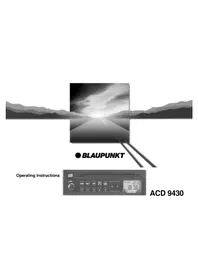


| Product type | Car stereo with CD player |
| Brand | Blaupunkt |
| Model | ACD 9430 |
| Form factor | 1-DIN (approx. 178 x 50 x 160 mm) |
| Weight | Approx. 1.0 kg |
| Power supply | 12 V DC (negative ground) |
| Maximum power output | 4 x 50 W (peak) |
| Audio formats supported | CD, CD-R/RW, MP3 (via CD) |
| Tuner bands | FM, AM (MW/LW) |
| Preset stations | 30 (FM: 18, AM: 12) |
| Equalizer presets | Classic, Rock, Pop, Flat |
| Front panel | Detachable, anti-theft |
| Display | LCD with white backlight |
| Connectivity | Front AUX input (3.5 mm), ISO connectors |
| Steering wheel remote control | Compatible (adapter may be required) |
| RDS | Yes (Radio Data System) |
| Maintenance | Clean with a soft, dry cloth; avoid liquids |
| Safety | Built-in fuse; professional installation recommended |
| Spare parts / reparability | Available through Blaupunkt service centers |
Frequently Asked Questions - ACD 9430 BLAUPUNKT
User questions about ACD 9430 BLAUPUNKT
0 question about this device. Answer the ones you know or ask your own.
Ask a new question about this device
Download the instructions for your Car radio in PDF format for free! Find your manual ACD 9430 - BLAUPUNKT and take your electronic device back in hand. On this page are published all the documents necessary for the use of your device. ACD 9430 by BLAUPUNKT.
USER MANUAL ACD 9430 BLAUPUNKT
Operating Instructions
ACD 9430


Front Panel Description
①ON/OFF
Switch on the set by turning knob ①.
②AUD button (sound control/broader interior sound impression)
BAS – Adjustment of the low frequencies via buttons </> ⑦.
TRE – Adjustment of the high frequencies via buttons </> ⑦.
BAL – Adjustment of the left/right volume via buttons </>⑦.
FAD – Adjustment of the front/rear volume via buttons </>⑦.
③ FM·T button (Frequency Modulation) FM button
This button is used for shifting between the different individual FM storage levels and T (Travelstore).
④ARI button
Use this button to activate the ARI function.
⑤ MIX·lo·m button
CD:
Use this button to play the CD titles in an arbitrary order.
Radio:
Button to shift between the normal and high-sensitivity manual station seek mode, and mono switch.
⑥ ▲ · SRC button (Source)
To shift between the individual audio sources, e.g. CD ♦ Radio ♦ CD.
By pressing the ▲ • SRC button ⑥ for more than 3 seconds, the CD is ejected.
⑦<> rocker switch
Radio:
Automatic station selection CD:
Skipping to next/previous title
Pressing the rocker switch < > longer than 1 sec. activates fast forward (cue) or fast reverse (review).
⑧CD slot
Insert the CD with the label side showing to the top.
⑨ Display
⑩ Preset buttons
Storing a station:
Keep button depressed during radio operation until the station becomes audible again.
Recalling a station:
Press button briefly.
Contents
Front Panel Description...... 12
Important information .... 13
What you need to know! 13
Traffic safety 13
QuickOut 13
Installation/connection 14
Anti-theft coding 14
Wrong code number entered 14
Switching the code system on .... 14
Restart following interruption of power supply.... 15
Switching the code system off .... 15
Amplifier Section...... 15
ON/OFF 15
Bass and Treble Control 15
Balance and Fader Control 16
Radio Section 16
Selecting a Station 16
Tuning in a Station Automatically...... 16
Manual Tuning 16
Adjusting the Station Seek Sensitivity... 16
Mono/Stereo Operation.... 16
Memorizing a Station 17
Automatically Storing the Strongest
Stations 17
Activating a Stored Station.... 17
Traffic Messages (ARI) 17
Switching Traffic Messages On and Off 17
Acoustic Alarm 17
ARI during CD Operation 17
Automatic Start of the Station Seek
Operation 18
CD Section 18
Inserting the Disc 18
Ejecting the Disc 18
Title Selection/Cueing and Reviewing .. 18
Mix Function.... 18
Changing the Audio Source with SRC .. 18
Programming with DSC ...... 19
Appendix.... 19
Technical Data 19
What To Do If Your Car Stereo Needs
Service? 19
Important information
What you need to know!
Before starting to use your new car radio you should carefully read through the information on "Traffic safety" and "Anti-theft coding".
Traffic safety
Traffic safety has always priority. Use your car radio in such a manner that you are always able to cope with and react to the prevailing traffic situation at any given time. Remember, even at 50 km/h you are still moving at a speed of 14 m per seconds.
It is also very important that you are able to hear, and react to, acoustic warning signals around you, for example from the police or the firebrigade.
Therefore, adjust the volume reasonably.
QuickOut
Using the QuickOut handle you can easily pull your radio out of the installation compartment to take it along. The preset stations remain stored for a longer time.
To take out the radio.
- press knob (a), take the handle (b) and pull the unit out.
Anti-theft coding
To listen to the radio or cassette again,
insert the set into the compartment until it stops and move the handle back to the front panel.
If the coding system is off, your set will be ready for operation.
If the coding system is on, proceed as described under "Restart following interruption of power supply".
Installation/connection
The code system can only be switched on and off if the radio is connected to permanent power.
If you like to install your new car radio by yourself or add other audio components to the existing ones, then please read carefully the enclosed instructions on installation and connection.
Do not connect the loudspeaker outputs to ground!
Only use the accessory and replacement parts approved by Blaupunkt.
The car radio comes standard with the code system deactivated.
If the anti-theft coding system is on while the power supply to the unit is interrupted (e.g. theft, disconnecting the car battery), the set is electronically blocked. Then it may only be used again after the appropriate code number has been entered (see car radio passport).
Wrong code number entered
It should not be possible for thieves to ascertain the code number by trial-and-error. This is why the set will be blocked for a certain period of time if an incorrect code number is entered. In this case, "- - -" will appear in the display.
This waiting time is 10 seconds after the first three attempts, and 1 hour following subsequent attempts.
After 19 unsuccessful attempts, "OFF" will appear in the display and the set can no longer be restarted.
Note:
Keep your car radio passport with the code number in a safe place in order to avoid "unauthorized access" to your car radio. If the power supply to the radio is interrupted while the code system is switched on, you need to know the right code number.
The radio will operate again as soon as you have entered the right code number.
If you lose your radio passport and have forgotten your code number, you will not be able to restart the set after the power supply has been interrupted. In this case, your radio can only be reset in our central customer service workshop or in one of our service agencies abroad.
Switching the code system on
Precondition:
The radio must be connected to permanent power.
In order to switch the code system on:
- Turn the radio off.
- Hold down the preset buttons 1 and 4 simultaneously.
- Turn the radio on.
"Cod" briefly appears before the radio begins to operate.
• Release preset buttons 1 and 4.
The code system is on.
"Cod" will be briefly displayed each time the radio is turned on.
Restart following interruption of power supply
(Code system switched on)
- Switch on the set.
"Cod" will appear in the display.
- Briefly press preset button 1, "000" will appear in the display.
- Enter the code number given in the Blaupunkt car radio passport:
Preset button 1 only allows to choose "0" or "1". The first "0" will not be displayed.
Example: the code number is 0521.
- Press preset button 1 until "000" appears in the display.
- Press preset button 2 five times, "500" appears in the display.
- Press preset button 3 twice, "520" appears in the display.
- Press preset button 4 once, "521" appears in the display.
• To confirm the code number:
Press the upper part of the rocker switch
Your car radio is now ready for operation.
If three dashes appear again in the display, you have entered a wrong code number.
Now it is essential to enter the correct code after the waiting period has elapsed (Cod in the display).
If the radio is turned off before the waiting period has elapsed, then the waiting period restarts as soon as the radio is turned on again.
Switching the code system off
- Turn off the radio.
- Simultaneously press preset buttons 1 and 4 and hold them down.
- Turn the set on. "Cod" will appear in the display.
- Enter the code number given in the Blaupunkt car radio passport and confirm: See example "Restart following interruption ...".
The code system is now deactivated.
Amplifier Section
ON/OFF
To switch on the set:
- Turn button ① clockwise.
To switch off the set:
- Turn button ① counterclockwise.
Bass and Treble Control
Bass Control
To adjust the low frequencies:
- Press the AUD button ②.
Display ⑨ gives you bas plus a number between -7 and +7.
- Press rocker switch </> ⑦ on the right to boost the bass frequencies or on the left for bass reduction. The number on the display ⑨ changes between -7 and +7.
Treble Control
To adjust the high frequencies:
- Press the AUD button ② until tre and a number between -7 and +7 appears on the display.
- Press rocker switch </>⑦ on the right to boost the high frequencies or on the left for treble reduction. The number on display ⑨ changes between -7 and +7.
Balance and Fader Control
Balance control
To balance the sound level left/right:
- Press the AUD button ② until bal is shown on the display. Press rocker switch </> ⑦ on the left or right to adjust the sound impression according to your personal preferences. Display ⑨ gives you a number between -9 and +9.
Fader control
To balance the front/rear sound level:
- Press the AUD button ② until "fad" is shown on the display. Press the rocker switch </> ⑦ on the left or right to adjust the sound impression according to your personal preferences. Display ⑨ gives you a number between -9 and +9.
Note:
If the rocker switch < > is kept depressed (on the left or right), the set quickly advances to the final values (+7/+9 or -7/-9) or to the "0" position.
Radio Section
Selecting a Station
With your car radio you can select stations from the FM (ultra-short wave) and FM-Travelstore level.
To select FM,
- press the FM-T button ③ briefly. "FM" lights up on display ⑨a.
To select FM-Travelstore,
- press the FM·T button ③ briefly until "FM·T" is shown on display ⑨b. For more information on this function see chapter "Automatically Storing the Strongest Stations".
Tuning in a Station Automatically
Tuning in the following station
- Press the </> rocker switch ⑦ on the right. The car stereo automatically starts searching for the next station.
Tuning in the previous station
- Press the </> rocker switch ⑦ on the left. The car stereo automatically starts searching for the previous station. If the </> rocker switch ⑦ is kept depressed on the right or the left, the station seek operation continues to be
carried out quickly in the corresponding direction.
Manual Tuning
To manually tune in a station,
- press the lo•m button ⑤ until "m" lights up on display ⑨ f. You can now manually search for the desired stations via the </> buttons ⑦.
Adjusting the Station Seek Sensitivity
With this set you can modify the automatic station seek sensitivity in all wavebands. If you want to search for strong stations only (reduced sensitivity):
- Press the lo button ⑤ until "lo" lights up on display ⑨e. If you also want to search for weaker stations (increased sensitivity): - Press the lo button ⑤ once again; the "lo" indication on display ⑨e goes out.
Mono/Stereo Operation
If the lo·m button ⑤ is pressed longer than 2 secs. but less than 8 secs., the set switches over to mono and the stereo symbol (h) goes off. If the lo·m button ⑤ is pressed longer than
2 secs. but less than 8 secs., the set switches over to stereo and the stereo-symbol (h) lights up in the display.
When the car radio is switched on it is always in stereo mode.
Memorizing a Station
You can memorize two FM stations with each of the preset buttons ⑩. Display ⑨ a, b either indicates the FM storage level ("FM") or the Travelstore level ("T").
To memorize a station:
First tune in the desired broadcaster (see chapter Tuning in a Station Automatically/Manual Tuning). Now press one of the preset buttons ⑩ until the radio resumes play (approx. 2 seconds). The station is now stored.
Note:
If you tune to an FM station already stored on the storing levels FM or Travelstore, the corresponding storing level and the preset button will flash in the display.
Automatically Storing the Strongest Stations
(Travelstore)
With Travelstore, you have the opportunity to automatically store the 5 strongest FM stations of your respective area and have them sorted according to their signal strength. The strongest station is then stored on preset button 1, the second strongest on preset button 2, etc. This feature is of special use while travelling.
- Press the FM-T button ③ for at least two seconds. The set searches for the strongest FM stations and memorizes them on the "T" storage level (Travelstore). Once the process is finished, the car radio automatically tunes in to the strongest station.
If required, it is also possible to manually store a station on the Travelstore level. If less than 5 stations can be received, the free buttons are briefly represented by dashes.
Activating a Stored Station
If required, the memorized stations can be activated at a keystroke.
- For this, choose the FM or T storage level and briefly
- press the respective preset button ⑩.
Traffic Messages (ARI)
Many FM stations broadcast local traffic messages at regular intervals. These stations can easily be detected with the ARI system. A traffic station is identified by the "SK" indication on display ⑨g ("SK" stands for the German equivalent for "station identification").
Switching Traffic Messages On and Off The ARI function is switched on by pressing the ARI button ④. Display ⑨c will then give you the "ARI" indication. When listening to a station without the ARI identification, an audible alarm tone will be produced after approximately 3 seconds.
Acoustic Alarm
When leaving the coverage area of the tuned in station, your car radio automatically sends out an acoustic alarm after approximately 30 seconds. This alarm tone is also produced when pressing a preset button with a non-ARI station allocated to it.
ARI during CD Operation
This set offers you the opportunity to listen to a compact disk and at the same time be prepared for incoming traffic messages.
When such a message comes in, the CD title will be muted until the message is over.
To select this ARI preference during CD reproduction,
- shift to the radio mode using the SRC button ⑥.
CD Section
- Now press the ARI button ④. The ARI indication lights up on display ⑨c.
- Then tune in to one of the traffic stations of your area.
Switch over to CD operation by either - inserting a disk, or - if a CD is already inserted by - pressing the SRC button ⑥.
CD reproduction will be interrupted as soon as a traffic message is "put through".
When leaving the coverage area of the tuned in traffic station, your car stereo will automatically start searching for a new one.
If no ARI station is found after having scanned the frequency band several times, the system sends out an alarm tone.
In this case switch off the ARI function by
- pressing button ④. The alarm tone stops.
Automatic Start of the Station Seek Operation (CD play)
Your set will also automatically start seeking for a new traffic station when leaving the coverage area of the tuned in traffic programme while listening to a disk. An alarm tone is sent out during the search operation.
Inserting the Disk
With this set you can play the normal standard CDs without having to use an adapter:
- Switch the set on.
- Insert the CD (label side up) without applying force.
The disk is automatically pulled into the unit to reach the playing position. Once it has been fed in, reproduction starts.
Ejecting the Disk
• To eject the disk, keep the ▲ • SRC button ⑥ depressed at least 2 sec.
Never block or support the CD mechanism in any way, since this would damage the set.
Title Selection/Cueing and Reviewing
After the CD has been inserted into the set, „Cd“ lights up on display ⑨. The display indication ⑨ changes to “T1” (Track 1) after approx. 5 seconds. You can skip or repeat titles by using the </> buttons ⑦.
Cue (Fast forward):
- Keep depressed the right side of the rocker switch </> ⑦ for more than than 2 second.
Review (Fast backward):
- Keep depressed the left side of the rocker switch </> ⑦ for more than 1 second.
Mix Function
Press the Mix button ⑤ to listen to the titles in an arbitrary order.
When Mix is on, the "Mix" indication lights up on display ⑨j.
Changing the Audio Source with SRC
You can shift between the connected audio sources in the order CD ♦ Radio ♦ CD. To switch over to another audio source during CD operation,
- press the SRC button ⑥.
The set changes to radio operation.
Programming with DSC
The car radio's DSC function (Direct Software Control) allows you to adjust the seek tuning sensitivity for FM and the volume of ARI traffic messages.
Adjusting the seek tuning sensitivity:
- Press the lo·m ⑤ button longer than 8 secs. The display gives you "lo" and a number between 1 and 3.
- Adjust the sensitivity using the rocker switch < > ⑦.
1 ≜ high sensitivity 3 ≜ normal sensitivity
To store the adjustment,
- press the lo·m button once again.
For setting the volume of ARI traffic messages,
- press the ARI button ④ longer than 8 secs. The display indicates "L" and a number between 1 and 9.
- Use the rocker switch < > ⑦ to adjust the volume of traffic messages
1 ≜ low volume 9 ≜ high volume
To store the adjustment,
- press the ARI button once again.
Appendix
Technical Data
Amplifier:
Output power: 4 x 8 watts acc. to DIN 45324/3.1
FM:
Frequency
response: 50 - 16 000 Hz (-3dB)
CD:
Frequency
response: 20 - 20,000 Hz (-3 dB)
Preamp-Out: Output impedance 150 Ω
What to Do If Your Car Stereo Needs Service?
Whenever your car radio fails to operate properly and therefore requires repair by an authorized service center, please do not forget to bring the car radio passport with you.
Modifications reserved!


- FRONT PANEL DESCRIPTION
- CONTENTS
- IMPORTANT INFORMATION
- WHAT YOU NEED TO KNOW
- TRAFFIC SAFETY
- QUICKOUT
- ANTI-THEFT CODING
- INSTALLATION/CONNECTION
- WRONG CODE NUMBER ENTERED
- NOTE
- SWITCHING THE CODE SYSTEM ON
- RESTART FOLLOWING INTERRUPTION OF POWER SUPPLY
- SWITCHING THE CODE SYSTEM OFF
- AMPLIFIER SECTION
- ON/OFF
- BASS AND TREBLE CONTROL
- BASS CONTROL
- TREBLE CONTROL
- BALANCE AND FADER CONTROL
- BALANCE CONTROL
- FADER CONTROL
- RADIO SECTION
- SELECTING A STATION
- TO SELECT FM
- TO SELECT FM-TRAVELSTORE
- TUNING IN A STATION AUTOMATICALLY
- TUNING IN THE FOLLOWING STATION
- TUNING IN THE PREVIOUS STATION
- MANUAL TUNING
- ADJUSTING THE STATION SEEK SENSITIVITY
- MONO/STEREO OPERATION
- MEMORIZING A STATION
- AUTOMATICALLY STORING THE STRONGEST STATIONS
- (TRAVELSTORE)
- ACTIVATING A STORED STATION
- TRAFFIC MESSAGES (ARI)
- ACOUSTIC ALARM
- ARI DURING CD OPERATION
- CD SECTION
- AUTOMATIC START OF THE STATION SEEK OPERATION (CD PLAY)
- INSERTING THE DISK
- EJECTING THE DISK
- TITLE SELECTION/CUEING AND REVIEWING
- CUE (FAST FORWARD)
- REVIEW (FAST BACKWARD)
- MIX FUNCTION
- CHANGING THE AUDIO SOURCE WITH SRC
- PROGRAMMING WITH DSC
- ADJUSTING THE SEEK TUNING SENSITIVITY
- APPENDIX
- TECHNICAL DATA
- AMPLIFIER
- FM
- CD
- WHAT TO DO IF YOUR CAR STEREO NEEDS SERVICE
Brand : BLAUPUNKT
Model : ACD 9430
Category : Car radio