
Spark 3 S - Sports Watch TOMTOM - Free user manual and instructions
Find the device manual for free Spark 3 S TOMTOM in PDF.


Pick your language and provide your email: we'll send you a specifically translated version.
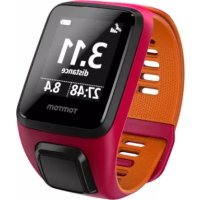
| Product Type | Sports Watch |
| Brand | TomTom |
| Model | Spark 3 S |
| Dimensions | Approximately 40 x 40 x 12 mm |
| Weight | Approximately 42 g (with band) |
| Power Source | Rechargeable lithium-ion battery |
| Battery Life | Up to 5 days in watch mode, 8 hours with GPS |
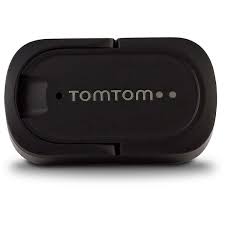
| Charging Method | USB charging clip |
| Main Functions | GPS tracking, heart rate monitor, step counter, sleep tracker, activity goals |
| Connectivity | Bluetooth Smart |
| Water Resistance | 5 ATM (suitable for swimming) |
| Display | Monochrome LCD touchscreen |
| Compatible Operating Systems | iOS, Android |
| Maintenance | Clean with a soft damp cloth; avoid solvents |
| Safety | Not a medical device; consult physician for health data interpretation |
| Spare Parts and Repairability | Bands and chargers available; contact TomTom support for repairs |
| General Information | Designed for sport and daily activity tracking |
Frequently Asked Questions - Spark 3 S TOMTOM
How do I charge my TomTom Spark 3 S?
Use the included USB charging clip. Attach it to the back of the watch and plug into a USB port. Charging time is approximately 2 hours.
Is the TomTom Spark 3 S waterproof?
Yes, it has a water resistance rating of 5 ATM, meaning it is suitable for swimming and showering, but not for scuba diving.
How do I sync the watch with my phone?
Install the TomTom Sports app on your phone, enable Bluetooth, and pair the devices. Open the app and follow the on-screen instructions to sync.
How do I reset my TomTom Spark 3 S?
To reset, press and hold the power button for about 10 seconds until the device restarts. For a factory reset, use the TomTom Sports app or computer software.
How do I track a GPS activity?
Press the button to go to the activity menu, select the sport type (e.g., run, bike), and then press start. Wait for GPS signal (outdoors) before beginning.
Does the watch track heart rate continuously?
No, the heart rate monitor is on-demand during activities. It does not provide 24/7 heart rate tracking.
How do I change the band?
The band can be removed by sliding the quick-release pin. Compatible replacement bands are available from TomTom or third-party sellers.
What should I do if the watch is not charging?
Ensure the charging clip is securely attached and the USB port is providing power. Clean the contacts on the watch and clip with a dry cloth.
Can I swim with the TomTom Spark 3 S?
Yes, it is water resistant to 5 ATM, so it can be used for swimming. However, ensure the charging port is dry before charging.
How do I update the software?
Connect the watch to your computer via the USB clip and open the TomTom Sports Connect software. It will automatically check for updates.
User questions about Spark 3 S TOMTOM
0 question about this device. Answer the ones you know or ask your own.
Ask a new question about this device
No questions yet. Be the first to ask one.
Download the instructions for your Sports Watch in PDF format for free! Find your manual Spark 3 S - TOMTOM and take your electronic device back in hand. On this page are published all the documents necessary for the use of your device. Spark 3 S by TOMTOM.
USER MANUAL Spark 3 S TOMTOM
Manual assistant
Powered by Anthropic
Waiting for your message
Product information
Brand : TOMTOM
Model : Spark 3 S
Category : Sports Watch