
LK70E - Air conditioner QLIMA - Free user manual and instructions
Find the device manual for free LK70E QLIMA in PDF.


| Product type | Portable air conditioner |
| Brand | QLIMA |
| Model | LK70E |
| Cooling capacity | 7000 BTU/h |
| Power consumption | Approximately 700 W |
| Power supply | 220-240 V, 50 Hz |
| Dimensions (L x W x H) | 45 x 35 x 70 cm |
| Net weight | 25 kg |
| Noise level | 65 dB(A) |
| Air flow | 300 m³/h |
| Water tank capacity | 1.5 L |
| Main functions | Cooling, ventilation, dehumidification |
| Refrigerant type | R290 |
| Remote control | Yes, included |
| Filter | Washable |
| Maintenance and cleaning | Clean the filter every 2 weeks; empty the condensate tray regularly |
| Safety | Automatic shut-off in case of overflow, anti-freeze protection |
| Certifications | CE |
| Repairability index | 7/10 (estimate) |
| Spare parts available | Remote control, filter, exhaust hose |
Frequently Asked Questions - LK70E QLIMA
User questions about LK70E QLIMA
0 question about this device. Answer the ones you know or ask your own.
Ask a new question about this device
Download the instructions for your Air conditioner in PDF format for free! Find your manual LK70E - QLIMA and take your electronic device back in hand. On this page are published all the documents necessary for the use of your device. LK70E by QLIMA.
USER MANUAL LK70E QLIMA
guarantee

YEARS
| E | INSTRUCCIONES DE USO | 2 |
| F | MANUEL D'UTILISATION | 10 |
| GB | OPERATING MANUAL | 18 |
| I | ISTRUZIONI D'USO | 26 |
| NL | GEBRUIKSAANWIJZING | 34 |
| SLO | NAVODILA ZA UPORABO | 42 |
Dear customer,
(Fig.1)

(Fig.2)

(Fig.3)
(Fig.4)
- Children of less than 3 years should be kept away unless continuously supervised.
(Fig.1)

(Fig.2)
(Fig.3)
(Fig.4)
WARRANTY CONDITIONS
Congratulations with the purchase of your air cooler. You have acquired a high quality product which will give you many years of pleasure, if you use it responsibly. Please read the user's manual first in order to ensure the optimum life span of your air cooler. On behalf of the manufacturer, we provide a two-year warranty on material- or manufacturing defects.
Enjoy your air cooler.
Yours sincerely,
PVG Holding B.V.
Customer Service Department
1 PLEASE READ THE USER'S MANUAL FIRST.
2 IF YOU HAVE ANY DOUBTS, CONSULT YOUR DEALER.
IMPORTANT COMPONENTS
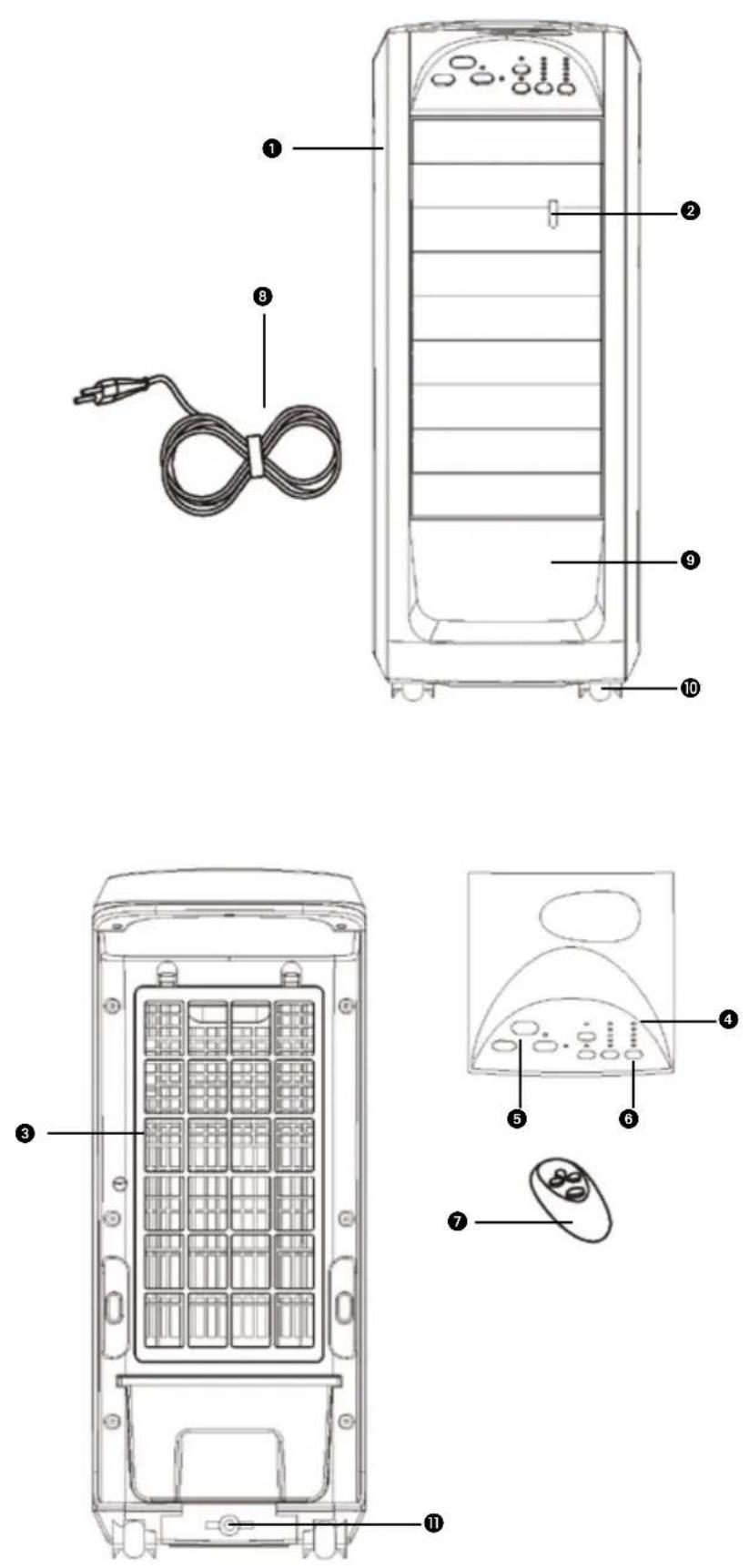
1 Body 2 Horizontal leaf 3 Rear Grill 4 Pilot lamp 5 Receive window 6 Button 7 Remote controller 8 Power cord 9 Water tank 10 Front wheel
11 Locking nut of water tank
DIRECTIONS FOR USE (GB)

- Read this user manual carefully before using the appliance and keep it for future reference. Install this device only when it complies with local/national legislation, ordinances and standards.
- The air cooler is designed for indoor and outdoor use.
- After unpacking, check the appliance for any damages. When in doubt, do not use the appliance, but contact customer service at your local dealer's. Keep the packaging materials (plastic bags, etc.) away from children, as they may cause hazardous situations to children.
- No modifications to the safety system are allowed.
- This product is constructed in conformity with relevant texts in the EN 60335 standard

WARNINGS
- Read the Directions for Use before using the air cooler. The safety of this product is guaranteed only by its correct usage in accordance with these instructions, therefore it is recommended that they are retained for future reference.
- Only use the device for its intended purpose. Other usage may lead to short circuits, burns, electroshocks, lamp explosion, crash, etc. Install the product only if it complies with local regulations, laws and standards.
- Make sure that the available voltage does not exceed the voltage stated in the specifications of this manual.
- Check if the voltage indicated on the type plate corresponds to the local mains voltage before you connect the appliance.
- The appliance is suitable for mains voltages ranging from 220-240V.
- Always make sure that you actually see the appliance when you want to switch it on. Never use things like a timer, programmer or any other device (including Internet apps) that switches on the appliance automatically as this may cause fire!
- Install the product according to the instructions as described in the installation section of the directions for use.
- This product is manufactured according to CE safety standards. Nevertheless, as with any other device, care must be taken.
- RISK OF FIRE Never use the product in places where inflammable and/or harmful Gases, products or fumes may be present (e.g. exhaust Gases, paint fumes, curtains, paper, clothes).
- Do not use any extension cords or multi-socket adapters.
- This appliance is not intended for use by persons (including children) with reduced physical, sensory or mental capabilities, or lack of experience and knowledge, unless they have been given supervision or instruction concerning use of the appliance by a person responsible for their safety.
- If the supply cord is damaged, it shall be replaced by the manufacturer, its service agent or similarly qualified persons in order to avoid a hazard.
- Children should be supervised to ensure that they do not play with the appliance.
- The device must not be located immediately below a socket outlet.
- Do not use this product in the immediate surroundings of a bath, a shower or a swimming pool.
- The guard of this unit is intended to prevent direct access to moving parts and must be in place when the unit is in use.
- Disconnect the power plug before dismantling, assembling or before cleaning. • Make sure the air cooler is on a dry and even surface.
- Do not insert objects into the openings of the device.
- The guard does not give full protection for young children and infirm persons.
- This appliance can be used by children aged from 8 years and above and persons with reduced physical, sensory or mental capabilities or lack of experience and knowledge if they have been given supervision or instruction concerning use of the appliance in a safe way and understand the hazards involved.
- Cleaning and user maintenance shall not be made by children without supervision.
- Children of less than 3 years should be kept away unless continuously supervised.
- Children aged from 3 years and less than 8 years shall only switch on/off the appliance provided that it has been placed or installed in its intended normal operating position and they have been given supervision or instruction concerning use of the appliance in a safe way and understand the hazards involved.
- Children aged from 3 years and less than 8 years shall not plug in, regulate and clean the appliance or perform user maintenance.
- Switch off the appliance when it is unattended.
- Do not cover or obstruct the product when in use.
- Disconnect from mains during installation and cleaning.
- Do not use the unit if the ambient temperature is above 40°C.
- When using electrical appliances, always adhere to basic safety precautions to prevent the risk of fire, electric shocks and physical injury. Even more attention and care is required when using electrical appliances incorporating a container of water: should the water overflow, immediately unplug the adaptor from the outlet, check that the electrical parts of the unit are not wet, and if they are, dry them thoroughly and carefully. If in doubt consult a qualified professional.
- Do not leave the appliance exposed to the weather (sun, rain, etc).
- The water should be replaced every 3-4 days, even if it has not been used. If the fan has not been used for long periods, remove the water from the tank and the base of the humidifier.
- Care should be taken when using the appliance due to the emission of hot water vapour.
- Unplug the appliance during filling and cleaning.
If you fail to consult and/or follow up the rules, instructions and explanation, the warranty will no longer be valid, and the manufacturer will no longer deal with any damage to the appliance and/or your environment under the warranty.
ASSEMBLING THE AIR COOLER
Disassembling rear grill and curtain
(Fig.1)

(Fig.2)

(Fig.3)
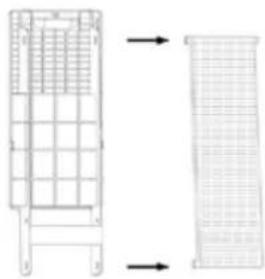
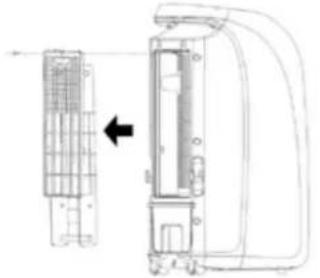
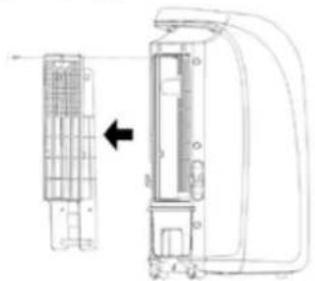
- Take the rear grille out of the back of the fan (Fig.1).
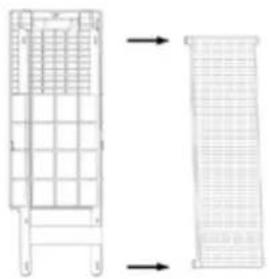
- Loosen one screw to disassemble the curtain bracket (Fig.2).
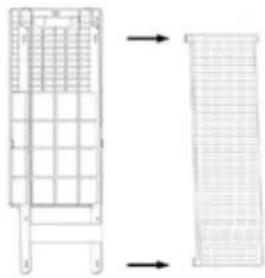
- Disassemble the curtain from the bracket (Fig.3).
Filling water tank
(Fig.4)
Turn the locking nut of water tank on, pull out the tank and fill it with water (Fig 4).
OPERATION
Function of the control panel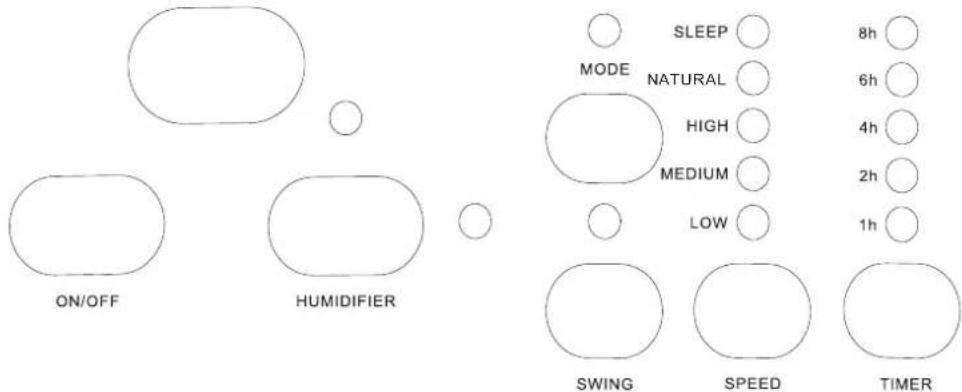
TIMER
Set the timer function. You can set the time 1h, 2h, 4h, 6h, 8h.
SWING
Activate / inactivate the swing function during operation.
SPEED
Select the fan speed: low / medium / high.
ON / OFF
Turn appliance ON / OFF.
MODE
Select the operation mode: natural - sleep - normal.
Humidifier
Press once to start the humidifier motor. Press again to stop the humidifier motor.
Wind direction
By moving the long louver upwards or downwards, the wind direction can be fixed.
CARE AND CLEANING
When the appliance isn't used for a longer period, it should be cleaned and kept well. (Unplug the appliance during filling and cleaning).
BODY:
Clean it with soft cloth or soft thin paper. If the dust is uneasy to wipe away, rub it with soap water. Don't use gasoline, diluents and other solvents.
WIND WHEEL:
Don't dismantle the unit to clean the wind.
CURTAIN:
Clean the curtain with water.
- The water should be changed each 2 days otherwise germ may breed.
- Before storage or a long period of inoperative, the water should be removed from the tray. The tray and fan should be dried. In particular corners because corners are the favorable positions that germ breed.
The appliance needs to be cleaned before use, and after a long period of inoperative.
Disregarding of the cleaning instruction can cause dangers to hygiene and health.
CIRCUIT DIAGRAM

Circuit board
GUARANTEE CONDITIONS
The appliance is supplied with a 24-month guarantee, commencing on the date of purchase. All material and manufacturing defects will be repaired or replaced free of charge within this period. The following rules apply:
- We expressly refuse all further damage claims, including claims for collateral and/or consequential damage.
- Repairs to or replacement of components within the guarantee period will not result in an extension of the guarantee.
- The guarantee is invalidated if any modifications have been made, non-genuine parts are fitted or repairs are carried out by third parties.
- Components subject to normal wear, such as filters, batteries, lamps and heating elements are not covered by the guarantee.
- The guarantee is valid only when you present the original, dated purchase invoice and if no modifications have been made to it.
- The guarantee is invalid for damage caused by neglect and/or by actions that deviate from those in this instruction booklet.
- Transportation costs and the risks involved during the transportation of the appliance or components of the appliance shall always be for the account of the purchaser
- Damage caused by not using suitable spare parts is not covered by the guarantee.
To prevent unnecessary expense, we recommend that you always first carefully consult the instructions for use. Take the appliance to your dealer for repairs if these instructions do not provide a solution.
www.qlima.com
ENVIRONMENTAL PROTECTION
Never dispose of non-biodegradable products in the environment, but dispose of them in accordance with current national legislation.
Do not dispose of electrical appliances as unsorted municipal waste, use separate collection facilities.
Contact your local government for information regarding the collection systems available.
If electrical appliances are disposed of in landfills or dumps, hazardous substances can leak into the groundwater and get into the food chain, damaging your health and well-being. When replacing old appliances with new once, the retailer is legally obligated to take back your old appliance for disposal at least for free of charge.
(Fig.1)
(Fig.2)
(Fig.3)
(Fig.4)
(Fig.1)

(Fig.2)
(Fig.3)
(Fig.4)
(Fig.1)
(Fig.2)
(Fig.3)
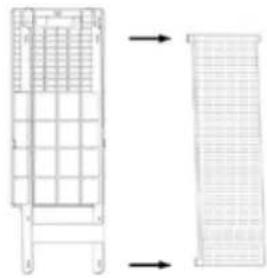
- Remove the rear grille from the back of the fan (Fig.1).
- To remove the curtain connector, unscrew one of the screws (Fig.2).
- Remove the curtain from the connector (Fig.3).
Filling the water tank
(Fig.4)
Turn the locking nut of the water tank, pull out the tank, and fill it with water (Fig 4).
OPERATION
If you need more information or if you have any problems, please visit our website www.qlima.com or contact our customer service (phone number on www.qlima.com). For any additional information or if you encounter any problems with the device, please refer to www.qlima.com or your local customer center (phone numbers can be found at www.qlima.com). If you need information or have a problem, please visit our website www.qlima.com or contact our customer service (you will find the phone number on www.qlima.com). If you would like additional information or if you encounter a problem, please visit our website (www.qlima.com) or contact our customer service (you will find the address and phone number on www.qlima.com). If you need service, more information, or if you have problems with the device, please visit our website at www.qlima.com or ask for advice from the PVG consumer service center (www.qlima.com). If you need information or if you have a problem, please visit our website (www.qlima.com) or contact our sales support (you will find its phone number on www.qlima.com). For information and in case of problems, visit the website www.qlima.com or contact the Customer Assistance Center (to find out the phone number, see www.qlima.com). If you need information, or if you have a problem with the product, you can visit the website www.qlima.com. Alternatively, you can contact the PVG consumer service (phone number at www.qlima.com). If you need information or if you have a problem, please visit our website (www.qlima.com) or contact the sales support department (address and phone at www.qlima.com). If you need information or if you have problems, visit the website www.qlima.com or contact the Assistance Center (phone number at www.qlima.com). In case of problems and for detailed information, visit the Qlima website at www.qlima.com or contact the Qlima contact center (www.qlima.com). If you need service or information or have problems with the device, you can visit www.qlima.com or contact Qlima customer service (you will find the phone number at www.qlima.com). If you need additional information, visit the company's website at www.qlima.com or call the phone number (www.qlima.com). If you need more information or if you encounter a problem, visit the Qlima website at www.qlima.com or contact the Qlima customer center in your country (phone number: www.qlima.com).
Brand : QLIMA
Model : LK70E
Category : Air conditioner