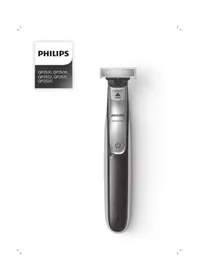
OneBlade QP2521 - Beard trimmer PHILIPS - Free user manual and instructions
Find the device manual for free OneBlade QP2521 PHILIPS in PDF.


| Product Type | Beard Trimmer |
| Brand | Philips |
| Model | OneBlade QP2521 |
| Color | White and Orange |
| Dimensions (L x W x H) | 5 x 4 x 15 cm |
| Weight | 0.2 kg |
| Power Source | Rechargeable Li-ion Battery |
| Charging Time | 8 hours |
| Runtime | 45 minutes |
| Charge Indicator | Yes, LED indicator |
| Usage | Dry and in the shower |
| Cleaning | Fully washable under running water |
| Blade | Single OneBlade, dual-action |
| Length Adjustment | Adjustable comb from 1 to 5 mm |
| Accessories Included | Adjustment comb (x1), USB cable |
| Maintenance | Regular oiling recommended |
| Spare Parts | Replacement blades QP210 |
| Warranty | 2 years |
| Package Contents | Trimmer, comb, USB cable, manual |
| Country of Manufacture | China |
Frequently Asked Questions - OneBlade QP2521 PHILIPS
User questions about OneBlade QP2521 PHILIPS
0 question about this device. Answer the ones you know or ask your own.
Ask a new question about this device
Download the instructions for your Beard trimmer in PDF format for free! Find your manual OneBlade QP2521 - PHILIPS and take your electronic device back in hand. On this page are published all the documents necessary for the use of your device. OneBlade QP2521 by PHILIPS.
USER MANUAL OneBlade QP2521 PHILIPS


English 6
Dansk 23
Deutsch 40
Español 59
Français 78
Italiano 97
Nederlands 116
Norsk 135
Português 152
Suomi 171
Svenska 188
Türkçe 205
Ελληνικα 222
Introduction
Congratulations on your purchase and welcome to Philips! To fully benefit from the support that Philips offers, register your product at www.philips.com/welcome.
General description (Fig. 1)
1 Protection cap
2 Blade
3 Blade release slide
4 On/off button
5 Battery status indicator (QP2531, QP2530 only)
6 Small plug
7 Battery charge indicator (QP2522, QP2521, QP2520 only)
8 Supply unit (QP2531, QP2530: adapter type HQ850. QP2522, QP2521, QP2520: adapter type A00390.)
9 Replacement blade (QP2531, QP2522 only)
10 Click-on stubble comb 5mm
11 Click-on stubble comb 3mm (QP2531, QP2530, QP2520 only)
12 Click-on stubble comb 2mm (QP2531, QP2530 only)
13 Click- on stubble comb 1mm
Important safety information
Read this important information carefully before you use the appliance and its accessories and save it for future reference. The accessories supplied may vary for different products.
Danger

- Keep the supply unit dry.
Warning
- To charge the battery, only use the detachable supply unit provided with the appliance. For the type number of the original supply unit, please see 'General description' in the manual.
- The supply unit contains a transformer. Do not cut off the supply unit to replace it with another plug, as this causes a hazardous situation.
- This appliance can be used by children aged from 8 years and above and persons with reduced physical, sensory or mental capabilities or lack of experience and knowledge if they have been given supervision or instruction concerning use of the appliance in a safe way and understand the hazards involved. Children shall not play with the appliance. Cleaning and user maintenance shall not be made by children without supervision.
- Always unplug the appliance before you clean it under the tap.
- Always check the appliance before you use it. Do not use the appliance if it is damaged, as this may cause injury. Always replace a damaged part with one of the original type.
- Do not open the appliance to replace the rechargeable battery.
Caution

- Never immerse the charging stand in water and do not rinse it under the tap.
- Do not use the supply unit in or near wall sockets that contain an electric air freshener to prevent irreparable damage to the supply unit.
- Only use this appliance for its intended purpose as shown in the user manual.
- For hygienic reasons, the appliance should only be used by one person.
- Never use water hotter than 60°C to rinse the appliance.
- Never use compressed air, scouring pads, abrasive cleaning agents or aggressive liquids such as petrol or acetone to clean the appliance.
Electromagnetic fields (EMF)
This Philips appliance complies with all applicable standards and regulations regarding exposure to electromagnetic fields.
General

- This appliance is waterproof. It is suitable for use in the bath or shower and for cleaning under the tap. For safety reasons, the appliance can therefore only be used without cord.
- The supply unit is suitable for mains voltages ranging from 100 to 240 volts.
- The supply unit transforms 100-240 volts to a safe low voltage of less than 24 volts.
Charging
Note: This appliance can only be used without cord.
QP2531, QP2530: Charging normally takes approx. 4 hours.
QP2522, QP2521, QP2520: Charging normally takes approx. 8 hours.
A fully charged appliance has an operating time of up to 60 minutes (QP2531, QP2530) or 45 minutes (QP2522, QP2521, QP2520).
Charge the appliance before you use it for the first time and when the battery charge indicator indicates that the battery is almost empty.
Battery status indicator QP2531, QP2530:

When the battery status indicator flashes orange, the battery is almost empty.

When the appliance is charging, the battery status indicator light flashes green.

When the battery is fully charged, the battery status indicator lights up green continuously.
Approx. 30 minutes after the battery is fully charged or when you disconnect the appliance from the mains, the light of the battery status indicator switches off automatically.
Battery charge indicator QP2522, QP2521, QP2520:
The battery status is indicated by the performance of the appliance. When the appliance starts working more slowly, the battery is almost empty and needs to be charged for optimal performance.
Charging with the adapter

1 Insert the small plug into the appliance and put the supply unit in the wall socket.
2 QP2522, QP2521, QP2520 only: The battery charge indicator on the adapter lights up continuously, when the appliance is connected to the mains.
3 After charging, remove the supply unit from the wall socket and pull the small plug out of the appliance.
Using the appliance
You can use the appliance to trim, edge or shave facial hair (beard, moustache and sideburns). Shave for a smooth result, trim to obtain a certain length and edge to create perfect edges and sharp lines. This appliance is not intended for shaving,
12 English

edging or trimming hairs on lower body parts or scalp hair. Take your time when you first start to use the appliance. You have to acquire practice with the appliance.
Note: This appliance can only be used without cord.
Switching the appliance on and off

1 To switch on the appliance, press the on/off button once.
2 To switch off the appliance, press the on/off button once.
Shaving
Warning: Before you use the appliance, always check the blade for damage or wear. If the blade is damaged or worn, do not use the appliance, as injury may occur. Replace a damaged blade before you use the appliance (see chapter ‘Replacement’).
Shaving
- Make sure that the blade is in full contact with the skin by placing it flat on the skin.
- For the best result, move the appliance against the grain.
- Make long strokes while pressing lightly.
- You can use the appliance dry or wet with gel or foam. You can even use the appliance in the shower.

Edging
- Shaving a clean beard and face gives the best results.
1 Switch on the appliance.
2 Place the blade on the skin and move the appliance up or against the grain in long strokes while you press it lightly.
Note: Make sure you hold the surface of the blade flat against your skin.
3 Switch off and clean the appliance after every use (see 'Cleaning and maintenance').
You can also use both edges of the blade to create sharp lines and perfect edges. Hold the appliance in such a way that the blade is perpendicular to the skin and one of its edges touches the skin. This allows more precise detailing of sideburns and the area around the mouth and nose.

1 To create sharp edges and lines, you can use either edge of the blade.
2 Switch on the appliance.
3 Place the edge of the blade perpendicular onto the skin.

- Make straight strokes while applying gentle pressure.
4 Switch off and clean the appliance after every use (see 'Cleaning and maintenance').
Trimming with comb
The click-on stubble combs allow you to trim hair to different lengths.
QP2531, QP2530 come with 4 click-on stubble combs: 5mm, 3mm, 2mm and 1mm.
QP2520 comes with 3 click-on stubble combs: 5mm, 3mm and 1mm.
QP2522, QP2521 come with 2 click-on stubble combs: 5mm and 1mm.
Start with the 5mm comb to acquire practice with this appliance.
The indication on each comb corresponds to the hair length in millimeters.

Tips
- Always make sure that the tips of the click-on stubble comb point in the direction in which you move the appliance.
- Make sure that the flat part of the comb is always in full contact with the skin to obtain an even trimming result.
Since hair grows in different directions, you need to move the appliance in different directions as well (upward, downward or across).
- Trimming is easier when the skin and hair are dry.


1 Place the comb onto the blade, with the teeth of the comb pointing upwards.
Note: Always trim in the direction of the teeth of the comb. This will give you the best results.
2 Switch on the appliance.
3 Place the comb onto the skin and move the appliance in the direction of the teeth of the comb.
Note: For the best result, move it against the grain.
4 Switch off and clean the appliance after every use (see 'Cleaning and maintenance').
5 To remove the comb, hold it on both sides and pull it off the blade.
Cleaning and maintenance
Clean the appliance after every use.
Caution: Never use compressed air, scouring pads, abrasive cleaning agents or aggressive liquids such as petrol or acetone to clean the appliance.
Caution: Do not tap the appliance against a surface to remove water from it, as this may cause damage. Replace the blade if it is damaged.

Cleaning the appliance

1 Remove the comb from the blade. Always turn the appliance off before putting on or taking off combs.

2 If a lot of hairs have accumulated on the comb, first blow them off.

3 If a lot of hairs have accumulated on the appliance, first blow them off.

4 Then switch on the appliance and rinse the blade with lukewarm water.
Caution: Do not dry the blade with a towel or a tissue as this may cause damage.

5 Then rinse the comb with lukewarm water.
6 Let the appliance and comb dry.
Note: The blade is fragile. Handle it carefully. Replace the blade if it is damaged.
Storage

Always attach the protection cap on the blade to protect the blade from damage during travelling or storage.
We advise you to let the appliance and its attachments dry before you store them for the next use.
1 Place the protection cap onto the edge of the blade.

2 Close the protection cap.
Replacement
Usage indicator

For optimal cutting and gliding performance, we advise you to replace the blade every 4 months, when it no longer provides the shaving or trimming results you expect.
The blade is equipped with a usage indicator. A green bar will gradually appear on the blade as you use it. When it is highly visible, it is recommended to replace your blade for the best OneBlade experience. Always replace the blade with original Philips blade.
Depending on your usage behavior, the exact lifetime of the blade could be longer or shorter.
Similar to a manual blade, the blade becomes blunt over time, which results in increased hair pulling and reduced cutting performance.
Replacing the blade

1 Switch off the appliance.
2 Push the blade release slide upwards carefully, and hold the blade on both sides to remove the blade. This will prevent the blade from flying off the handle.

3 Hold the new blade on its sides and press it onto the handle ('click').
Note: When you hear a click, the new blade is placed correctly and ready for use.
Ordering accessories
To buy accessories or spare parts, visit www.shop.philips.com/service or go to your Philips dealer. You can also contact the Philips Consumer Care Center in your country (see the international warranty leaflet for contact details).
The following parts are available:
- QP210 Blade 1-pack
- QP220 Blade 2-pack
Recycling

- This symbol means that this product shall not be disposed of with normal household waste (2012/19/EU).

- This symbol means that this product contains a built-in rechargeable battery which shall not be disposed of with normal household waste (2006/66/EC). Please take your product to an official collection point or a Philips service center to have a professional remove the rechargeable battery.
- Follow your country's rules for the separate collection of electrical and electronic products and rechargeable batteries. Correct disposal helps prevent negative consequences for the environment and human health.
Removing the rechargeable battery
Only remove the rechargeable battery when you discard the appliance. Before you remove the battery, make sure that the appliance is disconnected from the mains and that the battery is completely empty.
Take any necessary safety precautions when you handle tools to open the appliance.
Note: We strongly advise you to have a professional remove the rechargeable battery.
1 Disconnect the appliance from the mains and let the appliance run until the motor stops.
2 Remove the blade from the appliance.
3 Remove the bottom of the appliance by bending it downwards and pull it off.


4 Take out the battery compartment by separating the bottom part from the top part.
5 Separate the battery section from the bottom part.


6 Lift the battery out of the inner body with the screwdriver. The battery is connected with double-sided tape.

Warning: Be careful, the battery strips are very sharp.
Warranty and support
If you need information or support, please visit www.philips.com/support or read the international warranty leaflet.
Guarantee restrictions
The blade is not covered by the terms of the international guarantee because it is subject to wear.
Troubleshooting
This chapter summarizes the most common problems you could encounter with the appliance. If you are unable to solve the problem with the information below, visit www.philips.com/support for a list of frequently asked questions or contact the Consumer Care Center in your country.
Problem Possible cause Solution
| The appliance does not charge when it is connected to the mains. | The appliance has to be switched off when you charge it. | Switch off the appliance. |
| I cannot switch on the appliance when it is connected to the mains. | You cannot use the appliance when it is charging. You can only use the appliance without cord. | Disconnect the appliance from the mains before use. |
| The appliance does not work anymore. | The rechargeable battery is empty. | Charge the appliance (see chapter ‘Charging’).QP2530: During charging, the battery charge indicator flashes. QP2520: During charging, the charge indicator on the adapter lights up. If the battery charge indicator does not flash or light up, check whether there is a power failure or if the wall socket is live. If there is no power failure and the wall socket is live but the battery charge indicator still does not flash or light up, take the appliance to your dealer or a Philips service center. |
| The blade is blocked by dirt. | Switch on the appliance and rinse the blade under the tap with warm water. | |
| Hold the blade in a cup with warm water (60°C and no hotter) for approx.30 seconds. |
22 English
Problem Possible cause Solution
| The appliance doesn't cut hairs anymore. | The blade is placed on the handle incorrectly. | Push the blade onto the appliance until you hear a click. |
| The blade is damaged or worn. | Replace the blade with a new one. See chapter ‘Replacement’. | |
| The appliance makes a strange noise. | The blade is damaged or worn. | Replace the blade with a new one. See chapter ‘Replacement’. |
| The blade is placed onto the handle incorrectly. | Remove and reattach the blade. Push it onto the appliance until you hear a click. | |
| The blade is blocked by dirt. | Remove the blade and clean it thoroughly. | |
| The appliance doesn't function optimally anymore. | The blade is blocked by dirt. | Remove the blade and clean it thoroughly. |
| The blade is subject to wear and therefore its performance decreases over time. | Replace the blade with a new one. See chapter ‘Replacement’. | |
| The blade is a delicate part of the appliance and can easily be damaged. If the blade is damaged, it may not function optimally anymore. | Replace the blade with a new one. See chapter ‘Replacement’. |
Introduktion
For at indikere, at apparatet oplades, blinker batteristatusindikatoren grønt.


2 Luk beskyttelseskappen.

Udskiftning
Brugsindikator

1 Sluk for apparatet.
Konturieren
Tipps
Tailler
Conseils
2 Fermez la protection.

Remplacement


Profilatura


Tips


2 Sluit de beschermkap.
Vervanging
Gebruiksindicator

For å indikere at apparatet lader, vil indikatorlysene for batteristatus blinke grønt.

Når batteriet er fulladet, vil indikatorlyset for batteristatus lyse konstant grønt.
Omtrent 30 minutter etter at batteriet er fulladet, eller när du kobler apparatet fra strøm, slås indikatorlyset for batteristatus av automatisk.
Ladeindikator for batteri QP2522, QP2521, QP2520:
Merk: Sørg for at du holder overflaten av bladet flatt mot huden.


1 Sett kammen på bladet, med tennene på kammen pekende oppover.
Rengjøre apparatet

4 Slå så på apparatet og skyll bladet med lunket vann.
2 Lukk beskyttelsesdekselet.

Utskiftning
Bruksindikator


Sugestões


Encomendar acessórios
Rajaaminen
- Tee suoria vetoja painamalla samalla kevyesti.
Vinkkejä


2 Sulje suojus.
Varaosat
Käytön ilmaisin


Putsning
Tips
- QP220 skärblad, 2-pack
Återvinning


ipuçları


Cihazın temizliği

Değişim
Kullanım göstergesi


Αντικατάσταση


75% recycled paper
75% papier recyclé

- INTRODUCTION
- GENERAL DESCRIPTION (FIG. 1)
- IMPORTANT SAFETY INFORMATION
- DANGER
- WARNING
- CAUTION
- ELECTROMAGNETIC FIELDS (EMF)
- GENERAL
- CHARGING
- BATTERY STATUS INDICATOR QP2531, QP2530
- BATTERY CHARGE INDICATOR QP2522, QP2521, QP2520
- CHARGING WITH THE ADAPTER
- USING THE APPLIANCE
- 12 ENGLISH
- SWITCHING THE APPLIANCE ON AND OFF
- SHAVING
- TRIMMING WITH COMB
- TIPS
- CLEANING AND MAINTENANCE
- CLEANING THE APPLIANCE
- STORAGE
- REPLACEMENT
- USAGE INDICATOR
- REPLACING THE BLADE
- ORDERING ACCESSORIES
- RECYCLING
- REMOVING THE RECHARGEABLE BATTERY
- WARRANTY AND SUPPORT
- GUARANTEE RESTRICTIONS
- TROUBLESHOOTING
- 22 ENGLISH
- INTRODUKTION
- UDSKIFTNING
- BRUGSINDIKATOR
- TIPPS
- TAILLER
- CONSEILS
- REMPLACEMENT
- VERVANGING
- GEBRUIKSINDICATOR
- LADEINDIKATOR FOR BATTERI QP2522, QP2521, QP2520
- RENGJØRE APPARATET
- UTSKIFTNING
- BRUKSINDIKATOR
- SUGESTÕES
- ENCOMENDAR ACESSÓRIOS
- VINKKEJÄ
- VARAOSAT
- KÄYTÖN ILMAISIN
- ÅTERVINNING
- IPUÇLARI
- CIHAZIN TEMIZLIĞI
- DEĞIŞIM
- KULLANIM GÖSTERGESI
- ΑΝΤΙΚΑΤΆΣΤΑΣΗ
Brand : PHILIPS
Model : OneBlade QP2521
Category : Beard trimmer