PowerScan PD9530 - Barcode Reader DATALOGIC - Free user manual and instructions
Find the device manual for free PowerScan PD9530 DATALOGIC in PDF.


| Product Type | Handheld Barcode Scanner |
| Brand | Datalogic |
| Model | PowerScan PD9530 |
| Scan Engine | 2D Imager |
| Dimensions (H x W x D) | 185 x 70 x 80 mm |
| Weight | 350 g (with battery) |
| Power Supply | Rechargeable Li-Ion battery or USB power |
| Battery Capacity | 2150 mAh |
| Scan Range | Up to 20 m for 10 mil barcode |
| Interfaces | USB, RS-232, Keyboard Wedge |
| Durability | Withstands drops up to 2.0 m onto concrete |
| Protection Rating | IP65 |
| Operating Temperature | -20 to 50 °C |
| Decode Capability | 1D, 2D, and Postal Codes |
| Light Source | Class 1 LED |
| Cleaning | Wipe with a soft cloth dampened with mild detergent |
| Safety Certifications | CE, FCC, RoHS |
| Repairability | Field-replaceable scan window and battery |
Frequently Asked Questions - PowerScan PD9530 DATALOGIC
User questions about PowerScan PD9530 DATALOGIC
0 question about this device. Answer the ones you know or ask your own.
Ask a new question about this device
Download the instructions for your Barcode Reader in PDF format for free! Find your manual PowerScan PD9530 - DATALOGIC and take your electronic device back in hand. On this page are published all the documents necessary for the use of your device. PowerScan PD9530 by DATALOGIC.
USER MANUAL PowerScan PD9530 DATALOGIC
Industrial Corded Handheld Area Imager Bar Code Reader
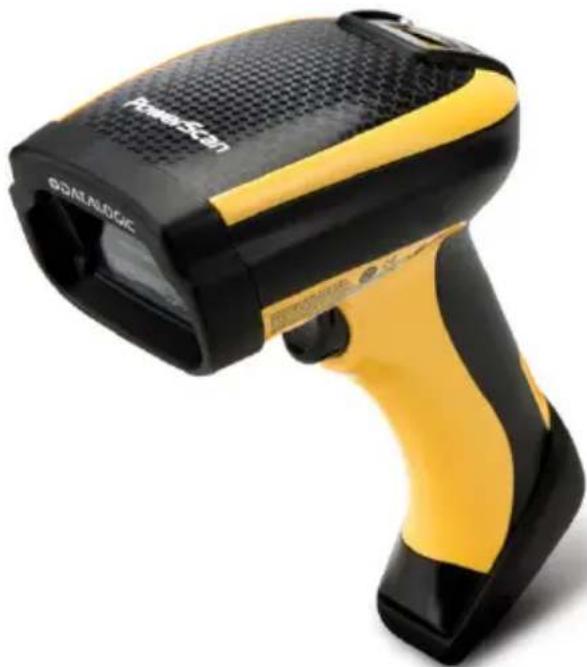
natural_image
Yellow and black barcode scanner with hexagonal grille (no visible text or symbols)
Quick Reference Guide
Datalogic USA, Inc.
959 Terry Street
Eugene, OR 97402
USA
Telephone: (541) 683-5700
Fax: (541) 345-7140
©2013-2017 Datalogic S.p.A. and/or its affiliates
- All rights reserved. - Without limiting the rights under copyright, no part of this documentation may be reproduced, stored in or introduced into a retrieval system, or transmitted in any form or by any means, or for any purpose, without the express written permission of Datalogic S.p.A. and/or its affiliates.
Owners of Datalogic products are hereby granted a non-exclusive, revocable license to reproduce and transmit this documentation for the purchaser's own internal business purposes. Purchaser shall not remove or alter any proprietary notices, including copyright notices, contained in this documentation and shall ensure that all notices appear on any reproductions of the documentation.
Should future revisions of this manual be published, you can acquire printed versions by contacting your Datalogic representative. Electronic versions may either be downloadable from the Datalogic website (www.datalogic.com) or provided on appropriate media. If you visit our website and would like to make comments or suggestions about this or other Datalogic publications, please let us know via the "Contact Datalogic" page.
Disclaimer
Datalogic has taken reasonable measures to provide information in this manual that is complete and accurate, however, Datalogic reserves the right to change any specification at any time without prior notice.
Datalogic and the Datalogic logo are registered trademarks of Datalogic S.p.A. in many countries, including the U.S. and the E.U. PowerScan is a trademark of Datalogic S.p.A. and/or its affiliates, registered in many countries, including the U.S. and the E.U. All other brand and product names may be trademarks of their respective owners.
Patents
See www.patents.datalogic.com for patent list.
See the Regulatory Addendum included with your product for additional regulatory, safety and legal information.
Table of Contents
END USER SOFTWARE LICENSE AGREEMENT (EULA) ....iii
Software Product Policy ...... vii
Description ....1
General Features ....1
Setting Up the Reader 2
Connecting the Cable 3
Using the PowerScan™ PD9530 ....4
Selecting the Interface Type 5
Interface Selection ....5
Configuring the Interface 5
Scancode Tables.... 8
Keyboard Interface 8
Country Mode.... 9
Caps Lock State.... 13
Numlock.... 14
Programming 15
Using Programming Bar Codes 15
Configure Other Settings 15
Resetting Product Defaults 15
Reading Parameters ....16
Good Read Green Spot Duration 16
Operating Modes 17
Scan Mode 17
Motion Aiming Control 18
Pick Mode 19
Multiple Label Reading ....19
Technical Specifications 20
LED and Beeper Indications 23
Error Codes 26
Cleaning 27
Datalogic Limited Factory
Warranty 28
Ergonomic Recommendations ....30
Support Through the Website ....31
DATALOGIC IP TECH S.R.L. END USER SOFTWARE LICENSE AGREEMENT (EULA) FOR THE POWERSCAN™ 9500
Notice to End User: There are two types of software covered by this END USER LICENSE AGREEMENT ("EULA"): (1) The Datalogic Product you have acquired contains embedded software ("Embedded Software") which is integral to the Product's operation; and (2) Optional Application Software provided to you on an optional basis ("Application Software"). Embedded Software and Application Software are collectively referred to as "Software" and are subject to the terms and conditions contained in this EULA. Software is provided only for use with, and for authorized end users of, the Datalogic PowerScan™ 95XX ("Product"). Portions of the Embedded Software include or operate with Open Source software or libraries ("Open Source"). Use of Open Source is subject to the Open Source licenses available at the following website: http://www.datalogic.com/oss.
This EULA (End User Software License Agreement) ("EULA" or "Agreement") is a legally binding agreement governing the licensing of the Software and Documentation by Datalogic IP Tech S.r.l. and its subsidiaries and affiliates ("Datalogic") to the entity or person who has purchased or otherwise acquired a Datalogic Product ("End User"). For purposes of this Agreement, any software that is not Embedded Software or Application Software is software associated with a separate end-user license agreement is licensed to you under the terms of that license agreement. Datalogic and End User hereby agree as follows:
1. Definitions
1.1 "Affiliate" means a business entity currently existing or later acquired that is controlled by, or is under common control with Datalogic S.p.A.
1.2 "Documentation" means materials such as user's guides, program reference guides, quick reference guides, manuals, or similar materials associated with or related to the Datalogic Product, whether in printed, "online", or other form.
1.3 "Proprietary Information" means: (a) source code, object code, software, documentation, and any related internal design, system design, data base design, algorithms, technology, technical data or information, implementation techniques, and trade secrets related to the Software, (b) any other trade secrets marked appropriately or identified as proprietary or confidential, and (c) any information that End User, under the circumstances, should recognize as confidential. Proprietary Information does not include any information that the receiving party can establish was (1) in the public domain, (2) already in the receiving party's possession or rightfully known prior to receipt, (3) rightfully learned from a third party not in violation of any other's proprietary rights, or (4) independently developed without access to Proprietary Information.
1.4 "Datalogic Product" means the Datalogic Powerscan™ series scanner product, including all embedded Software in and all Documentation related to such product, which has been purchased or otherwise acquired by End User, whether obtained directly or indirectly from Datalogic.
1.5 "Software" means any software or computer programs of Datalogic or its third party licensors in machine readable form which is embedded in the Datalogic Product, whether obtained directly or indirectly from Datalogic, including any replacement, update, upgrade, enhancement or modification.
2. Scope Of License Granted
2.1 Datalogic grants to End User a personal non-exclusive, non-transferable, perpetual license to use the Software, solely on the Datalogic Product in which it is embedded ("designated Datalogic Product"), in machine-readable form only, solely for End User's internal business purposes. This Agreement does not convey ownership of the Software to End User. Title to the Software shall be and remain with Datalogic or the third party from whom Datalogic has obtained a licensed right. As used in this Agreement, the term "purchase" or its equivalents when applied to the Software shall mean "acquire under license." End User is not entitled to receipt or use of the source code to any Software.
2.2 End User shall not copy, modify, decompile, disassemble, reverse engineer, or otherwise reproduce or remanufacture the Software, whether modified or unmodified, nor sell, assign, sublicense, distribute, lend, rent, give, or otherwise transfer the Software to any other person or organization, for purposes other than as expressly provided in this Agreement, without Datalogic's prior written consent.
3. Transfers, Support
3.1 Any copying, installing, reproduction, remanufacture, reverse engineering, electronic transfer, or other use of the Software on other than the designated Datalogic Product will be a material breach of this Agreement. However, Datalogic may elect not to terminate this Agreement or the granted licenses, but instead may elect to notify End User that End User is deemed to have ordered and accepted a license for each breaching use. End User shall pay Datalogic the applicable list price for such licenses as of the date of such breach.
3.2 End User shall not sell, assign, sublicense, distribute, lend, rent, give, or otherwise transfer the Datalogic Product to any third party unless such third party agrees with Datalogic in writing to be bound by the terms and conditions of this Agreement. Any such transfer of the Datalogic Product absent such agreement shall be null and void.
3.3 End User may obtain support for Software from Datalogic at Datalogic's standard support fees and under Datalogic's standard support terms and conditions in effect at the time the support is requested.
4. Intellectual Property
End User acknowledges that the Software comprises valuable trade secrets of Datalogic or Datalogic's third party licensors and that the Software is protected by United States copyright law and trade secret law, and by all applicable international intellectual property laws and treaty provisions. The license set forth in this Agreement does not transfer to End User any ownership of Datalogic's or its third party licensors' copyrights, patents, trademarks, service marks, trade secrets, or other intellectual property rights and End User shall have no right to commence any legal actions to obtain such rights. End User shall not remove, modify, or take any other action that would obscure any copyright, trademark, patent marking, or other intellectual property notices contained in or on the Datalogic Product.
5. Proprietary Information
5.1 End User acknowledges that Proprietary Information is the confidential, proprietary, and trade secret property of Datalogic and Datalogic's third party licensors and End User acquires no right or interest in any Proprietary Information.
5.2 End User shall not disclose, provide, or otherwise make available the Proprietary Information of Datalogic or its third party licensors to any person other than End User's authorized employees or agents who are under confidentiality agreement, and End User shall not use the Proprietary Information other than in conjunction with use of the Datalogic Product exclusively for End User's internal business purposes. End User shall take steps to protect the Proprietary Information no less securely than if it were End User's own intellectual property.
5.3 The provisions of this Proprietary Information Section shall survive and continue for five (5) years after the termination of this Agreement.
6. Limited Warranty
6.1 Datalogic warrants that, under normal use and operation, the Datalogic Product will conform substantially to the applicable Documentation for the period specified in the Documentation. During this period, for all reproducible nonconformities for which Datalogic has been given written notice, Datalogic will use commercially reasonable efforts to remedy nonconformities verified by Datalogic. End User agrees to supply Datalogic with all reasonably requested information and assistance necessary to help Datalogic in remedying such nonconformities. For all defects reported to Datalogic within the warranty period, Datalogic's liability is limited to providing End User with one copy of corrections or responding to End User's problem reports according to Datalogic's standard assistance practices. Datalogic does not warrant that the product will meet End User's requirements or that use of the product will be uninterrupted or error free, or that Datalogic's remedial efforts will correct any nonconformance. This limited warranty does not cover any product that have been subjected to damage or abuse, whether intentionally, accidentally, or by neglect, or to unauthorized repair or unauthorized installation, and shall be void if End User modifies the product, uses the product in any manner other than as established in the Documentation, or if End User breaches any of the provisions of this Agreement.
6.2 EXCEPT AAS PROVIDED IN THIS AGREEMENT, THE DATALOGIC PRODUCT IS PROVIDED "AS IS" AND DATALOGIC MAKES NO WARRANTIES OF ANY KIND, EXPRESS OR IMPLIED, WRITTEN OR ORAL, WITH RESPECT TO THE PRODUCT, AND SPECIFICALLY DISCLAIMS THE IMPLIED WARRANTIES OF MERCHANTABILITY AND FITNESS FOR A PARTICULAR PURPOSE.
7. Infringement
To the maximum extent permitted by law, End User agrees to defend, indemnify and hold harmless Datalogic, its affiliates and their respective directors, officers, employees and agents from and against any and all claims, actions, suits or proceedings, as well as any and all losses, liabilities, damages, costs and expenses (including reasonable attorney's fees) arising out of or accruing from (a) the End User's use of Software, (b) any application the End User develops on the Software that infringes any Intellectual Property Rights of any person or defames any person or violates their rights of publicity or privacy, and (c) any non-compliance by the End User of this Agreement.
8. Limitation Of Liability
DATALOGIC SHALL NOT BE LIABLE FOR ANY CLAIMS AGAINST END USER BY ANY OTHER PARTY. IN NO EVENT SHALL DATALOGIC'S LIABILITY FOR DAMAGES, IF ANY, WHETHER BASED UPON CONTRACT, TORT (INCLUDING NEGLIGENCE), PRODUCT LIABILITY, STRICT LIABILITY, WARRANTY, OR ANY OTHER BASIS, EXCEED THE PRICE OR FEE PAID BY END USER FOR THE DATALOGIC PRODUCT. UNDER NO CIRCUM-STANCES SHALL DATALOGIC BE LIABLE TO END USER OR ANY THIRD PARTY FOR LOST PROFITS, LOST DATA, INTERRUPTION OF BUSINESS OR SERVICE, OR FOR ANY OTHER SPECIAL, CONSEQUENTIAL, CONTINGENT, INDIRECT, INCIDENTAL, PUNITIVE, EXEMPLARY, OR OTHER SIMILAR DAMAGES, EVEN IF DATALOGIC HAS BEEN ADVISED OF THE POSSIBILITY OF SUCH DAMAGES.
9. Government Restricted Rights; International Use
9.1 Use, duplication, or disclosure of the Software by the U.S. Government is subject to the restrictions for computer software developed at private expense as set forth in the U.S. Federal Acquisition Regulations at FAR 52.227-14(g), or 52.227-19 or in the Rights in Technical Data and Computer Software clause at DFARS 252.227-7013(c)(1)(ii), whichever is applicable.
9.2 If End User is using the Datalogic Product outside of the United States, End User must comply with the applicable local laws of the country in which the Datalogic Product is used, with U.S. export control laws, and with the English language version of this Agreement. The provisions of the "United Nations Convention on International Sale of Goods" shall not apply to this Agreement.
10. Termination
10.1 Either party may terminate this Agreement or any license granted under this Agreement at any time upon written notice if the other party breaches any provision of this Agreement.
10.2 Upon termination of this Agreement, End User immediately shall cease using any nonembedded software and shall return to Datalogic or destroy all non-embedded software covered by this Agreement, and shall furnish Datalogic with a certificate of compliance with this provision signed by an officer or authorized representative of End User. For embedded software, End User agrees to sign a waiver prepared by Datalogic concerning further use of the embedded Software. End User's resumed or continued use of the embedded Software after termination shall constitute End User's agreement to be bound by the terms and conditions of this Agreement for such use.
11. General Provisions
11.1 Entire Agreement; Amendment. This document contains the entire agreement between the parties relating to the licensing of the Software and supersedes all prior or contemporaneous agreements, written or oral, between the parties concerning the licensing of the Software. This Agreement may not be changed, amended, or modified except by written document signed by Datalogic.
11.2 Notice. All notices required or authorized under this Agreement shall be given in writing, and shall be effective when received, with evidence of receipt. Notices to Datalogic shall be sent to the attention of Datalogic IP Tech S.r.l., Legal & IP Department, Via San Vitalino 13, 40012 Calderara di Reno (Bologna), Italy or such other address as may be specified by Datalogic in writing.
11.3 Waiver. A party's failure to enforce any of the terms and conditions of this Agreement shall not prevent the party's later enforcement of such terms and conditions.
11.4 Governing Law; Venue: Both parties agree to the application of the laws of the country in which End User obtained the license to govern, interpret, and enforce all of End User's and Datalogic's respective rights, duties, and obliga-
tions arising from, or relating in any manner to, the subject matter of this Agreement, without regard to conflict of law principles. The United Nations Convention on Contracts for the International Sale of Goods does not apply.
All rights, duties, and obligations are subject to the courts of the country in which End User obtained the license. For licenses granted by Licensee who operates in the countries specified below, the following terms applies.
For Americas.
This Agreement is governed by the laws of the State of Oregon. This Agreement and the rights of the parties hereunder shall be governed by and construed in accordance with the laws of the State of Oregon U.S.A, without regard to the rules governing conflicts of law. The state or federal courts of the State of Oregon located in either Multnomah or Lane counties shall have exclusive jurisdiction over all matters regarding this Agreement, except that Datalogic shall have the right, at its absolute discretion, to initiate proceedings in the courts of any other state, country, or territory in which End User resides, or in which any of End User's assets are located. In the event an action is brought to enforce the terms and conditions of this Agreement, the prevailing party shall be entitled to reasonable attorneys' fees, both at trial and on appeal.
For Europe, Middle East and Africa
This Agreement is governed by the laws of Italy. This Agreement and the rights of the parties hereunder shall be governed by and construed in accordance with the laws of Italy, without regard to the rules governing conflicts of law. Italian Court of Bologna shall have exclusive jurisdiction over all matters regarding this Agreement, except that Datalogic shall have the right, at its absolute discretion, to initiate proceedings in the courts of any other state, country, or territory in which End User resides, or in which any of End User's assets are located. In the event an action is brought to enforce the terms and conditions of this Agreement, the prevailing party shall be entitled to reasonable attorneys' fees, both at trial and on appeal.
For Asia-Pacific Countries
This Agreement is governed by the laws of the State of Hong Kong. This Agreement and the rights of the parties hereunder shall be governed by and construed in accordance with the laws of the State of Hong Kong without regard to the rules governing conflicts of law. The Court of Hong Kong shall have exclusive jurisdiction over all matters regarding this Agreement, except that Datalogic shall have the right, at its absolute discretion, to initiate proceedings in the courts of any other state, country, or territory in which End User resides, or in which any of End User's assets are located. In the event an action is brought to enforce the terms and conditions of this Agreement, the prevailing party shall be entitled to reasonable attorneys' fees, both at trial and on appeal.
11.5 Attorneys' Fees. In the event an action is brought to enforce the terms and conditions of this Agreement, the prevailing party shall be entitled to reasonable attorneys' fees, both at trial and on appeal.
- END -
Software Product Policy
Datalogic reserves the right to ship its products with the latest version of software/firmware available. This provides our customers with the very latest in Datalogic software technology.
The only exception to this policy is when the buyer has a signed contract with Datalogic that clearly defines the terms and conditions for making software/firmware changes in products shipped to the buyer.
To arrange for a Software Maintenance and Support Agreement please contact your Datalogic sales person.
PowerScan™ PD9530
Description
The PowerScan™ 9530 is a feature-rich and rugged area imager reader. It is offered in several different models to better fit the different needs of each customer.
The table below shows the unique features of each model:
| Model P/N Optical feature | |
| PD9530 Standard | optic, standard and low density codes |
| PD9530-HP | Autofocus optic, High, standard and low density codes, wide angle |
| PD9530-HPE | Autofocus optic, High, standard and low density codes, wide angle |
| PD9530-DPM | High Density optic, high and medium density codes, DPM (laser, ink jet and dot peen) |
General Features
| Omni-directional Operating | To read a symbol or capture an image, you simply aim the reader and pull the trigger. Since the PowerScanTM PD9530 is a powerful omni-directional reader, the orientation of the symbol is not important. |
| Decoding | Thanks to powerful algorithms, PowerScanTM PD9530 reliably decodes all major 1D (linear) barcodes, 2D stacked codes (such as PDF417), 2D matrix symbols (such as DataMatrix), postal codes (such as POSTNET, PLANET). The data stream — acquired from decoding a symbol — is rapidly sent to the host. The reader is immediately available to read another symbol. |
| Formatting and Concatenating | The string of a decoded code may be processed according to either a simple or advanced data formatting and be concatenated. |
| Imaging | PowerScanTM PD9530 can also function as a camera by capturing entire images or image portions of labels, signatures, and other items. |
| Autoscanning | An autoscan command causes the reader to scan continuously and to monitor the central zone of its reading area. |
| Flash Memory | Flash technology allows you to upgrade the PowerScanTM PD9530 reader as new symbologies are supported or as improved decoding algorithms become available. |
| USA Driver License Parsing | The reader can be set up to select and output a subset of data elements from USA Driver License PDF417 barcodes. This feature can be enabled using either Datalogic AladdinTM or the barcodes in the USA Driver License Parsing Quick Reference Guide (QRG), available on the Datalogic website. |
Setting Up the Reader
Follow the steps below to connect and get your reader up and communicating with its host.
- Connect the Cable to the reader and the Host, shown on page 3.
- Configure the Interface (see page 5).
- Configure the Reader starting on page 15 (optional, depends on settings needed)
Connect the PowerScan ^™ by plugging directly into the host device as shown. The power can also be supplied through an external power supply via the Interface Cable supplied with a power jack.
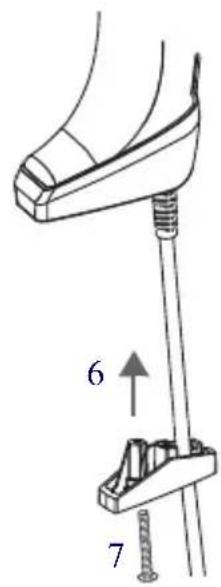
Connecting the Cable
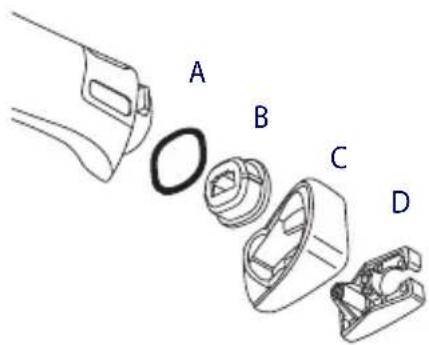
A. Rubber gasket
B. Cable Holder
C. Cover
D. Connector Holder
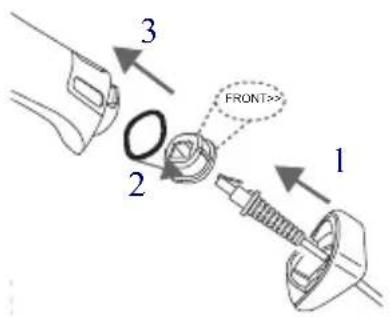
- Slip the cable through the Cover.
- Push the Rubber Gasket onto the Cable Holder.
- Push the Cable Holder and gasket into the handle. Ensure that the 'Front" marking on the Cable Holder is facing out, with the arrow pointing towards the front of the scanner.
- Insert the end of the cable into the socket of the Cable Holder.
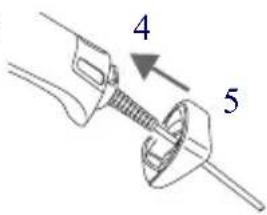
- Push the Cover along the cable towards the reader, and hook it over the yellow 'tooth" on the back of the handle.
- Insert the cable through the Connector Holder, and push it up into the Cover.
- Insert and tighten the screw to affix the cable assembly to the reader handle.
Using the PowerScan™ PD9530
The PowerScan™ PD9530 normally functions by capturing and decoding bar codes. The reader is equipped with an internal Motionix™ motion-sensing function which activates the aiming system on device motion. The intelligent aiming system indicates the field of view which should be positioned over the bar code:
Table 1. Aiming System
| Model P/N Aimer pattern | |
| PD9530 / PD9530-DPM |  |
| PD9530-HP / PD9530-HPE | 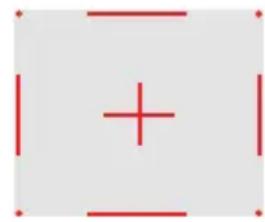 |
The field of view indicated by the aiming system will be smaller when the reader is closer to the bar code and larger when it is farther from the code. Symbologies with smaller bars or elements (mil size) should be read closer to the unit. Symbologies with larger bars or elements (mil size) should be read farther from the unit.
If the entire bar code is within the aiming field, you will get a good read. Successful reading is signaled by an audible tone plus a good-read green spot LED indicator.
Reference the PowerScan™ PD9530 Product Reference Guide (PRG) for more information about this feature and other programmable settings.
Selecting the Interface Type
Upon completing the physical connection between the reader and its host, proceed directly to Interface Selection below for information and programming for the interface type the reader is connected to (for example: RS-232, Keyboard Wedge, USB, etc.) and scan the appropriate bar code to select your system's correct interface type.
Interface Selection
All models are multi-interface and support RS-232, USB and Keyboard Wedge.
Information and programming options for each interface type are provided in this section. For defaults and additional information associated with each interface, proceed to the corresponding chapter in the PowerScan™ PD9530 PRG.
Configuring the Interface
Scan the appropriate programming bar code to selects the interface type for your system.

Unlike some other programming features and options, interface selections require that you scan only one programming bar code label. DO NOT scan an ENTER/EXIT bar code prior to scanning an interface selection bar code.
Some interfaces require the scanner to start in the disabled state when powered up. If additional scanner configuration is desired while in this state, pull the trigger and hold for 5 seconds. The scanner will change to a state that allows programming with bar codes.
RS-232
RS-232 standard interface
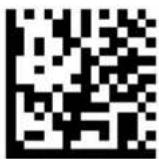
RS-232
RS-232 Wincor-Nixdorf
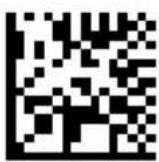
RS232-WN
RS-232 for use with OPOS/UPOS/JavaPOS
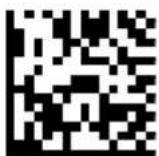
RS-232 OPOS
USB
USB Com to simulate RS-232 standard interface
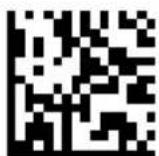
USB-COM ^4
USB (continued)
USB-OEM
(can be used for OPOS/UPOS/JavaPOS)
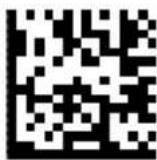
USB-OEM
a. Download the correct USB Com driver from www.datalogic.com
USB Keyboard with standard key encoding

USB-KBD
USB Keyboard with alternate key encoding
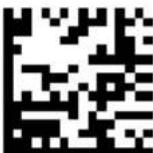
USB-KBD-ALT
USB Keyboard for Apple computers
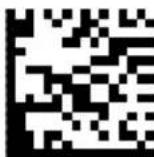
USB-KBD-APPLE
Keyboard Interface
KEYBOARD WEDGE
IBM AT or PS/2 PCs Standard Key Encoding
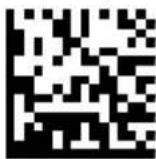
KBD-AT
IBM AT or PS/2 PCs Standard Key Encoding without external keyboard
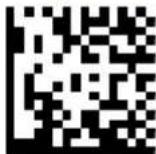
KBD-AT-NK
IBM AT or PS/2 PCs w/Alternate Key
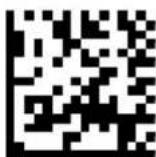
KBD-AT-ALT
IBM AT or PS/2 PCs Alternate Key Encoding without external keyboard
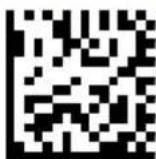
KBD-AT-ALT-NK
Scancode Tables
Reference the PowerScan™ PD9530 PRG for information about control character emulation for keyboard interfaces.
Country Mode
This feature specifies the country/language supported by the keyboard. This option is usable only with USB-KBD and Keyboard Wedge interface without the "Alternate Key" mode.
COUNTRY MODE

ENTER/EXIT PROGRAMMING MODE

Country Mode = U.S.
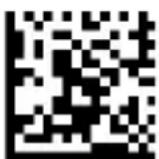
Country Mode = Belgium
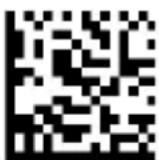
Country Mode = Britain
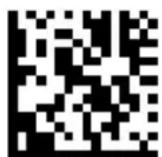
Country Mode = Croatia*
*Supports only the interfaces listed in the Country Mode feature description
COUNTRY MODE (continued)
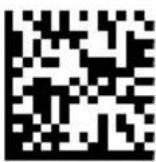
Country Mode = Czech*

Country Mode = Denmark*
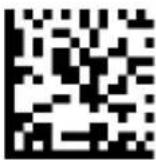
Country Mode = France
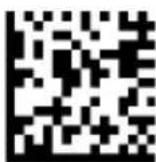
Country Mode = French Canadian*

Country Mode = Germany
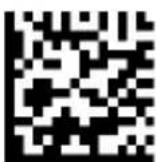
Country Mode = Hungary*
*Supports only the interfaces listed in the Country Mode feature description
COUNTRY MODE (continued)
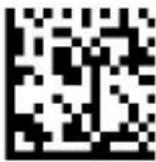
Country Mode = Italy
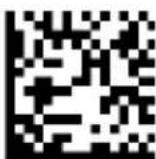
Country Mode = Japanese 106-key*

Country Mode = Lithuanian*
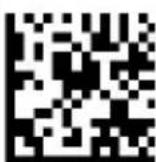
Country Mode = Norway*
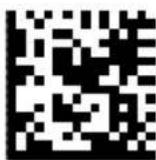
Country Mode = Poland*
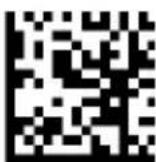
Country Mode = Portugal*
*Supports only the interfaces listed in the Country Mode feature description
COUNTRY MODE (continued)
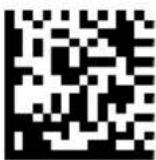
Country Mode = Romania*

Country Mode = Spain

Country Mode = Sweden
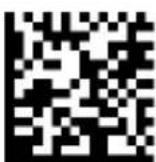
Country Mode = Slovakia*
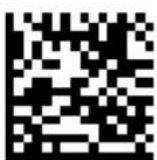
Country Mode = Switzerland*
*Supports only the interfaces listed in the Country Mode feature description
Caps Lock State
This option specifies the format in which the reader sends character data. This applies to keyboard wedge interfaces. This does not apply when an alternate key encoding keyboard is selected.

ENTER/EXIT PROGRAMMING MODE
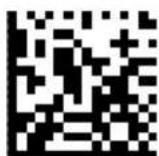
Caps Lock State = Caps Lock OFF
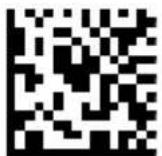
Caps Lock State = Caps Lock ON
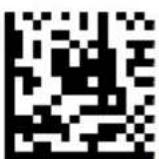
Caps Lock State = AUTO Caps Lock Enable
Numlock
This option specifies the setting of the Numbers Lock (Numlock) key while in keyboard wedge interface. This only applies to alternate key encoding interfaces. It does not apply to USB keyboard.
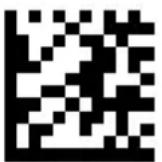
ENTER/EXIT PROGRAMMING MODE

Numlock = Numlock key unchanged
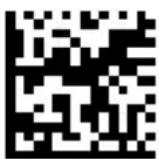
Numlock = Numlock key toggled
Programming
The reader is factory-configured with a set of standard default features. After scanning the interface bar code from the Interfaces section, select other options and customize your reader through use of the programming bar codes available in the PowerScan™ PD9530. Check the corresponding features section for your interface, and also the Data Editing and Symbologies chapters of the PRG.
Using Programming Bar Codes
This manual contains bar codes which allow you to reconfigure your reader. Some programming bar code labels, like the "Reset Default Settings" on page 15, require only the scan of that single label to enact the change.
Other bar codes require the reader to be placed in Programming Mode prior to scanning them. Scan an ENTER/EXIT bar code once to enter Programming Mode; scan the desired parameter settings; scan the ENTER/EXIT bar code again to accept your changes, which exits Programming Mode and returns the reader to normal operation.
Configure Other Settings
Additional programming bar codes are available in the PRG to allow for customizing programming features. If your installation requires different programming than the standard factory default settings, refer to the PRG.
Resetting Product Defaults
If you aren't sure what programming options are in your reader, or you've changed some options and want your custom factory settings restored, scan the bar code below to reset the reader to its initial configuration. Reference the PRG for other options, and a listing of standard factory settings.

NOTE
Factory defaults are based on the interface type. Be sure your reader is configured for the correct interface before scanning this label. See "Selecting the Interface Type" on page 5 for more information.
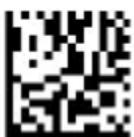
Reset Default Settings
Reading Parameters
Move the reader toward the target and center the aiming pattern and illumination system to capture and decode the image. See Using the PowerScan™ PD9530 on page 4 for more information.
The aiming system will briefly switch off after the acquisition time, and if no code is decoded will switch on again before the next acquisition. The illuminator will remain on until the symbol is decoded.
As you read code symbols, adjust the distance at which you are holding the reader.
Good Read Green Spot Duration
Successful reading can be signaled by a good read green spot. Use the bar codes that follow to specify the duration of the good read pointer beam after a good read.

ENTER/EXIT PROGRAMMING MODE
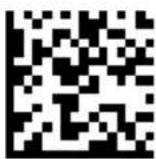
Disabled
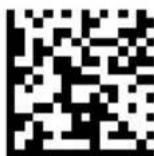
◆ Short (300 ms)
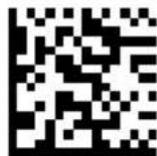
Medium (500 ms)
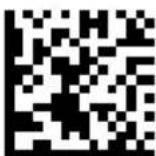
Long (800 ms)
Operating Modes
Scan Mode
The imager can be set to operate in one of several scanning modes. See the PRG for more information and settings for any of the options:
Trigger Single (Default) — This mode is associated with typical handheld reader operation. Motion Sense is active and if the scanner detects motion the aiming pattern is turned on. When the trigger is pulled, illumination is turned on and the scanner attempts to read a label. Scanning is activated until one of the following occurs:
- the programmable 'maximum scan on time' has elapsed
■ a label has been read
■ the trigger is released
Trigger Pulse Multiple — Scanning begins when the trigger is pulled and continues after the trigger is released, until the trigger is pulled again or until the programmable 'maximum scan on time' ^1 has elapsed. Reading a label does not disable scanning. Double Read Timeout ^1 prevents undesired multiple reads while in this mode.
Trigger Hold Multiple —When the trigger is pulled, scanning starts and the product scans until the trigger is released or 'maximum scan on time' ^1 has elapsed. Reading a label does not disable scanning. Double Read Timeout ^1 prevents undesired multiple reads in this mode.
Always On — The illuminator is always ON and the reader is always ready for code reading. Double Read Timeout ^1 prevents undesired multiple reads.
Flashing — The reader illuminator flashes on and off regardless of the trigger status. Code reading takes place only during the Flash On ^2 time. Double Read Timeout ^1 prevents undesired multiple reads.
Stand Mode — The scanner looks for changes within its field-of-view. The Aiming Pattern is always on to show the optimum reading area. If a predefined amount of movement is detected, the red illumination switches on. Scanning continues until a label is read or "maximum scan on time" is reached.
- See the Product Reference Guide (PRG) for these and other programmable features
- Controlled by Flash On Time and Flash Off Time. Use the PRG to program these options.
Scan Mode (continued)

ENTER/EXIT PROGRAMMING MODE
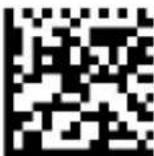
♦ Scan Mode = Trigger Single

Scan Mode = Trigger Pulse
Multiple
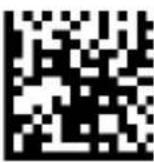
Scan Mode = Trigger Hold Multiple

Scan Mode = Flashing
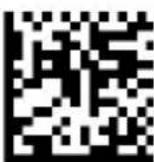
Scan Mode = Always On
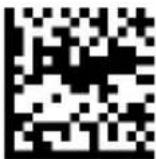
Scan Mode = Stand Mode
Motion Aiming Control
This feature configures the ability of the scanner to Enable/Disable the Aiming system when motion is detected (Motionix™ motion-sensing technology). Scan the Enter/Exit Programming bar code above, then either of the barcodes below.
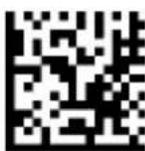
♦ Motion Aiming Control = Enable
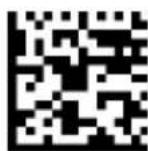
Motion Aiming Control = Dis-
able
Pick Mode
Specifies the ability of the reader to decode labels only when they are close to the center of the aiming pattern. Pick Mode is a Decoding and Transmission process where bar codes that are not within the configurable distance from the center of the aiming pattern are not acknowledged or transmitted to the host. It is active only while the scanner is in Trigger Single mode. If the scanner switches to a different Read Mode, Pick Mode is automatically disabled.

NOTE
This feature is not compatible with Multiple Labels Reading in a Volume. See the PRG for more information.

ENTER/EXIT PROGRAMMING MODE
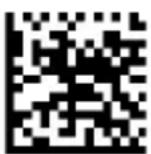
◆ Plck Mode = Disable
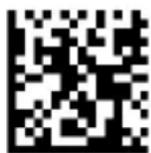
Pick Mode = Enable
Multiple Label Reading
The reader offers a number of options for multiple label reading. See the PRG or software configuration tool for descriptions of these features and programming labels.
Technical Specifications
The following table contains Physical and Performance Characteristics, User Environment and Regulatory information.
| Item Description | |||
| Physical Characteristics | |||
| Dimensions | Height: 212 mmLength: 110 mmWidth: 74 mm | ||
| Weight (without cable) | 330 gr (without cable) | ||
| Electrical Characteristics | |||
| Voltage & Current | PD9530/PD9530-HP | PD9530-HPE | PD9530-DPM |
| Input Voltage | 5 VDC +/-5% | 10 to 30 VDC 5 | VDC +/-5% |
| Input Current | |||
| Operating (typi-cal): | 335mA | 135mA @ 10V | 350mA |
| Operating (max): | 475mA | 300mA @ 10V | 480mA |
| Idle/Standby (typical) | 180mA 60mA @ 10V 120mA | ||
| Performance Characteristics | ||
| Light Source LED | ||
| Roll (Tilt) Tolerance ± 180° | ||
| Pitch Tolerance ± 40° | ||
| Skew (Yaw) Tolerance | ± 40° | |
| Print Contrast Minimum | 15% minimum reflectance | |
| PD9530 | PD9530-HP / PD9530-HPE | |
| Resolution | Max resolution 1D 4 milsMax resolution 2D 7.5 mils | 1D 2.5 mil2D 4 mil |
| Depth of Field (Typical)a | ||
| Symbology | Standard Model: | High Performance: |
| Code 39 | 4 mils: 6-17 cm20 mils: 4-55 cm40 mils: 4-85 cm | 2.5 mils: 2-6 cm20 mils: 3-70 cm40 mils: 3-110 cm |
| EAN 13 13 mils: 4-48 | cm 13 mils: 3-60 cm | |
| PDF-417 10 mils: 2-25 | cm 10 mils: 2-30 cm | |
| DataMatrix | 7.5 mils: 7-14 cm10 mils: 4-18 cm | 4mil: 2-6 cm10mil: 2-20 cm |
a. 13 mils DOF based on EAN. All other 1D codes are Code 39. All labels grade A,300 lux ambient light, 20°C, label inclination 10°
| Decode Capability | |
| 1D Bar CodesGS1 Databar linear codes, UPC/EAN (A,E,13,8), UPC/EAN with P2/P5 Addons, UPC/EAN Coupons, ISBN, Code128, EAN128, ISBT128, Code39, Code39 Full ASCII, Code39 CIP, Code 32, Codabar, Inter-leaved 2 of 5, IATA, Industrial 2 of 5, Standard 2 of 5, Code11, MSI, Plessey, Code 93, Follet 2/5 | |
| 2D / Stacked CodesDataMatrix, MaxiCode and QR Codes(QR, Micro QR and Multiple QR codes), Aztec- Postal codes including:Australian Post, China Post, Japanese Post, KIX Post, Planet Code, Postnet, Royal Mail Code(RM45CC), IMB- stacked codes including EAN/JAN Composites; GS1 Databar Composites, GS1 Databar Expanded Stacked; GS1 DataBar Stacked; GS1 DataBar Stacked Omnidirectional; MacroPDF; Micro PDF417; PDF417; UPC A/E Composites, French CIP13, Grid Matrix(Chinese) code | |
| Interfaces Supported | RS-232, Keyboard Wedge, and USB.See page 5 for a listing of available inter-face options. |
| User Environment | |
| Operating Temperature | -4° to 122° F (-20° - +50°C) |
| Storage Temperature | -40° to 158° F (-40° to 70°C) |
| Humidity 0 to 95% non-condensing | |
| Drop Specifications | Scanner withstands >50 times 6.5' (2 m) drops to concrete |
| Ambient Light Immunity | 100,000 Lux |
| Contaminants: Spray/rain,Dust/particulates | IP65 |
| ESD Level 20 KV | |
| Beeper/Speaker >= 80 dB @ 10 cm | |
| Regulatory See Regulatory Addendum | |
LED and Beeper Indications
The reader's beeper sounds and its LED illuminates to indicate various functions or errors on the reader. An optional ‘Green Spot’ also performs useful functions. The following tables list these indications. One exception to the behaviors listed in the tables is that the reader's functions are programmable, and so may or may not be turned on. For example, certain indications such as the power-up beep can be disabled using programming bar code labels.
| Indicator Description | LED Beeper | ||
| Power-up Beep | The reader is in the process of powering-up. | N/A | Reader beeps four times at highest frequency and volume upon power-up. |
| Good Read Beep | A label has been successfully scanned by the reader. | LED behavior for this indication is configurable via the feature 'Good Read: When to Indicate" (see the PRG for information.) | The reader will beep once at current frequency, volume, mono/bi-tonal setting and duration upon a successful label scan. |
| ROM Failure | There is an error in the reader's software/programming | Flashes | Reader sounds one error beep at highest volume. |
| Limited Scanning Label Read | Indicates that a host connection is not established. | N/A | Reader 'chirps' six times at the highest frequency and current volume. |
| Reader Active Mode | The reader is active and ready to scan. | The LED is lit steadilya | N/A |
| Reader Disabled | The reader has been disabled by the host. | The LED blinks continuously | N/A |
| Green Spot ^a flashes momentarily | Upon successful read of a label, the software shall turn the green spot on for the time specified by the configured value. | N/A N/A | |
| Image Capture | When ready to capture image | Blue light flashes 2 times when updating | N/A |
^a Except when in sleep mode or when a Good Read LED Duration other than 00 is selected
Programming Mode - The following indications ONLY occur when the reader is in Programming Mode.
| INDICATION DESCRIPTION LED BEEPER | |||
| Label Programming Mode Entry | A valid programming label has been scanned. | LED blinks continuously | Reader sounds four low frequency beeps. |
| Label Programming Mode Rejection of Label | A label has been rejected. | N/A | Reader sounds three times at lowest frequency and current volume. |
| Label Programming Mode Acceptance of Partial Label | In cases where multiple labels must be scanned to program one feature, this indication acknowledges each portion as it is successfully scanned. | N/A | Reader sounds one short beep at highest frequency and current volume. |
| Label Programming Mode Acceptance of Programming | Configuration option(s) have been successfully programmed via labels and the reader has exited Programming Mode. | N/A | Reader sounds one high frequency beep and 4 low frequency beeps followed by reset beeps. |
| Label Programming Mode Cancel Item Entry | Cancel label has been scanned. | N/A | Reader sounds two times at low frequency and current volume. |
Error Codes
Upon startup, if the reader sounds a long tone, this means the reader has not passed its automatic Selftest and has entered FRU (Field Replaceable Unit) isolation mode. If the reader is reset, the sequence will be repeated. Press and release the trigger to hear the FRU indication code.
The following table describes the LED flashes/beep codes associated with an error found.
| Number of LED Flashes/ Beeps | Error | Corrective Action |
| 1 Configuration | Contact Helpdesk for assistance | |
| 2 Interface PCB | ||
| 6 Digital PCB | ||
| 11 Imager | ||
Cleaning
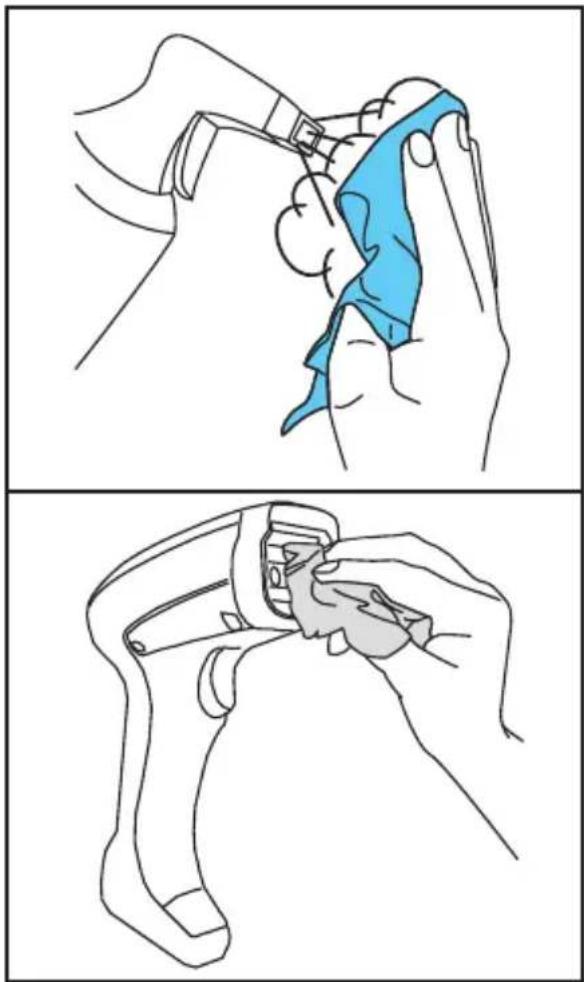
Exterior surfaces and scan windows exposed to spills, smudges or debris require periodic cleaning to ensure best performance during scanning.
natural_image
Two-step illustration showing a hand holding a blue cloth over a small object, both without any text or symbols.Use a soft, dry cloth to clean the product. If the product is very soiled, clean it with a soft cloth moistened with a diluted non-aggressive cleaning solution or diluted ethyl alcohol.

CAUTION
Do not use abrasive or aggressive cleansing agents or abrasive pads to clean scan windows or plastics.
Do not spray or pour liquids directly onto the unit.
Datalogic Limited Factory Warranty
Warranty Coverage
Datalogic warrants to Customer that Datalogic's products will be free from defects in materials and workmanship for a period of one year from product shipment. Datalogic ('Datalogic') hardware products are warranted against defects in material and workmanship under normal and proper use. The liability of Datalogic under this warranty is limited to furnishing the labor and parts necessary to remedy any defect covered by this warranty and restore the product to its normal operating condition. Repair or replacement of product during the warranty does not extend the original warranty term. Products are sold on the basis of specifications applicable at the time of manufacture and Datalogic has no obligation to modify or update products once sold.
If Datalogic determines that a product has defects in material or workmanship, Datalogic shall, at its sole option repair or replace the product without additional charge for parts and labor, or credit or refund the defective products duly returned to Datalogic. To perform repairs, Datalogic may use new or reconditioned parts, components, subassemblies or products that have been tested as meeting applicable specifications for equivalent new material and products. Customer will allow Datalogic to scrap all parts removed from the repaired product. The warranty period shall extend from the date of shipment from Datalogic for the duration published by Datalogic for the product at the time of purchase (Warranty period). Datalogic warrants repaired hardware devices against defects in workmanship and materials on the repaired assembly for a 90 day period starting from the date of shipment of the repaired product from Datalogic or until the expiration of the original warranty period, whichever is longer. Datalogic does not guarantee, and it is not responsible for, the maintenance of, damage to, or loss of configurations, data, and applications on the repaired units and at its sole discretion can return the units in the 'factory default' configuration or with any software or firmware update available at the time of the repair (other than the firmware or software installed during the manufacture of the product). Customer accepts responsibility to maintain a back up copy of its software and data.
Warranty Claims Process
In order to obtain service under the Factory Warranty, Customer must notify Datalogic of the claimed defect before the expiration of the applicable Warranty period and obtain from Datalogic a return authorization number (RMA) for return of the product to a designated Datalogic service center. If Datalogic determines Customer's claim is valid, Datalogic will repair or replace product without additional charge for parts and labor. Customer shall be responsible for packaging and shipping the product to the designated Datalogic service center, with shipping charges prepaid. Datalogic shall pay for the return of the product to Customer if the shipment is to a location within the country in which the Da-
talogic service center is located. Customer shall be responsible for paying all shipping charges, duties, taxes, and any other charges for products returned to any other locations. Failure to follow the applicable RMA policy, may result in a processing fee. Customer shall be responsible for return shipment expenses for products which Datalogic, at its sole discretion, determines are not defective or eligible for warranty repair.
Warranty Exclusions
The Datalogic Factory Warranty shall not apply to:
(i) any product which has been damaged, modified, altered, repaired or upgraded by other than Datalogic service personnel or its authorized representatives;
(ii) any claimed defect, failure or damage which Datalogic determines was caused by faulty operations, improper use, abuse, misuse, wear and tear, negligence, improper storage or use of parts or accessories not approved or supplied by Datalogic;
(iii) any claimed defect or damage caused by the use of product with any other instrument, equipment or apparatus;
(iv) any claimed defect or damage caused by the failure to provide proper maintenance, including but not limited to cleaning the upper window in accordance with product manual;
(v) any defect or damage caused by natural or man-made disaster such as but not limited to fire, water damage, floods, other natural disasters, vandalism or abusive events that would cause internal and external component damage or destruction of the whole unit, consumable items;
(vi) any damage or malfunctioning caused by non-restoring action as for example firmware or software upgrades, software or hardware reconfigurations etc.;
(vii) the replacement of upper window/cartridge due to scratching, stains or other degradation and/or
(viii) any consumable or equivalent (e.g., cables, power supply, batteries, keypads, touch screen, triggers etc.).
No Assignment
Customer may not assign or otherwise transfer its rights or obligations under this warranty except to a purchaser or transferee of product. No attempted assignment or transfer in violation of this provision shall be valid or binding upon Datalogic.
DATALOGIC'S LIMITED WARRANTY IS IN LIEU OF ALL OTHER WARRANTIES, EXPRESS OR IMPLIED, ORAL OR WRITTEN, STATUTORY OR OTHERWISE, INCLUDING, WITHOUT LIMITATION, ANY IMPLIED WARRANTIES OF MERCHANTABILITY, FITNESS FOR A PARTICULAR PURPOSE, OR NONINFRINGEMENT. DATALOGIC SHALL NOT BE LIABLE FOR ANY DAMAGES SUSTAINED BY CUSTOMER ARISING FROM DELAYS IN THE REPLACEMENT OR REPAIR OF PRODUCTS UNDER THE ABOVE. THE REMEDY SET FORTH IN THIS WARRANTY STATEMENT IS THE CUSTOMER'S
SOLE AND EXCLUSIVE REMEDY FOR WARRANTY CLAIMS. UNDER NO CIRCUMSTANCES WILL DATALOGIC BE LIABLE TO CUSTOMER OR ANY THIRD PARTY FOR ANY LOST PROFITS, OR ANY INCIDENTAL, CONSEQUENTIAL IN-DIRECT, SPECIAL OR CONTINGENT DAMAGES REGARDLESS OF WHETHER DATALOGIC HAD ADVANCE NOTICE OF THE POSSIBILITY OF SUCH DAMAGES.
Risk of Loss
Customer shall bear risk of loss or damage for product in transit to Datalogic. Datalogic shall assume risk of loss or damage for product in Datalogic's possession. In the absence of specific written instructions for the return of product to Customer, Datalogic will select the carrier, but Datalogic shall not thereby assume any liability in connection with the return shipment.
Ergonomic Recommendations

In order to avoid or minimize the potential risk of ergonomic injury follow the recommendations below. Consult with your local Health & Safety Manager to ensure that you are adhering to your company's safety programs to prevent employee injury.
■ Reduce or eliminate repetitive motion
- Maintain a natural position
- Reduce or eliminate excessive force
- Keep objects that are used frequently within easy reach
■ Perform tasks at correct heights
■ Reduce or eliminate vibration
- Reduce or eliminate direct pressure
■ Provide adjustable workstations
■ Provide adequate clearance
■ Provide a suitable working environment
■ Improve work procedures.
Support Through the Website
Datalogic provides several services as well as technical support through its website.
Log on to www.datalogic.com and click on the SUPPORT >
Industrial Handheld Scanners category link. From this page you can select your product model from the dropdown list which gives you access to:
Downloads including Data Sheets, Manuals, Software & Utilities, and Drawings;
Repair Program for On-Line Return Material Authorizations (RMAs) plus Repair Center contact information;
Service Program containing details about Maintenance Agreements;
Technical Support through email or phone.

DATALOGIC
www.datalogic.com
©2013-2017 Datalogic S.p.A. and/or its affiliates. All rights reserved. Datalogic and the Datalogic logo are registered trademarks of Datalogic S.p.A. in many countries, including the U.S.A. and the E.U.
Datalogic USA, Inc.
959 Terry Street | Eugene, OR 97402 | USA
Telephone: (541) 683-5700 | Fax: (541) 345-7140
820094014
(Rev
D)
June
2017