
SC5345 - Vacuum Cleaner SAMSUNG - Free user manual and instructions
Find the device manual for free SC5345 SAMSUNG in PDF.


| Brand | Samsung |
| Model | SC5345 |
| Product type | Canister vacuum cleaner with bag |
| Maximum power | 2000 W |
| Tank capacity | 3.5 L |
| Filtration type | Washable HEPA filter |
| Operating radius | 9 m |
| Cable length | 7 m |
| Dimensions (L x l x h) | 48 x 35 x 24 cm |
| Weight | 6.2 kg |
| Power supply | 220-240 V ~ 50/60 Hz |
| Annual energy consumption | 33.5 kWh |
| Noise level | 78 dB(A) |
| User manual | Manual available in PDF |
| Filter maintenance | Clean every 3 months |
| Brush type | Combined floor/carpet brush |
| Included accessories | Crevice tool, upholstery brush, turbo brush (depending on version) |
| Repairability | Spare parts available on Samsung website |
Frequently Asked Questions - SC5345 SAMSUNG
User questions about SC5345 SAMSUNG
0 question about this device. Answer the ones you know or ask your own.
Ask a new question about this device
Download the instructions for your Vacuum Cleaner in PDF format for free! Find your manual SC5345 - SAMSUNG and take your electronic device back in hand. On this page are published all the documents necessary for the use of your device. SC5345 by SAMSUNG.
USER MANUAL SC5345 SAMSUNG
EN Operating Instructions

natural_image
Simple line icon of an open book with a lowercase 'i' inside, no text or symbols present.VACUUM CLEANER
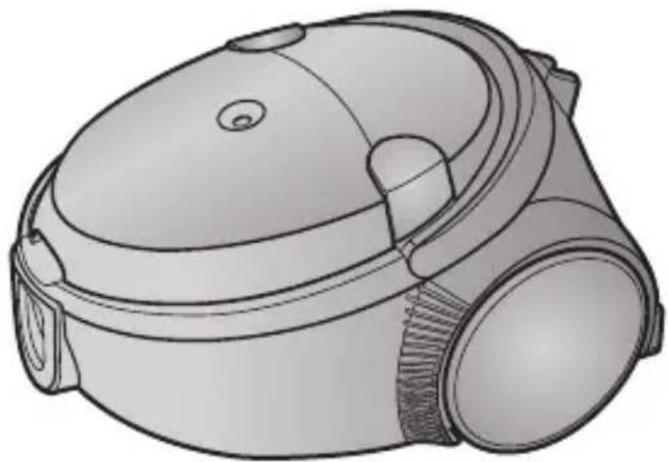
natural_image
Line drawing of a vacuum cleaner device with no visible text or symbols* Before operating this unit, please read the instructions carefully.
* For indoor use only.
Register your product at www.samsung.com/global/register
IMPORTANT SAFEGUARDS
-
Read all instructions carefully. Before switching on, make sure that the voltage of your electricity supply is the same as that indicated on the rating plate on the bottom of the cleaner.
-
WARNING : Do not use the vacuum cleaner when rug or floor is wet.
Do not use to suck up water.
-
This appliance is not intended for use by young children or infirm persons unless they have been adequately supervised by a responsible person to ensure that they can use the appliance safely. Young children should be supervised to ensure that they do not play with the appliance.
-
Do not use the vacuum cleaner without the dust bag. Empty the dust bag before it is full in order to maintain the best efficiency.
-
Slide to the Stop (or Min)position before inserting a plug into the electrical outlet.
-
Do not use the vacuum cleaner to pick up matches, live ashes or cigarette butts. Keep the vacuum cleaner away from stoves and other heat sources. Heat can deform and discolour the plastic parts of the unit.
-
Avoid picking up hard, sharp objects with the vacuum cleaner as they may damage the cleaner parts. Do not stand on the hose assembly. Do not put a weight on the hose. Do not block the suction or the exhaustion part.
-
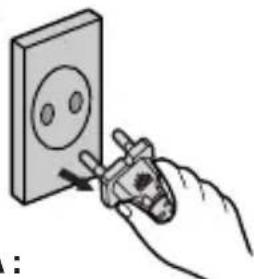
Switch the vacuum cleaner off at the machine before unplugging from the electrical outlet. Grasp the plug to disconnect cord from the electrical outlet before caring the dust bag and filters.
-
The plug must be removed from the socket outlet before cleaning or maintaining the appliance.
-
The use of an extension cord is not recommended.
-
If your vacuum cleaner is not operating correctly, switch off the power supply and consult an authorized service agent.
-
If the supply cord is damaged, it must be replaced by the manufacturer or its service agent or a similarly qualified person in order to avoid a hazard.
-
The vacuum cleaner is provided with a self-resetting thermal cut-out protection which automatically shut off current on over heating. Overheating can be caused by blockage in the filter, nozzle, tube or hose. After removing the cause and cooling the motor, vacuum cleaner automatically start again.
1 ASSEMBLING THE CLEANER

▶ Features may vary according to model.
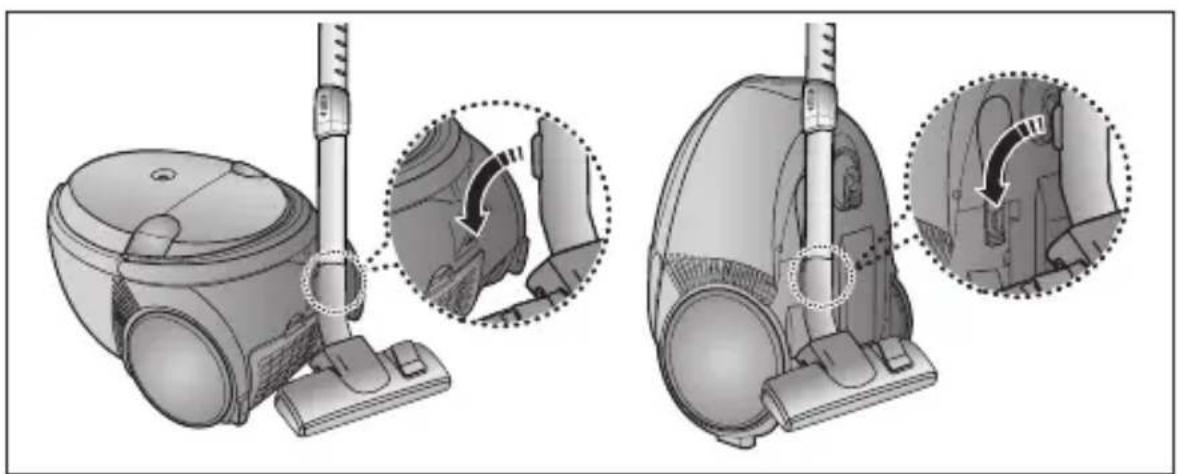
natural_image
Illustration of a vacuum cleaner with close-up views showing internal components (no text or symbols)Parking floor nozzle for easier storage.
(BODY CONTROL TYPE ONLY)

natural_image
Illustration of a foot using a handheld vacuum cleaner (no text or symbols visible)2-3 POWER CONTROL
1) HANDLE CONTROL TYPE
• SLIDE TO THE STOP POSITION
Vacuum cleaner switches off. (stand by mode)
• SLIDE FORWARD TO MAX
Suction capacity increase smoothly up to maximum.

natural_image
Diagram of a cable or cable connector with a magnified inset showing internal components (no text or symbols)HANDLE CONTROL TYPE ONLY
2) BODY CONTROL TYPE
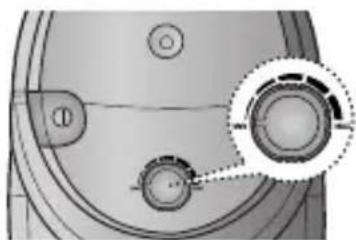
MIN = For delicate surface e. g. net curtains. MAX = For hard floors and heavily soiled carpets.

natural_image
Close-up of a mechanical component with circular features and a highlighted circular detail (no text or symbols)BODY CONTROL TYPE ONLY
2-4 AIR CONTROL
To reduce suction for cleaning draperies, small rugs, and other light fabrics, pull the tap air until the hole is open.

natural_image
Diagram of a flexible hose with a pull-up detail showing the end joint (no text or symbols present)BODY CONTROL TYPE ONLY
2-5 USING FLOOR TOOLS
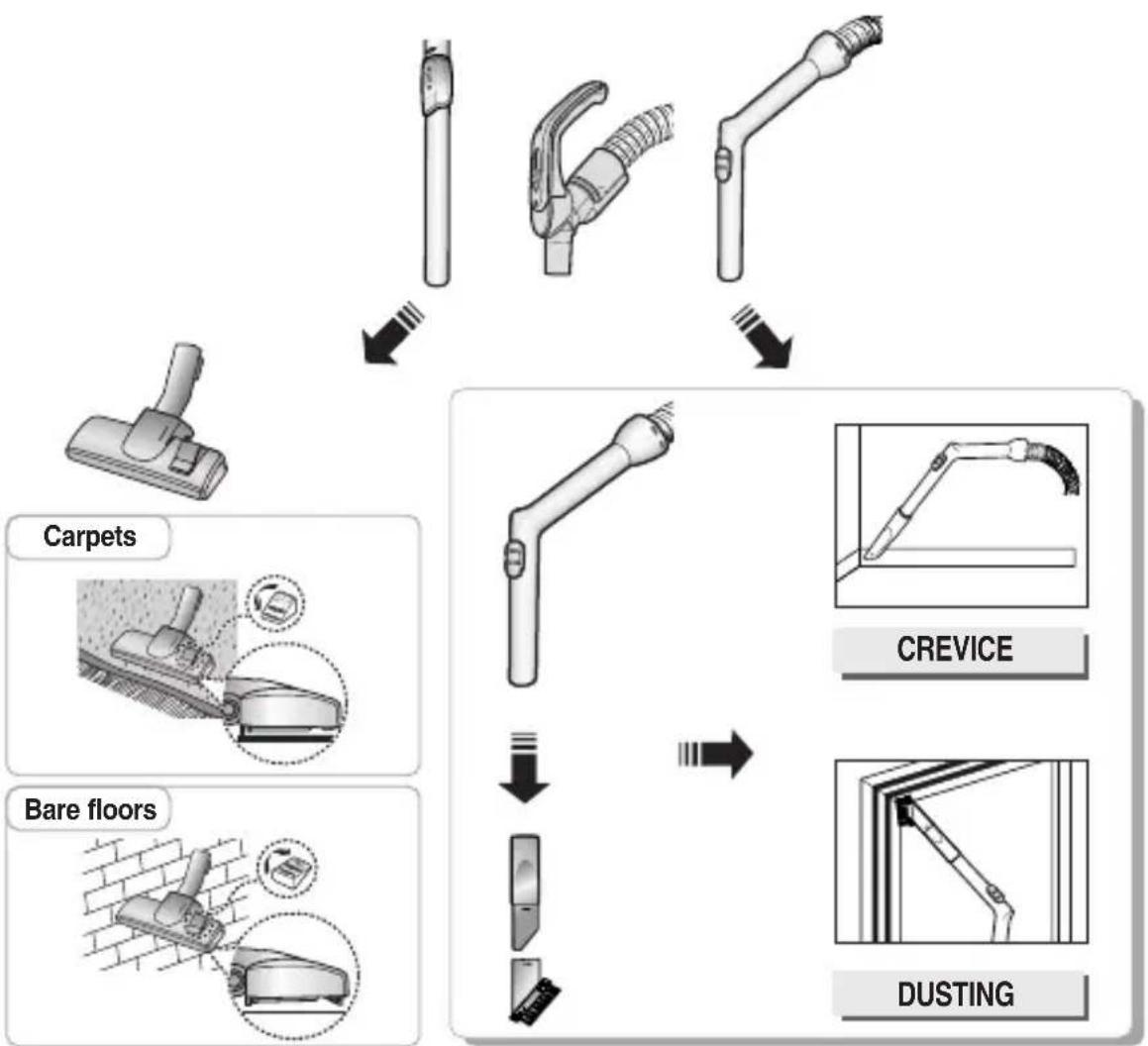
flowchart
graph TD
    A["Carpets"] --> B["Carbent"]
    B --> C["Bare floors"]
    C --> D["CREVICE"]
    D --> E["DUSTING"]
| OPTION | Detach transparent drum cover for easy cleaning. |
| OPTION | Clogs on turbine keeps brush from turning, and in this case, take care of it. | ||
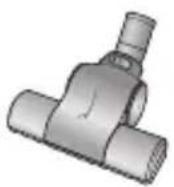 | 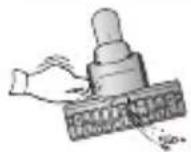 |  |  |
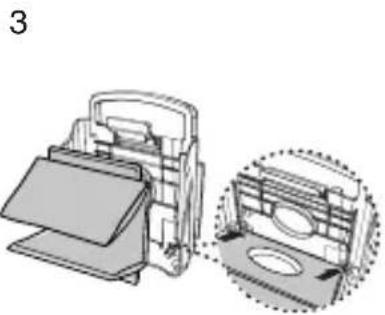
| Remove waste matter completely when inlet is blocked. | Turn the lock button to ‘UNLOCK’, and remove waste matter. | To reassemble, align the cover to the front of the main body and close. After closing the cover, ensure that the lock button is turned to the ‘LOCK’ position. | |
| Brush for blanket | Warning: Use for bedclothes only. Be cautious not to damage brush during unclogging. | ||
3 DUST FULL INDICATOR

natural_image
Diagram of a mechanical component with a highlighted cylindrical feature and circular features (no text or symbols)If the "DUST FULL" indicator turns to red color while you are cleaning, the dust bag requires replacement
NOTE : If the "DUST FULL" indicator continues to display red color even after having changed bag into new one, turn the cleaner off and check if there is any clogging in the hose, tube, floor nozzle, or on the inlet /outlet filter.
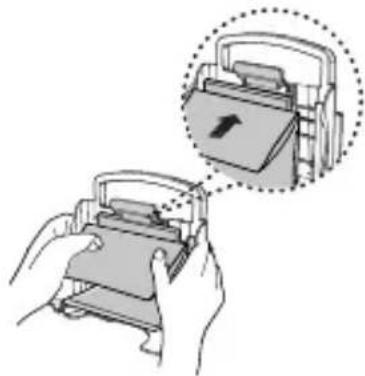
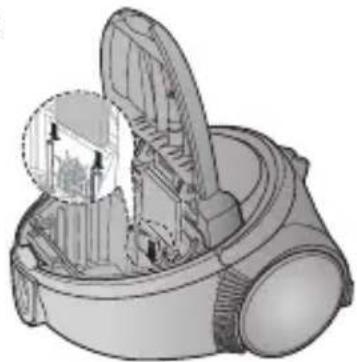
4 CHANGING THE DUST BAG

natural_image
Illustration of a hand using a tool to clean or remove the interior space of a vacuum cleaner (no text or symbols visible)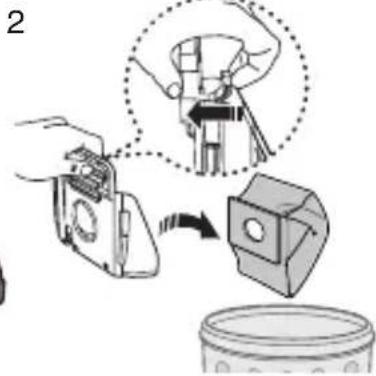
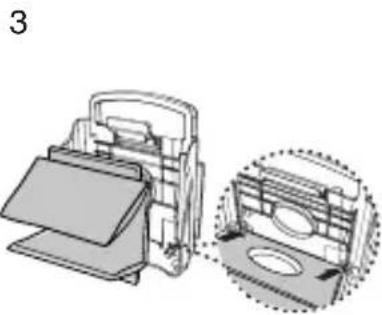
natural_image
Technical illustration of a mechanical device with two views: top view shows internal components, bottom view shows a circular feature (no text or symbols)
natural_image
Illustration of hands holding a device with an arrow symbol inside, showing a close-up of the device (no text or symbols present)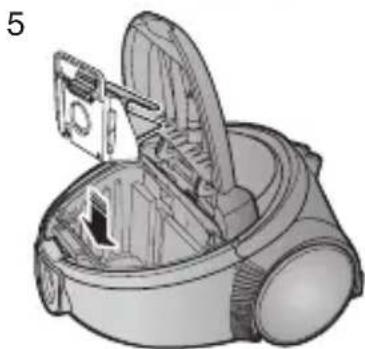
natural_image
Illustration of a vacuum cleaner with open lid and internal components (no text or symbols)

FOR TEXTILE FILTER BAG If the textile filter bag gets full after using, clean the textile filter bag and use it again.
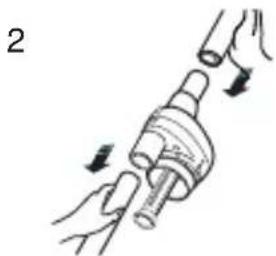
5 CLEANING THE CYCLONE FILTER(Optional)


natural_image
Illustration of hands performing a mechanical manipulation or disassembly process (no text or symbols)
natural_image
Illustration of a hand holding a tool with a cylindrical component (no text or symbols)
natural_image
Illustration of a brick wall with a cylindrical object beside it (no text or symbols)
EN-5

CLEANING THE INLET FILTER
1

natural_image
Illustration of a vacuum cleaner with a leafy top and internal blades (no text or symbols)2

3

natural_image
Illustration of a vacuum cleaner with internal components and a magnified inset showing the interior structure (no text or symbols)NOTE: Regularly check if the filter gets clogged and if so, remove the dust particles from the filter as filter clogging may cause the damage on the motor or suction decrease.

OUTLET FILTER
1

natural_image
Illustration of a hand inserting a component into a device (no text or symbols visible)2
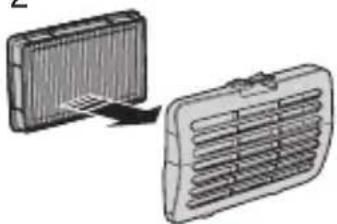
natural_image
Two 3D-rendered air vent grilles shown from different angles, one with a handle and the other with a handle (no text or symbols)HEPA FILTER(option)
3
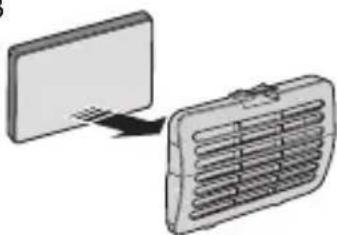
natural_image
Diagram showing a computer monitor connected to a wall-mounted air vent (no text or symbols)MICRO FILTER(option)
- IF YOU HAVE A PROBLEM
| PROBLEM CAUSE | REMEDY | |
| Motor does not start. | No power supply. Thermal cut-out. | Check cable, plug and socket.Leave to cool. |
| Suction force is gradually decreasing. | Nozzle, suction hose or tube is blocked. | Remove the object and change the dust-bag. |
| Cord does not rewind fully. | Check that the cord is not twisted or wound unevenly. | Pull the cord out 2-3m and push down the cord rewind button. |
| Vacuum cleaner does not pick up dirt. | Crack or hole in hose. | Check hose and replace if required. |
This Vacuum cleaner is approved the following.
EMC Directive : 89/336/EEC, 92/31/EEC and 93/68/EEC
Low Voltage Safety Directive : 73/23/EEC and 93/68/EEC

natural_image
Simple line icon of an open book with a lowercase 'i' inside, no text or symbols present.STAUBSAUGER
natural_image
Line drawing of a vacuum cleaner device with no visible text or symbolsnatural_image
Technical illustration of a vacuum cleaner with close-up views showing internal components (no text or symbols)natural_image
Illustration of a hand pressing down on a small vacuum cleaner's device (no text or symbols present)
natural_image
Illustration of a foot pressing down on a vacuum cleaner's air vent (no text or symbols)natural_image
Diagram of a cable or cable connector with a magnified inset showing internal components (no text or symbols)NUR MODELL MIT
HANDGRIFFBEDIENUNG

natural_image
Close-up of a mechanical component with circular features and a highlighted circular detail (no text or symbols)natural_image
Diagram of a flexible hose with a dotted inset showing a joint detail (no text or symbols)natural_image
Diagram of a mechanical component with a highlighted section and circular features (no text or symbols)natural_image
Illustration of a hand using a device to clean or remove the interior space of a vacuum cleaner (no text or symbols visible)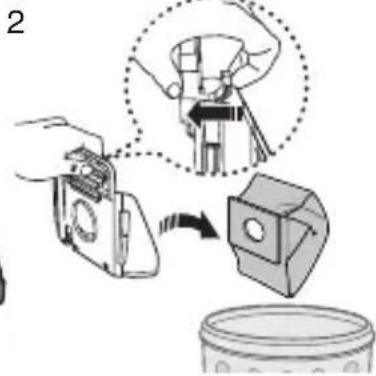

natural_image
Technical illustration of a mechanical device with a close-up inset showing internal components (no text or symbols)
natural_image
Illustration of hands using a device to press or install a card into a folder, with an arrow indicating the process (no text or symbols present)
natural_image
Illustration of a vacuum cleaner with internal components and a close-up view (no text or symbols)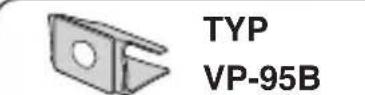
natural_image
Illustration of a hand holding a mechanical component with arrows indicating motion (no text or symbols)
natural_image
Illustration of a hand holding a tool with a cylindrical component (no text or symbols)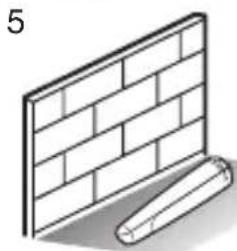
natural_image
Illustration of a brick wall and a cylindrical object with shadow (no text or symbols)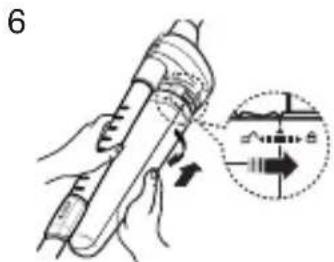

natural_image
Illustration of a vacuum cleaner with a leaf inside, showing internal components and exhaust (no text or symbols)2
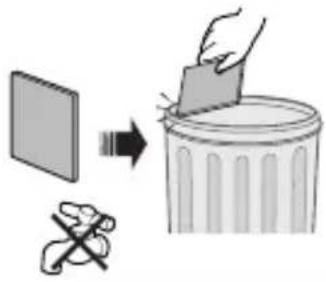
3

natural_image
Illustration of a vacuum cleaner with internal components and a magnified inset showing the interior structure (no text or symbols)natural_image
Illustration of a hand inserting a component into a device (no text or symbols visible)2

natural_image
Diagram showing two 3D rectangular objects with internal grating, one with a handle and the other with a lid (no text or symbols)3

natural_image
Diagram showing a device transitioning from a flat panel to a grid-patterned air vent (no text or symbols)natural_image
Simple line icon of an open book with an 'i' symbol on the right page (no text or numbers present)ASPIRATEUR
natural_image
Line drawing of a vacuum cleaner device (no text or symbols)natural_image
Illustration of a vacuum cleaner with close-up views showing internal components (no text or symbols)natural_image
Illustration of a hand pressing down on a small vacuum cleaner's device (no text or symbols present)
natural_image
Illustration of a robotic vacuum cleaner with a foot and circular dial indicator (no text or symbols)2-3 VARIATEUR DE PUISSANCE
1) MODÈLE AVEC COMMANDE SUR LA POIGNÉE
• GLISSIÈRE EN POSITION ARRÊT (STOP)
MIN = Pour tissus fragiles (rideaux, etc.).
natural_image
Diagram of a cable or wire connector with a magnified inset showing internal components (no text or symbols)COMMANDE SUR LA POIGNÉE
natural_image
Close-up of a mechanical component with circular features and a highlighted circular detail (no text or symbols)COMMANDE SUR LE CORPS
2-4 PUISSANCE D'ASPIRATION
natural_image
Diagram of a flexible hose with a magnified inset showing a joint detail (no text or symbols)COMMANDE SUR LE CORPS
2-5 UTILISATION DES ACCESSOIRES

flowchart
graph TD
    A["Tapis"] --> B["Extrusion"]
    B --> C["FENTES"]
    C --> D["POUSSIERE"]
    subgraph Tapis
        E["Tapis Icon"]
        F["Sols durs Icon"]
    end
    subgraph FENTES
        G["FENTES Icon"]
        H["Sols durs Icon"]
    end
    subgraph POUSSIERE
        I["Poussierer Icon"]
        J["Sols durs Icon"]
    end
natural_image
Diagram of a mechanical component with a highlighted rectangular section and circular features (no text or symbols)natural_image
Illustration of a hand inserting a small device into a vacuum cleaner's air gap (no text or symbols)
natural_image
Technical illustration of a mechanical device with two views: one showing internal components and the other showing a circular feature (no text or symbols)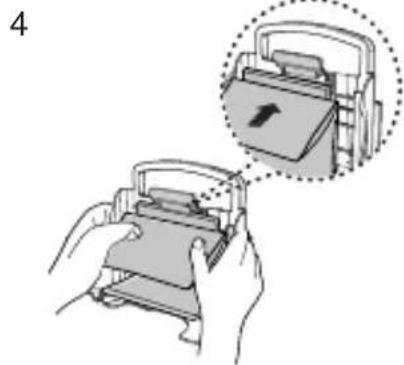
natural_image
Illustration of two hands holding a device with an arrow symbol inside, showing a close-up of the device (no text or symbols present)
natural_image
3D illustration of a vacuum cleaner with open lid and internal components (no text or symbols)

natural_image
Illustration of hands performing a medical procedure on a tube insertion (no text or symbols present)
natural_image
Illustration of a hand holding a mechanical tool or tool with a cylindrical component (no text or symbols visible)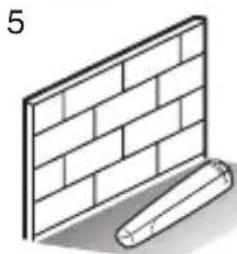
natural_image
Illustration of a brick wall and a cylindrical object with shadow (no text or symbols)
6 NETTOYAGE DU FILTRE D'ENTRÉE
1

natural_image
Illustration of a vacuum cleaner with a leaf inside, showing internal components and exhaust (no text or symbols)2

3

natural_image
Illustration of a vacuum cleaner with internal components and a magnified inset showing the exterior view (no text or symbols)natural_image
Illustration of a vacuum cleaner with a hand inserting a cable (no text or symbols)2

natural_image
Diagram showing two views of a car air vent with ventilation grilles (no text or symbols)3

natural_image
Diagram showing a computer monitor connected to a heat exchanger (no text or symbols present)FILTRE HEPA (option) MICROFILTRE (option)
- SI VOUS RENCONTREZ UN PROBLÈME
Directive EMC : 89/336/EEC, 92/31/EEC et 93/68/EEC
natural_image
Simple line icon of an open book with an 'i' symbol on the right page (no text or numbers present)ASPIRAPOLVERE

natural_image
Line drawing of a vacuum cleaner device with lid and ventilation slots (no text or symbols)natural_image
Illustration of a vacuum cleaner with close-up views showing internal components (no text or symbols)natural_image
Illustration of a hand pressing down on a small vacuum cleaner's air vent (no text or symbols present)
natural_image
Hand using a power tool to adjust or install a wall socket (no text or symbols visible)NOTA :
natural_image
Illustration of a human foot using a vacuum cleaner device (no text or symbols visible)natural_image
Diagram of a cable or cable connector with a magnified inset showing internal components (no text or symbols)MODELLO CON COMANDO SOLO SULL'IMPUGNATURA

natural_image
Close-up of a mechanical component with circular features and a magnified inset showing a circular detail (no text or symbols)MODELLO CON COMANDO SOLO SUL CORPO
natural_image
Diagram of a flexible hose with a magnified inset showing a joint detail (no text or symbols)MODELLO CON COMANDO SOLO SUL CORPO
natural_image
Diagram of a mechanical component with a circular feature and a magnified section showing a vertical bar (no text or symbols)natural_image
Illustration of a hand using a vacuum cleaner to clean the interior of a vacuum cleaner (no text or symbols visible)2

3

natural_image
Technical illustration of a mechanical device with cross-sectional view (no text or symbols)4
natural_image
Illustration of hands using a printer to press or install a physical device, with an inset showing the printer's internal structure (no text or symbols present)5

natural_image
Illustration of a vacuum cleaner with open lid and internal components (no text or symbols)
TYPE
VP-95B

OPTIONAL
2

natural_image
Illustration of hands using a mechanical tool to adjust a cylindrical component (no text or symbols present)3

natural_image
Line drawing of a hand holding a tool with a handle, no text or symbols present5

natural_image
Illustration of a brick wall and a rolled document (no text or symbols)6

natural_image
Illustration of a hand holding a pen with an arrow pointing to a circular diagram showing a cross-section (no text or symbols)
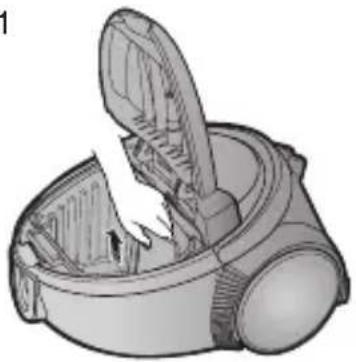
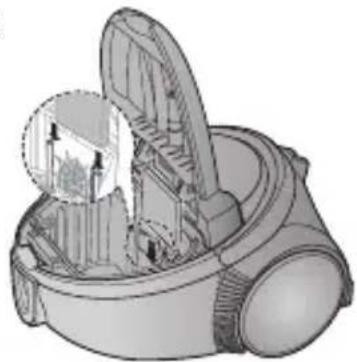
PULIZIA DEL FILTRO DI ENTRATA
1
natural_image
Illustration of a vacuum cleaner with a leaf inside, showing internal components and exhaust (no text or symbols)2

3
natural_image
Illustration of a vacuum cleaner with internal components and a magnified inset showing the blade structure (no text or symbols)natural_image
Illustration of a vacuum cleaner with a hand inserting a cable (no text or symbols)2

natural_image
Diagram showing two views of a car air vent with ventilation grilles (no text or symbols)FILTRO HEPA (optional)
3

natural_image
Diagram showing a device transitioning from a flat panel to a heat exchanger (no text or symbols present)FILTRO MICRO (optional)
- SE INSORGE UN PROBLEMA
natural_image
Simple line icon of an open book with a lowercase 'i' inside, no text or symbols present.SESALEC
natural_image
Line drawing of a vacuum cleaner device (no text or symbols)natural_image
Illustration of a vacuum cleaner with close-up views showing internal components (no text or symbols)Nastavek za parkiranje sesalca za lažje shranjevanje.
2 DELOVANJE SESALCA
2-1 ELEKTRIČNI KABEL
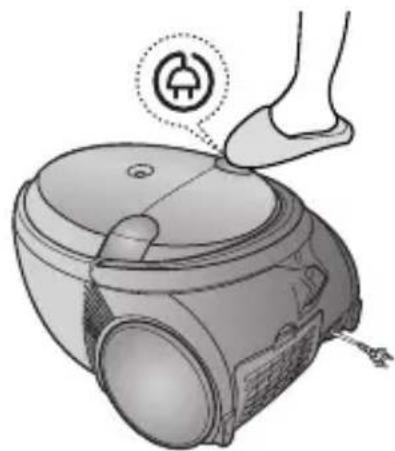
natural_image
Illustration of a hand pressing down on a small vacuum cleaner's device (no text or symbols present)
2-2 STIKALO ZA VKLOP/IZKLOP
(SAMO NA OHIŠJU SESALNIKA)
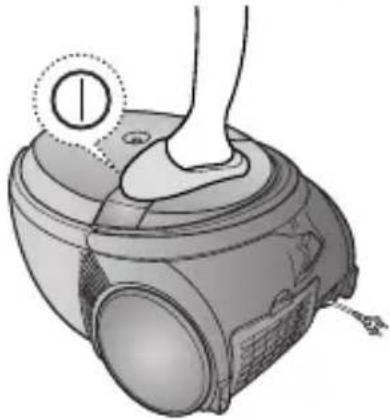
natural_image
Illustration of a hand pressing down on a small vacuum cleaner's device (no text or symbols visible)2-3 STIKALO ZA NASTAVITEV MOČI SESANJA
1) NA ROČAJU
natural_image
Diagram of a cable connector with a magnified inset showing internal components (no text or symbols)SAMO NA ROČAJU

natural_image
Mechanical component diagram showing a circular housing with two labeled parts and an inset close-up of a circular dial (no text or symbols present)SAMO NA OHIŠJU SESALNIKA
2-4 NADZOR ZRAKA
natural_image
Diagram of a flexible hose with a magnified inset showing the joint detail (no text or symbols)SAMO NA OHIŠJU SESALNIKA
2-5 UPORABA NASTAVKOV ZA SESANJE TAL

flowchart
graph TD
    A["Preprograde"] --> B["Exhaust"]
    B --> C["Spranje"]
    C --> D["Golatla"]
    D --> E["Exhaust"]
    E --> F["BRISANJE PRAHU"]
natural_image
Diagram of a mechanical component with a highlighted rectangular section and circular features (no text or symbols)natural_image
Illustration of a hand inserting a small object into a vacuum cleaner's airbag (no text or symbols visible)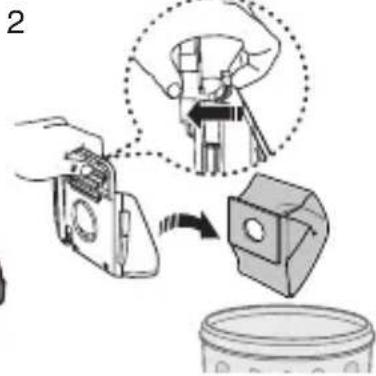
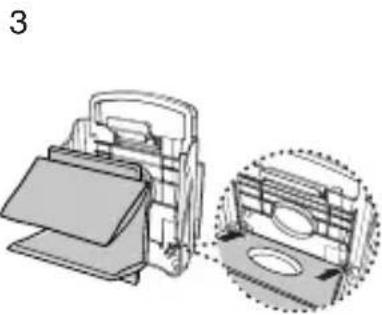
natural_image
Technical illustration of a mechanical device with a close-up view showing internal components (no text or symbols)
natural_image
Illustration of a hand holding a card into a device, with an inset showing a card slot (no text or symbols present)
natural_image
Exploded view diagram of a vacuum cleaner showing internal components (no text or labels)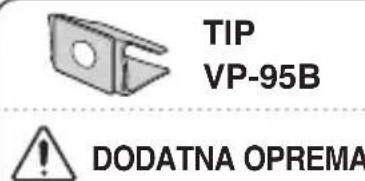
! DODATNA OPREMA
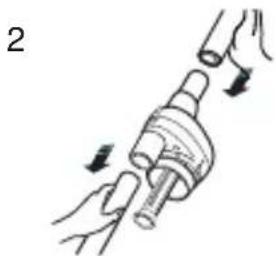
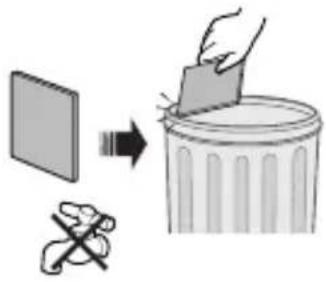
ZA PRALNE FILTER VREČKE
natural_image
Illustration of a hand holding a mechanical component with arrows indicating motion (no text or symbols)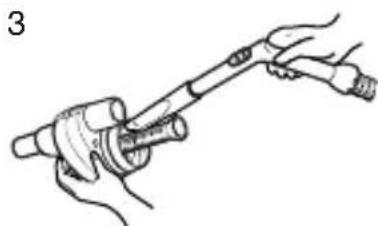
natural_image
Illustration of a hand holding a tool with a cylindrical component (no text or symbols)
natural_image
Illustration of a brick wall with a rolled-up cable beside it (no text or symbols)
6 ČIŠČENJE VHODNEGA FILTRA
1

natural_image
Illustration of a vacuum cleaner with a handle and blade, showing internal components (no text or symbols)2
3
natural_image
Illustration of a vacuum cleaner with internal components and a magnified inset showing the exterior view (no text or symbols)natural_image
Illustration of a hand inserting a component into a device (no text or symbols visible)2

natural_image
Diagram showing two 3D air vent structures with internal grating, one rectangular and one rectangular (no text or symbols)natural_image
Diagram showing a computer monitor connected to a wall-mounted air vent (no text or symbols present)- EN Operating Instructions
- VACUUM CLEANER
- IMPORTANT SAFEGUARDS
- ASSEMBLING THE CLEANER
- 2-3 POWER CONTROL
- 2-4 AIR CONTROL
- DUST FULL INDICATOR
- CHANGING THE DUST BAG
- CLEANING THE CYCLONE FILTER(Optional)
- CLEANING THE INLET FILTER
- OUTLET FILTER
- STAUBSAUGER
- ASPIRATEUR
- 2-3 VARIATEUR DE PUISSANCE
- 2-4 PUISSANCE D'ASPIRATION
- NETTOYAGE DU FILTRE D'ENTRÉE
- ASPIRAPOLVERE
- PULIZIA DEL FILTRO DI ENTRATA
- SESALEC
- DELOVANJE SESALCA
- 2-3 STIKALO ZA NASTAVITEV MOČI SESANJA
- 1) NA ROČAJU
- 2-4 NADZOR ZRAKA
- ! DODATNA OPREMA
- ČIŠČENJE VHODNEGA FILTRA
Brand : SAMSUNG
Model : SC5345
Category : Vacuum Cleaner