
UVX-DP-TP-100M - Audio/video extension Black Box - Free user manual and instructions
Find the device manual for free UVX-DP-TP-100M Black Box in PDF.


| Product Type | Audio/Video Extender |
| Brand | Black Box |
| Model | UVX-DP-TP-100M |
| Input Connector | DisplayPort (female) |
| Output Connector | RJ45 (female) for Cat5e/6 |
| Max Resolution | 3840 x 2160 @ 30 Hz (4K UHD) |
| Max Distance | 100 m (328 ft) over Cat6 |
| Power Supply | 5V DC, 1A via USB or included adapter |
| Power Consumption | 2.5 W (max) |
| Dimensions (W x D x H) | 9.5 cm x 5.5 cm x 2.2 cm |
| Weight | 0.19 kg |
| Operating Temperature | 0°C to 50°C (32°F to 122°F) |
| Storage Temperature | -20°C to 60°C (-4°F to 140°F) |
| Material | Aluminum alloy with plastic end caps |
| Color | Black |
| LED Indicators | Power (green), Link (amber) |
| Supported Audio | Embedded audio via DisplayPort (2-channel PCM) |
| Included Accessories | Power adapter, user manual |
| Warranty | 2 years limited |
| Maintenance | Clean with dry, lint-free cloth. No liquids. |
| Safety | Low voltage device; keep away from moisture. |
| Spare Parts & Repairability | Not user-serviceable. Contact Black Box support. |
Frequently Asked Questions - UVX-DP-TP-100M Black Box
User questions about UVX-DP-TP-100M Black Box
0 question about this device. Answer the ones you know or ask your own.
Ask a new question about this device
Download the instructions for your Audio/video extension in PDF format for free! Find your manual UVX-DP-TP-100M - Black Box and take your electronic device back in hand. On this page are published all the documents necessary for the use of your device. UVX-DP-TP-100M by Black Box.
USER MANUAL UVX-DP-TP-100M Black Box
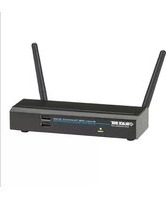
4K DisplayPort over CATx Extender
Distributes uncompressed 4K @30 Hz UHD video, audio, power, RS-232, and USB 2.0 up to 330 feet (100 m) over a single CAT6a/7 cable.

Contact Information
Order toll-free in the U.S. or for FREE 24/7 technical support:
Call 877-877-BBOX (outside U.S. call 724-746-5500)
www.blackbox.com • info@blackbox.com
FEDERAL COMMUNICATIONS COMMISSION AND INDUSTRY CANADA RADIO FREQUENCY INTERFERENCE STATEMENTS
This equipment generates, uses, and can radiate radio-frequency energy, and if not installed and used properly, that is, in strict accordance with the manufacturer's instructions, may cause interference to radio communication. It has been tested and found to comply with the limits for a Class A computing device in accordance with the specifications in Subpart B of Part 15 of FCC rules, which are designed to provide reasonable protection against such interference when the equipment is operated in a commercial environment. Operation of this equipment in a residential area is likely to cause interference, in which case the user at his own expense will be required to take whatever measures may be necessary to correct the interference.
Changes or modifications not expressly approved by the party responsible for compliance could void the user's authority to operate the equipment.
This digital apparatus does not exceed the Class A limits for radio noise emission from digital apparatus set out in the Radio Interference Regulation of Industry Canada.
TRADEMARKS USED IN THIS MANUAL
Black Box and the Double Diamond logo are registered trademarks of BB Technologies, Inc.
Blu-ray ™ is a trademark of Blu-ray Disc Association.
Any other trademarks mentioned in this manual are acknowledged to be the property of the trademark owners.
Important Safety Instructions
- Do not expose this apparatus to rain, moisture, dripping or splashing water and do not place objects filled with liquids, such as vases, on the apparatus.
- Do not install or place this unit in a bookcase, built-in cabinet or in another confined space. Make sure the unit is well ventilated.
- To prevent risk of electric shock or fire hazard caused by overheating, do not obstruct the unit's ventilation openings with newspapers, tablecloths, curtains, and similar items.
- Do not install near any heat sources such as radiators, heat registers, stoves, or other apparatus (including amplifiers) that produce heat.
- Do not place sources of flames, such as lighted candles, on the unit.
- Clean this apparatus only with a dry cloth.
- Unplug this apparatus during lightning storms or when unused for long periods of time.
- Protect the power cord from being walked on or pinched particularly at plugs.
- Only use attachments/accessories specified by the manufacturer.
- Refer all servicing to qualified service personnel.
Disclaimer
Black Box Network Services shall not be liable for damages of any kind, including, but not limited to, punitive, consequential or cost of cover damages, resulting from any errors in the product information or specifications set forth in this document and Black Box Network Services may revise this document at any time without notice.
Table of Contents
- Specifications....7
- Overview 9
2.1 Introduction....9
2.2 Features....9
2.3 What's Included....10
2.4 Hardware Description.... 10
-
Connection and Installation.... 12
-
Specifications
| Transmitter | |
| Connectors (1) | 12-VDC barrel connector,(1) CATx OUT,(1) 3-pin Phoenix connector,(1) DisplayPort IN,(1) Audio IN,(1) Audio OUT,(1) USB Type B host connector |
| Input Resolution Support | Up to 3840 x 2160 @30 Hz (UHD) |
| Maximum Data Rate | 10.2 Gbps |
| Maximum Distance | Via CAT6a/7 cables:Up to 328 feet (100 m) at 3840 x 2160 @30 Hz, 4:2:0,or 1080p @60 Hz output resolution;Via CAT5e/6 cables:Up to 224 feet (70 m) at 3840 x 2160 @30 Hz;Up to 328 feet (100 m) at 1080p @30 Hz resolution |
| Receiver | |
| Connectors (1) | 12-VDC barrel connector,(1) CATx IN,(1) 3-pin Phoenix connector,(1) DisplayPort OUT,(1) Audio IN,(1) Audio OUT,(2) USB Type A device connectors |
| Output Resolution Support | UHD30: 3840 x 2160 @30 Hz;FHD: 1920 x 1080 @60 Hz;HD: 1280 x 720 @60 Hz;WUXGA: 1920 x 1200 @60 Hz;WXGA: 1280 x 800 @60 Hz |
| Receiver (continued) | |
| Maximum Distance | Via CAT6a/7 cables: Up to 328 feet (100 m) at 3840 x 2160 @30 Hz, 4:2:0, or 1080p @60 Hz output resolution; Via CAT5e/6 cables: Up to 224 feet (70 m) at 3840 x 2160 @30 Hz; Up to 328 feet (100 m) at 1080p @30 Hz resolution |
| General (Transmitter and Receiver) | |
| ESD Protection Human-body model: ±8 kV (air-gap discharge)/ ±4 kV (contact discharge) | |
| Operating Temperature | 32 to 113°F (0 to 45°C) |
| Storage Temperature | -4 to +158°F (-20 to +70°C) |
| Humidity 10 to 90%, noncondensing | |
| Power Input 100–240 VAC, 50/60 Hz, 1.5 A | |
| Input Connector Type | IEC320, C14 |
| Power Output Each unit: (1) 12-VDC, 2-A power supply | |
| Consumption 14.2 W (max.) | |
| Power Supply Cord Length | 6 ft. (1.8 m) |
| Dimensions | Each unit: 0.99"H x 7.91"W x 3.95"D (2.51 x 20.09 x 10.03 cm) |
| Weight Each unit: | 1.1 lb. (0.5 kg) |
2. Overview
2.1 Introduction
The UVX-DP-TP-100M is a 4K DisplayPort over CATx Extender with USB 2.0 and audio passthrough. It distributes uncompressed 4K @30 Hz UHD video, audio, power, RS-232, and USB 2.0 together up to 330 feet (100 m) over a single CAT6a/7 cable. The extender has a transmitter unit and a receiver unit.
With USB 2.0 passthrough, the extender enables users to control or monitor a remote server from a harsh environment, or operate a physically inaccessible PC, server, or workstation remotely. Bidirectional audio passthrough enables audio distribution in both directions.
The extender units have 48 V PoH and only need one power supply at the transmitter end to power both transmitter and receiver units. Secure the transmitter's 12 V power supply with a screw-in connector to prevent the power from being accidentally disconnected. Power LEDs on both units light when power is applied to the unit. Signal status LEDs show connections between devices.
2.2 Features
- Via CAT6a/7 cables, the extenders support 4K @30 Hz up to 330 feet (100 meters) and 1080p @60 Hz up to 330 feet (100 meters).
- Via CAT5e/6 cables, the extenders support 4K x 2K @30 Hz output up to 224 feet (70 meters).
• Supports DisplayPort 1.2 up to 4K @30 Hz. - Provides USB 2.0 passthrough over CATx, with USB-HOST built-in TX and USB-DEVICE built-in RX.
- Supports bidirectional stereo line audio passthrough over CATx.
- Provides RS-232 and EDID passthrough over CATx
- All connectors are on one side of each unit for easy installation.
2.3 What's Included
Your package should include the following items. If anything is missing or damaged, contact Black Box Technical Support at 877-877-2269 or info@blackbox.com.
• (1) DisplayPort Extender Transmitter
• (1) DisplayPort Extender Receiver
• (1) 12-VDC, 2-A power supply with US, EU, UK, and AU power clips
• (2) 3.5-mm, 2-pin male Phoenix connectors
• (2) mounting brackets
• This user manual
2.4 Hardware Description
Figures 2-1 and 2-2 show the front and back panels of the receiver. Tables 2-1 and 2-2 describe their components.

Figure 2-1. Receiver and Transmitter front panels.

Figure 2-2. Receiver and Transmitter back panels.
Table 2-1. Transmitter front- and back-panel components.
| Number | Component Description | |
| 1 | Mode Switches the Mode for the RS-232 port.Normal: RS-232 CATx passthrough.Update: RS-232 firmware update. | |
| 2 | Power LED ON: The transmitter is powered on.OFF: The transmitter is powered off. | |
| 3 | Status LED | Blinking: The transmitter is working properly.OFF: The transmitter is not working properly. |
| 4 | HDCP LED ON: HDCP video is being transmitted.Flashing quickly: Non-HDCP video is being transmitted.OFF: No audio and video signal. | |
| 5 | Link LED | ON: CATx link is normal.OFF/Blinking: No CATx link. |
| 6 | Barrel connector. 12-VDC power input | |
| 7 | CATx OUT Connects to CATx IN port of receiver | |
| 8 | 3-pin Phoenix connector | RS-232 passthrough or firmware update |
| 9 | DP IN Connects to a DisplayPort source | |
| 10 | Audio IN Connects to an audio source such as a PC | |
| 11 | Audio OUT Connects to an audio device such as an amplifier. | |
| 12 | USB Type B connector | Connects to a device to be controlled, such as a server, computer, etc. |
Table 2-2. Receiver front- and back-panel components.
| Number | Component Description | |
| 1 | Mode Switches the Mode for the RS-232 port.Normal: RS-232 CATx passthrough.Update: RS-232 firmware update. | |
| 2 | Power LED ON: The receiver is powered on.OFF: The receiver is powered off. | |
| 3 | Status LED | Blinking: The receiver is working properly.OFF: The receiver is not working properly. |
| 4 | HDCP LED ON: HDCP video is being received.Flashing quickly: Non-HDCP video is being received.OFF: No audio and video signal. | |
| 5 | Link LED | ON: CATx link is normal.OFF/Blinking: No CATx link. |
| 13 | Barrel connector. 12-VDC power input | |
| 14 | CATx IN | Connects to CATx OUT port of CATx transmitter. |
| 15 | 3-pin Phoenix connector | RS-232 passthrough or firmware update |
| 16 | DP OUT Connects to a DisplayPort display device | |
| 17 | Audio IN Connects to an audio source such as a PC | |
| 18 | Audio OUT Connects to an audio device such as an earphone. | |
| 19 (2) USB | Type A connectors | Connect to USB devices (mouse, keyboard, USB disk, etc.) |
3. Connection and Installation
- Using quality DisplayPort cables, connect a DisplayPort source (Blu-ray™, games console, satellite/cable TV, media server, etc.) to the DisplayPort IN port of the transmitter.
NOTE: Make sure that the source and display are 4K compatible if you are attempting to transmit an Ultra HD signal—check that all devices are correctly configured for input/output compatibility.
- Connect a good quality, well-terminated CAT5e or higher cable between the CATx OUT of the transmitter to the CATx IN of the receiver.
NOTE: The maximum transmission distances for the extenders are 230 feet (70 meters) with CAT5e/CAT6 or 328 feet (100 meters) with CAT6a/CAT7. This value applies to perfect transmission conditions—including straight cable runs with no electrical interference, bends, kinks, patch panels, or wall outlets.
If any of the above is a factor in your installation, transmission range may be affected—avoid this where possible.
- Connect the DisplayPort display device (LED/LCD display or projector) to the DP OUT of the receiver.
NOTE: We strongly recommend using the supplied mounting brackets to secure the receiver to a flat surface behind/near the display device. Sudden movement of these devices could lead to loss of picture/sound if connections loosen or strain, resulting in unnecessary service call-backs.
- Connect the included 12-VDC power supply to the transmitter and power it on. The PoH function carries power along the length of the cable one way to power the receiver. No additional power supply is required at the display end of the cable run.
Black Box Tech Support: FREE! Live. 24/7.
Tech support the way it should be.

Great tech support is just 60 seconds away at 877-877-2269 or blackbox.com.

BLACK BOX®
About Black Box
Black Box provides an extensive range of networking and infrastructure products. You'll find everything from cabinets and racks and power and surge protection products to media converters and Ethernet switches all supported by free, live 24/7 Tech support available in 60 seconds or less.
© Copyright 2021. Black Box Corporation. All rights reserved. Black Box ® and the Double Diamond logo are registered trademarks of BB Technologies, Inc. Any third-party trademarks appearing in this white paper are acknowledged to be the property of their respective owners.
uvx-dp-tp-100m_user_rev2


- 4K displayport over catx extender
- Federal communications commission and industry canada radio frequency interference statements
- Trademarks used in this manual
- Important safety instructions
- Disclaimer
- Table of contents
- Overview
- 2.1 Introduction
- 2.2 Features
- 2.3 What's included
- 2.4 Hardware description
- Connection and installation
- Black Box tech support: free! live. 24/7
- Black Box®
- About Black Box
Brand : Black Box
Model : UVX-DP-TP-100M
Category : Audio/video extension