
PBMSPG130BK - Docking Station Pyle - Free user manual and instructions
Find the device manual for free PBMSPG130BK Pyle in PDF.


| Product Type | Docking Station |
| Brand | Pyle |
| Model | PBMSPG130BK |
| Compatible Devices | Smartphones, Tablets, MP3 Players |
| Audio Output | 3.5mm Auxiliary, Built-in Stereo Speakers |
| Charging Port | USB Charging for Connected Device |
| Power Supply | USB Powered (5V DC) |
| Dimensions (W x D x H) | 10.2 x 6.0 x 2.5 inches |
| Weight | 1.1 lbs |
| Material | Plastic, Rubber Base |
| Color | Black |
| Speaker Driver | 2 x 2-inch Full Range |
| Battery | Not built-in; operates on USB power |
| Volume Control | Rotary Knob on Unit |
| LED Indicator | Power On Status Light |
| Cable Length | ~3 feet USB cable |
| Compatibility | iOS, Android, Windows Mobile Devices |
| Cleaning Instructions | Wipe with a dry, soft cloth; avoid liquids |
| Safety Precautions | Keep away from water, heat sources, and children under 3 |
| Spare Parts Availability | Contact Pyle customer support for replacements |
Frequently Asked Questions - PBMSPG130BK Pyle
User questions about PBMSPG130BK Pyle
0 question about this device. Answer the ones you know or ask your own.
Ask a new question about this device
Download the instructions for your Docking Station in PDF format for free! Find your manual PBMSPG130BK - Pyle and take your electronic device back in hand. On this page are published all the documents necessary for the use of your device. PBMSPG130BK by Pyle.
USER MANUAL PBMSPG130BK Pyle
PORTABLE BLUETOOTH BOOMBOX USER MANUAL

natural_image
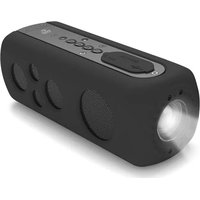
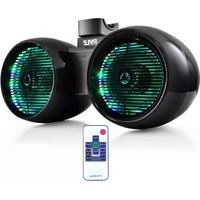
Black Streety Flow PYLE device with red LED and control panel (no visible text or symbols on body)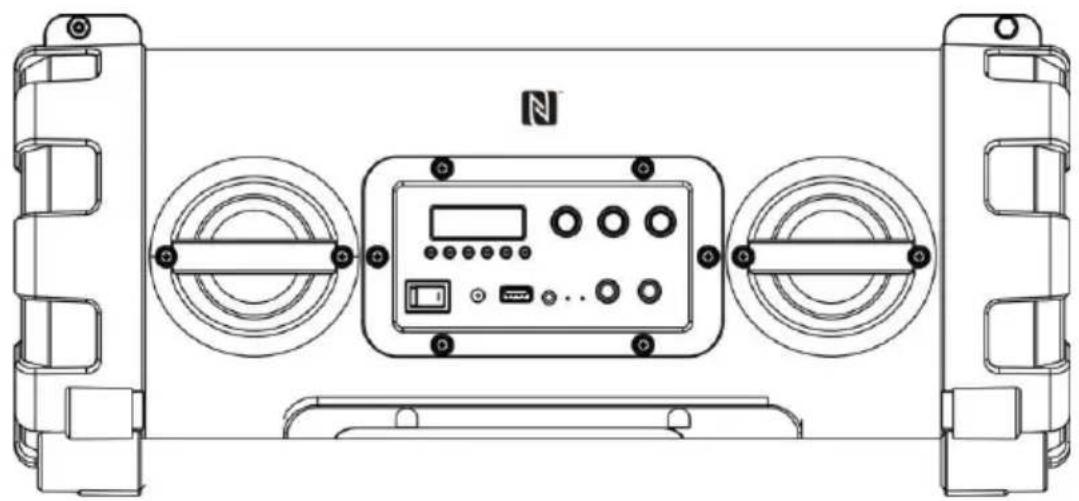
natural_image
Technical line drawing of a mechanical device with two side-mounted circular components and a central control panel (no text or symbols)Instruction Manual
PBMSPG Series
Please read this manual carefully before operating and save it for future reference.
Location of controls


Location of controls
- POWER SWITCH
- DC IN JACK
- USB PORT
- AUX IN JACK
- BATTERY INDICATOR
- BLUETOOTH INDICATOR
- GUITAR INPUT JACK
- MICROPHONE INPUT JACK
- MODE BUTTON
- EQ/FD (BASS / TREBLE CONTROL / FOLDER)
- LIGHT BUTTON
- FM SCAN
- VOLUME LEVEL CONTROL
- ECHO LEVEL CONTROL
- MICROPHONE INPUT LEVEL CONTROL
- BATTERY COMPARTMENT
- NFC AREA
Getting started
Charge the battery
Before using the speaker, you must charge the battery. When the battery is charging, the BATTERY INDICATOR lights solidly. After the battery has fully charged, the light switches off.
- Connect the AC adaptor to the DC IN JACK of the speaker firmly, and plug it into a wall outlet.
- When the battery is fully charged, first disconnect the AC adaptor from the speaker, then from the wall outlet.
Power source
- Press the POWER SWITCH to turn on the speaker.
- Press the POWER SWITCH again to turn off the speaker, and pull the AC adaptor out of the wall outlet if you want to switch off completely.
Bluetooth function
Pair the bluetooth device
Before using your speaker with a Bluetooth device for the first time, you must pair and connect it to the Bluetooth device. Press the POWER SWITCH to turn on the speaker. The display shows "HI". Then press the MODE button to select the Bluetooth mode (F1). The "BLUETOOTH INDICATOR starts to flash, and the speaker is now in pairing mode.

F1
Pair the speaker using NFC
- With Near Field Communication (NFC), you can easily pair and connect the speaker to Android device with NFC.
- If the Android device supports NFC, activate its NFC feature, and touch the NFC area of the speaker with the NFC area of your Android device (F2). The speaker pairs and connects to the Android device automatically. For details on NFC, see the user guide of the Android device.

F2
- For other Bluetooth device, pair the speaker manually.
Pair the speaker manually
- Verify that the Bluetooth function of Bluetooth device is enabled.
- Choose the Bluetooth menu in your Bluetooth device, and from the found devices, select the "Pyle Audio". If you are prompted to enter the PIN code, please enter "0000" (four zeros).
- For more information, see the user manual of Bluetooth device.
- After a successful pairing, play the music from the Bluetooth device.
Note:
- Only one Bluetooth device can be connected to the speaker. If the speaker is already connected to another Bluetooth device, the speaker will not appear in the Bluetooth menu of your Bluetooth device.
- When you turn off/on the speaker or the Bluetooth device, the speaker will connect to the last Bluetooth device it was used with automatically within 10 seconds. Otherwise, you need to connect it manually on the Bluetooth menu in your Bluetooth device.
- Depending on the device manufacturer, some Bluetooth devices need to perform the pairing again.
Aux in function
- When the speaker is in Bluetooth mode, press the MODE button to select the Aux in mode (F3).
AUH
F3
-
Connect an audio cable (not included) to the AUX IN JACK of the speaker and to the audio output socket on the external audio devices such as MP3 player, discman, etc.
-
Play from an external audio device.
Listening to FM radio
- When the speaker is in Aux in mode, press the MODE button to select FM radio (F4)

F4
- Press ▶I/ FM SCAN button to search all the FM stations.
- When it stops searching FM stations, all the FM stations have been found and stored automatically.
- Press ◀◀ / - or ▶◀ / + button to explore the found stations (F5).

F5
Playing audio via USB port
- When the speaker is in FM radio mode, press the MODE button to select USB mode (F6).

F6
- Plug the USB device into USB Port, then it will play the music file automatically.
- For interruption while the music is playing, press the /FM SCAN button once. Playback is now paused. To re-start playback, press the ▶/IFM SCAN button again. The music will start from the exact position where it was interrupted.
- When ◀ / - or ▶ / + button is pressed once, it will return to the previous track or advance to the next track.
- During play mode, when ◀◀ / - or ▶◀ / + button is pressed and held, it will search the track with audible high-speed backward or forward playback.
- Press and hold EQ/FD button will advance to the next folder (F7).

F7
Connecting a microphone/guitar
Using a microphone or a guitar, you can mix its sound with a source sound.
CAUTION
DO NOT connect a bass guitar to the MICROPHONE / GUITAR INPUT JACK, as it may damage the speaker.
- Turn the MICROPHONE INPUT LEVEL CONTROL fully counterwise.
- Connect a microphone or a guitar to the MICROPHONE / GUITAR INPUT JACK of the speaker.
- Select the Bluetooth, Aux in, FM radio or USB as the source.
- Start playback of the sound source.
- Turn the MICROPHONE INPUT LEVEL CONTROL to adjust the microphone volume.
- Turn the GUITAR OUTPUT LEVEL CONTROL of your guitar to adjust the guitar volume.
Party Light
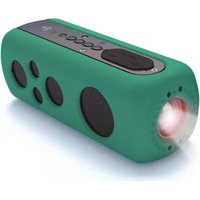
The party light effect pluse to music. Press LIGHT button on the unit, the colour of party light effect changes as below:

flowchart
graph LR
    A["RED"] --> B["BLUE"]
    B --> C["GREEN"]
    C --> D["OFF"]
Ajust volume level and sound effect
To adjust the volume
Turn the VOLUME LEVEL CONTROL to adjust the volume of the speaker.
Control the echo
Turn the ECHO LEVEL CONTROL to adjust the echo effect.
Control the bass and treble effect
- Press the EQ/FD button to select the bass effect, then press ▶ / + to increase bass effect (F9).
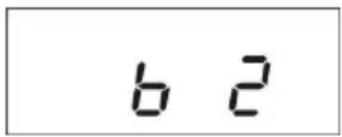
F9
- Press ◀◀ / - to decrease bass effect (F10).

F10
- Press the EQ/FD button again to select the treble effect, then press ▶/ + to increase treble effect (F11).

F11
- Press ◀◀ / - to decrease treble effect (F12).

F12
Specification
☐ MAX Power: 100 Watt
☐ Sound System: (2) x 5.25" Subwoofers, (2) x 2.5" Speakers
☐ Housing Construction Material: Engineered ABS
☐ Pulsing LED Light Colors: Red, Blue, Green
☐ Radio Station Memory Presets: 30
☐ Maximum USB Flash Size Support: 32GB
Power: 120/240V
☐ Dimensions (L x W x H): 19.8" x 7.9" x 8.3"
□ Weight: 12 lbs.


- PORTABLE BLUETOOTH BOOMBOX USER MANUAL
- Instruction Manual
- PBMSPG Series
- Location of controls
- Getting started
- Charge the battery
- Power source
- Bluetooth function
- Pair the bluetooth device
- Pair the speaker using NFC
- Pair the speaker manually
- Note:
- Aux in function
- Listening to FM radio
- Playing audio via USB port
- Connecting a microphone/guitar
- CAUTION
- Party Light
- Ajust volume level and sound effect
- To adjust the volume
- Control the echo
- Control the bass and treble effect
- Specification
Brand : Pyle
Model : PBMSPG130BK
Category : Docking Station