
ProTouch GC612 - Steam cleaner PHILIPS - Free user manual and instructions
Find the device manual for free ProTouch GC612 PHILIPS in PDF.


| Product Type | Steam Cleaner |
| Brand | Philips |
| Model | ProTouch GC612 |
| Power Consumption | 1500 W |
| Water Tank Capacity | 350 ml |
| Steam Pressure | 3.5 bar |
| Heat-up Time | 30 seconds |
| Continuous Steam Time | Up to 15 minutes |
| Steam Ready Indicator | LED indicator |
| Safety Features | Auto shut-off, pressure safety valve, child lock |
| Water Type | Tap water or demineralized water |
| Descaling Alert | Yes |
| Included Accessories | Measuring cup, descaling kit, detail nozzle, fabric brush |
| Dimensions (W x D x H) | 25 x 15 x 20 cm |
| Weight | 1.2 kg |
| Cord Length | 3 m |
| Material | Plastic housing, stainless steel soleplate |
| Maintenance | Clean with soft, damp cloth; descale every 2-3 months |
| Reparability | Spare parts available; professional repair recommended |
Frequently Asked Questions - ProTouch GC612 PHILIPS
User questions about ProTouch GC612 PHILIPS
0 question about this device. Answer the ones you know or ask your own.
Ask a new question about this device
Download the instructions for your Steam cleaner in PDF format for free! Find your manual ProTouch GC612 - PHILIPS and take your electronic device back in hand. On this page are published all the documents necessary for the use of your device. ProTouch GC612 by PHILIPS.
USER MANUAL ProTouch GC612 PHILIPS
Always there to help you
Always there to help you
Register your product and get support at
Register your product and get support at
www.philips.com/welcome
ProTouch
GC610
GC612
Question?
Contact Philips
Question?
Contact Philips

User manual
User manual
PHILIPS

3
5

6

12

13

14

15

16

17

19

22

23

25

EN
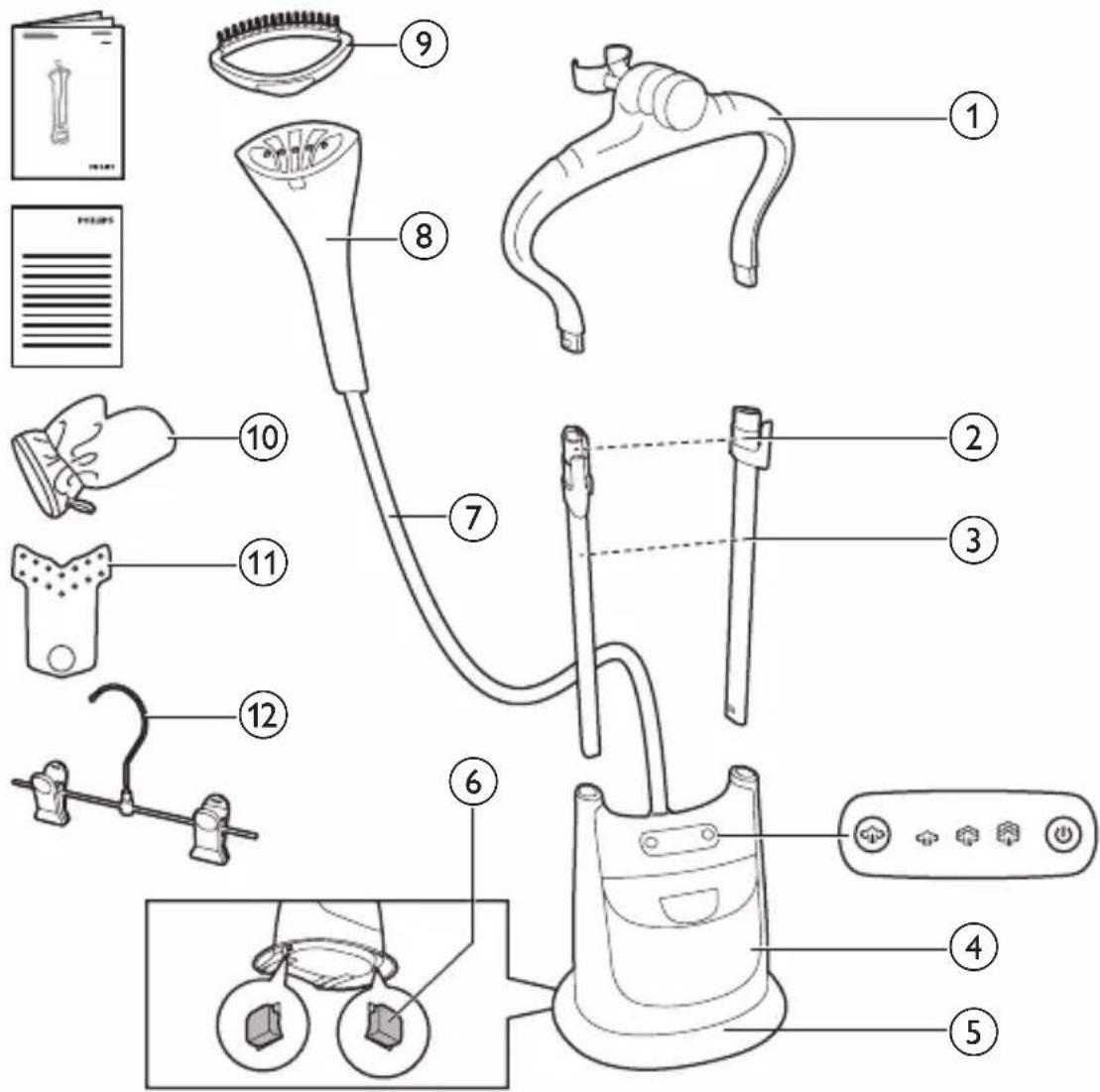
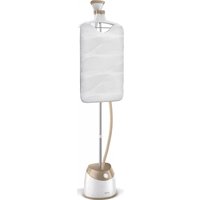
① Hanger ② Pole clips ③ Poles ④ Water tank ⑤ Base ⑥ Pole release lock
⑦ Steam supply hose ⑧ Steamer head ⑨ Brush ⑩ Glove ⑪ Collar aid ⑫ Pants hanger
ZH-S








EN
Introduction
Congratulations on your purchase and welcome to Philips! To fully benefit from the support that Philips offers, register your product at www.philips.com/welcome.
Important
Read this important information carefully before you use the appliance and save it for future reference.
Danger
- Never immerse the appliance in water or any other liquid, nor rinse it under the tap.
Warning
- Check if the voltage indicated on the type plate of appliance corresponds to the local mains voltage before you connect the appliance.
- Do not use the appliance if the plug, the mains cord or the appliance itself shows visible damage, or if the appliance has been dropped or leaks.
- Do not connect the appliance to a D.C. Supply.
- Always return the appliance to a service centre authorised by Philips for examination or repair. Do not attempt to repair the appliance yourself, otherwise the guarantee becomes invalid.
- If the mains cord is damaged, you must have it replaced by Philips, a service centre authorised by Philips or similarly qualified persons in order to avoid a hazard.
- Never leave the appliance unattended when it is connected to the mains.
- This appliance can be used by children aged from 8 years and above and persons with reduced physical, sensory or mental capabilities or lack of experience
and knowledge if they have been given supervision or instruction concerning use of the appliance in a safe way and understand the hazards involved.
- Children should be supervised to ensure that they do not play with the appliance.
- Cleaning and user maintenance shall not be made by children without supervision.
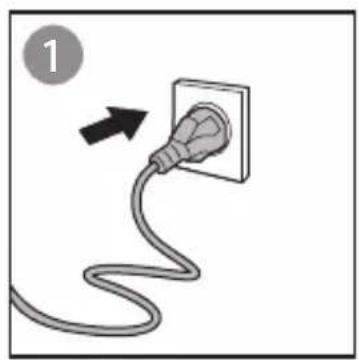
- When you have finished steaming, when you fill or empty the water tank, when you perform cleaning and rinsing, and also when you leave the appliance even for a short while, remove the mains plug from the wall socket.
- Keep the appliance and its mains cord out of reach of children.
- Only connect the appliance to an earthed wall socket.
Caution
- Check the mains cord regularly for possible damage.
- Beware of hot steam and hot water that comes out from the steamer nozzle during use. Steam and hot water can cause burns.
- The nozzle of the steamer head can become extremely hot and may cause burns if touched.
- This appliance is intended for household use only.
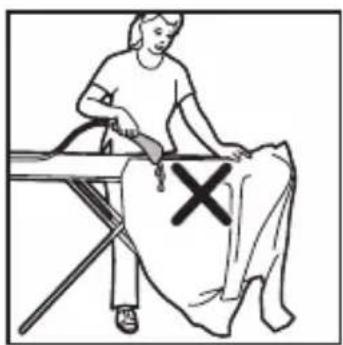
- Do not place the steamer base on top of a table or chair but rather keep the steamer base on the floor during usage duration.
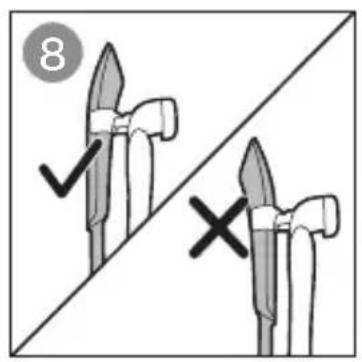
- If the hose forms a U shape, steam condenses in the hose. This causes irregular steam or water droplets to come out of the steamer head.
- Steam may damage or cause discolouration of certain wall or door finishes.
- Do not use the appliance when the water tank is empty.
- Do not let the mains cord come into contact with hot steam when the appliance is in operation.
Electromagnetic fields (EMF)
This Philips appliance complies with all applicable standards and regulations regarding exposure to electromagnetic fields.
Environment
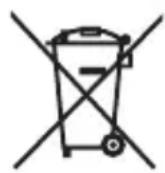
- Do not throw away the appliance with the normal household waste at the end of its life, but hand it in at an official collection point for recycling. By doing this, you help to preserve the environment.
Guarantee and service
If you need information or support, please visit www.philips.com/support or read the separate worldwide guarantee leaflet.
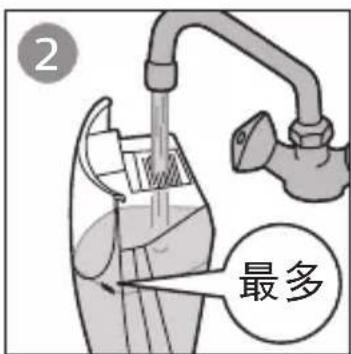
Your appliance has been designed to be used with tap water.
Note: Do not add perfume, vinegar, mineral water, starch, descaling agents, ironing aids, chemically descaled water or other chemicals as they may cause water spitting, brown staining, or damage to your appliance.

![graph LR A["4"] --> B["Valve with smoke"] B --> C["Flow with smoke icon"] C --> D["Power Generation with circular arrows and power button"] D --> E["Return to fan symbol"]](/content/2026/06/1274023/images/4404e53e1ec69f2d599d8481c1a88f245b3d84e849f08f3da508e10ba7d102c4.jpg)

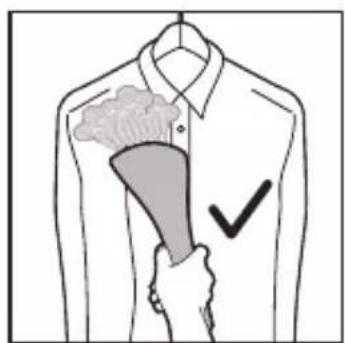
Tip: To avoid burns, wear the glove provided on the hand with which you are holding the garment.
The brush improves steam penetration into thick and heavy fabrics for faster results. Brush slowly with the bristles touching the garment.
Caution: Do not attach or detach the brush while the steam is on or the steamer head is hot.
The brush enhances steam penetration into thick fabrics for faster shaping. Gently brush the garment with the bristles.

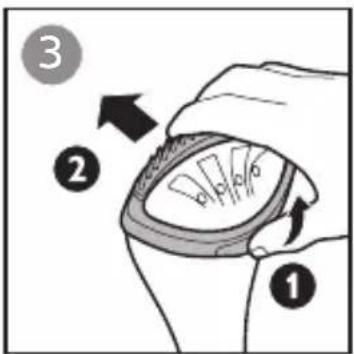
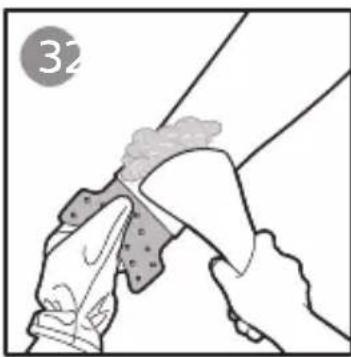
The collar aid supports the garment for easier steaming to remove wrinkles in special areas of the garment, such as collar, pockets and sleeve cuffs.

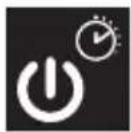
Safety auto-off
When the water tank is removed or the water is below MIN level indication, the power button flashes.
Safety auto-off
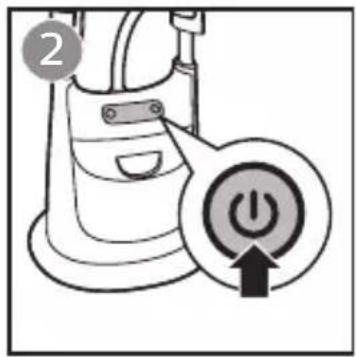
Refill the water tank above MIN level indication and insert it back. Press power button to resume steaming.
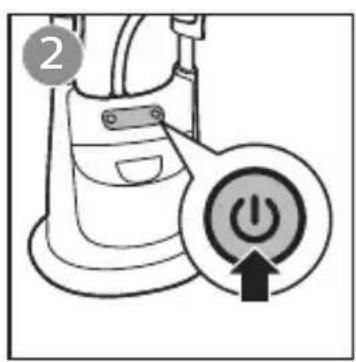

If the power button is not pressed to resume steaming within 8 minutes, the appliance starts to cool down and power button continues to flash.
Press power button to let the appliance reheat.
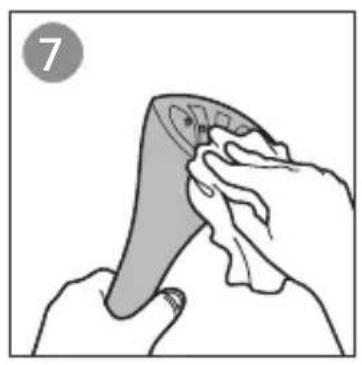
Clean the appliance and wipe any deposits off the steamer head with a damp cloth and a non-abrasive liquid cleaning agent.
Note: Never use scouring pads, abrasive cleaning agents or aggressive liquids such as alcohol, petrol or acetone to clean the appliance.
Steamers with heated block technology need to be descaled regularly to ensure steam performance. With our new PureSteam Technology, the heated block is automatically descaled while generating steam, and there is no water left inside, so it is more hygienic and you don't need to rinse it.
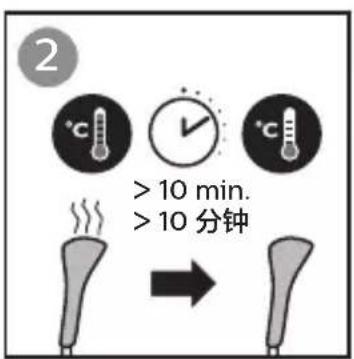

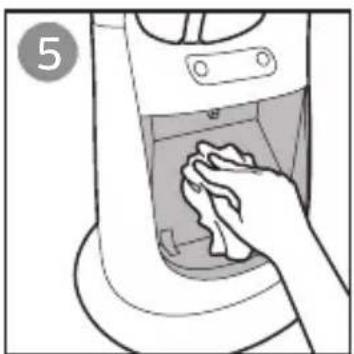


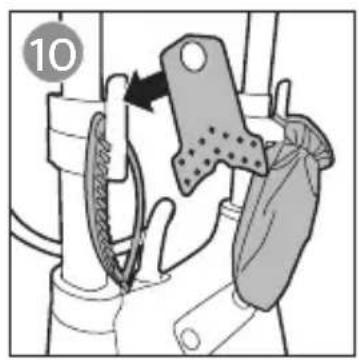


In case you need to disassemble the appliance, follow the steps below.
| Problem | Possible cause Solution | |
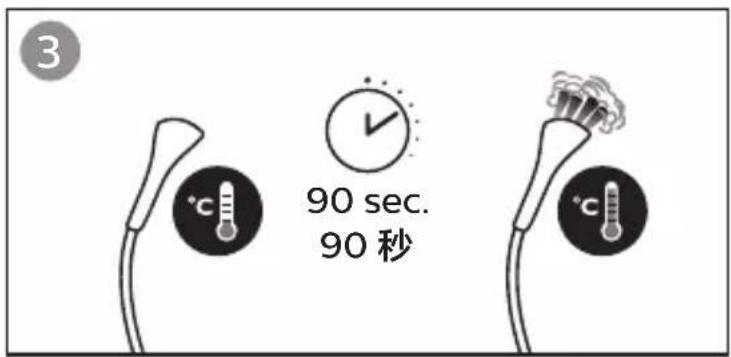
| The appliance produces no steam. | The steamer has not heated up sufficiently.The water level is below the MIN level indication or the tank is not inserted properly (power button flashes). | Let the appliance heat up for 90 seconds.Refill the water tank above MIN level and insert it back fully. Press power button to resume steaming. |
| The appliance produces a loud pumping sound. | The water level is below the MIN level indication or the tank is not inserted properly. | Refill the water tank above MIN level and insert it back fully. |
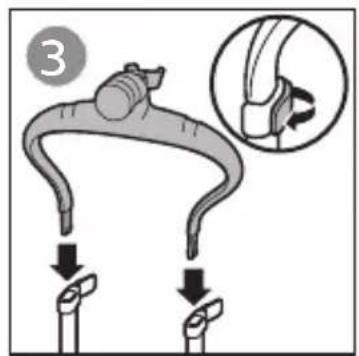
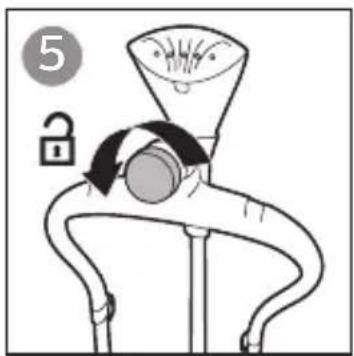
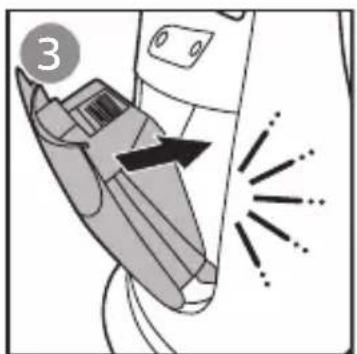
| Poles do not stay in place and keep falling down. | The pole clips have not been fastened properly.Poles have not been inserted into the base properly. | Fasten the pole clips.Insert the poles into the base until you hear a “click” sound. |
| A few water droplets are seen outside the water tank and on the appliance when water tank is removed. | This is normal. Special design guides condensed steam back to the water tank, to prevent dripping and to have a cooler hose. | You may wipe off the water droplets. |
| Hanger cannot be inserted into the poles. | Pole clips are not fully opened. | Open pole clips fully (180°) and insert the hanger. |

Product: - Philips Garment Steamer
Model: - GC610, GC612
Rated Voltage: - 220V~
Rated Frequency: - 50Hz
Rated Input Power: - 2000 W
Production Date: - See product body
Place of Origin: - Jiaxing, Zhejiang, China
Philips (China) Investment Co., Ltd. -
Building A1, No. 718 Ling Shi Road, Jing'an District, Shanghai
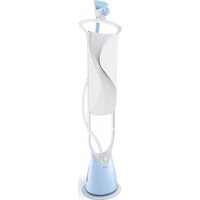
Brand : PHILIPS
Model : ProTouch GC612
Category : Steam cleaner