
SHIVA - Mp3 player Sunstech - Free user manual and instructions
Find the device manual for free SHIVA Sunstech in PDF.


| Product Type | MP3 Player |
| Brand | Sunstech |
| Model | SHIVA |
| Dimensions (L x W x H) | 4.5 x 3.0 x 1.0 cm |
| Weight | 30 g |
| Power Source | Rechargeable lithium-ion battery |
| Battery Capacity | 150 mAh |
| Battery Life | Up to 8 hours of playback |
| Internal Memory | 4 GB |
| Memory Expansion | <>MicroSD card up to 32 GB|
| Supported Audio Formats | MP3, WMA, WAV, FLAC |
| Main Functions | MP3 playback, FM radio, voice recording, repeat mode, shuffle |
| Connectivity | 3.5 mm jack, microUSB 2.0 port |
| Display | 1.44 inch LCD (128 x 128 pixels) |
| Included Accessories | Earphones, USB cable, user manual |
| Maintenance and Cleaning | Clean with a soft, dry cloth. Do not use chemicals. |
| Safety | Do not expose to moisture, shocks, or extreme temperatures. Keep out of reach of children. |
| Spare Parts and Repairability | Earphones, USB cable, and battery available as options. Repair possible by a certified technician. |
| General Information | Portable MP3 player, ideal for music on the go. |
Frequently Asked Questions - SHIVA Sunstech
User questions about SHIVA Sunstech
0 question about this device. Answer the ones you know or ask your own.
Ask a new question about this device
Download the instructions for your Mp3 player in PDF format for free! Find your manual SHIVA - Sunstech and take your electronic device back in hand. On this page are published all the documents necessary for the use of your device. SHIVA by Sunstech.
USER MANUAL SHIVA Sunstech
natural_image
Red and black photo of a Sunstech app interface displaying music, movie, picture, and browser icons (no text or symbols on device body)Features
- Display:1,5"
• Audioformat:MP3/WMA/WAV - Videoformat:AMV
• Pictureformat:JPEG/BMP - RadioFMupto40presets,
- Recordaudio:MICandFMradio
-
PresetEQ:Natural/Rock/Pop/Classic/Suave/Jazz /DBB
-
USB2.0
- Battery:140mA
- Sleepfunction
● Differentlanguages, - InternalMemory:4GB.

LoadingFiles
- ConnecttheunittoacomputerandtotheMicro-USB PortusingtheincludedUSBcable.
2.Onceconnected,theunitwillshowuponthe connectedcomputerasifitwereaconnectedUSB, harddrive,ormemorycard. - Draganddropthedesiredaudio, video, orphoto files into the unit's drivelocation on the connected computer.
FileCompatibility:
MUSIC:MP3,WMA
VIDEO:AMV
VOICE: WAV
PHOTOS:JPEG,BMP
- After the files are loaded onto the unit, right-click on the drive and eject it from the computer, then disconnect the USB cable.
Music
-
Powerthedigitalmediaplayeron, holding the Play/Pausebutton.
-
SelecttheMusicicononthemainmenubyusingtheSkip/Searchbuttons,andpresstheMenubuttontoenterMusicmode.
3.PressthePlay/PausebuttonorClick ▪ topause and ▶ toplay.
- PresstheSkip/Searchbuttonstoskipthroughtracks, orpressandholdtofastforwardorrewindthemusic.
(Whenyouusedthisfunctionisactivatedtheaudio mute)
5.Lyricfunction,
WhenyoulisteningthemusicwithaLyricfile,press andholdthemenukeyduringtwosecondsandtextof thesongwillshowinthescreen.
- PressandholdtheMenubuttontoreturntothemain menu.
FileCompatibility: MUSIC:MP3,WMA.
Movie
File-typeRequirements:AMV
- PowerthedigitalmediaplayeronbyholdingthePlay/Pausebutton.
2.ChoosetheMovieiconinthemainmenubyusing theSkip/Searchbuttons,andpresstheMenubuttonto enterMoviemode. - Navigatethroughthefilebrowserusingthe Skip/Searchbuttons, andpresstheMenubuttonto selectavideofile.
- PressandholdtheMenubuttontoreturntothemain menu.
Picture
- PowerthedigitalmediaplayeronbyholdingthePlay/Pausebutton.
- SelectthePhotoiconinthemainmenubyusing theSkip/Searchbuttons, and presstheMenubuttonto enterPhotomode.
- Navigatethroughthefilebrowserbyusingthe Skip/Searchbuttons, andpressthePlay/Pausebutton toselectaJPEG/BMPphotofile.
- PressandholdtheMenubuttontoreturntothemain menu.
Radio
- PowerthedigitalmediaplayeronbyholdingthePlay/Pausebutton.
2.ChoosetheRadioicononthemainmenubyusing theSkip/SearchbuttonstoenterRadiomode.
3.PresstheMenubuttontoaccesstheothersettings.
Selectautosearchtostartmemorizeallavailable stations, upto40presets.
4.Oncefinished,pressPlay/Pausebuttononce.
CH1willbedisplayedonthescreen - PressandholdtheMenubuttontoreturntothemain menu.
Pedometer
- PowerthedigitalmediaplayeronbyholdingthePlay/Pausebutton.
- NavigatetothePedometericononthemainmenu byusingtheSkip/Searchbuttons, andpresstheMenu buttontoenterPedometermode.
- Navigatethroughthefilebrowserbyusingthe Skip/Searchbuttons,
Wehavethreeoptions:
Localfolder:Toselectthemusicthatyouwantlisten.
Pedometer:
PresstheMenubuttontoconfirmtostartanewrecord, viewpreviousrecords,orchangepersonalinformation.
Mode: Walking/Running/Jogging.
Sex:Man/Woman
Stride:----
Weight:----
PositionWrist/Waist
Exit: ToexitthePedometerfunction
Record
- PowerthedigitalmediaplayeronbyholdingthePlay/Pausebutton.
2.ChoosetheRecordiconinthemainmenubyusing theSkip/Searchbuttons,andpresstheMenubuttonto enterRecordmode.
3.PressthePlay/Pausebuttontobeginrecording.
4.PressthePlay/Pausebuttontopauserecording. - PressandholdtheMenubuttontosavethefile.
- PressandholdtheMenubuttontoreturntothemain menu.
Voice
- PowerthedigitalmediaplayeronbyholdingthePlay/Pausebutton.
- SelecttheVoiceicononthemainmenubyusing theSkip/Searchbuttons, and press the Menubuttonto enter Voicemode.
3.PressthePlay/Pausebuttontoplaysavedrecordings.
4.Inplayorpausemode,presstheMenubuttonto
accessandmakeselectionsinthelocalfolder.Usethe Arrowbuttonstonavigatethesub-menu.Pressthe Menubuttontoselect.
5.PresstheSkip/Searchbuttonstoskipsthroughtracks, orpressandholdtofastforwardorrewindatrack.
6. PressandholdtheMenubuttontoreturntothemain menu.
Setting
Wehavedifferentoptions: LCDset/Language/Poweroff/Memoryinfo/ Firmwareversion/Restoredefault/Exit.
Specification
| Size44*44.8*18mm | |
| Weight22g | |
| Screen1.5inchTFTdisplay,262Kcolor | |
| ComputerconnectionHigh-speedUSB2.0(FS)Flashdisk | |
| Build-inmemory4GB | |
| SupplypowerBuilt-in180mAhrechargeablebattery | |
| RECSampleradio8KHz | |
| RecordingformatWAV(64Kbps) | |
| MP3\WMAThebiggest(L) | 10mW+(R) |
| Outputtingratio10mW(320) | |
| MP3bitrate8Kbps-320Kbps | |
| WMABitrate5Kbps-384Kbps | |
| Frequencycorresponding20Hz-20KHz | |
| SNR85dB | |
| Lackfidelity<+_0.05 | |
| FMradioFrequencyscope | 87 MHz-108MHz |
| Radiostations20+20 | |
| Thebiggestoutput(L)10mW+(R) | |
| rateofearphone10mW(320) | |
| SNR45dB | |
| Musicformat | MP3、WMA、WAV |
| Temperature | -5to40degreecentigrade |
| Multilanguages | English,Spanish,FrenchandPortuguese...... |
| Operating System | Windows 98/XP/SE/ME/2K, MAC OS 10、Linux 2.4.2 |
Madein China

o1.DONOTplaceobjectsontopofthe device,asobjectsmayscratchthe device.

natural_image
Simple diagram with a cross and downward arrow over a circular pattern, no text or symbols present.2.DONOTexposethedevicetodirty or dustyenvironments.

natural_image
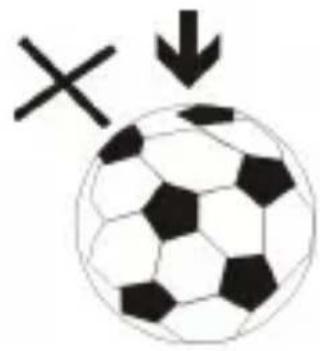
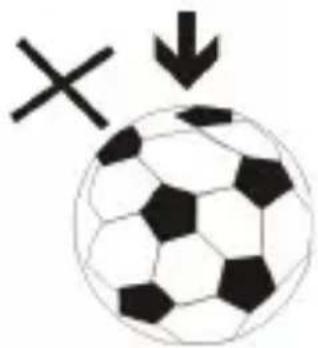
Black and white soccer ball with hexagon pattern and two black X marks, no text or symbols present3.DONOTplacethedeviceonan uneven orunstablesurface.

natural_image
Illustration of a pencil, ruler, eraser, eraser cross, and plastic sheet (no text or symbols)4.DONOTinsertanyforeignobjects intothedevice.

5.DONOTexposethedevicetostrong magneticorelectricalfield.

natural_image
Simple graphic with a black X and a sunburst shape (no text or symbols)6.DONOTexposethedevicetodirect
sunlightasitcandamagethedevice.Keepitawayfrom heatsources.
60°C(140°F)

natural_image
Two black arrows pointing up and down, stacked vertically (no text or symbols)20°C(68°F)
7.DONOTstoreyourdevicein temperatureshigherthan40°C(104°F). Theinternaloperatingtemperaturefor thisdeviceisfrom20°C(68°F)to 60°C(140°F).

natural_image
Simple weather icon showing a cloud with raindrops and a black 'X' symbol (no text or labels)8.DONOTusethedeviceintherain.

natural_image
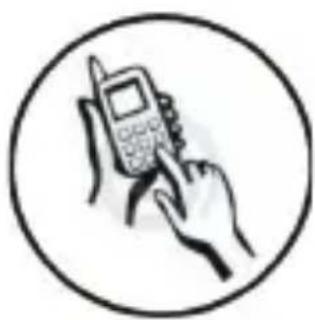
Illustration of a hand holding a mobile phone with a pen, enclosed in a circle (no text or symbols)9.PleasecheckwithyourLocal Authorityorretailerforproper disposalofelectronicproducts.

natural_image
Symbolic illustration of a person sitting on a chair with an 'X' mark and a downward arrow, no text or numbers present.- Thedevice and adaptormay productsomeheat during normal operation of charging. Top prevent
discomfortor injury from heat exposure, DONOT leave
the device on your lap.
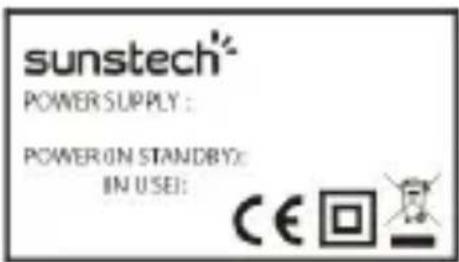
- POWER INPUT RATING:
Refer to the rating label on the device and be sure that the power adaptor complies with
the rating. Only use accessories specified by the manufacturer.

natural_image
Simple line drawing of a hand cleaning a cloth with a spray bottle and a cross mark (no text or symbols)- Clean the device with a soft cloth. If needed, dampen the cloth slightly
before cleaning. Never use abrasives or cleaning solutions.
- Always power off the device to install or remove external devices that do not support hot-plug.

- Disconnect the device
fromanelectricaloutletandpoweroffbeforecleaning thedevice.

natural_image
Simple line drawing of a screwdriver and a cross symbol (no text or labels)15.DONOTdisassemblethedevice.
Onlyacertifiedservicetechnician shouldperformrepair.

- Thedevicehasaperturesto disperseheat.DONOTblockthe deviceventilation,thedevicemay becomehotandmalfunctionasa result.

flowchart
graph TD
    A["Start"] --> B["Process Step"]
    B --> C["Block 1"]
    B --> D["Block 2"]
    B --> E["Block 3"]
    B --> F["Block 4"]
17.Riskofexplosionifbattery replacedbyanincorrecttype.Dispose ofusedbatteriesaccordingtothe instruction.
natural_image
Simple diagram showing a downward arrow pointing to a grid of dots (no text or symbols)- PLUGGABLE EQUIPMENT: the socket-outletshallbeinstallednear the equipment and shall be easily
accessible.
Warrantyconditions
-Thewarrantyofthisproductisfor2yearssincethepurchasedate.
-Thewarrantywilexcludebreakdownscausedbybaduseoftheproduct,wrong installationor
installationinnotdesirableplacesforapropermaintenanceoftheproduct,rips, updatesoftheproducts
thatarenotthesuppliedbythebrand,piecesworeawayforitsuseorfornot domesticorinappropriate
use. Also are excluded breakdowns caused for manipulations of the products by peopleorcompanies
alientoourcompany.
-Foranyrequestregardingthewarrantyterms,thepurchasereceiptmustbe attached.

CorrectdisposalofthisProduct
(WasteElectrical&ElectronicEquipment(WEEE)
Yourproductisdesigne dandmanufactured with high quality materials and componentswhichcanberecycledandreused.
Thissymbolmeansthatelectricaland electronicequipment,attheirendof-lifeshouldbedisposedofseparatelyfrom yourhouseholdwaste.
Please dispose of this equipment at your local communitywastecollection/recyclingcentre.
IntheEuropeanUnionthereareseparate collectionsystemsforused electricalandelectronicproducts.Pleasehelpus toconservetheenvironmentwelvein!
DECLARATION OF CONFORMITY
Council Directive(s) to which conformity is declared:
Directive (2004/108/EC) - EMC
Directive (2011/65/EU) - RoHS
Application of the Standards:
EN 55013: 2001+A1: 2003+A2:2006+IS1: 2009
EN 55020: 2007+A11: 2011
EN 55022: 2010
EN 55024: 2010
EN 61000-4-2: 2009
EN 61000-4-3: 2006+A1: 2008+A2: 2010
IEC62321/2nd CDV (111/95/CDV)
Manufacturer's name: .AFEX SUNS, S.A.
Manufacturer's address: . C/Pallars 189, 08005 Barcelona
Type of equipment: .MP4 Player
Trade: SUNSTECH
Model no.: .SHIVA
We, the undersigned, hereby declare under our sole responsibility that the specified equipment is in conformity with the above Directive(s) and Standard(s)
natural_image
Simple line drawing of a curved shape with a triangular cutout (no text or symbols)Place: Barcelona.
. (Signature)
. Víctor Planas Bas ..
. (Full name)
Date: 17 - April - 2014
General Manager
U (Position)
sunstech
MANUALDEINSTRUCCIONES
SHIVA

natural_image
Red Sunstech smartwatch with black cover and app interface displaying Music, Movie, Picture, and Browser (no text or symbols on device body)Características
Cargandoarchivos
Modo: Walking/Running/Jogging.
Sexo:Hombre/Mujer
Ritmo:----
Peso:----
natural_image
Simple diagram with a cross and downward arrow, no text or symbols present- NOexpongaelaparatoaentornos suciosopolvorientos.
natural_image
Black and white soccer ball with hexagon pattern and X and downward arrow symbols (no text or labels)- NOcoloqueelaparatoenuna superficiedesigualoinestable.

natural_image
Simple line drawings of a ruler, pencil, eraser, and a cross mark (no text or symbols)natural_image
Simple graphic with a black X and a sunburst shape (no text or symbols)6.NOexpongaelaparato directamentealaluzdelsolporque
podríadañarlo.
Manténgaloapartadodesuperficiescalientes.
60^(140^)
- NOguardeelaparatoatemperaturas
superioresalos40°C(104°F).La

natural_image
Simple illustration of a cloud with raindrops and a black X symbol (no text or labels)- NOutiliceelaparatobajolalluvia.
natural_image
Illustration of a hand holding a mobile phone inside a circle (no text or symbols)natural_image
Simple black icon of a person sitting on a chair with a downward arrow, symbolizing decline or reduction (no text or symbols)natural_image
Simple line drawing of a hand cleaning a cloth next to a spray bottle with a black X mark (no text or symbols)flowchart
graph LR
    A["Device with indicator"] --> B["Printer with icon"]
    B --> C["Hand holding paper"]
natural_image
Simple line drawing of a screwdriver and a cross symbol (no text or labels)natural_image
Simple diagram showing a downward arrow pointing to a grid plane, with a wall marker nearby (no text or symbols)IEC62321/2nd CDV (111/95/CDV)
Fabricante: .AFEX SUNS, S.A.
Dirección: .
C/Pallars 189, 08005 Barcelona
natural_image
Simple line drawing of a curved object with a triangular tip and dashed lines (no text or symbols)Lugar: Barcelona.
(Firma)
. Víctor Planas Bas ..
Nombre)
natural_image
Red Sunstech app controller with black pad and screen displaying music, movie, picture, and browser icons (no text or symbols on device body)Caractéristiques
Modes: Marche/Course/Jogging
Sexe:Homme/Femme
Foulée:----
Poids:----
PositionPoignet/Taille
natural_image
Simple diagram with a cross and downward arrow, no text or symbols presentnatural_image
Black and white soccer ball with a cross symbol and downward arrow, no text or labels present3.NEPASplacerl'appareilsurune surfacenonplaneouinstable.

natural_image
Simple line drawings of a ruler, an X mark, a pencil, and a separate paper clip (no text or symbols)natural_image
Simple graphic with a black X and a sunburst shape (no text or symbols)6.NEPASexposerl'appareilenplein
soleilcarvousrisquezdel'endommager.
natural_image
Simple illustration of a cloud with raindrops and a cross symbol (no text or labels)8.NEPASutilisercetappareilsousla
pluie.

natural_image
Illustration of a hand holding a mobile phone with a pen, enclosed in a circle (no text or symbols)natural_image
Symbolic icon showing a person sitting on a chair with an 'X' and downward arrow, indicating no text or numbers present.natural_image
Simple line drawing of a hand cleaning a cloth next to a spray bottle with an 'X' mark (no text or symbols)natural_image
Simple line drawing of a screwdriver and a cross symbol (no text or labels)natural_image
Simple diagram showing a downward arrow pointing to a grid plane, with a wall marker nearby (no text or symbols)chemical
Chemical symbol for lead (Pb) with crossed and unmarked representationsDÉCLARATION DE CONFORMITÉ
Directive (2004/108/EC) - EMC
Directive (2011/65/EU) - RoHS
IEC62321/2nd CDV (111/95/CDV)
natural_image
Simple curved line drawing with a triangle at the center (no text or symbols)Lieu:Barcelone.
Signature : ...
. Víctor Planas Bas ..
(Nom complet)
natural_image
Red and black photo of a Sunstech smartwatch with app icons displayed on the screen (no readable text or symbols on device body)Características
CarregarFicheiros
natural_image
Simple diagram with a cross and downward arrow, no text or symbols present2.NÃOexponhaoaparelhoa ambientessujosoucompó.
natural_image
Black and white soccer ball with a cross symbol and downward arrow, no text or labels presentnatural_image
Simple line drawings of a ruler, an eraser, a pencil, and a cross mark (no text or symbols)natural_image
Simple graphic with a black X and a sunburst shape (no text or symbols)natural_image
Simple illustration of a cloud with raindrops and a cross symbol (no text or labels)natural_image
Illustration of a hand holding a mobile phone with a pen, enclosed in a circle (no text or symbols)natural_image
Symbolic icon showing a person sitting on a chair with an 'X' and downward arrow, indicating no text or numbers present.natural_image
Simple line drawing of a hand cleaning a spray bottle with a stopper (no text or symbols)flowchart
graph TD
    A["Satellite"] --> B["Printer"]
    B --> C["Hand with Card"]
natural_image
Simple line drawing of a screwdriver and a black X symbol (no text or labels)natural_image
Simple diagram showing a downward arrow pointing to a grid plane, with a wall marker nearby (no text or symbols)acesso.
IEC62321/2nd CDV (111/95/CDV)
Nome do fabricante: MAFEX SUNS, S.A.
natural_image
Simple line drawing of a curved arrow or arrowhead (no text or symbols)Local: Barcelona M
M
(Assinatura)
M
Víctor Planas Bas M M
M
(Nome completo)
Data: 17 de Abril de 2014
Diretor-Geral
M
U
(Cargo)

Brand : Sunstech
Model : SHIVA
Category : Mp3 player