
Meteotime Info - Weather Station TFA - Free user manual and instructions
Find the device manual for free Meteotime Info TFA in PDF.


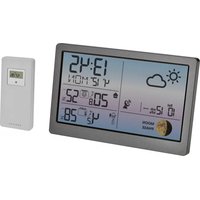
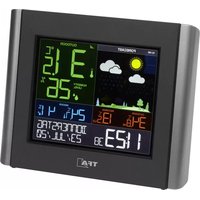
| Product Type | Weather Station |
| Brand | TFA |
| Model | Meteotime Info |
| Display Type | LCD |
| Dimensions (approx.) | 120 x 75 x 25 mm |
| Weight (approx.) | 120 g (without batteries) |
| Power Supply | 2 x AAA batteries (LR03) |
| Battery Life | Up to 12 months |
| Indoor Temperature Range | 0°C to +50°C |
| Indoor Humidity Range | 20% to 95% RH |
| Weather Forecast | Sunny, partly cloudy, cloudy, rainy, stormy |
| Time Display | 12/24 hour format with alarm |
| Date Display | Day, date, month |
| Moon Phase Display | Yes |
| Barometric Pressure | Indicated by trend arrow (rising/falling) |
| Wireless Outdoor Sensor | Not included (device reads indoor only) |
| Maintenance | Clean with soft, dry cloth; avoid liquids |
| Safety Instructions | Keep away from extreme heat and moisture; use recommended batteries |
| Spare Parts / Repairability | Contact TFA support for replacement parts; no user-serviceable parts |
| Included Accessories | User manual, wall mount bracket (screws not included) |
| Languages Supported | English, German, French, Dutch, Italian, Spanish |
| Warranty | 2 years |
Frequently Asked Questions - Meteotime Info TFA
User questions about Meteotime Info TFA
0 question about this device. Answer the ones you know or ask your own.
Ask a new question about this device
Download the instructions for your Weather Station in PDF format for free! Find your manual Meteotime Info - TFA and take your electronic device back in hand. On this page are published all the documents necessary for the use of your device. Meteotime Info by TFA.
USER MANUAL Meteotime Info TFA
Personal Meteo Centre with
Wireless Thermo-Hygrometer
Kat. N: 35.1127
Thank you for choosing the instrument from TFA. Before you start using it Please make sure to read the instruction manual carefully. This instruction will help you to understand yourself with your new device, to learn all of the functions and parts, to obtain important details about in time use and how to operate it, and to get advice in the event of faith. Following and reporting the instructions in your manual will prevent damage to your treatment and loss of your statutory rights arising from defects due to incorrect use. We shall be liable for any damage occurring as a result of war following of these instructions. Likewise, we take an responsibility for any incorrect readings and for any consequences which may result from them.
Please take particular note of the safety advice. Please keep this instruction manual for future reference.
The Motivation Weather Forecast Center provides a professional weather forecast for the current and the only three days. The weather forecasts are made by professional meteorologists and are sent out with the main-time signal generator DEPTT in Germany and can be received in almost all of Europe. The reception area for the main-time signal generator is divided into a total of 90 meteorological regions (60 regions with a 4-day forecast). 30 regions with 2 day forecasts. The desired city is simply selected and the respectively starred windward forecast for the region is shown on the display. This gives you a quick overview of the weather situation for the following days or any time: Updating the weather data is more every day.
This weather station allows the exception of teacher data of the private provider Matccccite via DCF without time limit and additional costs.
Mention is responsible for the discharge and the correctness of the transmitted data. 60 regions with 4 days forecast (700 cities) 30 regions with 2 days forecast (80 cities)
Scope of delivery: - Weather station (basic station) - Outdoor transmission - Instruction manual - Batteries
KSPO: 0986-13(TFA) TFA DV229NL & TS21 MANUAL 1(ENG) SIZE: W105 X H148 (mm) BY Lai HZ 2/01/14
Field of operations and all the benefits of your new instrument at a glass - Weather state for sale or opening these days for 30 days. - Weather state (pre-provision) - Wind speed and wind direction - 3 channel under 100MW steel wire-tensile-pumpure (channel 1 source in included, additional sensors are required for channels 2 and 3) - Lower temperature experience - Maximum and minimum ranges of temperature and humidity settings - Temperature and humidity trends (BALANCE) (KOWA) - Temperature unit in degree C - Beyond-day time temperature and ratings (temperature information - Minimum temperature range (English Spanish/Mexican Dutch/White/Chinese) - Critical weather level - Maximum of 3+/- weather information can be used and displayed - Pressure on the place area/c - Fully-controlled clock and calendar (24 hours then only) - Time zone timing - Dark storm inventory downgrades alone will be sealed for 2 months - Programmable pre- dark for outdoor server (Channel 1 only) - Barely low rated for mode and wireless server - Air traffic, air and air drain, and IAD for the outdoor server for the outdoor server
For your safety: • This product is exclusively intended for the field of application described above. It should only be used as described within these instructions. • Unauthorised repair, modification, calculations or changes to the product are prohibited. • This product is not used for medical purpose or for public information, it is only intended for home use.
Caution Risk of Inflows
- Keep this environment and the batteries out of the track of batteries. - Batteries must not be shown into a fire, short-circulated, taken apart or recharged. Risk of explosions! - Batteries contain harmful acids. Low batteries should be charged as soon as possible to prevent damage caused by a leaking. - Never use a combination of solid and new batteries together, as batteries of different types. Wear chemical-resistant protective gloves and safety gloves when handling leaking batteries.
- Important information on product safety! - Do not place your product near extreme temperatures, vibrations or shocks - The outdoor transmitter is protected against splash water, but is not waterlight. Choose a study and dry position for the transatlant:


There are total 7 buttons on the time unit, namely:
SET • Selected City → Rate → Weekly Alarm "OFF W-ALM" → Single alarm "OFF S-ALM" → Pro-Alarm "OFF P-ALM" • Press and hold I SET 1 for 3 seconds to select your <1> Country, <2> Time Zone, <3> Language, <4> Exit to city display mode
DAY/NIGHT • Critical weather information → Day/Night weather status change • Real the critical weather information one by one
- Increasing the value during setting - Turn ON the start - Press and hold for 2 seconds to encourage a radio-controlled clock DCF signal search - Switch to next day's weather information
- Decreasing the value during setting - Choose one of the pre-selected cities - Turn OFF for alarm - Press and hold for 3 seconds to ensure a wireless RF signal search from remote settings
MEM • Display the maximum and maximum temperature and humidity readings to record • Press and hold for 3 months to clear all the Min. and Min. records
TEST √ - Find the place for the device which has a good reception - Add the city into the list of your desired cities OR - Remove the city out of the list of desired cities - Edit your home items
• Switch to read outdoor temperature and humidity readings of channels 1, 2 and 3. • Press and hold the battery for 3 seconds to enter into auto-correlation display mode.
也

The event the Metastine iron change to , that means there are potential sources of interference on the unit. The amount of interference may come from the electronic equipment such as TV set, component, household machinery etc. It may also be due to lots of concrete, rental parts and electronic equipment in the building. It may also be due to your living area if it is very far away from the radio-controlled clock tower.
You are able to use the TEST function to look for a better location. Press TEST button, SCAN is about in the information window.

- Push the unit to find a good location. - [3] Calling. The test is missing and the Motemometer signal reception is poor. You can able to know the device in this position. - [4] Calling. The test is not missing and the Motemometer signal reception is poor. You need to listen or look for a better location. - The test lasted for around 1 minute. You cannot return the test with the [TEST] button at any time, and also discontinue the test by passing the [TEST] button. - When the signal strength will be represented from it very bad (to very good). SWITCH CITY → DATE → ALARM - After receiving of the battery irradiation stops, the weather station switches for the table were placed up to the end of the Motemometer signal. After it has successfully received the Motemometer signal, the display chosen in the information windows the default city. - FIRM/FURTH - You can able to press [SET] to switch from the display of the city to date, weekday alarm.
FRANKFURT M 1 I 1 OFF W-ALM 1 OFF S-ALM 1 OFF P-ALM
SELECT THE COUNTRY AND CITY / CITIES
• Press and hold/ SET button for 3 seconds, in the information window, COUNTPY is
showers, and then press [▲] or [▼] bottom to select the country. For example, if you see a
the information window 1/μL R, that means you have selected "Germany".
• Press [SET] indicates to confirm the country. Assuming you have selected Germany, then the information window will show F.T.T.
- There were |▲| at |▼| better to select the city, and the city name will be chosen in the
• The price ■ [or ▼] is a stock or stock, and the CNY stock will be down there. In fact, this price is also an option.
• Drop | NET | better to get for action. Forms are on, for selected city will be shown in
This is a copy of text that is not to be transcribed. The text is not to be transcribed in the image.
Once you have set your city as described above, you may select more cities for any other.
Instead of Eventuating the setting with the [SET] button, you continue as follows:
- If Frankfurt are Main's your selection as one of your favorite cities, than press [TEST V]
Bullon to confirm. A will be shown on top of your selected city, and it will be stand into
your personal memory list.
* NPs, you may [EDS] ▲ [OF] ▼ [Oblig to select more recent on time security, and the
• If you want to teach your own information, you have to ask me wrong, you? M.E.
Make and fewer equal to attention above order to manage the economy.
- This may be seen that five times is given. If you want to add more ones, one
电平LL
When all settings are clean, more [SET] button to confirm and install the settings node.
- The following table, 10. (2) and 11. (3) are the results of the
RPMSE. A later covering the territory for its last time, yet are shining the city selection
the product will select by defeal "Toudaher am Bhan" at your selected site.
If you have selected more than one city as favorite, as an example "Frankfurt am Man".
"Paris" and "Stockholm", then you are able to scroll through these cities by pressing | ▼|
In line what the information window shows the CITY NAME (Price SET Barton until it is not
the city name).


REMOVE A CITY FROM THE LIST OF FAVOURITE
- Pass and build | SET [button for 3 seconds. COUNTP is shown in the information
windows, from press [▲] or [▼] button to
* Press [SET] matter to confirm the country.
- Then, press [ ▲ ] or [ ▼ ] but not to go to your selected city with the √
- From [TEST +] location in remove the √. Note this city is removed from the location
- Repeat this if you wish to remove more items from your list
- Now, you may also press | ▲ | or | ▼ | that to select another favourite city.
-
-
-
-
-
-
-
-
-
-
-
-
-
-
-
-
-
-
-
-
-
-
-
-
-
-
-
-
-
-
-
-
-
-
-
-
-
-
-
-
-
-
-
-
-
-
-
-
-
-
-
-
-
-
-
-
-
-
-
-
-
-
-
-
-
-
-
-
-
-
-
-
-
-
-
-
-
-
-
-
-
-
-
-
-
-
-
-
-
- 99.
-
-
-
-
-
-
-
-
-
-
-
-
-
-
-
-
-
-
-
-
-
-
-
-
-
-
-
-
-
-
-
-
-
-
-
-
-
-
-
-
-
-
-
-
-
-
-
-
-
-
-
-
-
-
-
-
-
-
-
-
-
-
-
-
-
-
-
-
-
-
-
-
-
-
-
-
-
-
-
-
-
-
-
-
-
-
-
-
Ozone you have made all journ-changes, print 2 MCF | burton to qail. E 0.1 will be
the information known. After 10 months, it will go to the City Date Term Noon
2020年12月5日,第1次为1985
PERSONALIZE A PLAST NAME
- Red and Blue [M.T.] (round for 5 seconds. In the information video, LQJ04, p:1)
imoto, and kana press [▲] (or ▼) has to interact the boundary. For example, if you too in the information solution, ▼(□) is, for means interfere isolated "fiermian".
the unassessed WOOR 2: UCI (a) that is not available to the company's business.
- Phone: SEA. I have to organize the company. Applying you have much, Germany, and the information provided will show C:\T\o
Theorem 4.2 of [10] Let L .
- 1600, 2008 [▲] or ▼ [work-to-hand factory, and the city market will be chosen in the industrial industry. Inppnly CFDs: C4578 may do its illness from Main
Information Weave, Weave. For example (the 1H mark the city Washington State
- Price that [Mil.31] status: A current Amort on the tail price of the information window
(三) 设备方法
[Non-Text]
[Non-Text]
[Non-Text]
[Non-Text]
[Non-Text]
[Non-Text]
[Non-Text]
[Non-Text]
[Non-Text]
[Non-Text]
[Non-Text]
[Non-Text]
[Non-Text]
[Non-Text]
[Non-Text]
[Non-Text]
[Non-Text]
[Non-Text]
[Non-Text]
[Non-Text]
[Non-Text]
[Non-Text]
(二)
18.
[EMPTY]
[Non-Text]
[Non-Text]
[Non-Text]
[Non-Text]
[Non-Text]
[Non-Text]
[Non-Text]
[Non-Text]
[Non-Text]
(1) AD = BD = 1
The Ground Truth image displays a single, solid horizontal line, which is a stylistic or background element (like a ruled paper line). According to Rule 2, such lines must be ignored by the OCR result. The provided OCR content is "____", which consists of underscores. Underscores are not equivalent to a solid line and are not permitted under the “Stylistic/Background Lines (Ignore)” rule. Outputting underscores for a stylistic line is incorrect because it misinterprets the line as a fill-in-the-blank placeholder. Since the OCR output incorrectly rendered a stylistic line as underscores (which should be ignored), this violates the rule. Therefore, the OCR result is inconsistent with the Ground Truth.
(请注明)如图3-2所示,请在“附录”栏内填写如下:
SWITCH TO NEXT DAY'S WEATHER INFORMATION
For each prior order of UP [▲] month, there is all points and view the weather information
from today to tomorrow, one-day after and two-day after.
100
Today's Houston
1
m
17:50
132% 30%
205.6 48.6
B CUBC 10%
132867FRANKFURTR
LUTAL
H+ [■]
TU 2 ∘ S n M2 = ∞
Temperature/°C
(1) 2014年1月1日
田
123-30
12000000
206t=98%
1230-16000000
150037FRANKFORTH
1 UP[▲]
HC目 15 108
DE 15
One-day after's
weather information
出 4.5
132-30
205.5 HR-13
CUBE 40%
1328x 1 EBITA FURTH
- VESCUS (MINI-GRAP)
↓ GP[▲]
THD ① 13
1
Treadwater
weigh information in
172-5 20
吨 132c 30%
205.4 48.6
B LUC 10%
132836"FRANKFURTIN
(2)
Sometimes there is more than one critical welfare information to the 4-days.
Press | DAYNIGHT | button to read the critical weather information one by our. The special
Icon of the day will be flashed when you read the information.
(1)
| | |
|
|
Durching
(1)
|
|
(1) 2017年1月1日(星期六)
HERLY PRIN
■ MEADERS
WEATHER
(二)
|
■ Reading ▼▲ ▼ WEATHER
-
-
-
-
-
-
-
-
-
-
-
-
-
-
-
-
-
-
-
-
-
-
-
-
-
-
-
-
-
-
-
-
-
-
-
-
-
-
-
-
-
-
-
-
-
-
-
-
-
-
-
-
-
-
-
-
-
-
-
-
-
-
-
-
-
-
-
-
-
-
-
-
-
-
-
-
-
-
-
-
-
-
-
-
-
-
-
-
-
-
-
-
-
-
-
-
-
- 99.
-
-
-
-
-
-
-
-
-
-
-
-
-
-
-
-
-
-
-
-
-
-
-
-
-
-
-
-
-
-
-
-
-
-
-
-
-
-
-
-
-
-
-
-
-
-
-
-
-
-
-
-
-
-
-
-
-
-
-
-
-
-
-
-
-
-
-
-
-
-
-
-
-
-
-
-
-
-
-
-
-
-
-
-
-
-
-
-
-
-
-
-
-
-
-
-
△
|
|
|
| BENSE 605
SENSE YBB
WEATHER
-
|
| A | B | C | D | E | F | G | H | I | J | K | L | M | N | O | P | Q | R | S | T | U | V | W | X | Y | Z | A
|
| ∞ |
(二) 2017年1月1日
|
|
|
( ) ( ) ( ) BXY — Smith
Weather status
- Price [SET] reason for go back to the display of CITY. ●→ DATE ●→ WEEKDAY
ALARM → SINGLE ALARM → PRE-ALARM. If you would like to read the website (Information in the information below, the name of DAN 201975) to display
information in the information version, then press [DAS/NLANT] token to display
(3) ↔ Night weather attenuation and also the critical weather exposure.
The company is based on initial production data with Industrial production data.
If no detail is proceed, the critical weather information will be displayed, so as to make sure and are present of the critical weather details.
you are aware to the critical world and
The Ground Truth image displays a single, solid horizontal line. According to Rule 2 (UNDERSCORE & LINE RULES), this is a stylistic or background line, not a placeholder underscore. Therefore, the OCR result must ignore it and output nothing or only meaningful text. The provided OCR content is "____", which consists of four underscores. This is an incorrect interpretation of the line as a placeholder, violating the rule that stylistic lines must be ignored. The OCR has hallucinated underscores where none should exist based on the GT's visual context. Hence, the OCR result is inconsistent with the Ground Truth.
DEATHER STATUS
There are total 55 months average for day and 15 months average for right
- A## of the 13 K###r #ahmet ## ## and 13 K#### ###### ##
Significance: Das Night Significance: Das Night
Agglutinin Dye Migna Agglutinin Dye Nagra
Samp (Clear) Heavy Rain
at night
| | | | |
| | | | | | |
(二) 2017年1月1日
Light Cloudy | | Frontal |
| | | Storms |
| | | | |
| | | | | |
| | | | | | |
Mostly | | Heat Street | |
Cloud
| |
| | |
| | | | | |
Omnant | | Iiant Shown |
|
|
| | | | | |
| | | | | | |
Straw | Snow | Snow |
Clash
| | |
| | | | | |
| | | | | |
Fog | 100 | 100 | Sheet | 100 |
|
| | |
| | | | | |
| | | | | |
Shawn | | Space
图 1
|
| | |
| | | | | | |
2.John Murray
|
|
| | |
(No text)
(1) 2017年 ,公司及子公司
(No text)
The Ground Truth image displays a single, solid horizontal line. According to Rule 2 (UNDERSCORE & LINE RULES), this is a stylistic or background line, not a placeholder underscore. Therefore, the OCR result must ignore it and output nothing or only meaningful text. The provided OCR content is "____", which consists of four underscores. This is an incorrect interpretation of the line as a placeholder, violating the rule that stylistic lines must be ignored. The OCR has hallucinated underscores where none should exist based on the GT's visual context. Hence, the OCR result is inconsistent with the Ground Truth.
[Non-Text]
[Non-Text]
[Non-Text]
[Non-Text]
[Non-Text]
[Non-Text]
[Non-Text]
[Non-Text]
[Non-Text]
[Non-Text]
[Non-Text]
[Non-Text]
[Non-Text]
[Non-Text]
- Press and hold | SET [buffer for 3 picnoids. COUNTER is shown in the information
windows, then press [▲] or [▼] button to select the amounts.
• Press [ SET ] hence to confirm the country.
- Then, press [ ▲ ] or [ ▼ ] has to go to your selected city with the √
- Press [ TEXT + ] location is remove the v. Note this city is removed from the location
REMOTE SENSORS STATUS
The wave icon above the current diameter, xcc shows the connection status of the corresponding wireless sensor:
| Icon Status | |
| Searching for the signals from the remote sensor | |
| Corresponding remote sensor signal received successfully | |
| No signals received for over 1 hour |
SEARCH FOR REMOTE SENSORS
The main unit can be manually activated to search for the signals from remote sensors by processing and holding DOWN (▼) button.
VIEWING REMOTE (CHANNEL) TEMPERATURE AND HUMIDITY
Staur Display
Press [CHANNEL] button to select meas. remote from different, remote sensors of thickness 1.2 pt.

Channel Auto-Scan Display:
- Turable an automatic task of all articles, press and held [CHANNEL] button, until the
C.1 is displayed. The measure e is from each e the channel will be displayed in 5 seconds alternately.
NOTE: the channel auto-seam feature can be set void only if there are more than one remote sensors opening and set to different channels.
MAXIMUM AND MINIMUM TEMPERATURES
The maximum, m and minimum, m indoor and outdoor temperatures and humidity readings will be
unboundally stands in the memory of the main unit. Press [MFM] button, the respective indicators, [MAX] or [MIN] will then be displayed.
To elce the memory, held [MEM] button for 3 seconds. The maximum and minimum
temperature records will be erased.
ADDITIONAL OUTDOOR TRANSMITTERS
- The transmitter Cat. No.: 30,31204 cat be used as a replacement of an additional transmitter for your weather station "Melocaine Info".
• For having more, then an extended tenor after taking a sufficient channel (2 or 3) for each two minutes by the second place in the brown environment of the two points.
- Insert two new batteries 1.5 V AA = the lower- compensation of the transistor. Make sure
the battery polarity is set.
• Press the CHANNEL women on the basic station for a free channel
- Press and held the ▼ button on the basic station. For three seconds to start the initial station manually.
• The exception symbol will be flashing above the channel number.
• As soon as the outside value have been received, this exception symbol will be disapproval and the assumed 05/04/2013 on year.
- If you have installed more than one transmitter, press the CHANNEL button to change
between the members of a different com. permanently.
- If more than one transceiver is received, you can also choose an alternating channel. display
Press the hold channel (e.g., the case system applies for thickening channel). The output values of the exonerated transmitter may not alter,
* To deactivate the function press and hold the CHANNEL buffer once more and the symbol disappears
ALARM FEATURE
Workday Alarm:
- This is a repeat alarm that will be activated daily from Monday to Friday at a set time.
Singh Alarm:
- This is a simple example that will be activated once at a set time
HOW TO SET ALARM
- Press [SET] button to single between weekday time, single also in a pre-cant.
If the alarm is disarmed, the time will be displayed as "OFF W-ALM"
- Held [SCT] button for 3 secaps, the door clips will be
Press M.T. "When to confirm, the minutes alive will be flashing
Enter the box by using UP [▲] or DOWN [▼] button
- Press [SET] come to exit and 'e respective cani iocs [W], [B] and [p###] will be
HOW TO STOP ALARM
When alarm is on, the respective alarm icons [W] and [B] will be flushing. Press UP [▲]
c-DOWN [▼] button → step the alarm immediately
- To turn off the alarm, press LP [▲] or DOWN [▼], button to change the alarm time display to "OFF W ALM".
- If no initial expressals, the alarm will be announced for 2 months and then that reflects
automatically.
SETTING THE ICE WARNING PRE-ALARM (outdoor temperature at transmitter 1)
- If weekday (W) or single day (S) alarm is set, the ice warning alarm (Pre-ALE) can be
[impramn]
- Press and hold [SET] button for 2 seconds to enter into the ice wanting alarm setting mode
PRE-ALM
• The number 15 will fall, meaning that if size, the bar will be sold, at 15 minutes, and, or thus the weekday is sing a alarm.
- Select the desirable box warning alarm interval in 15 minutes increments between 15 and 90
minutes by using UP | ▲ | in DOWN ▼ | fallen.
- Press [SET] button to confirm and exit from the alarm setting mode.
Core and maintenance
Clean the instruments with a soft damp cloth. De no. use servants or securing agents.
• Re-serve the latter, if you can set me the product for a lengthy period of time.
- Keep the instrument in a dry place.
Troubleshooting
| Problems | Solution |
| No ventilation at the weather station | Ensure that the polarities of all batteries are correct. Check the station |
| No non-similar exception | Check batteries and external committee (or not use rechargeable butterfly) |
| Display *.* | Recheck the outdoor committee and the basic station as per the manual. |
| Check the manual standard for the transzcator. | |
| Check another case for the outdoor committee under the basic station. | |
| Reduce the distance between the outdoor committee in all the station. | |
| Check if the last day sea is of interference. | |
| Please note: When the batteries are changed, the unit and battery are not suitable and available must be restored so always enter new batteries are both or part a manual assembly standard. | |
| No DCF reservation to weather station | Use the TLST function to cook for a better location. |
| Check the manual standard for the DCF stage. | |
| With a restricted exception during the night. | |
| Incorrect indication | Change the batteries |
TV
Waste disposal

This product has been manufactured using high-grade materials and components
which can be recycled and reused.
Nest dispose of empty laborers and elongable batteries in house old ward. As
a consumer, you are legally required to take them to your retail store or to get
appropriate collection and depending on national or local regulations in order to offer the new process. The results for the heavy control are presented are
Cavadium, Hemercycle, Ethanol
a. Tschmann, The mineral; To Read

This instrument is labelled in accordance with the EU Waste Electrical and
Electronic Equipen. Directive (WED)
Please do not dieces: e'six-in-larest in household waste. The use is electrical to
take end-on-the devices to a designated collection point for the disposal of electricity and electronic equipment in units of power or power cells.
and esomie opiumm, intercrt de sainve ch=2032571y (e=456) (d=37).
Specifications SPTIFICATION ON IN' OETDOOR TEMPERATURET. AND
HEMIDITY MEASUREMENT
Temperature range -40°C to 70°C
Temperature
resolution 0.1°C
Tampa dune opening range (Mon. C, ft) -5 °C in +30°F.
Temperature Spending range (Sensor Unit) -20°C -50-61°C
Honey to display more
Harris's in-play range 100%
10.2.3
5% (within 21%, 30% in 17.3%)
R. Transversal frequency, 47:58:27
RT Transmission Range maximum 30 m/s (100 m/s)
Myc. unit is expected to 4x (100% of 20%)
Outdoor t-ene-molyanoate sensor is powered by AAA battery x 2x3.
No act of this manual may be reproduced without written consent of TTA Deumann. The
Technical cost of treatment at the time of going to print and may change without prior notice.
DECLARATION OF CONFORMITY
H. with we define that this wireless transmission device does exclusively put the essential ab
requirements of R&FIL Directive 1998/5-2C.
A copy of the signal and data Declaration of Centerality
available on request via info-gtha-dartmann.de
www.fa.dosmin.de
CF 6415
[Unreadable]
IMPORTANT NOTICE
This Radio Controlled Weather Data Receiver is suitable for the reception of weather data.
emitted by the firm Mezotime. Object of the sales contact is this Radio Controlled Weather
Data Reversal - relating the license for well-ger than-implum Visu.edu and visu-mation of another data as well as his. For the importance of data relation were on the far-Metaphma or
Weather deal is well as much as the integrity of call similarity tests on the 1st in Merzheim, private sector. Detailed information have been provisional via internet master www.
melantrine use. The reaction of data depends on the resonance by the line Matercine. This
Radio Controlled Weather Data Receiver is unavailable for reception of weather data from any
• Manufacturing and/or responsible vendor concept or set our responsibilities for any incorrect
realings or any consanguances that occur should an interpret realising take place.
• Manufacturer and its responsible vanuolar do not have very influence on-mittal weather
data and pregnancies
- Applicability of this weather station depends on the operational conditions of the
trans-s on media, in which the manufacturer and responsible vendor have no influence.
Random failures of the transmission media cannot be closed would be "excluded" not be better.
- Weather predictions are being submitted by the time code se de - DCF (location Germany).
With this reason, provisions have been made to use nearly optimal reception conditions.
ECP's group of it transmitters with wise in-sminimum napiex. Never tell us, in the time can be possible. They do not indicate a malfunction of the device.
1
(五)
The Ground Truth image displays a single, solid horizontal line. According to Rule 2 (UNDERSCORE & LINE RULES), this is a stylistic or background line, not a placeholder underscore. Therefore, the OCR result must ignore it and output nothing or only meaningful text. The provided OCR content is "____", which consists of four underscores. This is an incorrect interpretation of the line as a placeholder, violating the rule that stylistic lines must be ignored. The OCR has hallucinated underscores where none should exist based on the GT's visual context. Hence, the OCR result is inconsistent with the Ground Truth.
[Non-Text]
[Non-Text]
[Non-Text]
[Non-Text]
[Non-Text]
[Non-Text]
[Non-Text]


- PERSONAL METEO CENTRE WITH
- WIRELESS THERMO-HYGROMETER
- CAUTION RISK OF INFLOWS
- SEARCH FOR REMOTE SENSORS
- VIEWING REMOTE (CHANNEL) TEMPERATURE AND HUMIDITY
- STAUR DISPLAY
- CHANNEL AUTO-SCAN DISPLAY
- MAXIMUM AND MINIMUM TEMPERATURES
- ADDITIONAL OUTDOOR TRANSMITTERS
- ALARM FEATURE
- WORKDAY ALARM
- SINGH ALARM
- HOW TO SET ALARM
- HOW TO STOP ALARM
- SETTING THE ICE WARNING PRE-ALARM (OUTDOOR TEMPERATURE AT TRANSMITTER 1)
- CORE AND MAINTENANCE
- WASTE DISPOSAL
- SPECIFICATIONS SPTIFICATION ON IN' OETDOOR TEMPERATURET. AND
- HEMIDITY MEASUREMENT
- DECLARATION OF CONFORMITY
- IMPORTANT NOTICE
Brand : TFA
Model : Meteotime Info
Category : Weather Station