
ARNOVA 8b G2 - Tablet ARCHOS - Free user manual and instructions
Find the device manual for free ARNOVA 8b G2 ARCHOS in PDF.


| Product Type | Tablet |
| Brand | Archos |
| Model | ARNOVA 8b G2 |
| Display Size | 8 inches |
| Display Resolution | 1024 x 768 pixels |
| Operating System | Android 2.3 (Gingerbread) |
| Processor | ARM Cortex-A8 1 GHz |
| RAM | 512 MB |
| Internal Storage | 8 GB |
| Battery Capacity | 4000 mAh |
| Connectivity | Wi-Fi 802.11 b/g/n, Bluetooth 2.1 |
| Rear Camera | 2 MP |
| Front Camera | VGA |
| Dimensions (W x H x D) | 201 x 150 x 12 mm |
| Weight | 470 g |
| Power Supply | 5V DC via USB charger |
| Key Functions | Internet browsing, media playback, apps, e-reading, gaming |
| Cleaning | Wipe screen with soft, dry cloth; avoid liquids |
| Safety | Keep away from water, extreme temperatures; do not disassemble |
| Spare Parts & Repairability | Battery and screen may be replaceable by professionals; check service manuals |
Frequently Asked Questions - ARNOVA 8b G2 ARCHOS
User questions about ARNOVA 8b G2 ARCHOS
0 question about this device. Answer the ones you know or ask your own.
Ask a new question about this device
Download the instructions for your Tablet in PDF format for free! Find your manual ARNOVA 8b G2 - ARCHOS and take your electronic device back in hand. On this page are published all the documents necessary for the use of your device. ARNOVA 8b G2 by ARCHOS.
USER MANUAL ARNOVA 8b G2 ARCHOS
ARNOVA introduces the new ARNOVA 8b G2. With its new design and its brilliant 8" screen, the ARNOVA 8b G2 is the unmatched compromise to enjoy full HD videos and browse the web or read an ebook. This product will also surprise you with its performance. Extra powerful 1 GHz processor, Android Gingerbread, and front webcam, the ARNOVA 8b G2 brings all the features you will need for a daily use.
In a few words:
- Customize your tablet with the Android™ apps that matter to you
All your favorite Android™ applications are downloadable directly from AppsLib. Whether you are looking for games, daily news, sport results, social network or ebooks you will find what you need.
- HD Multimedia experience on your Tablet
Enjoy your pictures or movies in quality up to full HD (1080p).
Extra features: camera, SD slot, slideshows...
- Full web experience
Browse the web easily & comfortably with the portrait mode.
Watch videos from the web, with flash support, there's no more format issue.
Send & receive your emails or chat with your friends directly from the tablet.
Customize your tablet with the Android™ apps that matter to you
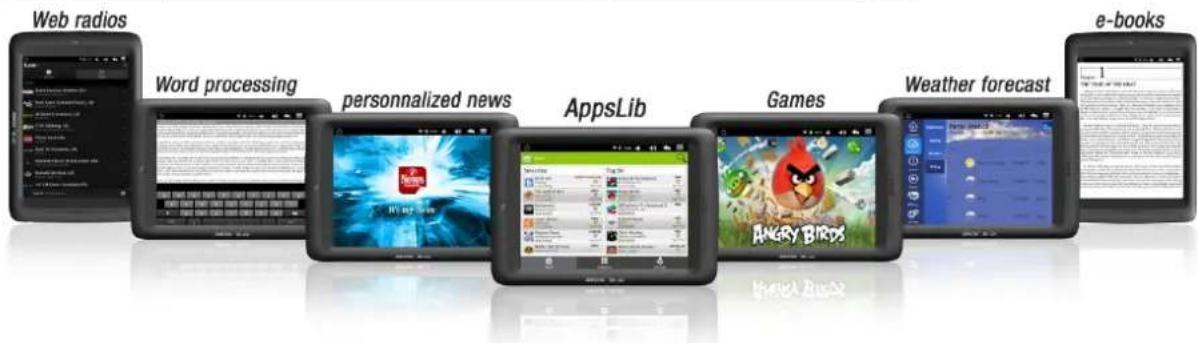
A wide range of Android™ applications
Arnova has pre-installed for you a smart selection of Android apps ready to be used straight out of the box. If you need more, you can also access to the huge choice of applications from AppsLib. Check out the best in free and paid apps.
Your own customization
Easily find the applications you want thanks to the clear and unique categories such as 3D games. Download what you need: games, news, communication, office software, books - everything is right here, just under your fingertip. Set up different services to appear as live widgets on the several home screens. So you can stay tuned with the information that matters to you.
HD Multimedia experience on your Tablet
Enjoy your pictures or movies in quality up to full HD (1080p).
The ARNOVA 8b G2 is able to play HD files up to 1080p definition without any conversion needed. In addition, whether you want to watch videos, share photos, or listen to music, the ARNOVA 8b G2 plays an impressive number of file formats.
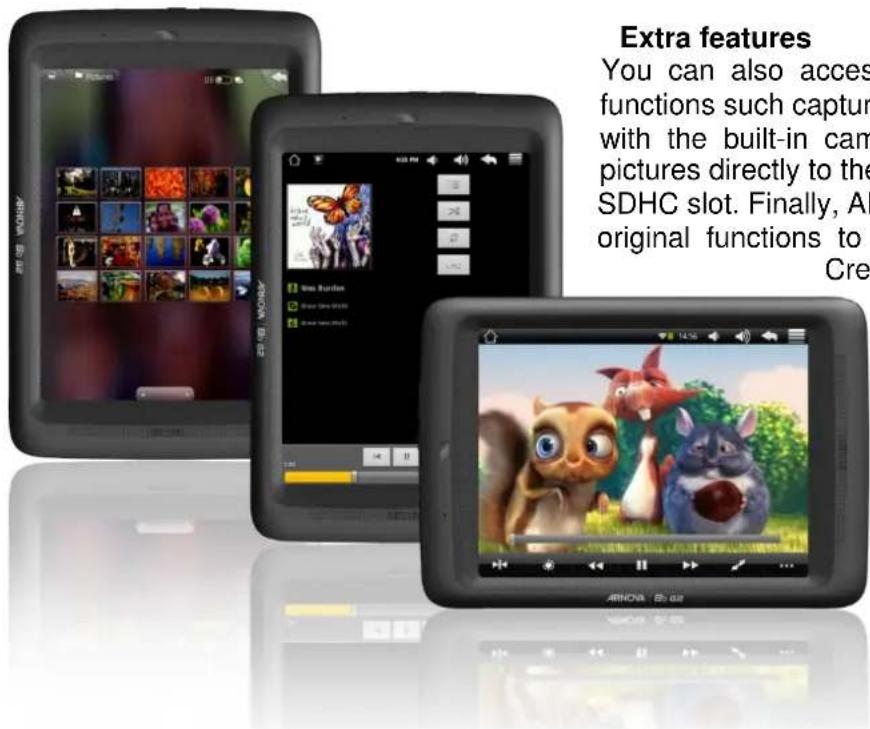
Extra features
You can also access many additional functions such as capturing your favorite moments with the built-in camera or uploading your pictures directly to the device through the micro SDHC slot. Finally, the ARNOVA 8b G2 also offers original functions to enhance your multimedia:
Create your own slideshow with your favorite photos. Create your own playlists to turn your tablet into a music center.
Full web experience
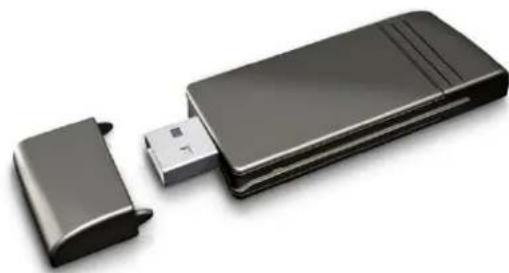
3G Ready
The ARNOVA 8b G2 is fully compatible with the ARCHOS G9 3G Stick**. This USB Stick brings 3G connectivity to your ARNOVA 8b G2 tablet via the USB port (optional USB HOST cable needed).
All you have to do is put a data SIM card into the stick, plug it into your tablet, and start surfing at 3G speed. Stay connected wherever you are!
Browse the web easily & comfortably with the portrait mode
Browse the web smoothly and quickly thanks to the powerful 1 GHz processor. No more laggy websites. Appreciate the real full web experience on the fast responsive 8" capacitive touch screen and navigate your favorite websites. Flash™ compatibility lets you watch and access any Flash™ content such as YouTube™ videos.
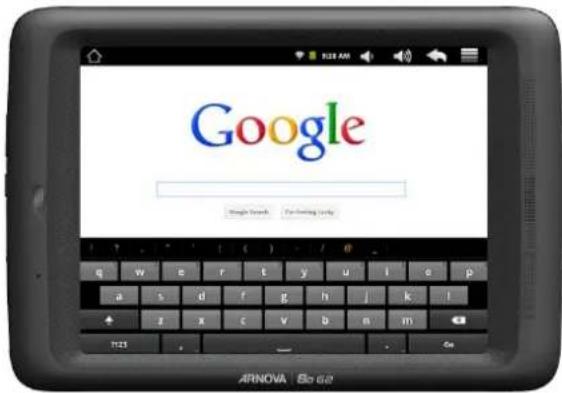
Keep connected with your friends through social networking & chat applications
This new tablet lets you stay in touch with your family and friends anytime of the day thanks to social networking & chat applications. With its redesigned multitouch keyboard, it's a breeze to write text and emails on the Arnova 8b G2
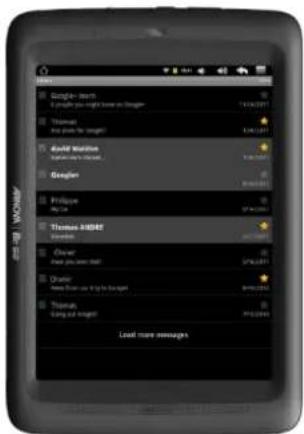
Email application
Once connected to the WiFi network, the ARNOVA 8b G2 lets you manage your email accounts whenever you want. You can configure a variety of email accounts, giving each member of the family quick and easy access to their own messages. Even if you are on the go, you will be able to synchronize and receive your important business emails.
PN and UPC Codes
| PN | Item | UPC |
| 501984 | ARNOVA 8b G2 4GB EU/US | 690590519848 |
| 501848 | ARNOVA 8b G2 8GB EU/US | 690590518483 |
| 501985 | ARNOVA 8b G2 4GB CHINA | 690590519855 |
| 501986 | ARNOVA 8b G2 8GB CHINA | 690590519862 |
Accessories
Connectivity
3G STICK: PN 501777
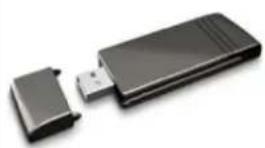
• No subscription, no commitment required - Unlocked stick, no provider restrictions • Automatic connection to 3G network • On board driver, no software required
USB HOST cable: PN 501713
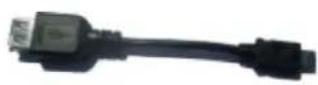
- Connect USB peripherals
- 3G STICK
- Camera ○ USB Key ○ Mouse & keyboard
Protect & carry
Screen protector: PN 501944
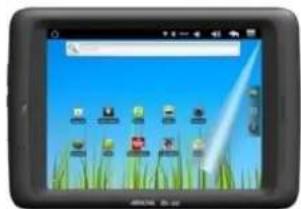
• Anti-scratch and anti-glare - Reduce the amount of fingerprints and smudges visible on the screen • Easy to apply and clean
Protective pouch: PN 501899
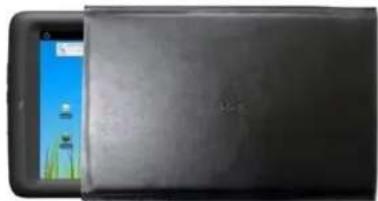
• Protective Pouch to protect your tablet • Stylish and elegant protective pouch
Sound & input
Round stereo speakers : PN 501920
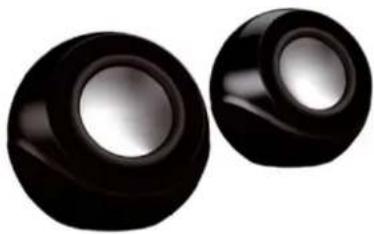
• Amazing volume and clear sound • Powered over USB and without batteries • USB host adaptor included
▶ Capacitive stylus : PN 501875
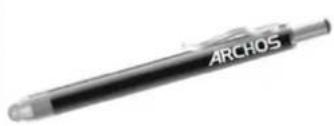
- Sensitive conductive fiber cloth enables smooth touch
- Can write and draw with dedicated applications
- Soft tip prevents scratches and finger prints
Technical Specifications
| Capacity | Flash memory: 4 GB* or 8 GB*Extendable via micro SDHC Slot |
| Operating system | ANDROIDTM 2.3 “Gingerbread” |
| CPU | ARM Cortex A8 1 GHz |
| Display | 8" capacitive multitouch screen, TFT LCD, 16 million colors800 x 600 screen resolution |
| Video playback1 | H.264 up to 1080p resolution – 30 fps / 5 MbpsMPEG-4 2 -30 fps / 2.5 Mbps.Realvideo TM up to 720p resolution – 30 fps / 2.5 MbpsWith the above codecs, the device can play video files with the following extensions: .avi.mp4,mkv, .mov, and .flv |
| Audio Playback1 | MP3, WAV, APE, OGG, FLAC |
| Photo viewer3 | JPEG, BMP, GIF, PNG |
| Interfaces | Micro USB slave 2.0: Mass Storage Class (MSC)Micro SD slot (SDHC compatible) |
| Communication protocols | WiFi (802.11 b/g) |
| Miscellaneous | Front cameraBuilt-in speakerMicrophoneG-sensor |
| Power source | Internal: Lithium Polymer batteryUSB Power adapter/charger |
| Battery life4 | Video playback time:Music playback time: |
| Dimensions & weight | 224 x 155 x 11.5 mm– xxxg |
| Compatibility | Microsoft® Windows® XP, Vista, 7 or higher, Mac OS or Linux in mass storage mode |
| Computer interface | USB 2.0 interface |
| Package includes | ARNOVA 8b G2, USB cable, USB power adapter, Quick Start Guide (QSG), legal and safety notice. |
*1GB= 1 billion bytes; actual formatted capacity is less.
**sold separately
1/ Certain bitrates, resolutions, and/or file variations may not be compatible.
2/ MPEG-4 ASP@L5 AVI (MPEG-4: ISO standard by Moving Picture Experts Group; AVI: audio/video file container by Microsoft) without GMC and Quarter.
3/ Certain resolutions and file sizes may not be compatible.
4/ Rechargeable batteries have a limited number of charge cycles and may eventually need to be replaced. Battery life and number of charge cycles vary by use and settings. Test run with low backlight.
All brands and product names are registered trademarks and the property of their respective owners. Specifications are subject to change without notice. Errors and omissions accepted. Images and illustrations may not always match contents. Copyright ARNOVA, 2011. All rights reserved.
Preliminary spec sheet
Logistical information

- IN A FEW WORDS
- CUSTOMIZE YOUR TABLET WITH THE ANDROID™ APPS THAT MATTER TO YOU
- HD MULTIMEDIA EXPERIENCE ON YOUR TABLET
- FULL WEB EXPERIENCE
- A WIDE RANGE OF ANDROID™ APPLICATIONS
- YOUR OWN CUSTOMIZATION
- ENJOY YOUR PICTURES OR MOVIES IN QUALITY UP TO FULL HD (1080P)
- EXTRA FEATURES
- G READY
- BROWSE THE WEB EASILY & COMFORTABLY WITH THE PORTRAIT MODE
- KEEP CONNECTED WITH YOUR FRIENDS THROUGH SOCIAL NETWORKING & CHAT APPLICATIONS
- EMAIL APPLICATION
- ACCESSORIES
- CONNECTIVITY
- G STICK: PN
- USB HOST CABLE: PN
- PROTECT & CARRY
- SCREEN PROTECTOR: PN
- PROTECTIVE POUCH: PN
- SOUND & INPUT
- ROUND STEREO SPEAKERS : PN
- CAPACITIVE STYLUS : PN
Brand : ARCHOS
Model : ARNOVA 8b G2
Category : Tablet