
301984 - External hard drive LACIE - Free user manual and instructions
Find the device manual for free 301984 LACIE in PDF.


| Brand | LaCie |
| Model | 301984 |
| Product Type | External Hard Drive |
| Series | Rugged All-Terrain |
| Designer | Neil Poulton |
| Interface Options | USB 3.0, USB 2.0, FireWire 800 (model dependent) |
| Cables Included | USB 3.0 cable, FireWire 800 cable (for combo model), USB power cable |
| Power Source | Bus-powered via USB; USB power cable for additional power |
| Compatibility | Windows and Mac |
| Form Factor | Portable, rugged, shock-resistant |
| Setup | Plug in cable, launch LaCie Setup Assistant to format |
| Warranty | Standard warranty; details on product or website |
| Registration | Recommended at www.lacie.com/register for free tech support |
| Support | www.lacie.com/support |
| Product Dimensions | Approximately 150 x 90 x 30 mm (estimated typical Rugged) |
| Weight | Approximately 250 g (estimated) |
| Operating System Support | Windows and Mac OS |
| Data Transfer Speed | Up to USB 3.0 speeds (5 Gbps) or FireWire 800 (800 Mbps) |
| Care Instructions | Keep dry, avoid strong impacts, use provided cable |
Frequently Asked Questions - 301984 LACIE
User questions about 301984 LACIE
0 question about this device. Answer the ones you know or ask your own.
Ask a new question about this device
Download the instructions for your External hard drive in PDF format for free! Find your manual 301984 - LACIE and take your electronic device back in hand. On this page are published all the documents necessary for the use of your device. 301984 by LACIE.
USER MANUAL 301984 LACIE
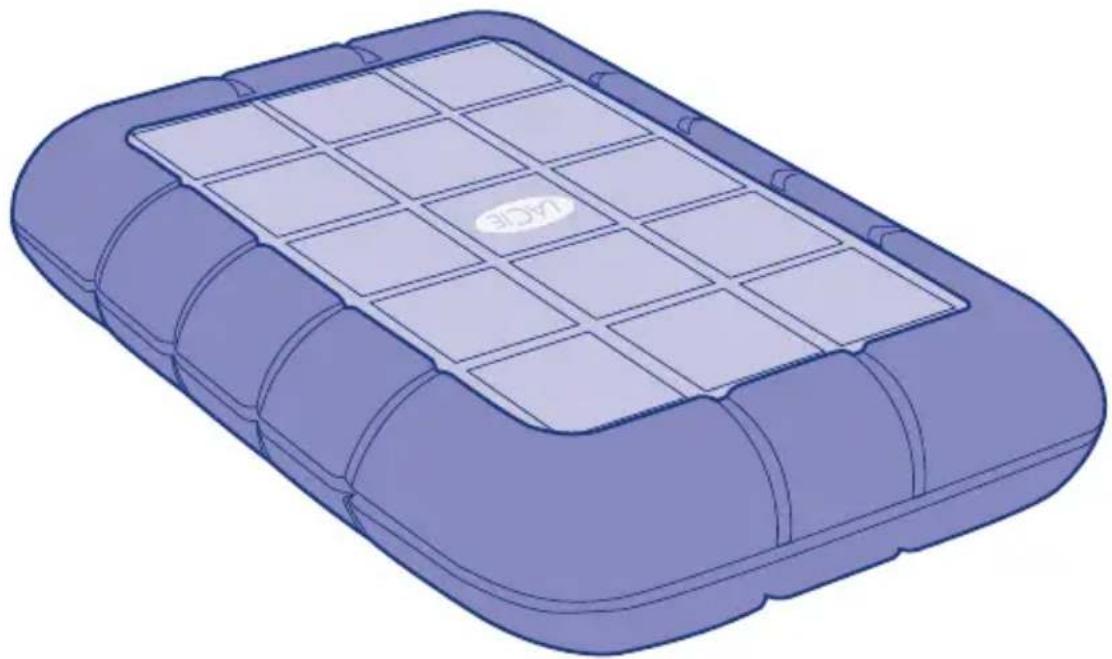
Rugged DESIGN BY NEIL POULTON All-Terrain Hard Disk
natural_image
3D rendering of a purple plastic container with grid pattern and 'KDE' logo on top (no text or symbols on the object itself)Rugged USB 3.0 &
Rugged USB 3.0 FireWire 800
Quick Install Guide
Rugged USB 3.0 FireWire 800
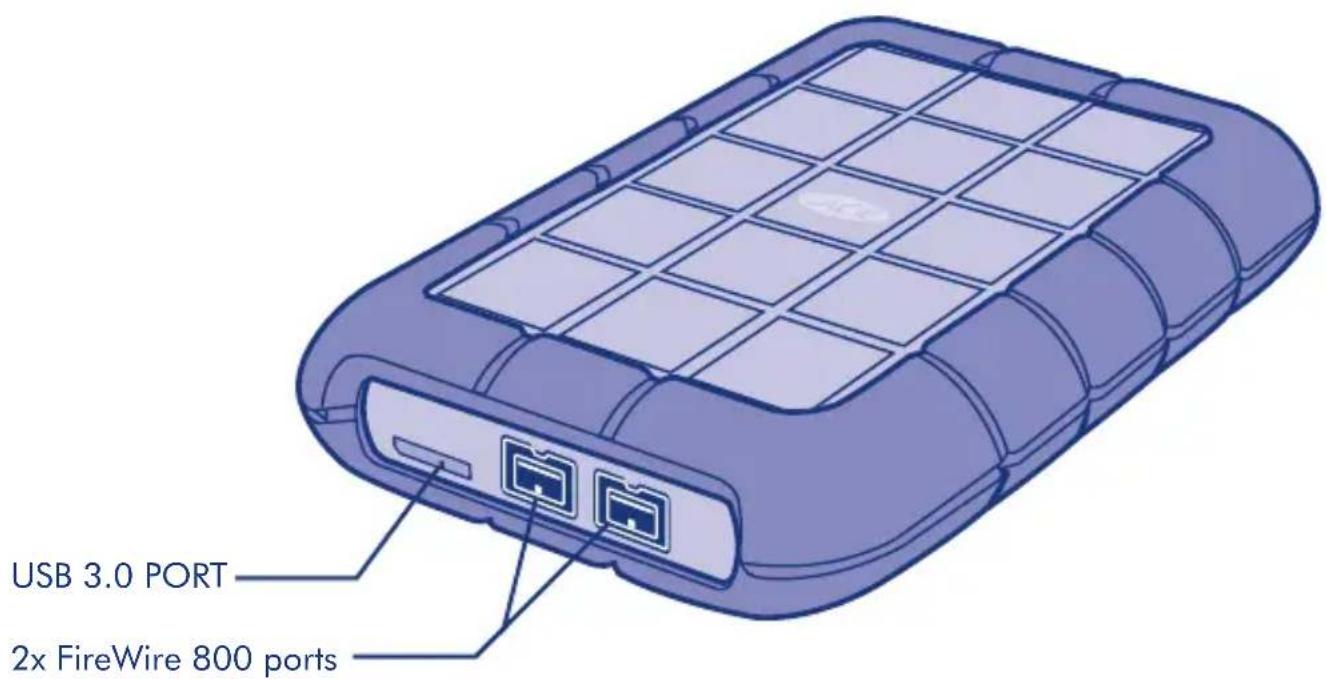
Box Content
LaCie Rugged USB 3.0 FireWire 800 All-Terrain Hard Disk
FireWire 800 cable
USB 3.0 cable (USB 2.0 compatible)
Protect your investment – register for free technical support at www.lacie.com/register
Rugged USB 3.0
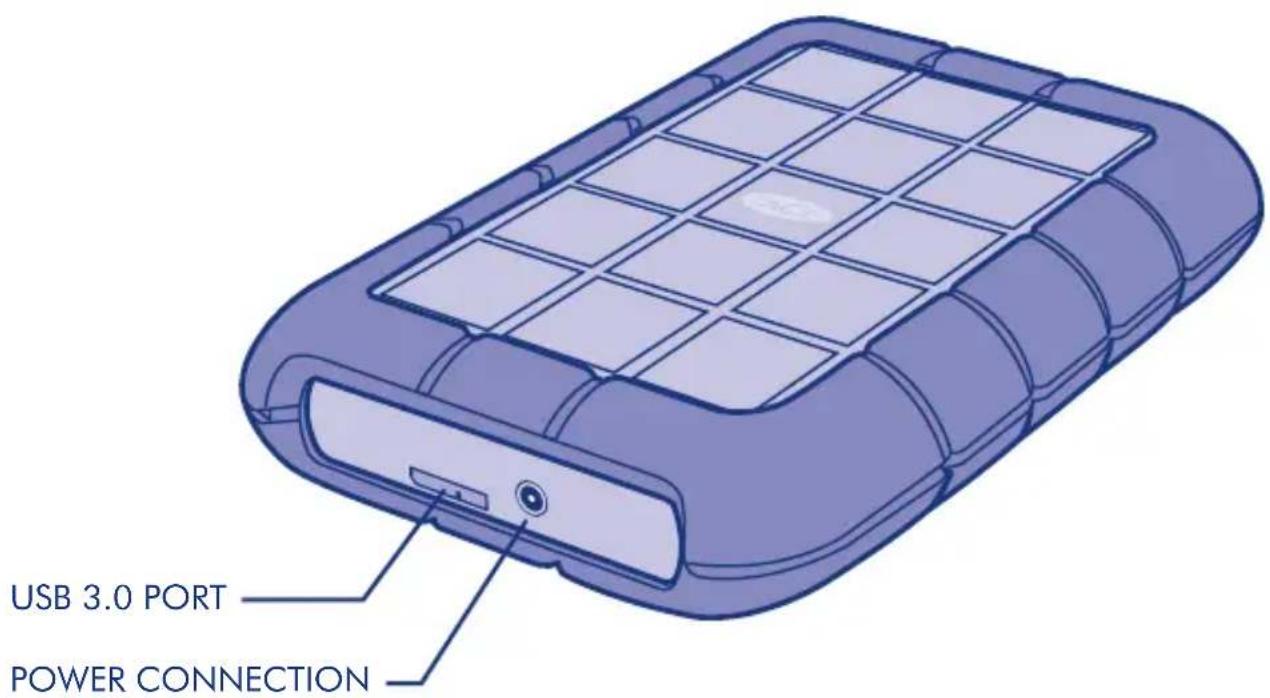
Box Content
LaCie Rugged USB 3.0 All-Terrain Hard Disk
USB 3.0 cable (USB 2.0 compatible)
USB power cable
Protect your investment – register for free technical support at www.lacie.com/register
Setup
The steps are the same for the USB 3.0 and the USB 3.0 FireWire 800
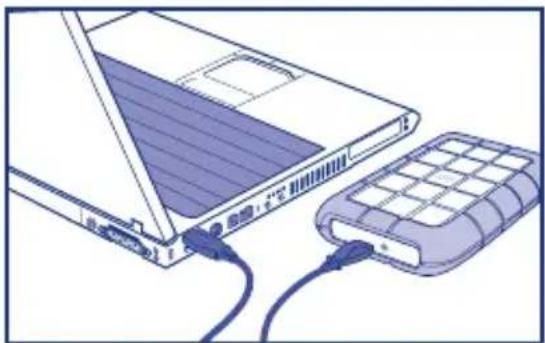
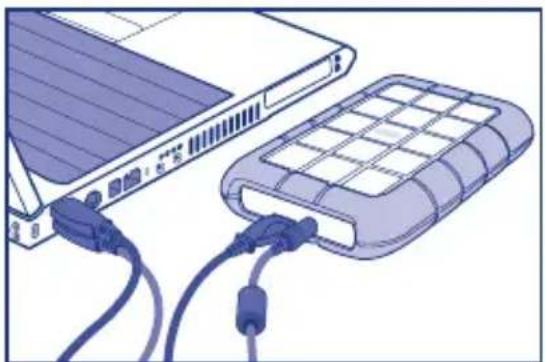
- Connect the interface cable to the drive and to your computer. Fig. 1
NOTE: If your computer does not have a USB 3.0 port, you can connect the included USB 3.0 cable to a USB 2.0 port. In this case, file transfers will be limited to USB 2.0 speeds.
- After a few seconds, the drive will mount in My Computer/Computer (Windows) or on your desktop (Mac).
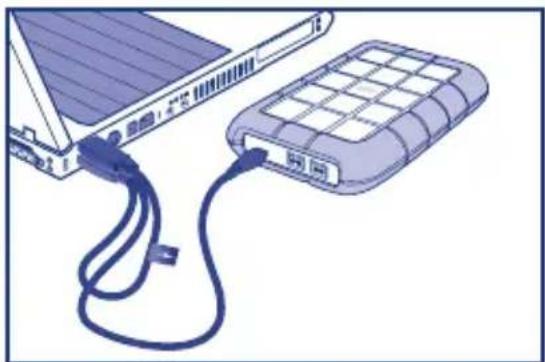
USB CONNECTION NOTE: If the USB bus on your computer does not provide the necessary power to operate your LaCie device, you may require an additional cable. Depending upon your LaCie device, please connect a USB power cable (Fig. 2) or a USB-Y cable (Fig. 3) for additional power. If the cable is not included, you may purchase one from www.lacie.com/accessories.
FireWire CONNECTION NOTE: The FireWire port on your computer must be powered to properly operate your LaCie device.
natural_image
Illustration of a laptop connected to a hard drive via cable (no text or symbols visible)Fig. 1 Interface cable - USB 3.0 or FireWire 800
natural_image
Illustration of a laptop connected to a portable hard drive with cables (no text or symbols visible)Fig. 2 USB power cable - Rugged USB 3.0
natural_image
Illustration of a solar panel connected to a grid-patterned storage unit via cable (no text or symbols)Fig. 3 USB-Y cable - Rugged USB 3.0 FireWire 800
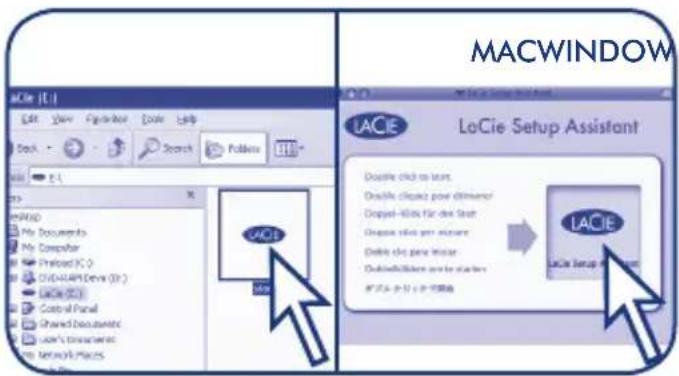
- Launch LaCie Setup Assistant to format the device for your system.
Warranty Information
LaCie warrants your product against any defect in material and workmanship, under normal use, for the designated warranty period. For more details concerning your warranty, please read the User Manual preloaded on the hard drive.
For a detailed list of product warranties, visit www.lacie.com/products/warranty.htm.
For the latest documentation and software updates, please go to: http://www.lacie.com/support/documents/index.htm?id=10007
See the User Manual for more information.
FR Configuration
Alexandria, NSW 2015
info.au@lacie.com
LaCie Benelux
Vorstlaan / 165 Bld du Souverain
B-1160 Brussels, Belgium
info.benelux@lacie.com
LaCie Canada
235 Dufferin St.
Toronto, Ontario M6K 1Z5
info.ca@lacie.com
LaCie France
17, rue Ampère
91349 Massy Cedex
info.fr@lacie.com
LaCie Germany
Am Kesselhaus 5
D-79576 Weil Am Rhein
info.de@lacie.com
LaCie Italy
Milano Business Park
Edificio B1
(Sweden, Denmark, Norway, Finland)
Sveavägen 90, 5tr
113 59 Stockholm, Sweden
info.nordic@lacie.com
LaCie Spain
C/ Núñez Morgado, 3, 5 ^a pl.
28036 Madrid
info.es@lacie.com
LaCie Switzerland
Davidsbodenstrasse 15 A
4004 Basel
info.ch@lacie.com
LaCie United Kingdom and Ireland
LaCie Ltd, Power Road Studios
114 Power Road
Chiswick, London, UK W4 5PY
UK: info.uk@lacie.com
Ireland: info.ie@lacie.com
LaCie USA
22985 NW Evergreen Pkwy
Hillsboro, OR 97124
sales@lacie.com
LaCie Worldwide Export
17, rue Ampère
91349 Massy Cedex, France
sales.intl@lacie.com
support.intl@lacie.com
Visit www.lacie.com for more information on LaCie products.
Copyright © 2010, LaCie 715122 100923

- Rugged DESIGN BY NEIL POULTON All-Terrain Hard Disk
- Rugged USB 3.0 FireWire 800
- Box Content
- Rugged USB 3.0
- Setup
- Warranty Information
- FR Configuration
- LaCie Benelux
- LaCie Canada
- LaCie France
- LaCie Germany
- LaCie Italy
- LaCie Spain
- LaCie Switzerland
- LaCie United Kingdom and Ireland
- LaCie USA
- LaCie Worldwide Export
Brand : LACIE
Model : 301984
Category : External hard drive