imagePROGRAF iPF9100 - Printer CANON - Free user manual and instructions
Find the device manual for free imagePROGRAF iPF9100 CANON in PDF.


User questions about imagePROGRAF iPF9100 CANON
0 question about this device. Answer the ones you know or ask your own.
Ask a new question about this device
Download the instructions for your Printer in PDF format for free! Find your manual imagePROGRAF iPF9100 - CANON and take your electronic device back in hand. On this page are published all the documents necessary for the use of your device. imagePROGRAF iPF9100 by CANON.
USER MANUAL imagePROGRAF iPF9100 CANON
natural_image
Large industrial printer with a colorful bird print emerging from its window, set against a red background (no visible text or symbols)GRAPHIC ARTS
LARGE-FORMAT PRINTING

natural_image
Close-up of a smiling man's face showing teeth and eye (no text or symbols visible)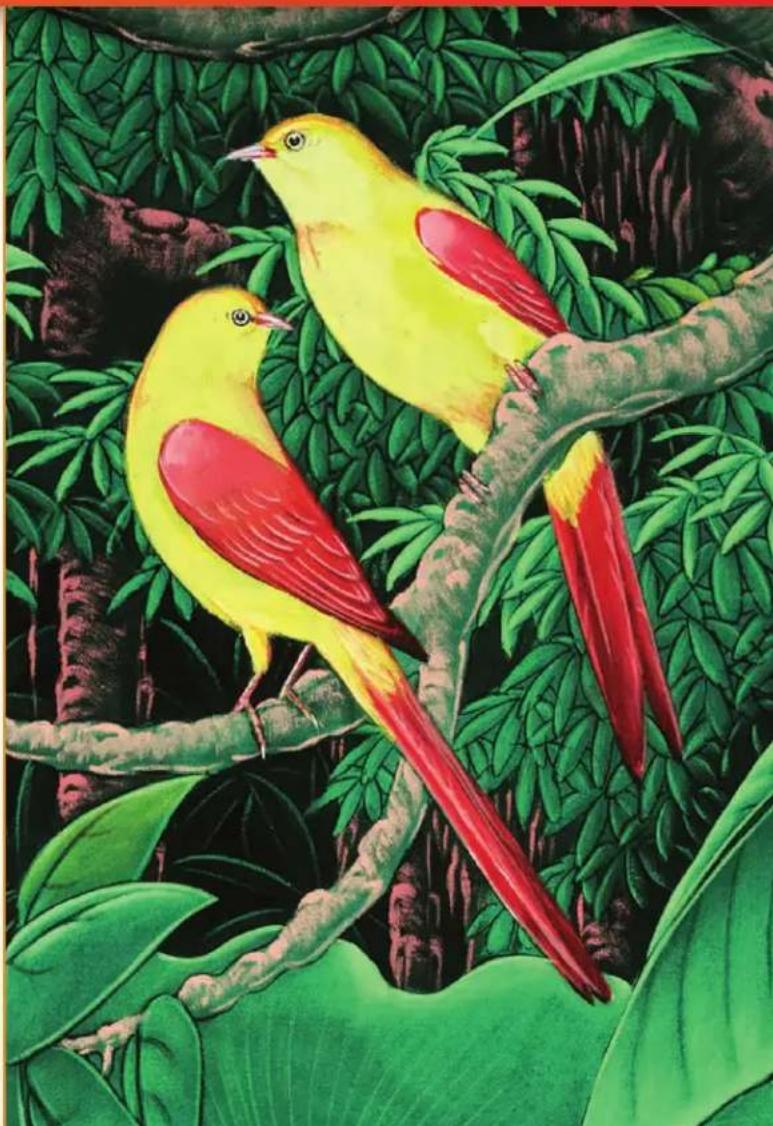
natural_image
Illustration of two vibrant yellow and red birds perched on a branch surrounded by green foliage (no text or symbols)"I simply love to be in control of my images from their inception to presentation."
-Ryszard Horowitz, Print Master

natural_image
Man photographing a camera with floral decoration (no visible text or symbols)With the imagePROGRAF iPF9100/8100 large-format printers, you can express your creativity-oversized and uncompromised.
Now you can bring your biggest, most ambitious projects from inspiration to realization with uncompromised accuracy, extraordinary detail, and spectacular color. Built to put advanced printing technologies into the hands of artists and photographers, the new 60" iPF9100 and 44" iPF8100 printers will help you fulfill your creative potential like never before.

natural_image
Abstract illustration of a winged structure flying against a cloudy sky with birds in flight (no text or symbols)Photo credit: ©Ryszard Horowitz

natural_image
Close-up of dune sand dunes with visible sand flowing and dark pits (no text or symbols)Photo credit: @Vinny Isola
iPF9100/8100
natural_image
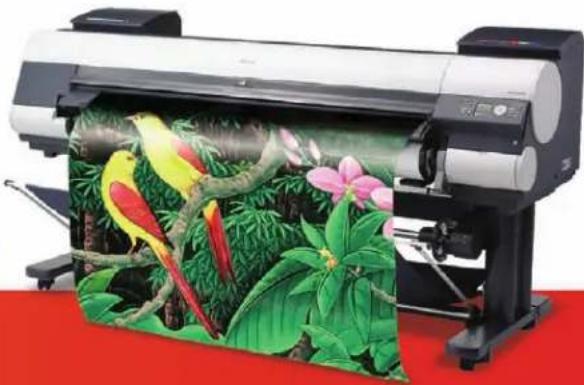
Large industrial printer with colorful bird print in a lush green and pink garden setting (no visible text or symbols)FEATURES
Canon digital imaging expertise, breakthrough color science, and sophisticated printing technologies are seamlessly integrated to help you achieve magnificent results.
iPF910060" large-format printer
iPF810044" large-format printer
ABROADPALLETOF12COLORS
- A wide gamut for vibrant colors, subtle mid-tones, smooth gradations, and fine details
- Four monochromatic shades deliver dramatic contrast and truer gray tones.
LUCIA ^TM PIGMENTINKS
• Color stable, light-fast, and water-resistant
- Reformulated monochromatic inks reduce graininess, resist scratches, and minimize bronzing.
natural_image
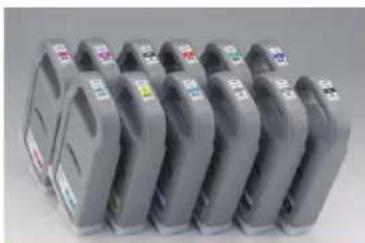
Row of gray industrial equipment units with visible labels, no readable text or symbolsAvailable700mlinktanks
ULTRA-HIGH-QUALITYIMAGING
• High-resolution output, up to 2400 x 1200 dpi with tiny 4pl droplets of ink
• Built-in calibration for consistent, reliable results
MAXIMUMPRODUCTIVITY
- Borderless printing reduces trimming time
- Two 1.07" print-heads, with a total of 30,720 nozzles
• Built-in 80GB hard drive for data storage and faster reprints
• The sub-ink tank system enables on-the-fly ink replacement
SOFTWAREOLUTIONS
- Print Plug-in for Digital Photo Professional
- Print Plug-in for AdobePhotoshop®
• Digital Photo Front-Access - Canon Printer Driver 2007
- PosterArtist 2007 (optional)

natural_image
Two identical electronic device modules with green and beige panels, no visible text or symbolsTwoprint-heads
natural_image
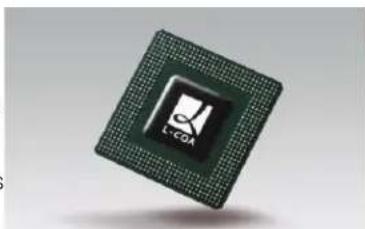
Close-up of a microprocessor chip with visible internal structure and logo (no readable text or symbols beyond branding)L-COAProcessor
"The essence of nature photography is to capture detail, and form, that engage and inform the view
-George Lepp, Print Master
AN EXTRAORDINARY SPECTRUM OF COLOR
Equipped with a pallet of 12 colors that includes Cyan, Photo Cyan, Magenta, Photo Magenta, Yellow, Red, Green, and Blue, plus four monochromatic shades—Black, Matte Black, Gray, and Photo Gray—these printers deliver a broader gamut for greater tonal range and more precise reproduction of color.
- Red, Green, and Blue: These colors expand the color space while significantly improving saturation level for the additive primary colors.
- Photo Cyan, Photo Magenta, Gray, and Photo Gray: These colors help smooth color transitions, reduce graininess, and maintain a neutral gray balance for better overall image quality.
- Four Monochromic Shades: A greater black-to-white tonal range is enabled for more dramatic light-to-dark contrast and better mid-tone clarity. Black density on coated and uncoated media is optimized because the printer will automatically select the appropriate Black ink based on the type of media being used.

text_image
R G B C PC M PM Y BK GY PGY MBK
natural_image
Close-up of vibrant yellow and orange tulips in a garden setting (no text or symbols visible)Photo credit. ©George Lepp
"The beautiful smooth color gradations let me repli the style of the 'old masters' like never before!"
-Fay Sirkis, Print Master
ARCHIVAL LUCIA INKS
Canon's advanced ink technologies LUGVA pigment inks outstanding archival characteristics. Each pigment particle is protected by a special polymer compound coating. This coating increases the ink's resistance to
fading to extend the longevity of a printed image. The polymer also helps the ink to adhere more evenly and securely across the surface of the media to reduce graininess, resist scratching, and minimize bronzing-so prints look great from every angle.

natural_image
Illustration of a young girl in a yellow dress sitting on a white surface, surrounded by floral and garden elements (no text or symbols)Art by: ©Fay Sirkis
Workflow solutions to help bring your creative vision to fruition
Canon workflow solutions simplify printer operation and expand the creative options for large-format photography and fine art applications.*
- Print Plug-in for Adobe Photoshop for enhanced 16-bit image processing from Photoshop.
- Print Plug-in for Digital Photo Professional facilitates printing from digital cameras.
• Digital Photo Front-Access displays file images and provides a link to other software applications for editing and printing. - Canon Printer Driver 2007 optimizes productivity with easy and advanced settings.
- PosterArtist 2007 (optional) is an easy-to-use, template-driven poster creation tool.
SEAMLESS CAMERA-TO-PRINT WORKFLOW
Shoot with a Canon ^® Digital SLR camera and take full advantage of the wider Adobe RGB color space enabled by the included software and the 12-color LUCIA ink system.
16-BIT IMAGE PROCESSING
Print Plug-ins for Adobe Photoshop and Digital Photo Professional support high-bit depth workflows and 16-bit image processing to virtually eliminate problems such as posterization and banding.
EXTENSIVE RIP SUPPORT
A wide range of compatible third-party RIPs and software solutions are available from approved Canon Alliance Partners. To learn more about available RIP solutions, visit www.usa.canon.com/alliance.

text_image
Digital Photo Front-Access
text_image
Print PLUG-IN for Photoshop File Edit View Insert Print Mask Search Print Color: CMYK Media Type: New Image Photo Frame Advanced Settings Inner New Image Player: ✓ Image Color: ✓ Image Underperform: ✓ Top-Background Set ✓ Top-Background Filter Inner New Image Player: ✓ Top-Background Select Color Profile: ✓ Inner Layer ✓ Active/Unactive ✓ Active/Unactive OK Set Customize... Delete Print Plug-in for Photoshop
text_image
Photo created by my Isla Photo created by Physical Horoviliz Free Layout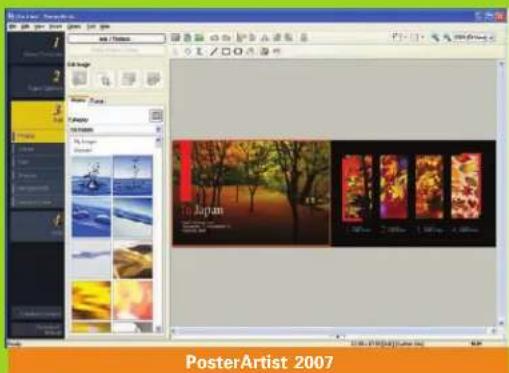
text_image
PosterArtist 2007*Please see specifications page for OS compatibility.
"Show big, sell big. Let your needs, not the limit of your printer, dictate size."
-Bruce Dorn, Print Master
ENGINEERED FOR EXCELLENCE
Driving data to the iPF9100 and iPF8100 printers and optimizing print functions is Canon's advanced L-COA Processor. This high-speed processor intelligently manages print data and directs the high-density print-heads to deposit ink with unprecedented speed. This unique processor helps ensure that complex graphics and color-intensive photographic images are optimized for clarity, richness, and accuracy.
Canon's L-COA processor channels output through two one-inch print-heads, each with 2,560 nozzles per color for a total of 30,720 nozzles. Superfine 4pl ink droplets and print resolutions of up to 2400 x 1200 dpi product the delicate color gradation and the high-definition expression required by fine art applications and professional photographers.
HIGH-CAPACITY 80GB HARD DRIVE
Increased hard drive storage space at the printer increases productivity by relieving workload from the host computer. The large hard drive provides more capacity for print job data storage and retrieval so multiple copies and reprints can be made without resending the print files.
SYSTEM CALIBRATION -SIMPLIFIED
Unlike the complex and time-consuming calibration normally required in professional settings, Canon offers a simplified process that enables easy recalibration back to the original, optimal factory settings across all the printer's media types-in just minutes.

natural_image
Two young girls in pink wedding dresses sitting on a leather sofa, looking at each other (no text or symbols visible)Photo credit: @Bruce Dorn, IDC Photography
"Being able to print accurate and punchy colors, deep blacks and rich skin tones in record speed for a client is a sales tool in and of itself."
- Stephen Eastwood, Print Master
KYUANOS:CANON'S NEXT-GENERATION COLOR-MATCHING PLATFORM
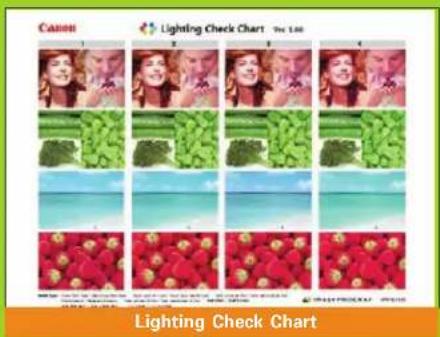
Kyuanosis a new high-precision color-matching engine developed by Canon. This underlying technology enables advanced color management functions, such as Ambient Light Adjustment, ^* and supports richer color expression across a wider spectrum of input and output formats.
text_image
Canon Lighting Check Chart The List Lighting Check Chart
natural_image
Close-up portrait of a woman with hands adjusting her hair, wearing a black turtleneck (no visible text or symbols)Photo credit: ©Stephen Eastwood
*For selected media
natural_image
Portrait of a woman wearing a black hat with a red rose, no visible text or symbolsAchieve magnificent results
Every aspect of these imagePROGRAF printers has been engineered for the production of ultra-high-quality large-format images.
PHOTOGRAPHY
Canon, a world leader in digital photography, has included with these printers the essential tools and technologies needed to produce exceptional photo enlargements. The Print Plug-in for Digital Photo Professional helps to edit, organize, and layout digital photos for large-format applications. The Print Plug-in for Adobe Photoshop enables 16-bit image processing to dramatically improve gradations and image quality. The system's wide color gamut and durable LUCIA inks produce realistic images with richer, deeper tones that will last for years to come.
FINE ART REPRODUCTIONS- GICLÉE
When creating exact reproductions, the imagePROGRAF printer's high-resolution of up to 2400 x 1200 dpi output and precise placement of superfine 4pl droplets of ink mean that museum-quality images can be printed with absolute confidence. The 12-color ink set provides an unprecedented color spectrum to ensure prints are faithful to the artist's original.
GO AHEAD, BE AMBITIOUS, IT'S TIME TO START THINKING BIG!
Wall murals, atrium ceiling banners, lobby displays—now you can fill large, empty spaces with art! A broad selection of media options and advanced color management features, such as Ambient Light Adjustment, will help you to achieve results that are nothing less than spectacular!

natural_image
Bride in white wedding dress sitting on chairs against a red wall with a vase and shadow (no text or symbols)Photo credit ©Parker Pfister

natural_image
Abstract artistic rendering of a stylized flower with vibrant red-orange lighting and a central dark center (no text or symbols)SPECIFICATIONS
Print-Heads
PF-03 (2)
Technology
FINE (Full-photolithography Inkjet Nozzle Engineering)
Configuration
Two Print-Heads Print-Head (L) Y/PC/C/PGY/GY/MBK Print-Head (R) PM/M/BK/R/G/B
Number of Nozzles
2,560 per Color; 30,720 Total
Droplet Size
Uniform 4 Picoliter for All Colors
Nozzle Pitch (Head Resolution)
Up to 1200 dpi
Print-Head Swath
1.07 inch
Print Resolution (Max.)
2400 × 1200 dpi
Ink Type
LUCIA Ink (Pigment-based)
Replacement Ink Tank
PFI-702 (700ml) or PFI-302 (330ml) for Bk/MBk/GY/PGY PFI-701 (700ml) or PFI-301 (330ml) for C/M/Y/PC/PM/R/G/B
Colors
Cyan, Photo Cyan, Magenta, Photo Magenta, Yellow, Black, Matte Black, Red, Green, Blue, Gray, Photo Gray
Ink Tank Shipped with Printer
12 Colors (Full 330ml Each Color)
Ink Supply Method
Tubing System with Sub-Tanks for Continuous Ink Supply
Nozzle Recovery System
Non-firing Nozzle Detection and Compensation
Printer Controller
L-COA Controller
Printer Memory
iPF9100: 640MB
iPF8100: 384MB
Media Feed
Roll Feed
One Roll, Front-Loading, Front Output
Cut Sheet
One Sheet, Front-Loading, Front Output
Media Width
(Cut Sheet) 8" - 44" (iPFB100)
60" (iPF9100)
(Roll Feed) 10" - 44" (iPF8100)
- 60" (iPF9100)
Minimum Media Length
8" (203mm)
Maximum Print Length
Manual Feed
63" {1.6m}
Roll Feed
59' (18m) ^4
Borderless Printing Width (Roll Media Only)
10", 14", 16", 24", 36", 42"
B2 (20.28"/515mm), A1 (23.38"/594mm)
A0 (33.11"/841mm), B0 (40.55"/1030mm)
Media Cutter
User-replaceable Durable Rotary Blade (CT-06)
Media Thickness
0.07mm-0.8mm (2.8mil-31.4mil)
Media Core Sizes
2" (3" Core with Optional 3" Core Spool)
Media Output
Automatically Winding Media Take-up Reel (iPF8100: Optional/9100: Standard), Basket (iPF9100: Optional/ iPF8100: Standard)
Printable Margins
Manual Feed (Top/Front)
Leading and Left/Right Edges: 0.20" (5mm), Trailing Edge: 0.90" (23mm)
Roll Feed
All Sides: 0.20" (5mm) or 0" for Borderless
Maximum Media Roll Outer Diameter
5.9" (150mm)
Built-in Hard Disk Capacity
80GB
Bundled Software
Printing Software
Printer Driver 2007, Print Plug-in for Photoshop**
Print Plug-in for Digital Photo Professional, Printer Driver Extra Kit (Free Layout, imageRUNNER Linking Function)
Applications
Digital Photo Front-Access
PosterArtist 2007 (Optional)
Utilities
GARO Status Monitor with SMTP E-mail Printer Status Notification, Media Configuration Tool, Remote UI
Printer Language
GARO (Canon Proprietary)
Operating System
Windows® 2000/XP/Windows Vista®
Macintosh® OS 9/X
Interface
Standard
USB 2.0; 10/100Base-T/TX
Optional
IEEE1394 (FireWire)
Acoustic Noise
Operation
51dB or Less
Standby
35dB or Less
Acoustic Power (Operation and Standby)
6.7 Bels or Less
Power Supply
AC 100-240V (50-60Hz)
Power Consumption
Maximum
190W or less
Standby (100–120V)
5W or less
Power Off (Standby, 100–120V)
Less than 1W
(Compliant with Executive Order)
Certifications
Electrical Safety Regulations
UL (USA), C-UL (Canada), S mark (Argentina), CB certification (Others)
Electromagnetic Interface Regulations
FCC Class B (USA), IC Class B (Canada)
Environmental Certifications
ENERGY STAR® (World Wide), RoHS Directive, WEEE, Executive Order (USA)
Operational Environment
Temperature
59–86 F ^a (15–30 C ^o )
Relative Humidity
10–80% (Condensation Free)
Dimensions with Stand (H x W x D)
iPF9100: 45" x 90.5" x 30.2" (1144mm x 2299mm x 766mm) iPF8100: 45" x 74.5" x 38.4" (1144mm x 1893mm x 975mm)
Weight with Stand
iPF9100: Approx. 362 lb. (162kg)
iPF8100: Approx. 313 lb. (140kg)
User-Replaceable Items
Ink Tanks
Print-Head (PF-03)
Maintenance Cartridge (MC-08)
Durable Rotary Media Cutter (CT-06)
Options
IEEE1394 Expansion Board (EB-05)
Media Take-Up Unit (TU-06)-iPF8100
Basket (BU-01)-iPF9100
PosterArtist 2007
iPF9100: 2" Core Roll Holder (RH2-63)
iPF9100: 3" Core Roll Holder (RH3-63)
iPF8100: 2" Core Roll Holder (RH2-43)
iPF8100: 3" Core Roll Holder (RH3-43)
* The maximum printable length varies depending on the application, OS, and RIP used. The maximum printable length from Printer Driver 2007 is 50 feet.
**For Adobe Photoshop 6, 7, CS, CS2, running on Windows 2000/XP/Windows Vista 32-bit or Macintosh OS 9.1 or OS X
▲ Windows 2000/XP/Windows Vista
** Windows 2000/XP/Windows Vista 32-bit
For imagePROGRAF Printer Driver 2007. For printing from PostScript® applications such as Adobe Illustration or QuarkXPress®, please use a PostScript compatible RIP package. For a list of Canon recommended RIP packages, please consult with Canon Alliance and Industry Market program list of RIP vendors.
Canon
imageANYWARE
1-800-OK-CANON
www.usa.canon.com
CanonU.S.A., Inc.
OneCanonPlaza
LakeSuccess,NY11042
As an ENERGY STARPartner, Canon U.S.A., Inc. has determined that these products meet the ENERGY STAR guidelines for energy efficiency. ENERGY STAR and the ENERGY STAR mark are registered U.S. marks. Adobe, Photoshop, PostScript, and Illustrator are registered trademarks of Adobe Systems Incorporated in the United States and/or other countries. Windows and Windows Vista are registered trademarks of Microsoft Corporation in the United States and/or other countries.
Macintosh is a trademark of Apple Inc. QuarkXPress is a trademark of Quark, Inc. and all applicable affiliated companies, Reg. U.S. Pat. and Tm. Off. and in many other countries. CANON, IMAGEPROGRAF, EOS, and the GENUINE logo are registered trademarks and LUCIA is a trademark of Canon Inc. in the United States and may also be registered trademarks or trademarks in other countries. IMAGEANYWARE is a trademark of Canon. All referenced product names and other marks are trademarks of their respective owners.
All output images are simulated.
Specifications and availability subject to change without notice.
©2007 Canon U.S.A., Inc. All rights reserved.
0116W178
1107-9100/8100-75M-LMC

PRINTEDONRECYCLED
PAPERINTHEU ,S.A.