4120 - Sewing machine JANOME - Free user manual and instructions
Find the device manual for free 4120 JANOME in PDF.


User questions about 4120 JANOME
0 question about this device. Answer the ones you know or ask your own.
Ask a new question about this device
Download the instructions for your Sewing machine in PDF format for free! Find your manual 4120 - JANOME and take your electronic device back in hand. On this page are published all the documents necessary for the use of your device. 4120 by JANOME.
USER MANUAL 4120 JANOME
natural_image
Line drawing of a sewing machine with control panel and buttons (no text or symbols)IMPORTANT SAFETY INSTRUCTIONS
This appliance is not intended for use by persons (including children) with reduced physical, sensory or mental capabilities, or lack of experience and knowledge, unless they have been given supervision or instruction concerning use of the appliance by a person responsible for their safety.
Children should be supervised to ensure that they do not play with the appliance.
When using an electrical appliance, basic safety precautions should always be followed, including the following:
This sewing machine is designed and manufactured for household use only.
Read all instructions before using this sewing machine.
DANGER— To reduce the risk of electric shock:
An appliance should never be left unattended when plugged in. Always unplug this sewing machine from the electric outlet immediately after using and before cleaning.
WARNING— To reduce the risk of burns, fire, electric shock, or injury to persons:
- Do not allow to be used as a toy. Close attention is necessary when this sewing machine is used by or near children.
- Use this appliance only for its intended use as described in this owner's manual.
Use only attachments recommended by the manufacturer as contained in this owner's manual.
- Never operate this sewing machine if it has a damaged cord or plug, if it is not working properly, if it has been dropped or damaged, or dropped into water.
Return this sewing machine to the nearest authorized dealer or service center for examination, repair, electrical or mechanical adjustment.
- Never operate the appliance with any air opening blocked. Keep ventilation openings of this sewing machine and foot controller free from accumulation of lint, dust and loose cloth.
- Never drop or insert any object into any opening.
- Do not use outdoors.
- Do not operate where aerosol (spray) products are being used or where oxygen is being administered.
- To disconnect, turn all controls to the off ("O") position, then remove plug from outlet.
- Do not unplug by pulling on cord. To unplug, grasp the plug, not the cord.
- Keep fingers away from all moving parts. Special care is required around the sewing machine needle.
- Always use the proper needle plate. The wrong plate can cause the needle to break.
- Do not use bent needles.
- Do not pull or push fabric while stitching. It may deflect the needle causing it to break.
- Switch this sewing machine off ("O") when making any adjustment in the needle area, such as threading the needle, changing the needle, threading the bobbin or changing the presser foot, and the like.
- Always unplug this sewing machine from the electrical outlet when removing covers, lubricating, or when making any other adjustments mentioned in this owner's manual.
SAVE THESE INSTRUCTIONS

Please note that on disposal, this product must be safely recycled in accordance with relevant National legislation relating to electrical/electronic products. If in doubt please contact your retailer for guidance. (European Union only)
TABLE OF INSTRUCTION
SECTION I. NAMES OF PARTS
Names of Parts....1
Standard Accessories 2
Large Extension Table 2
Extension Table.... 3
Stitch Chart.... 3
SECTION II. GETTING READY TO SEW
Connecting the Power Supply 4
Before Using Your Sewing Machine.... 4
Operating Instructions: 4
Speed Control Slider 5
Controlling Sewing Speed 5
Machine Operating Buttons.... 6-7
Touch Panel....8
LCD Display....8
Removing and Attaching the Foot Holder 9
Changing the Presser Foot 9
Presser Foot Lifter....9
Presser Foot Pressure Dial 9
Dropping or Raising the Feed Dog....10
Changing the Needle....11
Selecting Thread and Needles....11
Bobbin Winding 12-14
Threading the Machine....15-17
Pattern Selection....18
Setting Mode....19
Adjusting the Needle Thread Tension for a Straight Stitch 20
Adjusting the Needle Thread Tension for a Zigzag Stitch 21
SECTION III. BASIC SEWING
Straight Stitch Sewing 22-23
Straight Stitch 24
Lock-a-Matic Stitch 24
Locking Stitch 24
Triple Stretch Stitch 24
Stretch Stitch 25
Sculpture Stitch 25
New Sculpture Stitch 25
Zigzag Stitch....26
Multiple Zigzag 27
Overedge Stitch.... 27
Knit Stitch 28
Double Overedge Stitch 28
Zipper Sewing 29-30
Blind Hemming 31-32
Button Sewing 32
Attaching Elastic....33
Various Kinds of Buttonholes and Their Uses....34
Square Buttonhole....35-36
Adjusting the Stitch Width and Density for Buttonholes 37
Round-End Buttonhole 37
Fine Fabric Buttonhole 37
Keyhole Buttonhole 38
Stretch Buttonhole....38
Antique Buttonhole 38
Corded Buttonhole 39
Darning Stitch....40
Tacking 41
Eyelet....41
SECTION IV. DECORATIVE STITCHING
Shelltuck Stitch.... 42
Applique 42
Scallop Stitch....43
Smocking.... 43
Pintucking 43
Patchwork Piecing 44
Stippling Stitch.... 44
Clasp Stitch 45
Fagoting....45
Satin Stitches 45
Fringing....46
Drawn work....46
Cross Stitch....47
Decorative Stitches 47
Twin Needle Sewing 48
SECTION V. PROGRAMMING PATTERNS AND LETTERS
Programming the Auto-lock Stitch.... 49
Programming the Pattern Combination....50
Programming Auto-thread Cutting 50
Bridge Stitches....51
Programming a Mirror Image 52
Sewing a Pattern Combination from the Beginning ..... 53
Sewing the Current Pattern from the Beginning...... 53
Programming Letters....54
Reducing the Size of Letters 55
Viewing a Long Text 56
Deleting and Inserting a Letter (pattern) 56
Duplicating a Letter (pattern).... 57
Stitch Adjustment of Programmed Patterns .... 58-59
Correcting Distorted Stitch Patterns....60
SECTION VI. CARE OF YOUR MACHINE
Cleaning the Hook Race and Feed Dog 61
Installing the Bobbin Holder 61
Problems and Warning Signs.... 62
Troubleshooting....63
Stitch Chart....64
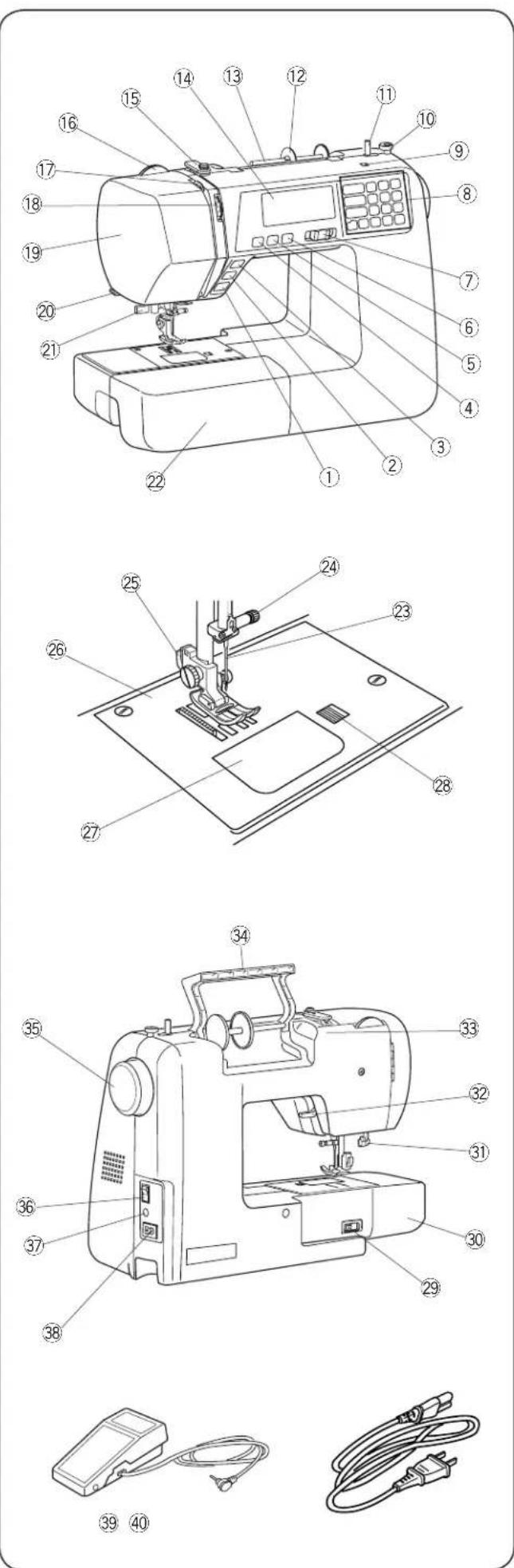
SECTION I. NAMES OF PARTS Names of Parts
① Start/stop button
② Reverse stitch button
③ Auto-lock button
④ Needle up/down button
⑤ Thread cutter button
⑥ Twin needle button
⑦ Speed control slider
⑧ Touch panel
⑨ Hole for additional spool pin
⑩ Bobbin winder stopper
⑪ Bobbin winder spindle
⑫ Spool holder (large)
⑬ Spool pin
⑭ LCD display
⑮ Upper thread guide
⑯ Presser foot pressure dial
⑰ Thread take-up lever
⑱ Thread tension dial
⑲ Face cover
⑳ Thread cutter
②1 Needle threader
②2 Extension table (Accessory box)
②3 Needle
⑳ Needle clamp screw
⑳ Foot holder
②6 Needle plate
⑳ Hook cover plate
⑳ Hook cover release button
⑲ Drop feed lever
③0 Free-arm
③1 Buttonhole lever
③2 Presser foot lifter
③3 Hole for stitch chart
③4 Carrying handle
③5 Handwheel
③6 Power switch
③7 Foot control jack
③8 Machine socket
39 Foot control
④0 Power supply cord
NOTE:
Sewing machine design and specifications are subject to change without prior notice.
text_image
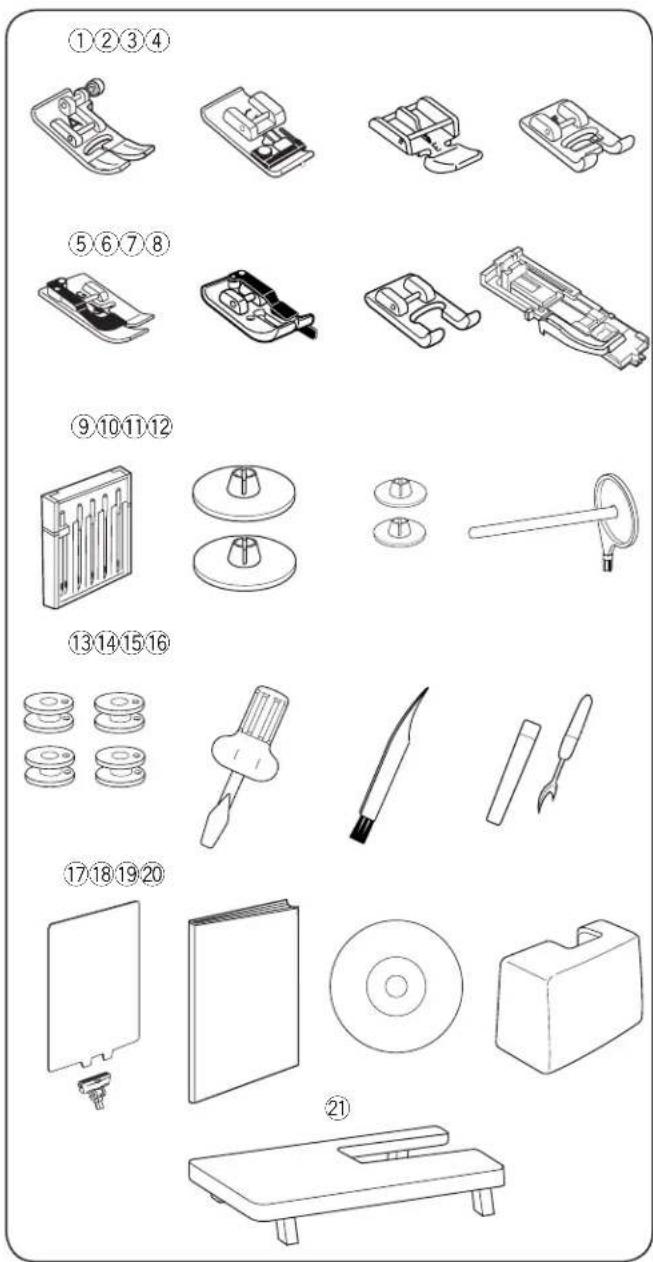
Technical diagram showing 21 labeled mechanical components with numbered labels and line drawingsStandard Accessories
① Zigzag foot: A (set on the machine)
② Overedge foot: C
③ Zipper foot: E
④ Satin stitch foot: F
⑤ Blind hem foot: G
⑥ 1/4" seam foot: O
⑦ Custom crafted zigzag foot: F2
⑧ Automatic buttonhole foot: R
⑨ Assorted needle set
⑩ Spool holder ( X 2) (large)
⑪ Spool holder ( X 2) (small)
⑫ Additional spool pin
⑬ Bobbins ( X 4)
⑭ Screwdriver
⑮ Lint brush
⑯ Seam ripper (Buttonhole opener)
⑰ Stitch chart
⑱ Instruction book
⑲ Instructional DVD
⑳ Hard cover
②1 Large extension table

natural_image
Line drawing of a sewing machine being adjusted for size, showing the process from base to top (no text or symbols present)Large Extension Table
- Attaching the table
Pull the table away from the machine.
Spread the legs of large extension table.
Holding the table with both hands and slide it gently to the right.
- Adjusting the table height
Turn setscrews of the table legs with a screwdriver (optional).
text_image
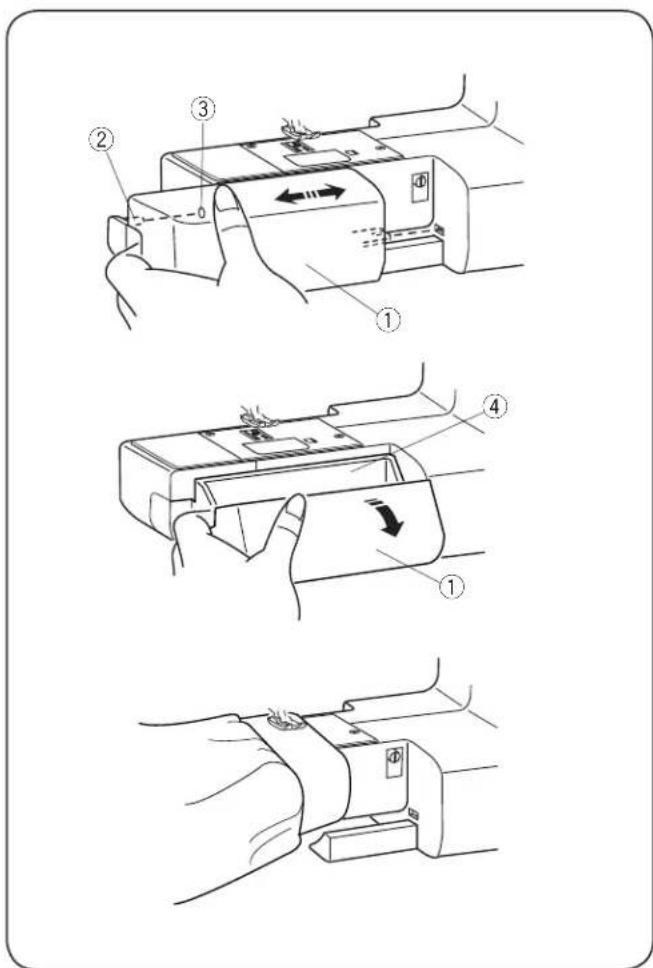
Technical diagram showing three-step assembly steps of a device with labeled parts and directional arrows indicating motion.Extension Table
The extension table ① provides an extended sewing area and can be easily removed for free arm sewing.
① Extension table
② Pin
③ Hole
- Detaching the table
Pull the table away from the machine, as illustrated.
- Attaching the table
Push the extension table, inserting the pin ② into the hole ③ until the table snaps into the machine.
- Accessory storage
Accessories are stored inside the extension table. Pull the lid towards you to open the accessory storage ④. ④ Accessory storage
- Free-arm sewing
Free-arm sewing is useful for darning socks and mending the knee or cuff areas of children's clothes.

text_image
Technical diagram illustrating a mechanical assembly process with numbered steps and directional arrows indicating motion or rotation.Stitch Chart
Insert the stitch chart ① into the chart holder ②. Insert the pin ③ into the hole for the stitch chart ④.
① Stitch chart
② Chart holder
③ Pin
④ Hole for stitch chart
Both sides of the stitch chart can be referred to by flipping it.
You can also flip the chart to the back of the machine when it is not in use.
text_image
① ON OFF ② ON OFF ③ ④ ⑤ ⑥ ⑦ ⑧ 01A -0- 3.5 2.2
text_image
① ON OFF ② ON OFF ③ ④ ⑤Operating Instructions:
The symbol "O" on a switch indicates the "off" position of a switch.
For appliances with a polarized plug (one blade wider than the other): To reduce the risk of electric shock, this plug is intended to fit in a polarized outlet only one way. If it still does not fit, contact a qualified electrician to install the proper outlet. Do not modify the plug in any way (U.S.A. and Canada only).
* Foot control model YC-485EC-1 is used with this sewing machine.
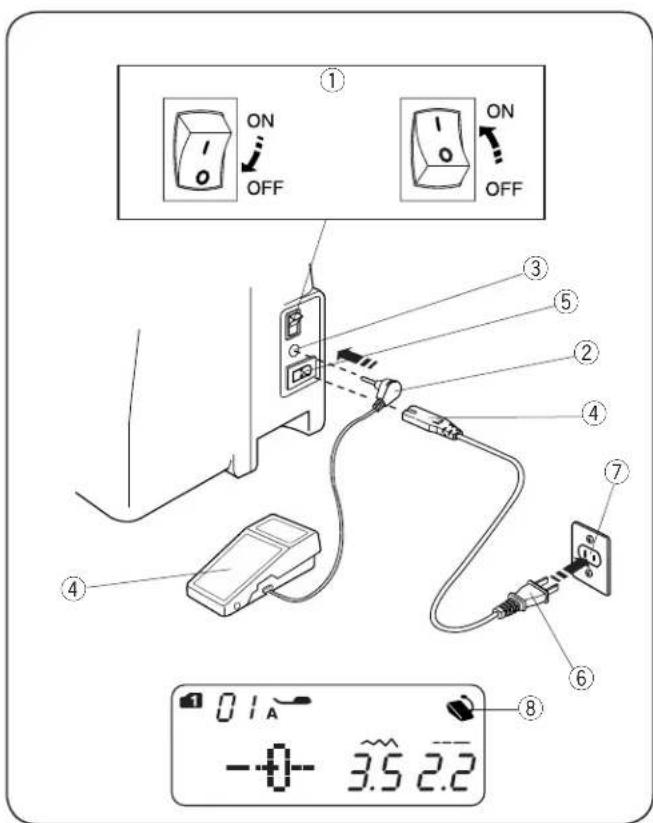
SECTION II. GETTING READY TO SEW Connecting the Power Supply
• Using the foot control
Turn off the power switch ①.
Insert the foot control plug ② into the foot control jack ③.
Insert the machine plug ④ into the power inlet ⑤.
Insert the power supply plug ⑥ into the wall outlet ⑦.
Turn on the power switch ①.
The foot control sign ⑧ will be displayed when the foot control is connected to the machine.
① Power switch
② Foot control plug
③ Foot control jack
④ Machine plug
⑤ Power inlet
⑥ Power supply plug
⑦ Wall outlet
⑧ Foot control sign
• Using the start/stop button
Turn off the power switch ①.
Insert the machine plug ② into the power inlet ③. Insert the power supply plug ④ into the wall outlet ⑤.
Turn on the power switch ①.
① Power switch
② Machine plug
③ Power inlet
④ Power supply plug
⑤ Wall outlet
NOTE:
The start/stop button does not work when the foot control is connected.
WARNING:
While in operation, always keep your eyes on the sewing area and do not touch any moving parts such as the thread take-up lever, handwheel or needle.
Always turn off the power switch and unplug from the power supply:
- when leaving the machine unattended.
- when attaching or removing parts.
- when cleaning the machine.
Do not place anything on the foot control, otherwise the machine will run inadvertently.
Before Using Your Sewing Machine
Before using your sewing machine for the first time, place a scrap of fabric under the presser foot and run the machine without thread for a few minutes. Wipe away any oil which may appear.

natural_image
Diagram of a vehicle with directional arrows indicating movement or force (no text or symbols)Speed Control Slider
Sewing speed can be varied by the speed control slider according to your sewing needs.
To increase sewing speed, slide the slider to the right.
To decrease sewing speed, slide the slider to the left.

natural_image
Line drawing of a foot pressing a pedal on a mechanical device (no text or symbols)Controlling Sewing Speed
Depress the foot control to start the machine.
The further down you press on the foot control, the faster the machine runs.
The maximum sewing speed can be varied by the speed control slider.

text_image
START STOP ① ② ③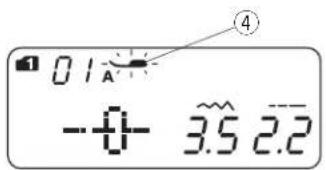
text_image
01A -0- 3.5 2.2Machine Operating Buttons
① Start/Stop button
Lower the presser foot lifter.
Press the start/stop button ① to start the machine. The machine starts running slowly for the first few stitches; it then runs at the speed set by the speed control slider.
Press the start/stop button ① again to stop the machine.
NOTES:
- The machine runs slowly as long as you press and hold the start/stop button ①.
- The start/stop button ① cannot be used when the foot control is connected to the machine.
- The machine will not run and the presser foot mark ④ will blink if you start the machine with the presser foot in the up position. Lower the presser foot and press the start/stop button.
② Reverse stitch button

Press and hold the reverse stitch button ② to sew in reverse.
Release the button ② to sew forward.
Press and hold the button ② when the machine is stopped and foot control is disconnected to sew in reverse slowly.
Release the button ② to stop the machine.

text_image
Any other stitches except 2 3 28 29 in mode 1 and 2Press the reverse stitch button ② to sew a locking stitch immediately. The machine will automatically stop.

Please refer to pages 24, 40 and 41.
③ Auto-lock button

Press the auto-lock button ③ to sew a locking stitch immediately. The machine will automatically stops.
Any other stitches
Press the auto-lock button ③ to sew a locking stitch at the end of current pattern. The machine will automatically stop.

text_image
START STOP ⑤ ⑥ ⑦
text_image
01A -0- 3.5 2.2 21R 5.0 0.4
text_image
01A -0- 3.5 2.2 ⑩⑤ Needle up/down button
Press the needle up/down button ⑤ to bring the needle up or down.
⑥ Thread cutter button
Press the thread cutter button ⑥ to trim the threads after sewing.
The thread cutter mark will blink ⑧ while the machine cuts the threads.
You can continue sewing without pulling the bobbin thread up after trimming the threads.
To trim the threads automatically after sewing, select the desired stitch pattern, then press and hold the thread cutter button until the thread cutter mark appears ⑨.
The machine will trim the threads automatically after the locking stitch then stop when the reverse or auto-lock button is pressed, or a pattern has the auto-lock stitch programmed.
NOTE:
Use the thread cutter on the face cover if the thread is #30 or thicker.
⑦ Twin needle button
Press the twin needle button ⑦ when using a twin needle. The twin needle mark ⑩ will appear when it is activated.
To cancel or finish the twin needle sewing, press the twin needle button twice.
NOTE:
When the twin needle mark is blinking, all the other keys and buttons will not be responding. Press the twin needle button again.
For twin needle sewing, please refer to page 48.
text_image
- ~ + 1 ¢ 2 ¢ 3 ¢ - - - + 4 ¢ 5 ¢ 6 ¢ MODE CLR MEM 0 ① ② ③ ④ ⑤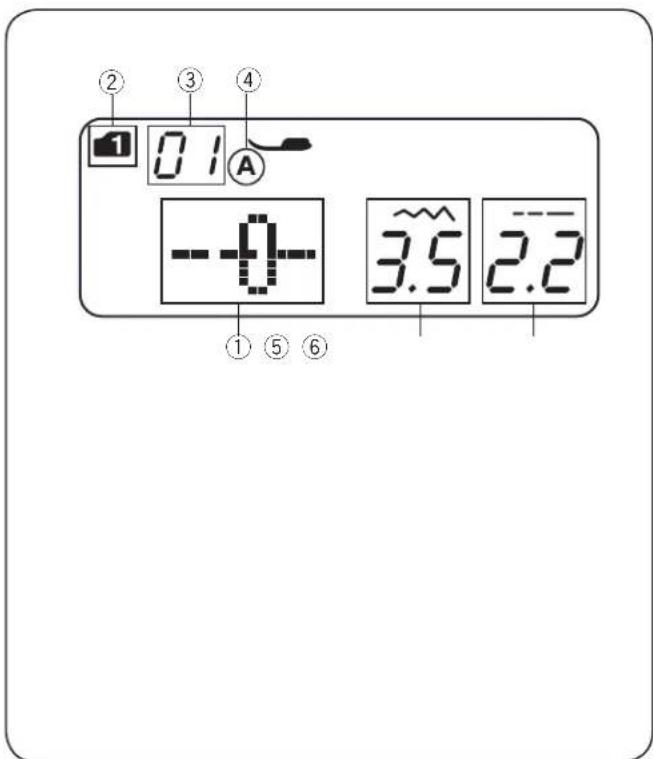
text_image
② 0.1 ③ ④ A -0- 3.5 2.2 ① ⑤ ⑥Touch Panel
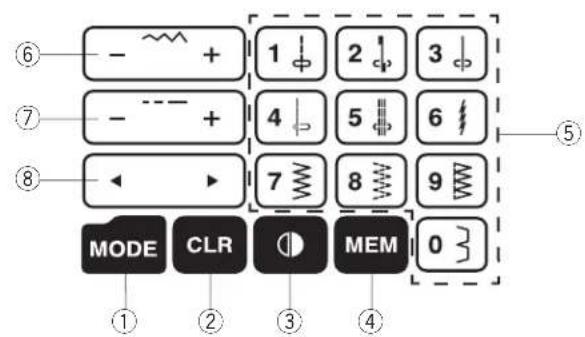
① Mode key
When the power switch is turned on, the direct pattern selection (mode 1) is set automatically.
Press the mode key to change the mode. Refer to page 18.
② Clear key
Press the clear key to clear the memorized stitch pattern.
Press and hold the clear key until the buzzer beeps to clear all memorized stitch patterns. Refer to page 56.
③ Flip key
Press the flip key to flip the selected stitch pattern horizontally. Refer to page 52.
④ Memory key
Press the memory key to memorize the selected pattern. Refer to page 50.
⑤ Number keys (Refer to page 18)
- Direct pattern selection
You can select the stitch patterns from 01 to 10 directly in mode 1 (direct pattern selection mode).
- Numeric pattern selection
Enter a 2-digit pattern number to select the desired stitch pattern in mode 2 to 6.
⑥ Stitch width adjustment key
Press "+" or "-" to change the stitch width. Refer to pages 23 and 26.
⑦ Stitch length adjustment key
Press "+" or "-" to change the stitch length. Refer to pages 23 and 26.
⑧ Cursor key
Press “◀” or “▶” to move the cursor to check or edit the pattern combination. Refer to page 56.
LCD Display
The LCD display shows the following information when the machine is turned on:
① Stitch pattern
② Mode
③ Stitch pattern number
④ Type of presser foot
⑤ Stitch width
⑥ Stitch length
text_image
Technical diagram showing mechanical assembly steps with numbered components and directional arrows indicating motion or adjustment.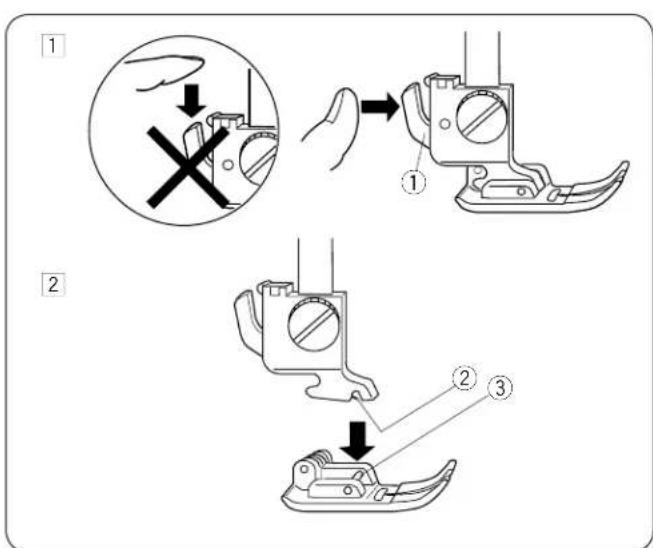
text_image
Technical diagram illustrating three-step assembly steps of a mechanical component, with numbered instructions and magnified views.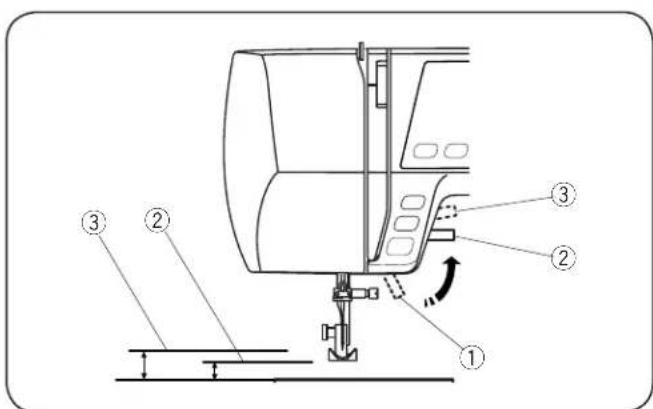
text_image
Technical diagram of a mechanical device with numbered components and directional arrows indicating motion or movement.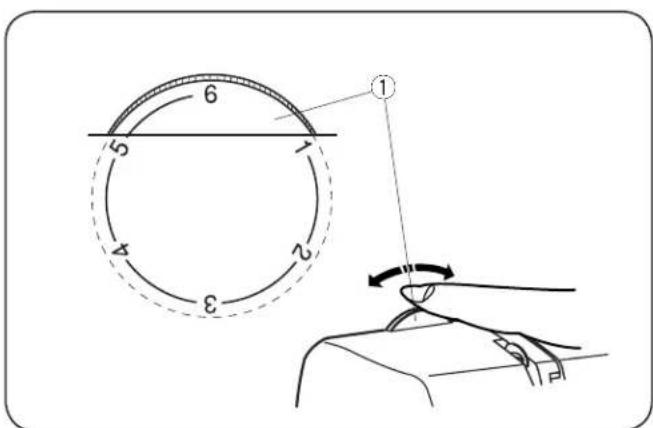
text_image
Technical diagram showing a circular component with numbered parts and a hand operating a sewing machine, illustrating mechanical or mechanical assembly.Removing and Attaching the Foot Holder
CAUTION:
Turn OFF the power switch before detaching or attaching foot holder.
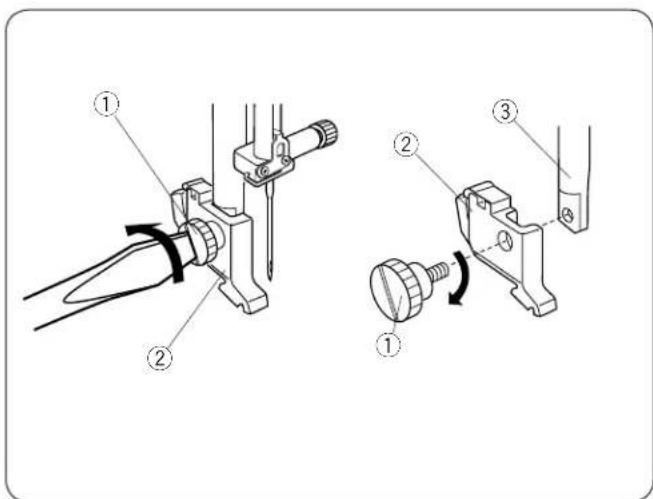
- Removing the foot holder
Remove the thumbscrew ① by turning it counterclockwise with a screwdriver.
- Attaching the foot holder
Align the hole in the foot holder ② with the threaded hole in the presser bar ③. Fit the thumbscrew ① into the hole. Tighten the thumbscrew ① by turning it clockwise with a screwdriver.
① Thumbscrew
② Foot holder
③ Presser bar
Changing the Presser Foot
CAUTION:
Turn OFF the power switch before changing the foot. Always use the proper foot for the selected pattern. The wrong foot can cause the needle to break.
- Removing the presser foot
Raise the needle to its highest position by turning the handwheel counterclockwise. Raise the presser foot, and press the lever ① on the back of the foot holder.
- Attaching the presser foot
Place the selected presser foot so that the pin ③ on the foot lies just under the groove ② in the foot holder. Lower the presser bar to lock the foot into the place.
① Lever
② Groove
③ Pin
Presser Foot Lifter
The presser foot lifter ① raises and lowers the presser foot.
You can raise the foot about 1/4" (0.6 cm) higher than the normal up position ② for easy removal of the presser foot, or to help you place thick material under the foot.
① Presser foot lifter
② Normal up position
③ Highest position
Presser Foot Pressure Dial
The presser foot pressure dial should be set at "6" for regular sewing.
Set the pressure between "3" and "6" for applique, cutwork, drawn work, basting and embroidery.
Set the pressure between "1" and "3" when sewing chiffon, lace, organdy and other fine fabrics.
Velour and knits with a lot of stretch may also require a "1" setting.
Turn the presser foot pressure dial ① and set the desired number.
① Presser foot pressure dial
text_image
Diagram showing a device with labeled parts and a digital display showing current reading of 3.5A.Dropping or Raising the Feed Dog
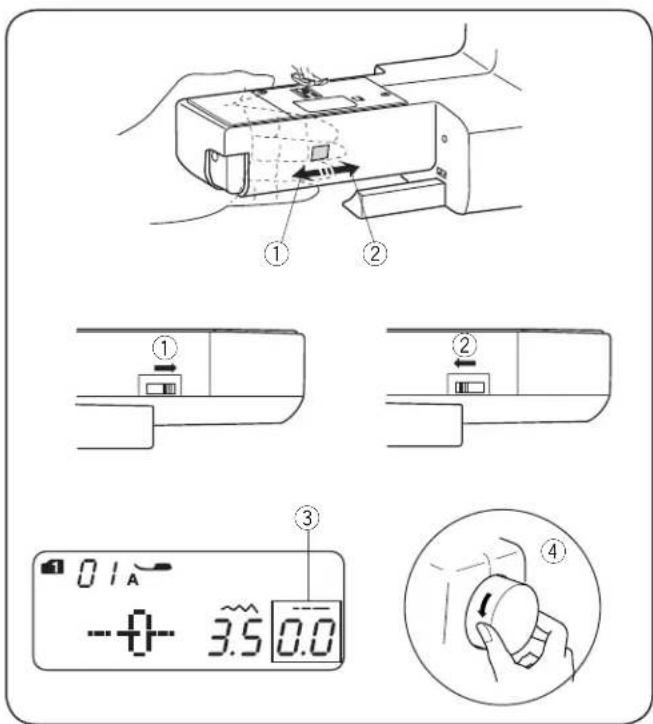
The drop feed lever is located underneath the free arm bed on the back of the machine.
① To drop the feed dog, push the lever in the direction of the arrow ①. Set the stitch length value at "0.0" ③.
② To raise the feed dog, push the lever in the direction of the arrow ②, as illustrated, and turn the handwheel ④ toward you. The feed dog must be up for normal sewing.

text_image
1 ON OFF 2 ① ② 3Changing the Needle
CAUTION:
Turn OFF the power switch before changing the needle.
1 Turn off the power switch.
Raise the needle to its highest position by turning the handwheel counterclockwise, and lower the presser foot. Loosen the needle clamp screw ① by turning it counterclockwise. Remove the needle from the needle clamp ②.
② Insert a new needle into the needle clamp ② with the flat side to the rear. When inserting the needle into the needle clamp ②, push it up as far as it will go. Tighten the needle clamp screw ① firmly by turning it clockwise.
3 To see if the needle is in good condition, place the flat side of the needle onto something flat (needle plate, glass, etc.). The gap between the needle and the flat surface should be consistent. Never use a bent or blunt needle.
A damaged needle can cause permanent snags or runs in knits, fine silks and silk-like fabrics.
① Needle clamp screw
② Needle clamp
Selecting Thread and Needles
For general sewing, use needle size 11/75 or 14/90. A fine thread and needle should be used for sewing lightweight fabrics, so the fabric will not be marred. Heavy fabrics require a needle large enough to pierce the fabric without fraying the needle thread.
Always test the needle size on a small scrap of the fabric that will be used for actual sewing.
In general, use the same thread for the needle and bobbin. When sewing stretch fabrics, very fine fabrics and synthetics, use a BLUE TIPPED needle. The blue tipped needle effectively prevents skipped stitches.
| Fabric | Thread | Needle | |
| Light | LawnGeorgetteTricotWool, Polyester | Silk #80-100Cotton #80-100Synthetic #80-100 | # 9/65 –11/75 |
| Medium | Cotton, PolyesterFine jersey Wool | Silk #50Cotton #60-80Synthetic #50-80Cotton #50 | #11/75 –14/90#14/90 |
| Heavy | DenimJerseyCoatingQuilting | Silk #50Cotton #40-50Synthetic #40-50Silk #30Cotton #50 | #14/90–16/100#16/100 |
text_image
Technical diagram showing sewing process steps with labeled components and directional arrowsBobbin Winding
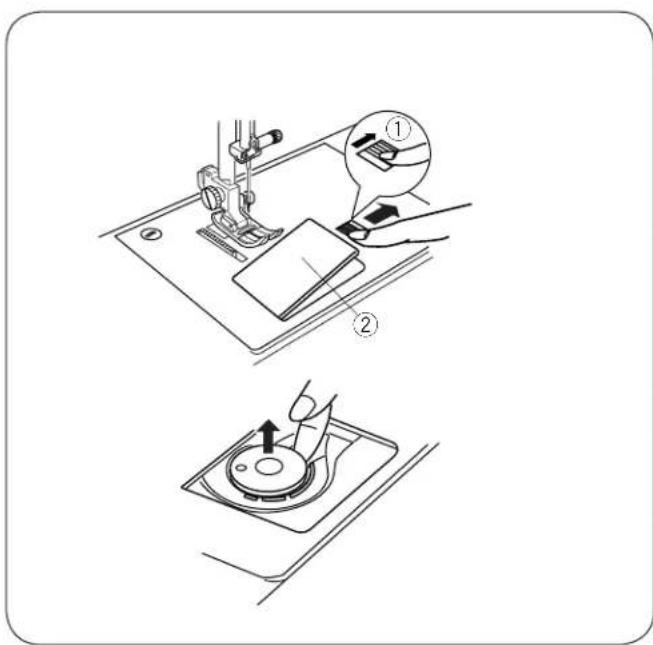
- Removing the bobbin
Gently slide the hook cover release button ① to the right and remove the hook cover plate ②.
Lift out the bobbin.
① Hook cover release button
② Hook cover plate

text_image
Technical diagram showing three mechanical assembly steps with labeled components and directional arrows indicating motion.• Horizontal spool pin
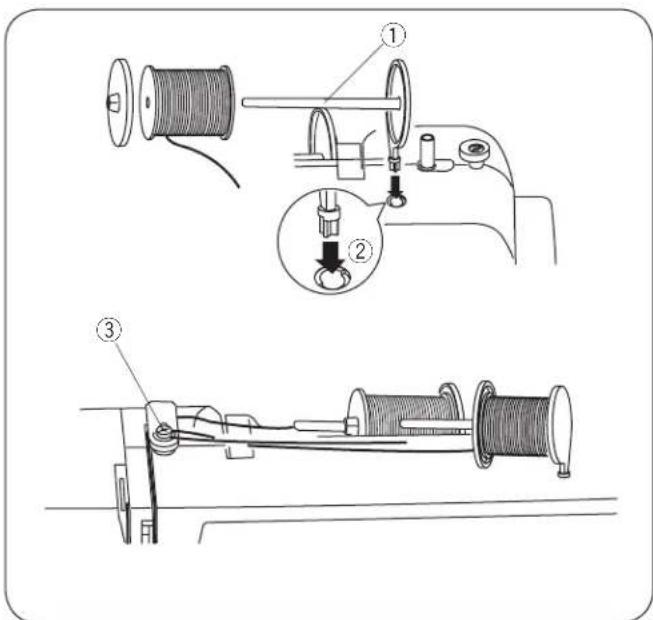
Lift up the spool pin ①. Place a spool of thread on the spool pin.
Attach the large spool holder ②, and press it firmly against the spool of thread.
The small spool holder ③ is used with narrow or small spools of thread.
Lower the spool pin ①.
① Spool pin
② Large spool holder
③ Small spool holder
text_image
Technical diagram showing three stages of a mechanical device with labeled parts, including spooling and wire handling.• Additional spool pin
The additional spool pin ① is for twin needle sewing, or winding bobbins without unthreading the machine. Insert the additional spool pin ① into the hole ②.
The additional spool pin should point to the bobbin winder thread guide ③.
① Additional spool pin
② Hole for additional spool pin
③ Bobbin winder thread guide
• Winding the bobbin
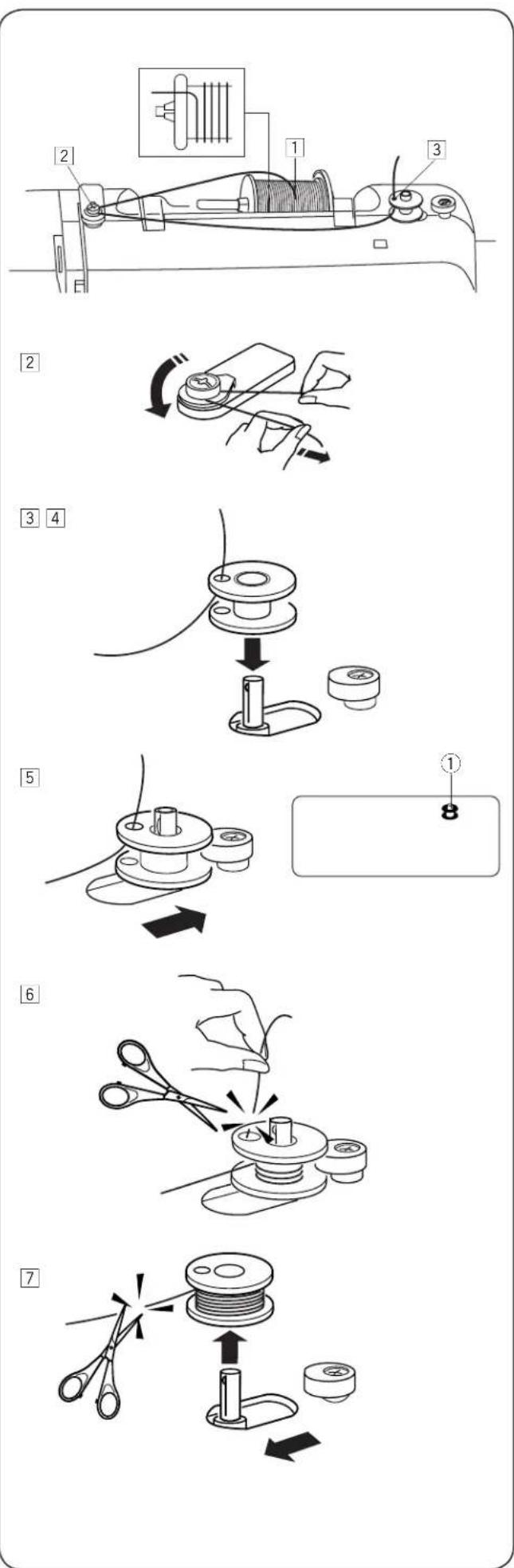
NOTES:
- Set the speed control slider at its fastest position for bobbin winding.
- Use a bobbin with "J" mark as illustrated.

1 Draw the thread from the spool.
2 Guide the thread around the thread guide.
3 Pass the thread through the hole in the top of the bobbin from the inside to outside.
4 Put the bobbin on the bobbin winder spindle.
5 Push the bobbin to the right. The bobbin mark ① appears on the LCD display.
6 With the free end of the thread held in your hand, start the machine. Stop the machine when bobbin has wound a few layers, and then cut the thread close to the hole in the bobbin.
7 Start the machine again. When the bobbin is fully wound, it will stop automatically. Stop the machine and return the bobbin winder to its original position by moving the spindle to the left. Cut the thread as shown.
1
natural_image
Technical diagram of a mechanical component with a spool and internal cavity, no text or symbols present2
natural_image
Technical diagram of a mechanical component with a curved arrow indicating direction (no text or symbols)3
natural_image
Diagram of a mechanical component with arrows indicating motion or force direction (no text or symbols)4
text_image
Diagram showing a hand holding a tool interacting with a mechanical component, with an arrow indicating direction and numbered label (③)5
text_image
Technical diagram showing sewing machine operation with labeled scale and pointer, including a magnified inset of the 1/8 to 5/8 ratio.- Inserting the bobbin
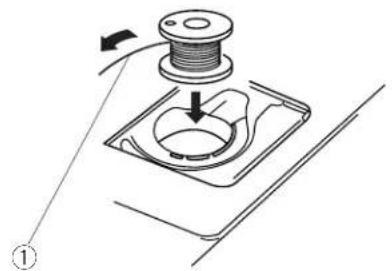
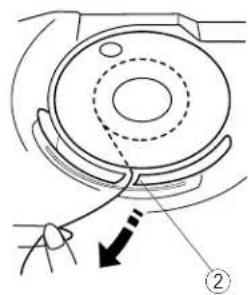
1 Place a bobbin in the bobbin holder with the thread running off counterclockwise.
① End of thread
② Guide the thread into the first notch ② on the front side of the bobbin holder.
② Notch
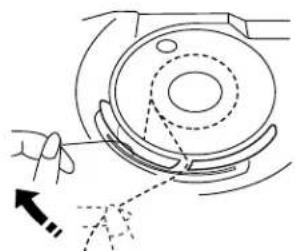
3 Draw the thread to the left, sliding it between the tension spring blades.
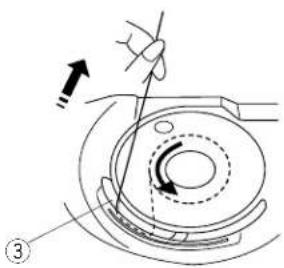
4 Continue to draw the thread lightly until the thread slips into the second notch ③. Pull out about 6" (15 cm) of thread.
③ Notch
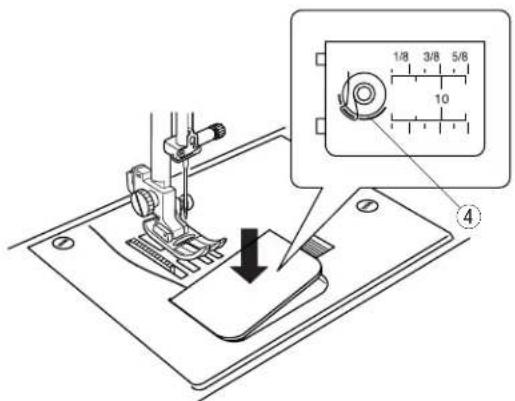
5 Attach the hook cover plate. Check the threading by referring to the diagram ④ shown on the hook cover plate.
④ Threading diagram

Threading the Machine
Raise the presser foot. Press the needle up/down button
① to raise the thread take-up lever to its highest position.
① Needle up/down button

UTION:
Turn OFF the power switch before threading the machine.
- Threading the machine
1 Draw the end of the thread around the upper thread guide.
② While holding the thread near the spool ②, draw the end of the thread down around the check spring holder ③.
② Spool
③ Check spring holder
3 Firmly draw the thread up from right to left over the take-up lever, and down into the take-up lever eye.
4 Pass the thread through the lower thread guide. Slide the thread behind the needle bar thread guide on the left.
5 Thread the needle from front to back, or use the needle threader.
- Needle Threader
CAUTION:
Turn OFF the power switch when using the needle thread.
1
①
②
1 Lower the presser foot. Raise the needle to its highest position. Pull down the needle threader knob ① as far as it will go. The hook comes out through the needle eye from behind.
① Knob
2
⑤
2 Draw the thread from guide (a) ③ to guide (b) ④ and under the hook ②. Draw the thread up along the right side of guide (b) ④ and slip the thread in between guide (b) and the holder plate ⑤.
② Hook
③ Guide (a)
④ Guide (b)
⑤ Holder plate
③
②
④
3
3 Raise the knob in the direction of the arrow, drawing the thread loop through the needle.
4
4 Pull the thread through the needle eye.
NOTES:
- The needle threader can be used with a #11 to #16 needle or a blue tipped needle. Thread sizes 50 to 90 are recommended.
- The needle threader cannot be used for a twin needle.
1
natural_image
Technical line drawing of a sewing machine with no visible text or symbols2
text_image
START STOP ①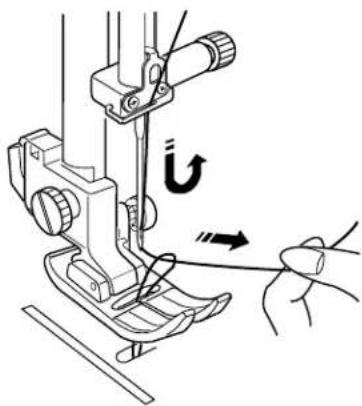
text_image
Technical diagram showing sewing machine needle insertion with U-turn indicator and force application3
natural_image
Line drawing of a sewing machine needle and base, showing mechanical components and a hand operating the needle (no text or symbols)• Drawing up the Bobbin Thread
1 Raise the presser foot. Hold the needle thread lightly with your left hand.
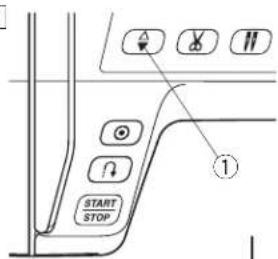
2 Press the needle up/down button ① twice to lower and raise the needle to pick up the bobbin thread.
① Needle up/down button
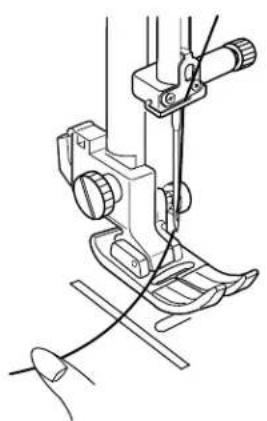
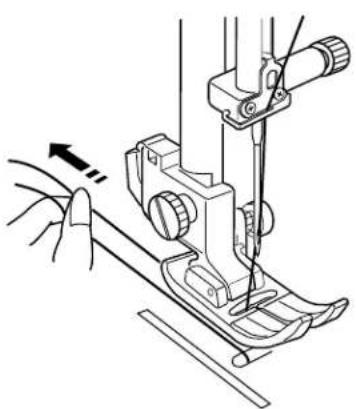
3 Pull both threads 4" to 6" (10 to 15 cm) under and behind the presser foot.
text_image
- ~ + 1 φ 2 φ 3 φ - --- + 4 φ 5 φ 6 φ ← ▶ 7 W 8 W 9 W MODE CLR MEM 0 3 ② ① 01 A - 0.5 2.2 ② 04 A - 0.5 2.2 MODE 2 MODE 4 1 2 3 4 5 6 7 8 9 10 11 12 13 14 15 16 17 18 19 14 15 16 17 18 19 20 21 22 23 24 25 26 27 28 29 30 MODE 3 MODE 5 A A A A A A B E E E E I I I N O O 14 15 16 17 18 19 20 21 22 23 24 25 26 27 28 29 30 31 32 33 34 35 36 37 38 39 40 00 01 02 03 04 05 06 07 08 09 MODE 6 MODE A A B B G D F E S E X Z S I I I I J 20 21 22 23 24 25 26 27 28 29 43 44 45 46 47 48 49 50 51 52 53 54 55 56 57 58 59 60 61 62 63 64 65 66 67 68 69 70 71 72 73 74 75 76 77 78 79 80 81 82 83 84 85 86 87 88 89 90 91 ③ MODE II A L . . . . . . . . . . . . . . . . . . . . . . . . . . . . . . . . . . . . . . . . . . . . . . . . . . . . . . . . . . . . . . . . . . . . . . . . ② Direct Utility Decorative ABC AAA ABB ③ Direct Utility Decorative ABC AAA ABB ④ Direct Utility Decorative ABC AAA ABB ⑤ Direct Utility Decorative ABC AAA ABBPattern Selection
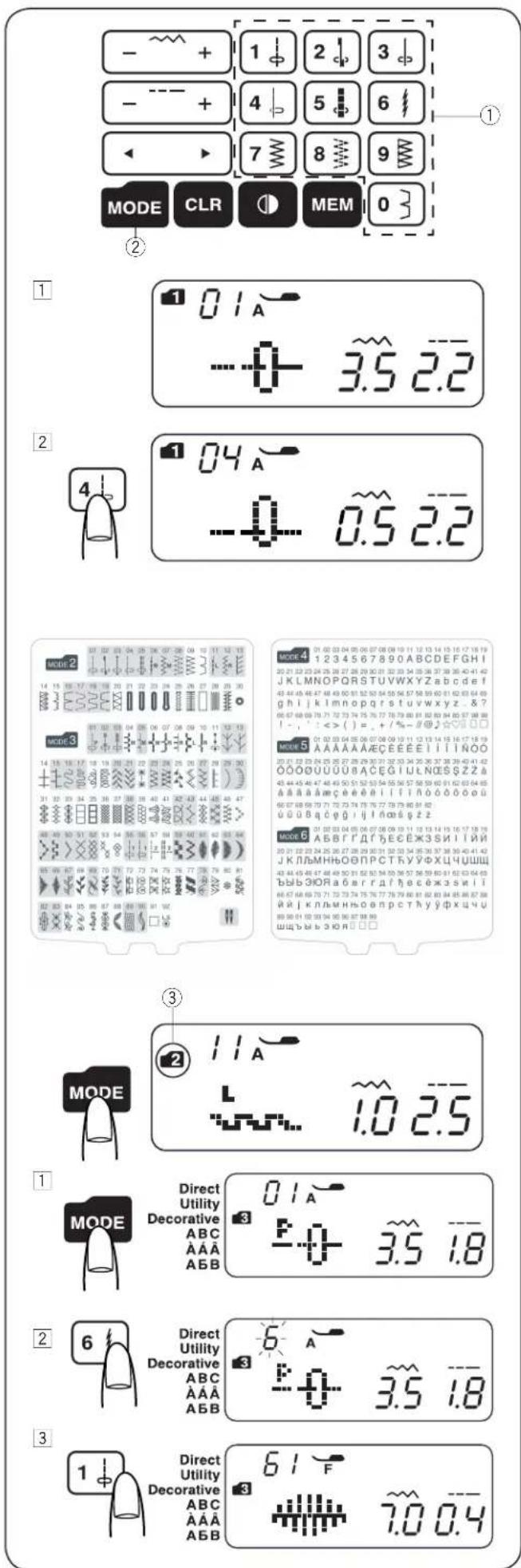
- Mode 1
You can select the following stitch patterns directly by pressing the pattern keys ①.
Example: To select stitch pattern 4 in mode 1
When the power switch is turned on, the direct pattern selection (mode 1) is set automatically.
2 Press the pattern key 4 to select the stitch pattern 4. Now pattern 4 in mode 1 is selected.
- Mode 2 - 6
To select stitch patterns in mode 2–6, first press the mode key ② to select your desired mode. Each time you press the mode key, the folder ③ indicated on the left side of the screen will change, and the mode changes as follows;
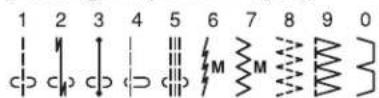
Mode 1: Direct pattern selection
Mode 2: Utility stitch pattern selection
Mode 3: Decorative stitch pattern selection
Mode 4: Number and letter selection
Mode 5: European accented letter selection
Mode 6: Russian (Cyrillic) letters selection
The number on the folder ③ indicates the selected mode number. To refer to the modes and their available stitch patterns for this sewing machine, please check the stitch chart or stitch reference on page 64.
Enter the 2-digit number of the desired stitch pattern with the corresponding number keys.
Example: To select stitch pattern 61 in mode 3
1 Turn the power switch on. Press the mode key twice to select mode 3.
2 Press the number keys on the touch panel. First press key 6 and then press key 1.
3 Now pattern 61 in mode 3 is selected.

text_image
1 MEM ON OFF 01 Buz -p,n-OF 2 MEM 01 Buz on-p,FSetting Mode
To enter the setting mode, press and hold the memory key and turn the power switch on until the setting mode screen appears.
In this mode you can set the following machine functions.
- Buzzer sound setting
The buzzer sound can be turned on or off using the buzzer sound setting. The default buzzer sound setting is "ON".
1 Enter the setting mode.
2 To turn off the buzzer sound, press the cursor key and the "oF" mark will blink. Press the memory key to turn the buzzer sound off.
* Caution buzzer sound cannot be turned off.
text_image
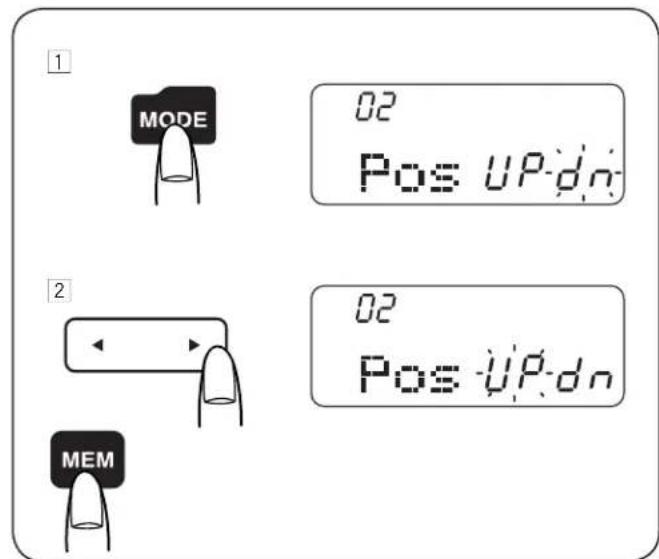
1 MODE 02 Pos UP dn 2 MEM 02 Pos UP dn- Needle stop position setting
You can set the needle position to up or down when the machine stops.
1 Enter the setting mode. Press the mode key to enter the up/down needle position setting.
2 The default up/down needle position setting is "dn". To change the needle position, press the cursor key and the "UP" mark will blink. Press the memory key to change the up/down needle position to "UP".

text_image
MODE 03 TtF P1 ②④③ - ~ + 2 3 - - + 4 5 6 + 7 8 9 MOD R + MEM 0• Key position adjustment
You can adjust the key position when you think the key sensor is off from the actual key position.
1 Enter the setting mode. Press the mode key twice to enter the key position adjustment.
2 The key position adjustment screen appears and "P1" is shown on the right side of the screen. With a buttonhole opener, press ① on the touch panel of your machine.
3 "P2" will be shown on the LCD display. Press the ② on the touch panel.
4 "P3" will be shown on the LCD display. Press the ③ on the touch panel.
5 "P4" will be shown on the LCD display. Press the ④ on the touch panel.
6 "P5" will be shown on the LCD display. Press the ⑤ on the touch panel.
7 The screen will back to the Buzzer sound setting screen. Press the memory key to apply the adjustment.
text_image
Technical diagram showing a sewing machine tool and its measurement scale with numbered partsAdjusting the Needle Thread Tension for a Straight Stitch
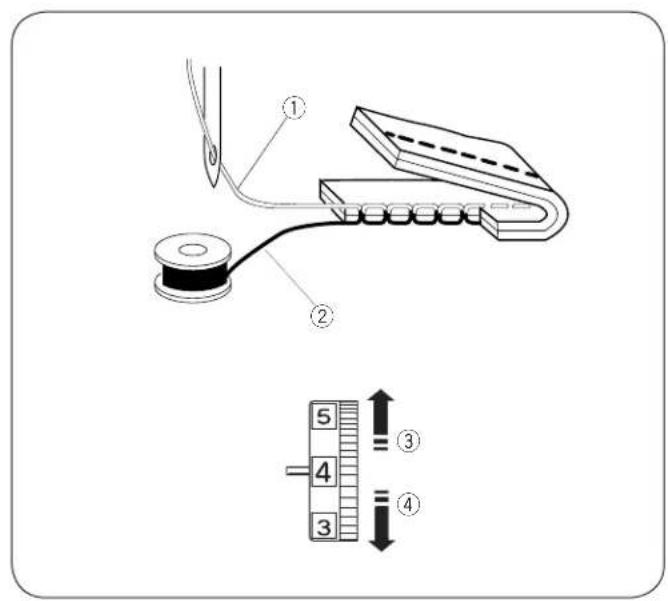
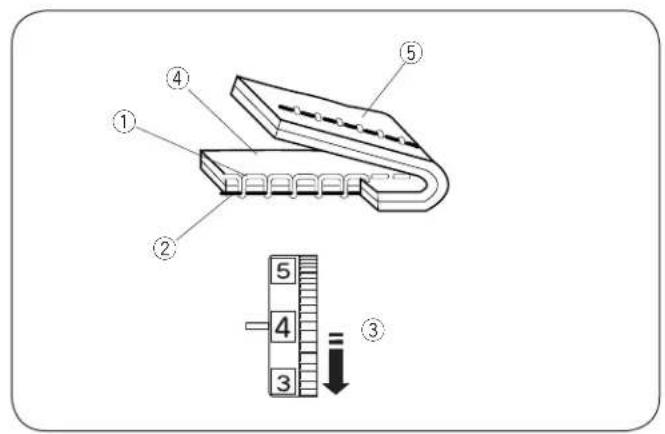
- Correct tension
① Needle thread (top thread)
② Bobbin thread (bottom thread)
③ To loosen
④ To tighten
The ideal straight stitch has threads locked between two layers of fabric, as illustrated (magnified to show detail).
If you look at the top and bottom of the seam, notice that the stitches are evenly balanced.
When adjusting the needle thread tension, the higher the number, the tighter the needle thread tension.
Results depend on:
- stiffness and thickness of the fabric
- number of fabric layers
- type of stitch

text_image
Technical diagram showing a mechanical component with numbered parts and a vertical scale with measurement indicators.• Tension is too tight
① Needle thread (top thread)
② Bobbin thread (bottom thread)
③ To loosen tension
④ Right side (top side) of fabric
⑤ Wrong side (bottom side) of fabric
The bobbin thread shows through on the right side of the fabric, and the stitch feels bumpy. Turn the dial to a lower tension setting number to loosen the needle thread tension.
text_image
Technical diagram of a mechanical device with numbered components and a vertical scale showing measurement markings.• Tension is too loose
① Needle thread (top thread)
② Bobbin thread (bottom thread)
③ To tighten tension
④ Right side (top side) of fabric
⑤ Wrong side (bottom side) of fabric
The needle thread shows through on the wrong side of the fabric, and the stitch feels bumpy. Turn the dial to a higher tension setting number to tighten the needle thread tension.
Adjusting the Needle Thread Tension for a Zigzag Stitch
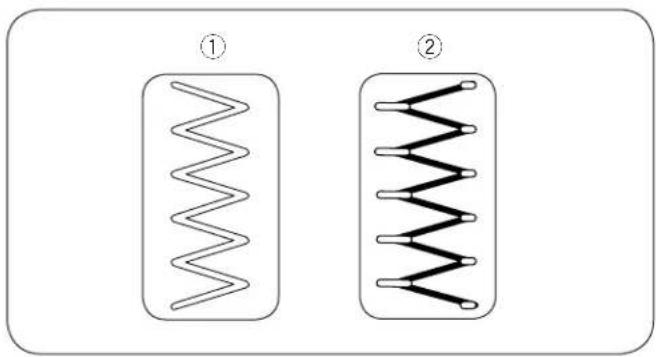
For an ideal zigzag stitch, the bobbin thread does not show on the right side (top side) of the fabric, and the needle thread shows slightly on the wrong side (bottom side) of the fabric.
See the illustrations for the correct appearance.
To match this appearance, adjust the needle tension as necessary.
natural_image
Two identical wavy line patterns inside rounded rectangles, labeled ① and ② (no text or symbols on the shapes)- Correct tension
① Right side (top side) of fabric
② Wrong side (bottom side) of fabric
Minimize the amount of needle thread visible on the wrong side (bottom side) of the fabric without causing excessive puckering, or causing the bobbin thread to show on the right side (top side) of the fabric.
Results vary with fabric, thread and sewing conditions.
text_image
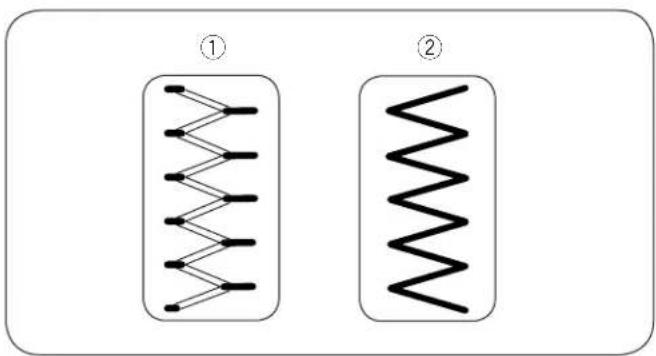
Diagram showing two identical electrical or mechanical coil configurations labeled ① and ②, each with a wavy line connection pattern.• Tension is too tight
① Right side (top side) of fabric
② Wrong side (bottom side) of fabric
The corner of each zigzag pulls together on the right side of the fabric
natural_image
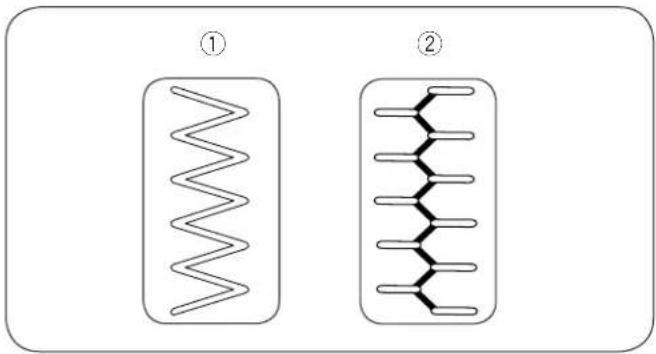
Two identical diagrams showing wavy, zigzag lines inside rectangular chambers, labeled ① and ② (no text or symbols on the shapes themselves)• Tension is too loose
① Right side (top side) of fabric
② Wrong side (bottom side) of fabric
The corner of each zigzag point pulls together on the wrong side of the fabric.

text_image
① 01 ② 5 4 3 ③ 01A -0- 3.5 2.2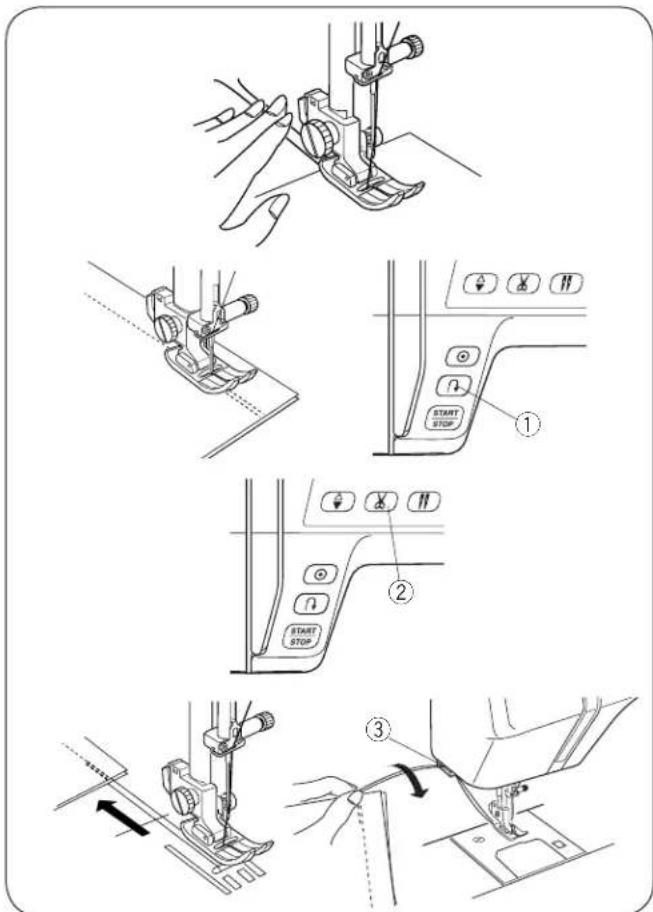
text_image
Technical diagram illustrating sewing machine tool path with labeled control buttons and step indicators
text_image
Technical diagram showing sewing machine operation with labeled components and directional arrows
text_image
Technical diagram showing two sewing machine footprints with labeled parts and directional arrows indicating movement or positioning.SECTION III. BASIC SEWING
Straight Stitch Sewing
① Stitch pattern: MODE 1: 1
MODE 2: 01
② Needle thread tension: 2 to 6
③ Presser foot: Zigzag foot A
- Starting to sew
Raise the presser foot and position the fabric next to a seam guide line on the needle plate (5/8" (1.6 cm) is most common). Lower the needle to the point where you want to start. Lower the presser foot and pull the threads toward the back. Start the machine. Gently guide the fabric along a seam guide line letting the fabric feed naturally.
- Finishing sewing
To fasten the ends of a seam, press the reverse stitch button ① and sew several reverse stitches. Press the thread cutter button ② to cut the threads.
① Reverse stitch button
② Thread cutter button
Raise the presser foot.
Use the thread cutter ③ on the face plate to cut thicker threads.
③ Thread cutter
• Turning square corners
To sew at the same distance from the edge when turning a corner with the fabric edge at the 5/8" seam guide, stop the machine when the front edge of the fabric reaches the cornering guide lines ① and raise the presser foot. Turn the fabric counterclockwise 90°, lower the presser foot and begin stitching in a new direction.
① Cornering guide
- Sewing from the edge of thick fabric
The black button ① on the zigzag foot locks the foot in the horizontal position.
This is helpful when starting to sew from the far edge of thick fabrics ② or sewing across a hem.
Lower the needle into the fabric at the point where you wish to start sewing.
Lower the foot while pushing in the black button ①.
The foot is locked in the horizontal position to avoid slipping.
The button is released automatically after sewing a few stitches.
① Black button
② Thick fabrics

text_image
Technical diagram of a sewing machine with numbered components and a close-up view of the base mechanism.- Needle Plate
The seam guides on the needle plate and the hook cover help you to measure seam allowance. The numbers on the needle plate indicate the distance between the center needle position ① and the edge of the fabric ②.
① Center needle position
② Edge of the fabric
| Number | 10 | 20 | 30 | 40 | 1/2 | 5/8 | 3/4 | 1 | 1 1/2 | |||
| Distance (cm) | 1.0 | 2.0 | 3.0 | 4.0 | — | — | — | — | ||||
| Distance (inch) | — | — | — | — | 1/2 | 5/8 | 3/4 | 1 1 | 1/2 |
The front seam guides ③ are marked at 1/4", 3/8" and 5/8" from the center needle position ①.
③ Front seam guides

text_image
01A -0+ 3.5 2.2 01A -0+ 3.5 1.0 01A -0+ 3.5 5.0 [1.0] [2.2] [5.0]- Adjusting the stitch length
Press the stitch length adjustment key - - - + to change the stitch length.
Press “—” to decrease stitch length.
Press "+" to increase stitch length.
The stitch length can be varied from 0.0 to 5.0.
NOTE:
Reverse stitch length cannot be set longer than 4.0.
text_image
01A -0+ 3.5 2.2 01A -0- 0.0 2.2 01A -0- 7.0 2.2 ① ② ③- Adjusting the needle drop position
The needle drop position can be adjusted for straight stitch patterns 01–05 (Mode 1 and 2), and 01–03 (Mode 3).

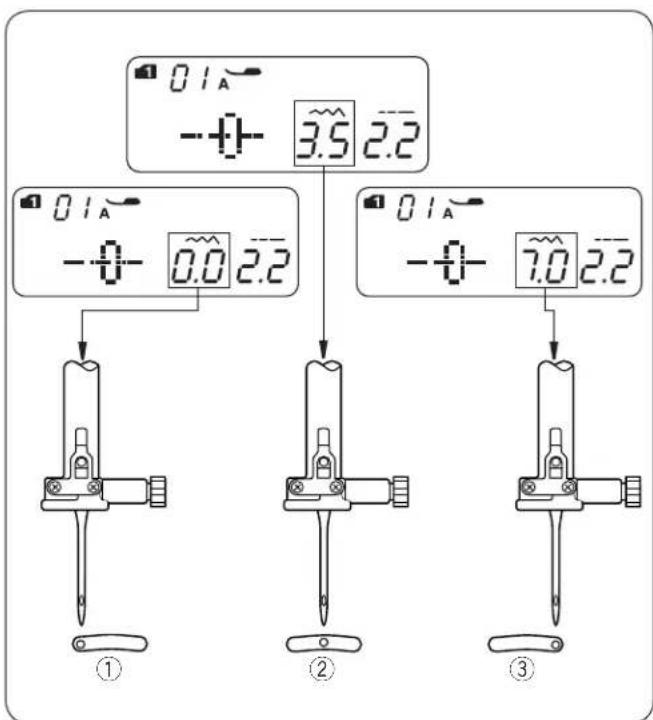
Press the stitch width adjustment key -+ to change the needle drop position.
Press “+” to move the needle to the right ③.
Press “—” to move the needle to the left ①.
① Left (0.0)
② Middle (3.5)
③ Right (7.0)

text_image
① 01 04 ② 5 4 3 ③ 04 A -0.5 2.2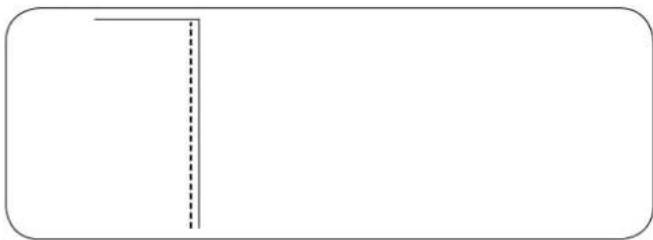
natural_image
Pure geometric lines forming a T-shape with no text, numbers, or symbols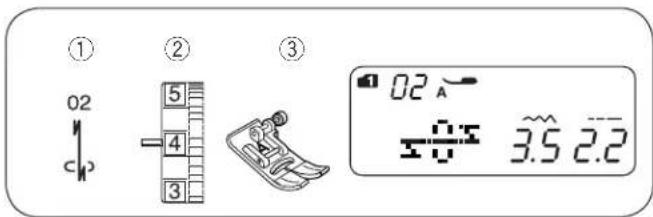
text_image
① 02 ② 5 4 3 ③ 02 A 3.5 2.2
text_image
Technical diagram showing a cross-section of a structural component and its corresponding control panel with start stop buttons and directional indicators.
text_image
① 03 ② 5 4 3 ③ 03 A 3.5 2.2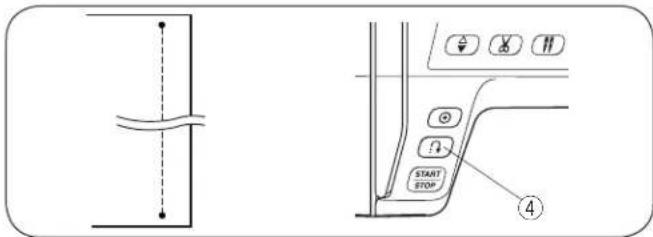
text_image
Technical diagram showing a structural connection and a control panel with labeled buttons including START, STOP, and directional indicators.
text_image
① 05 ② 5 4 3 ③ 05 A ≡≡ 3.5 2.5
natural_image
Simple line drawing of a rectangular frame with a vertical line and chain-like symbols on the left side (no text or labels)Straight Stitch
① Stitch pattern: MODE 1: 1 or 4
MODE 2: 01 or 04
② Needle thread tension: 2 to 6
③ Presser foot: Zigzag foot A
For seaming garments, zipper application and more. Pattern 04 is used for seaming fine fabrics.
Lock-a-Matic Stitch
① Stitch pattern: MODE 1: 2
MODE 2:02
② Needle thread tension: 2 to 6
③ Presser foot: Zigzag foot A
④ Reverse stitch button
Use this stitch to secure the beginning and the end of a seam with backstitching.
When you reach the end of the seam, press the reverse stitch button ④ once. The machine will sew four reverse stitches, four forward stitches, and then stop sewing automatically.
Locking Stitch
① Stitch pattern: MODE 1: 3
MODE 2:03
② Needle thread tension: 2 to 6
③ Presser foot: Zigzag foot A
④ Reverse stitch button
This unique stitch is used where an invisible locking stitch is needed.
Lower the needle close to the front edge of the fabric.
The machine will sew several locking stitches in place and continue sewing forward.
When you press the reverse stitch button ④ at the end of the seam, the machine will sew several locking stitches in place, then stop sewing automatically.
Triple Stretch Stitch
① Stitch pattern: MODE 1: 5
MODE 2:05
② Needle thread tension: 2 to 6
③ Presser foot: Zigzag foot A
This strong, durable stitch is recommended when both elasticity and strength are necessary in order to ensure comfort and durability. Use it to reinforce areas such as crotch and armhole seams. Also use for extra reinforcement when constructing items such as backpacks.
text_image
① 06 11 M L ② 5 4 3 ③ 06 A ~1.0 2.5
text_image
Simple diagram with a vertical line and zigzag lines inside a rectangle, resembling a schematic or schematic.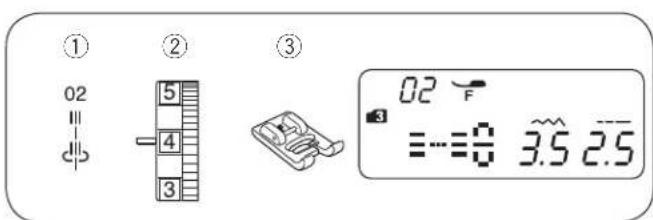
text_image
① 02 = c# ② 5 4 3 ③ 02 F ≡≡0 3.5 2.5
natural_image
Pure geometric diagram with vertical lines and a right-angle line, no text or symbols present
text_image
① 03 = c ② 5 4 3 ③ 03 F ≡-0 3.5 4.0
flowchart
graph TD
    A["θ"] --> B["θ"]
    B --> C["θ"]
    C --> D["θ"]
    D --> E["θ"]
    E --> F["θ"]
Stretch Stitch
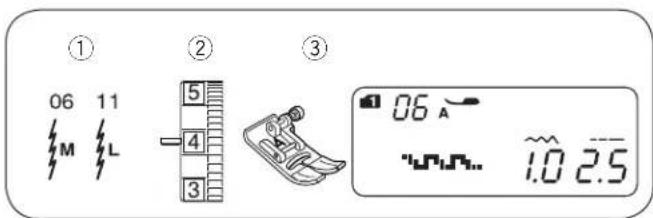
① Stitch pattern: MODE 1: 6
MODE 2: 06 or 11
② Needle thread tension: 3 to 6
③ Presser foot: Zigzag foot A
This stitch is a narrow stretch stitch designed to eliminate puckering on knit fabrics and bias seams, while permitting the seam to be pressed completely open flat.
Sculpture Stitch
① Stitch pattern: MODE 3: 02
② Needle thread tension: 3 to 6
③ Presser foot: Satin stitch foot F
For top stitching and outlining designs. Sew slowly at the corners.
New Sculpture Stitch
① Stitch pattern: MODE 3: 03
② Needle thread tension: 3 to 6
③ Presser foot: Satin stitch foot F
This stitch is used for topstitches and outline-stitches enhancing a design's appearance.

text_image
① 07 12 M R ② 5 4 3 ③ 07 A WY 3.0 1.5Zigzag Stitch
① Stitch pattern: MODE 1: 7
MODE 2: 07 or 12
② Needle thread tension: 2 to 6
③ Presser foot: Zigzag foot A
text_image
07 3.0 1.5 ① - ~ + 2 ③ 07 M 4 12 R ⑤The zigzag stitch is one of the most useful and versatile stitches.
It is used for overcasting, mending, appliqué, and also used as a decorative stitch.
NOTE:
Use an interfacing when sewing on stretch fabrics such as knit, jersey or tricot.
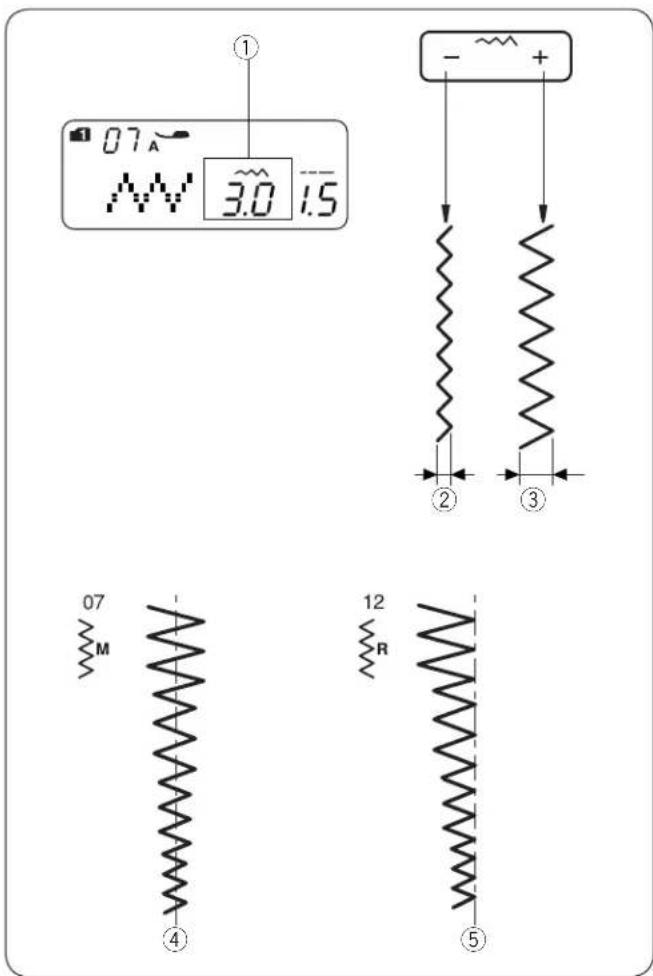
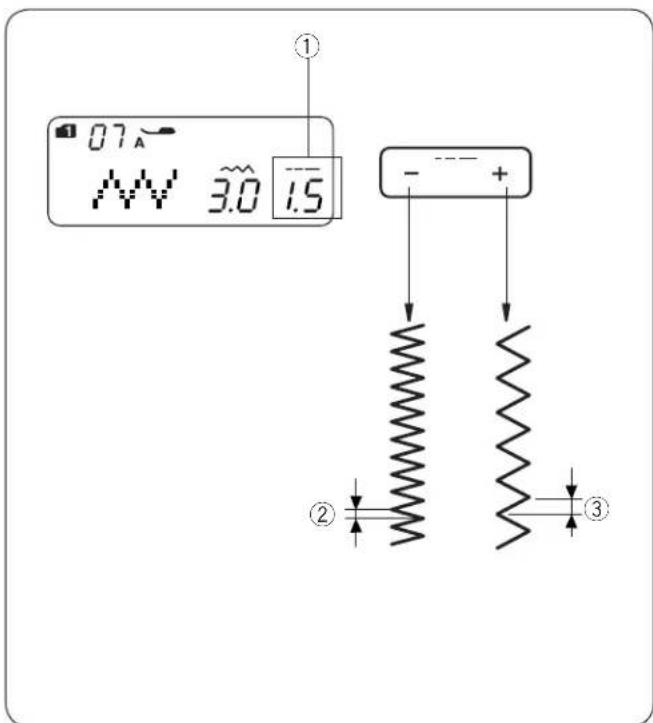
- Adjusting the stitch width
Press the stitch width adjustment key -+ to change the stitch width ①.
Press “—” to decrease stitch width ②.
Press “+” to increase stitch width ③.
The stitch width can be varied from 0.0 to 7.0.
text_image
07 3.0 1.5 ① - - + ② ③④ The stitch width of pattern 07 can be changed without changing its center needle position (M).
⑤ The stitch width of pattern 12 can be changed without changing its right needle position (R).
- Adjusting the stitch length
Press the stitch length adjustment key -·s+ to change the stitch length ①.
Press “-” to decrease stitch length ②.
Press “+” to increase stitch length ③.
The stitch length can be varied from 0.2 to 5.0.
text_image
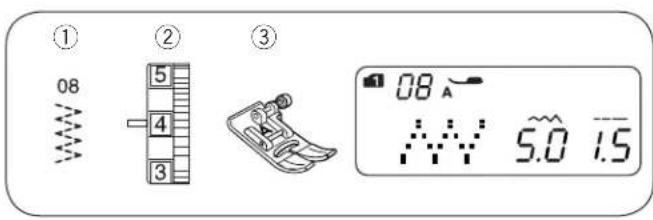
① 08 ② 5 4 3 ③ 08 A 5.0 1.5Multiple Zigzag
① Stitch pattern: MODE 1: 8
MODE 2: 08
② Needle thread tension: 3 to 6
③ Presser foot: Zigzag foot A
natural_image
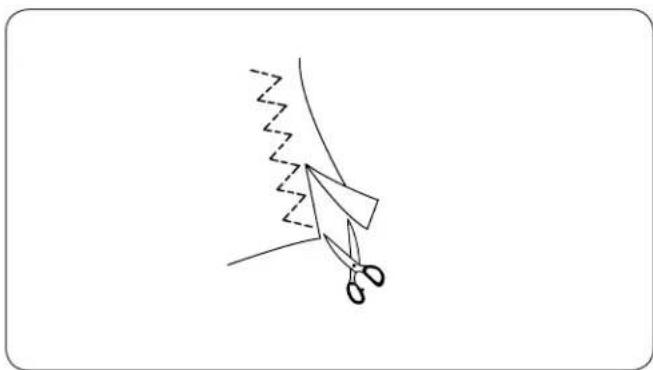
Simple line drawing of scissors cutting through a zigzag edge (no text or symbols)This stitch is used to finish seams on synthetics and other fabrics that tend to pucker. The stitch is also excellent for darning and mending tears.
Place your fabric to allow a 5/8" (1.5 cm) seam. Trim the excess close to the stitching. Be careful not to cut the stitches.
text_image
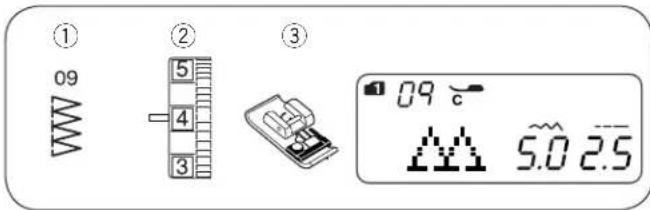
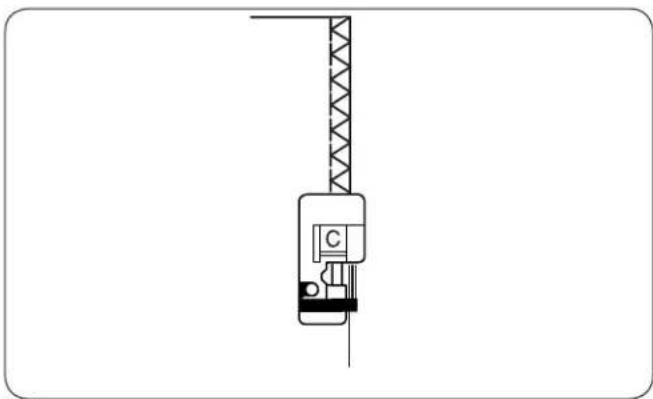
① 09 ② 5 4 3 ③ 09 c 5.0 2.5Overedge Stitch
① Stitch pattern: MODE 1: 9
MODE 2: 09
② Thread tension dial: 3 to 7
③ Presser foot: Overedge foot C
natural_image
Technical line drawing of a crane lifting a component (no text or symbols)This stitch is used to simultaneously seam and overcast edges of fabrics. Use this stitch when you do not need to open seams flat.
Place the fabric edge next to the black guide and sew.
NOTE:
Stitch width should be set between 5.0 and 7.0.
The blue tipped needle is recommended for stretch materials.

text_image
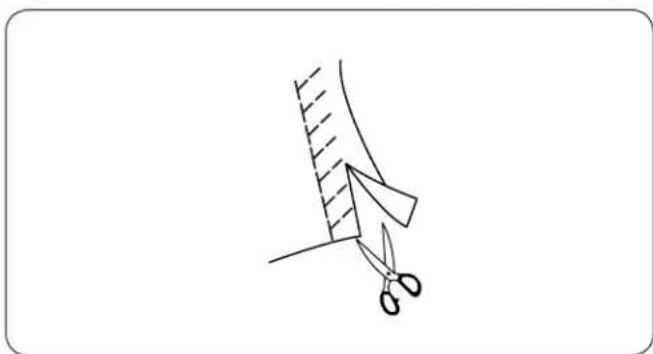
① 13 ② 5 4 3 ③ 13 A 5.0 2.0Knit Stitch
① Stitch pattern: MODE 2: 13
② Needle thread tension: 3 to 6
③ Presser foot: Zigzag foot A
natural_image
Simple line drawing of scissors cutting a piece of paper with a diagonal hatching (no text or symbols)Place your fabric to allow a 5/8" (1.5 cm) seam. Trim excess close to the stitching. Be careful not to cut the stitches.

text_image
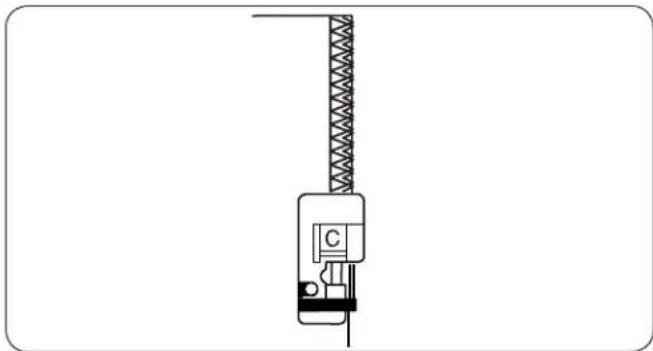
① 14 ② 5 4 3 ③ 14 °C 5.0 2.5Double Overedge Stitch
① Stitch pattern: MODE 2: 14
② Thread tension dial: 3 to 7
③ Presser foot: Overedge foot C
natural_image
Technical line drawing of a crane hook with a labeled component (no text or symbols present)This stitch can be used for sewing fabrics that tend to fray extensively such as linens and gabardines. Two rows of zigzag stitches are simultaneously sewn over the edge to ensure that your seams will not ravel. Adjust the thread tension so both the needle and bobbin threads meet at the edge of the fabric.
NOTE:
Stitch width should be set between 5.0 and 7.0. The blue tipped needle is recommended for stretch materials.

text_image
① 01 ② 5 4 3 ③ 01A -0- 3.5 2.2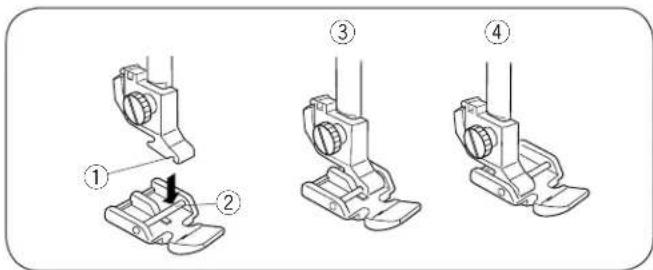
text_image
Technical diagram showing four stages of a mechanical assembly with numbered annotations
text_image
Technical diagram showing numbered mechanical assembly steps with dimension annotations
text_image
Technical diagram of a mechanical or fluidic device with numbered components and dimension annotationsZipper Sewing
① Stitch pattern: MODE 1: 1
② Needle thread tension: 1 to 4
③ Presser foot: Zigzag foot A Zipper foot E
- Attaching the zipper foot
Fit the pin ② on the zipper foot into the groove ① in the foot holder.
To sew the left side of the zipper, attach the zipper foot with the right-hand side of the pin ③.
To sew the right-side of the zipper, attach the zipper foot with the left-hand side of the pin ④.
① Groove
② Pin
③ To sew left side
④ To sew right side
- Fabric preparation
Add 3/8" (1 cm) to the zipper length. This is the overall opening size.
① Right side of the fabric
② 3/8" (1 cm)
③ Opening size
④ Zipper length
⑤ Slider
⑥ Zipper teeth
⑦ Zipper tape
⑧ Wrong side of the fabric
⑨ End of the opening
Place the right sides of the fabric together and sew up to the end of the zipper opening, with a 13/16" (2 cm) seam allowance. Reverse the stitch to fasten the seam.
Attach the zigzag foot and baste along the zipper opening with the stitch length 4.5.
⑩ 13/16" (2 cm)
⑪ Zipper opening (Basting)
⑫ Reverse stitches
⑬ End of the opening
⑭ Seam
NOTE:
Loosen the thread tension to one (1) for basting.
- Start sewing
1 Fold up the upper seam allowance. Fold back the bottom seam allowance to form a 1/8" (0.3 cm) fold. Place the zipper teeth next to the fold and pin it in place.
① Bottom fabric
② End of the zipper opening
③ Zipper teeth
④ 1/8" (0.3 cm)
⑤ Wrong side of the upper fabric
⑥ Opening size
⑦ Fold
natural_image
Line drawing of a sewing machine needle and screwdriver on a flat base (no text or symbols)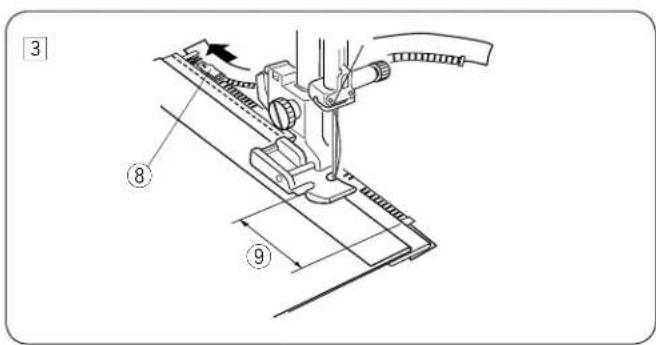
text_image
3 ⑧ ⑨
text_image
4 ⑩
text_image
5 6 ⑪ ⑫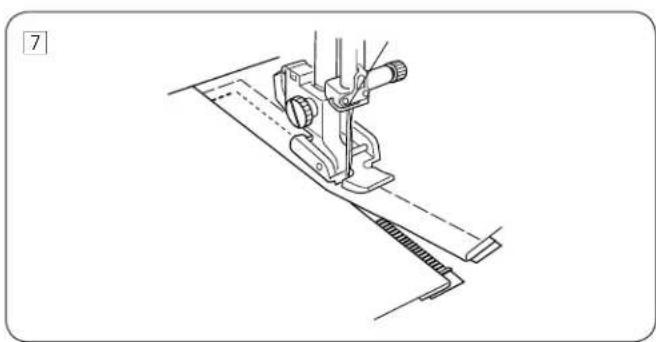
natural_image
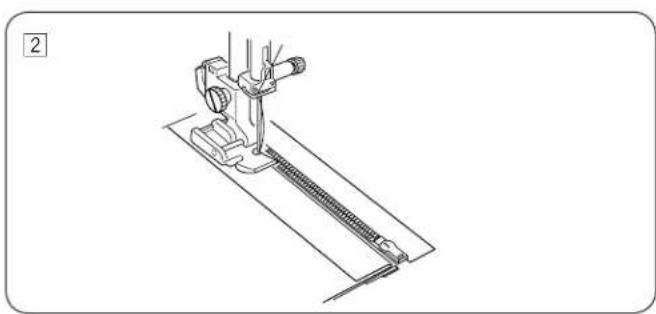
Technical line drawing of a sewing machine needle and foot (no text or symbols)2 Attach the zipper foot with the pin on the right. Sew through all the layers from the end of the zipper opening, guiding the zipper teeth along the edge of the foot.
3 Stop the machine 2" (5 cm) before the foot reaches the slider on the zipper tape. Raise the presser foot. Open the zipper then lower the foot and stitch the remainder of the seam.
⑧ Slider
⑨ 2" (5 cm)
4 Close the zipper and open the upper fabric flat over the zipper. Baste the upper fabric and zipper tape together.
⑩ Basting stitch
5 Detach the foot and attach it with the pin on the left. Backstitch across the end of the opening to 3/8" (1 cm). Turn the fabric 90 degrees and stitch through the garment and zipper tape.
⑪ Backstitch
6 Stop the machine 2" (5 cm) before the foot reaches the slider on the zipper tape. Raise the presser foot. Remove the basting stitches.
⑫ Basting stitches
7 Open the zipper, then lower the foot and stitch the remainder of the seam. After finished sewing, remove the basting stitches on the upper fabric.
text_image
① 10 15 ② 4 3 ③ 10 G 0.6 2.0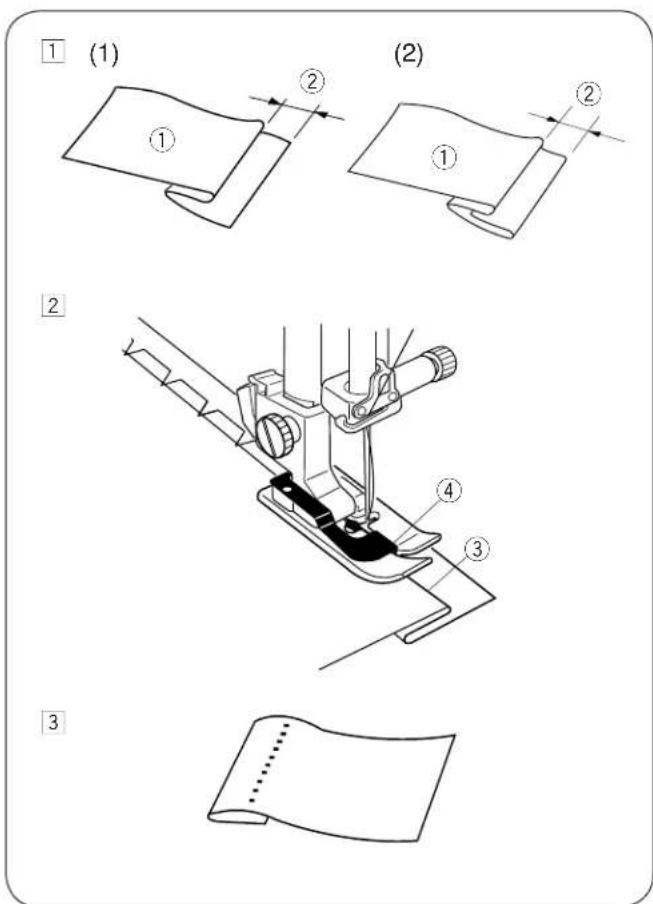
text_image
(1) (2) ① ② ① ② ② ③ ④ ③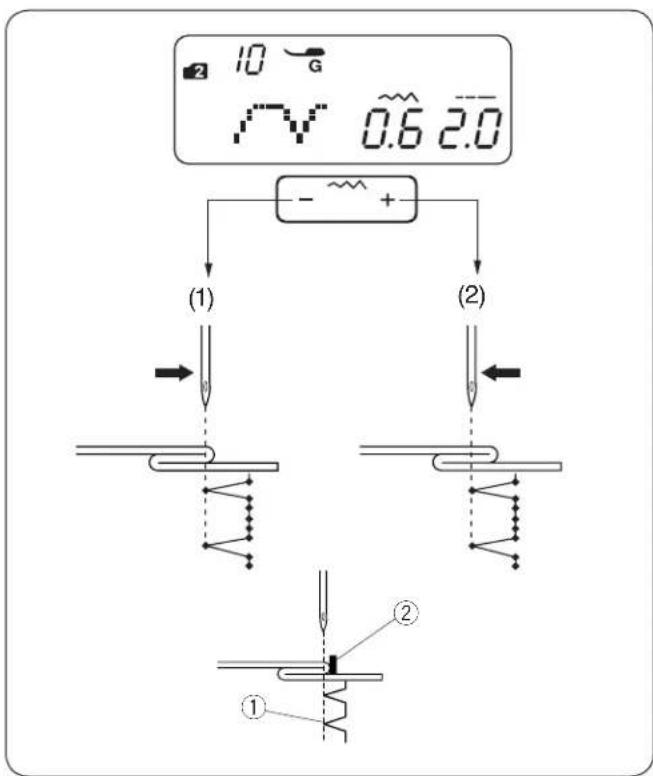
flowchart
graph TD
    A["10 G"] --> B["0.6 2.0"]
    B --> C["+"]
    C --> D["(1)"]
    C --> E["(2)"]
    D --> F["Switch"]
    E --> G["Switch"]
    F --> H["①"]
    G --> I["②"]
    style A fill:#f9f,stroke:#333
    style B fill:#ccf,stroke:#333
    style C fill:#cfc,stroke:#333
    style D fill:#fcc,stroke:#333
    style E fill:#cff,stroke:#333
    style F fill:#ffc,stroke:#333
    style G fill:#ffc,stroke:#333
    style H fill:#fff,stroke:#333
    style I fill:#fff,stroke:#333
Blind Hemming
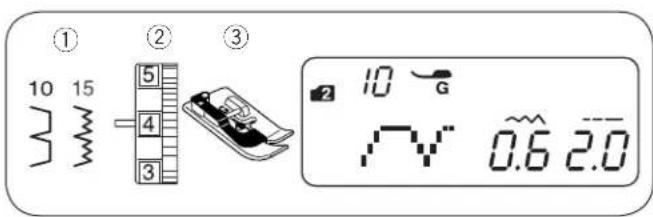
① Stitch pattern: MODE 1: 0
MODE 2: 10 or 15
② Thread tension dial: 1 to 4
③ Presser foot: Blind hem foot G
1 Fold a hem with the wrong side of the fabric up to form a 1/4'' - 7/16'' (0.4 - 0.7 cm) allowance.
① Wrong side of fabric
② 1/4" - 7/16" (0.4 - 0.7 cm)
(1) On heavyweight fabrics that tend to ravel, the raw edge should be overcast first.
(2) Fold the hem under the fabric for lightweight fabrics.
2 Place the fabric so that the fold is next to the guide on the foot. Lower the presser foot. Adjust the needle drop position if necessary. Sew while guiding the fold along the guide.
③ Fold
④ Guide
3 Open the fabric after sewing is finished.
NOTE:
If the needle pierces too far left, the stitch will show through on the right side of the fabric.
- Adjusting the needle drop position
Press the stitch width adjusting key - \~ + to move the change the needle drop position.
(1) Press “—” to move the needle drop position to the right.
(2) Press “+” to move the needle drop position to the left.
The LCD display shows the distance between the guide and left needle drop position in millimeters.
The needle drop position can be varied from 0.0 to 1.2. The value indicates the distance between the left needle position and the guide.
① Left needle drop position
② Guide
NOTE:
The needle drop position can be varied, but the stitch width will remain the same.

text_image
1 2 10 G V 0.6 2.0 MEM 2 3 57 F MEM 3 10 3 57 2 10 3 57 2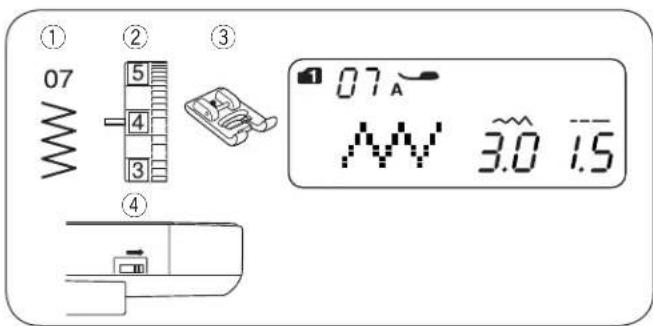
text_image
① 07 ② 5 4 3 ③ 07 A 3.0 1.5 ④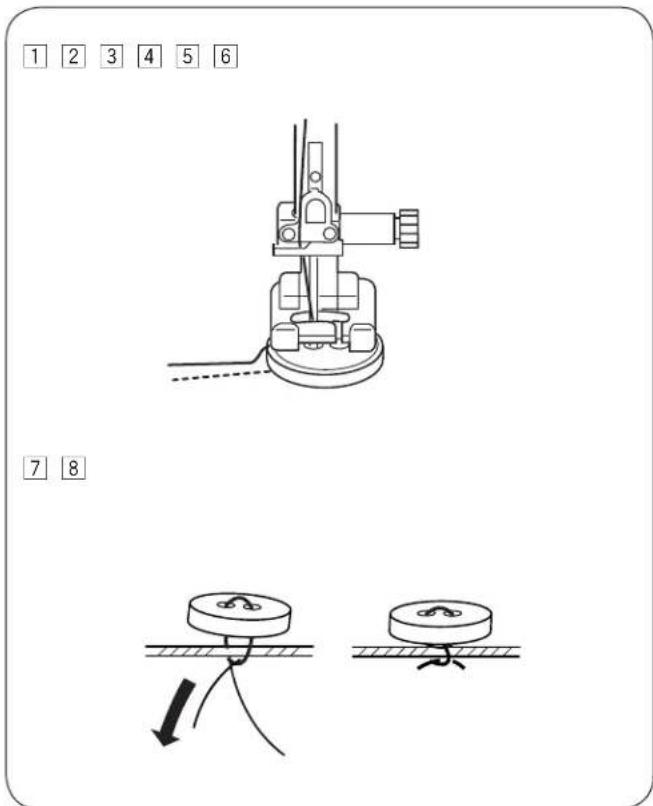
text_image
1 2 3 4 5 6 7 8- Bridge stitch
Patterns #55 to #58 in mode 3 are extender stitches which are used to insert straight stitches after a stitch pattern.
The extender stitches #57 and #58 inherit the stitch length and needle drop position of a previous pattern in programmed pattern combination. To see more detailed information about extender stitch, please refer to page 51.
Example: Inserting 2 counts of the straight stitch after a stitch pattern.
1 Select pattern 10 (mode 2). Press the memory key. Pattern 10 is memorized.
2 Select pattern 57 (mode 3).
Press the memory key.
Pattern 57 (2 counts of straight stitch) is memorized.
3 Two counts of straight stitch are inserted between blind stitches.
Button Sewing
① Stitch pattern: MODE 1: 7
② Needle thread tension: 3 to 7
③ Presser foot: Satin stitch foot F
④ Feed dog:
Dropped
[1] Lower the feed dog.
② Match the holes of button to the horizontal slot on the presser foot.
3 Lower the foot to hold the button in place.
4 Adjust the stitch width so the needle will enter the left hole of the button.
[5] Turn the handwheel so that the needle will enter the right hole of the button. Readjust the stitch width if necessary.
6 Stitch several times.
7 After you finish sewing, cut the threads but leave 3" to 4" of threads at the end.
8 With a hand sewing needle, draw the top thread to the reverse side of the fabric and knot the threads.
* After the button sewing is completed, raise the feed dogs for normal sewing.

text_image
① 17 ② 5 4 3 ③ 2 17 F ~ ~ 5.0 2.5Attaching Elastic
① Stitch pattern: MODE 2: 17
② Needle thread tension: 3 to 7
③ Presser foot: Satin stitch foot F
* Stitch patterns 08 in mode 2 can also be used.
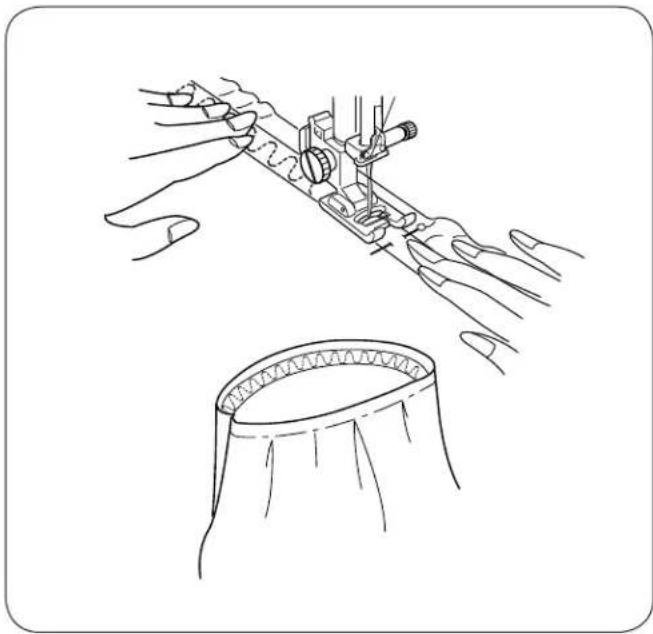
natural_image
Technical line drawing showing hands operating a mechanical device and a circular component (no text or symbols)Mark the elastic into quarters. Match those to the center front, center back and side seams, and pin the elastic to the fabric.
Place the elastic under the foot and stitch into place while stretch the elastic evenly.

text_image
① 21 ② 22 ③ 23 ④ 24 ⑤ 25 ⑥ 26 ⑦ 27Various Kinds of Buttonholes and Their Uses
① Square Buttonhole
This square buttonhole is widely used on medium to heavy fabrics. The buttonhole size is automatically determined by placing a button in the foot.
② Round-end Buttonhole
This buttonhole is used on fine to medium weight fabrics, especially for blouses and children's clothes.
③ Fine Fabric Buttonhole
This buttonhole is rounded at both ends and is used on fine, delicate fabrics such as fine silk.
④ Keyhole Buttonhole
The keyhole buttonhole is widely used on medium to heavy fabrics. It is also suitable for larger and thicker buttons.
⑤ Stretch Buttonhole
This buttonhole is suitable for knit fabrics. It can also be used as a decorative buttonhole.
⑥ Antique Buttonhole
Resembles a "Hand Worked" buttonhole ideal on fine fabrics featured in Heirloom sewing or for couture fashions.
⑦ Welted Buttonhole (Bound Buttonhole)
This is a template pattern for the hand-sewn welted buttonhole.
NOTES:
• To sew the buttonholes 21 to 27, follow the same procedure as Square BH (See page 35 to 36).
- The size of a buttonhole is automatically set by placing a button in the rear of the automatic buttonhole foot R.
- The button holder of the foot takes a button size of up to 1" (2.5 cm) in diameter.
- It is sometimes necessary to change buttonhole size to match certain heavy or specific materials and threads.
- Make a test buttonhole on an extra piece of the fabric to check your setting.
- Place the button on the fabric and mark the top and bottom to determine the position of the buttonhole on the fabric.
- Use an interfacing on stretch fabrics.
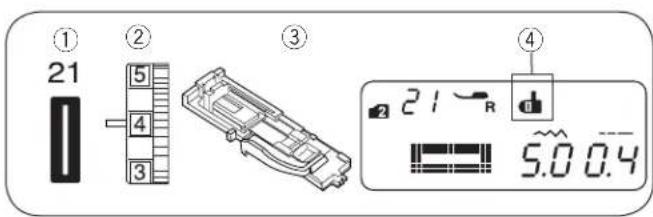
text_image
① 21 ② 5 4 3 ③ ④ 21 R 5.0 0.41

text_image
Technical diagram of a mechanical assembly with labeled parts ① and ②, showing internal components and a directional arrow.2
text_image
Technical diagram showing mechanical assembly with labeled components and directional arrows indicating motion or assembly steps.3

text_image
Technical diagram of a mechanical assembly with numbered component and directional arrow indicating motion or force4
text_image
Technical diagram of a sewing machine with labeled parts and cross-sectional viewsSquare Buttonhole
① Stitch pattern: MODE 2: 21
② Thread tension dial: 1 to 5
③ Presser foot: Automatic buttonhole foot R
④ Buttonhole lever sign
• To sew
① Press the needle up/down button to raise the needle Attach the automatic buttonhole foot R snapping the pin ② into the groove ① of the foot holder.
① Groove
② Pin
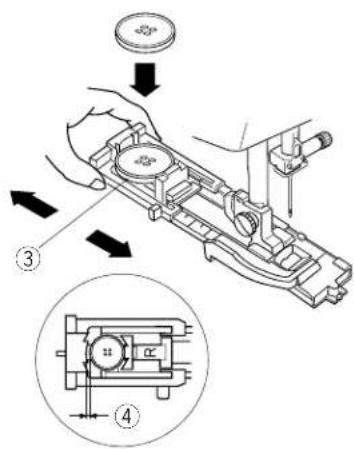
② Pull the button holder ③ to the back, and place the button in it. Push it together tightly against the button.
NOTE:
If the button is extremely thick, make a test buttonhole on an extra piece of the fabric.
If it is difficult to fit the button through the test buttonhole, you can lengthen the buttonhole by pulling the button holder back a little. The length of the buttonhole will be increased.
③ Button holder
④ Extra gap
③ Pull the buttonhole lever ⑤ down as far as it will go.
⑤ Buttonhole Lever
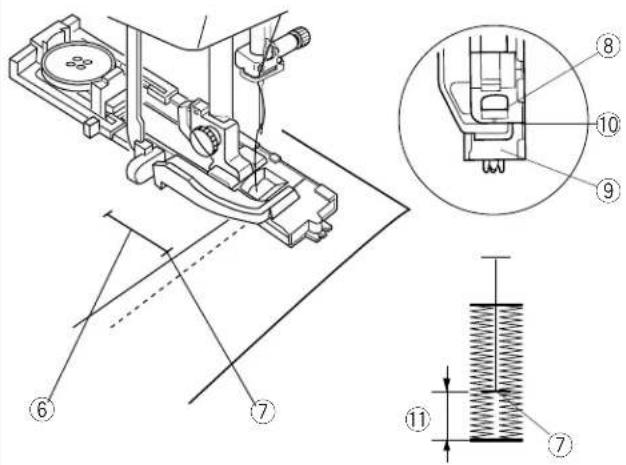
4 Insert the corner of the fabric under the foot. Press the needle up/down button twice. Remove the fabric to the left to draw the needle thread through the hole of the foot. Place the fabric under the foot and lower the needle at the starting point of the buttonhole mark ⑥. Then lower the automatic buttonhole foot R.
⑥ Buttonhole mark
⑦ Starting point
NOTE:
Make sure there is no gap ⑩ between the slider and stopper, otherwise the buttonhole will not be sewn in the required position.
⑧ Slider
⑨ Stopper
⑩ No gap
⑪ Sewing gap
5
6
7

text_image
Diagram illustrating a digital display with waveform, directional arrows, and a numeric display showing 5.0 to 0.4.8
9
text_image
Technical diagram showing a mechanical tool with labeled parts 13 and 14, likely illustrating a welding or cutting process.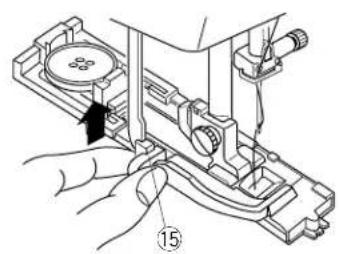
text_image
Technical diagram showing a hand operating a mechanical device with labeled component 155 Start the machine to sew the buttonhole. The buttonhole will be automatically sewn. The machine will sew the left row first.
6 The machine will sew the back bartack and the right row.
7 The machine will sew the front bartack, then it stops automatically with the needle in the up position. The machine will trim the threads at the end of sewing if the thread cutter sign is indicated on the LCD display.
NOTE:
If you start sewing the buttonhole without lowering the buttonhole lever, the LCD display will show "bL" message and the buttonhole lever sign ⑫ will blink. Lower the buttonhole lever, then restart the machine.
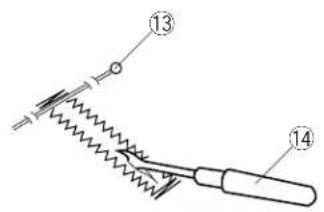
8 Remove the fabric and place a pin 13 just below the bartack to prevent accidentally cutting stitches. Cut the opening with the seam ripper 14.
⑬ Pin
⑭ Seam ripper
9 When buttonhole sewing is finished, push the buttonhole lever ⑮ upward as far as it will go.
⑮ Buttonhole lever

text_image
21 R 5.0 0.4 - ~ + ① ②Adjusting the Stitch Width and Density for Buttonholes
- Adjusting the stitch width
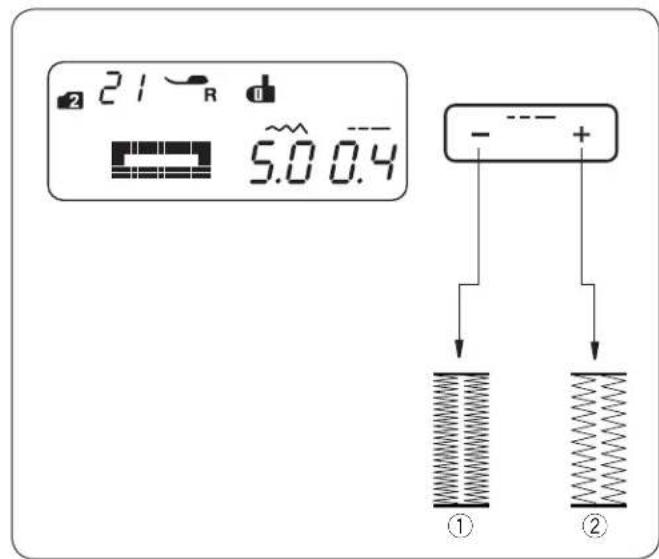
Press the stitch width adjustment key -+ to change the stitch. Press the “-” button to decrease buttonhole width ①. Press the “+” button to increase buttonhole width ②. The stitch width can be varied from 2.5 to 7.0 depending on the selected buttonhole. The default setting is “5.0”.
text_image
21 R 5.0 0.4 - - - ① ②- Adjusting the stitch density
Press the stitch length adjustment key - - + to change the stitch density.
Press the “—” button to make the buttonhole stitch denser ①.
Press the “+” button to make the buttonhole stitch less dense ②.
The stitch density can be varied from 0.3 to 0.8 depending on the selected buttonhole.
The default setting is "0.4".
text_image
① 22 ② 5 4 3 ③ 22 R d 4.0 0.4Round-End Buttonhole
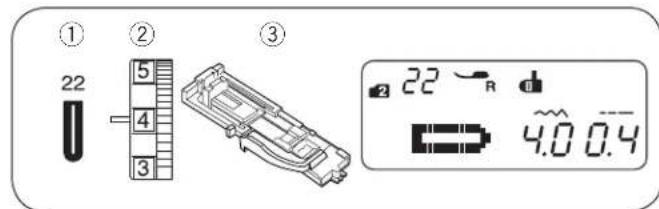
① Stitch pattern: MODE 2: 22
② Thread tension dial: 1 to 5
③ Presser foot: Automatic buttonhole foot R

text_image
22 ↑↓→ ↑→The sewing procedure is the same as the square buttonhole. The stitch width can be varied from 2.5 to 5.5. To change the stitch width or stitch density, refer to the section above.
text_image
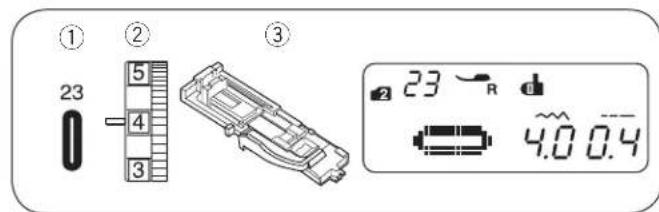
① 23 ② 5 4 3 ③ 23 R 4.0 0.4Fine Fabric Buttonhole
① Stitch pattern: MODE 2: 23
② Thread tension dial: 1 to 5
③ Presser foot: Automatic buttonhole foot R
The sewing procedure is the same as the square buttonhole. The stitch width can be varied from 2.5 to 5.5. To change the stitch width or density, refer to the section above.

text_image
① 24 ② 5 4 3 ③ 24 R 7.0 0.4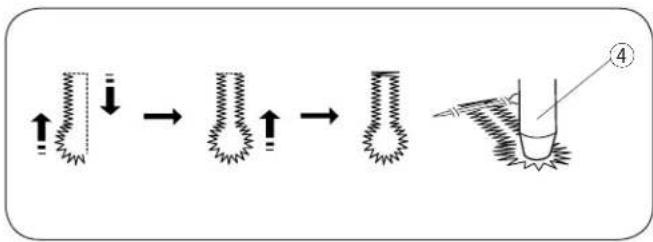
text_image
Diagram illustrating a step-by-step process of a mechanical or fluidic component with directional arrows and a labeled step '4'
text_image
① 25 ② 4 3 ③ 25 R 5.0 0.7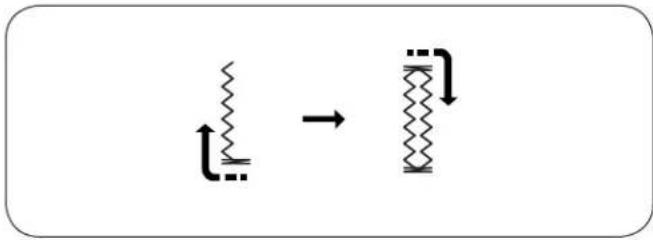
chemical
Diagram showing a transformation of zigzag chains into zigzag loops with directional arrows
text_image
① 26 ② 5 4 3 ③ 26 R 5.0 1.5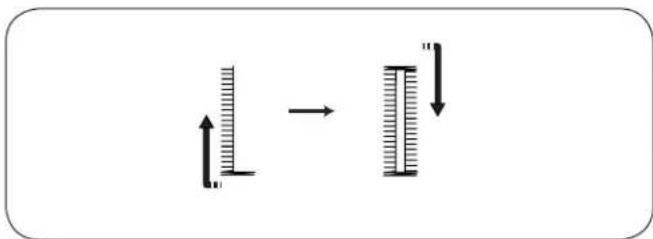
text_image
Diagram showing a vertical bar with upward and downward arrows indicating movement or change, possibly illustrating a physical or mathematical concept.Keyhole Buttonhole
① Stitch pattern: MODE 2: 24
② Thread tension dial: 1 to 5
③ Presser foot: Automatic buttonhole foot R
The sewing procedure is the same as the square buttonhole. Use the seam ripper and an eyelet punch ④ to open the buttonhole.
Eyelet punch
The stitch width can be varied from 5.5 to 7.0.
To change the stitch width or density, refer to page 37.
* An eyelet punch is an optional item.
Stretch Buttonhole
① Stitch pattern: MODE 2: 25
② Thread tension dial: 1 to 5
③ Presser foot: Automatic buttonhole foot R
The machine will sew the front bartack and left row first. The machine will sew the back bartack and right row, then it stops automatically.
The stitch width can be varied from 2.5 to 7.0.
The stitch density can be varied from 0.5 to 1.0.
To change the stitch width or stitch density, refer to page 37.
Antique Buttonhole
① Stitch pattern: MODE 2: 26
② Thread tension dial: 1 to 5
③ Presser foot: Automatic buttonhole foot R
The machine will sew the front bartack and left row first. The machine will sew the back bartack and right row, then it stops automatically.
The stitch width can be varied from 2.5 to 7.0.
The stitch density can be varied from 0.5 to 2.5.
To change the stitch width or stitch density, refer to page 37.

text_image
① 21 ② 5 4 3 ③ 21 R 5.0 0.4
text_image
Technical diagram showing three-step assembly steps for a mechanical device, labeled 1 to 4 with Chinese annotations.Corded Buttonhole
① Stitch pattern: MODE 2: 21
② Thread tension dial: 1 to 5
③ Presser foot: Automatic buttonhole foot R
1 Use the same procedure as the square buttonhole procedure. Set the stitch width to match the thickness of the cord used. With the buttonhole foot raised, hook the filler cord on the spur ① at the back of the buttonhole foot.
Bring the ends toward you under the buttonhole foot, clearing the front end. Hook the filler cord into the forks ② on the front of the automatic buttonhole foot to hold them tight.
Lower the needle into the garment where the buttonhole will start, and lower the foot.
① Spur
② Forks
2 Start the machine and sew the buttonhole. Each side of the buttonhole and the bartacks will be sewn over the cord.
Remove the fabric from the machine, and cut the sewing threads only.
③ Needle thread (top thread)
④ Bobbin thread (bottom thread)
3 Pull the loose ends of the filler cord to tighten it. Thread the each end of the cord through a hand-sewing needle. Then draw the both ends to the wrong side of the fabric and knot.
NOTE:
Cut the filler cord at both ends, if the filler cord is stitched on the fabric and cannot be pulled.
text_image
① 28 ② 5 4 3 ③ 28 R d5
text_image
1 2 3 4 ① ② ③ ④ START STOP ⑤ ⑥ ⑦
flowchart
graph TD
    A["28 R"] --> B["+"]
    C["≡"] --> B
    D["d5"] --> B
    E["Grid 1"] --> F["Grid 2"]
    G["Grid 3"] --> H["Grid 4"]
    I["Grid 5"] --> J["Grid 6"]
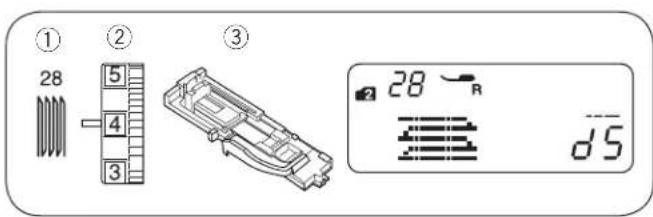
Darning Stitch
① Stitch pattern: MODE 2: 28
② Thread tension dial: 3 to 6
③ Presser foot: Automatic buttonhole foot R
- Starting to sew
① Pull the button holder ① to the back.
2 Place the garment under the foot. Press the needle up/down button twice. Move the fabric to the left to draw both threads under the foot.
3 Lower the foot. Start the machine. The machine will sew locking stitch, 16 rows of darning, locking stitch again and stop automatically.
4 Turn the fabric and repeat sewing in different direction.
The machine will trim the threads at the end of sewing automatically if the thread cutter sign is indicated on the LCD display (see page 7).
① Button holder
② Starting point
③ 3/4" (2 cm)
④ 9/32" (0.7 cm)
- Sewing a shorter darning
To sew a darning shorter than 3/4" (2 cm), first stop the machine after sewing the required length ⑥, then press the reverse stitch button ⑤.
The required length ⑥ has been determined.
Start the machine again and continue sewing until the machine stops automatically.
⑤ Reverse stitch button
⑥ Required length
⑦ Starting point
- Sewing a same-sized darning
Simply start the machine to sew another darning at the same size.
- Adjusting the evenness of the darning
Correct the evenness of the darning as follows: Press the stitch length adjustment key - - - + to adjust the evenness.
When the right side of the darn is lower than the left side, press "+" to make the darn even.
When the left side of the darn is lower than the right side, press “—” to make the darn even.
text_image
① 29 ② 5 4 3 ③ 29 F 2.0 1.5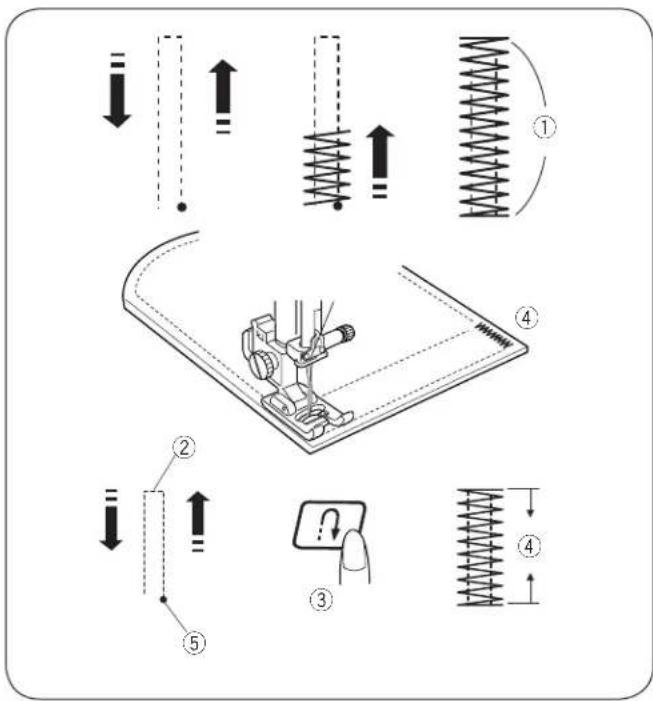
text_image
Technical diagram illustrating mechanical assembly with spring and damper mechanisms, numbered steps ① to ⑤.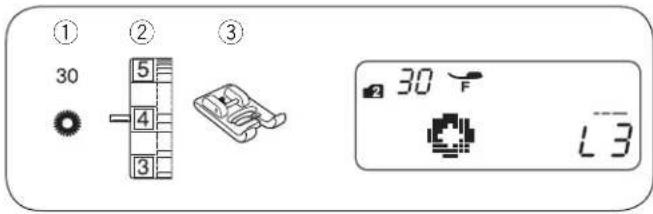
text_image
① 30 ② 5 4 3 ③ 30 F L3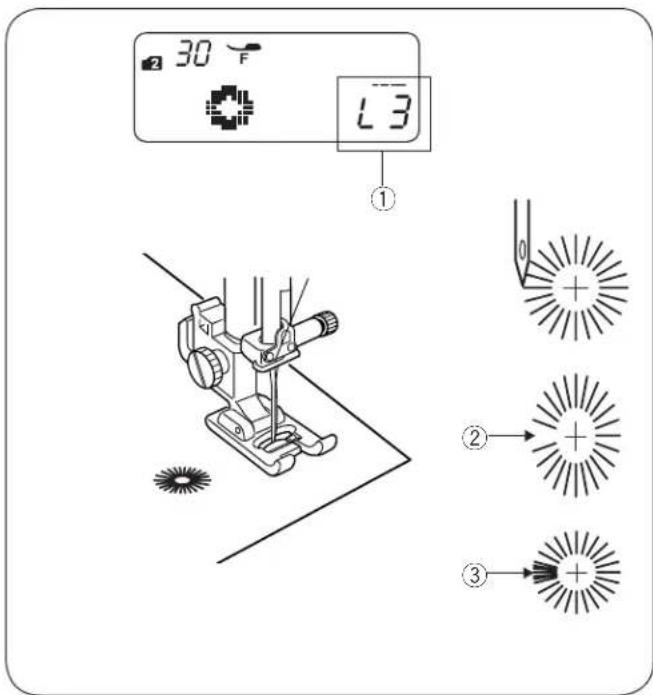
text_image
30 °F L3 ① ② ③Tacking
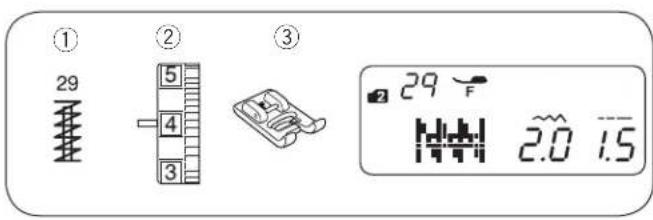
① Stitch pattern: MODE 2: 29
② Thread tension dial: 3 to 6
③ Presser foot: Satin stitch foot F
Tacking is used to reinforce pockets, crotch seams and belt carriers where extra strength is needed.
- Start sewing
Start the machine and sew until the machine stops automatically. The machine will sew a tacking 5/8" (1.5 cm) long. ① 5/8" (1.5 cm)
The machine will trim the threads at the end of sewing automatically if the thread cutter sign is indicated on the LCD display (see page 7).
- Sewing a shorter tacking
* Set the speed control slider at low speed setting.
To sew a tacking shorter than 5/8" (1.5 cm), first stop the machine after sewing the required length ②, then press the reverse stitch button ③.
The tacking length ④ has been determined.
Start the machine again and continue sewing until the machine stops automatically.
② Required length
③ Reverse stitch button
④ Tacking length
⑤ Starting point
- Sewing a same-size tack
Simply start the machine to sew another tacking at the same size.
Eyelet
① Stitch pattern: MODE 2: 30
② Needle thread tension: 1 to 4
③ Presser foot: Satin stitch foot F
The eyelet is used for belt holes etc.
- Starting to sew
Attach the satin stitch foot F.
Start the machine. The machine will stop automatically when completed.
The machine will trim the threads at the end of sewing automatically if the thread cutter sign is indicated on the LCD display (see page 7).
Open the eyelet with an awl, eyelet punch or pointed scissors.
- Adjusting the shape of an eyelet
Correct the shape of the eyelet as follows:
Press the stitch length adjustment key - - - + to adjust the shape.
If the eyelet gap opens ②, press “-” to correct the eyelet shape. (L1–L2)
If the eyelet overlaps ③, press “+” correct the eyelet shape. (L4–L5)
NOTE:
The shape can be adjusted within L1 to L5 (default setting is L3).
text_image
① ② ③ 16 8 7 6 ② 16 F W W 7.0 2.0
natural_image
Pure electrical circuit lines without any symbols
text_image
① 04 M ② 5 4 3 ③ ④ 3 04 F 3.5 2.5
text_image
Technical diagram of a heart-shaped sewing machine with labeled parts and digital display showing temperature reading.SECTION IV. DECORATIVE STITCHING
Shelltuck Stitch
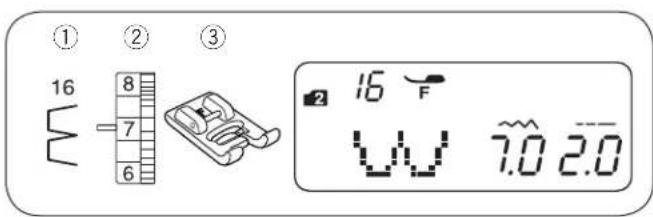
① Stitch pattern: MODE 2: 16
② Needle thread tension: 6 to 8
③ Presser foot: Satin stitch foot F
Use a lightweight fabric (tricot, for example). Fold the fabric as shown and stitch on the fold. Allow the needle to just clear the folded edge to create a shelled edge. You may need to increase the needle thread tension slightly. If you sew rows of shell stitches, space the rows at least 5/8" (1.5 cm) apart. You can also sew shell stitches on knits or soft silky woven fabrics, in any direction.
Applique
① Stitch pattern: MODE 3: 04
② Needle thread tension: 1 to 4
③ Presser foot: Satin stitch foot F
④ Presser foot pressure dial: 3
Place an applique on the fabric and baste or pin it in place.
Reduce the foot pressure.
Sew while guiding the fabric so the needle falls along the outer edge of the applique.
① Applique
② Outer edge
When turning around a corner, stop the machine with the needle at the outer edge of applique.
Raise the presser foot and pivot the fabric around the needle to change the sewing direction.
- Adjusting the stitch width
Select pattern 04 in mode 3.
Press the stitch width adjustment key - \~ + to change the stitch width.
Press “—” to decrease the stitch width ④.
Press “+” to increase the stitch width ⑤.
The stitch width will be varied base on the centered needle drop position ⑥.
③ Stitch width (3.5)
④ Stitch pattern 04 (stitch width decreased)
⑤ Stitch pattern 04 (stitch width increased)
⑥ Center needle drop position
(A)The stitch pattern 09 has a fixed left needle drop position. When you change the stitch width, the right needle drop position will change.
(B)The stitch patterns 04, 05 and 06 have a fixed center needle drop position. The stitch width changes symmetrically.
(C) The stitch patterns 07, 08 and 10 have a fixed right needle drop position. When you change the stitch width, the left needle drop position will change.

text_image
① 30 ② 5 4 3 ③ 30 A 7.0 2.5
natural_image
Simple line drawing of scissors cutting through a saw (no text or symbols)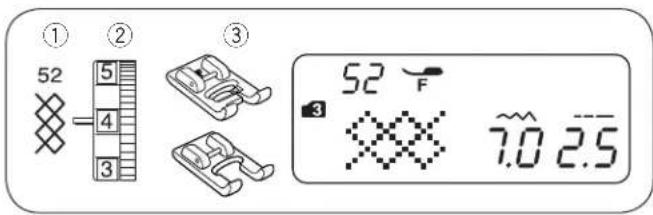
text_image
① 52 ② 4 3 ③ 52 F 7.0 2.5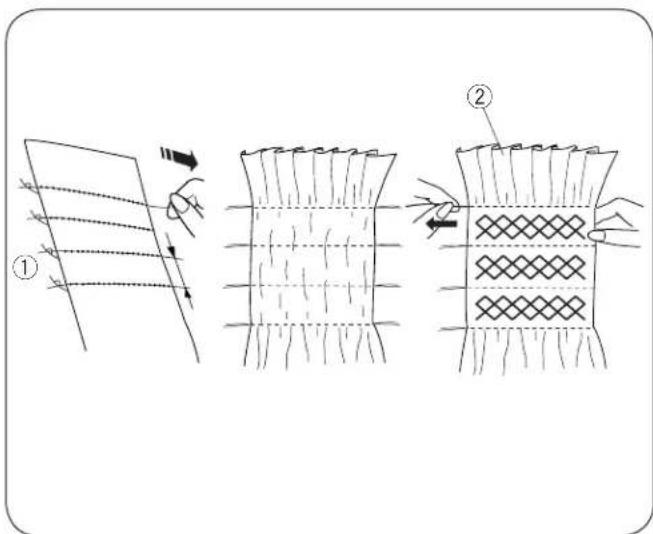
text_image
Diagram illustrating textile sewing steps with labeled parts and directional arrows
text_image
① 04 ② 5 4 3 ③ 04 A 0.5 2.2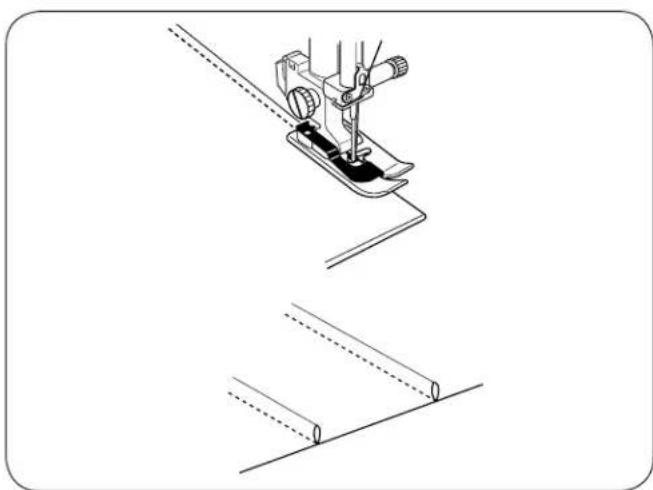
natural_image
Technical line drawing of a sewing machine needle stitching on a metal sheet (no text or symbols)Scallop Stitch
① Stitch pattern: MODE 3: 30
② Thread tension dial: 3 to 6
③ Presser foot: Zigzag foot A
* Stitch patterns 29 or 64 in mode 3 can also be used.
Sew the stitches approximately 3/8" (1 cm) inside the edge of the fabric.
Trim the outside of the stitches as shown. Make sure not to cut the thread.
Smocking
① Stitch pattern: MODE 3: 52
② Thread tension dial: 3 to 6
③ Presser foot: Satin stitch foot F
Custom crafted zigzag foot F2
Smocking is a delicate decorative treatment used on children's clothes or women's blouses.
Choose a soft and lightweight fabric such as batiste, gingham or challis. Cut the fabric three times wider than the projected width. Set stitch length at "5.0", loosen the thread tension to 0 and sew rows of straight stitches 3/8" (1.0 cm) apart across the area to be smocked.
NOTE:
Pull up the bobbin thread and draw a 4" to 6" thread tail to the back before start sewing.
Knot the threads along one edge ①. From the other edge, pull the bobbin threads (bottom threads) to distribute the gathers ② evenly.
Sew the smocking stitches between the gathered rows. Remove the straight stitches by pulling them out.
① Knotted edge
② Gathers
Pintucking
① Stitch pattern: MODE 1: 4
MODE 2:04
② Thread tension dial: 1 to 4
③ Presser foot: Blind Hem stitch foot G
Fold the fabric with the wrong sides together.
Place the folded fabric under the blind hem foot.
Align the edge of the fold with the guide on the foot, and lower the foot.
Sew while guiding the edge of the fold along the guide.
Open the fabric and press the tuck to one side.

text_image
① 01 43 P c = ② ③ 43 A ~ 5.0 1.5
text_image
Technical diagram showing three-step sewing process with numbered steps and measurement annotations
text_image
① 18 ② 5 4 3 ③ 18 F 3 0105 7.025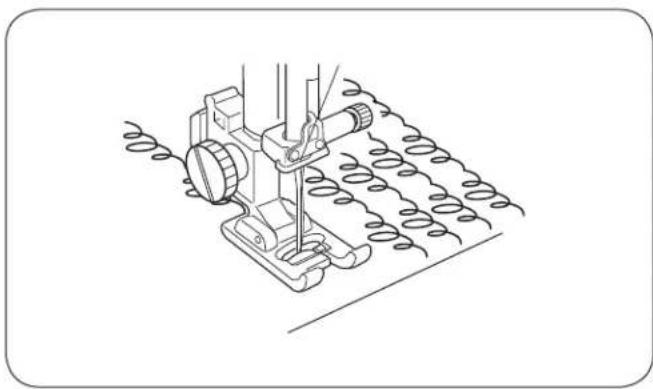
natural_image
Line drawing of a sewing machine needle stitching a coiled thread (no text or symbols)Patchwork Piecing
① Stitch pattern: MODE 3: 01 and 43
② Thread tension dial: 3 to 6
③ Presser foot 1/4" seam foot O
Zigzag foot A
[1] Place the patchwork pieces right sides together. Select stitch pattern 01 in mode 3. Sew while guiding the edge of the fabric along the guide on the foot to keep a precise 1/4" seam allowance.
① Wrong side of fabric
② Right side of fabric
2 Select stitch pattern 43 in mode 3. Replace the presser foot to Zigzag foot A.
3 Press the seam allowance to open. Sew stitch pattern 43 on the right side of the garment centering over the seam line.
* Stitch patterns 12, 13, 14, 15, 20 or 21 in mode 3 can also be used.
• Angle scale on the needle plate
You can easily seam patchwork pieces at the desired angles without marking, by using the unique angle scales on the needle plate.
The angle scales are marked at 45, 60, 90 and 120 degrees.
Stippling Stitch
① Stitch pattern: Mode 3: 18
② Thread tension dial: 3 to 6
③ Presser foot: Satin stitch foot F
Custom crafted zigzag foot F2
* Stitch patterns 16, 17 or 19 in mode 3 can also be used.
A pre-programmed stippling stitch is a fast and easy method to quilt small areas.
Place a batting (wadding) between quilt top and backing fabric.

text_image
① 22 ② 4 3 ③ 22 F 3 7.0 2.5
natural_image
Technical line drawing of a mechanical device with a starburst symbol below, no text or labels present
text_image
① 45 ② 5 4 3 ③ 45 F 7.0 2.0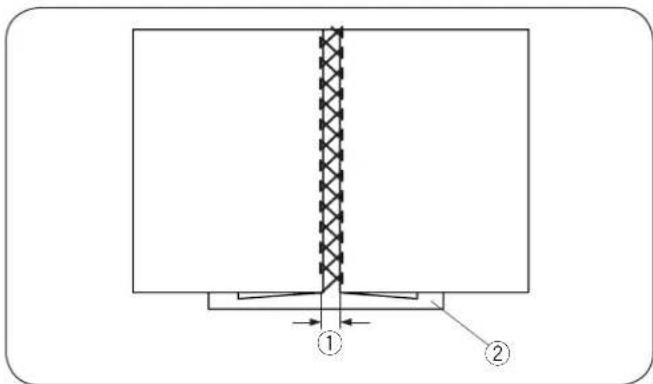
text_image
Technical diagram showing a structural assembly with labeled components ① and ②, featuring a textured vertical section and base structure.
text_image
① 65 ② 5 4 3 ③ 65 °F 7.0 0.4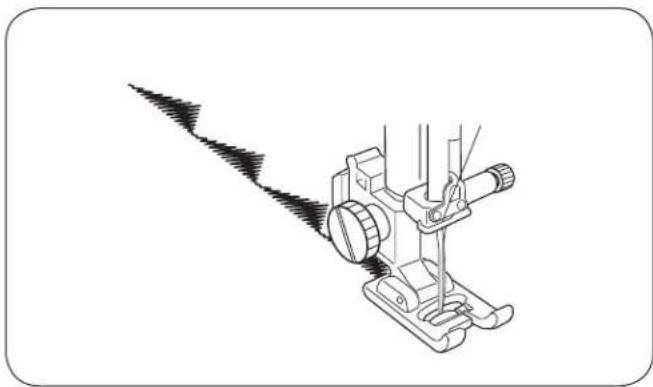
natural_image
Line drawing of a sewing machine with a pointed tool emitting black powder (no text or symbols)Clasp Stitch
① Stitch pattern: Mode 3: 22
② Thread tension dial: 3 to 6
③ Presser foot: Satin stitch foot F
You can secure quilt layers and batting using the clasp stitch.
1 Select stitch pattern 22 (mode 3). Press the memory key.
2 Select stitch pattern 92 (mode 3). Press the memory key.
3 Start sewing. The machine will automatically stop after sewing one unit of the pattern.
Fagoting
① Stitch pattern: Mode 3: 45
② Thread tension dial: 3 to 6
③ Presser foot: Satin stitch foot F
* Stitch patterns 46 in mode 3 can also be used.
Use this stitch to join two pieces of fabric to create an open work appearance and add design interest. Fold under each fabric edge 5/8" (1.5 cm) and press. Pin the two edges to paper or tear away backing 1/8" (0.3 to 0.4 cm) apart. Sew slowly, guiding the fabric so the needle catches the folded edge on each side.
After finishing the sewing, tear away the paper.
① 1/8" (0.3 to 0.4 cm)
② Paper
Satin Stitches
① Stitch pattern: Mode 3: 65
② Thread tension dial: 3 to 6
③ Presser foot: Satin stitch foot F
Custom crafted zigzag foot F2
* Stitch patterns 59 to 66 in mode 3 can also be used.
For better sewing results, stabilizer should be used on the wrong side of the fabric when you use stretch or elastic fabrics.
Press the auto-lock button to finish the end of the pattern.
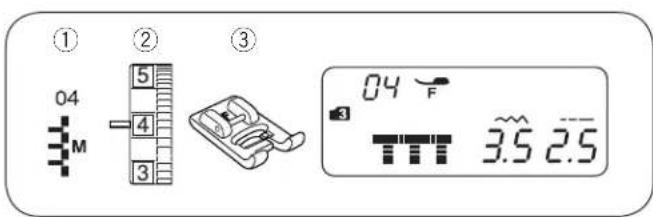
text_image
① 04 M ② 5 4 3 ③ 04 F 3.5 2.5
text_image
Technical diagram illustrating three-step sewing process: measuring tape, cutting machine, and measuring fabric.
text_image
① 04 M ② 5 4 3 ③ 04 F 3.5 2.5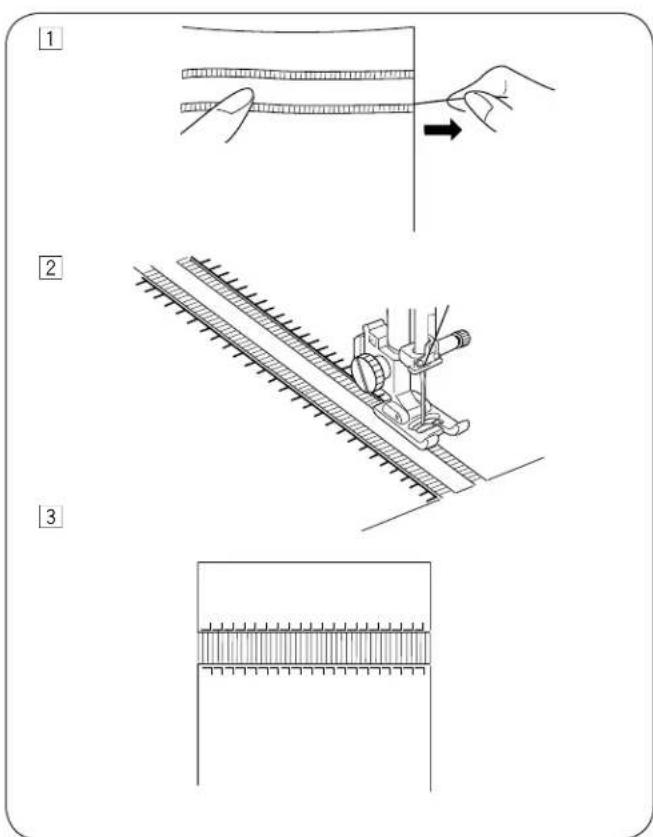
text_image
Technical diagram illustrating three-step fabric sewing process: cutting, rolling, and finishing with ruler.Fringing
① Stitch pattern: MODE 3: 04
② Thread tension dial: 3 to 6
③ Presser foot: Satin stitch foot F
Fringing adds a special touch on table linens and shawls. Choose a firm, woven fabric like linen where threads can be removed easily.
1 Carefully cut the fabric on the grain. Remove a single strand of yarn or thread where the fringing is to begin.
2 Sew down the left side so the right hand stitches fall in the open space.
3 Remove all excess yarn located to the right of the stitching and create a fringe.
Drawn work
① Stitch pattern: MODE 3: 04
② Thread tension dial: 3 to 6
③ Presser foot: Satin stitch foot F
Drawn work uses the same method as fringing. Choose a firm, woven fabric like linen where threads can be removed easily.
[1] Carefully cut the fabric on the grain. Determine the width of the drawn work and remove one strand of yarn or fabric thread at each end.
2 Sew down the left side, guiding the fabric so the right hand stitches fall in open space. After finishing the left side, turn the fabric around 180°. Sew down the other side.
3 Remove the yarn or fabric threads between the stitching.
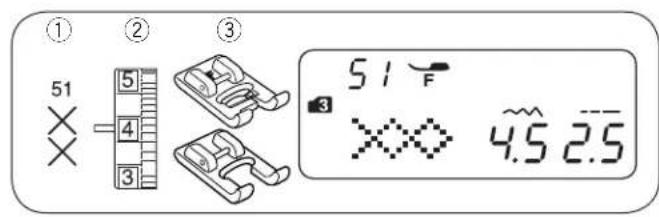
text_image
① ② ③ 51 5 4 3 51 F 3 XXX 4.5 2.5Cross Stitch
① Stitch Pattern: Mode 3: 51
② Thread tension dial: 3 to 6
③ Presser foot: Satin stitch foot F Custom crafted zigzag foot F2

natural_image
Symmetrical abstract geometric pattern with interlocking diamond and cross motifs (no text or symbols)You can make cross stitch designs with these patterns in half the time it would take if embroidered by hand.
* If you press the auto-lock button before sewing, the machine will sew one unit of the cross stitch and stop automatically.
Choose a plain close weave fabric such as linen or wool flannel for the background fabric. If you choose light weight fabric, use a tear away backing for support.
Adjust the stitch width and length as you desire to match the pattern.
Find the center of the design, or if the design is a border, choose a starting point.
Count the cross stitches from the center up and program the number. Use auto-lock button to begin and end.

text_image
① ② ③ 67 5 4 3 67 F 3.2 7.0 2.5Decorative Stitches
① Stitch Pattern: Mode 3: 67
② Thread tension dial: 3 to 6
③ Presser foot: Satin stitch foot F
Custom crafted zigzag foot F2
* Stitch patterns 68 to 90 in mode 3 can also be used.

natural_image
Symmetrical decorative pattern with diamond and star motifs, no text or symbols presentFor the best sewing results, carefully align and guide the fabric when you sew with decorative stitches.
Use a tear-way backing if necessary.

text_image
① ② ③ 61 5 4 3 61 F 3 3.0 0.4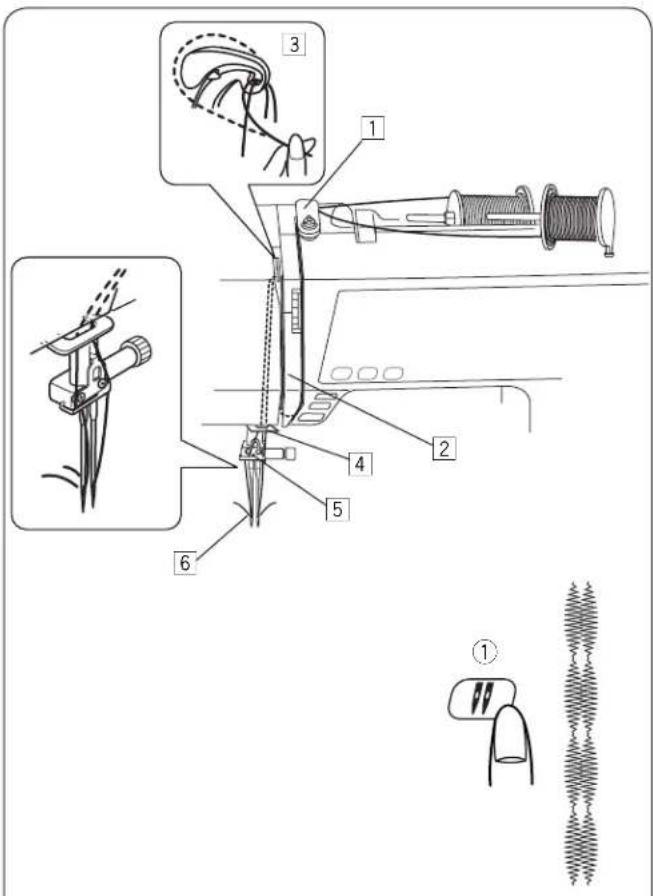
text_image
Technical diagram illustrating a sewing machine tool with numbered parts and exploded view, including thread arrangement and component identification.Twin Needle Sewing
① Stitch pattern: Mode 3: 61 (example)
② Thread tension dial: 3 to 6
③ Presser foot: Satin stitch foot F
Custom crafted zigzag foot F2
NOTES:
- When you sew patterns with the twin needle, test the stitches before you begin to sew.
- Use zigzag foot A or satin stitch foot F for twin needle sewing.
- Turn off the machine before changing the needle.
- Replace the twin needle with a single needle when twin needle sewing is finished.
- Starting to sew
Use the extra spool pin for twin needle sewing.
Place two spools of thread as shown.
Draw both threads from the spools and thread them through the points from 1 to 6.
Make sure that the two strands of thread do not get tangled.
Turn the power switch on and select the desired pattern.
Press the twin needle button ①, draw the both threads to the back or left of the foot.
NOTES:
- When changing the sewing direction, raise the needle and turn the fabric.
- When you select stitch patterns not for twin needle sewing and press the twin needle button, the twin needle mark will blink on the LCD display and the caution buzzer sound.
- Stitch patterns cannot be memorized in the twin needle mode.
- Use the thread cutter on the face cover when trimming threads.
- Use thin threads #60 or larger number for the twin needle sewing.

pie
Stitch Patterns for Twin Needle Sewing | Mode | Pattern Description | |---|---| | MODE 1, 2 | 01 02 03 04 05 06 07 08 11 12 | | | | | | | | | | | | | | | | | | | | | | | | | | | | | | | | | | / \ / \ / \ / \ / \ / \ / \ / \ / \ / \ / \ / \ / \ / \ / \ / \ / \ / \ / \ / \ / \ / \ / \ / \ / \ / \ / \ / \ / \ / \ / \ / \ / \ / \ / \ / \ / \ / \ / \ / \ | | | | | | | | | | | | | | | | | | | | | | | | | | | | | | | | | | I I I I I I I I I I I I I I I I I I I I I I I I I I I I I I I I I I | | | | | | | | | | | | | | | | | | | | | | | | | | | | | | | | | | | | | | | | | | | | | | | | | | :P M Y Z X X X X X X X X X X X X X X X X X X X X X X X X X X X X X X X X X X X X X X X X X X X X X X X X X X X X X X X X X X X X X X X X X X X X X X X X X X X X X X X X X X X X X X X X X X X X X X X X X X X X Y K K K K K K K K K K K K K K K K K K K K K K K K K K K K K K K K K K K K K K K K K K K K K K K K K K K K K K K K K K K K K K K K K K K K K K K K K K K K K K K K K K K K K K K K K K K K K K K K K K K KK (MODE 3) : (MODE 3) : (MODE 3) : (MODE 3) : (MODE 3) : The diagram shows the structural components of two modes in a single-line drawing. The labels above the diagram are 'MODE 1,2', 'MODE 3', and 'MODE 3'. The symbols inside the diagram represent different knot types or configurations.1
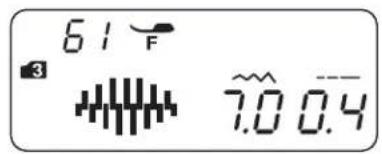
text_image
61 F 3 7.0 0.42

text_image
92 A 33

SECTION V. PROGRAMMING PATTERNS AND LETTERS
Programming the Auto-lock Stitch
Example: Pattern #61 (mode 3)
1 Select pattern 61 (mode 3). Press the memory key.
2 Select pattern 92 (mode 3). Press the memory key.
3 Place the fabric and sew. The machine will sew a locking stitch, stitch pattern 61, locking stitch and stop.
1 2
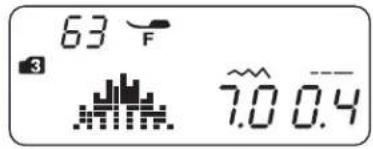
text_image
63 F 3 7.0 0.4
3

text_image
F 34

text_image
-65 °F 3 7.0 0.4
5
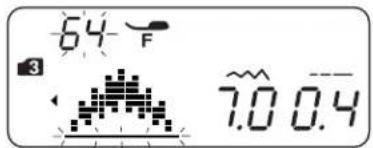
text_image
64 °F 3 7.00.4
6


text_image
START STOP ①Programming the Pattern Combination Example: Patterns #63, #65 and #64 (mode 3)
1 Select pattern 63 (mode 3).
2 Press the memory key, and the stitch pattern 63 is memorized.
3 The LCD display shows only 1 character at a time. The memorized stitch pattern is shifted to the left side of the display and the cursor blinks.
4 Select pattern 65 (mode 3). Press the memory key.
5 Select pattern 64 (mode 3). Press the memory key.
6 A pattern combination series will be sewn. If you press the auto-lock button ① while the machine is sewing, the machine will sew the current pattern and locking stitch, then stop automatically.
NOTE:
Stitch patterns can be memorized up to 50 patterns.
1 | 2 | 3

text_image
Diagram showing a device with labeled components including a screen, scissors, and a spring-like waveform below.Programming Auto-thread Cutting
Example: Auto-thread Cutting with Patterns #63, #65 and #64 (mode 3)
① Refer to procedure ① to ⑤ on "Programming the Pattern Combination" above to enter the stitch patterns 63, 65 and 64.
2 Press and hold the thread cutter button until the thread cutter mark appears on the LCD display.
3 Start sewing. A pattern combination series will be sewn and the machine will trim the threads automatically after locking stitch.

text_image
1 2 22 F 3 7.0 2.5 MEM 3 4 57 F 3 2 .... MEM 5 1 2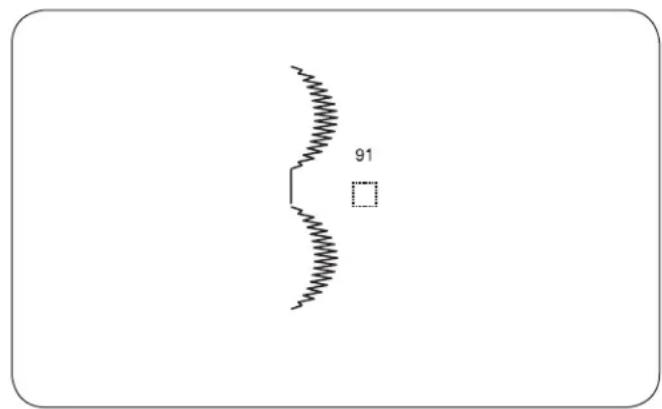
text_image
91Bridge Stitches
55 56 57 58
Patterns #55 to #58 ( |1 & 1 & 2 & & 2| ) in mode 3 are bridge stitches which are used to insert straight stitches between stitch patterns.
The bridge stitches #57 and #58 use the stitch length and needle drop position of the previous pattern in the programmed pattern combination.
The needle drop position and stitch length of patterns #55 (mode 3) and #56 (mode 3) can be adjusted.
However, the needle drop position and stitch length of patterns #57 |^671x. (mode 3) and #58 |^681x. (mode 3) cannot be adjusted. The needle drop position and stitch length remain same as the previous pattern.
NOTE:
Use bridge stitch patterns #55 or #56 when the stitch length of the previous stitch pattern is too fine (such as satin stitches).
Example: Patterns #22 and #57 (mode 3)
1 Select pattern 22 (mode 3).
2 Press the memory key.
3 Select pattern 57 (mode 3).
4 Press the memory key.
5 Start sewing. Two counts of straight stitch ① are inserted between the stitch pattern 22.
5 Start sewing. Two counts of straight stitch ① are inserted between the stitch pattern 22.
- To insert a space between patterns
Example: Patterns #64 and #91
1 Select pattern 64 (mode 3).
2 Press the memory key.
3 Select pattern 91 (mode 3).
4 Press the memory key.
5 Start sewing. A 5 mm space will be inserted between the patterns.
| Spaces (Default stitch length) | |
| Pattern #91 (Mode 3) 5 mm | |
| Pattern #97 (Mode 4 and 6) 2.5 mm | |
| Pattern #98 (Mode 4 and 6) 3.5 mm | |
| Pattern #99 (Mode 4 and 6) 5 mm | |
NOTE:
Thespacecanbevariedfrom0.5to5.0byadjusting its stitch length.
1

text_image
64 °F 3 7.0 0.4
2

text_image
64 F 3 7.0 0.4 ①
3


text_image
START STOP ②Programming a Mirror Image
Example: Patterns #64 (Mode 3) and its mirror image
1 Select pattern 64 (Mode 3). Press the memory key.
2 Select pattern 64 (Mode 3).
Press the flip key. The flip mark ① will appear on the LCD display. Press the memory key.
3 Start sewing. The pattern combination series will be sewn.
Press the auto-lock button ②. The machine will sew the current pattern and stop sewing with a locking stitch.
NOTE:
Mirror image cannot be applied to stitch patterns below:
Mode 1: Stitch patterns 1, 2, 3, 5, 9 and 0.
Mode 2: Stitch patterns 01, 02, 03, 05, 09, 10, 14, 15 and 21 to 30.
Mode 3: Stitch patterns 01, 02, 03, 11, 55, 57, 58, 91 and 92.
Mode 4, 5 and 6: All stitch patterns.
MODE 2

text_image
01 02 03 05 09 10 14 15 21 22 23 24 25 26 27 28 29 30MODE 3
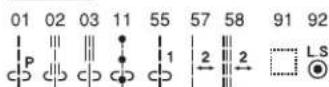
MODE 4
All stitch patterns.
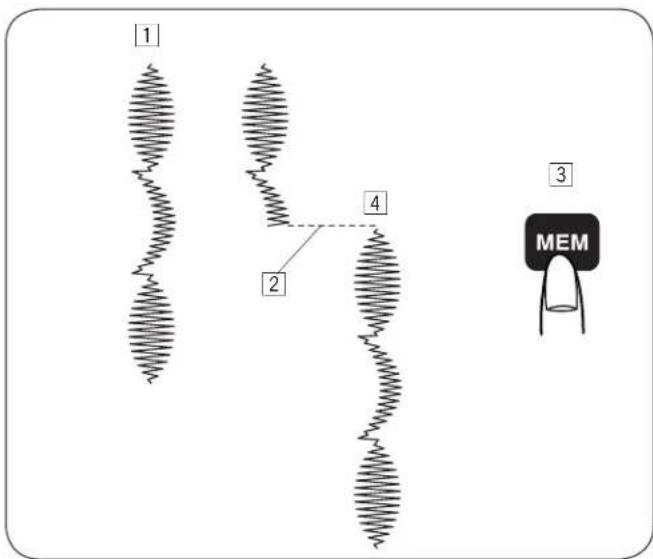
text_image
1 2 4 3 MEMSewing a Pattern Combination from the Beginning
If you have to stop sewing a pattern combination and wish to sew it over again, press the memory key to sew the pattern combination from the beginning.
1 Programmed pattern combination.
2 Stop sewing.
3 Press the memory key.
4 Machine sews the pattern combination from the beginning.
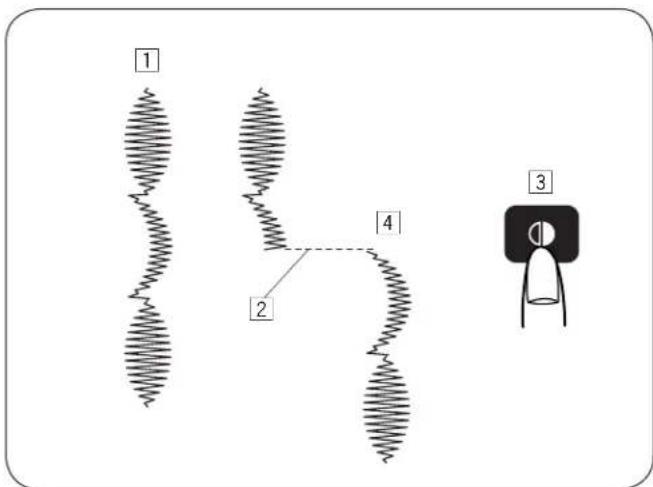
text_image
1 2 4 3Sewing the Current Pattern from the Beginning
If you have to stop sewing a pattern combination and wish to sew from the incomplete pattern, press the memory key to sew from the beginning of the pattern last sewn.
1 Programmed pattern combination.
2 Stop sewing.
3 Press the flip key.
4 Machine sews the pattern combination from the beginning.

text_image
Direct Utility Decorative ABC A A A A B B 01 F 4 1 7.0 2.5 Direct Utility Decorative ABC A A A A B B 01 F 5 7.0 2.5 Direct Utility Decorative ABC A A A A B B 01 F 6 7.0 2.5Programming Letters
In mode 4, 5 or 6, you can program text by entering the number of alphabets.
Mode 4: Alphabets/number/symbol
Mode 5: European accented letters
Mode 6: Russian (Cyrillic) letters

text_image
1 01 F 4 1 7.0 2.5 MODE 2 14 F 4 D 7.0 2.5 MEM 3 41 F 4 De 7.0 2.5 MEM 4 52 F 4 DeF 7.0 2.5 MEM 4 5 'FP' MEM 5 51 F 5 'PPÉ 7.0 2.5 MODE MEM 6 DepeExample: To program "Deppé"
1 Press the mode key to enter mode 4.
Enter 14 to select upper case letter "D". Press the memory key.
2 Enter 41 to select lower case letter "e". Press the memory key.
3 Enter 52 to select lower case letter "p". Press the memory key.
4 Enter 52 to select lower case letter "p". Press the memory key.
5 Press the mode key to enter mode 5. Enter 51 to select lower case letter (é). Press the memory key.
6 Start sewing.
A pattern series will be sewn.
NOTE:
The needle stop position will be at up position when a pattern series is sewn.
1

text_image
22 F 4 L 7.0 2.5
2
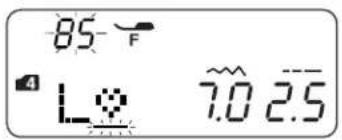
text_image
85 F 4 L 7.0 2.5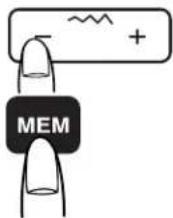

text_image
-85 F 4 L 5.0 2.53

text_image
-32 F 4 L#V 7.0 2.5
4
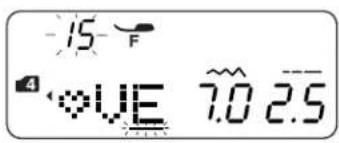
text_image
-15 4 VE 7.0 2.5
5
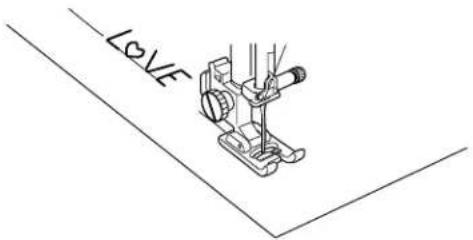
text_image
LOVEReducing the Size of Letters
Example: To reduce the height of character “♡” to approximately 2/3 of its original size.
1 Press the mode key to enter mode 4. Enter 22 to select upper case letter "L". Press the memory key.
② Enter 85 to select character “♡”. Press the stitch width adjusting key “-”. The stitch width will be changed to “5.0”. Press the memory key.
③ Enter 32 to select upper case "V". Press the memory key.
4 Enter 15 to select upper case "E". Press the memory key.
5 A pattern series will be sewn. The size of character “♡” will be reduced to approximately 2/3 of its original size.
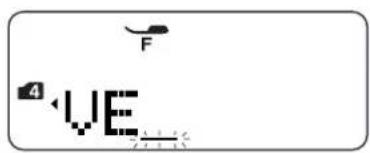
text_image
F 4 VE1

text_image
04 F 4 VE 7.0 2.5 ①
2
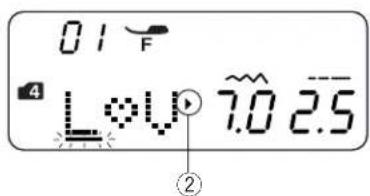
text_image
01 F 4 L#V 7.0 2.5 ②
Viewing a Long Text
The LCD display shows up to 3 characters at a time. If the entire text is not displayed, press the cursor keys to scroll the text.
1 Pressing the cursor key shifts the cursor and scrolls the text to the left.
2 Pressing the cursor key shifts the cursor and scrolls the text to the right.
NOTE:
The triangle marks ① ② indicate that there are remaining characters in that direction.
1
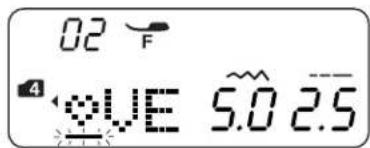
text_image
02 F 4 VE 5.0 2.5
2

text_image
02 F 4 VE 7.0 2.5
3

text_image
-25 F 4 OVE 7.0 2.54
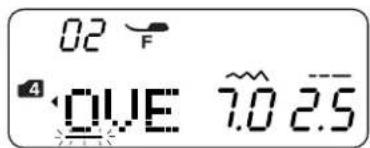
text_image
02 F 4 OVE 7.0 2.5
Deleting and Inserting a Letter (pattern)
Example: To delete “♥” from “L♥ VE” and insert “O” instead of “♥”
1 Press the cursor key to move the cursor under the letter “♡”.
2 Press the clear key.
3 Select pattern 25 "O".
4 Press the memory key. "O" is inserted between "L" and "V".
1
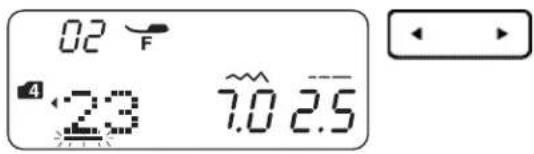
text_image
02 F 4 23 7.0 2.52
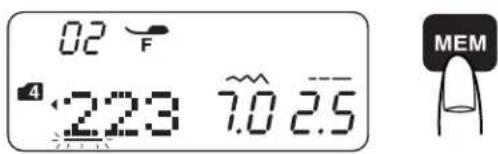
text_image
02 F 4:223 7.0 2.5 MEMDuplicating a Letter (pattern)
Example: To duplicate "2" from characters "123"
① Move the cursor under the character "2".
2 Press the memory key to duplicate the character "2".
1 2
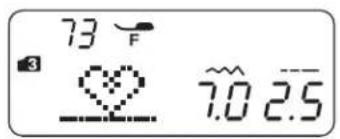
text_image
73 F 3 7.0 2.5
3

text_image
-73 F 3 7.0 2.54
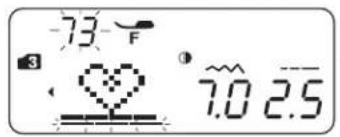
text_image
-73 F 3 7.0 2.5
5
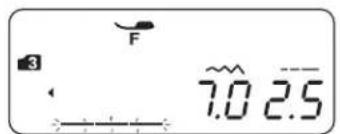
text_image
3 F 7.0 2.5

text_image
F 3 5.0 2.56
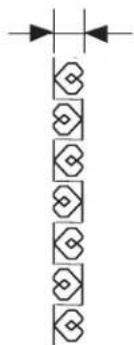
natural_image
Pure electrical circuit lines without any symbols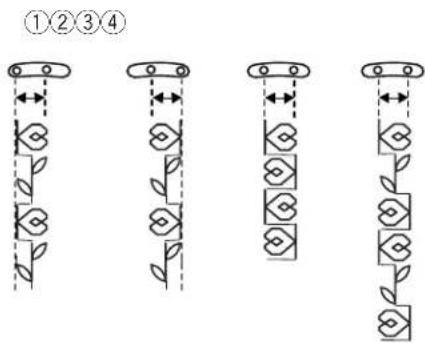
text_image
①②③④Stitch Adjustment of Programmed Patterns
The stitch width and length of the programmed stitch pattern can be altered uniformly or individually.
Example: To alter the stitch width uniformly.
1 Enter the mode 3.
2 Select pattern 73 (☐). Press the memory key.
3 Select pattern 73 ( ^73 ).
4 Press the flip key. Press the memory key.
[5] Move the cursor to the right of the last programmed pattern. Press the stitch width adjustment key to alter the stitch width (5.0).
6 A pattern series will be sewn. The stitch width of programmed patterns will be uniformly altered.
• Unified needle drop position
The needle drop position of the programmed patterns will vary depending on the combination:
① Unified to the left when combining the patterns with the left needle position ( ^73 ) and the center needle position ( ^67 ).
② Unified to the right when combining the patterns with the right needle position ( flipped) and the center needle position ( ).
③ Unified to the center when combining the patterns with the left needle position ( ^73 ) and the right needle position ( ^73 flipped).
④ Unified to the center when combining the patterns with the left (8), right (8 flipped) and center needle positions (7).
1 2
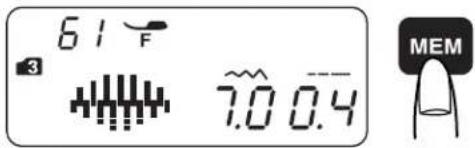
text_image
61 F 3 7.0 0.4 MEM3
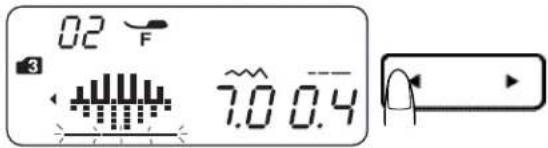
text_image
02 F 3 7.0 0.44
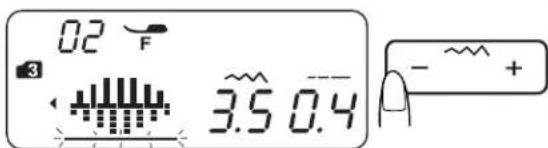
text_image
02 F 3 3.5 0.4 - ~ +5 5
A pattern series will be sewn.

Example: To alter the stitch width individually
1 Enter the mode 3.
2 Select pattern 61 ( ).
Press the memory key twice.
3 Move the cursor under the second stitch pattern of 61 ( ).
4 Press the stitch width adjustment key to alter the stitch width (3.5).
The stitch width of programmed patterns will be 7 mm and 3.5 mm.
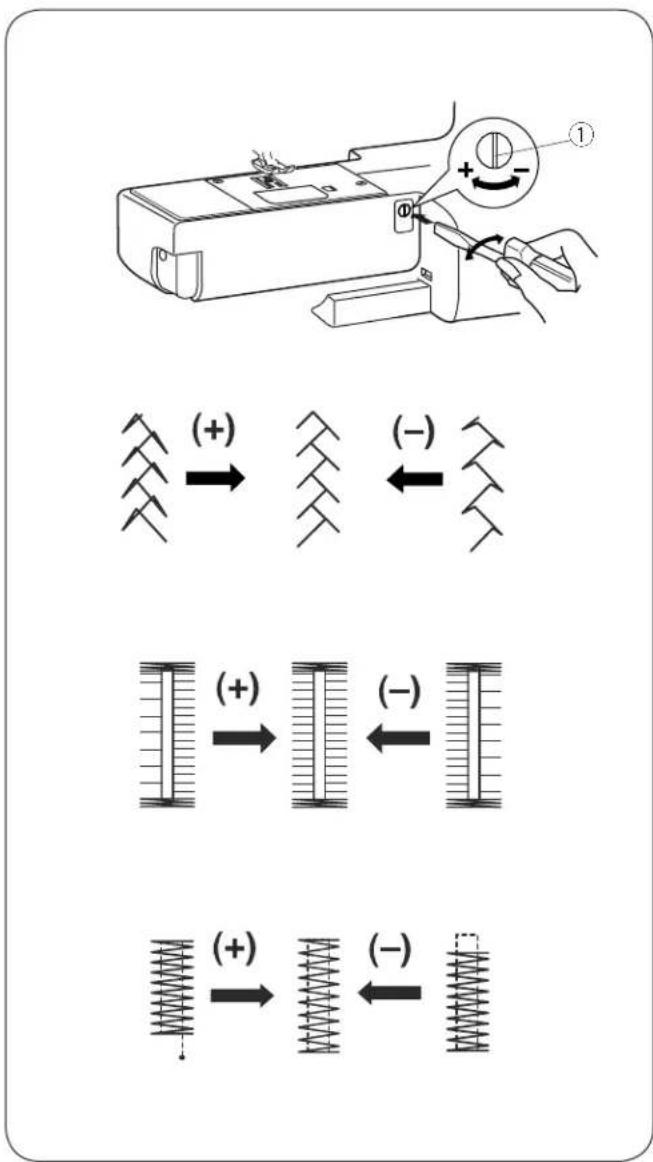
text_image
Diagram illustrating mechanical deformation with spring and bar magnet configurations, showing positive and negative movement directions.Correcting Distorted Stitch Patterns
The sewing results of the stretch patterns may vary depending upon the sewing conditions, such as sewing speed, type of fabric, number of layers etc.
Always test sew on a scrap piece of the fabric that you wish to use.
If stretch patterns are distorted, correct them with the feed balancing dial.
① Feed balancing dial
- Stretch stitch pattern (Example: stitch pattern 20)
If the pattern is compressed, turn the feed balancing dial in the direction of “+”.
If the pattern is drawn out, turn the feed balancing dial in the direction of “—”.
- Stitch balance of buttonhole 26
If the right row is denser, turn the feed balancing dial in the direction of “+”.
If the left row is denser, turn the feed balancing dial in the direction of “—”.
- Evenness of tacking
If the stitch does not meet the start position, turn the feed balancing dial in the direction of “+”.
If the stitch does not meet the return position, turn the feed balancing dial in the direction of “—”.
1
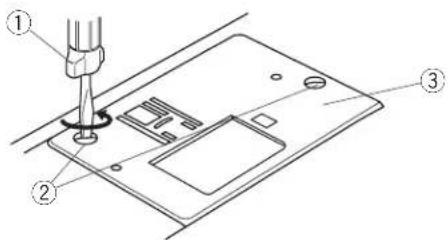
text_image
Technical diagram showing a sewing machine needle inserted into a device with labeled parts ①, ②, and ③.2

natural_image
Diagram of a computer monitor with an open rear panel and a hand holding a scroll (no text or symbols visible)3

4
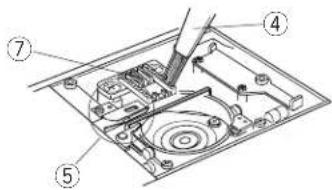
text_image
Technical diagram of a device with numbered components, likely for assembly or maintenance instructions.5

natural_image
Diagram of a hand inserting a component into an electronic device (no text or symbols visible)SECTION VI. CARE OF YOUR MACHINE Cleaning the Hook Race and Feed Dog

WARNING:
- Turn the power switch off and unplug the machine before cleaning.
- Do not dismantle the machine other than as explained in this section.

CAUTION:
Do not store the machine in a high-humidity area, near a heat radiator, or in direct sunlight.
NOTE:
Clean the outside of the machine with a soft cloth and neutral soap.
After cleaning the machine, make sure the needle and presser foot are attached.
Press the needle up/down button to raise the needle, then unplug the sewing machine.
Remove the needle and presser foot.
1 Remove the setscrews ② on the left hand side of the needle plate ③ with the screwdriver ① supplied with the machine. Remove the needle plate ③.
② Remove the bobbin. Lift up the bobbin holder ⑥ and remove it.
3 Clean the bobbin holder ⑥ with a lint brush ④.
4 Clean the feed dog ⑦, thread cutter mechanism ⑤ and hook race ⑧ with the lint brush.
5 Clean the center of the hook race with a dry cloth.
① Screwdriver
② Setscrews
③ Needle plate
④ Lint brush
⑤ Thread cutter mechanism
⑥ Bobbin holder
⑦ Feed dog
⑧ Hook race
* You may also use a vacuum cleaner.
1

natural_image
Hand inserting a component into an electronic device (no text or symbols visible)2
text_image
Diagram showing a car interior with labeled parts ② and ③, likely illustrating a vehicle safety or mechanical assembly.3

text_image
Technical diagram showing a screwdriver inserted into a device with labeled parts ④ and ⑤Installing the Bobbin Holder
1 Insert the bobbin holder ① so that the knob ③ fits next to the stopper ② on the hook race.
2 Insert the bobbin.
3 Attach the needle plate with the setscrews ⑤. After cleaning the machine, make sure the needle and presser foot are attached.
① Bobbin holder
② Stopper
③ Knob
④ Screwdriver
⑤ Setscrews
| Warning sign | Cause Try this | |
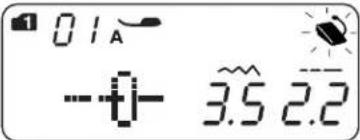 | The machine will not sew with the start/stop button because the foot control is connected. | Disconnect the foot control and start the machine. |
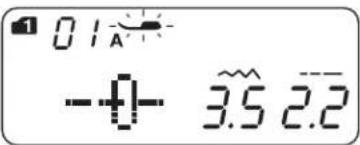 | The machine will not sew because the presser foot is not lowered. | Lower the presser foot lifter and restart the machine. |
 | A buttonhole is sewn without lowering the buttonhole lever. | Lower the buttonhole lever and restart the machine. |
 | The bobbin winder spindle is moved to the right. | Move the bobbin winder spindle to the left. |
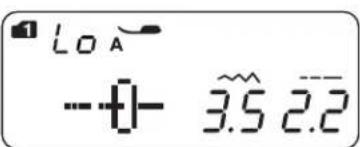 | The machine is restarted too soon after it has halted due to the overload. | Wait for at least 15 seconds to restart. If threads are jamming, remove the jammed threads. |
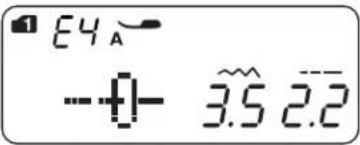 | Auto thread cutting error due to a problem in the electronic components or tangled in hook area. | Remove the jammed threads in the hook area. If the error occurs again after cleaning the hook area, contact the service center or the store from where the machine was purchased. |
| Audible signal | The buzzer sounds when: |
| Pip | Normal operation |
| Pip-pip-pip | Invalid operation |
| Pip-pip-peep | Buttonhole sewing completed |
| Peep | Malfunction |
Troubleshooting
| Condition | Cause | Reference |
| The needle thread breaks. | 1. The needle thread is not threaded properly.2. The needle thread tension is too tight.3. The needle is bent or blunt.4. The needle is incorrectly inserted.5. The needle thread and the bobbin thread are not set under the presser foot when start sewing.6. The threads were not drawn to the rear after sewing.7. The thread is either too heavy or too fine for the needle. | See page 15, 16See page 20, 21See page 11See page 11See page 17See page 22See page 11 |
| The bobbin thread breaks. | 1. The bobbin thread is not threaded properly in the bobbin holder.2. Lint has collected in the bobbin holder.3. The bobbin is damaged and doesn't turn smoothly.4. The thread is wound loosely on a bobbin. | See page 14See page 61Replace the bobbin.See page 13 |
| The needle breaks. | 1. The needle is incorrectly inserted.2. The needle clamp screw is loose.3. The threads were not drawn to the rear after sewing.4. The needle is too fine for the fabric being used.5. The presser foot is not appropriate for the stitch pattern being sewn. | See page 11See page 11See page 22See page 11Change the presser foot. |
| Skipped stitches | 1. The needle is incorrectly inserted, bent or blunt.2. The needle and/or threads are not suitable for the work being sewn.3. A Blue Tipped needle is not being used for sewing stretch, very fine fabrics and synthetics.4. The needle thread is not threaded properly.5. A poor quality needle is used. | See page 11See page 11See page 11See page 15, 16Change the needle. |
| Seam puckering | 1. The needle thread tension is too tight.2. The needle thread is not threaded properly.3. The needle is too heavy for the fabric being sewn.4. The stitch length is too long for the fabric. | See page 20, 21See page 15, 16See page 11Make the stitches shorter. |
| The cloth is not feeding smoothly. | 1. The feed dog is packed with lint.2. The stitches are too fine.3. The feed dog is not raised after “drop feed” sewing. | See page 61Make the stitches longer.See page 10 |
| Stitches form loops below the works. | 1. The needle thread tension is too loose.2. The needle is either too heavy or too fine for the thread. | See page 20, 21See page 11 |
| The machine does not work. | 1. The machine is not plugged in.2. Thread has been caught in the hook race.3. The bobbin winder spindle is not returned to the left after bobbin winding. | See page 4See page 61See page 13 |
| Buttonhole sewing is not sewn properly. | 1. The stitch density is not suitable for the fabric being sewn.2. Suitable interface material has not been used for the stretch or synthetic fabric. | See page 37Use an interfacing. |
| The machine does not run smoothly and is noisy. | 1. Thread has been caught in the hook race.2. Lint has built up in the hook race or bobbin holder. | See page 61See page 61 |
Stitch Chart

text_image
MODE 2 01 02 03 04 05 06 07 08 09 10 11 12 13 M M L R 14 15 16 17 18 19 20 21 22 23 24 25 26 27 28 29 30 MODE 3 01 02 03 04 05 06 07 08 09 10 11 12 13 P M M R R L R 14 15 16 17 18 19 20 21 22 23 24 25 26 27 28 29 30 31 32 33 34 35 36 37 38 39 40 41 42 43 44 45 46 47 48 49 50 51 52 53 54 55 56 57 58 59 60 61 62 63 64 65 66 67 68 69 70 71 72 73 74 75 76 77 78 79 80 81 82 83 84 85 86 87 88 89 90 91 92 L S