Colorado (2009) - Car CHEVROLET - Free user manual and instructions
Find the device manual for free Colorado (2009) CHEVROLET in PDF.


User questions about Colorado (2009) CHEVROLET
0 question about this device. Answer the ones you know or ask your own.
Ask a new question about this device
Download the instructions for your Car in PDF format for free! Find your manual Colorado (2009) - CHEVROLET and take your electronic device back in hand. On this page are published all the documents necessary for the use of your device. Colorado (2009) by CHEVROLET.
USER MANUAL Colorado (2009) CHEVROLET
2009 Chevrolet Colorado Owner Manual

Seats and Restraint System 1-1
Front Seats 1-2
Rear Seats 1-10
Safety Belts 1-13
Child Restraints 1-35
Airbag System 1-62
Restraint System Check 1-77
Features and Controls 2-1
Keys 2-3
Doors and Locks 2-7
Windows 2-12
Theft-Deterrent Systems 2-15
Starting and Operating Your Vehicle 2-19
Mirrors 2-39
OnStar® System 2-43
Storage Areas 2-46
Sunroof 2-49
Instrument Panel 3-1
Instrument Panel Overview 3-4
Climate Controls 3-19
Warning Lights, Gages, and Indicators 3-21
Driver Information Center (DIC) 3-35
Audio System(s) 3-43
Driving Your Vehicle 4-1
Your Driving, the Road, and the Vehicle ..... 4-2
Towing 4-40
Service and Appearance Care 5-1
Service 5-3
Fuel 5-5
Checking Things Under the Hood 5-10
Rear Axle 5-46
Four-Wheel Drive 5-47
Front Axle 5-48
Headlamp Aiming 5-49
Bulb Replacement 5-49
Windshield Wiper Blade Replacement 5-54
Tires 5-56
Appearance Care 5-101
Vehicle Identification 5-109
Electrical System 5-110
Capacities and Specifications 5-117
Maintenance Schedule 6-1
Maintenance Schedule 6-2
Customer Assistance Information 7-1
Customer Assistance and Information 7-2
Reporting Safety Defects 7-14
Vehicle Data Recording and Privacy 7-16
Index 1

text_image
CHEVROLET GMGENERAL MOTORS, GM, the GM Emblem, CHEVROLET, the CHEVROLET Emblem, and the name COLORADO are registered trademarks of General Motors Corporation.
This manual includes the latest information at the time it was printed. GM reserves the right to make changes after that time without further notice. For vehicles first sold in Canada, substitute the name “General Motors of Canada Limited” for Chevrolet Motor Division wherever it appears in this manual.
This manual describes features that may or may not be on your specific vehicle.
Read this manual from beginning to end to learn about the vehicle's features and controls. Pictures, symbols, and words work together to explain vehicle operation.
Keep this manual in the vehicle for quick reference.
Litho in U.S.A.
Part No. 15891592 A First Printing
Canadian Owners
A French language copy of this manual can be obtained from your dealer/retailer or from:
Helm, Incorporated
P.O. Box 07130
Detroit, MI 48207
1-800-551-4123
helminc.com
©2008 General Motors Corporation. All Rights Reserved.
Index
To quickly locate information about the vehicle use the Index in the back of the manual. It is an alphabetical list of what is in the manual and the page number where it can be found.
Safety Warnings and Symbols

text_image
Prohibition symbol with a circle and diagonal line, commonly used to indicate no prohibition or exclusion.A circle with a slash through it is a safety symbol which means "Do Not," "Do not do this" or "Do not let this happen."
A box with the word CAUTION is used to tell about things that could hurt you or others if you were to ignore the warning.
CAUTION:
These mean there is something that could hurt you or other people.
Cautions tell what the hazard is and what to do to avoid or reduce the hazard. Read these cautions.
A notice tells about something that can damage the vehicle.
Notice: These mean there is something that could damage your vehicle.
Many times, this damage would not be covered by the vehicle's warranty, and it could be costly. The notice tells what to do to help avoid the damage.
There are also warning labels on the vehicle which use the same words, CAUTION or Notice.
Vehicle Symbols
The vehicle has components and labels that use symbols instead of text. Symbols are shown along with the text describing the operation or information relating to a specific component, control, message, gage, or indicator.
This symbol is shown when you need to see your owner manual for additional instructions or information.
☐: This symbol is shown when you need to see a service manual for additional instructions or information.
Vehicle Symbol Chart
Here are some additional symbols that may be found on the vehicle and what they mean. For more information on the symbol, refer to the index.
Airbag Readiness Light
☀️: Air Conditioning
(ABS): Antilock Brake System (ABS)
«¿: Audio Steering Wheel Controls or OnStar ®
(1): Brake System Warning Light
- +: Charging System
: Cruise Control
: Engine Coolant Temperature
- Exterior Lamps
和: Fog Lamps
: Fuel Gage
Fuses
: Headlamp High/Low-Beam Changer
: LATCH System Child Restraints
: Malfunction Indicator Lamp
Oil Pressure
(1): Power
Ω: Remote Vehicle Start
: Safety Belt Reminders
(): Tire Pressure Monitor
: Traction Control
: Windshield Washer Fluid
Section 1 Seats and Restraint System
Front Seats 1-2
Manual Seats 1-2
Power Seats 1-3
Manual Lumbar 1-3
Power Lumbar 1-4
Heated Seats 1-4
Reclining Seatbacks 1-5
Head Restraints 1-8
Seatback Latches 1-9
Rear Seats 1-10
Rear Seat Operation (Extended Cab) 1-10
Rear Seat Operation (Crew Cab) 1-11
Safety Belts 1-13
Safety Belts: They Are for Everyone .....1-13
How to Wear Safety Belts Properly .....1-18
Lap-Shoulder Belt 1-27
Safety Belt Use During Pregnancy 1-33
Lap Belt 1-33
Safety Belt Extender 1-34
Child Restraints 1-35
Older Children 1-35
Infants and Young Children 1-38
Child Restraint Systems 1-41
Where to Put the Restraint 1-44
Lower Anchors and Tethers for Children (LATCH) 1-45
Securing a Child Restraint in a Rear Seat Position 1-56
Securing a Child Restraint in the Center Front Seat Position 1-58
Securing a Child Restraint in the Right Front Seat Position 1-58
Airbag System 1-62
Where Are the Airbags? 1-65
When Should an Airbag Inflate? 1-67
What Makes an Airbag Inflate? 1-68
How Does an Airbag Restrain? ..... 1-68
What Will You See After an Airbag Inflates? .....1-69
Passenger Sensing System 1-70
Servicing Your Airbag-Equipped Vehicle .....1-75
Adding Equipment to Your Airbag-Equipped Vehicle 1-76
Restraint System Check 1-77
Checking the Restraint Systems ....1-77
Replacing Restraint System Parts After a Crash 1-78
Front Seats
Manual Seats

CAUTION:
You can lose control of the vehicle if you try to adjust a manual driver's seat while the vehicle is moving. The sudden movement could startle and confuse you, or make you push a pedal when you do not want to. Adjust the driver's seat only when the vehicle is not moving.
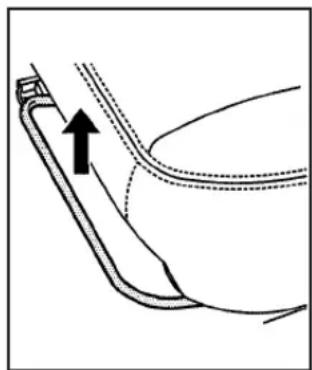
If the vehicle has a manual seat, it can be moved forward or rearward.
natural_image
Diagram of a curved mechanical component with an arrow indicating direction (no text or symbols)-
Lift the bar to unlock the seat.
-
Slide the seat to the desired position and release the bar.
Try to move the seat with your body to be sure the seat is locked in place.
Power Seats
natural_image
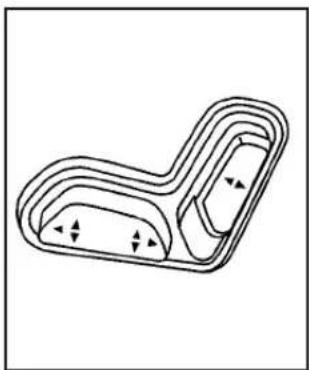
Pure technical line drawing of a mechanical component with no text or symbolsIf the vehicle has power seats, the controls used to operate them are located on the outboard side of the seats.
To adjust the seat:
- Move the seat forward or rearward by sliding the horizontal control forward or rearward.
- Raise or lower the front part of the seat cushion by moving the front of the horizontal control up or down.
-
Raise or lower the rear part of the seat cushion by moving the rear of the horizontal control up or down.
-
Raise or lower the entire seat by moving the entire horizontal control up or down.
- Use the vertical control to recline the seatback. See "Power Reclining Seatbacks" under Reclining Seatbacksonpage1-5for more information.
Manual Lumbar
text_image
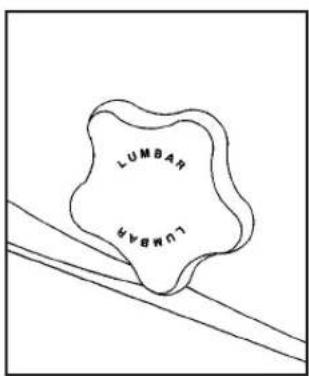
LUMBAH LUMBAHOn vehicles with this feature, the knob is located on the outboard side of the driver seat.
Turn the knob to increase or decrease lumbar support.
Power Lumbar

text_image
LUMBARIf the vehicle has this feature, the control is located on the outboard side of the seat(s).
Press and hold the front of the control until you have the desired lumbar support. To decrease lumbar support, press and hold the rear of the control.
Heated Seats
text_image
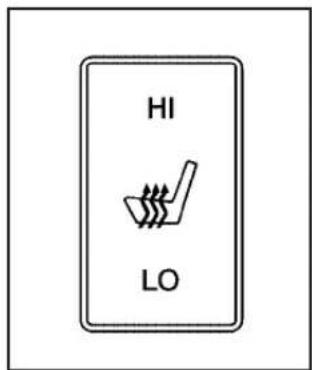
HI LOIf the vehicle has this feature, the controls are located on the outboard side of the front seats.
This feature will heat the cushion and back of the seats.
Press the top of the switch to turn the heat to the high setting. Press the bottom of the switch to turn the heat to the low setting. Put the switch in the center position to turn the heat off.
The ignition must be on for the heated seat feature to work. The seat will heat to the last setting if the ignition has been turned off and then turned back on.
The passenger safety belt must be fastened for the heated seat feature to work on the passenger seat.
Reclining Seatbacks Manual Reclining Seatbacks
CAUTION:
You can lose control of the vehicle if you try to adjust a manual driver's seat while the vehicle is moving. The sudden movement could startle and confuse you, or make you push a pedal when you do not want to. Adjust the driver's seat only when the vehicle is not moving.
CAUTION:
If the seatback is not locked, it could move forward in a sudden stop or crash. That could cause injury to the person sitting there. Always push and pull on the seatback to be sure it is locked.
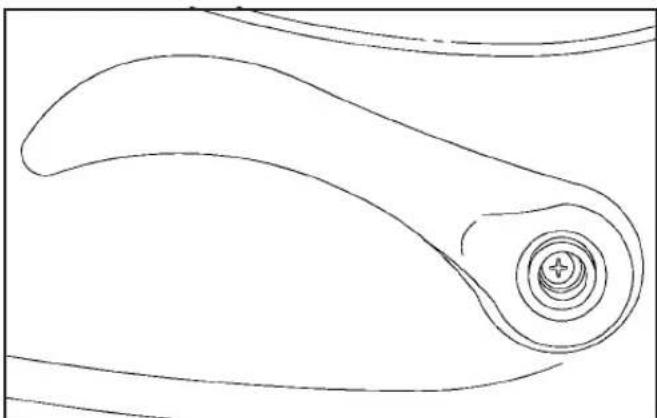
If the seats have manual reclining seatbacks, the lever used to operate them is located on the outboard side of the seat(s).
natural_image
Pure line drawing of a curved mechanical component with concentric rings and a plus symbol at the center (no text or labels)To recline the seatback:
- Lift the recline lever.
- Move the seatback to the desired position, then release the lever to lock the seatback in place.
- Push and pull on the seatback to make sure it is locked.
To return the seatback to an upright position:
- Lift the lever fully without applying pressure to the seatback and the seatback will return to the upright position.
- Push and pull on the seatback to make sure it is locked.
Power Reclining Seatbacks

natural_image
Pure technical line drawing of a mechanical part with no text or symbolsIf the seats have power reclining seatbacks, use the vertical power seat control located on the outboard side of the seat.
• To recline the seatback, press the control toward the rear of the vehicle.
• To raise the seatback, press the control toward the front of the vehicle.
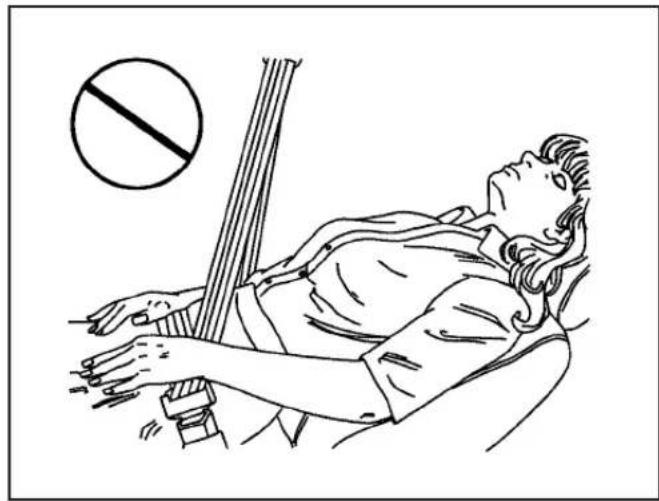
⚠️CAUTION:
Sitting in a reclined position when the vehicle is in motion can be dangerous. Even if when buckled up, the safety belts cannot do their job when reclined like this.
The shoulder belt cannot do its job because it will not be against your body. Instead, it will be in front of you. In a crash, you could go into it, receiving neck or other injuries.
The lap belt cannot do its job either. In a crash, the belt could go up over your abdomen. The belt forces would be there, not at your pelvic bones. This could cause serious internal injuries.
For proper protection when the vehicle is in motion, have the seatback upright. Then sit well back in the seat and wear the safety belt properly.
natural_image
Line drawing of a person lying on stomach with a protractor and a circle above, no text or symbols presentDo not have a seatback reclined if the vehicle is moving.
Head Restraints
The front seats may have adjustable head restraints. If the vehicle has rear seats, they may have adjustable head restraints.

natural_image
Line drawing of a person seated in a car seat, viewed from the side (no text or symbols)Adjust the head restraint so that the top of the restraint is at the same height as the top of the occupant's head. This position reduces the chance of a neck injury in a crash.

natural_image
Simple line drawing of a mechanical component with two legs and a central knob, no text or symbols present.Pull up on the head restraint to raise it. To lower the head restraint, press the button located on top of the seatback and push down on the head restraint.
Seatback Latches
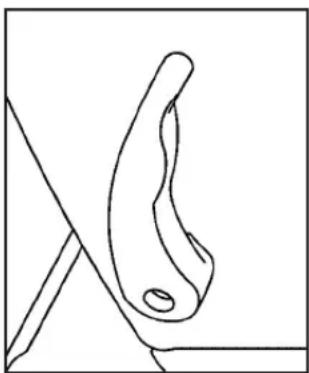
The vehicle may have front seatbacks that fold forward for easy access to the rear seats or the storage area behind the seats.
natural_image
Simple line drawing of a curved object with a hole, resting on a rectangular base (no text or symbols)To fold the seatback forward, push the lever on the side of the seat rearward and pull the seatback forward.
CAUTION:
If the seatback is not locked, it could move forward in a sudden stop or crash. That could cause injury to the person sitting there. Always push and pull on the seatback to be sure it is locked.
To return the seatback to the upright position, push the seatback all the way back until it latches.
If the seatback was reclined before being folded forward, it will return to the reclined position.
Rear Seats
Rear Seat Operation (Extended Cab)
natural_image
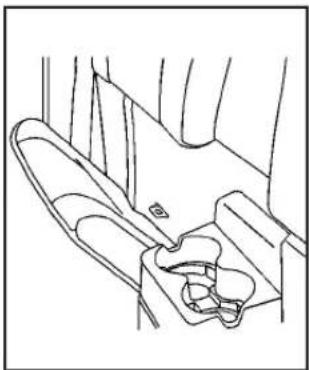
Line drawing of a car seat with seats and seatbelt (no text or symbols)If the vehicle has an extended cab, there may be forward folding seats in the rear area.
To fold the rear seat cushion(s) from the stored position to the sitting position, pull the front of the seat cushion down completely.
The rear seat storage compartments must be closed before folding the seat down. See RearStorageAreaon page2-47.
To store the seat:
Notice: Folding a rear seat with the safety belts still fastened may cause damage to the seat or the safety belts. Always unbuckle the safety belts and return them to their normal stowed position before folding a rear seat.
natural_image
Line drawing of a car intake manifold with labeled component A (no text or symbols beyond label)-
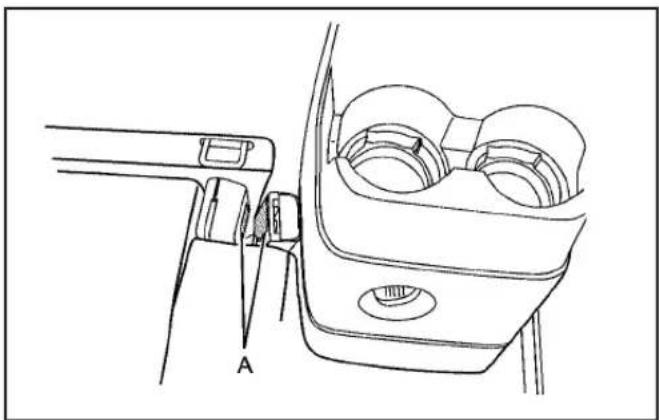
Secure the safety belt buckle to the inboard side of the seat with the hook and loop fastener (A), so that it does not move when not in use.
-
Push the entire seat up until it is flush with the trim panel.
Rear Seat Operation (Crew Cab)
The rear seatback(s) in the crew cab can be folded forward.
Notice: Folding a rear seat with the safety belts still fastened may cause damage to the seat or the safety belts. Always unbuckle the safety belts and return them to their normal stowed position before folding a rear seat.
To fold the rear seatback(s) forward:

natural_image
Line drawing of a hand adjusting a seatbelt buckle (no text or symbols)- Disconnect the rear center safety belt latch from the mini buckle by inserting the tip of the safety belt tongue into the slot on the buckle. Let the belt retract.
natural_image
Line drawing of a hand holding a tool near a vertical pipe or pipe (no text or symbols)-
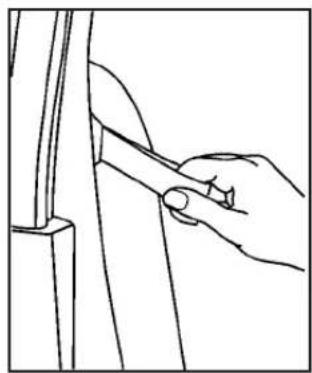
Pull the loop, located on the outboard side of the seatback, forward until you hear a click.
-
Fold the seatback(s) forward.
To return the seatback(s) to the upright position:
- Lift the seatback(s) and push it into place.
CAUTION:
If the seatback is not locked, it could move forward in a sudden stop or crash. That could cause injury to the person sitting there. Always push and pull on the seatback to be sure it is locked.
- Make sure the seatback(s) is locked by pushing and pulling on it.
CAUTION:
A safety belt that is improperly routed, not properly attached, or twisted will not provide the protection needed in a crash. The person wearing the belt could be seriously injured. After raising the rear seatback, always check to be sure that the safety belts are properly routed and attached, and are not twisted.
-
Reconnect the center safety belt latch plate to the mini buckle. Make sure the safety belt is not twisted.
-
Push and pull on the latch plate to be sure it is secure.
When the seatback is not in use, it should be kept in the upright, locked position.
Safety Belts
Safety Belts: They Are for Everyone
This part of the manual tells you how to use safety belts properly. It also tells you some things you should not do with safety belts.
CAUTION:
Do not let anyone ride where a safety belt cannot be worn properly. In a crash, if you or your passenger(s) are not wearing safety belts, the injuries can be much worse. You can hit things inside the vehicle harder or be ejected from the vehicle. You and your passenger(s) can be seriously injured or killed. In the same crash, you might not be, if you are buckled up. Always fasten your safety belt, and check that your passenger(s) are restrained properly too.
CAUTION:
People riding on the tailgate (if equipped) can easily lose their balance and fall even when the vehicle is operated at low speeds. Falling from a moving vehicle may result in serious injuries or death.
CAUTION:
It is extremely dangerous to ride in a cargo area, inside or outside of a vehicle. In a collision, people riding in these areas are more likely to be seriously injured or killed. Do not allow people to ride in any area of your vehicle that is not equipped with seats and safety belts. Be sure everyone in your vehicle is in a seat and using a safety belt properly.
Your vehicle has indicators as a reminder to buckle your safety belts. See SafetyBeltRemindersonpage3-23.
In most states and in all Canadian provinces, the law requires wearing safety belts. Here is why:
You never know if you will be in a crash. If you do have a crash, you do not know if it will be a serious one.
A few crashes are mild, and some crashes can be so serious that even buckled up, a person would not survive. But most crashes are in between. In many of them, people who buckle up can survive and sometimes walk away. Without belts they could have been badly hurt or killed.
After more than 40 years of safety belts in vehicles, the facts are clear. In most crashes buckling up does matter... a lot!
Why Safety Belts Work
When you ride in or on anything, you go as fast as it goes.

natural_image
Illustration of a small electric vehicle with wheels and a rectangular seat, resting on a flat surface (no text or symbols)Take the simplest vehicle. Suppose it is just a seat on wheels.

natural_image
Illustration of a person seated in a mobility vehicle on a paved surface (no text or symbols visible)
natural_image
Illustration of a robot sitting on a platform with a car nearby (no text or symbols)Put someone on it. Get it up to speed. Then stop the vehicle. The rider does not stop.

natural_image
Black-and-white photo of a child sitting on a bench inside a vehicle, with visible engine blades and structural elements (no text or symbols)The person keeps going until stopped by something. In a real vehicle, it could be the windshield...

natural_image
Black-and-white photo of two figures in traditional attire near a curved structure (no visible text or symbols)or the instrument panel...

natural_image
Black-and-white photo of a person seated in a car, wearing a checkered pattern on the seat (no visible text or symbols)or the safety belts!
With safety belts, you slow down as the vehicle does. You get more time to stop. You stop over more distance, and your strongest bones take the forces. That is why safety belts make such good sense.
Questions and Answers About Safety Belts
Q: Will I be trapped in the vehicle after a crash if I am wearing a safety belt?
A: You could be — whether you are wearing a safety belt or not. But your chance of being conscious during and after an accident, so you can unbuckle and get out, is much greater if you are belted. And you can unbuckle a safety belt, even if you are upside down.
Q: If my vehicle has airbags, why should I have to wear safety belts?
A: Airbags are supplemental systems only; so they work with safety belts — not instead of them. Whether or not an airbag is provided, all occupants still have to buckle up to get the most protection. That is true not only in frontal collisions, but especially in side and other collisions.
Q: If I am a good driver, and I never drive far from home, why should I wear safety belts?
A: You may be an excellent driver, but if you are in a crash — even one that is not your fault — you and your passenger(s) can be hurt. Being a good driver does not protect you from things beyond your control, such as bad drivers.
Most accidents occur within 25 miles (40 km) of home. And the greatest number of serious injuries and deaths occur at speeds of less than 40 mph (65 km/h).
Safety belts are for everyone.
How to Wear Safety Belts Properly
This section is only for people of adult size.
Be aware that there are special things to know about safety belts and children. And there are different rules for smaller children and infants. If a child will be riding in the vehicle, see OlderChildrenonpage1-35 or InfantsandYoungChildrenonpage1-38. Follow those rules for everyone's protection.
It is very important for all occupants to buckle up. Statistics show that unbelted people are hurt more often in crashes than those who are wearing safety belts.
Occupants who are not buckled up can be thrown out of the vehicle in a crash. And they can strike others in the vehicle who are wearing safety belts.
First, before you or your passenger(s) wear a safety belt, there is important information you should know.
natural_image
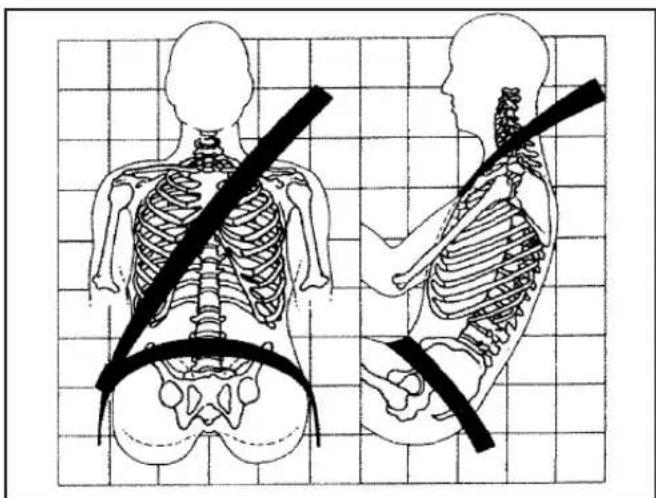
Illustration of human skeletal anatomy showing front and side views with a diagonal belt (no text or labels)Sit up straight and always keep your feet on the floor in front of you. The lap part of the belt should be worn low and snug on the hips, just touching the thighs.
In a crash, this applies force to the strong pelvic bones and you would be less likely to slide under the lap belt. If you slid under it, the belt would apply force on your abdomen. This could cause serious or even fatal injuries. The shoulder belt should go over the shoulder and across the chest. These parts of the body are best able to take belt restraining forces.
The shoulder belt locks if there is a sudden stop or crash.
Q: What is wrong with this?

text_image
Anatomical diagram showing human skeletal structures with a no-smoking symbol, including a prohibition sign.A: The shoulder belt is too loose. It will not give as much protection this way.
⚠️CAUTION:
You can be seriously hurt if your shoulder belt is too loose. In a crash, you would move forward too much, which could increase injury. The shoulder belt should fit snugly against your body.
Q: What is wrong with this?

text_image
Medical illustration showing human skeletal anatomy with a no-smoking symbol and corresponding side views of the human torso.A: The lap belt is too loose. It will not give nearly as much protection this way.
⚠️CAUTION:
You can be seriously hurt if your lap belt is too loose. In a crash, you could slide under the lap belt and apply force on your abdomen. This could cause serious or even fatal injuries. The lap belt should be worn low and snug on the hips, just touching the thighs.
Q: What is wrong with this?
text_image
Diagram illustrating a human skeleton with a diagonal band crossing it, accompanied by a no-smoking symbol.A: The belt is buckled in the wrong buckle.
⚠️CAUTION:
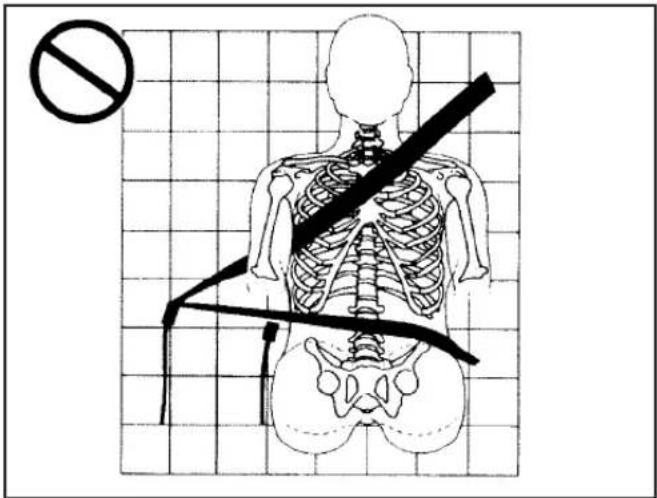
You can be seriously injured if your belt is buckled in the wrong place like this. In a crash, the belt would go up over your abdomen. The belt forces would be there, not on the pelvic bones. This could cause serious internal injuries. Always buckle your belt into the buckle nearest you.
Q: What is wrong with this?

text_image
Diagram illustrating human skeleton with a diagonal belt and no crossing symbol, likely for safety or risk assessment.A: The belt is over an armrest.
⚠️CAUTION:
You can be seriously injured if your belt goes over an armrest like this. The belt would be much too high. In a crash, you can slide under the belt. The belt force would then be applied on the abdomen, not on the pelvic bones, and that could cause serious or fatal injuries. Be sure the belt goes under the armrests.
Q: What is wrong with this?

text_image
Medical illustration showing human skeletal anatomy with a no-smoking symbol, including front and side views of the torso and spine.A: The shoulder belt is worn under the arm. It should be worn over the shoulder at all times.
CAUTION:
You can be seriously injured if you wear the shoulder belt under your arm. In a crash, your body would move too far forward, which would increase the chance of head and neck injury. Also, the belt would apply too much force to the ribs, which are not as strong as shoulder bones. You could also severely injure internal organs like your liver or spleen. The shoulder belt should go over the shoulder and across the chest.
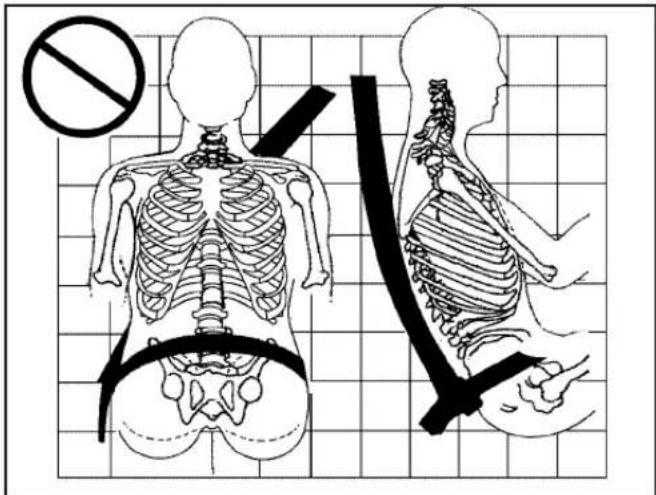
Q: What is wrong with this?
text_image
Medical diagram showing human skeletal anatomy with a no-smoking symbol and a corresponding side view of the neck region.A: The belt is behind the body.
⚠️CAUTION:
You can be seriously injured by not wearing the lap-shoulder belt properly. In a crash, you would not be restrained by the shoulder belt. Your body could move too far forward increasing the chance of head and neck injury. You might also slide under the lap belt. The belt force would then be applied right on the abdomen. That could cause serious or fatal injuries. The shoulder belt should go over the shoulder and across the chest.
Q: What is wrong with this?

text_image
Medical illustration showing human skeletal anatomy with a no-smoking symbol, including left and right views of the spine and shoulder.A: The belt is twisted across the body.
CAUTION:
You can be seriously injured by a twisted belt. In a crash, you would not have the full width of the belt to spread impact forces. If a belt is twisted, make it straight so it can work properly, or ask your dealer/retailer to fix it.
Lap-Shoulder Belt
All seating positions in the vehicle have a lap-shoulder belt except for the center front passenger position (if equipped), which has a lap belt. See LapBelton page1-33for more information.
The following instructions explain how to wear a lap-shoulder belt properly.
- Adjust the seat, if the seat is adjustable, so you can sit up straight. To see how, see "Seats" in the Index.
- Pick up the latch plate and pull the belt across you. Do not let it get twisted.
The lap-shoulder belt may lock if you pull the belt across you very quickly. If this happens, let the belt go back slightly to unlock it. Then pull the belt across you more slowly.
If you ever pull the shoulder portion of a passenger belt out all the way, the child restraint locking feature may be engaged. If this happens, just let the belt go back all the way and start again.
Engaging the child restraint locking feature in the right front seating position may affect the passenger sensing system. See PassengerSensingSystem onpage1-70for more information.
natural_image
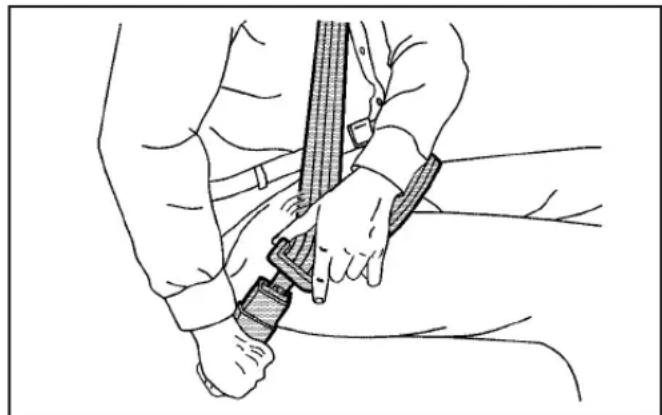
Line drawing of a person using a belt drive a sword, no text or symbols present- Push the latch plate into the buckle until it clicks.
Pull up on the latch plate to make sure it is secure. If the belt is not long enough, see SafetyBelt Extenderonpage1-34.
Position the release button on the buckle so that the safety belt could be quickly unbuckled if necessary. - If equipped with a shoulder belt height adjuster, move it to the height that is right for you. See "Shoulder Belt Height Adjustment" later in this section for instructions on use and important safety information.

natural_image
Line drawing of a person using a belt buckle to lift a shoulder (no text or symbols)- To make the lap part tight, pull up on the shoulder belt.
It may be necessary to pull stitching on the safety belt through the latch plate to fully tighten the lap belt on smaller occupants.

natural_image
Line drawing of a person using a bandage tool to grip a bandage (no text or symbols present)To unlatch the belt, push the button on the buckle. The belt should return to its stowed position. Slide the latch plate up the safety belt webbing when the safety belt is not in use. The latch plate should rest on the stitching on the safety belt, near the guide loop on the side wall.
Before a door is closed, be sure the belt is out of the way. If a door is slammed against a safety belt, damage can occur to both the belt and the vehicle.
Shoulder Belt Height Adjuster
The vehicle has a shoulder belt height adjuster for the driver and right front passenger seating position.
Adjust the height so that the shoulder portion of the belt is centered on the shoulder. The belt should be away from the face and neck, but not falling off the shoulder. Improper shoulder belt height adjustment could reduce the effectiveness of the safety belt in a crash.

text_image
A ATo move it up or down, squeeze the release buttons (A) together and move the height adjuster to the desired position.
After the adjuster is set to the desired position, try to move it down without squeezing the release buttons to make sure it has locked into position.
Safety Belt Pretensioners
This vehicle has safety belt pretensioners for front outboard occupants. Although the safety belt pretensioners cannot be seen, they are part of the safety belt assembly. They can help tighten the safety belts during the early stages of a moderate to severe frontal or near frontal crash if the threshold conditions for pretensioner activation are met.
Pretensioners work only once. If the pretensioners activate in a crash, they will need to be replaced, and probably other new parts for the vehicle's safety belt system. See ReplacingRestraintSystemParts AfteraCrashonpage1-78.
Rear Safety Belt Comfort Guides
Your vehicle may have rear shoulder belt comfort guides for the rear outside positions.
Rear shoulder belt comfort guides may provide added safety belt comfort for older children who have outgrown booster seats and for some adults. When installed on a shoulder belt, the comfort guide positions the belt away from the neck and head.
Here is how to install a comfort guide to the shoulder belt.
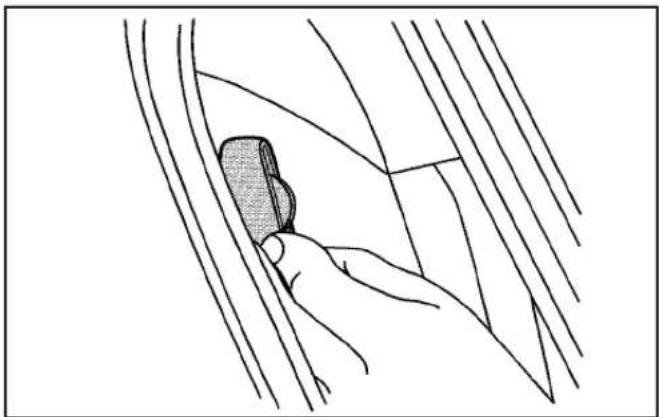
natural_image
Line drawing of a hand holding a small object through a curved channel (no text or symbols)- Slide the guide off of its storage clip located between the interior body and the seatback.

natural_image
Illustration of hands securing a cable with a clip (no text or symbols)- Place the guide over the belt and insert the two edges of the belt into the slots of the guide.
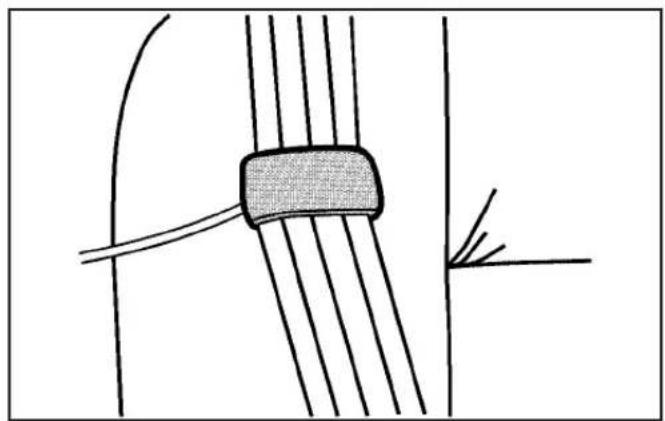
natural_image
Pure technical diagram showing a cable or wire connection with no text, numbers, or symbols- Be sure that the belt is not twisted and it lies flat. The elastic cord must be under the belt and the guide on top.
CAUTION:
A safety belt that is not properly worn may not provide the protection needed in a crash. The person wearing the belt could be seriously injured. The shoulder belt should go over the shoulder and across the chest. These parts of the body are best able to take belt restraining forces.
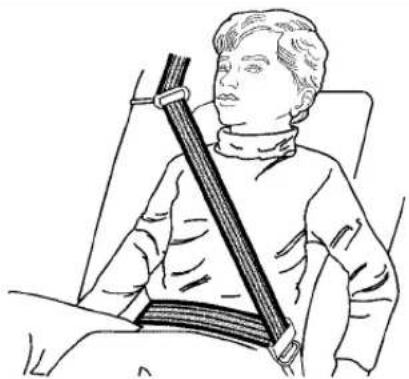
natural_image
Illustration of a person wearing a seatbelt and holding a long object (no text or symbols)- Buckle, position, and release the safety belt as described previously in this section. Make sure that the shoulder belt crosses the shoulder.
To remove and store the comfort guide, squeeze the belt edges together so that the safety belt can be removed from the guide. Slide the guide back on its storage clip located between the interior body and the seatback.
Safety Belt Use During Pregnancy
Safety belts work for everyone, including pregnant women. Like all occupants, they are more likely to be seriously injured if they do not wear safety belts.

natural_image
Illustration of a person in a medical or surgical setting, possibly performing surgery or examination (no text or symbols present)A pregnant woman should wear a lap-shoulder belt, and the lap portion should be worn as low as possible, below the rounding, throughout the pregnancy.
The best way to protect the fetus is to protect the mother. When a safety belt is worn properly, it is more likely that the fetus will not be hurt in a crash. For pregnant women, as for anyone, the key to making safety belts effective is wearing them properly.
Lap Belt
This section is only for the lap belt. To learn how to wear a lap-shoulder belt, see Lap-ShoulderBelt onpage1-27.
Your vehicle may have a center seating position. When you sit in the center front seating position, you have a lap safety belt, which has no retractor.
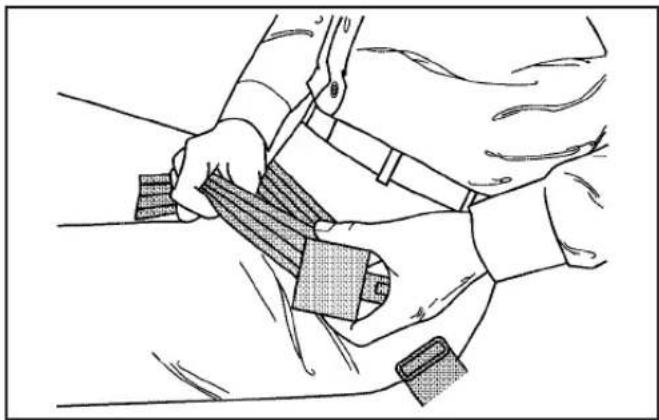
natural_image
Illustration of a person adjusting a seatbelt with a bandage (no text or symbols)To make the belt longer, tilt the latch plate and pull it along the belt.
Buckle, position, and release it the same way as the lap part of a lap-shoulder belt.
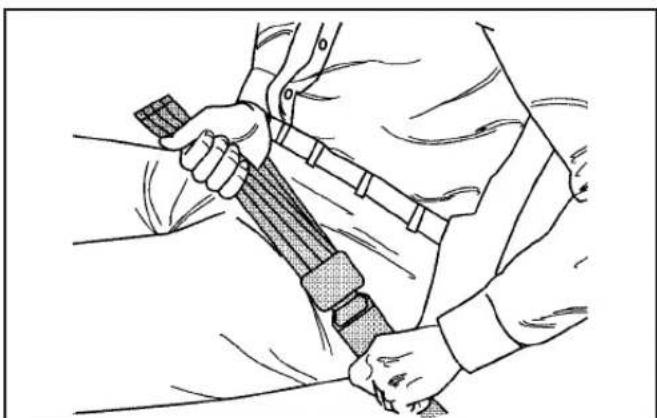
natural_image
Line drawing of a person adjusting a seatbelt, no text or symbols presentTo make the belt shorter, pull its free end as shown until the belt is snug.
If the belt is not long enough, see SafetyBeltExtender onpage1-34.
Make sure the release button on the buckle is positioned so you would be able to unbuckle the safety belt quickly if necessary.
Safety Belt Extender
If the safety belt will fasten around you, you should use it. But if a safety belt is not long enough, your dealer/retailer will order you an extender. When you go in to order it, take the heaviest coat you will wear, so the extender will be long enough for you. To help avoid personal injury, do not let someone else use it, and use it only for the seat it is made to fit. The extender has been designed for adults. Never use it for securing child seats. To wear it, attach it to the regular safety belt. For more information, see the instruction sheet that comes with the extender.
Child Restraints
Older Children
natural_image
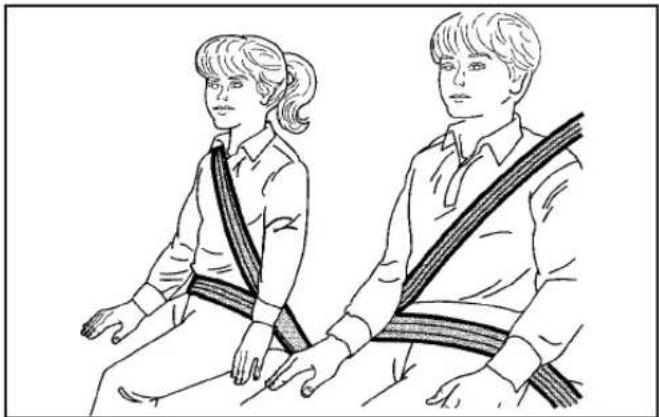
Illustration of two individuals wearing matching scarves, seated side by side (no text or symbols)Older children who have outgrown booster seats should wear the vehicle's safety belts.
The manufacturer's instructions that come with the booster seat, state the weight and height limitations for that booster. Use a booster seat with a lap-shoulder belt until the child passes the below fit test:
- Sit all the way back on the seat. Do the knees bend at the seat edge? If yes, continue. If no, return to the booster seat.
- Buckle the lap-shoulder belt. Does the shoulder belt rest on the shoulder? If yes, continue. If no, try using the rear safety belt comfort guide. See "Rear Safety Belt Comfort Guides" under Lap-Shoulder Beltonpage1-27 for more information. If the shoulder belt still does not rest on the shoulder, then return to the booster seat.
- Does the lap belt fit low and snug on the hips, touching the thighs? If yes, continue. If no, return to the booster seat.
- Can proper safety belt fit be maintained for length of trip? If yes, continue. If no, return to the booster seat.
If you have the choice, a child should sit in a position with a lap-shoulder belt and get the additional restraint a shoulder belt can provide.
Q: What is the proper way to wear safety belts?
A: An older child should wear a lap-shoulder belt and get the additional restraint a shoulder belt can provide. The shoulder belt should not cross the face or neck. The lap belt should fit snugly below the hips, just touching the top of the thighs. This applies belt force to the child's pelvic bones in a crash. It should never be worn over the abdomen, which could cause severe or even fatal internal injuries in a crash.
Also see "Rear Safety Belt Comfort Guides" under Lap-ShoulderBeltonpage1-27.
According to accident statistics, children and infants are safer when properly restrained in the rear seating positions than in the front seating positions.
In a crash, children who are not buckled up can strike other people who are buckled up, or can be thrown out of the vehicle. Older children need to use safety belts properly.
CAUTION:
Never do this.
Never allow two children to wear the same safety belt. The safety belt can not properly spread the impact forces. In a crash, the two children can be crushed together and seriously injured. A safety belt must be used by only one person at a time.
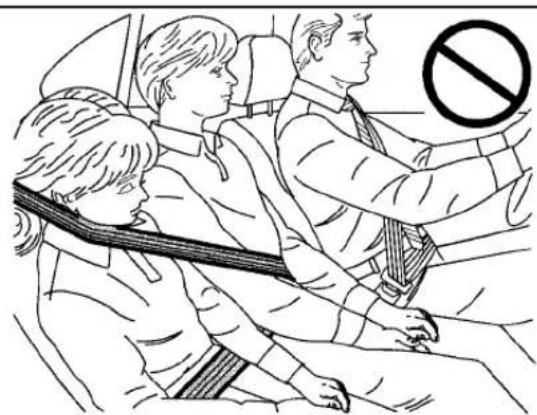
text_image
Diagram showing three people seated in a car with a 'no' symbol indicating no violations, likely from a traffic safety or vehicle safety instruction.⚠️CAUTION:
Never do this.
Never allow a child to wear the safety belt with the shoulder belt behind their back. A child can be seriously injured by not wearing the lap-shoulder belt properly. In a crash, the child would not be restrained by the shoulder belt. The child could move too far forward increasing the chance of head and neck injury. The child might also slide under the lap belt. The belt force would then be applied right on the abdomen. That could cause serious or fatal injuries. The shoulder belt should go over the shoulder and across the chest.

natural_image
Illustration of a person sitting in a chair with a bandage, no text or symbols presentInfants and Young Children
Everyone in a vehicle needs protection! This includes infants and all other children. Neither the distance traveled nor the age and size of the traveler changes the need, for everyone, to use safety restraints. In fact, the law in every state in the United States and in every Canadian province says children up to some age must be restrained while in a vehicle.
CAUTION:
Children can be seriously injured or strangled if a shoulder belt is wrapped around their neck and the safety belt continues to tighten. Never leave children unattended in a vehicle and never allow children to play with the safety belts.
Airbags plus lap-shoulder belts offer protection for adults and older children, but not for young children and infants. Neither the vehicle's safety belt system nor its airbag
system is designed for them. Every time infants and young children ride in vehicles, they should have the protection provided by appropriate child restraints.
Children who are not restrained properly can strike other people, or can be thrown out of the vehicle.
⚠️CAUTION:
Never do this.
Never hold an infant or a child while riding in a vehicle. Due to crash forces, an infant or a child will become so heavy it is not possible to hold it during a crash. For example, in a crash at only 25 mph (40 km/h), a 12 lb (5.5 kg) infant will suddenly become a 240 lb (110 kg) force on a person's arms. An infant should be secured in an appropriate restraint.

natural_image
Illustration of a person inside a car with a no-smoking symbol above, showing no text or symbols on the diagram itself.⚠️CAUTION:
Never do this.
Children who are up against, or very close to, any airbag when it inflates can be seriously injured or killed. Never put a rear-facing child restraint in the
CAUTION: (Continued)
CAUTION: (Continued)
right front seat. Secure a rear-facing child restraint in a rear seat. It is also better to secure a forward-facing child restraint in a rear seat. If you must secure a forward-facing child restraint in the right front seat, always move the front passenger seat as far back as it will go.
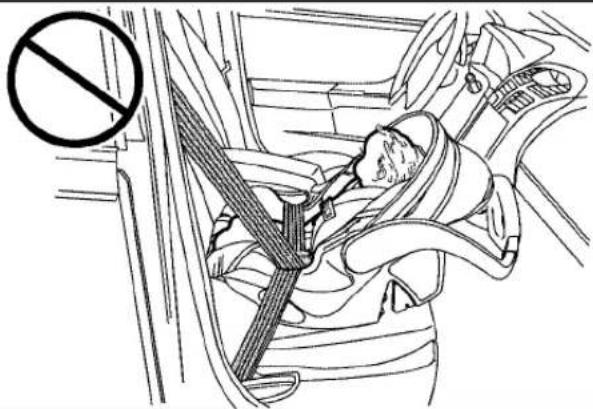
text_image
Medical illustration showing a patient's seatbelt with a no-smoking symbol, indicating no smoking.Q: What are the different types of add-on child restraints?
A: Add-on child restraints, which are purchased by the vehicle's owner, are available in four basic types. Selection of a particular restraint should take into consideration not only the child's weight, height, and age but also whether or not the restraint will be compatible with the motor vehicle in which it will be used.
For most basic types of child restraints, there are many different models available. When purchasing a child restraint, be sure it is designed to be used in a motor vehicle. If it is, the restraint will have a label saying that it meets federal motor vehicle safety standards.
The restraint manufacturer's instructions that come with the restraint state the weight and height limitations for a particular child restraint. In addition, there are many kinds of restraints available for children with special needs.
CAUTION:
To reduce the risk of neck and head injury during a crash, infants need complete support. This is because an infant's neck is not fully developed and its head weighs so much compared with the rest of its body. In a crash, an infant in a rear-facing child restraint settles into the restraint, so the crash forces can be distributed across the strongest part of an infant's body, the back and shoulders. Infants should always be secured in rear-facing child restraints.
⚠️CAUTION:
A young child's hip bones are still so small that the vehicle's regular safety belt may not remain low on the hip bones, as it should. Instead, it may settle up around the child's abdomen. In a crash, the belt would apply force on a body area that is unprotected by any bony structure. This alone could cause serious or fatal injuries. To reduce the risk of serious or fatal injuries during a crash, young children should always be secured in appropriate child restraints.
Child Restraint Systems
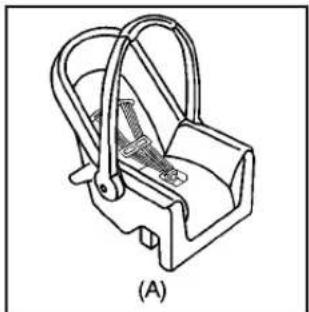
natural_image
Technical line drawing of a mechanical clamp or bracket component (no text or symbols)A rear-facing infant seat (A) provides restraint with the seating surface against the back of the infant.
The harness system holds the infant in place and, in a crash, acts to keep the infant positioned in the restraint.
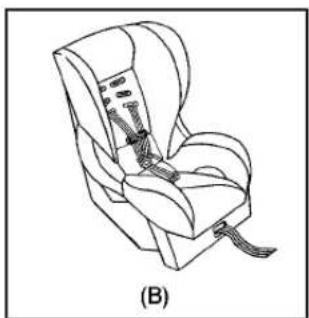
natural_image
Line drawing of a car seat with straps and straps, labeled (B) (no text or symbols on the diagram itself)A forward-facing child seat (B) provides restraint for the child's body with the harness.
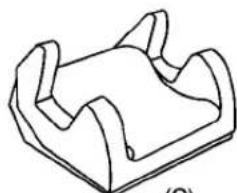
natural_image
Simple line drawing of a mechanical component or bracket (no text or symbols)(C)

natural_image
Line drawing of a car seat with frontrest and backrest (no text or symbols)(D)
A booster seat (C-D) is a child restraint designed to improve the fit of the vehicle's safety belt system. A booster seat can also help a child to see out the window.
Securing an Add-On Child Restraint in the Vehicle
CAUTION:
A child can be seriously injured or killed in a crash if the child restraint is not properly secured in the vehicle. Secure the child restraint properly in the vehicle using the vehicle's safety belt or LATCH system, following the instructions that came with that child restraint and the instructions in this manual.
To help reduce the chance of injury, the child restraint must be secured in the vehicle. Child restraint systems must be secured in vehicle seats by lap belts or the lap belt portion of a lap-shoulder belt, or by the LATCH system. See LowerAnchorsandTethersforChildren (LATCH)onpage1-45for more information. A child can be endangered in a crash if the child restraint is not properly secured in the vehicle.
When securing an add-on child restraint, refer to the instructions that come with the restraint which may be on the restraint itself or in a booklet, or both, and to this manual. The child restraint instructions are important, so if they are not available, obtain a replacement copy from the manufacturer.
Keep in mind that an unsecured child restraint can move around in a collision or sudden stop and injure people in the vehicle. Be sure to properly secure any child restraint in the vehicle — even when no child is in it.
Securing the Child Within the Child Restraint
CAUTION:
A child can be seriously injured or killed in a crash if the child is not properly secured in the child restraint. Secure the child properly following the instructions that came with that child restraint.
Where to Put the Restraint
Accident statistics show that children are safer if they are restrained in the rear rather than the front seat.
We recommend that children and child restraints be secured in a rear seat, including: an infant or a child riding in a rear-facing child restraint; a child riding in a forward-facing child seat; an older child riding in a booster seat; and children, who are large enough, using safety belts.
A label on your sun visor says, "Never put a rear-facing child seat in the front." This is because the risk to the rear-facing child is so great, if the airbag deploys.

CAUTION:
A child in a rear-facing child restraint can be seriously injured or killed if the right front passenger airbag inflates. This is because the back of the rear-facing child restraint would be very close to the inflating airbag. A child in a forward-facing child
CAUTION: (Continued)
CAUTION: (Continued)
restraint can be seriously injured or killed if the right front passenger airbag inflates and the passenger seat is in a forward position.
Even if the passenger sensing system has turned off the right front passenger frontal airbag, no system is fail-safe. No one can guarantee that an airbag will not deploy under some unusual circumstance, even though it is turned off.
Secure rear-facing child restraints in a rear seat, even if the airbag is off. If you secure a forward-facing child restraint in the right front seat, always move the front passenger seat as far back as it will go. It is better to secure the child restraint in a rear seat.
See PassengerSensingSystemonpage1-70for additional information.
⚠️CAUTION:
A child in a child restraint in the center front seat can be badly injured or killed by the frontal airbags if they inflate. Never secure a child restraint in the center front seat. Secure a child restraint in a rear seat.
Do not use child restraints in the center front seat position.
When securing a child restraint in a rear seating position, study the instructions that came with your child restraint to make sure it is compatible with this vehicle.
If your vehicle does not have a rear seat that will accommodate a rear-facing child restraint, we recommend that rear-facing child restraints not be transported in your vehicle, even if the airbag is off.
Wherever you install a child restraint, be sure to secure the child restraint properly.
Keep in mind that an unsecured child restraint can move around in a collision or sudden stop and injure people in the vehicle. Be sure to properly secure any child restraint in your vehicle — even when no child is in it.
Lower Anchors and Tethers for Children (LATCH)
The LATCH system holds a child restraint during driving or in a crash. This system is designed to make installation of a child restraint easier. The LATCH system uses anchors in the vehicle and attachments on the child restraint that are made for use with the LATCH system.
Make sure that a LATCH-compatible child restraint is properly installed using the anchors, or use the vehicle's safety belts to secure the restraint, following the instructions that came with that restraint, and also the instructions in this manual. When installing a child restraint with a top tether, you must also use either the lower anchors or the safety belts to properly secure the child restraint. A child restraint must never be installed using only the top tether and anchor.
In order to use the LATCH system in your vehicle, you need a child restraint that has LATCH attachments. The child restraint manufacturer will provide you with instructions on how to use the child restraint and its attachments. The following explains how to attach a child restraint with these attachments in your vehicle.
Not all vehicle seating positions or child restraints have lower anchors and attachments or top tether anchors and attachments.
Lower Anchors
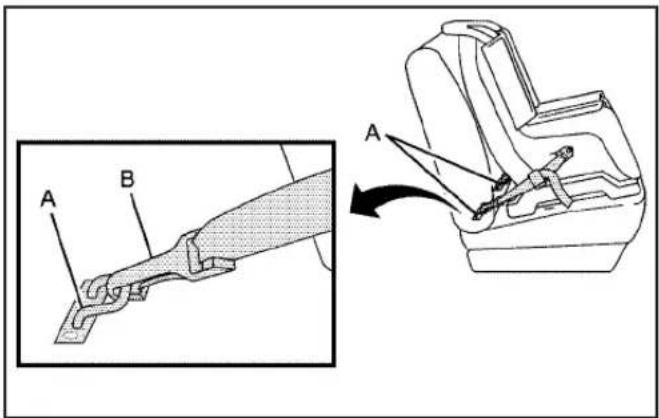
text_image
Technical diagram showing a mechanical assembly with labeled parts A and B, alongside a magnified view of the component being adjusted.Lower anchors (A) are metal bars built into the vehicle. There are two lower anchors for each LATCH seating position that will accommodate a child restraint with lower attachments (B).
Top Tether Anchor
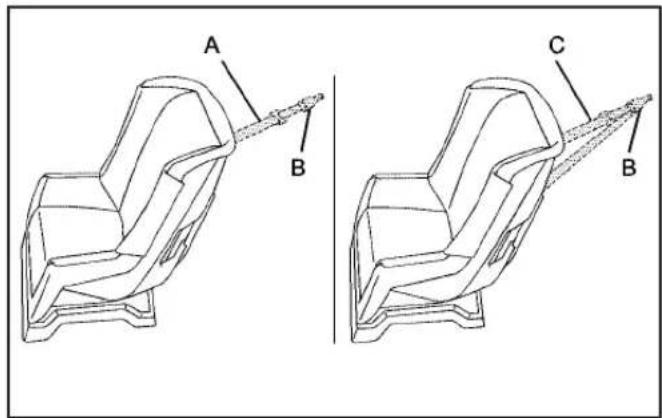
text_image
A B C BA top tether (A, C) anchors the top of the child restraint to the vehicle. A top tether anchor is built into the vehicle. The top tether attachment (B) on the child restraint connects to the top tether anchor in the vehicle in order to reduce the forward movement and rotation of the child restraint during driving or in a crash.
Your child restraint may have a single tether (A) or a dual tether (C). Either will have a single attachment (B) to secure the top tether to the anchor.
Some child restraints that have a top tether are designed for use with or without the top tether being attached. Others require the top tether always to be attached. In Canada, the law requires that forward-facing child restraints have a top tether, and that the tether be attached. Be sure to read and follow the instructions for your child restraint.
If the child restraint does not have a top tether, one can be obtained, in kit form, for many child restraints. Ask the child restraint manufacturer whether or not a kit is available.
Lower Anchor and Top Tether Anchor Locations
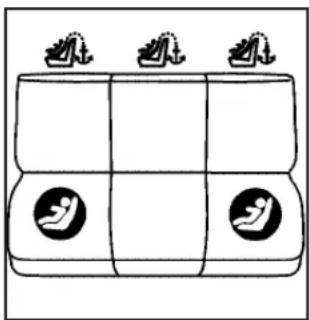
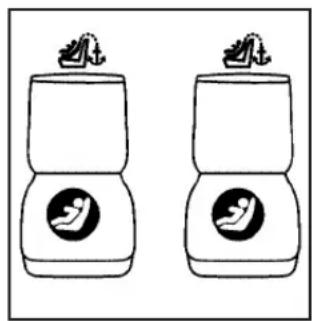
text_image
Diagram showing three identical boxes with icons, each containing a bird silhouette and the Chinese character '仙' above it.Crew Cab — Rear Seat
(Top Tether Anchor): Seating positions with top tether anchors.
②(Lower Anchor): Seating positions with two lower anchors.
(Top Tether Anchor): Seating positions with top tether anchors.
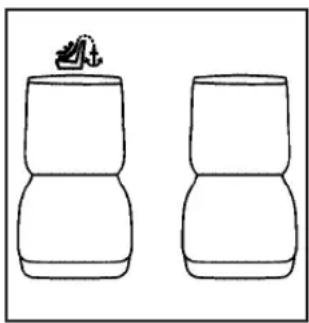
natural_image
Two identical stylized bottle containers with bird silhouettes, no text or symbols presentExtended Cab — Rear Seat
(Top Tether Anchor): Seating positions with top tether anchors.
②(Lower Anchor): Seating positions with two lower anchors.
(Top Tether Anchor): Seating positions with top tether anchors.
natural_image
Simple line drawing of two identical 3D objects with a small object on top (no text or symbols)Front Seat — Regular and Extended Cab without Rear Seats
For crew cab models, there are exposed metal lower anchors for each rear outboard seating position, located where the seatback meets the back of the seat cushion.
For extended cab models with rear seats, there are exposed metal lower anchors for each rear seating position, attached to the back wall, near the seat cushion.
To assist you in locating the lower anchors, place your hand in a palm-up position and reach up between the seat cushion and the seatback.
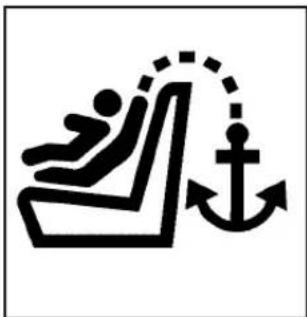
natural_image
Simple black-and-white icon depicting a person sitting on a bench with an anchor symbol, no text or numbers present.To assist you in locating the top tether anchors, the top tether anchor symbol is located on the cover.

natural_image
Line drawing of a vehicle interior with three car seats and directional arrows indicating movement or positioning (no text or symbols)Crew Cab
The top tether anchors in a crew cab model are located on the back wall behind each rear seating position. Be sure to use an anchor located on the same side of the vehicle as the seating position where the child restraint will be placed.
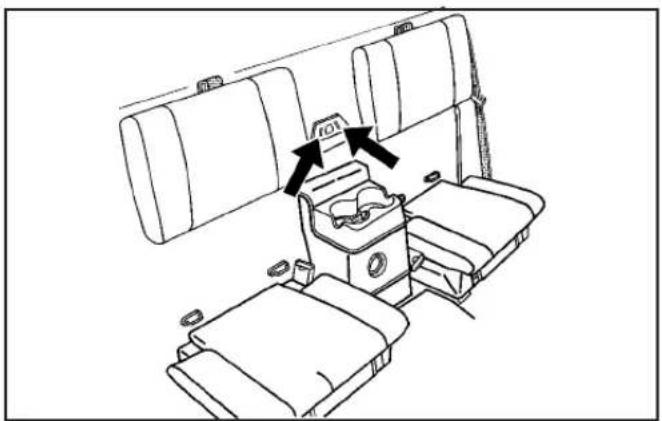
natural_image
Line drawing of a vehicle cab with two boxes and a seat, showing no text or symbolsExtended Cab — Rear Seat
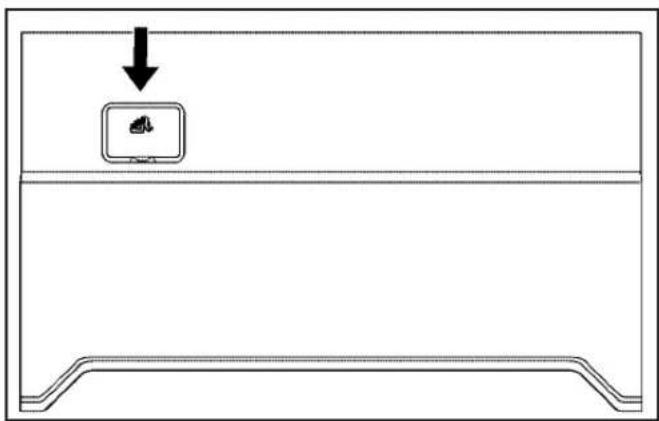
The top tether anchors in an extended cab model are located on the center of the back wall behind a removable cover for the rear seating positions. Be sure to use an anchor located nearest to the seating position where the child restraint will be placed.
natural_image
Simple line drawing of a device casing with a monitor icon and an arrow pointing to it (no text or symbols)Regular and Extended Cab without Rear Seats
For regular and extended cab models without rear seats, there is a top tether anchor located behind a removable cover on the back wall behind the right front passenger seat. You may have to pull the seatback forward to access the anchor.
Do not secure a child restraint in a position without a top tether anchor if a national or local law requires that the top tether be attached, or if the instructions that come with the child restraint say that the top tether must be attached.
Accident statistics show that children are safer if they are restrained in the rear rather than the front seat. See Where to Put the Restrainton page 1-44 for additional information.
Securing a Child Restraint Designed for the LATCH System
CAUTION:
If a LATCH-type child restraint is not attached to anchors, the child restraint will not be able to protect the child correctly. In a crash, the child could be seriously injured or killed. Install a LATCH-type child restraint properly using the anchors, or use the vehicle's safety belts to secure the restraint, following the instructions that came with the child restraint and the instructions in this manual.
CAUTION:
Do not attach more than one child restraint to a single anchor. Attaching more than one child restraint to a single anchor could cause the anchor or attachment to come loose or even break during a crash. A child or others could be injured. To reduce the risk of serious or fatal injuries during a crash, attach only one child restraint per anchor.
⚠️CAUTION:
Children can be seriously injured or strangled if a shoulder belt is wrapped around their neck and the safety belt continues to tighten. Buckle any unused safety belts behind the child restraint so children cannot reach them. Pull the shoulder belt all the way out of the retractor to set the lock, if your vehicle has one, after the child restraint has been installed.
Notice: Do not let the LATCH attachments rub against the vehicle's safety belts. This may damage these parts. If necessary, move buckled safety belts to avoid rubbing the LATCH attachments.
Do not fold the empty rear seat with a safety belt buckled. This could damage the safety belt or the seat. Unbuckle and return the safety belt to its stowed position.
Crew Cab — Rear Seat
text_image
Diagram showing a vehicle interior with labeled parts A and B, likely illustrating a safety or inspection mechanism.- Put the child restraint on the seat.
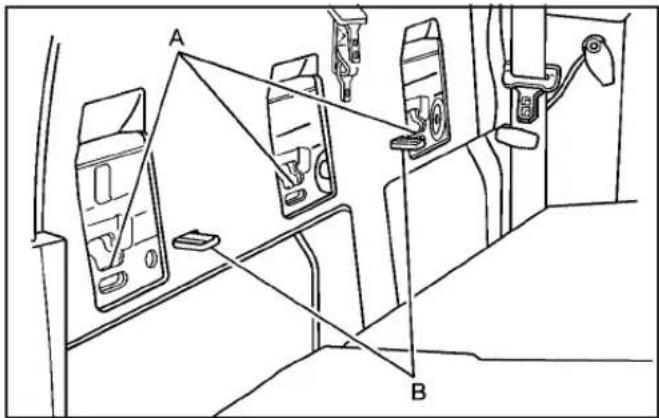
- If the child restraint manufacturer's instructions recommends that the top tether be attached, attach the top tether to the top tether anchor (A). Refer to the child restraint instructions and the following steps:
2.1. Pull the seatback forward to access the top tether anchors (A). See RearSeatOperation (ExtendedCab)onpage1-10or Rear SeatOperation(CrewCab)onpage1-11.
2.2. Route the top tether according to your child restraint instructions and the following instructions:
natural_image
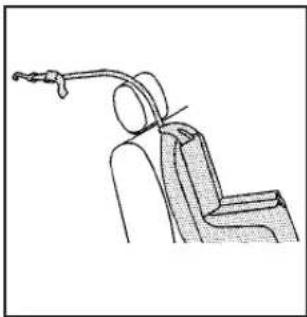
Line drawing of a car seat with a cable and handle, no text or symbols presentIf the position you are using has a fixed headrest or head restraint and you are using a single tether, route the tether over the head restraint.
natural_image
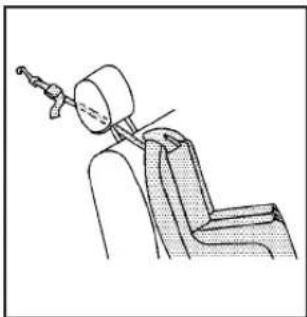
Line drawing of a car seatbelt with a handle and seat, no text or symbols presentIf the position you are using has an adjustable headrest or head restraint and you are using a single tether, raise the headrest or head restraint and route the tether under the headrest or head restraint and in between the headrest or head restraint posts.

natural_image
Line drawing of a person seated in a chair holding a device, no text or symbols presentIf the position you are using has a fixed or adjustable headrest or head restraint and you are using a dual tether, route the tether around the headrest or head restraint.
2.3. Attach the top tether to the anchor (A). Make sure that you secure the top tether to the top tether anchor and not to the seatback latch (B).
2.4. Push rearward on the seatback until it locks into its upright position. Push and pull on the seatback to make sure it is secured properly.
- Attach and tighten the lower attachments to the lower anchors. If the child restraint does not have lower attachments or the desired seating position does not have lower anchors, secure the child restraint with the top tether and the safety belts. Refer to your child restraint manufacturer instructions and the instructions in this manual.
3.1. Find the lower anchors for the desired seating position.
3.2. Attach and tighten the lower attachments on the child restraint to the lower anchors.
-
Tighten the top tether.
-
Push and pull the child restraint in different directions to be sure it is secure.
Extended Cab — Rear Seat

text_image
Technical diagram of a vehicle chassis with labeled components A, B, C, D and a 1:1 connector- Attach and tighten the lower attachments to the lower anchors. If the child restraint does not have lower attachments or the desired seating position does not have lower anchors, secure the child restraint with the top tether and the safety belts. Refer to your child restraint manufacturer instructions and the instructions in this manual.
1.1. Find the lower anchors (D) for the desired seating position.
1.2. Put the child restraint on the seat.
1.3. Attach the lower attachments on the child restraint to the lower anchors (D) in the vehicle. The child restraint instructions will show you how.
- If the child restraint manufacturer recommends that the top tether be attached, attach and tighten the top tether to the top tether anchor (C). Refer to the child restraint instructions and the following steps:

text_image
A B C2.1. Pull on the finger access tab to remove the cover to access the top tether anchors (C).
2.2. Route the top tether (A) through the loop (B) at the top of the seatback to attach the top tether to the nearest top tether anchor (C).
- Tighten the lower anchor attachments and the top tether. The child restraint instructions will show you how.
- Push and pull the child restraint in different directions to be sure it is secure.
Front Seat — Regular/Extended Cab without Rear Seats
Your vehicle has a right front passenger's airbag and a passenger sensing system. The passenger sensing system is designed to turn off the right front passenger's frontal airbag when an infant in a rear-facing infant seat or a small child in a forward-facing child restraint or booster seat is detected. See SecuringaChildRestraintinthe RightFrontSeatPositiononpage1-58and Passenger SensingSystemonpage1-70for important safety information and additional information on installing a child restraint in the right front seat position.
-
See SecuringaChildRestraintintheRightFront SeatPositiononpage1-58for instructions on installing the child restraint using the safety belts.
-
If the child restraint manufacturer's instructions recommends that the top tether be attached, attach and tighten the top tether to the top tether anchor. Refer to the child restraint instructions and the following steps:
2.1. Pull the seatback forward to access the top tether anchor. See SeatbackLatcheson page1-9.
2.2. Pull on the finger access tab to remove the cover to access the top tether anchor.
2.3. Route the top tether according to your child restraint instructions and the following instructions:
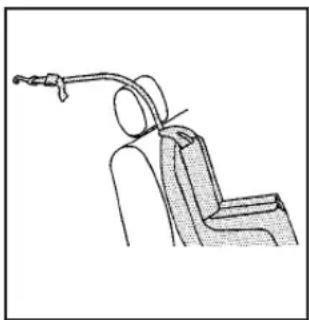
natural_image
Line drawing of a mechanical device with a lever and attached bracket (no text or symbols)If the position you are using has a fixed headrest or head restraint and you are using a single tether, route the tether over the headrest or head restraint.

natural_image
Line drawing of a car seatbelt with a handle and seat, no text or symbols presentIf the position you are using has an adjustable headrest or head restraint and you are using a single tether, raise the headrest or head restraint and route the tether under the headrest or head restraint and in between the headrest or head restraint posts.
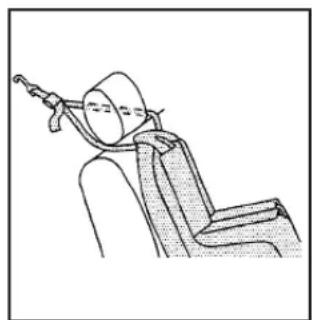
natural_image
Line drawing of a person seated in a chair holding a medical device (no text or symbols)If the position you are using has a fixed or adjustable headrest or head restraint and you are using a dual tether, route the tether around the headrest or head restraint.
- Attach and tighten the top tether according to your child restraint instructions.
- Push and pull the child restraint in different directions to be sure it is secure.
Securing a Child Restraint in a Rear Seat Position
When securing a child restraint in a rear seating position, study the instructions that came with your child restraint to make sure it is compatible with this vehicle.
If your child restraint has the LATCH system, see Lower AnchorsandTethersforChildren(LATCH)onpage1-45 for how to install your child restraint using LATCH. If you secure a child restraint using a safety belt and it uses a top tether, see LowerAnchorsandTethersforChildren (LATCH)onpage1-45 for top tether anchor locations.
Do not secure a child restraint in a position without a top tether anchor if a national or local law requires that the top tether be anchored, or if the instructions that come with the child restraint say that the top strap must be anchored.
In Canada, the law requires that forward-facing child restraints have a top tether, and that the tether be attached.
If your child restraint does not have the LATCH system, you will be using the safety belt to secure the child restraint in this position. Be sure to follow the instructions that came with the child restraint. Secure the child in the child restraint when and as the instructions say.
If you need to install more than one child restraint in the rear seat, be sure to read WheretoPuttheRestraint onpage1-44.
- Put the child restraint on the seat.
- Pick up the latch plate, and run the lap and shoulder portions of the vehicle's safety belt through or around the restraint. The child restraint instructions will show you how.
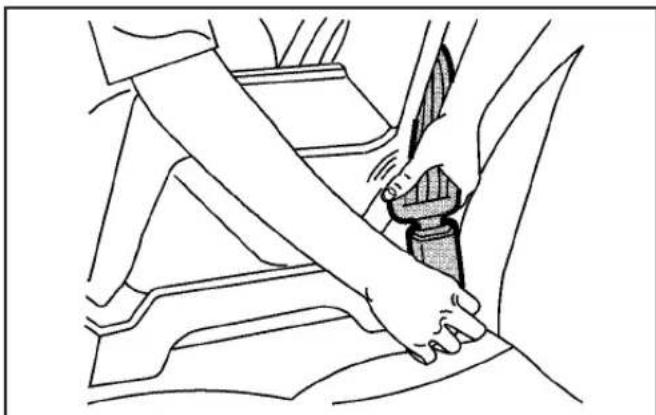
natural_image
Line drawing of a car seatbelt buckle being adjusted for a hand (no text or symbols)- Push the latch plate into the buckle until it clicks. Make sure the release button is positioned so you would be able to unbuckle the safety belt quickly if necessary.

natural_image
Line drawing of a person seated in a car seatbelt, holding a belt (no text or symbols)- Pull the rest of the shoulder belt all the way out of the retractor to set the lock.
- If your child restraint has a top tether, attach the top tether to the top tether anchor. See LowerAnchors andTethersforChildren(LATCH)onpage1-45.

natural_image
Line drawing of a person using a tool to lift a chair, no text or symbols present- To tighten the belt, push down on the child restraint, pull the shoulder portion of the belt to tighten the lap portion of the belt, and feed the shoulder belt back into the retractor. If you are using a forward-facing child restraint, you may find it helpful to use your knee to push down on the child restraint as you tighten the belt.
- Tighten the top tether. See LowerAnchorsand TethersforChildren(LATCH)onpage1-45.
- Push and pull the child restraint in different directions to be sure it is secure.
To remove the child restraint, unbuckle the vehicle's safety belt and let it go back all the way. If the top tether is attached to a top tether anchor, disconnect it.
Securing a Child Restraint in the Center Front Seat Position
CAUTION:
A child in a child restraint in the center front seat can be badly injured or killed by the frontal airbags if they inflate. Never secure a child restraint in the center front seat. Secure a child restraint in a rear seat.
Do not use child restraints in the center front seat position.
Securing a Child Restraint in the Right Front Seat Position
This vehicle has airbags. A rear seat is a safer place to secure a forward-facing child restraint. See Whereto PuttheRestraintonpage1-44.
In addition, the vehicle has a passenger sensing system which is designed to turn off the right front passenger's frontal airbag under certain conditions. See Passenger SensingSystemonpage1-70 and PassengerAirbag StatusIndicatoronpage3-25 for more information on this, including important safety information.
A label on the sun visor says, "Never put a rear-facing child seat in the front." This is because the risk to the rear-facing child is so great, if the airbag deploys.
⚠️CAUTION:
A child in a rear-facing child restraint can be seriously injured or killed if the right front passenger airbag inflates. This is because the back of the rear-facing child restraint would be very close to the inflating airbag. A child in a forward-facing child restraint can be seriously injured or killed if the right front passenger airbag inflates and the passenger seat is in a forward position.
Even if the passenger sensing system has turned off the right front passenger frontal airbag, no system is fail-safe. No one can guarantee that an airbag will not deploy under some unusual circumstance, even though it is turned off.
CAUTION: (Continued)
CAUTION: (Continued)
Secure rear-facing child restraints in a rear seat, even if the airbag is off. If you secure a forward-facing child restraint in the right front seat, always move the front passenger seat as far back as it will go. It is better to secure the child restraint in a rear seat.
See PassengerSensingSystemonpage1-70for additional information.
If the vehicle does not have a rear seat that will accommodate a rear-facing child restraint, a child restraint should not be installed in your vehicle, even if the airbag is off.
If your child restraint has the LATCH system, see Lower AnchorsandTethersforChildren(LATCH)onpage1-45 for how and where to install your child restraint using LATCH. If a child restraint is secured using a safety belt and it uses a top tether, see LowerAnchorsandTethersforChildren(LATCH)onpage1-45 for top tether anchor locations.
Do not secure a child seat in a position without a top tether anchor if a national or local law requires that the top tether be anchored, or if the instructions that come with the child restraint say that the top strap must be anchored.
In Canada, the law requires that forward-facing child restraints have a top tether, and that the tether be attached.
You will be using the lap-shoulder belt to secure the child restraint in this position. Follow the instructions that came with the child restraint.
- Move the seat as far back as it will go before securing the forward-facing child restraint. When the passenger sensing system has turned off the right front passenger frontal airbag, the off indicator on the passenger airbag status indicator should light and stay lit when you start the vehicle. See PassengerAirbagStatusIndicatoron page3-25.
- Put the child restraint on the seat.
- Pick up the latch plate, and run the lap and shoulder portions of the vehicle's safety belt through or around the restraint. The child restraint instructions will show you how.

natural_image
Line drawing of a car seatbelt buckle being inserted, showing hand placement and seatbelt buckle (no text or symbols)- Push the latch plate into the buckle until it clicks. Position the release button on the buckle so that the safety belt could be quickly unbuckled if necessary.
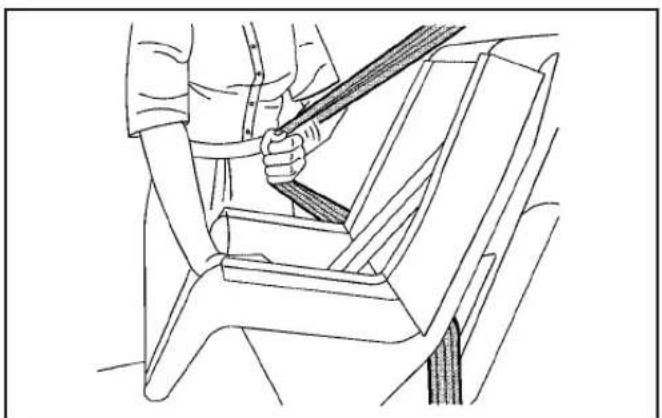
natural_image
Line drawing of a person seated in a car seatbelt, holding a belt (no text or symbols)- Pull the rest of the shoulder belt all the way out of the retractor to set the lock.
- If the vehicle does not have a rear seat and the child restraint manufacturer recommends using a top tether anchor, attach the top tether to the top tether anchor. Refer to the instructions that came with the child restraint and to LowerAnchors andTethersforChildren(LATCH)onpage1-45.
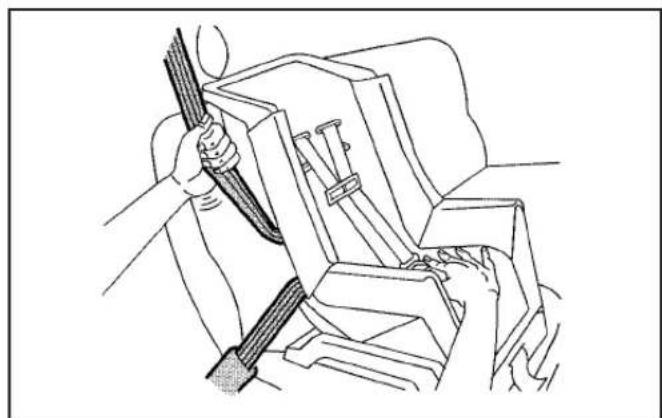
natural_image
Line drawing of a person using a tool to lift a vehicle, no text or symbols present- To tighten the belt, push down on the child restraint, pull the shoulder portion of the belt to tighten the lap portion of the belt and feed the shoulder belt back into the retractor. When installing a forward-facing child restraint, it might be helpful to use your knee to push down on the child restraint as you tighten the belt.
- Tighten the top tether. See LowerAnchorsand TethersforChildren(LATCH)onpage1-45.
- Push and pull the child restraint in different directions to be sure it is secure.
If the airbag is off, the off indicator in the passenger airbag status indicator will come on and stay on when the vehicle is started.
If a child restraint has been installed and on indicator is lit, see "If the On Indicator is Lit for a Child Restraint" under PassengerSensingSystemonpage1-70 for more information.
To remove the child restraint, unbuckle the vehicle safety belt and let it return to the stowed position.
Airbag System
The vehicle has the following airbags:
• A frontal airbag for the driver.
- A frontal airbag for the right front passenger
Your vehicle may also have the following airbags:
- A roof-rail airbag for the driver and the passenger seated directly behind the driver.
- A roof-rail airbag for the right front passenger and the passenger seated directly behind the right front passenger.
All of the airbags in your vehicle will have the word AIRBAG embossed in the trim or on an attached label near the deployment opening.
For frontal airbags, the word AIRBAG will appear on the middle part of the steering wheel for the driver and on the instrument panel for the right front passenger.
With roof-rail airbags, the word AIRBAG will appear along the headliner or trim.
Airbags are designed to supplement the protection provided by safety belts. Even though today's airbags are also designed to help reduce the risk of injury from the force of an inflating bag, all airbags must inflate very quickly to do their job.
Here are the most important things to know about the airbag system:
⚠️CAUTION:
You can be severely injured or killed in a crash if you are not wearing your safety belt — even if you have airbags. Airbags are designed to work with safety belts, but do not replace them. Also, airbags are not designed to deploy in every crash. In some crashes safety belts are your only restraint. See WhenShouldanAirbagInflate?onpage1-67.
Wearing your safety belt during a crash helps reduce your chance of hitting things inside the vehicle or being ejected from it. Airbags are “supplemental restraints” to the safety belts. Everyone in your vehicle should wear a safety belt properly — whether or not there is an airbag for that person.
CAUTION:
Airbags inflate with great force, faster than the blink of an eye. Anyone who is up against, or very close to, any airbag when it inflates can be seriously injured or killed. Do not sit unnecessarily close to the airbag, as you would be if you were sitting on the edge of your seat or leaning forward. Safety belts help keep you in position before and during a crash. Always wear your safety belt, even with airbags. The driver should sit as far back as possible while still maintaining control of the vehicle.
Occupants should not lean on or sleep against the door or side windows in seating positions with roof-rail airbags.
CAUTION:
Children who are up against, or very close to, any airbag when it inflates can be seriously injured or killed. Airbags plus lap-shoulder belts offer protection for adults and older children, but not for young children and infants. Neither the vehicle's safety belt system nor its airbag system is designed for them. Young children and infants need the protection that a child restraint system can provide. Always secure children properly in your vehicle. To read how, see OlderChildren onpage1-35or InfantsandYoungChildrenon page1-38.

There is an airbag readiness light on the instrument panel, which shows the airbag symbol.
The system checks the airbag electrical system for malfunctions. The light tells you if there is an electrical problem. See AirbagReadinessLightonpage3-24 for more information.
Where Are the Airbags?

natural_image
Illustration of a man inside a car holding a large circular object, no visible text or symbolsThe driver's airbag is in the middle of the steering wheel.

natural_image
Illustration of a person sitting in a car, viewed from inside (no text or symbols visible)The right front passenger's airbag is in the instrument panel on the passenger's side.
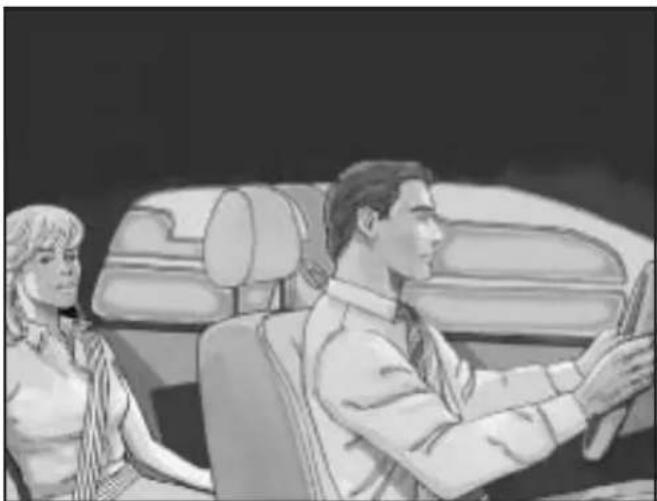
natural_image
Illustration of a man and woman seated in a car, facing each other (no text or symbols visible)Driver Side shown, Passenger Side similar
If your vehicle has roof-rail airbags for the driver, right front passenger, and second row outboard passengers, they are in the ceiling above the side windows.
CAUTION:
If something is between an occupant and an airbag, the airbag might not inflate properly or it might force the object into that person causing severe injury or even death. The path of an inflating airbag must be kept clear. Do not put anything between an occupant and an airbag, and do not attach or put anything on the steering wheel hub or on or near any other airbag covering.
Never secure anything to the roof of a vehicle with roof-rail airbags by routing a rope or tie down through any door or window opening. If you do, the path of an inflating roof-rail airbag will be blocked.
When Should an Airbag Inflate?
Frontal airbags are designed to inflate in moderate to severe frontal or near-frontal crashes to help reduce the potential for severe injuries mainly to the driver's or right front passenger's head and chest. However, they are only designed to inflate if the impact exceeds a predetermined deployment threshold. Deployment thresholds are used to predict how severe a crash is likely to be in time for the airbags to inflate and help restrain the occupants.
Whether your frontal airbags will or should deploy is not based on how fast your vehicle is traveling. It depends largely on what you hit, the direction of the impact, and how quickly your vehicle slows down.
Frontal airbags may inflate at different crash speeds. For example:
- If the vehicle hits a stationary object, the airbags could inflate at a different crash speed than if the vehicle hits a moving object.
- If the vehicle hits an object that deforms, the airbags could inflate at a different crash speed than if the vehicle hits an object that does not deform.
- If the vehicle hits a narrow object (like a pole), the airbags could inflate at a different crash speed than if the vehicle hits a wide object (like a wall).
- If the vehicle goes into an object at an angle, the airbags could inflate at a different crash speed than if the vehicle goes straight into the object.
Thresholds can also vary with specific vehicle design.
Frontal airbags are not intended to inflate during vehicle rollovers, rear impacts, or in many side impacts.
Your vehicle has seat position sensors which enables the sensing system to monitor the position of the driver's seat and the right front passenger's seat. Seat position sensors provide information that is used to determine if the airbags should deploy at a reduced level or at full deployment.
In addition, your vehicle has dual-stage frontal airbags. Dual-stage airbags adjust the restraint according to crash severity. Your vehicle has electronic frontal sensors, which help the sensing system distinguish between a moderate frontal impact and a more severe frontal impact. For moderate frontal impacts, dual-stage airbags inflate at a level less than full deployment. For more severe frontal impacts, full deployment occurs.
Your vehicle may or may not have roof-rail airbags. See AirbagSystemonpage1-62. Roof-rail airbags are intended to inflate in moderate to severe side crashes. Roof-rail airbags will inflate if the crash severity is above the system's designed threshold level. The threshold level can vary with specific vehicle design.
Roof-rail airbags are not intended to inflate in frontal impacts, near-frontal impacts, rollovers, or rear impacts. Both roof-rail airbags will deploy when either side of the vehicle is struck.
In any particular crash, no one can say whether an airbag should have inflated simply because of the damage to a vehicle or because of what the repair costs were. For frontal airbags, inflation is determined by what the vehicle hits, the angle of the impact, and how quickly the vehicle slows down. For roof-rail airbags, deployment is determined by the location and severity of the side impact.
What Makes an Airbag Inflate?
In a deployment event, the sensing system sends an electrical signal triggering a release of gas from the inflator. Gas from the inflator fills the airbag causing the bag to break out of the cover and deploy. The inflator, the airbag, and related hardware are all part of the airbag module.
Frontal airbag modules are located inside the steering wheel and instrument panel. For vehicles with roof-rail airbags, there are airbag modules in the ceiling of the vehicle, near the side windows that have occupant seating positions.
How Does an Airbag Restrain?
In moderate to severe frontal or near frontal collisions, even belted occupants can contact the steering wheel or the instrument panel. In moderate to severe side collisions, even belted occupants can contact the inside of the vehicle.
Airbags supplement the protection provided by safety belts. Frontal airbags distribute the force of the impact more evenly over the occupant's upper body, stopping the occupant more gradually. Roof-rail airbags distribute the force of the impact more evenly over the occupant's upper body.
But airbags would not help in many types of collisions, primarily because the occupant's motion is not toward those airbags. See WhenShouldanAirbagInflate?on page1-67for more information.
Airbags should never be regarded as anything more than a supplement to safety belts.
What Will You See After an Airbag Inflates?
After the frontal airbags inflate, they quickly deflate, so quickly that some people may not even realize the airbags inflated. Roof-rail airbags may still be at least partially inflated for some time after they deploy. Some components of the airbag module may be hot for several minutes. For location of the airbag modules, see What MakesanAirbagInflate?onpage1-68.
The parts of the airbag that come into contact with you may be warm, but not too hot to touch. There may be some smoke and dust coming from the vents in the deflated airbags. Airbag inflation does not prevent the driver from seeing out of the windshield or being able to steer the vehicle, nor does it prevent people from leaving the vehicle.
CAUTION:
When an airbag inflates, there may be dust in the air. This dust could cause breathing problems for people with a history of asthma or other breathing trouble. To avoid this, everyone in the vehicle should get out as soon as it is safe to do so. If you have breathing problems but cannot get out of the vehicle after an airbag inflates, then get fresh air by opening a window or a door. If you experience breathing problems following an airbag deployment, you should seek medical attention.
Your vehicle has a feature that may automatically unlock the doors (if equipped with power door locks), turn the interior lamps on, flash the hazard warning flashers, and turn off the radio when the airbag inflates. You can lock the doors again by using the door lock. The interior lamps and hazard warning flashers will deactivate after approximately 15 minutes.
In many crashes severe enough to inflate the airbag, windshields are broken by vehicle deformation.
Additional windshield breakage may also occur from the right front passenger airbag.
- Airbags are designed to inflate only once. After an airbag inflates, you will need some new parts for the airbag system. If you do not get them, the airbag system will not be there to help protect you in another crash. A new system will include airbag modules and possibly other parts. The service manual for your vehicle covers the need to replace other parts.
- Your vehicle has a crash sensing and diagnostic module which records information after a crash. See VehicleDataRecordingandPrivacyon page7-16 and EventDataRecordersonpage7-17.
- Let only qualified technicians work on the airbag system. Improper service can mean that the airbag system will not work properly. See your dealer/retailer for service.
Passenger Sensing System
The vehicle has a passenger sensing system for the right front passenger's position. The passenger airbag status indicator will be visible on the instrument panel when the vehicle is started.

text_image
PASSENGER AIR BAG ON 2 OFFUnited States

natural_image
Two stick figures in action poses, one with a circular head and the other with a cross symbol (no text or symbols present)Canada
The words ON and OFF, or the symbol for on and off, will be visible during the system check. When the system check is complete, either the word ON or OFF, or the symbol for on or off will be visible. See PassengerAirbag StatusIndicatoronpage3-25.
The passenger sensing system will turn off the right front passenger frontal airbag under certain conditions. The driver airbag is not affected by the passenger sensing system.
The passenger sensing system works with sensors that are part of the right front passenger seat. The sensors are designed to detect the presence of a properly-seated occupant and determine if the right front passenger frontal airbag should be enabled (may inflate) or not.
According to accident statistics, children and infants are safer when properly restrained in a child restraint system or infant restraint system secured in a rear seating position.
We recommend that children be secured in a rear seat, including: an infant or a child riding in a rear-facing child restraint; a child riding in a forward-facing child seat; an older child riding in a booster seat; and children, who are large enough, using safety belts.
A label on your sun visor says, "Never put a rear-facing child seat in the front." This is because the risk to the rear-facing child is so great, if the airbag deploys.
CAUTION:
A child in a rear-facing child restraint can be seriously injured or killed if the right front passenger airbag inflates. This is because the back of the rear-facing child restraint would be very close to the inflating airbag. A child in a forward-facing child restraint can be seriously injured or killed if the right front passenger airbag inflates and the passenger seat is in a forward position.
CAUTION: (Continued)
CAUTION: (Continued)
Even if the passenger sensing system has turned off the right front passenger frontal airbag, no system is fail-safe. No one can guarantee that an airbag will not deploy under some unusual circumstance, even though the airbag is turned off.
Secure rear-facing child restraints in a rear seat, even if the airbag is off. If you secure a forward-facing child restraint in the right front seat, always move the front passenger seat as far back as it will go. It is better to secure the child restraint in a rear seat.
If your vehicle does not have a rear seat that will accommodate a rear-facing child restraint, a rear-facing child restraint should not be installed in the vehicle, even if the airbag is off.
The passenger sensing system is designed to turn off the right front passenger airbag if:
- The right front passenger seat is unoccupied.
- The system determines that an infant is present in a rear-facing infant seat.
- The system determines that a small child is present in a child restraint.
- The system determines that a small child is present in a booster seat.
- A right front passenger takes his/her weight off of the seat for a period of time.
- The right front passenger seat is occupied by a smaller person, such as a child who has outgrown child restraints.
- Or, if there is a critical problem with the airbag system or the passenger sensing system.
When the passenger sensing system has turned off the right front passenger frontal airbag, the off indicator will light and stay lit to remind you that the airbag is off. See PassengerAirbagStatusIndicatoronpage3-25.
The passenger sensing system is designed to turn on (may inflate) the right front passenger frontal airbag anytime the system senses that a person of adult size is sitting properly in the right front passenger seat.
When the passenger sensing system has allowed the airbag to be enabled, the on indicator will light and stay lit to remind you that the airbag is active.
For some children who have outgrown child restraints and for very small adults, the passenger sensing system may or may not turn off the right front passenger's frontal airbag, depending upon the person's seating posture and body build. Everyone in your vehicle who has outgrown child restraints should wear a safety belt properly — whether or not there is an airbag for that person.
CAUTION:
If the airbag readiness light ever comes on and stays on, it means that something may be wrong with the airbag system. To help avoid injury to yourself or others, have the vehicle serviced right away. See AirbagReadinessLightonpage3-24for more information, including important safety information.
If the On Indicator is Lit for a Child Restraint
If a child restraint has been installed and the on indicator is lit:
- Turn the vehicle off.
- Remove the child restraint from the vehicle.
- Remove any additional items from the seat such as blankets, cushions, seat covers, seat heaters, or seat massagers.
-
Reinstall the child restraint following the directions provided by the child restraint manufacturer and refer to SecuringaChildRestraintintheRightFront SeatPositiononpage1-58.
-
If, after reinstalling the child restraint and restarting the vehicle, the on indicator is still lit, turn the vehicle off. Then slightly recline the vehicle seatback and adjust the seat cushion, if adjustable, to make sure that the vehicle seatback is not pushing the child restraint into the seat cushion.
Also make sure the child restraint is not trapped under the vehicle head restraint. If this happens, adjust the head restraint. See HeadRestraints onpage1-8.
- Restart the vehicle.
If the on indicator is still lit, secure the child in the child restraint in a rear seat position in the vehicle and check with your dealer/retailer.
If no rear seat is available, do not install a child restraint in this vehicle and check with your dealer/retailer.
If the Off Indicator is Lit for an Adult-Size Occupant
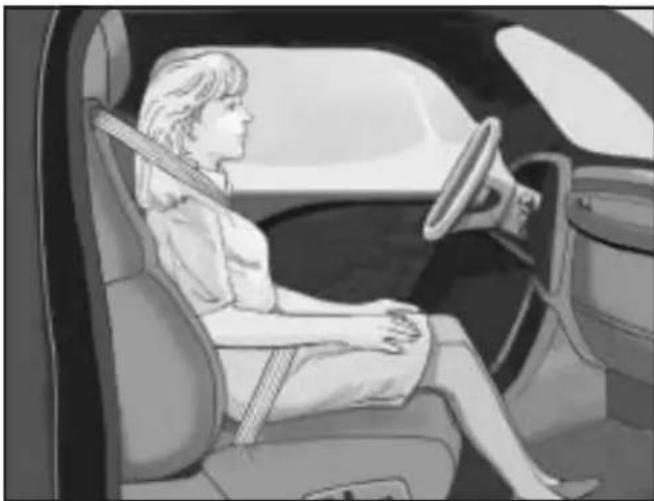
natural_image
Interior view of a car showing a person seated in a seat, wearing a seatbelt and driving a steering wheel (no text or symbols visible)If a person of adult-size is sitting in the right front passenger seat, but the off indicator is lit, it could be because that person is not sitting properly in the seat.
If this happens, use the following steps to allow the system to detect that person and enable the right front passenger frontal airbag:
- Turn the vehicle off.
- Remove any additional material from the seat, such as blankets, cushions, seat covers, seat heaters, or seat massagers.
- Place the seatback in the fully upright position.
- Have the person sit upright in the seat, centered on the seat cushion, with legs comfortably extended.
- Restart the vehicle and have the person remain in this position for two to three minutes after the on indicator is lit.
Additional Factors Affecting System Operation
Safety belts help keep the passenger in position on the seat during vehicle maneuvers and braking, which helps the passenger sensing system maintain the passenger airbag status. See “Safety Belts” and “Child Restraints” in the Index for additional information about the importance of proper restraint use.
If the shoulder portion of the belt is pulled out all the way, the child restraint locking feature will be engaged. This may unintentionally cause the passenger sensing system to turn the airbag off for some adult size occupants. If this happens, let the belt go back all the way and start again.
A thick layer of additional material, such as a blanket or cushion, or aftermarket equipment such as seat covers, seat heaters, and seat massagers can affect how well the passenger sensing system operates. We recommend that you not use seat covers or other aftermarket equipment except when approved by GM for your specific vehicle. See AddingEquipmenttoYourAirbag-Equipped Vehicleonpage1-76for more information about modifications that can affect how the system operates.
CAUTION:
Stowing of articles under the passenger seat or between the passenger seat cushion and seatback may interfere with the proper operation of the passenger sensing system.
Servicing Your Airbag-Equipped Vehicle
Airbags affect how the vehicle should be serviced. There are parts of the airbag system in several places around the vehicle. Your dealer/retailer and the service manual have information about servicing the vehicle and the airbag system. To purchase a service manual, see ServicePublicationsOrderingInformation onpage7-15.
CAUTION:
For up to 10 seconds after the ignition is turned off and the battery is disconnected, an airbag can still inflate during improper service. You can be injured if you are close to an airbag when it inflates. Avoid yellow connectors. They are probably part of the airbag system. Be sure to follow proper service procedures, and make sure the person performing work for you is qualified to do so.
Adding Equipment to Your Airbag-Equipped Vehicle
Q: Is there anything I might add to or change about the vehicle that could keep the airbags from working properly?
A: Yes. If you add things that change the vehicle's frame, bumper system, height, front end or side sheet metal, they may keep the airbag system from working properly. Changing or moving any parts of the front seats, safety belts, the airbag sensing and diagnostic module, steering wheel, instrument panel, roof-rail airbag modules, ceiling headliner or pillar garnish trim, front sensors, or airbag wiring can affect the operation of the airbag system.
In addition, the vehicle has a passenger sensing system for the right front passenger position, which includes sensors that are part of the passenger's seat. The passenger sensing system may not operate properly if the original seat trim is replaced with non-GM covers, upholstery or trim, or with GM covers, upholstery or trim designed for a different vehicle. Any object, such as an aftermarket seat heater or a comfort enhancing pad or device,
installed under or on top of the seat fabric, could also interfere with the operation of the passenger sensing system. This could either prevent proper deployment of the passenger airbag(s) or prevent the passenger sensing system from properly turning off the passenger airbag(s). See PassengerSensing Systemonpage1-70.
If you have any questions, call Customer Assistance. The phone numbers and addresses for Customer Assistance are in Step Two of the Customer Satisfaction Procedure in this manual. See CustomerSatisfactionProcedureonpage7-2.
Q: Because I have a disability, I have to get my vehicle modified. How can I find out whether this will affect my airbag system?
A: If you have questions, call Customer Assistance. The phone numbers and addresses for Customer Assistance are in Step Two of the Customer Satisfaction Procedure in this manual. See CustomerSatisfactionProcedureonpage7-2.
In addition, your dealer/retailer and the service manual have information about the location of the airbag sensors, sensing and diagnostic module and airbag wiring.
Restraint System Check
Checking the Restraint Systems
Safety Belts
Now and then, check the safety belt reminder light, safety belts, buckles, latch plates, retractors, and anchorages are all working properly.
Look for any other loose or damaged safety belt system parts that might keep a safety belt system from doing its job. See your dealer/retailer to have it repaired. Torn or frayed safety belts may not protect you in a crash. They can rip apart under impact forces. If a belt is torn or frayed, get a new one right away.
Make sure the safety belt reminder light is working. See SafetyBeltRemindersonpage3-23for more information.
Keep safety belts clean and dry. See CareofSafety Beltsonpage5-104.
Airbags
The airbag system does not need regularly scheduled maintenance or replacement. Make sure the airbag readiness light is working. See AirbagReadinessLight onpage3-24for more information.
Notice: If an airbag covering is damaged, opened, or broken, the airbag may not work properly. Do not open or break the airbag coverings. If there are any opened or broken airbag covers, have the airbag covering and/or airbag module replaced. For the location of the airbag modules, see What MakesanAirbagInflate?onpage1-68. See your dealer/retailer for service.
Replacing Restraint System Parts After a Crash
CAUTION:
A crash can damage the restraint systems in your vehicle. A damaged restraint system may not properly protect the person using it, resulting in serious injury or even death in a crash. To help make sure your restraint systems are working properly after a crash, have them inspected and any necessary replacements made as soon as possible.
If the vehicle has been in a crash, do you need new safety belts or LATCH system (if equipped) parts?
After a very minor crash, nothing may be necessary. But the safety belt assemblies that were used during any crash may have been stressed or damaged. See your dealer/retailer to have the safety belt assemblies inspected or replaced.
If the vehicle has the LATCH system and it was being used during a crash, you may need new LATCH system parts.
New parts and repairs may be necessary even if the safety belt or LATCH system (if equipped), was not being used at the time of the crash.
If an airbag inflates, you will need to replace airbag system parts. See the part on the airbag system earlier in this section.
Have the safety belt pretensioners checked if the vehicle has been in a crash, if the airbag readiness light stays on after the vehicle is started, or while you are driving. See AirbagReadinessLightonpage3-24.
Section 2 Features and Controls
Keys 2-3
Remote Keyless Entry (RKE) System .....2-4
Remote Keyless Entry (RKE) System Operation 2-5
Doors and Locks 2-7
Door Locks 2-7
Power Door Locks 2-8
Programmable Automatic Door Locks .....2-8
Rear Door Security Locks (Crew Cab) ......2-9
Lockout Protection 2-9
Rear Doors (Extended Cab) 2-9
Tailgate 2-10
Windows 2-12
Manual Windows 2-13
Power Windows 2-13
Sliding Rear Window 2-14
Sun Visors 2-14
Theft-Deterrent Systems 2-15
Content Theft-Deterrent 2-15
Passlock ^® (U. S. Only) .....2-16
PASS-Key ^ III+ Electronic Immobilizer ......2-17
PASS-Key ^® III+ Electronic Immobilizer Operation (Canada Only) ......2-17
Starting and Operating Your Vehicle .....2-19
New Vehicle Break-In 2-19
Ignition Positions 2-19
Retained Accessory Power (RAP) 2-21
Starting the Engine 2-21
Engine Coolant Heater 2-23
Automatic Transmission Operation 2-24
Manual Transmission Operation 2-26
Four-Wheel Drive 2-28
Parking Brake 2-32
Shifting Into Park (Automatic Transmission) .....2-34
Shifting Out of Park (Automatic Transmission) .....2-36
Parking the Vehicle (Manual Transmission) .....2-36
Parking Over Things That Burn 2-37
Engine Exhaust 2-37
Running the Vehicle While Parked 2-38
Mirrors 2-39
Manual Rearview Mirror 2-39
Automatic Dimming Rearview Mirror 2-40
Compass 2-40
Outside Manual Mirrors 2-42
Outside Power Mirrors 2-42
Outside Convex Mirror 2-43
Section 2 Features and Controls
OnStar® System 2-43
Storage Areas 2-46
Glove Box 2-46
Cupholders 2-46
Center Console Storage 2-47
Assist Handles 2-47
Rear Storage Area 2-47
Sunroof 2-49
Keys
CAUTION:
Leaving children in a vehicle with the ignition key is dangerous for many reasons, children or others could be badly injured or even killed. They could operate the power windows or other controls or even make the vehicle move. The windows will function with the keys in the ignition and children could be seriously injured or killed if caught in the path of a closing window. Do not leave the keys in a vehicle with children.
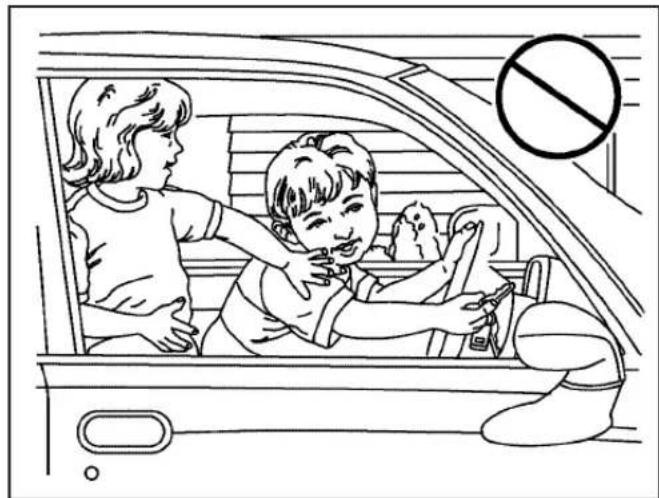
natural_image
Line drawing of two children inside a car, one adjusting the child's seat while the other watches (no text or symbols)The key can be used for the ignition, all door locks, and the tailgate.
The key has a bar-coded key tag that the dealer/retailer or qualified locksmith can use to make new keys. Store this information in a safe place, not in your vehicle.
Notice: If you ever lock your keys in the vehicle, you may have to damage the vehicle to get in. Be sure you have spare keys.
If you are locked out of your vehicle, call the Roadside Assistance Center. See Roadside Assistance Program on page 7-7.
Remote Keyless Entry (RKE) System
If this vehicle has the Remote Keyless Entry (RKE) system, it operates on a radio frequency subject to Federal Communications Commission (FCC) Rules and with Industry Canada.
This device complies with Part 15 of the FCC Rules. Operation is subject to the following two conditions:
- This device may not cause interference.
- This device must accept any interference received, including interference that may cause undesired operation of the device.
This device complies with RSS-210 of Industry Canada. Operation is subject to the following two conditions:
- This device may not cause interference.
- This device must accept any interference received, including interference that may cause undesired operation of the device.
Changes or modifications to this system by other than an authorized service facility could void authorization to use this equipment.
If there is a decrease in the RKE operating range, try this:
- Check the distance. The transmitter may be too far from the vehicle. Stand closer during rainy or snowy weather.
- Check the location. Other vehicles or objects may be blocking the signal. Take a few steps to the left or right, hold the transmitter higher, and try again.
- Check the transmitter's battery. See "Battery Replacement" later in this section.
- If the transmitter is still not working correctly, see your dealer/retailer or a qualified technician for service.
Remote Keyless Entry (RKE) System Operation
Vehicles with Remote Keyless Entry (RKE), transmitter functions work up to 30 feet (9 m) away from the vehicle.
There are other conditions which can affect the performance of the transmitter. See RemoteKeyless Entry(RKE)Systemonpage2-4.
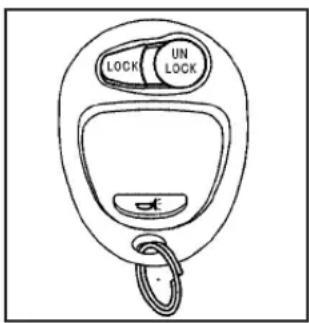
text_image
LOCK UN LOCKUNLOCK: Press to unlock the driver door and turn on the interior lamps. The parking lamps may flash and the horn may sound.
Press UNLOCK again within three seconds and all of the doors unlock.
LOCK: Press to lock all the doors. The parking lamps may flash and the horn may sound.
If a door is open or ajar when LOCK is pressed, the horn sounds several times to let you know the doors did not lock and the content theft-deterrent system is not armed. Pressing LOCK again while the horn is sounding or within three seconds after the horn stops sounding, the doors lock but the content theft-deterrent system does not arm until the opened door is closed.
Different feedback modes can be programmed through the Driver Information Center (DIC). See “Remote Keyless Entry Feedback” under DICOperationand Displaysonpage3-35.
(Panic): Press to make the horn sound and the headlamps and taillamps flash for up to 30 seconds. To turn them off wait for 30 seconds, or press again, or start the vehicle.
Programming Transmitters to the Vehicle
Only RKE transmitters programmed to the vehicle will work. If a transmitter is lost or stolen, a replacement can be purchased and programmed through your dealer/retailer. When the replacement transmitter is programmed to the vehicle, all remaining transmitters must also be programmed. Any lost or stolen transmitters no longer work once the new transmitter is programmed. Each vehicle can have up to four transmitters programmed to it.
Battery Replacement
Notice: When replacing the battery, do not touch any of the circuitry on the transmitter. Static from your body could damage the transmitter.
To replace the battery:
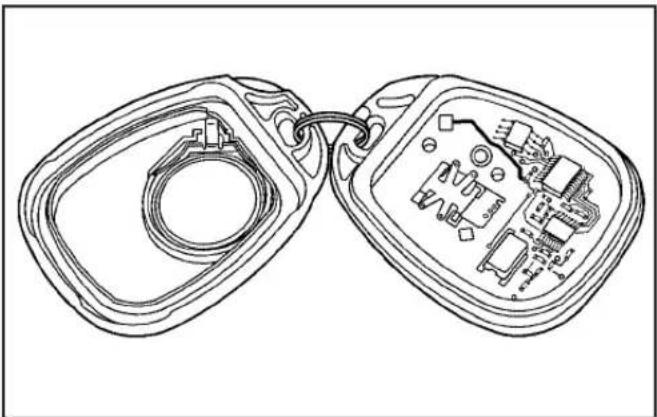
natural_image
Line drawing of two electronic device modules with internal components (no text or symbols)- Separate the transmitter with a flat, thin object inserted in the slot between the covers of the transmitter housing.
- Remove the old battery. Do not use a metal object.
- Insert the new battery. Replace with a CR2032 or equivalent battery.
- Put the transmitter back together.
Doors and Locks
Door Locks
CAUTION:
Unlocked doors can be dangerous.
- Passengers, especially children, can easily open the doors and fall out of a moving vehicle. When a door is locked, the handle will not open it. You increase the chance of being thrown out of the vehicle in a crash if the doors are not locked. So, wear safety belts properly and lock the doors whenever you drive.
CAUTION: (Continued)
CAUTION: (Continued)
- Young children who get into unlocked vehicles may be unable to get out. A child can be overcome by extreme heat and can suffer permanent injuries or even death from heat stroke. Always lock your vehicle whenever you leave it.
- Outsiders can easily enter through an unlocked door when you slow down or stop your vehicle. Locking your doors can help prevent this from happening.
There are several ways to lock and unlock the vehicle.
To lock or unlock the door from the outside, use the key in the driver or front passenger door or press the lock or unlock button on the Remote Keyless Entry (RKE) transmitter.
To lock a door from the inside, push the manual lever on the door forward. To unlock a door from the inside, push the lever on the door rearward.
You will see a colored area on the lever when the door is unlocked.
Power Door Locks

natural_image
Line drawing of a mechanical component with slots and a central slot (no text or symbols)If the vehicle has power door locks, the switches are located on the driver and the front passenger armrests.
Driver Switch shown, Front Passenger Switch similar
Press L (lock) to lock all the doors at once. To unlock all the doors, press U (unlock).
On crew cab models, use the manual door lock lever on each rear door to lock or unlock the doors from the rear seating areas.
Programmable Automatic Door Locks
If the vehicle has power door locks and the remote keyless entry system, it has an automatic lock/unlock feature.
If the vehicle has an automatic transmission, it is programmed from the factory to lock all doors automatically when the shift lever is moved out of P (Park). All the doors will unlock when the shift lever is moved back into P (Park).
If the vehicle has a manual transmission, it is programmed from the factory to lock all the doors when the vehicle speed is greater than 15 mph (24 km/h). The doors will unlock when the key is removed from the ignition.
To change the automatic door lock and unlock settings, see "Automatic Door Locks" under DICOperation and Displaysonpage3-35.
Rear Door Security Locks (Crew Cab)
If the vehicle is a crew cab model, it may have rear door security locks. With this feature, the rear doors are locked so they cannot be opened from the inside.

natural_image
Line drawing of a car seatbelt with lock symbols and door (no text or labels)The rear door security lock is located on the inside edge of each rear door below the security lock label.
To engage the security locks:
- Open one of the rear doors.
- Using the ignition key, turn the lock to the horizontal position.
- Close the door.
- Repeat these steps on the other rear door.
To open a rear door when the security lock is on, unlock the door and open the door from the outside.
To disengage the security locks:
- Open one of the rear doors.
- Using the ignition key, turn the lock to the vertical position.
- Close the door.
- Repeat these steps on the other rear door.
Lockout Protection
If the vehicle has power door locks, this feature protects you from locking the key in the vehicle when the key is in the ignition and a door is open.
If the power door lock switch is pressed when a door is open and the key is in the ignition, all of the doors will lock and then the driver door will unlock.
Rear Doors (Extended Cab)
To open a rear door, open the front door. Then, use the handle located on the front edge of the rear door panel to open it. The rear doors must be closed before closing the front door.
Tailgate
⚠️CAUTION:
It is extremely dangerous to ride on the tailgate, even when the vehicle is operated at low speeds. People riding on the tailgate can easily lose their balance and fall in response to vehicle maneuvers. Falling from a moving vehicle may result in serious injuries or death. Do not allow people to ride on the tailgate. Be sure everyone in your vehicle is in a seat and using a safety belt properly.
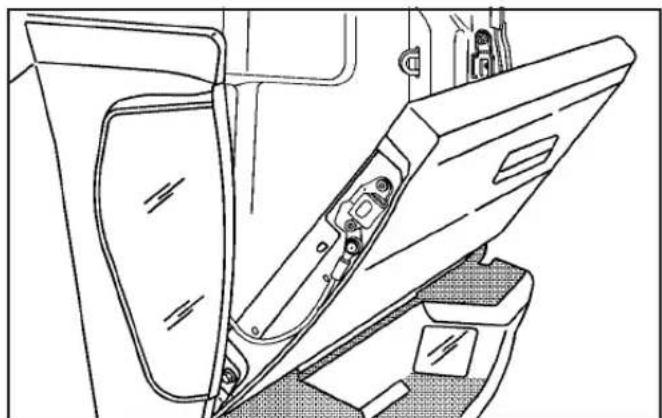
natural_image
Technical line drawing of a mechanical component with no visible text or symbolsOpen the tailgate by pulling up on the outside handle while pulling the tailgate down.
When the tailgate is shut, be sure it is latched securely.
On vehicles with a locking tailgate, use the ignition key. Turn the key counterclockwise to lock the tailgate. Turn the key clockwise to unlock the tailgate.
Removing the Tailgate
To remove the tailgate:
- With the tailgate fully open, lift up slightly on the entire tailgate assembly.

natural_image
Technical line drawing of a mechanical bracket with mounting holes and a hanging rod (no text or symbols)-
Remove the retaining cables from both sides of the tailgate by pulling the clips away from the bolt heads while pushing the cable bracket forward. When the larger part of the hole on the bracket is over the bolt, slide the bracket off of the bolt.
-
With the tailgate partially down, lift up on the passenger side and pull the tailgate toward you, then move the tailgate to the right to release the driver side. You can then remove the entire tailgate assembly.
Reverse the procedure to reinstall the tailgate. Make sure it is secure.
To partially lower the tailgate:
- With the tailgate fully open, lift up slightly on the entire tailgate assembly.

natural_image
Technical line drawing of a mechanical bracket or frame assembly (no text or symbols)- Remove the retaining cable from the passenger side of the tailgate by pulling the clip away from the bolt head while pushing the cable bracket forward.
Tailgate Partially Down
When the larger part of the hole on the bracket is over the bolt, slide the bracket off of the bolt.
- Slide the lower end fitting onto the top bolt. The tailgate will now stay in the partially opened position.
- Repeat Steps 2 and 3 for the driver side.
If you would like to close the tailgate, the bracket cannot be in the partially opened position and must be anchored on the bottom bolt, using the top position on the bracket.
Windows
CAUTION:
Leaving children, helpless adults, or pets in a vehicle with the windows closed is dangerous. They can be overcome by the extreme heat and suffer permanent injuries or even death from heat stroke. Never leave a child, a helpless adult, or a pet alone in a vehicle, especially with the windows closed in warm or hot weather.

natural_image
Line drawing of a child in a car seat with a no-smoking symbol above, no text or labels presentManual Windows
On a vehicle with manual windows, use the handle on each door to open and close each window.
Power Windows
⚠️CAUTION:
Leaving children in a vehicle with the keys is dangerous for many reasons, children or others could be badly injured or even killed. They could operate the power windows or other controls or even make the vehicle move. The windows will function and they could be seriously injured or killed if caught in the path of a closing window. Do not leave keys in a vehicle with children.
When there are children in the rear seat use the window lockout button to prevent unintentional operation of the windows.

natural_image
Line drawing of two identical car air vent vials with internal compartments and a lid (no text or symbols)Crew Cab Switches shown
The power window switches for all windows are located on the driver door armrest. Each passenger door has its own switch.
The power windows will work when the ignition is in ACC (Accessory) or ON or while Retained Accessory Power (RAP) is active. See Retained Accessory Power (RAP) on page 2-21.
Pull the front of the switch up to raise the window. Press the front of the switch down to lower the window.
Do not hold all four power window switches down for several seconds after the windows have been completely lowered or raised. If the window switches are held, it may cause a fuse to blow.
Express-Down Windows
The driver window has an express-down feature that allows the window to be lowered fully without continuously holding the switch.
Press the front of the switch past the first position to activate the express-down mode. The express-down mode can be canceled at any time by pulling up on the switch.
Window Lockout

(Window Lockout): On crew cab vehicles with over windows, there is also a window lockout button rated forward of the window switches. This feature enables the passenger window switches when the down lockout button is pressed.
To turn the lockout feature on or off, press the window lockout button. A red band on the side of the button can be seen when the windows are not locked out.
Sliding Rear Window

natural_image
Technical line drawing of a mechanical component with no visible text or symbolsIf the vehicle has this feature, squeeze the latch in the center of the window and slide the glass to open it. Be sure the latch is engaged when the window is closed.
Sun Visors
To block glare, pull the sun visor down. It can also be detached from the center mount and moved to the side to block glare from that direction.
Visor Vanity Mirror
The passenger side sun visor may have a mirror. Pull down the visor to access the mirror.
Theft-Deterrent Systems
Vehicle theft is big business, especially in some cities. This vehicle has theft-deterrent features, however, they do not make it impossible to steal.
Content Theft-Deterrent
natural_image
Simple black icon of a padlock inside a vehicle (no text or symbols)If your vehicle has the Remote Keyless Entry (RKE) system, the vehicle has a content theft-deterrent alarm system.
To activate the content theft-deterrent system:
- Close all the doors.
- Lock the doors with the RKE transmitter. The security light, located on the instrument panel cluster, will flash.
If the lock button on the RKE transmitter is pressed, but a door is open, the horn will chirp six times. Press the lock button again, within three seconds, and the doors will lock. Close the open door and the system will be activated.
If a locked door is not opened using the RKE transmitter, or by OnStar ^® , the pre-alarm will go off. If the engine is not started or unlock not pressed within 10 seconds, the front turn signal lamps will flash for two minutes, and the horn will sound for two minutes, then will turn off to save the battery power.
Remember, the theft-deterrent system will not activate if you lock the doors with a key, the manual door lock, or power door lock switch. The system can only be activated using the RKE transmitter, or by OnStar ^® . See OnStar ^® Systemonpage2-43for additional information. You should also remember that you can start your vehicle with the correct ignition key if the alarm has been set off.
Here is how to avoid setting off the alarm by accident:
- If you do not want to activate the theft-deterrent system, the vehicle should be locked with the door key after the doors are closed.
- Always unlock a door with the RKE transmitter. Unlocking a door any other way will set off the alarm.
If you set off the alarm by accident, you can turn off the alarm by pressing unlock on the RKE transmitter. The alarm will not stop if you try to unlock a door any other way.
Testing the Alarm
To test the alarm:
- From inside the vehicle, activate the system by locking the doors with the RKE transmitter.
- Unlock the door with the manual door lock and open the door. This should set off the alarm.
- To turn the alarm off, press the unlock button on the RKE transmitter or start the engine.
If the alarm does not sound when it should but the lights flash, check to see if the horn works. The horn fuse may be blown. To replace the fuse, see Fuses and Circuit Breakerson page 5-110.
If the alarm does not sound or the front turn signal lamps do not flash, see your dealer/retailer for service.
Passlock ^® (U. S. Only)
Passlock ^® is a passive theft-deterrent system that enables fuel if the vehicle is started with a valid key. If an incorrect key is used or the ignition lock cylinder is tampered with, the fuel system is disabled and the vehicle does not start.
The security light turns off approximately five seconds after the engine is started. See SecurityLighton page3-34.
If the engine stalls and the security light flashes, wait about 10 minutes until the light stops flashing before trying to restart the engine. Release the key from START as soon as the engine starts.
If the engine does not start after three tries, the vehicle needs service.
If the engine is running and the security light comes on, the engine restarts if you turn the engine off. However, the Passlock ^® system is not working properly and must be serviced by your dealer/retailer. The vehicle is not protected by Passlock ^® at this time. See your dealer/retailer for service.
In an emergency, call the Roadside Assistance Center. See Roadside Assistance Program on page 7-7.
Do not leave the key or device that disarms or deactivates the theft deterrent system in the vehicle.
PASS-Key ^® III+ Electronic Immobilizer
The PASS-Key III+ system operates on a radio frequency subject to Federal Communications Commission (FCC) Rules and with Industry Canada.
This device complies with Part 15 of the FCC Rules. Operation is subject to the following two conditions:
- This device may not cause harmful interference.
- This device must accept any interference received, including interference that may cause undesired operation.
This device complies with RSS-210 of Industry Canada. Operation is subject to the following two conditions:
- This device may not cause interference.
- This device must accept any interference received, including interference that may cause undesired operation of the device.
Changes or modifications to this system by other than an authorized service facility could void authorization to use this equipment.
PASS-Key III+ uses a radio frequency transponder in the key that matches a decoder in the vehicle.
PASS-Key ^® III+ Electronic Immobilizer Operation (Canada Only)
This vehicle has a passive theft-deterrent system.
The system is automatically armed when the key is removed from the ignition.
The system is automatically disarmed when the key is turned to ON/RUN.
You do not have to manually arm or disarm the system.
The security light comes on if there is a problem with arming or disarming the theft-deterrent system.
The key uses a transponder that matches an immobilizer control unit in the vehicle. Only the correct key starts the vehicle. If the key is ever damaged, the vehicle may not start.
When trying to start the vehicle, if the engine does not start and the security light comes on, there may be a problem with the theft-deterrent system. Turn the ignition off and try again.
If the engine still does not start, and the key appears to be undamaged, try another ignition key. Check the fuse. See FusesandCircuitBreakersonpage5-110. If the engine still does not start with the other key, the vehicle needs service. If the vehicle does start, the first key may be faulty. See your dealer/retailer who can service the theft-deterrent system and have a new key made.
It is possible for the theft-deterrent system decoder to learn the transponder value of a new or replacement key. Up to 10 keys can be programmed for the vehicle. The following procedure is for programming additional keys only.
Canadian Owners: If the keys are lost or damaged, only a dealer/retailer can service the theft-deterrent system to have new ones made. Two current driver's keys are required to program additional keys.
To program a new key:
- Verify that the new key has PK3+ stamped on it.
- Insert the current driver's key in the ignition and start the engine. If the engine does not start see your dealer/retailer for service.
-
After the engine has started, turn the key to LOCK/OFF, and remove the key.
-
Insert the second current driver's key in the ignition and start the engine within ten seconds of removing the previous key. If the engine does not start see your dealer/retailer for service.
- After the engine has started, turn the key to LOCK/OFF, and remove the key. Insert the key to be programmed and turn it to ON/RUN within ten seconds of removing the previous key.
The security light turns off once the key has been programmed.
- Repeat the Steps 1 through 5 if additional keys are to be programmed.
If the security light comes on and stays on while driving, the engine will restart if you turn it off. However, the theft-deterrent system is not working properly and must be serviced by your dealer/retailer. The vehicle is not protected by the theft-deterrent system at this time.
In an emergency, contact Roadside Assistance. See Roadside Assistance Program on page 7-7.
Do not leave the key or device that disarms or deactivates the theft deterrent system in the vehicle.
Starting and Operating Your Vehicle
New Vehicle Break-In
Notice: The vehicle does not need an elaborate break-in. But it will perform better in the long run if you follow these guidelines:
- Keep your speed at 55 mph (88 km/h) or less for the first 500 miles (805 km).
- Do not drive at any one constant speed, fast or slow, for the first 500 miles (805 km). Do not make full-throttle starts. Avoid downshifting to brake or slow the vehicle.
- Avoid making hard stops for the first 200 miles (322 km) or so. During this time the new brake linings are not yet broken in. Hard stops with new linings can mean premature wear and earlier replacement. Follow this breaking-in guideline every time you get new brake linings.
- Do not tow a trailer during break-in. See Towing aTraileronpage4-47for the trailer towing capabilities of the vehicle and more information.
Following break-in, engine speed and load can be gradually increased.
Ignition Positions

flowchart
graph TD
    A["Start"] --> B["Check"]
    B --> C["Adjust"]
    C --> D["End"]
    style A fill:#000,stroke:#000
    style B fill:#000,stroke:#000
    style C fill:#000,stroke:#000
    style D fill:#000,stroke:#000
The ignition switch has four different positions.
To shift out of P (Park), turn the ignition to ON/RUN and apply the regular brake pedal.
Notice: Using a tool to force the key to turn in the ignition could cause damage to the switch or break the key. Use the correct key, make sure it is all the way in, and turn it only with your hand. If the key cannot be turned by hand, see your dealer/retailer.
(A) LOCK/OFF: This position locks the ignition. It also locks the transmission on automatic transmission vehicles. It locks the steering wheel on manual transmission vehicles. The key can on be removed in LOCK/OFF.
On vehicles with an automatic transmission, the shift lever must be in P (Park) to turn the ignition switch to LOCK/OFF.
The steering can bind with the wheels turned off center. If this happens, move the steering wheel from right to left while turning the key to ACC/ACCESSORY. If this doesn't work, then the vehicle needs service.
(B) ACC/ACCESSORY: This is the position in which you can operate the electrical accessories or items plugged into the accessory power outlets. On automatic transmission vehicles, this position unlocks the ignition. On manual transmission vehicles, it unlocks the ignition and steering wheel. Use this position if the vehicle must be pushed or towed.
(C) ON/RUN: This position can be used to operate the electrical accessories and to display some instrument panel cluster warning and indicator lights. The switch stays in this position when the engine is running. The transmission is also unlocked in this position on automatic transmission vehicles.
If you leave the key in the ACC/ACCESSORY or ON/RUN position with the engine off, the battery could be drained. You may not be able to start your vehicle if the battery is allowed to drain for an extended period of time.
START (D): This is the position that starts the engine. When the engine starts, release the key. The ignition switch returns to ON/RUN for driving.
A warning tone will sound when the driver door is opened, the ignition is in ACC/ACCESSORY or LOCK/OFF and the key is in the ignition.
Retained Accessory Power (RAP)
These vehicle accessories can be used for up to 20 minutes after the engine is turned off:
- Audio System
- Wipers
- Power Windows
These features work when the key is in ON/RUN or ACC/ACCESSORY. Once the key is turned from ON/RUN to LOCK/OFF, power to these features continue to work for up to 20 minutes or until a door is opened.
Starting the Engine
Place the transmission in the proper gear.
Automatic Transmission
Move the shift lever to P (Park) or N (Neutral). The engine will not start in any other position. To restart the vehicle when it is already moving, use N (Neutral) only.
Notice: Do not try to shift to P (Park) if the vehicle is moving. If you do, you could damage the transmission. Shift to P (Park) only when the vehicle is stopped.
Manual Transmission
The shift lever should be in Neutral and the parking brake engaged. Hold the clutch pedal down to the floor and start the engine. The vehicle will not start if the clutch pedal is not all the way down.
Starting Procedure
- With your foot off the accelerator pedal, turn the ignition key to START. When the engine starts, let go of the key. The idle speed will go down as the engine warms. Do not race the engine immediately after starting it. Operate the engine and transmission gently to allow the oil to warm up and lubricate all moving parts.
The vehicle has a Computer-Controlled Cranking System. This feature assists in starting the engine and protects components. If the ignition key is turned to the START position, and then released when the engine begins cranking, the engine will continue cranking for a few seconds or until the vehicle starts. If the engine does not start and the key is held in START for many seconds, cranking will be stopped after 15 seconds to prevent cranking motor damage. To prevent gear damage, this system also prevents cranking if the engine is already running. Engine cranking can be stopped by turning the ignition switch to ACC/ACCESSORY or LOCK/OFF.
Notice: Cranking the engine for long periods of time, by returning the key to the START position immediately after cranking has ended, can overheat and damage the cranking motor, and drain the battery. Wait at least 15 seconds between each try, to let the cranking motor cool down.
- If the engine does not start after 5-10 seconds, especially in very cold weather (below 0^ F or -18^ C), it could be flooded with too much gasoline. Push the accelerator pedal all the way to the floor and holding it there as you hold the key in START for a maximum of 15 seconds. Wait at least 15 seconds between each try, to allow the cranking motor to cool. When the engine starts, let go of the key and accelerator. If the vehicle starts briefly but then stops again, repeat the procedure. This clears the extra gasoline from the engine. Do not race the engine immediately after starting it. Operate the engine and transmission gently until the oil warms up and lubricates all moving parts.
Notice: The engine is designed to work with the electronics in the vehicle. If you add electrical parts or accessories, you could change the way the engine operates. Before adding electrical equipment, check with your dealer/retailer. If you do not, the engine might not perform properly. Any resulting damage would not be covered by the vehicle warranty.
Engine Coolant Heater
The engine coolant heater can provide easier starting and better fuel economy during engine warm-up in cold weather conditions at or below 0^ F ( -18^ C). Vehicles with an engine coolant heater should be plugged in at least four hours before starting. An internal thermostat in the plug-end of the cord may exist which will prevent engine coolant heater operation at temperatures above 0^ F ( -18^ C).
To Use the Engine Coolant Heater
- Turn off the engine.
- Open the hood and unwrap the electrical cord. The cord is located in the engine compartment behind the underhood fuse block on the driver side of the vehicle.
- Plug it into a normal, grounded 110-volt AC outlet.
CAUTION:
Plugging the cord into an ungrounded outlet could cause an electrical shock. Also, the wrong kind of extension cord could overheat and cause a fire. You could be seriously injured. Plug the cord into a properly grounded three-prong 110-volt AC outlet. If the cord will not reach, use a heavy-duty three-prong extension cord rated for at least 15 amps.
- Before starting the engine, be sure to unplug and store the cord to prevent damage.
The length of time the heater should remain plugged in depends on several factors. Ask a dealer/retailer in the area where you will be parking the vehicle for the best advice on this.
Automatic Transmission Operation
PRND321
The vehicle has a shift lever on the steering column.
It features an electronic shift position indicator within the instrument cluster. This display is powered anytime the shift lever is capable of being moved out of P (Park). This means that if the ignition is turned off, but not in LOCK/OFF, there will be a small current drain on the battery which could discharge the battery over a period of time. If you need to leave the key in the ignition but not in LOCK/OFF for an extended period, it is recommended that you disconnect the battery cable from the battery to prevent discharging the battery.
There are several different positions for the shift lever.
P (Park): This position locks the rear wheels. It is the best position to use when you start the engine because the vehicle cannot move easily.
CAUTION:
It is dangerous to get out of the vehicle if the shift lever is not fully in P (Park) with the parking brake firmly set. The vehicle can roll.
Do not leave the vehicle when the engine is running unless you have to. If you have left the engine running, the vehicle can move suddenly. You or others could be injured. To be sure the vehicle will not move, even when you are on fairly level ground, always set the parking brake and move the shift lever to P (Park). See ShiftingInto Park(AutomaticTransmission)onpage2-34. If you are pulling a trailer, see TowingaTraileron page4-47.
Make sure the shift lever is fully in P (Park) before starting the engine. The vehicle has an automatic transmission shift lock control system. You must fully apply the brake pedal before you can shift from P (Park) when the ignition key is in ON/RUN. If you cannot shift out of P (Park), ease pressure on the shift lever by pushing the shift lever all the way into P (Park) as you maintain brake application. Then move the shift lever into another gear. See ShiftingOutofPark (AutomaticTransmission)onpage2-36.
R (Reverse): Use this gear to back up.
Notice: Shifting to R (Reverse) while the vehicle is moving forward could damage the transmission. The repairs would not be covered by the vehicle warranty. Shift to R (Reverse) only after the vehicle is stopped.
To rock your vehicle back and forth to get out of snow, ice, or sand without damaging the transmission, see IfYourVehicleisStuckinSand,Mud,Ice,orSnowon page4-31.
N (Neutral): In this position, the engine does not connect with the wheels. To restart the engine when the vehicle is are already moving, use N (Neutral) only.
CAUTION:
Shifting into a drive gear while the engine is running at high speed is dangerous. Unless your foot is firmly on the brake pedal, the vehicle could move very rapidly. You could lose control and hit people or objects. Do not shift into a drive gear while the engine is running at high speed.
Notice: Shifting out of P (Park) or N (Neutral) with the engine running at high speed may damage the transmission. The repairs would not be covered by the vehicle warranty. Be sure the engine is not running at high speed when shifting the vehicle.
D (Drive): This position is for normal driving. It provides the best fuel economy. If you need more power for passing, and you are:
- Going less than about 35 mph (55 km/h), push the accelerator pedal about halfway down.
- Going about 35 mph (55 km/h) or more, push the accelerator all the way down.
The transmission will shift down to the next gear and the vehicle will have more power.
Downshifting the transmission in slippery road conditions could result in skidding, see "Skidding" under Lossof Controlonpage4-11.
3 (Third): This position is also used for normal driving. However, it reduces vehicle speed more than D (Drive) without using the brakes. You might choose 3 (Third) instead of D (Drive) when driving on hilly, winding roads, or when towing a trailer, so there is less shifting between gears and when going down a steep hill.
2 (Second): This position reduces vehicle speed even more than 3 (Third) without using the brakes. You can use 2 (Second) to help control vehicle speed on steep mountain roads, but then you would also want to use the brakes off and on.
1 (First): This position reduces vehicle speed even more than 2 (Second) without using the brakes. You can use it on very steep hills, or in deep snow or mud. If the shift lever is put in 1 (First) while the vehicle is moving forward, the transmission will not shift into first gear until the vehicle is going slowly enough.
Notice: Spinning the tires or holding the vehicle in one place on a hill using only the accelerator pedal may damage the transmission. The repair will not be covered by the vehicle warranty. If you are stuck, do not spin the tires. When stopping on a hill, use the brakes to hold the vehicle in place.
Manual Transmission Operation

text_image
1 2 3 4 5 RThis is your shift pattern.
Here is how to operate the manual transmission:
1 (First): Press the clutch pedal and shift into 1 (First). Then, slowly let up on the clutch pedal as you slowly press down on the accelerator pedal.
You can shift into 1 (First) when you are going less than 20 mph (30 km/h). If you have come to a complete stop and it is hard to shift into 1 (First), put the shift lever in Neutral and let up on the clutch. Then press the clutch pedal back down and shift into 1 (First).
2 (Second): Press the clutch pedal as you let up on the accelerator pedal and shift into 2 (Second). Then, slowly let up on the clutch pedal as you press the accelerator pedal.
3 (Third), 4 (Fourth) and 5 (Fifth): Shift into 3 (Third), 4 (Fourth) and 5 (Fifth) the same way you do for 2 (Second). Slowly let up on the clutch pedal as you press the accelerator pedal.
To stop, let up on the accelerator pedal and press the brake pedal. Just before the vehicle stops, press the clutch pedal and the brake pedal, and shift to Neutral.
Neutral: Use this position when you start or idle the engine.
R (Reverse): To back up, press the clutch pedal. After the vehicle stops, shift into R (Reverse). Slowly let up on the clutch pedal as you press the accelerator pedal. If it is hard to shift, let the shift lever return to Neutral and release the clutch pedal. Then press the clutch again and shift into R (Reverse). Do not attempt to shift into 5 (Fifth) prior to shifting into R (Reverse). The transmission has a lock out feature which prevents a 5 (Fifth) gear to R (Reverse) gear shift.
Notice: Shifting to R (Reverse) while the vehicle is moving forward could damage the transmission. The repairs would not be covered by the vehicle warranty. Shift to R (Reverse) only after the vehicle is stopped.
Use R (Reverse), along with the parking brake, for parking the vehicle.
Up-Shift Light
natural_image
Simple black gear icon with a plus sign inside, no text or symbols presentThis light will show you when to shift to the next higher gear for best fuel economy.
When this light comes on, you can shift to the next higher gear if weather, road and traffic conditions permit. For the best fuel economy, accelerate slowly and shift when the light comes on.
While you accelerate, it is normal for the light to go on and off if you quickly change the position of the accelerator. Ignore the shift light when you downshift.
If the vehicle has four-wheel drive and has a manual transmission, disregard the shift light when the transfer case is in four-wheel low.
Shift Speeds
CAUTION:
If you skip a gear when you downshift, you could lose control of the vehicle. You could injure yourself or others. Do not shift down more than one gear at a time when you downshift.
Four-Wheel Drive
If the vehicle has four-wheel drive, you can send the engine's driving power to all four wheels for extra traction. To get the best performance out of four-wheel drive, you must be familiar with its operation. Read this section before using four-wheel drive. You should use two-wheel-drive high for most normal driving conditions.
Notice: Driving on clean, dry pavement in four-wheel drive for an extended period of time can cause premature wear on the vehicle's powertrain. Do not drive on clean, dry pavement in Four-Wheel Drive for extended periods of time.
Notice: If the vehicle has four-wheel drive and the different size spare tire is installed on the vehicle, do not drive in four-wheel drive until you can have your flat tire repaired and/or replaced. You could damage the vehicle, and the repair costs would not be covered by your warranty. Never use four-wheel drive when the different size spare tire is installed on the vehicle.
Notice: If the vehicle has four-wheel drive and the compact spare tire is installed on the vehicle, do not drive in four-wheel drive until you can have the flat tire repaired and/or replaced. You could damage the vehicle, and the repair costs would not be covered by your warranty. Never use four-wheel drive when the compact spare tire is installed on the vehicle.

text_image
4 2↑ N 4↑ 4↓The transfer case buttons are located to the right of the steering wheel on the instrument panel.
Recommended Transfer Case Settings
| Driving Conditions | Transfer Case Settings | |||
| 2 ↑4 | 4 ↓ | N | ||
| Normal YES | ||||
| Severe YES | ||||
| Extreme YES | ||||
| Vehicle in Tow* YES | ||||
| *See RecreationalVehicleTowingonpage4-41or TowingYourVehicleonpage4-40for further information. | ||||
Shifting into Four-Wheel Low will turn Traction Control and StabiliTrak ^® off. See TractionControlSystem(TCS) onpage4-8and StabiliTrak ^® Systemonpage4-6for more information.
Use these buttons to shift into and out of four-wheel drive. You can choose from the following:
2 ↑(Two-Wheel High): This setting is for driving in most street and highway situations. The front axle is not engaged in two-wheel drive.
CAUTION:
Shifting the transfer case to Neutral can cause the vehicle to roll even if the transmission is in P (Park), or if you have a manual transmission, even if you are in gear. You or someone else could be seriously injured. Be sure to set the parking brake before placing the transfer case in Neutral. See Parking Brakeonpage2-32.
N (Neutral): Shift the vehicle's transfer case to N (Neutral) only when towing the vehicle.
4 ↑(Four-Wheel High): This setting engages the front axle to help drive the vehicle. Use four-wheel high when you need extra traction, such as on snowy or icy roads, or in most off-road situations.
4 ↓ (Four-Wheel Low): This setting also engages the front axle to give you extra traction. It sends the maximum power to all four wheels. You might choose four-wheel low if you were driving off-road in sand, mud, or deep snow and while climbing or descending steep hills.
Shifting into Four-Wheel Low will turn Traction Control and StabiliTrak ^® off. See TractionControlSystem(TCS) onpage4-8 and StabiliTrak ^® Systemonpage4-6 for more information.
Indicator lights in the buttons show you which setting you are in. The indicator lights will come on briefly when you turn on the ignition and one will stay on the selected setting. If the lights do not come on, you should take the vehicle in for service. An indicator light will flash while shifting. It will stay on when the shift is completed.
If the transfer case does not shift, it will return to the last chosen setting.
Shifting from Two-Wheel High to Four-Wheel High
Press and release the Four-Wheel High button. This can be done at any speed, and the front axle will lock automatically.
Shifting from Four-Wheel High to Two-Wheel High
Press and release the Two-Wheel High button. This can be done at any speed, and the front axle will unlock automatically.
It is normal to hear and feel the vehicle's transfer case shift into Four-Wheel High. If you shift with the vehicle stopped, the indicator light may still flash slowly. It may be necessary to shift the transmission momentarily into R (Reverse) and D (Drive), for an automatic transmission, or R (Reverse) and 1 (First) for a manual transmission to have the light stop flashing.
Shifting from Two-Wheel High or Four-Wheel High to Four-Wheel Low
To shift from Two-Wheel High or Four-Wheel High to Four-Wheel Low, the vehicle must be stopped or moving less than 3 mph (5 km/h) with the transmission in N (Neutral) for an automatic transmission or the clutch pedal pressed for a manual transmission. The preferred method for shifting into Four-Wheel Low is to have your vehicle moving 1 to 2 mph (1.6 to 3.2 km/h).
Press and release the Four-Wheel Low button. You must wait for the Four-Wheel Low indicator light to stop flashing and stay on before shifting the transmission into gear or releasing the clutch pedal.
If the Four-Wheel Low button is pressed when the vehicle is in gear and/or moving faster than 3 mph (5 km/h), the four-wheel low indicator light will flash for 30 seconds and not complete the shift.
Shifting from Four-Wheel Low to Two-Wheel High or Four-Wheel High
To shift from Four-Wheel Low to Two-Wheel High or Four-Wheel High, the vehicle must be stopped or moving less than 3 mph (5 km/h) with the transmission in N (Neutral) for an automatic transmission or the clutch pedal pressed for a manual transmission. The preferred method for shifting out of four-wheel low is to have your vehicle moving 1 to 2 mph (1.6 to 3.2 km/h).
Press and release the Four-Wheel High or Two-Wheel High button. You must wait for the Four-Wheel High or Two-Wheel High indicator light to stop flashing and stay on before shifting the transmission into gear or releasing the clutch pedal.
If the Four-Wheel High or Two-Wheel High button is pressed when the vehicle is in gear and/or moving faster than 3 mph (5km/h), the Four-Wheel High or Two Wheel High indicator light will flash for 30 seconds but not complete the shift.
Shifting to Neutral
Use N (Neutral) when you plan to tow the vehicle. See Recreational Vehicle Towing on page 4-41 for towing instructions. To shift the transfer case into N (Neutral) do the following:
- Set the parking brake.
- Start the vehicle.
- Press the regular brake pedal and shift the transmission in N (Neutral), or press in the clutch for vehicles with a manual transmission.
- Shift the transfer case to Two-Wheel High.
- Press and hold the Two-Wheel High and Four-Wheel Low buttons at the same time for 10 seconds. The N (Neutral) light will come on when the transfer case shift to N (Neutral) is complete.
- Press and hold the regular brake pedal and shift the transmission to R (Reverse) for one second, then shift the transmission to D (Drive) for one second, or 1 (First) for vehicles with manual transmissions, and let out the clutch to insure the transfer case is in N (Neutral). If the transfer case is not in N (Neutral), repeat this procedure starting at Step 3.
-
Turn the engine off by turning the key to ACC/ACCESSORY.
-
Place the transmission shift lever in P (Park), or 1 (First) for vehicles that have a manual transmission.
- Turn the ignition to LOCK/OFF.
Shifting Out of Neutral
After towing the vehicle, you will have to shift out of N (Neutral) in order to drive. To shift out of N (Neutral), do the following:
- Set the parking brake and apply the regular brake pedal.
- Start a vehicle with an automatic transmission in P (Park). Use 1 (First) for vehicles with a manual transmission.
- Shift the transmission to N (Neutral), or press the clutch pedal for vehicles with a manual transmission.
- Press the button for the desired transfer case shift position (Two-Wheel High, Four-Wheel High, or Four-Wheel Low).
- After the transfer case has shifted out of N (Neutral), the indicator light will go out.
- Release the parking brake.
- Shift the transmission to the desired position.
Parking Brake

natural_image
Diagram of a mechanical component with a textured central section and flanged ends (no text or symbols)The parking brake pedal is located to the left of the brake pedal, near the driver door.
To set the parking brake, hold the brake pedal down, then push the parking brake pedal down to its fully-applied position.
A chime will activate and the brake warning light, located on the instrument panel, will flash when the parking brake is applied and the vehicle is moving at least 3 mph (5 km/h) for at least three seconds. The chime will deactivate and the light will turn off when the parking brake is set and the vehicle is moving below 3 mph (5 km/h). See BrakeSystemWarningLightonpage3-27.
text_image
Diagram showing a parking slot with a circular 'P' symbol and a diagonal line, likely indicating no parking or no parking.To release the parking brake, hold the regular brake pedal down. Pull the bottom edge of the lever, located above the parking brake pedal, with the parking brake symbol, directly rearward to release the parking brake.
If the ignition is on when the parking brake is released, the brake system warning light will go off.
Notice: Driving with the parking brake on can overheat the brake system and cause premature wear or damage to brake system parts. Make sure that the parking brake is fully released and the brake warning light is off before driving.
If you are towing a trailer and are parking on any hill, see TowingaTraileronpage4-47.
Shifting Into Park (Automatic Transmission)
CAUTION:
It can be dangerous to get out of the vehicle if the shift lever is not fully in P (Park) with the parking brake firmly set. The vehicle can roll. If you have left the engine running, the vehicle can move suddenly. You or others could be injured. To be sure the vehicle will not move, even when you are on fairly level ground, use the steps that follow. If you are pulling a trailer, see TowingaTraileron page4-47.
- Hold the brake pedal down with your right foot and set the parking brake.
See ParkingBrakeonpage2-32for more information.
CAUTION:
If you have four-wheel drive, the vehicle will be free to roll — even if the shift lever is in P (Park) — if the transfer case is in N (Neutral). So, be sure the transfer case is in a drive gear, two-wheel high (2H) or four-wheel high (4H) or four-wheel low (4L) — not in N (Neutral).
- Move the shift lever into P (Park) by pulling the lever toward you and moving it up as far as it will go.
- Turn the ignition key to LOCK/OFF.
- Remove the key and take it with you. If you can leave the vehicle with the key, the vehicle is in P (Park).
Leaving the Vehicle With the Engine Running (Automatic Transmission)
⚠️CAUTION:
It can be dangerous to leave the vehicle with the engine running. The vehicle could move suddenly if the shift lever is not fully in P (Park) with the parking brake firmly set. And, if you leave the vehicle with the engine running, it could overheat and even catch fire. You or others could be injured. Do not leave the vehicle with the engine running.
If you have to leave the vehicle with the engine running, be sure the vehicle is in P (Park) and the parking brake is firmly set before you leave it. After you have moved the shift lever into P (Park), hold the regular brake pedal down. Then, see if you can move the shift lever away from P (Park) without first pulling it toward you. If you can, the shift lever was not fully locked into P (Park).
Torque Lock (Automatic Transmission)
If you are parking on a hill and you do not shift the transmission into P (Park) properly, the weight of the vehicle may put too much force on the parking pawl in the transmission. You may find it difficult to pull the shift lever out of P (Park). This is called torque lock. To prevent torque lock, set the parking brake and then shift into P (Park) properly before you leave the driver seat. To find out how, see ShiftingIntoPark(Automatic Transmission)onpage2-34.
When you are ready to drive, move the shift lever out of P (Park) before you release the parking brake.
If torque lock does occur, you may need to have another vehicle push yours a little uphill to take some of the pressure from the parking pawl in the transmission, so you can pull the shift lever out of P (Park).
Shifting Out of Park (Automatic Transmission)
The vehicle has an automatic transmission shift lock control system. You have to fully apply the brake pedal before you can shift from P (Park) when the ignition is ON/RUN. See AutomaticTransmissionOperationon page2-24.
The shift lock control system is designed to do the following:
- Prevent the ignition key from being removed unless the shift lever is in P (Park).
- Prevent movement of the shift lever out of P (Park), unless the ignition is in ON/RUN and the brake pedal is applied.
The shift lock control system is always functional except in the case of a dead battery or low voltage (less than 9 V) battery.
If the vehicle has an uncharged battery or a battery with low voltage, try charging or jump starting the battery. See JumpStartingonpage5-42for more information.
To shift out of P (Park) use the following:
- Apply the brake pedal.
- Move the shift lever to the desired position.
If you still are unable to shift out of P (Park):
- Ease the pressure on the shift lever.
- While holding down the brake pedal, push the shift lever all the way into P (Park)
- Move the shift lever to the desired position.
If you are still having a problem shifting, then have the vehicle serviced.
Parking the Vehicle (Manual Transmission)
If the vehicle has a manual transmission, before you get out of the vehicle, move the shift lever into R (Reverse), and firmly apply the parking brake. Once the shift lever has been placed into R (Reverse) with the clutch pedal pressed in, turn the ignition key to LOCK/OFF, remove the key and release the clutch.
If you are parking on a hill, or if the vehicle is pulling a trailer, see TowingaTraileronpage4-47.
Parking Over Things That Burn
CAUTION:
Things that can burn could touch hot exhaust parts under the vehicle and ignite. Do not park over papers, leaves, dry grass, or other things that can burn.
Engine Exhaust
CAUTION:
Engine exhaust contains Carbon Monoxide (CO) which cannot be seen or smelled. Exposure to CO can cause unconsciousness and even death.
Exhaust may enter the vehicle if:
- The vehicle idles in areas with poor ventilation (parking garages, tunnels, deep snow that may block underbody airflow or tail pipes).
CAUTION: (Continued)
CAUTION: (Continued)
- The exhaust smells or sounds strange or different.
- The exhaust system leaks due to corrosion or damage.
- The vehicle's exhaust system has been modified, damaged or improperly repaired.
- There are holes or openings in the vehicle body from damage or after-market modifications that are not completely sealed.
If unusual fumes are detected or if it is suspected that exhaust is coming into the vehicle:
- Drive it only with the windows completely down.
- Have the vehicle repaired immediately.
Never park the vehicle with the engine running in an enclosed area such as a garage or a building that has no fresh air ventilation.
Running the Vehicle While Parked
It is better not to park with the engine running. But if you ever have to, here are some things to know.

CAUTION:
Idling a vehicle in an enclosed area with poor ventilation is dangerous. Engine exhaust may enter the vehicle. Engine exhaust contains Carbon Monoxide (CO) which cannot be seen or smelled. It can cause unconsciousness and even death. Never run the engine in an enclosed area that has no fresh air ventilation. For more information, see EngineExhaustonpage2-37.

CAUTION:
It can be dangerous to get out of the vehicle if the automatic transmission shift lever is not fully in P (Park) with the parking brake firmly set. The vehicle can roll. Do not leave the vehicle when the engine is running unless you have to. If you have left the engine running, the vehicle can move suddenly. You or others could be injured. To be sure the vehicle will not move, even when it is on fairly level ground, always set the parking brake and move the automatic transmission shift lever to P (Park), or the manual transmission shift lever to Neutral.
⚠️CAUTION:
Four-wheel drive vehicles with the transfer case in N (Neutral) will allow the vehicle to roll, even if the automatic transmission shift lever is in P (Park). So, be sure the transfer case is in a drive gear — not in N (Neutral). Always set the parking brake.
Follow the proper steps to be sure the vehicle will not move. See ShiftingIntoPark(AutomaticTransmission) onpage2-34.
If pulling a trailer, see TowingaTraileronpage4-47.
Mirrors
Manual Rearview Mirror
Hold the inside rearview mirror in the center to move it for a clearer view behind your vehicle. Adjust the mirror to avoid glare from the headlamps behind you. Push the tab forward for daytime use and pull it for nighttime use.
For vehicles with OnStar®:
Vehicles with this feature have three control buttons located at the bottom of the mirror. See your dealer/retailer for more information on the system and how to subscribe to OnStar®. See OnStar® System onpage2-43for more information about the services OnStar® provides.
Adjust this type of mirror to avoid glare from the headlamps behind you by turning the knob counterclockwise for nighttime driving and clockwise for daytime driving.
Cleaning the Mirror
Do not spray glass cleaner directly on the mirror. Use a soft towel dampened with water.
Automatic Dimming Rearview Mirror
The vehicle may have an automatic dimming rearview mirror. Automatic dimming reduces the glare of lights from behind the vehicle.
The mirror may also have OnStar ^® and/or a compass and outside temperature display.
Control buttons for the OnStar ^® system are at the bottom of the mirror. See OnStar ^® Systemonpage2-43for more information about the services OnStar ^® provides. See Compassonpage2-40for more information about the compass display. See “Temperature Display” after, for more information about the outside temperature display.
AUTO/ ○ / ⏻ (On/Off): Press and hold AUTO / ○ for about three seconds or depending on the mirror, press ⏻ to turn automatic dimming on or off. The automatic dimming feature comes on and the indicator light illuminates each time the vehicle is started.
Temperature Display
◀/◀(On/Off): Press◀◀ or depending on the mirror, press◀◀ to turn the display on or off.
To adjust between Fahrenheit and Celsius:
-
Press and hold ⏻ / ⏻ for a few seconds. The current unit of measure (F or C) flashes.
-
Press ⚠️/⏻ again and release to change the unit of measure. Wait several seconds and the compass/temperature display returns with the selected unit of measure.
It is normal under certain conditions for the temperature update to be delayed. If an incorrect temperature displays for an extended period, see your dealer/retailer.
Cleaning the Mirror
Do not spray glass cleaner directly on the mirror. Use a soft towel dampened with water.
Compass
Compass Operation
Press ⚠️ or depending on the mirror, press ⏻ once to turn the display on or off.
Compass Calibration
The compass may need calibration if:
• CAL is displayed while driving in the vehicle.
• After approximately five seconds, the display does not show a compass heading, N for North, for example, there may be a strong magnetic field interfering with the compass. Interference can be caused by a magnetic antenna mount, magnetic note pad holder, or a similar magnetic item.
- The compass does not display the correct heading and the compass zone variance is set correctly.
To calibrate, CAL must be displayed in the mirror compass windows. If CAL is not displayed, press and hold ⏻/ ⏻ for several seconds or until CAL is displayed.
The compass can be calibrated by driving the vehicle in circles at 5 mph (8 km/h) or less until the display reads a direction.
Compass Variance
The mirror is set to zone eight. If you do not live in zone eight or drive out of the area, the compass variance needs to be changed to the appropriate zone.
To adjust for compass variance:
- Find your current location and variance zone number on the following zone map.

text_image
1 2 3 4 5 6 7 8 9 10 11 12 13 14 15- Press and hold ⚠️ F / ⏻ until Z and/or a zone number displays.
- Press ⚙️ F / ⏻ repeatedly until the new zone number displays. After you stop pressing the button, the display shows a compass direction within a few seconds.
Outside Manual Mirrors
Adjust the outside rearview mirrors to see a little of the side of your vehicle, and the area beside your vehicle.
Manually fold the mirrors inward to prevent damage when going through an automatic car wash. To fold, push the mirrors toward the vehicle. Push outward, to return the mirrors to their original position.
Outside Power Mirrors
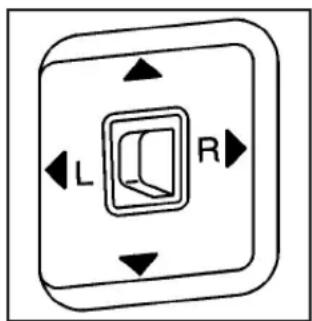
text_image
L RVehicles with outside power mirrors have controls on the driver's door armrest.
To adjust the power mirrors:
- Move the selector switch to the L (left) or R (right) to choose the driver's or passenger mirror.
- Press one of the four buttons located on the control pad to move the mirror to the desired direction.
- Return the selector switch to the center position once the mirrors are adjusted.
If the mirror begins making a ratcheting sound, the mirror has reached the end of its travel and can go no farther in that direction. To stop the sound, reverse the mirror direction using the control pad.
Manually fold the mirrors inward to prevent damage when going through an automatic car wash. To fold, push the mirror toward the vehicle. Push outward, to return the mirror to its original position.
Outside Convex Mirror
CAUTION:
A convex mirror can make things (like other vehicles) look farther away than they really are. If you cut too sharply into the right lane, you could hit a vehicle on the right. Check the inside mirror or glance over your shoulder before changing lanes.
The passenger side mirror is convex shaped. A convex mirror's surface is curved so more can be seen from the driver's seat.
OnStar® System

text_image
Three rectangular buttons with phone, radio, and medical cross icons, likely representing medical or healthcare settings.OnStar uses several innovative technologies and live advisors to provide a wide range of safety, security, information, and convenience services. If the airbags deploy, the system is designed to make an automatic call to OnStar Emergency advisors who can request emergency services be sent to your location. If the keys are locked in the vehicle, call OnStar at 1-888-4-ONSTAR to have a signal sent to unlock the doors. OnStar Hands-Free Calling, including 30 trial minutes good for 60 days, is available on most vehicles. OnStar Turn-by-Turn Navigation service, with one trial route, is available on most vehicles. Press the OnStar button to have an OnStar advisor contact Roadside Service.
OnStar service is provided subject to the OnStar Terms and Conditions included in the OnStar Subscriber glove box literature.
Some services such as Remote Door Unlock or Stolen Vehicle Location Assistance may not be available until the owner of the vehicle registers with OnStar. After the first prepaid year, contact OnStar to select a monthly or annual subscription payment plan. If a payment plan is not selected, the OnStar system and all services, including airbag notification and emergency services, may be deactivated and no longer available. For more information visit onstar.com (U.S.) or onstar.ca (Canada), or press the OnStar button to speak with an advisor.
Not all OnStar services are available on all vehicles. To check if this vehicle is able to provide the services described below, or for a full description of OnStar services and system limitations, see the OnStar Owner's Guide in the glove box or visit onstar.com (U.S.) or onstar.ca (Canada), contact OnStar at 1-888-4-ONSTAR (1-888-466-7827) or TTY 1-877-248-2080, or press the OnStar button to speak with an OnStar advisor 24 hours a day, 7 days a week.
OnStar Services Available with the Safe & Sound Plan
• Automatic Notification of Airbag Deployment
- Advanced Automatic Crash Notification (AACN) (If equipped)
- Link to Emergency Services
- Roadside Assistance
• Stolen Vehicle Location Assistance
- Remote Door Unlock/Vehicle Alert
- OnStar Vehicle Diagnostic Email
• GM Goodwrench On Demand Diagnostics
- OnStar Hands-Free Calling with 30 trial minutes
- OnStar Virtual Advisor (U.S. Only)
OnStar Services Included with Directions & Connections Plan
- All Safe and Sound Plan Services
- OnStar Turn-by-Turn Navigation (If equipped) or Driving Directions - Advisor delivered
- RideAssist
• Information and Convenience Services
OnStar Hands-Free Calling
OnStar Hands-Free Calling allows eligible OnStar subscribers to make and receive calls using voice commands. Hands-Free Calling is fully integrated into the vehicle, and can be used with OnStar Pre-Paid Minute Packages. Most vehicles include 30 trial minutes good for 60 days. Hands-Free Calling can also be linked to a Verizon Wireless service plan in the U.S. or a Bell Mobility service plan in Canada, depending on eligibility. To find out more, refer to the OnStar Owner's Guide in the vehicle's glove box, visit onstar.com or onstar.ca, or speak with an OnStar advisor by pressing the OnStar button or calling 1-888-4-ONSTAR (1-888-466-7827).
OnStar Turn-by-Turn Navigation
Vehicles with the OnStar Turn-by-Turn Navigation system can provide voice-guided driving directions. Press the OnStar button to have an OnStar advisor locate a business or address and download driving directions to the vehicle. Voice-guided directions to the desired destination will play through the audio system speakers. See the OnStar Owner's Guide for more information.
OnStar Virtual Advisor
OnStar Virtual Advisor is a feature of OnStar Hands-Free Calling that uses minutes to access location-based weather, local traffic reports, and stock quotes. Press the phone button and give a few simple voice commands to browse through the various topics. See the OnStar Owner's Guide for more information. This feature is only available in the continental U.S.
How OnStar Service Works
The OnStar system can record and transmit vehicle information. This information is automatically sent to an OnStar Call Center when the OnStar button is pressed, the emergency button is pressed, or if the airbags or AACN system deploy. This information usually includes the vehicle's GPS location and, in the event of a crash, additional information regarding the crash that the vehicle was involved in (e.g. the direction from which the vehicle was hit). When the Virtual Advisor feature of OnStar Hands-Free Calling is used, the vehicle also sends OnStar the vehicle's GPS location so they can provide services where it is located.
OnStar service cannot work unless the vehicle is in a place where OnStar has an agreement with a wireless service provider for service in that area. OnStar service also cannot work unless the vehicle is in a place where the wireless service provider OnStar has hired for that area has coverage, network capacity and reception when the service is needed, and technology that is compatible with the OnStar service. Not all services are available everywhere, particularly in remote or enclosed areas, or at all times.
Location information about the vehicle is only available if the GPS satellite signals are unobstructed and available.
The vehicle must have a working electrical system, including adequate battery power, for the OnStar equipment to operate. There are other problems OnStar cannot control that may prevent OnStar from providing OnStar service at any particular time or place. Some examples are damage to important parts of the vehicle in a crash, hills, tall buildings, tunnels, weather or wireless phone network congestion.
Your Responsibility
Increase the volume of the radio if the OnStar advisor cannot be heard. If the light next to the OnStar buttons is red, the system may not be functioning properly. Press the OnStar button and request a vehicle diagnostic. If the light appears clear (no light is appearing), your OnStar subscription has expired and all services have been deactivated. Press the OnStar button to confirm that the OnStar equipment is active.
Storage Areas
Glove Box
Lift up on the glove box lever to open it.
Cupholders
This vehicle may have two cupholders located on the lower part of the front doors as well as two cupholders located at the front end of the console. Vehicles with bench seats may have cupholders attached to the front of the center seat.
For vehicles that are an extended cab or crew cab model, the vehicle also has two rear cupholders. On crew cab models, the cupholders are located at the front end of the rear center seat cushion. On extended cab models, the rear seat cupholders are located on top of the rear center console.
Vehicles with ashtrays will use one of the cupholders.
Center Console Storage
For vehicles with bench seats, there may be a center armrest storage area. Lift up on the upper tab located at the front of the armrest to release the latch. Lift the lid to open the storage area.
For vehicles with bucket seats or uplevel packages, the vehicle may have a two-tiered center armrest storage area. Lift up on the upper tab located at the front of the armrest to release the latch. Lift the lid to the top storage area. A second tab is located below the top one and allows you to access the bottom storage area. Lift up on the lower tab to release the latch. Then, raise the lid of the lower storage area. The upper storage area will lift up with the lid of the lower storage area.
To close the storage area(s), lower the lid(s) until you feel the latch close.
Assist Handles
This vehicle may have assist handles to be used when getting out of the vehicle. The assist handles are located above the doors.
If the vehicle has roof-mounted side impact air bags, there are assist handles located above both the driver and front passenger doors.
Rear Storage Area
Extended cab models might have storage compartments under the rear seats.

natural_image
Line drawing of a vehicle seat assembly with two side seats and directional arrows indicating movement (no text or symbols)To access the storage compartments, lift the cushion on the bottom of the rear seats. This exposes the storage boxes under the seat.
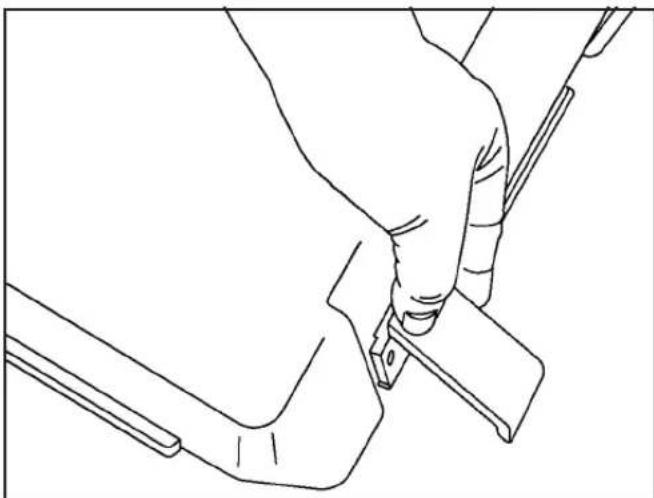
natural_image
Line drawing of a hand holding a tool near a mechanical bracket (no text or symbols)To open a storage box, unhook the bottom and lift the two latches on each side of the storage box.
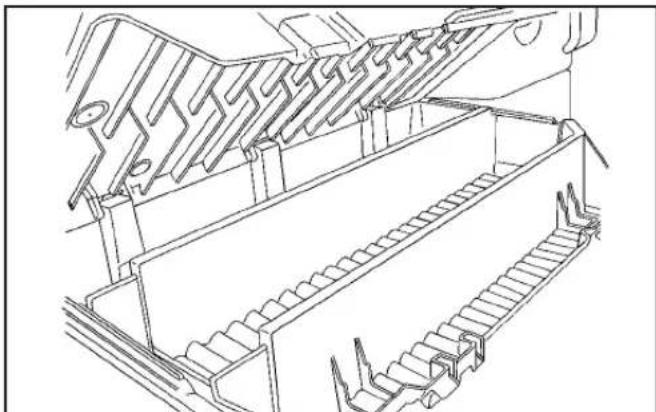
natural_image
Technical line drawing of a mechanical assembly with no visible text or symbolsLift the lid from the center area to access the storage box.
Sunroof
The vehicle may have a sunroof.

natural_image
Simple diagram with two oval shapes containing black triangles, no text or symbols presentThe sunroof control buttons are located on the headliner.
▲(Open/Vent): Press and hold this button to vent, and open the sunroof. Release the button when the desired position is reached.
▼(Close): Press and hold this button to close the sunroof. Continue to hold this button for approximately two seconds after the sunroof is closed to ensure a proper seal. Release the button when the desired position is reached.
The sunshade must be opened manually.
NOTES
Section 3 Instrument Panel
Instrument Panel Overview 3-4
Hazard Warning Flashers 3-6
Horn 3-6
Tilt Wheel 3-6
Turn Signal/Multifunction Lever 3-7
Turn and Lane-Change Signals ....3-7
Headlamp High/Low-Beam Changer 3-8
Flash-to-Pass 3-8
Windshield Wipers 3-8
Windshield Washer 3-9
Cruise Control 3-10
Exterior Lamps 3-13
Headlamps on Reminder 3-14
Daytime Running Lamps (DRL) 3-14
Automatic Headlamp System 3-14
Fog Lamps 3-15
Exterior Cargo Lamps 3-16
Instrument Panel Brightness 3-16
Dome Lamp 3-16
Dome Lamp Override 3-17
Exit Lighting 3-17
Electric Power Management 3-17
Battery Run-Down Protection ....3-18
Accessory Power Outlet(s) 3-18
Ashtray(s) and Cigarette Lighter 3-19
Climate Controls ....3-19
Climate Control System 3-19
Outlet Adjustment 3-21
Warning Lights, Gages, and Indicators .....3-21
Instrument Panel Cluster 3-22
Speedometer and Odometer 3-23
Trip Odometer 3-23
Tachometer 3-23
Safety Belt Reminders 3-23
Airbag Readiness Light .3-24
Passenger Airbag Status Indicator 3-25
Charging System Light 3-26
Up-Shift Light 3-27
Brake System Warning Light 3-27
Antilock Brake System (ABS) Warning Light .....3-28
StabiliTrak ^® /Traction Control System (TCS) Warning Light ....3-29
Engine Coolant Temperature Gage 3-29
Tire Pressure Light 3-30
Malfunction Indicator Lamp 3-30
Oil Pressure Light 3-33
Security Light 3-34
Cruise Control Light 3-34
Highbeam On Light 3-34
Fuel Gage 3-34
Section 3 Instrument Panel
Driver Information Center (DIC) 3-35
DIC Operation and Displays ....3-35
DIC Warnings and Messages ....3-39
Audio System(s) 3-43
Setting the Clock 3-44
Radio(s) 3-44
Using an MP3 3-55
XM Radio Messages ....3-59
Theft-Deterrent Feature ....3-60
Radio Reception 3-61
Fixed Mast Antenna 3-62
XM™ Satellite Radio Antenna System ....3-62
Chime Level Adjustment 3-62
NOTES
Instrument Panel Overview

text_image
A B C A D A E F G H I J K L M N OManual Transmission shown, Automatic Transmission similar
The main components of the instrument panel are the following:
A. OutletAdjustmentonpage3-21.
B. TurnSignal/MultifunctionLeveronpage3-7.
C. InstrumentPanelClusteronpage3-22.
D. HazardWarningFlashersonpage3-6.
E. Passenger Side Airbag. See AirbagSystemon page1-62.
F. ExteriorLampsonpage3-13. FogLampson page3-15(If Equipped). ExteriorCargoLamps onpage3-16.
G. ParkingBrakeonpage2-32.
H. Hornonpage3-6.
I. StabiliTrak® Systemonpage4-6 and Four-Wheel Driveonpage2-28.
J. AudioSystem(s)onpage3-43.
K. Cigarette Lighter (If Equipped). See Ashtray(s) and CigaretteLighteronpage3-19.
L. ClimateControlSystemonpage3-19.
M. AccessoryPowerOutlet(s)onpage3-18.
N. PassengerAirbagStatusIndicatoronpage3-25.
O. GloveBoxonpage2-46.
Hazard Warning Flashers
△(Hazard Warning Flasher): Press this button located on the instrument panel, to make the front and rear turn signal lamps flash on and off. This warns others that you are having trouble.
Press △again to turn the flashers off.
The turn signals do not work while the hazard warning flashers are on.
Horn
To sound the horn, press the horn symbol on the steering wheel pad.
Tilt Wheel
A tilt wheel lets the steering wheel be adjusted.

natural_image
Line drawing of a handheld device with ventilation slots, surrounded by abstract geometric shapes (no text or symbols)The tilt lever is located on the left side of the steering column.
To tilt, hold the steering wheel and pull the tilt lever toward you. Move the steering wheel up or down into a comfortable position, then release the tilt lever to lock the wheel in place.
Do not adjust the steering wheel while driving.
Turn Signal/Multifunction Lever
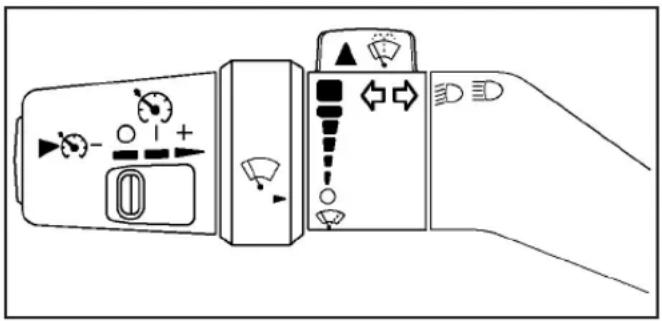
natural_image
Diagram of a camera control panel with directional arrows and display indicators (no text or symbols)The lever on the left side of the steering column includes the following:
⇐: Turn and Lane Change Signals
ED : Headlamp High/Low-Beam Changer
: Windshield Wipers
: Windshield Washer
: Cruise Control
Flash-to-Pass.
Information for these features is on the pages following.
Turn and Lane-Change Signals

natural_image
Two black arrows pointing in opposite directions on a white background (no text or symbols)An arrow on the instrument panel cluster flashes in the direction of the turn or lane change.
Move the lever all the way up or down to signal a turn.
Raise or lower the lever until the arrow starts to flash to signal a lane change. Hold it there until the lane change is complete.
The lever returns to its starting position when it is released.
If after signaling a turn or a lane change the arrows flash rapidly or do not come on, a signal bulb may be burned out.
Have the bulbs replaced. If the bulb is not burned out, check the fuse. For bulb replacement, see Taillamps, TurnSignal, Stoplamps and Back-up Lampson page5-52. For a blown fuse or circuit breaker, see Fuses and Circuit Breakerson page5-110.
Turn Signal On Chime
If a turn signal is left on for more than 3/4 of a mile (1.2 km), a chime will sound at each flash of the turn signal and the message TURN SIGNAL will also appear in the DIC. To turn the chime and message off, move the turn signal lever to the off position.
See "TURN SIGNAL" under DICWarningsand Messagesonpage3-39 for more information.
Headlamp High/Low-Beam Changer
☐ Headlamp High/Low Beam Changer: Push the turn signal/multifunction lever away from you to turn the high beams on.
Pull the lever towards you to return to low beams.
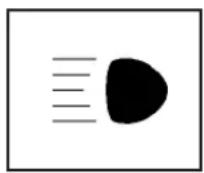
This indicator light turns on in the instrument panel cluster when the high beam headlamps are on.
Flash-to-Pass
This feature lets you use the high-beam headlamps to signal a driver in front of you that you want to pass. It works even if the headlamps are in the automatic position.
To use it, pull the turn signal lever toward you, then release it.
If the headlamps are in the automatic position or on low beam, the high-beam headlamps will turn on. They will stay on as long as the lever is held toward you. The high-beam indicator on the instrument panel cluster will come on. Release the lever to return to normal operation.
Windshield Wipers
The windshield wiper controls are located on the multifunction lever. They are controlled by turning the band with this symbol.
The windshield wipers work in all ignition positions, except off. This includes the Retained Access Power mode. See RetainedAccessoryPower(RAP)on page2-21.
Move the band to one of the following positions:
(Mist): Move the band to mist, for a single wiping cycle and then release it. The wipers will stop after one wipe. Hold the band in this position for continuous wiping cycles.
(Delay): For a delayed wiping cycle. Turn the band to set the length of the delay between wipes. The closer to the top of the lever, the shorter the delay.
(Low Speed): For slow, steady wiping cycles, turn the band away from you to the first solid position past the delay settings.
(High Speed): For rapid wiping cycles, turn the band to the second solid position past the delay settings.
○(Off): Turns off the wipers.
Clear snow and ice from the wiper blades before using them. If the blades are frozen to the windshield, gently loosen or thaw them. If they become worn or damaged, get new blades or blade inserts.
Windshield Washer
CAUTION:
In freezing weather, do not use your washer until the windshield is warmed. Otherwise the washer fluid can form ice on the windshield, blocking your vision.
▲ (Washer Fluid): There is a paddle marked with the windshield washer symbol at the top of the multifunction lever. To spray washer fluid on the windshield, push the paddle. The wipers will clear the window and then either stop or return to your preset speed.
Cruise Control
With cruise control, a speed of about 25 mph (40 km/h) or more can be maintained without keeping your foot on the accelerator. Cruise control does not work at speeds below about 25 mph (40 km/h).
Cruise control will not work if the parking brake is set, or if the master cylinder brake fluid level is low.
If the brakes are applied, the cruise control shuts off.
⚠️CAUTION:
Cruise control can be dangerous where you cannot drive safely at a steady speed. So, do not use the cruise control on winding roads or in heavy traffic.
Cruise control can be dangerous on slippery roads. On such roads, fast changes in tire traction can cause excessive wheel slip, and you could lose control. Do not use cruise control on slippery roads.
If the vehicle's StabiliTrak®/Traction Control System (TCS) begins to limit wheel spin while the cruise control is on, the cruise control automatically disengages.
See StabiliTrak® Systemonpage4-6or TractionControl System(TCS)onpage4-8. When road conditions allow you to safely use it again, the cruise control can be turned back on.
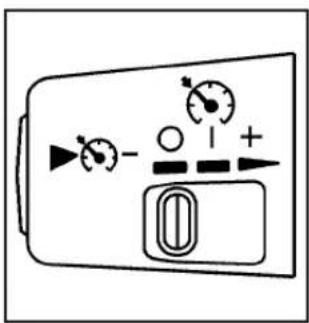
text_image
Diagram of a device control panel with labeled buttons and indicatorsThese controls are located at the end of the multifunction lever.
○(Off): Turns the system off.
|On): Turns the system on.
+ (Resume/Accelerate): Use to make the vehicle accelerate or resume a previously set speed.
▶ (Set): Press the button at the end of the lever to set the speed.
Setting Cruise Control
CAUTION:
If you leave your cruise control on when you are not using cruise, you might hit a button and go into cruise when you do not want to. You could be startled and even lose control. Keep the cruise control switch off until you want to use cruise control.
- Move the cruise control lever to on.
- Get up to the speed desired.
- Press ▶ at the end of the lever and release it.
- Take your foot off the accelerator pedal.
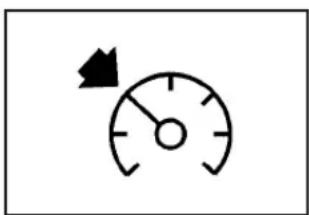
natural_image
Simple gauge or speedometer icon with needle pointing left (no text or symbols)This light on the instrument panel cluster comes on while the cruise control is on.
Resuming a Set Speed
If the cruise control is set to a desired speed and then the brake is applied, the cruise control is disengaged. But it does not need to be reset.
Once the vehicle is going about 25 mph (40 km/h) or more, move the cruise control switch briefly from lto +.
The vehicle will go right back up to your chosen speed and stay there.
If the lever is held at resume/accelerate the vehicle keeps going faster until the lever is released or the brake is applied. Do not hold the lever at resume/accelerate, unless you want the vehicle to go faster.
Increasing Speed While Using Cruise Control
There are two ways to go to a higher speed:
- Use the accelerator pedal to get to the higher speed. Press ▶ at the end of the lever, then release the button and the accelerator pedal. The vehicle will cruise at the higher speed. If the accelerator pedal is held longer than 60 seconds, cruise control will turn off.
- Move the cruise lever from I to +. Hold it there until the desired speed is reached, and then release the lever. To increase the vehicle speed in very small amounts, move the lever briefly to +.
Reducing Speed While Using Cruise Control
- Press and hold ▶ until the lower speed desired is reached, then release it.
- To slow down in very small amounts, briefly press ▶️.
Passing Another Vehicle While Using Cruise Control
Use the accelerator pedal to increase the vehicle speed. When you take your foot off the pedal, the vehicle slows down to the cruise control speed you set earlier.
Using Cruise Control on Hills
How well the cruise control works on hills depends upon the vehicle speed, load, and the steepness of the hills. When going up steep hills, you might have to step on the accelerator pedal to maintain the vehicle speed. When going downhill, you might have to brake or shift to a lower gear to keep the vehicle speed down. Applying the brake will turn off the cruise control.
Ending Cruise Control
To turn off the cruise control, do one of the following:
- Step lightly on the brake pedal.
- Move the cruise control lever to .
- Lightly tap or press the clutch, if you have a manual transmission.
Erasing Speed Memory
The cruise control set speed memory is erased when the cruise control or the ignition is turned off.
Exterior Lamps

text_image
AUTO 300EThe exterior lamp control is located on the instrument panel on the left side of the steering wheel.

(Exterior Lamps): Turn the knob, located to the part of this symbol, to choose one of the four exterior lamp positions.

Off): Turns off all exterior lamps including the ytime Running Lamps (DRL).
AUTO: Turns the headlamps on automatically at normal brightness, together with the following:
- Sidemarker Lamps
- Taillamps
- Parking Lamps
- Instrument Panel Lights
See AutomaticHeadlampSystemonpage3-14for more information.
300(Parking Lamps): Turns on the parking lamps, together with the following:
- Sidemarker Lamps
- Taillamps
- License Plate Lamps
• Instrument Panel Lights
ED(Headlamps): Turns on the headlamps, together with the previously listed lamps and lights.
Headlamps on Reminder
If a door is open, a reminder chime sounds when the headlamps or parking lamps are manually turned on and the key is out of the ignition. To turn off the chime, turn the headlamp switch to off and then back on. In the automatic mode, the headlamps turn off once the ignition is in LOCK/OFF.
For vehicles first sold in Canada, if the parking lamps are turned on manually, the Daytime Running Lamps (DRL) will stay on.
Daytime Running Lamps (DRL)
Daytime Running Lamps (DRL) can make it easier for others to see the front of your vehicle during the day. Fully functional daytime running lamps are required on all vehicles first sold in Canada.
The DRL system will come on when the following conditions are met:
- The ignition is on.
- The exterior lamps control is in AUTO.
- The transmission is not in P (Park) if you have an automatic transmission.
- The light sensor determines it is daytime.
When the DRL are on, only the parking lamps or reduced intensity low beam headlamps will be on. The taillamps, sidemarkers, and other lamps will not be on. The instrument panel will not be lit up either.
When it begins to get dark, the headlamps will automatically switch from DRL to the regular headlamps.
The regular headlamp system should be turned on when needed.
Automatic Headlamp System
When it is dark enough outside, the automatic headlamp system will turn on after the transmission has been shifted from P (Park) to D (Drive). The headlamps, taillamps, sidemarker, parking lamps, roof marker lamps, and the instrument panel lights turn on at normal brightness. The radio lights will become more dim when the headlights are off compared to when the headlights are on.
The vehicle has a light sensor located on the top of the instrument panel. Do not cover the sensor, or the system will be on whenever the ignition is on.
The system may also turn on the headlamps when driving through a parking garage, heavy overcast weather, or a tunnel. This is normal.
There is a delay in the transition between the daytime and nighttime operation of the Daytime Running Lamps (DRL) and the automatic headlamp system so that driving under bridges or bright overhead street lights does not affect the system. The DRL and automatic headlamp system will only be affected when the light sensor detects a change in lighting lasting longer than the delay.
If the vehicle is started in a dark garage, the automatic headlamp system will come on immediately. Once the vehicle leaves the garage, it will take about one minute for the automatic headlamp system to change to DRL if it is light outside. During that delay, the instrument panel cluster may not be as bright as usual. Make sure the instrument panel brightness control is in the full bright position. See InstrumentPanelBrightnessonpage3-16.
Fog Lamps
The fog lamp button is located near the exterior lamps control.
- For vehicles with fog lamps, press to turn the fog lamps on or off. An indicator light will turn on in the button when the fog lamps are on.
The parking lamps or low-beam headlamps must be on for the fog lamps to work. The fog lamps will go off whenever the high-beam headlamps come on. When the high beams go off, the fog lamps come on again.
Some localities have laws that require the headlamps to be on along with the fog lamps.
Exterior Cargo Lamps
The cargo lamps can be used if more light is needed in the cargo area of the vehicle or in the top-box storage units.

natural_image
Circular diagram with a truck icon inside, surrounded by eight corner brackets (no text or symbols)This button is located on the driver side of the instrument panel near the exterior lamp control.
Press to turn the cargo lamps on and off.
The dome lamps must be on for the cargo lamps to come on. See DomeLamponpage3-16.
Instrument Panel Brightness
(Instrument Panel Lights): Turn the thumbwheel up or down to brighten or dim the instrument panel lights and the radio display. The instrument panel lights, cluster, and radio display do not dim to complete darkness. The instrument panel light brightness control will only work if the headlamps or parking lamps are on. See Exterior Lampsonpage3-13.
Dome Lamp
The dome lamps, located in the front and cargo area of the vehicle, come on when any door is opened.
Turn the dome lamps on by turning the thumbwheel, located next to the exterior lamps control, all the way up. In this position, the lamps remain on whether a door is opened or closed.
Reading Lamps
Press the lens on the lamps to turn each reading lamp on or off.
These lamps will not come on with the dome lamps.
Dome Lamp Override
The dome lamp override button is located below the exterior lamps control.
(Dome Lamp Override): Press this button in to make the dome lamps remain off when the doors are open. To return the lamps to automatic operation, press again and return it to the out position.
Exit Lighting
The interior lamps will come on when the key is removed from the ignition. The lamps will not come on if the dome override button is pressed in.
Electric Power Management
The vehicle has Electric Power Management (EPM) that estimates the battery's temperature and state of charge. It then adjusts the voltage for best performance and extended life of the battery.
When the battery's state of charge is low, the voltage is raised slightly to quickly bring the charge back up. When the state of charge is high, the voltage is lowered slightly to prevent overcharging. If the vehicle has a voltmeter gage or a voltage display on the Driver Information Center (DIC), you may see the voltage move up or down. This is normal. If there is a problem, an alert will be displayed.
The battery can be discharged at idle if the electrical loads are very high. This is true for all vehicles. This is because the generator (alternator) may not be spinning fast enough at idle to produce all the power that is needed for very high electrical loads.
A high electrical load occurs when several of the following are on: headlamps, high beams, fog lamps, rear window defogger, climate control fan at high speed, heated seats, engine cooling fans, trailer loads, and loads plugged into accessory power outlets.
EPM works to prevent excessive discharge of the battery. It does this by balancing the generator's output and the vehicle's electrical needs. It can increase engine idle speed to generate more power, whenever needed. It can temporarily reduce the power demands of some accessories.
Normally, these actions occur in steps or levels, without being noticeable. In rare cases at the highest levels of corrective action, this action may be noticeable to the driver. If so, a Driver Information Center (DIC) message might be displayed, such as BATTERY SAVER ACTIVE, BATTERY VOLTAGE LOW, or LOW BATTERY. If this message is displayed, it is recommended that the driver reduce the electrical loads as much as possible. See DIC WarningsandMessagesonpage3-39.
Battery Run-Down Protection
This feature shuts off the dome lamp if it is left on for more than 20 minutes when the ignition is in LOCK/OFF. This helps to prevent the battery from running down.
Accessory Power Outlet(s)
The accessory power outlets can be used to connect electrical equipment such as a cellular phone.
The vehicle may have an accessory power outlet located below the climate control system and on the rear of the center console. A small cap must be pulled down to access an accessory power outlet. When not using an outlet be sure to cover it with the protective cap.
Notice: Leaving electrical equipment on for extended periods will drain the battery. Always unplug electrical equipment when not in use and do not plug in equipment that exceeds the maximum amperage rating of 20 amperes.
Certain electrical accessories may not be compatible with the accessory power outlet and could result in blown vehicle or adapter fuses. If you experience a problem, see your dealer/retailer for additional information on accessory power outlets.
Notice: Adding any electrical equipment to the vehicle can damage it or keep other components from working as they should. The repairs would not be covered by the vehicle warranty. Do not use equipment exceeding maximum amperage rating of 20 amperes. Check with your dealer/retailer before adding electrical equipment.
When adding electrical equipment, be sure to follow the proper installation instructions included with the equipment.
Notice:Improper use of the power outlet can cause damage not covered by the warranty. Do not hang any type of accessory or accessory bracket from the plug because the power outlets are designed for accessory power plugs only.
Ashtray(s) and Cigarette Lighter
The vehicle may have a removable ashtray and cigarette lighter.
The ashtray is located in the center console area. The ashtray can be removed for cleaning. When the ashtray is removed, this area can also be used as a cupholder.
Notice: If papers, pins, or other flammable items are put in the ashtray, hot cigarettes or other smoking materials could ignite them and possibly damage the vehicle. Never put flammable items in the ashtray.
To use the lighter, press it in all the way, and let go. When it is ready, it will pop back out by itself.
Notice: Holding a cigarette lighter in while it is heating does not let the lighter back away from the heating element when it is hot. Damage from overheating can occur to the lighter or heating element, or a fuse could be blown. Do not hold a cigarette lighter in while it is heating.
Climate Controls
Climate Control System
The heating, cooling, and ventilation for the vehicle can be controlled with this system.
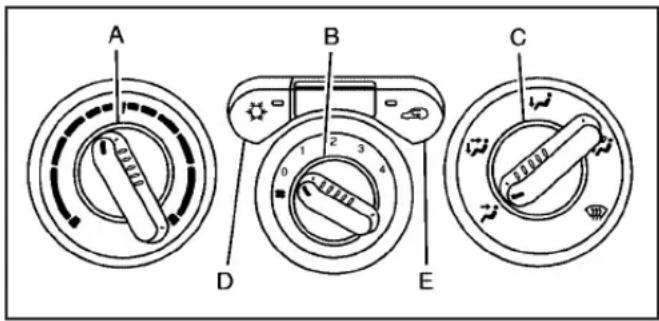
text_image
A B C D EA. Temperature Control
B. Fan Control
C. Air Delivery Mode Control
D. Air Conditioning
E. Recirculation
Temperature Control: Turn the knob clockwise or counterclockwise to increase or decrease the temperature of the air inside the vehicle.
✿(Fan Control): Turn the knob clockwise or counterclockwise to increase or decrease the fan speed.
If the knob is set on "0" (zero), some outside air will still enter the vehicle and will be directed according to the position of the mode knob.
Air Delivery Mode Control: Turn the knob clockwise or counterclockwise to change the current airflow mode.
Select from the following modes:
(Vent) : Air is directed to the instrument panel outlets.
(Bi-Level): Air is divided between the instrument panel outlets and floor and side window outlets. Cooler air is directed to the upper outlets and warmer air to the floor outlets.
(Floor): Air is directed to the floor outlets. Recirculation cannot be selected while in floor mode because this could cause the interior window to fog.
(Floor/Defog): This mode clears the windows of fog or moisture. Air is directed to the floor, windshield, and side window outlets. When this mode is selected, the system runs the air conditioning compressor unless the outside temperature is near freezing or below. Recirculation is not available in this mode.
(Defrost): This mode clears the windshield of fog or frost more quickly. Air is directed to the windshield and side window outlets. When this mode is selected, the system runs the air conditioning compressor unless the outside temperature is near, or below freezing. Recirculation is not available in this mode.
Do not drive the vehicle until all the windows are clear.
( Air Conditioning): Press to turn the air conditioning system on or off. An indicator light on the button comes on to show that the air conditioning is on.
The fan control must be on to use the air conditioning.
There might be a slight change in engine performance when the air conditioning compressor shuts off and turns on again. This is normal. The system is designed to make adjustments to help with fuel economy while still maintaining the selected temperature.
The air conditioning system removes moisture from the air, so a small amount of water might drip under the vehicle while idling or after turning off the engine. This is normal.
(Recirculation): Press to turn the recirculation mode on or off. An indicator light on the button comes on to show that the recirculation mode is on. This mode recirculates and helps to quickly cool the air inside the vehicle. It can be used to prevent outside air and odors from entering the vehicle.
The recirculation mode cannot be used with floor/defog, defrost, or defogging modes. If recirculation is selected in these modes, the indicator will flash or not come on.
Outlet Adjustment
Use the thumbwheel on the outlets to change the direction of the air flow.
Lift up or push down on the thumbwheel located in the center of the outlet to direct the air up or down, or slide the thumbwheel to the left or right to direct the airflow from side-to-side.
Operation Tips
- Clear away any ice, snow or leaves from the air inlets at the base of the windshield that may block the flow of air into the vehicle.
- Use of non-GM approved hood deflectors may adversely affect the performance of the system.
- Keep the path under the front seats clear of objects to help circulate the air inside of the vehicle more effectively.
Warning Lights, Gages, and Indicators
Warning lights and gages can signal that something is wrong before it becomes serious enough to cause an expensive repair or replacement. Paying attention to the warning lights and gages could prevent injury.
Warning lights come on when there may be or is a problem with one of the vehicle's functions. Some warning lights come on briefly when the engine is started to indicate they are working.
Gages can indicate when there may be or is a problem with one of the vehicle's functions. Often gages and warning lights work together to indicate a problem with the vehicle.
When one of the warning lights comes on and stays on while driving, or when one of the gages shows there may be a problem, check the section that explains what to do. Follow this manual's advice. Waiting to do repairs can be costly and even dangerous.
Instrument Panel Cluster
The instrument panel cluster is designed to show how the vehicle is running. It shows how fast the vehicle is going, about how much fuel has been used, and many other things needed to drive safely and economically.
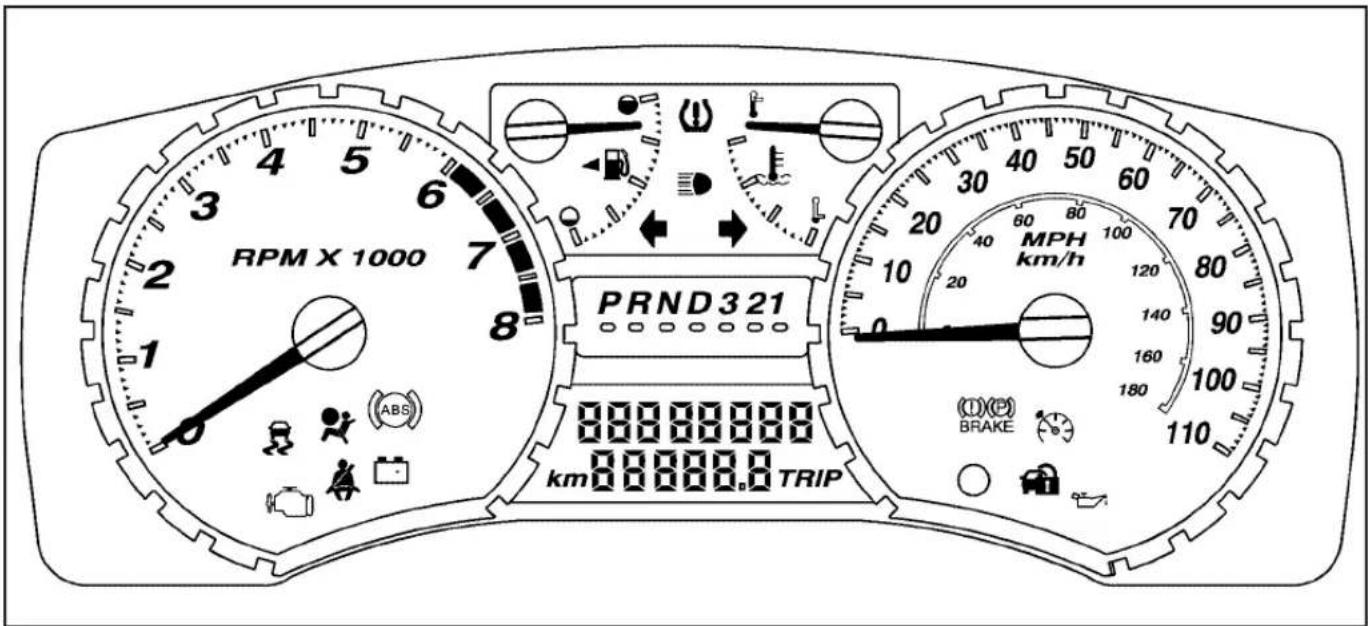
text_image
RPM X 1000 PRND321 km 000000.0 TRIP MPH km/h 0 20 40 60 80 100 120 140 160 180 100 110 (①)(②) BRAKEUnited States automatic transmission 2.9L version shown, Canada, manual transmission, 3.7L and 5.3L similar
Speedometer and Odometer
The speedometer shows the speed in both miles per hour (mph) and kilometers per hour (km/h).
The odometer shows how far the vehicle has been driven, in either miles (used in the United States) or kilometers (used in Canada).
The odometer mileage can be checked without the vehicle running by pressing the trip information stem. See "Odometer" under DICOperationandDisplays onpage3-35for more information.
If the cluster is replaced the new one will automatically detect and update the vehicle's accumulated mileage.
Trip Odometer
The vehicle has a trip odometer that indicates how far the vehicle has been driven since the trip odometer was last set to zero.
See "Trip Odometer" under DICOperationandDisplays onpage3-35for more information.
Tachometer
The tachometer displays the engine speed in revolutions per minute (rpm).
Notice: If the engine is operated with the tachometer in the shaded warning area, the vehicle could be damaged, and the damages would not be covered by the vehicle warranty. Do not operate the engine with the tachometer in the shaded warning area.
Safety Belt Reminders
Driver Safety Belt Reminder Light
When the engine is started, a chime sounds for several seconds to remind the driver to fasten the safety belt, unless the driver safety belt is already buckled.

natural_image
Silhouette of a person wearing a seatbelt with crossed bandages (no text or symbols)The driver safety belt light comes on and stays on for several seconds, then flashes for several more.
This chime and light are repeated if the driver remains unbuckled and the vehicle is in motion. If the driver's safety belt is already buckled, neither the chime nor the light comes on.
Passenger Safety Belt Reminder Light
Several seconds after the engine is started, a chime sounds for several seconds to remind the front passenger to buckle their safety belt. This only occurs if the passenger airbag is enabled. See PassengerSensingSystemonpage1-70for more information. The passenger safety belt light, located on the instrument panel, comes on and stays on for several seconds and then flashes for several more.
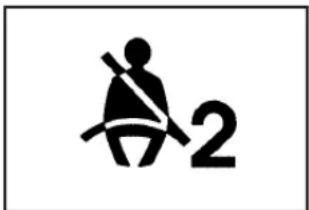
text_image
2This chime and light are repeated if the passenger remains unbuckled and the vehicle is in motion.
If the passenger safety belt is buckled, neither the chime nor the light comes on.
Airbag Readiness Light
The system checks the airbag's electrical system for possible malfunctions. If the light stays on it indicates there is an electrical problem. The system check includes the airbag sensor, the pretensioners, the airbag modules, the wiring and the crash sensing and diagnostic module. For more information on the airbag system, see Airbag Systemonpage1-62.

natural_image
Simple black-and-white pictogram of a person running with a stick (no text or symbols)The airbag readiness light flashes for a few seconds when the engine is started. If the light does not come on then, have it fixed immediately.
⚠️CAUTION:
If the airbag readiness light stays on after the vehicle is started or comes on while driving, it means the airbag system might not be working properly. The airbags in the vehicle might not inflate in a crash, or they could even inflate without a crash. To help avoid injury, have the vehicle serviced right away.
If there is a problem with the airbag system, an airbag Driver Information Center (DIC) message can also come on. See DICWarningsandMessagesonpage3-39 for more information.
Passenger Airbag Status Indicator
The vehicle has a passenger sensing system. See PassengerSensingSystemonpage1-70for important safety information. The instrument panel has a passenger airbag status indicator.

text_image
PASSENGER AIR BAG ON 2 OFFUnited States
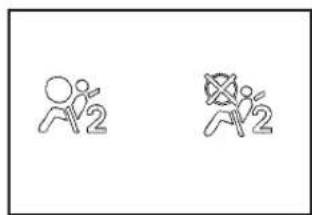
text_image
Two stick figure icons labeled '2' with different motion poses, possibly indicating movement or exercise.Canada
When the vehicle is started, the passenger airbag status indicator will light ON and OFF, or the symbol for on and off, for several seconds as a system check. Then, after several more seconds, the status indicator will light either ON or OFF, or either the on or off symbol to let you know the status of the right front passenger frontal airbag.
If the word ON or the on symbol is lit on the passenger airbag status indicator, it means that the right front passenger frontal airbag is enabled (may inflate).
If the word OFF or the off symbol is lit on the airbag status indicator, it means that the passenger sensing system has turned off the right front passenger frontal airbag.
If, after several seconds, both status indicator lights remain on, or if there are no lights at all, there may be a problem with the lights or the passenger sensing system. See your dealer/retailer for service.
CAUTION:
If the airbag readiness light ever comes on and stays on, it means that something may be wrong with the airbag system. To help avoid injury to yourself or others, have the vehicle serviced right away. See AirbagReadinessLightonpage3-24 for more information, including important safety information.
Charging System Light

natural_image
Simple electrical component symbol with battery terminals (no text or labels)This light comes on briefly when the ignition key is turned to START, but the engine is not running, as a check to show it is working.
If it does not, have the vehicle serviced by your dealer/retailer.
The light should go out once the engine starts. If it stays on, or comes on while driving, there could be a problem with the charging system. A charging system message in the Driver Information Center (DIC) can also appear. See DICWarningsandMessagesonpage3-39for more information. This light could indicate that there are problems with a generator drive belt, or that there is an electrical problem. Have it checked right away. If the vehicle must be driven a short distance with the light on, turn off accessories, such as the radio and air conditioner.
Up-Shift Light
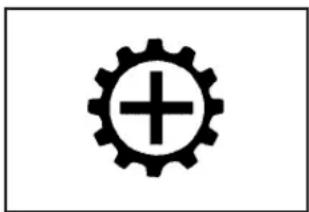
natural_image
Simple black gear icon with a plus sign inside, no text or symbols presentThe vehicle may have an up-shift light.
When this light comes on, shift to the next higher gear if weather, road, and traffic conditions allow.
See ManualTransmissionOperationonpage2-26for more information.
Brake System Warning Light
The vehicle's hydraulic brake system is divided into two parts. If one part is not working, the other part can still work and stop the vehicle. For good braking though, both parts need to be working well.
If the warning light comes on, there could be a brake problem. Have the brake system inspected right away.
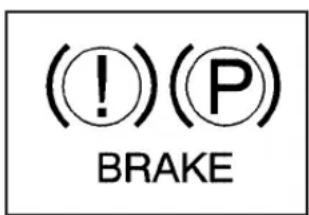
text_image
(!)(P) BRAKE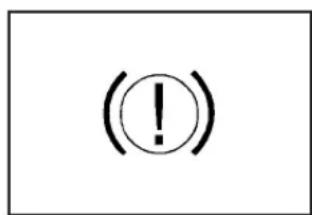
text_image
(!United States Canada
This light comes on briefly when the ignition key is turned to ON/RUN. If it does not, have it fixed so it will be ready to warn if there is a problem.
When the ignition is on, the brake system warning light comes on when the parking brake is set. See Parking Brakeonpage2-32 for more information. The light stays on if the parking brake does not release fully. If it stays on after the parking brake is fully released, it means there is a brake problem.
If the light comes on while driving, pull off the road and stop. The brake pedal might be harder to push, or it might go closer to the floor. It can take longer to stop. If the light is still on, have the vehicle towed for service. See TowingYourVehicleonpage4-40.
CAUTION:
The brake system might not be working properly if the brake system warning light is on. Driving with the brake system warning light on can lead to a crash. If the light is still on after the vehicle has been pulled off the road and carefully stopped, have the vehicle towed for service.
Antilock Brake System (ABS) Warning Light

The Antilock Brake System (ABS) light comes on briefly when the engine is started.
If it does not, have the vehicle serviced by your dealer/retailer. If the system is working normally the indicator light then goes off.
If the ABS light stays on, turn the ignition off. If the light comes on while driving, stop as soon as it is safely possible and turn the ignition off. Then start the engine again to reset the system. If the ABS light stays on, or comes on again while driving, the vehicle needs service. If the regular brake system warning light is not on, the vehicle still has brakes, but not antilock brakes. If the regular brake system warning light is also on, the vehicle does not have antilock brakes and there is a problem with the regular brakes. See BrakeSystemWarningLighton page3-27.
See DICWarningsandMessagesonpage3-39for all brake related DIC messages.
StabiliTrak®/Traction Control System (TCS) Warning Light

natural_image
Simple black-and-white icon of a car with two wavy lines, no text or symbols present.The StabiliTrak and Traction Control System (TCS) indicator/warning light comes on briefly while starting the engine.
If it does not, have the vehicle serviced by your dealer/retailer. If the system is working normally the indicator light then goes off.
The light flashes while the StabiliTrak system and TCS are working to assist the driver with directional control of the vehicle in difficult driving conditions.
If the StabiliTrak system and TCS light comes on and stays on while driving and a TRACTION FAULT or SERVICE STAB SYS message displays on the DIC, the vehicle needs service.
The light also comes on steady when the StabiliTrak system and/or TCS are turned off. The DIC also displays a TRAC OFF and/or STAB SYS OFF message. If the TCS is off, wheel spin is not limited. If the StabiliTrak system is off, the system does not assist the driver with directional control of the vehicle. The light turns off when the TCS and StabiliTrak system are turned back on.
See StabiliTrak® Systemonpage4-6, TractionControl System(TCS)onpage4-8 and DICWarningsand Messagesonpage3-39 for more information.
Engine Coolant Temperature Gage
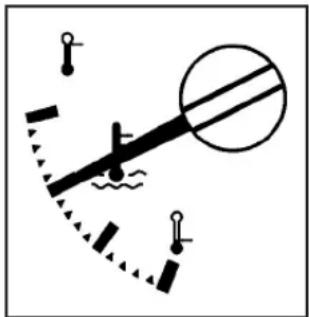
natural_image
Simple diagram of a lever mechanism with weights and a curved path, no text or symbols presentThis gage shows the engine coolant temperature.
If the gage pointer is near the top of the gage, the engine is too hot. It means that the engine coolant has overheated. If the vehicle has been operating under normal driving conditions, pull the vehicle off the road, stop the vehicle and turn off the engine as soon as possible.
See EngineOverheatingonpage5-34for more information.
Tire Pressure Light

natural_image
Warning symbol with exclamation mark inside a partial circular outline (no text or numbers)For vehicles with a tire pressure light, this light comes on briefly when the engine is started and provides information about tire pressures and the Tire Pressure Monitoring System.
When the Light is On Steady
This indicates that one or more of the tires is significantly underinflated.
A tire pressure message in the Driver Information Center (DIC), can accompany the light. See DIC WarningsandMessagesonpage3-39for more information. Stop and check the tires as soon as it is safe to do so. If a tire is underinflated, inflate to the proper pressure. See Tiresonpage5-56for more information.
When the Light Flashes First and Then is On Steady
This indicates that there could be a problem with the Tire Pressure Monitor System. The light flashes for about a minute and stays on steady for the remainder of the ignition cycle. This sequence repeats with every ignition cycle. See TirePressureMonitorSystemonpage5-65 for more information.
Malfunction Indicator Lamp
Check Engine Light
A computer system called OBD II (On-Board Diagnostics-Second Generation) monitors operation of the fuel, ignition, and emission control systems. It ensures that emissions are at acceptable levels for the life of the vehicle, helping to produce a cleaner environment.

natural_image
Simple line drawing of a mechanical valve or pump component (no text or symbols)This light should come on when the ignition is on, but the engine is not running, as a check to show it working. If it does not, have the vehicle serviced by your dealer/retailer.
If the check engine light comes on and stays on, while the engine is running, this indicates that there is an OBD II problem and service is required.
Malfunctions often are indicated by the system before any problem is apparent. Being aware of the light can prevent more serious damage to the vehicle. This system assists the service technician in correctly diagnosing any malfunction.
Notice: If the vehicle is continually driven with this light on, after a while, the emission controls might not work as well, the vehicle's fuel economy might not be as good, and the engine might not run as smoothly. This could lead to costly repairs that might not be covered by the vehicle warranty.
Notice: Modifications made to the engine, transmission, exhaust, intake, or fuel system of the vehicle or the replacement of the original tires with other than those of the same Tire Performance Criteria (TPC) can affect the vehicle's emission controls and can cause this light to come on. Modifications to these systems could lead to costly repairs not covered by the vehicle warranty. This could also result in a failure to pass a required Emission Inspection/Maintenance test. See AccessoriesandModificationsonpage5-3.
This light comes on during a malfunction in one of two ways:
Light Flashing: A misfire condition has been detected. A misfire increases vehicle emissions and could damage the emission control system on the vehicle. Diagnosis and service might be required.
To prevent more serious damage to the vehicle:
- Reduce vehicle speed.
- Avoid hard accelerations.
- Avoid steep uphill grades.
- If towing a trailer, reduce the amount of cargo being hauled as soon as it is possible.
If the light continues to flash, when it is safe to do so, stop the vehicle. Find a safe place to park the vehicle. Turn the key off, wait at least 10 seconds, and restart the engine. If the light is still flashing, follow the previous steps and see your dealer/retailer for service as soon as possible.
Light On Steady: An emission control system malfunction has been detected on the vehicle. Diagnosis and service might be required.
An emission system malfunction might be corrected by doing the following:
- Make sure the fuel cap is fully installed. See Filling theTankonpage5-8. The diagnostic system can determine if the fuel cap has been left off or improperly installed. A loose or missing fuel cap allows fuel to evaporate into the atmosphere. A few driving trips with the cap properly installed should turn the light off.
- If the vehicle has been driven through a deep puddle of water, the vehicle's electrical system might be wet. The condition is usually corrected when the electrical system dries out. A few driving trips should turn the light off.
- Make sure to fuel the vehicle with quality fuel. Poor fuel quality causes the engine not to run as efficiently as designed and can cause: stalling after start-up, stalling when the vehicle is changed into gear, misfiring, hesitation on acceleration, or stumbling on acceleration. These conditions might go away once the engine is warmed up.
If one or more of these conditions occurs, change the fuel brand used. It will require at least one full tank of the proper fuel to turn the light off.
See GasolineOctaneonpage5-5.
If none of the above have made the light turn off, your dealer/retailer can check the vehicle. The dealer/retailer has the proper test equipment and diagnostic tools to fix any mechanical or electrical problems that might have developed.
Emissions Inspection and Maintenance Programs
Some state/provincial and local governments have or might begin programs to inspect the emission control equipment on the vehicle. Failure to pass this inspection could prevent getting a vehicle registration.
Here are some things to know to help the vehicle pass an inspection:
- The vehicle will not pass this inspection if the check engine light is on with the engine running, or if the key is in ON/RUN and the light is not on.
- The vehicle will not pass this inspection if the OBD II (on-board diagnostic) system determines that critical emission control systems have not been completely diagnosed by the system. The vehicle would be considered not ready for inspection. This can happen if the battery has recently been replaced or if the battery has run down. The diagnostic system is designed to evaluate critical emission control systems during normal driving. This can take several days of routine driving. If this has been done and the vehicle still does not pass the inspection for lack of OBD II system readiness, your dealer/retailer can prepare the vehicle for inspection.
Oil Pressure Light
CAUTION:
Do not keep driving if the oil pressure is low. The engine can become so hot that it catches fire. Someone could be burned. Check the oil as soon as possible and have the vehicle serviced.
Notice:Lack of proper engine oil maintenance can damage the engine. The repairs would not be covered by the vehicle warranty. Always follow the maintenance schedule in this manual for changing engine oil.
This light comes on briefly while starting the engine. If it does not, have the vehicle serviced by your dealer/retailer. If the system is working normally the indicator light then goes off.
If the light comes on and stays on, it means that oil is not flowing through the engine properly. The vehicle could be low on oil and it might have some other system problem.
Security Light

natural_image
Simple black icon of a padlock and car (no text or symbols)For information regarding this light and the vehicle's security system, see ContentTheft-Deterrent onpage2-15.
Cruise Control Light
natural_image
Simple line drawing of a speedometer with needle pointing upward (no text or symbols)The cruise control light comes on whenever the cruise control is set.
The light goes out when the cruise control is turned off. See CruiseControlpage3-10 for more information.
Highbeam On Light

natural_image
Simple black-and-white diagram of a lightning bolt with three parallel lines indicating sound waves (no text or symbols)This light comes on when the high-beam headlamps are in use.
See HeadlampHigh/Low-BeamChangeronpage3-8 for more information.
Fuel Gage

natural_image
Simple line drawing of a mechanical or architectural component with no text or symbolsWhen the ignition is on, the fuel gage shows how much fuel the vehicle has remaining in the fuel tank.
An arrow on the fuel gage indicates the side of the vehicle the fuel door is on.
Here are four things that some owners ask about. None of these indicate a problem with the vehicle's fuel gage:
- At the gas station, the gas pump shuts off before the gage reads full.
- It takes a little more or less fuel to fill up than the gage indicated. For example, the gage may have indicated the tank was half full, but it actually took a little more or less than half the tank's capacity to fill the tank.
- The gage moves a little while turning a corner or speeding up.
- The gage does not go back to empty when the ignition is turned off.
When the fuel in the fuel tank is low, a LOW FUEL message will display on the Driver Information Center (DIC). See DICWarningsandMessages onpage3-39for more information.
Driver Information Center (DIC)
The Driver Information Center (DIC) displays information such as the trip odometer, personalization features, and warning messages. The DIC display is located on the instrument panel cluster.
DIC Operation and Displays
The Driver Information Center (DIC) comes on when the ignition is on.
If a problem is detected, a warning message appears on the display. Pressing and releasing the trip odometer reset stem on the DIC acknowledges some current warnings or service messages. Some messages only clear after the required action has been taken.
The DIC has different modes which can be accessed by pressing the trip odometer reset stem on the DIC. These modes are explained in the following section. The DIC trip odometer reset stem is located on the instrument panel cluster next to the DIC display. To scroll through the available functions, press and release the reset stem.
Trip Information
Odometer
The odometer is automatically displayed on the DIC when you start the vehicle. The odometer shows the total distance the vehicle has been driven in either miles for the United States or kilometers for Canada.
Trip Odometer
Press and release the reset stem until TRIP appears on the DIC display. The trip odometer shows the current distance traveled since the last reset of the trip odometer in either miles for the United States or kilometers for Canada.
To reset the trip odometer, press and hold the reset stem until the display returns to zero.
Engine Oil Life System
With the engine off, turn the key to ON/RUN and then press the reset stem until OIL LIFE RESET appears — alternating between OIL LIFE and RESET — on the DIC display. The CHANGE OIL message alerts you to change the oil on a schedule consistent with your driving conditions. Always reset the OIL LIFE message after an oil change. To reset the message, see EngineOilLifeSystemonpage5-18. In addition to the engine oil life system monitoring the oil life, additional maintenance is recommended in the Maintenance Schedule in this manual. See EngineOilon page5-15 and ScheduledMaintenanceonpage6-4 for more information.
Language
This feature allows you to choose the language in which the DIC display shows information.
To set your choice for this feature:
- With the engine off, turn the key to ON/RUN, but do not start the engine.
- Close all doors so the DOORS message does not display in the DIC.
- Momentarily press and release the reset stem until the current language is displayed: English (default), Spanish, or French.
- To select a different language, press and hold the reset stem until the next language appears.
- Repeat Step 4 until the desired language is displayed. Once the desired language is shown on the DIC display, the language is set.
- To exit the language selection, momentarily press and release the reset stem. All DIC messages will now display in the language selected.
Automatic Door Locks
This feature allows you to program the door locks to a preferred setting.
To set your choice for this feature:
- With the engine off, turn the key to LOCK/OFF. Do not remove the key from the ignition.
- Press and hold the power door lock button until the DIC display shows the current door lock mode.
- To view the next available mode, press and hold the reset stem until the mode appears. Release the reset stem and press and hold again to view the next mode.
- Once the desired mode is shown on the DIC display, briefly press the reset stem to set your choice. The DIC display then clears.
The following are the available modes:
Lock 1 (default): On vehicles with an automatic transmission, this mode locks all of the doors when the vehicle is shifted out of P (Park) and unlocks all of the doors when the vehicle is shifted into P (Park).
On vehicles with a manual transmission, this mode locks all of the doors when the vehicle speed is greater than 15 mph (24 km/h) and unlocks all of the doors when the key is removed from the ignition.
Lock 2: On vehicles with an automatic transmission, this mode locks all of the doors when the vehicle is shifted out of P (Park) and unlocks the driver's door when the vehicle is shifted into P (Park).
On vehicles with a manual transmission, this mode locks all of the doors when the vehicle speed is greater than 15 mph (24 km/h) and unlocks the driver's door when the key is removed from the ignition.
Lock 3: On vehicles with an automatic transmission, this mode locks all of the doors when the vehicle is shifted out of P (Park). The doors will not automatically unlock.
On vehicles with a manual transmission, this mode locks all of the doors when the vehicle speed is greater than 15 mph (24 km/h). The doors will not automatically unlock.
Remote Keyless Entry (RKE) Feedback
This feature allows you to program the Remote Keyless Entry (RKE) feedback to a preferred setting.
To set your choice for this feature:
- With the engine off, turn the key to LOCK/OFF. Do not remove the key from the ignition.
- Press and hold the lock and unlock buttons on the RKE transmitter at the same time. Hold both buttons until the DIC display shows the current RKE feedback mode.
- To view the next available mode, press and hold the reset stem until the mode appears. Release the reset stem and press and hold again to view the next mode.
- Once the desired mode is shown on the DIC display, briefly press the reset stem to set your choice. The DIC display then clears.
The following are the available modes:
RFA 1 (default): This mode flashes the parking lamps when you press the lock or unlock buttons on the RKE transmitter.
RFA 2: This mode flashes the parking lamps and sounds the horn when you press the lock button on the RKE transmitter. This mode also flashes the parking lamps when you press the unlock button on the RKE transmitter.
RFA 3: This mode flashes the parking lamps and sounds the horn when you press the lock or unlock buttons on the RKE transmitter.
RFA 4: This mode disables RKE feedback. There will be no feedback when you press the lock or unlock buttons on the RKE transmitter.
DIC Warnings and Messages
Messages are displayed on the DIC to notify the driver that the status of the vehicle has changed and that some action may be needed by the driver to correct the condition. Multiple messages may appear one after another. The messages are displayed for several seconds each.
Some messages may not require immediate action, but you should press and release the trip odometer reset stem to acknowledge that you received the messages and to clear them from the display. Each message must be acknowledged individually.
Some messages cannot be cleared from the DIC display because they are more urgent. These messages require action before they can be cleared. You should take any messages that appear on the display seriously and remember that clearing the messages only makes the messages disappear, not correct the problem.
The following are the possible messages that can be displayed and some information about them.
AC (Air Conditioning) OFF
This message displays when the engine coolant temperature is too high and the air conditioning in your vehicle needs to be turned off. See EngineOverheating onpage5-34 and ClimateControlSystemonpage3-19 for more information. This message displays along with the ENG HOT message.
ABS (Antilock Brake System) FAULT
This message displays if there is a problem with the Antilock Brake System (ABS). Check the ABS as soon as possible and have your vehicle serviced by your dealer/retailer. See Brakesonpage5-38and Antilock BrakeSystem(ABS)WarningLightonpage3-28for more information. Press and release the reset stem to acknowledge the message and clear it from the display.
BRAKES
This message displays if there is a problem with the brakes. Check the brakes as soon as possible and have your vehicle serviced by your dealer/retailer. See Brakes onpage5-38 and BrakeSystemWarningLighton page3-27 for more information. Press and release the reset stem to acknowledge the message and clear it from the display.
CHANGE OIL
This message displays when the oil needs to be changed. Check the oil in your vehicle as soon as possible and have your vehicle serviced by your dealer/retailer. See EngineOilonpage5-15and ScheduledMaintenancepage6-4for more information. Press and release the reset stem to acknowledge the message and clear it from the display.
DOORS
This message displays when one or more of the doors is ajar. Check all the doors on your vehicle to make sure they are closed. The message clears from the display after all of the doors are closed.
ENG (Engine) HOT
This message displays when the engine coolant temperature is hot. Check the engine coolant temperature gage. See EngineCoolantTemperature Gageonpage3-29. Have your vehicle serviced by your dealer/retailer as soon as possible if you suspect the engine is overheating. See EngineOverheating onpage5-34for more information.
FLUID
This message displays if the brake fluid is low. Check the brake fluid as soon as possible and have your vehicle serviced by your dealer/retailer. See Brakes onpage5-38 for more information. Press and release the reset stem to acknowledge the message and clear it from the display.
FUEL CAP
This message displays if the vehicle's fuel cap is either off or loose. Pull over as soon as possible and check to see if the fuel cap is secure. You may also see the check engine light on the instrument panel cluster. If the check engine light does come on when the fuel cap was loose, it may take a few driving trips before the light turns off. See MalfunctionIndicatorLamponpage3-30for more information if the light still remains on. Press and release the reset stem to acknowledge the message and clear it from the display.
LOW FUEL
This message displays if the level of fuel in the vehicle is low. Also check the fuel gage. See FuelGageon page3-34for more information. Refill the fuel tank as soon as possible.
LOW TIRE
This message displays if a low tire pressure is detected in any of the vehicle's tires. Press and release the reset stem to acknowledge the message and clear it from the display. The message appears at each ignition cycle until the tires are inflated to the correct inflation pressure. See Tiresonpage5-56 and Inflation-TirePressureon page5-63 for more information on tires and the correct inflation pressures.
OIL
This message displays when the oil pressure is low. See OilPressureLightonpage3-33 and EngineOil onpage5-15 for more information.
PARK BRK (Brake)
This message displays when the parking brake is set. See ParkingBrakeonpage2-32 and BrakeSystem WarningLightonpage3-27 for more information. The message clears from the display after the parking brake is released or by pressing and releasing the reset stem.
REDUCED POWER
This message displays when the vehicle's engine power is reduced. Reduced engine power can affect the vehicle's ability to accelerate. If this message is on, but there is no reduction in performance, proceed to your destination. The performance may be reduced the next time the vehicle is driven. The vehicle may be driven at a reduced speed while this message is on, but acceleration and speed may be reduced. Anytime this message stays on, the vehicle should be taken to your dealer/retailer for service as soon as possible. Press and release the reset stem to acknowledge the message and clear it from the display.
SERV (Service) 4WD (Four-Wheel Drive)
This message displays when there is a problem with the transfer case control system. Check the transfer case on your vehicle and have it serviced by your dealer/retailer. See Four-WheelDriveonpage2-28 for more information about the transfer case. Press and release the reset stem to acknowledge the message and clear it from the display.
SERV (Service) TPM (Tire Pressure Monitor)
This message displays if a part on the Tire Pressure Monitor System (TPMS) is not working properly. The tire pressure light also flashes and then remains on during the same ignition cycle. See TirePressureLighton page3-30. Several conditions may cause this message to appear. See TirePressureMonitorOperationon page5-67 for more information. If the warning comes on and stays on, there may be a problem with the TPMS. See your dealer/retailer.
SERV (Service) VEH (Vehicle)
This message displays if your vehicle needs service. Have your vehicle serviced by your dealer/retailer as soon as possible.
SERVICE CHARG (Charge) SYS (System)
This message displays if there is a problem with the battery charging system. Under certain conditions, the battery warning light may also turn on in the instrument panel cluster. See ChargingSystemLightonpage3-26. The battery will not be charging at an optimal rate and the vehicle will lose the ability to enter the fuel economy mode. The vehicle is safe to drive, however have the electrical system checked by your dealer/retailer. Press and release the reset stem to acknowledge the message and clear it from the display.
SERVICE STAB (Stability) SYS (System)
This message displays if there is a problem with the StabiliTrak system. Have your vehicle serviced by your dealer/retailer. See StabiliTrak ^® Systemonpage4-6 for more information.
STAB (Stability) SYS (System) OFF
This message displays when the StabiliTrak system is turned off. See StabiliTrak ^® Systemonpage4-6for more information.
TRAC (Traction) OFF
This message displays when the Traction Control System (TCS) is turned off by pressing the StabiliTrak button. See StabiliTrak® Systemonpage4-6for more information.
TRACTION FAULT
This message will display if there is a problem with the TCS. Have your vehicle serviced by your dealer/retailer. See TractionControlSystem(TCS)onpage4-8for more information. Press and release the reset stem to acknowledge the message and clear it from the display.
TURN SIGNAL
This message displays when the turn signal is on for about 0.75 miles (1.2 km) of travel. Press and release the reset stem to acknowledge the message and clear it from the display.
Audio System(s)
Determine which radio the vehicle has and read the following pages to become familiar with its features.
CAUTION:
Taking your eyes off the road for extended periods could cause a crash resulting in injury or death to you or others. Do not give extended attention to entertainment tasks while driving.
This system provides access to many audio and non audio listings.
To minimize taking your eyes off the road while driving, do the following while the vehicle is parked:
- Become familiar with the operation and controls of the audio system.
- Set up the tone, speaker adjustments, and preset radio stations.
For more information, see DefensiveDrivingon page4-2.
Notice: Contact your dealer/retailer before adding any equipment.
Adding audio or communication equipment could interfere with the operation of the vehicle's engine, radio, or other systems, and could damage them. Follow federal rules covering mobile radio and telephone equipment.
Notice: The chime signals related to safety belts, parking brake, and other functions of your vehicle operate through the radio/entertainment system. If that equipment is replaced or additional equipment is added to your vehicle, the chimes may not work. Make sure that replacement or additional equipment is compatible with your vehicle before installing it. See AccessoriesandModifications onpage5-3.
The vehicle has Retained Accessory Power (RAP). With RAP, the audio system can be played even after the ignition is turned off. See RetainedAccessory Power(RAP)onpage2-21for more information.
Setting the Clock
AM-FM Radio
Press and hold HR until the correct hour displays. Press and hold MIN until the correct minute displays. There is an initial two-second delay before the clock goes into time-set mode. To display the time with the ignition off, press RCL, HR, or MIN.
Radio with CD (MP3/WMA)
Press and hold the HR button until the correct hour displays. Press and hold the MIN button until the correct minute displays. The time can be set with the ignition on or off.
To synchronize the time with an FM station broadcasting Radio Data System (RDS) information, press and hold the HR and MIN buttons at the same time until RDS TIME displays. To accept this time, press and hold the HR and MIN buttons, at the same time, for another two seconds. If the time is not available from the station, NO UPDAT (update) displays.
RDS time is broadcast once a minute. After tuning to an RDS broadcast station, it could take a few minutes for the time to update.
Radio(s)
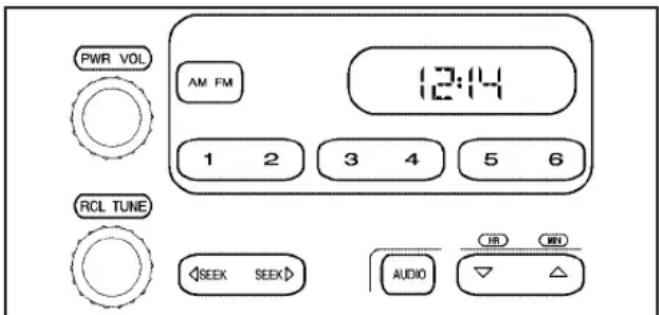
text_image
PWR VOL AM FM 12:14 1 2 3 4 5 6 RCL TUNE SEEK SEEK AUDIO HR MINIAM-FM Radio
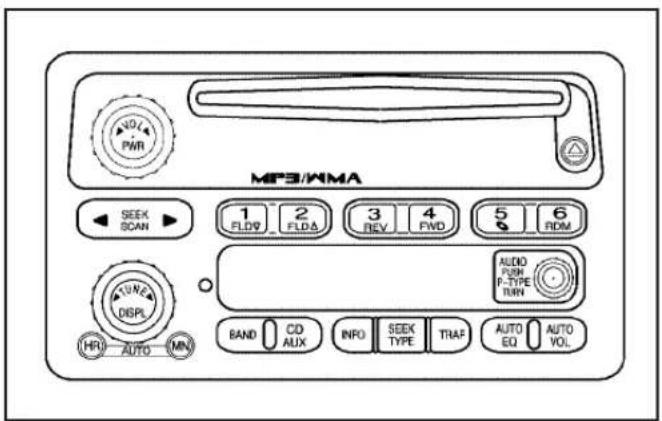
text_image
MP3/KMA 1 FLOW 2 FLDA 3 REV 4 FND 5 6 RPM AUDIO PUSH P-TYPE TURN BAND CD AUX INFO SEEK TYPE TRAF AUTO EQ AUTO VOL 0/4 PWR SEEK SCAN DISPL HRI AUTO MINRadio with CD (MP3/WMA)
Radio Data System (RDS)
The audio system has a Radio Data System (RDS). RDS features are available for use only on FM stations that broadcast RDS information.
With RDS, the radio can do the following:
- Seek to stations broadcasting the selected type of programming.
- Receive announcements concerning local and national emergencies.
• Display messages from radio stations. - Seek to stations with traffic announcements.
This system relies upon receiving specific information from these stations and only works when the information is available. In rare cases, a radio station could broadcast incorrect information that causes the radio features to work improperly. If this happens, contact the radio station.
While the radio is tuned to an RDS station, the station name or call letters display instead of the frequency. RDS stations can also provide the time of day, a program type (PTY) for current programming, and the name of the program being broadcast.
Playing the Radio
PWR (Power): Press to turn the system on and off.
◀▶ VOL/VOLUME: Turn to increase or to decrease the volume.
RCL (Recall) (AM-FM Radio): Press to switch the display between the radio station frequency, band, and the time. When the ignition is off, press to display the time.
DISPL (Display) (Radio with CD): When the ignition is turned off, press to display the time.
For RDS, press the DISPL knob to change what displays while using RDS. The display options are station name, RDS station frequency, PTY (program type), and the name of the program (if available).
For XM ^™ (if equipped), press the DISPL knob while in XM mode to retrieve four different categories of information related to the current song or channel: Artist, Song Title, Category or PTY, Channel Number/Channel Name.
To change the default on the display, press the DISPL knob until you see the desired display, then press and hold this knob for two seconds. The radio produces one beep. The selected display is now the default.
AUTO VOL (Automatic Volume): Automatic volume automatically adjusts the audio system to make up for road and wind noise while driving.
Set the volume at the desired level. Depending on the radio and displays, press to select MIN, MED, MAX AUTO VOL, or LOW, MEDIUM, and HIGH. AVOL displays. Each higher setting allows for more volume compensation at faster vehicle speeds. Then while driving, automatic volume increases the volume, as necessary, to overcome noise at any speed. The volume level should always sound the same while driving.
For the Radio with CD, NONE displays if the radio cannot determine the vehicle speed. To turn automatic volume off, press until OFF or AUTO VOL OFF displays.
Finding a Station
AM FM (AM-FM Radio): Press to switch between FM1, FM2, or AM. The selection displays.
BAND: Press to switch between FM1, FM2, AM, or XM1 or XM2 (if equipped). The selection displays.
◀▶ TUNE: Turn to select radio stations.
◀ SEEK ▶: Press to go to the previous or to the next station and stay there.
To scan stations, press and hold either arrow for two seconds until a beep sounds. The radio goes to a station, plays for a few seconds, then goes to the next station. Press either arrow again to stop scanning.
To scan preset stations, press and hold either arrow for more than four seconds until two beeps sound. The radio goes to the first preset station stored on the pushbuttons, plays for a few seconds, then goes to the next preset station. Press either arrow again to stop scanning presets.
◀ SCAN ▶: Press and hold for more than two seconds. SCAN or SCN displays and the radio produces one beep. The radio goes to a station, plays for a few seconds, then goes to the next station. Press either SCAN arrow again, to stop scanning presets.
To scan preset stations, press and hold either SCAN arrow for more than four seconds. PSCN or PSC displays and the radio produces one beep or depending on the radio, two beeps. The radio goes to a preset station, plays for a few seconds, then goes to the next preset station. Press either SCAN arrow again, to stop scanning presets.
The radio only scans stations with a strong signal that are in the selected band.
Setting Preset Stations
If the radio does not have XM, up to 18 stations (six FM1, six FM2, and six AM) can be programmed on the six numbered pushbuttons.
If the radio has XM, up to 30 stations (six FM1, six FM2, six AM, six XM1 and six XM2) can be programmed on the six numbered pushbuttons.
To program either radio:
- Turn the radio on.
- Press BAND to select FM1, FM2, AM, or XM1 or XM2 (if equipped).
- For the AM-FM Radio, press AM FM to select FM1, FM2, or AM.
- Tune in the desired station.
- Press and hold one of the six numbered pushbuttons until the radio beeps once. When that numbered pushbutton is pressed again, the station that was stored, returns.
- Repeat the steps for each pushbutton.
Setting the Tone (Bass/Treble)
AUDIO: Push and release until BASS/TREB, or depending on the radio, BASS, MID, or TREB displays. Turn to increase or to decrease. The tone display shows the bass or the treble level. If a station is weak or has static, decrease the treble.
- For the AM-FM Radio, press and hold the arrows to increase or to decrease the tone.
To adjust the bass/treble or bass/midrange/treble to the middle position, press and hold the AUDIO knob. The radio produces one beep and adjusts the display level to the middle position.
- For the AM-FM Radio, adjust bass or treble to the middle position, select BAS (bass) or TRE (treble). Then press and hold for more than two seconds until a beep sounds. B (balance) and a zero or T (treble) and a zero displays.
To adjust all tone and speaker controls to the middle position, push and hold the AUDIO knob when no tone or speaker control displays. ALL CENTERED displays and a beep sounds.
- For the AM-FM Radio, adjust both tone controls and both speaker controls to the middle position, first exit out of audio mode by pressing another button, causing the radio to perform that function or wait five seconds for the display to return to time of day. Then press and hold for more than two seconds until a beep sounds. CEN (center) displays.
AUTO EQ (Automatic Equalization): Press to select customized equalization settings designed for country/western, jazz, talk, pop, rock, and classical.
To return to the manual mode, press the AUTO EQ button until CUSTOM displays. Then manually adjust the bass/treble, or bass/midrange/treble by using the AUDIO knob.
Adjusting the Speakers (Balance/Fade)
AUDIO: To adjust the balance between the right and the left speakers, push and release until BAL (balance) displays. Turn to move the sound toward the right or the left speakers.
- For the AM-FM Radio, press and hold the arrows to move the sound toward the right or the left speakers.
To adjust the fade between the front and the rear speakers, push and release the AUDIO knob until FADE or depending on the radio, FAD displays. Turn the knob to move the sound toward the front or the rear speakers.
- For the AM-FM Radio, press and hold the arrows to move the sound toward the right or the left speakers.
To adjust the balance or the fade to the middle position, push the AUDIO knob to select BAL or FADE/FAD, then push it again and hold it until one beep sounds.
- For the AM-FM Radio, adjust balance or fade to the middle position by selecting BAL or FAD. Press and hold AUDIO for more than two seconds until a beep sounds. B (balance) and a zero or F (fade) and a zero displays.
To adjust all tone and speaker controls to the middle position, push and hold the AUDIO knob when no tone or speaker control is displayed. ALL CENTERED displays and a beep sounds.
- For the AM-FM Radio, adjust both tone controls and both speaker controls to the middle position by exiting out of audio mode. To do this, press any button for the radio to perform that function or wait five seconds for the display to return to time of day. Then press and hold AUDIO for more than two seconds until a beep sounds. CEN (center) displays.
Fade might not be available if the vehicle is a regular cab model.
Finding a Program Type (PTY) Station (RDS and XM)
To select and find a desired PTY perform the following:
- Press the P-TYPE to activate program type select mode. P-TYPE or TYPE and a PTY displays.
- Turn the P-TYPE knob again, to select a PTY.
- Once the desired PTY displays, press the SEEK / TYPE button to select and to take you to the PTY's first station.
- To go to another station within that PTY by pressing the SEEK / TYPE button twice to display the PTY and then go to another station.
To cancel the seek, press the SEEK / TYPE button. This also exits the program type seek mode and returns to the last tuned station.
If both PTY and TRAF (traffic) are on, the radio searches for stations with the selected PTY and traffic announcements.
If the radio cannot find the desired program type, NONE displays and the radio returns to the last tuned station.
SCAN: To scan PTYs, press and hold the SEEK / SCAN until a beep sounds. The radio goes to a station, plays for a few seconds, then goes to the next station.
BAND (Alternate Frequency): Alternate frequency lets the radio switch to a stronger station with the same program type. To turn alternate frequency on, press and hold BAND for two seconds. AF ON displays. The radio could switch to stations with a stronger frequency.
To turn alternate frequency off, press and hold BAND again for two seconds. AF OFF displays. The radio does not switch to other stations.
This function does not apply for XM Satellite Radio Service.
Setting Preset PTYs (RDS) Only
For the Radio with CD player, the six pushbuttons have factory PTY presets. Up to 12 PTYs (six FM1 and six FM2), can be programmed on the numbered pushbuttons. To program PTYs:
- Press BAND to select FM1 or FM2.
- Turn the P-TYPE knob to activate program type select mode. TYPE and the last selected PTY displays.
- Turn the P-TYPE knob to select a PTY.
- Press and hold one of the six numbered pushbuttons until a beep sounds. When that numbered pushbutton is pressed, the PTY that was set, returns.
- Repeat the steps for each pushbutton.
RDS Messages
ALERT!: For the Radio with CD, the Alert feature warns of local or national emergencies. When an alert announcement comes on the current radio station, ALERT! displays. The announcement is heard, even if the volume is low or a CD is playing. If a CD is playing, play stops during the announcement. Alert announcements cannot be turned off.
ALERT! is not affected by tests of the emergency broadcast system. This feature is not supported by all RDS stations.
INFO (Information): If the current station has a message, the information symbol or INFO displays. Press this button to see the message. The message can display the artist, song title, call in phone numbers, etc.
If the entire message is not displayed, parts of the message displays every three seconds. To scroll through the message, press and release the INFO button. A new group of words display after every press of this button. Once the complete message has displayed, the information symbol or INFO disappears from the display until another new message is received. The last message can be displayed by pressing the INFO button. The last message stays on the display until a new message is received or the radio is tuned to a different station.
When a message is not available from a station, NO INFO displays.
TRAF (Traffic): For the Radio with CD, if TRAF displays, the tuned station broadcasts traffic announcements. When a traffic announcement is broadcast on this station you will hear it.
If the station does not broadcast traffic announcements, press the TRAF button and the radio seeks to a station that does. When a station that broadcasts traffic announcements is found, the radio stops seeking and TRAF displays. If no station is found that broadcasts traffic announcements, NO TRAF displays.
If TRAF displays, press the TRAF button to turn off the traffic announcements.
The radio plays the traffic announcement if the volume is low. The radio interrupts the play of a CD if the last tuned station broadcasts traffic announcements.
This function does not apply to XM Satellite Radio Service.
Radio Messages
CAL ERR or CAL (Calibration Error): The audio system has been calibrated for the vehicle from the factory. If CAL or CAL ERR displays it means that the radio has not been configured properly for the vehicle and it must be returned to your dealer/retailer for service.
LOC or LOCKED: This message displays when the THEFTLOCK ^® system has locked up. Take the vehicle to your dealer/retailer for service.
If any error occurs repeatedly or if an error cannot be corrected, contact your dealer/retailer.
XM™ Satellite Radio Service
XM is a satellite radio service that is based in the 48 contiguous United States and 10 Canadian provinces. XM Satellite Radio has a wide variety of programming and commercial-free music, coast-to-coast, and in digital-quality sound. During your trial or when you subscribe, you will get unlimited access to XM Radio Online for when you are not in the vehicle. A service fee is required to receive the XM service. For more information, contact XM at xmradio.com or call 1-800-929-2100 in the U.S. and xmradio.ca or call 1-877-438-9677 in Canada.
Radio Messages for XM Only
See XMRadioMessagesonpage3-59later in this section for further detail.
Playing a CD (Radio with Single CD Player)
Insert a CD partway into the slot, label side up. The player pulls it in, and READING displays. The CD should begin playing. To insert a CD with the ignition off, first press the (eject) button or the DISPL knob.
If the ignition or radio is turned off with a CD in the player it stays in the player. When the ignition or radio is turned on, the CD starts to play where it stopped, if it was the last selected audio source.
When the CD is inserted, the CD symbol displays. As each new track starts to play, the track number displays.
The CD player can play the smaller 3 inch (8 cm) single CDs with an adapter ring. Full-size CDs and the smaller CDs are loaded in the same manner.
Care of Your CDs
If playing a CD-R, the sound quality can be reduced due to CD-R quality, the method of recording, the quality of the music that has been recorded, and the way the CD-R has been handled. Handle them carefully. Store CD-R(s) in their original cases or other protective cases and away from direct sunlight and dust. The CD player scans the bottom surface of the disc. If the surface of a CD is damaged, such as cracked, broken, or scratched, the CD does not play properly or not at all. Do not touch the bottom side of a CD while handling it; this could damage the surface. Pick up CDs by grasping the outer edges or the edge of the hole and the outer edge.
If the surface of a CD is soiled, take a soft, lint free cloth or dampen a clean, soft cloth in a mild, neutral detergent solution mixed with water, and clean it. Make sure the wiping process starts from the center to the edge.
Care of Your CD Player
Do not add any label to a CD, it could get caught in the CD player. If a CD is recorded on a personal computer and a description label is needed, try labeling the top of the recorded CD with a marking pen.
The use of CD lens cleaners for CDs is not advised, due to the risk of contaminating the lens of the CD optics with lubricants internal to the CD player mechanism.
Notice: If a label is added to a CD, or more than one CD is inserted into the slot at a time, or an attempt is made to play scratched or damaged CDs, the CD player could be damaged. While using the CD player, use only CDs in good condition without any label, load one CD at a time, and keep the CD player and the loading slot free of foreign materials, liquids, and debris.
If an error displays, see "CD Messages" later in this section.
1 FLD ▽(Previous): This button is inactive when playing a CD.
2 FLD △(Next): This button is inactive when playing a CD.
3 REV (Fast Reverse): Press and hold to reverse quickly within a track. Press and hold for less than two seconds to reverse at 10 times the normal playing speed. Press and hold for more than two seconds to reverse at 20 times the normal playing speed. Release to play the passage. ET (elapsed time) and the elapsed time of the track displays.
4 FWD (Fast Forward): Press and hold to advance quickly within a track. Press and hold for less than two seconds to advance at six times the normal playing speed. Press and hold for more than two seconds to advance at 17 times the normal playing speed. Release to play the passage. ET and the elapsed time of the track displays.
6 RDM (Random): Press to hear the tracks in random, rather than sequential, order. RDM ON displays. RDM and the track number displays when each track starts to play. Press again to turn off random play. RDM OFF displays.
SEEK ▶: Press the left arrow to go to the start of the current or the previous track. Press the right arrow to go to the start of the next track. Pressing either arrow for more than two seconds scans the next tracks, playing the first eight seconds of each track until all of the tracks have been previewed. Press either arrow again to stop scanning and to play the track.
◀ TUNE ▷: Turning this knob fast tracks reverse or advances through tracks. The track number displays for each track.
DISPL (Display): Press to see how long the current track has been playing. ET and the elapsed time of the track displays. To change the default on the display (track or elapsed time), press until you see the desired display, then press and hold for two seconds. The radio produces one beep. The selected display is now the default.
BAND: Press to listen to the radio when a CD is playing. The inactive CD remains inside the radio for future listening.
CD AUX (Auxiliary): Press to play a CD when listening to the radio. The CD symbol displays when a CD is loaded.
△(Eject): Press to eject a CD. Eject can be activated with either the ignition or radio off. CDs can be loaded with the ignition and radio off if this button is pressed first.
Playing an MP3/WMA CD-R Disc
Radios with the MP3/WMA feature are capable of playing an MP3/WMA CD-R disc. For more information on how to play an MP3/WMA CD-R disc, see Using anMP3onpage3-55later in this section.
CD Messages
CHECK CD: If this message displays and/or the CD comes out, it could be for one of the following reasons:
- It is very hot. When the temperature returns to normal, the CD should play.
- You are driving on a very rough road. When the road becomes smoother, the CD should play.
- The CD is dirty, scratched, wet, or upside down.
- The air is very humid. If so, wait about an hour and try again.
- The format of the CD might not be compatible. See UsinganMP3onpage3-55later in this section.
- There could have been a problem while burning the CD.
- The label could be caught in the CD player.
If the CD is not playing correctly, for any other reason, try a known good CD.
If any error occurs repeatedly or if an error cannot be corrected, contact your dealer/retailer. If the radio displays an error message, write it down and provide it to your dealer/retailer when reporting the problem.
Using an MP3
MP3/WMA CD-R Disc
MP3/WMA Format
If you burn your own MP3/WMA disc on a personal computer:
- Make sure the MP3/WMA files are recorded on a CD-R disc.
- Make sure playlists have a .mp3 or .wpl extension, other file extensions might not work.
- Files can be recorded with a variety of fixed or variable bit rates. Song title, artist name, and album are displayed by the radio when recorded using ID3 tags version 1 and 2.
- Create a folder structure that makes it easy to find songs while driving. Organize songs by albums using one folder for each album. Each folder or album should contain 18 songs or less.
- Make sure to finalize the disc when burning an MP3/WMA disc, using multiple sessions. It is usually better to burn the disc all at once.
The player is able to read and play a maximum of 253 folders, 50 playlists, 20 sessions, and 949 files. Long file names, folder names, or playlist names may use more disc memory space than necessary.
To conserve space on the disc, minimize the length of the file, folder, or playlist names. An MP3/WMA CD-R that was recorded using no file folders. The system can support up to 11 folders in depth, though, keep the depth of the folders to a minimum in order to keep down the complexity and confusion in trying to locate a particular folder during playback. If a CD contains more than the maximum of 253 folders, 50 playlists, 20 sessions, and 949 files, the player lets you access and navigate up to the maximum, but all items over the maximum are played.
Root Directory
The root directory is treated as a folder. If the root directory has compressed audio files, the directory displays as F1 ROOT. All files contained directly under the root directory are accessed prior to any root directory folders. However, playlists (Px) are always accessed before root folders or files.
Empty Directory or Folder
If a root directory or a folder exists somewhere in the file structure that contains only folders/subfolders and no compressed files directly beneath them, the player advances to the next folder in the file structure that contains compressed audio files. The empty folder does not display.
No Folder
When the CD contains only compressed files, the files are located under the root folder. The next and previous folder functions have no function on a CD that was recorded without folders or playlists. When displaying the name of the folder the radio displays ROOT.
When the CD contains only playlists and compressed audio files, but no folders, all files are located under the root folder. The folder down and the folder up buttons search playlists (Px) first and then go to the root folder. When the radio displays the name of the folder, the radio displays ROOT.
Order of Play
Tracks are played in the following order:
- Play begins from the first track in the first playlist and continues sequentially through all tracks in each playlist. When the last track of the last playlist has played, play continues from the first track of the first playlist.
- If the CD does not contain any playlists, then play begins from the first track under the root directory. When all tracks from the root directory have played, play continues from files according to their numerical listing. After playing the last track from the last folder, play begins again at the first track of the first folder or root directory.
When play enters a new folder, the display does not automatically show the new folder name unless you have chosen the folder mode as the default display. See DISPL (display) later in this section for more information. The new track name displays.
File System and Naming
The song name that displays is the song name that is contained in the ID3 tag. If the song name is not present in the ID3 tag, then the radio displays the file name without the extension (such as .mp3) as the track name.
Track names longer than 32 characters or four pages are shortened. Parts of words on the last page of text and the extension of the filename does not display.
Preprogrammed Playlists
Preprogrammed playlists which were created by WinAmp™, MusicMatch™, or Real Jukebox™ software can be accessed, however, they cannot be edited. These playlists are treated as special folders containing compressed audio song files.
Playing an MP3/WMA
Insert a CD partway into the slot, label side up. The player pulls it in, and READING displays. The CD should begin playing and the CD symbol displays. If you want to insert a CD with the ignition off, first press the △button or the DISPL knob.
If the ignition or radio is turned off with a CD in the player it stays in the player. When the ignition or radio is turned on, the CD starts to play where it stopped, if it was the last selected audio source.
As each new track starts to play, the track number displays.
1 FLD ▽ (Previous Folder): Press this button to go to the first track in the previous folder. Pressing this button while in folder random mode takes you to the previous folder and plays the tracks in random order in that folder.
2 FLD △(Next Folder): Press this button to go to the first track in the next folder. Pressing this button while in folder random mode takes the CD to the next folder and plays the tracks in random order in that folder.
3 REV (Reverse): Press and hold this button to reverse quickly within a track. Press and hold this button for less than two seconds to reverse at 10 times the normal playing speed. Press and hold it for more than two seconds to reverse at 20 times the normal playing speed. Release this button to play the passage. REV and the elapsed time of the track displays.
4 FWD (Forward): Press and hold this button to advance quickly within a track. Press and hold this button for less than two seconds to advance at 10 times the normal playing speed. Press and hold it for more than two seconds to advance at 20 times the normal playing speed. Release this button to play the passage. FWD and the elapsed time of the track displays.
6 RDM (Random): To play the tracks in random order in the current folder or playlist, press and release this button. FLDR RDM (folder random) displays. Once all of the tracks in the current folder or playlist have played, the system moves to the next folder or playlist and plays all of the tracks in random order.
To play all the tracks in random order on the CD, press and hold this button for two seconds. A beep sounds and DISC RDM (disc random) displays. This feature does not work with playlists.
When in random, pressing and releasing either SEEK arrow takes the CD to the previous or to the next random track.
Press and release this button again to turn off random play. NO RDM (no random) displays.
◀ SEEK ▶: Press the left SEEK arrow to go to the start of the previous track. Press the right SEEK arrow to go to the start of the next track. Pressing either SEEK arrow for more than two seconds searches the previous or next tracks at two tracks per second. Release the button to stop searching and to play the track.
◀ TUNE ▷: Turning this knob fast tracks reverse or advances through the tracks in all folders or playlists. The track number and file name displays for each track. Turning this knob while in random fast tracks reverse or advances the tracks in sequential order.
DISPL (Display): Press this knob to switch between track mode, folder/playlist mode, and time of day mode. The display shows only eight characters, but there can be up to four pages of text. If there are more than eight characters in the song, folder, or playlist name, pressing this knob within two seconds takes you to the next page of text. If there are no other pages to be shown, pressing this knob within two seconds takes you to the next display mode.
- Track mode displays the current track number and the ID3 tag song name.
- Folder/playlist mode displays the current folder or playlist number and the folder/playlist name.
- Time of day mode displays the time of day and the ID3 tag song name.