
Wake-up Light HF3510 - Lighting PHILIPS - Free user manual and instructions
Find the device manual for free Wake-up Light HF3510 PHILIPS in PDF.


| Product type | Wake-up light with dawn simulation |
| Brand | Philips |
| Model | HF3510 |
| Power | Mains adapter 100-240 V AC, safety output < 24 V |
| Frequency | 50/60 Hz |
| Main functions | Dawn simulation with gradually increasing light intensity, wake-up by natural sounds or FM radio, nightlight, snooze function, sleep mode, clock with adjustable contrast |
| Number of natural sounds | 3 built-in sounds |
| FM radio | Automatic frequency search, manual tuning |
| Light intensity adjustment | Adjustable wake-up profile (light intensity and sound volume) |
| Dawn simulation duration | 30 minutes before wake-up time |
| Snooze function | 9 minutes repetition after pressing SNOOZE button |
| Sleep mode | Timer from 5 to 60 minutes with gradual dimming |
| Display | Digital display with adjustable contrast (4 levels) |
| Backlit buttons | Yes, activation by finger swiping |
| Demo mode | Quick 90-second demonstration |
| Maintenance and cleaning | Clean with a soft cloth. Do not use abrasive products. |
| Safety | Do not use in a humid environment, do not look directly into the lamp, use only the supplied adapter, unplug before cleaning |
| Spare parts and repairability | No user-serviceable parts. Contact Philips customer service at 1 866 832-4361 |
| Warranty | Full 2-year warranty (manufacturing defects and labor). 45-day money-back guarantee |
| Intended use | Indoor, domestic or similar use (hotels) |
| Ambient temperature | 10°C to 35°C |
| Recommended distance | 40 to 50 cm from the head |
| Support | www.philips.com/support or 1 866 832-4361 |
Frequently Asked Questions - Wake-up Light HF3510 PHILIPS
User questions about Wake-up Light HF3510 PHILIPS
0 question about this device. Answer the ones you know or ask your own.
Ask a new question about this device
Download the instructions for your Lighting in PDF format for free! Find your manual Wake-up Light HF3510 - PHILIPS and take your electronic device back in hand. On this page are published all the documents necessary for the use of your device. Wake-up Light HF3510 by PHILIPS.
USER MANUAL Wake-up Light HF3510 PHILIPS
natural_image
White spherical electronic device with digital display showing '0630' and 'PHILIPS' branding (no readable text beyond branding)IMPORTANT SAFETY INSTRUCTIONS
WARNING – To reduce the risk of FIRE, ELECTRIC SHOCK, OR INJURY TO PERSONS:
- Never use the appliance if the lamp housing is damaged, broken or missing.
- Heed all warnings.
- Do not look directly at lighted lamp.
- If the appliance, power supply cord or cord has been damaged in any way, liquid has spilled or objects have fallen into the appliance, the appliance has been exposed to rain or moisture, does not operate normally or has been dropped or damaged, it should not be operated.
- Read this user manual carefully before you use the appliance and save it for future reference.
- Water and electricity are a dangerous combination. Do not use this appliance in wet surroundings (e.g. in the bathroom or near a shower or swimming pool).
- Make sure the adapter does not get wet.
- Do not let water run into the appliance or spill water onto the appliance (see below).

natural_image
Simple line drawing of a white object with a cross mark and a battery symbol, set against a solid blue background (no text or symbols)-
The adapter contains a transformer. Do not cut off the adapter to replace it with another plug, as this causes a hazardous situation.
-
Only use the original adapter. If the adapter or any of the other accessories is damaged, do not use. Call 1-866-832-4361 for assistance.
-
Do not use the adapter in or near a power outlet that contains an electric air freshener to prevent damage to the adapter.
-
This appliance is for indoor use only.
-
Make sure the vents on the appliance remain open during use.
-
Protect the power cord from being walked on or pinched, particularly at plugs, outlet and point where they exit from lamp.
-
The appliance has no on/off switch. To disconnect the appliance from the power source, remove the plug from the wall outlet.
SAVE THESE INSTRUCTIONS
General

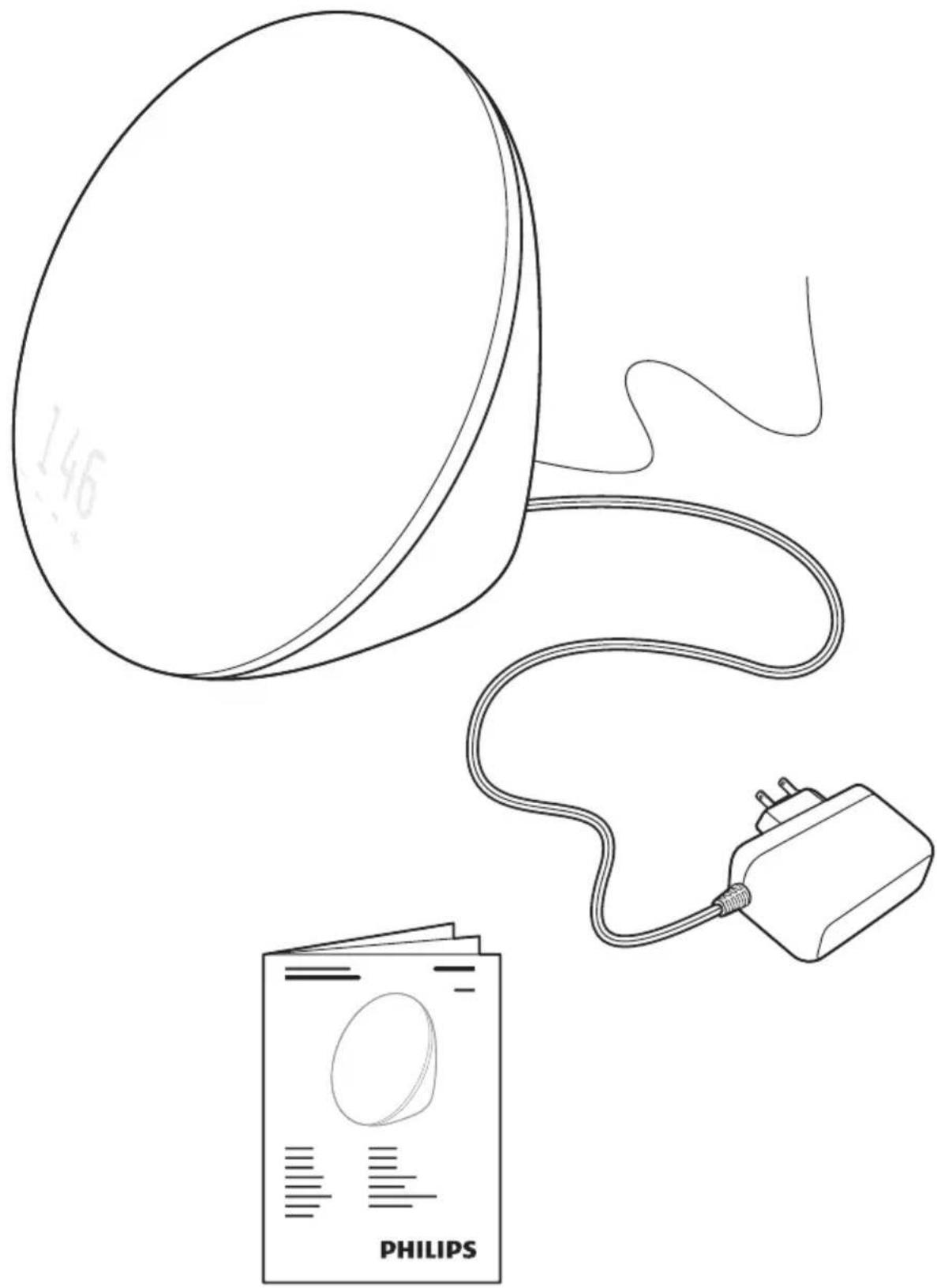
What's in the box 6

Important information 7
Introduction 10

Icon explanation 10

Overview 11
First use

Clock time 12
Menu

Wake-up profile 13

Wake-up sound 14

Adjusting clock time 15
Buttons

Lamp on/off button 16

Radio on/off button 17

Alarm on/off button 18

Snooze 19

Display contrast 20

Fall asleep button 21
Extra options

Demonstration mode 22

Storage 23

Disposal 23

Assistance 23

45-Day Money-Back Guarantee 24

Full Two-Year Warranty 24

Troubleshooting 25
natural_image
Line drawing of a medical device with a bulb, cable, and a paper labeled 'PHILIPS' (no text or symbols on the devices themselves)
Important information
Warning
- Check if the voltage indicated on the adapter corresponds to the local voltage before you connect the appliance.
- This adapter transforms 100-240 volts to a safe, low voltage of less than 24 volts.
- The appliance is suitable for a voltage of 120V AC and a frequency of 50/60 Hz.
- Close supervision is necessary when this appliance is used by, or near children or invalids.
- Children should be supervised to ensure that they do not play with the appliance.
Caution
- Do not drop the appliance on the floor, hit it hard or expose it to other heavy shocks.
- Place the appliance on a stable, level and non-slippery surface.
- Do not use the appliance at room temperatures lower than 50^ / 10^ or higher than 95^ / 35^ .
- Consult your doctor before you start using the appliance if you have suffered from or are suffering from serious depression.
- Do not use this appliance as a means to reduce your hours of sleep. The purpose of this appliance is to help you wake up more easily. It does not diminish your need for sleep.
- This appliance is only intended for household use, including similar use in hotels. Do not use attachments not recommended by Philips North America LLC (USA) or Philips Electronics Ltd (Canada).
General
- This appliance allows you to choose the light intensity level you want to wake up to.
- If you often wake up too early or with a headache, reduce the light intensity level.
- If you share a bedroom with someone else, this person may unintentionally wake up from the light of the appliance, even though this person is further removed from the appliance. This is the result of differences in light sensitivity between people.
- The power consumption of the appliance is lowest if the radio and the lamp are turned off.
FCC Information
- This equipment has been tested and found to comply with the limits for a Class B digital device, pursuant to part 15 of the FCC rules. These limits are designed to provide reasonable protection against harmful interference in a residential installation. This equipment generates uses and can radiate radio frequency energy and, if not installed and used in accordance with the instructions, may cause harmful interference to radio communications. However, there is no guarantee that interference will not occur in a particular installation. If this equipment does cause harmful interference to radio or television reception, which can be determined by turning the equipment off and on, the user is encouraged to try to correct the interference by one or more of the following measures:
- Reorient or relocate the receiving antenna.
– Increase the separation between the equipment and the receiver. - Connect the equipment into an outlet on a circuit different from that to which the receiver is connected.
- Consult the dealer or an experienced radio/TV technician for help.
- This device complies with Part 15 of the FCC Rules. Operation is subject to the following two conditions: (1) This device may not cause harmful interference, and (2) this device must accept any interference received, including interference that may cause undesired operation.
- This Class B digital apparatus complies with Canadian ICES-003 and ICES-005.
Congratulations on your purchase and welcome to Philips! To fully benefit from the support that Philips offers, register your product at www.philips.com/welcome.
The Philips Wake-up Light helps you wake up more pleasantly. Thirty minutes before the set wake up time, the light intensity of the lamp gradually increases to the set level. The light gently prepares your body for waking up at the set time. To make waking up an even more pleasant experience, you can use natural wake-up sounds or the FM radio to wake up to.
The effects of the Wake-up Light
The Philips Wake-up Light gently prepares your body for waking up during the last 30 minutes of sleep. In the early morning hours our eyes are more sensitive to light than when we are awake. During that period the relatively low light levels of a simulated natural sunrise prepare our body for waking up and getting alert. People who use the Wake-up Light wake up more easily, have a better overall mood in the morning and feel more energetic. Because the sensitivity to light differs per person, you can set the light intensity of your Wake-up Light to a level that matches your light sensitivity for an optimal start of the day.
For more information about the Wake-up Light, see www.philips.com.

Icon explanation
 | Wake-up profile | FM | FM radio |
 | Wake-up sound Fall asleep | ||
 | Clock time Natural sounds | ||
 | Display contrast Radio | ||
 | Lamp |
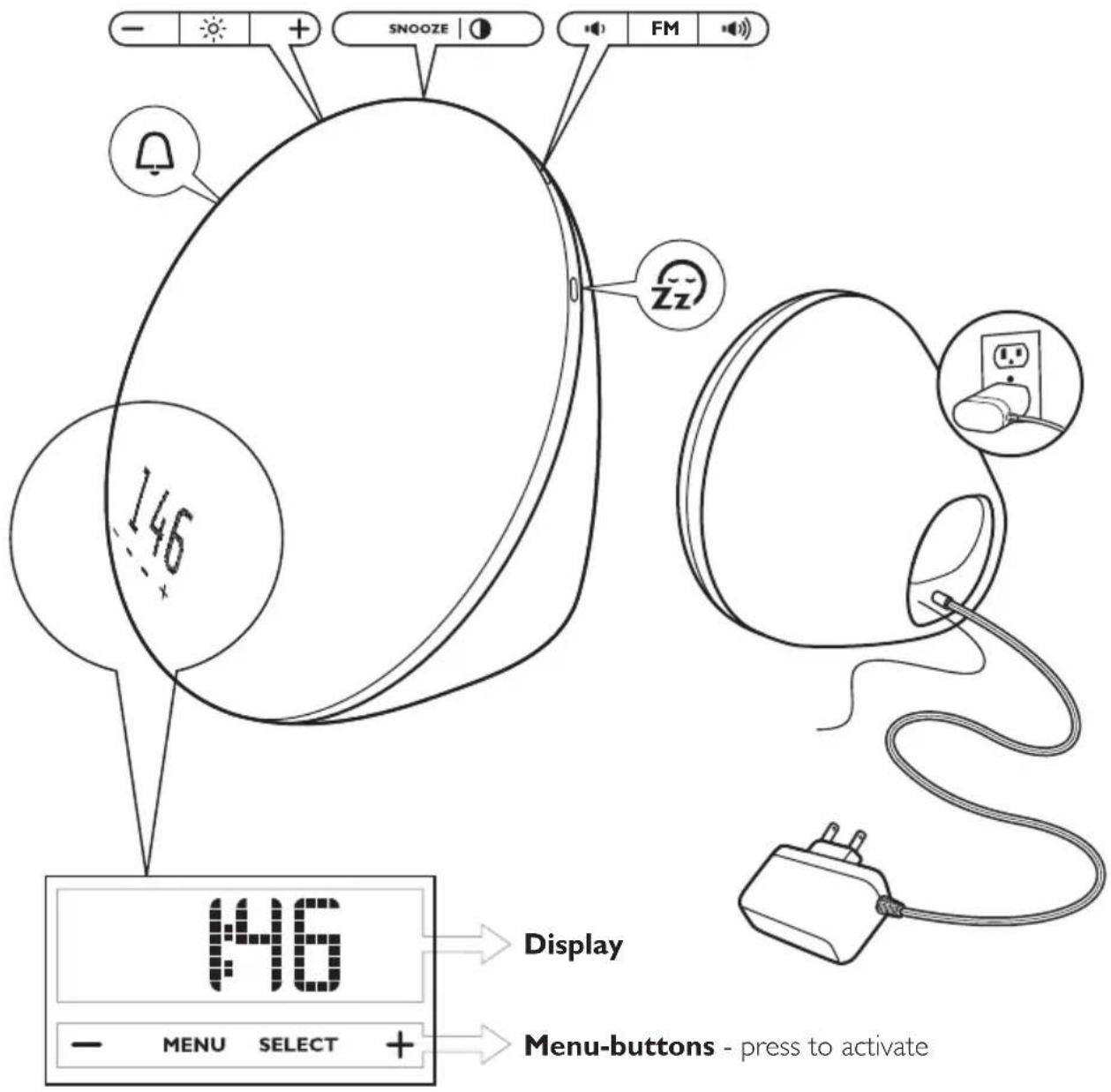
Navigating through the menu
Press the MENU button to enter the menu
Press the + or - button to select a menu setting
Press SELECT to confirm


Note: To exit the menu, either press the MENU button or wait for 30 seconds.
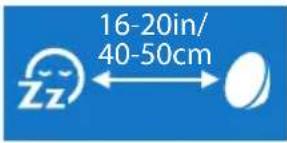
First use - placing the Wake-up light
Place the Wake-up Light 16-20in/40-50cm from your head, for example on a bedside table.

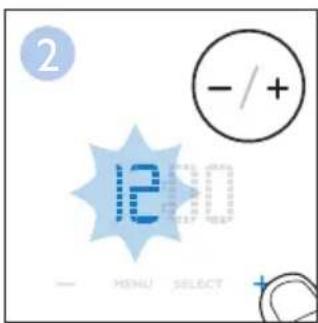
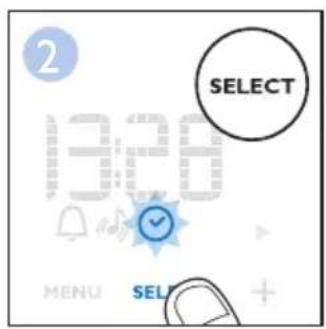
First use - setting the clock time
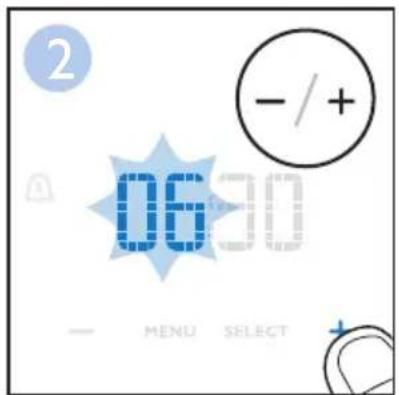
You have to set the clock time when you plug in the appliance for the first time and when there has been a power failure.



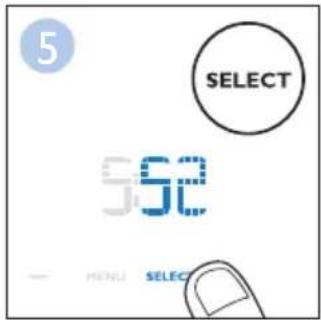
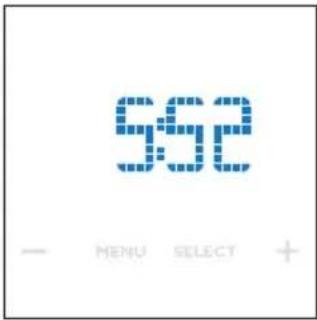

Setting your wake-up profile
When you set your wake-up profile, you set the wake-up time (steps 1 – 6), the light intensity (steps 7 and 8) and the sound level (steps 9 and 10) you want to wake up to.

Note:
Because the sensitivity to light differs per person, you may have to experiment with different settings for a few days to find your optimal level.
Setting your wake-up sound
You can use natural wake-up sounds or the FM radio as a wake-up sound. The Wake-up Light has three built-in natural sounds.



To set the clock time, choose between a 12-hour and a 24-hour clock and then adjust the time.



natural_image
Blue background with white icons: a white oval and a sun symbol (no text or numbers)Switching the lamp on/off
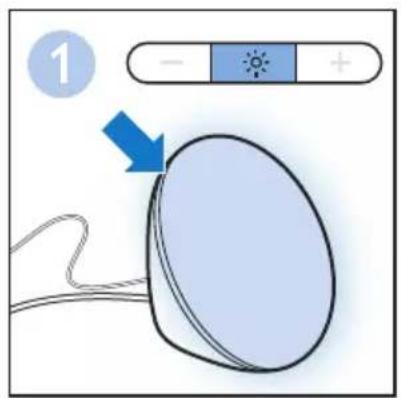
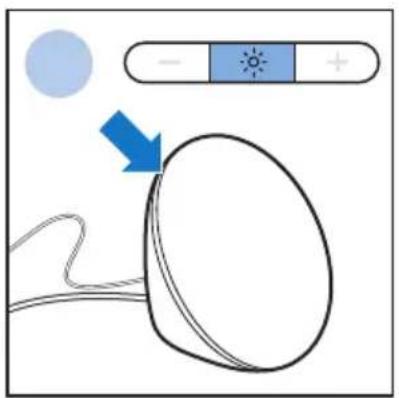
Press the lamp on/off button to switch on the lamp and use it as a bedside lamp. You can adjust the light intensity by pressing the + and - buttons. To switch off the lamp, press the lamp on/off button again.


Switching the FM radio on/off
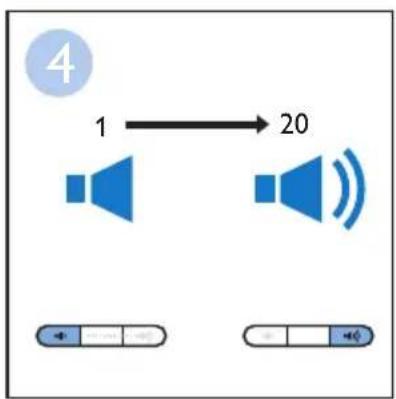
Press the FM on/off button to switch on the FM radio.
natural_image
Illustration of a medical device with a tube and plug, no text or symbols present


flowchart
graph LR
    A["1"] --> B["20"]
    C["播放器"] --> D["播放器"]
    E["播放器"] --> F["播放器"]
Note:
To scan radio frequencies automatically, press and hold the menu - or + button for approx. 2 seconds.

natural_image
Blue background with a white abstract icon: a white bell and a circular shape (no text or symbols)Switching the alarm on/off
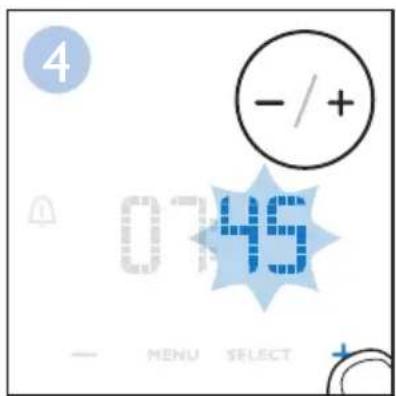
Press the alarm button if you want to switch the alarm on or off. The corresponding icon appears on the display when you switch on the alarm. It disappears when you switch off the alarm. When you switch on the alarm, the hour indication starts to flash. If necessary, you can now adjust the alarm time.




Note:
If you want to adjust the light level or volume to wake up to, you have to use the menu.
See chapter 'Setting your wake-up profile'.
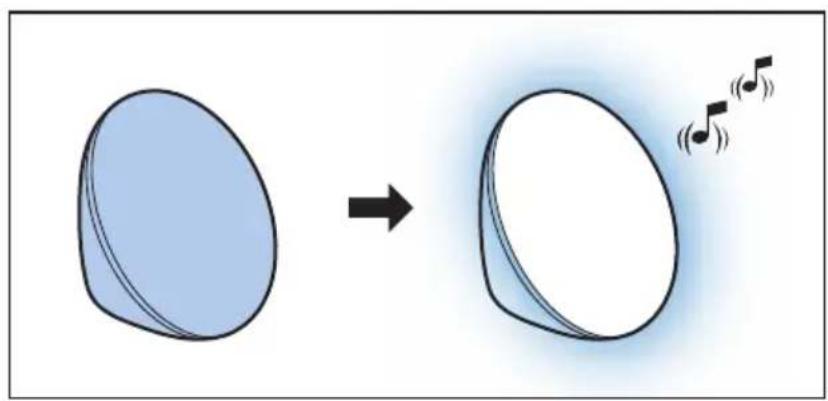
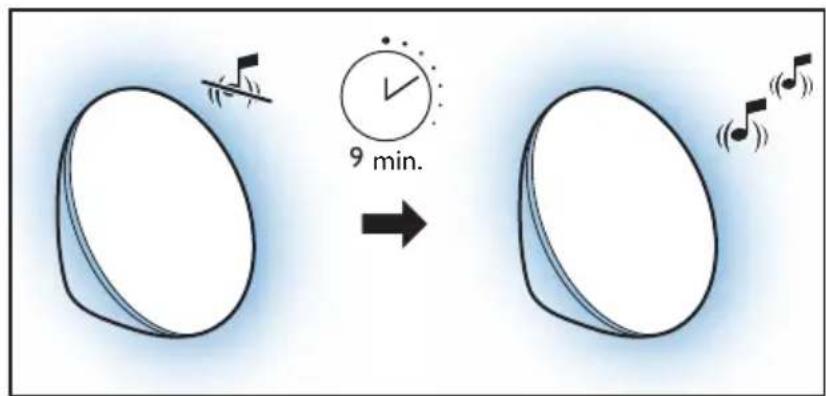
When the alarm sound is played at the set time, you can press the SNOOZE button to snooze for a while. The lamp stays on, but the alarm sound stops. After 9 minutes, the alarm sound is played again automatically.
natural_image
Diagram showing a blue oval shape transforming into a white oval with musical notes (no text or symbols)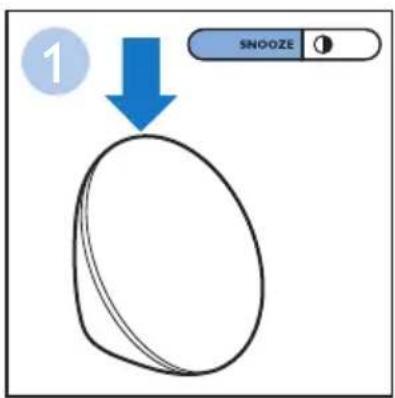

Note:
- The alarm icon flashes on the display when the alarm is snoozed.
- If you press either the 'FM' button, the 'Fall asleep' button or the 'MENU' button while the alarm sound is playing, the alarm stops and is not snoozed. If you press the 'Alarm' button while the alarm sound is playing, you disable the alarm function. The alarm icon disappears from the display. To reactivate alarm function, press the 'Alarm' button again.
Setting the display contrast
You can adjust the display contrast from level 1 to level 4. Choose a level that is optimal for you to see the display at night. Press the display contrast button several times to adjust the display contrast level.


natural_image
Blue background with white satellite dish and cloud icon (no text or symbols)Fall asleep
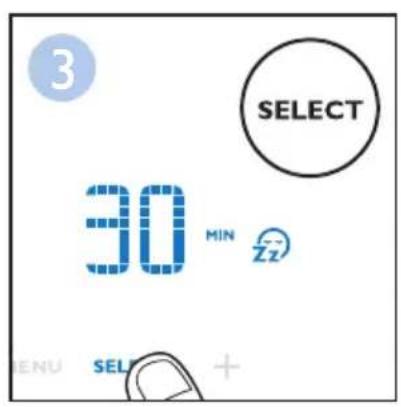
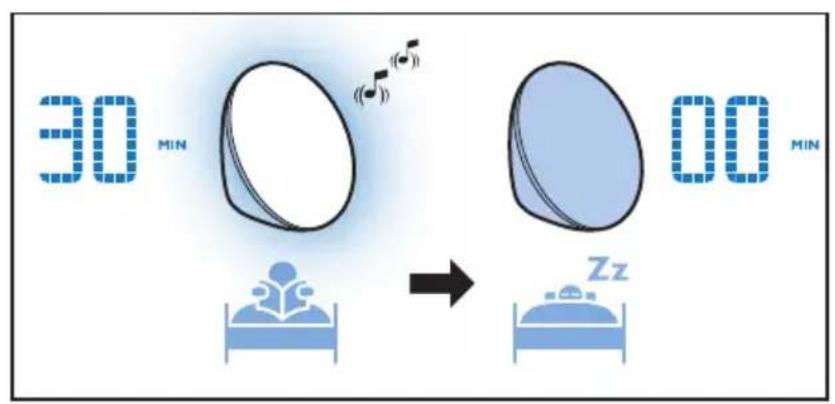
Press the fall asleep button when you want the light and/or the sound of the Wake-up Light to stay on and dim gradually during a set period of time (5 to 60 minutes) before you go to sleep. The lamp and/or sound switch off automatically after the set time.
- Press the fall asleep button to switch on the fall asleep function.
- The set fall asleep time appears on the display.
- Press the + or - button to adjust the time (5 to 60 minutes).
To switch off the fall asleep function, press the fall asleep button again. The fall asleep icon disappears from the display.



Note:
If you press the fall asleep button when neither the lamp nor the FM function is on, the lamp goes on and will dim gradually.
Demonstration mode
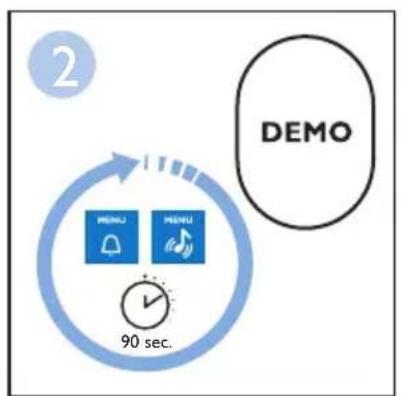
If you want a quick demonstration (90 seconds) of the gradually increasing light intensity and sound level, switch on the test function of the appliance.
- Press and hold the alarm button for at least 3 seconds.
- The appliance starts the demonstration of the alarm.
- To switch off the demonstration, press and hold the previously pressed alarm button for 3 seconds again.


flowchart
graph TD
    A["2"] --> B["90 sec."]
    B --> C["MENU"]
    B --> D["ME"]
    C --> E["90 sec."]
    D --> E
    E --> F["DEMO"]

Audio feedback
When you press a menu button, you hear a click. If you do not want to hear clicks when you press a button, press and hold the FM button for 5 seconds to switch off the audio feedback. You hear one click as a confirmation. To activate, press and hold the FM button again. You hear two clicks to confirm that the audio feedback is activated.
Button backlight
The menu buttons have a backlight to help you to find the buttons. If you move your fingers close to the buttons, the backlight lights up. If you don't press the button, the backlight goes out after a few seconds.

Storage
- Clean the appliance with a soft cloth.
- If the appliance will not be used for an extended period of time, remove the power cord from the wall outlet and store the appliance in a safe, dry location where it will not be crushed, banged, or subject to damage.
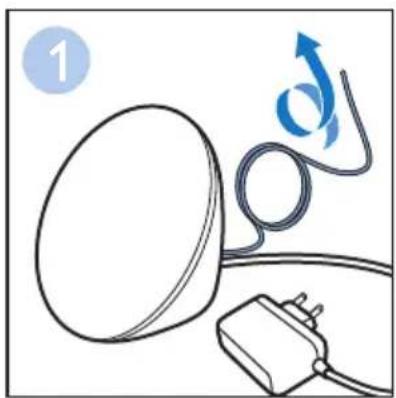
- Do not wrap the power cord around the appliance when storing it.
- This appliance has no other user-serviceable parts. For assistance, call 1-866-832-4361.

Disposal
Your product is designed and manufactured with high quality materials and components, which can be recycled and reused. For recycling information, please contact your local waste management facilities or visit www.recycle.philips.com

Assistance

For assistance visit our website: www.philips.com/support or call toll free: 1-866-832-4361.
If you are not fully satisfied with your Philips Wake-up Light, send the product back and we'll refund you the full purchase price. The Wake-up Light must be shipped prepaid by insured mail, insurance prepaid, have the original sales receipt, indicating purchase price and the date of purchase, and the money-back guarantee return authorization form enclosed. We cannot be responsible for lost mail.
The Wake-up Light must be postmarked no later than 45 days after the date of purchase. Philips reserves the right to verify the purchase price of the Wake-up Light and limit refunds not to exceed suggested retail price.
To obtain a Money-Back Guarantee Return Authorization form, call 1-866-832-4361.
Delivery of refund check will occur 6-8 weeks AFTER receipt of returned product.

Full Two-Year Warranty
Philips North America LLC (USA) and Philips Electronics Ltd (Canada) warrant each new Philips product, model HF3510 against defects in materials or workmanship for a period of two years from the date of purchase, and agree to repair or replace any defective product without charge. IMPORTANT: This warranty does not cover damage resulting from accident, misuse or abuse, lack of reasonable care, or the affixing of any attachment not provided with the product. NO RESPONSIBILITY IS ASSUMED FOR ANY SPECIAL, INCIDENTAL OR CONSEQUENTIAL DAMAGES. In order to obtain warranty service, simply call toll-free 1-866-832-4361. In US Manufactured for: Philips Personal Health, a division of Philips North America LLC, P.O. Box 10313, Stamford, CT 06904. In Canada Imported for: Philips Electronics LTD, 281 Hillmount Road, Markham, Ontario L6C 2S3. PHILIPS is a registered trademark of Koninklijke Philips Electronics N.V. © 2020 Philips North America LLC. All rights reserved.
This chapter summarizes the most common problems you could encounter with the appliance. If you are unable to solve the problem with the information below, visit www.philips.com/support or call 1-866-832-4361 for assistance.
| Problem Solution | |
| The appliance does not work at all. | Perhaps the adapter is not inserted properly in the wall outlet. Put the adapter properly in the wall outlet. |
| Perhaps the plug is not inserted properly into the appliance. Put the plug properly into the appliance. | |
| Perhaps there is a power failure. Check if the power supply works by connecting another appliance. | |
| The appliance functions properly, but the lamp does not work anymore | The appliance uses durable LED technology. The lamp should last a long time. However, if the lamp stops working, go to www.philips.com/support or call 1-866-832-4361 for assistance. |
| The appliance does not respond when I try to set different functions. | Remove the adapter from the wall outlet and wait a few minutes before you reinsert it. When you reinsert the adapter, the appliance goes back to the factory settings and you have to set all functions again. |
| The lamp does not go on when the alarm goes off. | Perhaps you set a light intensity level that is too low. Increase the light intensity level in your wake-up profile (see user manual for more information). |
| Perhaps you switched off the alarm function. The alarm icon is visible on the display when the alarm function is active. | |
| The lamp does not go on right away when I switch it on. | It takes approx. 1 second for the lamp to go on. This is normal, the lamp needs to heat up. |
| I do not hear the alarm sound when the alarm goes off. | Perhaps you set a sound level that is too low. To set a higher sound level, increase the volume level of the wake-up sound in your wake-up profile (see user manual for more information). |
| Perhaps you switched off the alarm function. The alarm icon is visible on the display when the alarm function is active. | |
| If you selected the radio as the alarm sound, switch on the radio after you switch off the alarm to check if the radio works. If it does not work, call 1-866-832-4361 for assistance. | |
| The radio does not work. Perhaps you set the volume too low. Increase the volume level. | |
Call 1-866-832-4361 for assistance.
| Problem Solution | |
| The radio produces a crackling sound. | Perhaps the broadcast signal is weak. Adjust the frequency (see user manual for more information) and/or change the position of the antenna by moving it around. Make sure you have unwound the antenna completely. |
| The alarm went off yesterday, but it did not go off today. | Perhaps you switched off the alarm function.The alarm icon is visible on the display when the alarm function is active. |
| Perhaps you set a volume level and/or light intensity level that is too low. Set a higher volume level and/or light intensity level in your wake-up profile (see user manual for more information). | |
| Perhaps there was a power failure that lasted more than a few minutes. In this case, the appliance goes back to factory settings. You need to set all functions again. | |
| I wanted to snooze, but the alarm did not go off again after 9 minutes. | Press the SNOOZE button to snooze the alarm. If you press the alarm button, the FM button, or the MENU button, the alarm function will be deactivated. |
| The light wakes me too early. | Perhaps the light intensity level you have set is not appropriate for you. Try a lower light intensity level if you wake up too early. If light intensity 1 is not low enough, move the appliance further away from the bed. |
| The light wakes me too late | Perhaps the appliance is positioned at a lower level than your head. Make sure the appliance is located at a height at which the light is not blocked by your bed, comforter/blanket or pillow. Also make sure the appliance is not placed too far away. |
The lamp flashes. Perhaps the appliance is not suitable for the voltage to which it is connected. Make sure that the voltage indicated on the appliance corresponds to the local voltage.
IMPORTANTES CONSIGNES DE SÉCURITÉ
natural_image
Simple line drawing of a white object with a cross mark and a bottle on top, set against a blue background (no text or symbols)natural_image
Line drawing of a medical device with a bulb, cable, and a paper labeled 'PHILIPS' (no text or symbols on the devices themselves)Mise en garde
natural_image
Blue background with white icons: a white oval and a sun symbol (no text or numbers)
natural_image
Illustration of a medical device with a bulb, cable, and plug (no text or symbols)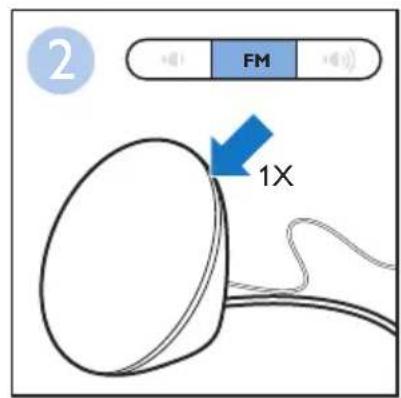


flowchart
graph LR
    A["1"] --> B["20"]
    C["播放器"] --> D["播放器"]
    E["播放器"] --> F["播放器"]
Remarque :
natural_image
Blue background with a white abstract icon resembling a bell and a circular shape (no text or symbols)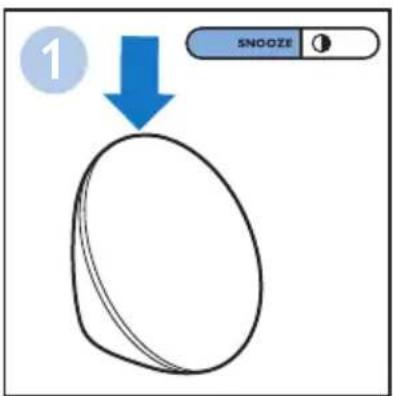
Remarque :
natural_image
Blue background with white satellite dish icon and stylized 'ZZ' face (no text or symbols)Mise en veille
Remarque :
flowchart
graph TD
    A["MENU"] --> B["90 sec."]
    B --> C["DEMO"]

Réaction acoustique
©2020 Philips North America LLC
natural_image
Simple line drawing of a white oval object with a cross mark and a battery-like symbol on top, set against a solid blue background (no text or symbols)natural_image
Line drawing of a medical device with a bulb, cable, and a paper labeled 'PHILIPS' (no text or symbols on the devices themselves)Advertencia
natural_image
Blue background with white icons: a white oval and a sun symbol (no text or numbers)
natural_image
Illustration of a medical device with a tube and plug, no text or symbols present

flowchart
graph LR
    A["1"] --> B["20"]
    C["播放器"] --> D["播放器"]
    E["播放器"] --> F["播放器"]
Nota:
natural_image
Blue background with a white abstract icon resembling a bell and a circular shape (no text or symbols)

Nota:
natural_image
Blue background with white abstract icons: a satellite dish and a sleeping face (no text or symbols)Dormir
Nota:

flowchart
graph TD
    A["MENU"] --> B["90 sec."]
    B --> C["DEMO"]

Respuesta de audio
©2020 Philips North America LLC.
Specifications are subject to change without notice.
All rights reserved.

- IMPORTANT SAFETY INSTRUCTIONS
- WARNING – To reduce the risk of FIRE, ELECTRIC SHOCK, OR INJURY TO PERSONS:
- SAVE THESE INSTRUCTIONS
- General
- First use
- Menu
- Buttons
- Extra options
- Important information
- Warning
- Caution
- FCC Information
- The effects of the Wake-up Light
- Icon explanation
- Navigating through the menu
- First use - placing the Wake-up light
- First use - setting the clock time
- Setting your wake-up profile
- Note:
- Setting your wake-up sound
- Switching the lamp on/off
- Switching the FM radio on/off
- Switching the alarm on/off
- Setting the display contrast
- Fall asleep
- Demonstration mode
- Audio feedback
- Button backlight
- Storage
- Disposal
- Assistance
- Full Two-Year Warranty
- IMPORTANTES CONSIGNES DE SÉCURITÉ
- Mise en garde
- Remarque :
- Mise en veille
- Réaction acoustique
- Advertencia
- Nota:
- Dormir
- Respuesta de audio
Brand : PHILIPS
Model : Wake-up Light HF3510
Category : Lighting