Magellan 3300HSi - Barcode Reader DATALOGIC - Free user manual and instructions
Find the device manual for free Magellan 3300HSi DATALOGIC in PDF.


User questions about Magellan 3300HSi DATALOGIC
0 question about this device. Answer the ones you know or ask your own.
Ask a new question about this device
Download the instructions for your Barcode Reader in PDF format for free! Find your manual Magellan 3300HSi - DATALOGIC and take your electronic device back in hand. On this page are published all the documents necessary for the use of your device. Magellan 3300HSi by DATALOGIC.
USER MANUAL Magellan 3300HSi DATALOGIC
In-Counter Horizontal Single Plane Scanner

natural_image
Exterior view of a metallic square electronic device with a transparent glass cover and 'DATALOGIC' branding (no other text or symbols visible)Datalogic ADC, Inc.
959 Terry Street
Eugene, OR 97402
USA
Telephone: (541) 683-5700
Fax: (541) 345-7140
© 2010-2014 Datalogic ADC, Inc.
An Unpublished Work – All rights reserved. No part of the contents of this documentation or the procedures described therein may be reproduced or transmitted in any form or by any means without prior written permission of Datalogic ADC, Inc. or its subsidiaries or affiliates ("Datalogic" or "Datalogic ADC"). Owners of Datalogic products are hereby granted a non-exclusive, revocable license to reproduce and transmit this documentation for the purchaser's own internal business purposes. Purchaser shall not remove or alter any proprietary notices, including copyright notices, contained in this documentation and shall ensure that all notices appear on any reproductions of the documentation.
Should future revisions of this manual be published, you can acquire printed versions by contacting your Datalogic representative. Electronic versions may either be downloadable from the Datalogic website (www.datalogic.com) or provided on appropriate media. If you visit our website and would like to make comments or suggestions about this or other Datalogic publications, please let us know via the "Contact Datalogic" page.
Disclaimer
Datalogic has taken reasonable measures to provide information in this manual that is complete and accurate, however, Datalogic reserves the right to change any specification at any time without prior notice.
Datalogic and the Datalogic logo are registered trademarks of Datalogic S.p.A. in many countries, including the U.S.A. and the E.U. All other brand and product names may be trademarks of their respective owners.
Magellan is a registered trademark of Datalogic ADC, Inc. in many countries, including the U.S.A. and the E.U.
This product may be covered by one or more of the following patents:
Utility patents: EP1307854B1; EP1425704B1; GB2346474; GB2346475; US5481098; US5837983; US6012639; US6073849; US6129279; US6578765; US6705527; US6877663; US7201322; US7204422
Additional patents pending.
Table of Contents
Chapter 1. Getting Started.... 1
About This Manual .... 1
Manual Conventions 1
Connecting the Scanner 2
Error Codes 4
Installation 4
LED and Beeper Indicators 6
Programming 8
Using the Programming Bar Codes 8
Resetting the Standard Product Defaults 8
Data Matrix Programming Labels 8
Bar Code Mask 9
Going Green 10
LED Class 10
Chapter 2. General Features....11
Double Read Timeout for Linear Labels 11
Double Read Timeout for 2D Labels ....13
Scanner Button Options 14
Camera Button Mode 15
LED Level 16
Auxiliary Port Mode 17
Auxiliary Port Baud Rate 18
Productivity Index Reporting (PIR) 19
Sleep Mode 20
Wake Up Intensity 22
LED and Beeper Indicators 24
Power On Alert 24
External Read Indicator (ERI) Active State High 24
ERI Timeout 25
Good Read: When to Indicate 26
Good Read Beep Control 27
Good Read Beep Frequency 27
Good Read Beep Length 28
Good Read Beep Volume 29
Cell Phone Mode 30
Chapter 3. Image Capture.... 31
Image Capture 31
How to Capture an Image ....31
Image Capture to a microSD Card by Scanning a Special Label ....31
Image Capture to the Host by Host Command 32
Image Capture to a microSD Card by Optional Remote Camera Button Press 33
Image Compression 34
Image Format 34
Image Size 35
Image Brightness 36
Image Contrast 36
Chapter 4. Interface Related Features ...... 37
Interface Selection 39
Interface Features 41
Obey/Ignore Host Commands 41
Host Transmission Buffers 42
RS-232 Interface Features 43
Hardware Flow Control 45
Intercharacter Delay 46
Software Flow Control 47
Host Echo 48
Host Echo Quiet Interval 49
Signal Voltage: Normal/TTL 50
RS-232 Invert 51
Beep on ASCII BEL 51
Beep on Not on File 52
ACK NAK Options 53
ACK Character 54
NAK Character 54
Retry on ACK NAK Timeout 55
ACK NAK Timeout Value 55
ACK NAK Retry Count 56
ACK NAK Error Handling 57
Transmission Failure Indication 58
Single Cable RS-232 58
Single Cable RS-232 Options 58
Single Cable RS-232 RTS CTS Selection 59
Single Cable RS-232 Use BCC 60
Single Cable RS-232 Use ACK/NAK 60
Single Cable RS-232 Use STX 61
Set Single Cable RS-232 STX Character 61
Single Cable RS-232 Use ETX 62
Set Single Cable RS-232 ETX Character 62
Single Cable Pacesetter Plus 63
Single Cable Datalogic Extensions 63
USB-OEM Interface Features 64
USB-OEM Device usage 64
IBM 64
IBM Transmit Labels in Code 39 Format 64
Keyboard Wedge 65
USB Keyboard 65
Caps Lock State 67
USB COM Interface Set-up 71
Chapter 5. Data Editing....73
Data Editing Overview 73
Please Keep In Mind....73
Global Prefix/Suffix 74
AIM ID 75
Label ID 76
Case Conversion 82
Character Conversion 83
Chapter 6. Symbologies.... 85
UPC-A 85
Disable/Enable UPC-A 85
Check Digit Transmission 86
Number System Transmission 86
Expand UPC-A to EAN-13 87
UPC-E 88
Disable/Enable UPC-E 88
Check Digit Transmission 88
Number System Digit 89
Expand to UPC-E to UPC-A 89
Expand UPC-E to EAN13 90
GTIN 91
Expand UPC/EAN to GTIN 91
EAN-13 92
Disable/Enable EAN-13 92
Check Digit Transmission 92
EAN-13 Flag 1 Character 93
ISBN 93
EAN-8 94
Disable/Enable EAN-8 94
Check Digit Transmission 94
EAN Two-Label 96
EAN Two-Label Combined Transmission 96
Price Weight Check Digit 97
Add-ons 98
GS1 DataBar Omnidirectional / Stacked Omnidirectional 100
Disable/Enable GS1 DataBar Omnidirectional 100
UCC/EAN 128 Emulation 100
GS1 DataBar Expanded / Expanded Stacked 101
Disable/Enable GS1 DataBar Expanded 101
GS1-128 Emulation 101
Length Control 102
GS1 DataBar Expanded Length 1, Length 2 Programming Instructions 102
Coupon Read Control 103
GS1 DataBar Limited 104
Disable/Enable GS1 DataBar Limited 104
GS1-128 Emulation 104
Code 39 105
Disable/Enable Code 39 105
Check Character Calculation 105
Check Character Transmit 106
Start/Stop Characters 106
Code 39 Full ASCII 107
Length Control 108
Code 39 Length 1, Length 2 Programming Instructions 108
Code 32 Italian Pharmacode ....109
Disable/Enable Code 32 Italian Pharmacode 109
Start/Stop Characters 109
Code 32 Italian Pharmacode — continued 110
Check Character Transmit 110
Code 128 111
Disable/Enable Code 128 111
Disable/Enable EAN 128 111
Transmit Function Characters 112
Length Control 113
Code 128 Length 1, Length 2 Programming Instructions .... 113
Code 128 Conversion to Code 39 114
Interleaved 2 of 5 114
Disable/Enable Interleaved 2 of 5 114
Check Digit Calculation 115
Check Digit Transmit 115
Length Control 116
Interleaved 2 of 5 Length 1, Length 2 Programming Instructions 116
Codabar 117
Disable/Enable Codabar 117
Check Character Verification 117
Check Character Transmit 118
Length Control 119
Codabar Length 1, Length 2 Programming Instructions 119
Start/Stop Character Type 120
Start/Stop Character Transmission 120
Start/Stop Character Match 121
Code 93 121
Disable/Enable Code 93 121
Length Control 122
Code 93 Length 1, Length 2 Programming Instructions 122
MSI 123
Disable/Enable MSI 123
MSI Check Character Transmit 123
MSI Check Character Calculation 124
MSI Number of Check Characters 124
MSI Length Control 125
MSI Length 1, Length 2 Programming Instructions ....125
Chapter 7.2D Symbologies 127
2D Symbologies 127
PDF 417 128
Disable/Enable PDF 417 128
Allow Zero Length PDF 417 Reading 128
Length Control 129
PDF 417 Length 1, Length 2 Programming Instructions ....130
Micro PDF 417 131
Disable/Enable Micro PDF 417 ....131
Length Control 132
Micro PDF 417 Length 1, Length 2 Programming Instructions ....133
Datamatrix 134
Disable/Enable Datamatrix 134
Length Control 135
Datamatrix Length 1, Length 2 Programming Instructions ....136
QR Code 137
Disable/Enable QR Code 137
Length Control 138
QR Code Length 1, Length 2 Programming Instructions ....139
Maxicode 140
Disable/Enable Maxicode 140
Length Control 141
Maxicode Length 1, Length 2 Programming Instructions ....142
Aztec 143
Disable/Enable Aztec 143
Length Control 144
Aztec Length 1, Length 2 Programming Instructions 145
Composite Labels 146
Disable/Enable GS1 DataBar Omnidirectional 2D Component 146
Disable/Enable GS1 DataBar Expanded 2D Component ....146
Disable/Enable GS1 DataBar Limited 2D Component ....147
Chapter 8. Advanced Decoding Features.... 149
Inverse Label Reading 149
UPC/EAN Quiet Zone 150
Chapter 9. References.... 151
Global Prefix/Suffix 152
Label ID 153
Length Control 154
Length 1, Length 2 Programming Instructions ....154
Appendix A. Product Specifications.... 155
Optical and Read Performance Parameters 155
Scanner Dimensions 155
Physical Properties 156
Electrical Parameters 156
Environmental Parameters 156
Other Parameters 156
Appendix B. Cable Pinouts.... 157
Standard Cable Pinouts (Primary Interface Cables) 157
Appendix C. Alpha-Numeric Pad 159
Appendix D. Factory Default Settings 161
Factory Defaults by Interface 161
Appendix E. Keyboard Function Key Mappings.... 167
Keyboard Model Cross Reference 167
Appendix F. Host Commands 175
Accepting RS-232 Commands 175
Appendix G. Sample Symbols.... 177
1D Symbol Samples 177
2D Sample Symbols 179
Composite Sample Symbols 180
Appendix H. microSD Card 181
microSDHC Compatibility 181
microSD Card Insertion 181
microSD Card Removal 182
Autorun File Processing 182
microSD Function Summary 182
microSD Function Details 183
From Scanner to microSD Card 183
Capture and save an image to a microSD card by scanning a label. 183
Export a Configuration file from the Scanner to the microSD card 183
Export Scanner Status to microSD card 183
From microSD Card to Scanner 184
Application code load to scanner 184
Configuration load to scanner 185
Appendix I. Handheld Data Format Requirements.... 187
Handheld Data Format Requirements General 187
Datalogic Handheld Data Format Requirements 188
RSS-14 188
RSS Expanded 188
UPC-A 188
UPC-A with 2-Digit Supplemental ....188
UPC-A with 5-Digit Supplemental ....188
UPC-A with Code 128 Supplemental 188
UPC-E 189
UPC-E with 2-Digit Supplemental ....190
UPC-E with 5-Digit Supplemental 190
UPC-E with Code 128 Supplemental ....190
EAN-8 191
EAN-8 with 2-Digit Supplemental 191
EAN-8 with 5-Digit Supplemental ....191
EAN-8 with Code 128 Supplemental .... 191
EAN-13 191
EAN-13 with 2-Digit Supplemental .... 191
EAN-13 with 5-Digit Supplemental .... 191
EAN-13 with Code 128 Supplemental 192
Code 39 192
Code 39-Pharmacode ....192
12 of 5 192
Codabar 193
Code 128....193
MSI 194
Code 93 194
PDF417 194
AIM Formats 195
UPC-A 195
UPC-E 195
EAN-13 195
EAN-8 195
2-Digit Supplemental 195
5-Digit Supplemental 196
Code 128 Supplemental 196
Bookland 196
Code 39 196
Codabar 197
MSI 197
Code 93 197
RSS-14 197
RSS Expanded 197
12 of 5....198
Code 128 / EAN128 198
PDF417 198
"Unknown" AIM ID (an AIM ID which is not specified above) 198
The Magellan™ 3300HSi Horizontal Single Plane Scanner is designed for small counter retail checkout environments where there is a relatively high number of transactions with a fairly small number of items per transaction. The scanner has a reduced footprint, allowing more room for item merchandising of high margin impulse items clustered around the P.O.S.
About This Manual
This manual provides advanced user information, including connection, programming, product and cable specifications, and other useful references. For additional information, such as installation, maintenance, troubleshooting and warranty information, see the Quick Reference Guide (QRG). Copies of other publications for this product are downloadable free of charge from the website listed on the back cover of this manual.
On leaving the factory, units are programmed for the most common terminal and communications settings. If you need to change these settings, custom programming can be accomplished by scanning the bar codes in this guide.
Bold text and a yellow-highlighted background indicates the most common default setting for a feature/option.
Manual Conventions
The symbols listed below are used in this manual to notify the reader of key issues or procedures that must be observed when using the scanner:

NOTE
Notes contain information necessary for properly diagnosing, repairing and operating the scanner.

CAUTION
The CAUTION symbol advises you of actions that could damage equipment or property.
Connecting the Scanner
The scanner kit you ordered to match your interface should provide a compatible cable for your installation. Alternatively, if your scanner receives Power Off the Terminal (POT) it might be possible to connect using a cable from a previously existing installation (except for USB). If you wish to connect using an existing cable, but cannot use POT, a short adapter cable is available. Check with your technical support representative about compatibility before connecting. Use the appropriate instructions below when you're ready to connect the scanner to the terminal, PC or other host device.
Upon completing the connection via the appropriate interface instructions below, proceed to the Interface Related Features section of this manual and scan the bar code to select the correct interface type.
RS-232 Serial Connection — Turn off power to the terminal/PC and connect the scanner to the terminal/PC serial port via the RS-232 cable as shown in Figure 1a. If the terminal will not support POT (Power Off the Terminal) to supply scanner power, use the approved power supply (AC Adapter) as shown in Figure 1b. Plug the AC Adapter barrel connector into the socket on the RS-232 cable connector and the AC Adapter plug into a standard power outlet.
Figure 1. Connecting the Scanner

text_image
a Terminal (PC) Power Off the Terminal (POT) or... IBM or... RS-232 b Keyboard Wedge, RS-232 and USB Cables Powered by AC Adapter To Terminal (PC) RS-332 USB c Other Non-POT Cables Powered by AC Adapter via short adapter cable To Terminal (PC)USB Connection — Connect the scanner to a USB port on the terminal/PC using the correct USB cable for the interface type you ordered. Reference Figure 1.

NOTE
USB installations may require a power connection via an approved A/C Adapter as shown in Figure 1b or Figure 1c. For example, this would be the case if the scanner is connected along with a number of other devices to a non-powered USB hub.
IBM Connection — Connect the scanner to the IBM port on the terminal/PC using the correct IBM cable. Reference Figure 1.
Keyboard Wedge Connection — Before connection, turn off power to the terminal/PC. The Keyboard Wedge cable has a 'Y' connection from the scanner. Connect the female to the male end from the keyboard and the remaining end at the keyboard port at the terminal/PC. Reference Figure 1b.
Figure 2. Ports and Connections

text_image
Diagram of a printer internal structure with numbered components and labeled parts in Chinese| 1 | Connection Bulkhead Cover | 5 | POS Terminal (blue): Label data, application Host download, Host commands to scanner |
| 2 | USB Service Port: On screen programming tool | 6 | Auxiliary Port (yellow): RS-232 hand-held, EAS interlock, remote camera button, PIR data |
| 3 | microSD Slot: Upgrades, imaging, statistics data | 7 | Cable Cover |
| 4 | Electronic Article Surveillance (EAS) Antenna Connection Wire | ||
Error Codes
If an error is detected, the scanner will sound a long low tone (for three seconds) and flash its LED, indicating a failure. When this occurs, remove the top cover and press the Scanner Push Button to hear the error code. If it is configured to do so, the scanner will sound a series of beeps corresponding to the error code and/or flash its LED simultaneous to the beeps. The table below describes what these codes mean and what action should be taken for each.
| NUMBER OF LED FLASHES/ BEEPS | ERROR CORRECTIVE ACTION |
| 1 Configuration Contact Helpdesk for assistance | |
| 2 Interface PCB | |
| 6 Main PCB | |
| 10 Button Error | |
| 12 Imager Module | |
| 13 Software ID Failure | |
| 14 Software Fatal Fault | |
Installation
For comfortable slide-through scanning, mount the scanner level with the countertop. Follow these steps for flush installation:
-
Decide the best situation for the scanner by considering...
-
Proximity to the user. Verify that checkstand features allow the scanner to be within easy reach of the user, without interfering with cash drawers or other equipment.
- Cable routing to and from the scanner: Can cables and connected devices be routed in such a way as to be protected from damage or tampering?
- Mounting stability. Avoid placing the scanner in such a way as to subject it to excess vibration, bumping, spillage, etc.
-
Peripheral connections from the scanner, such as a handheld device.
-
The countertop must be modified to accept the scanner. At the time of this writing, three options are available.
-
Figure 3a shows the dimensions for the opening and other details if a shelf is to be built to support the unit.
- Figure 3b details the cutout dimensions if an adapter fixture holding the scanner will rest with its rim above the countertop.
-
Figure 3c provides dimensions if an adapter fixture holding the scanner will be recessed to be flush with the countertop.
-
Remove the Connector Cover, then connect and route the cables at the scanner.
- Seat the scanner or in the countertop opening (or adapter).
-
Switch the terminal OFF.
-
Connect the interface cable to the terminal.
-
If required, connect the scanner's AC Adapter to the AC outlet.
-
Switch the terminal ON.
-
Verify operation by scanning a few known-good bar code labels. The scanner should now be communicating the bar code data to the POS terminal.
-
This concludes the installation instructions.
Figure 3. Countertop Cutouts

text_image
a. Shelf installation b. Adapter w/flange above counter 6.07" (154.2mm) Cut hole 6.07" (154.2mm) 3.42" (86.9mm) Shelf Depth 6.26" (159mm) Cut hole 6.26" (159mm) Rim of adapter Rim rests on top of counter 3.47" (88.1mm)
text_image
c. Adapter w/flange recessed to be flush with counter 7.40" (188mm) Radius 0.21" (5.3mm) x4 6.26" (159mm) 7.91" (201mm) Routing is 0.050" (1.27mm) deep Routed ledge for rim 6.26" (159mm) Cut hole Rim is flush with counter 3.52" (89.4mm)LED and Beeper Indicators
The scanner's beeper sounds and its green LED illuminates to indicate various functions or errors on the scanner. The tables below list these indications. One exception to the behaviors listed in the tables is that the scanner's functions are programmable, and may or may not be turned on. For example, certain indications, such as the power-up beep can be disabled using programming bar code labels.
Table 1. Green LED Indications
| LED INDICATION | INDICATION COMMENT | |
| Power-on indication | Bright green flash Indicates the scanner has finished all its power up tests and is now ready for operation. | |
| Good Read Indication | Bright green flash Indicates a bar code has been read and decoded. | |
| Scanner Ready | Constant dim green | The scanner is ready for operation. The LED is also configurable to off when idle and ready for operation |
| Sleep Mode Green | LED slowly and continuously changes from off to dim to off. | The scanner is in Sleep Mode. To wake the scanner up, move an object in front of its window or press the button located just beneath the removable top cover of the unit. This indication is optionally configurable and may have been programmed to behave differently. |
| Host Disable Constant | green flash at 1 Hz (100mS on, 900mS off) | The scanner is disabled due to receiving a disable command from the POS terminal. |
| Diagnostics | Varies (see Error Codes on page 4 for more information) | The LED can provide diagnostic feedback if the scanner discovers a problem during SelfTest. |
| Prog. Mode | See Host Disable above. | The scanner is in Programming Mode. |
LED and Beeper Indicators — cont.
Table 2. Beeper Functions
| BEEPER INDICATION | INDICATION COMMENT | |
| Power On Beep Single beep The Power-On Beep indication is a configurable feature which can be enabled or disabled. When enabled, this beep Indicates the scanner has finished all its power up tests and is now ready for operation. | ||
| Good Read Indication | Single beep The good read beep indication is configurable. Options include: Enable/disable, frequency, duration and volume. See LED and Beeper Indicators on page 24 for more information. | |
| Diagnostics Varies (see Error Codes on page 4 for more information) | The Beeper can provide diagnostic feedback if the scanner discovers a problem during SelfTest. | |
| Programming Mode Indications | Varies depending upon the feature(s) being configured. | The Beeper will sound as programming bar code labels are scanned, indicating progress during scanner configuration. |
Programming
The scanner is typically factory-configured with a set of default features standard to the interface type you ordered. After scanning the interface bar code from the Interface Related Features section, you can select other options and customize your scanner through use of the instructions and programming bar codes available in that section and also the Data Editing and Symbologies chapters of this manual.
Using the Programming Bar Codes
This manual contains feature descriptions and bar codes which allow you to reconfigure your scanner. Some programming bar code labels, like the label below for resetting defaults, require only the scan of that single label to enact the change. Most of the programming labels in this manual, however, require the scanner to be placed in Programming Mode prior to scanning them. Scan a START/END bar code once to enter Programming Mode. Once the scanner is in Programming Mode, you can scan a number of parameter settings before scanning the START/END bar code a second time, which will then accept your changes, exit Programming Mode and return the scanner to normal operation.
Resetting the Standard Product Defaults
If you are unsure of what programming options are in your scanner, or you've changed some options and want the factory settings restored, scan the Standard Product Default Settings bar code below. This will copy the factory configuration for the currently active interface to the current configuration.

text_image
Black and white barcode image with vertical lines and a small number '1' at the bottom left.Standard Product Default Settings
The programming section lists the factory default settings for each of the menu commands for the standard RS-232 interface in BOLD text on the following pages. Exceptions to default settings for the other interfaces can be found in Appendix D, Factory Default Settings.
Data Matrix Programming Labels
Some scanners can be configured using Data Matrix programming labels. This feature is ONLY available for scanners with 2D capability.
Contact Technical Support to request Data Matrix programming labels.
Bar Code Mask
Cut a hole in this page and remove it from the manual as indicated to create a sleeve through which bar codes (starting in the following section) can be individually viewed and scanned. It is important that only one bar code at a time be presented to the scanner.

text_image
Diagram showing a hand holding a document with numbered parts labeled 1, 2, and 3, likely illustrating a folding or packaging process.- Manual (folded) 3. Bar Code Mask Sheet
- Bar Code
Going Green
Thank you for using the bar code mask on the opposite side of this page. This manual has been formatted to minimize the quantity of pages needed to provide all of the programming bar codes available for this product.

text_image
ReduceLED Class
CLASS 1 LED PRODUCT APPARECCHIO LED CLASSE 1
LED KLASSE 1 APPAREIL A LED DE CLASSE 1
IEC / EN 60825-1:2007
Max output of LED radiation: 3.21mW per pulse at 100mm
Pulse duration: 200μs
Emitted wavelength 625nm
Double Read Timeout for Linear Labels
This Double Read Timeout feature sets a time limit that determines how much time must pass before reading the same linear label again (e.g. two identical items in succession).
 | START / END |
| PROGRAMMING bar codes | |
| 0.1 Second |  |
 | 0.2 Second |
| 0.3 Second |  |
 | 0.4 SecondDEFAULT |
| 0.5 Second |  |
 | 0.6 Second |
Double Read Timeout for Linear Labels — cont.
 | START / END |
| PROGRAMMING bar codes | |
| 0.7 Second |  |
 | 0.8 Second |
| 0.9 Second |  |
 | 1 Second |
Double Read Timeout for 2D Labels
This Double Read Timeout feature specifies the minimum allowable time between consecutive good reads of the same PDF 417, Micro PDF 417 Data Matrix, QR Code, Maxicode, Aztec or Composite label.
 | START / END |
| PROGRAMMING bar codes | |
| 0.7 Second DEFAULT |  |
 | 1 Second |
| 1.5 Seconds |  |
 | 1.65 Seconds |
| 1.8 Seconds |  |
 | 1.95 Seconds |
| 2 Seconds |  |
 | 2.55 Seconds |
Scanner Button Options
This feature allows the user to configure the scanner / volume button (which is accessible under the removable top cover) to different modes of operation.
Options are:
- All functions (volume, tone, diagnostics, and reset)
- Enable only volume, tone, and reset
- En a b l e r e s e t o n l y
- Disable all button functions

START / END
PROGRAMMING bar codes
Scanner Button Options = All functions


Scanner Button Options = Enable only volume, tone, and reset DEFAULT
Scanner Button Options = Enable reset only


Scanner Button Options = Disable all button functions
Camera Button Mode
Controls the function associated with the "Picture Taking" button

NOTE
This is an optional feature. In order to use it, an accessory "Remote Camera Button" (available from Datalogic) will need to be inserted into the scanner's auxiliary port.
Options are:
• Normal Take Picture operation
- Activates Cell Phone Toggle Mode when not taking picture
- Activates Cell Phone One-Shot Mode when not taking pictures
- Send picture to microSD card by pressing the Remote Camera Button twice
 | START / END |
| PROGRAMMING bar codes | |
| Camera Button Mode = Normal Take Picture operationDEFAULT |  |
 | Camera Button Mode = Activates Cell Phone Toggle Mode when not taking picture |
| Camera Button Mode = Activates Cell Phone One-Shot Mode when not taking pictures |  |
 | Camera Button Mode = Send picture to microSD card by pressing the Remote Camera Button twice |
LED Level
This feature defines the LED intensity level by pulse width.

START / END
PROGRAMMING bar codes
LED Level = DEFAULT

text_image
Black and white barcode image with vertical lines and a horizontal bar at the bottom
text_image
Barcode image containing encoded digital informationLED Level = Low
Auxiliary Port Mode
Specifies the function associated with the auxiliary interface.
Choices are:
• D i s a b l e d
- 01=Serial Handheld Enabled
- 02=PIR/CT Output plus Diagnostics Reporting

START / END
PROGRAMMING bar codes
Disable Auxiliary Port Mode DEFAULT


Auxiliary Port Mode = Serial Handheld Enabled
Auxiliary Port Mode = PIR/CT Output plus Diagnostics Reporting

Auxiliary Port Baud Rate
Specifies baud rate of auxiliary port when operating in PIR/CT mode.
 | START / END |
| PROGRAMMING bar codes | |
| Auxiliary Port Baud Rate = 1200 |  |
 | Auxiliary Port Baud Rate = 2400 |
| Auxiliary Port Baud Rate = 4800 |  |
 | Auxiliary Port Baud Rate = 9600 |
| Auxiliary Port Baud Rate = 19200DEFAULT |  |
 | Auxiliary Port Baud Rate = 38400 |
| Auxiliary Port Baud Rate = 57600 |  |
 |  |
Productivity Index Reporting (PIR)
When PIR is enabled, label quality data is appended to decoded data before being presented to the POS. The PIR feature allows the scanner to provide information to an external computer, indicating how easy the label was to read.

NOTE
This value-added feature is a factory-programmed option. Contact your dealer for information about upgrading your system to include this advanced capability.
| START / END | |
| PROGRAMMING bar codes | |
| Disable DEFAULT | |
| Enable | |
Sleep Mode
This feature specifies the amount of time with no bar code reads before the scanner enters sleep mode.
 | START / END |
| PROGRAMMING bar codes | |
 | Disable Sleep Mode |
| 15 Seconds |  |
 | 30 Seconds |
| 1 Minute |  |
 | 2 Minutes |
| 3 Minutes |  |
 | 4 Minutes |
| 5 MinutesDEFAULT |  |
Sleep Mode — cont.
| START / END |  |
| PROGRAMMING bar codes | |
 | 6 Minutes |
| 7 Minutes |  |
 | 8 Minutes |
| 9 Minutes |  |
 | 10 MinutesDEFAULT |
| 12 Minutes |  |
 | 15 Minutes |
| 30 Minutes |  |
 | 1 Hour |
Wake Up Intensity
This feature indicates the percentage of ambient light change which will trigger the scanner to wake up from Sleep Mode. Lower settings provide greater sensitivity. The selectable range for this setting is 5% to 15%.
 | START / END |
| PROGRAMMING bar codes | |
| 5% |  |
 | 6% |
| 7% |  |
 | 8% |
| 9% |  |
 | 10%DEFAULT |
| 11% |  |
 | 12% |
Wake Up Intensity — cont.
| START / END | |
| PROGRAMMING bar codes | |
| 13% | |
| 14% | |
| 15% | |
LED and Beeper Indicators
Power On Alert
Disables or enables the indication (a single beep) that the scanner has finished all its power up tests and is now ready for operation.

text_image
START / END PROGRAMMING bar codes Disable Enable DEFAULTExternal Read Indicator (ERI) Active State High

This feature is available only through use of a special cable.
NOTE

text_image
START / END PROGRAMMING bar codes ERI Active State = High ERI Active State = Low DEFAULTERI Timeout
Specifies the amount of time the External Read Indicator (ERI) signal is held active for a good read.
START / END

PROGRAMMING bar codes
Sets the ERI timeout duration using hex values from 000 to 255 in increments of ten milliseconds (10ms or 0.01 seconds). To configure this feature, scan the "START/END" bar code above to place the unit in Programming Mode, then the "Set ERI Timeout," followed by the two digits (zero padded) from the Alphanumeric table in Appendix C, Alpha-Numeric Pad representing the desired time value. Exit programming mode by scanning the "START/END" bar code again.
DEFAULT SETTING FOR THIS FEATURE: 20 milliseconds (02)

Set ERI Timeout
Good Read: When to Indicate
This feature specifies when the scanner will provide indication (beep and/or flash its green LED) upon successfully reading a bar code. Choices are:
• Good Read = Indicate after decode
• Good Read = Indicate after transmit
- Good Read = Indicate after CTS goes inactive, then activ e

NOTE
This option (Indicate after CTS goes inactive, then active), which uses CTS, is only valid for RS-232 interfaces.

START / END
PROGRAMMING bar codes
After Decode
DEFAULT


After Transmit
After CTS goes inactive, then active

Good Read Beep Control
This feature enables/disables the scanner's ability to beep upon a successful decode of a bar code.
| START / END | |
| PROGRAMMING bar codes | |
| Disable | |
| Enable DEFAULT | |
Good Read Beep Frequency
Adjusts the good read beep to sound at a selectable low, medium or high frequency, selectable from the list below. (Controls the beeper's pitch/tone.)
| START / END | |
| PROGRAMMING bar codes | |
| Low | |
| Medium DEFAULT | |
| High | |
Good Read Beep Length
Specifies the duration of a good read beep.
 | START / END |
| PROGRAMMING bar codes | |
| 60msec |  |
 | 80msecDEFAULT |
| 100msec |  |
 | 120msec |
| 140msec |  |
 | 160msec |
| 180msec |  |
 | 200msec |
Good Read Beep Volume
Selects the beeper volume (loudness) upon a good read beep. There are three selectable volume levels.
 | START / END |
| PROGRAMMING bar codes | |
| Low |  |
 | Medium |
| HighDEFAULT |  |
Cell Phone Mode
Cell Phone Mode enables the scanner to read bar codes on a cell phone display. (See Camera Button Mode on page 15.)
Use either the Camera Button accessory cable, or host command to control Cell Phone Reading Mode.
Image Capture
How to Capture an Image
There are two methods of capturing images as discussed below:
• Image Capture to a microSD Card by Scanning a Special Label
• Image Capture to the Host by Host Command
- Image Capture to a microSD Card by Optional Remote Camera Button Press
Image Capture to a microSD Card by Scanning a Special Label
Insert a microSD card into the scanner, scan a capture label and place the item to be captured in front of the scanner. If an optional Remote Camera Button is connected to the auxiliary port, then press the Remote Camera Button to write an image to the microSD card. If no Remote Camera Button is connected, the image will be written to the microSD card five seconds after scanning the capture label.
The format, size, contrast, brightness and compression use the configured values.
This Capture label is as follows:


NOTE
The Capture label will not read unless a microSD card is inserted.
The image filename is automatically increased from image000 to image999.
The date image file generated is not actual, since no real time clock is embedded in the scanner.
Image Capture to the Host by Host Command
This feature is only available for RS-232 and USB COM interfaces.

NOTE
If the USB COM interface has been selected, follow the USB COM Interface Set-up instructions in the Interface Related Features chapter of this guide.
The host command format is as follows:
P<cnt>pSBC
where:
P - ASCII 'P' used as preamble of pass-through commands
p - ASCII lowercase 'p' ; command to take a picture
S - size value of image as ASCII character
'S' == uses scanner's configuration value
'0'-VGA, (640X480)
'1'-WVGA, (752X480)
'2'-SXGA, (1280x1027)
'3'-CIF (320x240)
B - brightness value in ASCII
'B' == uses scanner's configuration value CI_IMAGE_BRIGHTNESS
else '0' thru'9' specifies brightness
C - contrast value in ASCII
'C' == uses scanner configuration value CI_IMAGE_CONTRAST
else '0' thru'9' specifies contrast
IF the image is of a type the scanner supports, capture and transmission occurs, and the command is of proper format
THEN
The scanner will transmit an ACK (0x06) to the Host in response to this command.
The image data transmission starts with a 4 byte binary field representing (Big Endian) number of bytes to follow.
If the “number of bytes to follow” value is zero, there was a problem with generating the image and the request should be retried.
ELSE
The scanner will transmit a BEL (0x07) to the Host in response to this command.
ENDIF
Image Capture to a microSD Card by Optional Remote Camera Button Press

NOTE
This feature is only available if the Camera Button is configured as image capture, optional Remote Camera Button and a microSD card is inserted.
Ensure a Remote Camera Button is connected to the auxiliary port, then insert a microSD card into the scanner.
- Press and release the Remote Camera Button.
- Place an item to be captured in front of the scanner.
- Press and release the Remote Camera Button again. An image named bim gxxxx.jpg will be written to the microSD card.
Format, size, contrast, brightness and compression use the configured values.
The image filename is automatically incremented from bimg0000 to bimg9999. The date image file generated is not actual, since no real time clock is embedded in the scanner.
Image Compression
Specifies the starting image compression factor for JPEG images. A higher number specifies a higher quality image with less compression than a relative lower number for the same image.
A value of 100 means minimal compression. A value of 1 means maximum compression at a loss of quality. Follow these steps to program this feature:
- Scan the START bar code.
- Scan the Set Image Compression bar code.
- Turn to Appendix C, Alpha-Numeric Pad and scan the two digits (zero-padded) representing the desired compression. The configurable range is 01-0x64 by increments of 01.
- Scan the END bar code.
| START / END | |
| PROGRAMMING bar codes | |
| Set Image Compression DEFAULT SETTING IS 100 (minimal compression — higher quality) | |
Image Format
Specifies the format of the captured image
| START / END | |
| PROGRAMMING bar codes | |
| Image Format = JPG DEFAULT | |
| Image Format = BMP | |
Image Size
Specifies the size of the image capture. Choices are:
- VGA
• W V G A - S X G A, F u l l S i z e
CIF
| START / END |  |
| PROGRAMMING bar codes | |
 | Image Size = VGA DEFAULT |
| Image Size = WVGA |  |
 | Image Size = SXGA, Full Size |
| Image Size = CIF |  |
Image Size = VGA
DEFAULT
Image Size = SXGA, Full Size
Image Brightness
This feature sets the image brightness value. Follow these instructions to configure this feature:
- Scan the START bar code.
-
Scan the Set Image Brightness bar code.
-
Turn to Appendix C, Alpha-Numeric Pad and scan the two digits (zero-padded) representing the desired brightness in decimal notation. The configurable range is 01-0x0A by increments of 01.
-
Scan the END bar code.
| START / END | |
| PROGRAMMING bar codes | |
| Set Image Brightness DEFAULT SETTING FOR THIS FEATURE: 09 | |
Image Contrast
This feature sets the image contrast value. Follow these instructions to configure this feature:
- Scan the START bar code.
- Scan the Set Image Contrast bar code.
- Turn to Appendix C, Alpha-Numeric Pad and scan the two digits (zero-padded) representing the desired contrast in decimal notation. The configurable range is 01-0x0A by increments of 01.
- Scan the END bar code.
| START / END | |
| PROGRAMMING bar codes | |
| Set Image Contrast DEFAULT SETTING FOR THIS FEATURE: 09 | |
At the time of this writing, the reader supports the interfaces listed in Table 4-1. Select the desired interface type from the table, then reference the page number given for the customizable features section associated with each interface. See Table 4-2 for a description of each Keyboard Wedge interface type (A through Y as listed).
Table 4-1. Interfaces Supported
RS-232 Page Keyboard Wedge
| RS-232 Standard | 39 40 | Keyboard Wedge A^a | |
| RS-232 Wincor-Nixdorf | 39 40 | Keyboard Wedge B^a | |
| IBM | Keyboard Wedge C^a | 40 | |
| IBM 4683 Port 5B | 39 40 | Keyboard Wedge D^a | |
| IBM 4683 Port 9B | 39 40 | Keyboard Wedge E^a | |
| IBM 4683 Port 17 | 39 40 | Keyboard Wedge F^a | |
| USB | Keyboard Wedge G^a | 40 | |
| USB-OEM | 39 40 | Keyboard Wedge H^a | |
| USB Keyboard | 39 40 | Keyboard Wedge I^a | |
| USB COM Interface | 39 40 | Keyboard Wedge J^a |
a. Consult Table 4-2 for more information regarding keyboard interface types.

NOTE
The correct interface cable is generally included for the reader interface type you ordered.
Table 4-2. Keyboard Wedge Interface Reference
| I/F Type | PCs Supported |
| A | PC/XT w/Alternate Key Encoding |
| B | AT, PS/2 25-286, 30-286, 50, 50Z, 60, 70, 80, 90 & 95 w/Alternate Key Encoding |
| C | PS/2 25 and 30 w/Alternate Key Encoding |
| D | PC/XT w/Standard Key Encoding |
| E | AT, PS/2 25-286, 30-286, 50, 50Z, 60, 70, 80, 90 & 95 w/Standard Key Encoding |
| F | PS/2 25 and 30 w/Standard Key Encoding |
| G | IBM 3xxx w/122 keyboard |
| H | IBM 3xxx w/102 keyboard |
| I | PS/55 5530T w/104 keyboard |
| J | NEC 9801 |

NOTE
Reference Appendix E, Keyboard Function Key Mappings for more information about keyboards.
Interface Selection
| START / END |  |
| PROGRAMMING bar codes | |
 | RS-232 Standard |
| RS-232 Wincor-Nixdorf |  |
 | IBM 4683 Port 5B |
| IBM 4683 Port 9B |  |
 | IBM 4683 Port 17 |
| USB-OEM |  |
 | USB Keyboard |
| USB COM Interface |  |
Interface Selection — cont.
| START / END |  |
| PROGRAMMING bar codes | |
| Keyboard Wedge A |  |
| Keyboard Wedge B | |
| Keyboard Wedge C |  |
| Keyboard Wedge D | |
| Keyboard Wedge E |  |
| Keyboard Wedge F | |
| Keyboard Wedge G |  |
| Keyboard Wedge H | |
| Keyboard Wedge I |  |
| Keyboard Wedge J | |
Interface Features
Obey/Ignore Host Commands
When set to ignore host commands, the scanner will ignore all host commands except for the minimum set necessary to keep the interface active and transmit labels For normal operation of the interface, select Obey Host Commands.
| START / END |  |
| PROGRAMMING bar codes | |
 |  |
| Ignore Host Commands |  |
Ignore Host Commands
Interface Features — cont.
Host Transmission Buffers
Specifies the number of host transmission(s) that may be buffered. By buffering data from a bar code, the scanner can continue to read a new bar code while the old one is being transmitted to the host. Selecting BUFFERS = 1 means that the first bar code must be transmitted before a new one can be read. A selection of BUFFERS = 2 means that a new bar code can be read while data from the first bar code is transmitted.
When a DISABLE SCANNER command is received from the host, the scanner will continue to transmit all data that is buffered.
| START / END | |
| PROGRAMMING bar codes | |
| Host Transmission Buffers = 1 | |
| Host Transmission Buffers = 2 DEFAULT | |
RS-232 Interface Features
| START / END | |
| PROGRAMMING bar codes | |
| Buad Rate | |
| 1200 Baud | |
| 2400 Baud | |
| 4800 Baud | |
| 9600 Baud DEFAULT | |
| 19200 Baud | |
| 38400 Baud | |
| 57600 Baud | |
| 115200 Baud | |
RS-232 Interface Features — cont.
| START / END | |
| PROGRAMMING bar codes | |
| Data Bits | |
| 7 Data Bits | |
| 8 Data Bits DEFAULT | |
| Stop Bits | |
| 1 Stop Bit DEFAULT | |
| 2 Stop Bits | |
| Parity | |
| Parity = None DEFAULT | |
| Parity = Even | |
| Parity = Odd | |
RS-232 Interface Features — cont.
Hardware Flow Control
Disable Hardware Control— The scanner transmits to the host regardless of any activity on the CTS line.
Enable CTS Flow Control—The CTS signal controls transmission of data to the host.
Enable CTS Scan Control— The CTS line must be active for the scanner to read and transmit data. While the CTS line is inactive, the scanner remains in a host-disabled state; following a successful label transmission, the CTS signal must transition to inactive and then to active to enable scanning for the next label.
| START / END |  |
| PROGRAMMING bar codes | |
 | Disable Hardware Control DEFAULT |
| Enable CTS Flow Control |  |
 | Enable CTS Scan Control |
RS-232 Interface Features — cont.
Intercharacter Delay
This delay is inserted after each data character transmitted. If the transmission speed is too high, the system may not be able to receive all characters. You may need to adjust the delay to make the system work properly.
| START / END |  |
| PROGRAMMING bar codes | |
 | Inter-Char Delay = No Delay DEFAULT |
| Interchar Delay = 10 msec |  |
 | Interchar Delay = 20 msec |
| Interchar Delay = 30 msec |  |
 | Interchar Delay = 40 msec |
| Interchar Delay = 50 msec |  |
 | Interchar Delay = 60 msec |
| Interchar Delay = 70 msec |  |
Intercharacter Delay — cont.

text_image
START / END PROGRAMMING bar codes Interchar Delay = 80 msec Interchar Delay = 90 msecSoftware Flow Control
Disables/Enables software control using XON/XOFF characters.

text_image
START / END PROGRAMMING bar codes Disable Software Flow Control DEFAULT Enable Software Flow ControlRS-232 Interface Features — cont.
Host Echo
When enabled, this feature passes all data through the scanner to the host as it comes in. This feature is used for applications where “daisy chaining” of RS-232 devices onto the same cable is necessary. If, for example, one of the devices in the chain is a terminal where someone is entering data while another person is simultaneously scanning a bar code requiring transmission to the host, the scanner will wait for the RS-232 channel to be quiet for a specified period of time (set via RS-232 Host Echo Quiet Interval). The scanner can be set to observe this delay before sending its data in order to avoid RS-232 transmission conflicts.
| START / END | |
| PROGRAMMING bar codes | |
| Disable Host Echo DEFAULT | |
| Enable Host Echo | |
RS-232 Interface Features — cont.
Host Echo Quiet Interval
This setting specifies the time interval of RS-232 channel inactivity which must transpire before the scanner will break the host echo loop to transmit the bar code data that has just been scanned to the host.
| START / END |  |
| PROGRAMMING bar codes | |
 | Host Echo Quiet Interval = 0msec |
| Host Echo Quiet Interval = 10msecDEFAULT |  |
 | Host Echo Quiet Interval = 20msec |
| Host Echo Quiet Interval = 30msec |  |
 | Host Echo Quiet Interval = 40msec |
| Host Echo Quiet Interval = 50msec |  |
 | Host Echo Quiet Interval = 60msec |
| Host Echo Quiet Interval = 70msec |  |
Host Echo Quiet Interval — cont.
| START / END | |
| PROGRAMMING bar codes | |
| Host Echo Quiet Interval = 80msec | |
| Host Echo Quiet Interval = 90msec | |
| Host Echo Quiet Interval = 100msec | |
Signal Voltage: Normal/TTL
Specifies whether the RS-232 interface provides TTL levels on the output pins TxD and RTS.

text_image
START / END PROGRAMMING bar codes Signal Voltage: Normal RS-232 DEFAULT Signal Voltage: TTLRS-232 Invert
Enables/disables inversion of RS-232 TXD and RXD signals.
| START / END |  |
| PROGRAMMING bar codes | |
 | Disable RS-232 InvertDEFAULT |
| Enable RS-232 Invert | ||  |
Beep on ASCII BEL
Enables/disables ability of scanner to beep (sound a good read tone) on receiving an ASCII BEL (07 hex).
| START / END |  |
| PROGRAMMING bar codes | |
 | Enable Beep on ASCII BEL DEFAULT |
| Disable Beep on ASCII BEL |  |
Beep on Not on File
Select for the host to beep (or not) when a not-on-file (host command) condition is detected by the host.
| START / END |  |
| PROGRAMMING bar codes | |
 | Disable Beep on Not On File |
| Enable Beep on Not On FileDEFAULT |  |
ACK NAK Options
This enables/disables the ability of the scanner to support the RS-232 ACK/NAK protocol. When configured, the scanner and/or host sends an “ACK” when it receives data properly, and sends “NAK” when the data is in error. Selections for this option are:
• D i s a b l e
- Enable for label transmission — the scanner expects an ACK/NAK response from the host when a label is sent
- Enable for host-command acknowledge — the scanner will respond with ACK/NAK when the host sends a command
- Enable for label transmission and host-command acknowledge
| START / END |  |
| PROGRAMMING bar codes | |
 | Disable ACK NAK DEFAULT |
| Enable ACK NAK for Transmission |  |
 | Enable ACK NAK for host command acknowledge |
| Enable ACK NAK for transmission and host command |  |
RS-232 Interface Features — cont.
ACK Character
START / END

PROGRAMMING bar codes
Sets the ACK character from the set of ASCII characters or any decimal value from 000 to 255. Pad entries of less than three digits with zeros, as in "005". To configure this feature, scan the "START/END" bar code above to place the unit in Programming Mode, then the "Set ACK Character," followed by the digits from the Alphanumeric table in Appendix C, Alpha-Numeric Pad representing your desired character. Exit programming mode by again scanning the "START/END" bar code above.
DEFAULT SETTING FOR THIS FEATURE: 006

Set ACK Character
NAK Character
START / END

PROGRAMMING bar codes
Sets the NAK character from the set of ASCII characters or any decimal value from 000 to 255. Pad entries of less than three digits with zeros, as in "005". To configure this feature, scan the "START/END" bar code above to place the unit in Programming Mode, then the "Set NAK Character," followed by the digits from the Alphanumeric table in Appendix C, Alpha-Numeric Pad representing your desired character. Exit programming mode by again scanning the "START/END" bar code above.
DEFAULT SETTING FOR THIS FEATURE: 021

Set NAK Character
RS-232 Interface Features — cont.
Retry on ACK NAK Timeout
Enables/disables retry after the configurable ACK NAK Timeout Value (set in the following feature) has expired.
| START / END |  |
| PROGRAMMING bar codes | |
 | Disable Retry on ACK NAK Timeout |
| Enable Retry on ACK NAK TimeoutDEFAULT |  |
Enable Retry on ACK NAK Timeout DEFAULT
ACK NAK Timeout Value
| START / END |  |
| PROGRAMMING bar codes | |
| This item specifies the time the scanner will wait for an ACK character from the host following a label transmission.00 = Infinite timeout01 - 75 = Timeout in 200-millisecond incrementsTo configure this feature, scan the “START/END” bar codeabove to place the unit in Programming Mode, then the “Set ACK NAK Timeout Value,” followed by the two digits (zero padded) from the Alphanumeric table in Appendix C, Alpha-Numeric Pad representing your desired value. Exit programming mode by again scanning the “START/END” bar code above.DEFAULT SETTING FOR THIS FEATURE: 01 (200 msec) | |
 | Set ACK NAK Timeout Value |
RS-232 Interface Features — cont.
ACK NAK Retry Count
START / END

PROGRAMMING bar codes
This feature sets the number of times for the scanner to retry a label transmission under a retry condition. 000 = No retry
001 - 254 = Retry for the specified number of times
255 = Retry forever
To configure this feature, scan the “START/END” bar code above to place the unit in Programming Mode, then the “Set ACK NAK Retry Count,” followed by the three digits (zero padded) from the Alphanumeric table in Appendix C, Alpha-Numeric Pad representing your desired retry count. Exit programming mode by again scanning the “START/END” bar code above
DEFAULT SETTING FOR THIS FEATURE: 003

Set ACK NAK Timeout Value
RS-232 Interface Features — cont.
ACK NAK Error Handling
This item specifies the method the scanner will use to handle errors detected while waiting to receive the ACK character from the host. Errors include unrecognized host commands and communication errors such as parity or framing errors. Choices are:
00 = Ignore errors detected (recommended setting)
01 = Process error as valid ACK character (risk of lost label data)
02 = Process error as valid NAK character (risk of duplicate label data)
START / END

PROGRAMMING bar codes

Ignore Errors Detected
DEFAULT
Process error as valid ACK character


Process error as valid NAK character
RS-232 Interface Features — cont.
Transmission Failure Indication
Enables/disables bad-label indication upon transmission failure.
| START / END |  |
| PROGRAMMING bar codes | |
 | Disable Transmission Error Indication |
| Enable Transmission Error IndicationDEFAULT |  |
Single Cable RS-232
Single Cable RS-232 Options
The RS-232 Single Cable interface shares some configuration options with other RS-232 interfaces. Rather than repeat them in this section as Single Cable options, please find them referenced as follows:
RS-232 Baud Rate on page 43
RS-232 Number of Data Bits on page 44
RS-232 Number of Stop Bits on page 44
RS-232 Parity on page 44
RS-232 Software Flow Control on page 47
RS-232 Beep on Not on File on page 52
RS-232 Label ID Control on page 76
Single Cable RS-232 RTS CTS Selection
Specifies how RTS and CTS are used to control the data flow. RTS is controlled by the Scanner and can be continuously held high/low, or can be asserted during label transmission. The scanner looks at CTS, as the configuration values state, to determine when to send label data.
Choices are:
- Option 0 = RTS is held in low state and CTS is ignored
- Option 1 = RTS is held in high state and CTS is ignored
- Option 2 = Assert RTS and wait for CTS to be asserted
- Option 3 = Assert RTS and ignore CTS
- Option 4 = RTS held low, wait for CTS to be asserted
- Option 5 = RTS held high, wait for CTS to be asserted
| START / END |  |
| PROGRAMMING bar codes | |
 | RTS CTS Selection = RTS is held in low state and CTS is ignored |
| RTS CTS Selection = RTS is held in high state and CTS is ignored |  |
 | RTS CTS Selection = Assert RTS and wait for CTS to be asserted |
| RTS CTS Selection = Assert RTS and ignore CTS |  |
 | RTS CTS Selection = RTS held low, wait for CTS to be asserted |
| RTS CTS Selection = RTS held high, wait for CTS to be asserted DEFAULT |  |
Single Cable RS-232 Use BCC
Enables/disables the ability of the scanner to use BCC.
| START / END | |
| PROGRAMMING bar codes | |
| Disable BCC | |
| Enable BCC DEFAULT | |
Single Cable RS-232 Use ACK/NAK
Enables/disables the ability of the scanner to use ACK/NAK.
| START / END | |
| PROGRAMMING bar codes | |
| Disable ACK/NAK | |
| Enable ACK/NAK DEFAULT | |
Single Cable RS-232 Use STX
Enables/disables the ability of the scanner to use STX.
| START / END | |
| PROGRAMMING bar codes | |
| Disable STX | |
| Enable STX DEFAULT | |
Set Single Cable RS-232 STX Character
This feature selects the STX character.
To specify the STX Character:
- Scan the START/END bar code.
- Scan the bar code, SET SINGLE CABLE RS-232 STX CHARACTER below. You'll need to cover any unused bar codes on this and the facing page to ensure the scanner reads only the bar code you intend to scan.
- Scan the appropriate characters/digits from the keypad in Appendix C, Alpha-Numeric Pad that represent the decimal designation for the desired character. A table containing the ASCII Character Set and their corresponding hex values is available in the inside back cover of this manual. ASCII parameters must be input by scanning decimal digits for each character. Pad all numbers with leading zeroes to yield a three-digit entry (001-127). Thus, to set a single character value of A, bar codes containing the digits '0', '6' and '5' must be scanned. The selectable range for this option is any decimal value from 001 to 127.
- The scanner will automatically exit Programming M ode when the appropriate amount of digits have been scanned.

SET SINGLE CABLE RS-232 STX CHARACTER
Single Cable RS-232 Use ETX
Enables/disables the ability of the scanner to use ETX.
| START / END | |
| PROGRAMMING bar codes | |
| Disable ETX | |
| Enable ETX DEFAULT | |
Set Single Cable RS-232 ETX Character
Allows selection of the ETX character.
To specify the ETX Character:
- Scan the START/END bar code.
- Scan the bar code, SET SINGLE CABLE RS-232 ETX CHARACTER below. You'll need to cover any unused bar codes on this and the facing page to ensure the scanner reads only the bar code you intend to scan.
- Scan the appropriate characters/digits from the keypad in Appendix C, Alpha-Numeric Pad that represent the decimal designation for the desired character. A table containing the ASCII Character Set and their corresponding hex values is available in the inside back cover of this manual. ASCII parameters must be input by scanning decimal digits for each character. Pad all numbers with leading zeroes to yield a three-digit entry (001-127). Thus, to set a single character value of A, bar codes containing the digits '0', '6' and '5' must be scanned. The selectable range for this option is any decimal value from 001 to 127.
- The scanner will automatically exit Programming Mode when the appropriate amount of digits have been scanned.

SET SINGLE CABLE RS-232 ETX CHARACTER
Single Cable Pacesetter Plus
Enables/disables sending Pacesetter Plus information as trailers to UPC/EAN labels.
| START / END | |
| PROGRAMMING bar codes | |
| Disable Pacesetter Plus DEFAULT | |
| Enable Pacesetter Plus | |
Single Cable Datalogic Extensions
Enables Datalogic extensions to the Single Cable RS-232 interface.
| START / END | |
| PROGRAMMING bar codes | |
| Disable Datalogic Extensions DEFAULT | |
| Enable Datalogic Extensions | |
USB-OEM Interface Features
USB-OEM Device usage
The USB-OEM protocol allows for the scanner to be identified as one of two different types of bar code scanners. Depending on what other scanners you may already have connected to a USB-OEM POS, you may need to change this setting to enable all devices to communicate. Options are:
- Table Top Scanner
- Handheld Scanner
START / END

PROGRAMMING bar codes

Configure as Table Top Scanner
DEFAULT
Configure as Handheld Scanner

IBM
IBM Transmit Labels in Code 39 Format
This feature enables/disables scanner's ability to set a symbology identifier for a specified label to Code 39 before transmitting that label data to an IBM host. This applies to: Code 128, Codabar and Code 93 for USB-OEM; Code 128, Codabar and Code 93 for IBM Port 5B; and Codabar and Code 93 for IBM Port 9B.
START / END

PROGRAMMING bar codes

Disable Convert to Code 39 DEFAULT
Enable Convert to Code 39

Keyboard Wedge
and
USB Keyboard
As a keyboard interface, the scanner supports most popular PCs and IBM terminals. The installation of the wedge is a fairly simple process that doesn't require any changes of software or hardware.

NOTE
All of the options in this section apply to the Keyboard Wedge, however, only some apply to USB Keyboard.
Keyboard Layout
The Keyboard Layout option supports many countries. For details about Keyboard Layout, please refer to your operating system manual.
| START / END |  |
| PROGRAMMING bar codes | |
 | USADEFAULT |
| Belgium |  |
 | Britain |
| Denmark |  |
 | France |
| Germany |  |
Keyboard Wedge — cont.
| START / END |  |
| PROGRAMMING bar codes | |
 | Italy |
| Norway |  |
 | Portugal |
| Spain |  |
 | Sweden |
| Switzerland |  |
 | Japan 106 Key |
| Hungary |  |
 | Czech Republic |
Keyboard Wedge — cont.
| START / END |  |
| PROGRAMMING bar codes | |
 | Slovakia |
| Romania |  |
 | Croatia |
| Poland |  |
Caps Lock State
Specifies the format in which the scanner sends character data.
| START / END |  |
| PROGRAMMING bar codes | |
 | Disable Caps Lock DEFAULT |
| Caps Lock “ON” |  |
 | Shift Lock “ON” |
Keyboard Wedge — cont.
Power-On Simulation

NOTE
This feature does not apply to the USB Keyboard interface.
All PCs check the keyboard status during the power-on Selftest. It is recommended that you enable this function if you are working without a keyboard installation. It simulates keyboard timing and passes the keyboard status to the PC during power-on.
| START / END |  |
| PROGRAMMING bar codes | |
 | Disable Power-on SimulationDEFAULT |
| Enable Power-on Simulation |  |
Disable Power-on Simulation
DEFAULT
Enable Power-on Simulation
Control Characters
Specifies how the scanner transmits ASCII control characters to the host. Choices are:
- Disable Control Characters
- Enable transmission of control characters to host
- Send characters between 00H and 1FH according to a special function-key mapping table. (This is used to send keys that are not in the normal ASCII set; a unique set is provided for each available scancode set. Reference Appendix E, Keyboard Function Key Mappings.)
| START / END |  |
| PROGRAMMING bar codes | |
 | Disable Control Characters DEFAULT |
| Enable Transmission of Control Characters |  |
 | Enable Function Key Mapping |
Keyboard Wedge — cont.
Wedge Quiet Interval

NOTE
This feature does not apply to the USB Keyboard interface.
Quiet Interval is the amount of time to look for keyboard activity before the scanner breaks the keyboard connection in order to transmit data to the host.
START / END

PROGRAMMING bar codes
Selectable from 001 to 100 in 10 msec increments. To configure this feature, scan the "START/END" bar code above to place the unit in Programming Mode, then the Set Wedge Quiet Interval bar code followed by the three digits (zero padded) from the Alphanumeric table in Appendix C, Alpha-Numeric Pad representing your desired length. Exit programming mode by again scanning the "START/END" bar code above.
DEFAULT SETTING FOR THIS FEATURE:
010 (100 msec)

Set Wedge Quiet Interval
Keyboard Wedge — cont.
Intercharacter Delay
START / END

PROGRAMMING bar codes
One-half of the delay specified below is inserted between scancodes within each character. If the transmission speed is too high, the system may not be able to receive all characters. You may need to adjust the delay to make the system work properly. Selectable from 00 to 99 in 10msec increments.
To configure this feature, scan the "START/END" bar code above to place the unit in Programming Mode, then the "Set Intercharacter Delay," followed by the two digits (zero padded) from the Alphanumeric table in Appendix C, Alpha-Numeric Pad representing your desired length. Exit programming mode by again scanning the "START/END" bar code above/
DEFAULT SETTING FOR THIS FEATURE:
00 (No Delay)

Set Intercharacter Delay
USB COM Interface Set-up
The scanner has two USB COM interfaces, USB COM and USB COM DL (Datalogic). The Datalogic USB-COM driver works for both USB COM interfaces.
Before plugging your scanner into the Host PC, please ensure you have already copied the executable DLS-USB-COM driver file to your PC and that the scanner's interface is set to USB COM or USB COM DL. The DLS-USB-COM driver is provided by Datalogic or downloaded from the Datalogic website listed on the back cover of this manual.
- Execute the DLS-USB-COM driver file.
- When the scanner is first plugged into the PC, Windows will bring up the "Found New Hardware" message.
- The installation is complete.
NOTES
Data Editing Overview

It is not recommended to use these features with IBM interfaces.
CAUTION
When a bar code is scanned, additional information can be sent to the host computer along with the bar code data. This combination of bar code data and supplementary user-defined data is called a “message string.” The features in this chapter can be used to build specific user-defined data into a message string.
There are several types of selectable data characters that can be sent before and after scanned data. You can specify if they should be sent with all symbologies, or only with specific symbologies. Figure 1 shows the available elements you can add to a message string:
Figure 1. Breakdown of a Message String

flowchart
graph TD
    A["Label ID Transmission"] --> B["Enable this option to transmit the Label ID you configure for the scanned symbology."]
    C["AIM ID: This function is used to identify and display the common label identifier for its symbology. When enabled, this ID code will be transmitted before the scanned bar code data."] --> D["OR..."]
    E["Prefix $uffixAIM ID"] --> F["label ID Label IDBar Code Data"]
    G["00 - 20 Characters (ASCII)"] --> H["Image of device"]
Please Keep In Mind...
- Modifying a message string is not a mandatory requirement. Data editing is sophisticated feature allowing highly customizable output for advanced users. Factory default settings for data editing is typically set to NONE.
- A prefix or suffix may be applied (reference the Symbologies chapter for these settings) across all symbologies (set via the Global features in this chapter).
- You can add any character from the ASCII Character Set (from 00-FF) on the inside back cover of this manual as a prefix, suffix or Label ID.
- Enter prefixes and suffixes in the order in which you want them to appear on the output.
Global Prefix/Suffix
| START / END |  |
| PROGRAMMING bar codes | |
| Sets up to 20 characters each from the set of ASCII characters or any hex value from 00 to FF. To configure this feature, scan the “START/END” bar code above to place the unit in Programming Mode, then the “Set Prefix” or “Set Suffix,” followed by the digits from the Alphanumeric table in Appendix C, Alpha-Numeric Pad representing your desired character(s). Reference the section, Global Prefix/Suffix on page 152, for more information on setting this feature. Exit programming mode by scanning the “START/END” bar code again (scan “START/END” twice if less than 20 characters have been selected).DEFAULT SETTING PREFIX: 00 (None)DEFAULT SETTING SUFFIX: 0D (CR) | |
 | Set Prefix |
| Set Suffix |  |
AIM ID
AIM (Automatic Identification Manufacturers) label identifiers are assigned from a globally standardized list — as opposed to custom label ID characters you select yourself — and can be included with scanned bar code data. AIM label identifiers consist of three characters as follows:
- A close brace character (ASCII ‘]’), followed by...
- A code character (see the table below), followed by...
• A modifier character (the modifier character is symbol dependent)
| SYMBOLOGY CHAR | SYMBOLOGY CHAR | ||
| UPC/EAN | E | Code 128/EAN 128 | C |
| Code 39 | A | GS1 Omnidirectional, GS1 Expanded | e |
| Codabar | F | Standard 2 of 5 | S |
| Interleaved 2 of 5 | I | ISBN | X^a |
| Code 93 | G |
a. ISBN (X with a 0 modifier character)
Figure 2. AIM ID

text_image
Prefix SuffixLabel ID Label IDBar Code DataAIM ID| START / END | |
| PROGRAMMING bar codes | |
| Disable AIM ID DEFAULT | |
| Enable AIM ID | |
Label ID
See Label ID on page 153 for more information on setting this feature.
| START / END |  |
| PROGRAMMING bar codes | |
| Label ID Position | |
 | Label ID Transmission: Disable |
| Label ID Position: Before Bar Code Data DEFAULT |  |
 | Label ID Position: After Bar Code Data |
| Set UPC-A Label ID Character(s) |  DEFAULT SETTING FOR THIS FEATURE: A (41 hex) DEFAULT SETTING FOR THIS FEATURE: A (41 hex) |
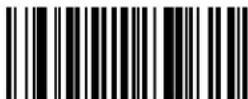 DEFAULT SETTING FOR THIS FEATURE: A (41 hex) DEFAULT SETTING FOR THIS FEATURE: A (41 hex) | Set UPC-A w/P2 Addon Label ID Character(s) |
| Set UPC-A w/P5 Addon Label ID Character(s) |  DEFAULT SETTING FOR THIS FEATURE: A (41 hex) DEFAULT SETTING FOR THIS FEATURE: A (41 hex) |
 DEFAULT SETTING FOR THIS FEATURE: A (41 hex) DEFAULT SETTING FOR THIS FEATURE: A (41 hex) | Set UPC-A w/C128 Addon Label ID Character(s) |
| Set UPC-E Label ID Character(s) | 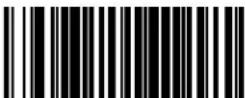 DEFAULT SETTING FOR THIS FEATURE: E (45 hex) DEFAULT SETTING FOR THIS FEATURE: E (45 hex) |
Label ID — cont.
| START / END |  |
| PROGRAMMING bar codes | |
 | Set UPC-E w/P2 Addon Label ID Character(s) |
| DEFAULT SETTING FOR THIS FEATURE: E (45 hex) | |
| Set UPC-E w/P5 Addon Label ID Character(s) | 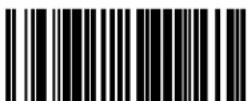 DEFAULT SETTING FOR THIS FEATURE: E (45 hex) DEFAULT SETTING FOR THIS FEATURE: E (45 hex) |
 | Set UPC-E w/C128 Addon Label ID Character(s) |
| DEFAULT SETTING FOR THIS FEATURE: E (45 hex) | |
| Set EAN-8 Label ID Character(s) | 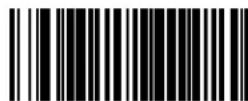 DEFAULT SETTING FOR THIS FEATURE: FF (4646 hex) DEFAULT SETTING FOR THIS FEATURE: FF (4646 hex) |
 | Set EAN-8 w/P2 Addon Label ID Character(s) |
| DEFAULT SETTING FOR THIS FEATURE: FF (4646 hex) | |
| Set EAN-8 w/P5 Addon Label ID Character(s) |  DEFAULT SETTING FOR THIS FEATURE: FF (4646 hex) DEFAULT SETTING FOR THIS FEATURE: FF (4646 hex) |
 | Set EAN-8 w/C128 Addon Label ID Character(s) |
| DEFAULT SETTING FOR THIS FEATURE: FF (4646 hex) | |
| Set EAN-13 Label ID Character(s) | 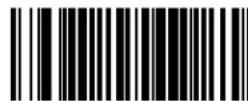 DEFAULT SETTING FOR THIS FEATURE: F (46 hex) DEFAULT SETTING FOR THIS FEATURE: F (46 hex) |
Label ID — cont.
| START / END |  |
| PROGRAMMING bar codes | |
 | Set EAN-13 w/P2 Addon Label ID Character(s) |
| DEFAULT SETTING FOR THIS FEATURE: F (46 hex) | |
| Set EAN-13 w/P5 Addon Label ID Character(s) |  DEFAULT SETTING FOR THIS FEATURE: F (46 hex) DEFAULT SETTING FOR THIS FEATURE: F (46 hex) |
 | Set EAN-13 w/C128 Addon Label ID Character(s) |
| DEFAULT SETTING FOR THIS FEATURE: F (46 hex) | |
| Set ISBN Label ID Character(s) |  DEFAULT SETTING FOR THIS FEATURE: I (49 hex) DEFAULT SETTING FOR THIS FEATURE: I (49 hex) |
 | Set IATA Label ID Character(s) |
| DEFAULT SETTING FOR THIS FEATURE: IA (4941 hex) | |
| Set GTIN Label ID Character(s) |  DEFAULT SETTING FOR THIS FEATURE: G (47 hex) DEFAULT SETTING FOR THIS FEATURE: G (47 hex) |
 | Set GTIN w/P2 addon Label ID Character(s) |
| DEFAULT SETTING FOR THIS FEATURE: G2 (4732 hex) | |
| Set GTIN w/P5 addon Label ID Character(s) | 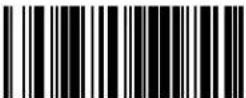 DEFAULT SETTING FOR THIS FEATURE: G5 (4735 hex) DEFAULT SETTING FOR THIS FEATURE: G5 (4735 hex) |
Label ID — cont.
| START / END | |
| PROGRAMMING bar codes | |
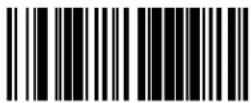 DEFAULT SETTING FOR THIS FEATURE: G8 (4738 hex) DEFAULT SETTING FOR THIS FEATURE: G8 (4738 hex) | Set GTIN w/C128 addon Label ID Character(s) |
| Set GS1 Omnidirectional Label ID Character(s) |  DEFAULT SETTING FOR THIS FEATURE: R4 (5234 hex) DEFAULT SETTING FOR THIS FEATURE: R4 (5234 hex) |
 DEFAULT SETTING FOR THIS FEATURE: RX (5258 hex) DEFAULT SETTING FOR THIS FEATURE: RX (5258 hex) | Set GS1 Expanded Label ID Character(s) |
| Set Code GS1 DataBar Limited Label ID Character(s) | 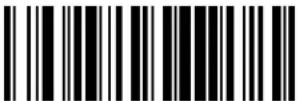 DEFAULT SETTING FOR THIS FEATURE: *(524C0000 hex) DEFAULT SETTING FOR THIS FEATURE: *(524C0000 hex) |
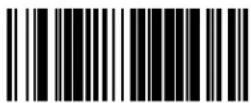 DEFAULT SETTING FOR THIS FEATURE: * (2A hex) DEFAULT SETTING FOR THIS FEATURE: * (2A hex) | Set Code 39 Label ID Character(s) |
| Set Pharmacode 39 Label ID Character(s) |  DEFAULT SETTING FOR THIS FEATURE: A (41 hex) DEFAULT SETTING FOR THIS FEATURE: A (41 hex) |
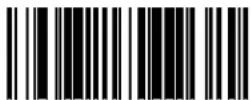 DEFAULT SETTING FOR THIS FEATURE: # (23 hex) DEFAULT SETTING FOR THIS FEATURE: # (23 hex) | Set Code 128 Label ID Character(s) |
| Set I 2 of 5 Label ID Character(s) | 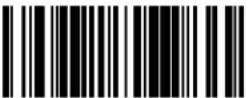 DEFAULT SETTING FOR THIS FEATURE: I (69 hex) DEFAULT SETTING FOR THIS FEATURE: I (69 hex) |
Label ID — cont.
| START / END |  |
| PROGRAMMING bar codes | |
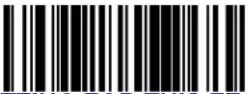 DEFAULT SETTING FOR THIS FEATURE: % (25 hex) DEFAULT SETTING FOR THIS FEATURE: % (25 hex) | Set Codabar Label ID Character(s) |
| Set Code 93 Label ID Character(s) |  DEFAULT SETTING FOR THIS FEATURE: & (26 hex) DEFAULT SETTING FOR THIS FEATURE: & (26 hex) |
 DEFAULT SETTING FOR THIS FEATURE: @ (40 hex) DEFAULT SETTING FOR THIS FEATURE: @ (40 hex) | Set Code 11 Label ID Character(s) |
| Set EAN UCC Composite Label ID Character(s) |  DEFAULT SETTING FOR THIS FEATURE: 0 DEFAULT SETTING FOR THIS FEATURE: 0 |
 DEFAULT SETTING FOR THIS FEATURE: P (5000 hex)a DEFAULT SETTING FOR THIS FEATURE: P (5000 hex)a | Set PDF 417 Label ID Character(s) |
| Set Datamatrix Label ID Character(s) |  DEFAULT SETTING FOR THIS FEATURE: Dm (446D hex) DEFAULT SETTING FOR THIS FEATURE: Dm (446D hex) |
 DEFAULT SETTING FOR THIS FEATURE: @ (40 hex) DEFAULT SETTING FOR THIS FEATURE: @ (40 hex) | Set MSI Label ID Character(s) |
Default setting exceptions for PDF 417 Label ID are as follows: Default for RS-232 WN is 'Q' (0x5100). Default for USB-HID-POS is 'P' (0x5020), or 'P-Space'.
Label ID — cont.

NOTE
For the 2D symbologies on this page, the Label ID is 4 bytes. The first 3 bytes are characters for the label ID. A 00 (hex) value in the first 3 bytes indicates the end of the label ID characters. The 4th byte is a control byte. The use of the control byte is as follows:
bit 0-if set to 1, the AIM ID is appended for that label type
| START / END |  |
| PROGRAMMING bar codes | |
 DEFAULT SETTING FOR THIS FEATURE: mP(6D500000 hex) DEFAULT SETTING FOR THIS FEATURE: mP(6D500000 hex) | Set Micro PDF 417 Label ID Character(s) |
| Set QR Code Label ID Character(s) |  DEFAULT SETTING FOR THIS FEATURE: QR(51520000 hex) DEFAULT SETTING FOR THIS FEATURE: QR(51520000 hex) |
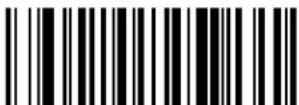 DEFAULT SETTING FOR THIS FEATURE: MC(4D430000 hex) DEFAULT SETTING FOR THIS FEATURE: MC(4D430000 hex) | Set Maxicode Label ID Character(s) |
| Set Aztec Label ID Character(s) |  DEFAULT SETTING FOR THIS FEATURE: Az(417A0000 hex) DEFAULT SETTING FOR THIS FEATURE: Az(417A0000 hex) |
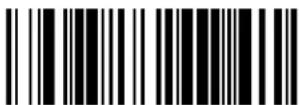 DEFAULT SETTING FOR THIS FEATURE: R4(52340000 hex) DEFAULT SETTING FOR THIS FEATURE: R4(52340000 hex) | Set GS1 DataBar Omnidirectional 2D CompositeLabel ID Character(s) |
| Set GS1 DataBar Limited 2D CompositeLabel ID Character(s) | 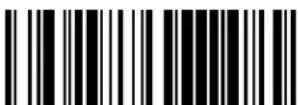 DEFAULT SETTING FOR THIS FEATURE: RL(524C0000 hex) DEFAULT SETTING FOR THIS FEATURE: RL(524C0000 hex) |
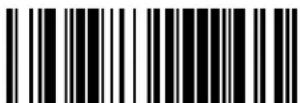 DEFAULT SETTING FOR THIS FEATURE: RX(52340000 hex) DEFAULT SETTING FOR THIS FEATURE: RX(52340000 hex) | Set GS1 DataBar Expanded 2D CompositeLabel ID Character(s) |
Case Conversion
This feature can convert scanned bar code data to either all lower case (a through z) or all upper case (A through Z) characters.

NOTE
Case conversion affects ONLY scanned bar code data, and does not affect Label ID, Prefix, Suffix, or other appended data.
START / END

PROGRAMMING bar codes

Disable
DEFAULT
Convert to Upper Case


Convert to Lower Case
Character Conversion
Character conversion is an eight byte configuration item. The eight bytes are 4 character pairs represented in hexadecimal ASCII values. The first character in the pair is the character that will be converted. The second character in the pair is the character to convert to. If the character to convert in a pair is FF, then no conversion is done.
For example, if you have the character conversion configuration item set to the following: 41423132FFFFFFF
The first pair is 4142 or AB (41 hex is an ASCII capital A, 42 hex is an ASCII capital B) and the second pair is 3132 or 12 (31 hex is an ASCII 1, 32 is an ASCII 2). The other two pairs are FFFF and FFFF.
With the label, AG15TA81, it would look as follows after the character conversion: BG25TB82.
The A characters were converted to the B character and the 1 characters were converted to the numeral 2 character. Nothing is done with the last two character pairs, since they are all FF.
To set Character Conversion:
- Scan the START/END bar code.
-
Scan the Character Conversion bar code.
-
Determine the desired string. Up to sixteen positions can be determined as in the above example. Next, turn to the ASCII Character Set on the inside back cover of this manual and find the equivalent hex digits needed to fulfill the string.

The positions not used must be filled with the character 'F'.
NOTE
- Turn to Appendix C, Alpha-Numeric Pad and scan the bar codes representing the hex characters determined in the previous step. When the last character is scanned, the scanner will sound a triple beep.
- Scan the START/END bar code to exit Programming Mode.
| START / END | |
| PROGRAMMING bar codes | |
| Character Conversion | |
| DEFAULT SETTING FOR THIS FEATURE: FFFFFFFFFFFFFFFF hex (no conversion) | |
NOTES
Chapter 6
Symbologies
The scanner supports the following symbologies (bar code types). Options for each symbology are included in this chapter.
- UPC-A - Code 39
- UPC-E
• Code 32 Italian Pharmacode
• EAN-13 • Code 128
• EAN-8 • Interleaved 2 of 5
• GS1 DataBar Omnidirectional / Stacked Omnidirectional
• Codabar
• GS1 DataBar Expanded / Expanded Stacked - Code 93
• GS1 DataBar Limited
• MSI
Factory Defaults— for the standard RS-232 interface are indicated in bold text throughout this section. Reference Appendix D, Factory Default Settings for default exceptions for your interface.
UPC-A
Disable/Enable UPC-A
When disabled, the scanner will not read UPC-A bar codes.
| START / END |  |
| PROGRAMMING bar codes | |
 | Disable UPC-A |
| Enable UPC-A DEFAULT |  |
UPC-A — continued
Check Digit Transmission
Enable this option to transmit the check digit along with UPC-A bar code data.
| START / END |  |
| PROGRAMMING bar codes | |
 | Don't Send Check Digit |
| Send Check DigitDEFAULT |  |
Number System Transmission
This feature enables/disables transmission of UPC-A System Number.
| START / END |  |
| PROGRAMMING bar codes | |
 | Disable Number System Transmission |
| Enable Number System Transmission DEFAULT |  |
UPC-A — continued
Expand UPC-A to EAN-13
Expands UPC-A data to the EAN-13 data format. Selecting this feature also changes the symbology ID to match those required for EAN-13.
| START / END |  |
| PROGRAMMING bar codes | |
 |  |
| Expand to EAN-13 |  |
Expand to EAN-13
UPC-E
The following options apply to the UPC-E symbology.
Disable/Enable UPC-E
When disabled, the scanner will not read UPC-E bar codes.
| START / END | |
| PROGRAMMING bar codes | |
| Disable UPC-E | |
| Enable UPC-E DEFAULT | |
Check Digit Transmission
Enable this option to transmit the check digit along with UPC-E bar code data.
| START / END | |
| PROGRAMMING bar codes | |
| Don't Send Check Digit | |
| Send Check Digit DEFAULT | |
UPC-E — continued
Number System Digit
The Number System Digit (NSD) which is always a zero (0) in the leading position can be optionally included (or not) with scanned bar code data.
| START / END |  |
| PROGRAMMING bar codes | |
 | Exclude Number System Digit DEFAULT |
| Include Number System Digit |  |
Exclude Number System Digit
DEFAULT
Include Number System Digit
Expand to UPC-E to UPC-A
Enables/disables expansion of UPC-E labels to UPC-A. Selecting this feature also changes the symbology ID to match those required for UPC-A.
| START / END |  |
| PROGRAMMING bar codes | |
 | Don't Expand UPC-E to UPC-A DEFAULT |
| Expand UPC-E to UPC-A |  |
Don't Expand UPC-E to UPC-A DEFAULT
UPC-E — continued
Expand UPC-E to EAN13
Enables/disables expansion of UPC-E labels to EAN-13. Selecting this feature also changes the symbology ID to match those required for EAN-13.
| START / END |  |
| PROGRAMMING bar codes | |
 | Don't Expand UPC-E to EAN-13DEFAULT |
| Expand UPC-E to EAN-13 |  |
GTIN
The following options apply to the GTIN label data format.
Expand UPC/EAN to GTIN
When this feature is enabled, the scanner will translate UPC/EAN labels to the 14 digit GTIN format.
| START / END |  |
| PROGRAMMING bar codes | |
 |  |
 |  |
EAN-13
The following options apply to the EAN-13 symbology.
Disable/Enable EAN-13
When disabled, the scanner will not read EAN-13 bar codes.
| START / END | |
| PROGRAMMING bar codes | |
| Disable EAN-13 | |
| Enable EAN-13 DEFAULT | |
Check Digit Transmission
Enable this option to transmit the check digit along with EAN-13 bar code data.
| START / END | |
| PROGRAMMING bar codes | |
| Don't Send Check Digit | |
| Send Check Digit DEFAULT | |
EAN-13 — continued
EAN-13 Flag 1 Character
Enables/disables transmission of an EAN/JAN13 Flag1 character.
| START / END | |
| PROGRAMMING bar codes | |
| Don't Transmit EAN-13 Flag 1 Char | |
| Transmit EAN-13 Flag 1 Char DEFAULT | |
ISBN
When enabled, this feature truncates the leading three digits from labels that contain ISBN (International Standard Book Number) and appends an ISBN check character to the end of the label. These codes are used for books and magazines. Labels with ISBN codes start with "978".
Example:
Bar Code data: "9789572222720"
Output: "9572222724"

text_image
START / END PROGRAMMING bar codes Disable ISBN DEFAULT Enable ISBNEAN-8
The following options apply to the EAN-8 symbology.
Disable/Enable EAN-8
When disabled, the scanner will not read EAN-8 bar codes.
| START / END | |
| PROGRAMMING bar codes | |
| Disable EAN-8 | |
| Enable EAN-8 DEFAULT | |
Check Digit Transmission
Enable this option to transmit the check Digit along with EAN-8 bar code data.
| START / END | |
| PROGRAMMING bar codes | |
| Don't Send Check Digit | |
| Send Check Digit DEFAULT | |
EAN-8 — continued
Expand EAN-8 to EAN-13—Expands EAN-8 data to the EAN-13 data format. Selecting this feature also changes the symbology ID to match those required for EAN-13.
| START / END |  |
| PROGRAMMING bar codes | |
 | Don’t Expand to EAN-13DEFAULT |
| Expand to EAN-13 |  |
EAN Two-Label
Enables/disables the ability of the scanner to decode EAN two-label pairs.
| START / END |  |
| PROGRAMMING bar codes | |
 | Disable EAN Two-Label |
| Enable EAN Two-Label |  |
EAN Two-Label Combined Transmission
Enables/disables the transmitting of an EAN two label pair as one label.
| START / END |  |
| PROGRAMMING bar codes | |
 | EAN Two-Label Combined Transmission = Disable DEFAULT |
| EAN Two-Label Combined Transmission = Enable |  |
Price Weight Check Digit
Enables/disables calculation and verification of price/weight check digits.

NOTE
Applies to all UPC-A labels with a number-system character of 2 and EAN/JAN 13 labels with a
1 digit of 2
Here are the available options for this feature:
• D i s a b l e
- Enable 4-digit price/wt check-digit calculation
- Enable 5-digit price/wt check-digit calculation
- Enable European 4-digit price-weight check-digit calculation
- Enable European 5-digit price-weight check-digit calculation
| START / END |  |
| PROGRAMMING bar codes | |
 | Price Weight Check Digit = Disable DEFAULT |
| Price Weight Check Digit = Enable 4-digit price/wt |  |
 | Price Weight Check Digit = Enable 5-digit price/wt |
| Price Weight Check Digit = Enable European 4-digit price/wt |  |
 | Price Weight Check Digit = Enable European 5-digit price/wt |
Add-ons
Add-ons (or supplemental characters) are commonly added to the end of UPC/EAN bar codes. The scanner will read the add-ons if they are enabled and in the field of view. Three add-on types are supported: 2-digit, 5-digit and Code 128 add-ons. Supported options are:
None—This option directs the scanner to ignore add-on portion of a UPC/EAN bar code but still read the main portion of the bar code.
2 Digits— The scanner will optionally read 2-digit add-ons with the UPC/EAN label.
5 Digits— The scanner will optionally read 5-digit add-ons with the UPC/EAN label.
Code 128 Add-on—The scanner will optionally read Code 128 add-ons with the UPC/EAN label.

NOTE
Contact Customer Support for advanced programming of optional and conditional add-ons.
Add-ons — continued
| START / END | |
| PROGRAMMING bar codes | |
 | Disable Optional 2-Digit Add-ons DEFAULT |
| Enable Optional 2-Digit Add-ons |  |
 | Disable Optional 5-Digit Add-ons DEFAULT |
| Enable Optional 5-Digit Add-ons |  |
 | Disable Optional Code 128 Add-ons DEFAULT |
| Enable Optional Code 128 Add-ons |  |
GS1 DataBar Omnidirectional / Stacked Omnidirectional
The following options apply to the GS1 DataBar Omnidirectional symbology.
Disable/Enable GS1 DataBar Omnidirectional
When this feature is disabled, the scanner will not read GS1 DataBar Omnidirectional bar codes.
| START / END | |
| PROGRAMMING bar codes | |
| Disable GS1 DataBar Omnidirectional DEFAULT | |
| Enable GS1 DataBar Omnidirectional | |
UCC/EAN 128 Emulation
When enabled, GS1 DataBar Omnidirectional bar codes will be translated to the UCC/EAN 128 label data format.
| START / END | |
| PROGRAMMING bar codes | |
| Disable UCC/EAN 128 Emulation DEFAULT | |
| Enable UCC/EAN 128 Emulation | |
GS1 DataBar Expanded / Expanded Stacked
The following options apply to the GS1 DataBar Expanded symbology.
Disable/Enable GS1 DataBar Expanded
When this feature is disabled, the scanner will not read GS1 DataBar Expanded bar codes.
| START / END |  |
| PROGRAMMING bar codes | |
 | Disable GS1 DataBar Expanded DEFAULT |
| Enable GS1 DataBar Expanded |  |
Disable GS1 DataBar Expanded
DEFAULT
Enable GS1 DataBar Expanded
GS1-128 Emulation
When enabled, GS1 DataBar Expanded bar codes will be translated to the GS1-128 label data format.
| START / END |  |
| PROGRAMMING bar codes | |
 | Disable GS1-128 EmulationDEFAULT |
| Enable GS1-128 Emulation |  |
Disable GS1-128 Emulation DEFAULT
GS1 DataBar Expanded / Expanded Stacked — continued
Length Control
Fixed Length Decoding—When fixed length decoding is enabled, the scanner will decode a bar code if the label length matches one of the configurable fixed lengths.
Variable Length Decoding—When variable length decoding is enabled, the scanner will decode a bar code if the label length falls in the range of the configurable Length 1 and Length 2 values.
| START / END | |
| PROGRAMMING bar codes | |
| Variable Length Decoding DEFAULT | |
| Fixed Length Decoding | |
GS1 DataBar Expanded Length 1, Length 2 Programming Instructions
See Length 1, Length 2 Programming Instructions on page 154 for detailed instructions on setting this feature.

NOTE
For GS1 DataBar Expanded bar codes, only the data characters are included in the length calculations.
| START / END | |
| PROGRAMMING bar codes | |
| DEFAULT SETTING FOR THIS FEATURE: 01 | Set Length 1 |
| Set Length 2 | DEFAULT SETTING FOR THIS FEATURE: 74 |
GS1 DataBar Expanded / Expanded Stacked — continued
Coupon Read Control
This feature controls coupon reading.
| START / END |  |
| PROGRAMMING bar codes | |
 | Disable coupon filtering |
| Enable UPCA coupon decodingDisable GS1 DataBar coupon decodingDEFAULT |  |
 | Enable GS1 DataBar coupon decodingDisable UPCA coupon decoding |
GS1 DataBar Limited
The following options apply to the GS1 DataBar Limited symbology.
Disable/Enable GS1 DataBar Limited
When this feature is disabled, the scanner will not read GS1 DataBar Limited bar codes.
| START / END | |
| PROGRAMMING bar codes | |
| Disable GS1 DataBar Limited DEFAULT | |
| Enable GS1 DataBar Limited | |
GS1-128 Emulation
When enabled, GS1 DataBar Limited bar codes will be translated to the GS1-128 label data format.
| START / END | |
| PROGRAMMING bar codes | |
| Disable GS1-128 Emulation DEFAULT | |
| Enable GS1-128 Emulation | |
Code 39
The following options apply to the Code 39 symbology.
Disable/Enable Code 39
When this feature is disabled, the scanner will not read Code 39 bar codes.
| START / END | |
| PROGRAMMING bar codes | |
| Disable Code 39 | |
| Enable Code 39 DEFAULT | |
Check Character Calculation
When enabled, the scanner will calculate the check character of the labels. Turn this option on only when a checksum is present in the Code 39 labels.
| START / END | |
| PROGRAMMING bar codes | |
| Disable Check Char Calculation DEFAULT | |
| Enable Check Char Calculation | |
Check Character Transmit
Enable this option to transmit the check character with scanned bar code data.
| START / END |  |
| PROGRAMMING bar codes | |
 | Disable Check Char Transmission |
| Enable Check Char TransmissionDEFAULT |  |
Start/Stop Characters
Enables/disables transmission of Code39 start and stop characters.
| START / END |  |
| PROGRAMMING bar codes | |
 | Don’t Transmit Start/Stop Characters DEFAULT |
| Transmit Start/Stop Characters |  |
Code 39 Full ASCII
Enables/disables the translation of Code 39 characters to Code 39 full-ASCII characters.
| START / END |  |
| PROGRAMMING bar codes | |
 |  |
| Enable Code 39 Full ASCII |  |
Code 39 — continued
Length Control
Fixed Length Decoding—When fixed length decoding is enabled, the scanner will decode a bar code if the label length matches one of the configurable fixed lengths.
Variable Length Decoding—When variable length decoding is enabled, the scanner will decode a bar code if the label length falls in the range of the configurable Length 1 and Length 2 values.
| START / END | |
| PROGRAMMING bar codes | |
| Variable Length Decoding DEFAULT | |
| Fixed Length Decoding | |
Code 39 Length 1, Length 2 Programming Instructions
See Length 1, Length 2 Programming Instructions on page 154 for detailed instructions on setting this feature.

NOTE
For Code 39 bar codes, all check, data and full ASCII shift characters are included in the length calculations. Start/Stop characters are not included.
| START / END | |
| PROGRAMMING bar codes | |
| DEFAULT SETTING FOR THIS FEATURE: 02 | Set Length 1 |
| Set Length 2 | DEFAULT SETTING FOR THIS FEATURE: 50 |
Code 32 Italian Pharmacode
The following options apply to the Code 32 Italian Pharmacode symbology.
Disable/Enable Code 32 Italian Pharmacode
When this feature is disabled, the scanner will not read Code 32 Italian Pharmacode bar codes.
| START / END | |
| PROGRAMMING bar codes | |
 | Disable Code 32 Italian Pharmacode DEFAULT |
| Enable Code 32 Italian Pharmacode |  |
Disable Code 32 Italian Pharmacode
DEFAULT
Enable Code 32 Italian Pharmacode
Start/Stop Characters
Enables or disables transmission of Code 32 Italian Pharmacode start/stop characters.
| START / END |  |
| PROGRAMMING bar codes | |
 | Don’t Transmit Start/Stop Characters DEFAULT |
| Transmit Start/Stop Characters |  |
Don't Transmit Start/Stop Characters DEFAULT
Code 32 Italian Pharmacode — continued
Check Character Transmit
Enable this option to transmit the check character with scanned bar code data.
| START / END |  |
| PROGRAMMING bar codes | |
 | Disable Check Char Transmission |
| Enable Check Char TransmissionDEFAULT |  |
Code 128
The following options apply to the Code 128 symbology.
Disable/Enable Code 128
When this feature is disabled, the scanner will not read Code 128 bar codes.
| START / END | |
| PROGRAMMING bar codes | |
| Disable Code 128 | |
| Enable Code 128 DEFAULT | |
Disable/Enable EAN 128
When this feature is disabled, the scanner will not read EAN 128 bar codes.
| START / END | |
| PROGRAMMING bar codes | |
| Disable EAN 128 | |
| Enable EAN 128 DEFAULT | |
Code 128 — continued
Transmit Function Characters
Enables/disables transmission of Code 128 function characters 1, 2, 3, and 4. Function codes are transmitted as follows:
- FNC1 = 80 hex
- FNC2 = 81 hex
- FNC3 = 82 hex
- FNC4 = 83 hex
START / END

PROGRAMMING bar codes

Don't Transmit Function Characters DEFAULT
Transmit Function Characters

Code 128 — continued
Length Control
Fixed Length Decoding—When fixed length decoding is enabled, the scanner will decode a bar code if the label length matches one of the configurable fixed lengths.
Variable Length Decoding— When variable length decoding is enabled, the scanner will decode a bar code if the label length falls in the range of the configurable Length 1 and Length 2 values.
| START / END | |
| PROGRAMMING bar codes | |
| Variable Length Decoding DEFAULT | |
| Fixed Length Decoding | |
Code 128 Length 1, Length 2 Programming Instructions
See Length 1, Length 2 Programming Instructions on page 154 for detailed instructions on setting this feature.

NOTE
For Code 128 bar codes, only the data characters are included in the length calculations.
| START / END | |
| PROGRAMMING bar codes | |
| DEFAULT SETTING FOR THIS FEATURE: 01 | Set Length 1 |
| Set Length 2 | DEFAULT SETTING FOR THIS FEATURE: 80 |
Code 128 Conversion to Code 39
Enables/disables expansion of Code 128 labels to Code 39.
| START / END | |
| PROGRAMMING bar codes | |
| Disable DEFAULT | |
| Enable | |
Interleaved 2 of 5
The following options apply to the Interleaved 2 of 5 (I 2 of 5) symbology.
Disable/Enable Interleaved 2 of 5
When this feature is disabled, the scanner will not read Interleaved 2 of 5 bar codes.
| START / END | |
| PROGRAMMING bar codes | |
| Disable Interleaved 2 of 5 DEFAULT | |
| Enable Interleaved 2 of 5 | |
Check Digit Calculation
When enabled, the scanner will calculate the check digit of the labels.
| START / END |  |
| PROGRAMMING bar codes | |
 | Disable Check Digit CalculationDEFAULT |
| Enable Check Digit Calculation |  |
Disable Check Digit Calculation DEFAULT
Check Digit Transmit
Enable this option to transmit the check digit with scanned bar code data.
| START / END |  |
| PROGRAMMING bar codes | |
 | Disable Check Digit Calculation DEFAULT |
| Enable Check Digit Calculation |  |
Disable Check Digit Calculation DEFAULT
Interleaved 2 of 5 — continued
Length Control
Fixed Length Decoding—When fixed length decoding is enabled, the scanner will decode a bar code if the label length matches one of the configurable fixed lengths.
Variable Length Decoding— When variable length decoding is enabled, the scanner will decode a bar code if the label length falls in the range of the configurable Length 1 and Length 2 values.
| START / END | |
| PROGRAMMING bar codes | |
| Variable Length Decoding DEFAULT | |
| Fixed Length Decoding | |
Interleaved 2 of 5 Length 1, Length 2 Programming Instructions
See Length 1, Length 2 Programming Instructions on page 154 for detailed instructions on setting this feature.

NOTE
For Interleaved 2 of 5 bar codes, lengths must be an even number. Additionally, all check and data characters are included in the length calculations.
| START / END | |
| PROGRAMMING bar codes | |
| DEFAULT SETTING FOR THIS FEATURE: 06 | Set Length 1 |
| Set Length 2 | DEFAULT SETTING FOR THIS FEATURE: 50 |
Codabar
The following options apply to the Codabar symbology.
Disable/Enable Codabar
When this feature is disabled, the scanner will not read Codabar bar codes.
| START / END |  |
| PROGRAMMING bar codes | |
 |  |
 |  |
Check Character Verification
When enabled, the scanner will verify the check character of the labels.
| START / END |  |
| PROGRAMMING bar codes | |
 |  |
| Enable Check Char Verification |  |
Check Character Transmit
Enable this option to transmit the check character with scanned bar code data.
| START / END |  |
| PROGRAMMING bar codes | |
 | Disable Check Char Transmission |
| Enable Check Char TransmissionDEFAULT |  |
Codabar — continued
Length Control
Fixed Length Decoding—When fixed length decoding is enabled, the scanner will decode a bar code if the label length matches one of the configurable fixed lengths.
Variable Length Decoding— When variable length decoding is enabled, the scanner will decode a bar code if the label length falls in the range of the configurable Length 1 and Length 2 values.
| START / END | |
| PROGRAMMING bar codes | |
| Variable Length Decoding DEFAULT | |
| Fixed Length Decoding | |
Codabar Length 1, Length 2 Programming Instructions
See Length 1, Length 2 Programming Instructions on page 154 for detailed instructions on setting this feature.

NOTE
For Codabar bar codes, all start, stop, check and data characters are included in the length calculations.
| START / END | |
| PROGRAMMING bar codes | |
| DEFAULT SETTING FOR THIS FEATURE: 03 | Set Length 1 |
| Set Length 2 | DEFAULT SETTING FOR THIS FEATURE: 50 |
Codabar — continued
Start/Stop Character Type
Codabar has four pairs of Start/Stop patterns. Select one pair to match your application.
| START / END |  |
| PROGRAMMING bar codes | |
 | Start/Stop Type: ABCD/TN*E |
| Start/Stop Type: ABCD/ABCD |  |
 | Start/Stop Type: abcd/tn*e |
| Start/Stop Type: abcd/abcdDEFAULT | ||  |
Start/Stop Character Transmission
The transmission of start and end characters of Codabar is selected below.
START / END  | |
| PROGRAMMING bar codes | |
 | Disable Start/Stop Char Transmission |
| Enable Start/Stop Char Transmission DEFAULT |  |
Start/Stop Character Match
This feature enables/disables the requirement that start and stop characters match.
| START / END |  |
| PROGRAMMING bar codes | |
 | Disable Start/Stop Char MatchDEFAULT |
| Enable Start/Stop Char Match |  |
Disable Start/Stop Char Match DEFAULT
Code 93
The following options apply to the Code 93 symbology.
When this feature is disabled, the scanner will not read Code 93 bar codes.
| START / END |  |
| PROGRAMMING bar codes | |
 | Disable Code 93DEFAULT |
| Enable Code 93 |  |
Disable Code 93 DEFAULT
Code 93 — continued
Length Control
Fixed Length Decoding—When fixed length decoding is enabled, the scanner will decode a bar code if the label length matches one of the configurable fixed lengths.
Variable Length Decoding—When variable length decoding is enabled, the scanner will decode a bar code if the label length falls in the range of the configurable Length 1 and Length 2 values.
| START / END | |
| PROGRAMMING bar codes | |
| Variable Length Decoding DEFAULT | |
| Fixed Length Decoding | |
Code 93 Length 1, Length 2 Programming Instructions
See Length 1, Length 2 Programming Instructions on page 154 for detailed instructions on setting this feature.

NOTE
For Code 93 bar codes, only the data characters are included in the length calculations.

text_image
START / END PROGRAMMING bar codes DEFAULT SETTING FOR THIS FEATURE: 01 Set Length 1 Set Length 2 DEFAULT SETTING FOR THIS FEATURE: 50MSI
The following options apply to the MSI symbology.
Disable/Enable MSI
When this feature is disabled, the scanner will not read MSI bar codes.
| START / END |  |
| PROGRAMMING bar codes | |
 |  |
 |  |
MSI Check Character Transmit
Enable this option to transmit the check character with scanned bar code data. Applies when MSI Check Character Calculation is enabled.
| START / END |  |
| PROGRAMMING bar codes | |
 | Disable Check Char Transmission |
| Enable Check Char Transmission DEFAULT |  |
MSI — continued
MSI Check Character Calculation
Enables/disables calculation and verification of optional MSI check characters. When disabled, any check characters in an MSI label are treated as data characters.
| START / END |  |
| PROGRAMMING bar codes | |
 | Disable Check Character Calculation |
| Enable Check Character CalculationDEFAULT |  |
MSI Number of Check Characters
Specifies number of MSI check characters to be calculated and verified.
| START / END |  |
| PROGRAMMING bar codes | |
 | One Check Character DEFAULT |
| Two Check Characters |  |
MSI — continued
MSI Length Control
Specifies either variable-length decoding or fixed-length decoding for MSI.
Fixed Length Decoding—When fixed length decoding is enabled, the scanner will decode a bar code if the label length matches one of the configurable fixed lengths.
Variable Length Decoding— When variable length decoding is enabled, the scanner will decode a bar code if the label length falls in the range of the configurable Length 1 and Length 2 values.
| START / END | |
| PROGRAMMING bar codes | |
| Variable Length Decoding DEFAULT | |
| Fixed Length Decoding | |
MSI Length 1, Length 2 Programming Instructions
- See Length 1, Length 2 Programming Instructions on page 154 for detailed instructions on setting this feature.

NOTE
For MSI bar codes, length includes the barcode's check and data characters.

text_image
START / END PROGRAMMING bar codes DEFAULT SETTING FOR THIS FEATURE: 04 Set Length 1 Set Length 2 DEFAULT SETTING FOR THIS FEATURE: 10NOTES

NOTE
The features in this section are available ONLY for models with 2D features activated.
2D Symbologies
The scanner supports the 2D symbologies (bar code types) listed below. Available options for each 2D symbology are included in this chapter.
• PDF 417 • Maxicode
- Micro PDF 417 • Aztec
- Datamatrix • Composite Labels
- QR Code
Factory Defaults— for the standard RS-232 interface are indicated in bold text throughout.
PDF 417
Disable/Enable PDF 417
When disabled, the scanner will not read PDF 417 bar codes.
| START / END |  |
| PROGRAMMING bar codes | |
 | Disable PDF 417 |
| Enable PDF 417DEFAULT |  |
Enable PDF 417 DEFAULT
Allow Zero Length PDF 417 Reading
This enables/disables the scanner's ability to read PDF417 bar codes containing a zero length codeword.
| START / END |  |
| PROGRAMMING bar codes | |
 | Disable Zero Length PDF 417 Reading DEFAULT |
| Enable Zero Length PDF 417 Reading |  |
PDF 417 — continued
Length Control
Fixed Length Decoding—When fixed length decoding is enabled, the scanner will decode a bar code if the label length matches one of the configurable fixed lengths.
Variable Length Decoding—When variable length decoding is enabled, the scanner will decode a bar code if the label length falls in the range of the configurable minimum and maximum length.
Configuring Fixed Length Decoding:
- Scan the START bar code.
- Scan the Fixed Length Decoding bar code.
- Scan the END bar code.
- Set Length 1 to the first fixed length by following the Length 1, Length 2 Programming Instructions below.
- Set Length 2 to the second fixed length (or to '0000' if there is only one fixed length) by following the PDF 417 Length 1, Length 2 Programming Instructions below.
Configuring Variable Length Decoding:
- Scan the START bar code.
- Scan the Variable Length Decoding bar code.
- Scan the END bar code.
- Set Length 1 to the minimum length by following the PDF 417 Length 1, Length 2 Programming Instructions below.
- Set Length 2 to the maximum length by following the PDF 417 Length 1, Length 2 Programming Instructions below.
START / END

PROGRAMMING bar codes

Variable Length Decoding
DEFAULT
Fixed Length Decoding

PDF 417 — continued
PDF 417 Length 1, Length 2 Programming Instructions
- Scan the START bar code.
- Scan either the Set Length 1 or Set Length 2 bar code.
- Turn to Appendix C, Alpha-Numeric Pad and scan the four digits (zero-padded) representing the length.

NOTE
For PDF 417 bar codes, only the data characters are included in the length calculations.
Any value set higher than 2710 will be considered to be 2710.
Scan the END bar code.
| START / END | |
| PROGRAMMING bar codes | |
| DEFAULT SETTING FOR THIS FEATURE: 0001 | Set Length 1 |
| Set Length 2 | DEFAULT SETTING FOR THIS FEATURE: 2710 |
Micro PDF 417
Disable/Enable Micro PDF 417
When disabled, the scanner will not read Micro PDF 417 bar codes.
| START / END |  |
| PROGRAMMING bar codes | |
 |  |
| Enable Micro PDF 417 |  |
Enable Micro PDF 417
Micro PDF 417 — continued
Length Control
Fixed Length Decoding—When fixed length decoding is enabled, the scanner will decode a bar code if the label length matches one of the configurable fixed lengths.
Variable Length Decoding—When variable length decoding is enabled, the scanner will decode a bar code if the label length falls in the range of the configurable minimum and maximum length.
Configuring Fixed Length Decoding:
- Scan the START bar code.
- Scan the Fixed Length Decoding bar code.
- Scan the END bar code.
- Set Length 1 to the first fixed length by following the Length 1, Length 2 Programming Instructions below.
- Set Length 2 to the second fixed length (or to '0000' if there is only one fixed length) by following the Micro PDF 417 Length 1, Length 2 Programming Instructions below.
Configuring Variable Length Decoding:
- Scan the START bar code.
- Scan the Variable Length Decoding bar code.
- Scan the END bar code.
- Set Length 1 to the minimum length by following the Micro PDF 417 Length 1, Length 2 Programming Instructions below.
- Set Length 2 to the maximum length by following the Micro PDF 417 Length 1, Length 2 Programming Instructions below.
START / END

PROGRAMMING bar codes

Variable Length Decoding
DEFAULT
Fixed Length Decoding

Micro PDF 417 — continued
Micro PDF 417 Length 1, Length 2 Programming Instructions
- Scan the START bar code.
- Scan either the Set Length 1 or Set Length 2 bar code.
- Turn to Appendix C, Alpha-Numeric Pad and scan the four digits (zero-padded) representing the length.

NOTE
For Micro PDF 417 bar codes, only the data characters are included in the length calculations.
Any value set higher than 366 will be considered to be 366.
Scan the END bar code.
| START / END | |
| PROGRAMMING bar codes | |
| DEFAULT SETTING FÖR THIS FEATURE: 0001 | Set Length 1 |
| Set Length 2 | DEFAULT SETTING FOR THIS FEATURE: 0366 |
Datamatrix
Disable/Enable Datamatrix
When disabled, the scanner will not read Datamatrix bar codes.
| START / END |  |
| PROGRAMMING bar codes | |
 | Disable Datamatrix |
| Enable DatamatrixDEFAULT |  |
Datamatrix — continued
Length Control
Fixed Length Decoding—When fixed length decoding is enabled, the scanner will decode a bar code if the label length matches one of the configurable fixed lengths.
Variable Length Decoding—When variable length decoding is enabled, the scanner will decode a bar code if the label length falls in the range of the configurable minimum and maximum length.
Configuring Fixed Length Decoding:
- Scan the START bar code.
- Scan the Fixed Length Decoding bar code.
- Scan the END bar code.
- Set Length 1 to the first fixed length by following the Length 1, Length 2 Programming Instructions below.
- Set Length 2 to the second fixed length (or to '0000' if there is only one fixed length) by following the Datamatrix Length 1, Length 2 Programming Instructions below.
Configuring Variable Length Decoding:
- Scan the START bar code.
- Scan the Variable Length Decoding bar code.
- Scan the END bar code.
- Set Length 1 to the minimum length by following the Datamatrix Length 1, Length 2 Programming Instructions below.
- Set Length 2 to the maximum length by following the Datamatrix Length 1, Length 2 Programming Instructions below.
START / END

PROGRAMMING bar codes

Variable Length Decoding
DEFAULT
Fixed Length Decoding

Datamatrix — continued
Datamatrix Length 1, Length 2 Programming Instructions
- Scan the START bar code.
- Scan either the Set Length 1 or Set Length 2 bar code.
- Turn to Appendix C, Alpha-Numeric Pad and scan the four digits (zero-padded) representing the length.

NOTE
For Datamatrix bar codes, only the data characters are included in the length calculations.
Any value set higher than 800 will be considered to be 800.
Scan the END bar code.
| START / END | |
| PROGRAMMING bar codes | |
| DEFAULT SETTING FOR THIS FEATURE: 0001 | Set Length 1 |
| Set Length 2 | DEFAULT SETTING FOR THIS FEATURE: 0800 |
QR Code
Disable/Enable QR Code
When disabled, the scanner will not read QR Code labels.
| START / END |  |
| PROGRAMMING bar codes | |
 | Disable QR CodeDEFAULT |
| Enable QR Code |  |
Disable QR Code
DEFAULT
Enable QR Code
QR Code — continued
Length Control
Fixed Length Decoding—When fixed length decoding is enabled, the scanner will decode a bar code if the label length matches one of the configurable fixed lengths.
Variable Length Decoding—When variable length decoding is enabled, the scanner will decode a bar code if the label length falls in the range of the configurable minimum and maximum length.
Configuring Fixed Length Decoding:
- Scan the START bar code.
- Scan the Fixed Length Decoding bar code.
- Scan the END bar code.
- Set Length 1 to the first fixed length by following the Length 1, Length 2 Programming Instructions below.
- Set Length 2 to the second fixed length (or to '0000' if there is only one fixed length) by following the QR Code Length 1, Length 2 Programming Instructions below.
Configuring Variable Length Decoding:
- Scan the START bar code.
- Scan the Variable Length Decoding bar code.
- Scan the END bar code.
- Set Length 1 to the minimum length by following the QR Code Length 1, Length 2 Programming Instructions below.
- Set Length 2 to the maximum length by following the QR Code Length 1, Length 2 Programming Instructions below.
START / END

PROGRAMMING bar codes

Variable Length Decoding
DEFAULT
Fixed Length Decoding

QR Code — continued
QR Code Length 1, Length 2 Programming Instructions
- Scan the START bar code.
- Scan either the Set Length 1 or Set Length 2 bar code.
- Turn to Appendix C, Alpha-Numeric Pad and scan the four digits (zero-padded) representing the length.

NOTE
For 2d Code labels, only the data characters are included in the length calculations.
Any value set higher than 2710 will be considered to be 2710.
Scan the END bar code.
| START / END | |
| PROGRAMMING bar codes | |
| DEFAULT SETTING FOR THIS FEATURE: 0001 | Set Length 1 |
| Set Length 2 | DEFAULT SETTING FOR THIS FEATURE: 2710 |
Maxicode
Disable/Enable Maxicode
When disabled, the scanner will not read Maxicode labels.
| START / END |  |
| PROGRAMMING bar codes | |
 | Disable MaxicodeDEFAULT |
| Enable Maxicode |  |
Maxicode — continued
Length Control
Fixed Length Decoding—When fixed length decoding is enabled, the scanner will decode a bar code if the label length matches one of the configurable fixed lengths.
Variable Length Decoding—When variable length decoding is enabled, the scanner will decode a bar code if the label length falls in the range of the configurable minimum and maximum length.
Configuring Fixed Length Decoding:
- Scan the START bar code.
- Scan the Fixed Length Decoding bar code.
- Scan the END bar code.
- Set Length 1 to the first fixed length by following the Length 1, Length 2 Programming Instructions below.
- Set Length 2 to the second fixed length (or to '0000' if there is only one fixed length) by following the Maxicode Length 1, Length 2 Programming Instructions below.
Configuring Variable Length Decoding:
- Scan the START bar code.
- Scan the Variable Length Decoding bar code.
- Scan the END bar code.
- Set Length 1 to the minimum length by following the Maxicode Length 1, Length 2 Programming Instructions below.
- Set Length 2 to the maximum length by following the Maxicode Length 1, Length 2 Programming Instructions below.

text_image
START / END PROGRAMMING bar codes Variable Length Decoding DEFAULT Fixed Length DecodingMaxicode — continued
Maxicode Length 1, Length 2 Programming Instructions
- Scan the START bar code.
- Scan either the Set Length 1 or Set Length 2 bar code.
- Turn to Appendix C, Alpha-Numeric Pad and scan the four digits (zero-padded) representing the length.

NOTE
For Maxicode labels, only the data characters are included in the length calculations.
Any value set higher than 138 will be considered to be 138.
Scan the END bar code.
| START / END | |
| PROGRAMMING bar codes | |
| DEFAULT SETTING FOR THIS FEATURE: 0001 | Set Length 1 |
| Set Length 2 | DEFAULT SETTING FOR THIS FEATURE: 0138 |
Aztec
Disable/Enable Aztec
When disabled, the scanner will not read Aztec labels.
| START / END | |
| PROGRAMMING bar codes | |
 | Disable AztecDEFAULT |
| Enable Aztec |  |
Disable Aztec
DEFAULT
Enable Aztec
Aztec — continued
Length Control
Fixed Length Decoding—When fixed length decoding is enabled, the scanner will decode a bar code if the label length matches one of the configurable fixed lengths.
Variable Length Decoding—When variable length decoding is enabled, the scanner will decode a bar code if the label length falls in the range of the configurable minimum and maximum length.
Configuring Fixed Length Decoding:
- Scan the START bar code.
- Scan the Fixed Length Decoding bar code.
- Scan the END bar code.
- Set Length 1 to the first fixed length by following the Length 1, Length 2 Programming Instructions below.
- Set Length 2 to the second fixed length (or to '0000' if there is only one fixed length) by following the Aztec Length 1, Length 2 Programming Instructions below.
Configuring Variable Length Decoding:
- Scan the START bar code.
- Scan the Variable Length Decoding bar code.
- Scan the END bar code.
- Set Length 1 to the minimum length by following the Aztec Length 1, Length 2 Programming Instructions below.
- Set Length 2 to the maximum length by following the Aztec Length 1, Length 2 Programming Instructions below.
START / END

PROGRAMMING bar codes

Variable Length Decoding
DEFAULT
Fixed Length Decoding

Aztec — continued
Aztec Length 1, Length 2 Programming Instructions
- Scan the START bar code.
- Scan either the Set Length 1 or Set Length 2 bar code.
- Turn to Appendix C, Alpha-Numeric Pad and scan the four digits (zero-padded) representing the length.

NOTE
For Aztec labels, only the data characters are included in the length calculations.
Any value set higher than 3700 will be considered to be 2710.
Scan the END bar code.
| START / END | |
| PROGRAMMING bar codes | |
| DEFAULT SETTING FOR THIS FEATURE: 0001 | Set Length 1 |
| Set Length 2 | DEFAULT SETTING FOR THIS FEATURE: 2710 |
Composite Labels
Disable/Enable GS1 DataBar Omnidirectional 2D Component
When enabled, if a GS1 DataBar Omnidirectional label is decoded which has the 2D linkage flag set, the 2D component must also be decoded or the base label will be discarded.
When disabled, only the GS1 DataBar Omnidirectional base label will be decoded and transmitted regardless of the state of the linkage flag.
| START / END |  |
| PROGRAMMING bar codes | |
 | Disable GS1 DataBar Omnidirectional 2D ComponentDEFAULT |
| Enable GS1 DataBar Omnidirectional 2D Component |  |
Disable/Enable GS1 DataBar Expanded 2D Component
When enabled, if a GS1 DataBar Expanded label is decoded which has the 2D linkage flag set, the 2D component must also be decoded or the base label will be discarded.
When disabled, only the GS1 DataBar Expanded base label will be decoded and transmitted regardless of the state of the linkage flag.
| START / END |  |
| PROGRAMMING bar codes | |
 | Disable GS1 DataBar Expanded 2D Component DEFAULT |
| Enable GS1 DataBar Expanded 2D Component |  |
Disable/Enable GS1 DataBar Limited 2D Component
When enabled, if a GS1 DataBar Limited label is decoded which has the 2D linkage flag set, the 2D component must also be decoded or the base label will be discarded.
When disabled, only the GS1 DataBar Limited base label will be decoded and transmitted regardless of the state of the linkage flag.
| START / END |  |
| PROGRAMMING bar codes | |
 | Disable GS1 DataBar Limited 2D Component DEFAULT |
| Enable GS1 DataBar Limited 2D Component |  |
Disable GS1 DataBar Limited 2D Component DEFAULT
NOTES
Advanced Decoding Features
Inverse Label Reading
This controls the method of reading inverse labels (white label on black background).

NOTE
This feature is only available for GS1 DataBar and 2D symbologies.
START / END

PROGRAMMING bar codes

2D Read Mode = Reads only normal labels DEFAULT
2D Read Mode = Reads both normal and inverse labels


2D Read Mode = Reads only inverse labels
UPC/EAN Quiet Zone
This feature sets a Quiet Zone requirement for UPC/EAN labels.
| START / END |  |
| PROGRAMMING bar codes | |
 | UPC/EAN Quiet Zone = 5 Modules |
| UPC/EAN Quiet Zone = 3 Modules |  |
 | UPC/EAN Quiet Zone = 1.5 Modules |
Chapter 9
References
This section contains explanations and examples of selected bar code features. See the programming sections for the actual bar code labels used to configure the scanner.
Global Prefix/Suffix
Up to 20 ASCII characters may be added as a prefix (in a position before the bar code data) and/or as a suffix (in a position following the bar code data) as indicated in Figure 1.
Figure 1. Prefix and Suffix Positions

text_image
AND OR 00 - 20 Characters (ASCII) Prefix SuffixAIM ID Label ID Label ID Bar Code Data OR...Example: Setting a Prefix
In this example, we'll set a prefix for all symbologies.
-
Determine which ASCII character(s) are to be added to scanned bar code data. In this example, we'll add a dollar sign (‘\$’) as a prefix.
-
Scan the START bar code.
-
Scan the SET PREFIX bar code.
-
Reference the ASCII Character Set on the inside back cover of this manual, to find the hex value assigned to the desired character. The corresponding hex number for the '\$' character is 24. To enter this selection code, scan the '2' and '4' bar codes from Appendix C, Alpha-Numeric Pad.
-
Scan the END bar code once to finish the string, then scan END again to exit Programming Mode.

NOTE
If all 20 characters will be used in the prefix or suffix, do not scan the END bar code to finish the string. It is done automatically.
- The resulting message string would appear as follows:
Scanned bar code data:12345
Resulting message string output: \$12345
Label ID
A Label ID is used to identify a bar code (symbology) type. See Appendix D, Factory Default Settings, for a listing for common symbologies. It can be appended previous to or following the transmitted bar code data depending upon how this option is enabled. This feature provides options for configuring custom Label IDs individually per symbology. If you wish to program the scanner to always include an industry standard label identifier for ALL symbology types, see the feature, AIM ID on page 75.
The Label ID is a customizable code of up to three ASCII characters (each of which are 00-FF) followed by a control character (00-01), This control character, when set to zero, does nothing. When set to one, it appends the symbology's AIM ID to the Label ID.

When the control character is set to 01 for UPC-A and UPC-E, it expands the label to EAN-13 and thus follows the EAN-13 Label ID settings.
NOTE
To configure a Label ID:
- Scan the START bar code.
-
Select Label ID position as either BEFORE or AFTER by scanning the appropriate bar code.
-
Scan a bar code to select the symbology for which you wish to configure a custom Label ID.
-
Determine the desired character(s) (you may choose up to three) which will represent the Label ID for the selected symbology. Next, turn to the ASCII Character Set on the inside back cover of this manual and find the equivalent hex digits associated with your choice of Label ID. For example, if you wish to select an equal sign (=) as a Label ID, the chart indicates its associated hex characters as 3D.
-
Turn to Appendix C, Alpha-Numeric Pad and scan the bar codes representing the hex characters determined in the previous step. For example, to make an equal sign (=), scan '3' and 'D' followed by '0' six times. Since this is a three-character buffer, '00' is scanned for character two, '00' for character three and '00' for the control character. ('00' indicates no character.)
-
Scan the END bar code to exit programming mode.
Figure 2. Label ID Position Options

text_image
OR Prefix SuffixLabel ID Label IDBar Code DataAim IDLength Control
Fixed Length Decoding—When fixed length decoding is enabled, the scanner will decode a bar code if the label length matches one of the configurable fixed lengths.
Variable Length Decoding—When variable length decoding is enabled, the scanner will decode a bar code if the label length falls in the range of the configurable minimum and maximum length.
Configuring Fixed Length Decoding:
- Scan the START/END bar code.
- Scan the Fixed Length Decoding bar code for the desired symbology.
- Scan the START/END bar code.
- Set Length 1 to the first fixed length by following the Length 1, Length 2 Programming Instructions below.
- Set Length 2 to the second fixed length (or to '00' if there is only one fixed length) by following the Length 1, Length 2 Programming Instructions below.
Configuring Variable Length Decoding:
- Scan the START/END bar code.
- Scan the Variable Length Decoding bar code for the desired symbology.
- Scan the START/END bar code.
- Set Length 1 to the first variable length by following the Length 1, Length 2 Programming Instructions below.
- Set Length 2 to the second variable length by following the Length 1, Length 2 Programming Instructions below.
Length 1, Length 2 Programming Instructions
- Scan the START/END bar code.
- Scan either the Set Length 1 or Set Length 2 bar code for the desired symbology.
- Turn to Appendix C, Alpha-Numeric Pad and scan the two digits (zero padded) representing the length in decimal notation. The number of characters that can be set varies, depending upon the symbology. Reference the page for your selected symbology to see specific variables.
- Scan the START/END bar code
Optical and Read Performance Parameters
| Parameter Specification | |
| Minimum Resolution 5 mil | |
| Minimum Print Contrast Ratio | 25% |
| Skew (Yaw) ± 75° | |
| Pitch ± 65° | |
| Roll Between 0 and 360° | |
Scanner Dimensions

text_image
6" 15.24cm 6" 15.24cm 3.42" 8.69cmPhysical Properties
| Parameter Specification |
| Dimensions (Scanner only): 6" x 6" x 3.42" (WxHxD) |
| Weight (Scanner) 1 lb 4.6 oz (0.584kg) |
Electrical Parameters
| Parameters Specification | ||
| AC Power Requirements AC Input: 90-264 VAC, 47~63Hz | ||
| AC Power Consumption Real Power | ||
| Operating (Maximum) 9.9 Watts | ||
| Operating (Nominal) 3.0 Watts | ||
| Sleep mode 2.0 Watts | ||
| DC Power Requirements Reference for POT user | ||
| Input Voltage 7 to 14 V DC | ||
| Operating Current and Power at 12V DC | Current Power | |
| Maximum Inrush 736mA 8.8 Watts | ||
| Maximum Continuous 566mA 6.8 Watts | ||
| Nominal Scanner Only 201mA 2.4 Watts | ||
| Sleep, Scanner Only 123mA 1.5 Watts | ||
Environmental Parameters
| Parameter Specification | |
| ContaminantsWater and Dust | IP5x |
| Temperature Ranges:Operating 32° FStorage | to +104° F (0°C to +40°C)-40°F to +158°F (-40°C to +70°C) |
| Ambient Light Indoor | 0 - 6,000 lux |
| Ambient Light Outdoor | 0 - 86,100 lux |
| Humidity | 5% to 95% non-condensing |
| Beeper/Speaker 70-90dBA at a distance of 3'-3" (1 meter) | |
| Vibration | Retail/Office |
Other Parameters
| Parameter Specification | |
| EAS Support | YES (Checkpoint) |
Standard Cable Pinouts (Primary Interface Cables)
| Pin # | RS-232 | IBM Port 5B/9B/17 | USB-OEM | USB, USB Keyboard, USB COM | Keyboard Wedge |
| 1 | DTR PCCLK | ||||
| 2 | CTS | ||||
| 3 | VBUS VBUS | ||||
| 4 | RTS Line B | D- D- KBCLK | |||
| 5 | RxD | ||||
| 6 | TxD | Line A | D+ | D+ | PC Data |
| 7 | |||||
| 8 | VCC in | VCC in | +12V | VCC in | VCC in |
| 9 | GND GND | GND GND GND | |||
| 10 | KBD |
Cable Pinouts (Handheld Scanner Attached via the Aux Port)
| PIN # | HANDHELD ATTACHED TO AUX PORT |
| 1 | |
| 2 AUX_CTS | |
| 3 | |
| 4 AUX_RTS | |
| 5 AUX_RxD | |
| 6 AUX_TxD | |
| 7 AUX_ERI | |
| 8 VCC | |
| 9 | GND |
| 10 | |
NOTES
Appendix C
Alpha-Numeric Pad

A

B

C

D

E

F
Alpha-Numeric Pad


NOTE
Note for numeric entry sequences, the scanner will announce the number of digits remaining to be entered after each label read.


Factory Defaults by Interface
The following is a partial list of key settings for each interface type.
| FEATURE | Aux RS-232 Wincor-Nixdorf | Single Cable | USB-OEM | Keybd Wedge | ||
| Double Read Timeout for Linear Labels | 40 (400ms) | 40 (400ms) | 40 (400ms) | 40 (400ms) | 40 (400ms) | 40 (400ms) |
| Double Read Timeout for 2D Labels | 700ms 700ms 700ms 700ms 700ms 700ms | |||||
| Scanner Button Options | Enable only vol, tone, and reset | Enable only vol, tone, and reset | Enable only vol, tone, and reset | Enable only vol, tone, and reset | Enable only vol, tone, and reset | Enable only vol, tone, and reset |
| Camera Button Mode | Normal Take Pix | Normal Take Pix | Normal Take Pix | Normal Take Pix | Normal Take Pix | Normal Take Pix |
| LED Level | Default Level | Default Level | Default Level | Default Level | Default Level | Default Level |
| Auxiliary Port Mode | Disable | Disable | Disable | Disable | Disable | Disable |
| Auxiliary Port Baud Rate | 19200 | 19200 | 19200 | 19200 | 19200 | 19200 |
| Productivity Index Reporting (PIR) | Disable | Disable | Disable | Disable | Disable | Disable |
| Sleep Mode | 5 Minutes | 5 Minutes | 5 Minutes | 5 Minutes | 5 Minutes | 5 Minutes |
| LED and Beeper Indicators | Enable | Enable | Enable | Enable | Enable | Enable |
| Image Compression | 100 (minimum) | 100 (minimum) | 100 (minimum) | 100 (minimum) | 100 (minimum) | 100 (minimum) |
| Image Format | JPG | JPG | JPG | JPG | JPG | JPG |
| Image Size | VGA | VGA | VGA | VGA | VGA | VGA |
| Image Brightness | 09 | 09 | 09 | 09 | 09 | 09 |
| Image Contrast | 09 | 09 | 09 | 09 | 09 | 09 |
| Obey/Ignore Host Commands | Obey | Obey | Obey | Obey | Obey | Obey |
| Host Transmission Buffers | 2 | 2 | 2 | 2 | 2 | 2 |
| Buad Rate | 9600 | 9600 | 9600 | 9600 | 9600 | 9600 |
| Data Bits | 8 | 8 | 8 | 8 | 8 | 8 |
| Stop Bits | 1 1 1 1 1 | |||||
| Parity | None None None None None | |||||
| Hardware Flow Control | Disable Disable Disable Disable Disable | |||||
| Intercharacter Delay | No Delay No Delay No Delay No Delay No Delay | |||||
| Software Flow Control | Disable Disable Disable Disable Disable | |||||
| Host Echo | Disable Disable Disable Disable Disable | |||||
| Host Echo Quiet Interval | 10 msec 10 msec 10 msec 10 msec 10 msec | |||||
| Signal Voltage: Normal/TTL | Normal RS-232 | Normal RS-232 | Normal RS-232 | Normal RS-232 | Normal RS-232 | Normal RS-232 |
| RS-232 Invert | Disable Disable Disable Disable Disable | |||||
| Beep on ASCII BEL | Enable Enable Enable Enable Enable Enable | |||||
| Beep on Not on File | Enable Enable Enable Enable Enable Enable | |||||
| ACK NAK Options | Disable Disable Disable Disable Disable | |||||
| ACK Character | 006 | 006 | 006 | 006 | 006 | 006 |
| NAK Character | 021 | 021 | 021 | 021 | 021 | 021 |
| Retry on ACK NAK Timeout | Enable Enable Enable Enable Enable Enable | |||||
| ACK NAK Timeout Value | 001 | 001 | 001 | 001 | 001 | 001 |
| ACK NAK Retry Count | 003 | 003 | 003 | 003 | 003 | 003 |
| ACK NAK Error Handling | Ignore | Ignore | Ignore | Ignore | Ignore | Ignore |
| Transmission Failure Indication | Enable Enable Enable Enable Enable Enable | |||||
| Single Cable RS-232 RTS CTS Selection | RTS held high, wait for CTS to be asserted | |||||
| Single Cable RS-232 Use BCC | Enable | |||||
| Single Cable RS-232 Use ACK/NAK | Enable | |||||
| Single Cable RS-232 Use STX | Enable | |||||
| Set Single Cable RS-232 STX Character | 53 | |||||
| Single Cable RS-232 Use ETX | Enable | |||||
| Set Single Cable RS-232 ETX Character | 0D | |||||
| Single Cable Pacesetter Plus | Disable | |||||
| Single Cable Datalogic Extensions | Disable | |||||
| USB-OEM Interface Features | Config as table top scanner | |||||
| IBM Transmit Labels in Code 39 Format | Disable | |||||
| Keyboard Layout | USA | |||||
| Caps Lock State | Disable | |||||
| Power-On Simulation | Disable | |||||
| Control Characters | Disable | |||||
| Wedge Quiet Interval | 010 | |||||
| Intercharacter Delay | No Delay | |||||
| Global Prefix/Suffix | Prefix 00Suffix 0D | Prefix 00Suffix 0D | Prefix 00Suffix 0D | Prefix 00Suffix 0D | Prefix 00Suffix 0D | Prefix 00Suffix 0D |
| AIM ID | Disable | Disable | Disable | Disable | Disable | Disable |
| Label ID Position | Before bar-code data | Before bar-code data | Before bar-code data | Before bar-code data | Before bar-code data | Before bar-code data |
| Case Conversion | Disable | Disable | Disable | Disable | Disable | Disable |
| Character Conversion | No Conversion | No Conversion | No Conversion | No Conversion | No Conversion | No Conversion |
| Disable/Enable UPC-A | Enable Enable Enable Enable Enable Enable | |||||
| Check Digit Transmission | Send Send Send Send Send | |||||
| Number System Transmission | Enable Enable Enable Enable Enable Enable | |||||
| Expand UPC-A to EAN-13 | Don't Expand | Don't Expand | Don't Expand | Don't Expand | Don't Expand | Don't Expand |
| Disable/Enable UPC-E | Enable Enable Enable Enable Enable Enable | |||||
| Check Digit Transmission | Send Send Send Send Send | |||||
| Number System Digit | Exclude Exclude Exclude Exclude Exclude | |||||
| Expand to UPC-E to UPC-A | Don't Expand | Don't Expand | Don't Expand | Don't Expand | Don't Expand | Don't Expand |
| Expand UPC-E to EAN13 | Don't Expand | Don't Expand | Don't Expand | Don't Expand | Don't Expand | Don't Expand |
| Expand UPC/EAN to GTIN | Don't Expand | Don't Expand | Don't Expand | Don't Expand | Don't Expand | Don't Expand |
| Disable/Enable EAN-13 | Enable Enable Enable Enable Enable Enable | |||||
| Check Digit Transmission | Send Send Send Send Send | |||||
| EAN-13 Flag 1 Character | Transmit | Transmit | Transmit | Transmit | Transmit | Transmit |
| ISBN | Disable | Disable | Disable | Disable | Disable | Disable |
| Disable/Enable EAN-8 | Enable Enable Enable Enable Enable Enable | |||||
| Check Digit Transmission | Send Send Send Send Send | |||||
| Expand EAN-8 to EAN-13 | Don't Expand | Don't Expand | Don't Expand | Don't Expand | Don't Expand | Don't Expand |
| EAN Two-Label | Disable Disable Disable Disable Disable | |||||
| EAN Two-Label Combined Transmission | Disable Disable Disable Disable Disable | |||||
| Price Weight Check Digit | Disable Disable Disable Disable Disable | |||||
| Add-ons | Disable Disable Disable Disable Disable | |||||
| Disable/Enable GS1 DataBar Omnidirectional | Disable Disable Disable Disable Disable | |||||
| UCC/EAN 128 Emulation | Disable Disable Disable Disable Disable | |||||
| Disable/Enable GS1 DataBar Expanded | Disable Disable Disable Disable Disable | |||||
| GS1-128 Emulation | Disable Disable Disable Disable Disable | |||||
| Length Control | Variable01/74 | Variable01/74 | Variable 01/74 | Variable01/74 | Variable01/74 | Variable01/74 |
| Coupon Read Control | EnableUPCA Disable GS1DataBar | EnableUPCA Disable GS1DataBar | EnableUPCA Disable GS1DataBar | EnableUPCA Disable GS1DataBar | EnableUPCA Disable GS1DataBar | EnableUPCA Disable GS1DataBar |
| Disable/Enable GS1 DataBar Limited | Disable Disable Disable Disable | |||||
| GS1-128 Emulation | Disable Disable Disable Disable | |||||
| Disable/Enable Code 39 | Enable Enable Disable Enable Enable Enable | |||||
| Check Character Calculation | Disable Disable Disable Disable | |||||
| Check Character Transmit | Enable Enable Enable Enable Enable | |||||
| Start/Stop Characters | Don'tTransmit | Don'tTransmit | Don'tTransmit | Don'tTransmit | Don'tTransmit | Don'tTransmit |
| Code 39 Full ASCII | Disable Disable Disable | |||||
| Length Control | Variable02/50 | Variable02/50 | Variable 02/50 | Variable02/50 | Variable02/50 | Variable02/50 |
| Disable/Enable Code 32 Italian Pharmacode | Disable Disable | |||||
| Start/Stop Characters | Don'tTransmit | Don'tTransmit | Don'tTransmit | Don'tTransmit | Don'tTransmit | Don'tTransmit |
| Check Character Transmit | Enable Enable Enable Enable Enable | |||||
| Disable/Enable Code 128 | Enable Enable Disable Enable Enable Enable | |||||
| Disable/Enable EAN 128 | Disable Disable Disable | |||||
| Transmit Function Characters | Don'tTransmit | Don'tTransmit | Don'tTransmit | Don'tTransmit | Don'tTransmit | Don'tTransmit |
| Length Control | Variable01/80 | Variable01/80 | Variable 01/80 | Variable01/80 | Variable01/80 | Variable01/80 |
| Code 128 Conversion to Code 39 | Disable Disable | |||||
| Disable/Enable Interleaved 2 of 5 | Disable Disable | |||||
| FEATURE | Aux | RS-232 | Wincor-Nixdorf | Single Cable | USB-OEM | Keybd Wedge |
| Check Digit Calculation | Disable | Disable | Disable | Disable | Disable | Disable |
| Check Digit Transmit | Disable | Disable | Disable | Disable | Disable | Disable |
| Length Control | Variable06/50 | Variable06/50 | Variable 06/50 | Variable06/50 | Variable06/50 | Variable06/50 |
| Disable/Enable Codabar | Disable | Disable | Disable | Disable | Disable | Disable |
| Check Character Verification | Disable | Disable | Disable | Disable | Disable | Disable |
| Check Character Transmit | Disable | Disable | Disable | Disable | Disable | Disable |
| Length Control | Variable03/50 | Variable03/50 | Variable 03/50 | Variable03/50 | Variable03/50 | Variable03/50 |
| Start/Stop Character Type | abcd/abcd | abcd/abcd | abcd/abcd | abcd/abcd | abcd/abcd | |
| Start/Stop Character Transmission | Enable Enable Enable Enable Enable | |||||
| Start/Stop Character Match | Disable | Disable | Disable | Disable | Disable | Disable |
| Disable/Enable Code 93 | Disable | Disable | Disable | Disable | Disable | Disable |
| Length Control | Variable01/50 | Variable01/50 | Variable 01/50 | Variable01/50 | Variable01/50 | Variable01/50 |
| MSI Check Character Transmit | Enable Enable Enable Enable Enable | |||||
| MSI Check Character Calculation | Enable Enable Enable Enable Enable Enable | |||||
| MSI Number of Check Characters | One One One One One | |||||
| MSI Length Control | Variable04/10 | Variable04/10 | Variable 04/10 | Variable04/10 | Variable04/10 | Variable04/10 |
| Disable/Enable PDF 417 | Enable Enable Enable Enable Enable | |||||
| Length Control | Variable0001/2710 | Variable0001/2710 | Variable0001/2710 | Variable0001/2710 | Variable0001/2710 | Variable0001/2710 |
| Disable/Enable Micro PDF 417 | Disable | Disable | Disable | Disable | Disable | Disable |
| Length Control | Variable0001/0366 | Variable0001/0366 | Variable0001/0366 | Variable0001/0366 | Variable0001/0366 | Variable0001/0366 |
| Disable/Enable Datamatrix | Disable | Disable | Disable | Disable | Disable | Disable |
| Length Control | Variable0001/0800 | Variable0001/0800 | Variable0001/0800 | Variable0001/0800 | Variable0001/0800 | Variable0001/0800 |
| Disable/Enable QR Code | Enable Enable Enable Enable Enable | |||||
| Length Control | Variable0001/2710 | Variable0001/2710 | Variable0001/2710 | Variable0001/2710 | Variable0001/2710 | Variable0001/2710 |
| Disable/Enable Maxicode | Disable | Disable | Disable | Disable | Disable | Disable |
| Length Control | Variable0001/0138 | Variable0001/0138 | Variable0001/0138 | Variable0001/0138 | Variable0001/0138 | Variable0001/0138 |
| Disable/Enable Aztec | Disable | Disable | Disable | Disable | Disable | Disable |
| Length Control | Variable0001/2710 | Variable0001/2710 | Variable0001/2710 | Variable0001/2710 | Variable0001/2710 | Variable0001/2710 |
| FEATURE | Aux RS-232 Wincor-Nixdorf | Single Cable | USB-OEM | Keybd Wedge | ||
| Disable/Enable GS1 DataBar Omnidirectional 2D Component | Disable Disable Disable | Disable | ||||
| Disable/Enable GS1 DataBar Expanded 2D Component | Disable Disable Disable | Disable | ||||
| Disable/Enable GS1 DataBar Limited 2D Component | Disable Disable Disable | Disable | ||||
| Inverse Label Reading | Reads normal only | Reads normal only | Reads normal only | Reads normal only | Reads normal only | Reads normal only |
| Special Character Tags | Reads normal only | Reads normal only | Reads normal only | Reads normal only | Reads normal only | Reads normal only |
Appendix E
Keyboard Function Key Mappings
Keyboard Model Cross Reference
Table 1 summarizes the keyboard models, their defined protocol, scancode set, and some unique features. The remaining tables in this chapter provide the function key maps associated with each of the scancode sets.
Table 1. Keyboard Model Cross Reference
| Model Type I/F ID | Transmission Protocol | Scancode Set | Func.Key Map Support | Use Country Mode | |
| PC/XT Foreign ALT Mode | Wedge A | PC/XT Scan Set 1 | No No | ||
| AT;PS/2 25-286;PS/2 30-286;PS/2 50, 50Z;PS/2 60,70,80,90,95 Foreign ALT Mode | Wedge B | AT/PS2 Scan Set 2 | No No | ||
| PS/2 25 and 30 Foreign ALT Mode | Wedge C | AT/PS2 Scan Set 1 | No No | ||
| PC/XT U.S. Mode Wedge D | PC/XT Scan Set 1 | Yes No | |||
| AT;PS/2 25-286;PS/2 30-286;PS/2 50, 50Z;PS/2 60,70,80,90,95 U.S. Mode + specific country support | Wedge E | AT/PS2 Scan Set 2 | Yes Yes | ||
| PS/2 25 and 30 U.S. Mode | Wedge F | AT/PS2 Scan Set 1 | Yes No | ||
| IBM 3xxx Terminals (122-key keyboard) | Wedge G | AT/PS2 Scan Set 3 | Yes No | ||
| IBM 3xxx Terminals (102-key keyboard) | Wedge H | AT/PS2 Scan Set 3 | Yes No | ||
| PS55 5530T with JAPANESE DOS (TDOS) | Wedge I | AT/PS2 Japanese DOS | Yes No | ||
| NEC 9801 Wedge | J | NEC 9801 | NEC 9801 | Yes No | |
Table 2. USB Function Key Usage Map
| ASCII | Key value Usage Name | Modifier/Scancode | |
| 02 STX | F11 00h 44h | ||
| 03 ETX | F12 00h 45h | ||
| 04 EOT | GUI right Make 80h 00h | ||
| 05 ENQ | GUI right Break | 00h 00h^1 | |
| 06 | ACK | CTRL right Make | 10h 00h |
| 07 BEL | CTRL right Break | 00h 00h^1 | |
| 08 | BS | BS | 00h 2Ah |
| 09 | HT | TAB right | 00h 2Bh |
| 0A | LF | RIGHT arrow (inner keypad) | 00h 4Fh |
| 0B | VT | TAB left | 02h 2Bh |
| 0C | FF | Enter (right keypad) | 00h 58h |
| 0D | CR | CR | 00h 28h |
| 0E | SO | INSERT (inner keypad) | 00h 49h |
| 0F | SI | PAGE UP (inner keypad) | 00h 4Bh |
| 10 | DLE | PAGE DOWN (inner keypad) | 00h 4Eh |
| 11 | DC1 | HOME (inner keypad) | 00h 4Ah |
| 12 | DC2 | LEFT arrow (inner keypad) | 00h 50h |
| 13 | DC3 | DOWN arrow (inner keypad) | 00h 51h |
| 14 | DC4 | UP arrow (inner keypad) | 00h 52h |
| 15 | NAK | F6 | 00h 3Fh |
| 16 | SYN | F1 | 00h 3Ah |
| 17 | ETB | F2 | 00h 3Bh |
| 18 | CAN | F3 | 00h 3Ch |
| 19 | EM | F4 | 00h 3Dh |
| 1A | SUB | F5 | 00h 3Eh |
| 1B ESC ESC | 00h 29h | ||
| 1C | FS | F7 | 00h 40h |
| 1D | GS | F8 | 00h 41h |
| 1E | RS | F9 | 00h 42h |
| 1F | US | F10 | 00h 43h |
Table 3. Scanset 1 Function Key Map
| ASCII (hex) | ASCII code | Key Scancode | |
| 02 STX | ALT left Make 38h | ||
| 03 ETX | ALT left Break B8h | ||
| 04 EOT | CTRL left Make 1Dh | ||
| 05 ENQ | CTRL left Break 9Dh | ||
| 06 ACK | CTRL right Make E0h 1Dh | ||
| 07 | BEL | CTRL right Break | E0h 9Dh |
| 08 | BS | BS | 0Eh |
| 09 | HT | TAB right | 0Fh |
| 0A | LF | RIGHT arrow (inner keypad) | 4Dh + E0 |
| 0B | VT | TAB left | 0Fh + S |
| 0C | FF | Enter (inner keypad) | 1Ch + E0 |
| 0D | CR | CR | 1Ch |
| 0E | SO | INSERT (inner keypad) | 52h + E0 |
| 0F | SI | PAGE UP (inner keypad) | 49h + E0 |
| 10 | DLE | PAGE DOWN (inner keypad) | 51h + E0 |
| 11 | DC1 | HOME (inner keypad) | 47h + E0 |
| 12 | DC2 | LEFT arrow (inner keypad) | 4Bh + E0 |
| 13 | DC3 | DOWN arrow (inner keypad) | 50h + E0 |
| 14 | DC4 | UP arrow (inner keypad) | 48h + E0 |
Table 4. Scanset 2 Function Key Map
| ASCII (hex) | ASCII code | Key Scancode | |
| 02 | STX | ALT left Make | 11h |
| 03 | ETX | ALT left Break | F0h 11h |
| 04 | EOT | CTRL left Make | 14h |
| 05 | ENQ | CTRL left Break | F0h 14h |
| 06 | ACK | CTRL right Make | E0h 14h |
| 07 | BEL | CTRL right Break | E0h F0h 14h |
| 08 | BS | BS | 66h |
| 09 | HT | TAB right | 0Dh |
| 0A | LF | RIGHT arrow (inner keypad) | 74h + E0 |
| 0B | VT | TAB left | 0Dh + S |
| 0C | FF | Enter (right keypad) | 5Ah + E0 |
| 0D | CR | CR | 5Ah |
| 0E | SO | INSERT (inner keypad) | 70h + E0 |
| 0F | SI | PAGE UP (inner keypad) | 7Dh + E0 |
| 10 | DLE | PAGE DOWN (inner keypad) | 7Ah + E0 |
| 11 | DC1 | HOME (inner keypad) | 6Ch + E0 |
| 12 | DC2 | LEFT arrow (inner keypad) | 6Bh + E0 |
| 13 | DC3 | DOWN arrow (inner keypad) | 72h + E0 |
| 14 | DC4 | UP arrow (inner keypad) | 75h + E0 |
| 15 | NAK | F6 | 0Bh |
| 16 | SYN | F1 | 05h |
| 17 | ETB | F2 | 06h |
| 18 | CAN | F3 | 04h |
| 19 | EM | F4 | 0Ch |
| 1A SUB | F5 | 03h | |
| 1B ESC | ESC | 76h | |
| 1C | FS | F7 | 83h |
| 1D | GS | F8 | 0Ah |
| 1E | RS | F9 | 01h |
| 1F | US | F10 | 09h |
Table 5. Scanset 3, 102-Key Function Key Map
| ASCII (hex) | ASCII code | Key Scancode | |
| 02 STX | ALT left Make | 19h | |
| 03 ETX | ALT left Break | F0h 19h | |
| 04 EOT | CTRL left Make | 11h | |
| 05 ENQ | CTRL left Break | F0h 11h | |
| 06 ACK | CTRL right Make | 58h | |
| 07 | BEL | CTRL right Break | F0h 58h |
| 08 | BS | BS | 66h |
| 09 | HT | TAB right | 0Dh |
| 0A | LF | RIGHT arrow (inner keypad) | 6Ah |
| 0B | VT | TAB left | 0Dh + S |
| 0C | FF | Enter (inner keypad) | 79h |
| 0D | CR | CR | 5Ah |
| 0E | SO | INSERT (inner keypad) | 67h |
| 0F | SI | PAGE UP (inner keypad) | 6Fh |
| 10 | DLE | PAGE DOWN (inner keypad) | 6Dh |
| 11 | DC1 | HOME (inner keypad) | 6Eh |
| 12 | DC2 | LEFT arrow (inner keypad) | 61h |
| 13 | DC3 | DOWN arrow (inner keypad) | 60h |
| 14 | DC4 | UP arrow (inner keypad) | 63h |
| 15 NAK | F6 | 2Fh | |
| 16 SYN | F1 | 07h | |
| 17 | ETB | F2 | 0Fh |
| 18 CAN | F3 | 17h | |
| 19 | EM | F4 | 1Fh |
| 1A SUB | F5 | 27h | |
| 1B ESC | ESC | 08h | |
| 1C | FS | F7 | 37h |
| 1D | GS | F8 | 3Fh |
| 1E | RS | F9 | 47h |
| 1F | US | F10 | 4Fh |
Table 6. Scanset 3 122-Key Function Key Map
| ASCII (hex) | ASCII code | Key Scancode | |
| 02 STX | ALT left Make 19h | ||
| 03 ETX | ALT left Break F0h 19h | ||
| 04 EOT | CTRL left (RESET) Make only 11h | ||
| 05 | ENQ | CTRL left (RESET) Make/Break | 11h F0h 11h |
| 06 ACK | ONLINE Enter Make only 58h | ||
| 07 | BEL | ONLINE Enter Make/Break | 58h F0h 58h |
| 08 | BS | BS | 66h |
| 09 | HT | TAB right | 0Dh |
| 0A | LF | RIGHT arrow (inner keypad) | 6Ah |
| 0B | VT | TAB left | 0Dh + S |
| 0C | FF | CR (FIELD EXIT) Make only | 5Ah F0h 5Ah |
| 0D | CR | CR (FIELD EXIT) Make/Break | 5Ah |
| 0E | SO | INSERT (inner keypad) | 65h |
| 0F | SI | FIELD + | 79h |
| 10 | DLE | FIELD - | 7Ch |
| 11 | DC1 | HOME (inner keypad) | 62h |
| 12 | DC2 | LEFT arrow (inner keypad) | 61h |
| 13 | DC3 | DOWN arrow (inner keypad) | 60h |
| 14 | DC4 | UP arrow (inner keypad) | 63h |
| 15 NAK | F6 | 2Fh | |
| 16 SYN | F1 | 07h | |
| 17 ETB | F2 | 0Fh | |
| 18 CAN | F3 | 17h | |
| 19 | EM | F4 | 1Fh |
| 1A SUB | F5 | 27h | |
| 1B ESC | ESC | 08h | |
| 1C | FS | F7 | 37h |
| 1D | GS | F8 | 3Fh |
| 1E | RS | F9 | 47h |
| 1F | US | F10 | 4Fh |
Table 7. Japanese DOS Function Key Map
| ASCII value | ASCII code Key | Scancode | |
| 02h STX | ALT left Make 31h | ||
| 03h ETX | ALT left Break | B1h | |
| 04h EOT | CTRL left Make | 41h | |
| 05h ENQ | CTRL left Break | C1h | |
| 06h ACK | CTRL right Make | 41h | |
| 07h | BEL | CTRL right Break | C1h |
| 08h | BS | BS | 3Eh |
| 09h | HT | TAB right | 3Ch |
| 0Ah | LF | RIGHT arrow (inner keypad) | 4Dh |
| 0Bh | VT | TAB left | 3Ch + S |
| 0Ch | FF | Enter (right keypad) | 60h |
| 0Dh | CR | CR | 3Bh |
| 0Eh | SO | INSERT (inner keypad) | 52h |
| 0Fh | SI | PAGE UP (inner keypad) | 49h |
| 10h | DLE | PAGE DOWN (inner keypad) | 51h |
| 11h | DC1 | HOME (inner keypad) | 4Ch |
| 12h | DC2 | LEFT arrow (inner keypad) | 4Bh |
| 13h | DC3 | DOWN arrow (inner keypad) | 4Ah |
| 14h | DC4 | UP arrow (inner keypad) | 4Eh |
| 15h NAK | F6 | 6Dh | |
| 16h SYN | F1 | 68h | |
| 17h | ETB | F2 | 69h |
| 18h CAN | F3 | 6Ah | |
| 19h | EM | F4 | 6Bh |
| 1Ah SUB | F5 | 6Ch | |
| 1Bh ESC | ESC | 3Dh | |
| 1Ch | FS | F7 | 6Eh |
| 1Dh | GS | F8 | 6Fh |
| 1Eh | RS | F9 | 70h |
| 1Fh | US | F10 | 71h |
Table 8. NEC 9801-Key Function Key Map
| ASCII value | ASCII code Key | Scancode | |
| 00h NUL | unused n/a | ||
| 01h SOH | CR 1Ch | ||
| 02h STX | CAPS LOCK ON (make) 71h | ||
| 03h ETX | CAPS LOCK OFF (break) F1h | ||
| 04h | EOT | CTRL left Make | 74h |
| 05h | ENQ | CTRL left Break | F4h |
| 06h | ACK | CTRL-C | 60h |
| 07h | BEL | n/a | n/a |
| 08h | BS | BS | 0Eh |
| 09h | HT | TAB right | 0Fh |
| 0Ah | LF | RIGHT arrow (inner key-pad) | 3Ch |
| 0Bh | VT | TAB left | 0Fh + S |
| 0Ch | FF | DELETE | 39h |
| 0Dh | CR CR 1Ch | ||
| 0Eh | SO | INSERT (inner keypad) | 38h |
| 0Fh | SI | KATAKANA LOCK ON (Make) | 72h |
| 10h | DLE | KATAKANA LOCK OFF (Break) | F2h |
| 11h | DC1 | HOME (inner keypad) | 3Eh |
| 12h | DC2 | LEFT arrow (inner keypad) | 3Bh |
| 13h DC3 | DOWN arrow (inner key-pad) | 3Dh | |
| 14h | DC4 | UP arrow (inner keypad) | 3Ah |
| 15h | NAK | F6 | 67h |
| 16h | SYN | F1 | 62h |
| 17h ETB | F2 | 63h | |
| 18h | CAN | F3 | 64h |
| 19h | EM | F4 | 65h |
| 1Ah SUB | F5 | 66h | |
| 1Bh ESC | ESC | 00h | |
| 1Ch | FS | F7 | 68h |
| 1Dh | GS | F8 | 69h |
| 1Eh | RS | F9 | 6Ah |
| 1Fh | US | F10 | 6Bh |
NOTES
Accepting RS-232 Commands
The scanner responds to the following RS-232 commands:
COMMAND ASCII HEX COMMENT
| Enable Scanner | E 0x45 | |
| Disable Scanner | D 0x44 | |
| Reset Scanner R 0x52 | ||
| Not On File Indication | F 0x46 Long series of beeps | |
| Beep Good Read Tone | B 0x42 Beeps if Good Read Beep is enabled | |
| Force Good Read Tone | ! 0x01 Beeps regardless of beep setting | |
| Identification request | i 0x69 | Returns long response ^1 |
| Health request h | 0x68 | Returns long response ^1 |
| Status request | s 0x73 | Returns long response ^1 |
- Call Tech Support for information.
If one of the above commands is received, the scanner will perform the steps indicated for the command. Host commands for other interfaces are also available. Contact Tech Support for more details.
Also see the section "Image Capture to the Host by Host Command" on page 32 for details concerning that feature.
NOTES
Appendix G
Sample Symbols
1D Symbol Samples

text_image
UPC-A 0 5 0 1234567890Interleaved 2 of 5

Code 128

EAN-13

Code 39

Codabar

Code 93

1D Symbol Samples — continued
GS1 DataBar Omnidirectional

Code 2 of 5

text_image
123456GS1 DataBar Expanded

GS1 DataBar Limited

text_image
(01)165432109876542D Sample Symbols
PDF 417

text_image
Black and white barcode image with vertical lines and pixelated patternsA12B3C
Micro PDF 417

BV17453
Datamatrix

1314H17LL
QR Code

35900G9
Maxicode

natural_image
Abstract pattern of black dots forming a spiral shape with concentric circles (no text or symbols)MaxicodeMode4
Aztec

This is an Aztec Code
Composite Sample Symbols
GS1 DataBar Limited Composite
(17) 050923 (10) ABC123

(01) 0 4012345 67890 1
GS1 DataBar Truncated Composite
(17)050923(10)ABC123

text_image
Black and white barcode image with machine-readable text above and below the bars(01) 09876543217899
microSDHC Compatibility
At the time of this writing, the microSD card interface for this product supports SD-Memory Card Specifications/Part 1. Physical Layer Specification; Version 1.01, but the processor MCI can communicate with SDHC Cards. For example, the scanner can perform the functions specified in this appendix for the SDA 2.0 specification. Both FAT16 and FAT32 formats are supported.
Filenames are limited to the 8.3 file naming format (i.e., FILENAME.EXT), and MUST be capitalized.

text_image
Top Cover Coin Slot Lift HandlesmicroSD Card Insertion
- Read all of these instructions before starting.
- If you have not already done so, remove the scanner from its installed position to allow access to the microSD card slot.
- Use a coin or similar blunt object to lever the top cover from the scanner, then grasp the lift handles and carefully lift the unit from the counter.
- Ensure there are no other cables attached to the scanner, then apply power and wait for the reset beep.
- Lift and rotate the rubber cover to access the card slot, then carefully insert the microSD card into the slot until it "clicks" into place.

CAUTION
The microSD card slot is spring loaded. Keep your finger lightly in place atop the card until you are sure it is fully seated in place. See the illustration on the following page.
Use your finger or thumbnail to push in on the top edge of the card to be slightly below flush with the scanner enclosure when inserting or removing the card. This will engage/disengage the spring mechanism.
Never insert tools or other foreign objects into the microSD card slot.

text_image
Rubber Cover microSD Card Slot- If installed properly, you should immediately hear an audible signal upon insertion or removal of a microSD card. Various operations will also be indicated by the scanner's good read LED.
microSD Card Removal
- Push in gently using your finger or thumbnail to disengage and remove the microSD card. Remember to keep your finger in place atop the card's edge to avoid accidentally "launching" the card from the springloaded slot.
- Reconnect all cables which were disconnected earlier.
Autorun File Processing

text_image
microSD Card Scanner Push down past flush to seat, then carefully release Seated cardAfter insertion of the card, the scanner will mount the microSD card and search for the file "AUTORUN.DLS". Embedded in that file is a validation pattern of the ASCII strings "\START\" and "\END\" located at the respective starting and ending of the file.
If the validation pattern is found, the file may contain any of the following commands. The scanner will parse the file taking action according to these commands. Filenames in italics specify a user-defined name.
Example AUTORUN.DLS file:
\START\ (required)
CONFIG, FILENAME.TEX
DUMPSTATS, FILENAME.TXT
DUMPCFG, FILENAME.TEX
LOADSW, FILENAME.BIN
\END\ (required)
microSD Function Summary
The following table summarizes various functions of microSD card.
| FUNCTION | Image Capture | Export Status | Export Configuration | Load Applic | Load Config | Load CPLD Code | Feature Upgrade* | |
| Direction | Scanner microSD Card | √ √ | √ | |||||
| microSD Card Scanner | √ √ √ √ | |||||||
| Initiated by Scanning a label | √ | √ | ||||||
| AUTORUN.DLS file in microSD card | √ √ √ √ √ √ | √ | ||||||
* Contact tech support for any available feature upgrade license.
microSD Function Details
From Scanner to microSD Card
Capture and save an image to a microSD card by scanning a label.
- Insert the microSD card into the scanner

text_image
Black and white barcode image with vertical lines and a horizontal bar at the bottom- Scan the Capture Label
The scanner enters image capture mode.
- Place the item to be captured in front of the scanner.
Press the Remote Camera Button if the scanner has this optional accessory connected. Otherwise, wait for 5 seconds and the scanner will automatically capture and save the image to the microSD card.
- Upon scanner audio indication of completion, an image is saved to the microSD card.

The image file name range is from IMAGE000 to IMAGE999. if the same name already exists in the microSD card, the scanner skips that name and uses the next. For example, if IMAGE000.JPG is already used in the microSD card, the scanner uses IMAGE001.JPG. The time stamp is not real, since scanner does not have a real time clock.
NOTE
Image format (.BMP, .JPG), image size (VGA, WVGA, Full size), Brightness (0\~9), contrast (0\~9), and JPG compression ratio (0\~100) are defined in configuration.
Export a Configuration file from the Scanner to the microSD card
By AUTORUN.DLS file
- Generate a text file by any text editor as follows and save it as AUTORUN.DLS.
\START\
DUMPCFG,SDCONFIG.TEX (Filename can be anything, for example "SOMETHING.TEX")
\END\
-
Save or copy file AUTORUN.DLS to microSD card
-
Insert the microSD card to scanner
-
Wait for 3 seconds,
A scanner configuration file named SDCONFIG.TXT is saved to the microSD card.
Export Scanner Status to microSD card
The data includes scanner ID, statistics and scanner health.
By scanning a label
- Insert the microSD card into the scanner
- Scan the status export label

text_image
Black and white barcode image with vertical lines on both sides- Upon scanner audio indication of completion, the scanner status text file named status.txt is saved to the microSD card.
By AUTORUN.DLS file
-
Generate a text file by any text editor as follows and save it as AUTORUN.DLS
\START\
DUMPSTATS, DMPSTATS. TXT
\END\ -
Save or copy the AUTORUN.DLS file to the microSD card
- Insert the microSD card into the scanner
- Wait for about 3 seconds.
A scanner statistics file named DMPSTATS.TXT is saved to the microSD card.
From microSD Card to Scanner
Application code load to scanner
By AUTORUN.DLS file
-
Generate a text file by any text editor as follows and save it as AUTORUN.DLS
\START\
LOADSW,R96-APP1.BIN
\END\ -
Step 2: Save or copy file autorun.dls to microSD card and copy the application code (example R96-APP1.BIN) to the microSD card.
- Insert the microSD card into the scanner.
- Upon scanner audio indication of completion, the application code R96-APP1.BIN is loaded to the scanner. Typically, this takes about 45 seconds.
Configuration load to scanner
By Autorun file
- Generate a text file by any text editor as follows and save it as AUTORUN.DLS
\START\
CONFIG,R96-CFG1.TEX
\END\
- Save or copy the autorun.dls file, and copy the CPLD code (example R96-CFG1.TEX) to the microSD card
- Insert the microSD card into to the scanner
- Upon scanner audio indication of completion, configuration R96-CFG1.TEX is loaded to the scanner.
NOTES
Appendix I
Handheld Data Format Requirements
This appendix provides application notes to describe the general format of data that can be accepted by the scanner through the auxiliary port as transmitted from a handheld scanner.
Handheld Data Format Requirements General
- 9600 bps, 8 data bits, 1 stop bit, no parity.
- RTS is used to "bracket" the data received from the handheld: RTS must be asserted high during data transmission, and de-asserted after label transmission is complete. CTS is used to hold off transmission of label from handheld.
- Symbologies requiring fixed lengths (UPC/EAN) will enforce length requirements for validation of the label.
- Handheld will be required to transmit start and stop characters for Codabar and Code 39 labels.
- Appropriate industrial length requirements will be enforced (if configured) for validation of the label.
- Maximum label lengths will be enforced for label validation (i.e. labels longer than the maximum label size will not be validated).
- Standard Datalogic formats generally use a single prefix character. The specific formats are provided below.
- Suggest that handheld turn off audible and visual good read indications to minimize operator confusion.
- Scanner will indicate if a label of improper format has been received from the handheld by sounding a “trill.”
Datalogic Handheld Data Format Requirements
The following sections describe label transmission formats that are typically observed in factory configurations of Datalogic handheld scanners.
RSS-14
- Prefix must be ASCII characters 'R4'
- Check character must be included in label
- Application identifier "01" must follow the prefix and precede the base label
- Label length excluding prefix characters must be 16 characters.
• Example: 'R40101044123456789'
RSS Expanded
- Prefix must be ASCII characters 'R4'
- Check character must be included in label
UPC-A
• Number system must be included in label data.
- Check digit must be included in label data and is assumed to be correct.
- Prefix must be an ASCII character 'A' - total length including prefix must be 13.
• Example: 'A060992011187'.
UPC-A with 2-Digit Supplemental
• Number system must be included in label data.
- Check digit must be included in label data and is assumed to be correct.
• Supplemental data is appended to base label.
- Prefix must be an ASCII character 'A' - total length including prefix must be 15.
• Example: 'A06099201118712'.
UPC-A with 5-Digit Supplemental
• Number system must be included in label data
- Check digit must be included in label data and is assumed to be correct
- Prefix must be an ASCII character 'A' - total length including prefix must be 18
• Example: 'A06099201118712345'
UPC-A with Code 128 Supplemental
• Number system must be included in label data.
- Check digit must be included in label data and is assumed to be correct.
• Supplemental data is appended to base label.
- Prefix must be an ASCII character 'A' - total length including prefix must be greater or equal to 19 Code 128 Supplemental codes are variable length having a minimum of 2 data characters).
- Characters immediately following base label must be of the form '8100', '8101' or '8102'.
• Example: 'A0609920111878100000951'.
UPC-E
• Number system must be included in label data
- Check digit must be included in label data and is assumed to be correct
- Prefix must be an ASCII character 'E' - total length including prefix must be 9
• Example: 'E09988750'
UPC-E with 2-Digit Supplemental
• Number system must be included in label data.
- Check digit must be included in label data and is assumed to be correct.
• Supplemental data is appended to base label.
- Prefix must be an ASCII character 'E' - total length including prefix must be 11.
• Example: 'E0998875012'.
UPC-E with 5-Digit Supplemental
• Number system must be included in label data.
- Check digit must be included in label data and is assumed to be correct.
- Prefix must be an ASCII character 'E' - total length including prefix must be 14.
• Example: 'E0998875012345'.
UPC-E with Code 128 Supplemental
• Number system must be included in label data.
- Check digit must be included in label data and is assumed to be correct.
• Supplemental data is appended to base label.
- Prefix must be an ASCII character 'E' - total length including prefix must be greater or equal to 15 (code 128 Supplemental codes are variable length having a minimum of 2 data characters).
- Characters immediately following base label must be of the form '8100', '8101' or '8102'.
• Example: 'E099887508101000951'.
EAN-8
- Check digit must be included in label data and is assumed to be correct
- Prefix must be an ASCII characters 'FF' - total length including prefix must be 10
• Example: 'FF00210126'
EAN-8 with 2-Digit Supplemental
- Check digit must be included in label data and is assumed to be correct.
• Supplemental data is appended to base label. - Prefix must be an ASCII characters 'FF' - total length including prefix must be 12.
• Example: 'FF0021012612'.
EAN-8 with 5-Digit Supplemental
- Check digit must be included in label data and is assumed to be correct.
- Prefix must be an ASCII characters 'FF' - total length including prefix must be 15.
• Example: 'FF0021012612345'.
EAN-8 with Code 128 Supplemental
- Check digit must be included in label data and is assumed to be correct.
• Supplemental data is appended to base label. - Prefix must be an ASCII characters 'FF' - total length including prefix must be greater than 16 (code 128 Supplemental codes are variable length having a minimum of 2 data characters).
- Characters immediately following base label must be of the form '8100', '8101' or '8102'.
• Example: 'FF002101268102000951'.
EAN-13
- Check digit must be included in label data and is assumed to be correct
- Prefix must be an ASCII character 'F'- total length including prefix must be 14
• Example: 'F1101234567891'
EAN-13 with 2-Digit Supplemental
- Check digit must be included in label data and is assumed to be correct
• Supplemental data is appended to base label - Prefix must be an ASCII character 'F'- total length including prefix must be 16
• Example: 'F110123456789112'
EAN-13 with 5-Digit Supplemental
- Check digit must be included in label data and is assumed to be correct.
- Prefix must be an ASCII character 'F'- total length including prefix must be 19.
• Example: 'F110123456789112345'.
EAN-13 with Code 128 Supplemental
- Check digit must be included in label data and is assumed to be correct
• Supplemental data is appended to base label - Characters immediately following base label must be of the form '8100', '8101' or '8102'
• Example: 'F11012345678918100000951'
- Prefix must be an ASCII character 'F'- total length including prefix must be greater or equal to 20 (code 128 Supplemental codes are variable length having a minimum of 2 data characters)
Code 39
- Check character must be included in label data.
- Label length including start, stop and check characters and excluding prefix character must meet requirements imposed by the main scanner's fixed or variable label length control for this symbology type.
- Start and stop characters "*" must be included in label.
- Prefix must be an ASCII character '*'
• Example : '**Code 39.TEST*'.
Code 39-Pharmacode
- Check character must be included in label data.
- Label length including start, stop and check characters and excluding prefix character must meet requirements imposed by the main scanner's fixed or variable label length control for this symbology type.
- Start and stop characters "*" must be included in label.
- Prefix must be an ASCII character 'p'.
• Example: 'p*123456789*'.
12 of 5
- Check character must be included in label data.
- Label length including check characters and excluding prefix character must meet requirements imposed by the main scanner's fixed or variable label length control for this symbology type.
- Prefix must be an ASCII character 'i'.
• Example: 'i0123456789'.
Codabar
- Check character must be included in label data.
- Label length including check character and excluding prefix character must meet requirements imposed by the main scanner's fixed or variable label length control for this symbology type.
- Prefix must be an ASCII character '%'.
- Start stop character sets must meet the matching requirement set forth by the scanner configuration item Start/Stop Character Match.
- Start stop character sets must be of the form ABCD/ABCD and must be included in the label.
- Example: '%s\$99.95s' (the lower case 's' at each end of the example is a placeholder for the start stop character set).
Code 128
- Prefix must be an ASCII character '#'.
- Label length excluding prefix character or function code 3 for Code 128 programming labels must meet requirements imposed by the main scanner's fixed or variable label length control for this symbology type.
- Function characters may be transmitted as a hexadecimal value 8x. Where x correlates to function characters 1 thru 4 as follows:
- x80 = function code 1
• x81 = function code 2
• x82 = function code 3
• x83 = function code 4
- For Code 128 programming labels the format is of the general form '#/82nnnnn/r' - /82 is hexadecimal 82 and /r is carriage return.
• Example: '#Code_128.Test'.
MSI
- Check character must be included in label data.
- Label length including check character and excluding prefix character must meet requirements imposed by the main scanner's fixed or variable label length control for this symbology type.
- Prefix must be an ASCII character '@'.
• Example: '@144769254'.
Code 93
- Prefix must be an ASCII character '&'.
- Label length excluding prefix character must meet requirements imposed by the main scanner's fixed or variable label length control for this symbology type.
• Example: '&Code93-test'.
PDF417
- Prefix must be an ASCII character 'P'.
- Label length excluding prefix character cannot exceed 300 characters. In addition to this, label length excluding prefix character must meet requirements imposed by the main scanner's fixed or variable label length control for this symbology type.
AIM Formats
AIM specifies a 3-character string that is attached as a prefix to the label data for transmission. Because AIM specifies one identifier for UPC-A, UPC-E and EAN-13 labels, UPC-A, UPC-E and EAN-13 will be received from the handheld and transmitted by the scanner as EAN-13. The ']' character must be the first character received in the label transmission from the handheld.
The following sections describe the prefix strings and identify what specific label characteristics can be supported.
UPC-A
- AIM does not specify UPC-A as a separate symbology using this transmission format - labels will be transmitted as EAN-13.
• Example: 'E00060992011187'.
UPC-E
- AIM does not specify UPC-E as a separate symbology using this transmission format - labels will be transmitted as EAN-13.
• Example: 'E00000000998875'.
EAN-13
- Check digit must be included in label data and is assumed to be correct.
- Prefix must be ASCII characters 'E0'- total length h including prefix must be 16.
• Example: 'E01101234567891'.
EAN-8
- Check digit must be included in label data and is assumed to be correct.
- Prefix must be ASCII characters 'E4' - tot al length including prefix must be 11.
• Example: 'E400210126'.
2-Digit Supplemental
- Supplemental data is appended to any EAN base label.
- Prefix must be ASCII characters 'E1'.
- length of Supplemental data including prefix must be 5. Total required length is 21 for EAN-13 and 16 for EAN-8.
• Examples: addon portion is highlighted data is underlined.
| UPC-A 2-Digit addon | 'E00060992011187]E112' |
| UPC-E 2-Digit addon | 'E00000000998875]E112' |
| EAN-8 2-Digit addon | 'E400210126]E112' |
| EAN-13 2-Digit addon | 'E01101234567891]E112' |
5-Digit Supplemental
- Supplemental data is appended to any EAN base label.
- Prefix must be ASCII characters 'E2'.
- Length of supplemental data including prefix must be 8. Total required length is 24 for EAN-13 and 19 for EAN-8.
• Examples: addon portion is highlighted data is underlined.
| UPC-A 5-Digit addon | 'E00060992011187]E212345' |
| UPC-E 5-Digit addon | 'E00000000998875]E212345' |
| EAN-8 5-Digit addon | 'E400210126]E212345' |
| EAN-13 5-Digit addon | 'E01101234567891]E212345' |
Code 128 Supplemental
- Supplemental data is appended to any EAN base label.
- Prefix must be ASCII characters 'C0'.
- length of Supplemental data including prefix is variable but must be at least 9.
• Examples: addon portion is highlighted data is underlined.
| UPC-A Code 128 addon | 'E00060992011187]C08100000951' |
| UPC-E Code 128 addon | 'E00000000998875]C08100000951' |
| EAN-8 Code 128 addon | 'E400210126]C08100000951' |
| EAN-13 Code 128 addon | 'E01101234567891]C08100000951' |
Bookland
- The 'Bookland' / ISBN code will be formatted as a vendor specific AIM label.
- Prefix must be ASCII characters ']X0'.
• length of label data including prefix is 13.
• Examples: 'JX01234567890'.
Code 39
- Check character must be included in label data.
- Label length including start, stop and check characters and excluding prefix characters must meet requirements imposed by the main scanner's fixed or variable label length control for this symbology type.
- Start and stop characters "*" must be included in label.
- Prefix must be ASCII characters 'A0' or 'A1'.
• Example: '*]A0Code 39.TEST*'.
Codabar
- Check character must be included in label data.
- Label length including check character and excluding prefix characters must meet requirements imposed by the main scanner's fixed or variable label length control for this symbology type.
- Prefix must be ASCII characters 'F0'.
- Start stop character sets must meet the matching requirement set forth by the scanner configuration item Start/Stop Character Match.
- Start stop character sets s must be of the form ABCD/ABCD and must be included in the label.
- Example: 'F0s\$99.95s' (the lower case 's' at each end of the example is a placeholder for the start stop character set).
MSI
- Check character must be included in label data.
- Label length including check character and excluding prefix characters must meet requirements imposed by the main scanner's fixed or variable label length control for this symbology type.
- Prefix must be ASCII characters ']M0'.
• Example: 'M0144769254'.
Code 93
- Prefix must be ASCII characters 'G0'.
- Label length excluding prefix characters must meet requirements imposed by the main scanner's fixed or variable label length control for this symbology type.
• Example : 'G0Code93-test'.
RSS-14
- Prefix must be ASCII characters 'e0'.
- Check character must be included in label.
- Label length excluding prefix characters must be 14 characters.
• Example: 'e001044123456789'.
RSS Expanded
- Prefix must be ASCII characters 'e0'.
- Label length excluding prefix characters must be at least 1 character. Maximum length is the maximum label size supported by the scanner.
• Example: 'e001900123456789083103001750'.
12 of 5
- Check character must be included in label data.
- Label length including check characters and excluding prefix characters must meet requirements imposed by the main scanner's fixed or variable label length control for this symbology type.
- Prefix must be an ASCII character 'J1' (other prefixes specify different check character properties which are not supported).
• Example: 'I10123456789'.
Code 128 / EAN128
- Prefix must be either ASCII characters 'C0', 'C1' or 'C2'.
- Label length excluding prefix character must meet requirements imposed by the main scanner's fixed or variable label length control for this symbology type.
- If EAN-128 Symbology is Enabled and prefix is 'JC1', label will be identified as an EAN128 otherwise it is identified as a Code 128.
- A prefix of 'C0' designates that no function code is present in the 1st or 2nd character position.
- A prefix of ']C2' designates that a function code 1 is present in the 2nd character.
• Example : ']C0Code_128.Test'.
PDF417
- Prefix must be an ASCII characters 'L0'.
- Label length excluding prefix character cannot exceed 300 characters. In addition to this, label length excluding prefix character must meet requirements imposed by the main scanner's fixed or variable label length control for this symbology type.
• Example : 'L0pdf_test_label'.
"Unknown" AIM ID (an AIM ID which is not specified above)
If a label is received that does not have an AIM ID as specified above, and the first three label characters qualify as follows...
- The first character is a ‘’
• The second character is a capital or small letter
• The third character is a digit
...then the label type is set to GENERIC_DATA and the "unknown" AIM ID is left-appended to the beginning of the label data.
ASCII Character Set
The table on this page shows a set of ASCII characters and their corresponding Hex Values. The Hex Values in this table are needed for setting symbology specific label identifiers, as well as enabling custom prefix and suffix characters.
| ASCII Char. | Hex No. | ASCII Char. | Hex No. | ASCII Char. | Hex No. | ASCII Char. | Hex No. |
| NUL | 00 | SP | 20 | @ | 40 | ‘ | 60 |
| SOH | 01 | ! | 21 | A | 41 | a | 61 |
| STX | 02 | “ | 22 | B | 42 | b | 62 |
| ETX | 03 | # | 23 | C | 43 | c | 63 |
| EOT | 04 | $ | 24 | D | 44 | d | 64 |
| ENQ | 05 | % | 25 | E | 45 | e | 65 |
| ACK | 06 | & | 26 | F | 46 | f | 66 |
| BEL | 07 | ’ | 27 | G | 47 | g | 67 |
| BS | 08 | ( | 28 | H | 48 | h | 68 |
| HT | 09 | ) | 29 | I | 49 | i | 69 |
| LF | 0A | * | 2A | J | 4A | j | 6A |
| VT | 0B | + | 2B | K | 4B | k | 6B |
| FF | 0C | , | 2C | L | 4C | l | 6C |
| CR | 0D | - | 2D | M | 4D | m | 6D |
| SO | 0E | . | 2E | N | 4E | n | 6E |
| SI | 0F | / | 2F | O | 4F | o | 6F |
| DLE | 10 | 0 | 30 | P | 50 | p | 70 |
| DC1 | 11 | 1 | 31 | Q | 51 | q | 71 |
| DC2 | 12 | 2 | 32 | R | 52 | r | 72 |
| DC3 | 13 | 3 | 33 | S | 53 | s | 73 |
| DC4 | 14 | 4 | 34 | T | 54 | t | 74 |
| NAK | 15 | 5 | 35 | U | 55 | u | 75 |
| SYN | 16 | 6 | 36 | V | 56 | v | 76 |
| ETB | 17 | 7 | 37 | W | 57 | w | 77 |
| CAN | 18 | 8 | 38 | X | 58 | x | 78 |
| EM | 19 | 9 | 39 | Y | 59 | y | 79 |
| SUB | 1A | : | 3A | Z | 5A | z | 7A |
| ESC | 1B | ; | 3B | [ | 5B | { | 7B |
| FS | 1C | < | 3C | \ | 5C | | | 7C |
| GS | 1D | = | 3D | ] | 5D | } | 7D |
| RS | 1E | > | 3E | ^ | 5E | ~ | 7E |
| US | 1F | ? | 3F | _ | 5F | DEL | 7F |
DATALOGIC
www.datalogic.com
© 2010-2014 Datalogic ADC, Inc. • All rights reserved. Datalogic and the Datalogic logo are registered trademarks of Datalogic S.p.A. in many countries, including the U.S.A. and the E.U.
Datalogic ADC, Inc.
959 Terry Street | Eugene | OR 97402 | USA Telephone: (1) 541-683-5700 | Fax: (1) 541-345-7140