
KASMSOILSRA - Measurement Kogan - Free user manual and instructions
Find the device manual for free KASMSOILSRA Kogan in PDF.


| Product Type | Bluetooth Outdoor Temperature & Humidity Soil Sensor |
| Brand | Kogan |
| Model | KASMSOILSRA |
| Dimensions | 240.9 x 52.6 x 31.7 mm |
| Weight | Approx. 150 g (with batteries) |
| Power Supply | 4.5V, 3 x AAA batteries |
| Battery Life | 4 months |
| Moisture Measurement Range | 0–100% |
| Moisture Accuracy | ±10% |
| Temperature Measurement Range | -10°C to 60°C |
| Temperature Accuracy | ±1°C |
| Communication Protocol | Bluetooth |
| Waterproof Rating | IPX5 |
| App Compatibility | Kogan SmarterHome™ (iOS & Android) |
| Smart Home Integration | Google Home |
| Measurement Method | Vertical probe insertion into soil; multiple readings averaged for accuracy |
| Application Scenarios | Greenhouses, courtyards, farmland, orchards, potted plants, gardens, indoor environments |
| Battery Replacement | Requires screwdriver to open back cover; use 3 x AAA batteries with correct polarity |
| Cleaning & Maintenance | Wipe probe clean after use; keep dry and away from magnetic or metallic objects |
| Safety Precautions | Avoid stones and excessive force when inserting; do not use for non-soil substances |
Frequently Asked Questions - KASMSOILSRA Kogan
User questions about KASMSOILSRA Kogan
0 question about this device. Answer the ones you know or ask your own.
Ask a new question about this device
Download the instructions for your Measurement in PDF format for free! Find your manual KASMSOILSRA - Kogan and take your electronic device back in hand. On this page are published all the documents necessary for the use of your device. KASMSOILSRA by Kogan.
USER MANUAL KASMSOILSRA Kogan
natural_image
Yellow handheld electronic device with two metal pins and a control knob (no visible text or symbols)Kogan SmarterHome™ Bluetooth Outdoor Temperature & Humidity Soil Sensor
KASMSOILSRA
Safety & Warnings
- Install the product at the location to be measured, ensuring the probe is inserted vertically into the soil.
- Ensure the probe has sufficient contact and compaction with the soil to improve data accuracy.
- This soil temperature and humidity measuring instrument is designed only for soil measurements. It is not suitable for substances such as flour, small stones, sawdust, or liquid particles.
- When inserting the measuring instrument into the soil, insert the probe as fully as possible for accurate readings.
- The depth and tightness of the probe's insertion into the soil can affect measurement values and may cause errors. For better accuracy, take multiple readings at different points and calculate the average value.
- Avoid contact with stones and do not apply excessive force when inserting the probe, as this may damage it. Prolonged difficulty in insertion can lead to oxidation of the probe.
- Wipe the probe clean promptly after completing measurements.
- When not in use or during storage, avoid rubbing or scratching the probe surface. Keep it clean, dry, and away from magnetic or other metallic objects.
- Recycle batteries responsibly in accordance with local regulations to prevent environmental pollution.
Overview

Connect to the SmarterHome™ App
Install the App
Download the Kogan SmarterHome™ app from the Apple App Store (iOS) or the Google Play Store (Android).

App Store (iOS)


Play Store (Android)
Log In or Sign Up
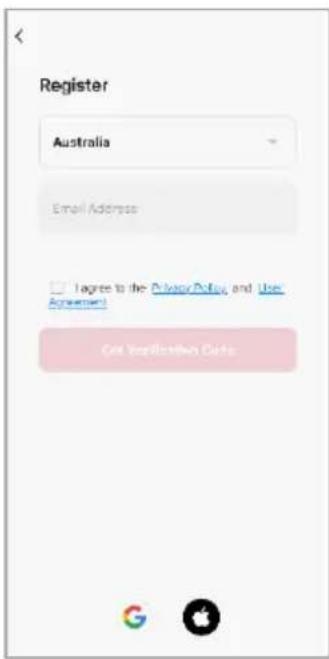
- If you already have a SmarterHome account, tap 'Log In'. To register a new account, tap 'Sign Up'.
- The app will automatically recognise your country. If needed, you can manually select your country from the drop down menu. Enter your email address, agree to the Privacy Policies and User Agreement, and tap 'Get Verification Code' to continue.
- A 6-digit code will be sent to the submitted email address. Enter the code before the one-minute timer expires.

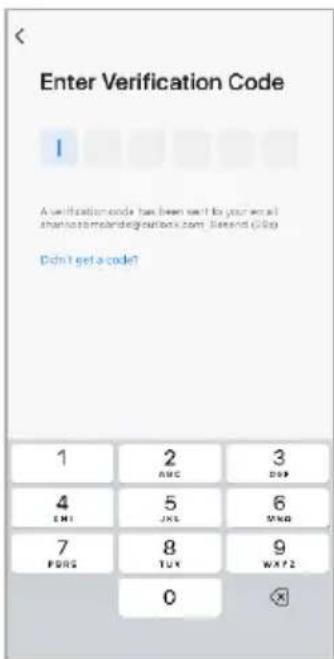
- Enter a password that uses 6-20 characters with a mix of letters and numbers and tap 'Done'.
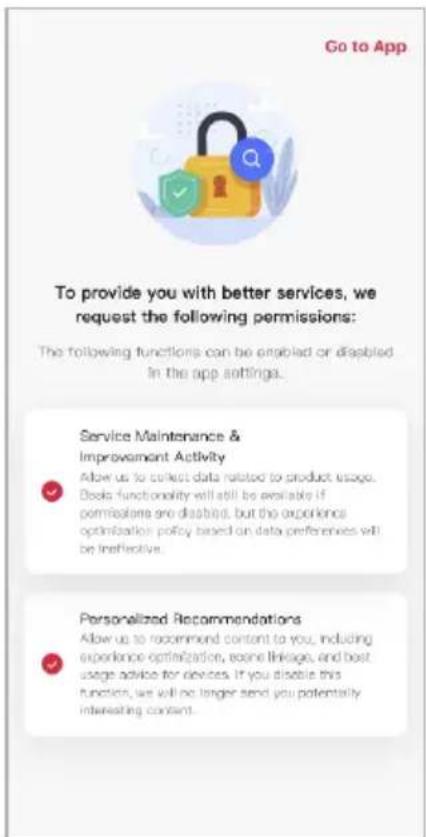
- Enable the permissions and tap 'Go to App'.

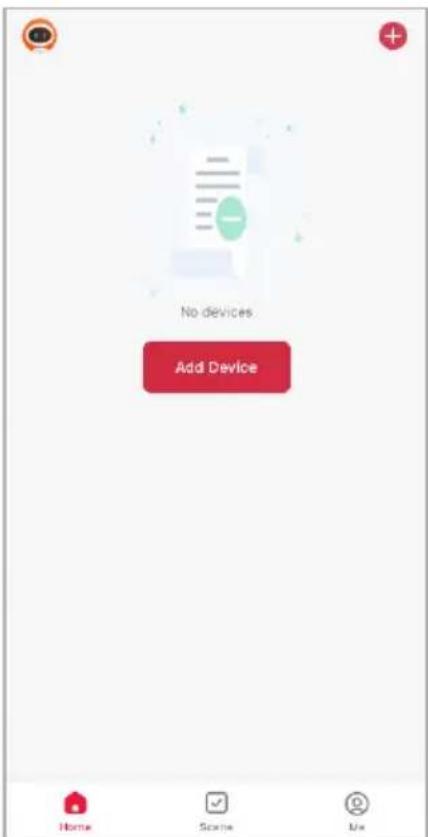
Set the Device in Pairing Mode
When the device is first turned on, it may automatically enter pairing mode the indicator will be flashing blue).
If not automatically in pairing mode when powered on, you can manually set the device in pairing mode by pressing and holding the 'Reset' button until the indicator flashes blue.
Add the Device to the App Through Bluetooth
- Ensure Bluetooth is enabled on your smartphone.
- Open the SmarterHome™ app. The app will discover nearby Bluetooth devices.
- Tap 'Add' when the device appears. Alternatively, select the product type from the list of options in the app (Garden > Smart Soil Sensor).
- Follow the prompts to add your device to the app.
Notes:
- The device and the app must use the same Wi-Fi network.
- The device is only compatible with 2.4Ghz networks.
Connectivity Support
Scan the QR code below or go to https://help.kogan.com/s/article/Kogan-SmarterHome-App-Connectivity-Support and follow the pairing instructions for EZ mode.

Google Home
- Ensure you are logged into the Kogan SmarterHome™ app.
- Open the Google Home app.
- Go to the devices tab and tap the '+ Add' button in the lower right corner.
- Tap 'Works with Google Home'.
- Search for 'Smarter Home' in the search bar and select 'Smarter Home' from the results.
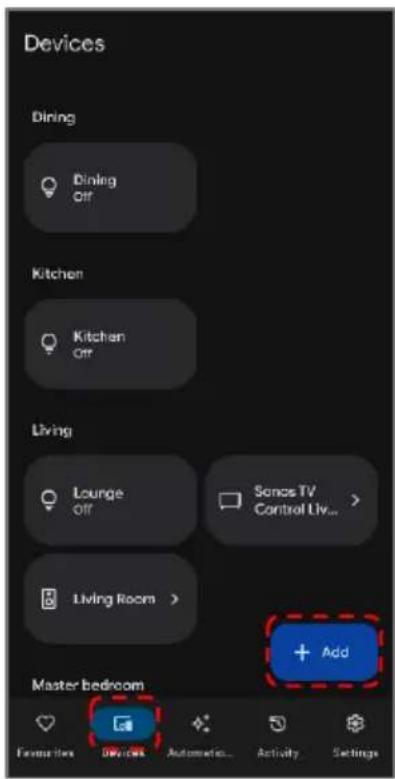
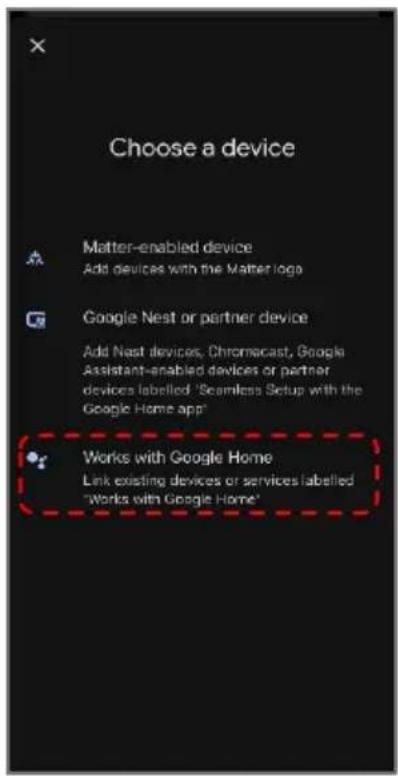
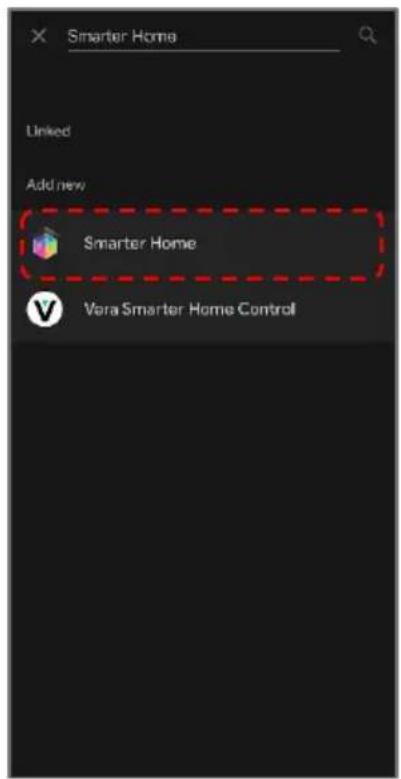
- Tap the 'Agree and link' button.
- Search for 'Smarter Home' in the search bar and select 'Smarter Home' from the results.
- Once linked, a 'Smarter Home is linked' pop-up will appear at the bottom of the screen.
- Tap your device and then tap the 'Next' button.
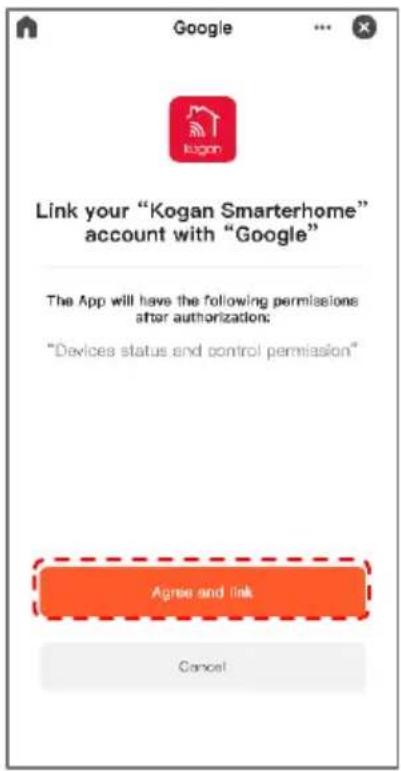

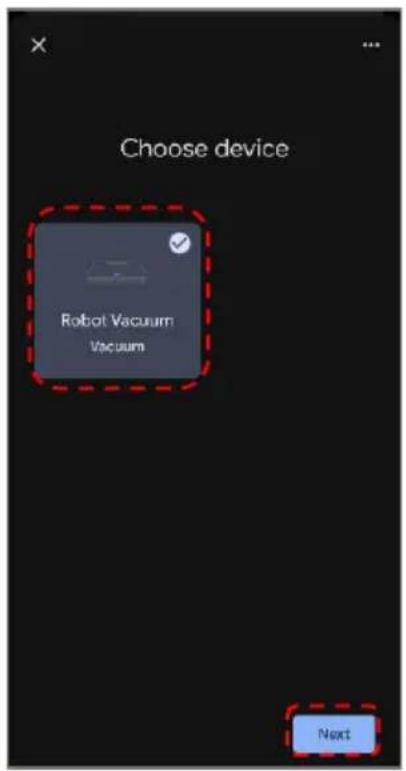
- Select the home you wish to add the device to and tap the 'Next' button.
- Select the room your device is in and tap the 'Next' button.

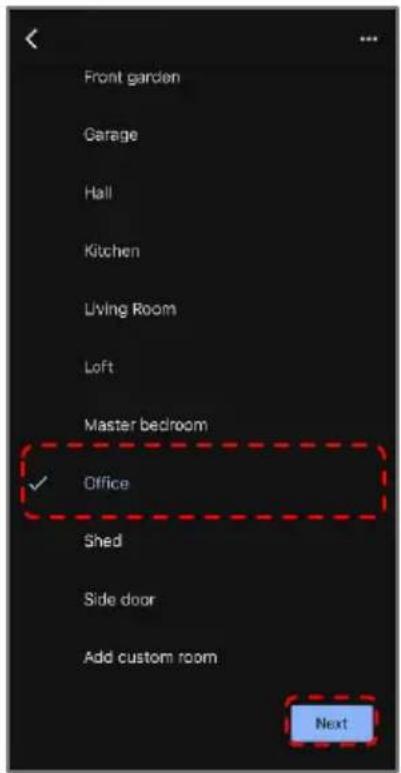
Operation
Battery Replacement
• The sensor uses x3 AAA batteries.
- When the batteries are depleted, replace them by following these steps:
a. Remove the screws on the back cover using a screwdriver.
b. Open the cover and replace the old batteries with x3 new AAA batteries, ensuring correct polarity.
c. Reattach the back cover and secure it with the screws.
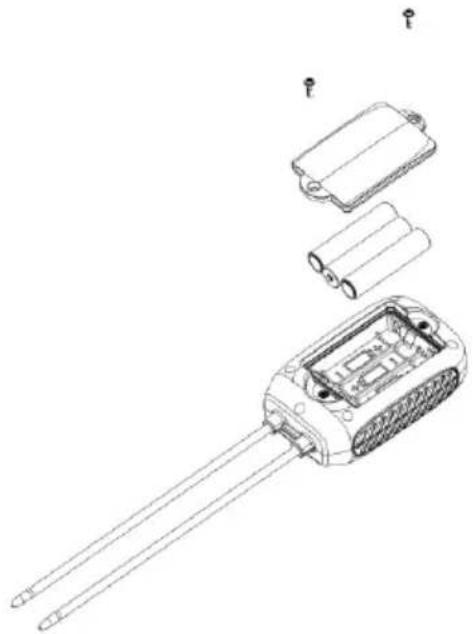
natural_image
Technical line drawing of a disassembled electronic device with battery, housing, and wires (no text or symbols)Using the Device
- Insert the sensor vertically into the soil.
- Wait approximately 5 seconds to view the measurement data on the app.
Application Scenarios
This detector is suitable for various soil types and can be used in multiple settings, including:
- Greenhouses.
- Courtyards.
- Farmland.
- Orchards.
- Potted plants.
- Gardens.
- Indoor environments.
Specifications
| Power Supply | 4.5V, AAA batteries (x3) |
| Battery Life 4 months | |
| Moisture Test Range | 0-100% |
| Moisture Accuracy | ±10% |
| Temperature Test Range | -10~60°C |
| Temperature Accuracy ±1°C | |
| Communication Protocol Bluetooth | |
| Waterproof IPX5 | |
| Size | 240.9 x 52.6 x 31.7mm |
Need more information?
We hope that this user guide has given you the assistance needed for a simple set-up.
For the most up-to-date guide for your product, as well as any additional assistance you may require, head online to help.Kogan.com.
kogan.com


- Kogan SmarterHome™ Bluetooth Outdoor Temperature & Humidity Soil Sensor
- Safety & Warnings
- Overview
- Connect to the SmarterHome™ App
- Install the App
- Log In or Sign Up
- ##P
- Set the Device in Pairing Mode
- Add the Device to the App Through Bluetooth
- Notes:
- Connectivity Support
- Google Home
- Operation
- Battery Replacement
- Using the Device
- Application Scenarios
- Specifications
- Need more information?
Brand : Kogan
Model : KASMSOILSRA
Category : Measurement