
Portus X2 - Computer accessory SureFire - Free user manual and instructions
Find the device manual for free Portus X2 SureFire in PDF.


| Product Type | Laptop Stand with RGB |
| Dimensions (Level 1) | 311 mm x 311 mm x 31.8 mm |
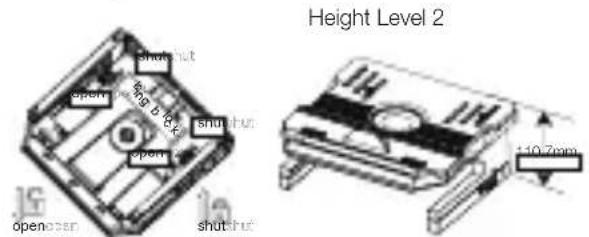
| Dimensions (Level 2) | 311 mm x 311 mm x 110.7 mm |
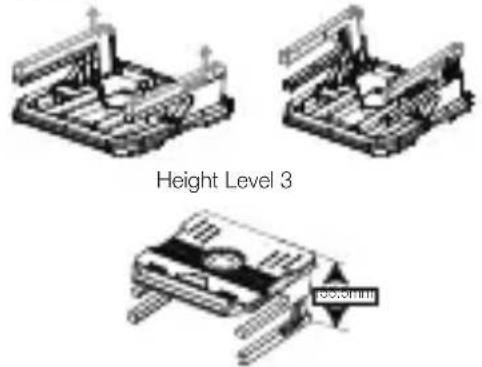
| Dimensions (Level 3) | 311 mm x 311 mm x 155.5 mm |
| Weight | 1353 g |
| Maximum Laptop Size | Up to 17.3 inches, 10 kg (22 lbs) |
| Adjustable View Angles | 20 |
| Adjustable Height Levels | 3 |
| RGB LED Light Modes | 6 (Wave, Spectrum, Pulse, Blink, Full Lit, Render) |
| Removable Cooling Risers | 2 |
| Foldable Smartphone Stands | 2 |
| Rotation | 360-degree rotating base |
| Power Supply | DC cable (included) |
| Interface | USB-A port (5V/500mA) for RGB lighting |
| Material | Plastic, metal |
| Warranty | 2 years |
| Cable Organizer | Yes |
| Power-off Memory Function | Yes |
| Cleaning | Wipe with a dry, soft cloth; avoid liquids and abrasives |
| Safety | Keep away from water and excessive heat; use only supplied cable |
| Spare Parts & Repairability | Contact SureFire support for replacement parts or repairs |
| General Information | Brand: SureFire; Model: Portus X2; Category: Computer accessory |
Frequently Asked Questions - Portus X2 SureFire
User questions about Portus X2 SureFire
0 question about this device. Answer the ones you know or ask your own.
Ask a new question about this device
Download the instructions for your Computer accessory in PDF format for free! Find your manual Portus X2 - SureFire and take your electronic device back in hand. On this page are published all the documents necessary for the use of your device. Portus X2 by SureFire.
USER MANUAL Portus X2 SureFire
Laptop Stand with RGB
QUICK START GUIDE
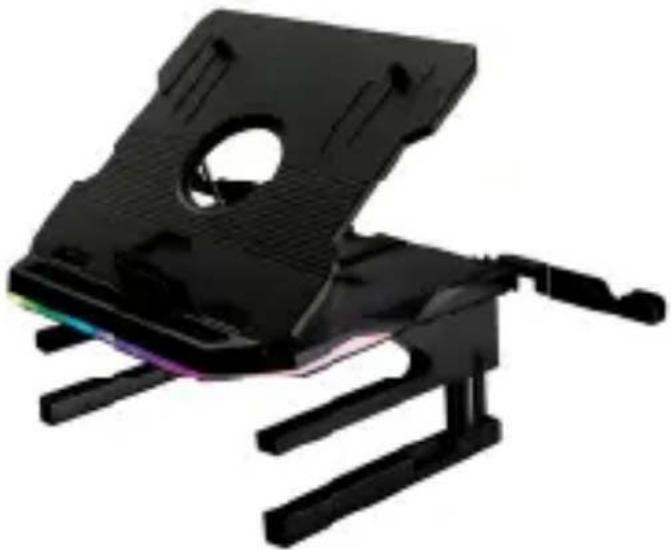
48843 SureFire Portus X2 Multi-Function Foldable Laptop Stand with RGB
natural_image
Black electronic device with a metallic frame and articulated legs, no visible text or symbols- Take out product and accessories from the box.

natural_image
Illustration of three electronic components: a closed book, a flat panel, and a coiled cable (no text or symbols)Laptop Stand User Manual DC cable
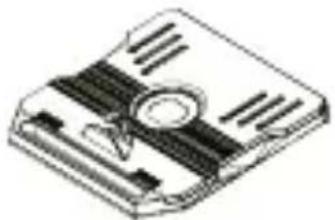
- Open the laptop/tablet holder.
natural_image
Isometric illustration of a floppy disk with visible slots and central hub (no text or symbols)- RGB function
Connect the cable to the "DC in" port on the base of the stand. Press the Light Mode button beside the "DC in" port to change the light modes. The laptop stand will memorise your selected RGB light mode the next time you connect.

natural_image
Technical line drawing of a mechanical component with no visible text or symbols
Light mode
- Wave (Rainbow colours)
- RGB Spectrum (Rainbow colours)
- Pulse (Rainbow colours)
- Blink (Blue)
- Full Lit (Green)
-
Render (Purple/Green)
7.OFF -
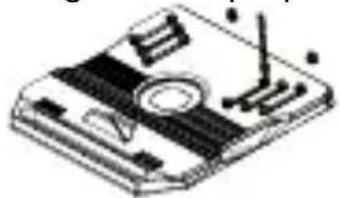
Open the upper cover, remove the cooling risers, and insert them into the appropriate slots. The cooling riser positions are adjustable according to the laptop/tablet size
natural_image
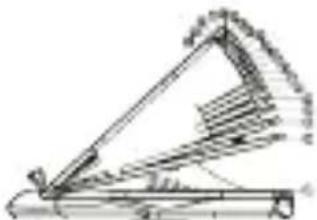
Isometric illustration of a computer monitor with a keyboard and mouse (no text or symbols)- Adjust view angle. You can choose between 20 different angles.
natural_image
Technical line drawing of a mechanical lever system (no text or symbols)- 360-degree rotating base can be used in the folded position.

natural_image
Technical line drawing of a mechanical housing or casing with internal components and a circular arrow indicating rotation (no text or symbols)- Open stands on both sides: in this position the product can be used to store the keyboard and mouse.

- After opening the stands, push the locking blocks towards the front of the product to fix the stands. Push the locking blocks to the back of the product for unlocking and closing ^6 the stands.
- Adjust the height to the 3^rd height level.
- Two smart phone stands are at the back of the product. They can be easily rotated out.

natural_image
Simple line drawing of a laptop with a front screen and wheels (no text or symbols)- The completed stand in use:

natural_image
Line drawing of a laptop resting on a stack of books (no text or symbols visible)Specifications
Suitable for laptops up to 17.3" and 10 kg (22 lbs)
Adjustable view angles: 20
Adjustable height levels: 3
RGB LED light mode: 6
Removable cooling risers to increase airflow and ventilation: 2
Foldable smart phone stands: 2
360-degree rotating base
Cable organiser
Power-off memory function
Interface: USB-A port (5V/500mA) for RGB lighting
Power supply: power via DC Cable (included)
Product dimensions: Level 1: 311mm x 311mm x 31.8mm
Level 2: 311mm x 311mm x 110.7mm
Level 3: 311mm x 311mm x 155.5mm
Product weight: 1353 g
Material: plastic, metal
Limited Warranty Terms
Verbatim GmbH warrants this product to be free from defects in material and workmanship for a period of 2 years from date of purchase.
This warranty excludes batteries.
If this product is found to be defective within the warranty period, it will be replaced at no cost to you.
You may return it with your original cash register receipt to the place of purchase or contact Verbatim.
Product replacement is your sole remedy under this warranty, and this warranty does not apply to normal wear or to damage resulting from abnormal use, misuse, abuse, neglect or accident, or to any incompatibility or poor performance due to the specific computer software or hardware used.
VERBATIM WILL NOT BE LIABLE FOR DATA LOSS OR ANY INCIDENTAL, CONSEQUENTIAL OR SPECIAL DAMAGES, HOWEVER CAUSED, FOR BREACH OF WARRANTIES OR OTHERWISE.
This warranty gives you specific legal rights and you may also have other rights which vary from state to state or country to country.
Note
Verbatim GmbH may at any time revise the content of this user guide without further notice.
Rights
Copyright © 2021 Verbatim GmbH. No part of this document may be reproduced in any form or by any means, for any purpose, without the express written permission of Verbatim GmbH.
All rights reserved.
All other brands and product names referenced herein are property of their respective owners.
Complies with the requirements set out in the Council Directive on the Approximation of the Laws of the Member States relating to Electromagnetic Compatibility (2014/30/EC) and General Product Safety Directive (2001/95/EC). This declaration applies to all specimens manufactured identical to the model submitted for testing/evaluation.
EN 55032:2015/A11:2020 EN IEC 61000-3-2:2019/A1:2021 EN 61000-3-3:2013/ A1:2019 EN 55035:2017/A11:2020 EN 61000-4-2:2009 EN 61000-4-3:2006 +A1:2008+A2:2010 EN 61000-4-4:2012 EN 61000-4-5:2014 /A1:2017 EN 61000-4-6:2014/AC:2015 EN 61000-4-8:2010 EN IEC 61000-4-11:2020/AC:2020-06
RoHS Compliance
This product is in compliance with Directives 2011/65/EU and 2015/683 of the European Parliament and of the Council of 18th December 2006, on the restriction of the use of hazardous substances in electrical and electronic equipment (RoHS) and its amendments.
Substances of Very High Concern (SVHC) including 219 substances contained in Candidate List of June 8 ^th 2021 are not present in this product range above permitted levels.
WEEE Notice
The Directive on Waste Electrical and Electronic Equipment (WEEE), which entered into force as European law on 13th February 2003, resulted in a major change in the treatment of electrical equipment at end-of-life.


The WEEE logo (shown at the left) on the product or on its box indicates that this product must not be disposed of or dumped with your other household waste.
For more information about electronic and electrical waste equipment disposal, recovery, and collection points, please contact your local municipal household waste disposal service or shop from where you purchased the equipment.
EN If you have any questions about this product, please contact the SureFire support team – www.surefire-gaming.com/support.
F Si vous avez des questions au sujet de ce produit, contactez l'équipe d'assistance SureFire à l'adresse www.surefire-gaming.com/support.
DE Wenn Sie Fragen zu diesem Produkt haben, wenden Sie sich bitte an den SureFire-Support: www.surefire-gaming.com/support.
IT Per maggiori informazioni su questo prodotto, contattare il Supporto Tecnico di SureFire – www.surefire-gaming.com/support.
ES Si tiene alguna pregunta sobre este producto, póngase en contacto con el equipo de soporte de SureFire: www.surefire-gaming.com/support.
PT Caso tenha alguma dúvida sobre este produto, entre em contacto com a equipa de apoio da SureFire - www.surefire-gaming.com/support.
PL W przypadku jakichkolwiek pytań na temat tego produktu prosimy o kontakt z działem wsparcia firmy SureFire — www.surefire-gaming.com/support
RU Если у вас есть какие-либо вопросы об этом продукте, обратитесь в службу технической поддержки SureFire по адресу www.surefire-gaming.com/support.
CZ Máte-li k tomuto produktu nějaké otázky, kontaktujte tým podpory společnosti SureFire – www.surefire-gaming.com/support.
HU Ha bármilyen kérdése van a termékkel kapcsolatban, kérjük, lépjen kapcsolatba a SureFire ügyfélszolgálatával: www.surefire-gaming.com/support.
SK Če imate vprašanja glede izdelka, se obrnite na skupino za podporo strankam SureFire – www.surefire-gaming.com/support.
HR SR Ukoliko vas zanima bilo šta u vezi ovog proizvoda, obratite se timu za podršku kompanije SureFire – www.surefire-gaming.com/support.
RO Dacă aveți întrebări despre acest produs, vă rugăm să contactați echipa de asistență SureFire - www.surefire-gaming.com/support.
EUROPE/ MIDDLE EAST/ AFRICA:
Verbatim GmbH, Düsseldorfer Straße 13, 65760 Eschborn, Germany
SureFire is a brand owned by Verbatim GmbH.

Verbatim.

Brand : SureFire
Model : Portus X2
Category : Computer accessory